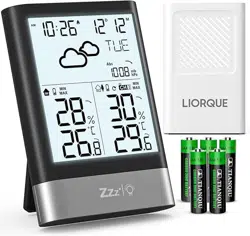
LIORQUE YGH6208 Questions & Answers
You can find answers or submit your question.
In ManualsFile, you can ask and answer questions about your issues. We - volunteers - or other people who own the product will help you.
You should also read the documentation for your own answers. Download documentation for this product here.
Hace un pitido cada dos minutos
how do i set the alarm
In the normal display, short press the ALARM button, it will display alarm 1 - alarm 2 - current time.
When the alarm 1 time is displayed, short press the SET button to turn the alarm ON/OFF, when "bell icon" appears, alarm 1 is ON.
When the alarm 1 time is displayed, press and hold the ALARM button to set the hour-minute-volume of the alarm. Adjust the number with +/- button (long press for quick adjustment), then short press the ALARM button again to confirm and go to the next setting.
L01 = High volume
L02 = Low volume.
Short press the ALARM button to exit when the volume setting is finished. Alarm 2 setting is as the same as alarm 1.
Screen has faded out.
- Relocate the sensor to a shaded, dry area away from direct sunlight or heat sources.
- Ensure display unit is not near strong electromagnetic fields.
- It may be due to low battery, it is recommended to replace the battery.

Submit your question
If you have any questions about this product, please ask here.