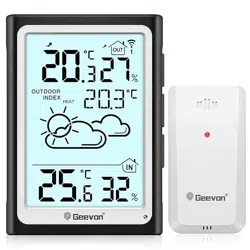
Geevon 246275 Questions & Answers
You can find answers or submit your question.
In ManualsFile, you can ask and answer questions about your issues. We - volunteers - or other people who own the product will help you.
You should also read the documentation for your own answers. Download documentation for this product here.
1 Questions
How do you get the damn light to come on? It does not come on if it’s dark or bright.
- Press and hold the [AUTO LIGHT] button for more than 3 seconds to turnon/off the photosensitive function. The signal “ON” or “OFF” will display for 3seconds;
- When the Automatic photosensitive function is turned on, it will automatically adjust the brightness according to the current light environment;
- When it is powered by battery, press the [AUTO LIGHT] button to turn on the backlight for 10 seconds. If there is no key operation for 10 seconds, the backlight will automatically turn off;
- When it is powered by DC port, the backlight will be always on, single pressthe [AUTO LIGHT] button to adjust the brightness, the sequence is: high → low→ off
- In photosensitive mode, the brightness of the backlight cannot be adjusted.

Submit your question
If you have any questions about this product, please ask here.