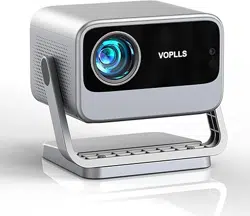
VOPLLS M10 Questions & Answers
You can find answers or submit your question.
In ManualsFile, you can ask and answer questions about your issues. We - volunteers - or other people who own the product will help you.
You should also read the documentation for your own answers. Download documentation for this product here.
1 Questions
how to turn of accessibility
There are no specific instructions in the User Manual on how to disable accessibility features for this product.
Select "Settings" on the homepage, then enter "Setup", select the Reset Default option.
This clears custom settings and turns off accessibility modes. It will also reset other settings (WiFi, picture, time).

Submit your question
If you have any questions about this product, please ask here.