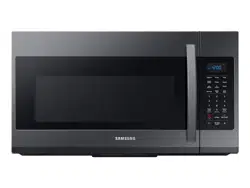
Samsung ME19R7041FG/AA Questions & Answers
You can find answers or submit your question.
In ManualsFile, you can ask and answer questions about your issues. We - volunteers - or other people who own the product will help you.
You should also read the documentation for your own answers. Download documentation for this product here.
What is the purpose of the square cardboard piece on the upper right side of interior and does it need changed at any time?
The cardboard cover on the right top or side wall of the microwave interior is there by design. The cardboard (mica) covers the waveguide system that feeds microwave energy into the cavity and should not be removed.
How do you set the clock
To set the clock: 1/ Press the Power Level button for 3 seconds. 2/ Use the number buttons to enter the current time. You need to press at least three numbers to set the clock. For example, if the current time is 5:00, press 5, 0, 0. The display will show: 500. 3/ Press the Power Level button. 4/ Use the Power Level button to select AM / PM. 5/ Press the OK/START button. 6/ A colon appears indicating that the time is set.
how do you set the clock
Please see details in the "SETTING THE TIME" section at: https://manualsfile.com/product/izkhj7eg5.html#:~:text=THE%20CONTROL%20PANEL-,SETTING%20THE%20TIME,-Your%20microwave%20oven

Submit your question
If you have any questions about this product, please ask here.