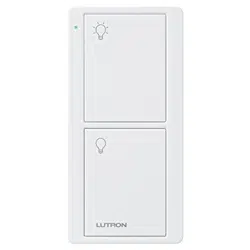
Lutron PJ2-2B-GWH-L01 Questions & Answers
You can find answers or submit your question.
In ManualsFile, you can ask and answer questions about your issues. We - volunteers - or other people who own the product will help you.
You should also read the documentation for your own answers. Download documentation for this product here.
If the the hard wired switch works and the remote one doesn't work, how do you reconnect teh signal?
To reconnect the signal between your hard-wired switch and the remote, you can try the following steps:
- Press and hold the off button on the Caseta smart switch for ten seconds.
- When the light blinks, press and hold the off button on the remote.
This should re-establish the connection between the switch and the remote.
how to program lutron pj 2b light remote switch
1. Turn on the power to the switch you want to control. 2. Press and hold the "On" button on the Pico remote for 6 seconds until the LED on the remote starts flashing. 3. Within 30 seconds, press and hold the "On" button on the switch you want to control until the LED on the switch starts flashing. 4. Release both buttons. The remote and switch are now paired.
Programing instructions how to do it
To program the Lutron Pico Remote, press and hold the off button on the Caseta smart switch for ten seconds until the light blinks. Then, press and hold the off button on the remote. This should reconnect your remote to the Caseta switch you want it to control.
Programing instructions how to do it

Submit your question
If you have any questions about this product, please ask here.