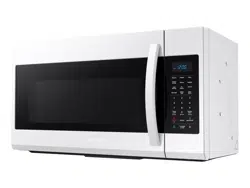
Samsung ME19R7041FW/AA Questions & Answers
You can find answers or submit your question.
In ManualsFile, you can ask and answer questions about your issues. We - volunteers - or other people who own the product will help you.
You should also read the documentation for your own answers. Download documentation for this product here.
Can sound volume of beeps on timer be adjusted? Can timer be set to repeat beeps periodically until attended to?
How to set clock
Please read the "SETTING THE TIME" section at this link below: https://manualsfile.com/product/awsh4kd3r.html#:~:text=THE%20CONTROL%20PANEL-,SETTING%20THE%20TIME,-Your%20microwave%20oven
NeEd a handle replacement
How do you set the clock
1/ Press the Power Level button for 3 seconds. 2/ Use the number buttons to enter the current time. You need to press at least three numbers to set the clock. For example, if the current time is 5:00, press 5, 0, 0. The display will show: 500. 3/ Press the Power Level button. 4/ Use the Power Level button to select AM / PM. 5. Press the OK/START button. 6/ A colon appears indicating that the time is set.
Where is the settings button How to change the clock
How to change the clock
Page 10 in the User Manual has information on how to change the clock format using "OPTIONS" menu: https://manualsfile.com/product/awsh4kd3r.html#:~:text=displays%20the%20time-,OPTIONS,-You%20can%20customize

Submit your question
If you have any questions about this product, please ask here.