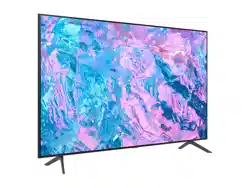
Samsung UN55TU7000FXZA Questions & Answers
You can find answers or submit your question.
In ManualsFile, you can ask and answer questions about your issues. We - volunteers - or other people who own the product will help you.
You should also read the documentation for your own answers. Download documentation for this product here.
after attaching antenna to watch local channels, how do you get tv??
tv stand dimensions
The total width of the stand, or distance from the outside of one leg to the outside of the other, on the 55TU7000 is 37.5".
does this samsung model turn on manually ?
Yes. There is a button underneath the Samsung logo on your TV - this button serves as a power button, as well as a button to allow you to change volume, channels or sources.
All of this series 7 ,work with bixby‽
The TU7000 does not have this feature. When stepping up to the TU8000, you will gain built-in voice assistants (Amazon Alexa, Bixby, Google Assistant) and a dedicated voice assistant button on your remote.
Does this model have Bluetooth
Yes, the 55TU7000 does have Bluetooth.
Does this model have Bluetooth
The TU7000 is a Bluetooth enabled Smart TV, which will allow you to seamlessly connect any Bluetooth device, such as Bluetooth speakers.
How yo get rid of pip
The TU7000 Series does not have PIP (or split-screen).

Submit your question
If you have any questions about this product, please ask here.