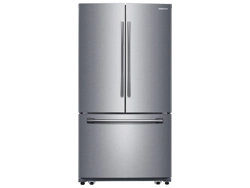
Samsung RF260BEAESR/AA Questions & Answers
You can find answers or submit your question.
In ManualsFile, you can ask and answer questions about your issues. We - volunteers - or other people who own the product will help you.
You should also read the documentation for your own answers. Download documentation for this product here.
How do I turn ice maker back on what lights should I see
Press and hold Ice Off button release, light will go off. Wait 24 hours for ice.
When the Ice Off icon is illuminated, the ice maker is off; when the icon is dark, the ice maker is on.I turned Ice maker off how do I turn back on and what should I look go on the lights?
If the Ice Off button is lit that means the ice is turned off. Please press and hold Ice Off button, the light should be off for it to make ice.
why is freezer icon ref
I turned the Off Ice button before leaving town and now need to turn back on. Do I press the same button? How long does it take to make? How do I know if it is on?
If the Ice Off button is lit, then the ice maker is turned off. Press the button again so it's no longer illuminated to turn the ice maker on. If you haven't done so already, it may be necessary to bleed air from the lines and initialize the ice maker by pressing the Test/Reset button on the bottom of the ice maker. Keep in mind that the ice maker can't make ice until the freezer has reached an appropriate temperature (0ºF is recommended).
How fix the off sign coming both side freezer and refrigerator
How fix the sign off coming both freezer and refrigerator
How do I turn this Samsung fridge on
To turn on a Samsung refrigerator, you can plug it in. After you plug the refrigerator in, it will take a few hours to reach the appropriate temperature.
How do I remove the glass over the vegetable bins for cleaning?
To remove, please read: https://manualsfile.com/product/8uu0tdi2n.html#:~:text=2.%20Tempered%20Glass%20shelves
I turned off refrigerator and freezer to clean. Now I cannot get it to turn back on. My food is getting ruined. How do I turn it on, please.
How do I turn the cooling and freezer on?
How do I remove the glass over the vegetable bins for cleaning? ( Same question as Vicky 5 months ago..).
To remove, tilt up the front of the shelf and lift it up vertically then pull the shelf out. https://manualsfile.com/product/8uu0tdi2n.html#:~:text=2.%20Tempered%20Glass%20shelves
How to adjust the temperature on the freezer
To adjust the temperatures touch Fridge or Freezer button repeatedly until you reach the desired setting. https://manualsfile.com/product/8uu0tdi2n.html#:~:text=the%20temperature%20manually.-,CONTROLLING%20THE%20TEMPERATURE,-Controlling%20the%20Freezer
Refrigerator
Set @ 35
Continues to show temp of 48
Not cooling down
Freezer working.
How do you remove the glass over vegetable bins for cleaning?
To remove, tilt up the front of the shelf and lift it up vertically then pull the shelf out.
WHARE IS THE "RESET "BUTTON ON THE ICE MAKER ON MODEL RF260BEAESR/AA
Page 17 of the User Manual shows a diagram of where the test button is located on the ice maker. https://manualsfile.com/download/8uu0tdi2n.html

Submit your question
If you have any questions about this product, please ask here.