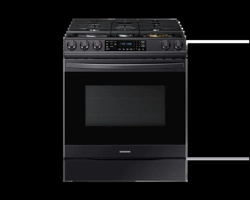
Samsung NX60T8511SG/AA Questions & Answers
You can find answers or submit your question.
In ManualsFile, you can ask and answer questions about your issues. We - volunteers - or other people who own the product will help you.
You should also read the documentation for your own answers. Download documentation for this product here.
what does the AA stand for in the model number
The AA indicates that the unit was manufactured for United States usage.
How do I set the clock? It won’t sync with the SmartThings app but can not find anywhere in the manual how to set the clock
To set the clock: 1. Press the Clock button. 2. To select AM/PM, press the Clock button again. 3. Enter the current time using the number pad. 4. Press Start/OK to confirm the settings.

Submit your question
If you have any questions about this product, please ask here.