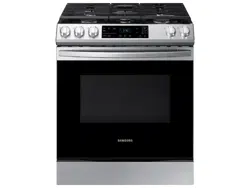
Samsung NX60T8111SS/AA Questions & Answers
You can find answers or submit your question.
In ManualsFile, you can ask and answer questions about your issues. We - volunteers - or other people who own the product will help you.
You should also read the documentation for your own answers. Download documentation for this product here.
My oven keeps burning cookies without cooking all the way through. Just started doing this and unsure why?
What is the procure to remove the vent covers?
Pull out the stove to access the back. Each oven vents held in place by a screw attached to a bracket on the oven vent. Remove the back screw. You can then take off the oven vent and remove the bracket, which is held on by a screw.
How to hook gas line up on propane
I cannot get my oven to work. Gas burners on top work fine. There is an unregonizable error showing an upside down F then 53 and then another upside down F. I have tried unplugging it, turming off breaker, holding buttons down but no success. What else can I do?
The oven control panel appears to be froze, cant change or turn anything on the oven
HOW DOES ONE SET THE CLOCK?
To set the clock: 1. Press the Clock button. 2. To select AM/PM, press the Clock button again. 3. Enter the current time using the number pad. 4. Press Start/OK to confirm the settings.
how does one set the clock
This link (https://manualsfile.com/download/4i6n4s1w8.html) to the full user manual for this model. Page 14 has step by step instructions on how to set the clock on this model.
HOW DOES ONE SET THE CLOCK?
Please read the "Clock" section on page 14 of User Manual: https://manualsfile.com/product/4i6n4s1w8.html#p14:~:text=the%20%EE%98%9Frst%20time.-,Clock,-You%20must
HOW TO SET CLOCK?
How to set clock
How to remove vent covers.
All you need to do is pull the range forward to access the back. Each grate is held by a screw. Just remove the screw. The grate will be free.
How to remove vent covers.
how to set the clock

Submit your question
If you have any questions about this product, please ask here.