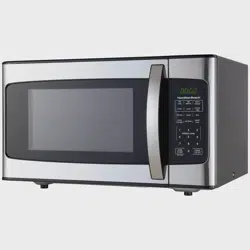
Hamilton Beach EM031M2ZC-X1 Questions & Answers
You can find answers or submit your question.
In ManualsFile, you can ask and answer questions about your issues. We - volunteers - or other people who own the product will help you.
You should also read the documentation for your own answers. Download documentation for this product here.
Can I dim the clock light?
No, there isn't a way to dim the display of the unit.
This microwave does not come with the mute feature.
can you replace a filter .... my daughter burnt something in the microwave and it still stinks
Need replacement ring…
how to set the clock
To set the clock, please at: https://manualsfile.com/product/2uwyhgqva.html#:~:text=levels%20are%20available.-,Clock%20Setting
How do you set power levels.
Microwave not heating up
To set power levels, please read at: https://manualsfile.com/product/2uwyhgqva.html#:~:text=11)%20Start/%2B30Sec.-,Power%20Level
How to set power and time settings
Plugged microwave and light inside came on an glss turning
How to set the clock
how to set the clock
Is there a way to silence this microwave?
There is no way to silence this microwave.
The light in the microwave no longer works. How can I fix it?
Please read user manual page 15 - Troubleshooting. Or call Hamilton Beach Customer Service.
does this model have a carracle
does this microwave come with a manual
I did not see one in the boxYou can download it at https://manualsfile.com/download/2uwyhgqva.html
did not recieved manuel in box. Can I have one mailed

Submit your question
If you have any questions about this product, please ask here.