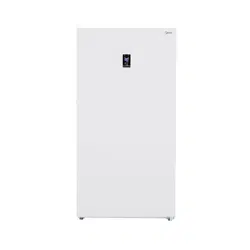
Midea MRU17F6AWW Questions & Answers
You can find answers or submit your question.
In ManualsFile, you can ask and answer questions about your issues. We - volunteers - or other people who own the product will help you.
You should also read the documentation for your own answers. Download documentation for this product here.
Where do I find the serial number?
The product model and serial numbers are located on the back of the freezer above the compressor compartment.
MRU17F6AWW - Midea 17cf - Is there a way to reverse the doors?
No. This freezer does not have a reversible door feature.
How do you remove the bottom drawers to clean
The trays and shelves can be removed. Ensure the door is opened to more that 90 degrees. This allows the shelves and trays to be removed and replaced much easier.
How do you remove the bottom drawers to clean
How do you know when the temperature reaches the desired temperature. We have had it set at -11 for 8 hours and it doesn't seem like its freezer temp and it the number only shows what you have set. I also put a cold bottle of water in and it's still cold but not freezing - that was at least 2 hours ago.
How to replace the light?
Same as everyone else, how do you remove the drawers for cleaning?! Help! Thanks
The trays and shelves can be removed. Ensure the door is opened to more that 90 degrees. This allows the shelves and trays to be removed and replaced much easier.
i just bought a mru17f6aww upright and I cannot figure out how to remove the bottom drawers out
how to unlock control and set for quick freeze
You will press and hold the Lock button for three seconds to unlock the control panel, then press the Quick Freeze button to select Quick Freeze mode. You should see a blue snowflake icon illuminate. Quick Freeze mode will turn off automatically after three hours (if the temperature falls below -13 degrees), or after 24 hours (if the temperature doesn't fall below -13 degrees).
How to take bottom drawersout
The trays and shelves can be removed. Ensure the door is opened to more that 90 degrees. This allows the shelves and trays to be removed and replaced much easier.
How to take bottom drawers out
The trays and shelves can be removed. Ensure the door is opened to more that 90 degrees. This allows the shelves and trays to be removed and replaced much easier.
Electronic control
InstructionHow to unlock freezer
To unlock the unit, press and hold the "lock" button for 3 seconds. This will unlock the control panel. https://manualsfile.com/product/2uis0yw11.html#:~:text=stabilize%20between%20adjustments.-,LOCK

Submit your question
If you have any questions about this product, please ask here.