YOUR 406 AT A GLANCE
2

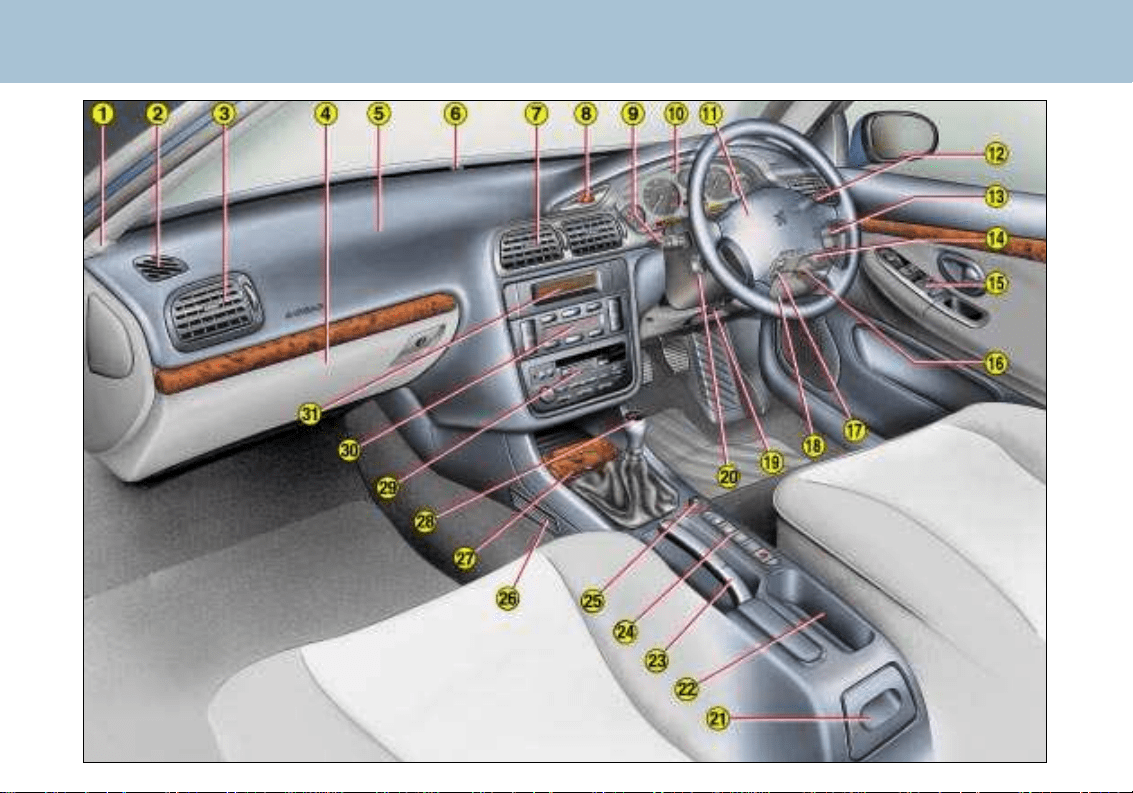
11 - Driver’s air bag.
Horn.
12 - Windscreen wash-wipe
stalk.
Trip computer stalk.
13 - Radio remote control stalk.
14 - Steering lock and ignition.
15 - Electric mirror controls.
Window controls.
Rear window locking
control.
16 - Electronic Stability Program-
me (ASR/ESP) switch.
17 - Headlamp height adjust-
ment.
18 - Fuse box.
19 - Steering wheel adjustment.
20 - Cruise control
21 - Rear ashtray.
22 - Cup-holder.
23 - Handbrake.
24 - Heated seat switches.
25 - Lighter.
Passenger air bag
disarming
switch.
Alarm button
26 - Rear footwell heating vent.
27 - Front ashtray.
28 - Gear lever.
29 - Radio.
30 - Heating/ventilation controls.
31 - Multi-function display.
YOUR 406 AT A GLANCE
3
1 - Speaker (tweeter) location.
2 - Window demisting vent.
3 - Side adjustable heating/
ventilation vent and air flow
regulation.
4 - Glove box.
5 - Passenger air bag.
6 - Windscreen demisting
vents.
7 - Central adjustable heating/
ventilation vents and air
flow regulation.
8 - Hazard warning lights switch.
9 - Lights and direction indica-
tors stalk.
Arming/disarming of auto-
matic switching on of lights.
10 - Instrument dials.
THE KEYS
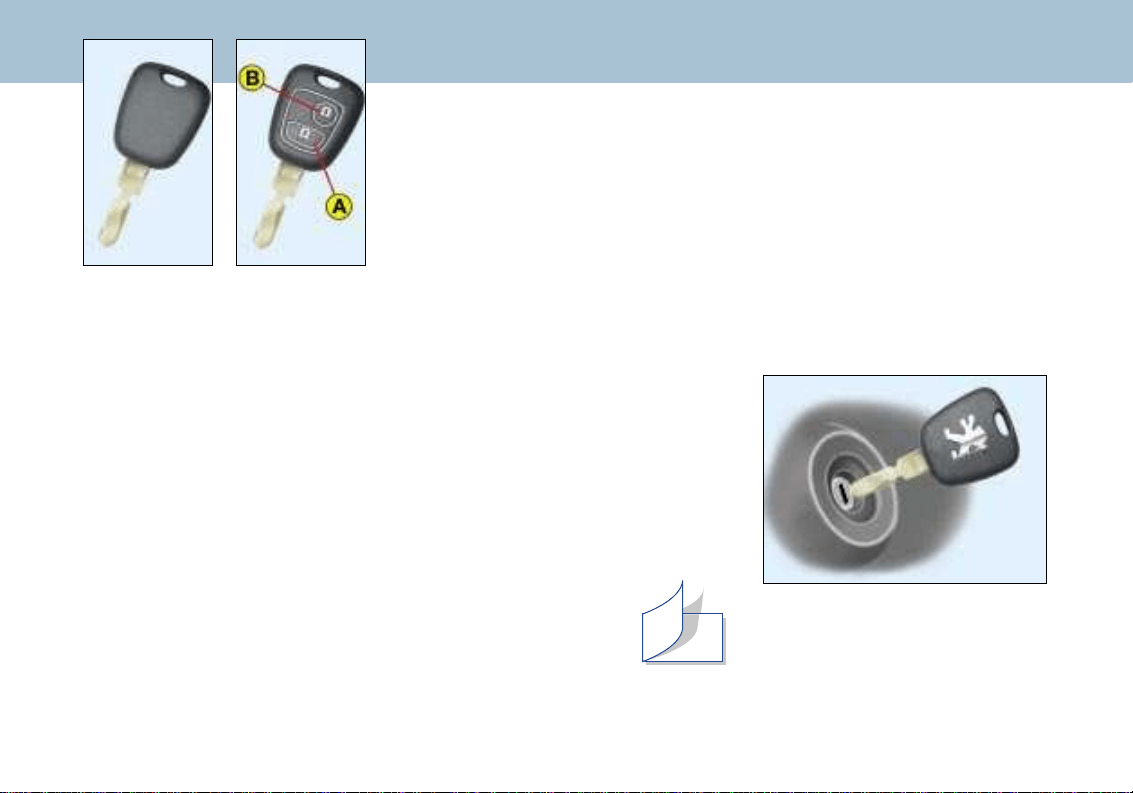
The keys allow you to switch on
the ignition and to independently
operate the locks on the front
doors, the glove box and the pas-
senger air bag disarming switch.
Central locking
From the driver's door, the keys
allow you to lock and unlock the
doors and the boot. If one of the
front doors is open, the central
locking does not work.
The remote control performs
the same functions at a dis-
tance.
The remote control
Locking
Pressing button A locks the
vehicle.
This is confirmed by the fixed
lighting of the direction indicators
for approximately two seconds.
Unlocking
Pressing button B unlocks the
vehicle.
This is confirmed by the rapid fla-
shing of the direction indicators.
STARTING
STOP position:
The ignition is off.
1st notch, Accessories position:
The ignition is off but the acces-
sories can be used.
2nd notch, Running position:
The ignition is on.
Starting position:
Operates the starter.
YOUR 406 AT A GLANCE
4
Key without
remote control
Key with
remote control
108
124
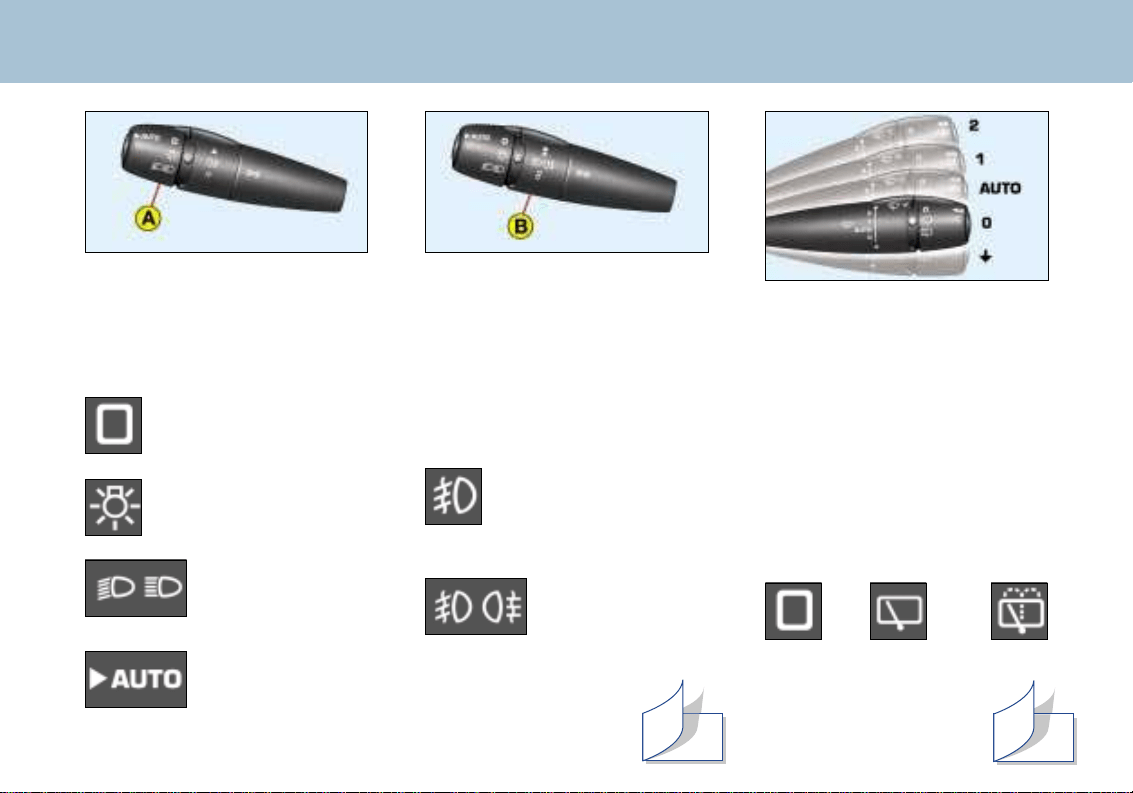
Front/rear fog lamps (ring B)
Rotate the ring forwards to switch
on and rearwards to switch off.
On/off status is displayed by the
indicator light on the instrument
panel.
Front fog lamps
(1st rotation of the ring
forwards).
Front fog lamps
and rear fog lamp
(2nd rotation of the
ring forwards).
STEERING WHEEL STALKS
LIGHTING
Front lights (ring A)
Lights off.
Side lights.
Dipped/
main beam
headlamps.
Automatic
illumination of
headlamps.
WINDSCREEN WIPERS
Front
2 Rapid wipe
(heavy rain)
1 Normal wipe
(moderate rain)
AUTO Automatic wipe
0 Off
∀ Single wipe
Windscreen wash: pull the stalk
towards you.
Rear
Intermittent Wash/
Off wipe wipe
YOUR 406 AT A GLANCE
5
Automatic wipe
In the AUTO position, the
windscreen wiper ope-
rates automatically and
adapts its speed to the
intensity of the rainfall.
126
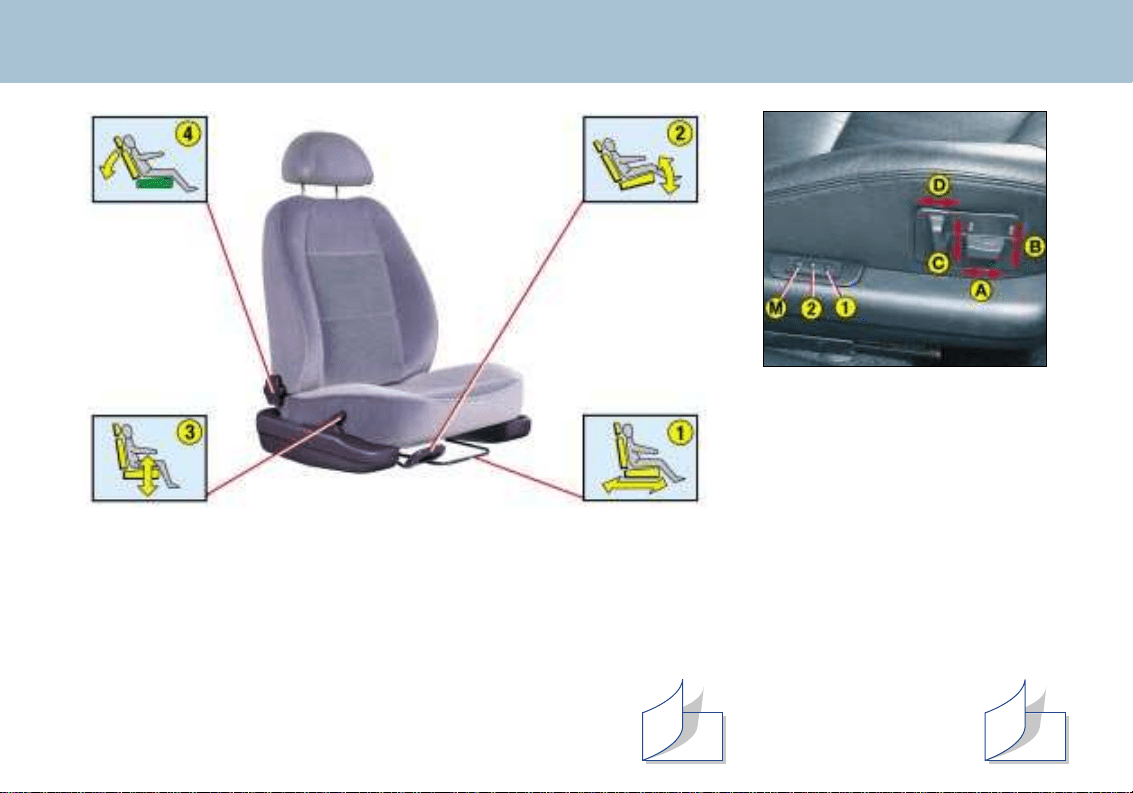
Electric front seats
A- Forwards/backwards adjust-
ment.
B - Seat angle adjustment.
C - Seat height adjustment.
D - Seat back angle adjustment.
M - Memorises the settings.
Switch on the ignition and
adjust the seat and mirrors.
Press button "M" and button
"1" at the same time, for the
first driving position, or "M"
and "2" , for the second dri-
ving position.
1 - Recalls first memo-
rised position.
2 - Recalls second
memorised position.
YOUR 406 AT A GLANCE
6
THE SEATS
Manual front seats
1 - Forwards/backwards adjustment.
2 - Seat angle adjustment.
3 - Seat height adjustment.
4 - Seat back angle adjustment.
115
114
YOUR 406 AT A GLANCE
8
SIDE AIR BAGS*
Side air bags are incorporated
into the backs of the front seats,
on the door side.
They are triggered individually,
on whichever side the collision
occurs.
Operating check
This is by means of the warning
light on the instrument panel.
It comes on for 6 seconds when
the ignition is switched on.
If the warning light:
- does not come on when the
ignition is switched on or,
- does not go out after six
seconds, contact a Peugeot
dealer.
* According to country.
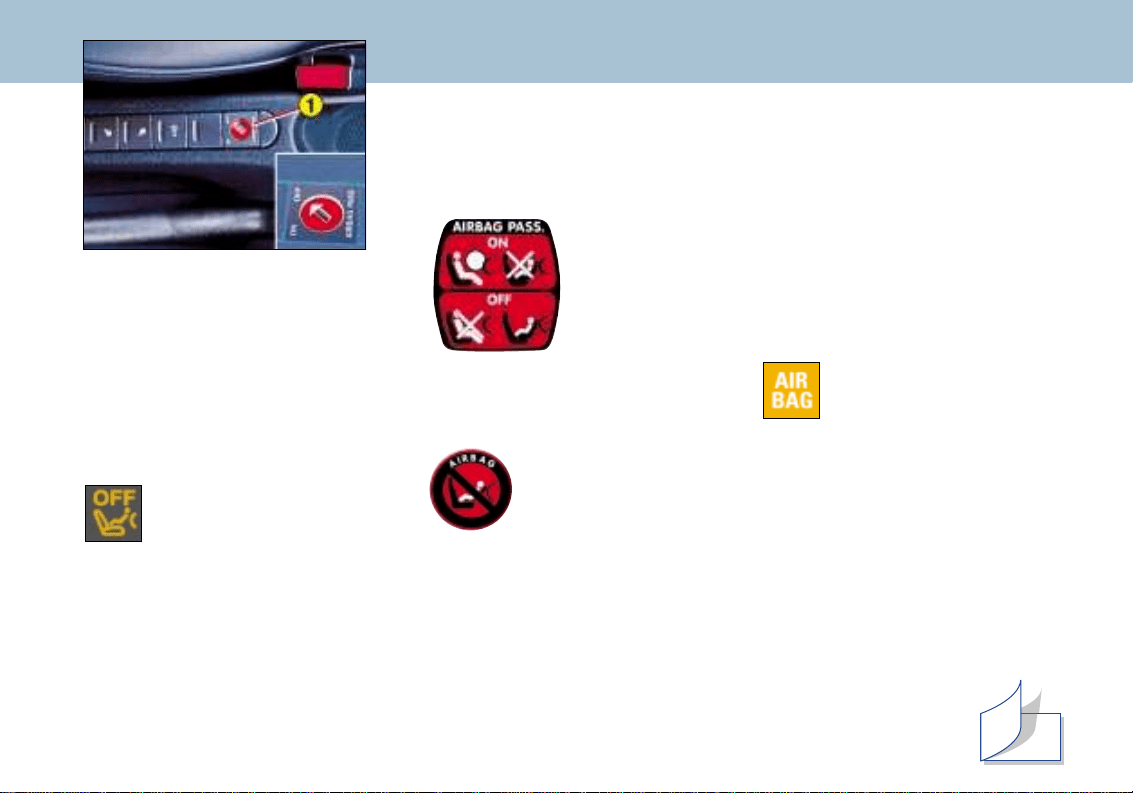
Passenger air bag precautions
For a vehicle fitted with a disar-
ming switch:
- disarm the air
bag if you
install a rear-
facing child
seat.
- arm the air
bag for an
adult
passenger.
For a vehicle not fitted with a
disarming switch:
- do not install rear-
facing child seats
on the front pas-
senger seat.
Never place your feet or any
object on the fascia.
FRONT AIR BAGS
Disarming the passenger
air bag
☞ Insert the ignition key in swit-
ch 1 and turn it:
- to the "ON " position, the pas-
senger air bag is armed
- to the "OFF " position, the
passenger air bag is disar-
med.
Operating check
This symbol lights for approxima-
tely six seconds when the igni-
tion is switched on.
With the ignition on (2nd notch),
illumination of this warning light
accompanied by an audible signal
and the message "Passenger air
bag disarmed" on the multi–func-
tion display indicates that the pas-
senger air bag is disarmed (switch
in the "OFF" position).
The warning light remains on
throughout the disarming process.
153
YOUR 406 AT A GLANCE
9
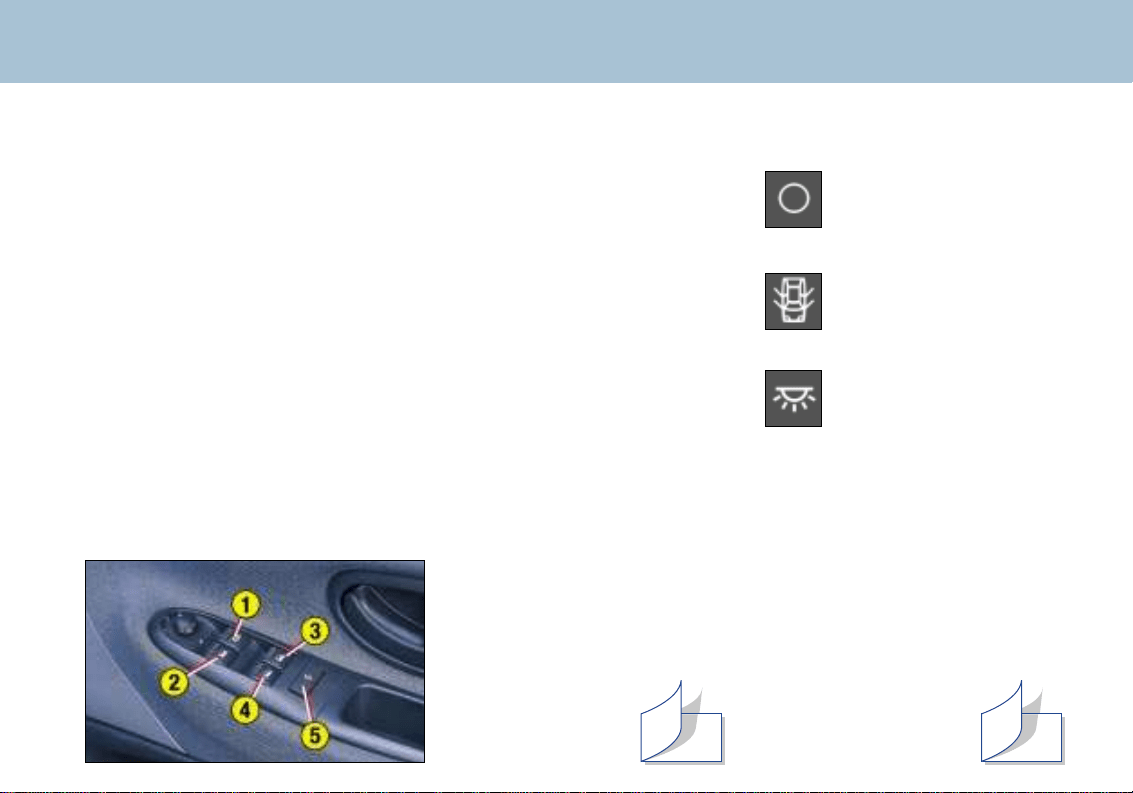
COURTESY LIGHT
Off
Lights when one of
the doors is opened.
Permanently lit, with
the key in the acces-
sories position or with
the ignition on.
Manual mode: press or pull the
switch gently. The window stops
as soon as the switch is released.
Automatic mode: press or pull
the switch beyond the point of
resistance. One touch completely
opens or closes the window.
Safety auto-reverse: when the
window on the driver's side rises
and meets an obstacle, it stops
and lowers again.
1 - Driver's electric window
2 - Passenger's electric window.
3 - Rear right electric window*.
4 - Rear left electric window*.
5 - Disarming the rear window
switches.
ELECTRIC WINDOWS
141 145
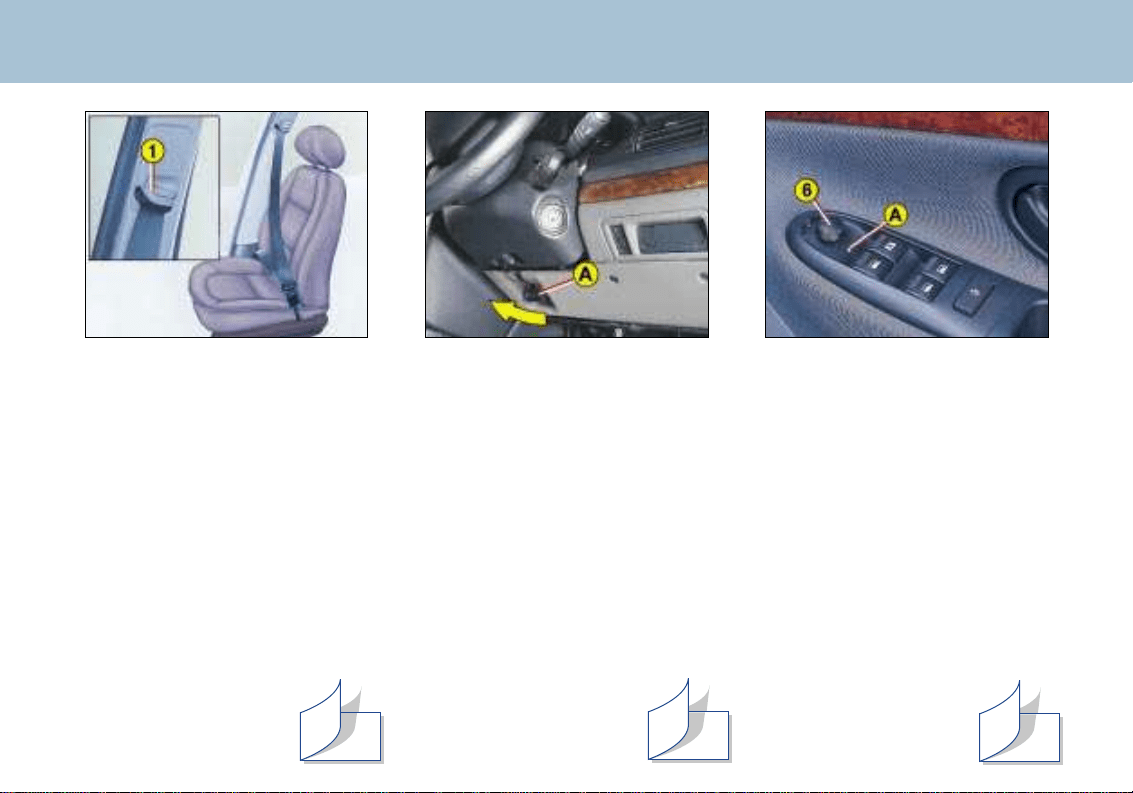
SEAT BELTS
Front seat belt height
adjustment
Pinch control 1 and slide it.
To lock the seat belts
Pull the strap, then insert the end
into the buckle.
YOUR 406 AT A GLANCE
7
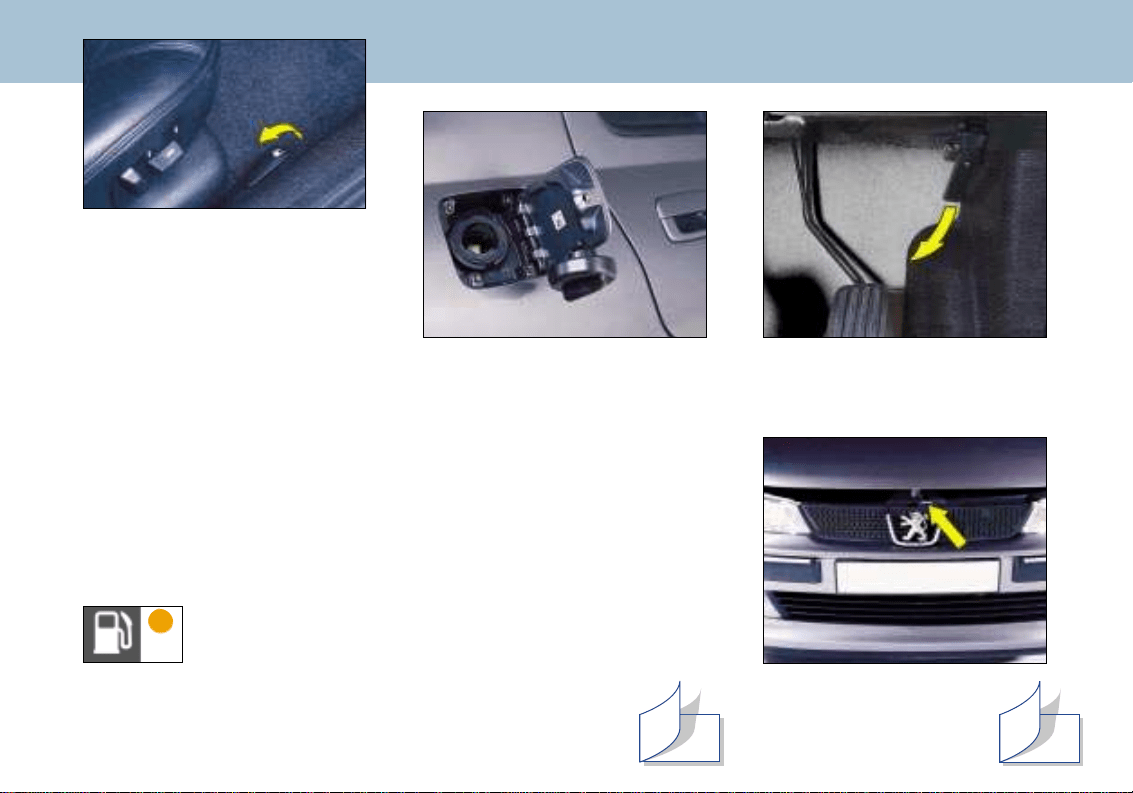
STEERING WHEEL
HEIGHT AND DEPTH
ADJUSTMENT
☞ Pull handle A to unlock the
steering wheel.
Adjust the height and depth
of the steering wheel then
lock it by pushing handle A in
fully.
ELECTRIC MIRRORS
Turn knob 6 to the right or left to
select the corresponding mirror.
Then move the knob in all four
directions to adjust.
Fold-back electric mirrors
With the ignition switched on,
turn knob 6 to position A.
144
121 142
YOUR 406 AT A GLANCE
14
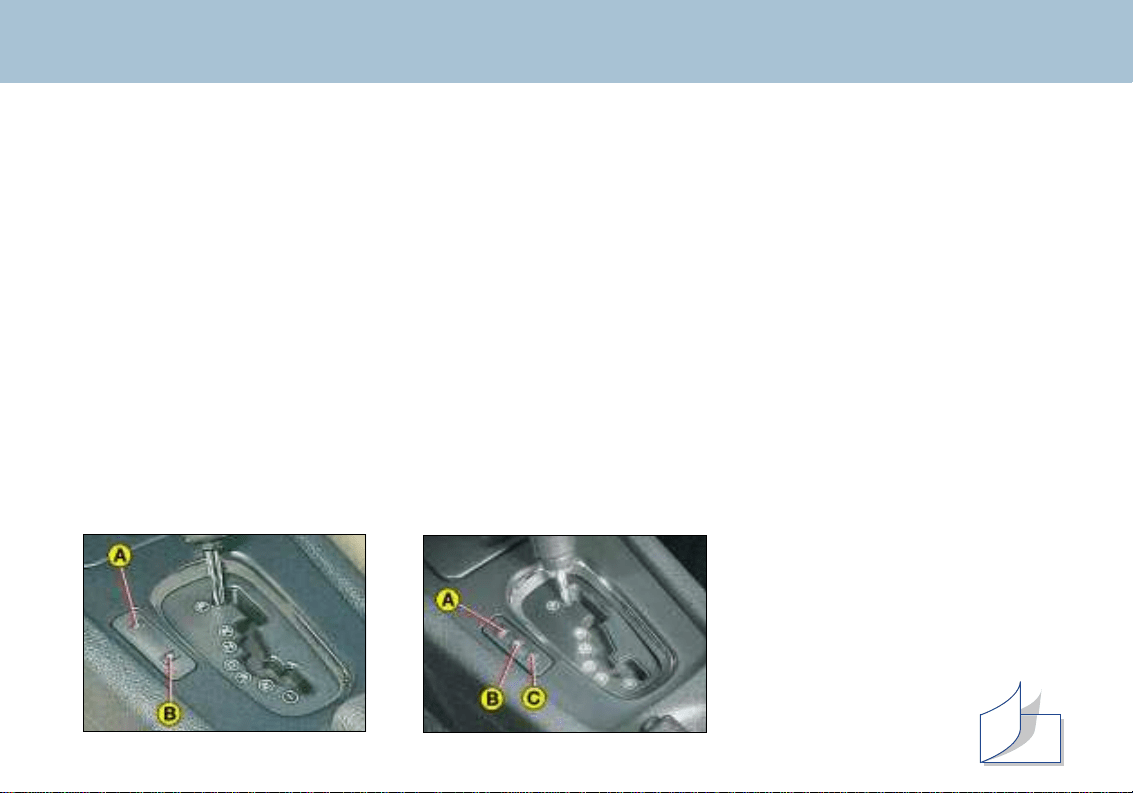
FUEL FILLER FLAP
To open: firmly pull the handle
on the floor to the outside of the
driver's seat.
To close: from outside the
vehicle, push back the flap and
check that it is secured correctly.
Filling with fuel
Switch off the engine.
A filler cap hook is provided.
A label on the inside of the flap shows which fuels are permitted and
which are not.
The capacity of the tank is approximately 15.4 gallons (70 litres).
Low fuel level warning light
From the time this light comes on, the range remaining is
approximately 30 miles (50 km).
113
OPENING THE BONNET
Inside the vehicle: Pull the
handle.
Outside the vehicle: Lift
the catch and open the
bonnet.
113
12
YOUR 406 AT A GLANCE
THE AUTOMATIC AUTOADAPTIVE GEARBOX
Moving Off
To move off from position P:
☞ It is essential to press the brake pedal to exit position P (shift lock)
☞ Select the required function (R, D, 3, 2 or 1), then gradually release the pressure on the brake pedal; the vehicle
will move off immediately.
You can also move off from position N:
☞ Release the handbrake, with your foot on the brake.
☞ Select the required function (R, D, 3, 2 or 1) then gradually release the pressure on the brake pedal; the vehicle
will move off immediately.
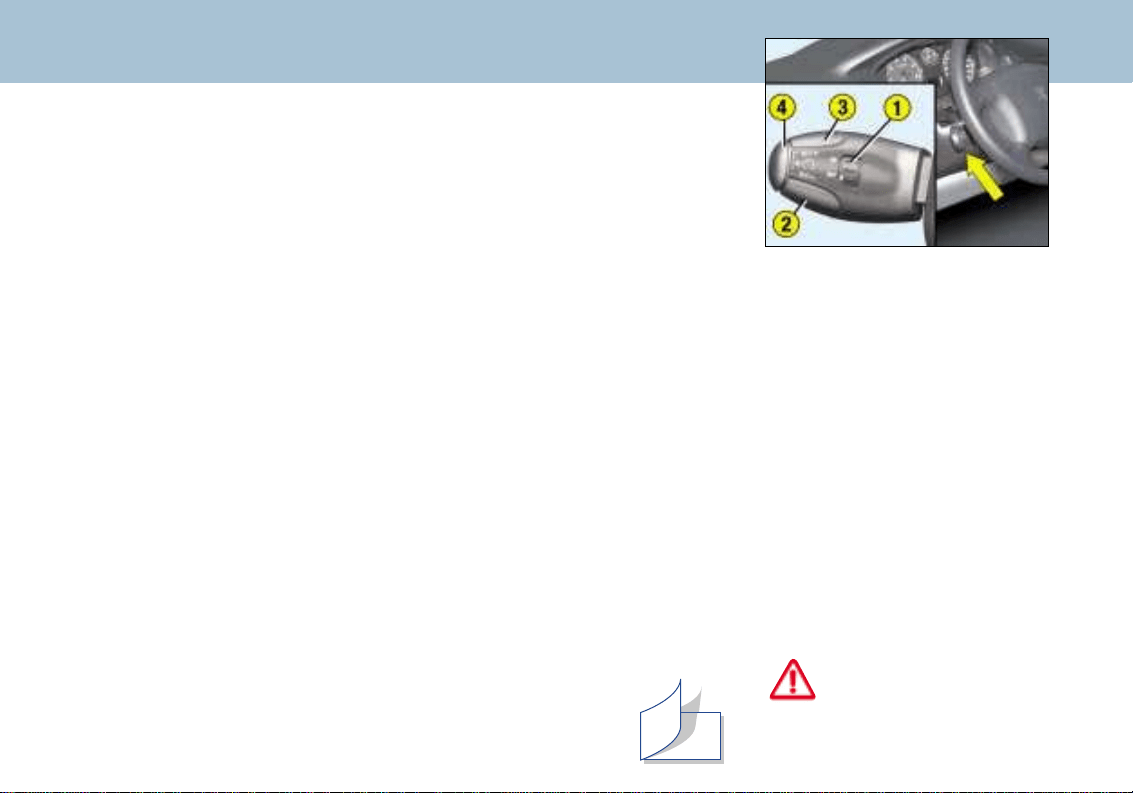
The four speed automatic gearbox provides the comfort of integral automatic regulation, enhanced by a sport
programme (switch A) and a snow programme (switch B).
Gear selection gate
☞ Move the lever in the gate to select one of the functions.
Once it has been selected, the indicator light for that function illuminates on the instrument panel display.
Park (parking): for parking the vehicle and starting the engine, with the handbrake on or off.
Reverse: for reversing. Select this function with the vehicle stationary and the engine at idle.
Neutral: for starting the engine and for parking, with the handbrake on.
Drive: for driving in auto-adaptive mode (automatic changing of the four gears).
3: for urban driving or driving on winding roads, (automatic changing of the first three gears only).
2: for driving on mountain roads or for towing a trailer (automatic changing of the first two gears only).
1: for tackling steep gradients (selection of first gear only).
Special feature of the gearbox
(1.8 litre, 2 litre petrol and
2 litre turbo diesel HDI)
Selection of first gear is by pres-
sing switch C with the gear lever
in position 2.
To change out of first gear, press
switch C again or ope-
rate the lever.
V6 engine 1.8 litre, 2 litre petrol and
2 litre turbo diesel HDI engines
148
YOUR 406 AT A GLANCE
13
Do not use cruise control
on slippery roads or in
heavy traffic.
CRUISE CONTROL
Cruise control enables the vehicle to maintain a steady speed program-
med by the driver, regardless of the road characteristics and without the
driver having to touch the accelerator or brake pedals.
In order for it to be memorised, the vehicle speed must be greater than
25 mph (40 km/h).
Operation
☞ Place switch 1 in the ON position.
A speed can now be memorised.
☞ Place switch 1 in the OFF position to de-activate the system.
Memorising a speed
As soon as you reach the chosen speed, press button 2 or 3 This memo-
rises the speed, which will be maintained automatically.
Note: It is possible to accelerate momentarily without disarming the crui-
se control.
Cancelling the memorised speed
If you wish to cancel the memorised speed:
☞ Press button 4 or the brake or clutch pedal.
Recalling the memorised speed
After cancelling, press button 4. Your vehicle will return to the
last memorised speed.
Changing a memorised speed
To memorise a speed higher
than the previous one:
☞ press button 3;
☞ release it when you have rea-
ched the required speed.
To memorise a speed lower than
the previous one:
☞ press button 2;
☞ release it when you have rea-
ched the required speed.
Cancelling the cruise control
☞ place switch 1 in the OFF
position or switch off the igni-
tion.
150
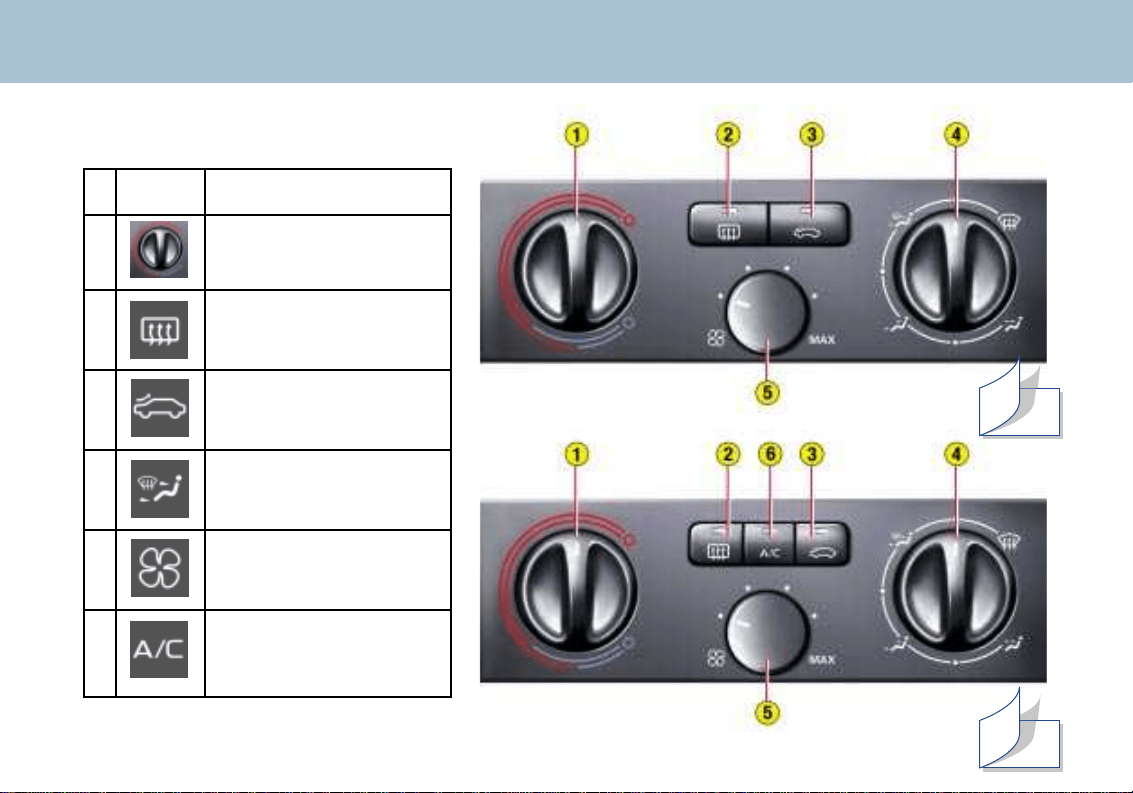
YOUR 406 AT A GLANCE
10
N° Symbol Function
1 Te mperature
adjustment
2 Demisting
the rearscreen
3 Air intake
control
4 Setting
the air distribution
5 Air flow
adjustment
6 Air conditioning
control
HEATING/AIR CONDITIONING
58
60
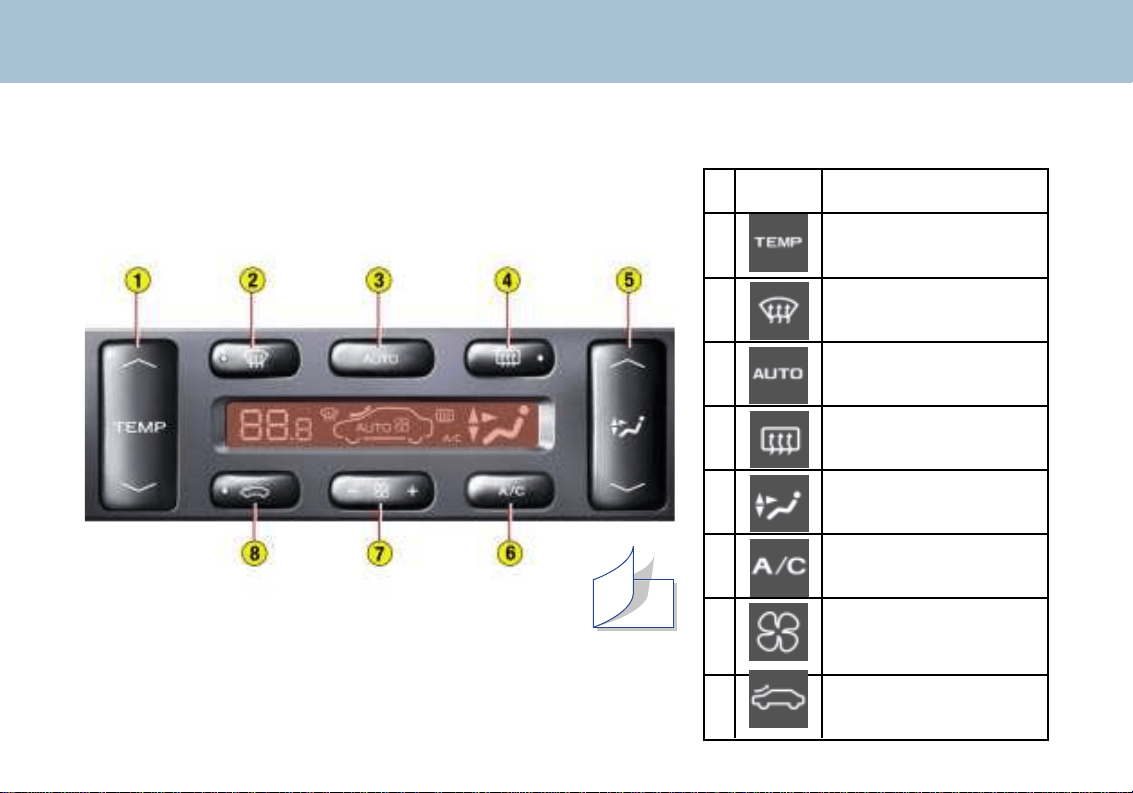
N° Symbol Function
1 Temperature
adjustment
.
.
2 Automatic visibility
programme
3 Automatic comfort
programme
4 Demisting the rear
screen
5 Setting the air
distribution
6 Air conditioning
control
7 Air flow
adjustment
8 Air flow
control
YOUR 406 AT A GLANCE
11
AUTOMATIC AIR CONDITIONING
62

PEUGEOT SERVICING
Your vehicle benefits from extended service intervals.
• For petrol engines: every 20,000 miles (30 000 km) or every two years.
• For direct injection diesel engines: every 12,000 miles (20 000 km) or every two years.
The extension of the service intervals means that the engine oil level must be checked regularly: topping up of the
oil between oil changes is normal.
It is for this reason, and for your complete peace of mind, that your Peugeot dealer will carry out a levels check and
top-up midway between each routine service, at the time or distance intervals specified.
This will be undertaken free of charge, provided that the maintenance of your vehicle has been carried out within
the PEUGEOT network.
At the same time, your Peugeot dealer will offer you a Peugeot safety check, for a nominal fee.
A Peugeot professional will carry out a quick check, and will top up the levels if necessary (oil up to 1 litre, coolant
and screen wash).
The date of the intermediate visit is not shown by the service indicator. It is to be carried out at least every
10,000 miles (15 000 km) for petrol engines and every 6,000 miles (10 000 km) for direct injection diesel engines.
If the oil level is too low there is a risk of serious damage to the engine: check the engine oil level at least every
1,500 miles (2 500 km), depending on the conditions of use.
The extended service intervals have been made possible by technical modifications to the vehicles and lubricants: THUS
IT IS ESSENTIALTO ONLY USE ENGINE LUBRICANTS THAT ARE APPROVED AND RECOMMENDED BY THE
MANUFACTURER
MAINTENANCE OF YOUR 406
18
SPECIAL FEATURES
Some of your vehicle's vital components have specific servicing schedules.
The air bags and the pretensioning seat belts must be replaced every 10 years.
The brake fluid must be replaced every 36/40,000 miles (60 000 km) or every 2 years.
The pollen filter must be checked at each visit to the PEUGEOT dealer (intermediate visits and regular services).
Replacement of the timing belt: consult your Peugeot dealer.
MAINTENANCE OF YOUR 406
19
Arduous conditions of use
If the vehicle is used in certain particularly arduous conditions:
• Continuous door-to-door use.
• Town use (e.g. taxi).
• Repeated short journeys, with the engine cold in low temperatures.
or for long stays in the following conditions:
• Hot countries with temperatures often above 30°C.
• Cold countries with temperatures often below minus 15°C.
• Countries with a dusty atmosphere.
• Countries whose lubricants or fuels do not conform to our recommendations,
it is necessary to follow an "Arduous conditions" servicing schedule, which includes special operations and shorter ser-
vice intervals:
• Every 12,000 miles (20 000 km) or every year for petrol engine vehicles.
• Every 9,000 miles (15 000 km) or every year for Direct Injection Diesel engine vehicles.
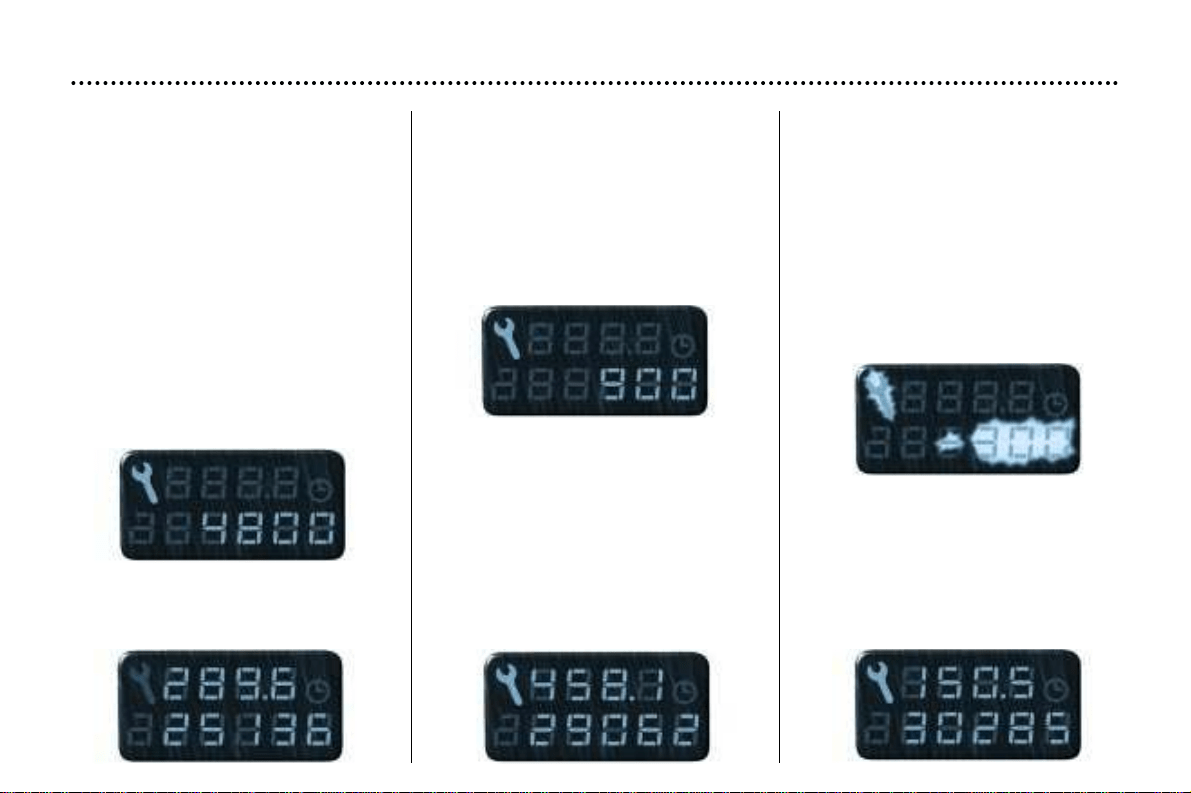
SERVICE INDICATOR
This is a visual reminder of when the
next service is due. This service is to
be carried out according to the man-
ufacturer's servicing schedule.
Operation
As soon as the ignition is switched
on and for 5 seconds, the spanner
symbolising ''service operation'' is lit.
The trip recorder display shows you
the distance remaining (in round fig-
ures) before the next service.
Example: 4,800 miles remain before
the next service is due. When the
ignition comes on and for 5 seconds
the display indicates:
5 seconds after the ignition is
switched on, the total distance
recorder resumes normal operation
and the display shows the total or trip
distances.
The distance remaining before the
next service is less than 1,000 miles.
Example: 900 miles remain before
the next service is due.
When switching on the ignition and
for 5 seconds, the display shows:
5 seconds after the ignition is
switched on, the total distance
recorder resumes normal operation
and the symbol remains lit.
This indicates that a service should
be carried out shortly. The display
shows the total or trip distances.
The service is overdue
Each time the ignition is switched on
and for 5 seconds, the symbol and
the excess distance flash.
Example: the service is overdue by
300 miles. The service should be
carried out very shortly.
When the ignition is switched on and
for 5 seconds, the display shows:
5 seconds after the ignition is
switched on, the total distance
recorder resumes normal operation
and the symbol remains lit. The dis-
play shows the total or trip distances.
YOUR 406 IN DETAIL
135

Resetting the service indicator
Your PEUGEOT dealer carries out
this operation after each service.
However, if you carry out the service
yourself, the reset procedure is as
follows:
☞ – Switch off the ignition.
– Press and hold button 1.
– Switch on the ignition.
The display begins a 10 second
countdown.
– Keep button 1 pressed for
10 seconds.
The display shows [=0] and the ser-
vice symbol disappears.
YOUR 406 IN DETAIL
136
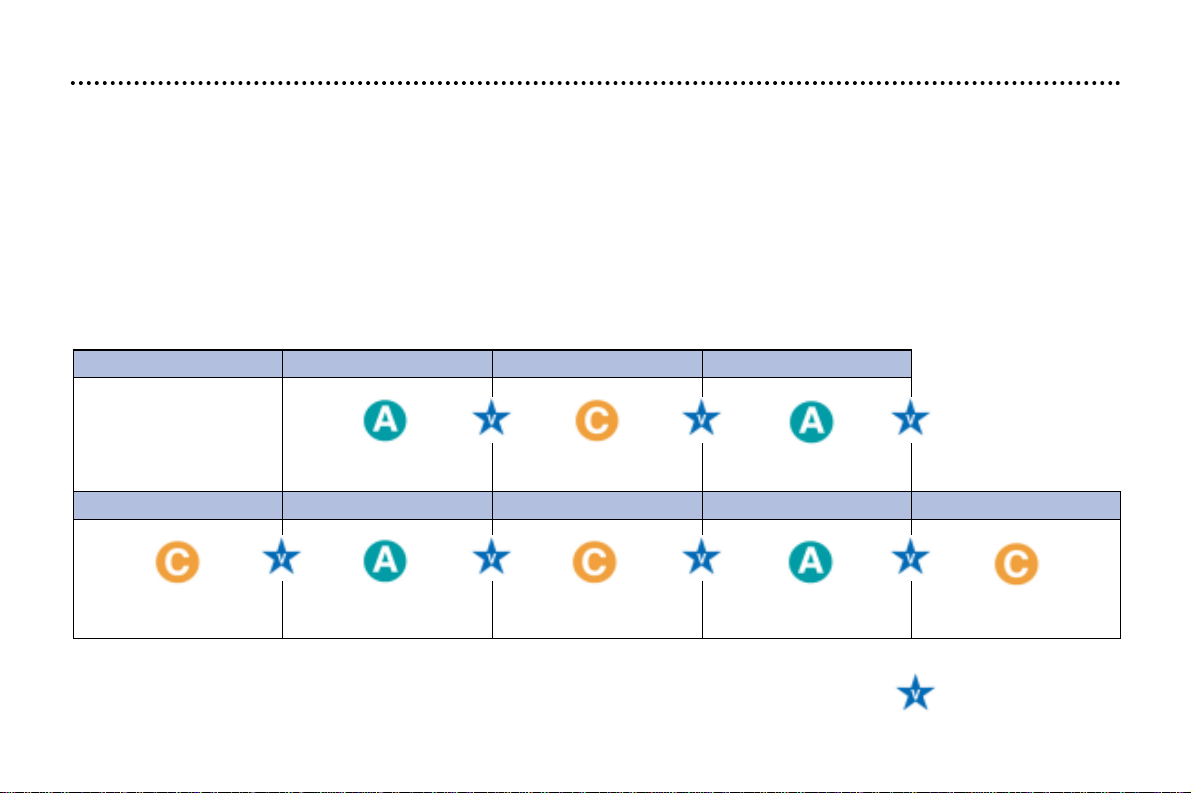
80,000 (120 000) 100,000 (150 000) 120,000 (180 000) 140,000 (210 000) 160,000 (240 000)
MILES (KM) 20,000 (30 000) 40,000 (60 000) 60,000 (90 000)
SERVICE LEVELS
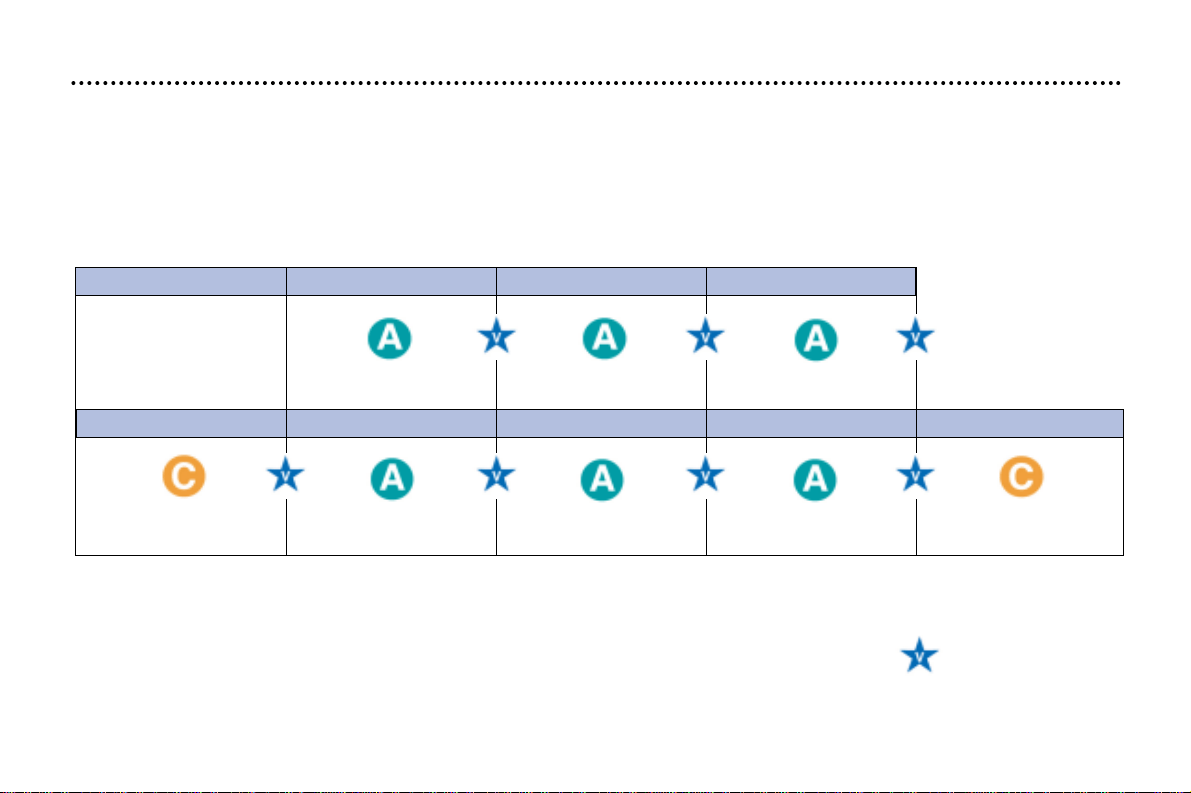
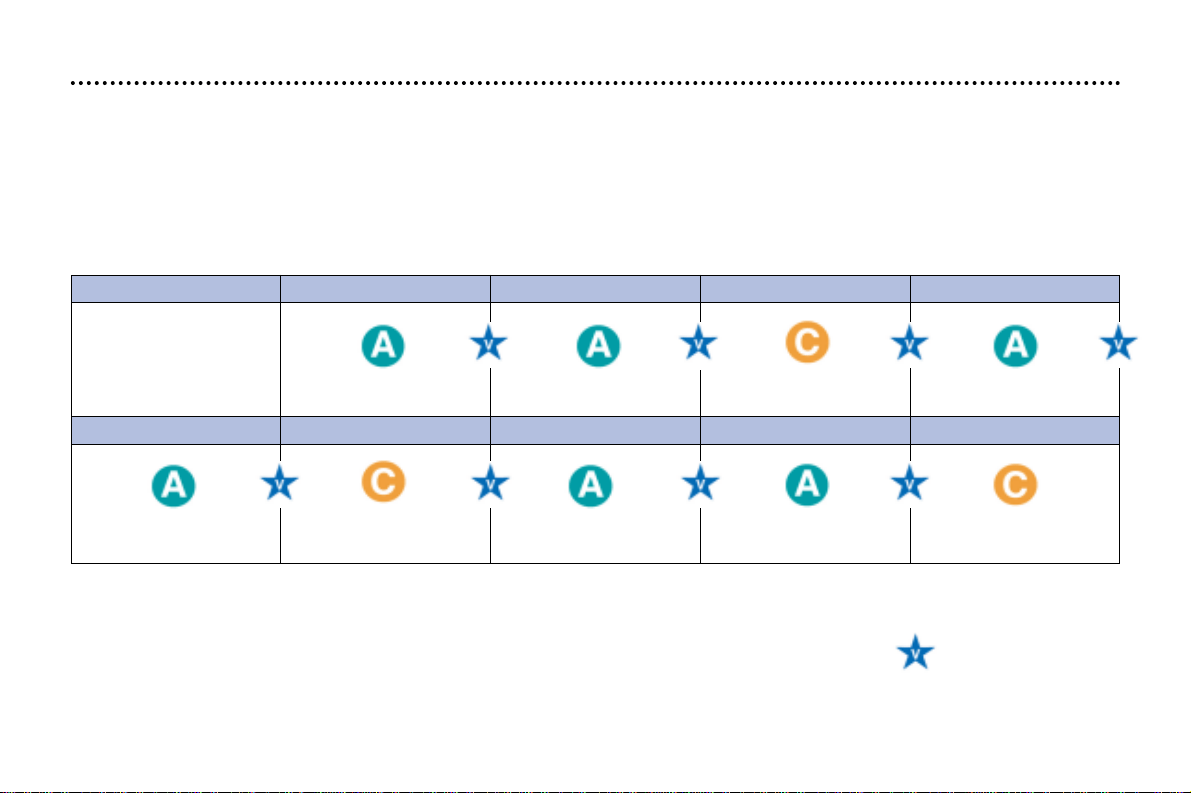
Each vehicle has its own servicing cycle, based upon the engine type.
The servicing cycle consists of alternating 2 types of service A and C, intermediate visits, and a few additional operations
depending on your vehicle; these correspond to key stages in the life of your 406.
Level B service is designed for less recent vehicles.
When the first service is carried out and at each subsequent service, your dealer will advise you of the type and
content of the next service due.
MAINTENANCE OF YOUR 406
20
Automatic gearbox oil level every 40,000 miles (60 000 km).
Replacement of brake fluid every 2 years or 40,000 miles (60 000 km).
These fixed operations are carried out with synthetic based oil; Fuel Economy oil or
synthetic oil may also be used.
Warning: do not use Fuel Economy oil in the 2.2 litre 16V petrol engine.
Intermediate
top-up visit
THE MAINTENANCE CYCLE FOR YOUR 406 PETROL
Petrol engine (except 24V V6 injection): service every 20,000 miles (30 000 km) or 2 years
1st service at 6,000
miles (10 000 km) or
6 months*.
This is necessary in
order to benefit from
the warranty.
* Whichever comes first.
MAINTENANCE OF YOUR 406
21
80,000 (120 000) 100,000 (150 000) 120,000 (180 000) 140,000 (210 000) 160,000 (240 000)
MILES (KM) 20,000 (30 000) 40,000 (60 000) 60,000 (90 000)
Automatic gearbox oil level every 40,000 miles (60 000 km).
Replacement of brake fluid every 2 years or 40,000 miles (60 000 km).
These fixed operations are carried out with synthetic based oil; Fuel Economy oil or
synthetic oil may also be used.
Intermediate
top-up visit
THE MAINTENANCE CYCLE FOR YOUR 406 PETROL
24V V6 petrol injection engine: service every 20,000 miles (30 000 km) or 2 years
1st service at 6,000 miles
(10 000 km) or 6 months*.
This is necessary
in order to benefit
from the warranty.
+ replacement of air filter
+ replacement of fuel filter
+ replacement of air filter
+ replacement of fuel filter
* Whichever comes first.
MAINTENANCE OF YOUR 406
22
Automatic gearbox oil every 2 years or 36,000 miles (60 000 km).
Replacement of brake fluid every 2 years or 36,000 miles (60 000 km).
These fixed operations are carried out with synthetic based oil; Fuel Economy oil or
synthetic oil may also be used.
Warning: only use 5W 40 oil for 2.2 litre HDI engines.
Intermediate
top-up visit
MILES (KM) 12,000 (20 000) 24,000 (40 000) 36,000 (60 000) 48,000 (80 000)
60,000 (100 000) 72,000 (120 000) 84,000 (140 000) 96,000 (160 000) 108,000 (180 000)
THE MAINTENANCE CYCLE FOR YOUR 406 TURBO DIESEL HDI
Service every 12,000 miles (20 000 km) or 2 years
1st service at 6,000 miles
(10 000 km) or 6 months*.
This is necessary
in order to benefit
from the warranty.
+ maintenance of particulate
emission filter
(except 2 litre HDI 90 bhp)
+ maintenance of particulate emission
filter (except 2 litre HDI 90 bhp)
* Whichever comes first.
∀∀
MAINTENANCE OF YOUR 406
23
∀
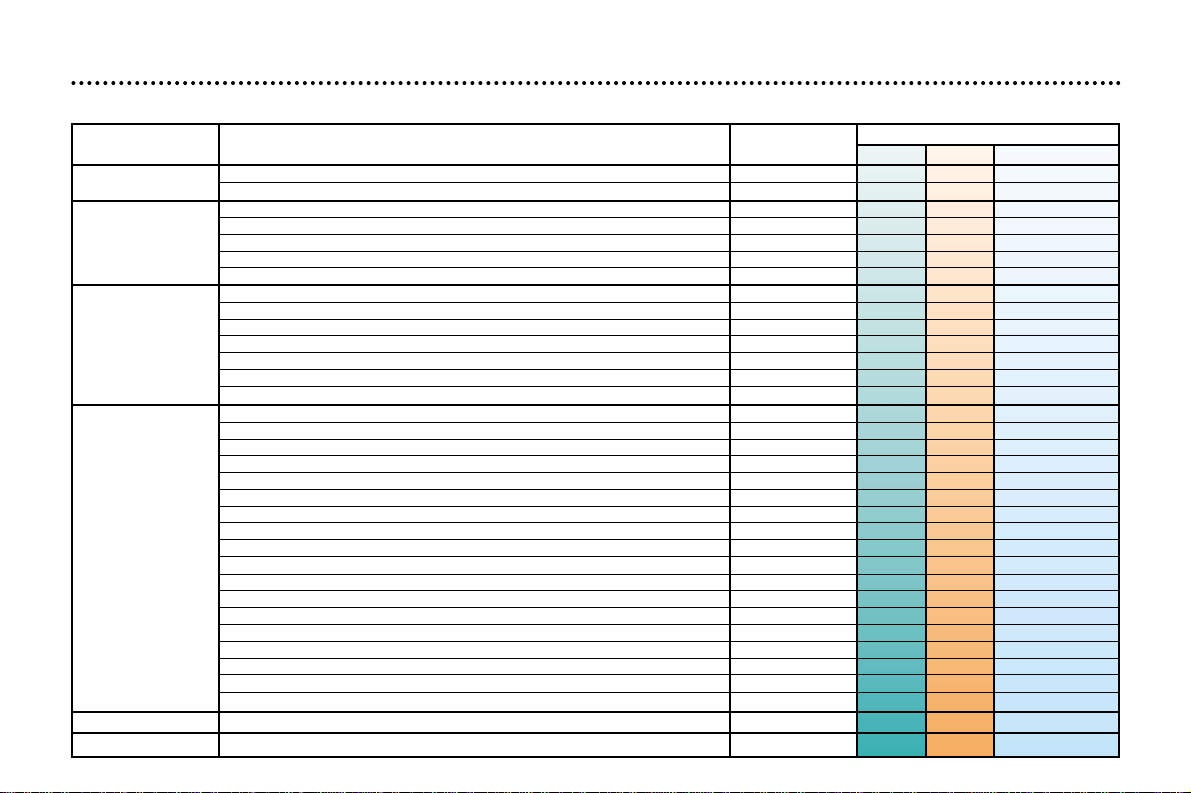
All driving conditions.
o
Arduous conditions.
A AND C SERVICES AND THE INTERMEDIATE VISIT
- Oil filter
∀∀
- Fuel filter (Petrol only)
∀
- Fuel filter element (Diesel only)
∀
- Air filter element
∀
- Spark plugs (Petrol only)
HPI
∀
- Operation of lights and indicators
∀∀∀
- Condition of glass, headlamp & light lenses and mirrors
∀∀
- Horn
∀∀
- Windscreen washer jets
∀∀
- Condition of wiper blades
∀∀
- Condition and tension of the ancillary drive belts
∀∀
- Handbrake
∀∀
- Condition of hydraulic circuits (hoses and covers)
∀∀
- Condition of rubber boots and gaiters
∀∀∀
- Brake pads
∀∀ o
- Play in hubs, link rods, ball joints, flexible mountings
∀
- Shock absorbers
∀
- Rear drum brake lining wear
∀
- Condition and pressure of tyres (including spare wheel)
∀∀∀
- Emission control check (Petrol only)
∀∀∀
- Smoke opacity (Diesel only)
∀∀
- Pollen filter (according to specification)
∀∀ o
- Visual check of the whole vehicle
∀∀
DRAIN and
REFILL
REPLACE
CHECK
ROAD TEST
SERVICE
Level
Operation Description of Operation First Service
A C Intermediate
- Engine oil
∀∀
- Bleed fuel filter (Diesel only)
∀∀∀
- Engine oil (check + top-up)
∀∀
- Gearbox level (check + top-up)
∀∀
- Battery level (check + top-up) if cap is removable
∀∀
- Front/rear screen wash level (check + top-up)
∀∀∀∀
- Coolant level (check + top-up)
∀∀∀∀
- Brake fluid level (check + top-up)
∀∀∀
- Power steering fluid level (check + top-up, according to specification)
∀∀∀
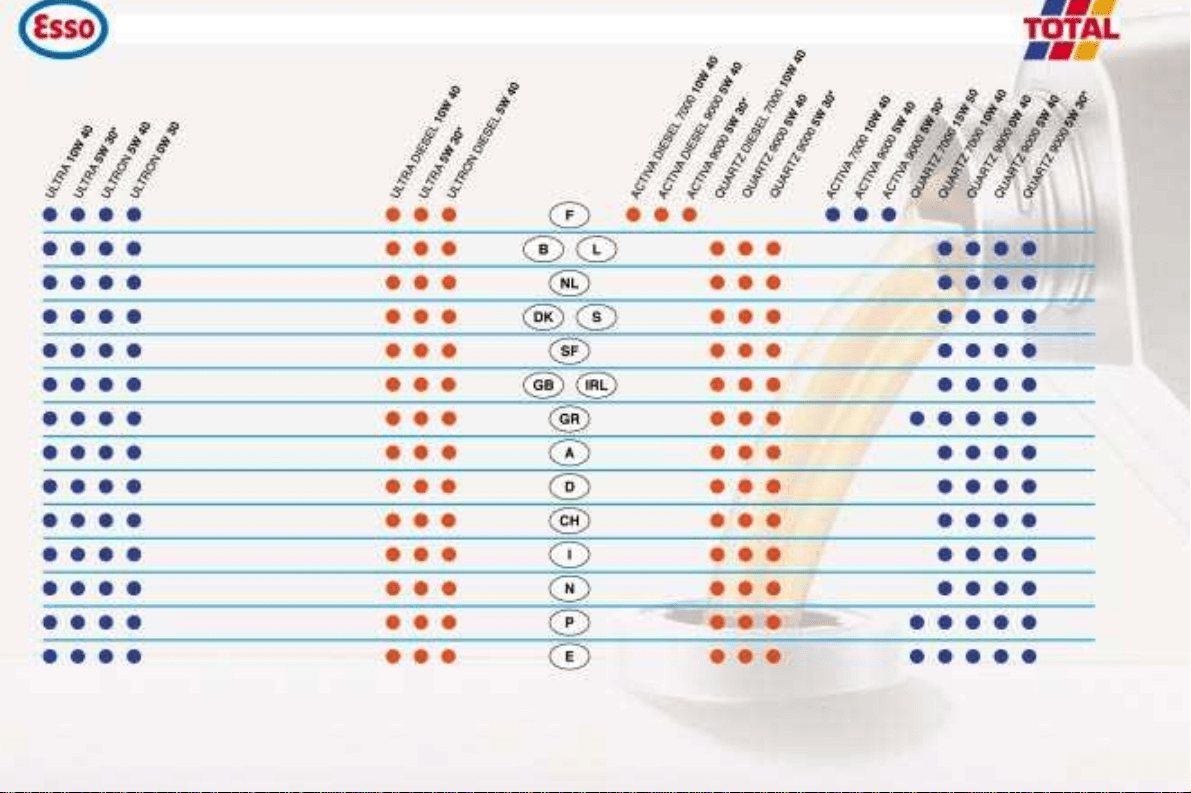
TRADE NAMES OF APPROVED AND RECOMMENDED LUBRICANTS IN EUROPE
(1)
PETROL
PETROL
24
(1) Minimum quality standard: Petrol engines ACEAA3 and API SH/SJ; Diesel engines ACEA B3 and API CF/CD - ACEA = Association des Constructeurs Européens Automobiles (Association of European Automobile Manufacturers).
API = American Petroleum Institute - If oil is used which does not conform to the ACEA A3-B3 standards, this requires the "ArduousConditions" servicing schedule to be followed, which involves shorter intervals between services.
*This Fuel Economy oil can only be used in engines designed for its use (from 2000 Model Year).
Use only 5W40 oil for the 2.2 litre HDI engine.
Fuel economy oil cannot be used for the 2.2 litre 16V petrol engine.
DIESEL DIESEL
25
MAINTENANCE OF YOUR 406
Recommendations for
approved lubricants
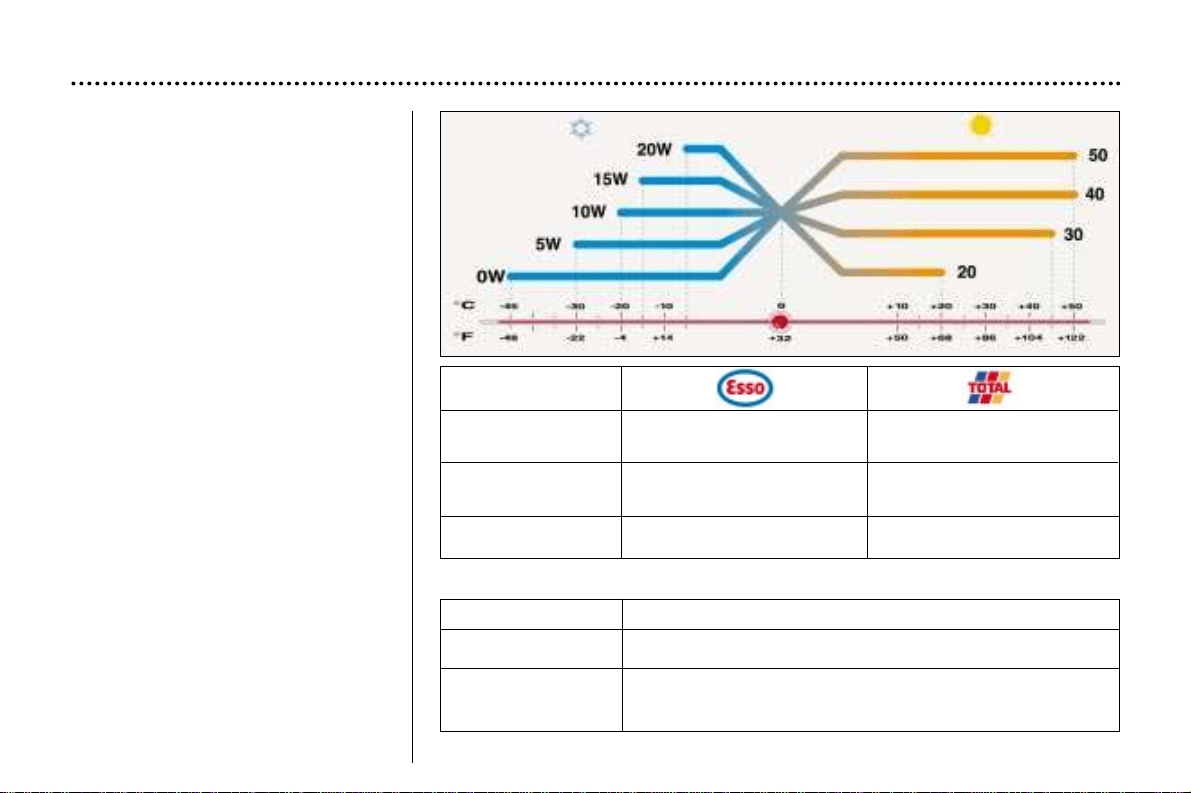
The oils which appear in the table
opposite are suitable for most pur-
poses.
The diagram opposite states the
optimum range of viscosity depend-
ing on the temperatures at which the
oils are to be used.
It is also possible to use synthetic
oils of `superior quality'.
In the absence of semi-synthetic or
synthetic oils, oils of API SH/SJ qual-
ity (for petrol engines), or CD/CF
quality (for diesel engines) may be
used by following the 'Arduous Con-
ditions' servicing schedule, which
specifies shorter service intervals.
Do not hesitate to ask for advice
from a Peugeot dealer to maintain
driving pleasure and to minimise the
maintenance cost of your vehicle.
For countries outside Europe, please
contact a local PEUGEOT dealer.
ONLY ONLY
Manual Gearbox ESSO GEAR OIL BV TOTAL TRANSMISSION BV
75W-80W PR 9736.41 75W-80
Automatic ONLY
Gearbox ATF 4HP20–AL4
4HP20–AL4 PR 9736.22
Power steering ESSO ATF D TOTAL FLUIDE AT42
PR 9730.94
Power steering FLUIDE DA PR 9730. A1*
Brake fluid PEUGEOT DOT4
Coolant PROCOR TM108/GLYSANTIN G33 or REVKOGEL 2000
ONLY Protection to minus 35 degrees Celsius
* Only for extremely cold countries.
Other approved products
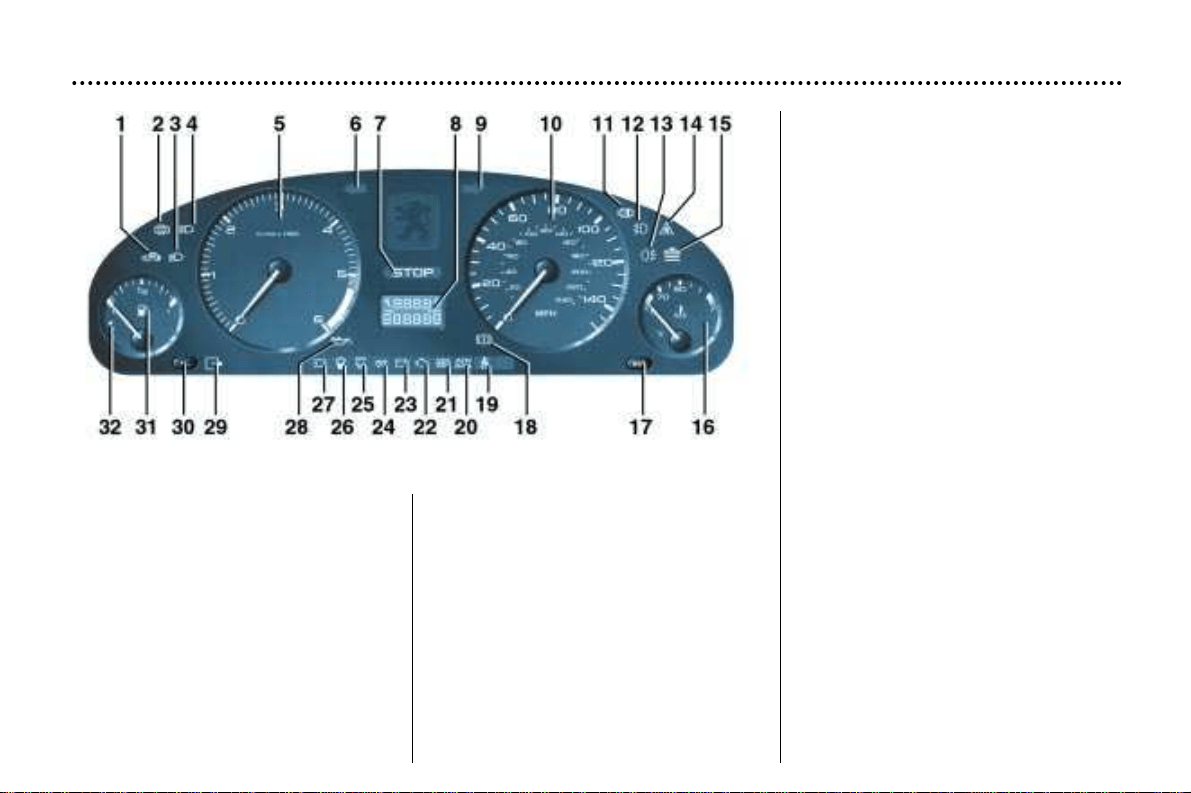
INSTRUMENT PANEL DIALS: PETROL / DIESEL
1 - Fuel filler cap warning light.
2 - Door open warning ligt.
3 - Dipped beam headlamps
indicator light.
4 - Main beam headlamps indicator
light.
5 - Rev counter.
6 - Left-hand direction indicator.
7 - Central (STOP) warning light.
8 - Service indicator, oil level and
total distance recorder.
9 -Right-hand direction indicator.
10 -Speedometer.
11 - Clogging of the particulate
emission filter warning light
(Diesel).
12 - Front fog lamps indicator light.
13 - Rear fog lamp indicator light.
14 - Dynamic stability control
(ASR/ESP) indicator light
(petrol versions only).
15 - Low coolant level warning light.
YOUR 406 IN DETAIL
127
16 - Coolant temperature indicator.
17 - Trip recorder zero reset.
18 - Hand-brake and low brake fluid
level warning light.
19 - Seat belt not fastened
warning light.
20 - Air bags warning light.
21 - ABS system warning light.
22 - Engine diagnostics warning
light.
23 - Battery charge warning light.
24 - Diesel engine preheating
indicator light.
25 - Passenger air bag disarming
warning light.
26 - Water in diesel filter
warning light.
27 - Front brake pad wear
warning light.
28 - Engine oil pressure
warning light.
29 - Electronic immobiliser
warning light.
30 - Lighting rheostat.
31 - Fuel gauge.
32 - Low fuel level
warning light.
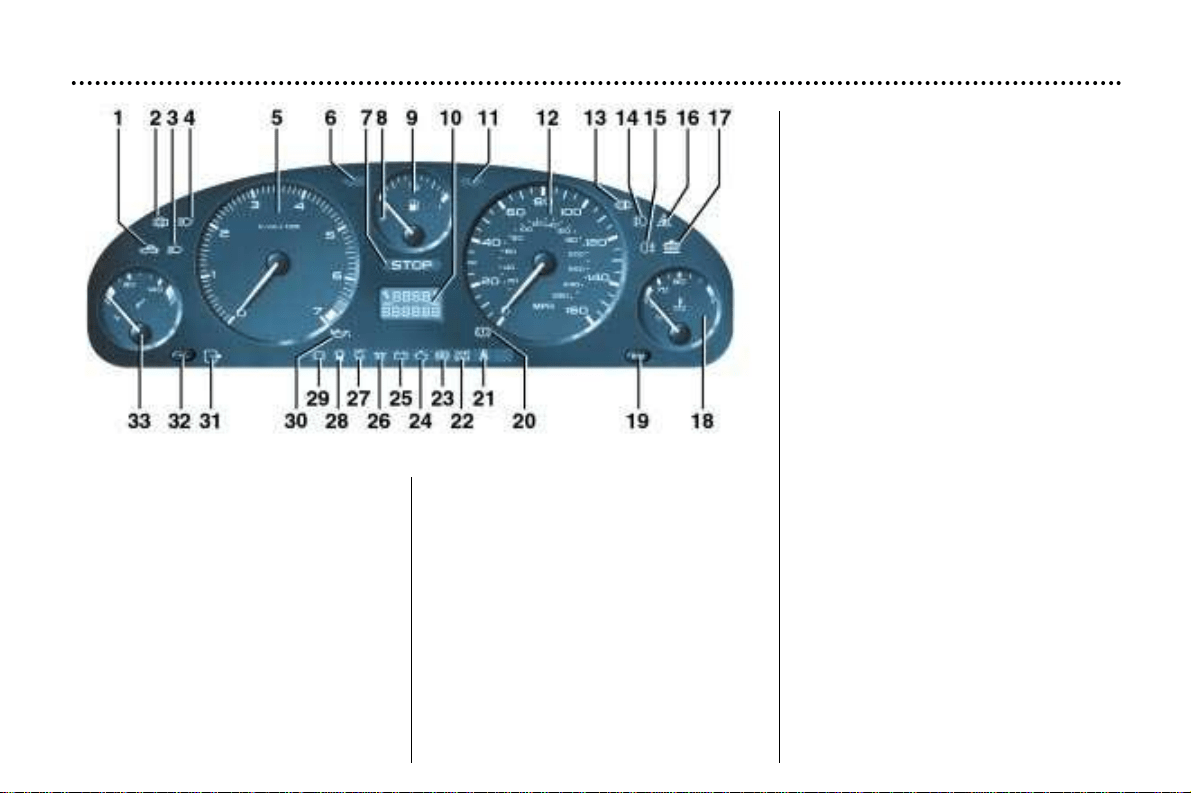
1 - Fuel filler cap warning light.
2 - Door open warning light.
3 - Dipped beam headlamps
indicator light.
4 - Main beam headlamps indicator
light.
5 - Rev. counter.
6 - Left-hand direction indicator.
7 - Central (STOP) warning light.
8 - Low fuel level warning light.
9 - Fuel gauge.
10 -Service indicator, oil level and
total distance recorder.
11 - Right-hand direction indicator.
12 - Speedometer.
13 - Clogging of the particulate
emission filter warning light
(Diesel).
14 - Front fog lamps indicator light.
15 - Rear fog lamp indicator light.
16 - Dynamic stability control
(ASR/ESP) indicator light
(petrol versions only).
17 - Low coolant level warning light.
18 - Coolant temperature indicator.
19 - Trip recorder zero reset.
20 - Handbrake and low brake fluid
level warning light.
21 - Seat belt not fastened
warning light.
22 - Air bags warning light.
23 - ABS system warning light.
24 - Engine diagnostics
warning light.
25 - Battery charge warning light.
26 - Diesel engine preheating
indicator light.
27 - Passenger air bag disarming
warning light.
28 - Water in diesel filter
warning light.
29 - Front brake pad wear
warning light.
30 - Engine oil pressure
warning light.
31 - Electronic immobiliser
warning light.
32 - Lighting rheostat.
33 - Engine oil temperature.
YOUR 406 IN DETAIL
128
INSTRUMENT PANEL DIALS: PETROL / DIESEL
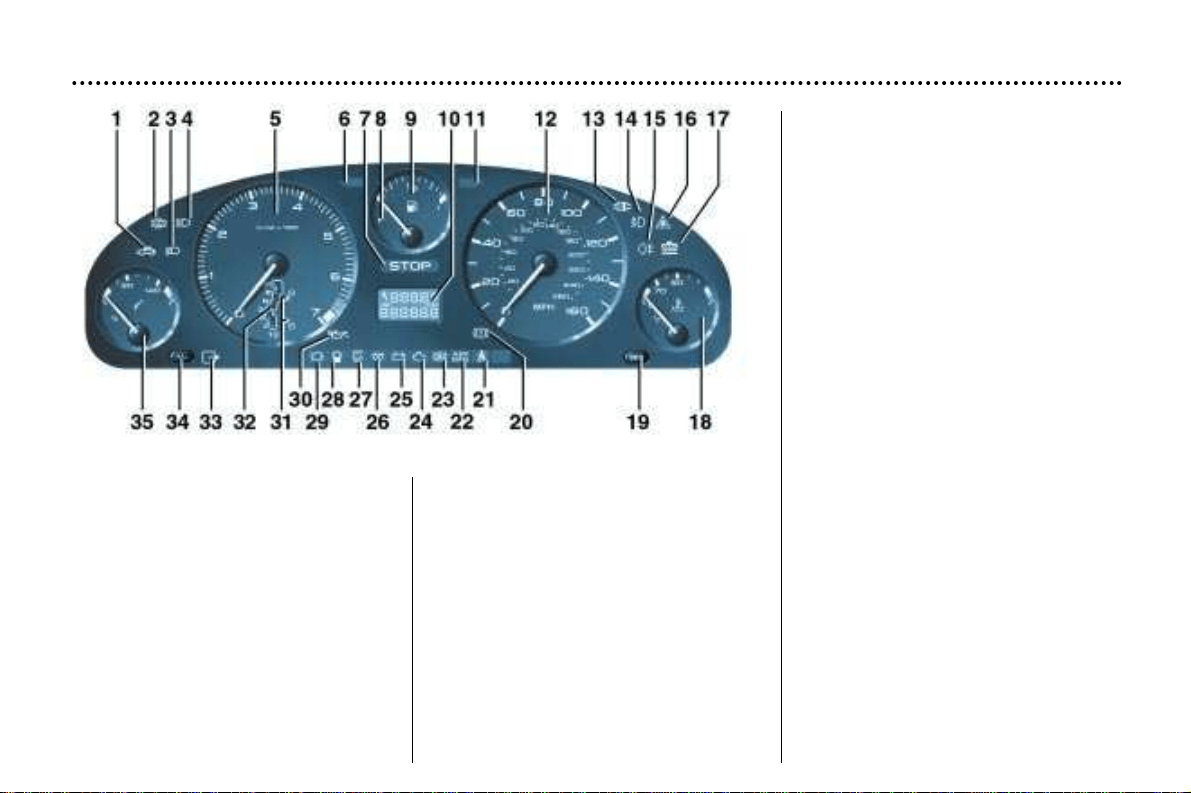
YOUR 406 IN DETAIL
129
1 - Fuel filler cap warning light.
2 - Door open warning light.
3 - Dipped beam headlamps
indicator light.
4 - Main beam headlamps indicator
light.
5 - Rev. counter.
6 - Left-hand direction indicator.
7 - Central (STOP) warning light.
8 - Low fuel level warning light.
9 - Fuel gauge.
10 - Service indicator, oil level and
total distance recorder.
11 - Right-hand direction indicator.
12 - Speedometer.
13 - Clogging of the particulate
emission filter warning light
(Diesel).
14 - Front fog lamp indicator light.
15 - Rear fog lamp indicator light.
16 - Dynamic stability control
(ASR/ESP) indicator light
(petrol versions only).
17 - Low coolant level warning light.
18 - Coolant temperature indicator.
19 - Trip recorder zero reset.
20 - Handbrake and low brake fluid
level warning light.
21 - Seat belt not fastened warning
light.
22 - Air bags warning light.
23 - ABS system warning light.
24 - Engine diagnostics
warning light.
25 - Battery charge warning light.
26 - Diesel engine pre-heating
indicator light.
27 - Passenger air bag disarming
warning light.
28 - Water in diesel filter
warning light.
29 - Front brake pad wear
warning light.
30 - Engine oil pressure
warning light.
31 - Operating programmes.
32 - Gear lever position indicator.
33 - Electronic immobiliser warning
light.
34 - Lighting rheostat.
35 - Engine oil temperature.
INSTRUMENT PANEL DIALS: AUTOMATIC GEARBOX
WARNING LIGHTS AND INDICATORS
A permanently lit warning light, or flashing with the engine running, is an
indication of a malfunction in the relevant unit. Some warning lights may
be linked to buzzers and a message on the multi–function display. Do not
ignore this warning: contact a PEUGEOT dealer as quickly as possible.
If the Central (STOP) warning light comes on when you are driving, stop
your vehicle immediately where it is safe to do so.
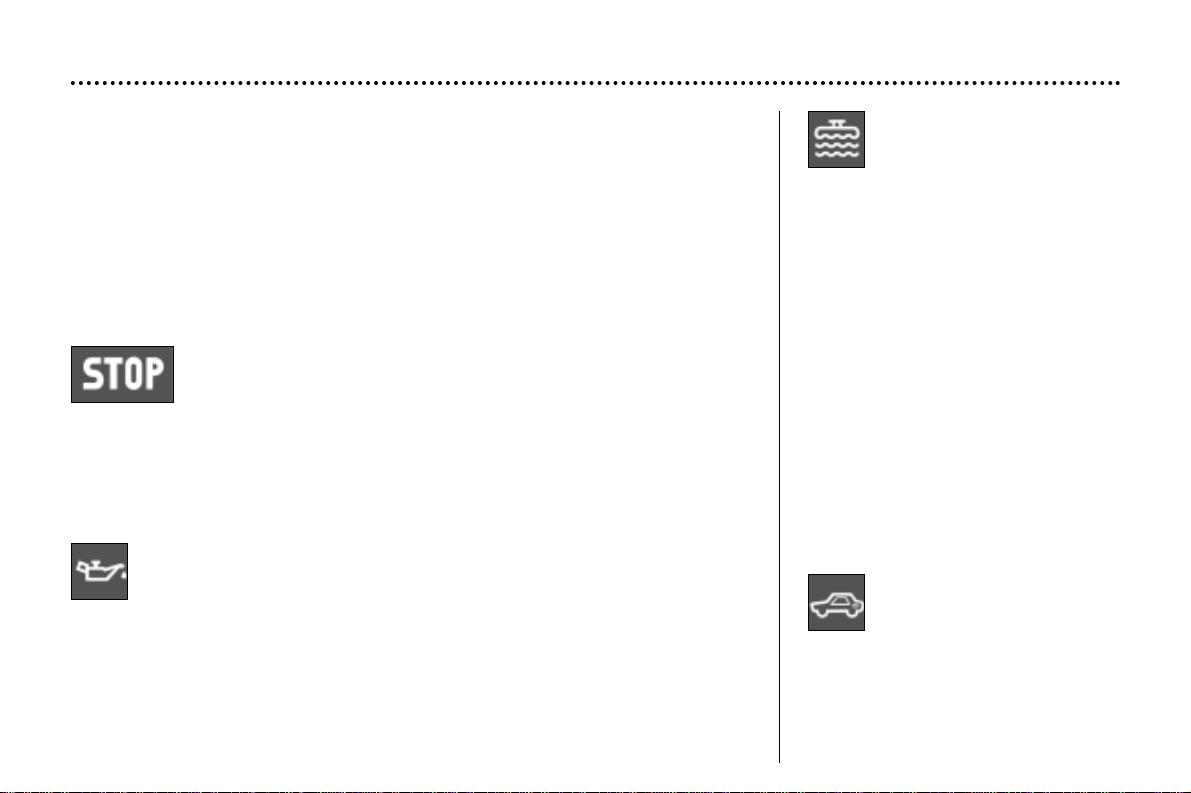
Central (STOP) warning light
Linked to the "engine oil pressure", ''the low brake fluid level'', '' the
coolant temperature gauge'' and ''electronic brake force distribu-
tion system fault'' warning lights. It comes on each time the igni-
tion is switched on.
Stop immediately if it flashes with the engine running.
Contact a PEUGEOT dealer.
Engine oil pressure warning light
Linked to the central (STOP) warning light.
Stop immediately if it comes on with the engine running.
It indicates either:
– insufficient oil pressure,
– lack of oil in the lubrication circuit. Top up the oil level.
Contact a PEUGEOT dealer as soon as possible.
Low coolant
level warning
light
Stop immediately.
Allow the engine to cool before top-
ping up.
The cooling system is pressurised.
In case of overheating, to prevent
the risk of scalding, turn the cap to
the first notch to allow the pressure
to drop.
Once the pressure has dropped,
remove the cap and top up the level.
Contact a PEUGEOT dealer.
Fuel filler cap
warning light
This comes on if the fuel
cap is not correctly screwed
on or is missing.
YOUR 406 IN DETAIL
130
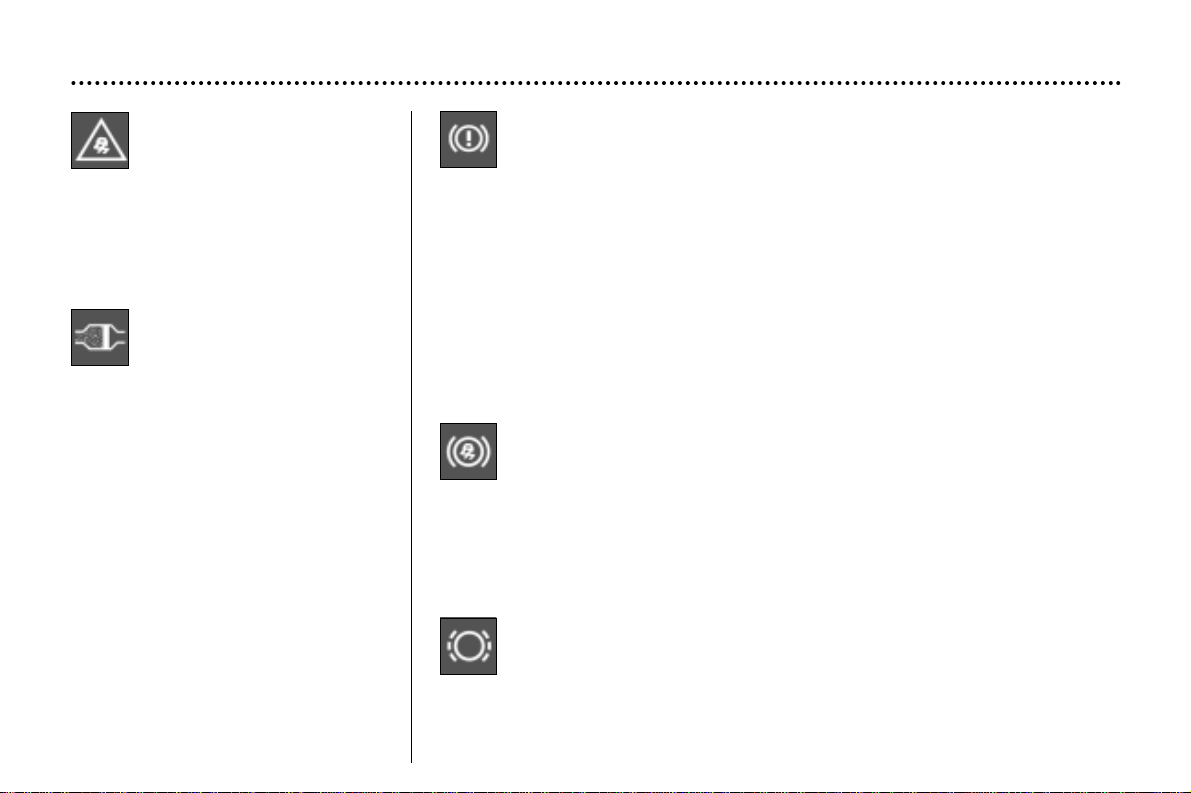
Handbrake, low brake fluid level and electronic brake
force distribution warning light.
This comes on each time the ignition is switched on.
It indicates either:
– that the handbrake is on or has not been released correctly,
and when coupled with the central (STOP) warning light:
– an excessive drop in the brake fluid level (if the light remains on even with the
handbrake released),
– lit at the same time as the ABS warning light, a malfunction of the electronic
brake force distribution system.
Stop immediately.
Contact a PEUGEOT dealer.
Anti-lock braking system (ABS) warning light
This comes on for 3 seconds each time the ignition is switched on.
If it comes on at over 8 m.p.h. (12 km/h.), it indicates a malfunction of
the ABS.
However, the vehicle retains conventional servo-assisted braking.
Contact a PEUGEOT dealer.
Clogging of the
particulate emission
filter warning light
(diesel engine)
Display of this warning light is
accompanied by an audible signal.
The flashing of this light while the
engine is running is caused either by
the particulate emission filter being
overloaded or by the engine running
too long at idle (white smoke at
exhaust). There is a risk of the filter
clogging if the same conditions of
operation are maintained.
As soon as possible, drive for at
least three minutes at a speed
exceeding 37 m.p.h. (60 km/h), if dri-
ving conditions allow this.
If the light comes on, drive to a
PEUGEOT dealer as soon as possi-
ble.
Front brake pad wear warning light
For your safety, have the pads replaced as soon as this light comes on.
YOUR 406 IN DETAIL
131
ESP Electronic
Stability Programme
operation indicator
light
This flashes when the system is
operating.
It is lit continuously if disarmed or if
there is a fault.
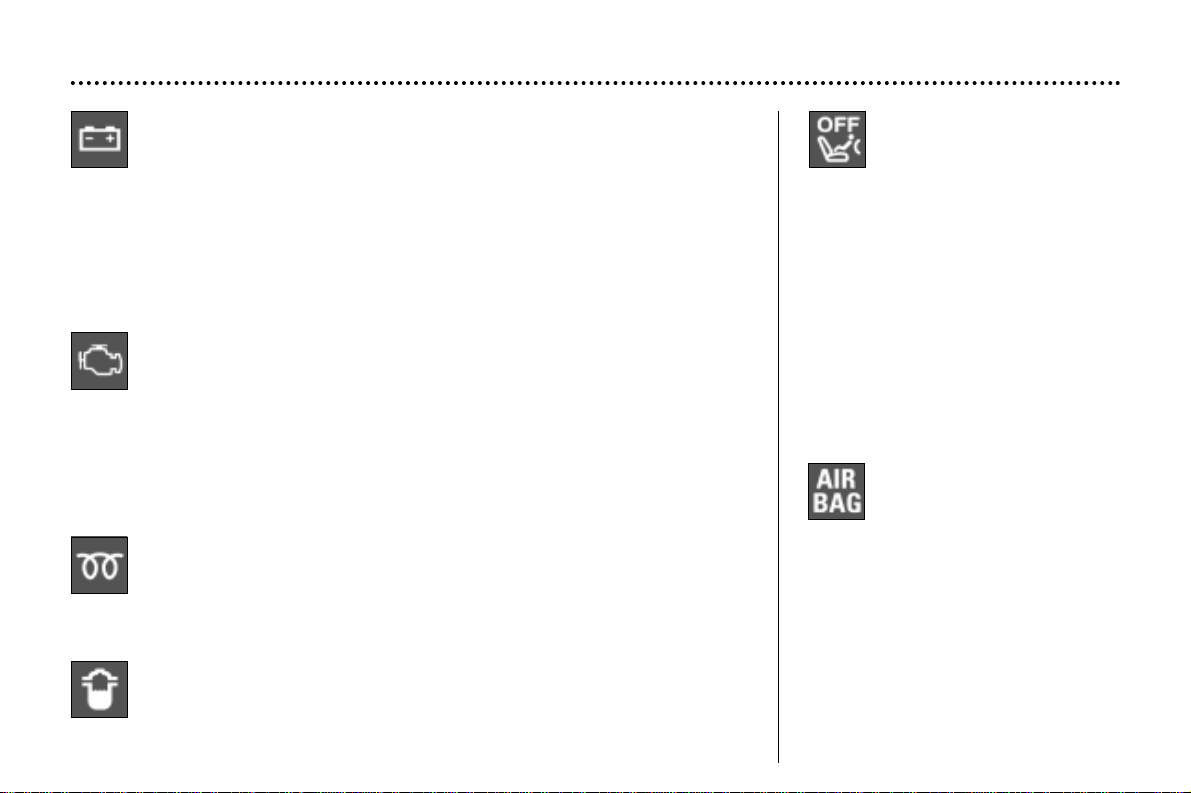
Passenger air bag
disarming warning
light
Lighting of this warning light
is accompanied by an audible signal
and a message on the multi–function
display. If the passenger air bag is
disarmed, the indicator light comes
on when the ignition is switched on
and remains on.
In all cases, if the warning light flashes,
contact a PEUGEOT dealer.
Air bag warning light
The warning light comes on
for 6 seconds when the igni-
tion is switched on.
This warning light comes on when
the vehicle is running and is accom-
panied by an audible signal and a
message on the multi–function dis-
play indicating the cause of the front,
side or curtain air bag fault.
Contact a PEUGEOT dealer.
Water in diesel filter warning light
(depending on destination)
Contact a PEUGEOT dealer as soon as possible.
There is a risk of damage to the injection system.
Diesel pre-heating indicator light
If the engine is warm enough, the light will not come on, and you can
start the engine without waiting.
If the light comes on, wait until it goes out before trying the starter.
Engine diagnostics warning light
This comes on each time the ignition is switched on.
If it is lit continuously with the engine runnning, this indicates a fault in
the emission control system.
If it flashes with the engine running, this indicates a malfunction in the injection
or ignition system. There is a risk of damage to the catalytic converter (petrol
engine only). Contact a PEUGEOT dealer as soon as possible.
Battery charge warning light
This comes on each time the ignition is switched on.
If it comes on with the engine running it can indicate:
– faulty operation of the charging circuit,
– loose battery or starter terminals,
– a cut or slack alternator belt,
– an alternator fault.
Contact a PEUGEOT dealer.
YOUR 406 IN DETAIL
132
Door open warning
light
When the engine is running,
the warning light indicates
that a door has not been
closed properly or that the
boot is open.
Electronic immobiliser
warning light
This indicates a malfunction
of the electronic immobilis-
er. Contact a PEUGEOT dealer.
Low fuel level
warning light.
When the warning light
comes on, you have
enough fuel to drive at least 30 miles
(50 km). The tank capacity is approx-
imately 70 litres (15.4 gallons).
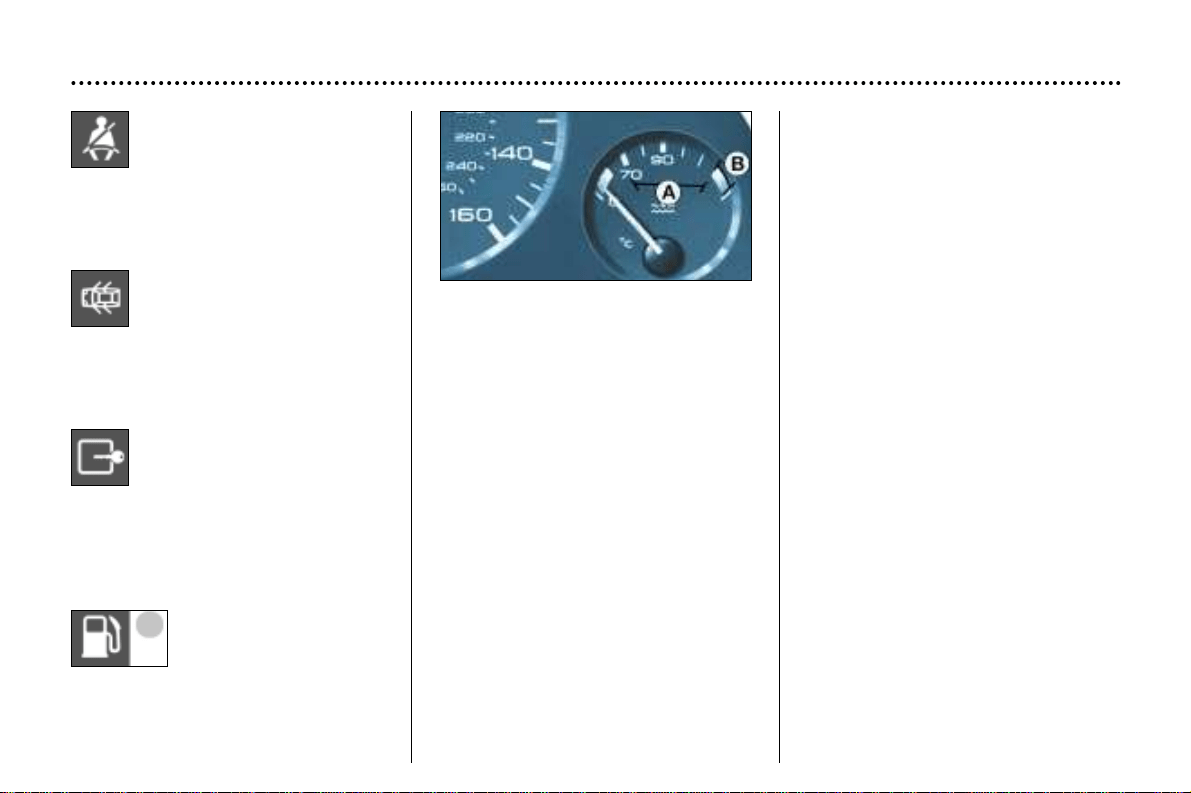
Coolant temperature indicator
When the needle is in zone A, the
temperature is correct.
When the needle is in zone B, the
temperature is too high. The central
(STOP) warning light flashes.
You must stop immediately.
Contact a PEUGEOT dealer.
Seat belt not fastened
warning light
With the engine running, the
indicator light comes on
when the driver's seat belt is
not fastened.
YOUR 406 IN DETAIL
133
Door open warning
light
When the engine is running,
the warning light indicates
that a door has not been
closed properly or that the
boot is open.
Electronic immobiliser
warning light
This indicates a malfunction
of the electronic immobilis-
er. Contact a PEUGEOT dealer.
Low fuel level
warning light.
When the warning light
comes on, you have
enough fuel to drive at least 30 miles
(50 km). The tank capacity is approx-
imately 70 litres (15.4 gallons).
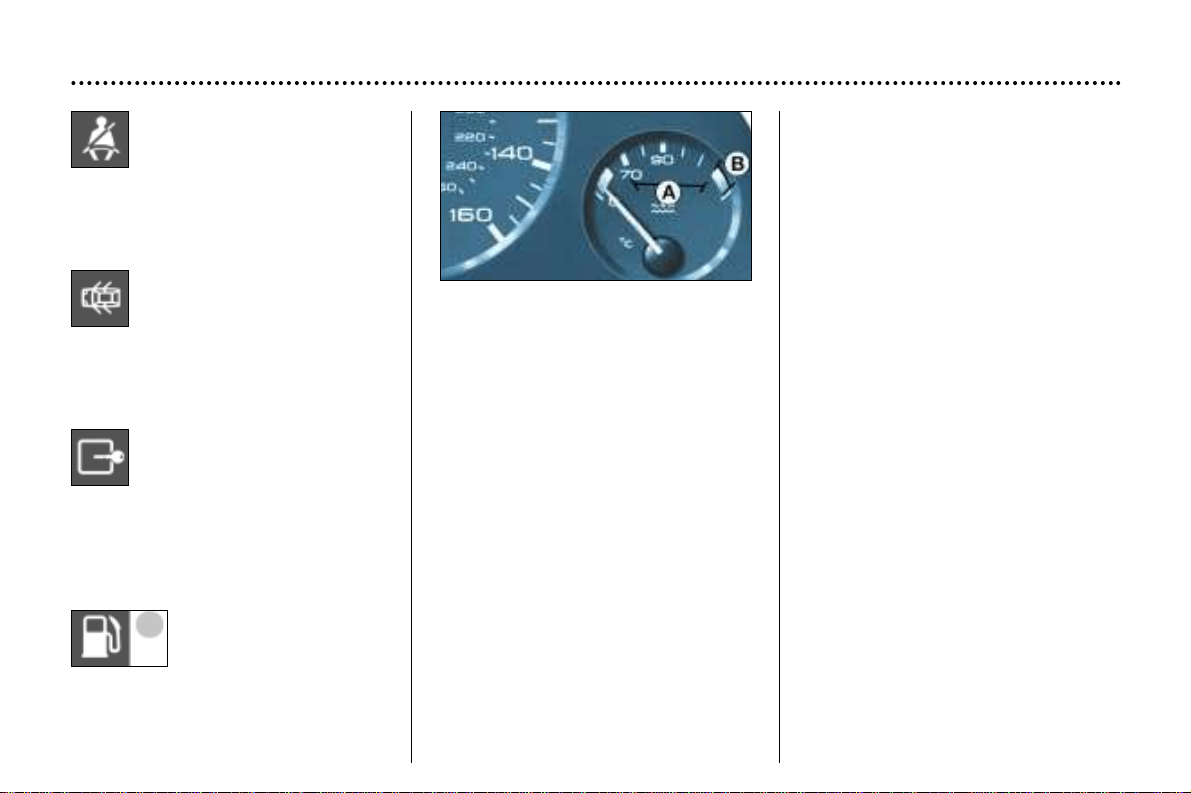
Coolant temperature indicator
When the needle is in zone A, the
temperature is correct.
When the needle is in zone B, the
temperature is too high. The central
(STOP) warning light flashes.
You must stop immediately.
Contact a PEUGEOT dealer.
Seat belt not fastened
warning light
With the engine running, the
indicator light comes on
when the driver's seat belt is
not fastened.
YOUR 406 IN DETAIL
133
Lighting
rheostat
With the lights on, press the button to
vary the intensity of the lighting of the
instruments and controls. When the
lighting reaches the minimum (or
maximum) setting, release the but-
ton then press it again to increase (or
reduce) the brightness.
As soon as the lighting is of the
required brightness, release the
button.
Trip recorder
zero reset
With the ignition on,
press the button.
Instrument panel display
After switching on the ignition, three functions are shown in succession:
- engine oil level indicator,
- service indicator,
- total distance recorder.
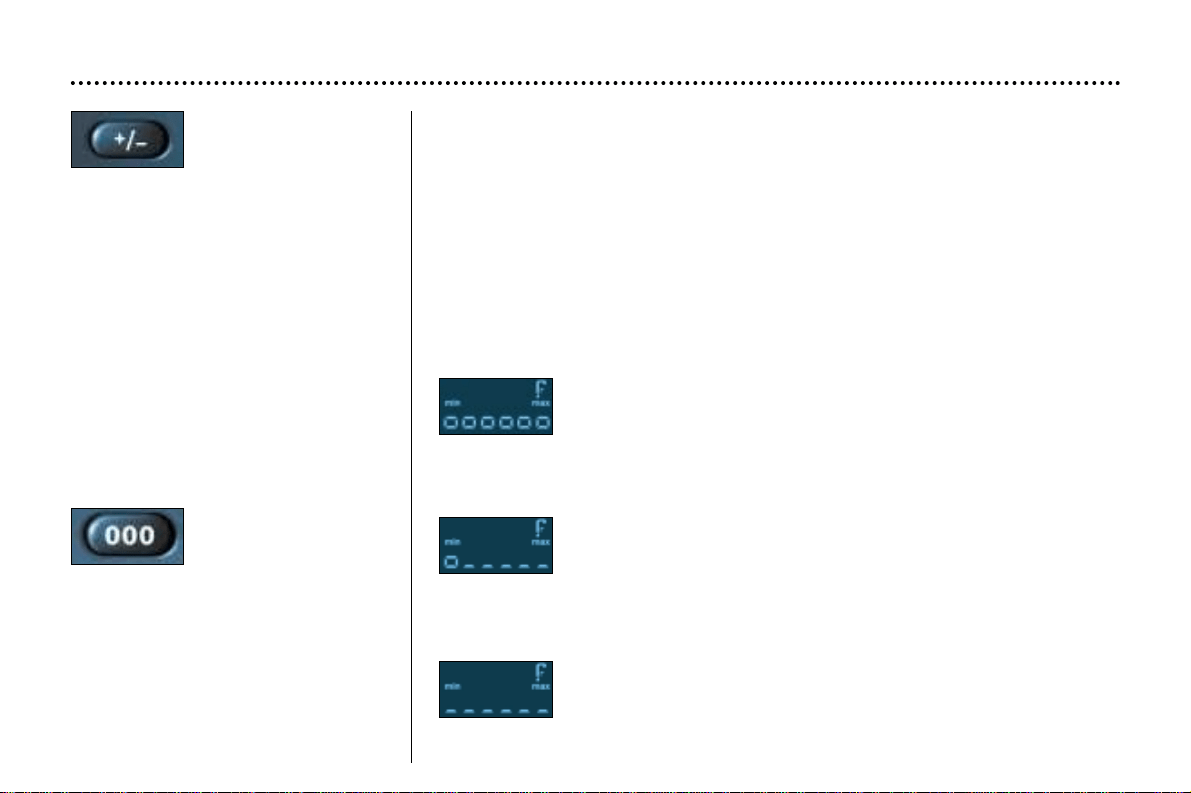
Engine oil level
When the ignition is switched on, the engine oil level indicator is displayed for
approximately five seconds, then the service indicator is displayed for five seconds.
Maximum
Use the dipstick to confirm the level on the indicator; a surplus of
oil can cause damage to the engine.
Contact a PEUGEOT dealer as soon as possible.
Minimum
Check the level with the dipstick and top it up. The figure shown
is only correct if the vehicle has been on stable, level ground, with
the engine stopped, for 10 minutes.
No oil
It is essential to top up the oil to the correct level, otherwise the
engine will be damaged.
YOUR 406 IN DETAIL
134
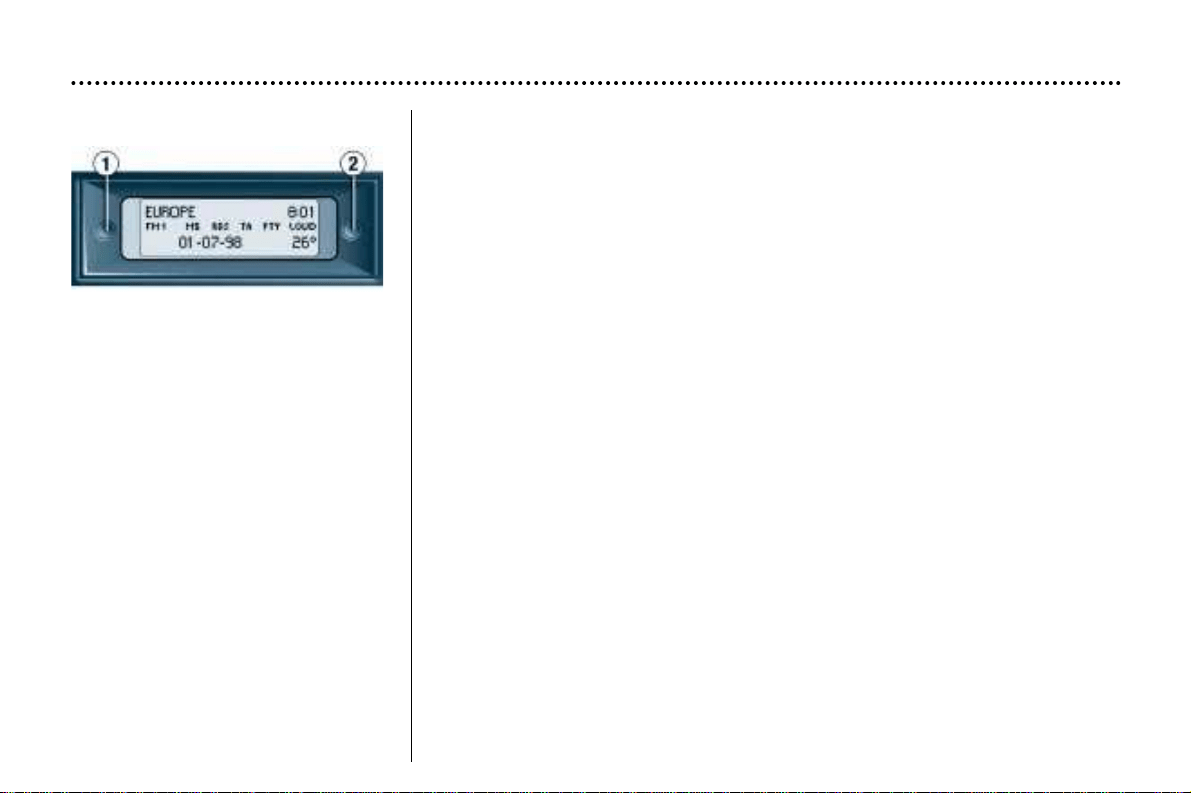
Display B This enables the following information to be displayed:
– the time,
– the date,
– the outside temperature (the °C symbol flashes when there is a risk of ice),
– the radio displays,
– the status of the doors. The display shows you whether a door, the boot or the
bonnet is open and if the fuel filler cap is missing.
– the warning messages (e.g. ''battery low'') or information messages (e.g. "top
up fuel tank''), displayed temporarily, can be cleared by pressing button 1 or 2 ,
– the trip computer.
Setting the parameters
Press button 1 for two seconds to access the settings. The information flashes
to show it is ready to be modified.
Then, individual presses on button 1 allow you to scroll through the various data
in the following sequence:
– language in which the information is displayed,
– hour,
– unit of distance (kms or miles),
– unit of temperature (Celsius or Fahrenheit),
– time format (12 then 24 hour mode)
– minutes,
– year,
– month,
– day,
Pressing button 2 allows you to change the information selected. Maintain the
pressure for rapid scrolling.
After ten seconds without moving, the display returns to the main screen and the
modified data is recorded.
YOUR 406 IN DETAIL
137
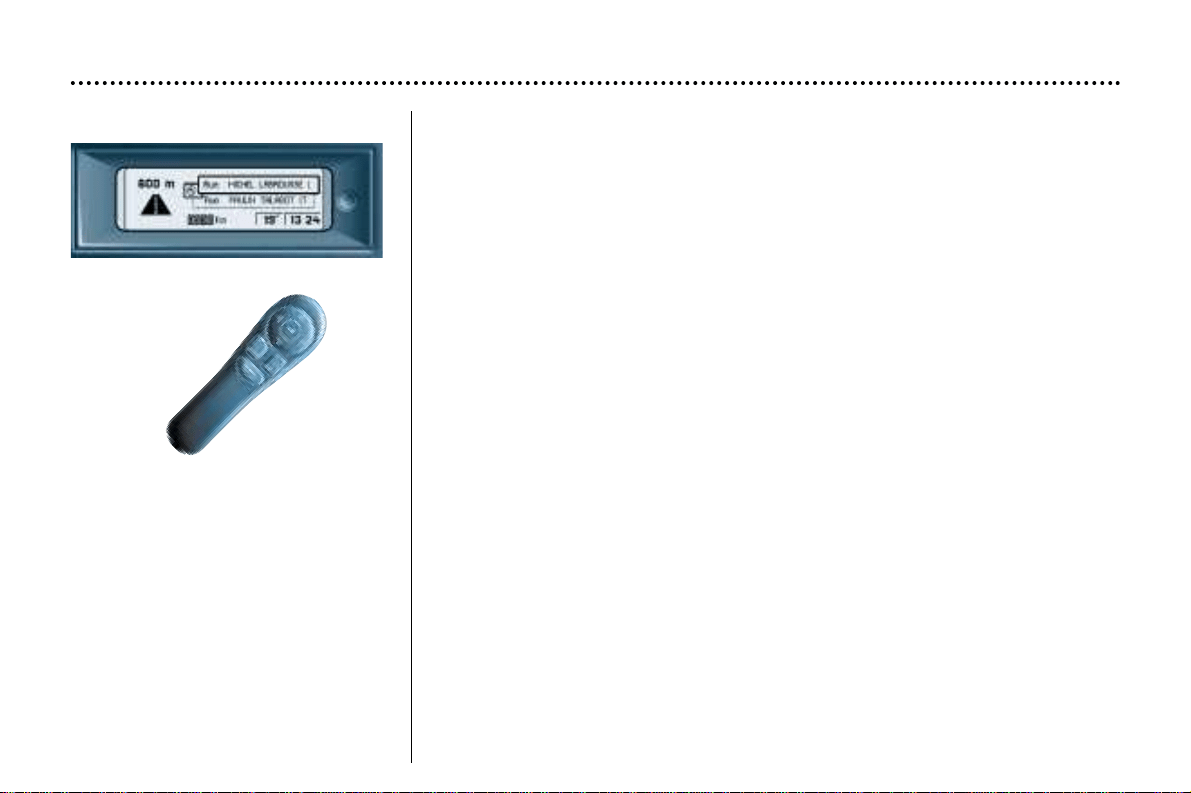
Display C This enables the following information to be displayed:
– the time,
– the date,
– the outside temperature (the °C symbol flashes when there is a risk of ice),
– the radio displays,
– the status of the doors. The display shows you whether a door, the boot or the
bonnet is open,
– the warning messages are displayed temporarily (e.g. "top up fuel tank'') and
can be cleared using the remote control,
– the trip computer (see following page),
– the satellite navigation system (see corresponding section).
Setting the parameters
The remote control allows you to access the settings. Accessing the different
menus is described in the section on the Satellite Navigation System.
YOUR 406 IN DETAIL
138
YOUR 406 IN DETAIL
64
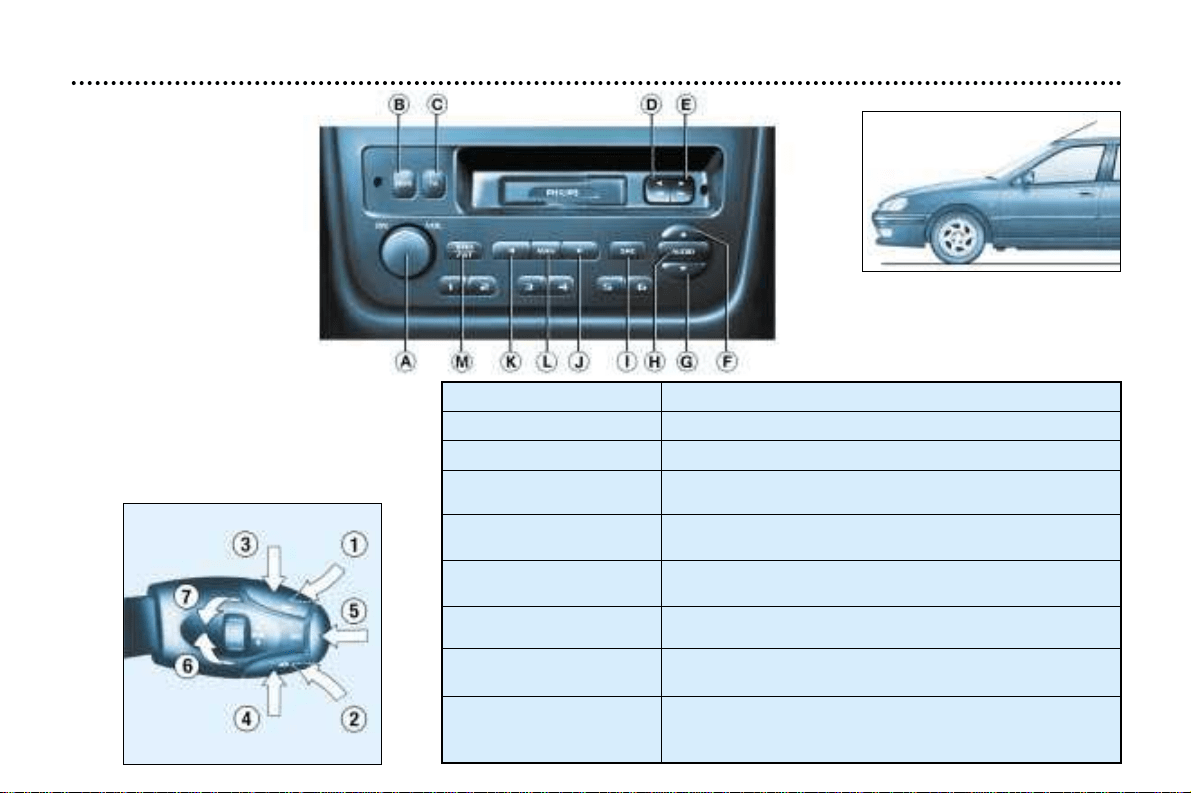
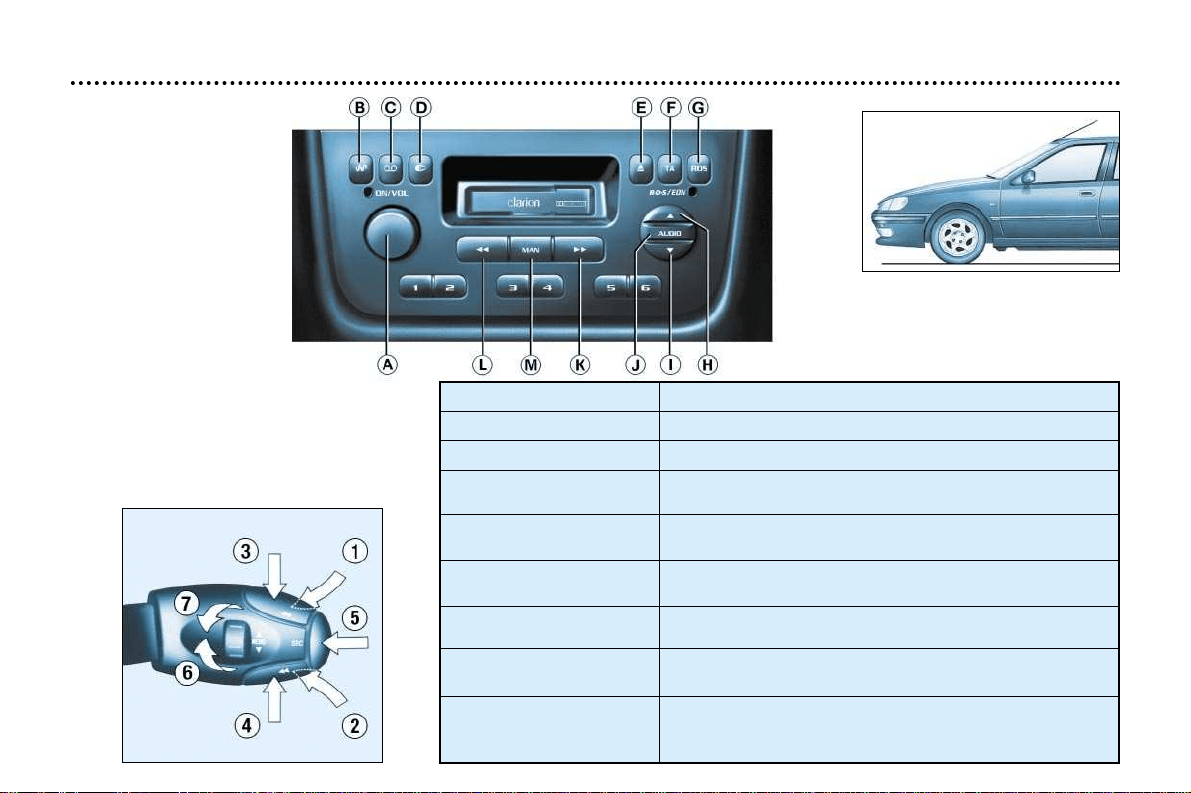
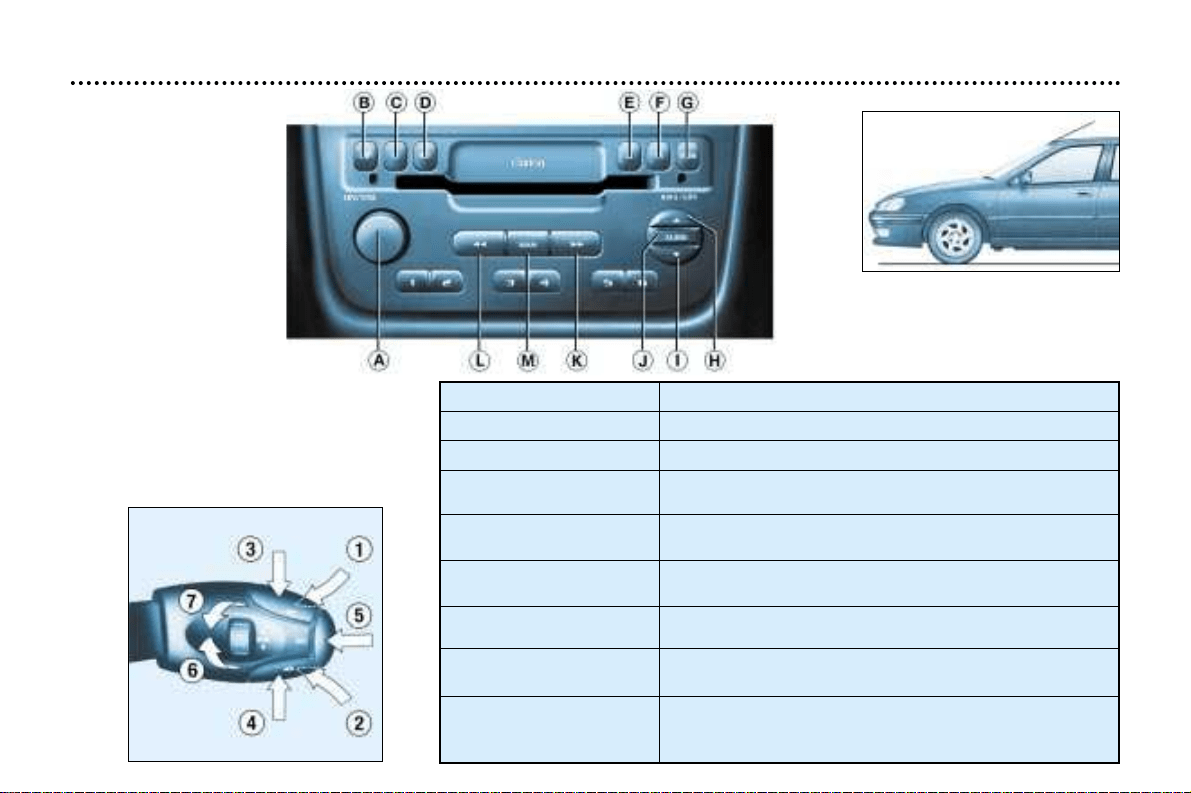
AUDIO RB2
Angle your aerial, following
the line of the windscreen.
1 – Press (behind)
2
– Press (behind)
Recommended angle for
the aerial (saloon)
Function
Increase volume
Decrease volume
1+2
– Simultaneous press
3 – Press
Cutting off the sound (mute); restoring the sound
by pressing any button
Automatic search of higher frequencies (radio)
Selection of next track (CD and cassette)
4
– Press Automatic search of lower frequencies (radio)
Selection of previous track (CD and cassette)
5
– Press the end Source selection (radio, cassette, CD changer)
6
– Rotation
(clockwise)
Selection of higher frequency station stored in memory (radio)
- Selection of next CD - Reversal of direction of play (cassette)
7 – Rotation
(anti-clockwise)
Selection of lower frequency station stored in memory
(radio) - Selection of previous CD - Reversal of direction of
play (cassette)
Movement
YOUR 406 IN DETAIL
65
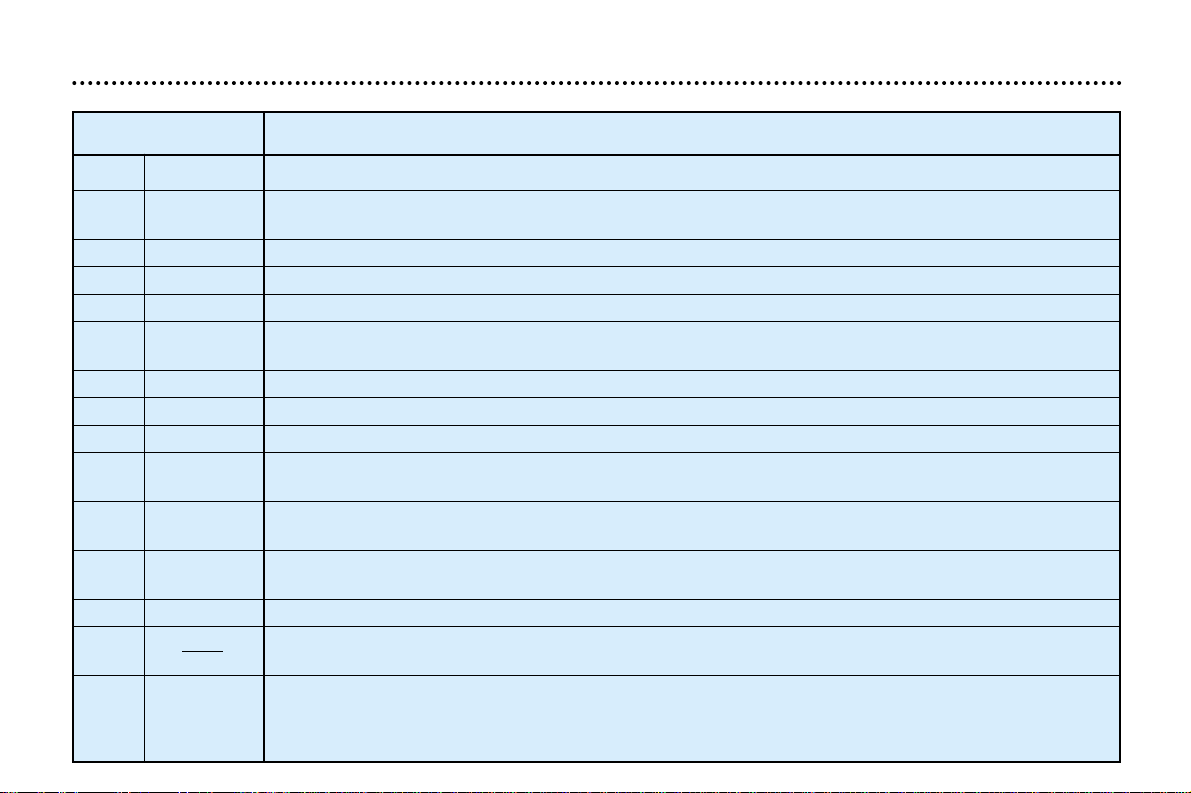
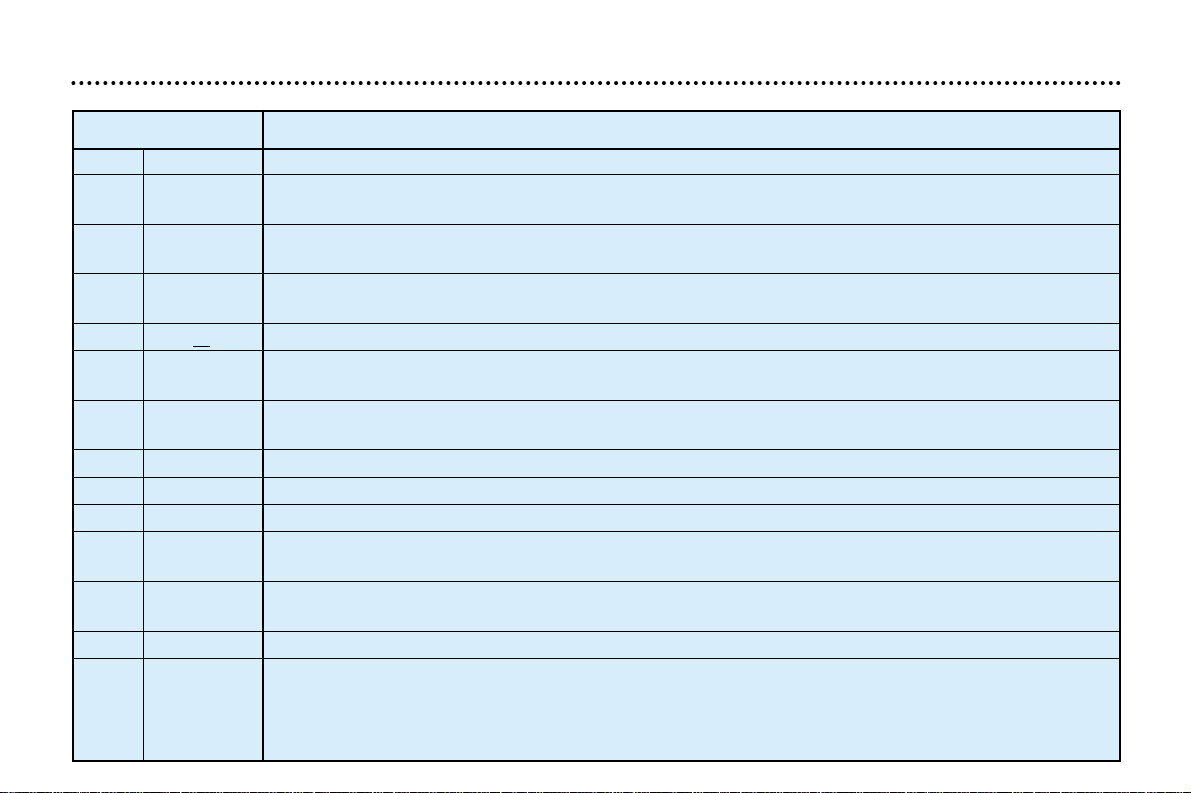
Button Function
A ON VOL Radio on/off. Adjustment of volume.
B RDS RDS function on/off.
Press for more than 2 seconds: regional following mode on/off.
CTATraffic information priority on/off.
D Press fully: cassette rewind.
E Press fully: cassette fast forward
D + E
B A Press half-way: reversal of direction of play of the cassette.
BB AA Press fully: ejection of the cassette.
F ▲ Increasing the bass/treble setting.
G ▼ Decreasing the bass/treble setting.
H AUDIO Adjustment of bass, treble, loudness and sound distribution.
I SRC Source selection: radio, cassette or CD changer.
Press for more than 2 seconds: CD shuffle.
J
A
Automatic search of higher frequency
Selection of next CD track.
K
B
Automatic search of lower frequency
Selection of previous CD track.
L MAN Manual/automatic operation of buttons I and J in radio mode.
M BND Selection of FM1, FM2, FMast and AM wavebands.
AST Press for more than 2 seconds: storing of a station in the memory (autostore).
1 to 6 12 34 56 Selection of station stored in the memory.
Press for more than 2 seconds: storing of a station in the memory.
Selection of a CD.
GENERAL FUNCTIONS
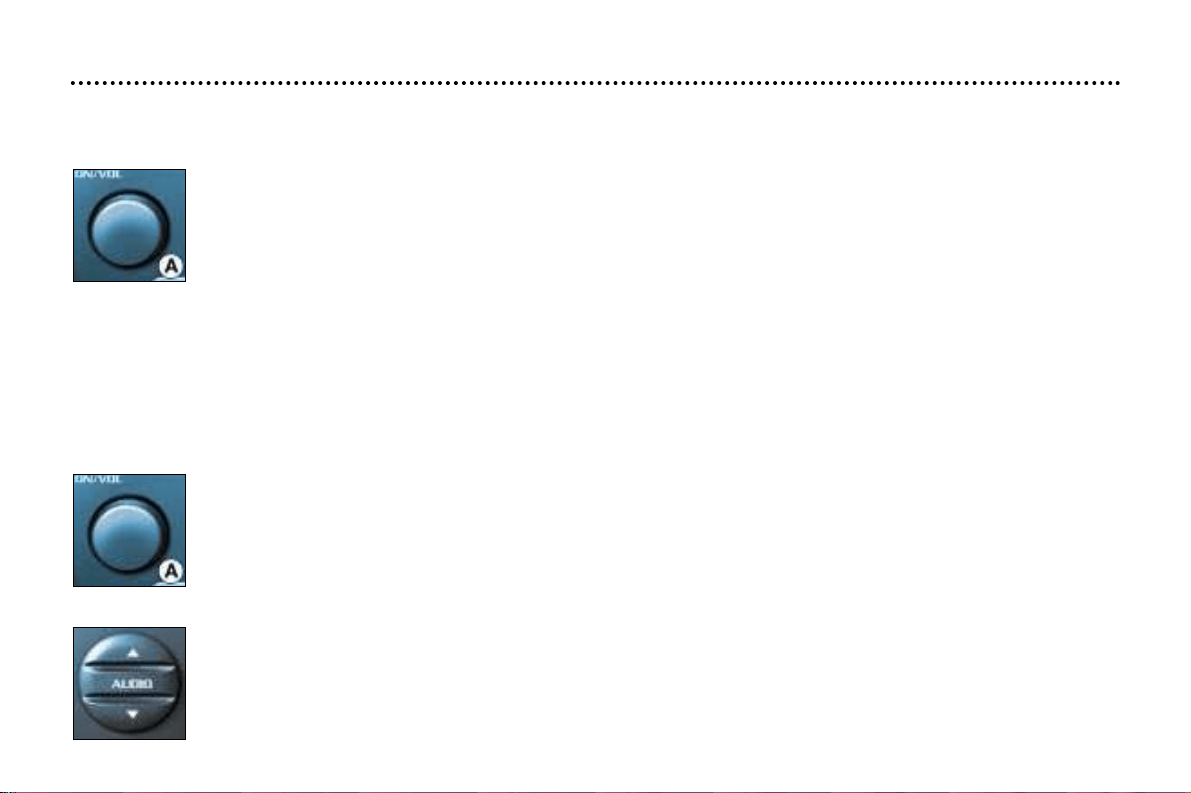
On / off
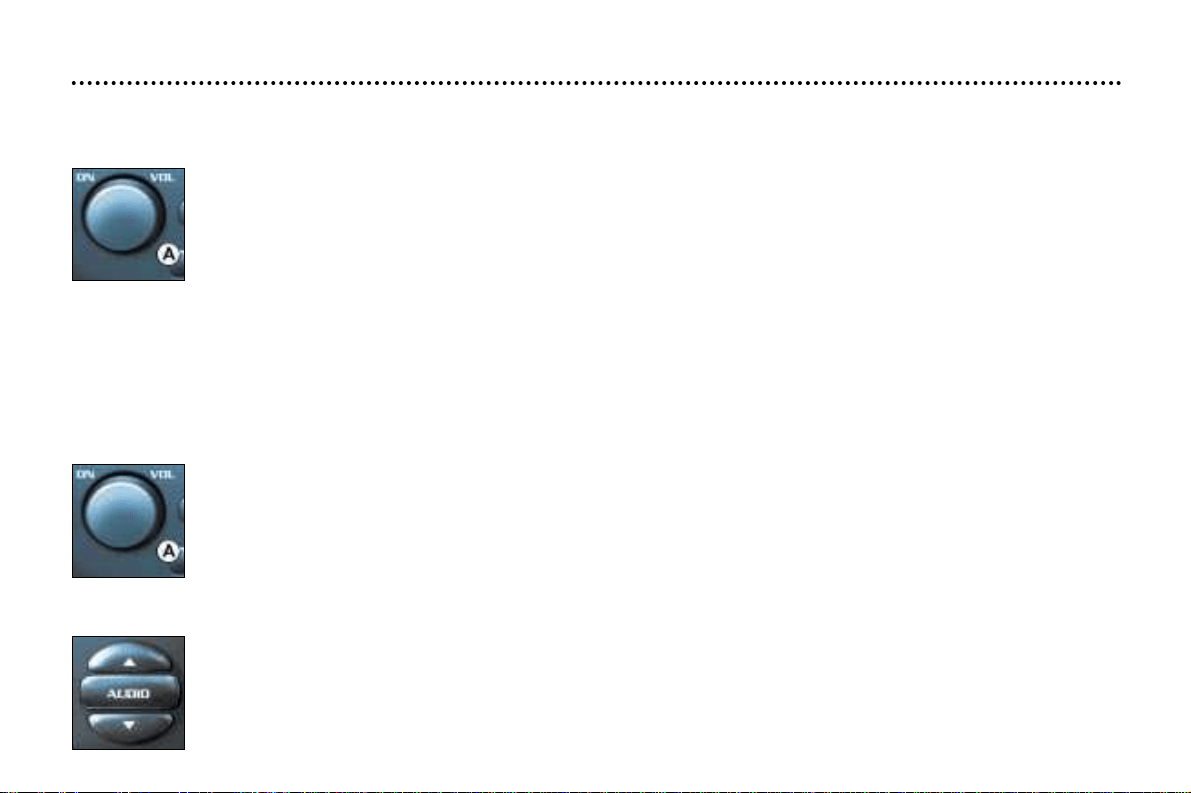
With the ignition key in the ACCESSORIES or IGNITION position, press button A to switch the set on or off.
The set can operate for 30 minutes without the vehicle ignition being switched on.
Anti-theft system
The set is coded in such a way that it can operate only on your vehicle. It would not function if fitted to another vehicle.
The anti-theft system is automatic and requires no action on your part.
VOLUME SETTING
Adjusting the volume
Turn button A to increase or reduce the volume.
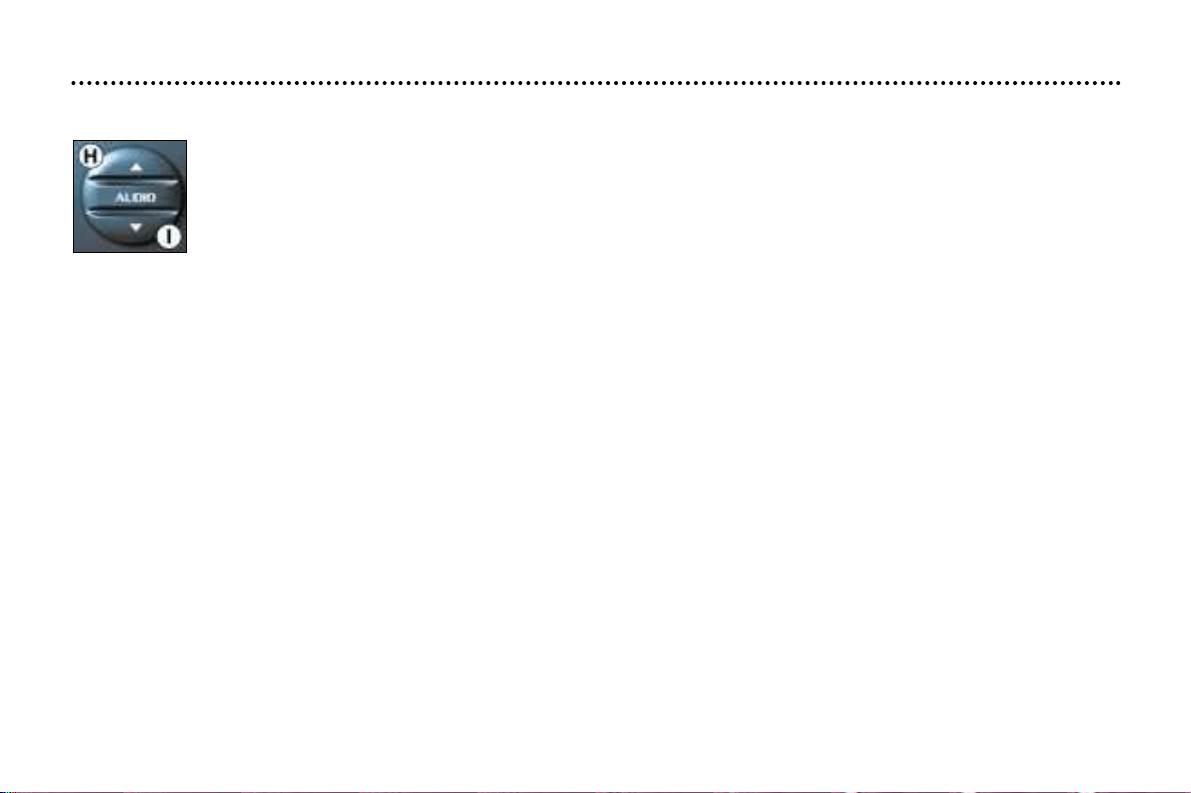
AUDIO SETTINGS
Press the "AUDIO" button several times to access the bass (BASS), treble (TREB), loudness (LOUD), fader
(FAD) and balance (BAL).
Exit from audio mode is automatic after a few seconds without pressing any button, or by pressing the
"AUDIO" button after adjusting the balance.
Note: bass and treble settings are specific to each source. It is possible to set them differently for radio, cas-
sette or CD changer.
YOUR 406 IN DETAIL
66
YOUR 406 IN DETAIL
67
Adjusting the bass
When "BASS" is displayed, press button F or G to vary the setting.
- "BASS -9" for a minimum bass setting,
- "BASS 0" for a normal setting,
- "BASS +9" for a maximum bass setting.
Adjusting the treble
When "TREB" is displayed, press button F or G to vary the setting.
- "TREB -9" for a minimum treble setting,
- "TREB 0" for a normal setting,
- "TREB +9" for a maximum treble setting.
Adjusting the loudness
This function automatically emphasises bass and treble tones when the volume is low.
Press button F or G to switch the function on or off.
Setting the front/rear sound distribution (Fader)
When "FAD" is displayed, press button F or G .
Button F increases the volume at the front.
Button G increases the volume at the rear.
Setting the right/left sound distribution (Balance)
When "BAL" is displayed, press button F or G .
Button F increases the volume on the right-hand side.
Button G increases the volume on the left-hand side.
YOUR 406 IN DETAIL
68
RADIO
Notes on radio reception
Car radio receivers are subject to phenomena which do not affect domestic radio sets. Both MW/LW and FM reception are
subject to various forms of interference. This is no reflection on the quality of the equipment, but is due to the nature of the
signals and the way in which they are transmitted.
On MW/LW, interference may be noticed when passing under high voltage power lines or bridges, or in tunnels.
On FM, interference may be the result of increasing distance from the transmitter, deflection of the signals by obstacles
(mountains, hills, buildings etc), or of being in an area which is not covered by a transmitter.
Selecting radio mode
Press the "SRC" button until the radio is selected.
Selecting a waveband
Briefly press the "BAND/AST" button to select the FM1, FM2, FMast and AM wavebands.
Automatic station search
Briefly press button J or K to search for the station immediately above or below.
By continuing to press the button in the direction selected, you will obtain contin-
uous scrolling of the frequency.
The scrolling stops at the first station found as soon as the button is released.
If the TA traffic programme is selected, only stations broadcasting this type of programme are selected.
Searching for a station occurs first in "LO" sensitivity (selection of the most powerful transmitters) during scanning of the
waveband, then in "DX" sensitivity (selection of the weakest and most distant transmitters).
YOUR 406 IN DETAIL
69
Manual station search
Press the "MAN" button.
Briefly press button J or K to increase or decrease the frequency displayed.
By continuing to press the button in the direction selected, you will obtain continuous scrolling of the frequency.
The scrolling stops at the first station found as soon as the button is released.
Pressing the "MAN" button again returns you to automatic station search.
Manual storing of stations in the memory
Select the station required.
Press one of the buttons "1" to "6" for more than two seconds.
The sound stops then becomes audible again, confirming that the
station has been stored in the memory.
Automatic storing of FM stations in the memory (autostore)
Press button "BND/AST" for more than two seconds, to automatically store the 6 stations with the strongest
signal in FM. These stations are stored in the FMast waveband.
- If it is not possible to find 6 stations, the remaining memories are empty.
Recalling stations stored in the memory
For each waveband, briefly press buttons "1" to "6" to recall the corresponding station.
YOUR 406 IN DETAIL
70
RDS
Using the RDS (Radio Data System) function on FM
Radio Data System allows you to continue listening to the same station, whatever frequency it is using for the
region you are going through.
Briefly press the "RDS" button to switch the function on or off.
RDS station following
The display indicates the name of the station selected. The radio is continually searching for the station which has the best
reception and which is transmitting the same programme.
Traffic information programme
Press the "TA" button to switch the function on or off.
Any traffic information flash will be given priority, whatever source you are listening to (radio, cassette or CD
changer).
If you wish to interrupt a message, press the "TA" button; this switches the function off.
Note: the volume of traffic information announcements is independent of the volume of normal radio listening. You
can adjust it using the volume button. The setting will be stored and will be used when the next messages are
broadcast.
Regional following mode
When they are part of a network, certain stations broadcast regional programmes in the various areas they serve. With
regional following mode, you can keep listening to the same programme.
Press the "RDS" button for more than two seconds to switch the function on or off.
YOUR 406 IN DETAIL
71
CASSETTE
Selecting cassette mode
When a cassette is inserted, the cassette player will start automatically.
If a cassette is already inserted, press the "SRC" button until cassette mode is selected.
Ejecting the cassette
Fully press buttons D and E to eject the cassette from the player.
Direction of play
The player will play sides 1 and 2 of the cassette alternately, by automatically reversing the direction of play
at the end of a side.
To manually reverse the direction of play, press buttons D and E half-way.
Fast forward/rewind
Fully press button D or E to fast forward or rewind the cassette. At the end of the fast forward/rewind, the set plays the cur-
rent side.
Recommendations regarding the use of cassettes
- Use good quality cassettes.
- Do not use cassettes which play for more than 90 minutes.
- Never expose the cassettes to heat or direct sunlight.
- Re-tension the tape if necessary before inserting the cassette in the player.
- Regularly clean the playing heads with a humid type cleaning cassette.
YOUR 406 IN DETAIL
72
CD CHANGER
Selecting CD changer mode
Press the "SRC" button until the CD changer is selected.
Selecting a disc
Press buttons "1" to "6" to select the corresponding disc.
Selecting a track
Press button J to select the next track.
Press button K to return to the start of the current track or to select the previous
track.
Accelerated play
Press the "MAN" button.
Press and hold button J or K for forwards or backwards accelerated play.
Accelerated play stops as soon as the button is released.
Buttons J and K resume the "track selection" function when the "MAN" button is pressed again.
Shuffle
When the CD changer is selected, keep the "SRC" button pressed for two seconds. The tracks will be played
in random sequence. Pressing the "SRC" button again for two seconds returns you to normal play.
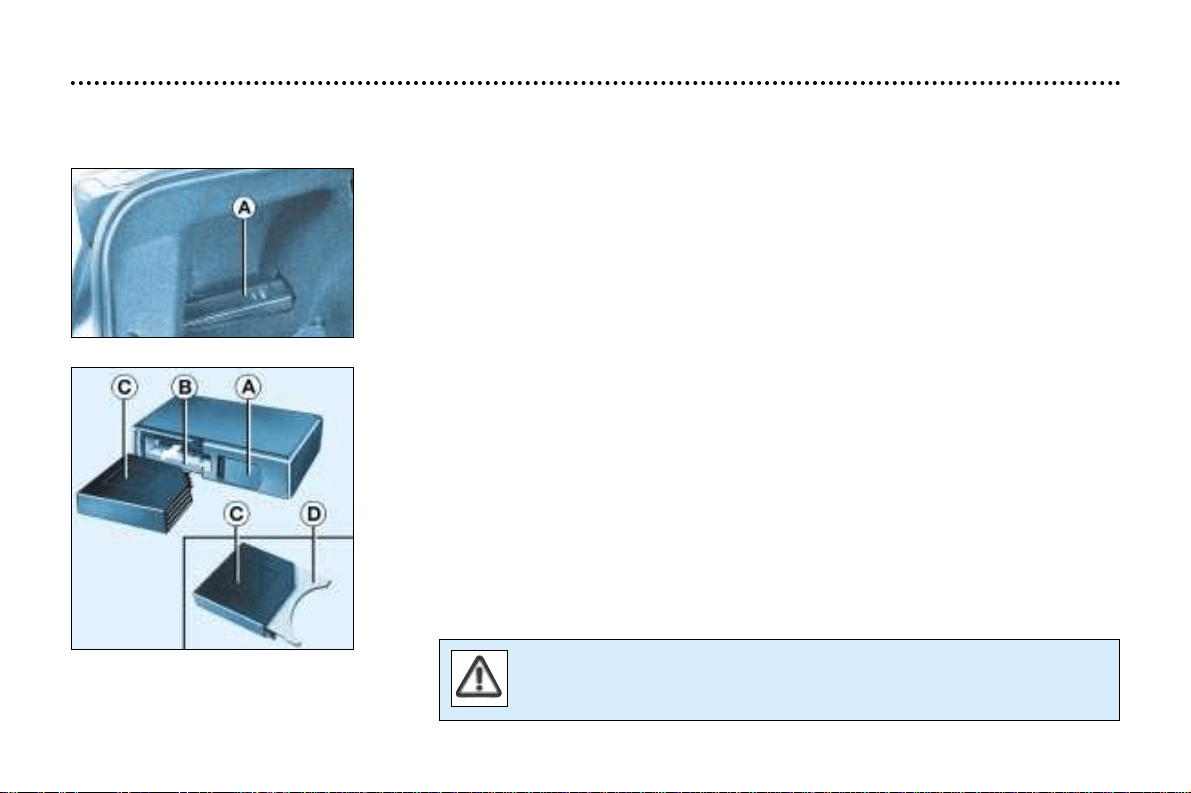
This is located inside the boot on the left hand side. It holds up to 6 discs.
To insert a disc into the changer:
- open sliding panel A,
- press button B to eject the cartridge C,
- open one of the six compartments of the cartridge by pulling tab D,
- insert the disc with the printed face upwards and close the compartment,
- insert the cartridge into the changer,
- close the sliding panel A.
CD CHANGER
YOUR 406 IN DETAIL
73
The use of blank compact discs can cause malfunctions.
YOUR 406 IN DETAIL
74
Angle your aerial, following
the line of the windscreen.
Recommended angle for
the aerial (saloon)
AUDIO RM2
1
– Press (behind)
2
– Press (behind)
Function
Increase volume
Decrease volume
1+2
– Simultaneous press
3 – Press
Cutting off the sound (mute); restoring the sound by pressing
any button
Automatic search of higher frequencies (radio)
Selection of next track (CD and cassette)
4
– Press Automatic search of lower frequencies (radio)
Selection of previous track (CD and cassette)
5
– Press the end Source selection (radio/cassette/CD changer)
6
– Rotation
(anti-clockwise)
Selection of higher frequency station stored in memory (radio) -
Selection of next CD - Reversal of direction of play (cassette)
7 – Rotation
(anti-clockwise)
Selection of lower frequency station stored in memory (radio)
- Selection of previous CD - Reversal of direction of play
(cassette)
Movement
Button Function
A ON/VOL Radio on/off. Adjustment of volume.
B Radio selection. Selection of FM1, FM2, FMast and AM wavebands.
Press for more than 2 seconds: automatic storing of stations in the memory (autostore).
C Cassette selection. Reversal of the direction of play of the cassette.
Press for more than 2 seconds: noise reduction.
D CD changer selection.
Press for more than 2 seconds: shuffle.
E ▲ Ejection of the cassette.
FTATraffic information priority on/off.
Press for more than 2 seconds: PTY function on/off.
G RDS RDS function on/off.
Press for more than 2 seconds: regional following mode on/off.
H ▲ Increase bass/treble setting.
I ▼ Decrease bass/treble setting.
J AUDIO Adjustment of bass, treble, loudness, sound distribution and automatic
volume correction.
K
AA Automatic search of higher frequency.
Selection of next track - cassette and CD.
L BB Automatic search of lower frequency.
Selection of previous track - cassette and CD.
M MAN Manual/automatic operation of buttons K and L in radio mode.
1 to 6 12 34 56 Selection of station stored in the memory.
Press for more than 2 seconds: storing of a station in the memory.
Selection of a CD.
YOUR 406 IN DETAIL
75
GENERAL FUNCTIONS
On/off
With the ignition key in the ACCESSORIES or IGNITION position, press button A to switch the set on or off.
The set can operate for 30 minutes without the vehicle ignition being switched on.
Anti-theft system
The audio system is coded in such a way that it can operate only on your vehicle. It would not function if fitted to another
vehicle.
The anti-theft system is automatic and requires no action on your part.
VOLUME SETTING
Adjusting the volume
Turn button A to increase or decrease the volume.
AUDIO SETTINGS
Press the "AUDIO" button several times to access the bass (BASS), treble (TREB), loudness (LOUD), fader
(FAD), balance (BAL) and automatic volume correction (CAV).
Exit from audio mode is automatic after a few seconds without pressing any button, or by pressing the
"AUDIO" button after configuration of the automatic volume correction.
Note : bass and treble settings are specific to each source. It is possible to set them differently for radio, cas-
sette or CD changer.
YOUR 406 IN DETAIL
76
Adjusting the bass
When "BASS" is displayed, press button H or I to vary the setting.
- "BASS –9" for a minimum bass setting,
- "BASS 0" for a normal setting,
- "BASS +9" for a maximum bass setting.
Adjusting the treble
When "TREB" is displayed, press button H or I to vary the setting.
- "TREB -9" for a minimum treble setting,
- "TREB 0" for a normal setting,
- "TREB +9" for a maximum treble setting.
Adjusting the loudness
This function automatically emphasises bass and treble tones when the volume is low.
Press button H or I to switch the function on or off.
Adjusting the front/rear sound distribution (Fader)
When "FAD" is displayed, press button H or I.
Button H increases the volume at the front.
Button I increases the volume at the rear.
Adjusting the right/left sound distribution (Balance)
When "BAL" is displayed, press button H or I .
Button H increases the volume on the right-hand side.
Button I increases the volume on the left-hand side.
Automatic volume correction 'CAV'
This function enables the volume to be automatically adapted depending on the level of noise produced by the speed of the vehicle.
Press buttons H or I to switch the function on or off.
YOUR 406 IN DETAIL
77
RADIO
Notes on radio reception
Car radio receivers are subject to phenomena which do not affect domestic radio sets. Both MW/LW and FM reception are
subject to various forms of interference. This is no reflection on the quality of the equipment, but is due to the nature of the
signals and the way in which they are transmitted.
On MW/LW, interference may be noticed when passing under high voltage power lines or bridges, or in tunnels.
On FM, interference may be the result of increasing distance from the transmitter, deflection of the signals by obstacles
(mountains, hills, buildings etc), or of being in an area which is not covered by a transmitter.
Selecting radio mode
Press button B.
Selecting a waveband
Briefly press button B to select the FM1, FM2, Fmast and AM wavebands.
Automatic station search
Briefly press button K or L to search for the station immediately above or below.
By continuing to press the button in the direction selected, you will obtain contin-
uous scrolling of the frequency.
The scrolling stops at the first station found as soon as the button is released.
If the TA traffic programme is selected, only stations broadcasting this type of programme are selected.
Searching for a station occurs first in "LO " sensitivity (selection of the most powerful transmitters) during scanning of the
waveband, then in "DX" sensitivity (selection of the weakest and most distant transmitters).
To make a direct search in "DX" sensitivity, press button K or L twice.
YOUR 406 IN DETAIL
78
Manual station search
Press the "MAN" button.
Briefly press button K or L to increase or decrease the frequency displayed.
By continuing to press the button in the direction selected, you will obtain continuous scrolling of the frequency.
The scrolling stops at the first station found as soon as the button is released.
Pressing the "MAN" button again returns you to automatic station search.
Manual storing of stations in the memory
Select the station required.
Press one of the buttons "1" to "6" for more than two seconds.
The sound stops then becomes audible again, confirming that the station has been stored in the memory.
Automatic storing of FM stations in the memory (autostore)
Press button B for more than two seconds, to automatically store the 6 stations with the strongest signal in
FM. These stations are stored in the FMast waveband.
- If it is not possible to find 6 stations, the remaining memories are empty.
Recalling stations stored in the memory
For each waveband, briefly press buttons "1" to "6" to recall the corresponding station.
The list of the 6 stations stored in memory on the waveband is displayed each time one of the buttons "1" to "6" is pressed.
YOUR 406 IN DETAIL
79
RDS
Using the RDS (Radio Data System) function on FM
Radio Data System allows you to continue listening to the same station, whatever frequency it is using for the
region you are going through.
Briefly press the "RDS" button to switch the function on or off;
the display will show:
- "RDS" if the function is selected.
- "(RDS)" if the function is selected but not available.
RDS station following
The display indicates the name of the station selected. The radio is continually searching for the station which has the best
reception and which is transmitting the same programme.
Traffic information programme
Press the "TA" button to switch the function on or off.
The display will show:
- "TA" if the function is selected,
- "(TA)" if the function is selected but not available.
Any traffic information flash will be given priority, whatever source you are listening to (radio, cassette or CD changer).
If you wish to interrupt a message, press the "TA" button; this switches the function off.
Note: the volume of traffic information announcements is independent of the volume of normal radio listening. You
can adjust it using the volume button. The setting will be stored and will be used when the next messages are
broadcast.
YOUR 406 IN DETAIL
80
Regional following mode
When they are part of a network, certain stations broadcast regional programmes in the various areas they
serve. With regional following mode you can keep listening to the same programme.
Press the "RDS" button for more than two seconds to switch the function on or off.
PTY function
This allows you to listen to stations broadcasting a specific type of programme (news, culture, sport, rock etc.).
With FM selected, press the "TA" button for two seconds to switch this function on or off.
To search for a PTY programme:
- select the PTY function,
- briefly press button K or L to scroll down the list of the various types of pro-
grammes offered.
- when the programme of your choice is displayed, keep button K or L pressed for two seconds to carry out an automatic
search (after an automatic search the PTY function is switched off).
In PTY mode the different types of programmes can be stored in the
memory. To do this, press the preselection buttons "1" to "6" for more
than two seconds.
To recall the type of programme stored in the memory, briefly press
the corresponding button.
EON system
This connects stations which are part of the same network. It enables the broadcast of traffic information by a station, which
is part of the same network as the station to which you are listening.
This service is available when you have selected the TA traffic information programme or the PTY function.
YOUR 406 IN DETAIL
81
CASSETTE
Selecting cassette mode
When a cassette is inserted, the cassette player will start automatically.
If a cassette is already inserted, press button C.
Ejecting the cassette
Press button E to eject the cassette from the player.
Direction of play
The player will play sides 1 and 2 of the cassette alternately, by automatically reversing the direction of play at the end of a
side. To manually reverse the direction of play, press button C.
Selecting a track on a cassette (blank search)
Press button K to select the next track.
Press button L to return to the start of the current track or to select the previous
track.
Fast forward/rewind
Fully press button K or L to fast forward or rewind the cassette. At the end of the fast forward/rewind, the set plays the cur-
rent side.
Noise reduction (Dolby B NR system)
Press button C for more than two seconds to switch the function on or off.
Dolby noise reduction manufactured under licence from Dolby Laboratories Licensing Corporation.
Dolby and the double D symbol are trademarks of Dolby Laboratories Licensing Corporation.
Recommendations concerning the use of cassettes
- Use good quality cassettes.
- Avoid using cassettes which play for longer than 90 minutes.
- Never expose the cassettes to heat or direct sunlight.
- Re-tension the tape if necessary before inseting it into the player.
- Clean the playing heads regularly with a humid type cleaning tape.
YOUR 406 IN DETAIL
82
YOUR 406 IN DETAIL
83
CD CHANGER
Selecting CD changer mode
Press button D.
Selecting a disc
Press buttons "1" to "6" to select the corresponding disc.
Selecting a track
Press button K to select the next track.
Press button L to return to the start of the current track or to select the previous
track.
Accelerated play
Press and hold button K or L for forwards or backwards accelerated play.
Accelerated play stops as soon as the button is released.
Shuffle
When the CD changer is selected, keep button "D" pressed for two seconds. The tracks will be played in ran-
dom sequence. Pressing button "D" again for two seconds returns you to normal play.
YOUR 406 IN DETAIL
84
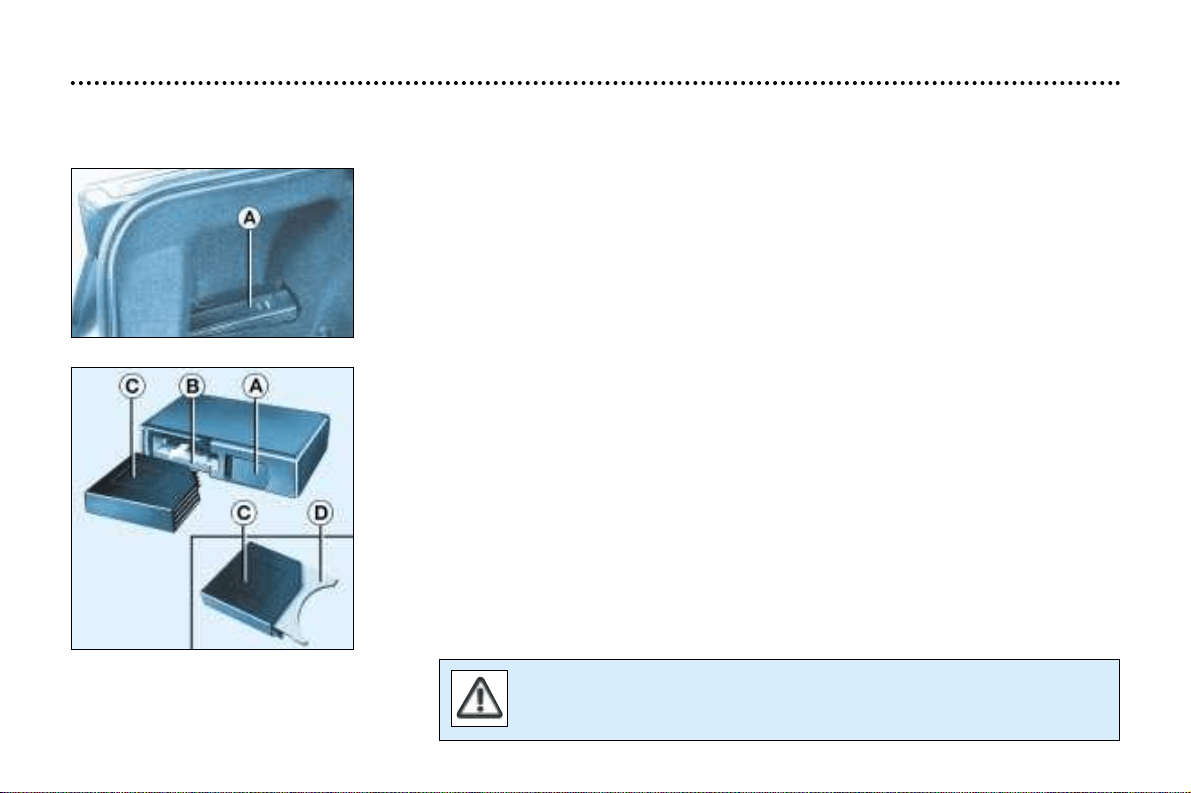
This is located inside the boot on the left hand side. It holds up to 6 discs.
To insert a disc into the changer:
- open sliding panel A,
- press button B to eject the cartridge C,
- open one of the six compartments of the cartridge by pulling tab D,
- insert the disc with the printed face upwards and close the compartment,
- insert the cartridge into the changer,
- close the sliding panel A.
RM2 CD CHANGER
The use of blank compact discs can cause malfunctions.
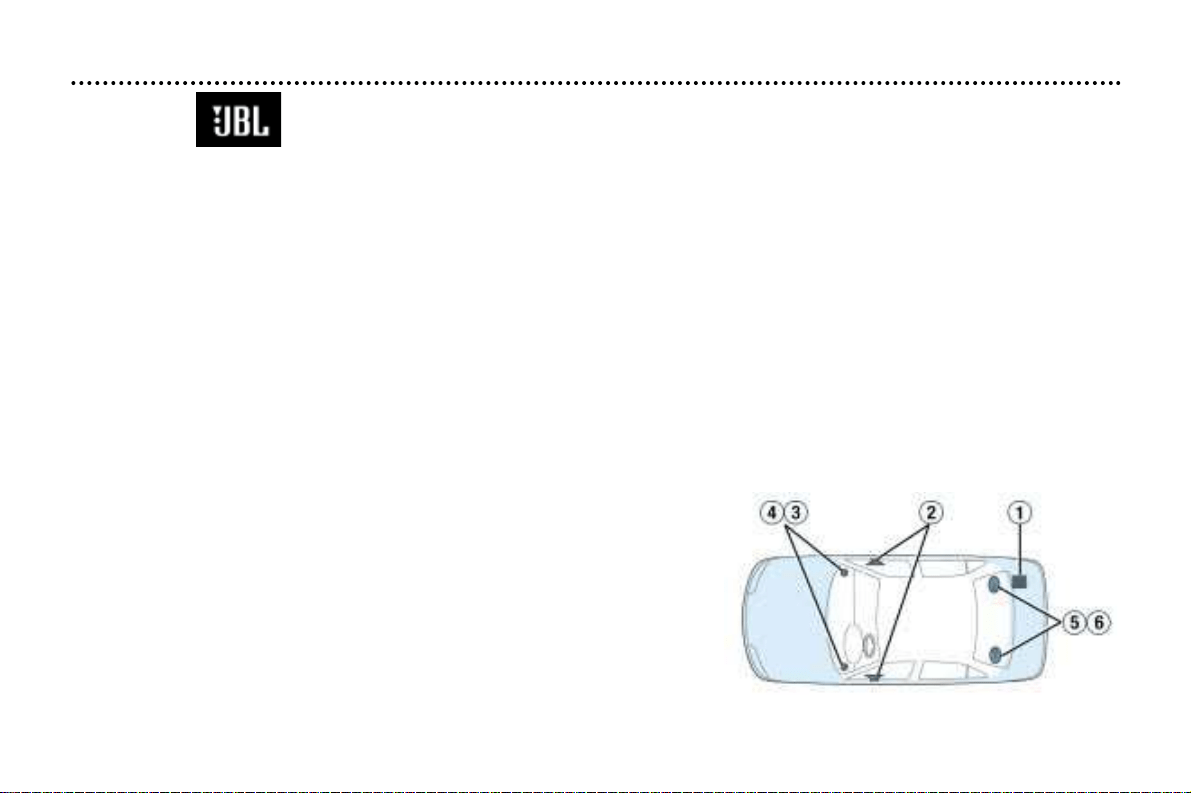
406 Saloon AUDIO SYSTEM (RM2)
Presentation
Your 406 saloon is fitted with a JBLAudio Hi-Fi system, designed specifically for the passenger compartment.
At the heart of the system, a 240 watt multifunction amplifier (1) (located in the boot) independently controls 10 high
acoustic definition speakers.
These speakers provide optimal reproduction and distribution of the sound in the vehicle, both in the front and the
rear.
The speakers are situated:
– in the fascia: two Micro Tweeters (3) set into two Mediums (4) for reproduction of the sound in the front.
– in the front doors: two Woofers (2) for reproduction of bass frequencies in the front.
– on the rear parcel shelf: two Tweeters (5) for reproduction of treble (high frequencies) in the rear are set into two ellipti-
cal speakers (6), which are adjusted to reproduce a very wide range of bass and ultra-bass frequencies throughout the
whole of the passenger compartment. You will appreciate the clarity and depth and notice that the sound fills the
whole of the vehicle perfectly.
Adjusting in CD mode
The basic functions remain those of the audio set.
There is no need for any further adjustment. However, in order to take
full advantage of your JBL audio system, you are advised to set the
AUDIO functions (BASS, TREB, FAD, BAL) to position "0" (zero) and
the Loudness (LOUD) to the "ON" position.
YOUR 406 IN DETAIL
85
YOUR 406 IN DETAIL
86
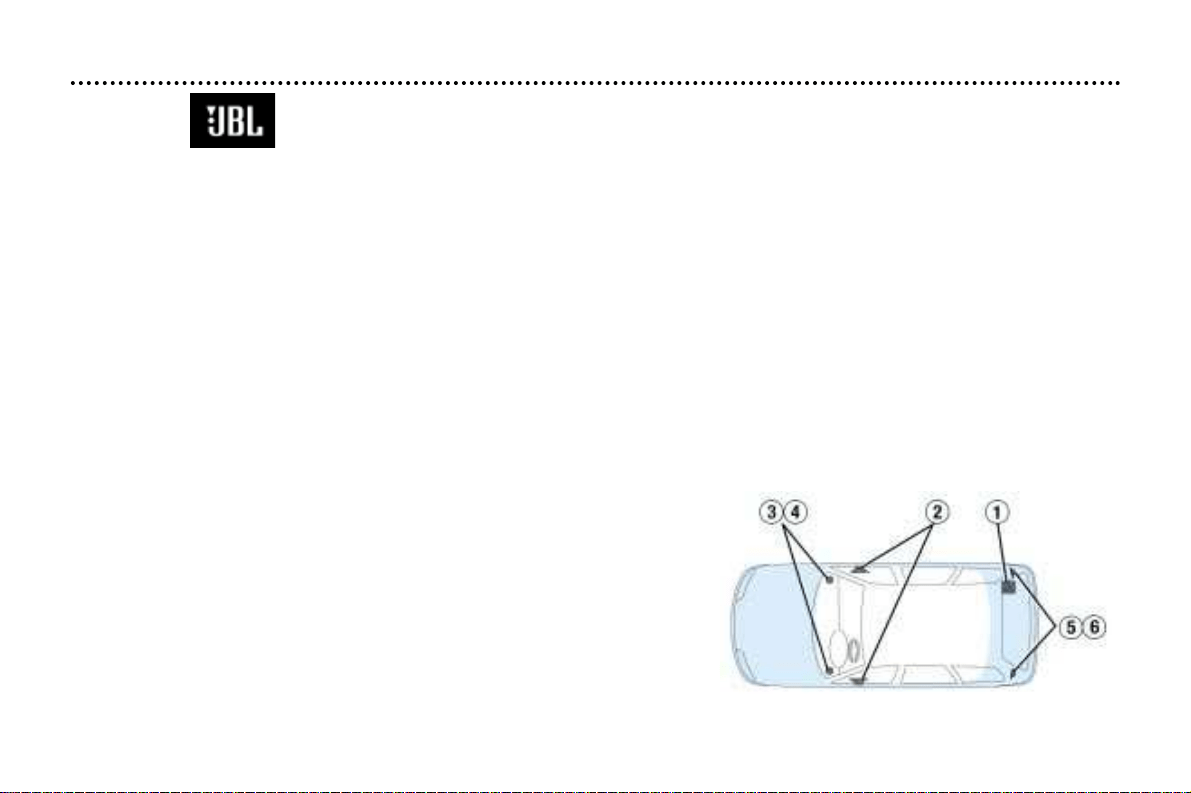
406 Estate AUDIO SYSTEM (RM2)
Presentation
Your 406 estate is fitted with a JBLAudio Hi-Fi system, designed specifically for the passenger compartment..
At the heart of the system, a 180 watt multifunction amplifier (1) (located in the boot) independently controls 10 high
acoustic definition speakers.
These speakers provide optimal reproduction and distribution of the sound in the vehicle, both in the front and the
rear.
The speakers are situated:
– in the fascia: two Micro Tweeters (3) set into two Mediums (4) for reproduction of the sound in the front.
– in the front doors: two Woofers (2) for reproduction of bass frequencies in the front.
– on the boot pillar: two Micro Tweeters (5) for reproduction of treble (high frequencies), set into two Mediums (6) giving
uniform sound reproduction throughout the whole of the vehicle.
Adjusting in CD mode
The basic functions remain those of the audio set.
There is no need for any further adjustment. However, in order to take
full advantage of your JBL audio system, you are advised to set the
AUDIO functions (BASS, TREB, FAD, BAL) to position "0" (zero) and
the Loudness (LOUD) to the "ON" position.
YOUR 406 IN DETAIL
88
Angle your aerial, following
the line of the windscreen.
Recommended angle for
the aerial (saloon)
AUDIO RD3
1
– Press (behind)
2
– Press (behind)
Function
Increase volume
Decrease volume
1+2
– Simultaneous
press
3 – Press
Cutting off the sound (mute); restoring the sound
by pressing any button
Automatic search of higher frequencies (radio)
Selection of next track (CD)
4
– Press Automatic search of lower frequencies (radio)
Selection of previous track (CD)
5
– Press the end Source selection (radio/CD/CD changer)
6
– Rotation
(anti-clockwise)
Selection of higher frequency station stored in
memory (radio) - Selection of next CD (CD changer)
7 – Rotation
(anti-clockwise)
Selection of lower frequency station stored in memory
(radio) - Selection of previous CD (CD changer)
Movement
Button Function
A ON/VOL Radio on/off. Adjustment of volume
B Radio selection. Selection of FM1, FM2, FMast and AM wavebands.
Press for more than 2 seconds: automatic storing of stations in the memory (autostore).
C Source selection: CD.
Press for more than 2 seconds: shuffle.
D Source selection: CD changer.
Press for more than 2 seconds: shuffle.
E ▲ Ejection of the CD.
FTATraffic information priority on/off.
Press for more than 2 seconds: PTY function on/off.
G RDS RDS function on/off.
Press for more than 2 seconds: regional following mode on/off.
H ▲ Increase bass/treble setting.
I ▼ Decrease bass/treble setting.
J AUDIO Setting of bass, treble, loudness, sound distribution and automatic volume correction.
K
AA Automatic search of higher frequency.
Selection of next CD track.
L
BB Automatic search of lower frequency.
Selection of previous CD track.
M MAN Manual/automatic operation of buttons K and L.
1 to 6 Selection of station stored in the memory.
Press for more than 2 seconds: storing of a station in the memory.
Selection of a CD in the CD changer.
YOUR 406 IN DETAIL
89
GENERAL FUNCTIONS
On/off
With the ignition key in the ACCESSORIES or IGNITION position, press button A to switch the set on or off.
The set can operate for 30 minutes without the vehicle ignition being switched on.
ANTI-THEFT SYSTEM
The audio system is coded in such a way that it can operate only on your vehicle. It would not function if fitted to another vehicle.
The anti-theft system is automatic and requires no action on your part.
VOLUME SETTING
Adjusting the volume
Turn button A to increase or decrease the volume of the set.
Note:
If you have a telephone fitted with a "mute" signal output connected to the set, the set will automatically
change to "mute" when the telephone is used.
AUDIO SETTINGS
Press the "AUDIO" button several times to access the bass (BASS), treble (TREB), loudness (LOUD), fader
(FAD) , balance (BAL) and the automatic volume correction (CAV).
Exit from audio mode is automatic after a few seconds without pressing any button, or by pressing the
"AUDIO" button after configuration of the automatic volume correction.
Note: the bass and treble settings are specific to each source. It is possible to set them differently for radio,
CD, or CD changer.
YOUR 406 IN DETAIL
90
Adjusting the bass
When "BASS" is displayed, press button H or I to vary the setting.
- "BASS –9" for a minimum bass setting,
- "BASS 0" for a normal setting,
- "BASS +9" for a maximum bass setting.
Adjusting the treble
When "TREB" is displayed, press button H or I to vary the setting.
- "TREB –9" for a minimum treble setting,
- "TREB 0" for a normal setting,
- "TREB +9" for a maximum treble setting.
Adjusting the loudness
This function automatically emphasises bass and treble tones when the volume is low.
Press button H or I to switch the function on or off.
Adjusting the front/rear sound distribution (Fader)
When "FAD" is displayed, press button H or I to vary the setting.
Button H increases the volume at the front.
Button I increases the volume at the rear.
Adjusting the right/left sound distribution (Balance)
When "BAL" is displayed, press button H or I to vary the setting.
Button H increases the volume on the right-hand side.
Button I increases the volume on the left-hand side.
Automatic volume correction 'CAV'
This function enables the volume to be automatically adapted depending on the level of noise produced by the speed of the
vehicle. Press buttons H or I to switch the function on or off.
YOUR 406 IN DETAIL
91
RADIO
Notes on radio reception
Car radio receivers are subject to phenomena which do not affect domestic radio sets. Both MW/LW and FM reception are
subject to various forms of interference. This is no reflection on the quality of the equipment, but is due to the nature of the
signals and the way in which they are transmitted.
On MW/LW, interference may be noticed when passing under high voltage power lines or bridges, or in tunnels.
On FM, interference may be the result of increasing distance from the transmitter, deflection of the signals by obstacles
(mountains, hills, buildings etc), or of being in an area which is not covered by a transmitter.
Selecting radio mode
Press button B.
Selecting a waveband
Briefly press button B to select the FM1, FM2, FMast and AM wavebands.
Automatic station search
Briefly press button K or L to search for the station immediately above or below.
By continuing to press the button in the direction selected, you will obtain contin-
uous scrolling of the frequency.
The scrolling stops at the first station found as soon as the button is released.
If the TA traffic programme is selected, only stations broadcasting this type of programme are selected.
Searching for a station occurs first in "LO" sensitivity (selection of the most powerful transmitters) during scanning of the
waveband, then in "DX" sensitivity (selection of the weakest and most distant transmitters).
To make a direct search in "DX" sensitivity, press button K or L twice.
YOUR 406 IN DETAIL
92
Manual station search
Press the "MAN" button.
Briefly press button K or L to increase or decrease the frequency displayed.
By continuing to press the button in the direction selected, you will obtain continuous scrolling of the frequency.
The scrolling stops at the first station found as soon as the button is released.
Pressing the "MAN" button again returns you to automatic station search.
Manual storing of stations in the memory
Select the station required. Press one of the buttons "1" to "6" for
more than two seconds.
The sound stops then becomes audible again, confirming that the
station has been stored in the memory.
Automatic storing of FM stations in the memory (autostore)
Press button B for more than two seconds, to automatically store the 6 stations with the strongest signal in
FM. These stations are stored in the FM3 waveband.
- If it is not possible to find 6 stations, the remaining memories are empty.
Recalling stations stored in the memory
For each waveband, briefly press buttons "1" to "6" to recall the corresponding station.
YOUR 406 IN DETAIL
93
RDS
Using the RDS (Radio Data System) function on FM
Radio Data System allows you to continue listening to the same station, whatever frequency it is using for
the region you are going through.
Briefly press the "RDS" button to switch the function on or off; the display will show:
- "RDS" if the function is selected.
- "(RDS)" if the function is selected but not available.
RDS station following
The display indicates the name of the station selected. The radio is continually searching for the station which has the best
reception and which is transmitting the same programme.
Traffic information programme
Press the "TA" button to switch the function on or off.
The display will show:
- "TA" if the function is selected,
- "(TA)" if the function is selected but not available.
Any traffic information flash will be given priority, whatever source you are listening to (radio, CD or CD changer).
If you wish to interrupt a message, press the "TA" button; this switches the function off.
Note: the volume of traffic information announcements is independent of the volume of normal radio listening. You
can adjust it using the volume button. The setting will be stored and will be used when the next messages are broad-
cast.
Regional following mode
When they are part of a network, certain stations broadcast regional programmes in the various areas they
serve.
With regional following mode you can keep listening to the same programme.
Press the "RDS" button for more than two seconds to switch the function on or off.
YOUR 406 IN DETAIL
94
PTY function
This allows you to listen to stations broadcasting a specific type of programme (news, culture, sport, rock
etc.).
With FM selected, press the "TA" button for two seconds to switch this function on or off.
To search for a PTY programme:
- select the PTY function,
- briefly press button K or L to scroll down the list of the various types of pro-
grammes offered.
– when the programme of your choice is displayed, keep button K or L pressed for two seconds to carry out an automatic
search (after an automatic search the PTY function is switched off).
In PTY mode the different types of programmes can be stored in the
memory. To do this, press the preselection buttons "1" to "6" for
more than two seconds.
To recall the type of programme stored in the memory, briefly press
the corresponding button.
EON system
This connects stations which are part of the same network. It enables the broadcast of traffic information by a station, which
is part of the same network as the station to which you are listening.
This service is available when you have selected the TA traffic information programme or the PTY function.
YOUR 406 IN DETAIL
95
COMPACT DISC
Selecting CD player mode
After inserting a disc, with the printed surface upwards, the player starts automatically.
If a disc is already inserted, press button C.
Ejecting a disc
Press button E to eject the disc from the player.
Selecting a track
Press button K or L to select the next track.
Press button L to return to the start of the current track or to select the previous
track.
Accelerated play
Press the "MAN" button.
Press and hold button K or L for forwards or backwards accelerated play.
Accelerated play stops as soon as the button is released.
Buttons K or L resume the "track selection" function when the "MAN" button is pressed again.
Shuffle (RDM)
When the CD player is selected, keep button C pressed for two seconds. The tracks will be played in ran-
dom sequence. Pressing button C again for two seconds returns you to normal play.
The use of blank compact discs may cause malfunctions.
YOUR 406 IN DETAIL
96

CD CHANGER
Selecting CD changer mode
Press button D.
Selecting a disc
Press buttons "1" to "6" to select the corresponding disc.
Selecting a track
Press button K to select the next track.
Press button L to return to the start of the current track or to select the previous
track.
Accelerated play
Press the "MAN" button.
Press and hold button K or L for forwards or backwards accelerated play.
Accelerated play stops as soon as the button is released.
Buttons K or L resume the "track selection" function when the "MAN" button is pressed again.
Shuffle (RDM)
When the CD changer is selected, keep button D pressed for two seconds. The tracks will be played in
random sequence. Pressing button D again for two seconds returns you to normal play.
YOUR 406 IN DETAIL
97
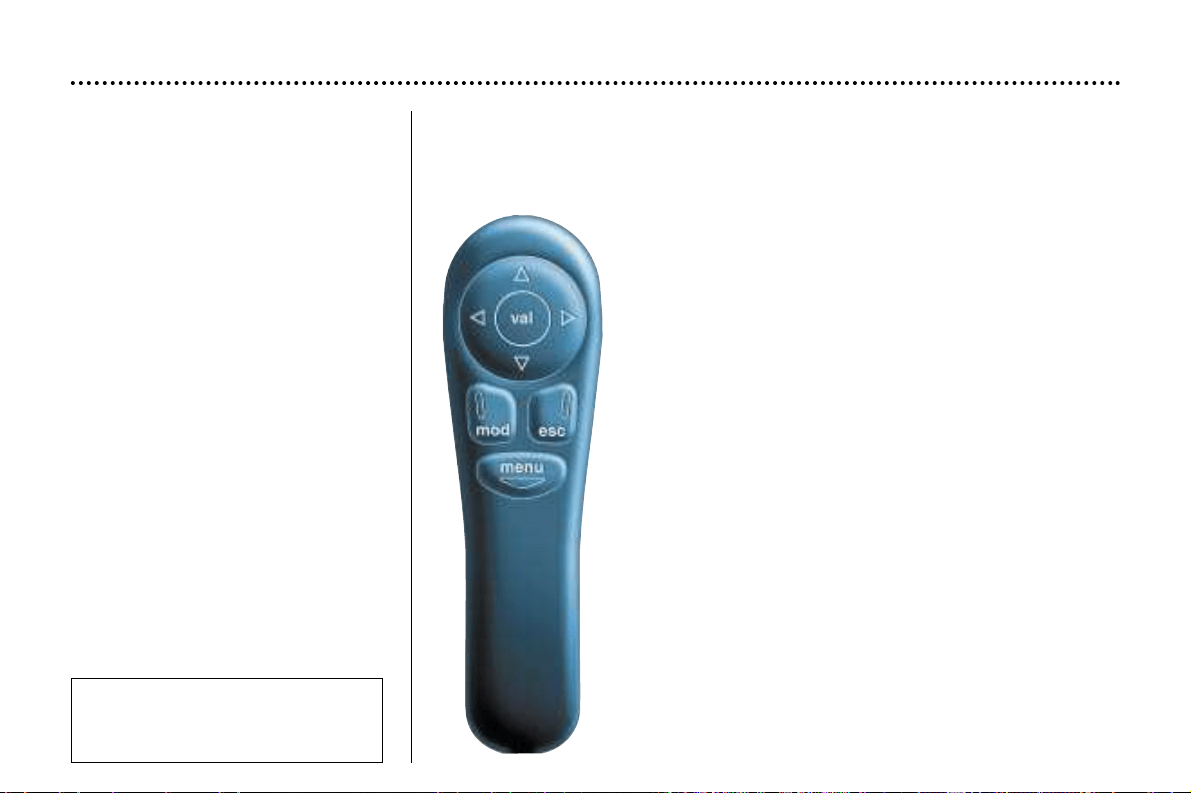
THE SATELLITE NAVIGATION
SYSTEM
Introduction
The satellite navigation system
guides you to the destination of your
choice by means of vocal and visual
instructions. The heart of the system
lies in the use of a map database
and GPS (Global Positioning Sys-
tem). This enables your position to
be located by means of several
satellites.
The satellite navigation system con-
sists of the following components:
- the remote control,
- the display,
- the control unit,
- the last voice message recall con-
trol,
- the CD ROM.
Some functions or services
described in this guide may vary
depending on the CD ROM
version or the country.
The remote control
There is a storage compartment for the remote control in front of the ashtray.
Pointing the remote control at the screen enables the information contained in
the various menus to be selected.
Direction arrows:
These enable you to move around the screen and
thus select a function.
On the welcome screen only, the Up and Down
buttons enable the brightness of the screen to be
adjusted.
menu: this button allows access to the main menu. It can
be used at any time.
esc : escape button
"Short press": cancels the current operation and
returns to the previous screen.
"Press for more than 2 seconds": returns to the
welcome screen.
This button can be used in any menu. It is inactive
during guidance.
mod : mode button
"Short press": changes between date, navigation
and radio.
val : Confirmation button
Confirms the function selected.
YOUR 406 IN DETAIL
98
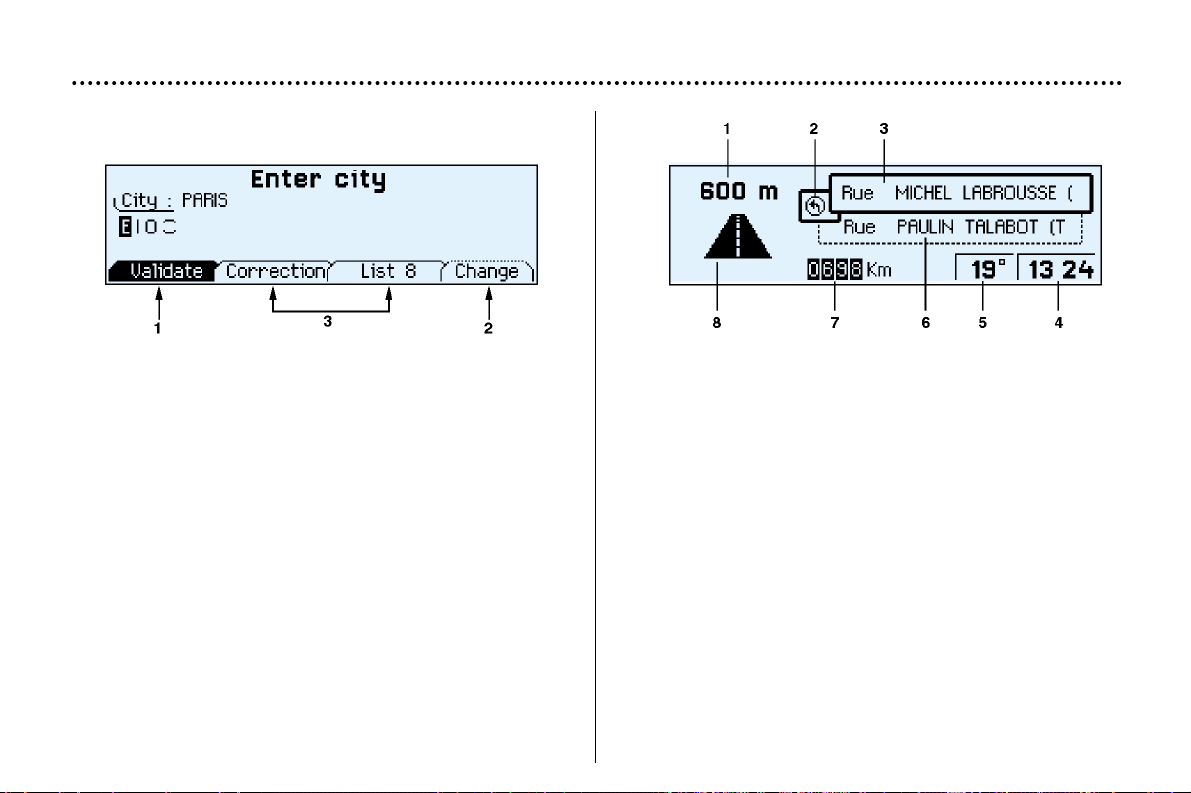
The display
When the menus are used, the functions which appear at
the bottom of the screen are presented in various ways:
1. Function selected.
2. Function inaccessible in this situation.
3. Function accessible.
Note: The "List" function can hold a maximum of
80 addresses.
During guidance the screen displays different information
depending on the manoeuvres to be carried out:
1. Distance to next manoeuvre.
2. Next manoeuvre to be carried out.
3. Next road to take.
4. Time.
5. Exterior temperature.
6. Current road.
7. Distance to final destination.
8. Manoeuvre to be carried out.
YOUR 406 IN DETAIL
99
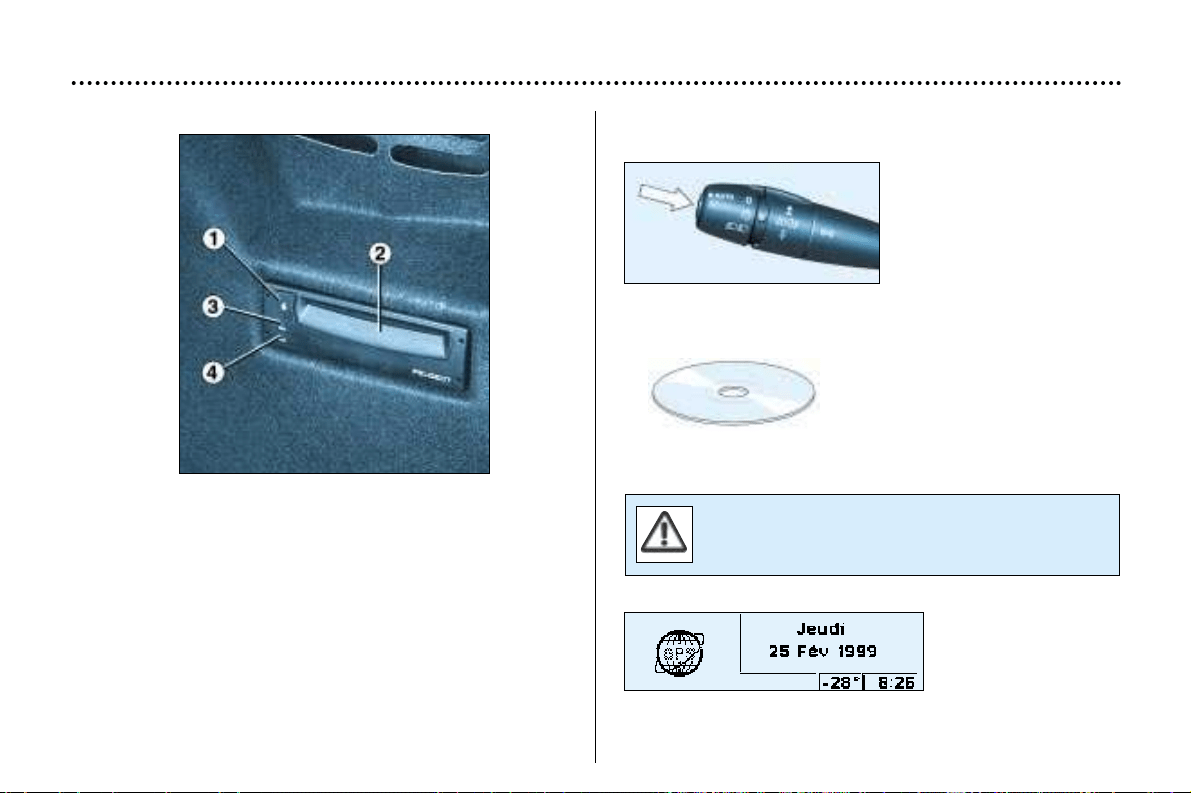
The control unit
This is located in the boot on the right hand side. In the
estate, open the panel to access it.
1. CD ROM eject button.
2. CD ROM compartment.
3. The ON indicator light indicates that the control unit is
supplied with power.
4. The CD indicator light indicates that there is a CD
ROM in the control unit.
The last voice message recall control
Pressing the button briefly
on the end of the wiper
stalk repeats the last voice
message.
The CD ROM
This contains all the mapping
data. It must be inserted with
the printed face upwards.
Use only CD ROMs approved by PEUGEOT.
The use of blank CDs can cause malfunctions.
The satellite navigation system is active once the globe
appears in bold.
YOUR 406 IN DETAIL
100
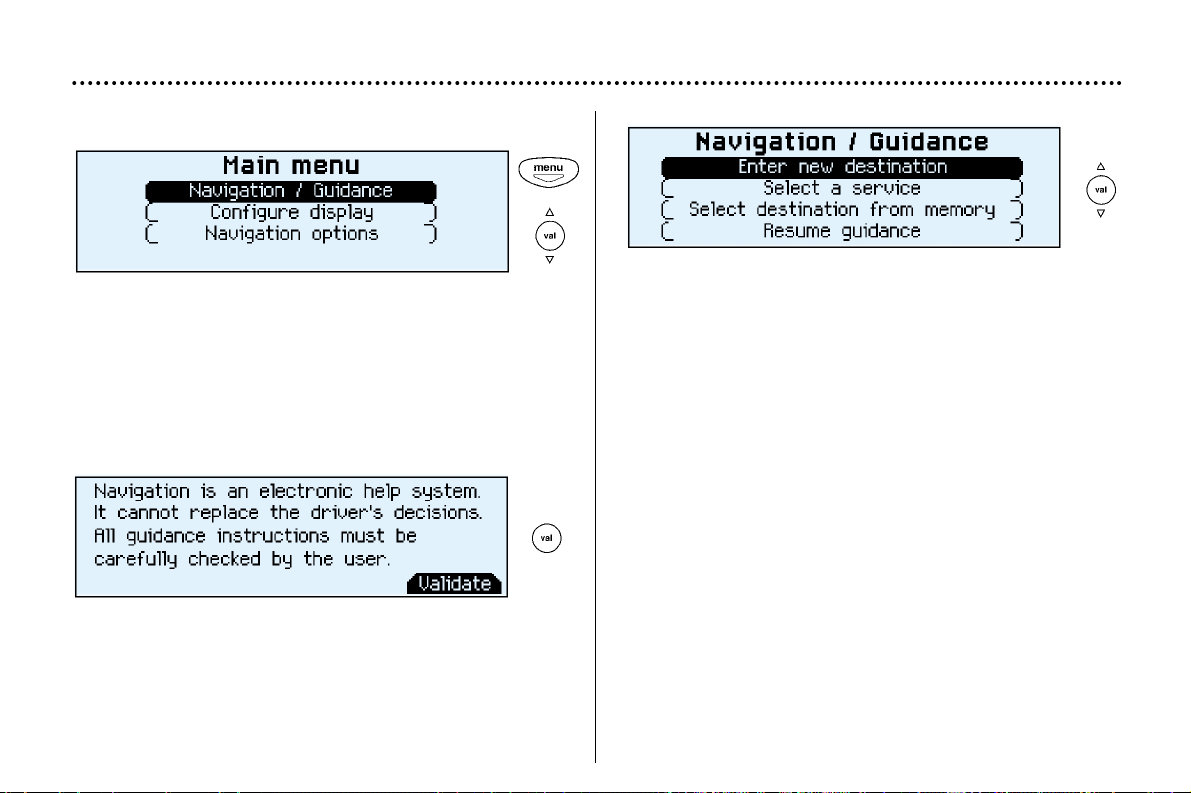
Main menu
Switch on the ignition.
Press the "Menu" button to access the main menu.
Select a function using the direction arrows, then confirm
("VAL" button).
The "Navigation/guidance" menu offers various options
for selecting guidance:
- By entering the address of a new destination.
- By selecting a service (Hotel, station, airport...) available
in a town.
- By selecting an address stored in one of the two directo-
ries.
- By resuming previously interrupted guidance or by stop-
ping current guidance. Two messages may be displayed
depending on the previous actions: "Resume guidance"
or "Stop guidance".
- Radio functions are suspended when the system is in
guidance mode.
YOUR 406 IN DETAIL
101
Navigation / Guidance
Following selection of the "Navigation/guidance" menu,
a screen warns you about the use of the navigation sys-
tem. Follow the regulations in force and do not use the
remote control while driving.
Press the "VAL" button to access the next screen.
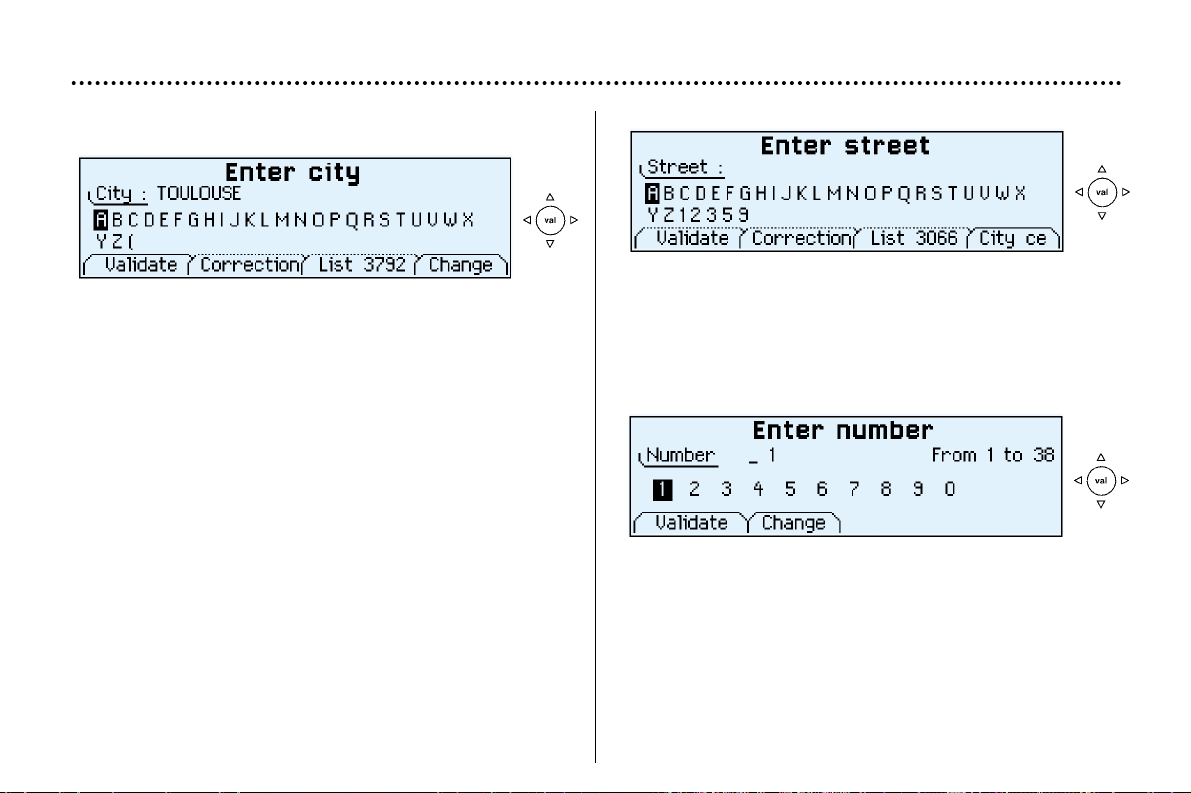
Entering a new destination
The last town entered is displayed.
To enter the name of another town, select each letter using
the direction arrows then confirm ("VAL" button) for each
letter.
If an error is made, the "Correct" function enables the last
letter entered to be deleted.
As the name is entered, the "List" function indicates the
number of towns beginning with the same letters. If the list
contains less than 5 names, these are displayed automat-
ically. Select a town then confirm ("VAL" button).
The "Change" function enables the town entered to be
completely cleared.
When the complete name of the town is displayed, select
the "Validate" function then press the "VAL" button.
Note: following confirmation of a letter, only those letters
which could make up an existing name appear.
Enter the name of the street. Select the "Validate" function
then press the "VAL" button.
Note: the guidance can be activated from the time the
town is entered, without the name of a street or a number.
To do this, select the "town centre" function.
YOUR 406 IN DETAIL
102
Enter the number in the street. Select the "Validate" func-
tion then press the "VAL" button.
Note: the guidance can be activated as soon as the town
and street are entered, without a number. To do this, select
the "Validate" function.
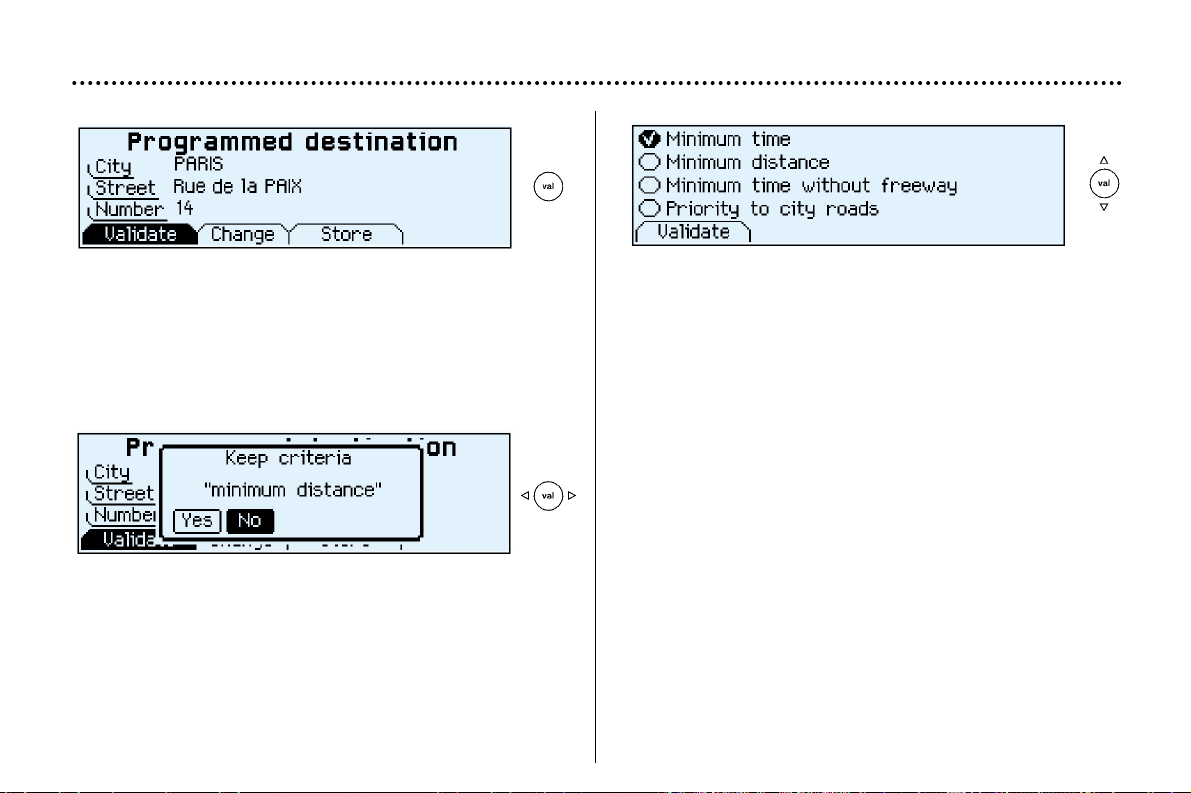
YOUR 406 IN DETAIL
103
The complete destination is displayed. Select the "Vali-
date" function then press the "VAL" button.
Note: you can also change the destination or store it in one
of the two directories (see the section on storing an
address in a directory).
The last guidance criterion used is displayed.
Guidance begins automatically, retaining this criterion if
there is no action within 5 seconds or following confirma-
tion of the "NO" function.
Follow the instructions.
If you wish to change the guidance criterion, select the
"YES" function then press the "VAL" button.
Select a criterion from the list offered then confirm ("VAL"
button). When the criterion of your choice is selected,
select the "Validate" function then press the "VAL" button.
Guidance begins, follow the instructions.
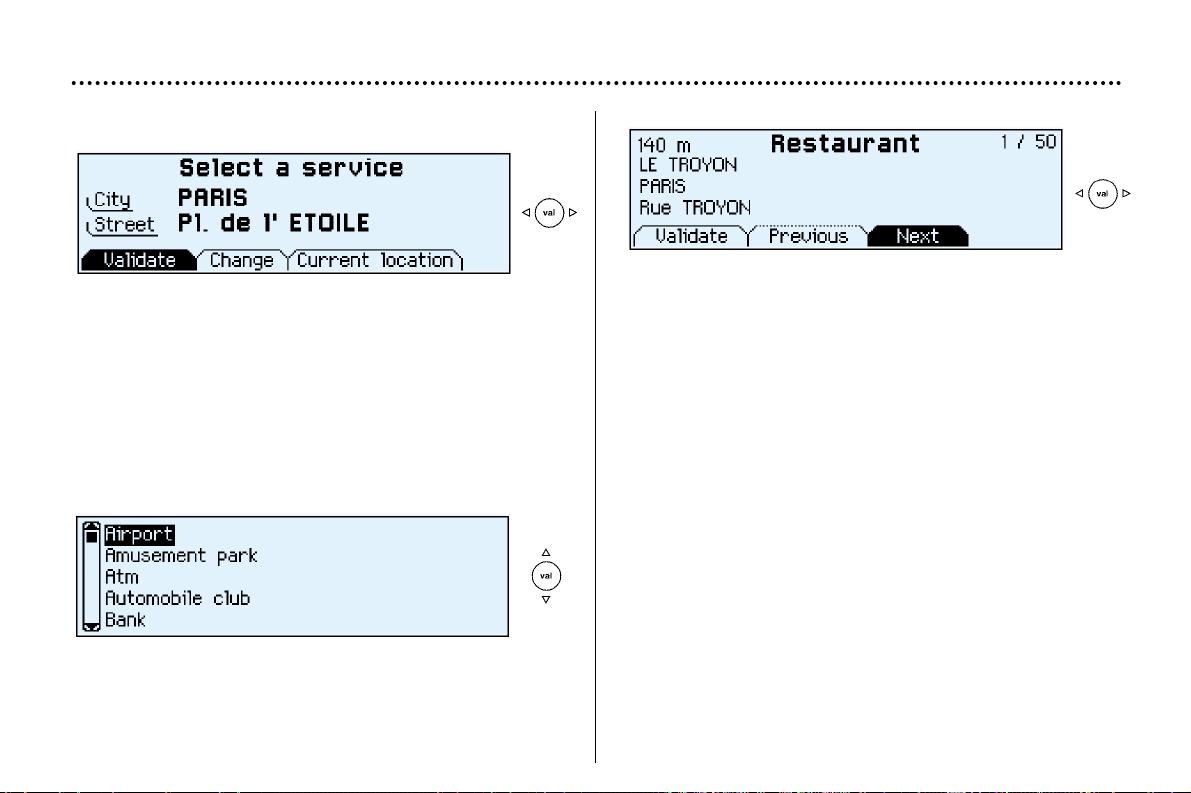
YOUR 406 IN DETAIL
104
Selecting a service
The last address entered is displayed.
There are 3 options for defining the location in which you
wish to obtain this service:
- repeat the last address entered by means of the "Vali-
date" function.
- enter the name of a new town then enter the street (or use
the "town centre" function) by means of the "Change"
function.
- automatically enter your current location by using the
"current location" function.
After confirming the address, select a service by scrolling
through the list using the direction arrows then press the
"VAL" button.
A cursor on the left-hand side of the screen indicates your
position in the list.
The address of the required service is displayed.
An indication on the right-hand side of the screen (e.g.
1/50) indicates whether there are any other establishments
(50 maximum) which offer the same service within a radius
of approximately 30 miles (50 km), as the crow flies.
Use the "Next" or "Previous" functions to consult the list
offered.
When the establishment of your choice is displayed, select
the "Validate" function then press the "VAL" button.
Select a guidance criterion. Guidance begins, follow the
instructions.
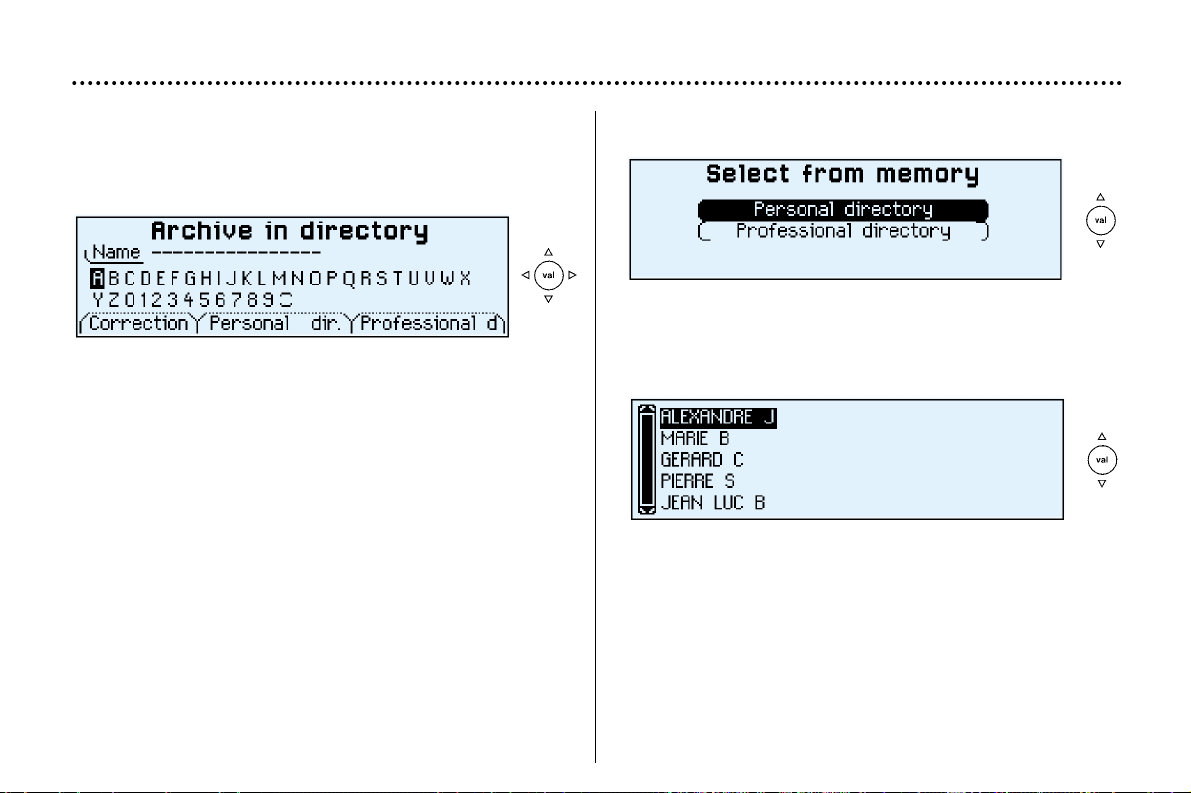
Selecting a stored destination
Using the direction arrows, select the directory in which the
address you are looking for is stored, then press the "VAL"
button.
The stored addresses are displayed.
A cursor on the left-hand side of the screen indicates your
position in the list. Select a name by scrolling through the
list using the direction arrows, then press the "Val" button.
The complete address is displayed. Select the "Validate"
function then press the "Val" button. Select a guidance cri-
terion. Guidance begins, follow the instructions.
YOUR 406 IN DETAIL
105
Storing an address in a directory
When a new address is entered, you can store it by select-
ing the "Store" function.
Enter the name for the address. If the name already exists
for a different address, you can replace the old address
with a new one.
Select the Personal directory or the Professional directory
then press the "VAL" button. The address is then stored in
the directory of your choice.
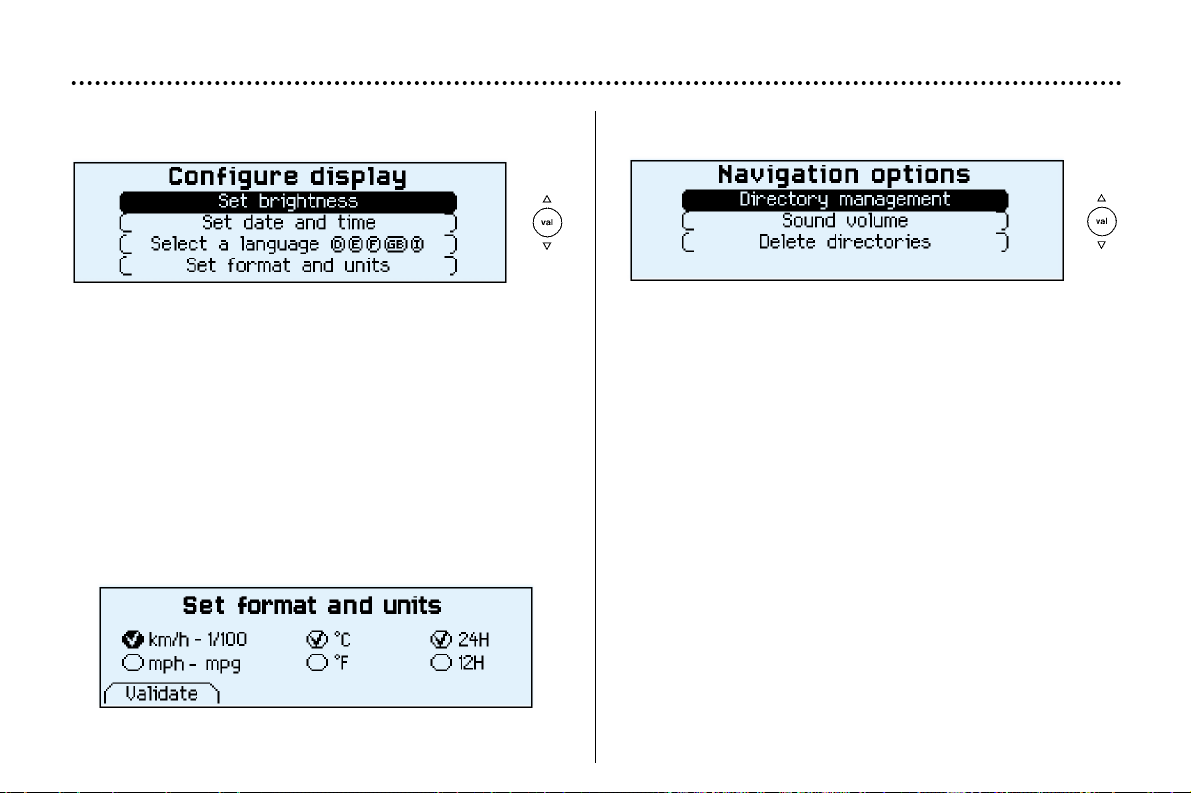
YOUR 406 IN DETAIL
106
Display configuration
From the general menu, the "Configure display" menu
gives access to the following parameters:
Adjustment of the brightness and the video display.
Adjustment of the date and time.
Selection of the language of the display and voice infor-
mation (English, German, Spanish, French, Italian).
Adjustment of the mode and units. This allows selection of
the display in km/h or mph, in degrees Celsius or Fahren-
heit and selection of the time format (12 or 24 hour mode).
Navigation options
From the main menu, the "Navigation options" menu
gives access to the following parameters:
- Management of the directories. It enables an address
stored under a name to be renamed or deleted. To do
this, select the directory and the name to be changed.
- Voice synthesis volume adjustment.
- Deletion of all data stored in the two directories.
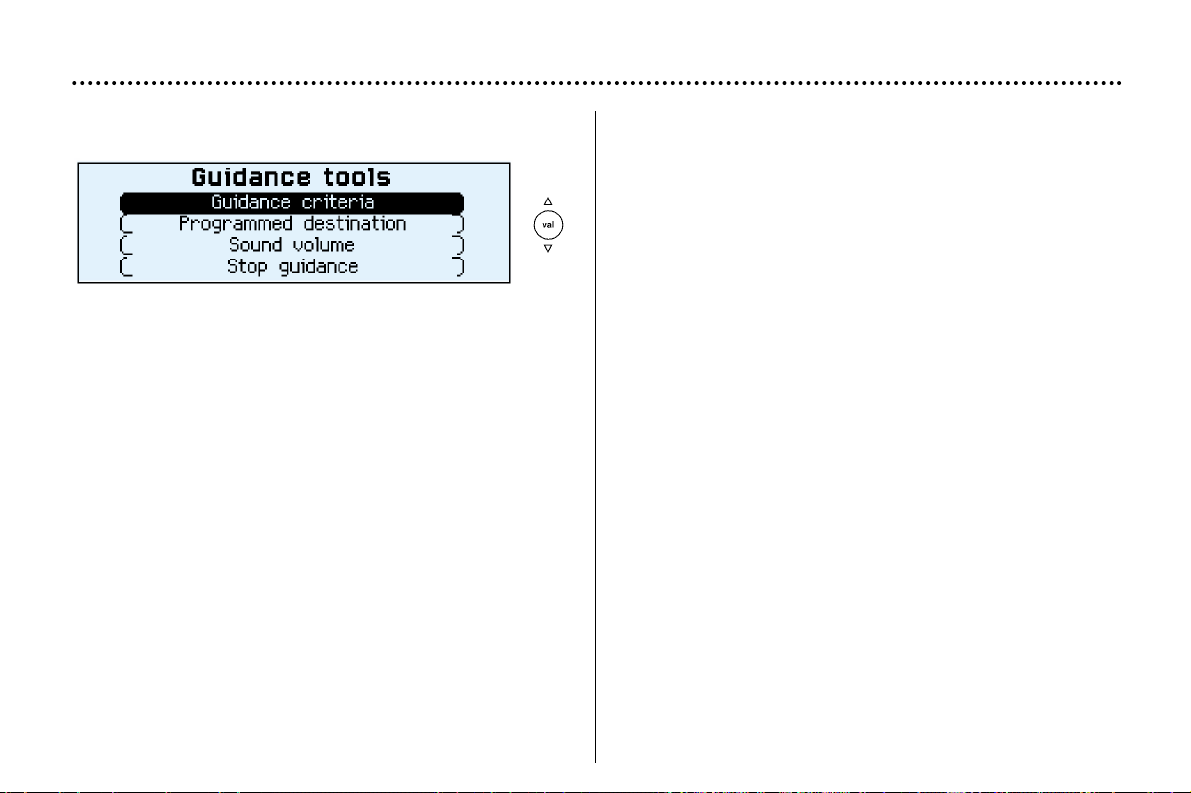
YOUR 406 IN DETAIL
107
Guidance tools
Access to the "Guidance tools" menu is by pressing the
"Val" button during guidance.
It enables:
- the current guidance criterion to be changed,
- the programmed destination to be displayed or changed,
- the voice synthesis volume to be adjusted,
- the current guidance to be stopped.
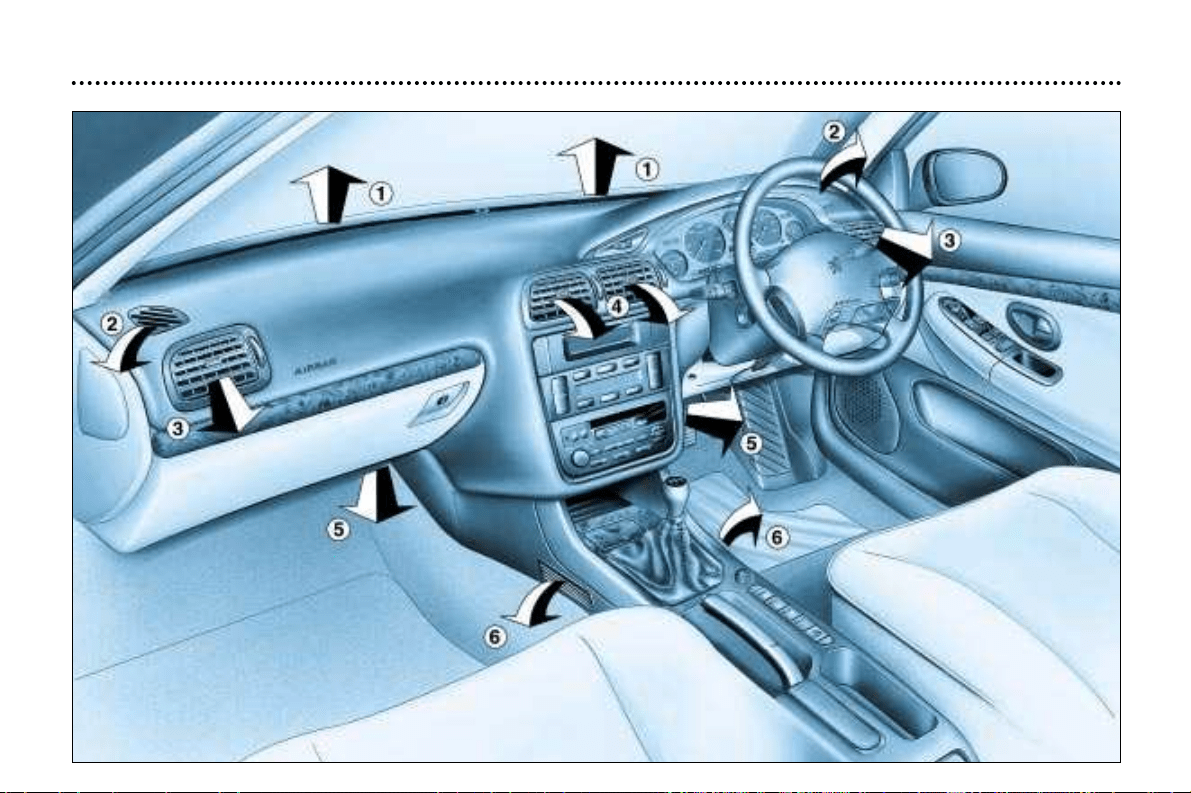
YOUR 406 IN DETAIL
56

VENTILATION
1 - Windscreen de-icing or demisting vents.
2 - Front window de-icing or demisting vents.
3 - Side vents.
4 - Central vents.
5 - Air outlet to the front passengers' feet.
6 - Air outlet to the rear passengers' feet.
Recommendations for use
☞ Position the air flow control at a level which allows adequate air circulation inside your vehicle.
☞ Select the air distribution which best suits your requirements and the climatic conditions.
☞ Select a temperature setting and only alter it gradually for your comfort.
For an even air distribution, make sure that you do not block the air inlet grille at the base of the windscreen, the vents, the
air passages under the front seats and the air extractor in the boot.
YOUR 406 IN DETAIL
57
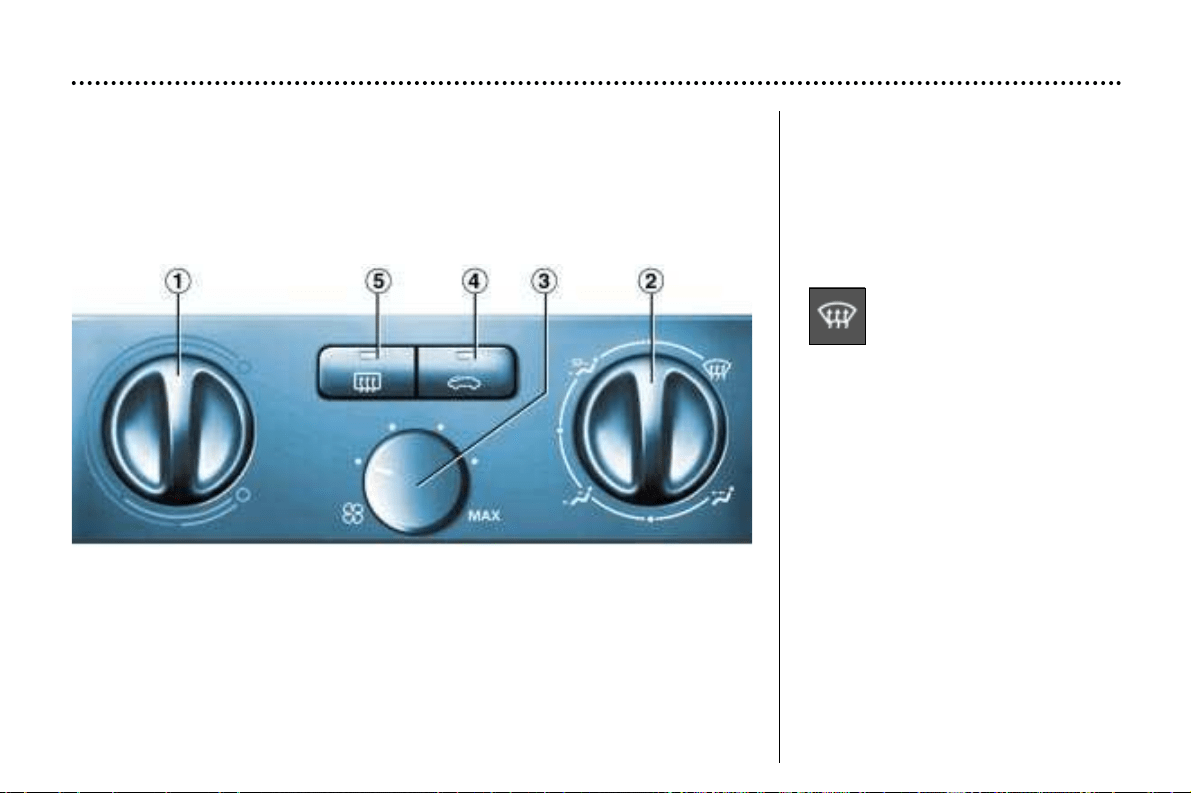
2 - Setting the air
distribution
To quickly de-ice or demist the wind-
screen and the side windows:
☞ set the temperature and air flow
controls to maximum,
☞ close the central vents.
1 - Temperature adjustment
To be adjusted according to your
requirements: from blue (outside
air temperature) to red (hot).
YOUR 406 IN DETAIL
58
HEATING
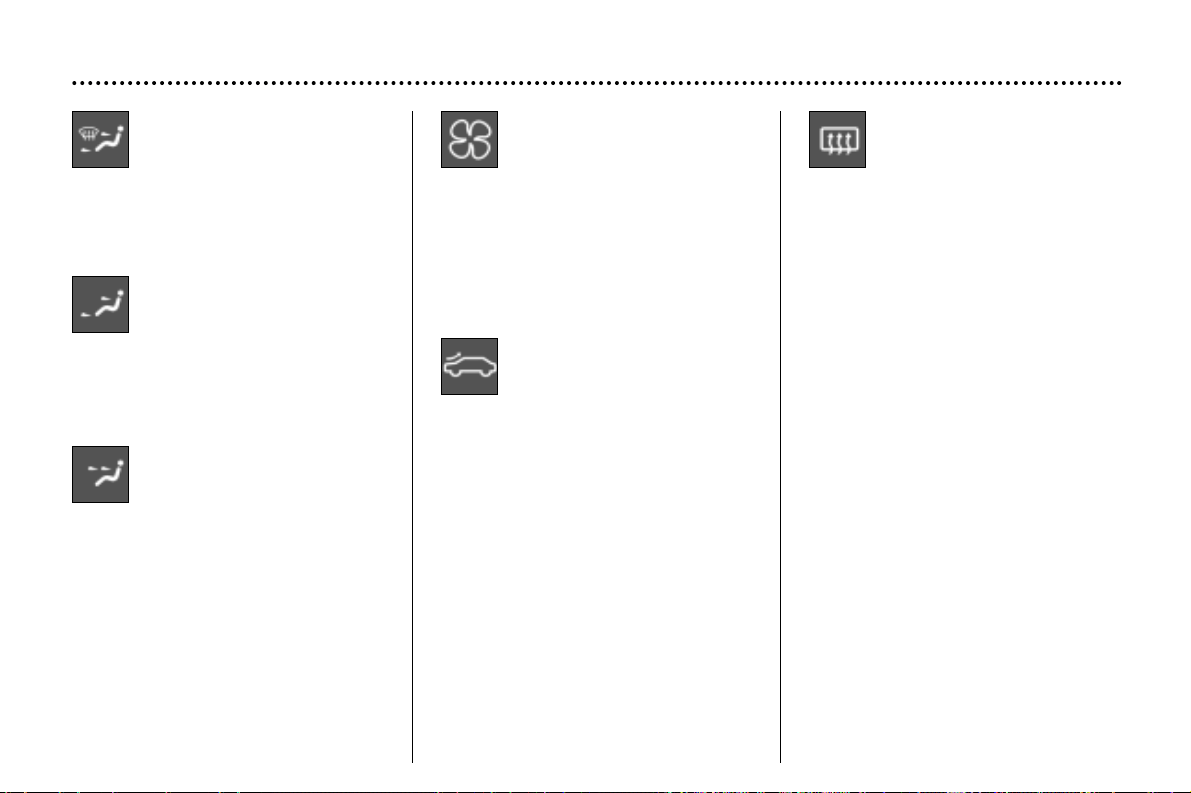
Windscreen and side win-
dows, central and side vents
and footwells.
Central and side vents and
footwells.
These settings are recom-
mended for cold climates.
Central and side vents.
This setting is recommended for hot
climates.
3 - Air flow adjustment
Turn the knob to obtain sufficient
flow.
4 - Air intake control
Recirculation of the interior air (indi-
cator light on).
This position prevents the entry of
unpleasant odours or fumes from
outside and increases the speed of
heating.
As soon as possible, place the
control in the outside air position,
otherwise there is a risk of the
windows misting up.
5 - Demisting the rear
screen
With the engine running, pressing
the switch demists the rear screen
and the mirrors.
It switches off automatically after
approximately fifteen minutes.
Press again to resume demisting.
If the engine is stopped before the
end of the fifteen minutes, demisting
will resume when the engine is
switched on again.
It is possible to stop the demisting
operation before it goes off automati-
cally, by pressing the switch again.
YOUR 406 IN DETAIL
59
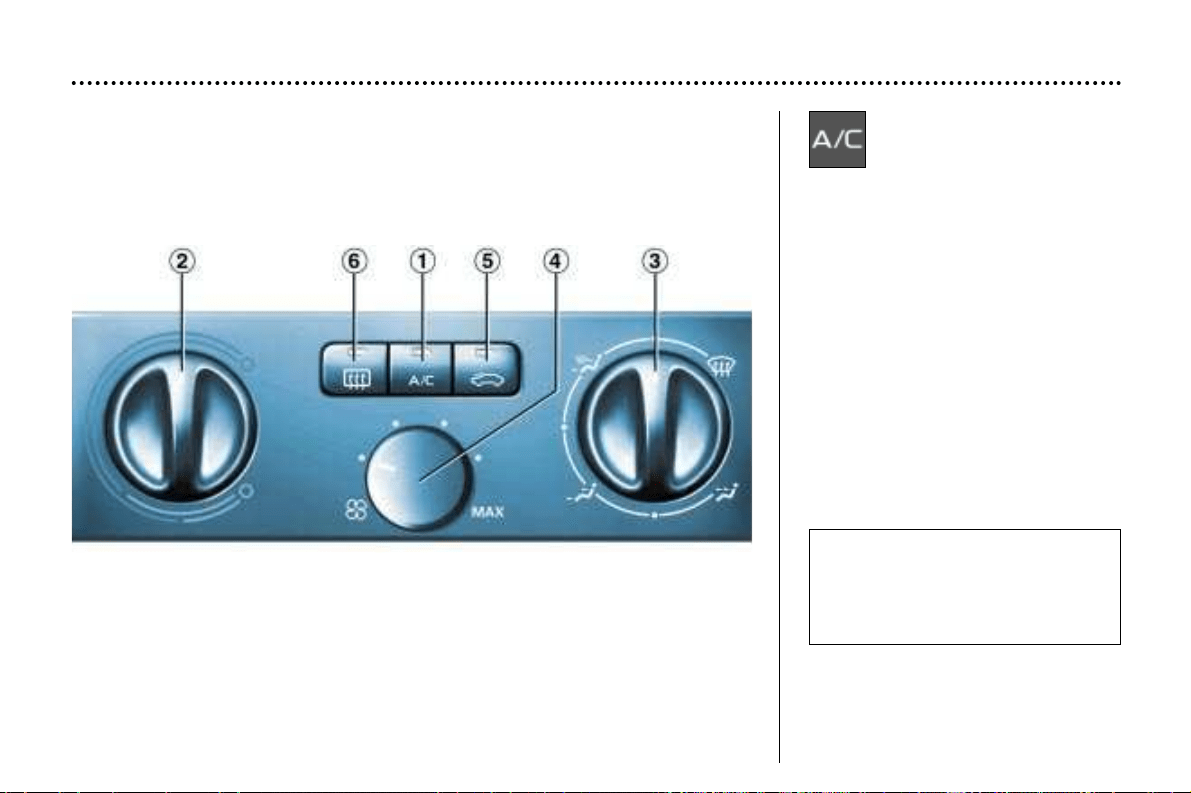
Press the switch. The indicator light
comes on when the air conditioning
starts.
1 - Air conditioning
control
The air conditioning is intended to
operate in all seasons. In summer it
allows the temperature to be reduced
and in winter, above 0°C, it increases
the effectiveness of the demisting.
2 - Temperature adjustment
To be adjusted according to your
requirements: from blue (cold when
the air conditioning is on) to red
(hot).
AIR CONDITIONING
YOUR 406 IN DETAIL
60
Please note that for optimum
operation of the air condition-
ing, the recommended air flow
setting is with knob 4 turned to
its second position.
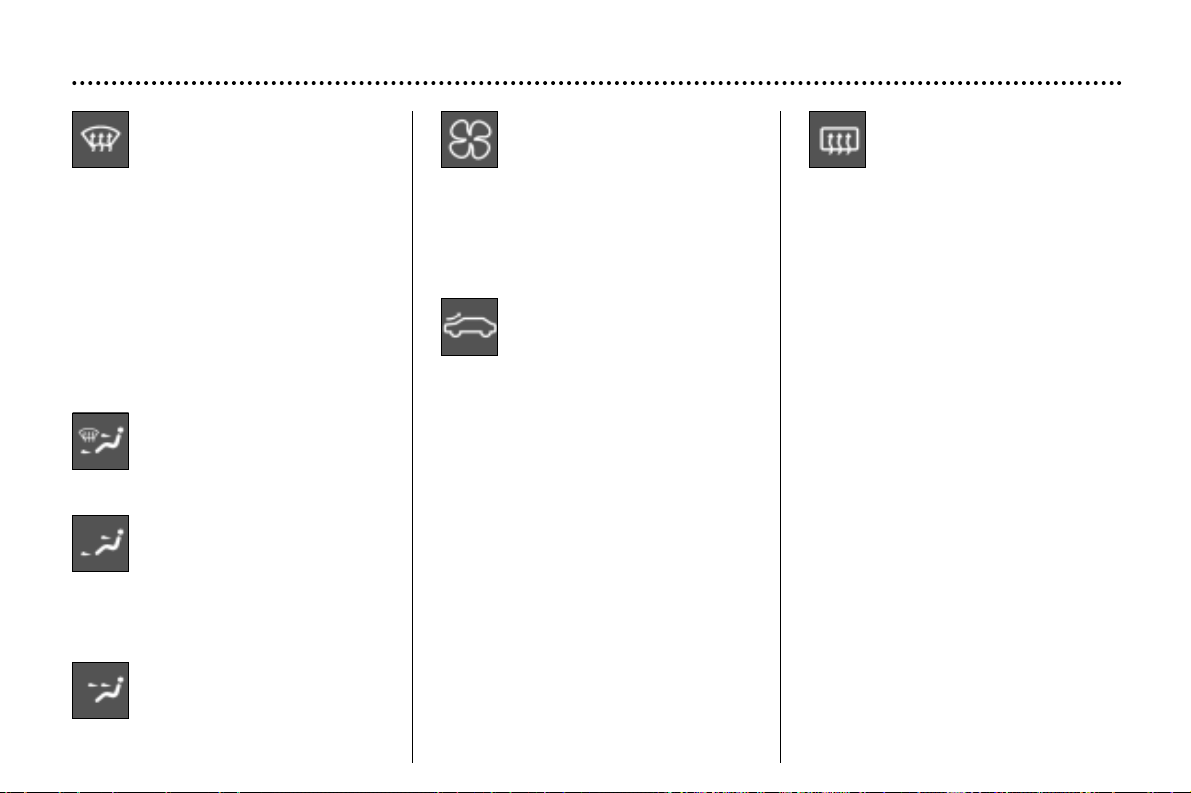
3 - Setting the air
distribution
Windscreen and side windows (de-
icing/demisting).
To quickly de-ice or demist the wind-
screen and the side windows:
– set the temperature and air flow
controls to maximum,
– close the central vents,
– press the A/C button.
Windscreen and side win-
dows, central and side vents
and footwells.
Central and side vents and
footwells.
These settings are recommended for
cold climates.
Central and side vents.
This setting is recommended for hot
climates.
4 - Air flow adjustment
Turn the knob to obtain sufficient
flow.
5 - Air intake control
Recirculation of the interior air (indi-
cator light on).
This position prevents the entry of
unpleasant odours or fumes from
outside and increases the speed of
heating.
Used simultaneously with the air
conditioning, recirculation improves
the performance of the system when
set to hot as well as to cold.
Used in humid conditions, recircula-
tion risks misting up the windows.
As soon as possible, place the
control in the outside air position.
6 - Demisting the rear
screen
With the engine running, pressing
the switch demists the rear screen
and the mirrors.
It switches off automatically after
approximately fifteen minutes.
Press again to resume demisting.
It is possible to stop the demisting
operation before it goes off automat-
ically, by pressing the switch again.
Important precaution
Operate the air conditioning for 5 to
10 minutes, once or twice a month,
to keep it in good working order.
If the system does not produce cold
air, do not use it and contact your
PEUGEOT dealer.
Note: The condensation created by
the air conditioning causes a normal
flow of water under the vehicle when
stationary.
YOUR 406 IN DETAIL
61
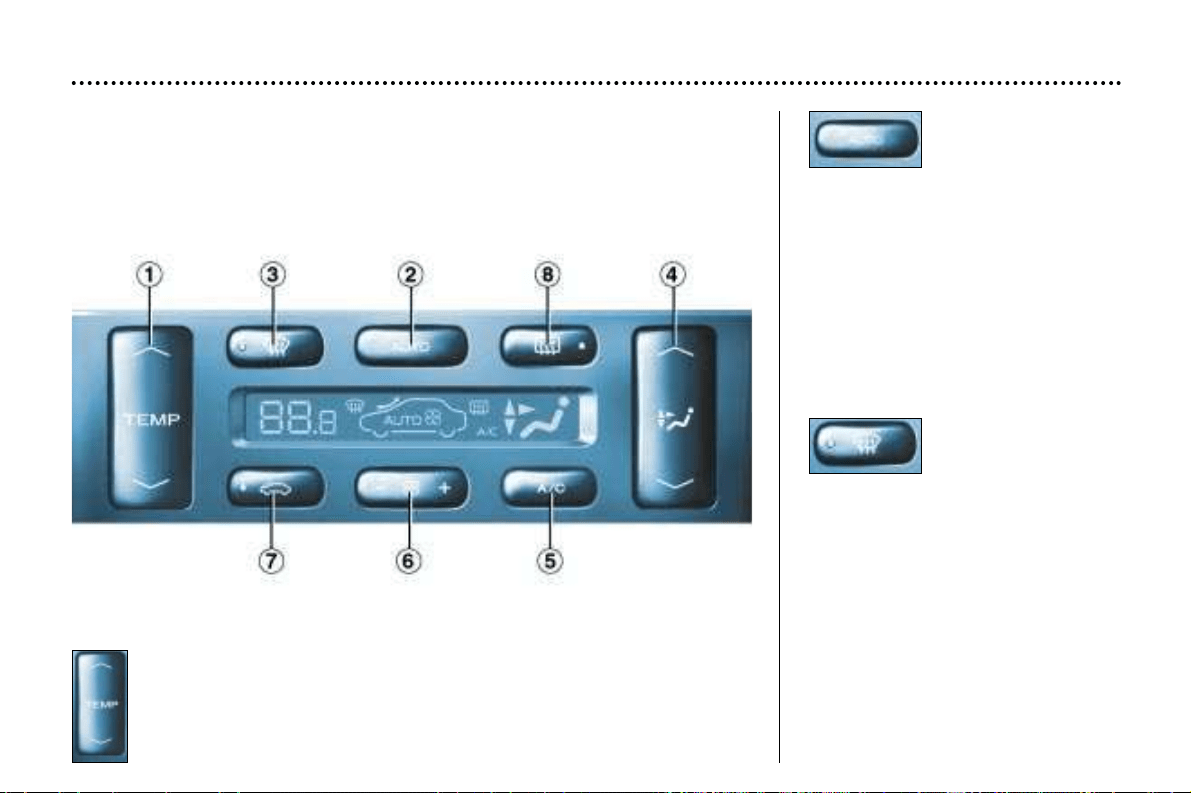
Automatic operation
1 - Temperature adjustment
The value requested is displayed (from 15 to 30: comfortable tempera-
ture = 22).
Press the up and down arrows to adjust.
2 - Automatic
comfort
programme
Press the "AUTO " button. The sys-
tem automatically adjusts the tem-
perature to that selected, by starting
the air conditioning if necessary.
It also manages the air flow and
intake, to provide sufficient air circu-
lation inside the vehicle.
Adjusting the air distribution must be
carried out manually when you
require it.
3 - Automatic
visibility
programme
In certain cases, the automatic
comfort programme can prove inad-
equate to de-ice or demist the win-
dows (humidity, many passengers,
ice). In such cases, select the auto-
matic visibility programme to
rapidly clear the windows.
The system automatically manages
the air conditioning, the air flow and
the air intake, distributing the air to
the windscreen and side windows.
AUTOMATIC AIR CONDITIONING
YOUR 406 IN DETAIL
62
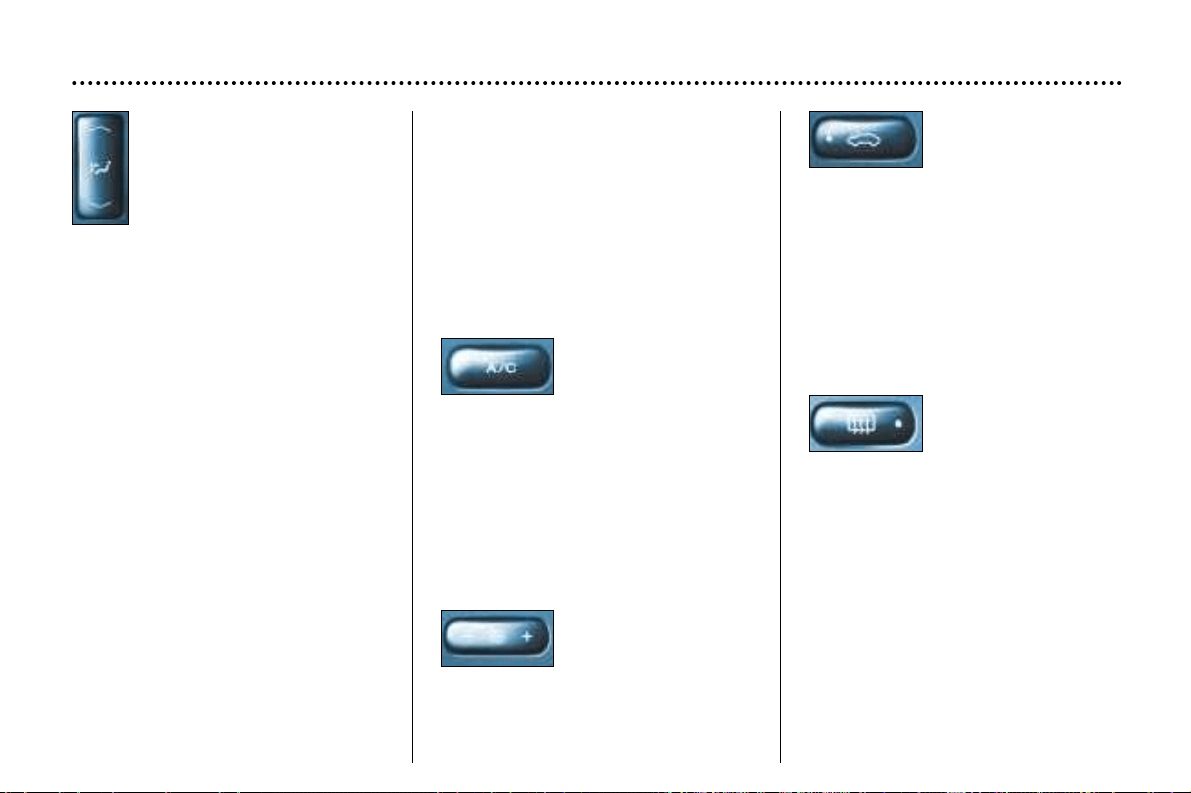
4 - Setting the air
distribution
Successive presses on the
top or bottom part of this
button allow the air to be
directed to:
- the windscreen (de-icing or demist-
ing),
- the windscreen and footwells,
- the central and side vents,
- the central and side vents and
footwells,
- the footwells.
Press the top or bottom part of the
button to select the previous or next
setting from the above list.
Manual operation
You may, if you wish, make a differ-
ent choice from that offered by the
system, by changing one of the set-
tings.
Press the "AUTO" button to return to
automatic operation.
5 - Air
conditioning
Pressing this button
stops the air condi-
tioning. Pressing again returns the
air conditioning to automatic opera-
tion. The symbol "A/C" is displayed.
6 - Air flow
The air flow may be
increased or reduced
by pressing the "+'' or
"–'' button respectively.
7 - Air intake
This button is
pressed for recircula-
tion of the interior air.
Recirculation, shown on the display,
prevents the entry of unpleasant
odours or fumes into the passenger
compartment from outside.
Avoid prolonged operation of the
recirculation of interior air. A second
press returns the system to automat-
ic intake of air.
Used in humid conditions, recircula-
tion risks misting up the windows.
8 - Demisting the
rear screen
With the engine run-
ning, pressing the
switch demists the rear screen and
the mirrors.
It switches off automatically after
approximately fifteen minutes.
Press again to resume demisting. It
is possible to stop the demisting
operation before it goes off automat-
ically, by pressing the switch again.
Note: The condensation created by
air conditioning causes a normal flow
of water under the vehicle when sta-
tionary.
YOUR 406 IN DETAIL
63
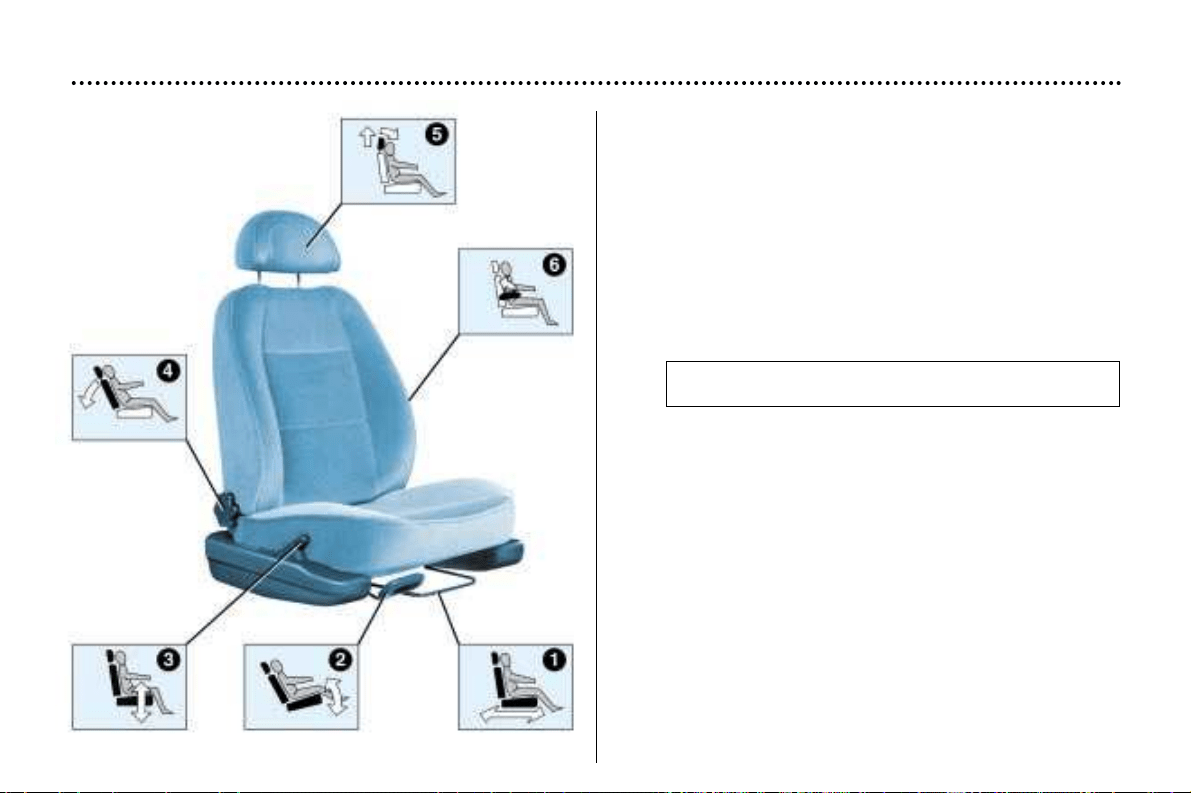
SEATS
Manual adjustment of the front seats
1 - Forwards-backwards adjustment
Lift the lever and slide the seat forwards or backwards.
2 - Seat cushion angle adjustment
Lift the lever to set the best angle.
3 - Driver's seat height adjustment
Pull the telescopic handle forwards and pivot it up or
down.
4 - Seat back angle adjustment
Turn the knob to obtain the best angle.
5 - Head restraint height and tilt adjustment
The settting is correct when the top of the head
restraint is level with the top of the head.
To raise the head restraint, pull it upwards.
To lower the head restraint, it is necessary to push
simultaneously:
- the button on the left-hand side on top of the seat
back,
- the head restraint downwards.
The head restraint has a frame with notches which
prevents it from dropping down (safety device in case
of impact).
To remove the head restraint, press the tab.
Warning: never drive with the head restraints
removed. They should be in place and correctly adjust-
ed.
6 - Front armrests
The front armrests can be folded or removed.
To remove them, press the button between the armrest
and the side of the seat and pull the armrest.
YOUR 406 IN DETAIL
114
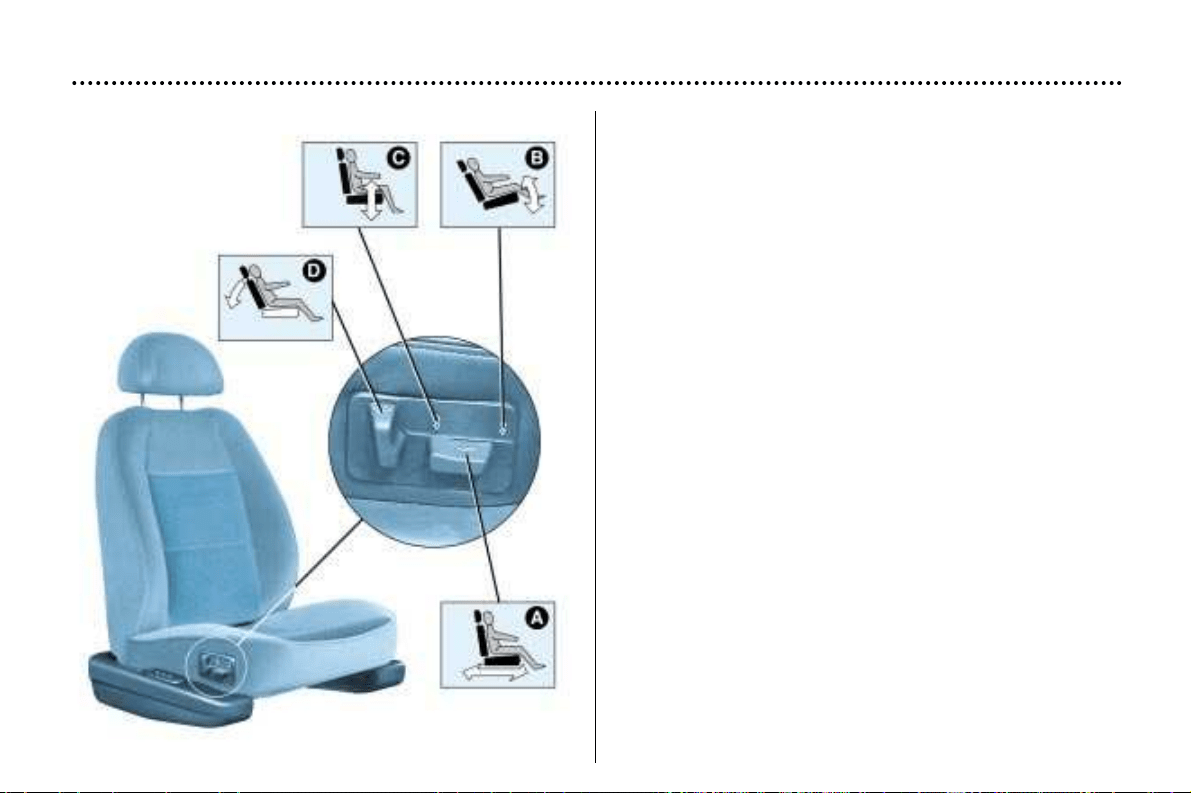
Electrical adjustment of the front seats
A - Forwards-backwards adjustment
Push the switch forwards or backwards to slide the
seat.
B - Seat cushion angle adjustment
Tilt the front part of the switch up or down.
C - Driver's seat height adjustment
Push the switch up or down.
D - Seat back angle adjustment
Tilt the switch forwards or backwards.
YOUR 406 IN DETAIL
115
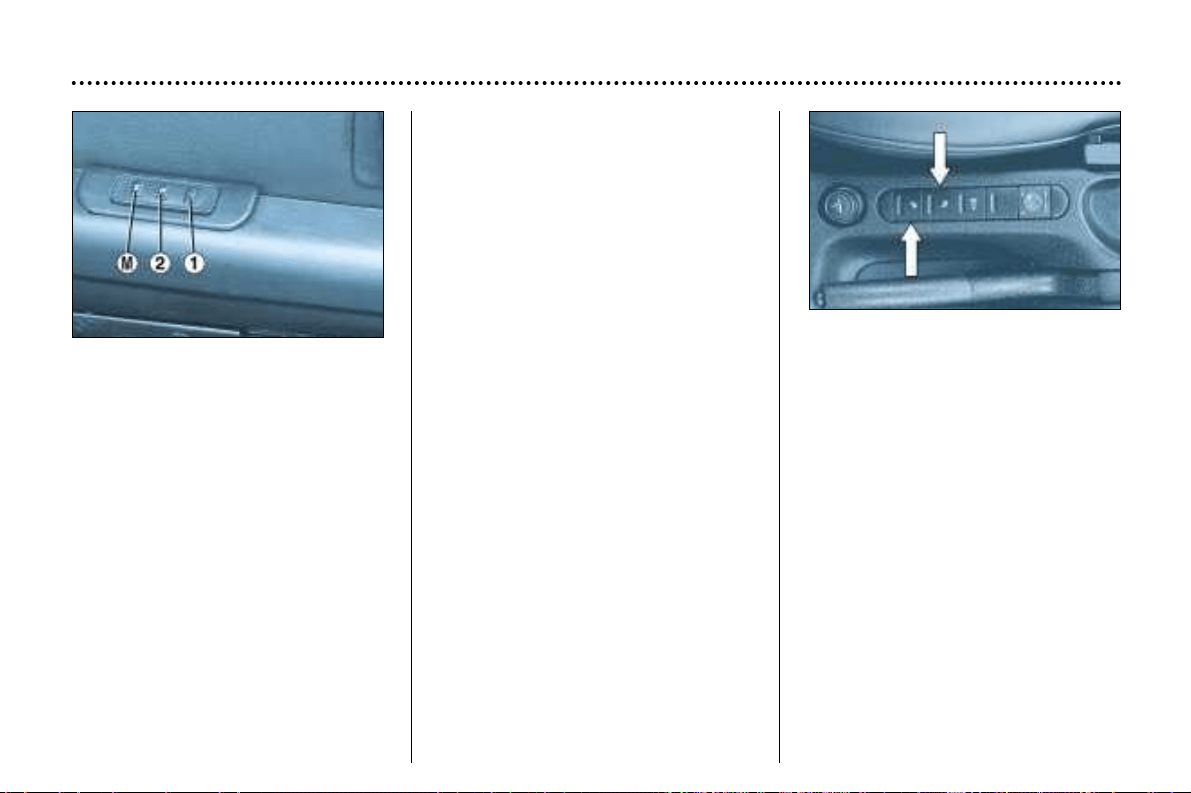
Recalling a memorised
position
• Door open and ignition off
Within ten minutes of switching off
the ignition and opening the door, a
short press on button 1 or 2 recalls
the memorised position of the seat,
then of the exterior mirrors.
• Door closed or ignition on:
- keeping the button pressed
adjusts the seat and the exterior
mirrors.
When adjustment is completed a
bleep will sound.
YOUR 406 IN DETAIL
116
Memorising the seat and
mirror positions
You can memorise two driving posi-
tions.
To memorise:
- with the ignition key in the acces-
sories position;
- adjust your seat and mirrors;
- simultaneously press button "M"
and button "1" for the first driving
position or button "2" for the sec-
ond driving position.
When the position has been mem-
orised you will hear two bleeps.
Memorising a new position cancels
the previous one.
Heated seat controls
Press the switch.
The temperature is controlled auto-
matically.
Pressing a second time stops opera-
tion.
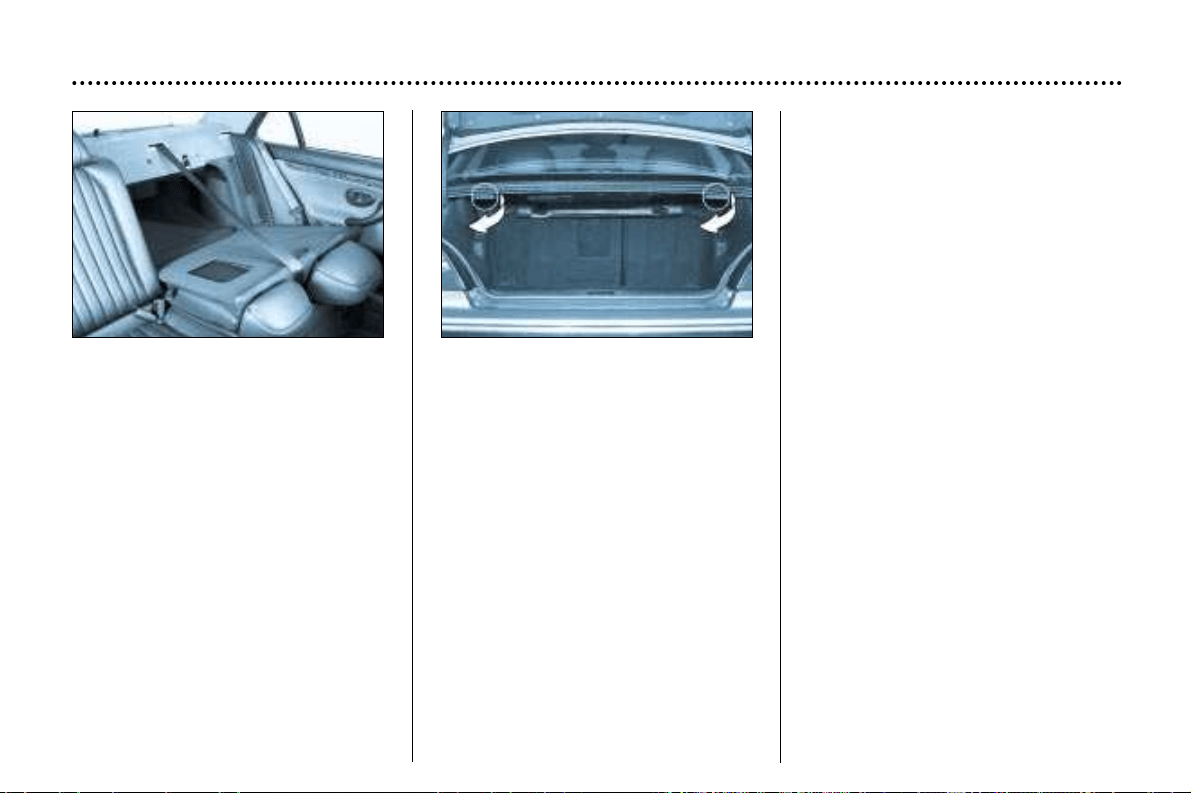
REAR SEATS
Rear seats (saloon)
Before moving the seats, to avoid
damage to the seatbelts, carefully
place them to the side of the seat
back (for side seat belts) and gently
lower the seat to avoid blocking the
centre belt.
The seat back folds down in two sec-
tions.
To fold down the seat back
The unlocking controls are located in
the boot.
Pull the control corresponding to the
part of the seat back that you wish to
fold down.
When returning the seat back to its
original position, for your safety
make sure that it is correctly locked.
Ski flap
Lower the arm rest to access the ski
flap. Open the flap from the boot.
YOUR 406 IN DETAIL
117
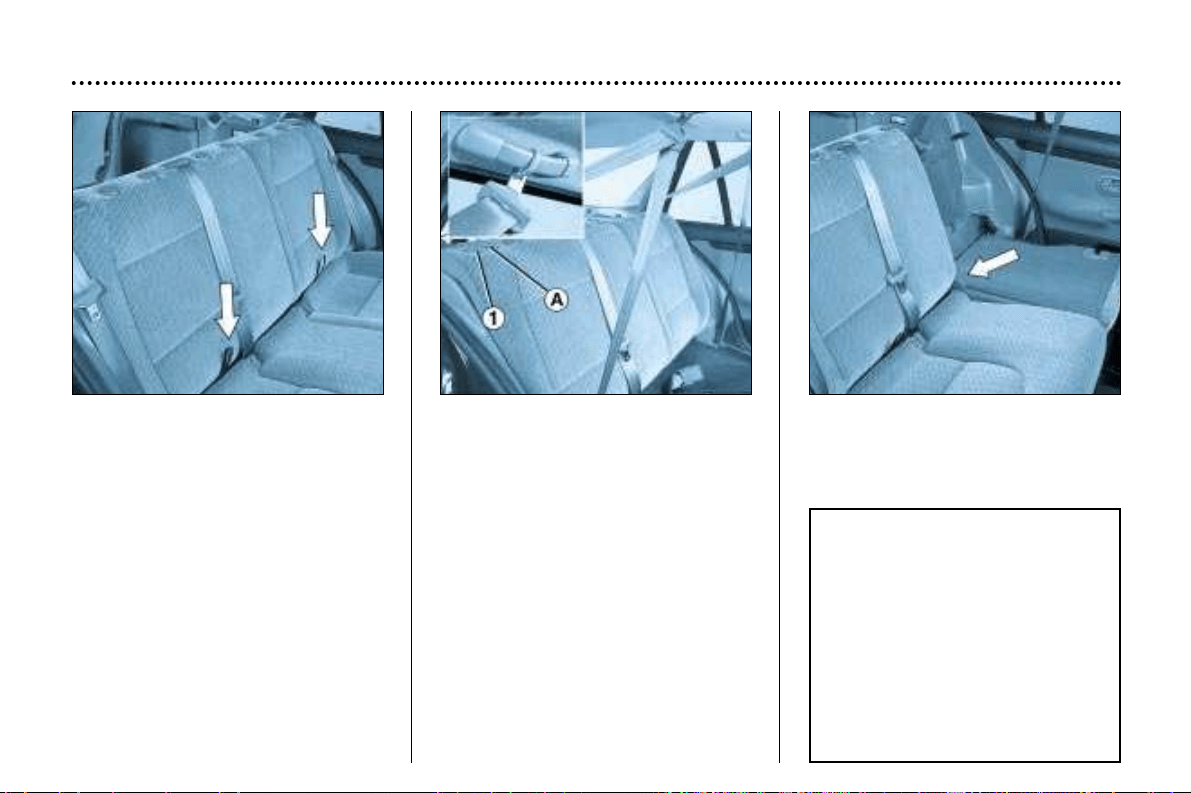
Rear seats, estate
To fold down the rear seat:
-
remove the head restraints by
pressing the lug.
- tilt the seat cushion against the
front seats, using the strap.
- secure the side seat belt buckles
on the coat hooks when manoeu-
vring the seat back to avoid any
risk of the straps being damaged.
-
unlock the seat back by pressing but-
ton 1. The red marker A appears.
- fold down the seat back gently to
avoid blocking the centre belt.
When returning the seat back to the
upright position, ensure that it is cor-
rectly locked (red marker A no longer
visible).
When driving with rear passengers
with one third of the seat folded
down, release the central seat belt
buckle from its catch.
YOUR 406 IN DETAIL
118
WARNING
Do not remove
the seat back of the estate’s
one-piece rear seat.
This seat is fitted
with return springs which
can cause injury.
Contact a PEUGEOT
dealer if you wish
to remove the seat back.
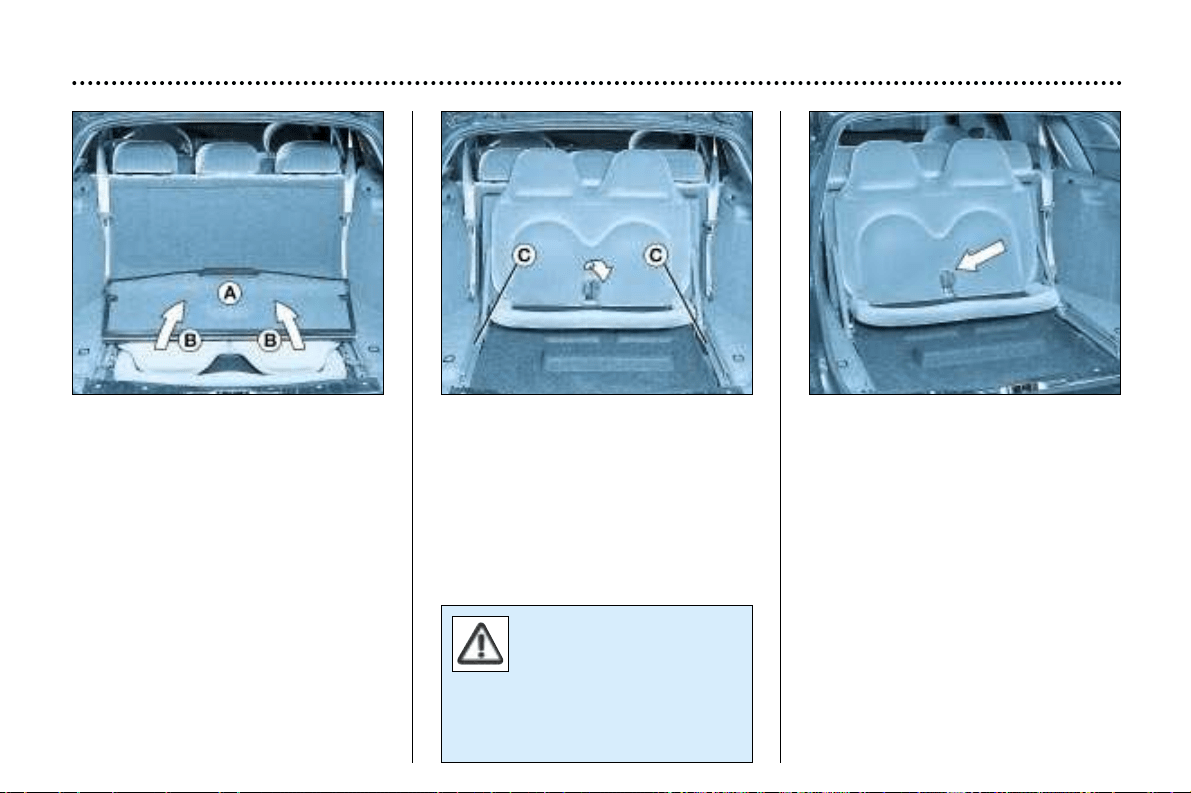
Third row seat,
7-seater estate
Do not use the third row seat
when the rear seat is folded down.
Positioning the seat :
– remove the rear parcel shelf.
– fold down panel A in the boot by
using the handle.
– lift the seat back B by the head
restraints.
– push the seat back firmly, keeping
the seat angled upwards.
– lower the seat and check it has
engaged in the notches C .
Stowage:
Place the seat belt buckles in their
catches.
Release the seat from the notches C.
Lower the seat back by the head
restraints, keeping the seat cushion
inclined.
Lower the whole seat into the boot
housing.
Lock the boot panel A by pressing on
the edges.
YOUR 406 IN DETAIL
119
Do not install a child
seat on the third row
seat.
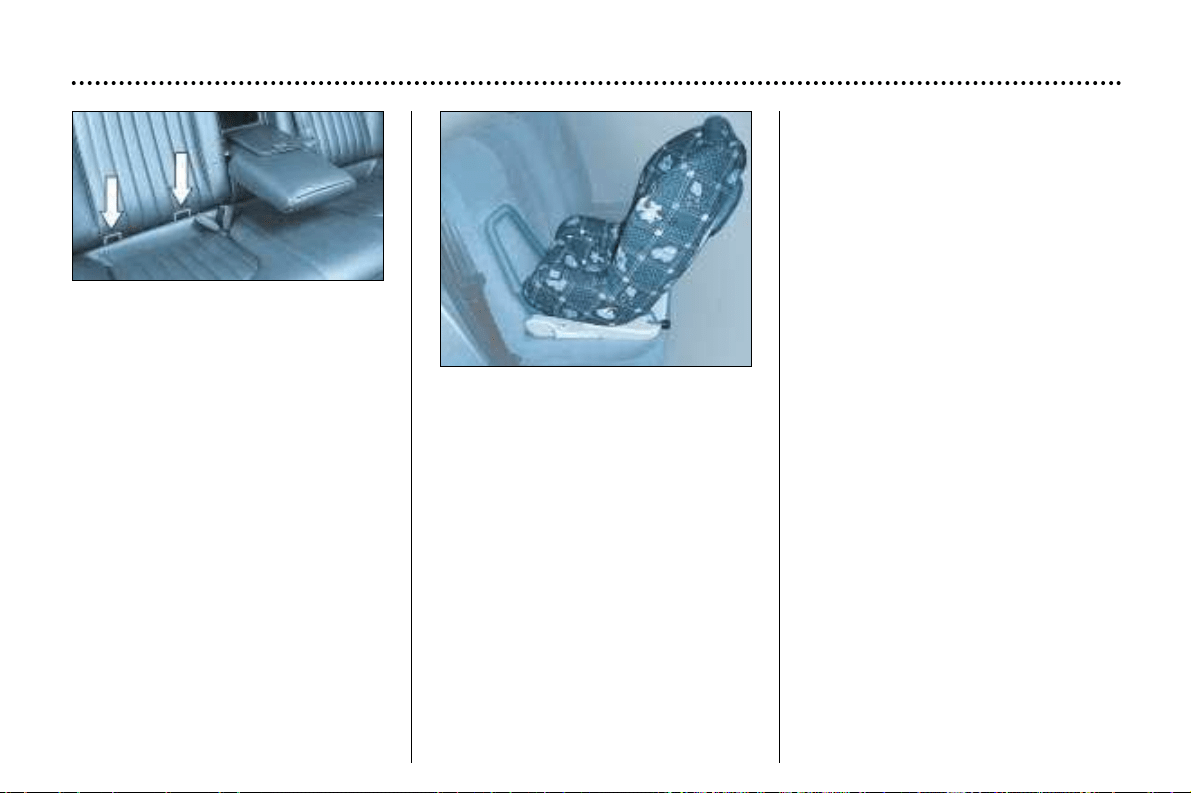
YOUR 406 IN DETAIL
120
''Isofix'' mountings*
Available on the one third side of the
rear seat, the Isofix mountings allow
fitting of a special child seat,
approved for PEUGEOT vehicles
and sold within its network.
The locks incorporated in the child
seat fit onto the Isofix mountings and
ensure safe, reliable and fast assem-
bly. The seat is fitted in the rearwards
or forwards facing position. In this
case, for optimium safety, it is imper-
ative to adjust the corresponding
front seat to the intermediate longitu-
dinal position, with the seat back
upright.
The special child seat approved by
PEUGEOT is the KIDDY Isofix seat.
It can be used in the rearwards fac-
ing position from birth to 13 kg and
in the forwards facing position from
9 to 18 kg.
This seat may also be used where
there are no Isofix mountings: in this
case it is compulsory to wear a
three-point seat belt.
☞ Follow the instructions in the
brochure for fitting the child
seat.
* According to current legislation
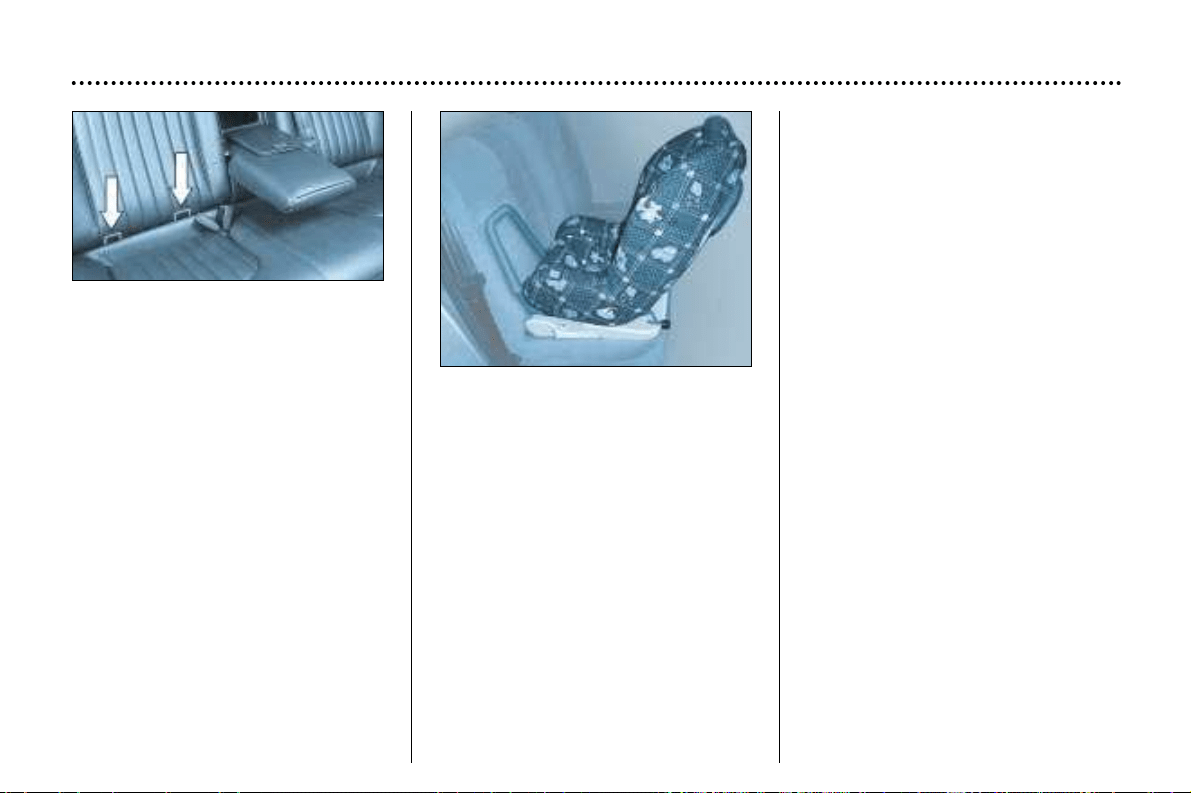
YOUR 406 IN DETAIL
120
''Isofix'' mountings*
Available on the one third side of the
rear seat, the Isofix mountings allow
fitting of a special child seat,
approved for PEUGEOT vehicles
and sold within its network.
The locks incorporated in the child
seat fit onto the Isofix mountings and
ensure safe, reliable and fast assem-
bly. The seat is fitted in the rearwards
or forwards facing position. In this
case, for optimium safety, it is imper-
ative to adjust the corresponding
front seat to the intermediate longitu-
dinal position, with the seat back
upright.
The special child seat approved by
PEUGEOT is the KIDDY Isofix seat.
It can be used in the rearwards fac-
ing position from birth to 13 kg and
in the forwards facing position from
9 to 18 kg.
This seat may also be used where
there are no Isofix mountings: in this
case it is compulsory to wear a
three-point seat belt.
☞ Follow the instructions in the
brochure for fitting the child
seat.
* According to current legislation
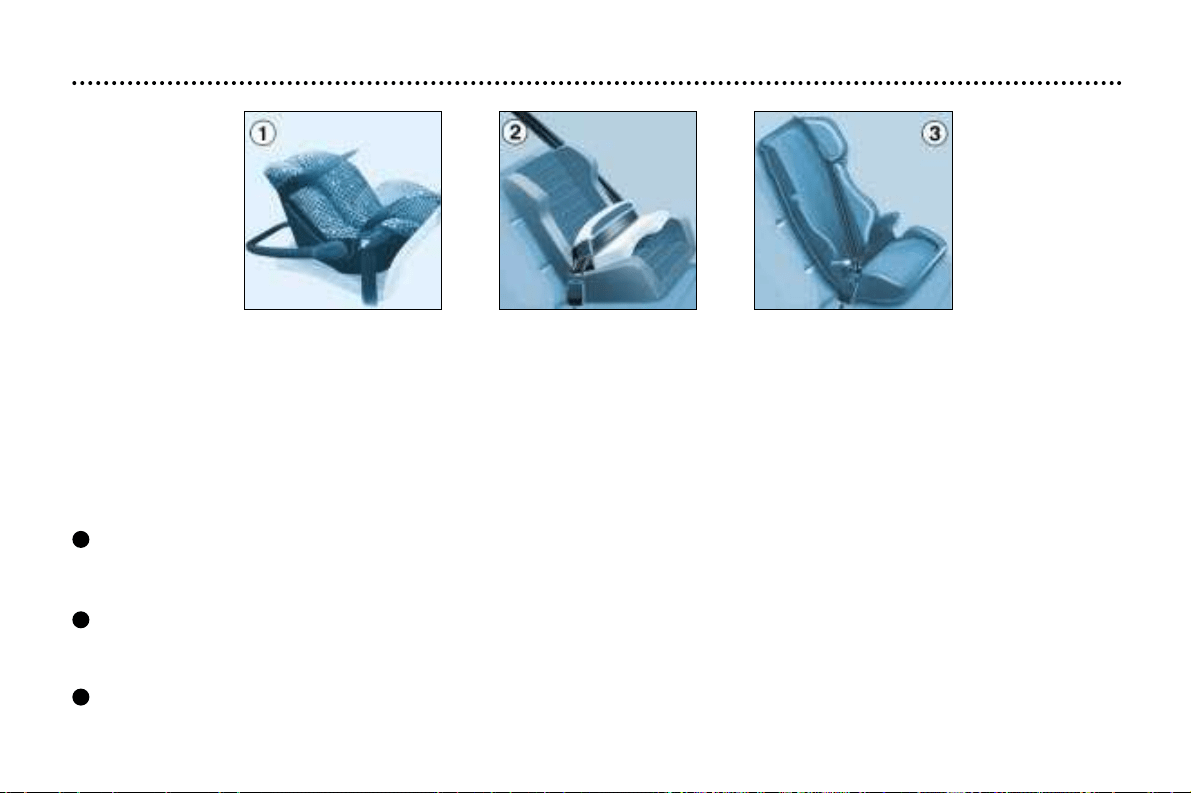
CHILD SEATS
Although one of PEUGEOT's main concerns when designing your vehicle, the safety of your children also depends on you.
For maximum safety, please follow these precautions:
- All children under the age of 10 must travel in a special approved child seat*, adapted to their weight, in a seat fitted with
a seat belt.
- Front passenger seat*: children under the age of 10 must not travel in the forwards facing position**.
The rearwards facing position is permitted. In this position, it is compulsory to disarm the passenger air bag.
After carrying out numerous tests, PEUGEOT recommends the following systems:
Up to 18 months (up to 13 kg)
" Römer Babysure": installed with its back to the engine in the front or in the rear using a three-point seat belt.
In the front, the passenger seat must be in the 'mid-way' position on the slide.
From 9 months to 3 or 4 years (9 to 18 kg)
"Römer Prince": installed in the rear using a three-point seat belt.
For the safety of your child, the seat and the restraining cushion must never be separated.
From 3 to 6 years (15 to 25 kg)
"Römer Vario'': installed in the rear with a three point seat belt.
* According to current legislation in the country of destination.
** Unless the rear seats are already occupied by other children or the rear seats cannot be used (because they are missing
or folded down). In this case, adjust the front passenger seat to the rear-most position and leave the air bag active.
YOUR 406 IN DETAIL
121
3
2
1
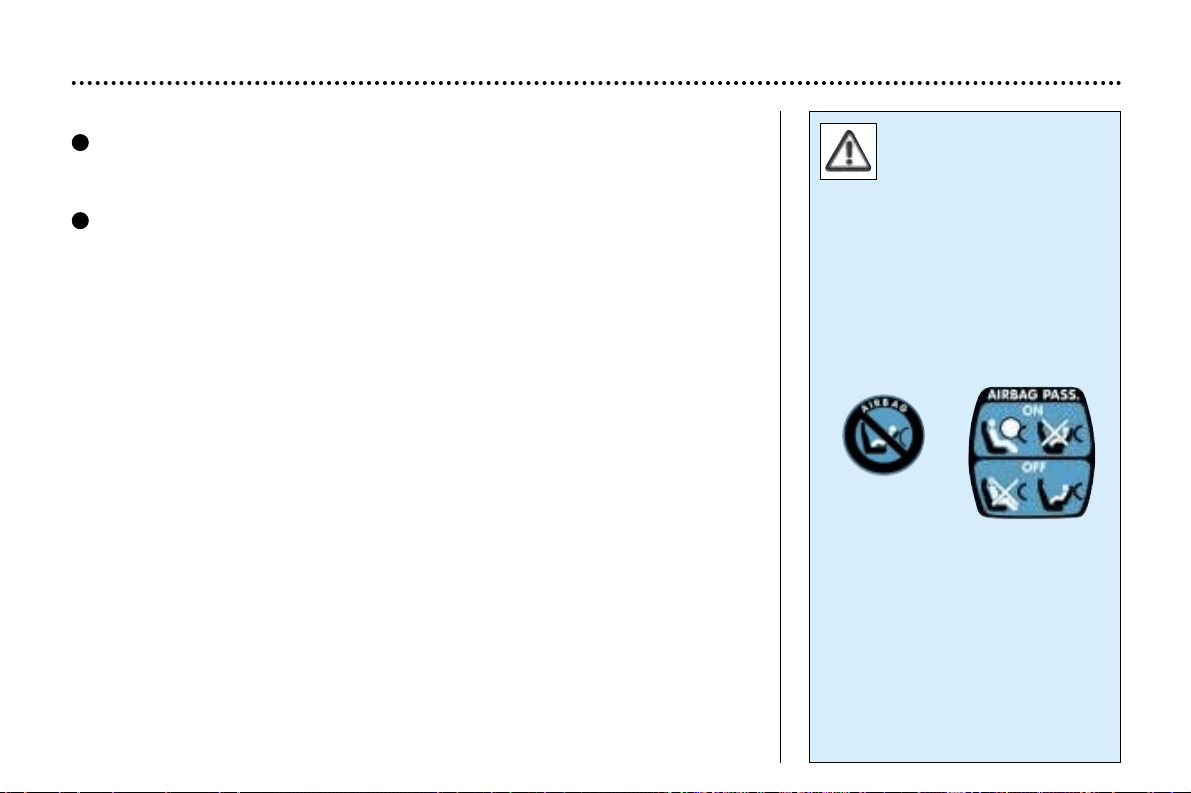
YOUR 406 IN DETAIL
122
Never leave a child or an
animal in a vehicle
which is exposed to the
sun and has the win-
dows closed.
Never leave the keys within
reach of children inside the car.
Disarm the passenger air bag
when installing a rearwards or for-
wards* facing child seat in the
front.
Observe strictly the recommenda-
tions for assembling or attaching
the child seat as shown in the
child seat instructions.
From 3 to 10 years (15 to 36 kg)
''Recaro start'': installed in the rear with a three–point seat belt.
The height and width of the seat back must be adjusted according to the age
and build of your child.
"Klippan Optima": installed in the rear with a three–point seat belt.
From the age of 6 years (approximately 22 kg), the booster is used on its
own.
Remember, even for short journeys, to fasten the three-point seat belts or the
child seat straps, keeping the slack in relation to the child's body to a minimum.
To prevent the doors from opening accidentally, use the child-lock.
Also, do not open the rear windows more than a third.
* According to current legislation in the country of destination.
4
5
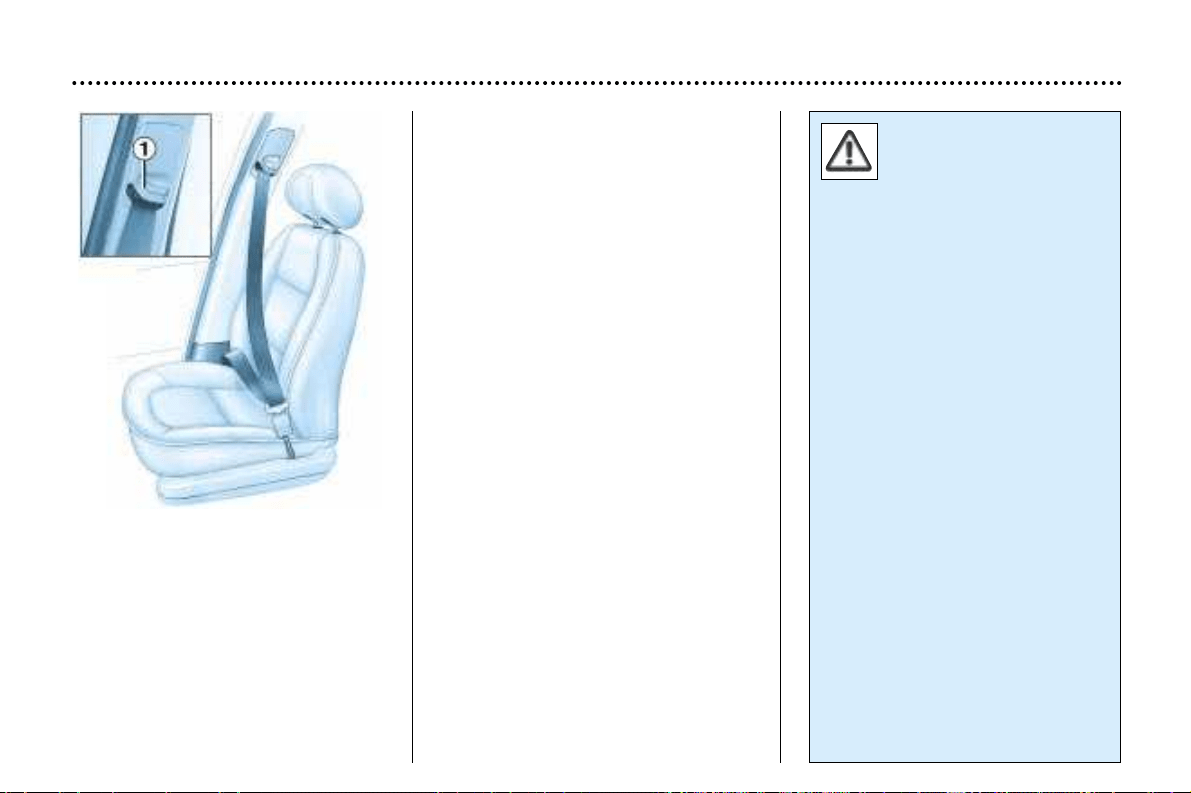
SEAT BELTS
To adjust the height of the front
seat belts
Pinch control 1 and slide it.
To lock the seat belts
Pull the strap, then insert the buckle
into the stalk.
Pre-tensioning and
force-limiting front
seat belts
Safety in the event of a frontal impact
has been improved by the introduc-
tion of pre-tensioning and force-limit-
ing front seat belts. Depending on
the seriousness of the impact, the
pre-tensioning system instantly tight-
ens the seat belt firmly against the
body of the occupant.
The pre-tensioning seat belts are
active when the ignition is on.
The force-limiting device reduces the
pressure of the seat belt against the
occupant's body in the event of an
accident.
Rear seat belts
The three rear seats are all fitted with
three-point inertia reel belts.
YOUR 406 IN DETAIL
123
To be effective, a seat
belt must be tightened as
close to the body as pos-
sible.
Depending on the nature and the
seriousness of the impact, the
pre-tensioners may be triggered
before and independently of the
air bags.
In all cases, the air bag warning
light comes on.
Following a collision, have the
system checked by a PEUGEOT
dealer.
The system has been designed to
be fully operational for ten years.
Have it replaced after this period.
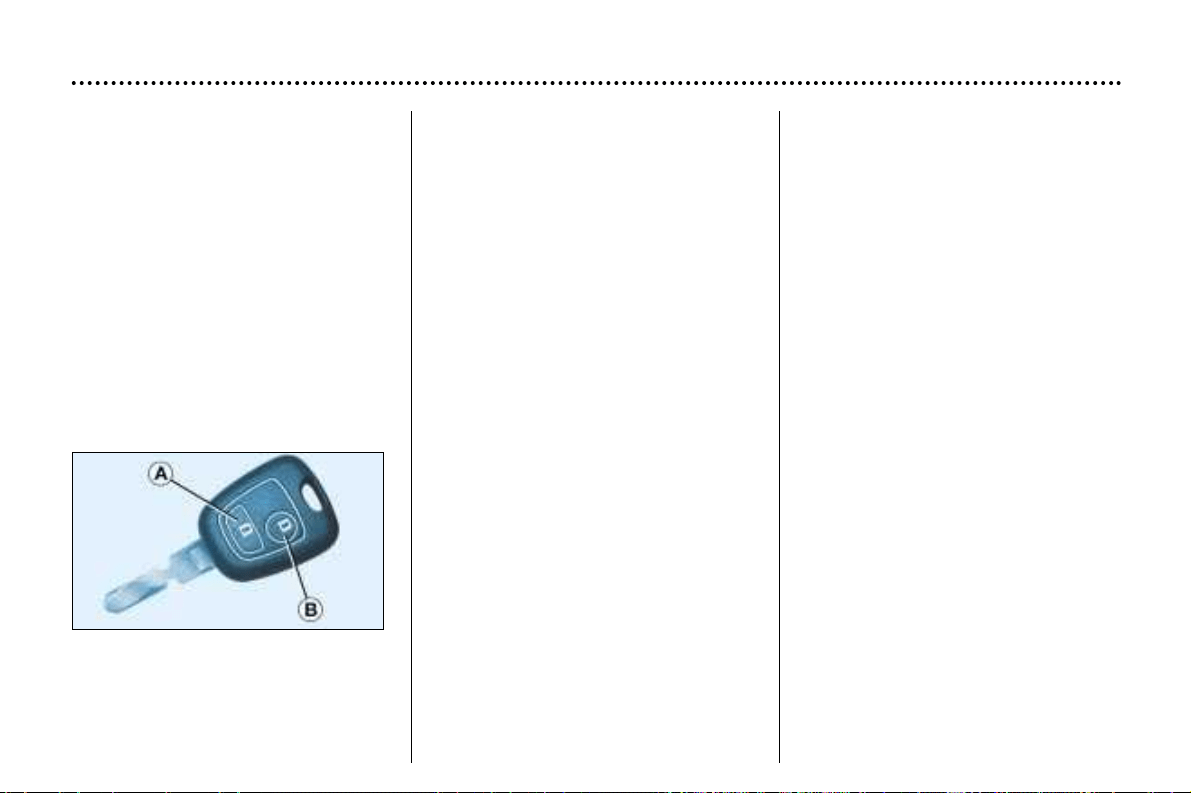
THE KEYS
The keys allow you to switch on the
ignition and to independently operate
the locks on the front door, the glove
box and the passenger air bag dis-
arming switch.
Central locking
From the driver's door, the keys
allow you to lock and unlock the
doors and boot/tailgate. If one of the
front or rear doors is open, the cen-
tral locking does not work.
The remote control performs the
same functions at a distance.
The remote control
Locking
Press button A to lock the vehicle.
YOUR 406 IN DETAIL
108
This is confirmed by fixed lighting of
the direction indicators for approxi-
mately two seconds.
Unlocking
Press button B to unlock the vehicle.
This is confirmed by rapid flashing of
the direction indicators.
Note: do not repeatedly press the
button of your remote control out of
range of your vehicle. You risk caus-
ing it not to work and the remote con-
trol would have to be reprogrammed.
ELECTRONIC ENGINE
IMMOBILISER
This locks the engine management
system as soon as the ignition has
been switched off and therefore pre-
vents starting of the vehicle by any-
one who does not have the key.
The ignition key has an electronic
chip which has a special code. When
the ignition is switched on, the code
is recognised and starting is possible.
If the system does not function
correctly, an audible signal sounds,
accompanied by a message on the
multi–function display.
WARNING: your vehicle is no longer
protected in this event.
Contact a PEUGEOT dealer as soon
as possible.
Locating your car
To locate your car, if you have locked
it, in a car park:
☞ press button A. The courtesy lights
come on and the direction indica-
tors flash for a few seconds.
Key in ignition
A buzzer sounds on opening the dri-
ver's door, if the key has been left in
the ignition.
YOUR 406 IN DETAIL
109
Changing the battery
of the remote control
The information 'battery flat' is
given by an audible signal accompa-
nied by a message on the
multi–function display.
To replace the battery, unclip the
casing using a coin at the ring
(CR2016/3 volt battery).
If the remote control does not work
after the battery has been changed,
reprogramme the remote control.
Confidential card
The confidential card contains the
identification code necessary for any
work carried out by a PEUGEOT
dealer on the system. This code is
hidden by a film which should be
removed only if necessary.
Keep your card in a safe place,
never inside the vehicle.
Programming the remote control
☞ Switch off the ignition.
☞ Switch the ignition on again.
☞ Immediately press button A.
☞ Switch off the ignition and
remove the remote control key
from the ignition lock. The remote
control is now working again.
YOUR 406 IN DETAIL
110
Make a careful note of the number on each key. The key number is coded on the label attached to the key. If
the key is lost, your PEUGEOT dealer can rapidly supply you with new keys.
The high-frequency remote control is a high-performance system.
Do not operate it while it is in your pocket as there is a possibility that it may unlock your vehicle without your knowledge.
The remote control cannot operate if the key is in the ignition, even if the ignition is switched off, except for reprogram-
ming.
Do not operate the deadlock if there is someone inside the vehicle.
As a safety measure (when there are children on board), remove the ignition key when leaving the vehicle, even for a
short time.
Do not handle the buttons of your remote control when out of range of your vehicle as you run the risk of stopping it from
working.
It would then be necessary to reprogramme the remote control.
When buying a second-hand car:
– ensure that you are in possession of the confidential card;
– have the key codes memorised by a PEUGEOT dealer, to ensure that the keys in your possession are the only ones
that can start your vehicle.
Do not make any modifications to the electronic engine immobiliser system.
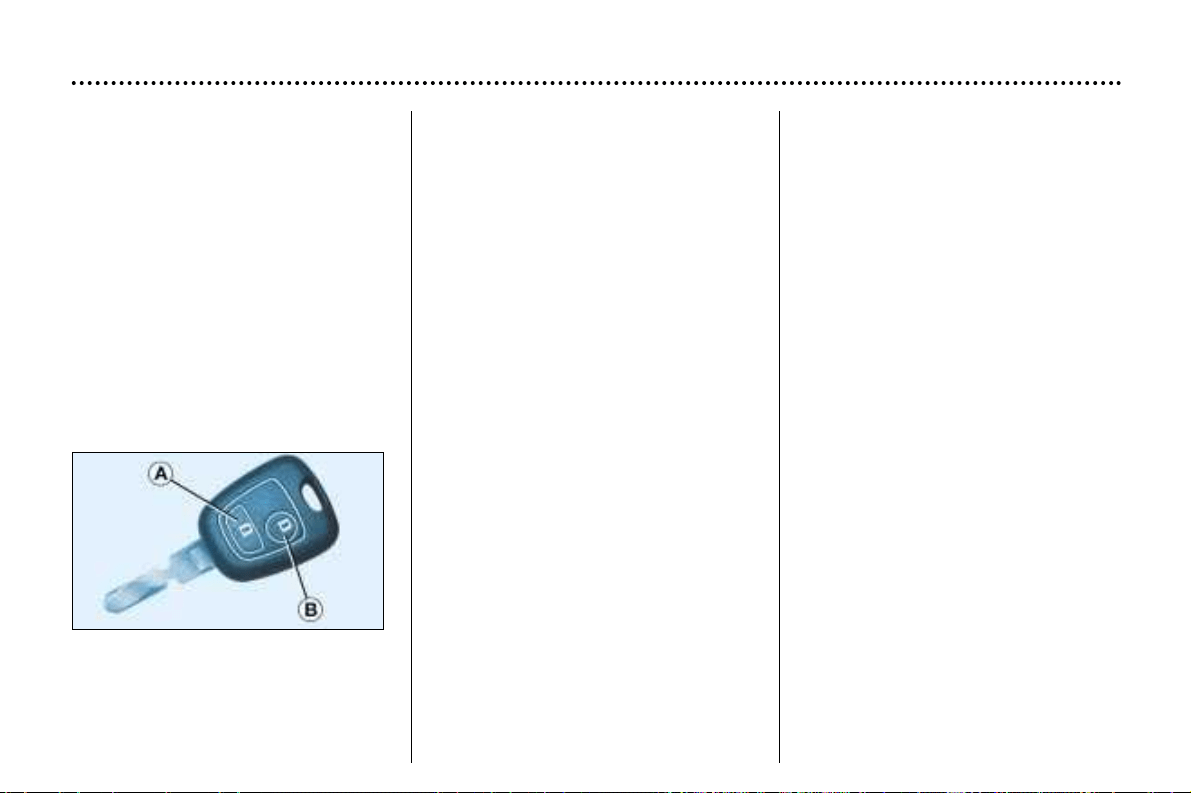
THE KEYS
The keys allow you to switch on the
ignition and to independently operate
the locks on the front door, the glove
box and the passenger air bag dis-
arming switch.
Central locking
From the driver's door, the keys
allow you to lock and unlock the
doors and boot/tailgate. If one of the
front or rear doors is open, the cen-
tral locking does not work.
The remote control performs the
same functions at a distance.
The remote control
Locking
Press button A to lock the vehicle.
YOUR 406 IN DETAIL
108
This is confirmed by fixed lighting of
the direction indicators for approxi-
mately two seconds.
Unlocking
Press button B to unlock the vehicle.
This is confirmed by rapid flashing of
the direction indicators.
Note: do not repeatedly press the
button of your remote control out of
range of your vehicle. You risk caus-
ing it not to work and the remote con-
trol would have to be reprogrammed.
ELECTRONIC ENGINE
IMMOBILISER
This locks the engine management
system as soon as the ignition has
been switched off and therefore pre-
vents starting of the vehicle by any-
one who does not have the key.
The ignition key has an electronic
chip which has a special code. When
the ignition is switched on, the code
is recognised and starting is possible.
If the system does not function
correctly, an audible signal sounds,
accompanied by a message on the
multi–function display.
WARNING: your vehicle is no longer
protected in this event.
Contact a PEUGEOT dealer as soon
as possible.
Locating your car
To locate your car, if you have locked
it, in a car park:
☞ press button A. The courtesy lights
come on and the direction indica-
tors flash for a few seconds.
Key in ignition
A buzzer sounds on opening the dri-
ver's door, if the key has been left in
the ignition.
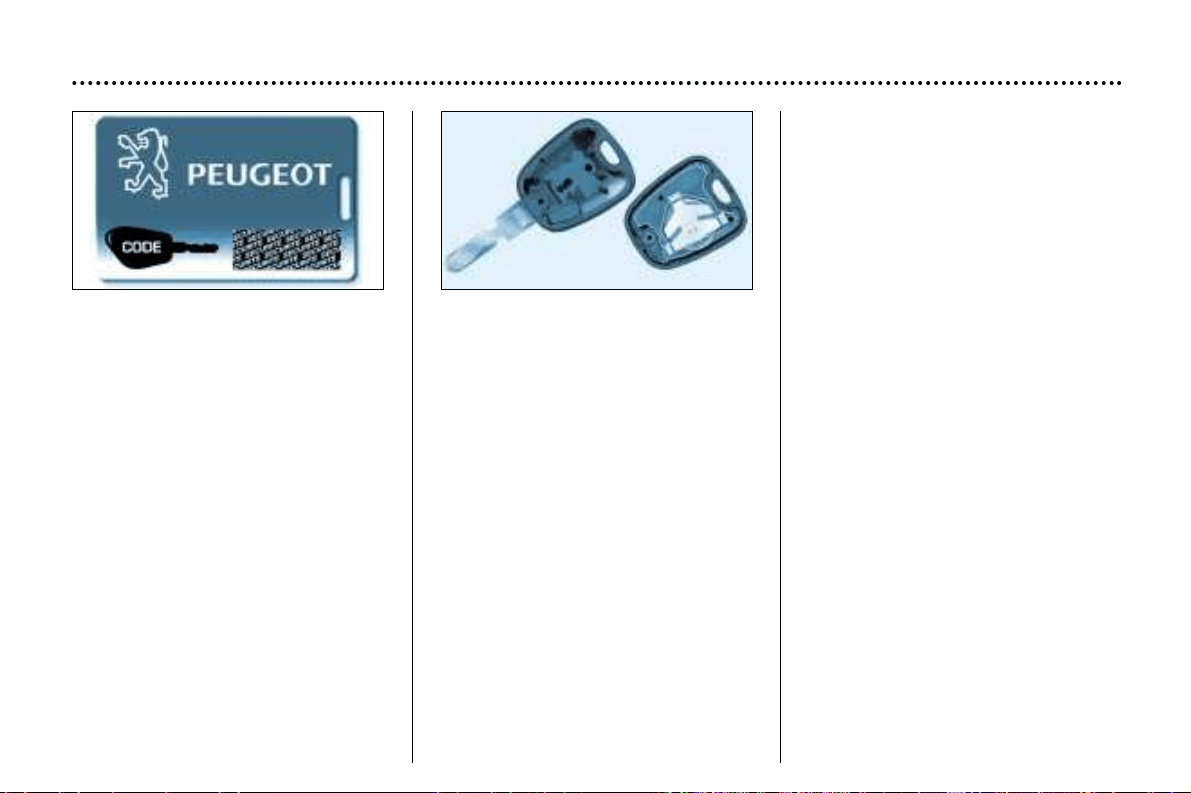
YOUR 406 IN DETAIL
109
Changing the battery
of the remote control
The information 'battery flat' is
given by an audible signal accompa-
nied by a message on the
multi–function display.
To replace the battery, unclip the
casing using a coin at the ring
(CR2016/3 volt battery).
If the remote control does not work
after the battery has been changed,
reprogramme the remote control.
Confidential card
The confidential card contains the
identification code necessary for any
work carried out by a PEUGEOT
dealer on the system. This code is
hidden by a film which should be
removed only if necessary.
Keep your card in a safe place,
never inside the vehicle.
Programming the remote control
☞ Switch off the ignition.
☞ Switch the ignition on again.
☞ Immediately press button A.
☞ Switch off the ignition and
remove the remote control key
from the ignition lock. The remote
control is now working again.
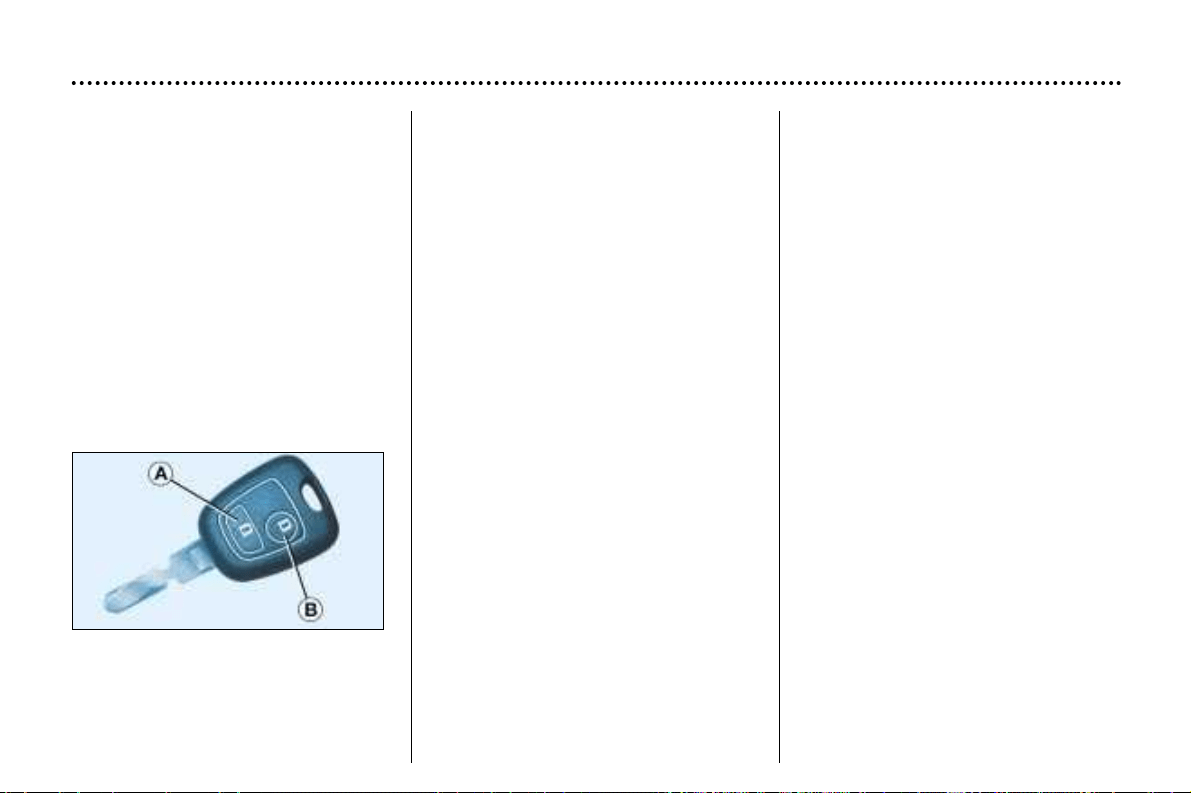
THE KEYS
The keys allow you to switch on the
ignition and to independently operate
the locks on the front door, the glove
box and the passenger air bag dis-
arming switch.
Central locking
From the driver's door, the keys
allow you to lock and unlock the
doors and boot/tailgate. If one of the
front or rear doors is open, the cen-
tral locking does not work.
The remote control performs the
same functions at a distance.
The remote control
Locking
Press button A to lock the vehicle.
YOUR 406 IN DETAIL
108
This is confirmed by fixed lighting of
the direction indicators for approxi-
mately two seconds.
Unlocking
Press button B to unlock the vehicle.
This is confirmed by rapid flashing of
the direction indicators.
Note: do not repeatedly press the
button of your remote control out of
range of your vehicle. You risk caus-
ing it not to work and the remote con-
trol would have to be reprogrammed.
ELECTRONIC ENGINE
IMMOBILISER
This locks the engine management
system as soon as the ignition has
been switched off and therefore pre-
vents starting of the vehicle by any-
one who does not have the key.
The ignition key has an electronic
chip which has a special code. When
the ignition is switched on, the code
is recognised and starting is possible.
If the system does not function
correctly, an audible signal sounds,
accompanied by a message on the
multi–function display.
WARNING: your vehicle is no longer
protected in this event.
Contact a PEUGEOT dealer as soon
as possible.
Locating your car
To locate your car, if you have locked
it, in a car park:
☞ press button A. The courtesy lights
come on and the direction indica-
tors flash for a few seconds.
Key in ignition
A buzzer sounds on opening the dri-
ver's door, if the key has been left in
the ignition.
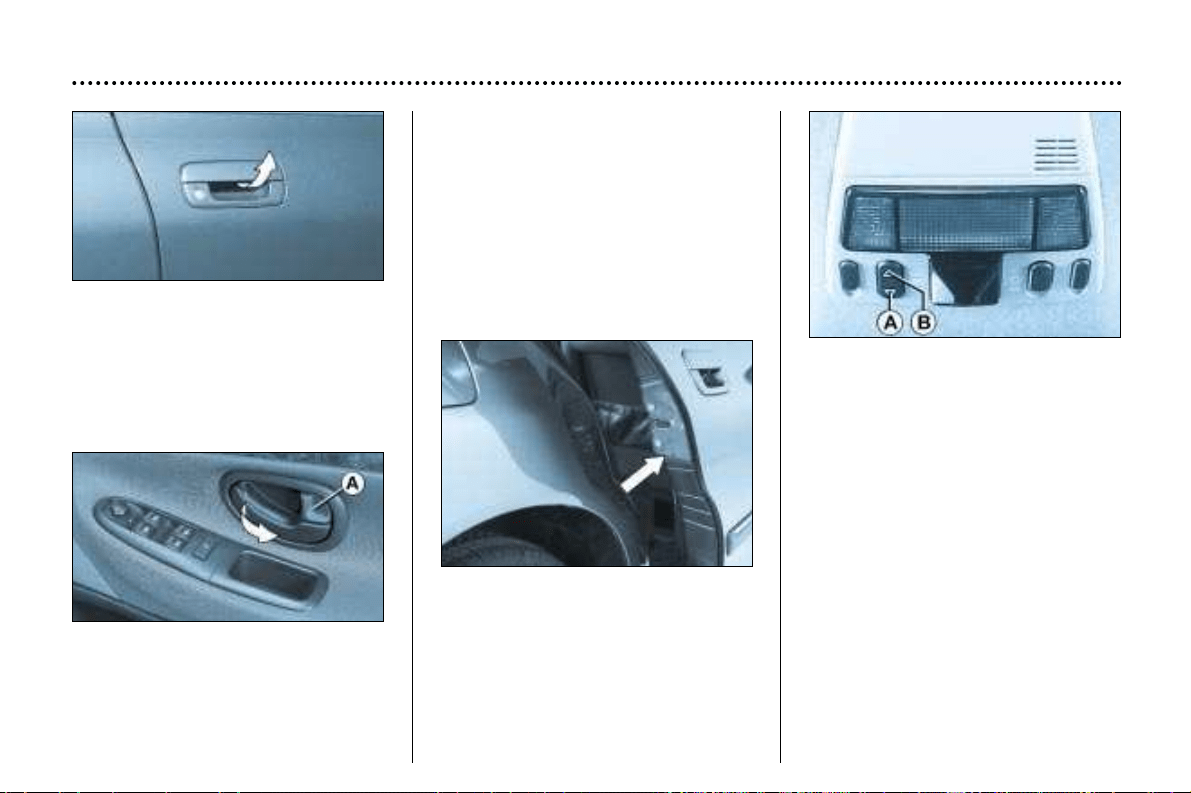
DOORS
Opening the doors
from outside
Opening the doors
from inside
Locking from the inside
To lock, press button A.
Locking the front door locks the front
and rear doors and the boot.
On the other doors the button only
locks the door concerned.
YOUR 406 IN DETAIL
111
Child safety
This prevents either of the rear doors
being opened from inside.
☞ Turn the red plastic switch a quar-
ter of a turn using the ignition key.
SUNROOF
• To tilt
Press part A of the switch. To
close, press part B of the switch
until the sunroof is completely
closed.
• To open
Press part B of the switch. To
close, press part A of the switch
until the sunroof is completely
closed.
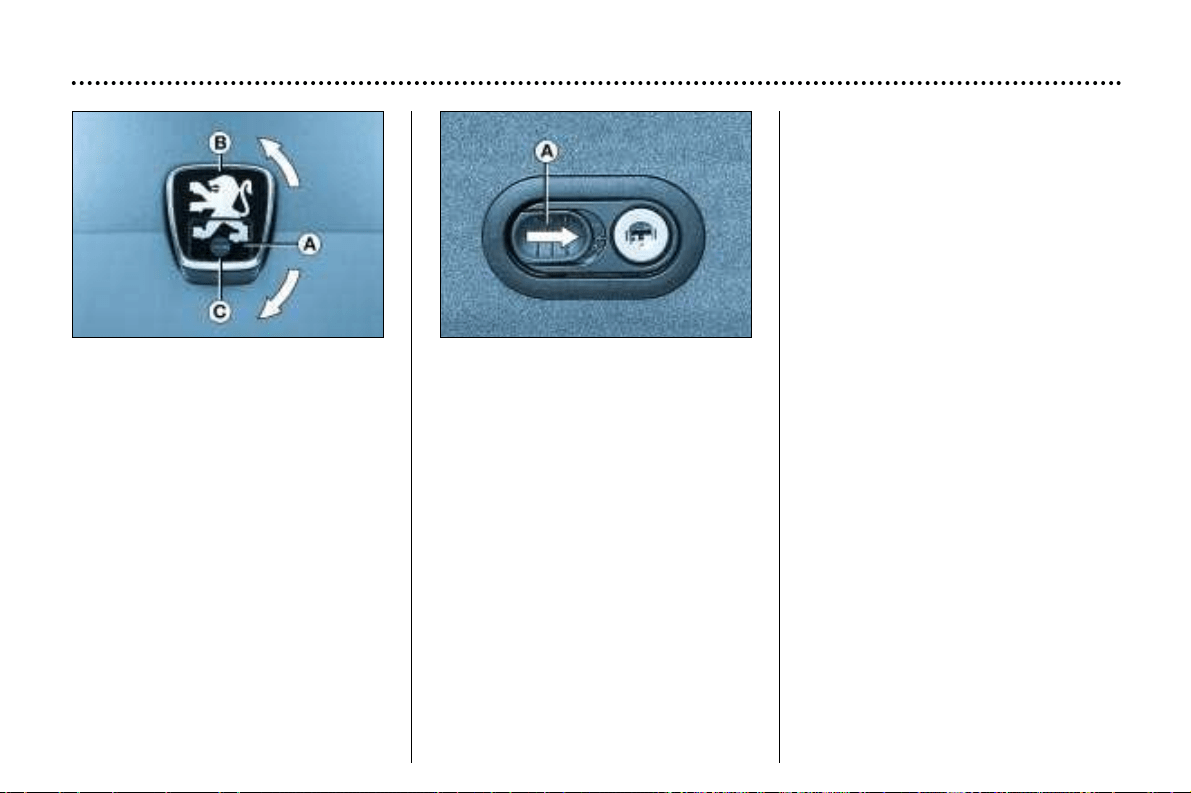
BOOT OR TAILGATE
Simultaneous locking of the boot
or tailgate and the doors
Turn the key a quarter turn from A
to B.
The boot or tailgate is then controlled
by the remote control or the driver’s
door lock.
Locking the boot or tailgate only
Turn the key a quarter of a turn from
A to C. The boot is then locked,
whatever the action of the remote
control or the driver’s door lock.
To return to simultaneous operation
with the doors: turn the key from A
to B.
Opening the tailgate of the
7 seater estate from inside
Slide button A and press.
To lock the interior control, turn the
key to the left.
YOUR 406 IN DETAIL
112
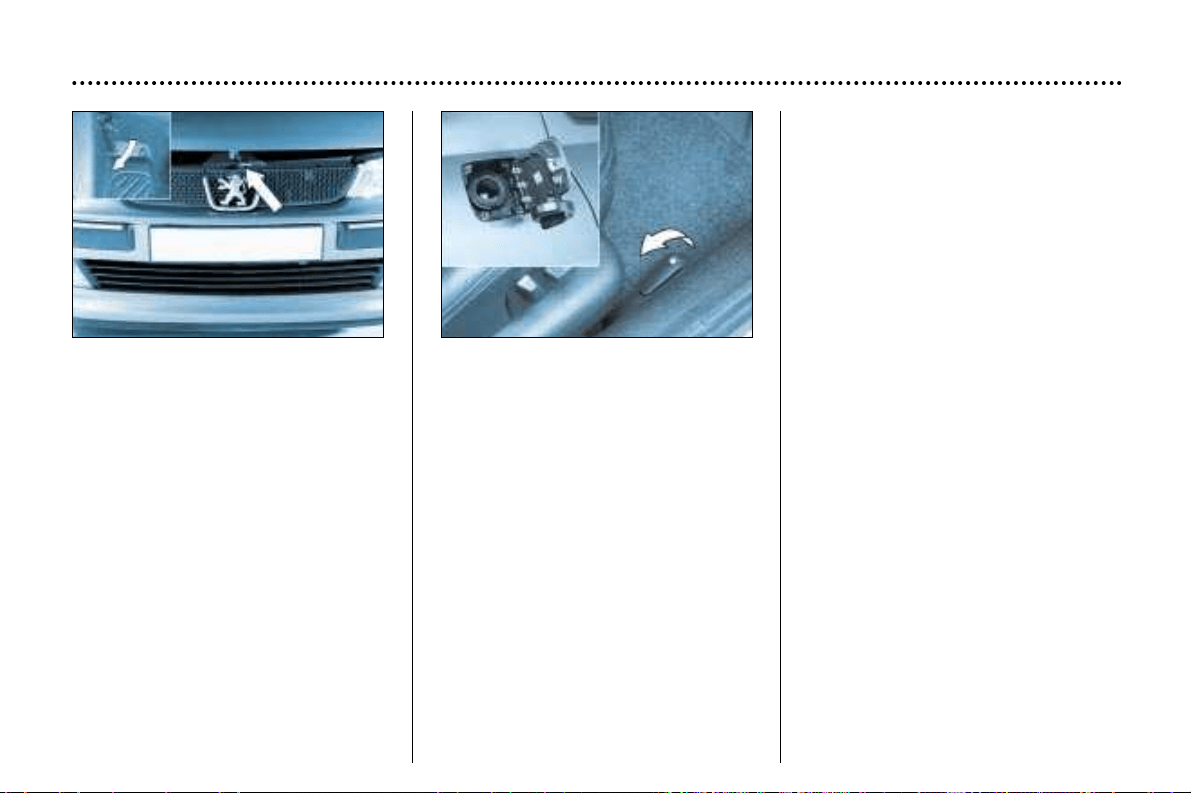
OPENING THE BONNET
From inside: pull the handle on the
left-hand side under the fascia.
From outside: lift the catch and
raise the bonnet.
Bonnet struts
These open the bonnet and hold it
open.
To close
Lower the bonnet and release it at
the end of its travel. Check that the
bonnet is properly locked.
FILLING WITH FUEL
Fill with fuel with the engine switched
off.
To open the fuel filler flap, firmly pull
the handle on the floor on the outside
of the driver’s seat.
If you are filling up your tank, do not
continue after the 3rd cut-off of the
pump; this could cause your vehicle
to malfunction.
The capacity of the tank is approx-
imately 15.4 gallons (70 litres).
A filler cap hook is provided on
the inside of the fuel filler flap.
YOUR 406 IN DETAIL
113
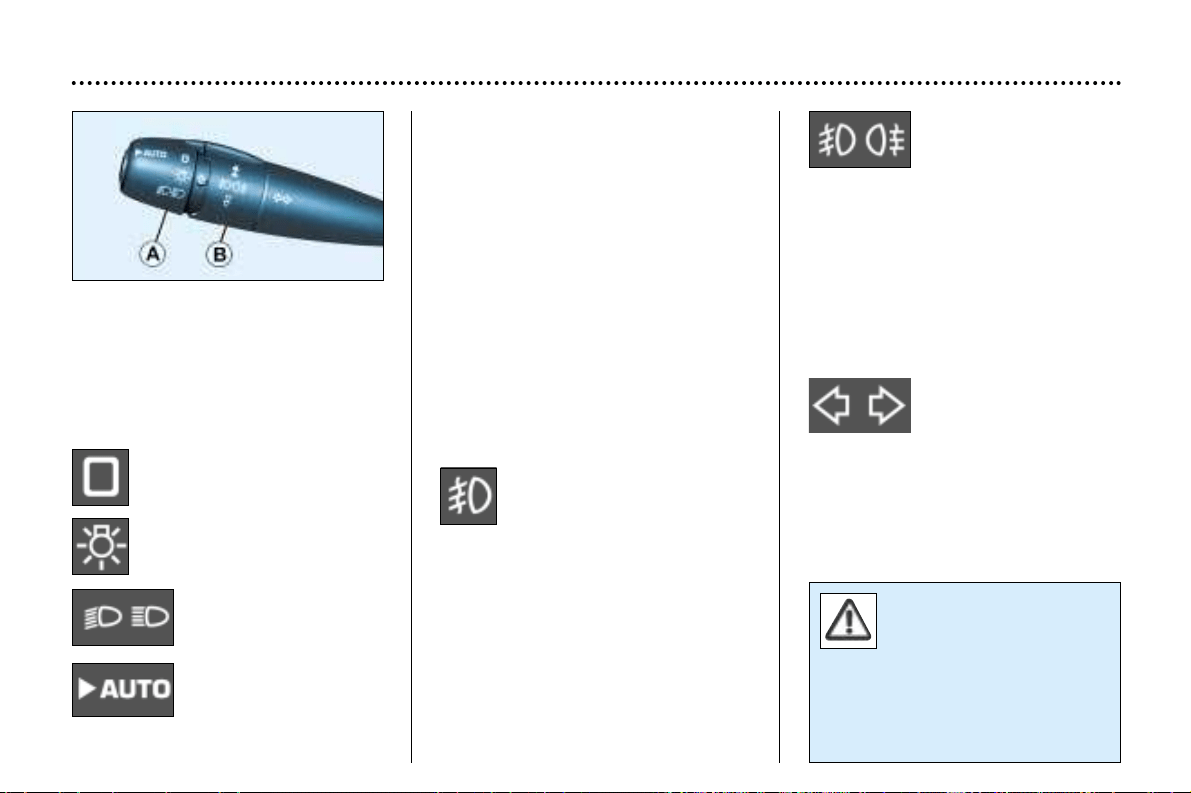
In good or rainy weather,
both day and night, the
rear fog lamp is dazzling
and is prohibited.
Do not forget to switch the
fog lamp off when it is no longer
needed.
Front and rear fog
lamps (2nd rotation of
the ring forwards)
These operate with the
side lights and the dipped/main
beam headlamps.
Note: to switch off the rear fog lamp
and the front fog lamps, turn the ring
backwards twice in succession.
Direction indicators
(flashers)
Left: downwards.
Right: upwards.
THE LIGHTS STALK
Front and rear lights
Selection is by turning ring A.
Lights off
Side lights
Dipped / main beam
headlamps
Automatic switching
on of lights.
Dipped/main beam change
Pull the stalk fully towards you.
Note: with the ignition off, if the dri-
ver's door is left open, a buzzer
sounds if you have left your lights on.
Front fog lamps and rear fog
lamp (ring B)
Rotate the ring forwards to switch on
and backwards to switch off. The sta-
tus is confirmed by the light on the
instrument panel.
Front fog lamps (first rota-
tion of the ring forwards)
These operate with the side lights
and the dipped/main beam head-
lamps.
YOUR 406 IN DETAIL
124

AUTOMATIC SWITCHING
ON OF THE LIGHTS
Side lights and dipped beam head-
lamps switch on automatically if the
light is poor, or during continuous
operation of the windscreen wipers.
They switch off as soon as the light
becomes bright enough or the wind-
screen wipers stop.
This function is active when the vehi-
cle is supplied to the customer.
To disarm or activate the function:
☞ Start with the key in the acces-
sories position (1st notch),
☞ Press the end of the stalk for
more than two seconds.
Note: In foggy weather, the bright-
ness sensor can detect sufficient
light. Because of this, the lights do
not come on automatically.
Do not cover the brightness sen-
sor connected to the rain sensor,
located in the windscreen behind
the mirror. It is used for automatic
switching on of the lights.
Operating check
Triggering of the sensor
Triggering of this function is accom-
panied by an audible signal and the
message "Automatic lighting of
the headlamps activated" on the
multi–function display.
Note: Always operate the lighting
controls manually where this is pos-
sible.
Disarming
Disarming of the function is accom-
panied by an audible signal.
When driving, if this function is
switched off when the headlamps
would switch on in automatic mode,
the lights remain on.
It is however possible to disarm this
function and switch off the lights by:
- manually switching off the lights
using the lights stalk,
- switching off the engine.
YOUR 406 IN DETAIL
125
If the brightness sensor does not
function correctly, the system acti-
vates the function (the lights come
on). The driver is alerted by the
flashing of the 'dipped beam' warn-
ing light on the instrument panel.
Contact a PEUGEOT dealer to have
the system checked.
Follow me Home
When there is a low level of bright-
ness or at night, if you leave your
vehicle, the side lights and the
dipped beam lights may remain on
for approximately one minute.
To do this:
☞ place the lights stalk in the AUTO
position,
☞ place the key in the accessories
position (first notch on key),
☞ press the end of the lights stalk for
more than two seconds,
☞ place the lights stalk in the
0 position,
☞ flash the headlamps,
☞ get out of the car and lock it.
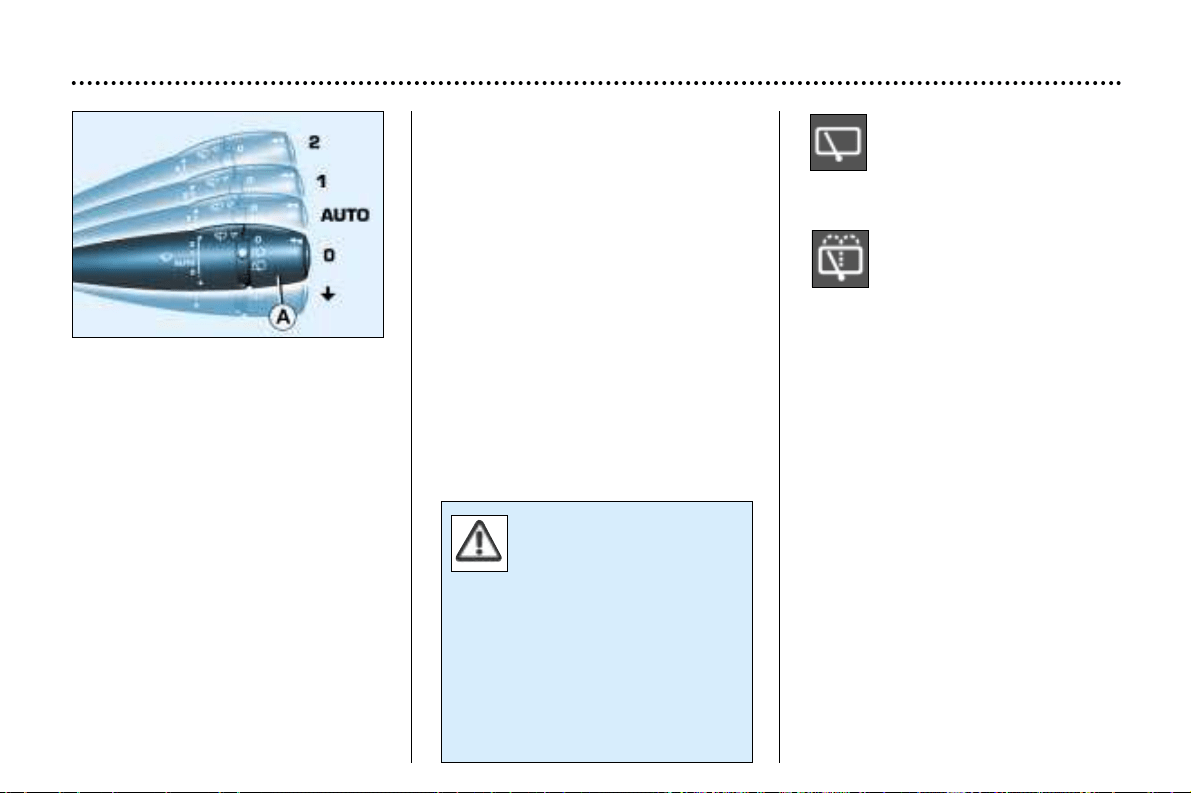
Rear screen wiper (estate)
Turn ring A to the first notch,
for intermittent wiping.
Rear screen wash (estate)
Turn ring A beyond the first
notch; the windscreen wash
then the windscreen wiper
operate for a fixed period.
WINDSCREEN WIPER STALK
Front windscreen wipers
2 . Rapid wipe (heavy rain)
1 . Normal wipe (moderate rain).
AUTO Automatic wipe
0 . Off.
∀
Single wipe (press downwards).
Operation
In position 1 or 2, when the vehicle
stops, the windscreen wiper changes
to a lower wiping speed, then
resumes its initial speed when the
vehicle starts again.
When the ignition has been
switched off for more than a
minute with the stalk in the AUTO
position, it is necesary to reacti-
vate this function. To do this, move
the stalk to any position, then move it
back to the AUTO position.
Automatic windscreen wiper
In the AUTO position, the wipers
operate automatically and adjust
their speed to the intensity of the
rainfall.
Operating check
Switching on
Activation of the function is accom-
panied by the message 'Automatic
windscreen wiper actuated' on the
multi–function display.
In the event of malfunction in the
AUTO position, the windscreen wiper
will operate in downgrade mode.
Contact a PEUGEOT dealer to have
the system checked.
YOUR 406 IN DETAIL
126
Do not mask the rain
detector located on the
windscreen behind the
interior mirror.
If you take the vehicle to an auto-
matic car wash, switch off the igni-
tion or check that the windscreen
wiper stalk is not in the automatic
position.
In Winter, it is advisable to wait for
complete de-icing of the wind-
screen before switching on the
automatic wipe.
Windscreen and headlamp wash
Pull the windscreen wiper stalk
towards you.
The windscreen wash then the wind-
screen wipers operate for a fixed
period. The windscreen wash and
headlamp wash operate simultane-
ously for a few seconds, only if the
dipped beam or main beam head-
lamps are on.
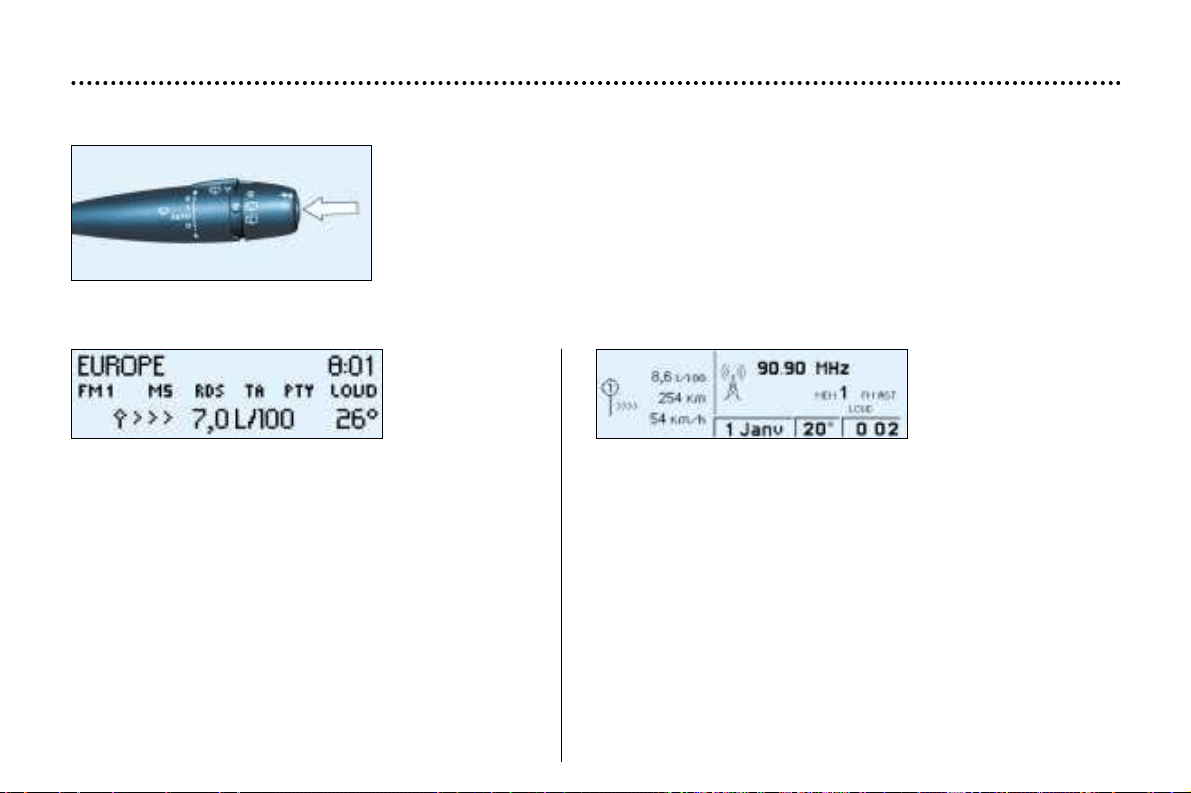
TRIP COMPUTER
Display B Display C
– the range,
– the distance travelled,
– the average consumption,
– the current consumption,
– the average speed.
Zero reset
Press the stalk for more than two seconds.
Pressing the button on the end of the wash/wipe stalk enables the following data to
be displayed:
– the current consumption and the range,
– the average consumption, the distance travelled and the
average speed calculated over a period "1",
– the average consumption, the distance travelled and the
average speed calculated over a period "2".
Periods "1" and "2" are defined by the frequency of the zero
reset. They allow, for instance, daily calculations over period
"1" and monthly calculations over period "2".
Zero reset
When the required period is displayed, press the stalk for
more than two seconds.
YOUR 406 IN DETAIL
139
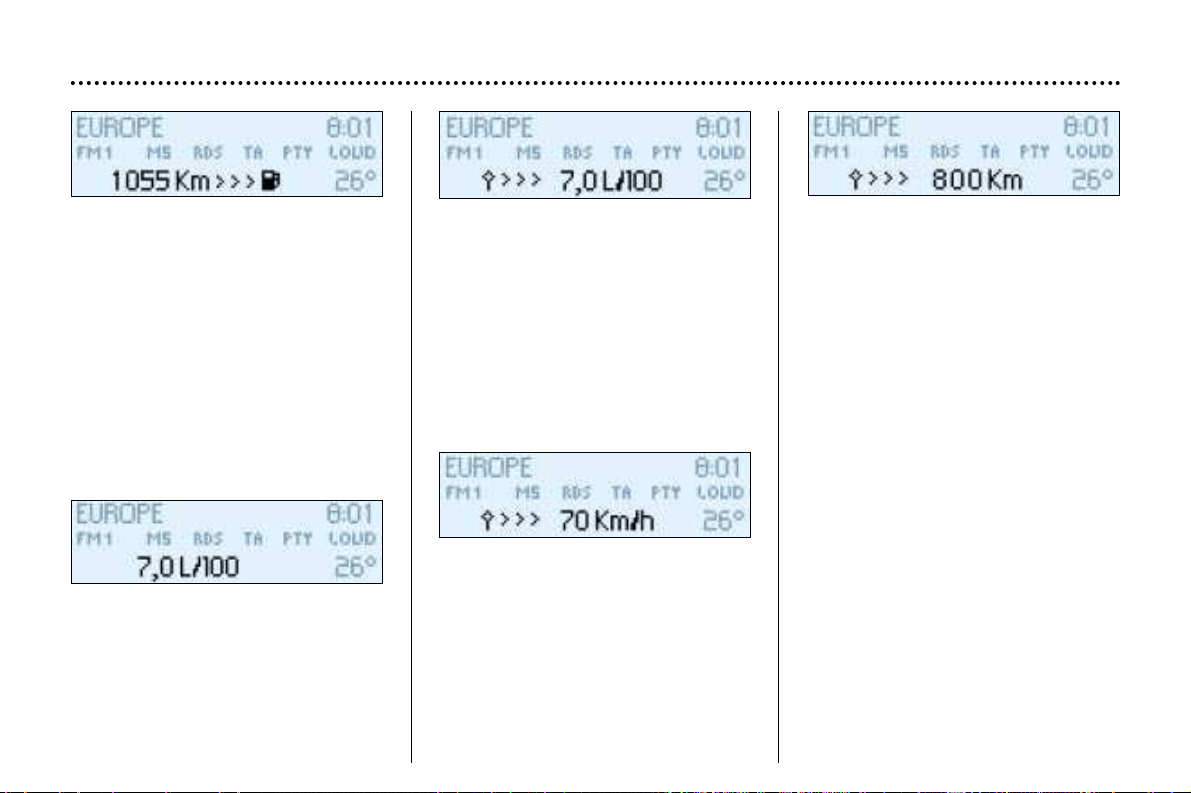
Range
The display shows the distance that
can still be covered with the fuel
remaining in the tank.
Note: this figure may rise if there is a
change in driving style or road sur-
face, causing a significant drop in
current fuel consumption.
If there are less than 3 litres of fuel in
the tank, only three segments will be
displayed.
Average consumption
This is the ratio between the amount
of fuel consumed and the distance
travelled since the computer was last
reset to zero.
The display stops at 30 l/100km.
Current fuel consumption
This gives the fuel consumption
recorded during the last two sec-
onds. This function is only displayed
when the vehicle is travelling at more
than 12 m.p.h. (20 km/h).
The display stops at 30 l/100km.
Average speed
This is obtained by dividing the dis-
tance travelled by the period of time
the vehicle has been in use (with the
ignition on), since the computer was
last reset to zero.
Distance travelled
This shows the distance travelled
since the computer was last reset to
zero.
After the trip computer has been
reset to zero, the range data
becomes meaningful only after the
vehicle has been in use for a certain
period.
If horizontal segments are displayed
instead of figures when driving, con-
tact a PEUGEOT dealer.
YOUR 406 IN DETAIL
140
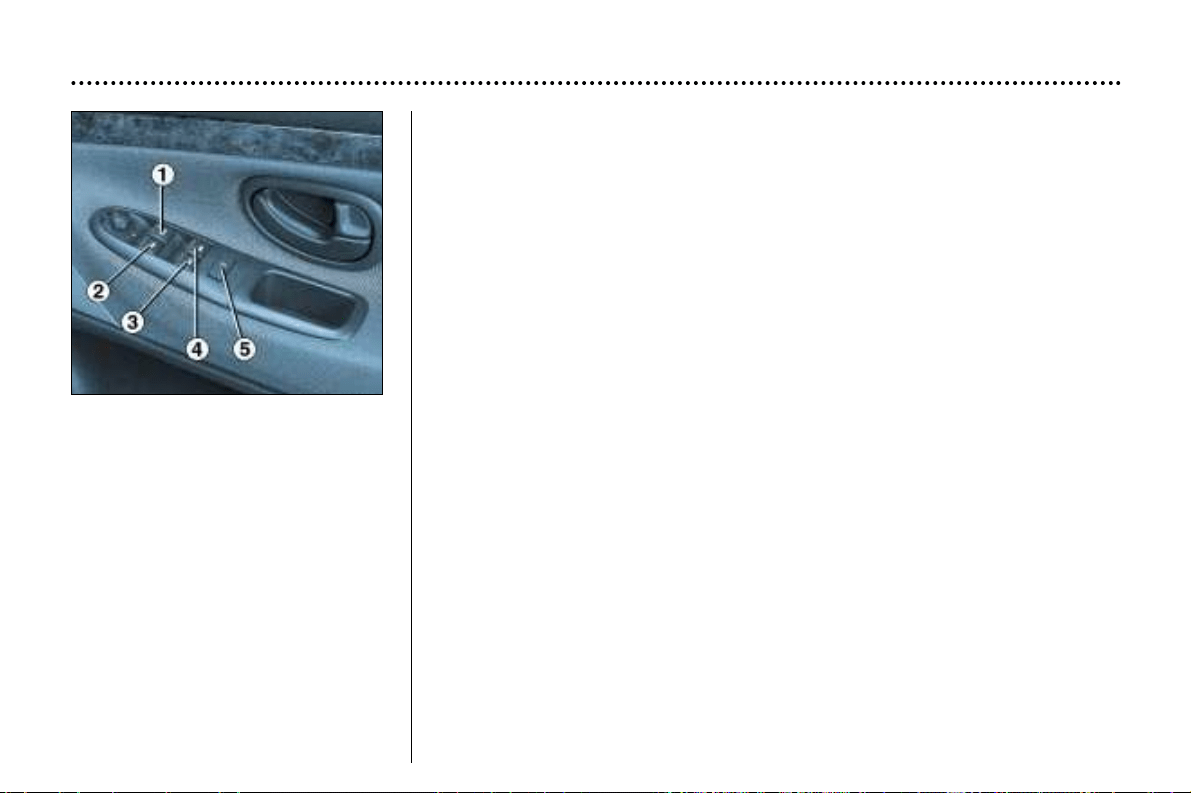
ELECTRIC WINDOWS
1 - Driver's electric window switch.
You have two options:
Manual operation: press or pull switch 1 gently. The window stops as soon
as the switch is released.
Automatic operation: press or pull switch 1 fully.
This opens or closes the window completely.
Safety auto-reverse
When the window on the driver's side rises and meets an obstacle, it stops
and lowers again.
Overriding the safety auto-reverse
In the case of frost, for example, if the window will not rise and goes into
safety auto-reverse mode, lower it completely and raise it again immediate-
ly, by pulling the switch until the window closes completely.
2 - Passenger's electric window switch.
3 - Rear left electric window switch.
4 - Rear right electric window switch.
5 - Disarming the rear window switches (child safety).
YOUR 406 IN DETAIL
141
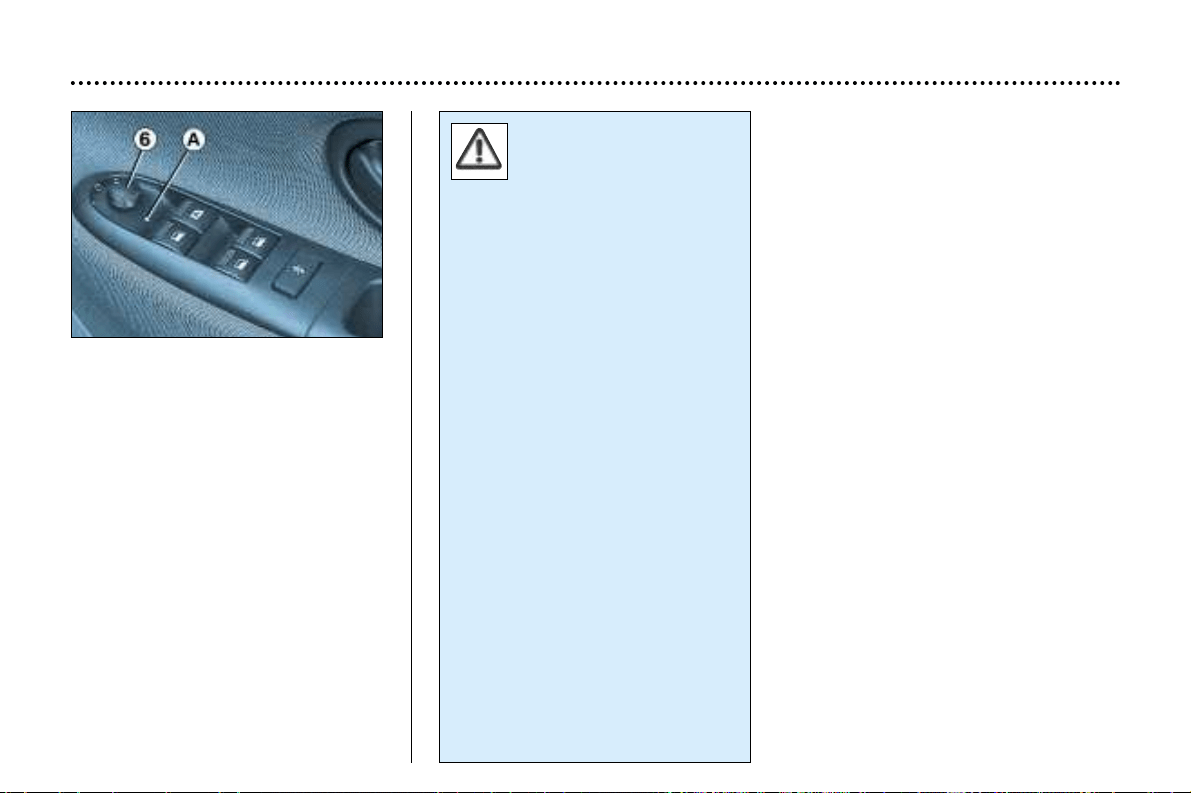
EXTERIOR MIRRORS
Electric rear view mirrors
Turn knob 6 to the right or to the left
to select the corresponding mirror.
Move knob 6 in all four directions to
adjust.
When parked, the mirrors can be
folded back manually.
Fold-back electric mirrors
With the ignition on, turn knob 6 to
position A.
The outside of the mirror
on the driver's side is con-
vex (area at edge defined
by dotted line) in order to
eliminate the 'blind spot'.
Objects observed in the driver's
and passenger's mirrors are in
reality closer than they appear.
This must be taken into account
to judge correctly the distance of
vehicles approaching from behind.
YOUR 406 IN DETAIL
142
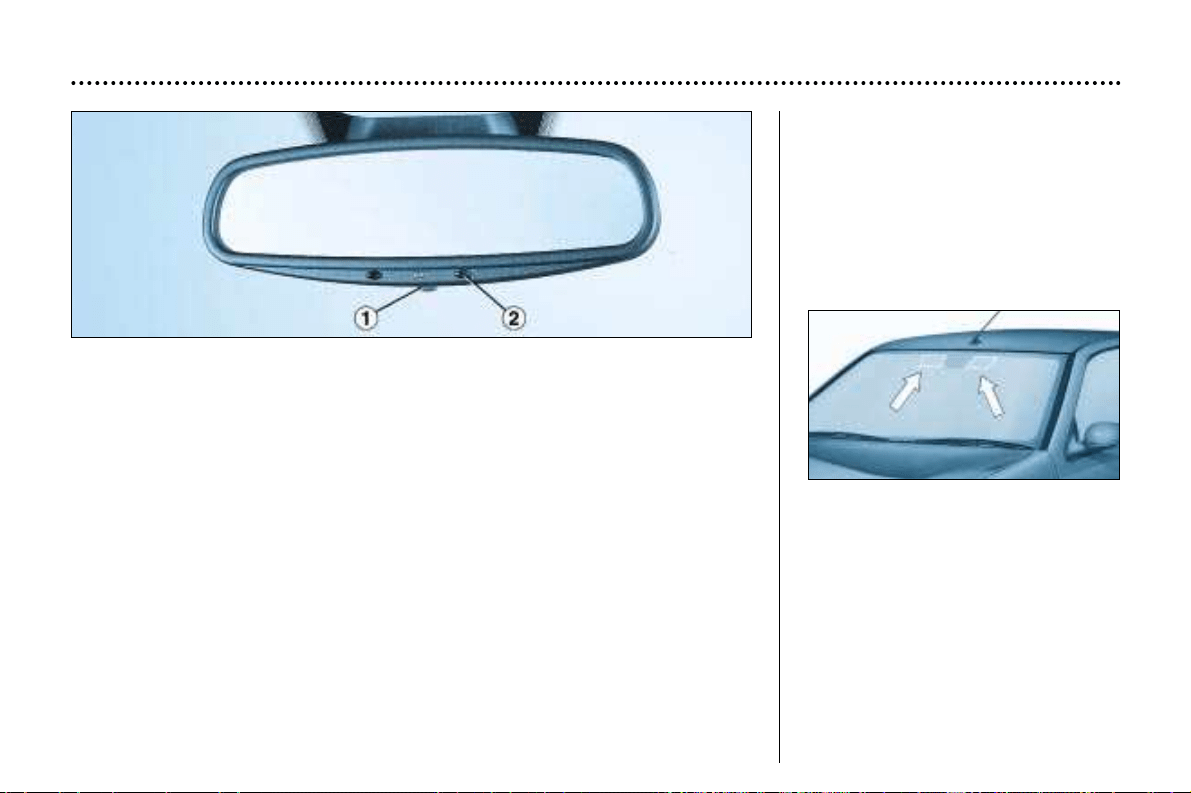
Automatic day/night interior mirror
This automatically and gradually changes between the day and night positions.
To prevent dazzling, the glass of the mirror darkens automatically depending on
the intensity of the light from behind. It clears as the light (headlamps of follow-
ing vehicles, sunlight) decreases, ensuring maximum visibility.
Operation
Switch on the ignition and press switch 1 :
– Indicator light 2 lit (switch pressed): automatic operation.
– Indicator light 2 off: automatic system off. The mirror remains at its most clear.
Special feature
To ensure maximum visibility during manoeuvres, the mirror clears automatical-
ly when reverse gear is engaged.
YOUR 406 IN DETAIL
143
Areas for toll cards /
car park tickets
The athermic windscreen has two
non-reflective zones located either
side of the base of the interior mirror.
They are intended for affixing toll
cards and/or car park tickets.
Interior mirror
The interior mirror has two positions:
– day (normal),
– night (anti-dazzle).
To change from one to the other,
push or pull the lever on the lower
edge of the mirror.
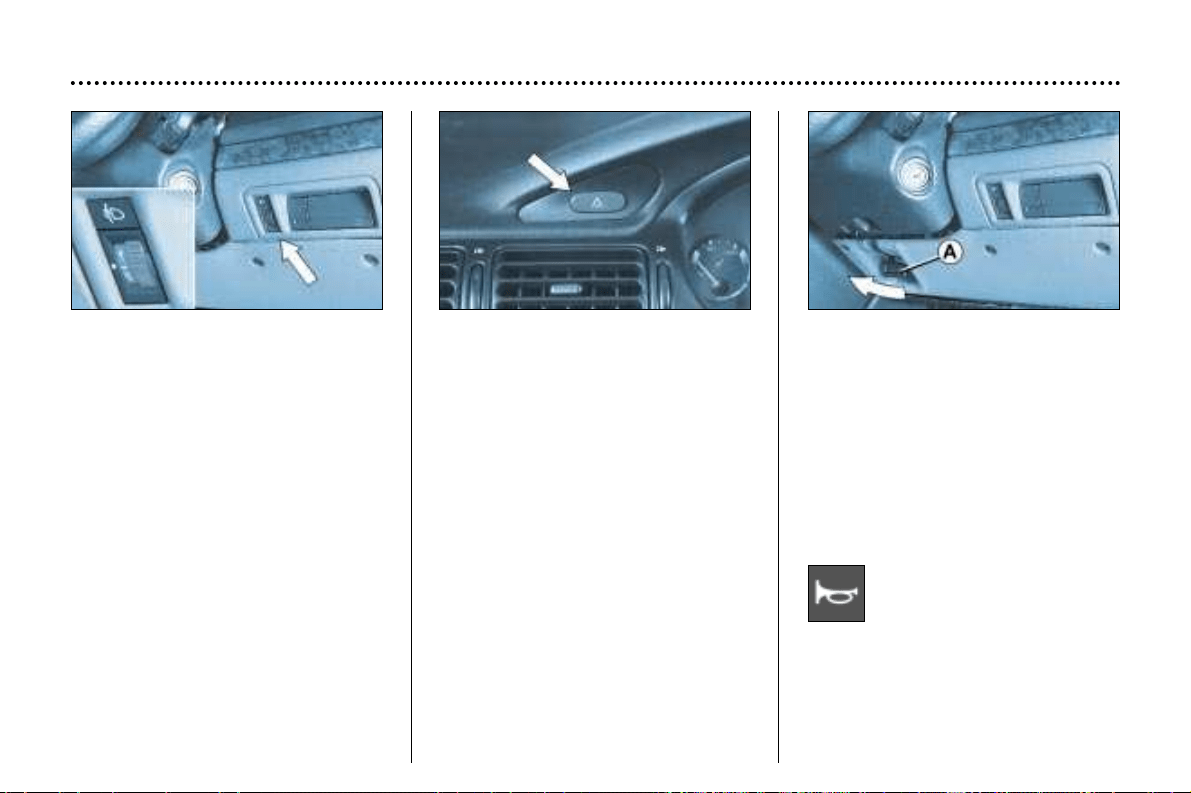
Horn
Press one of the spokes or
the centre of the steering
wheel.
Adjusting the headlamps
Depending on the load in your vehi-
cle, adjusting the beam of the head-
lamps is recommended as follows.
0-1 or 2 people in the front seats.
–-3 people.
1-5 people.
2-5 people +
maximum authorised load.
3-Driver +
maximum authorised load.
Initial setting is position 0.
Hazard warning lights
Press the button, the direction indi-
cators flash.
They can operate with the ignition
off.
Steering wheel height and
depth adjustment
When the vehicle is stationary,
unlock the steering wheel by pulling
handle A.
Adjust the height and depth of the
steering wheel, then lock it by push-
ing handle A down fully.
YOUR 406 IN DETAIL
144
Automatic lighting of hazard
warning lights*
When braking in an emergency,
depending on the force of decelera-
tion, the hazard warning lights come
on automatically. they switch of auto-
matically the first time you accelerate.
However, it is also possible to switch
them off by pressing the button.
* According to country.
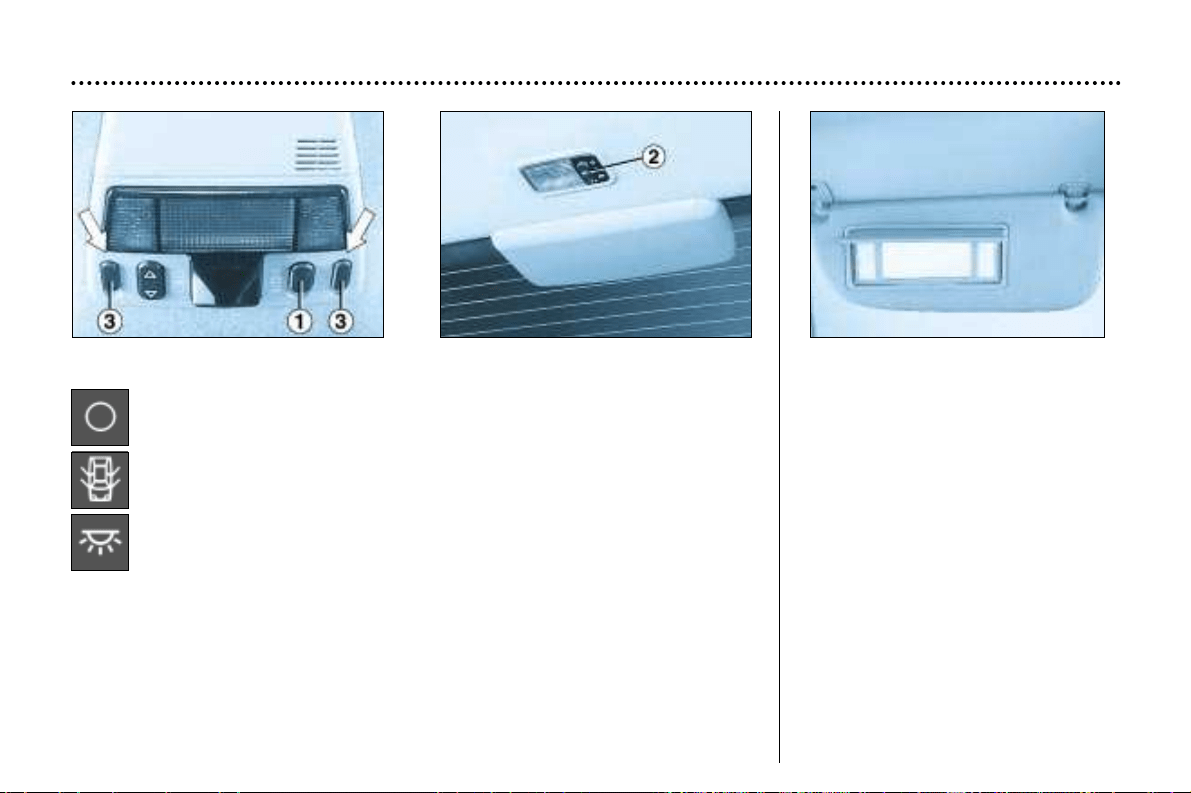
Sun visor with illuminated
courtesy mirror
With the ignition on, the mirror is
automatically lit up when the flap is
opened.
COURTESY LIGHTS
Off.
On when one of the doors is opened.
Permanently on when the ignition key is in the accessories position or
the ignition is on.
1 - Front courtesy light.
2 - Rear courtesy light.
3 - Front map-reading lights.
With the key in the accessories position or the ignition on, operate the rele-
vant switch.
YOUR 406 IN DETAIL
145
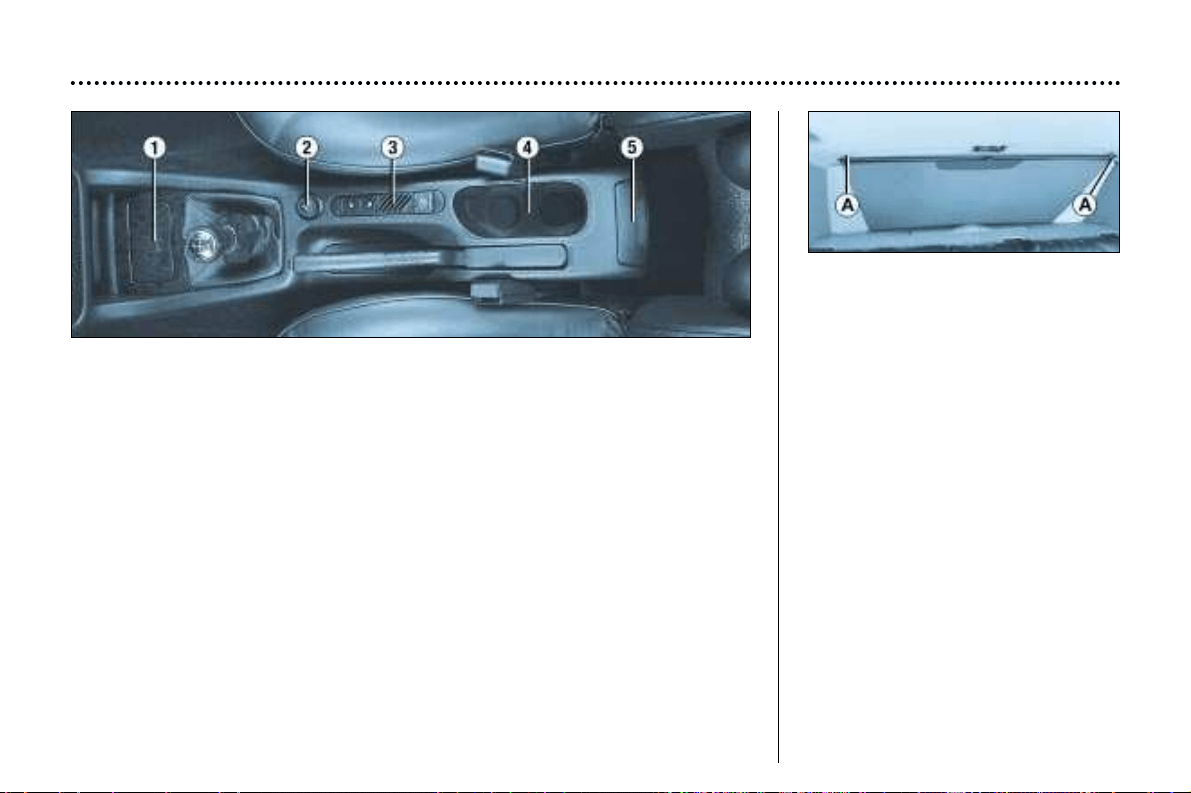
5. Rear ashtray
Release to empty, by pulling it sharply towards you.
To refit the ashtray, push it into its housing.
CENTRE CONSOLE
Rear shelf compartment
This is provided for the storage of a
first aid kit.
The catch on the lid is designed to
withstand a weight of 9lbs (4 kg) on
impact.
Rear screen sun blind
Pull the blind by the central tab, and
then position the hooks in the slots A.
2. Lighter
Push in and wait a few moments until it springs out automatically.
1. Front ashtray
Press the cover to open the ashtray.
To empty it, after opening, push the cover forwards.
3. Coin storage
4. Cup holder
YOUR 406 IN DETAIL
146
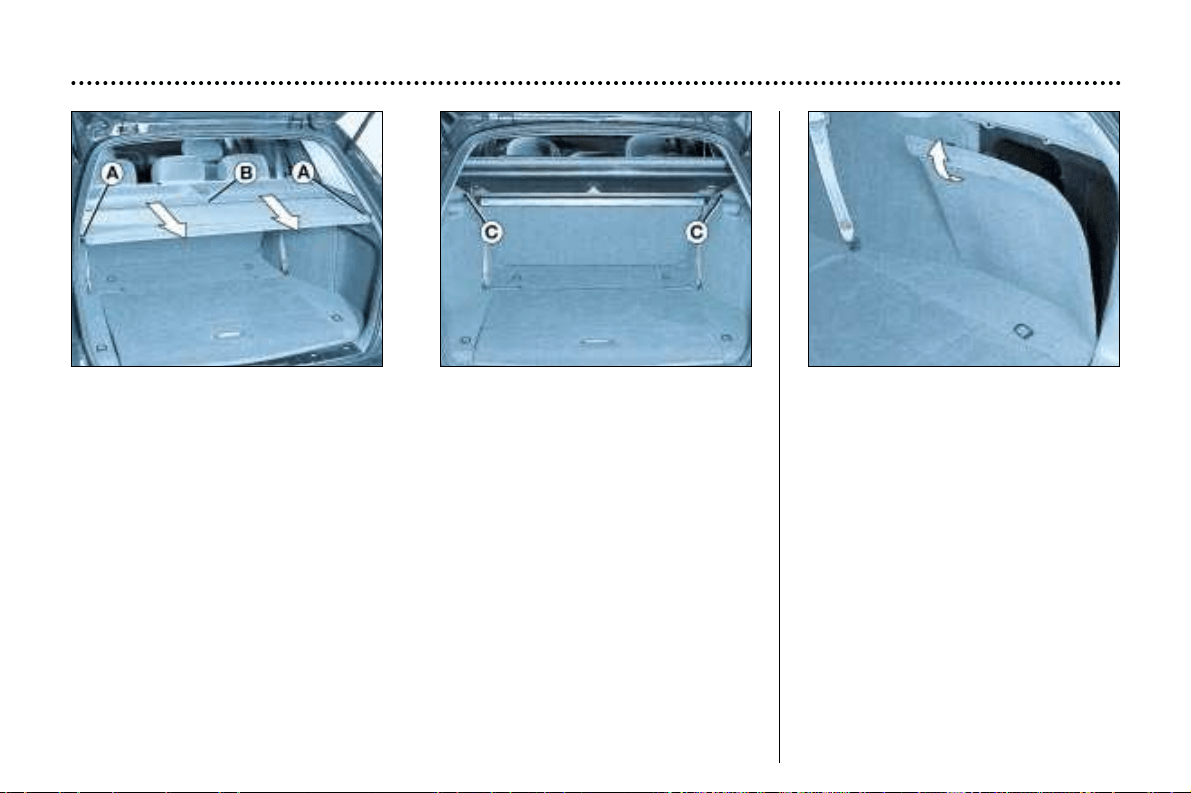
Luggage cover (estate)
Pull the luggage cover towards you with both hands and position it in the notches A.
Guide the luggage cover back when closing it.
Storage compartments
There are two storage compartments
located behind the boot side trim.
To gain access to a compartment,
pull the handle towards you and free
the panel by moving it upwards.
Rear parcel shelf
To remove: turn control B, raise the rear of the shelf and remove it by pulling it
towards you.
To refit: insert the front part in the notches C then fold down the rear part.
Light
The boot light works when the boot is opened.
Luggage retaining net
This keeps your luggage in position.
YOUR 406 IN DETAIL
147
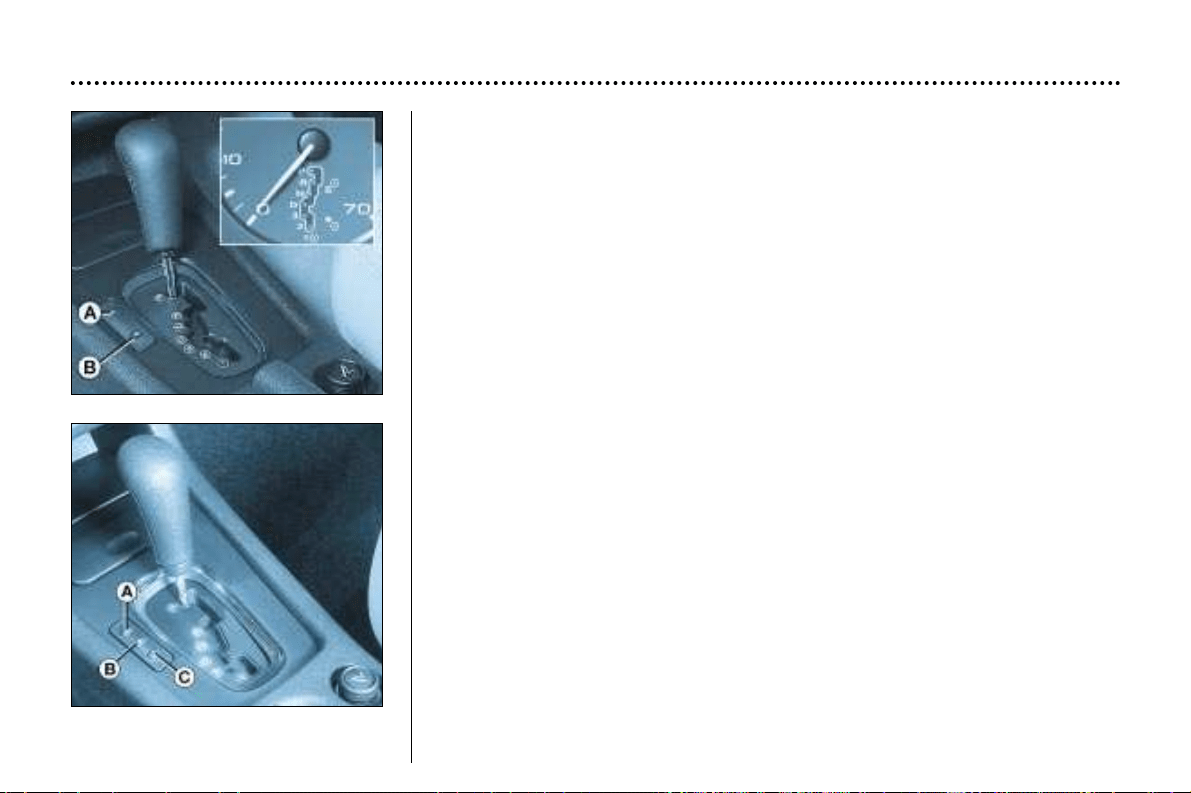
V6 Engine
1.8 litre and 2 litre petrol engines,
2 litre turbo diesel HDI engine
DRIVING YOUR 406
148
THE AUTOMATIC AUTOADAPTIVE GEARBOX
The 4-gear automatic gearbox provides the comfort of integral automatic reg-
ulation, enhanced by a sport programme (switch A) and a snow programme
(switch B).
Gear selection gate
Move the lever in the gate to select one of the functions.
Once the position has been selected, the indicator light for that function is dis-
played on the instrument panel.
Park (parking): for immobilising the vehicle and for starting the engine, with the
handbrake on or off.
Reverse: to drive in reverse gear (select this position when the vehicle is sta-
tionary, engine at idle).
Neutral: for starting the engine and for parking, with the handbrake on.
Drive: to drive in auto-adaptive mode (with automatic changing of the four
gears).
3: for urban driving or for driving on winding roads (automatic changing of the
first three gears only).
2: for mountain roads or for towing a trailer (automatic changing of the first two
gears only).
1: for tackling steep gradients (selection of first gear only).
Special feature of the gearbox (1.8 and 2 litre petrol engines, 2 litre turbo
diesel HDI engine)
Selection of first gear is by pressing switch C, with the lever in position 2.
To change out of first gear, press switch C again or move the selector lever.
Automatic operation
Automatic changing of the four
gears:
☞ Select function D in the gate.
The gearbox always selects the
most suitable gear on the basis of
the following parameters:
– driving style,
– road characteristics,
– the vehicle's load.
The gearbox operates in auto-adap-
tive mode without any action on
your part.
Moving off
With the engine running, to move off
with the selector lever in position P:
☞ It is essential to press the brake
pedal to exit position P (shift
lock),
☞ Select the required function (R, D,
3, 2 or 1) then gradually release
the pressure on the brake pedal;
the vehicle will move off immedi-
ately.
You can also move off with the selec-
tor lever in position N:
☞ Release the handbrake with your
foot on the brake,
☞ Select the required function (R, D,
3, 2 or 1) then gradually release
the pressure on the brake pedal;
the vehicle will move off immedi-
ately.
DRIVING YOUR 406
149
When the engine is idling,
with the brakes not
applied, if function R, D, 3,
2 or 1 is selected, the
vehicle will move even if you are
not accelerating.
For this reason, do not leave
children unsupervised inside
the vehicle, when the engine is
running.
When maintenance operations
need to be carried out with the
engine running, apply the hand-
brake and select function P.
Never select function N when the
vehicle is moving.
Never select functions P or R if
the engine is not switched off.
Do not change from one position
to another to improve braking effi-
ciency on a slippery surface.
With the selector lever in position
P, it will be impossible to change
to another position if your battery
is flat.
Remarks
To obtain maximum acceleration
without touching the gear lever,
press the accelerator pedal down as
far as it will go (kickdown). The gear-
box will change down automatically
or stay in the gear selected, up to
maximum engine speed.
When braking, the gearbox changes
down automatically so as to provide
efficient engine braking.
If you take your foot off the accelera-
tor suddenly, the gearbox will not
change up, so as to improve safety.
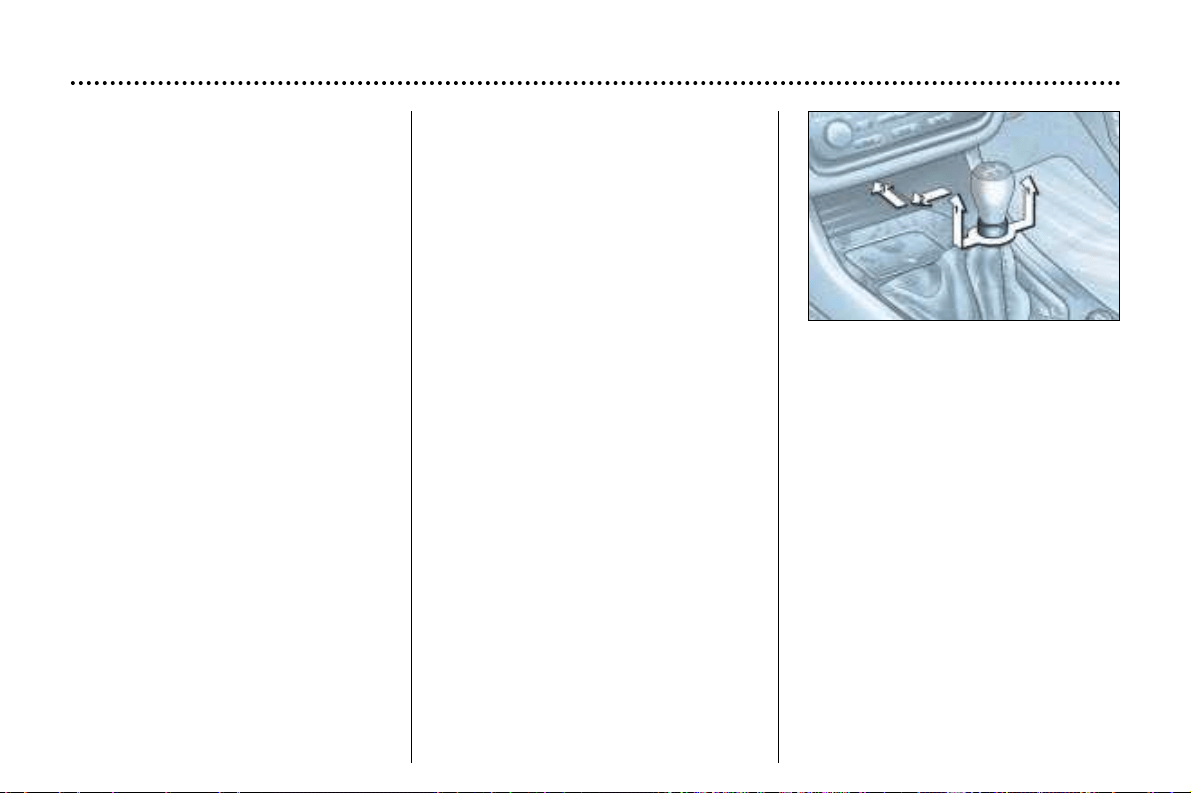
DRIVING YOUR 406
150
Sport and Snow programmes
In addition to the auto-adaptive pro-
gramme, you have a choice of two
specific programmes. The pro-
gramme selected is displayed on the
instrument panel.
Sport Programme
☞ Press button S, once the vehicle
has started and function D has
been selected.
The gearbox automatically favours
dynamic driving.
Snow programme
This programme favours starting
operations and drive to improve trac-
tion.
☞ Press button ∀, once the vehicle
has started and function D has
been selected.
The gearbox adapts to driving on
slippery roads.
Note: you can return to the auto-
adaptive programme at any time.
☞ Press button S or ∀ again to can-
cel the programme selected.
Difficulties in operation
Any disruption of the system is sig-
nalled by the alternate flashing of the
Sport and Snow lights on the instru-
ment panel.
In this case, the gearbox will operate
in downgrade mode (locked in 3rd
gear). You may feel a substantial
knock when reverse is selected from
P to R or from N to R (without any
risk of damage to the gearbox). Do
not exceed 60 m.p.h. (100 km/h),
speed restrictions permitting.
Contact a PEUGEOT dealer without
delay.
MANUAL GEARBOX
Reverse
To change to reverse gear, lift the
ring under the gear lever knob and
push the gear lever to the left then to
the front.
Reverse gear can only be
engaged when the vehicle is sta-
tionary with the engine idling.
The ESP system offers
increased safety during
normal driving, but should
not incite the driver to take
risks or to drive at high speed.
The operation of the system is
assured to the extent to which
the recommendations of the manu-
facturer regarding the wheels
(tyres and wheel rims), the braking
components, the electronic compo-
nents and the assembly and repair
procedures within the PEUGEOT
network are respected.
After an accident or impact, have
the system checked by a
PEUGEOT dealer.
DRIVING YOUR 406
152
TRACTION CONTROL (ASR) AND
DYNAMIC STABILITY CONTROL
(ESP)
These systems are linked and com-
plement the ABS system.
The ASR system optimises drive to
prevent the wheels skidding, by act-
ing on the brakes of the drive wheels
and on the engine. It also allows the
directional stability of the vehicle to
be improved on acceleration. If there
is a variation between the trajectory
followed by the vehicle and that
required by the driver, the ESP sys-
tem automatically acts on the engine
and the brake of one or morewheels,
in order to put the vehicle back on
course.
Operation of the ASR and
ESP systems
When one of these two sys-
tems is operating, this light
flashes.
Handbrake
Applying
When parking, pull the handbrake to
immobilise your vehicle.
Warning: when parking on a slope,
direct your wheels towards the pave-
ment and pull on the handbrake.
Releasing
Pull the handle and press the button
to release the handbrake.
Disarming the ESP / ASR
systems
In certain conditions (vehicle stuck in
mud or snow, or on loose ground...),
it could prove useful to disarm the
ASR system to make the wheels
spin and regain grip.
☞ Press the switch "ESP OFF", sit-
uated to the left of the steering
wheel.
The switch lights up and the indicator
lights come on, accompanied by the
message ''ASR/ESP de-activated''
on the multi–function display: the
ESP and ASR systems no longer
affect the operation of the engine or
the brakes.
They engage again:
☞ automatically when the ignition is
switched off,
☞ manually by pressing the switch
again.
Operating check
When a system malfunction
occurs, the switch light
flashes and the indicator
light comes on.
Contact a PEUGEOT dealer to
check the system.
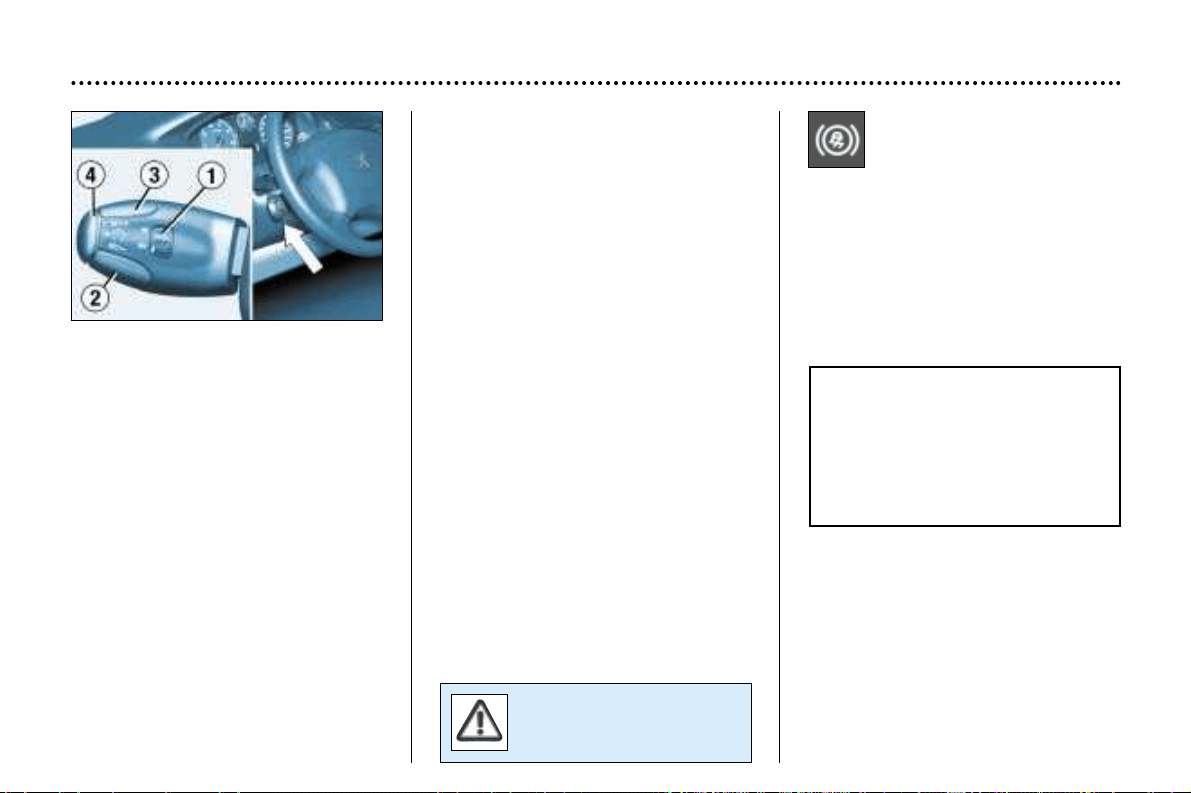
Cancelling the memorised
speed
If you wish to cancel the memorised
speed:
☞ Press button 4 or the brake or
clutch pedal.
Recalling the memorised
speed
After cancellation, press button 4.
Your vehicle will return to the last
memorised speed.
Changing a
memorised speed
To memorise a speed higher than
the previous one:
☞ press button 3;
☞ release it when you have reached
the required speed.
To memorise a speed lower than the
previous one:
☞ press button 2;
☞ release it when you have reached
the required speed.
Cancelling the
cruise control
☞ place switch 1 in the OFF position
or switch off the ignition.
DRIVING YOUR 406
151
Do not use cruise control
on slippery roads or in
heavy traffic.
THE ABS ANTI-LOCK
BRAKING SYSTEM
When used with approved tyres in
good condition, the ABS increases
the stability and manoeuvrability of
your 406, particularly on poor or slip-
pery road surfaces.
The anti-lock braking system comes
into operation automatically when
there is a risk of wheel lock.
EMERGENCY BRAKING
ASSISTANCE SYSTEM
In an emergency, this system
enables the optimum braking pres-
sure to be reached more quickly,
thus reducing the stopping distance.
It is triggered according to the speed
of activation of the brake pedal. The
effect of this is a reduction in the
resistance of the pedal and an
increase in braking efficiency.
The normal operation of the ABS
may make itself felt by slight
vibrations of the brake pedal.
In emergency braking, press
very firmly without releasing
the pressure.
CRUISE CONTROL
Cruise control enables the vehicle
to maintain a steady speed pro-
grammed by the driver, regardless of
the road characteristics and without
the driver having to touch the accel-
erator or brake pedals.
In order for it to be memorised, the
vehicle speed must be greater than
approximately 25 mph (40 km/h).
Operation
☞ Place switch 1 in the ON position.
A speed can be memorised.
☞ Place switch 1 in the OFF position
to cancel.
Memorising a speed
As soon as you reach the chosen
speed, press button 2 or 3. This
memorises the speed, which will be
maintained automatically.
Note: It is possible to accelerate
momentarily without disarming the
cruise control.
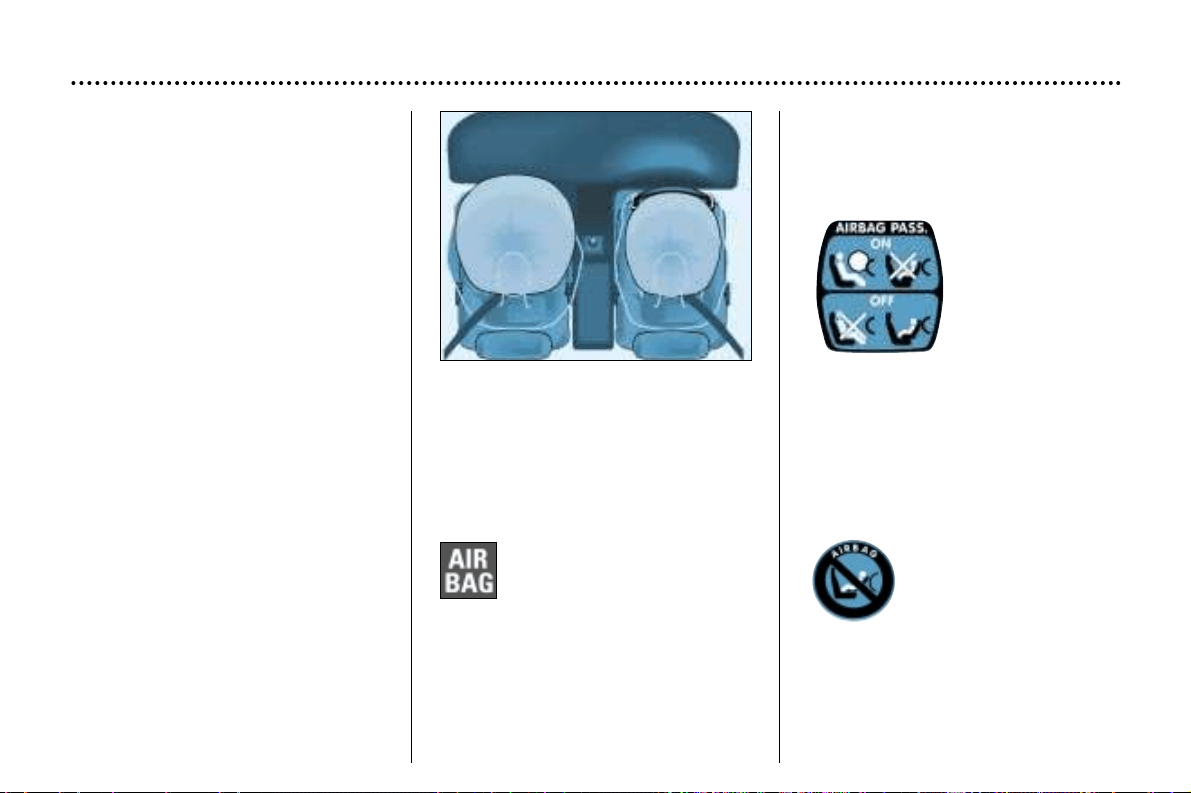
AIR BAGS
The air bags have been designed to
maximise the safety of the occu-
pants in the event of serious colli-
sions; they work in conjunction with
the force limiting seat belts.
In the event of a serious collision, the
electronic detectors record and
analyse any abrupt deceleration of
the vehicle: if the triggering threshold
is reached, the air bags inflate
instantly and protect the occupants
of the vehicle.
Immediately after the impact, the air
bags deflate rapidly, so that they do
not hinder the visibility of the occu-
pants nor their possible exit from the
vehicle.
The air bags will not be deployed in
collisions which are not serious, for
which the seat belt is sufficient to
provide maximum protection. The
seriousness of the collision depends
on the nature of the obstacle and the
speed of the vehicle at the moment
of impact.
Air bags operate only when the
ignition is switched on.
Note: the gas escaping from the air
bags can be a minor irritant.
FRONT AIR BAGS
These are folded in the centre of the
steering wheel for the driver and in the
fascia for the front passenger. They
are deployed simultaneously, except in
cases where the air bag is disarmed.
Front air bag malfunction
If this warning light comes
on, accompanied by a
buzzer and the message
"Air bag fault" on the
multi-function display, con-
tact a PEUGEOT dealer to have the
system checked.
DRIVING YOUR 406
153
Passenger air bag
precautions
For a vehicle fitted with a passenger
air bag disarming switch:
- disarm the air
bag if you install
a rear-facing
child seat on the
front passenger
seat,
- arm the air bag
for an adult
passenger.
For a vehicle not fitted with a pas-
senger air bag disarming switch:
- do not install a rear-
facing child seat on
the front passenger
seat.
Never place your feet or any object
on the fascia.
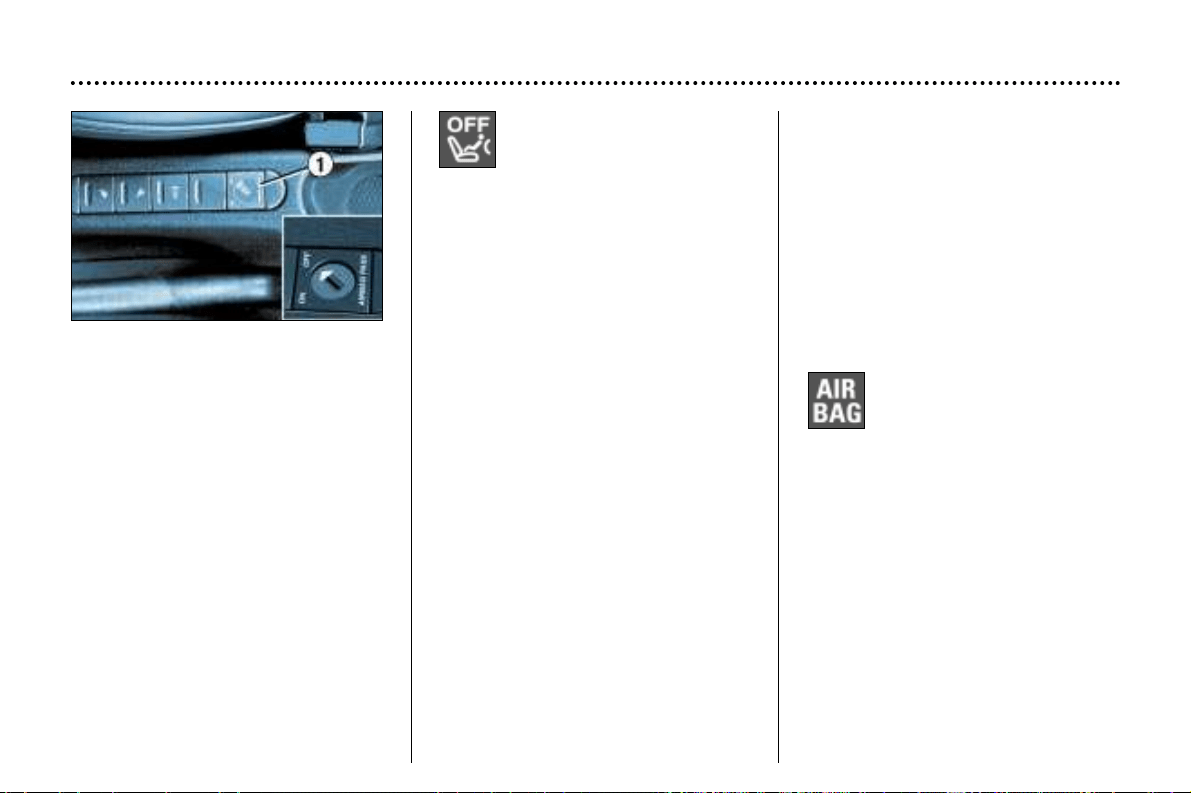
Operating
check
This is confirmed by an
indicator light, accompanied
by an audible signal and a message
on the multi-function display.
With the ignition on (2nd notch),
illumination of this warning light
accompanied by an audible signal
and the message "Passenger air
bag disarmed" on the multi-function
display, indicates that the passenger
air bag is disarmed (slot in the
"OFF" position).
DRIVING YOUR 406
154
Disarming the passenger
air bag*
To ensure the safety of your child,
it is essential to disarm the pas-
senger air bag when you install a
rear-facing child seat on the front
passenger seat.
☞ With the ignition switched off,
insert the key into the passenger
air bag disarming slot 1, turn it to
the "OFF" position, then remove it
keeping the slot in this position.
The air bag warning light on the
instrument panel is lit throughout the
disarming process.
In the "OFF" position, the passenger
air bag will not be triggered in the
event of an impact.
As soon as the child seat is removed,
turn the air bag slot to the "ON" posi-
tion to re-activate the air bag and
thus ensure the safety of your pas-
senger in the event of an impact.
* According to destination
SIDE AIR BAGS
The side air bags are incorporated
into the backs of the front seats, on
the door side.
They are deployed independently of
each other depending on which side
the collision occurs.
Operating check
This is confirmed by an indicator
light, accompanied by an audible
signal and a message on the
multi–function display.
If this indicator light comes
on, accompanied by an
audible signal and the mes-
sage "Air bag fault" on the
multi–function display, con-
tact a PEUGEOT dealer to have the
system checked.
For the front and side air bags to be fully effective, observe the following safety rules:
• Wear a correctly adjusted seat belt.
• Sit in a normal upright position (passengers must not place their feet on the fascia).
• Do not leave any accessories, objects or pets between the occupants and the air bags. It could hamper the operation
of the air bags or injure the occupants.
• All work on the air bag system is strictly forbidden unless it is carried out by an approved PEUGEOT dealer.
• After an accident or if the vehicle has been stolen or broken into, have the air bag systems checked.
• The air bag systems have been designed to be fully operational for 10 years from the date of registration of the vehicle.
Have them replaced by a PEUGEOT dealer after this period.
Front air bags
• Do not drive holding the steering wheel by its spokes or resting your hands on the centre part of the wheel.
• Smoke as little as possible; deployment of the air bags can cause burns or the risk of injury from a cigarette or pipe.
• Never remove or pierce the steering wheel or hit it violently.
Side air bags
• Do not fix or glue anything to the backs of the front seats. This could cause injury to the chest or arms when the side
air bag inflates.
• Do not sit with the upper part of the body any nearer to the door than necessary.
• Only put approved covers on the seats. Contact your PEUGEOT dealer.
DRIVING YOUR 406
155
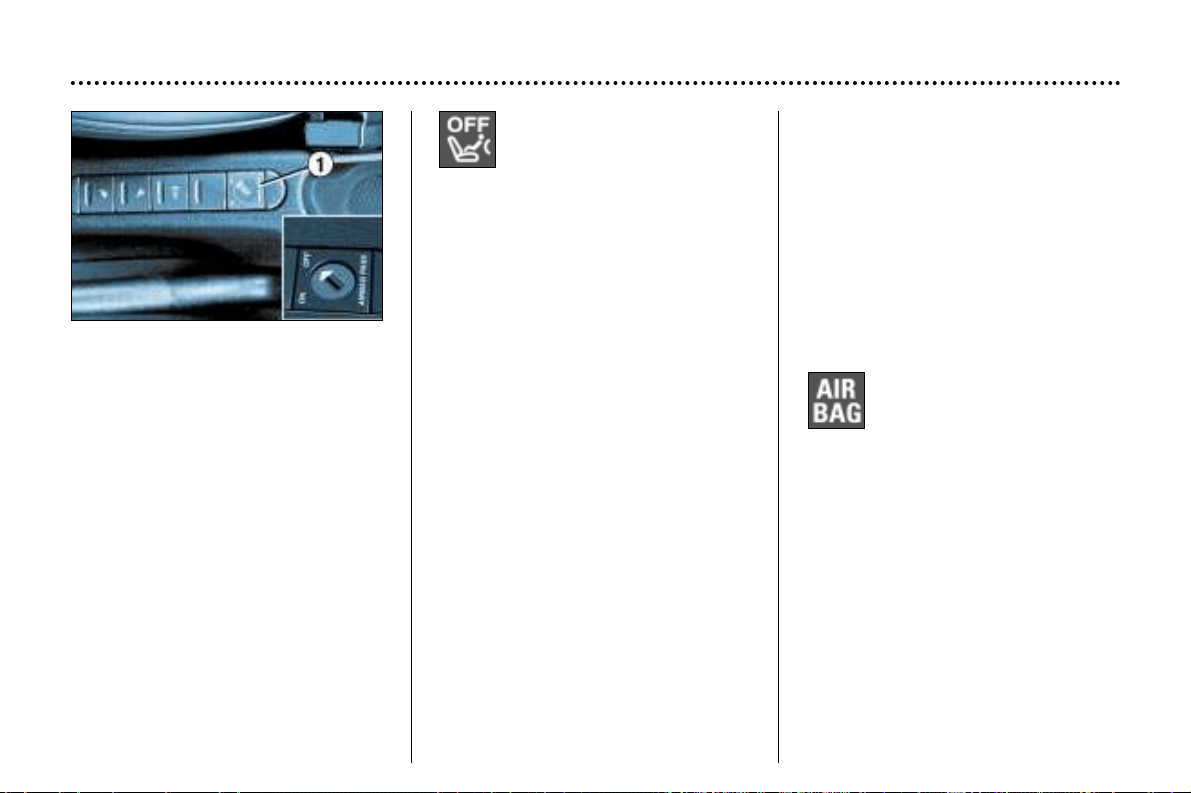
Operating
check
This is confirmed by an
indicator light, accompanied
by an audible signal and a message
on the multi-function display.
With the ignition on (2nd notch),
illumination of this warning light
accompanied by an audible signal
and the message "Passenger air
bag disarmed" on the multi-function
display, indicates that the passenger
air bag is disarmed (slot in the
"OFF" position).
DRIVING YOUR 406
154
Disarming the passenger
air bag*
To ensure the safety of your child,
it is essential to disarm the pas-
senger air bag when you install a
rear-facing child seat on the front
passenger seat.
☞ With the ignition switched off,
insert the key into the passenger
air bag disarming slot 1, turn it to
the "OFF" position, then remove it
keeping the slot in this position.
The air bag warning light on the
instrument panel is lit throughout the
disarming process.
In the "OFF" position, the passenger
air bag will not be triggered in the
event of an impact.
As soon as the child seat is removed,
turn the air bag slot to the "ON" posi-
tion to re-activate the air bag and
thus ensure the safety of your pas-
senger in the event of an impact.
* According to destination
SIDE AIR BAGS
The side air bags are incorporated
into the backs of the front seats, on
the door side.
They are deployed independently of
each other depending on which side
the collision occurs.
Operating check
This is confirmed by an indicator
light, accompanied by an audible
signal and a message on the
multi–function display.
If this indicator light comes
on, accompanied by an
audible signal and the mes-
sage "Air bag fault" on the
multi–function display, con-
tact a PEUGEOT dealer to have the
system checked.
For the front and side air bags to be fully effective, observe the following safety rules:
• Wear a correctly adjusted seat belt.
• Sit in a normal upright position (passengers must not place their feet on the fascia).
• Do not leave any accessories, objects or pets between the occupants and the air bags. It could hamper the operation
of the air bags or injure the occupants.
• All work on the air bag system is strictly forbidden unless it is carried out by an approved PEUGEOT dealer.
• After an accident or if the vehicle has been stolen or broken into, have the air bag systems checked.
• The air bag systems have been designed to be fully operational for 10 years from the date of registration of the vehicle.
Have them replaced by a PEUGEOT dealer after this period.
Front air bags
• Do not drive holding the steering wheel by its spokes or resting your hands on the centre part of the wheel.
• Smoke as little as possible; deployment of the air bags can cause burns or the risk of injury from a cigarette or pipe.
• Never remove or pierce the steering wheel or hit it violently.
Side air bags
• Do not fix or glue anything to the backs of the front seats. This could cause injury to the chest or arms when the side
air bag inflates.
• Do not sit with the upper part of the body any nearer to the door than necessary.
• Only put approved covers on the seats. Contact your PEUGEOT dealer.
DRIVING YOUR 406
155
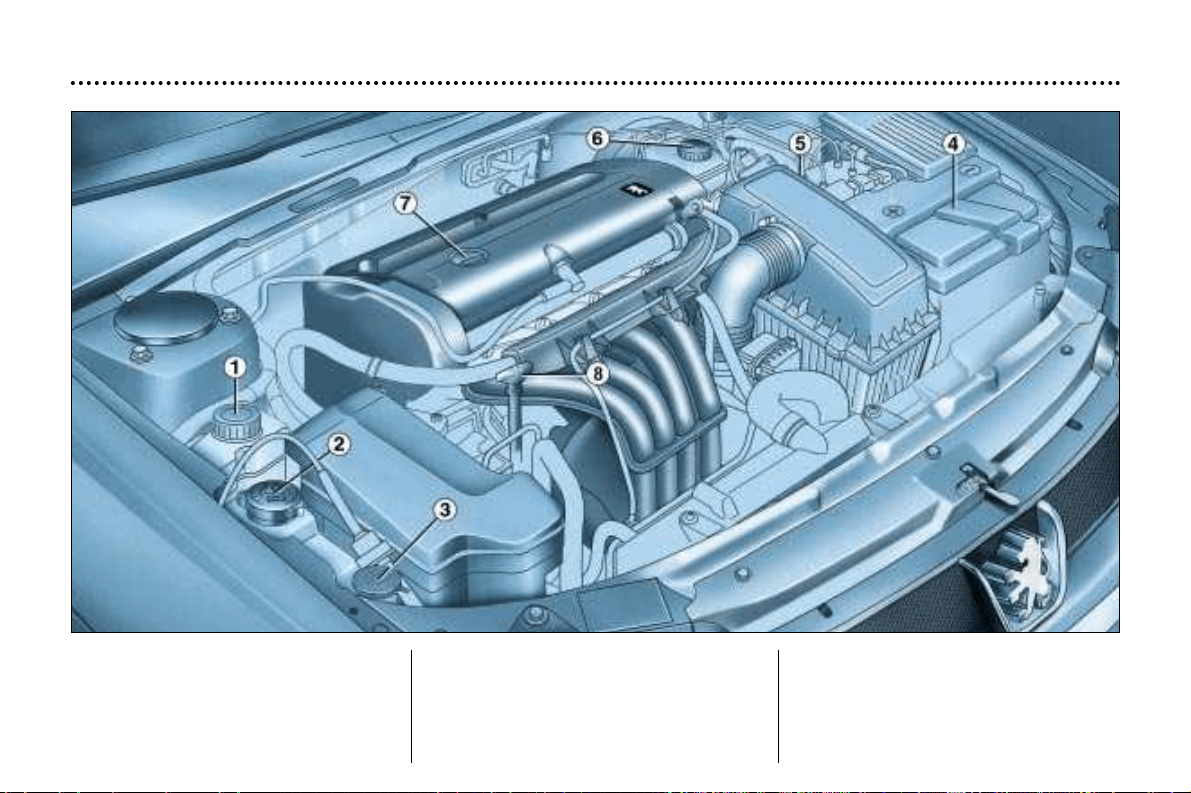
1.6 litre 16V petrol engine
1 - Power steering reservoir.
2 - Coolant reservoir.
3 - Windscreen and headlamp
wash reservoir.
4 - Battery.
5 - Air filter.
6 - Brake fluid reservoir.
7 - Engine oil filler cap.
8 - Dipstick.
MAINTENANCE OF YOUR 406
26
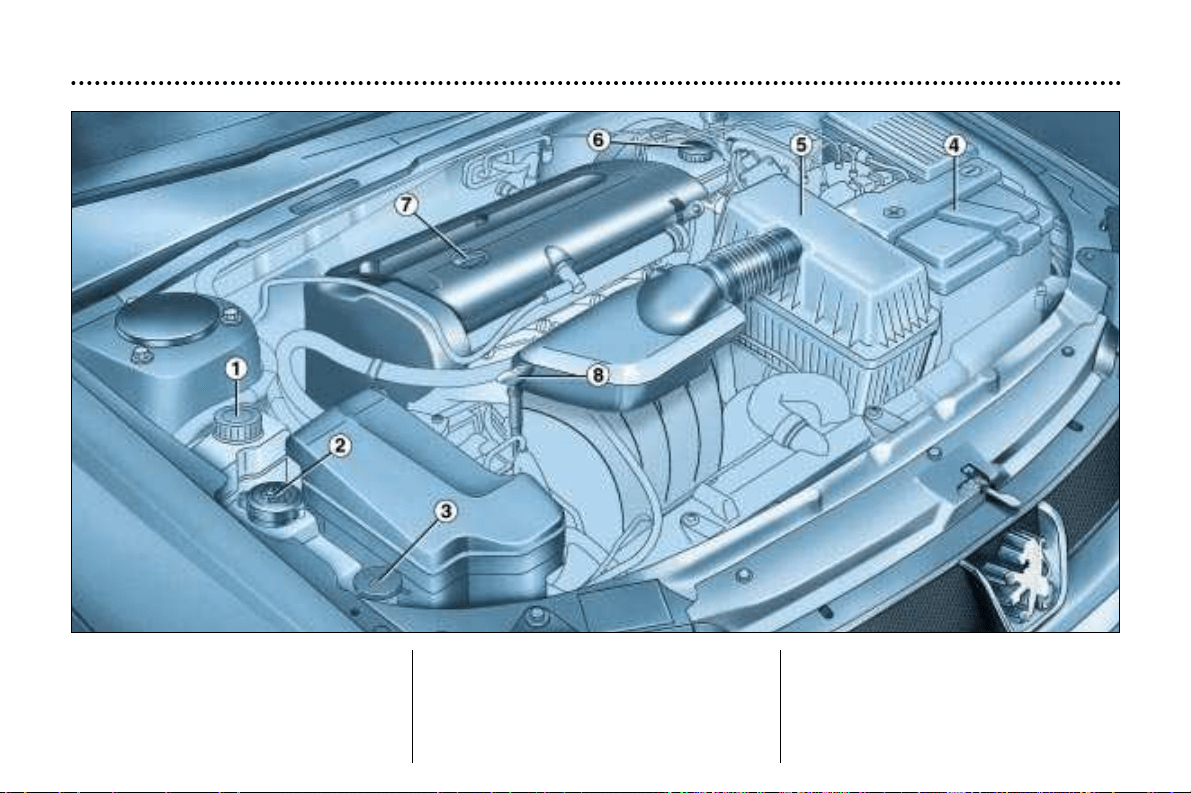
MAINTENANCE OF YOUR 406
27
1.8 litre 16 V and
2 litre 16 V petrol engines
1 - Power steering.
2 - Coolant reservoir.
3 - Windscreen and headlamp
wash reservoir.
4 - Battery.
5 - Air filter.
6 - Brake and clutch fluid reservoir.
7 - Engine oil filler cap.
8 - Dipstick.
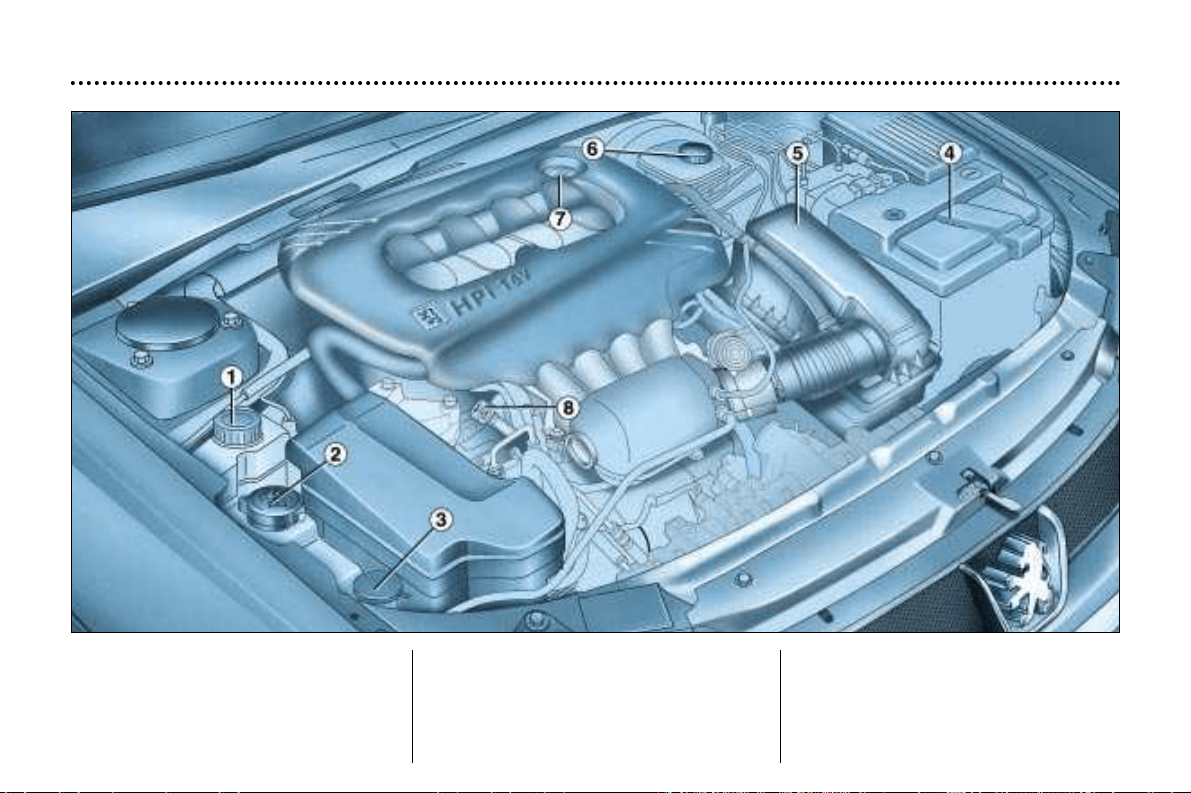
MAINTENANCE OF YOUR 406
28
2 litre 16 valve HPI petrol
injection engine
1 - Power steering reservoir.
2 - Coolant reservoir.
3 - Windscreen and headlamp
wash reservoir.
4 - Battery.
5 - Air filter.
6 - Brake and clutch fluid reservoir.
7 - Engine oil filler cap.
8 - Dipstick.
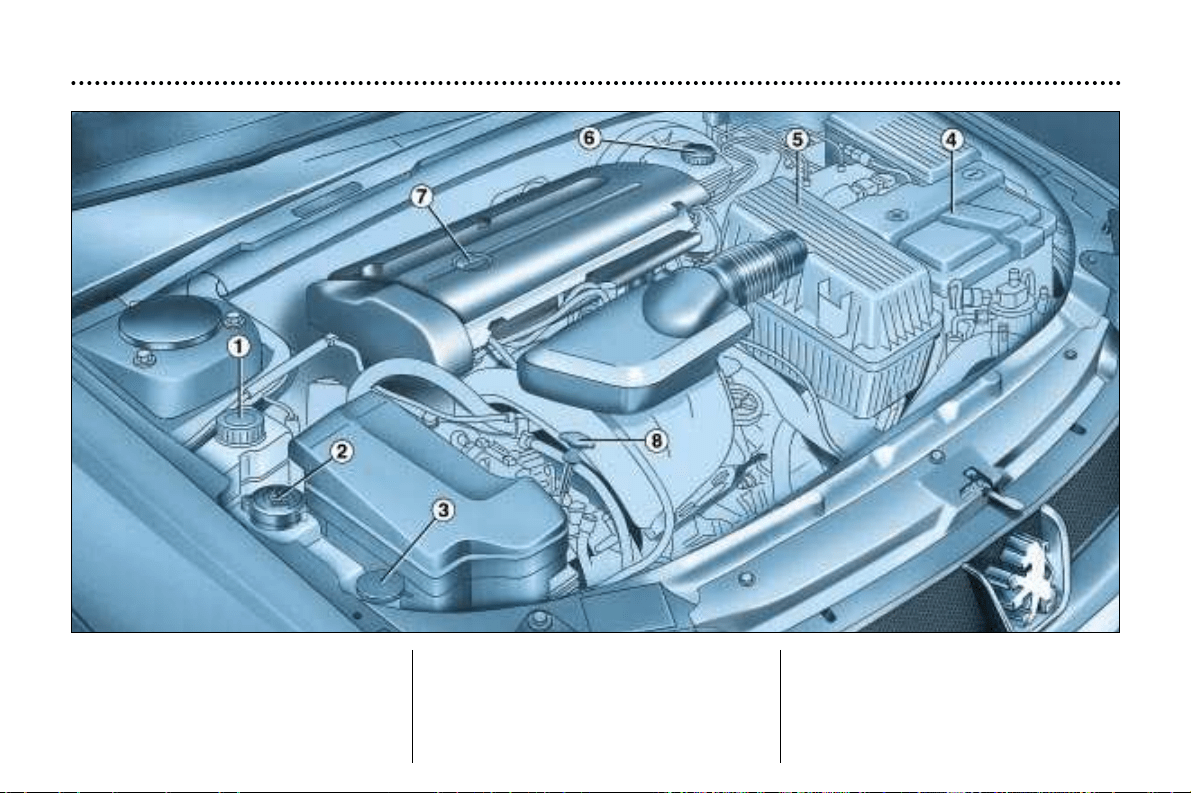
MAINTENANCE OF YOUR 406
29
2.2 litre 16 valve petrol engine
1 - Power steering reservoir.
2 - Coolant reservoir.
3 - Windscreen and headlamp
wash reservoir.
4 - Battery.
5 - Air filter.
6 - Brake and clutch fluid reservoir.
7 - Engine oil filler cap.
8 - Dipstick.
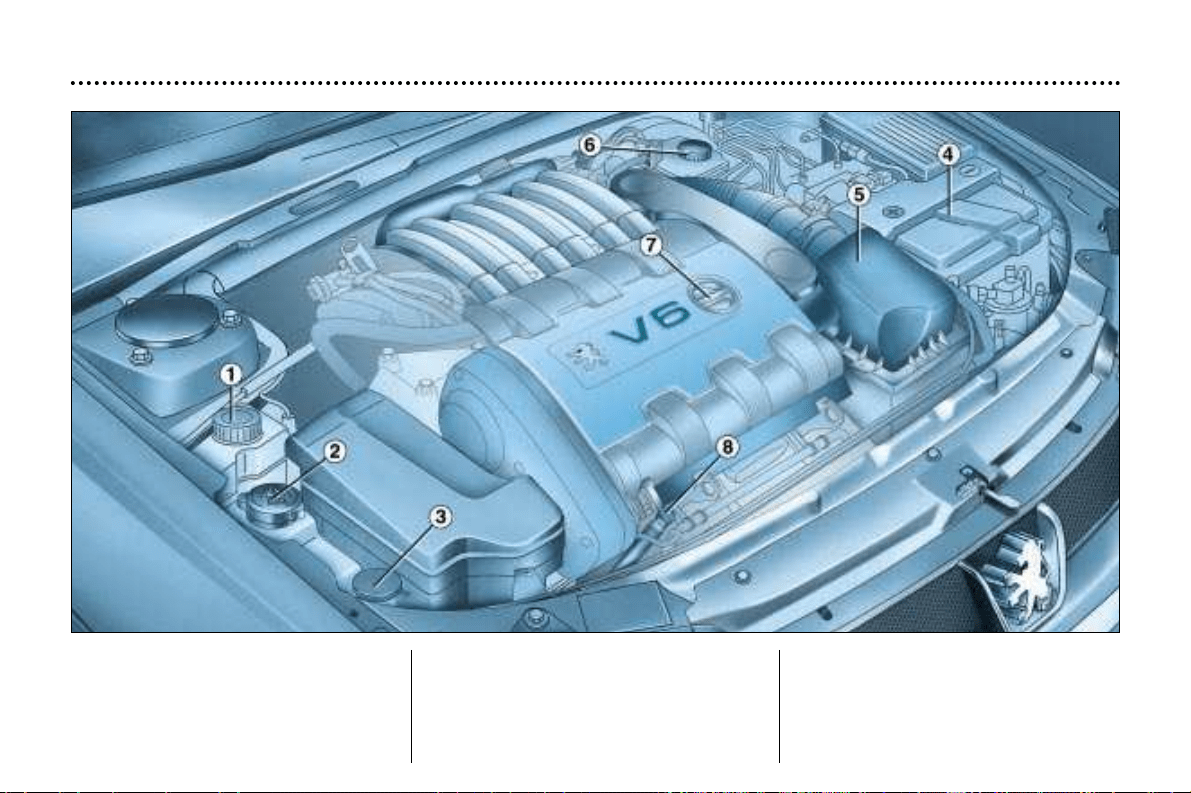
MAINTENANCE OF YOUR 406
30
3 litre 24 valve V6 petrol
injection engine
1 - Power steering reservoir.
2 - Coolant reservoir.
3 - Windscreen and headlamp
wash reservoir.
4 - Battery.
5 - Air filter.
6 - Brake and clutch fluid reservoir.
7 - Engine oil filler cap.
8 - Dipstick.
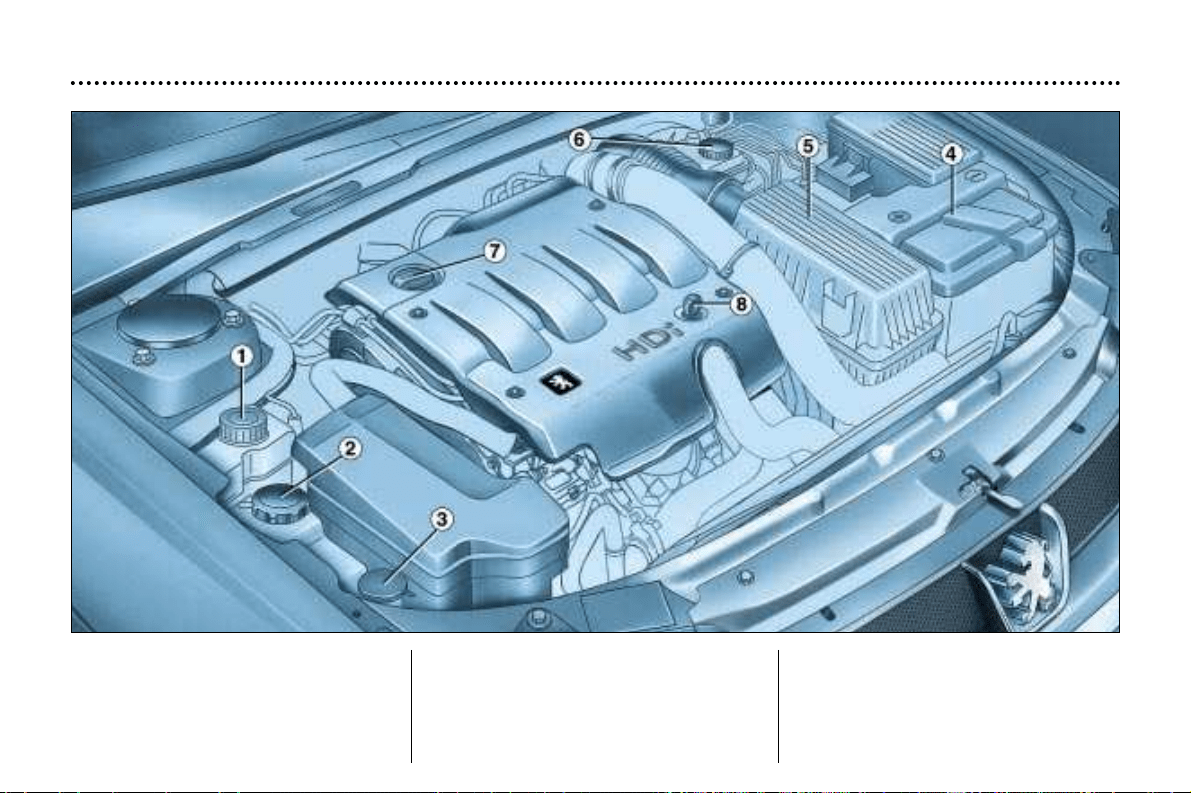
MAINTENANCE OF YOUR 406
31
2 litre turbo diesel HDI engine
(90 bhp / 110 bhp)
1 - Power steering reservoir.
2 - Coolant reservoir.
3 - Windscreen and headlamp
wash reservoir.
4 - Battery.
5 - Air filter.
6 - Brake and clutch fluid reservoir.
7 - Engine oil filler cap.
8 - Dipstick.
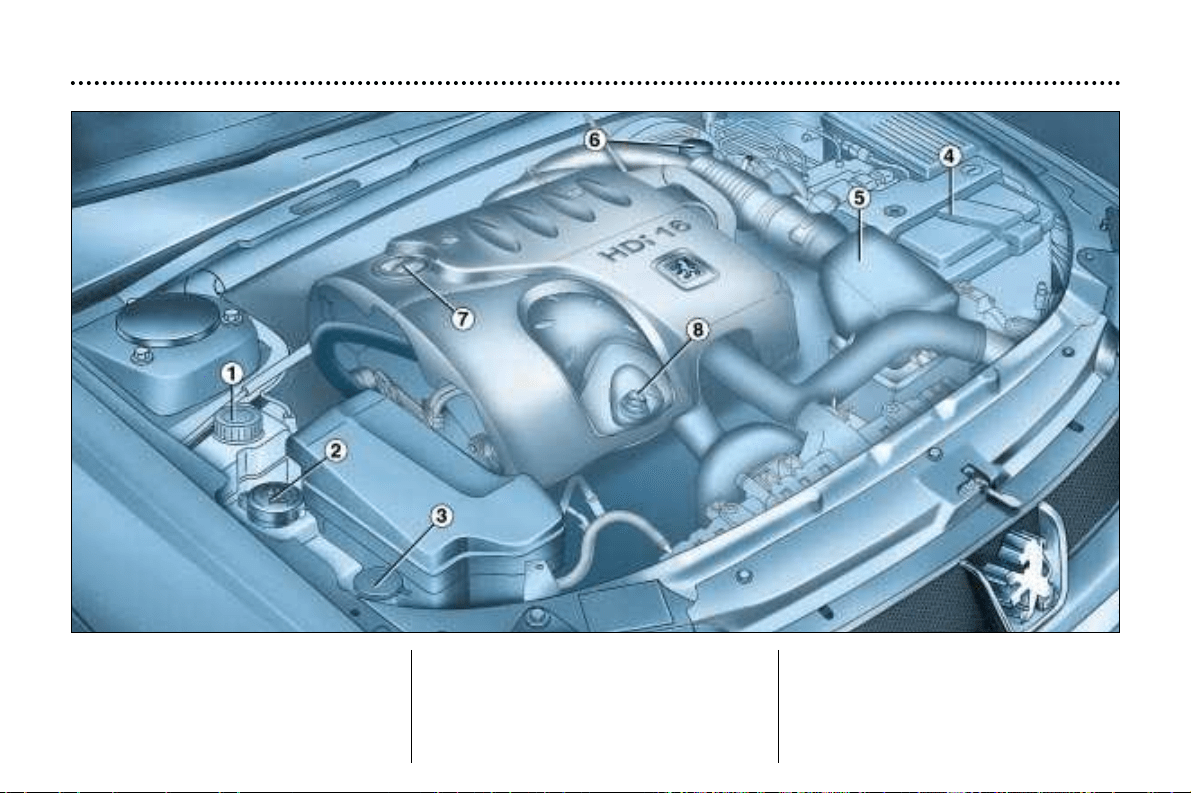
MAINTENANCE OF YOUR 406
32
2.2 litre 16V turbo
diesel HDI engine
1 - Power steering reservoir.
2 - Coolant reservoir.
3 - Windscreen and headlamp
wash reservoir.
4 - Battery.
5 - Air filter.
6 - Brake and clutch fluid reservoir.
7 - Engine oil filler cap.
8 - Dipstick.
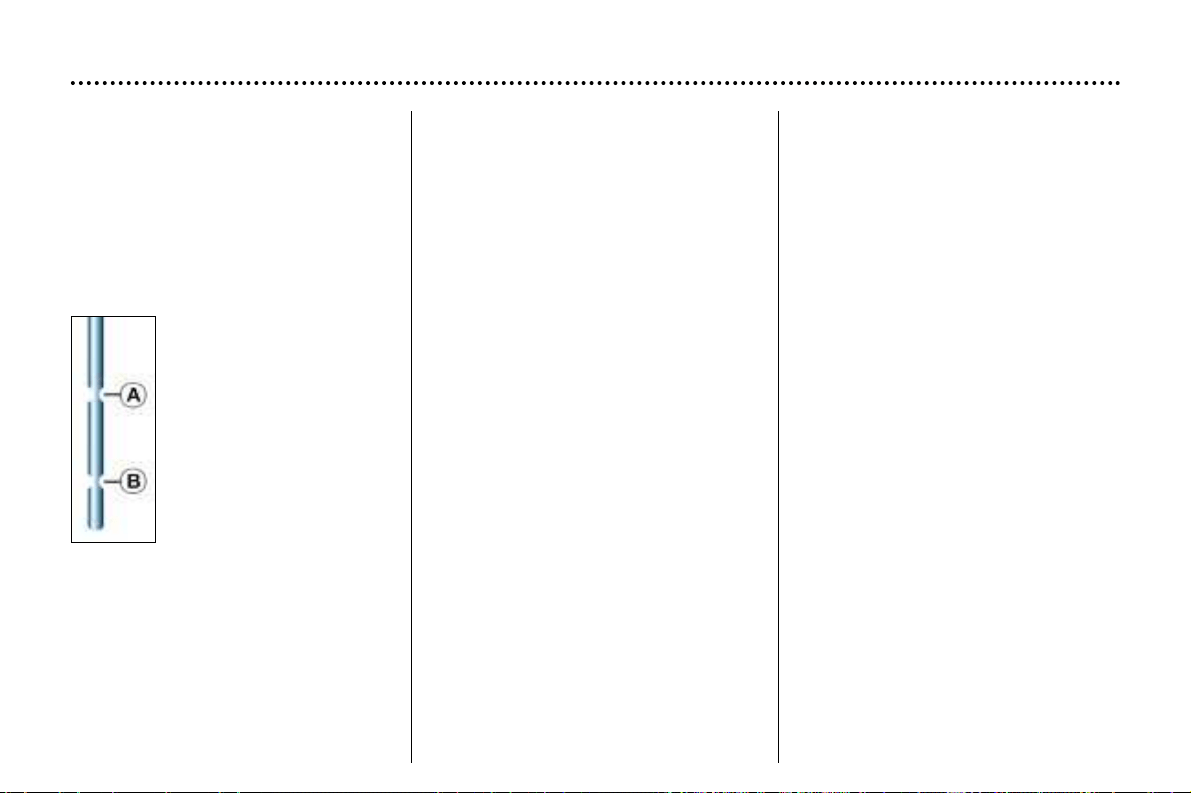
CHECKING THE LEVELS
Engine
Checking the oil level
Check the level regularly and top up
between changes. Maximum
consumption is 0.5 litres per
600 miles (1 000 km).
The oil level should be checked with
the vehicle level and the engine cold.
There are two marks on
the dipstick:
A = maximum
B = minimum
Oil change: according to the manu-
facturer's servicing schedule.
- Dipstick. Never fill past the maxi-
mum mark A .
- Oil level gauge on the instrument
panel.
Viscosity selection
In all cases, the oil selected must
meet the manufacturer's require-
ments.
MAINTENANCE OF YOUR 406
34
Oil filter
Change the filter regularly according
to the servicing schedule.
Used oil
Prevent used oil from coming into
prolonged contact with the skin.
Do not dispose of used oil into drains
or onto the ground.
To maintain the reliability of engines
and emission control systems, the
use of additives in the engine oil is
prohibited.
Brakes and clutch
Checking the brake and clutch
fluid level:
- The level should always be above
the DANGER mark on the reser-
voir.
- If the level drops substantially,
contact a PEUGEOT dealer imme-
diately.
Fluid change
- must be carried out according to
the manufacturer's servicing sche-
dule.
- use fluids approved by the manu-
facturer, which fulfil DOT 4 stan-
dards.
Cooling system
Use the fluid approved by the manu-
facturer.
When the engine is warm, the tem-
perature of the coolant is controlled
by the engine fan. Because this fan
can operate with the ignition key
removed and because the cooling
system is pressurised, wait for at
least one hour after the engine has
stopped before carrying out any
work.
In the event of a breakdown and to
avoid any risk of burns, slacken the
cap to the first notch to release the
pressure. When the pressure has
dropped, remove the cap and top up
the level.
MAINTENANCE OF YOUR 406
35
Only use products appro-
ved by Automobiles
PEUGEOT.
To ensure best perfor-
mance from components as
important as the power steering
and the braking system,
PEUGEOT selects and offers
quite specific products.
Power steering reservoir
Open the reservoir with the engine
cold. The level should always be
above the MINI mark, close to the
MAXI mark.
Windscreen and headlamp
wash reservoir
For best quality cleaning and for your
safety, we recommend that you use
products approved by PEUGEOT
(capacity 4.5 litres or 9 litres with
headlamp wash).
Battery
At the start of winter, have your bat-
tery checked by a PEUGEOT dealer.
Air filter
Regular replacement of the filter ele-
ment is essential. If you drive in
very dusty conditions, change it
twice as often.
Brake pads
Brake pad wear depends on the
style of driving, in particular for
vehicles that are used in town, for
short journeys. It may be necessary
to check the thickness of the pads
even between services.
Handbrake
Where the handbrake travel is too
great or there is a reduction in the
performance of the system, the
handbrake should be adjusted, even
between services.
Have the system checked by a
PEUGEOT dealer.
Manual gearbox
This does not need an oil change.
Check the level according to the
manufacturer's servicing schedule.
Automatic autoadaptive
gearbox
This does not need an oil change.
Have the level checked by a
PEUGEOT dealer according to the
manufacturer's servicing schedule.
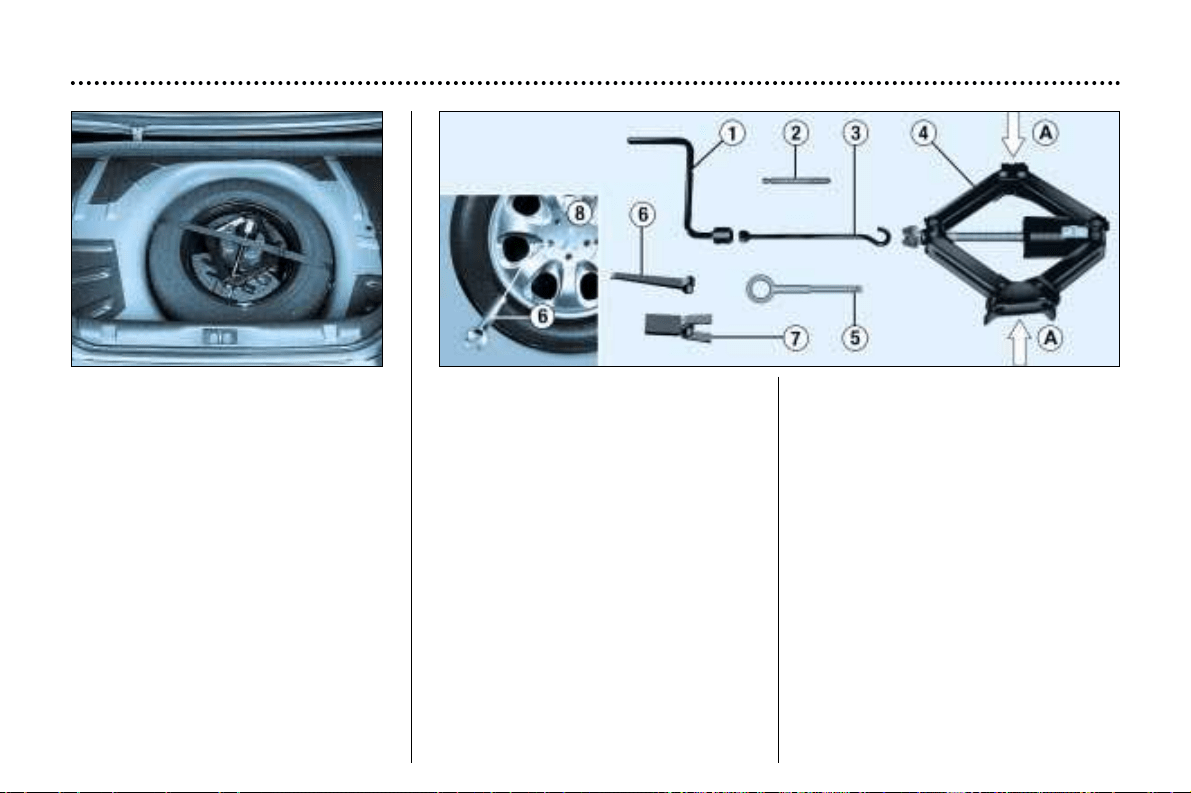
MAINTENANCE OF YOUR 406
36
CHANGING A WHEEL
Access to the spare wheel and
jack
Saloon: lift the boot carpet using the
lifting hook. Secure the hook behind
the boot seal.
Estate: unscrew the two carpet
retaining screws a quarter turn using
the ignition key or a coin. Lift the car-
pet and secure the retaining hook
behind the tailgate seal.
7-seater estate: fold back the third
row seat, then lift the carpet to gain
access to the spare wheel.
Tools
1 - Wheel brace.
2 - Centralising tool.
3 - Trim remover/wheel brace
extension.
4 - Jack.
5 - Removable towing eye.
6 - Alloy wheel trim remover.
7 - Trim cap tool.
The tool holder supports the boot
floor. Reposition it to prevent any
deformation of the floor when loa-
ded.
Tighten the spare wheel securing
strap to prevent noise and for your
safety in the event of a frontal
impact.
Removal
- Park the vehicle on level, stable
and non-slippery ground.
- Apply the handbrake, engage first
or reverse gear (position P for the
automatic gearbox).
- Remove the wheel trim using the
wheelbrace by pulling next to the
valve. For vehicles fitted with alloy
wheels 8, remove the centre
trim by using tool 6 in one of the
holes.
- Loosen the wheel bolts.
For vehicles with alloy wheels 8,
remove the chrome trim caps before-
hand (see page on 'special features
of alloy wheels' in this section).
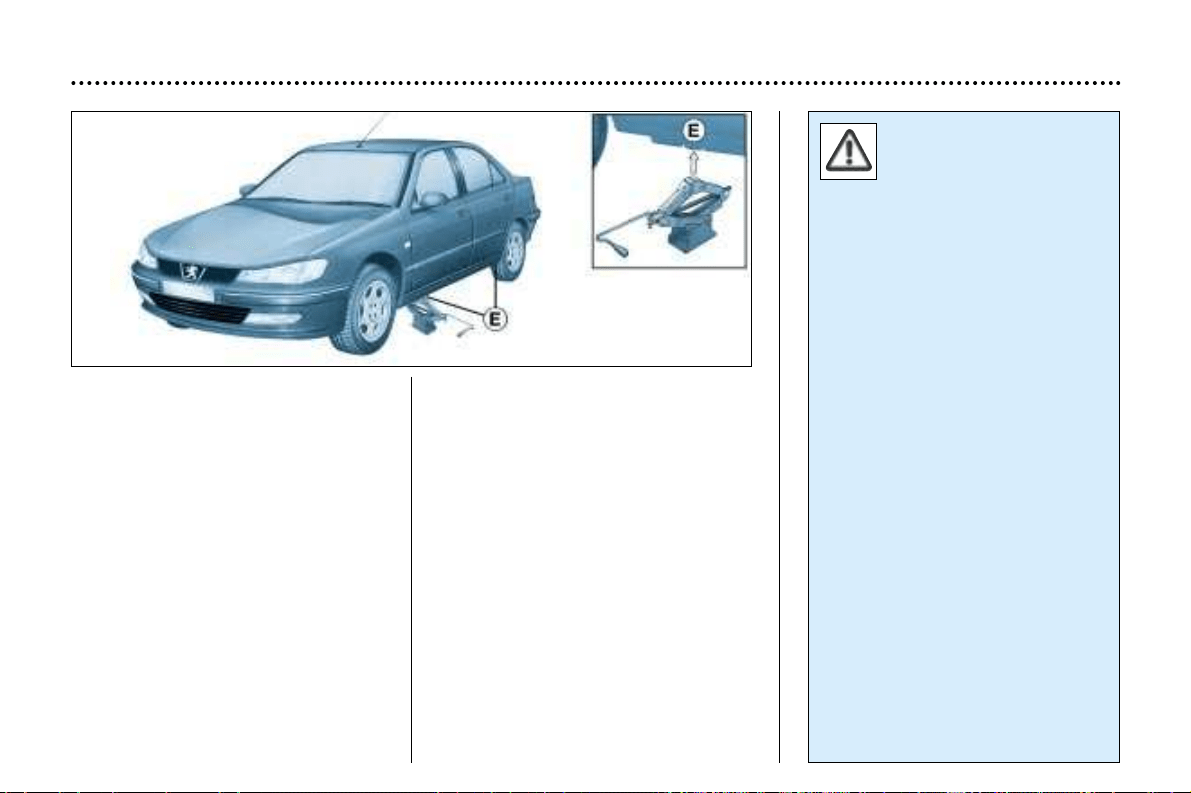
MAINTENANCE OF YOUR 406
37
- The jack is fitted with a system
which enables it to be folded or
unfolded rapidly.
- Take the jack from the toolkit and
fold it by pressing the ends A.
- Place the jack at one of the loca-
tions E underneath the vehicle (as
close as possible to the wheel to
be changed) and unfold it by pul-
ling the ends A.
- Extend the jack using the wheel-
brace 1 and the extension 3.
- Take out a wheel bolt at the top
and fit the centralising tool 2.
- Loosen the wheel bolts and remo-
ve the wheel.
Fitting a wheel
- Position the wheel using the cen-
tralising tool to assist you.
- Tighten the bolts by hand, and
remove the centralising tool.
- Partly tighten the bolts using the
wheelbrace.
- Fold the jack and remove it.
- Fully tighten the wheel bolts using
the wheelbrace.
- Replace the wheel trim, except in
the case of a space-saver wheel,
by starting with the valve and pres-
sing on using the palm of your
hand.
For your safety, always
change the wheel:
- on level, stable, non-slippery
ground,
- with the handbrake applied,
- with first or reverse gear enga-
ged (position P for the automatic
gearbox).
Never go underneath a vehicle
which is supported only by a jack
(use a ramp).
After changing the wheel
- have the tightening of the bolts
and the tyre pressure checked
by a PEUGEOT dealer as soon
as possible,
- have the punctured tyre repai-
red and refit it to the vehicle as
soon as possible.
7 seater Estate model
The space-saver spare wheel fit-
ted with a 125/80R15 tyre must
only be used as a short-term mea-
sure. Tyre pressure is 61 lb
in2 (4.2 bars), maximum speed is
50 mph (80 km/h).
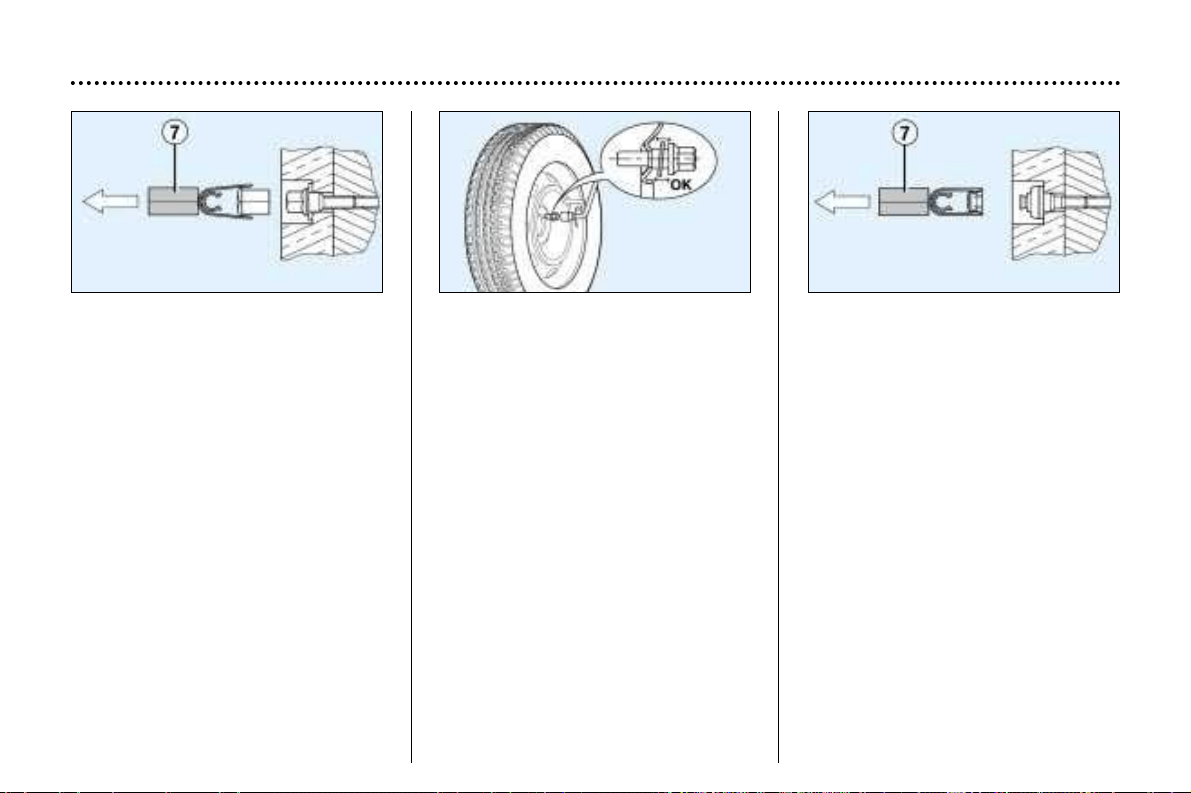
MAINTENANCE OF YOUR 406
38
Anti-theft bolts*
If your wheels are fitted with an anti-
theft bolt (one per wheel), the chro-
me trim and then the plastic cover
must be removed using tool 7, befo-
re unscrewing the bolt using one of
the two anti-theft sockets (which
were given to you on delivery of your
vehicle along with the duplicate keys
and the confidential card) and the
wheel brace 1.
Note: make a careful note of the
code number engraved on the head
of the anti-theft socket. This will
enable you to obtain duplicate anti-
theft sockets from a Peugeot dealer.
* According to model and destination
Special features of alloy
wheels
Bolt covers
Alloy wheel bolts are covered by
chrome trims.
Use tool 7 to remove the trims
before slackening the bolts.
Fitting the spare wheel
If your vehicle is fitted with a steel
spare wheel, when fitting it, it is nor-
mal to notice when tightening the
bolts that the washers do not come
into contact with the rim. The spare
wheel is secured by the cone-shape
of each bolt.
Fitting snow tyres
If you fit snow tyres mounted on steel
wheels to your vehicle, it is essential
to use special bolts available from
your PEUGEOT dealer.
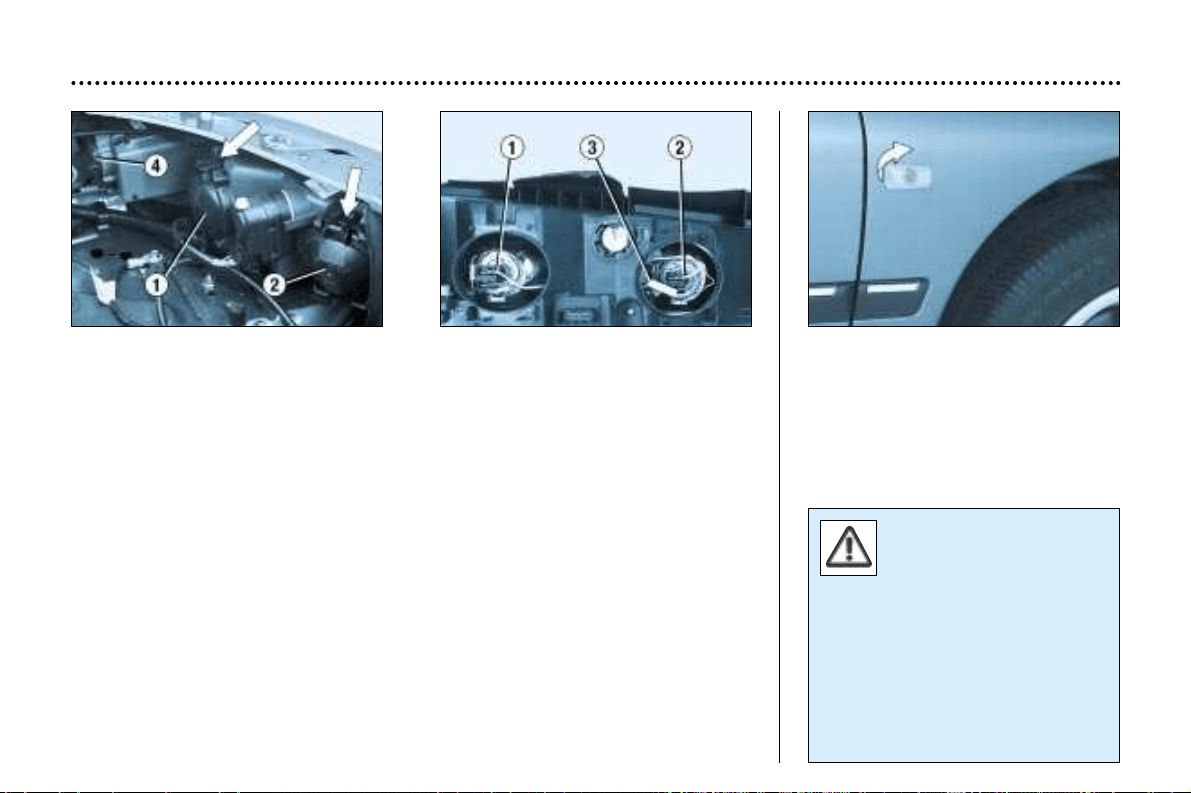
Amber bulbs must be
replaced by bulbs of iden-
tical specification and
colour.
In certain weather conditions (low
temperatures, humidity), the pre-
sence of condensation on the
inside of the headlamp glass is
normal; it disappears a few
minutes after the lights have been
switched on.
CHANGING A BULB
1 - Dipped beam headlamps
2 - Main beam headlamps
2 bulbs (H7-55W)
- Press the tab and remove the protective cover corresponding to the faulty bulb.
- Disconnect the connector.
- Press the end of the securing clip to remove it. Change the bulb.
- When fitting, ensure that the direction notches are positioned correctly and that
the securing clip is corrrectly fixed.
- Reconnect the connector.
- Refit the protective cover.
3 - Side lights (W 5 W)
Turn the socket using the lever and remove it. Change the bulb.
4 - Direction indicators (P 21 W)
Turn the bulb holder a quarter turn and remove it. Change the bulb.
Note: only handle H7 bulbs using a dry cloth.
To replace the left-hand bulbs, remove the protective battery cover.
Direction indicator (WY 5 W)
- Pull the rear section of the transpa-
rent cover and release the assem-
bly.
- Turn the connector a quarter turn
and remove it.
- Change the bulb.
MAINTENANCE OF YOUR 406
39
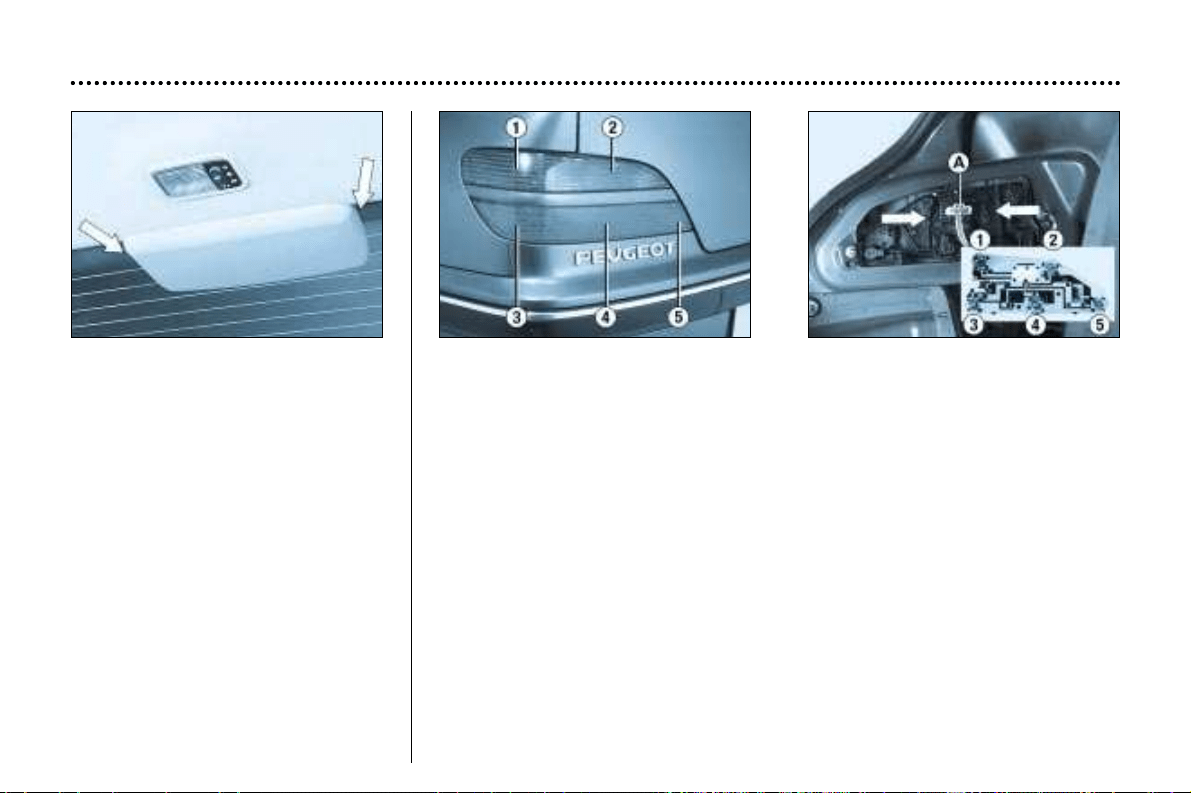
Third brake light - saloon
(5 W5W bulbs)
Lower the two metal clips on either
side of the light and slide the cover
towards the rear.
Remove the bulb-holder.
Change the faulty bulb.
Rear lights, saloon
1 - Direction indicators (P 21 W).
2 - Reversing lights (P 21 W).
3 - Brake lights/Side lights (P 21/5 W).
4 - Side lights (P 21/5 W).
5 - Fog lamp (P 21 W).
These 5 bulbs are changed from inside the boot:
- remove the retaining clips then release the carpet,
- remove the connector by pressing the tab A,
- remove the bulb holder by squeezing the tabs,
- change the faulty bulb.
MAINTENANCE OF YOUR 406
40
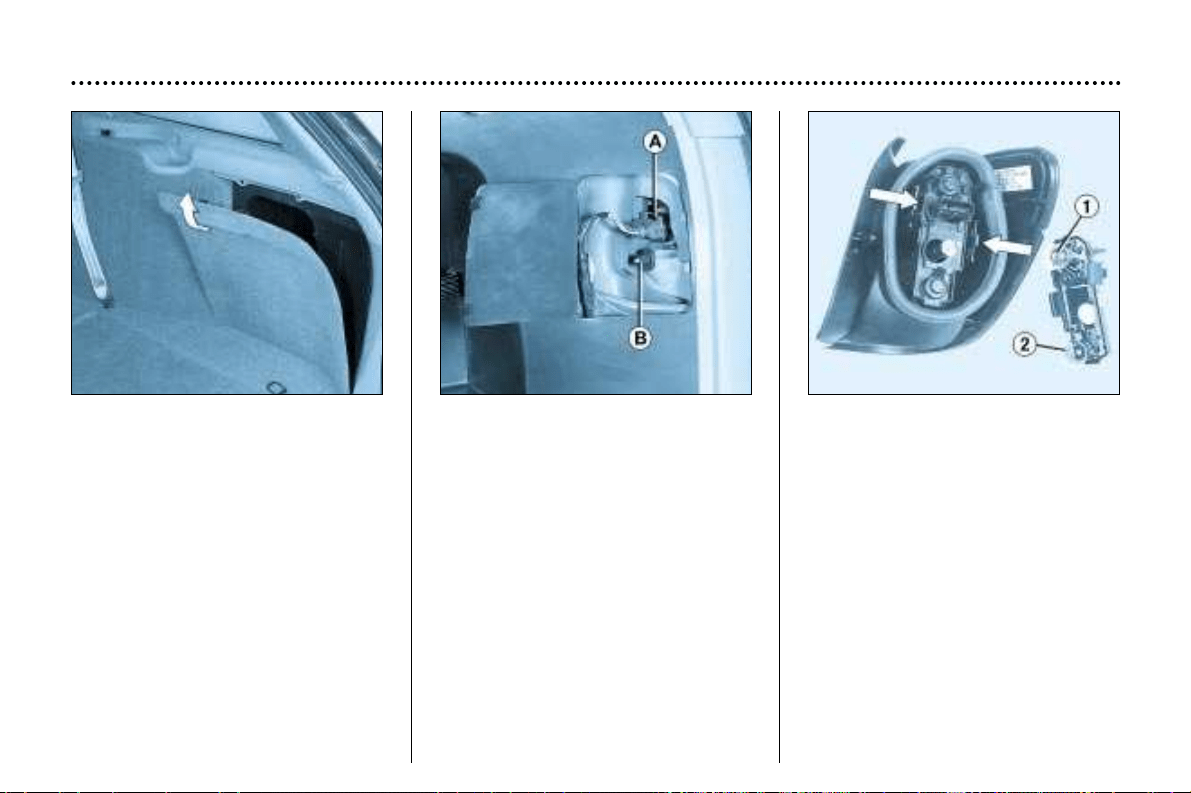
Rear lights, estate
Wing lights
To remove the trim, pull the handle
towards you and release the panel
upwards.
Open the flap using the ignition key.
Remove the connector by pressing
the metal bar A.
Unscrew the wing nut B.
Release the light.
To gain access to the bulbs, press
the tabs and release the bulb holder.
1 - Brake/side lights (P21/5 W).
2 - Direction indicators (P 21 W).
Change the faulty bulb.
MAINTENANCE OF YOUR 406
41
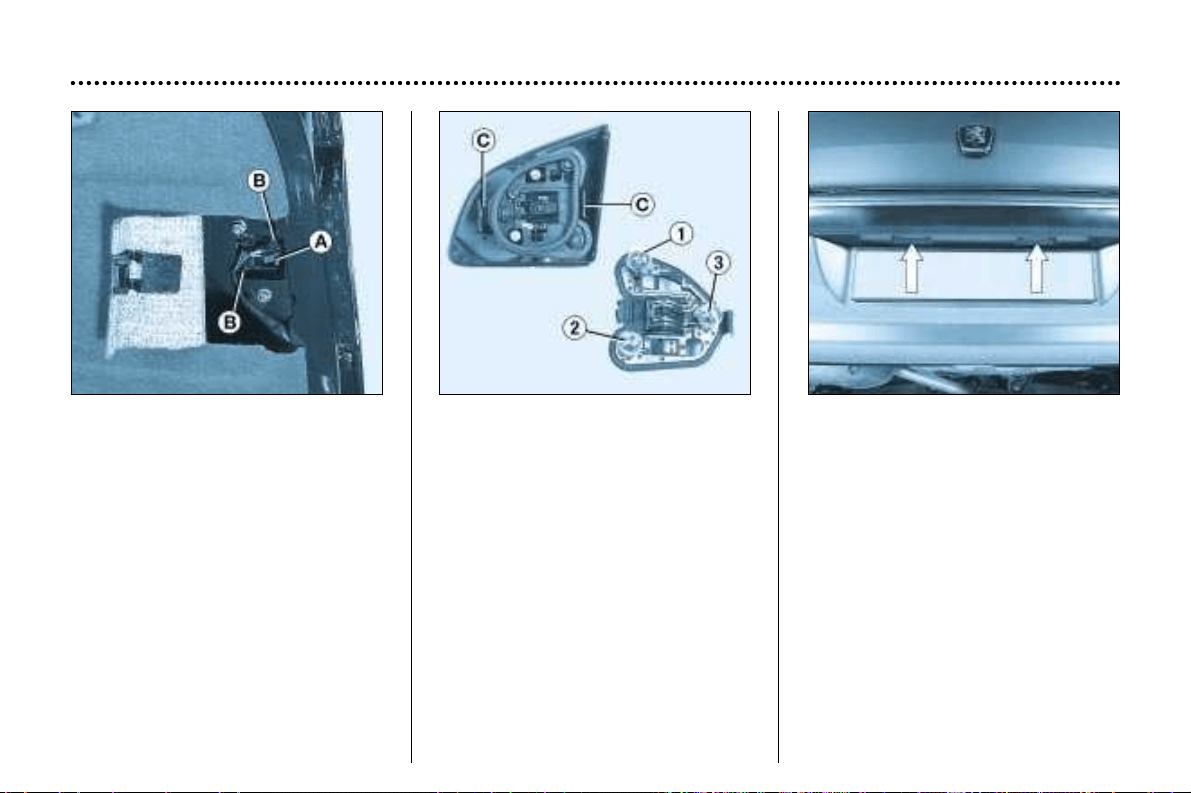
Tailgate lights
Open the flap using the cut-out
provided.
Disconnect the connector by relea-
sing tab A.
Unscrew the two nuts.
Remove the light by squeezing the
two tabs B.
Extract the bulb holder by pressing
the tabs C.
Change the faulty bulb.
1 - Side lights (P 21/5 W).
2 - Reversing lights (P 21 W).
3 - Fog lamp (P 21 W).
Number plate lights (W 5 W)
Remove the translucent protector.
Change the faulty bulb.
MAINTENANCE OF YOUR 406
42
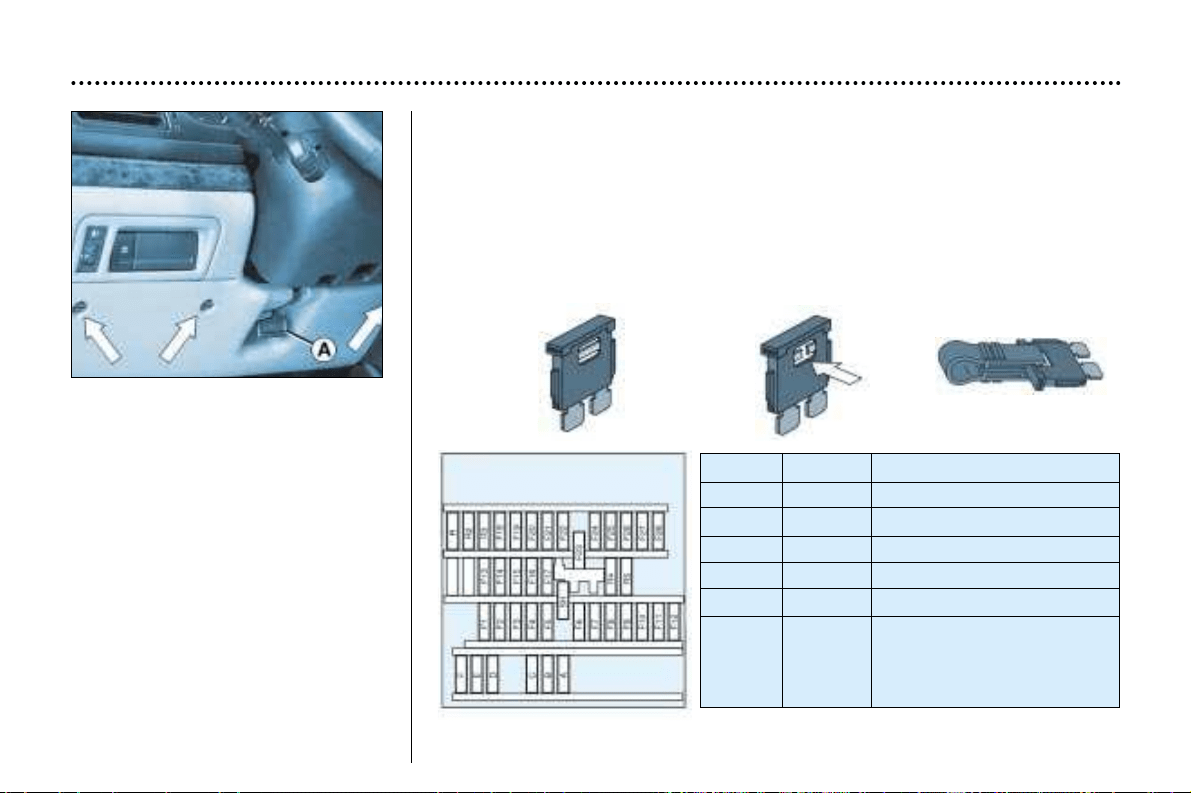
CHANGING A FUSE
The fuse boxes are under the fascia
and in the engine compartment.
Fascia fuse box
Turn the three screws a quarter turn
with a coin.
Pull at A and tilt the cover to access
the fuses.
Removing and changing a fuse
Before changing a fuse you must find out the cause of the fault and have it put
right. The fuse numbers are indicated on the fuse box.
Use the special pliers A attached to the box.
Always change a faulty fuse for one of the same rating.
Correct Incorrect Pliers A
Remove the fascia panel lower trim to access the built-in systems interface.
Fuse no. Rating Functions
A 20 A Locking/Unlocking.
B 10 A Rear fog lamps.
C 40 A Demisting the mirrors.
D 15 A Rear screen wiper.
E 30 A Electric windows.
F 15 A Supply to instrument panel
- Display - Audio equipment
- Satellite navigation system
- Air conditioning
MAINTENANCE OF YOUR 406
43
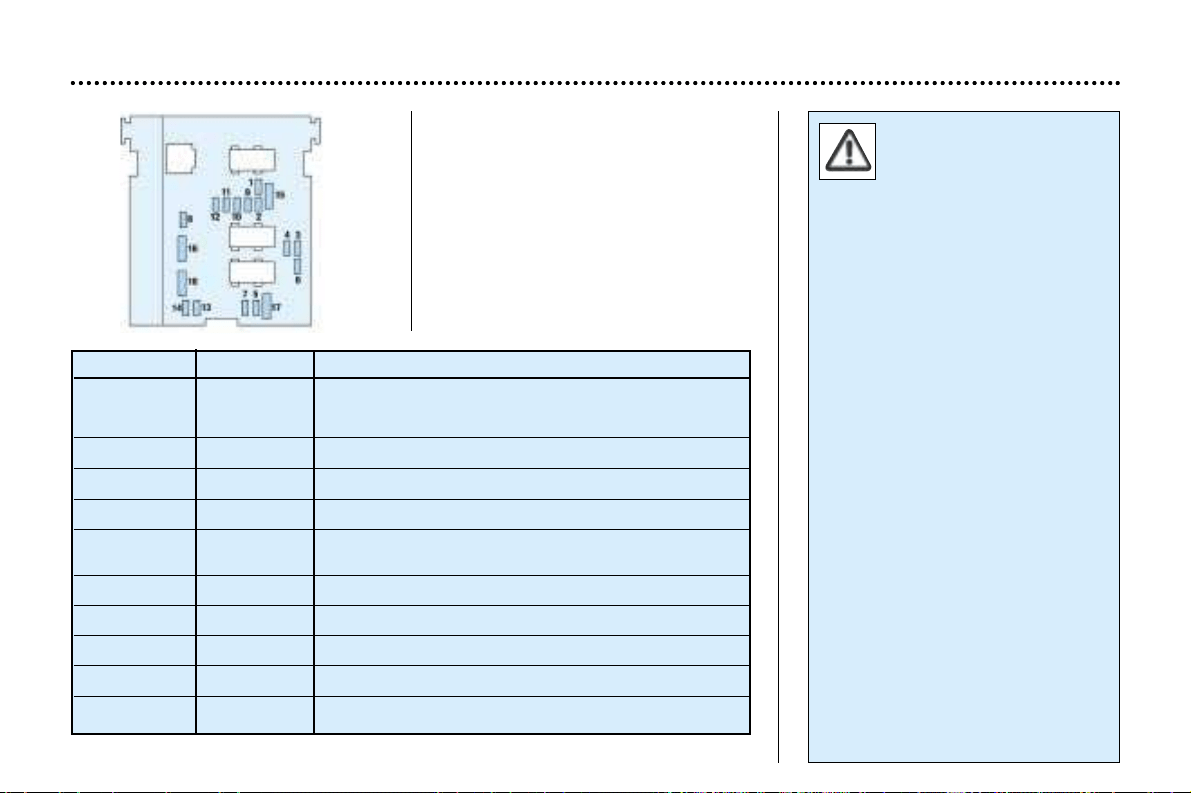
Engine compartment fuses
Fuse box
To access the fuse box in the engine
compartment (beside the battery),
unclip the cover.
Carefully close the cover when
you have finished.
The electrical system of
your vehicle is designed
to operate with standard
or optional equipment.
Before installing other electrical
equipment or accessories on your
vehicle, contact a PEUGEOT
dealer.
Some electrical accessories or
the way in which they are fitted
can have damaging effects on the
operation of your vehicle; the
electronic control circuits, the
audio circuit and the battery char-
ging circuit.
PEUGEOT will not accept respon-
sibility for the cost incurred in
repairing your vehicle or for recti-
fying the malfunctions resulting
from the installation of accesso-
ries not supplied and not recom-
mended by PEUGEOT and not
installed in accordance with its
instructions, in particular where
the equipment in question
consumes more than 10 milliam-
peres.
* The maxi-fuses provide additio-
nal protection for the electrical
systems. All work must be carried
out by a PEUGEOT dealer.
Fuse N° Rating Functions
1* 10 A Reversing lights– Double injection relay -
Engine oil temperature– Oil level -
Air conditioning compressor.
2* 15 A Fuel pump, canister solenoid valve.
3* 10 A
Control unit.
4* 10 A Engine control unit and automatic gearbox.
5 10 A Particulate Emission Filter control unit –
Rear windscreen relay.
6 15 A Front fog lamps.
7 20 A Headlamp wash.
8* 20 A Direct petrol injection engine control unit - Clutch pedal.
9* 15 A Left–hand dipped beam lights.
10* 15 A Right–hand dipped beam lights.
MAINTENANCE OF YOUR 406
46
Fuse N° Rating Functions
11* 10A Left hand main beam.
12* 10 A Right hand main beam.
13* 15 A Horn.
14 10 A Front and rear screen wash pump.
15* 30 A Ignition coil –Windscreen wiper - Oxygen sensor - Oil pressure – Injection system.
16* 30A Air pump and oil temperature - Oil level - Brake lights function - Alternator– Water in diesel
detector – Injection relay control.
17* 30A Passenger's electric seat.
18 40A Heater blower - Starter– Windscreen wiper slow speed.
MAINTENANCE OF YOUR 406
47
Fuse N° Rating Functions
1 shunt Central air bag.
25 AVentilation controls.
3 10 A Instrument panel.
45 AIgnition +ve signal for Built-in Systems Interface.
5–Not used.
6 10 A Steering wheel controls.
7 15 A Alarm siren.
8 10 A Satellite navigation system.
95 ABattery +ve signal for Built-in Systems Interface.
10 15 A Audio equipment.
11 10 A Third brake light.
12 10 A Right-hand brake light.
13 20 A Driver's electric window.
14 30 A Rear window power.
15 – Battery +ve towing socket.
16 20 A Memorisation of seats.
17 20 A Passenger's electric seat.
18 10 A
Lighter lighting - Display- Lighting for switches and ash tray, automatic gearbox selector lever.
Fascia fuse box
MAINTENANCE OF YOUR 406
44
Fuse N° Rating Functions
19 10 A Rear fog lamps.
20 10A Rear right and front left side light.
21 10A Rear left and front right side light.
22 10 A Glove box lighting –Map reading light –Courtesy mirror light -Front and rear courtesy lights -
Lighting for electric windows pad and Electrochrome rear view mirror.
23 20 A Lighter.
24 – Not used.
25 20 A Audio equipment.
26 – Not used.
27 5 A Rear window relay.
28 15 A Heated seats.
R5AReplacement fuse.
R2 10 A Replacement fuse.
R3 30A Replacement fuse.
R4 20 A Replacement fuse.
R5 15A Replacement fuse.
MAINTENANCE OF YOUR 406
45
BATTERY
To charge the battery using a battery charger:
- Disconnect the battery,
- Follow the instructions for use given by the battery charger manufacturer,
- Reconnect starting with the negative (–) terminal,
- Check that the terminals and connectors are clean. If they are covered with sul-
phate (white or greenish deposit), disconnect them and clean them.
To start the vehicle from another battery:
- Connect the red cable to the positive (+) terminals of the two batteries,
- Connect one end of the green or black cable to the negative (-) terminal of the
slave battery,
- Connect the other end of the green or black cable to an earth point on the bro-
ken down vehicle, as far as possible from the battery,
Operate the starter, let the engine run.
Wait for the engine to return to idle, then disconnect the cables.
- Never disconnect a terminal when the engine is running.
- Never charge a battery without first disconnecting the terminals.
- Close the sunroof before disconnecting the battery. If it does not ope-
rate normally following re-connection of the battery, you must re-ini-
tialise it by turning the control to the maximum tilt position and pres-
sing it for an extended period.
- After every reconnection of the battery, switch on the ignition and wait
1 minute before starting to allow the electronic systems to be initialised. If
slight difficulties are experienced after this, please contact a PEUGEOT
dealer.
It is advisable to disconnect the battery if the vehicle is not to be used
for a period of more than one month.
Economy mode
With the engine switched off and the
ignition key in the "running" or
"accessories" position for about half
an hour, certain electrical equipment
(displays, instrument panel, warning
lights, courtesy lights, electric win-
dows, wipers etc.) will switch off
automatically to avoid draining the
battery.
Once the electrical equipment goes
into economy mode, it is necessary
to start the engine to enable the
equipment to work again.
MAINTENANCE OF YOUR 406
48
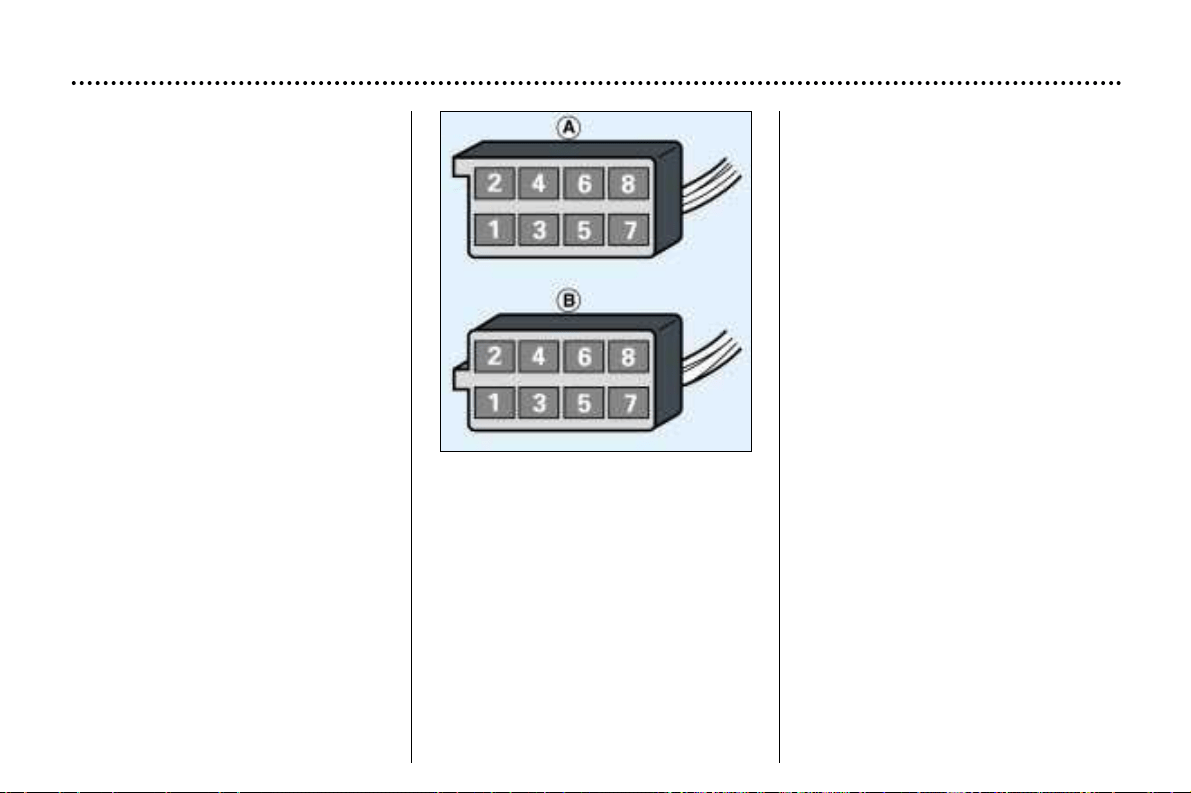
FITTING THE SPEAKERS
The factory-fitted equipment allows
you to fit:
- 165 mm diameter speakers to the
front doors,
- 55 mm diameter tweeters to the
fascia,
- special elliptical–shaped speakers
at the rear of the saloon,
- 100 mm diameter speakers at the
rear of the estate.
Contact your PEUGEOT dealer.
Wiring positions and
functions
A1 : Spare.
A2 : Do not use.
A3 : Do not use.
A4 : Do not use.
A5 : Spare.
A6 : (+ve) Accessories.
A7 : (+ve) Permanent.
A8 : Earth.
B1 : (+ve) Rear right loud-speaker.
B2 : (-ve) Rear right loud-speaker.
B3 : (+ve) Front right loud-speaker
and tweeter.
B4 : (-ve) Front right loud-speaker
and tweeter.
B5 : (+ve) Front left loud-speaker
and tweeter.
B6 : (-ve) Front left loud-speaker
and tweeter.
B7 : (+ve) Rear left loud-speaker.
B8 : (-ve) Rear left loud-speaker.
MAINTENANCE OF YOUR 406
49
FITTING AUDIO EQUIPMENT
Your vehicle is equipped with certain
factory-fitted audio equipment:
- roof aerial,
- coaxial aerial cable,
- basic interference suppression,
- supply to front speakers,
- supply to rear speakers and tweet-
ers,
- two 8-way connectors.
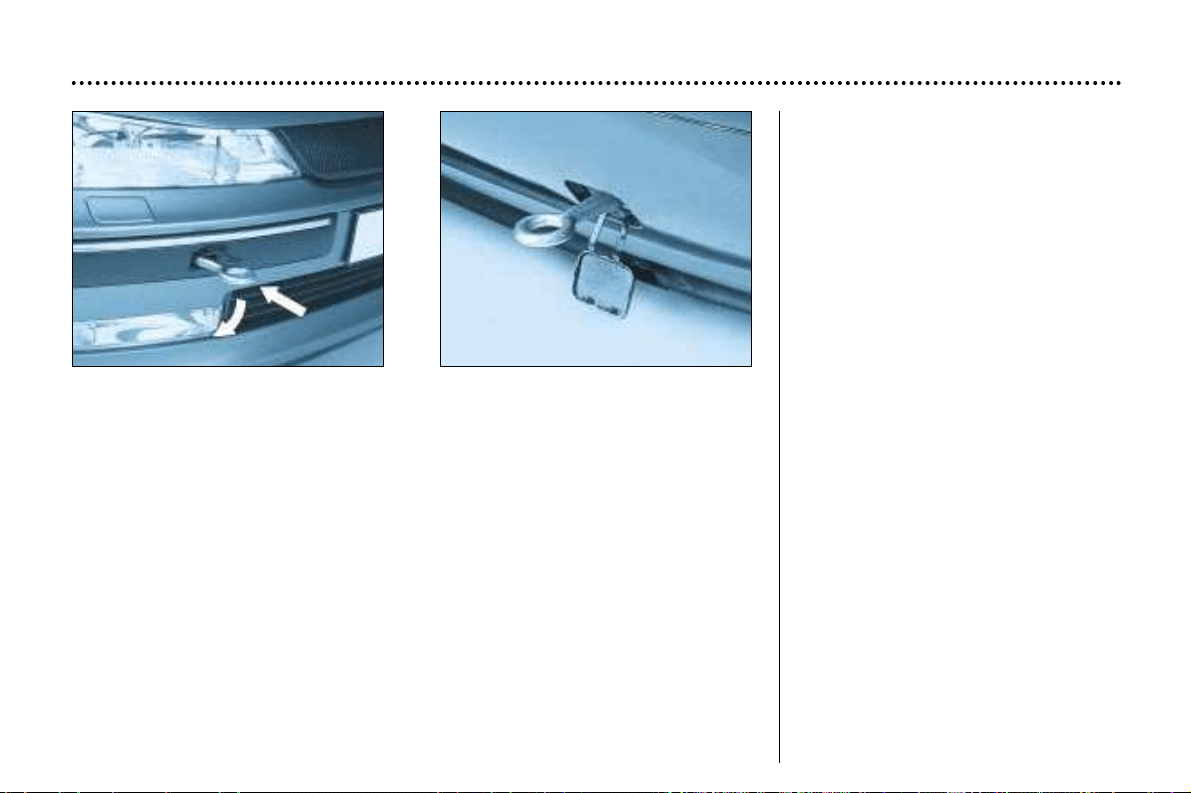
Special features of the
automatic gearbox
When towing with four wheels on the
ground, the following rules must be
obeyed:
- gear lever in position N ,
- tow the vehicle at less than
30 m.p.h. (50 km/h) over a maxi-
mum distance of 30 miles (50 km).
- do not add oil to the gearbox.
MAINTENANCE OF YOUR 406
50
TOWING YOUR VEHICLE
Without lifting (4 wheels on the road)
You should always use a tow bar.
The towing eye is inside the spare wheel.
From the front:
Lift the cover using the flat part of the towing eye.
Screw in the towing eye until it locks.
From the rear:
Unclip the cover by passing your hand behind the bumper and pushing.
Screw in the towing eye until it locks.
Lifting (2 wheels on the road only)
It is preferable to raise the vehicle by the wheels.
Never use the radiator crossmember.

TOWING A TRAILER,
CARAVAN, BOAT ETC.
Only use original PEUGEOT tow
bars that have been tested and
approved from the design stage of
your vehicle.
The tow bar must be fitted by a
PEUGEOT dealer.
Your vehicle is basically designed for
transporting people and luggage but it
may also be used for towing a trailer.
Driving with a trailer subjects the
towing vehicle to more significant
stress and its driver must be particu-
larly careful.
Air density decreases with altitude,
thus reducing engine performance.
The maximum towing load must
be reduced by 10% for every
1000 metres of altitude.
Driving advice
Distribution of loads: Distribute
the load in the trailer so that the
heaviest items are as close as possi-
ble to the axle and the nose weight
approaches the maximum permitted
without exceeding it.
Cooling: Towing a trailer on a slope
increases the temperature of the
coolant.
As the fan is electrically controlled,
its cooling capacity is not dependent
on the engine speed.
On the contrary, use a high gear to
lower the engine speed, and reduce
your speed.
The maximum towing speed on a
long slope depends on the gradient
and the outside temperature.
For vehicles fitted with a direct injec-
tion petrol engine, after towing or dri-
ving at high speed for a long period
of time, the fan may operate for
approximately 6 minutes.
In all cases, pay attention to the
coolant temperature.
If the warning light comes on, stop
the vehicle and switch off the engine
as soon as possible.
Tyres: Check the tyre pressures of
the towing vehicle and the trailer,
observing the recommended pres-
sures.
Brakes: Towing increases the brak-
ing distance.
Lights: Check the electrical sig-
nalling on the trailer.
Side wind: Take into acount the
increased sensitivity to side wind.
MAINTENANCE OF YOUR 406
51
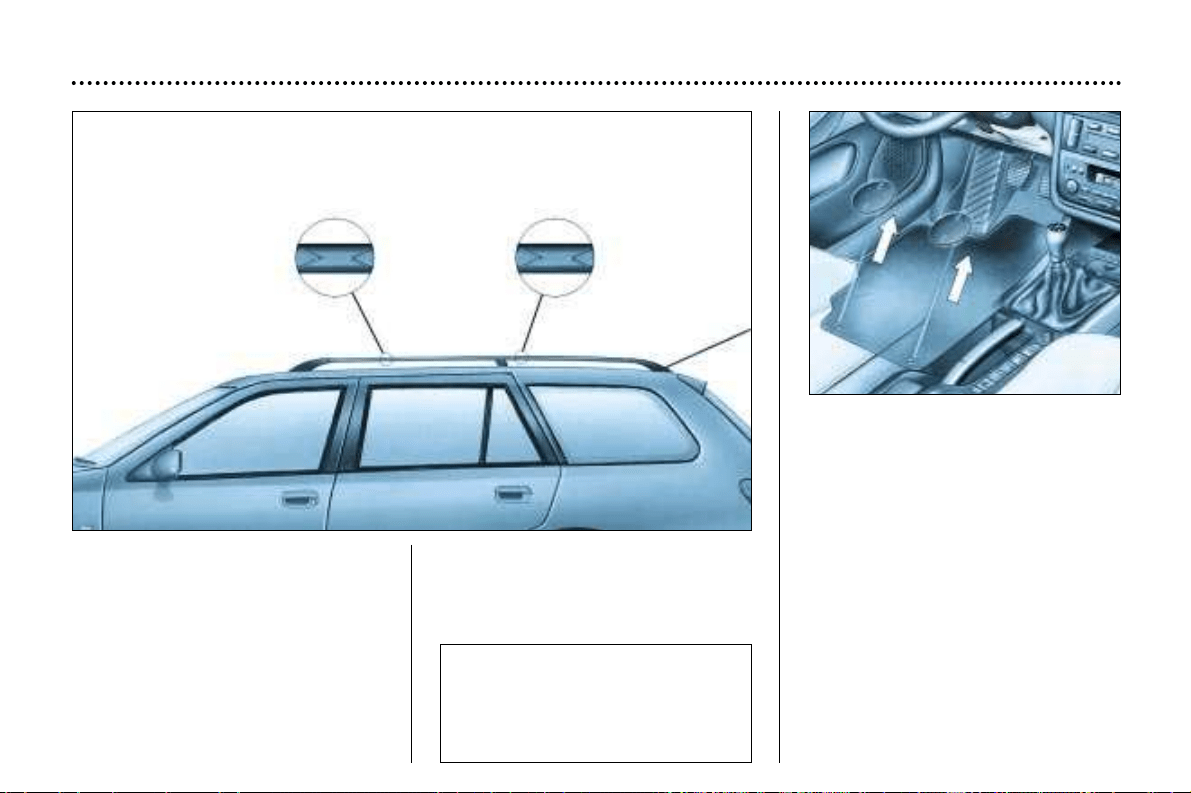
FITTING ROOF BARS
When fitting roof bars across the
estate, ensure that they are posi-
tioned correctly.
The correct positions are shown by
marks on each of the longitudinal
bars.
Use accessories approved by Auto-
mobiles PEUGEOT and follow the
manufacturer’s fitting instructions.
Removing the mat
When removing the mat on the dri-
ver's side, move the seat as far back
as possible and remove the fixings.
When refitting the mat, position it
and replace the fixings by turning
them a quarter of a turn.
MAINTENANCE OF YOUR 406
52
Maximum authorised
weight on the roof rack
Saloon: 165 lbs. (75 kg)
Estate: 220 lbs. (100 kg)
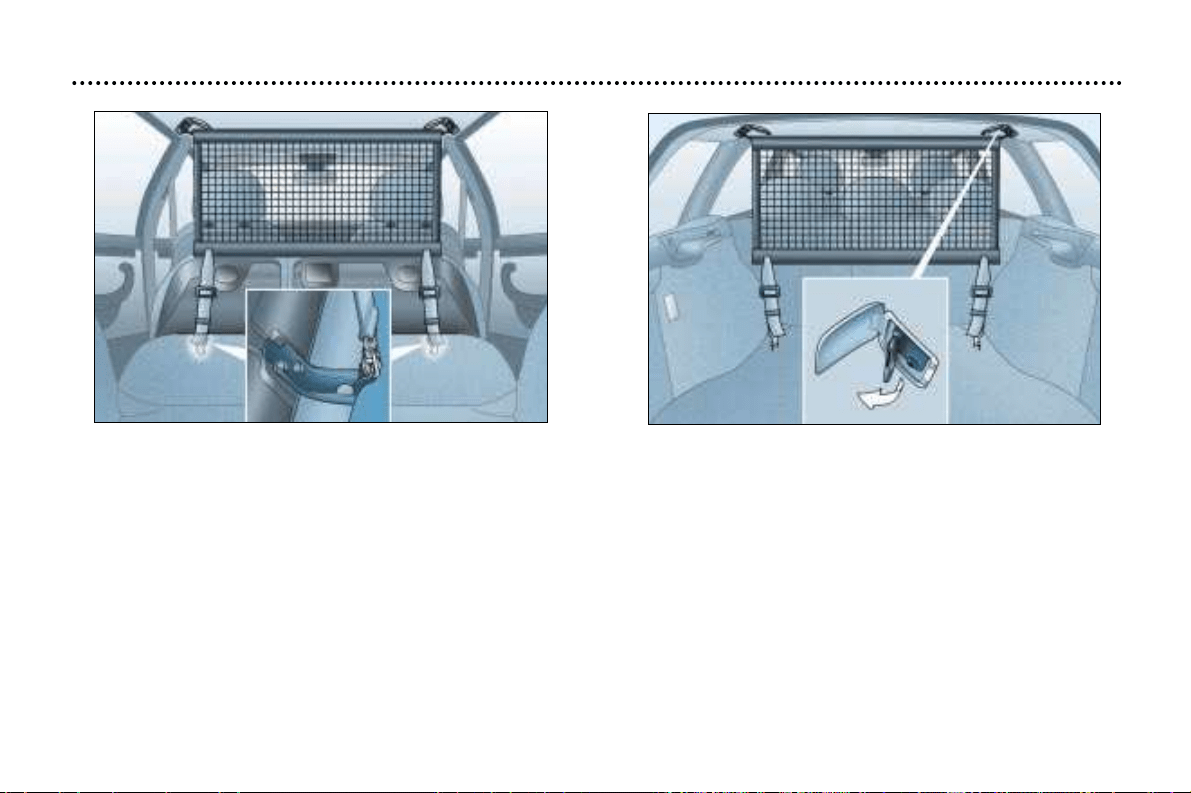
MAINTENANCE OF YOUR 406
53
REAR POSITION
HEAVY DUTY LUGGAGE NET (Estate)
The heavy duty luggage net may be installed behind the
front seats (in the front position) or behind the rear seats
(in the rearposition).
Luggage net fixings in the front position
- Fold down the rear seats (see section on 'Rear seats,
Estate').
- Open the corresponding top fixings.
- Detach the anchor points.
- Locate the ends of the metal bar in these fixings.
- Fix the two hooks of the inside straps of the net in the
stowing holes provided on the frame brackets of the rear
seats.
- Tighten the two straps.
FRONT POSITION
MAINTENANCE OF YOUR 406
54
406 ACCESSORIES
For your PEUGEOT only use accessories and original parts approved by the manufacturer.
These accessories and parts are all adapted to your PEUGEOT, after being tested and approved for reliability and safe-
ty, which PEUGEOT cannot guarantee for other products.
Awide choice of original accessories, approved by PEUGEOT, is available through the dealer network. They all carry the
PEUGEOT guarantee.
– Security : Alarms, window engraving, wheel anti-theft devices, first aid kit etc.
– Protection : Covers compatible with side air bags, mats, door sill protector, styling strips.
– Communication : Telephone, satellite navigation, audio equipment, CD changer, speakers.
– Customising : Alloy wheels, wheel trims, spoiler, sports exhaust.
– Comfort : Air conditioning, sun roofs*, storage facilities, portable refrigerator, luggage net,
telephone console, armrest, door sill protector, boot storage, door deflectors.
– Leisure pursuits : Tow bar, roof bars, carriers (for bicycles and skis), roof boxes, snow chains etc.
– Children : Booster seats and child seats, side blinds, rear blinds.
– Maintenance products : Windscreen washer fluid, internal and external cleaning and maintenance
products.
* As the fitting of a sun roof may require cutting of the roof strengthener, it is essential to use original
PEUGEOT products only.
1.8 Litre 16V 2 Litre 16V
1749 1 997
82.7 x 81.4 85 x 88
16 16
85 100
5 500 6 000
160 190
4 000 4 100
Unleaded Unleaded
Yes Yes
Yes Yes
Manual Automatic Manual Automatic
(5-speed) (4-speed) (5-speed) (4-speed)
4.25 4.25 4.25 4.25
1.9 – 1.9 –
156
TECHNICAL DATA
PETROL ENGINES
MODELS:
Model codes
8B6FZ 8BRFN
8E6FZ 8ERFN
8F6FZ 8FRFN
ENGINES
Capacity (cm
3
)
Bore x stroke
Number of valves
Max. power: EU standard (KW)
Max. power at engine speed (r.p.m)
Max. torque: EU standard (Nm)
Max. torque at engine speed (r.p.m)
Fuel
Catalytic converter
Electronic injection
GEARBOX
CAPACITIES (in litres)
Engine (with filter replacement)
Gearbox - Final drive
TECHNICAL DATA
157
PETROL ENGINES
MODELS:
Model codes
8BR6F 8BRLZ
8ER6F 8ERLZ
8FRLZ
ENGINES
Capacity (cm
3
)
Bore x stroke
Number of valves
Max. power: EU standard (KW)
Max. power at engine speed (r.p.m)
Max. torque: EU standard (Nm)
Max. torque at engine speed (r.p.m)
Fuel
Catalytic converter
Electronic injection
GEARBOX
CAPACITIES (in litres)
Engine (with filter replacement)
Gearbox - Final drive
2 Litre 16V 2 litre HPI 16V
1 997 1 997
85 x 88 85 x 88
16 16
100 103
6 000 6 000
190 192
4 100 4 000
Leaded Unleaded
Yes Yes
Yes Yes
Manual Manual
(5-speed) (5-speed)
4.25 4.25
1.9 1.9
TECHNICAL DATA
158
PETROL ENGINES
MODELS:
Model codes
8B3FZ 8BXFX
8E3FZ 8EXFX
8F3FZ
ENGINES
Capacity (cm
3
)
Bore x stroke
Number of valves
Max. power: EU standard (KW)
Max. power at engine speed (r.p.m)
Max. torque: EU standard (Nm)
Max. torque at engine speed
(r.p.m)
Fuel
Catalytic converter
Electronic injection
GEARBOX
CAPACITIES (in litres)
Engine (with filter replacement)
Gearbox - Final drive
2.2 Litre 16V 24V V6 Injection
2 230 2 946
86 x 96 87 x 82.6
16 24
116 152
5 750 6 000
217 285
3 900 3 750
Unleaded Unleaded
Yes Yes
Yes Yes
Manual Manual Automatic
(5-speed) (5-speed) (4-speed)
4.25 4.75 4.75
1.85 1.85 –
Diesel Turbo Diesel Turbo Diesel Turbo
2 Litre HDI 2 Litre HDI 2.2 litre 16V HDI
1 997 1 997 2 179
85 x 88 85 x 88 85 x 96
88 16
66 80/79 79 98
4 000 4 000 4 000
205 250 314
1 900 1 750 2 000
Diesel Diesel Diesel
Yes Yes Yes
Electronic Electronic Electronic
No No Yes Yes Yes
Manual Manual Automatic Manual Manual
(5-speed) (5-speed) (4-speed) (5-speed) (5-speed)
4.5 4.5 4.5 4.5 4.5
1.9 1.85 – 1.85 1.85
TECHNICAL DATA
159
MODELS:
Model codes
8BRHY 8BRHZ/S 8BRHS 8B4HX
8ERHY 8ERHZ/S 8ERHS 8E4HX
8FRHY 8FRHZ/S 8FRHS 8F4HX
ENGINES
Capacity (cm
3
)
Bore x stroke
Number of valves
Max. power: EU standard (KW)
Max. power at engine speed (r.p.m)
Max. torque: EU standard (Nm)
Max. torque at engine speed (r.p.m)
Fuel
Catalytic converter
Electronic injection
Particulate emission filter (PEF)
GEARBOX
CAPACITIES (in litres)
Engine (with filter replacement)
Gearbox - Final drive
DIESEL ENGINES
TECHNICAL DATA
160
Fuel consumption values correct at time of printing.
Consumption, saloon As per directive 93/116 in M.P.G. (litres/100 km)
Engine Gearbox Model Urban Inter-urban Mixed Emission
codes driving driving driving of CO
2
by mass
1.8 litre 16 valve Manual 8B6FZ 26.6 (10.6) 47.1 (6.0) 36.7 (7.7) 182 g/km
1.8 litre 16 valve Automatic 8B6FZ 23.0 (12.3) 45.6 (6.2) 33.6 (8.4) 201 g/km
2 litre 16 valve Manual 8BRFN 24.6 (11.5) 43.5 (6.5) 34.0 (8.3) 197 g/km
2 litre 16 valve Automatic 8BRFN 22.9 (12.3) 43.5 (6.5) 32.8 (8.6) 206 g/km
2 litres 16 valve Manual 8BR6F - - - -
2 litre 16 valve HPI Manual 8BRLZ 27.4 (10.3) 47.1 (6.0) 37.7 (7.5) 177 g/km
2.2 litre 16V Manual 8B3FZ 23.2 (12.2) 43.5 (6.5) 32.8 (8.6) 207 g/km
V6 24 valve Manual 8BXFX 20.6 (13.7) 39.2 (7.2) 29.4 (9.6) 229 g/km
V6 24 valve Automatic 8BXFX 19.7 (14.3) 37.6 (7.5) 28.2 (10) 238 g/km
2 litre HDI Manual 8BRHY 38.2 (7.4) 60.1 (4.7) 50.4 (5.6) 154 g/km
2 litre HDI Manual 8BRHZ/S 38.7 (7.3) 62.8 (4.5) 51.4 (5.5) 173 g/km
2 litre HDI Automatic 8BRHZ 31.7 (8.9) 55.4 (5.1) 43.5 (6.5) 173 g/km
2.2 litre
HDI 16V Manual 8B4HX 32.1 (8.8) 57.6 (4.9) 44.1 (6.4) 168 gkm
TECHNICAL DATA
161
Fuel consumption values correct at time of printing.
Consumption, estate As per directive 93/116 in M.P.G. (litres/100 km)
Engine Gearbox Model Urban Inter-urban Mixed Emission
codes driving driving driving of CO
2
by mass
1.8 litre 16V manual 8E6FZ 26.2 (10.8) 45.6 (6.2) 35.8 (7.9) 187 g/km
8F6FZ
1.8 litre 16V automatic 8E6FZ 22.8 (12.4) 44.1 (6.4) 32.8 (8.6) 206 g/km
8F6FZ
2 litre 16 valve Manual 8ERFN 24.6 (11.5) 42.8 (6.6) 33.6 (8.4) 200 g/km
8FRFN
2 litre 16 valve Automatic 8ERFN 22.9 (12.3) 42.8 (6.6) 32.4 (8.7) 208 g/km
8FRFN
2 litre 16 valve Manual 8ER6F - - - -
2 litre HPI 16V Manual 8ERLZ 27.2 (10.4) 45.6 (6.2) 37.6 (7.5) 185 g/km
8FRLZ
2.2 litre 16 valve Manual 8E3FZ 22.9 (12.3) 41.5 (6.8) 32.1 (8.8) 210 g/km
8F3FZ
V6 24 valve Manual 8EXFX 20.3 (13.9) 38.1 (7.4) 28.8 (9.8) 234 g/km
8FXFX
V6 24 valve Automatic 8EXFX 19.4 (14.5) 36.6 (7.7) 27.6 (10.2) 243 g/km
8FXFX
2 litre HDI Manual 8ERHY 37.2 (7.6) 58.8 (4.8) 48.7 (5.8) 160 g/km
8FRHY
2 litre HDI Manual 8ERHZ/S 37.7 (7.5/-) 60.1 (4.7/-) 49.6 (5.7/-) 156/- g/km
8FRHZ/S
2 litre HDI Automatic 8ERHZ 30.4 (9.3) 55.4 (5.1) 43.5 (6.5) 173 g/km
8FRHZ - - - -
2.2 litre HDI 16V Manual 8HE4HX 32.1 (8.8) 55.4 (5.1) 43.5 (6.5) 170 g/km
8F4HX
TECHNICAL DATA
162
Engines
Gearbox
Model codes: 8B
• Kerb weight
• Gross vehicle weight (GVW)
• Gross train weight (GTW)*
• Braked trailer weight (within GTW limit)
• Recommended nose weight
1.8 litre 1.8 litre 1.8 litre 2 litre 2 litre 2 litre HPI 2.2 litre V6
16 valve 16 valve 16 valve 16 valve 16 valve 16 valve 16 valve 24 valve
Manual Manual Auto Manual Auto Manual Manual Manual
LFY 6FZ 6FZ RFN RFN RLZ 3FZ XFX
1 260 1 315 1 340 1 350 1 370 1 340 1 370 1 455
1 790 1 855 1 880 1 890 1 910 1 880 1 910 1 995
2 990 3 055 2 980 3 090 3 110 3 080 3 110 3 295
1 500 1 300 1 300 1 500 1 500 1 500 1 500 1 500
80 80 80 80 80 80 80 80
Engines
Gearbox
Model codes: 8B
• Kerb weight
• Gross vehicle weight (GVW)
• Gross train weight (GTW)*
• Braked trailer weight (within GTW limit)
• Recommended nose weight
V6 2 litre 2 litre 2 litre 2.2 litre
24 valve HDI HDI HDI HDI 16V
Auto. Manual Manual Auto. Manual
XFX RHY RHZ RHZ 4HX
1 475 1 300 1 410 1 410 1 410
2 015 1 870 1 950 1 940 1 950
3 315 3 070 3 150 3 450 3 150
1 500 1 500 1 500 1 500 1 500
80 80 80 80 80
* The speed of a towing vehicle is limited to 60 m.p.h. (100 km/h).
Weights and towing weights (in kg), SALOON
TECHNICAL DATA
163
Engines
Gearbox
Model codes: 8E
• Kerb weight
• Gross vehicle weight (GVW)
• Gross train weight (GTW)*
• Braked trailer weight (within GTW limit)
• Recommended nose weight
1.8 litre 1.8 litre 2 litre 2 litre 2 litre HPI 2.2 litre V6 V6
16 valve 16V 16 valve 16 valve 16 valve 16 valve 24 valve 24 valve
Manual Auto. Manual Auto. Manual Manual Manual Auto
6FZ 6FZ RFN RFN RLZ 3FZ XFX XFX
1 365 1 395 1 400 1 420 1400 1 420 1 505 1 525
2 015 2 045 2 050 2 070 2 050 2 070 2 155 2 175
3 215 3 245 3 250 3 270 3 250 3 270 3 455 3 475
1500 1 500 1 500 1 500 1 500 1 500 1 500 1 500
80 80 80 80 80 80 80 80
Engines
Gearbox
Model codes: 8E
• Kerb weight
• Gross vehicle weight (GVW)
• Gross train weight (GTW)*
• Braked trailer weight (within GTW limit)
• Recommended nose weight
2 litre 2 litre 2 litre
2.2 litre HDI
HDI HDI HDI 16 valve
Manual Manual Auto. Manual
RHY RHZ RHZ 4HX
1 380 1 425 1 460 1 460
2 030 2 075 2 110 2 110
3 230 3 275 3 310 3 310
1 500 1 500 1 500 1 500
80 80 80 80
* The speed of a towing vehicle is limited to 60 m.p.h. (100 km/h).
Weights and towing weights (in kg), ESTATE
TECHNICAL DATA
164
Engines
Gearbox
Model codes: 8F
• Kerb weight
• Gross vehicle weight (GVW)
• Gross train weight (GTW)*
• Braked trailer weight (within GTW limit)
• Recommended nose weight
1.8 litre 1.8 litre 2 litre 2 litre 2 litre HPI 2.2 litre 2 litre 2 litre
16 valve 16 valve 16 valve 16 valve 16 valve 16 valve HDI HDI
Manual Auto. Manual Auto. Manual Manual Manual Manual
6FZ 6FZ RFN RFN RLZ 3FZ RHY RHZ
1 405 1 425 1 420 1 440 1 405 1 440 1 400 1 445
2 035 2 050 2 050 2 070 2 035 2 070 2 030 2 125
3 235 3 250 3 250 3 270 3 235 3 270 3 230 3 325
1 500 1 500 1 500 1 500 1 500 1 500 1 500 1 500
80 80 80 80 80 80 80 80
Engines
Gearbox
Model codes: 8F
• Kerb weight
• Gross vehicle weight (GVW)
• Gross train weight (GTW)*
• Braked trailer weight (within GTW limit)
• Recommended nose weight
2 litre 2.2 litre
HDI HDI 16 V
Auto. Manual
RHZ 4HX
1 460 1 465
2 140 2 145
3 340 3 345
1 500 1 500
80 80
* The speed of a towing vehicle is limited to 60 m.p.h. (100 km/h).
Weights and towing weights (in kg), 7-SEATER ESTATE
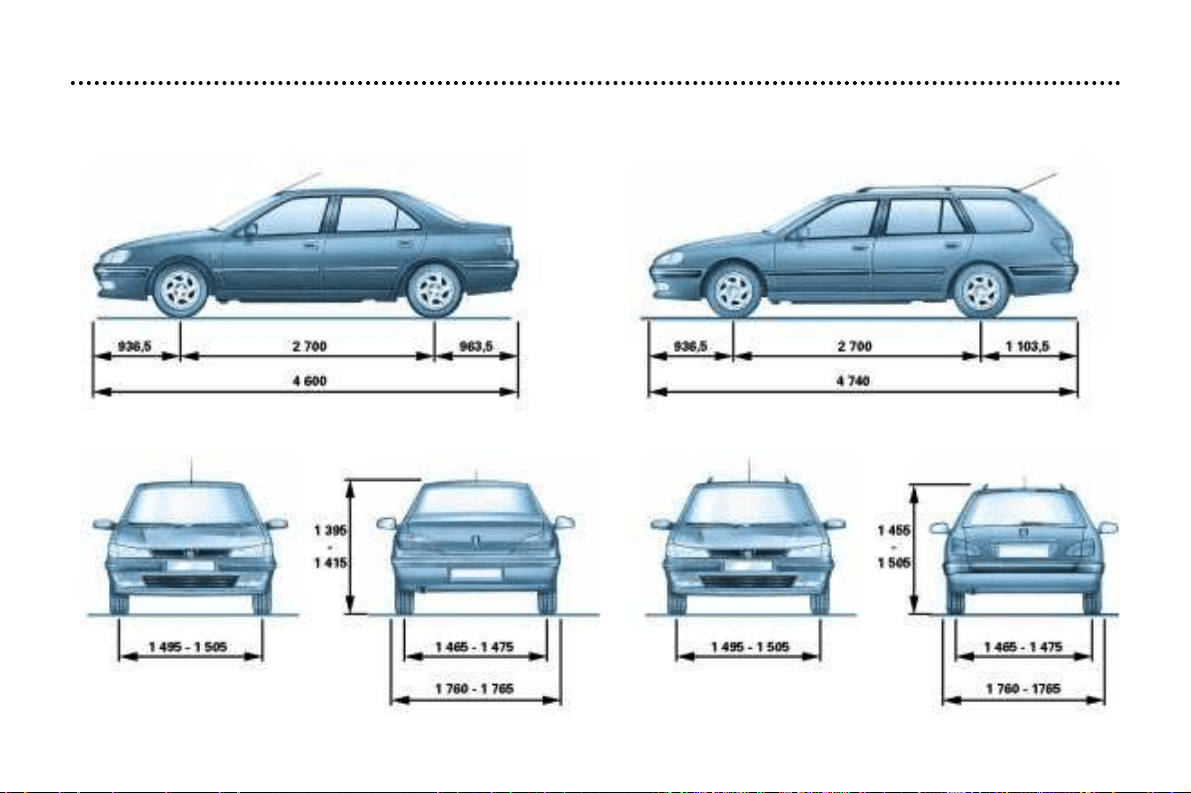
TECHNICAL DATA
165
Dimensions, saloon (in mm)
Dimensions, estate (in mm)
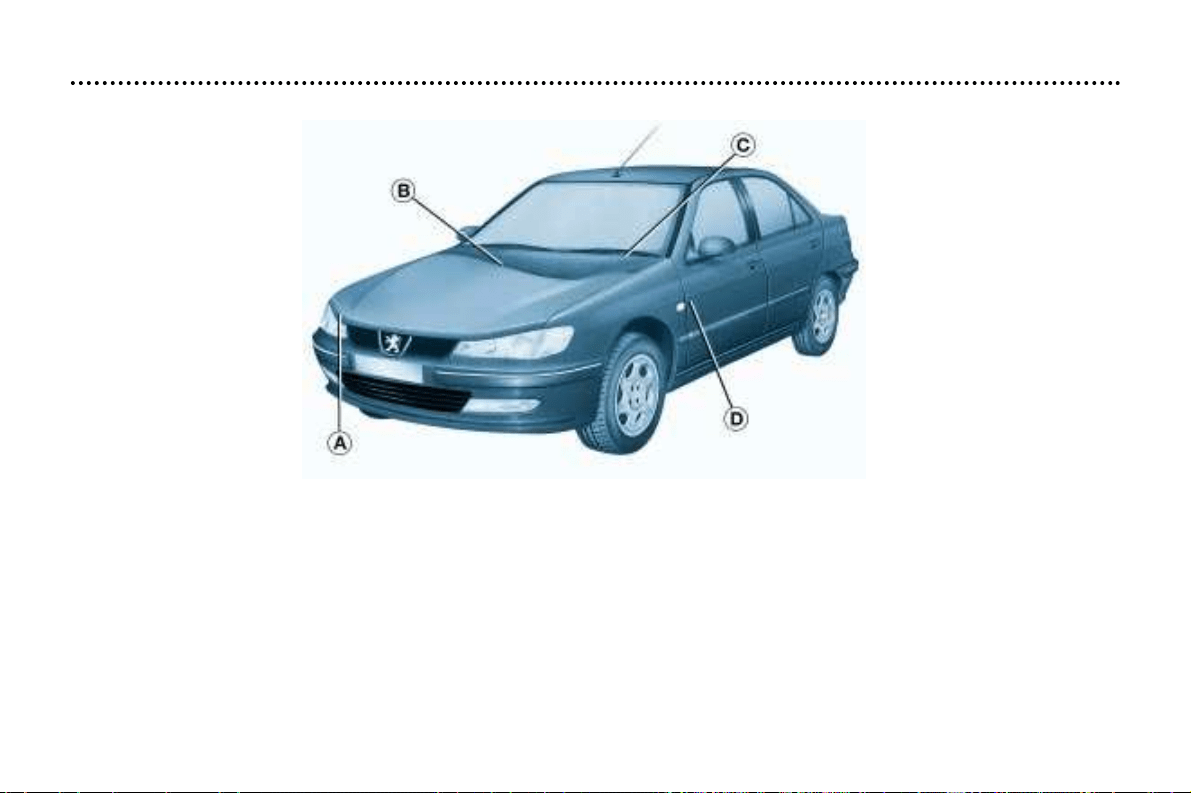
TECHNICAL DATA
166
THE IDENTIFICATION FEATURES OF YOUR 406
A. Manufacturer’s plate.
B. Model serial number.
C. Serial number on the fascia.
D. Tyres and paint colour reference.
The label D on the driver’s door pillar, near the hinges, gives:
–the wheel and tyre sizes,
–the brands of tyres approved by the manufacturer,
–the tyre pressures (the tyre pressure must be checked when the tyre is cold, at least once a month) ,
–the paint colour reference.