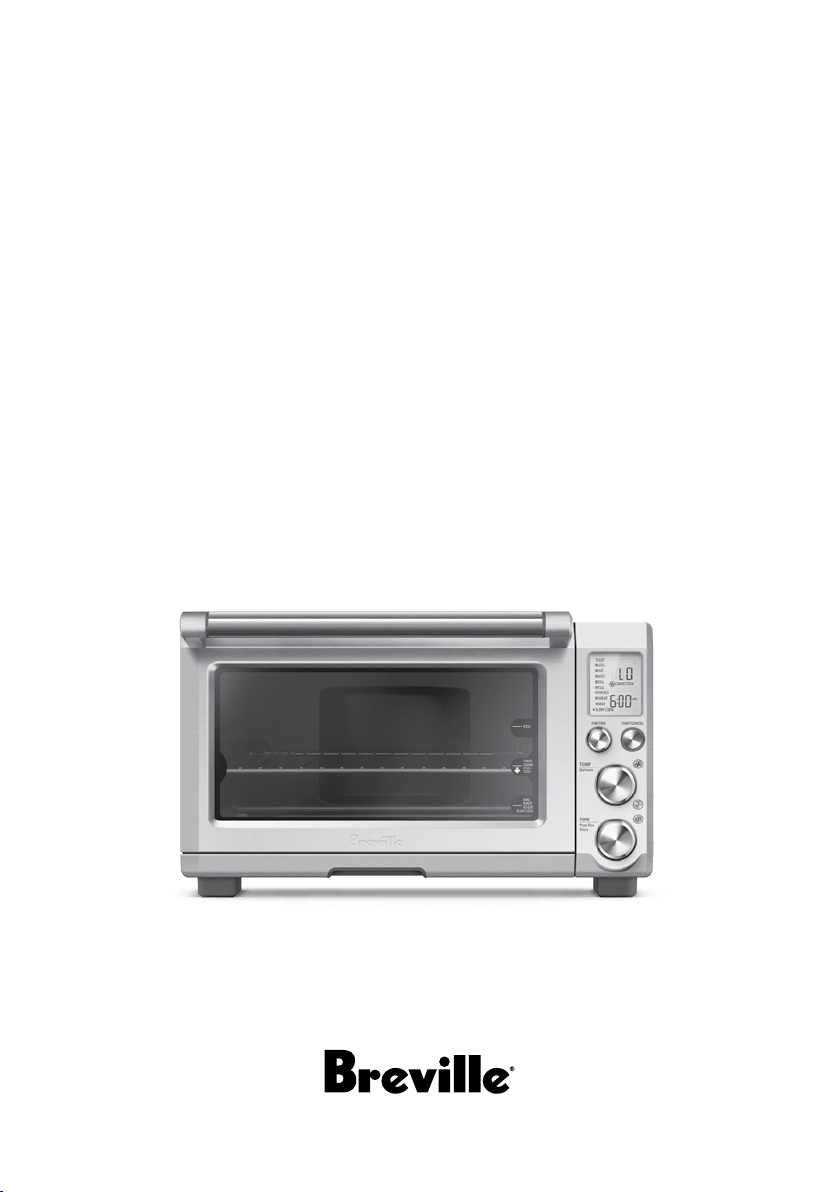
the Smart Oven
®
Plus
Instruction Book - Suits all BOV810 models

2
BREVILLE
RECOMMENDS
SAFETY FIRST
At Breville we are very safety
conscious. We design and
manufacture consumer
products with the safety of you,
our valued customer, foremost
in mind. In addition we ask
that you exercise a degree of
care when using any electrical
appliance and adhere to the
following precautions.
IMPORTANT
SAFEGUARDS
READ ALL INSTRUCTIONS
BEFORE USE AND SAVE
FOR FUTURE REFERENCE
When using electrical
appliances, basic safety
precautions should always be
followed including:
• Remove and safely discard
any packing materials and
promotional labels before
using the oven for the first time.
• To avoid choking hazard for
young children, remove and
safely dispose the protective
cover fitted on the power plug.
• Do not use the appliance near
the edge of a countertop or
table. Ensure the surface is
stable, level, heat-resistant
and clean.
• Do not use on a cloth-covered
surface, near curtains or other
flammable materials.
• A fire may occur if the oven is
covered or touches flammable
material, including curtains,
draperies, walls, and the like,
when in operation.
2 Breville recommends safety first
6 Components
8 Quick Start Guide
10 Functions
– TOAST function 11
– BAGEL function 12
– BAKE function 14
– ROAST function 15
– BROIL function 16
– PIZZA function 17
– COOKIES function 18
– REHEAT function 19
– WARM function 20
– SLOW COOK function 21
22 Tips
23 Care & Cleaning
25 Troubleshooting
27 French
Contents

3
• Do not use the appliance on (or
close to) a hot gas or electric
burner, or where it could touch
a heated oven or surface.
• Do not let the power cord hang
over the edge of a table or
counter, or touch hot surfaces.
• To avoid electric shock, do
not immerse the cord, plug or
motor base in water (or other
liquids).
• When operating the oven,
keep a minimum distance of 4"
(10cm) of space on both sides
of the appliance and 6" (15cm)
above.
• Do not touch hot surfaces.
To avoid burns, use extreme
caution when removing pans,
dishes and accessories such as
the included broiling rack and
baking pan, that contain hot oil
or other hot liquids.
• Do not lay cooking utensils,
baking pans or dishes on the
glass door.
• Do not leave the door standing
open for extended periods of
time.
• Do not store any item on top
of the oven when in operation
except those described on page
22 of this book.
• Do not place cardboard, plastic,
paper, or other flammable
materials in the oven.
• Do not cover crumb tray or any
part of the oven with metal foil.
This will cause overheating of
the oven.
• Caution should be exercised
when using pans and dishes
constructed of materials other
than metal. Ensure pans and
dishes are oven safe before
using in the oven.
• Caution should be exercised
when using lids in the oven, as
pressure build up in a covered
pan or dish may cause hot
ingredients to expel or the dish
to crack. Do not place sealed or
airtight containers in the oven.
• Oversized foods and metal
utensils must not be inserted in
the oven as they may create fire
or risk of electric shock.
• The use of accessories and
attachments not recommended
or supplied with this oven may
cause injuries.
• This appliance is for household
use only. Do not use in any
type of moving vehicles. Do
not use the appliance outdoors,
or for anything other than its
intended use. Misuse can cause
injury.

4
• If the appliance is to be: left
unattended, cleaned, moved,
assembled or stored, always
switch the unit off and unplug
the cord from the power outlet
and allow to cool completely.
• Do not clean with metal
scouring pads. Pieces can break
off the pad and touch electrical
parts, creating a risk of
electric shock.
• Close supervision is necessary
when the appliance is used by
or near children.
• It is recommended to regularly
inspect the appliance and
power cord. Do not use the
appliance if there is damage to
the power cord or plug, or after
the appliance malfunctions or
has been damaged in any way.
Immediately stop use and call
Breville Consumer Support.
SPECIFIC
INSTRUCTIONS
FOR BOV810
• We recommend the oven
is operated on a dedicated
circuit separated from other
appliances. Consult a licensed
and qualified electrician if you
are unsure.
• To turn off the oven, press the
START/CANCEL button on
the control panel. The oven is
off when the button backlights
turns off.
• Regularly clean the crumb tray.
To clean the crumb tray:
−Turn OFF the oven,
−Allow the oven to cool
completely and then remove
the power cord from the
power outlet.
−Remove the crumb tray and
clean with warm soapy water.
−Dry the tray completely before
inserting it securely back in
place.

5
SHORT CORD
INSTRUCTIONS
Your Breville appliance is fitted
with a short power supply cord
to reduce personal injury or
property damage resulting from
pulling, tripping or becoming
entangled with a longer cord.
If an extension cord is used, (1)
the marked electrical rating of
the cord set or extension cord
should be at least as great as the
electrical rating of the appliance,
(2) the cord should be arranged
so that it will not drape over the
countertop or table-top where
it can be pulled on by children
or tripped over unintentionally
and (3) the extension cord must
include a 3-prong grounding
plug.
POLARIZED PLUG
This appliance has a polarized
plug (one blade is wider than
the other). To reduce the risk of
electric shock, this plug will fit
in a polarized outlet only one
way. If the plug does not fit fully
in the outlet, reverse the plug.
If it still does not fit, contact a
qualified electrician. Do not
modify the plug in
any way.
BREVILLE ASSIST
®
PLUG
Your Breville appliance comes
with a unique Assist
®
Plug,
conveniently designed with a
finger hole to ease removal from
the power outlet.
CALIFORNIA
PROPOSITION 65:
(Applicable to California
residents only).
This product contains chemicals
known to the State of California
to cause cancer, birth defects or
other reproductive harm.
SAVE THESE
INSTRUCTIONS
6
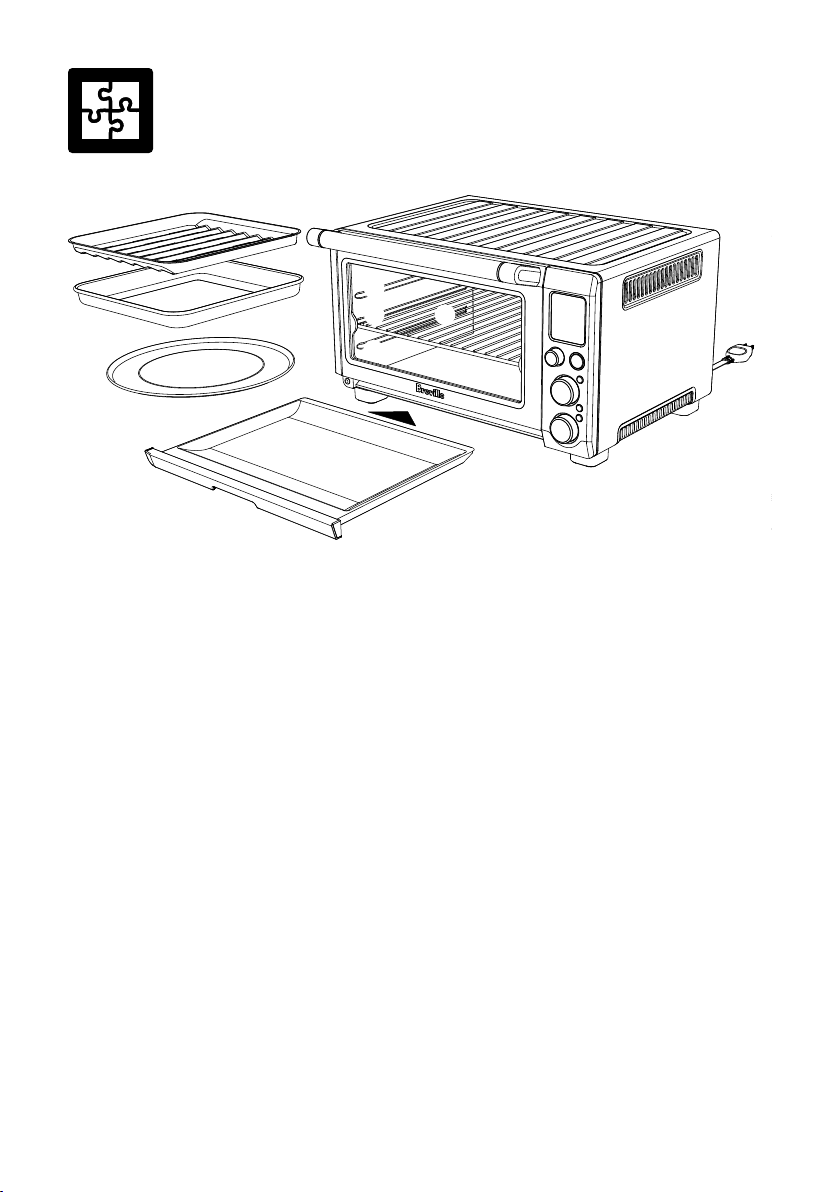
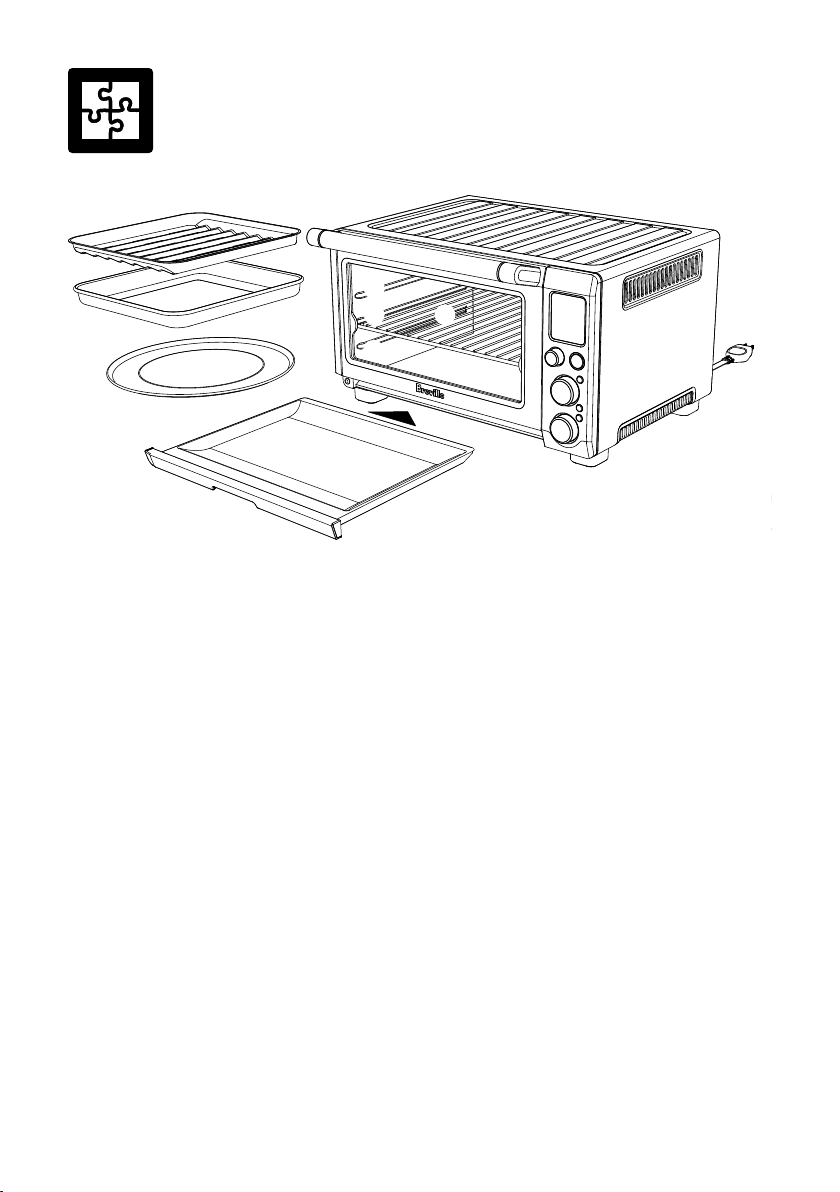
Components
A. 12" x 12" enamel broiling rack
B. 12" x 12" enamel baking pan
C. 13" non-stick pizza pan
D. Door handle
E. Top rack height position:
BROIL function
F. Middle rack height position:
TOAST, BAGEL, PIZZA and COOKIES
functions
D
A
B
C
I
J
K
D
E
F H
G
G. Bottom rack height position:
BAKE, ROAST, REHEAT, WARM and
SLOW COOK functions
H. Wire rack
I. Crumb tray
J. Ventilation slots
K. Breville Assist
‰
Plug
7
D
A
B
C
I
J
K
D
E
F H
G
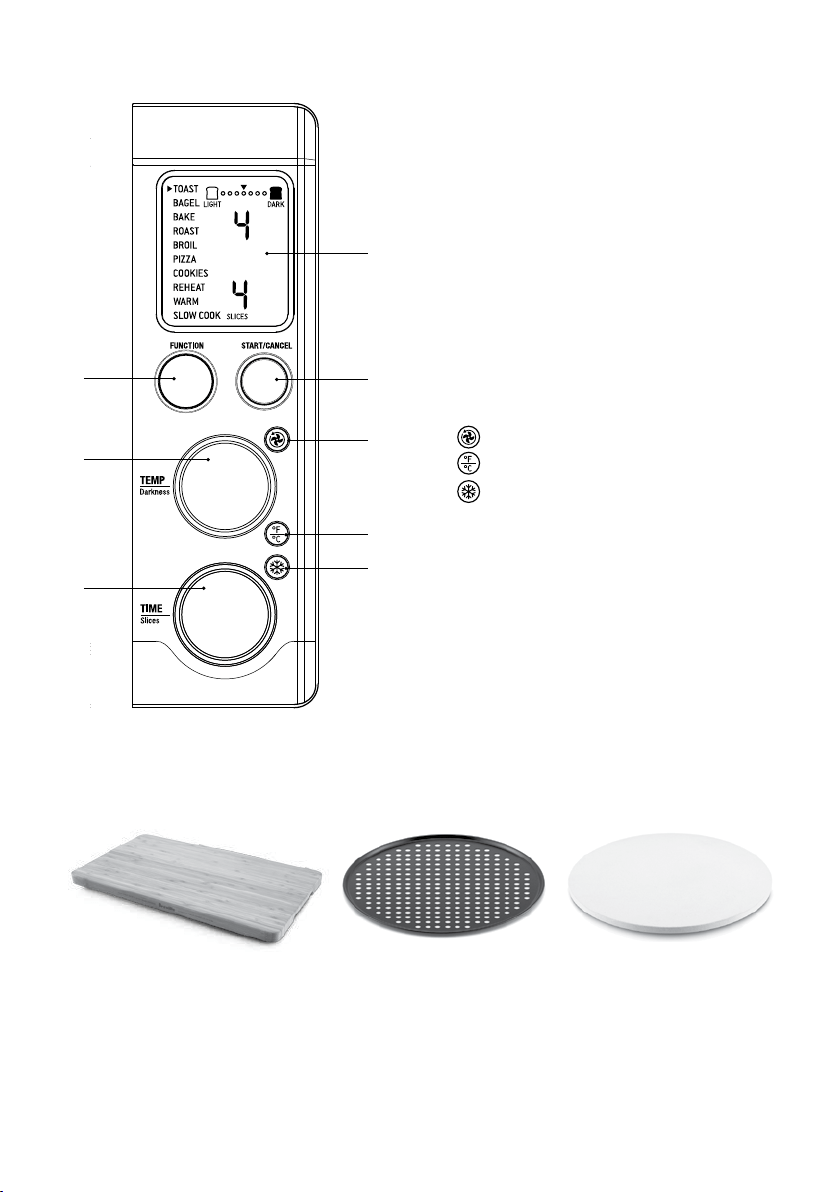
S
N
L
M
Q
R
O
P
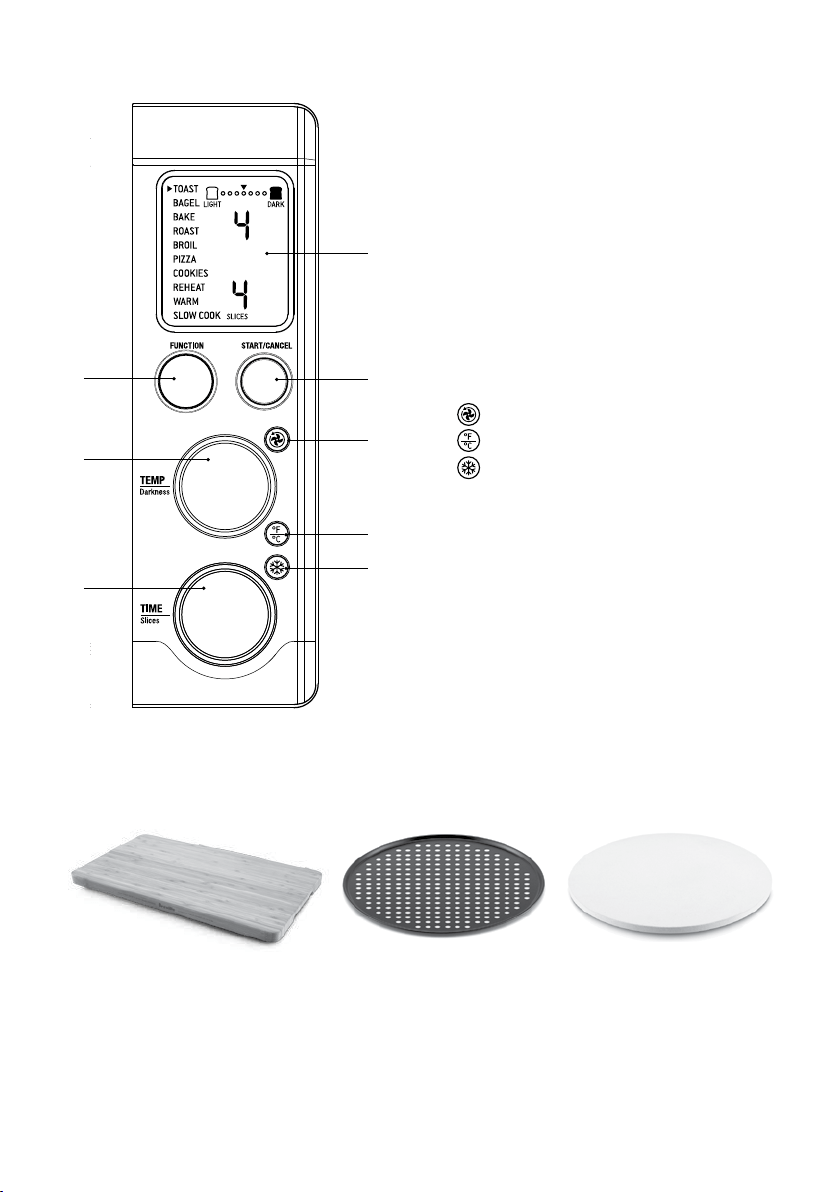
L. LCD screen
M. START/CANCEL button
N. FUNCTION dial
O. TEMPERATURE dial/toast and bagel
darkness control
P. TIME dial/toast and bagel slice
selection/pizza size selection
Q.
CONVECTION button
R.
TEMPERATURE conversion button
S.
FROZEN FOODS button
Accessories sold separately:
13" Pizza Stone
Part No. BOV800PS13
Bamboo Cutting Board
Part No: BOV800CB
13" Non-Stick Pizza Crisper
Part No. BOV800PC13
8
Quick Start Guide
This Quick Start Guide is designed for first time use.
For safety and more information, refer to the rest of the Instruction Book.
PREPARING THE OVEN
In order to remove any protective substances
on the heating elements, it is necessary to run
the oven empty for 15 minutes. Ensure the area
is well ventilated as the oven may emit vapors.
These vapors are safe and are not detrimental
to the performance of the oven.
1. Remove and safely discard any packing
material, promotional labels and tape from
the oven.
2. Remove the crumb tray, wire rack, broiling
rack, baking pan and pizza pan from the
polyfoam packaging. Wash them with a soft
sponge in warm, soapy water then rinse and
dry thoroughly.
3. Wipe the interior of the oven with
a soft, damp sponge. Dry thoroughly.
4. Place the oven on a flat, dry surface. Ensure
there is a minimum distance of 4" (10cm) of
space on both sides of the appliance and 6”
(15cm) above.
5. Insert the crumb tray into the oven.
6. Unwind the power cord completely
and insert the power plug in to a
grounded power outlet.
7. The oven alert will sound and the LCD
screen will illuminate. The function options
will appear with an indicator on the
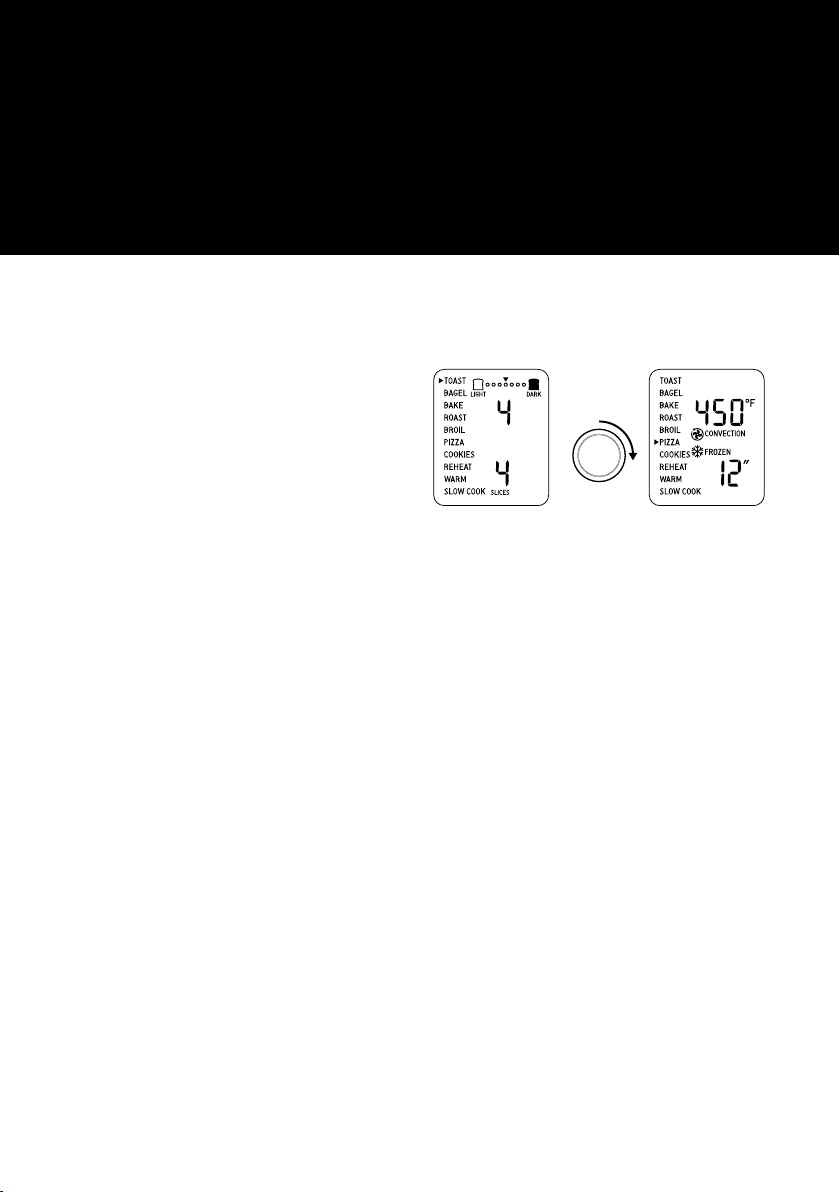
TOAST setting.
8. Turn the FUNCTION dial to the right until
the indicator reaches the PIZZA function.
ROTATE
FUNCTION
DIAL
9. Press the START/CANCEL button. The
button backlight will illuminate red, the
LCD screen will illuminate orange and the
oven alert will sound.
10. The LCD screen will indicate a blinking
‘PREHEATING’. Once the oven has reached
the set temperature, the temperature alert
will sound.
11. The timer will be displayed and
automatically begin to count down.
12. At the end of the cooking cycle, the oven
alert will sound, the START/ CANCEL
button backlight will go out and the LCD
screen will illuminate blue.
13. The oven is now ready to use.

9
ELEMENT IQ
‰
The Breville Smart Oven‰ Plus features Element IQ‰, a cooking technology that adjusts the
power of the heating elements to cook food more evenly and quickly. Each of the oven’s functions
is preset with our recommended setting, however we suggest experimenting with these depending
on the recipe, amount of food and your personal taste.
Your customized setting will remain in the memory of the oven until changed or the oven is
unplugged from the power outlet.
OVEN FUNCTIONS OVERVIEW
FUNCTION RACK
POSITION
OPTIONAL
SETTINGS
PRESETS PREHEAT RANGE
TOAST Middle FROZEN FOODS Darkness 4
Slices 4
No Darkness 1–7
Slices 1–6
BAGEL Middle FROZEN FOODS Darkness 4
Slices 4
No Darkness 1–7
Slices 1–6
BAKE Bottom CONVECTION
TEMPERATURE
CONVERSION
325°F
CONVECTION
30 MINS
Yes 120°F–450°F
Up to 10:00 HRS
ROAST Bottom CONVECTION
TEMPERATURE
CONVERSION
350°F
CONVECTION
1:00 HRS
Yes 120°F–450°F
Up to 10:00 HRS
BROIL Top TEMPERATURE
CONVERSION
500°F
10 MINS
No 300°F–500°F
Up to 20 MINS
PIZZA Middle CONVECTION
TEMPERATURE
CONVERSION
FROZEN FOODS
450°F
CONVECTION
FROZEN FOODS
12" PIZZA SIZE
Yes 120°F–450°F
6" – 13" PIZZA SIZE
COOKIES Middle CONVECTION
TEMPERATURE
CONVERSION
FROZEN FOODS
350°F
CONVECTION
11 MINS
Yes 120°F–450°F
Up to 1:00 HRS
REHEAT Bottom CONVECTION
TEMPERATURE
CONVERSION
325°F
CONVECTION
15 MINS
No 120°F–450°F
Up to 2:00 HRS
WARM Bottom CONVECTION
TEMPERATURE
CONVERSION
160°F
1:00 HRS
No 120°F–450°F
Up to 2:00 HRS
SLOW
COOK
Bottom CONVECTION HI
CONVECTION
4:00 HRS
Yes HI, 2:00– 8:00 HRS
LO, 4:00– 10:00 HRS
Automatic KEEP WARM
Up to 2:00 HRS
10
Functions
OPERATING YOUR BREVILLE OVEN
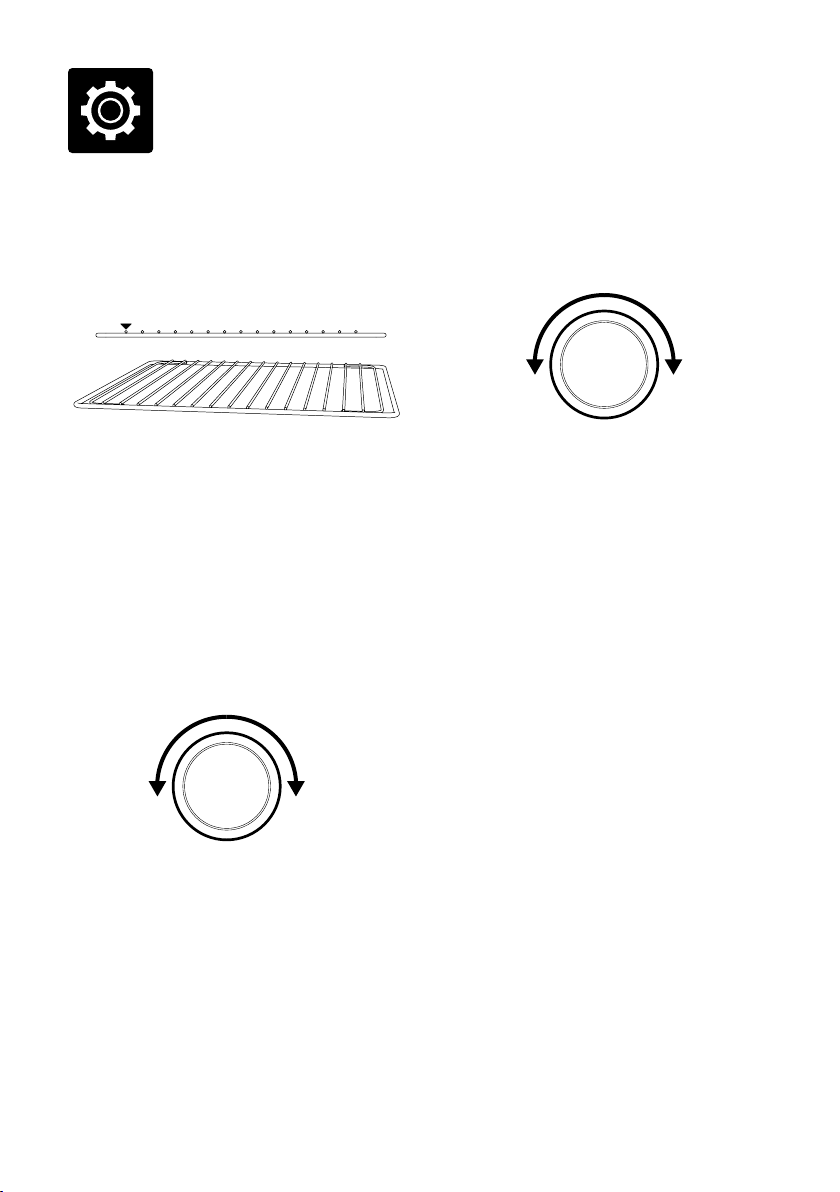
1. Position the wire rack so the spokes face
upward and insert it into the desired
rack position. The rack positions are
conveniently printed on the right-hand side
of the oven door window.
2. Turn the FUNCTION dial until the
indicator on the LCD screen reaches
the desired setting.
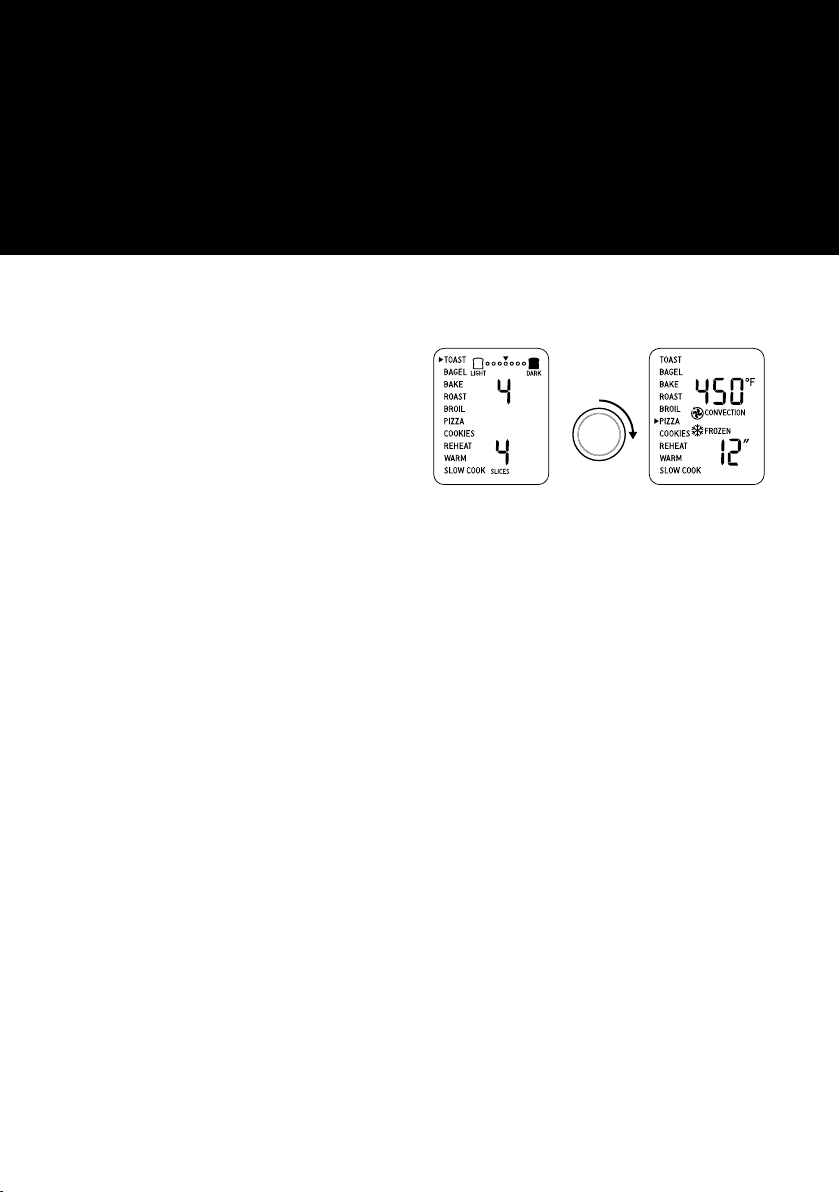
3. The top figure on the LCD screen indicates
the preset cooking temperature for the
selected setting. For the TOAST and
BAGEL settings it indicates the darkness
level. Turn the TEMPERATURE dial to the
left to reduce the temperature or to the right
to increase the temperature.
REDUCE
TEMPERATURE
INCREASE
TEMPERATURE
ROTATE
TEMPERATURE
DIAL
4. The bottom figure on the LCD screen
indicates the preset cooking time for
the selected setting. For the TOAST and
BAGEL settings it indicates the number
of slices; for the PIZZA setting it indicates
the size of the pizza. Turn the TIME dial to
the left to reduce the cooking time or to the
right to increase the cooking time.
REDUCE
TIME
INCREASE
TIME
ROTATE
TIME
DIAL
5. For settings without a preheat cycle
(TOAST, BAGEL, BROIL, REHEAT,
WARM), place the food directly on the wire
rack or on the included pizza pan, broiling
rack and/or baking pan. Ensure the food
is centered in the oven for the most even
cooking.
a) Close the oven door.
b) Press the START/CANCEL button.
The button backlight will illuminate red, the
oven alert will sound, and the LCD screen
will illuminate orange.
c) The timer will be displayed and begin to
count down. The cooking temperature and
time can be adjusted during the cooking
cycle.
11
6. For settings that feature a preheat cycle
(BAKE, ROAST, PIZZA, COOKIES, SLOW
COOK), press the START/CANCEL button
before placing food in the oven. The button
backlight will illuminate red, the oven alert
will sound and the LCD screen will indicate
a blinking ‘PREHEATING’ while the oven is
heating up.
a) When the oven is ready for use, the blinking
‘PREHEATING’ will go out, the oven alert
will sound and the timer will start counting
down. Place the food in the oven, either
directly on the wire rack or on the included
pizza pan, broiling rack and/or baking pan.
Ensure the food is centered in the oven for
the most even cooking.
b) Close the oven door.
c) The timer will continue to count down.
The cooking temperature and time can be
adjusted during the cooking cycle.
7. At the end of the cooking cycle, the oven
alert will sound, the START/ CANCEL
button backlight will go out and the LCD
screen will illuminate blue.
NOTE
The cooking cycle can be stopped at any time
by pressing the START/ CANCEL button. This
will cancel the cycle and the button backlight
will go out.
MAGNETIC AUTO-EJECT RACK
When the wire rack is inserted into the middle
rack position, it will automatically eject halfway
out of the oven when the door is opened so you
can easily remove your toasted items.
Always open the door slowly when the wire
rack is in this position to prevent the rack from
ejecting too quickly.
TOAST FUNCTION
The TOAST function browns and crisps the
outside of your bread while keeping the inside
soft and moist. This function is also ideal for
English muffins and frozen waffles.
1. Insert the wire rack, with the spokes
facing upward, into the middle rack height
position.
2. If toasting 1–3 slices, center the slices on the
wire rack. If toasting 4-6 slices, evenly space
them with 2-3 slices at the front of the wire
rack and 2-3 slices at the back of the rack.
3. Close the oven door.
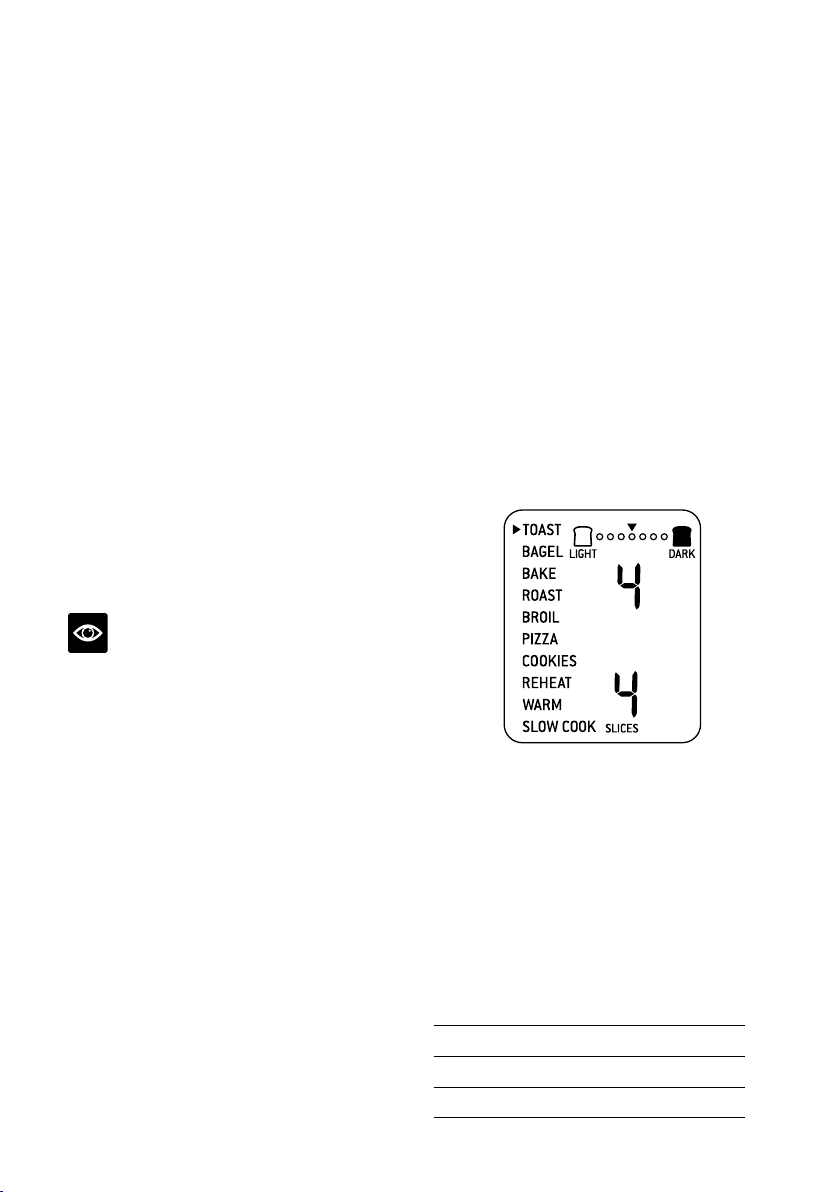
4. Turn the FUNCTION dial until the
indicator on the LCD screen reaches the
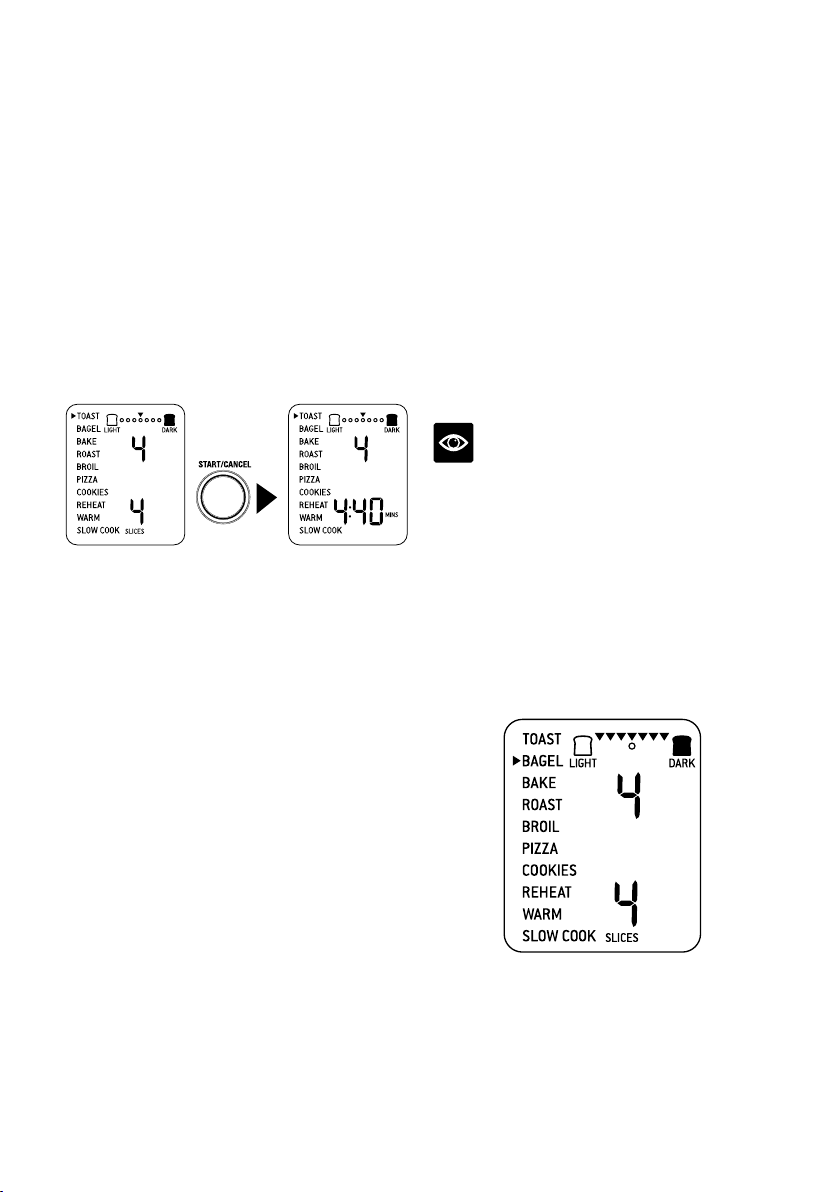
TOAST function. The top figure on the LCD
screen indicates the preset darkness setting
‘4’, while the bottom figure indicates the
preset number of slices ‘4’.
5. The darkness setting and number of
slices can be adjusted before or during the
toasting cycle.
a) The darkness setting is indicated by the
row of circles at the top of the LCD screen.
Turn the TEMPERATURE dial to the left to
reduce the darkness setting, or to the right
to increase it. The triangle above the circles
will move according to the selected setting.
As general guide:
Desired toast color
Setting
Light 1 or 2
Medium 3, 4 or 5
Dark 6 or 7
12
b) The number of slices is displayed as the
bottom figure on the LCD screen. Turn the
TIME dial to the left to reduce the number
of slices, or to the right to increase it. The
number of slices ranges from ‘1’ to ‘6’.
6. Press the START/CANCEL button to start
the TOAST function. The button backlight
will illuminate red, the oven alert will sound,
and the LCD screen will illuminate orange.
7. The timer will be displayed and
automatically begin to count down. The
time can be adjusted during the toasting
cycle by turning the TIME dial. The cycle
can be stopped at any time by pressing the
START/CANCEL button.
PRESS
8. At the end of the TOAST cycle, the oven
alert will sound. The START/CANCEL
button backlight will go out and the LCD
screen will illuminate blue.
BAGEL FUNCTION
The BAGEL function crisps the insides of
your cut bagel while only lightly toasting the
outside. This function is also ideal for toasting
crumpets or thick sliced specialty breads
which require one side to be toasted more than
the other.
1. Insert the wire rack, with the spokes facing
upward, into the middle rack
height position.
2. If toasting 1–3 bagel halves, center the slices
on the wire rack. If toasting 4–6 halves,
evenly space them with 2–3 halves at the
front of the wire rack and 2–3 halves at the
back of the rack.
NOTE
The inside (cut side) of the bagel must always
face upwards towards the top heating elements.
This allows the cut side to get crisp while the
crust is only lightly toasted.
3. Close the oven door.
4. Turn the FUNCTION dial until the
indicator on the LCD screen reaches the
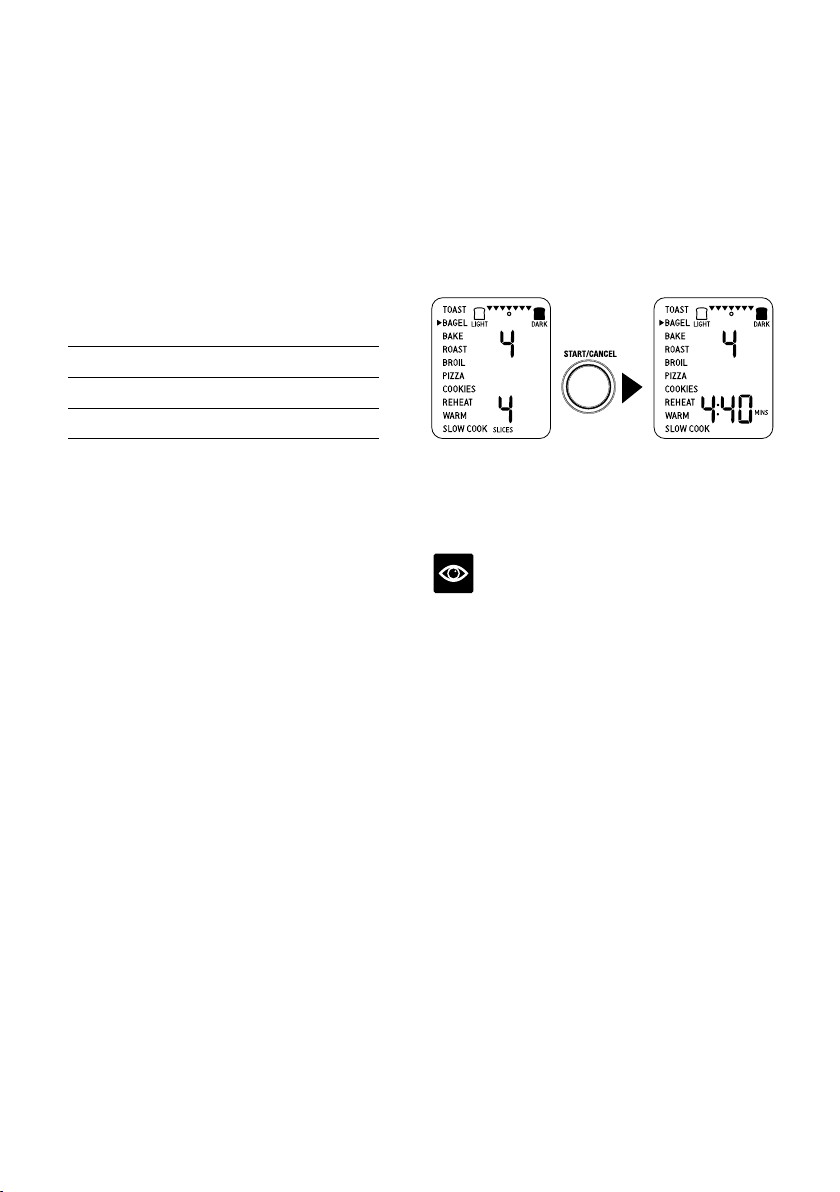
BAGEL function. The top figure on the LCD
screen indicates the preset darkness setting
‘4’, while the bottom figure indicates the
preset number of bagel halves ‘4’.
13
5. The darkness setting and number of bagel
halves can be adjusted before or during the
toasting cycle.
a) The darkness setting is indicated by the row
of triangles at the top of the LCD screen.
Turn the TEMPERATURE dial to the left to
reduce the darkness setting, or to the right
to increase it. The circle below the triangles
will move according to the selected setting.
As general guide:
Desired bagel color
Setting
Light 1 or 2
Medium 3, 4 or 5
Dark 6 or 7
b) The number of bagel halves is displayed
as the bottom figure on the LCD screen.
Turn the TIME dial to the left to reduce
the number of bagel halves, or to the right
to increase it. The number of bagel halves
ranges from ‘1’ to ‘6’.
6. Press the START/CANCEL button to start
the BAGEL function. The button backlight
will illuminate red, the oven alert will sound,
and the LCD screen will illuminate orange.
7. The timer will be displayed and
automatically begin to count down.
The time can be adjusted during the bagel
cycle by turning the TIME dial. The cycle
can be stopped at any time by pressing the
START/CANCEL button.
PRESS
8. At the end of the BAGEL cycle, the oven
alert will sound. The START/CANCEL
button backlight will go out and the LCD
screen will illuminate blue.
NOTE
If you like your bagel halves equally crisp on
both the top and bottom, we recommend using
the TOAST function to toast your cut bagel.
14
BAKE FUNCTION
The BAKE function cooks food evenly
throughout. This function is ideal for baking
cakes, muffins, brownies and pastries. The
BAKE function is also ideal for cooking pre-
packaged frozen meals such as lasagna and
pot pies.
1. Insert the wire rack, with the spokes facing
upward, into the bottom rack height
position. Note that some baked goods, such
as brownies or pastries, may be more suited
to the middle rack height position.
2. Close the oven door.
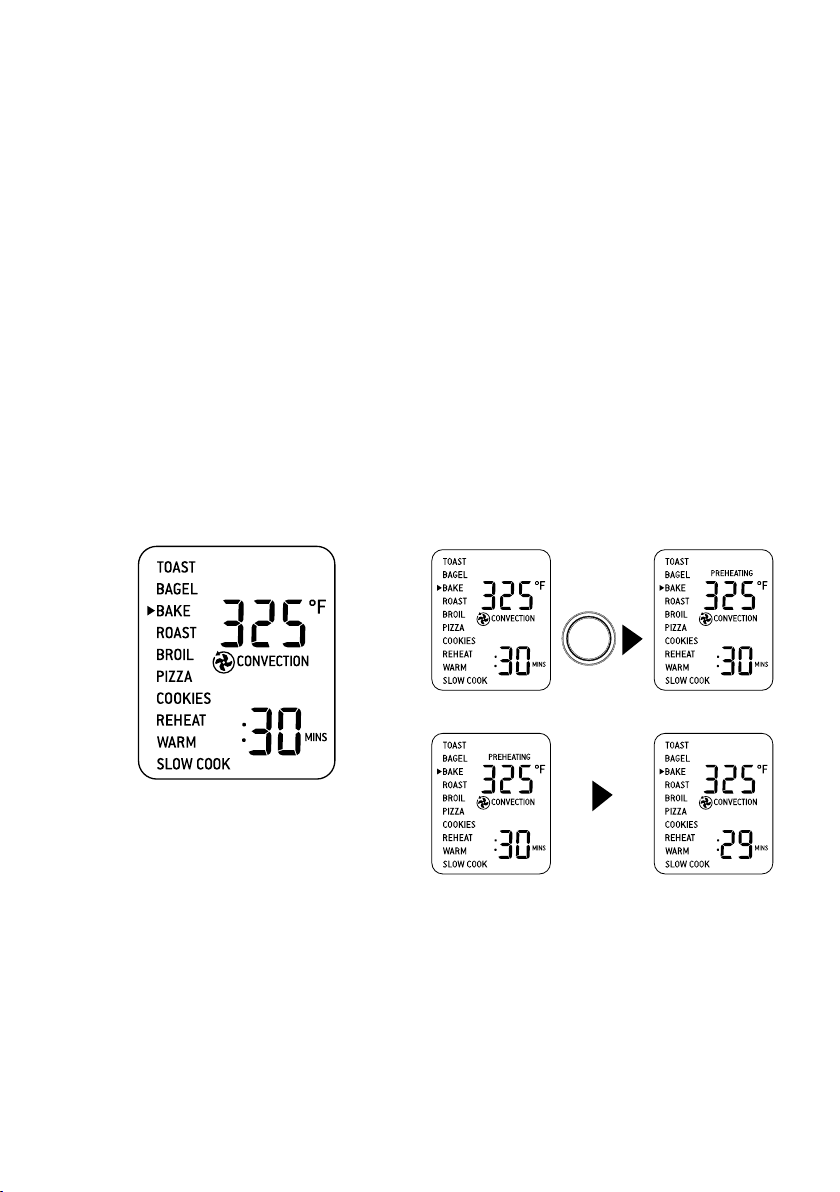
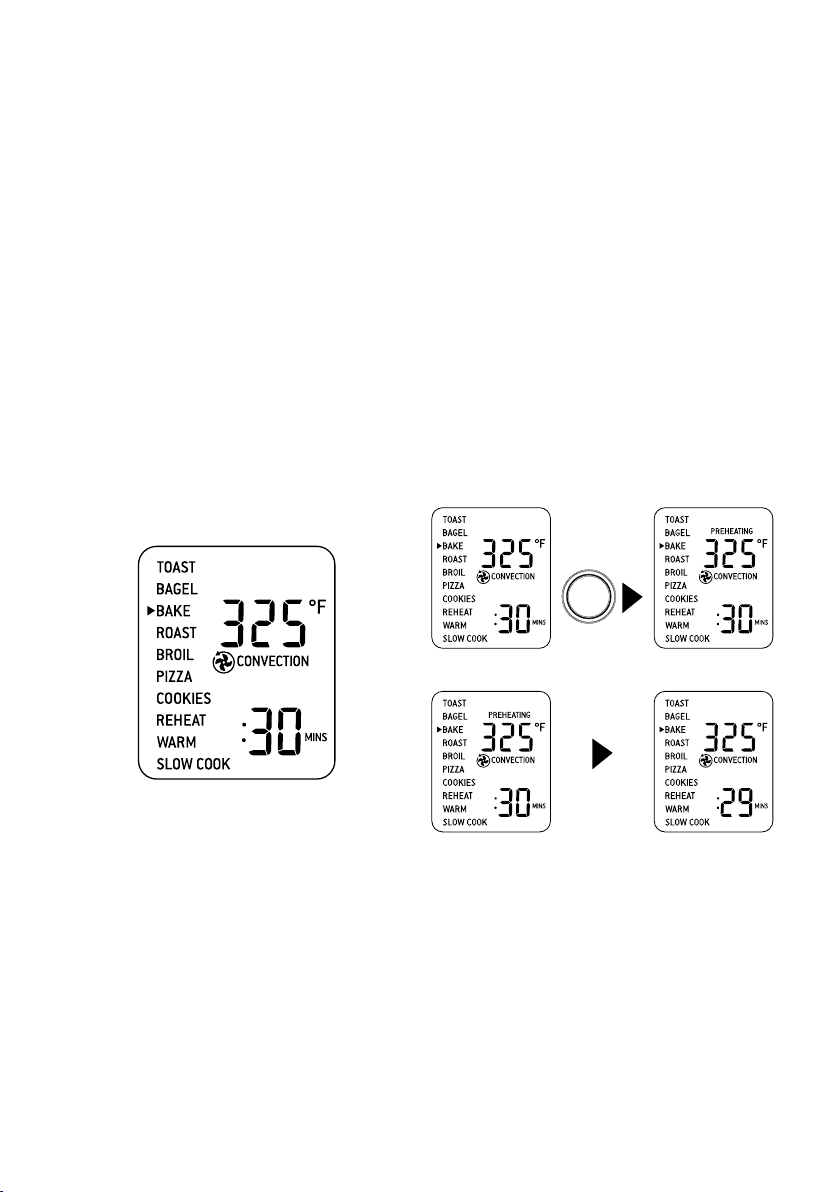
3. Turn the FUNCTION dial until
the indicator on the LCD screen reaches
the BAKE function. The top figure on the
LCD screen indicates the preset BAKE
temperature of ‘325°F’, while the bottom
figure indicates the preset time of
‘:30 MINS’. The preset CONVECTION
setting will also be displayed.
4. The baking temperature and time can be
adjusted before or during the baking cycle.
a) The baking temperature is displayed as
the top figure on the LCD screen. Turn
the TEMPERATURE dial to adjust the
baking temperature from 120°F/50°C to a
maximum of 450°F/230°C.
b) The baking time is displayed as the bottom
figure on the LCD screen. Turn the TIME
dial to select up to 2 hours for temperatures
above 300°F/150°C and up to 10 hours for
temperatures below 300°F/150°F.
5. Press the START/CANCEL button to
activate the BAKE function. The button
backlight will illuminate red, the oven
alert will sound and the LCD screen will
illuminate orange. The LCD screen will
indicate a blinking ‘PREHEATING’.
6. Once the oven has reached the set
temperature, the temperature alert
will sound.
7. Place food, positioned on the included
baking pan or other oven-proof dish, on
the center of the wire rack so air will flow
around all sides of the food.
8. After the PREHEATING alert has sounded,
the timer will automatically begin to count
down. The temperature and time can be
adjusted during the baking cycle by turning
the corresponding TEMPERATURE and
TIME dial. The cycle can be stopped at any
time by pressing the START/CANCEL
button.
PRESS
PREHEATING
START/CANCEL
WHEN AT
TEMPERATURE
9. At the end of the BAKE cycle, the oven alert
will sound. The START/CANCEL button
backlight will go out and the LCD screen
will illuminate blue.
15
ROAST FUNCTION
The ROAST function is ideal for cooking a
variety of meats and poultry. Food will be
tender and juicy on the inside and roasted to
perfection on the outside.
1. Insert the wire rack, with the spokes facing
upward, into the bottom rack height
position.
2. Close the oven door.
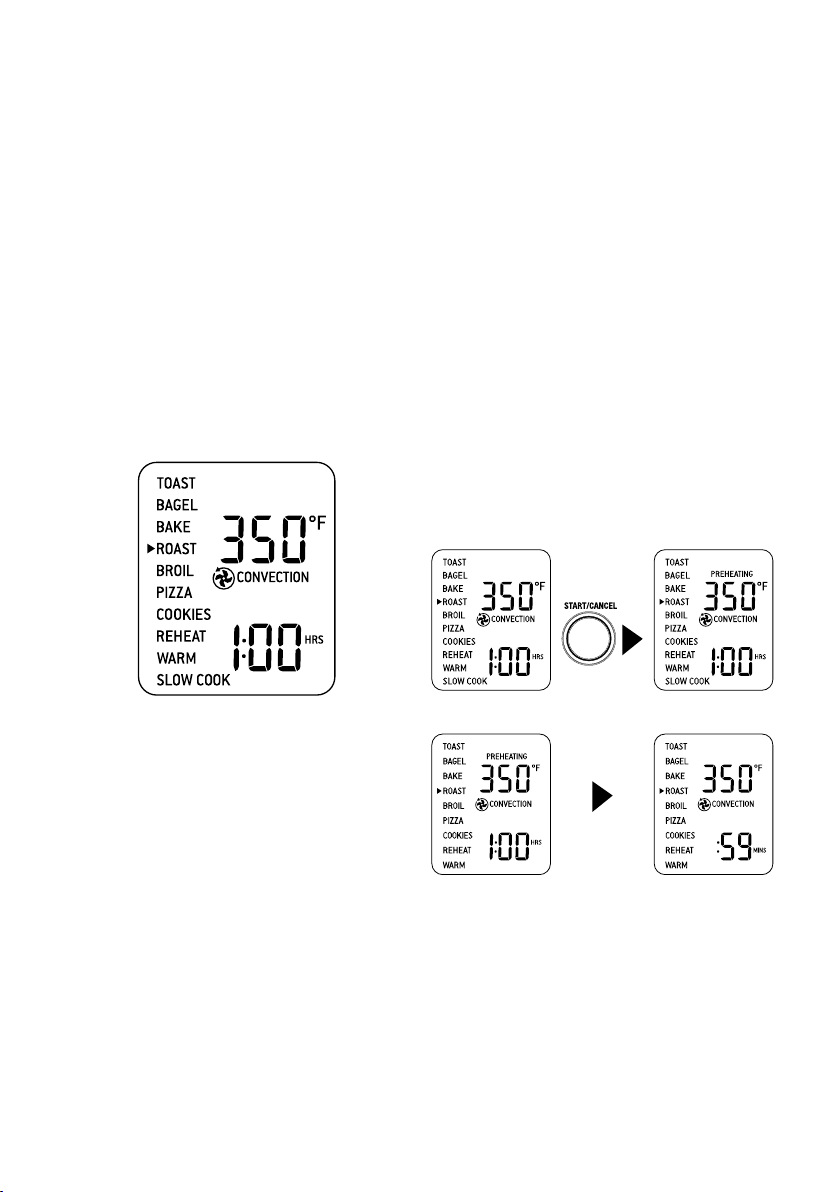
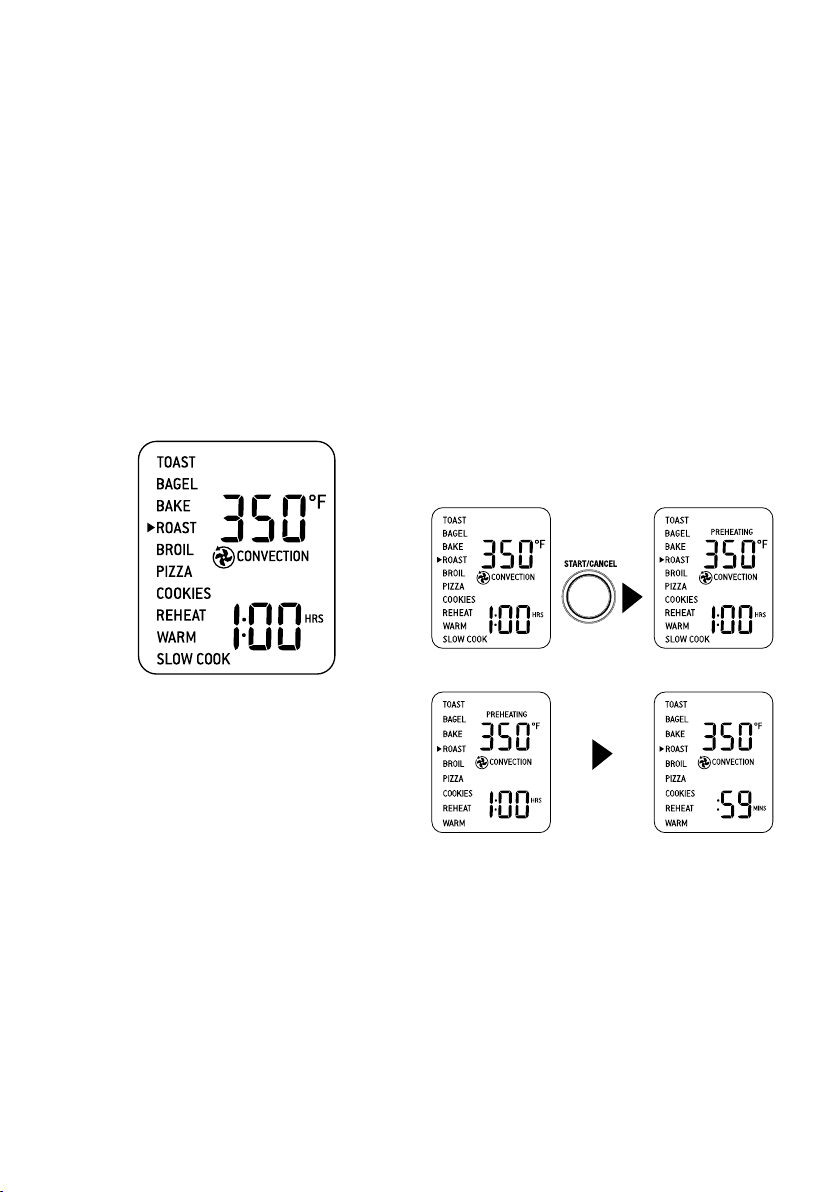
3. Turn the FUNCTION dial until
the indicator on the LCD screen reaches
the ROAST function. The top figure
on the LCD screen indicates the preset
ROAST temperature of ‘350°F’, while the
bottom figure indicates the preset time
of ‘1:00HRS’. The preset CONVECTION
setting will also be displayed.
4. The roasting temperature and time
can be adjusted before or during the
roasting cycle.
a) The roasting temperature is displayed
as the top figure on the LCD screen. Turn
the TEMPERATURE dial to adjust the
baking temperature from 120°F/ 50°C to a
maximum of 450°F/230°C.
b) The roasting time is displayed as the
bottom figure on the LCD screen. Turn
the TIME dial to select up to 2 hours for
temperatures above 300°F/150°C and
up to 10 hours for temperatures below
300°F/150°C.
5. Press the START/CANCEL button to
activate the ROAST function. The button
backlight will illuminate red, the oven
alert will sound and the LCD screen will
illuminate orange. The LCD screen will
indicate a blinking ‘PREHEATING’.
6. Once the oven has reached the set
temperature, the temperature alert will
sound.
7. Place food, positioned on the
included baking pan or other oven-proof
dish, on the center of the wire rack so air will
flow around all sides of the food.
8. After the PREHEATING alert has
sounded, the timer will automatically
begin to count down. The temperature and
time can be adjusted during the roasting
cycle by turning the corresponding
TEMPERATURE and TIME dial. The cycle
can be stopped at any time by pressing the
START/CANCEL button.
PRESS
WHEN AT
TEMPERATURE
9. At the end of the ROAST cycle, the
oven alert will sound. The START/CANCEL
button backlight will go out and the LCD
screen will illuminate blue.
16
BROIL FUNCTION
The BROIL function is ideal for open-faced
sandwiches, small cuts of meat, poultry and
fish, sausages and vegetables. Broiling can also
be used to brown the tops of casseroles and
gratins.
1. Insert the wire rack, with the spokes facing
upward, into the top rack height position.
2. Insert the included broiling rack into the
baking pan. Place food on the assembled
broiling rack or in an oven-proof dish, then
place on the center of the wire rack so air
flows around the sides of the food.
3. Close the oven door.
4. Turn the FUNCTION dial until the
indicator on the LCD screen reaches the
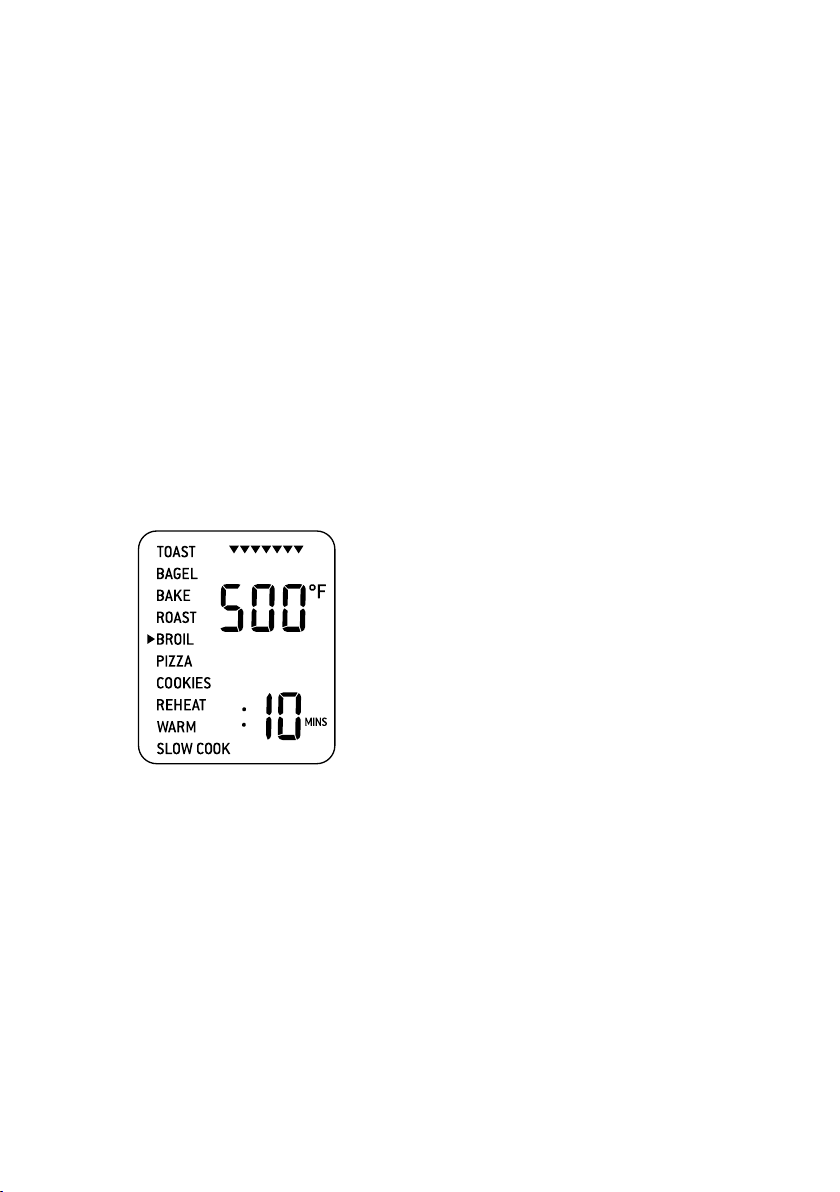
BROIL function. The top figure on the LCD
screen indicates the preset temperature of
‘500°F’, while the bottom figure indicates
the preset time of ‘:10 MINS’.
5. The broiling temperature and time can be
adjusted before or during the broiling cycle.
a) The broiling temperature is displayed as
the top figure on the LCD screen. Turn the
TEMPERATURE dial to adjust broiling to
one of three pre-set temperatures: 500°F,
400°F, 300°F.
b) The broiling time is displayed as the bottom
figure on the LCD screen. Turn the TIME
dial to adjust the time up to 20 minutes.
6. Press the START/CANCEL button to
activate the BROIL function. The button
backlight will illuminate red, the oven
alert will sound and the LCD screen will
illuminate orange.
7. The timer will be displayed and
automatically begin to count down.
The temperature and time can be adjusted
during the broiling cycle by turning the
corresponding TEMPERATURE and TIME
dial. The cycle can be stopped at any time
by pressing the START/CANCEL button.
8. At the end of the BROIL cycle, the
oven alert will sound. The START/CANCEL
button backlight will go out and the LCD
screen will illuminate blue.
17
PIZZA FUNCTION
The PIZZA function melts and browns cheese
and toppings, while crisping up the pizza crust.
1. Insert the wire rack, with the spokes
facing upward, into the middle rack height
position.
2. Close the oven door.
3. Turn the FUNCTION dial until
the indicator on the LCD screen reaches
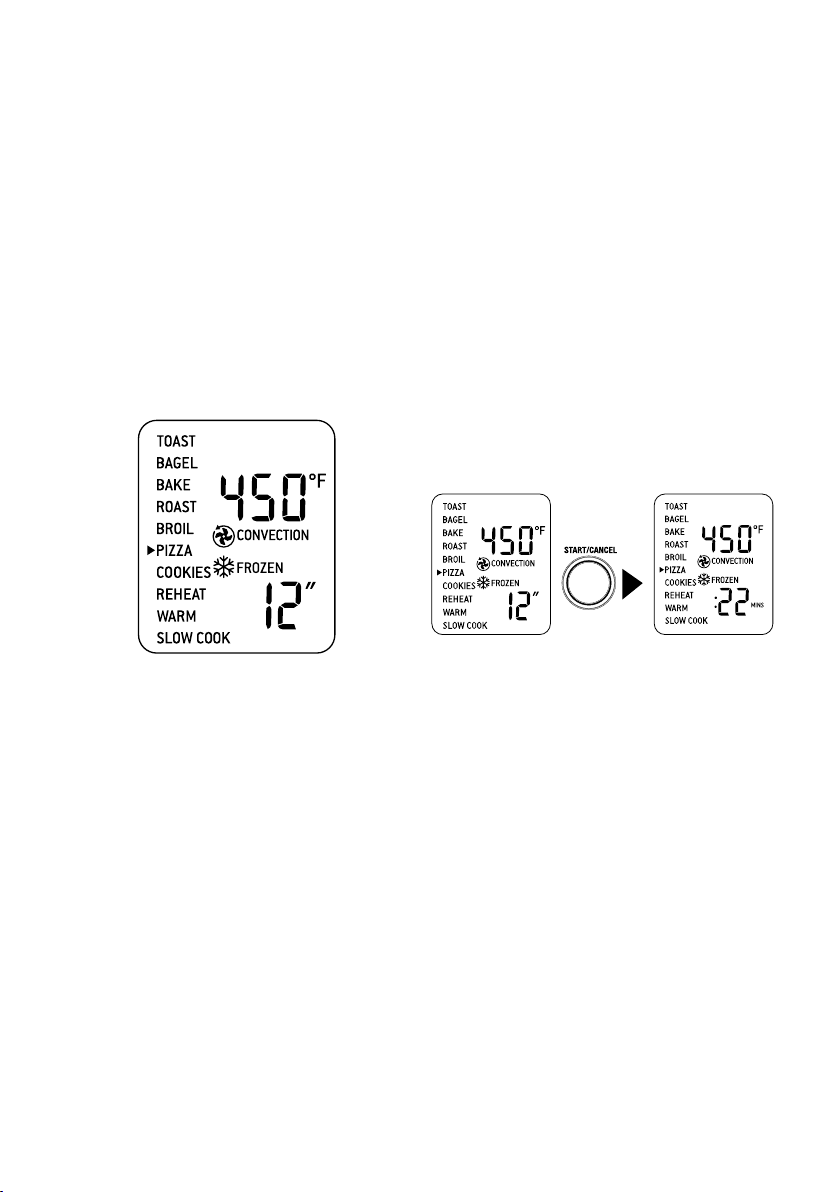
the PIZZA function. The top figure on the
LCD screen indicates the preset PIZZA
temperature of ‘450°F’, while the bottom
figure indicates the preset size of 12”. The
preset CONVECTION and FROZEN
settings will also be displayed.
4. The pizza temperature and size can be
adjusted before or during the cycle.
a) The pizza temperature is displayed as
the top figure on the LCD screen. Turn
the TEMPERATURE dial to adjust the
baking temperature from 120°F/50°C to a
maximum of 450°F/230°C.
b) The pizza size is displayed as the bottom
figure on the LCD screen. Turn the TIME
dial to the left to reduce the size, or to the
right to increase it. The pizza sizes range
from 6" to 13".
5. Press the START/CANCEL button to
activate the PIZZA function. The button
backlight will illuminate red, the oven
alert will sound and the LCD screen will
illuminate orange. The LCD screen will
indicate a blinking ‘PREHEATING’.
6. Once the oven has reached the set
temperature, the temperature alert
will sound.
7. Place food, positioned on the included pizza
pan, on the center of the wire rack so air will
flow around all sides of the food.
8. After the PREHEATING alert has sounded,
the timer will automatically begin to count
down. The temperature and time can be
adjusted during the cycle by turning the
corresponding TEMPERATURE and TIME
dial. The cycle can be stopped at any time
by pressing the START/CANCEL button.
PRESS
9. At the end of the PIZZA cycle, the oven alert
will sound. The START/CANCEL button
backlight will go out and the LCD screen
will illuminate blue.
A note on pizza stones
When using a pizza stone, it is necessary
to first heat the stone (without a pizza) for
optimum results.
1. Insert the wire rack, with the spokes
facing upward, into the middle rack height
position.
2. Place pizza stone on the center of the wire
rack so air will flow around all sides of the
stone.
3. Close the door
18
4. Turn the TIME dial to the left to reduce the
preset size to 6". The pizza size is displayed
as the bottom figure on the LCD screen.
The preset CONVECTION and FROZEN
settings will also be displayed.
5. Press the START/CANCEL button to
activate the PIZZA function. The button
backlight will illuminate red, the oven
alert will sound and the LCD screen will
illuminate orange. The LCD screen will
indicate a blinking ‘PREHEATING’.
6. Once the oven has reached the set
temperature, the temperature alert
will sound.
7. After the PREHEATING alert has sounded,
the timer will automatically begin to count
down.
8. At the end of the cycle, the oven alert will
sound. The START/CANCEL button
backlight will go out and the LCD screen
will illuminate blue.
9. Open the oven door and carefully place
frozen pizza on the heated pizza stone.
When cooking fresh pizza, carefully remove
the entire wire rack with pizza stone using
insulated oven mitts. Place on the counter
and transfer the fresh pizza dough onto
the heated stone before placing back into
the oven.
10. Select desired PIZZA setting and press the
START/CANCEL button to re-start the
PIZZA cycle.
COOKIES FUNCTION
The COOKIES function is ideal for baking
homemade or commercially prepared cookies
and other baked treats.
Ready-to-bake crescent rolls, cinnamon rolls,
biscuits and strudels are ideally baked using
this function.
1. Insert the wire rack, with the spokes
facing upward, into the middle rack
height position.
2. Close the oven door.
3. Turn the FUNCTION dial until the
indicator on the LCD screen reaches
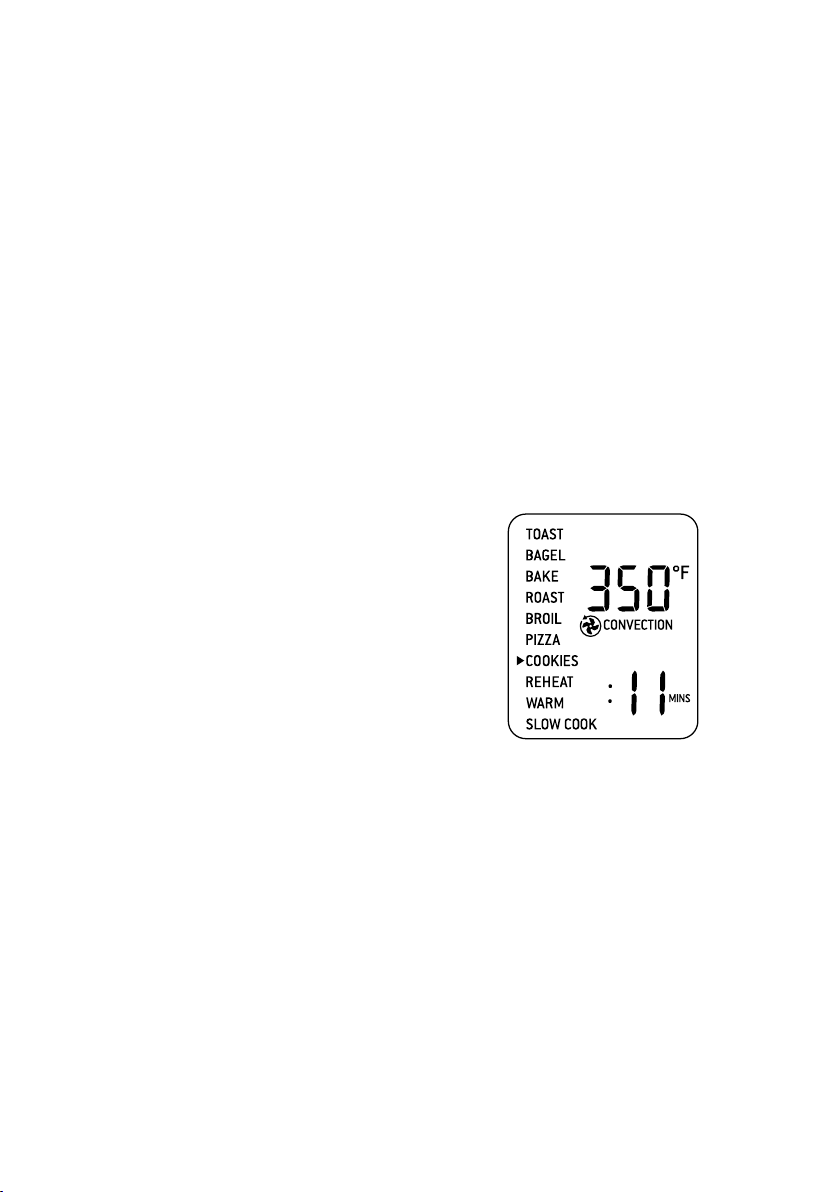
the COOKIES function. The top figure
on the LCD screen indicates the preset
temperature of ‘350°F’, while the bottom
figure indicates the preset time of ‘:11
MINS’. The preset CONVECTION setting
will also be displayed.
4. The baking temperature and time can be
adjusted before or during the cookie cycle.
a) The baking temperature is displayed as
the top figure on the LCD screen. Turn
the TEMPERATURE dial to adjust the
baking temperature from 120°F/50°C to a
maximum of 450°F/230°C.
b) The baking time is displayed as the bottom
figure on the LCD screen. Turn the TIME
dial to adjust the time up to 1 hour.
19
5. Press the START/CANCEL button to
activate the COOKIES function. The button
backlight will illuminate red, the oven
alert will sound and the LCD screen will
illuminate orange. The LCD screen will
indicate a blinking ‘PREHEATING’.
6. Once the oven has reached the set
temperature, the temperature alert
will sound.
7. Place food, positioned on the included
baking pan, pizza pan or other oven-proof
dish, on the center of the wire rack so air will
flow around all sides of the food.
8. After the PREHEATING alert has
sounded, the timer will automatically begin
to count down. The temperature and time
can be adjusted during the cycle by turning
the corresponding TEMPERATURE and
TIME dial. The cycle can be stopped at any
time by pressing the START/CANCEL
button.
9. At the end of the COOKIES cycle, the oven
alert will sound. The START/CANCEL
button backlight will go out and the LCD
screen will illuminate blue.
REHEAT FUNCTION
The REHEAT function is ideal for reheating
leftovers without browning.
1. Insert the wire rack, with the spokes facing
upward, into the bottom rack height
position.
2. Place food, positioned on the included
baking pan, pizza pan or other oven-proof
dish, on the center of the wire rack so air will
flow around all sides of the food.
3. Close the oven door.
4. Turn the FUNCTION dial until the
indicator on the LCD screen reaches
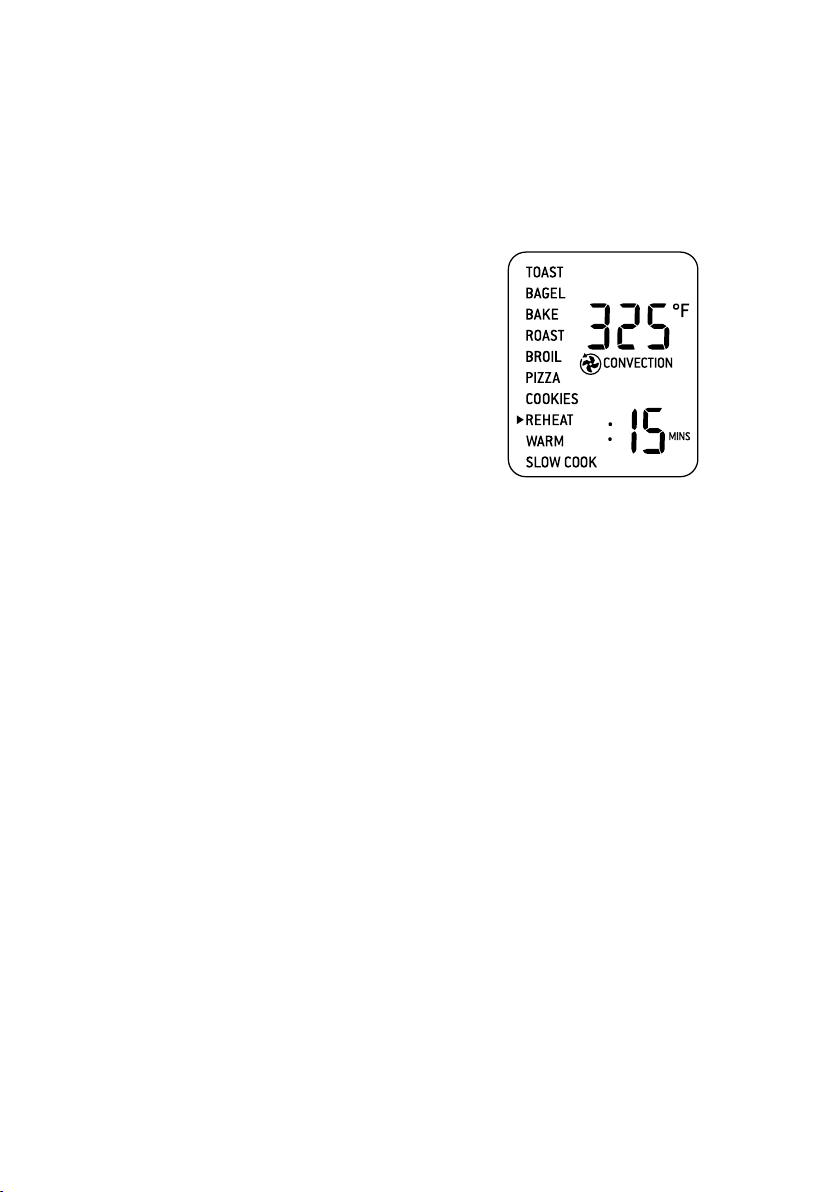
the REHEAT function. The top figure
on the LCD screen indicates the preset
temperature of ‘325°F’, while the bottom
figure indicates the preset time of ‘:15
MINS’. The preset CONVECTION setting
will also be displayed.
5. The reheating temperature and time
can be adjusted before or during the
reheating cycle.
a) The temperature is displayed as the
top figure on the LCD screen. Turn
the TEMPERATURE dial to adjust the
temperature from 120°F/50°C to a
maximum of 450°F/230°C.
b) The time is displayed as the bottom figure
on the LCD screen. Turn the TIME dial to
adjust the time up to 2 hours.
6. Press the START/CANCEL button to
activate the REHEAT function. The button
backlight will illuminate red, the oven
alert will sound and the LCD screen will
illuminate orange.
7. The timer will be displayed and
begin to count down. The temperature and
time can be adjusted during the reheating
cycle by turning the corresponding
TEMPERATURE and TIME dial. The cycle
can be stopped at any time by pressing the
START/CANCEL button.
8. At the end of the REHEAT cycle, the oven
alert will sound. The START/CANCEL
button backlight will go out and the LCD
screen will illuminate blue.
20
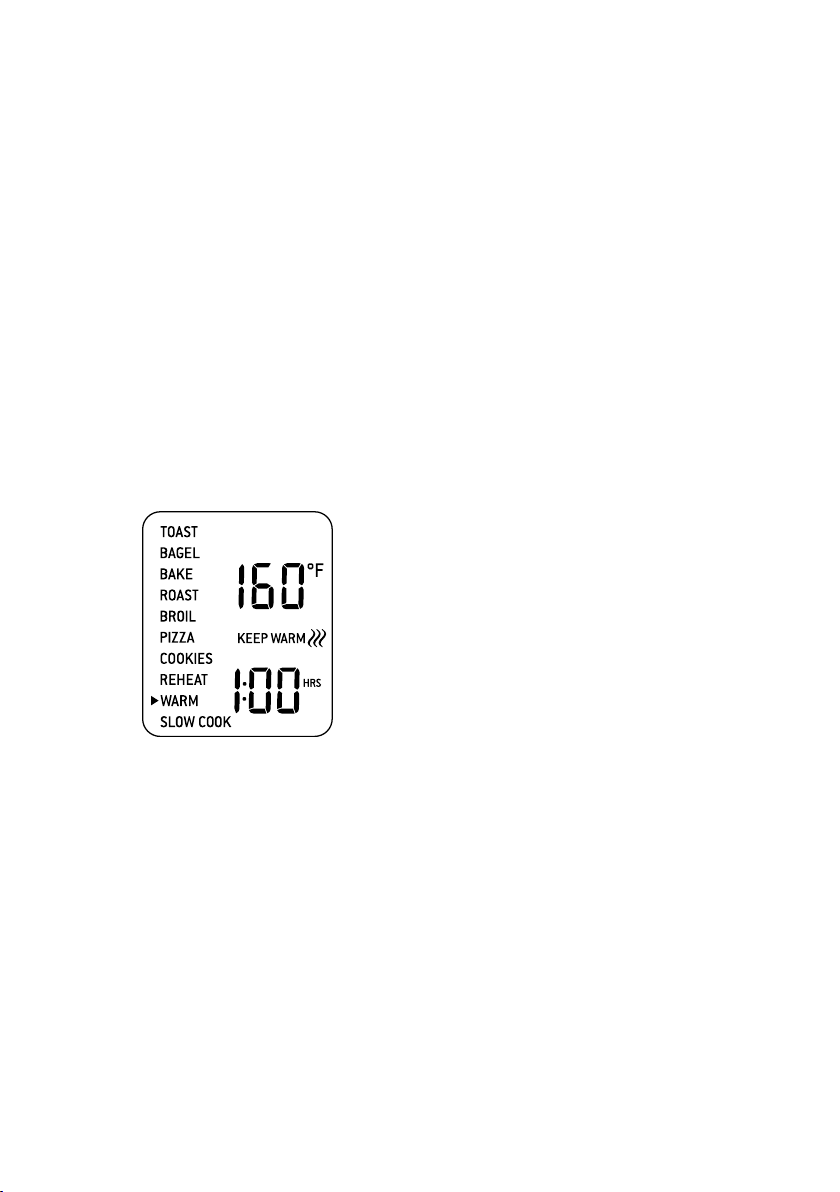
WARM FUNCTION
The WARM function maintains hot foods at
the recommended temperature to prevent
bacterial growth (160°F/70°C or above).
1. Insert the wire rack, with the spokes facing
upward, into the bottom rack height
position.
2. Place food, positioned on the included
baking pan, pizza pan or other oven-proof
dish, on the center of the wire rack so air will
flow around all sides of the food.
3. Close the oven door.
4. Turn the FUNCTION dial until the
indicator on the LCD screen reaches the
WARM function. The top figure on the LCD
screen indicates the preset temperature of
‘160°F’, while the bottom figure indicates
the preset time of ‘1:00 HRS’. The preset
KEEP WARM symbol will also be displayed.
5. The warming temperature and time
can be adjusted before or during the
warming cycle.
a) The temperature is displayed as the
top figure on the LCD screen. Turn
the TEMPERATURE dial to adjust the
temperature from 120°F/50°C to a
maximum of 450°F/230°C.
b) The time is displayed as the bottom figure
on the LCD screen. Turn the TIME dial to
adjust the time up to 2 hours.
6. Press the START/CANCEL button to
activate the WARM function. The button
backlight will illuminate red, the oven
alert will sound and the LCD screen will
illuminate orange.
7. The timer will be displayed and
automatically begin to count down.
The temperature and time can be adjusted
during the warming cycle by turning the
corresponding TEMPERATURE and TIME
dial. The cycle can be stopped at any time
by pressing the START/CANCEL button.
8. At the end of the WARM cycle, the
oven alert will sound. The START/CANCEL
button backlight will go out and the LCD
screen will illuminate blue.
21
SLOW COOK FUNCTION
The SLOW COOK function has cooking
profiles designed for long cook times at
low temperatures.
1. Insert the wire rack, with the spokes facing
upward, into the bottom rack height
position.
2. Close the oven door.
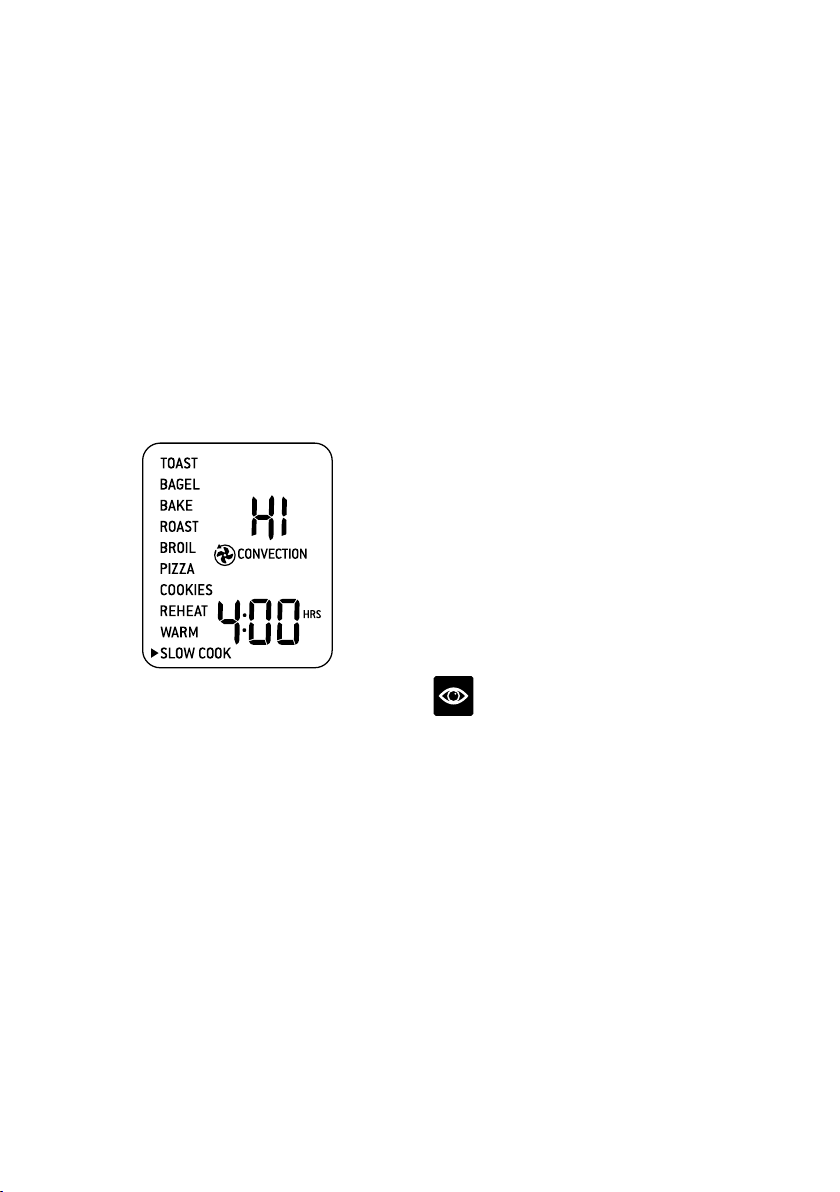
3. Turn the FUNCTION dial until the
indicator on the LCD screen reaches the
SLOW COOK function. The top figure
on the LCD screen indicates the preset
SLOW COOK setting of ‘HI’, while the
bottom figure indicates the preset time of
‘4:00HRS’. The preset CONVECTION
setting will also be displayed.
4. The slow cook setting and time can be
adjusted:
a) The slow cook setting is displayed as
the top figure on the LCD screen. Turn
the TEMPERATURE dial to adjust slow
cooking to one of two preset temperatures:
‘LO’ or ‘HI’.
b) The time is displayed as the bottom figure
on the LCD screen. Turn the TIME dial to
adjust the time between 4 and 10 hours for
‘LO’ and between 2 and 8 hours for ‘HI’.
5. Press the START/CANCEL button to
activate the SLOW COOK function. The
button backlight will illuminate red, the
oven alert will sound and the LCD screen
will illuminate orange. The LCD screen will
indicate a blinking ‘PREHEATING’.
6. Once the oven has reached the set
temperature, the temperature alert
will sound.
7. Place food, inside oven-proof cookware, on
the center of the wire rack so air will flow
around all sides of the food.
8. After the PREHEATING alert has
sounded, the timer will automatically
begin to count down. Time can be adjusted
during the slow cook cycle by turning the
corresponding TIME dial. The cycle can
be stopped at any time by pressing the
START/CANCEL button.
9. At the end of the SLOW COOK cycle,
the oven will automatically switch to
the WARM function. The LCD screen
will display ‘KEEP WARM’ and the
maximum keep warm time of ‘2:00 HRS’
will automatically count down. The keep
warm cycle can be stopped at any time by
pressing the START/CANCEL button.
NOTE
Do not pull the wire rack further than halfway
out when inserting or removing the cookware
from the oven.
22
Tips
TIPS FOR SLOW COOKING
1. Ensure cookware is ovenproof and does not
exceed 13 pounds when empty.
2. Fill cookware a minimum of ½ and
maximum of ¾ full to avoid over or under-
cooking. To prevent spillover,
do not fill cookware more than ¾ full.
3. Always slow cook with the lid on to prevent
food from drying out. Cover cookware with
a layer of aluminum foil before covering
with lid to keep even more moisture in.
4. Follow cooking settings and times
prescribed in traditional slow cooker
recipes. One hour on ‘HI’ is equivalent to
approximately one-and-a-half to two hours
on ‘LO’.
5. Cold food will take longer to cook than food
that has been pre-seared or heated so adjust
cooking times as appropriate. Do not slow
cook frozen foods.
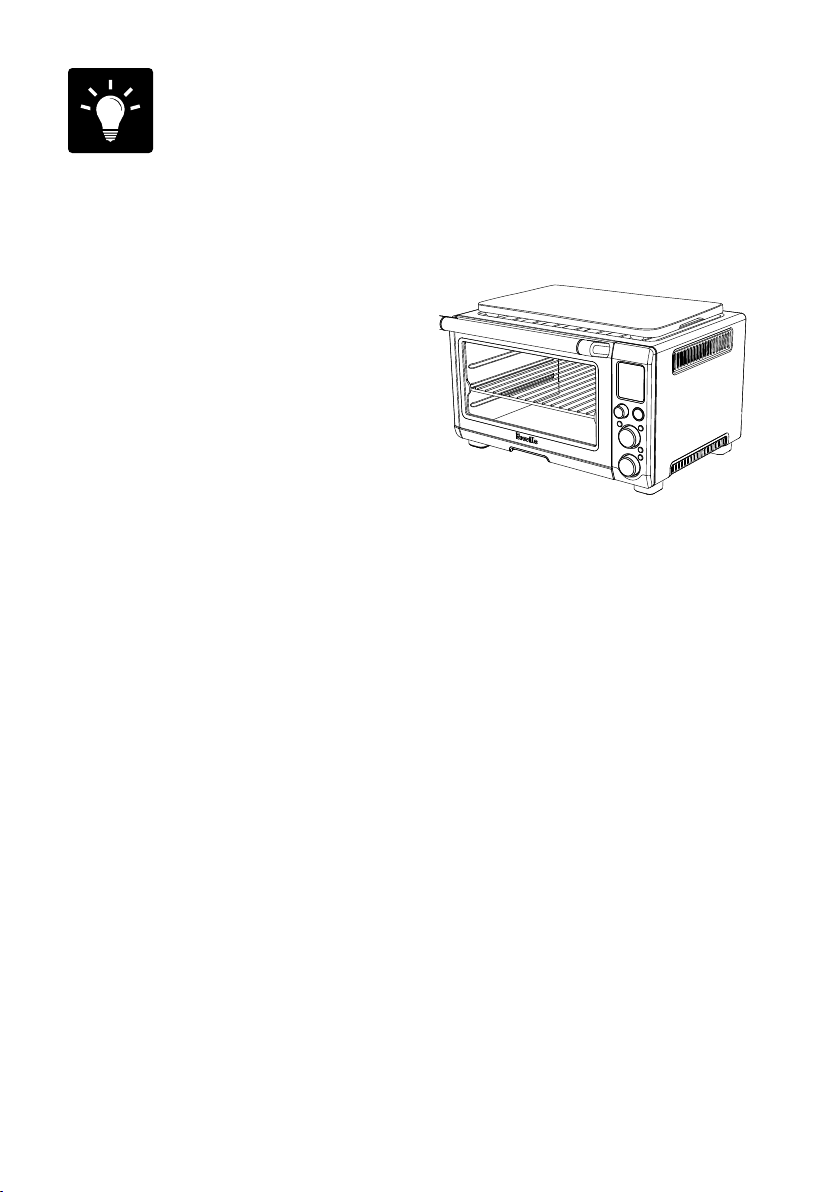
USING THE WARMING TRAY
The top of the oven is very hot during and after
operation. As a result, storing items on top of
the oven is not recommended.
The only exception is the optional Breville
Bamboo Cutting Board and Serving Tray that
fits in the ribbed section on top of
the oven. Visit www.breville.com for
more information.
23
Care & Cleaning
Before cleaning, ensure the oven is turned off
by pressing the START/CANCEL button on
the control panel. The oven is off when the
button backlight is no longer illuminated.
Remove the power plug from the power outlet.
Allow the oven and all accessories to cool
completely before disassembling and cleaning.
Cleaning the outer body and door
1. Wipe the outer body with a soft, damp
sponge. A non-abrasive liquid cleanser or
mild spray solution may be used to avoid
build-up of stains. Apply the cleanser to
the sponge, not the oven surface, before
cleaning.
2. To clean the glass door, use a glass cleaner
or mild detergent and a soft, damp sponge
or soft plastic scouring pad. Do not use an
abrasive cleanser or metal scouring pad as
these will scratch the oven surface.
3. Wipe the LCD screen with a soft damp
cloth. Apply cleanser to the cloth and not
the LCD surface. Cleaning with dry cloth or
abrasive cleaners may scratch the surface.
4. Let all surfaces dry thoroughly prior to
inserting the power plug into a power outlet
and turning the oven on.
WARNING
Do not immerse the body, power cord or power
plug in water or any other liquid as this may
cause electrocution.
Cleaning the interior
1. The walls on the inside of the oven feature
a non-stick coating for easy cleaning. To
clean any spattering that may occur while
cooking, wipe the walls with a soft, damp
sponge. A non-abrasive liquid cleanser or
mild spray solution may be used to avoid
build-up of stains. Apply the cleanser to
the sponge, not the oven surface, before
cleaning. Avoid touching the quartz
heating elements.
WARNING
Use extreme caution when cleaning the
quartz heating elements. Allow the oven to
cool completely, then gently rub a soft, damp
sponge or cloth along the length of the heating
element. Do not use any type of cleanser or
cleaning agent. Let all surfaces dry thoroughly
prior to inserting the power plug into a power
outlet and turning the oven on.
2. Let all surfaces dry thoroughly prior to
inserting the power plug into a power outlet
and turning the oven on.
Cleaning the crumb tray
1. After each use, slide out the crumb tray
and discard crumbs. Wipe the tray with a
soft, damp sponge. A non-abrasive liquid
cleanser may be used to avoid build-up of
stains. Apply the cleanser to the sponge, not
the tray, before cleaning. Dry thoroughly.
2. To remove baked-on grease, soak the tray
in warm soapy water then wash with a soft
sponge or soft plastic scouring pad. Rinse
and dry thoroughly.
3. Always ensure to re-insert the crumb tray
into the oven after cleaning and prior to
inserting the power plug into a power outlet
and turning the oven on.

24
Cleaning the wire rack, broiling rack,
baking pan and pizza pan
1. Wash all accessories in warm soapy water
with a soft sponge or soft plastic scouring
pad. Rinse and dry thoroughly. Do not use
abrasive cleansers, metal scouring pads
or metal utensils to clean any of
the accessories as they may damage
the surfaces.
2. To extend the life of your accessories,
we do not recommend that these be placed
in the dishwasher.
Storage
1. Ensure the oven is turned off by pressing
the START/CANCEL button on the control
panel. The oven is off when the button
backlight is no longer illuminated.
2. Remove the power plug from the power
outlet. Allow the oven and all accessories to
cool completely before disassembling and
cleaning
3. Ensure the oven and all accessories are
clean and dry.
4. Ensure the crumb tray is inserted into the
oven; the broiling rack is inserted into the
baking pan and resting on the wire rack in
the middle rack height position.
5. Ensure the door is closed.
6. Store the appliance in an upright position
standing level on its support legs. Do not
store anything on top. The only exception is
the optional Breville Bamboo Cutting Board
and Serving Tray.

25
Troubleshooting
POSSIBLE PROBLEM EASY SOLUTION
Oven will not
switch "ON"
•
Check that the power plug is securely inserted into the outlet.
•
Insert the power plug into an independent outlet.
•
Insert the power plug into a different outlet.
•
Reset the circuit breaker if necessary.
I would like to have
the oven LCD default
settings back
•
The oven will remember the last setting used for each function unless you
remove the plug from the power outlet.
•
To restore the oven’s default settings for each function, remove the plug
from the power outlet. Wait 5 seconds, then plug back in.
The LCD display
light has gone out
•
The oven goes into standby mode if not used for 10 minutes. When in
standby mode, the LCD screen will cease to illuminate, however all function
options will still be visible.
•
To re-activate the oven out of standby mode, press the START/CANCEL
button on the control panel, or turn any dial. The LCD screen will re-
illuminate.
The pizza does not
cook evenly
•
Some large pizzas may brown unevenly in compact ovens. Open the oven
door half way through the cooking time and turn the pizza 90 degrees for
more even darkness.
The Magnetic Auto-Rack
Eject comes out too far
when I open the door
•
Always open the door slowly and in a controlled manner when the wire rack
is inserted into the middle rack height position to prevent the wire rack from
ejecting too quickly.
I cannot select the
FROZEN FOODS button
•
The FROZEN FOODS button is only selectable during the TOAST, BAGEL,
PIZZA and COOKIES functions.
Steam is coming out from
the top of the oven door
•
This is normal. The door is vented to release steam created from high-
moisture content foods such as frozen breads.
The heating elements
appear to be pulsing
•
Element IQ
‰
accurately controls the heat inside the oven by pulsing the
power in the heating elements in short bursts. This is normal.
Water is dripping onto
counter from under door
•
This is normal. The condensation created from high moisture content foods
such as frozen breads will run down the inside of the door and can drip onto
the counter.
The temperature
reading on the LCD
screen doesn't match the
temperature measured
inside the oven.
•
To ensure the measurements are standardized, the oven temperatures have
been calibrated in the TOAST position (center of the middle rack with no
tray in place). Re-check the temperature in this position, ensuring not to
open the oven door for 10 minutes as heat will escape each time the door is
opened. Note that the ‘preheat’ alert sounds at 75% of the target temperature.

26
POSSIBLE PROBLEM EASY SOLUTION
The ‘preheat’ alert
sounds at a lower
temperature than
what is displayed on
the LCD screen.
•
The ‘preheat’ alert sounds at 75% of the target temperature. This provides the
fastest, combined preheating and cooking time.
•
This is because when the ‘preheating’ alert sounds, signaling the user to
open the oven door and insert food, there is dramatic temperature loss
inside the oven. If the alert sounded at 100% of the target temperature,
opening the door would mean a lot of this waiting time is "wasted". We
have calculated that by sounding the alert at 75% of the target temperature,
followed by the oven door being opened to place food inside the oven, that
we still recover to the target temperature up to 2 minutes faster. This is why
the temperature on the LCD screen does not match the target temperature
at the ‘preheat’ alert. In total, it takes the oven approximately 8–10 minutes
from start-up, including opening the oven door when the ‘preheat’ alert
sounds, to reach the target temperature. To ensure the fastest heat up
time, the Breville oven uses the maximum allowable power from the outlet
(1500W for baking, 1800W for toasting).
The LCD screen
displays 'E01'
•
The LCD screen will display 'E01' when there is a non-resettable issue with
the appliance. Should this occur, immediately remove the power cord from
the power outlet and call Breville Consumer Support.
The LCD screen
displays 'E02'
•
The LCD screen will display 'E02' when there is a non-resettable issue with
the appliance. Should this occur, immediately remove the power cord from
the power outlet and call Breville Consumer Support.
The LCD screen
displays 'E03'
•
The LCD screen will display 'E03' if the oven temperature is above the set
maximum limit. Remove the plug from the power outlet, allow the oven to
cool for 15 minutes, then plug back in.
•
Call Breville Consumer Support if the 'E03' message continues.
The LCD screen
displays 'E04'
•
The LCD screen will display 'E04' if the room temperature is below the set
minimum. Unplug the oven and relocate to a warmer area.
The LCD screen
displays 'E05'
•
The LCD screen will display 'E05' when there is a non-resettable issue with
the appliance. Should this occur, immediately remove the power cord from
the power outlet and call Breville Consumer Support.
the Smart Oven
®
Plus
Manuel d'instructions - Convient à tous les modèles de BOV810

28
IMPORTANTES
MESURES DE
SÉCURITÉ
Chez Breville, la sécurité
occupe une place de choix.
Nous concevons et fabriquons
des produits destinés aux
consommateurs sans jamais
perdre de vue la sécurité de
notre précieuse clientèle. De
plus, nous vous demandons
d’être très vigilant lorsque
vous utilisez un appareil
électroménager et de respecter
les mesures de sécurité
suivantes:
BREVILLE VOUS
RECOMMANDE
LA SÉCURITÉ
AVANT TOUT
LISEZ TOUTES LES
INSTRUCTIONS
Lorsque vous utilisez un
appareil électroménager,
des mesures de sécurité
élémentaires s’imposent, à
savoir:
• Retirez et disposez de tout
matériel d’emballage ou
étiquettes promotionnelles
avant d’utiliser votre appareil
pour la première fois.
• Afin d’éliminer les risques
de suffocation chez les
jeunes enfants, retirez et
jetez l’enveloppe protectrice
recouvrant la fiche de l’appareil.
• Ne placez pas le four sur le
bord d’un comptoir ou d’une
table. Assurez-vous que la
surface de travail est stable, de
niveau, résistant à la chaleur et
propre.
• N’utilisez pas l’appareil sur une
surface recouverte de tissu,
près des rideaux ou de tout
autre matériel inflammable.
Table Des
Matières
28 Breville vous recommande
la sécurité avant tout
32 Composants
34 Guide de démarrage rapide
36 Fonctionnement
– Fonction TOAST 37
– Fonction BAGEL 38
– Fonction CUIRE 40
– Fonction RÔTIR 41
– Fonction GRATINER 42
– Fonction PIZZA 43
– Fonction BISCUITS 44
– Fonction RÉCHAUFFER 45
– Fonction GARDE-AU-CHAUD 46
– Fonction CUISSON LENTE 47
48 Trucs
49 Entretien, nettoyage et rangement
51 Guide de démarrage

29
• Des risques d’incendie peuvent
se produire si le four est
recouvert ou entre en contact
avec du matériel inflammable
comme les rideaux, les
draperies, les murs ou autres,
lorsqu’il est en marche.
• Ne placez pas le four sur ou
près d’un élément chauffant au
gaz ou à l’électricité, et évitez
qu’il soit en contact avec un
four chaud.
• Ne laissez pas le cordon
d’alimentation pendre d’une
table ou d’un comptoir ou
entrer en contact avec des
surfaces chaudes.
• Pour vous protéger contre
les risques d’électrocution,
ne plongez pas le cordon
d’alimentation, la fiche ou la
base motorisée dans l’eau (ou
tout autre liquide).
• Lorsque vous utilisez l’appareil,
laissez un espace d’au moins
10 cm (4 po) de chaque côté du
four et 15 cm (6 po) au-dessus.
• Ne touchez pas les surfaces
chaudes. Pour prévenir les
brûlures, soyez extrêmement
prudent lorsque vous retirez les
casseroles, plats ou accessoires
de même que la lèchefrite et le
grilloir, car ils contiennent de
l’huile ou des liquides chauds.
• Ne déposez pas d’ustensiles de
cuisine, de casseroles ou plats
de cuisson sur la porte en verre.
• Ne laissez pas la porte du
four ouverte pour une longue
période de temps.
• Ne rangez aucun objet sur
le dessus du four lorsqu’il
fonctionne, sauf tel que décrit à
la page 48.
• Ne mettez aucun objet en
carton, plastique, papier ou
autre matériel inflammable
dans le four.
• Ne recouvrez pas le ramasse-
miettes ou toute autre pièce du
four de papier aluminium, car
cela le fera surchauffer.
• Soyez prudent si vous utilisez
des casseroles ou plats fiats de
matériau autre que le métal.
Assurez-vous que ces plats sont
à l’épreuve de la chaleur.
• Soyez très prudent lorsque
vous couvrez un plat ou une
casserole dans le four, car la
pression accumulée sous le
couvercle peut faire jaillir les
ingredients ou craqueler le plat.
Ne mettez pas de contenants
scellés ou hermétiques dans le
four.

30
• N’insérez pas d’aliments ou
ustensiles métalliques de
grand format dans le four, car
ils peuvent causer un risque
d’incendie ou d’électrocution.
• L’utilisation d’accessoires
non recommandés ou fournis
avec ce four peut causer des
blessures.
• Cet appareil est conçu pour un
usage domestique seulement.
Ne l’utilisez dans aucun type
de véhicules en mouvement.
Ne l’utilisez pas à l’extérieur
ou pour toutes autres fins que
celles prévues. Une mauvaise
utilisation peut causer des
blessures.
• Éteignez toujours l’appareil,
débranchez-le et laissez-le
refroidir s’il est laissé sans
surveillance, nettoyé, déplacé,
assemblé ou rangé.
• Ne pas nettoyer avec un
tampon à récurer métallique
qui, en se brisant, laisserait
tomber des particules sur les
éléments chauffants et causer
un risque d’électrocution.
• Surveillez attentivement les
enfants qui utilisent ou sont à
proximité de l’appareil.
• Il est recommandé de vérifier
régulièrement l’appareil et
le cordon d’alimentation.
N’utilisez pas l’appareil si
le cordon ou la fiche sont
endommagés ou si l’appareil
présente un défaut de
fonctionnement ou a été
endommagé de quelque façon.
Cessez immédiatement l’usage
et appelez le Soutien aux
consommateurs de Breville.
DIRECTIVES
SPÉCIFIQUES
POUR LE BOV810
• Nous vous recommandons
de brancher le four à un
circuit dédié séparé des autres
appareils. Si vous avez le
moindre doute, consultez un
électricien agréé et qualifié.
• Pour éteindre le four, pressez
sur la touche MARCHE/
ARRÊT du panneau de
commande. Le four est éteint
lorsque la touche n’est plus
rétroéclairée.
USAGE DOMESTIQUE SEULEMENT
CONSERVEZ CES INSTRUCTIONS

31
• Nettoyez régulièrement le
plateau ramasse-miettes. Pour
ce faire:
−Éteignez le four.
−Laissez le four refroidir
complètement, puis
débranchez-le de la prise
murale.
−Retirez le ramasse-miettes
et nettoyez-le à l’eau chaude
savonneuse.
−Séchez parfaitement le
ramasse-miettes avant de
l’insérer dans le four.
COURT CORDON
D’ALIMENTATION
Votre appareil Breville est muni
d’un court cordon d’alimentation
très sécuritaire qui réduit
les risques de blessures ou
dommages matériels résultant
du fait de tirer, trébucher ou
s’enchevêtrer dans un cordon
plus long. Si vous utilisez
une rallonge: (1) la puissance
nominale indiquée sur la corde
doit être au moins équivalente à
celle de l’appareil; (2) la corde ne
doit pas pendre d’un comptoir
ou d’une table où des enfants
pourraient involontairement s’y
suspendre ou trébucher; (3) la
rallonge doit être munie d’une
fiche à trois branches reliée à la
terre.
FICHE POLARISÉE
Cet appareil est muni d’une
fiche polarisée (une lame
est plus large que l’autre).
Pour réduire les risques
d’électrocution, cette fiche
s’insère d’une seule façon dans
une prise électrique polarisée.
Si la fiche ne s’insère pas
correctement, inversez-la. Si le
problème persiste, contactez un
électricien qualifié. Ne modifiez
d’aucune façon la fiche de cet
appareil.
FICHE ASSIST
®
DE
BREVILLE
Votre appareil Breville est muni
d’une fiche exclusive Assist
‰
munie d’un anneau conçu pour
laisser passer un doigt afin
de faciliter le débranchement
sécuritaire de la prise électrique.
PROPOSITION 65 DE LA
CALIFORNIE :
(Applicable aux résidents de la
Californie seulement).
Cet appareil est reconnu de
l’État de la Californie comme
pouvant causer le cancer, des
malformations génétiques
ou tout autre problème de
reproduction.
32
Composants
A. Grilloir en émail de 30 x 30 cm
B. Lèchefrite en émail de 30 x 30 cm
C. Plaque à pizza antiadhésive de 33 cm
D. Poignée de la porte
E. Position supérieure de la grille : fonction
GRATINER
F. Position centrale de la grille : fonctions
TOAST, BAGEL, PIZZA et BISCUITS
D
A
B
C
I
J
K
D
E
F H
G
G. Position inférieure de la grille: fonctions
CUIRE, RÔTIR, RÉCHAUFFER, GARDE-
AU-CHAUD et CUISSON LENTE
H. Grille
I. Ramasse-miettes
J. Évents
K. Fiche Assist
®
de Breville
33
D
A
B
C
I
J
K
D
E
F H
G
S
N
L
M
Q
R
O
P
L. Écran ACL
M. Touche MARCHE/ARRÊT
N. Cadran de FONCTIONS
O. Molette de TEMPÉRATURE/contrôle
de coloration pour toasts et bagels
P. Molette de MINUTERIE/Nombre de
tranches de toasts et bagels/Format
de pizza
Q.
Bouton de CONVECTION
R.
Bouton de conversion de TEMPÉRATURE
S. Bouton pour ALIMENTS CONGELÉS
Accessoires vendus séparément:
Pierre à pizza de 33 cm
Pièce n° BOV800PS13
Planche à découper en bambou
Pièce n° BOV800CB
Plaque à pizza trouée
antiadhésive de 33 cm
Pièce n° BOV800PC13
34
Guide de démarrage rapide
Ce guide de démarrage rapide est conçu pour la première utilisation de l’appareil.
Pour des informations additionnelles, veuillez consulter le reste du manuel d’instructions.
PRÉPARER LE FOUR
Afin d’éliminer les substances protégeant les
éléments chauffants, il est nécessaire de faire
fonctionner le four sans aliments durant
15 minutes. Assurez-vous qu’il y a une bonne
circulation d’air autour du four, car la vapeur
peut s’en émaner. Cela est normal et n’altérera
pas la performance du four.
1. Retirez du four et jetez tout matériel
d’emballage, étiquettes promotionnelles
et collants.
2. Retirez le ramasse-miettes, la grille, le
grilloir, la lèchefrite et la plaque à pizza de
l’emballage en polymousse. Lavez-les à l’eau
chaude savonneuse, à l’aide d’une éponge
douce. Rincez et séchez à fond.
3. Essuyez l’intérieur du four avec une éponge
douce et humide. Séchez soigneusement.
4. Placez le four sur une surface plane et sèche.
Assurez-vous d’un minimum d’espace de
10 cm (4 po) de chaque côté et de 15 cm
(6 po) sur le dessus du four.
5. Insérez le ramasse-miettes dans le four.
6. Déroulez complètement le cordon
d’alimentation et insérez la fiche dans la
prise électrique.
7. Le signal sonore se fera entendre et l’écran
ACL s’illuminera, affichant les options de
fonctions et l’indicateur pointant le réglage
TOAST.
8. Tournez la molette de FONCTIONS vers la
droite jusqu’à ce que l’indicateur pointe la
fonction PIZZA.
ROTATE
FUNCTION
DIAL
9. Pressez sur la touche MARCHE/ARRÊT.
La touche s’éclairera en rouge, l’écran ACL
s’illuminera en orange et le signal sonore se
fera entendre.
10. Le message ‘PREHEATING’ (préchauffage)
clignotera sur l’écran ACL. Dès que le four
aura atteint la température sélectionnée, le
signal sonore se fera entendre.
11. La minuterie s’affichera et le compte à
rebours débutera.
12. À la fin du cycle, le signal sonore se fera
entendre, la touche MARCHE/ARRÊT
s’éteindra et l’écran ACL s’illuminera
en bleu.
13. Le four est maintenant prêt à être utilisé.

35
ELEMENT IQ
‰
Le Smart Oven‰ Plus est muni d’un Élément IQ‰, technologie qui ajuste la puissance des
éléments chauffants pour cuire rapidement et de façon uniforme. Chacune des fonctions est
préréglée selon nos recommandations. Cependant, nous vous suggérons d’en faire l’expérience en
fonction de la recette, de la quantité d’aliments et de vos goûts personnels.
Votre réglage personnalisé restera en mémoire jusqu’à ce qu’il soit changé ou que le four
soit débranché.
APERÇU DES FONCTIONS
FONCTION POSITION DE
LA GRILLE
RÉGLAGES OPTIONNELS PRÉRÉGLAGES PRÉCHAUFFAGE RATIO
TOAST Milieu ALIMENTS CONGELÉS Coloration 4
Tranches 4
Non Coloration 1–7
1–6
tranches
BAGEL Milieu ALIMENTS CONGELÉS Coloration 4
Tranches 4
Non Coloration 1–7
1–6 tranches
CUIRE Bas CONVECTION
CONVERSION DE
TEMPÉRATURE
160°C (325°F)
CONVECTION
30 MIN
Oui 50–230°C (120–450°F)
Jusqu’à 10 HRES
RÔTIR Bas CONVECTION
CONVERSION DE
TEMPÉRATURE
175°C (350°F)
CONVECTION
1:00 HRE
Oui 50–230°C (120–450°F)
Jusqu’à 10 HRES
GRATINER Haut CONVERSION DE
TEMPÉRATURE
260°C (500°F)
10 MIN
Non 150–260°C (300–500°F)
Jusqu’à 20 MIN
PIZZA Milieu CONVECTION
CONVERSION DE
TEMPÉRATURE
ALIMENTS CONGELÉS
230°C (450°F)
CONVECTION
ALIMENTS
CONGELÉS
PIZZA DE 30 CM
Oui 50–230°C (120–450°F)
PIZZA DE 15-33 CM
BISCUITS Milieu CONVECTION
CONVERSION DE
TEMPÉRATURE
ALIMENTS CONGELÉS
175°C (350°F)
CONVECTION
11 MIN
Oui 50–230°C (120–450°F)
Jusqu’à 1 HRE
RÉCHAUFFER Bas CONVECTION
CONVERSION DE
TEMPÉRATURE
160°C (325°F)
CONVECTION
15 MIN
Non 50–230°C (120–450°F)
Jusqu’à 2 HRES
GARDE-AU-
CHAUD
Bas CONVECTION
CONVERSION DE
TEMPÉRATURE
75°C (160°F)
1:00 HRE
Non 50–230°C (120–450°F)
Jusqu’à 2 HRES
CUISSON
LENTE
Bas CONVECTION HAUT
CONVECTION
4:00 HRES
Oui HAUT, 2-8 HRES
BAS, 4-10 HRES
GARDE-AU-CHAUD
automatique
Jusqu’à 2 HRES
36
Fonctionnement
FONCTIONNEMENT DE
VOTRE FOUR BREVILLE
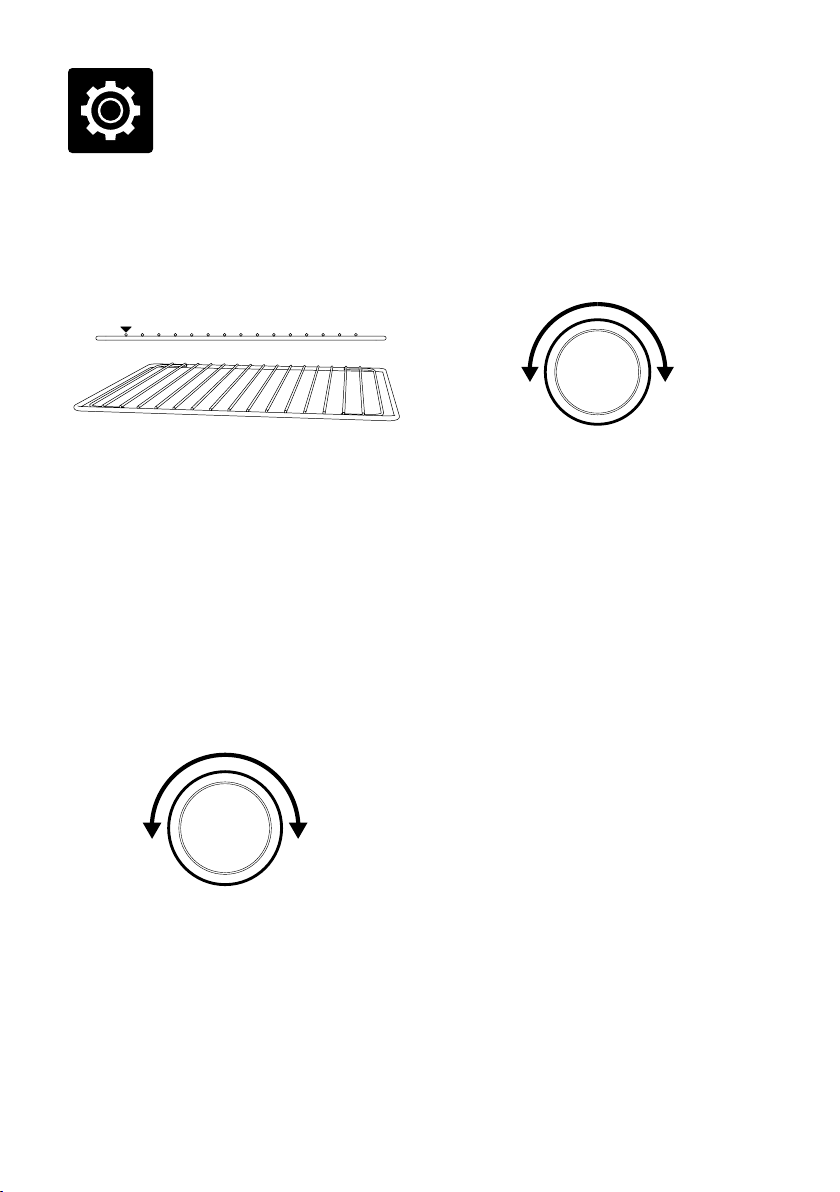
1. Insérez la grille à la position désirée, en
orientant les rayons vers le haut. Les
positions sont clairement indiquées sur le
côté droit de la porte du four.
2. Tournez la molette de FONCTIONS jusqu’à
ce que l’indicateur pointe le réglage désiré
sur l’écran ACL.
3. Le chiffre au haut de l’écran ACL indique
la température de cuisson préréglée pour
le réglage sélectionné. Pour les réglages
TOAST et BAGEL, il indique le niveau
de coloration. Tournez la molette de
TEMPÉRATURE vers la gauche pour
réduire la température ou vers la droite
pour l’augmenter.
RÉDUIRE LA
TEMPÉRATURE
AUGMENTER L
A
TEMPÉRATURE
TOURNER
MOLETTE DE
TEMPÉRATURE
4. Le chiffre du bas sur l’écran ACL indique le
temps de cuisson préréglé pour le réglage
sélectionné. Pour les réglages TOAST et
BAGEL, il indique le nombre de tranches;
pour le réglage PIZZA, il indique le format
de pizza. Tournez la molette de TEMPS vers
la gauche pour réduire le temps de cuisson
ou vers la droite pour l’augmenter.
RÉDUIRE LA
TEMPÉRATURE
AUGMENTER LA
TEMPÉRATURE
TOURNER
MOLETTE
DE TEMPS
5. Pour les réglages qui ne nécessitent
pas de préchauffage (TOAST, BAGEL,
GRATINER, RÉCHAUFFER, GARDE-AU-
CHAUD), mettez les aliments directement
sur la grille ou la plaque à pizza fournie,
le grilloir et/ou la lèchefrite. Les aliments
doivent être bien centrés dans le four afin
d’assurer une cuisson uniforme.
a) Fermez la porte du four.
b) Pressez sur la touche MARCHE/ARRÊT.
Elle s’illuminera en rouge, le signal sonore
se fera entendre et l’écran ACL s’illuminera
en orange.
c) La minuterie s’affichera et le compte
à rebours débutera. Le temps et la
température peuvent être ajustés durant la
cuisson.
37
6. Pour les réglages qui nécessitent un cycle
de préchauffage (CUIRE, RÔTIR, PIZZA,
BISCUITS, CUISSON LENTE), pressez
sur la touche MARCHE/ARRÊT avant de
mettre les aliments dans le four. La touche
s’illuminera en rouge, le signal sonore se
fera entendre et le message ‘PREHEATING’
clignotera sur l’écran ACL durant le
préchauffage.
a) Lorsque le four aura atteint la température
requise, le message ‘PREHEATING’
(préchauffage) disparaîtra, le signal sonore
se fera entendre et le compte à rebours
débutera. Mettez les aliments dans le four,
soit directement sur la grille ou la plaque à
pizza fournie, le grilloir et/ou la lèchefrite.
Les aliments doivent être bien centrés dans
le four afin d’assurer une cuisson uniforme.
b) Fermez la porte du four.
c) Le compte à rebours se poursuivra. Le
temps et la température peuvent être
ajustés durant la cuisson.
7. Une fois la cuisson terminée, le signal
sonore se fera entendre, le rétroéclairage de
la touche MARCHE/ARRÊT disparaîtra et
l’écran ACL s’illuminera en bleu.
NOTE
Vous pouvez arrêter le cycle de cuisson
en tout temps en pressant sur la touche
MARCHE/ARRÊT. Cela annulera le cycle et le
rétroéclairage de la touche disparaîtra.
GRILLE MAGNÉTIQUE
AUTO-ÉJECTABLE
Si la grille est insérée à la position centrale, elle
s’éjectera automatiquement jusqu’au milieu de
la porte lorsque celle-ci sera ouverte, pour vous
permettre de retirer facilement les aliments.
Ouvrez toujours la porte lentement lorsque
la grille est en position centrale, pour éviter
qu’elle ne s’éjecte trop rapidement.
FONCTION TOAST
La fonction TOAST colore et rend la croûte
croustillante pendant que l’intérieur est tendre.
Cette fonction est idéale pour les muffins
anglais et les gaufres congelées.
1. Insérez la grille à la position centrale, en
orientant les rayons vers le haut.
2. Si vous grillez 1–3 tranches, centrez-les sur
la grille. Pour 4–6 tranches, espacez-les
également en disposant 2–3 tranches à
l’avant de la grille et 2–3 tranches à l’arrière.
3. Fermez la porte du four.
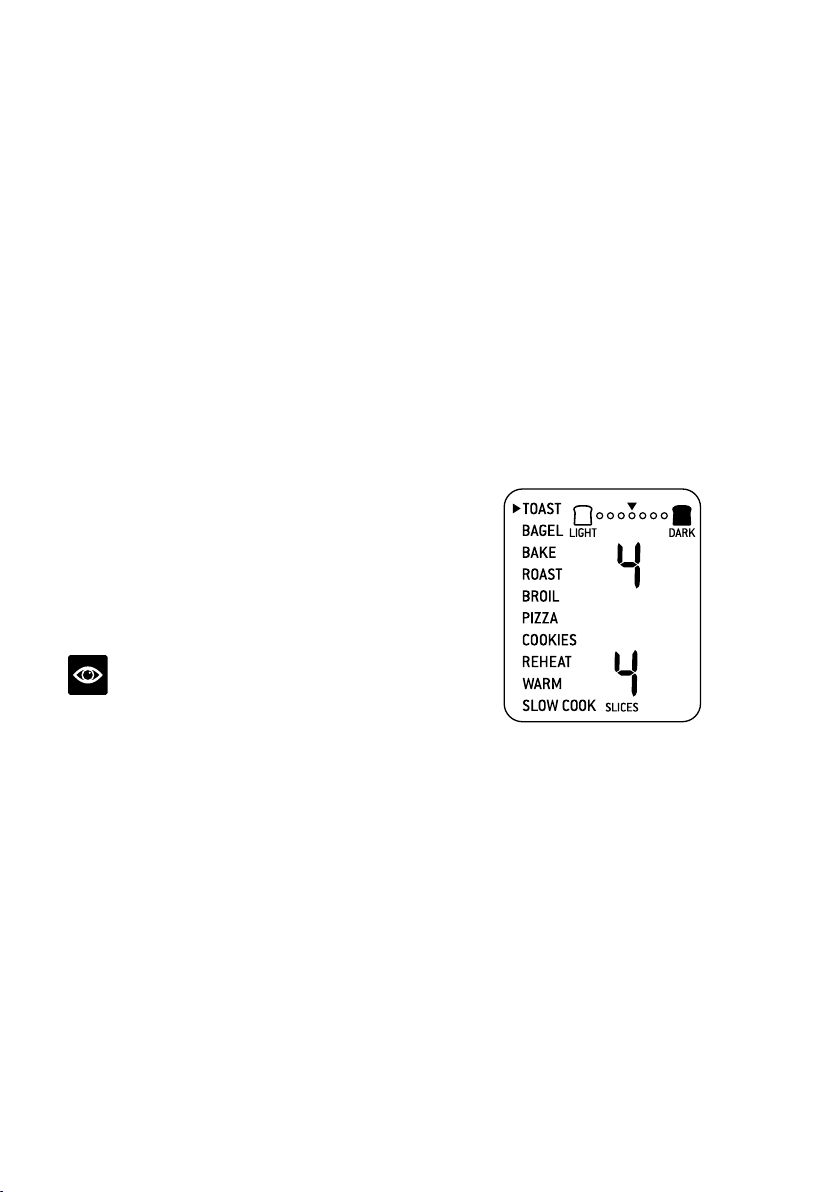
4. Tournez la molette de FONCTIONS
jusqu’à ce que l’indicateur pointe la fonction
TOAST sur l’écran ACL. Le chiffre au
haut de l’écran ACL indique le réglage de
coloration ‘4’ tandis que le chiffre du bas
indique le nombre préréglé de 4 tranches.
5. Le réglage de coloration et le nombre
de tranches peuvent être ajustés en cours
de grillage.
a) Le réglage de coloration est indiqué par
une série de cercles au haut de l’écran ACL.
Tournez la molette de TEMPÉRATURE vers
la gauche pour réduire le brunissage, et vers
la droite pour l’augmenter. Le triangle au-
dessus des cercles se déplacera en fonction
du réglage sélectionné.
38
À titre indicatif:
Degré de coloration
Réglage
Pâle 1 ou 2
Moyen 3, 4 ou 5
Foncé 6 ou 7
b) Le nombre de tranches est affiché par le
chiffre au bas de l’écran ACL. Tournez la
molette de TEMPS vers la gauche pour
réduire le nombre de tranches, ou vers la
droite pour l’augmenter. Le nombre de
tranches varie de ‘1’ à ‘6’.
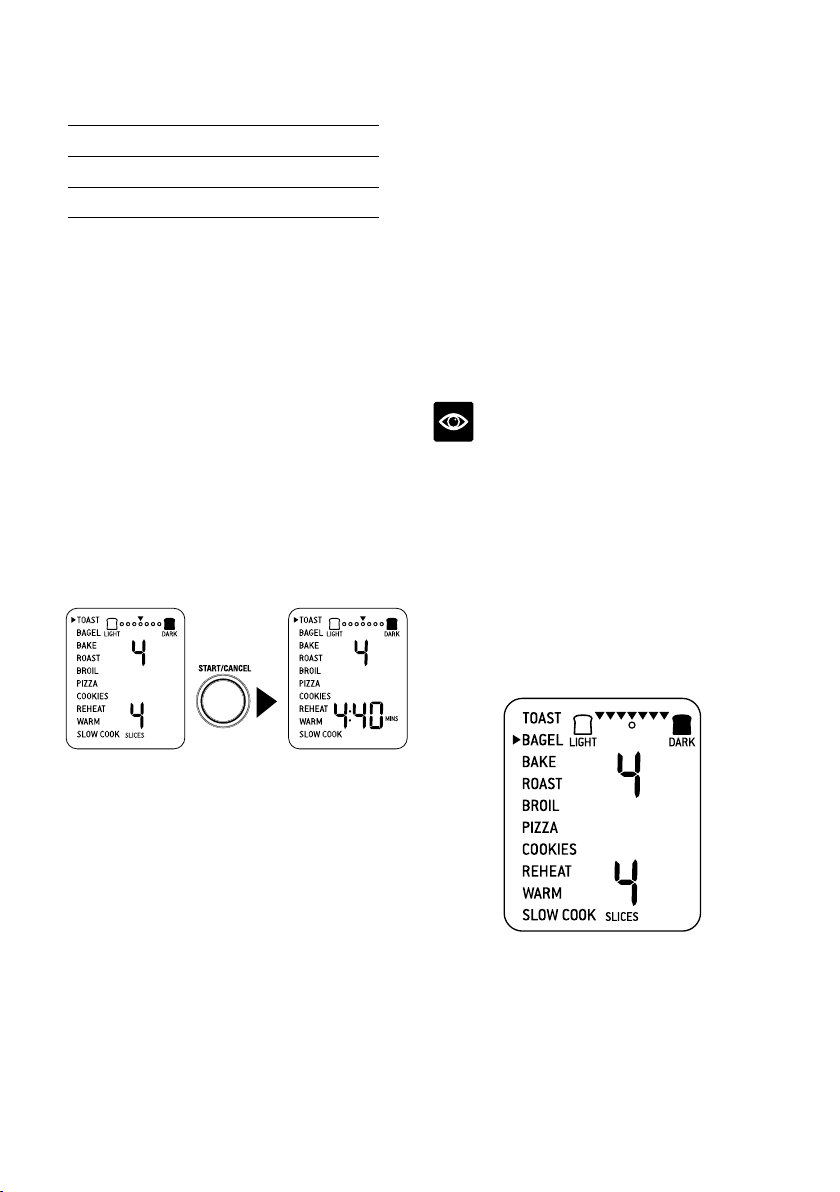
6. Pressez sur la touche MARCHE/ARRÊT
pour activer la fonction TOAST, la touche
sera rétroéclairée en rouge, le signal sonore
se fera entendre et l’écran ACL s’illuminera
en orange.
7. La minuterie s’affichera et le compte à
rebours débutera automatiquement.
Le temps peut être ajusté durant le grillage
en tournant la molette de TEMPS. Le cycle
peut être interrompu en tout temps en
pressant sur la touche MARCHE/ARRÊT.
PRESS
8. À la fi du cycle TOAST, le signal sonore
se fera entendre. La touche MARCHE/
ARRÊT ne sera plus éclairée et l’écran ACL
s’illuminera en bleu.
FONCTION BAGEL
La fonction BAGEL grille légèrement le côté
coupé du bagel et rend l’extérieur croustillant.
Cette fonction est idéale pour les crumpets
(crêpes épaisses) ou tranches de pain de
spécialité qui requièrent plus de grillage d’un
côté que de l’autre.
1. Insérer la grille en position centrale, en
orientant les rayons vers le haut
2. Si vous grillez 1–3 moitiés de bagel, centrez-
les sur la grille. Si vous grillez 4–6 moitiés,
espacez-les également en disposant
2–3 moitiés à l’avant de la grille et
2–3 moitiés à l’arrière.
NOTE
L’intérieur (côté coupé) du bagel doit toujours
faire face aux éléments chauffants. Cela permet
de le rendre croustillant pendant que la croûte
est légèrement grillée.
3. Fermez la porte du four.
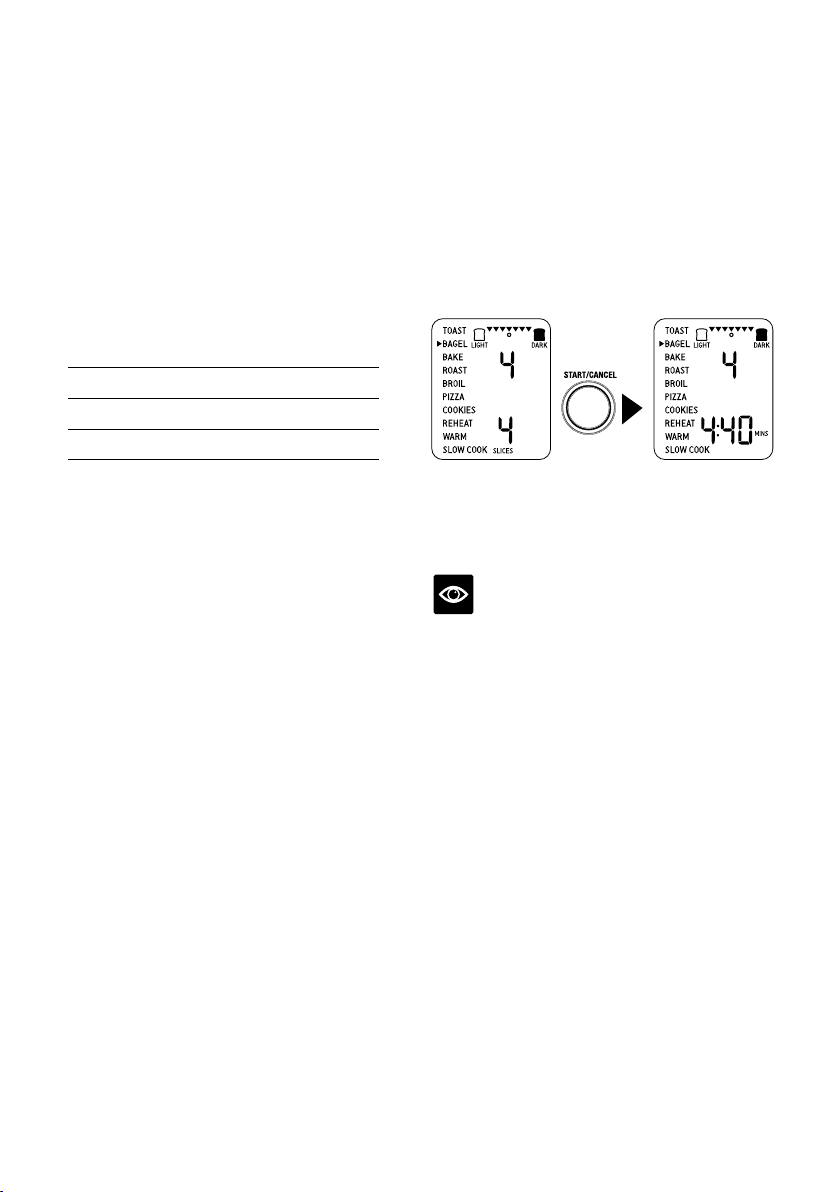
4. Tournez la molette de FONCTIONS jusqu’à
ce que l’indicateur pointe BAGEL sur l’écran
ACL. Le chiffre au haut de l’écran indique
le réglage ‘4’ de coloration préréglé, tandis
que le chiffre au bas de l’écran indique le
nombre préréglé de ‘4’ moitiés de bagel.
39
5. Le réglage de coloration et le nombre de
moitiés de bagel peuvent être ajustés avant
ou durant le cycle de grillage.
a) Le réglage de coloration est indiqué par une
série de triangles au haut de l’écran ACL.
Tournez la molette de TEMPÉRATURE
vers la gauche pour réduire la coloration,
et vers la droite pour l’augmenter. Le cercle
sous les triangles se déplacera en fonction
de réglage sélectionné.
As general guide:
Degré de coloration
Réglage
Pâle 1 ou 2
Moyen 3, 4 ou 5
Foncé 6 ou 7
b) Le nombre de moitiés de bagel est affiché
au bas de l’écran ACL. Tournez la molette
vers la gauche pour réduire le nombre, et
vers la droite pour l’augmenter. Le nombre
de moitiés de bagel varie de ‘1’ à ‘6’.
6. Pressez la touche MARCHE/ARRÊT pour
activer la fonction BAGEL. La touche sera
rétroéclairée en rouge, le signal sonore se
fera entendre et l’écran ACL s’illuminera
en orange.
7. La minuterie sera affichée et le compte à
rebours débutera automatiquement. Le
temps peut être ajusté durant le cycle de
bagel en tournant la molette de TEMPS. Le
cycle peut être interrompu en tout temps en
pressant sur la touche MARCHE/ARRÊT.
PRESS
8. À la fin du cycle de BAGEL, le signal
sonore se fera entendre. La touche
MARCHE/ARRÊT s’éteindra et l’écran ACL
s’illuminera en bleu.
NOTE
Si vous désirez que vos moitiés de bagel soient
croustillantes des deux côtés, utilisez plutôt la
fonction TOAST.
40
FONCTION CUIRE
La fonction CUIRE cuit les aliments
uniformément. Idéale pour cuire les gâteaux,
muffins, brownies et pâtisseries, la fonction
CUIRE convient parfaitement aux mets
cuisinés congelés comme la lasagne et les
tourtières.
1. Insérez la grille à la position supérieure
en orientant les rayons vers le haut. Notez
que certains aliments précuits, comme
les brownies ou les pâtisseries, peuvent
convenir davantage à la grille du centre.
2. Fermez la porte du four.
3. Tournez la molette de FONCTIONS jusqu’à
ce que l’indicateur pointe BAKE (CUIRE)
sur l’écran ACL. Le chiffre au haut de l’écran
ACL indique la température préréglée de
160°C(325°F), tandis que le chiffre du bas
indique le temps préréglé de 30 MIN.
Le préréglage CONVECTION sera
également affiché.
4. La température et le temps de cuisson
peuvent être ajustés avant ou durant le
cycle de cuisson.
a) La température de cuisson est indiquée par
le chiffre au haut de l’écran ACL. Tournez la
molette de TEMPÉRATURE pour l’ajuster
de 50°C (120°F) à un maximum de 230°C
(450°F).
b) Le temps de cuisson est indiqué par le
chiffre au bas de l’écran ACL. Tournez la
molette TEMPS pour sélectionner jusqu’à
2 heures pour une température supérieure
à 150°C (300°F) et jusqu’à 10 heures pour
une température inférieure à 150°C (300°F).
5. Pressez la touche MARCHE/ARRÊT pour
activer la fonction CUIRE. La touche sera
rétroéclairée en rouge, le signal sonore se
fera entendre et le message ‘PREHEATING’
(préchauffage) clignotera sur l’écran ACL.
6. Dès que le four aura atteint la température
requise, le signal sonore se fera entendre.
7. Mettez les aliments dans la lèchefrite ou
tout autre plat allant au four, au centre de
la grille pour laisser l’air circuler autour des
aliments.
8. Après que le signal de PRÉCHAUFFAGE
se sera fait entendre, le compte à rebours
débutera automatiquement. La température
et le temps peuvent être ajustés durant le
cycle de cuisson en tournant les molettes
correspondantes. Le cycle peut être arrêté
en tout temps en pressant sur la touche
MARCHE/ARRÊT.
PRESS
PREHEATING
START/CANCEL
WHEN AT
TEMPERATURE
9. À la fin du cycle CUISSON, le signal sonore
se fera entendre, la touche MARCHE/
ARRÊT ne sera plus éclairée et l’écran ACL
s’illuminera en bleu.
41
FONCTION RÔTIR
La fonction RÔTIR est idéale pour cuire une
variété de viande et volaille. Les aliments
seront tendres et juteux à l’intérieur et rôtis à la
perfection à l’extérieur.
1. Insérer la grille en position inférieure, en
orientant les rayons vers le haut.
2. Fermez la porte du four.
3. Tournez la molette de FONCTIONS jusqu’à
ce que l’indicateur pointe ROAST (RÔTIR)
sur l’écran ACL. Le chiffre au haut de l’écran
ACL indique la température de rôtissage
préréglée de 175°C (350°F), tandis que le
chiffre du bas indique le temps préréglé de
1 HRE. Le préréglage CONVECTION sera
également affiché.
4. La température et le temps de rôtissage
peuvent être ajustés avant ou pendant le
cycle de rôtissage.
a) La température de rôtissage est affichée
au haut de l’écran ACL. Tournez la molette
de TEMPÉRATURE pour l’ajuster, de 50°C
(120°F) à un maximum de 230°C (450°F).
b) Le temps de rôtissage est affiché au bas de
l’écran ACL. Tournez la molette de TEMPS
pour sélectionner 2 heures pour une
température supérieure à 150°C (300°F),
et jusqu’à 10 heures pour une température
inférieure à 150°C (300°F).
5. Pressez la touche MARCHE/ARRÊT pour
activer la fonction RÔTIR. La touche sera
rétroéclairée en rouge, le signal sonore se
fera entendre et le message ‘PREHEATING’
(préchauffage) clignotera sur l’écran ACL.
6. Dès que le four aura atteint la température
requise, le signal sonore se fera entendre.
7. Mettez les aliments dans la lèchefrite
fournie ou tout autre plat allant au four, au
centre de la grille pour laisser l’air circuler
autour des aliments.
8. Après que le signal de PRÉCHAUFFAGE
se sera fait entendre, le compte à rebours
débutera automatiquement. La température
et le temps peuvent être ajustés durant le
cycle de rôtissage en tournant les molettes
correspondantes. Le cycle peut être
interrompu en tout temps en pressant sur la
touche MARCHE/ARRÊT.
PRESS
WHEN AT
TEMPERATURE
9. À la fin du cycle de RÔTISSAGE, le
signal sonore se fera entendre, la touche
MARCHE/ARRÊT ne sera plus éclairée et
l’écran ACL s’illuminera en bleu.
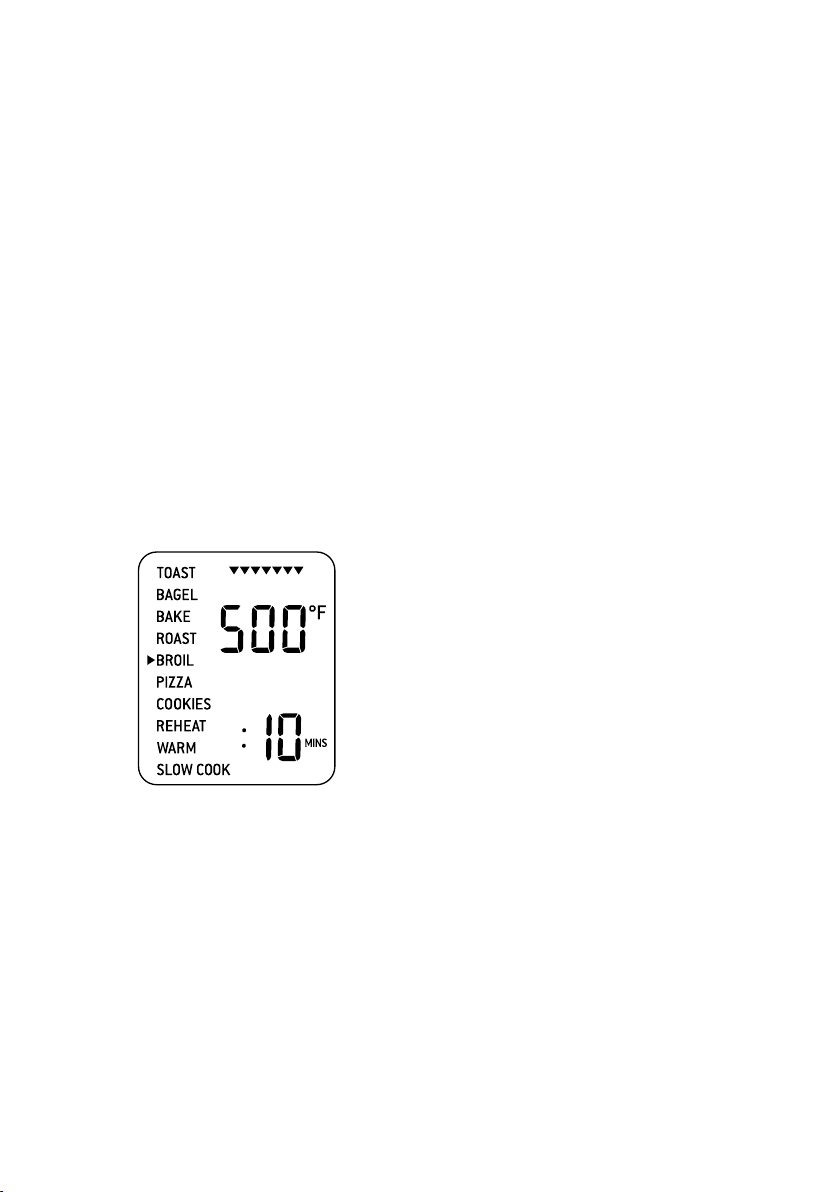
42
FONCTION GRATINER
La fonction GRATINER (GRIL) convient aux
sandwichs ouverts, petits morceaux de viande,
de volaille et de poisson, les saucisses et les
légumes. Elle est idéale pour griller les plats en
cocotte ou gratiner.
1. Insérez la grille à la position supérieure, en
orientant les rayons vers le haut.
2. Insérez le grilloir fourni dans la lèchefrite.
Mettez les aliments sur le grilloir ou tout
autre plat allant au four, au centre de la
grille pour laisser l’air circuler autour des
aliments.
3. Fermez la porte du four.
4. Tournez la molette de FONCTIONS
jusqu’à ce que l’indicateur pointe BROIL
(GRATINER) sur l’écran ACL. Le chiffre au
haut de l’écran ACL indique la température
préréglée de 260°C (500°F), tandis que le
chiffre du bas indique le temps préréglé de
10 MIN.
5. La température et le temps de grillage
peuvent être ajustés avant ou pendant le
cycle de rôtissage.
a) La température de grillage est affichée au
haut de l’écran ACL. Tournez la molette de
TEMPÉRATURE pour l’ajuster à l’un des
trois préréglages suivants: 260°C, 200°C,
150°C (500°F, 400°F, 300°F).
b) Le temps de grillage est affiché au bas de
l’écran ACL. Tournez la molette de TEMPS
pour l’ajuster jusqu’à 20 minutes.
6. Pressez la touche MARCHE/ARRÊT pour
activer la fonction BROIL (GRATINER). La
touche sera rétroéclairée en rouge, le signal
sonore se fera entendre et l’écran ACL sera
illuminé en orange.
7. La minuterie s’affichera et le compte à
rebours débutera automatiquement.
La température et le temps peuvent être
ajustés durant le cycle de grillage en
tournant les molettes de TEMPÉRATURE
et de TEMPS.
8. À la fin du cycle GRATINAGE, le signal
sonore se fera entendre, la touche
MARCHE/ARRÊT ne sera plus éclairée et
l’écran ACL s’illuminera en bleu.
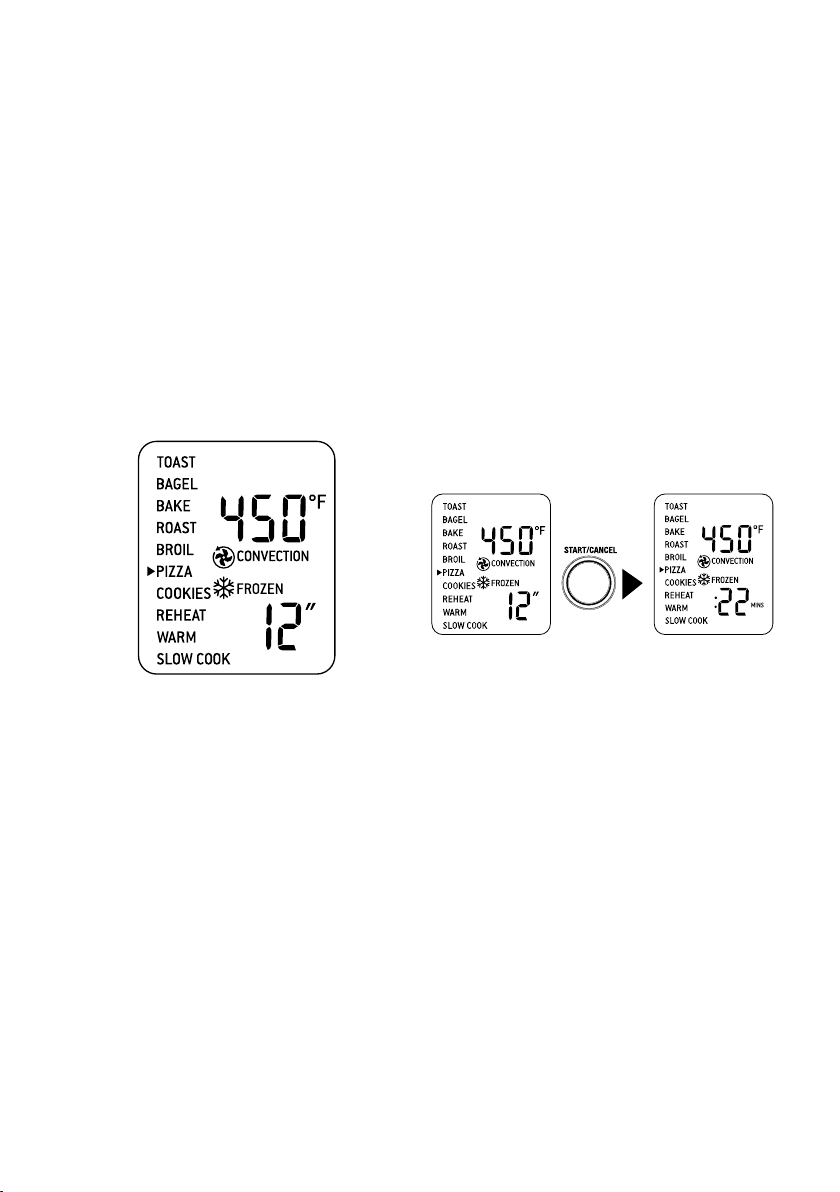
43
FONCTION PIZZA
La fonction PIZZA fait fondre et grille le
fromage et les garnitures pendant que la croûte
reste croustillante.
1. Insérez la grille à la position centrale, en
orientant les rayons vers le haut.
2. Fermez la porte du four.
3. Tournez la molette de FONCTIONS jusqu’à
ce que l’indicateur pointe PIZZA sur l’écran
ACL. Le chiffre au haut de l’écran ACL
indique la température préréglée de 230°C
(450°F), tandis que le chiffre du bas indique
le format de pizza préréglé de 30 cm (12
po). Les préréglages CONVECTION et
FROZEN (ALIMENTS CONGELÉS) seront
également affichés.
4. La température de cuisson et le format de la
pizza peuvent être ajustés avant ou durant
le cycle.
a) La température de cuisson est affichée au
haut de l’écran ACL. Tournez la molette de
TEMPÉRATURE pour l’ajuster de 50°C
(120F) à un maximum de 230°C (450°F).
b) Le format de pizza est affiché au bas de
l’écran ACL. Tournez la molette de TEMPS
vers la gauche pour le réduire, ou vers la
droite pour l’augmenter. Les formats de
pizza vont de 15 cm à 33 cm (6 po à 13 po).
5. Pressez sur la touche MARCHE/ARRÊT
pour activer la fonction PIZZA. La touche
sera rétroéclairée en rouge, le signal sonore
se fera entendre et l’écran ACL sera illuminé
en orange. Le message ‘PREHEATING’
(préchauffage) clignotera sur l’écran ACL
6. Dès que le four aura atteint la température
sélectionnée, le signal sonore se fera
entendre.
7. Mettez les aliments sur la plaque à pizza
fournie, au centre de la grille pour laisser
l’air circuler autour des aliments.
8. Après que le signal de PRÉCHAUFFAGE
se sera fait entendre, le compte à rebours
débutera automatiquement. La température
et le temps peuvent être ajustés durant
le cycle en tournant les molettes
correspondantes de TEMPÉRATURE et de
TEMPS.
PRESS
9. À la fin du cycle de PIZZA, le signal sonore
se fera entendre, la touche MARCHE/
ARRÊT ne sera plus éclairée et l’écran ACL
s’illuminera en bleu.
Une note sur les pierres à pizza
Lorsque vous utilisez une pierre à pizza, il est
nécessaire de la réchauffer au préalable (sans
pizza) pour obtenir de meilleurs résultats.
1. Insérez la grille à la position centrale, en
orientant les rayons vers le haut.
2. Déposez la pierre à pizza au centre de la
grille, de façon à ce que l’air circule tout
autour.
3. Fermez la porte du four.
4. Tournez la molette de TEMPS vers la
gauche pour réduire le format préréglé à
15 cm (6 po). Le format de pizza sera affiché
au bas de l’écran ACL. Les préréglages
CONVECTION et FROZEN FOOD
(ALIMENTS CONGELÉS) apparaîtront
également.
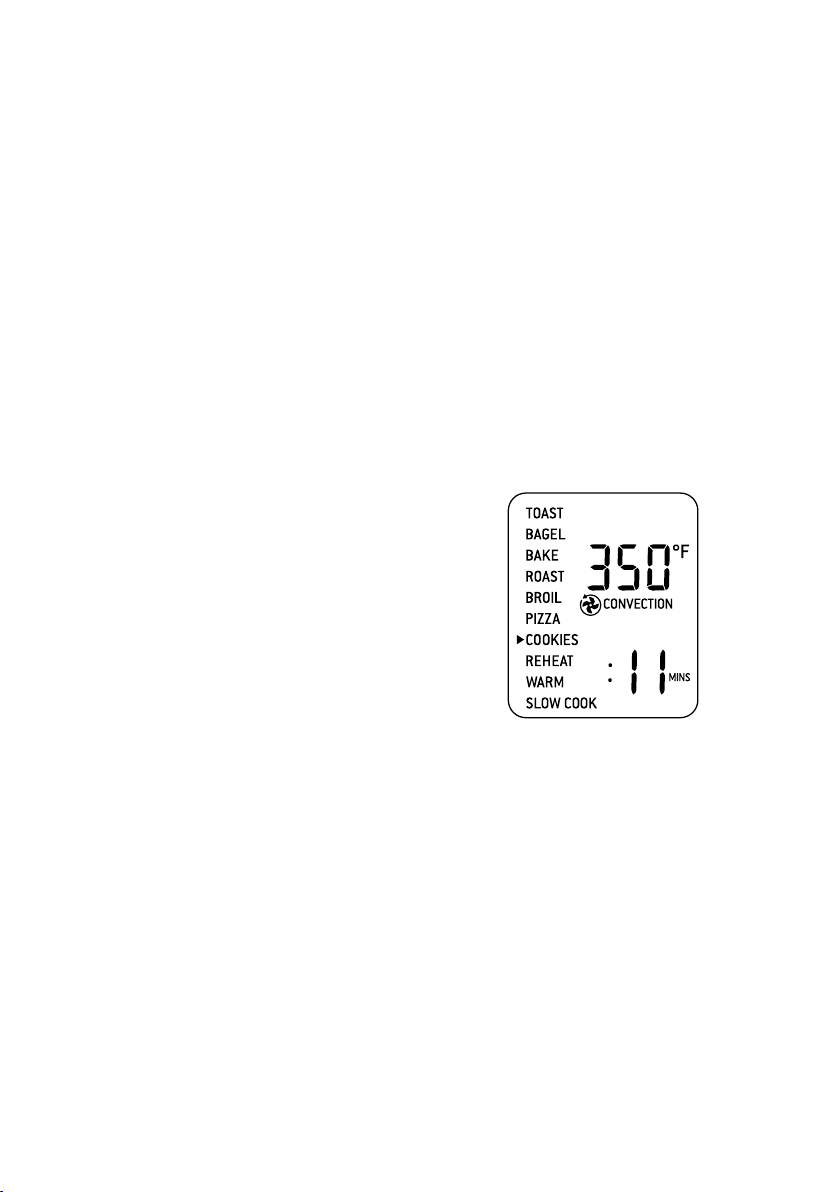
44
5. Pressez sur la touche MARCHE/ARRÊT
pour activer la fonction PIZZA. La touche
sera rétroéclairée en rouge, le signal sonore
se fera entendre et l’écran ACL s’illuminera
orange. Le message ‘PREHEATING’
(préchauffage) clignotera sur l’écran ACL.
6. Dès que le four aura atteint la température
sélectionnée, le signal sonore se fera
entendre.
7. Après que le signal de PRÉCHAUFFAGE
se sera fait entendre, le compte à rebours
débutera automatiquement.
8. À la fin du cycle PIZZA, le signal sonore
se fera entendre, la touche MARCHE/
ARRÊT ne sera plus éclairée et l’écran ACL
s’illuminera en bleu.
9. Ouvrez la porte du four et déposez
soigneusement la pizza sur la pierre. Si vous
faites cuire une pizza fraîche, retirez d’abord
la grille et la pierre à pizza ensemble, en
utilisant des gants de cuisine. Mettez-les
sur le comptoir et transférez la pizza fraîche
sur la pierre avant de replacer le tout dans
le four.
10. Sélectionnez le réglage de PIZZA désiré et
pressez sur la touche MARCHE/ARRÊT
pour reprendre le cycle.
FONCTION BISCUITS
La fonction BISCUITS est idéale pour cuire les
biscuits maison ou prêts à cuire et autres régals
sucrés.
Cette fonction convient tout à fait aux
croissants prêts à cuire, brioches à la cannelle,
biscuits et strudels.
1. Insérer la grille avec les rayons vers le haut
à la position centrale.
2. Fermez la porte du four.
3. Tournez la molette de FONCTIONS
jusqu’à ce que l’indicateur pointe COOKIES
(BISCUITS). Le chiffre au haut de l’écran
ACL indique la température préréglée de
175°C (350°F), tandis que le chiffre du bas
indique le temps préréglé de 11 MIN. Le
préréglage CONVECTION sera également
affiché.
4. La température et le temps de cuisson
peuvent être ajustés avant ou pendant le
cycle.
a) Le chiffre au haut de l’écran ACL indique la
température de cuisson. Tournez la molette
de TEMPÉRATURE pour l’ajuster, de 50°C
(120°F) à un maximum de 230°C (450°F).
b) Le chiffre au bas de l’écran ACL indique le
temps de cuisson. Tournez la molette de
TEMPS pour l’ajuster jusqu’à 1 heure.
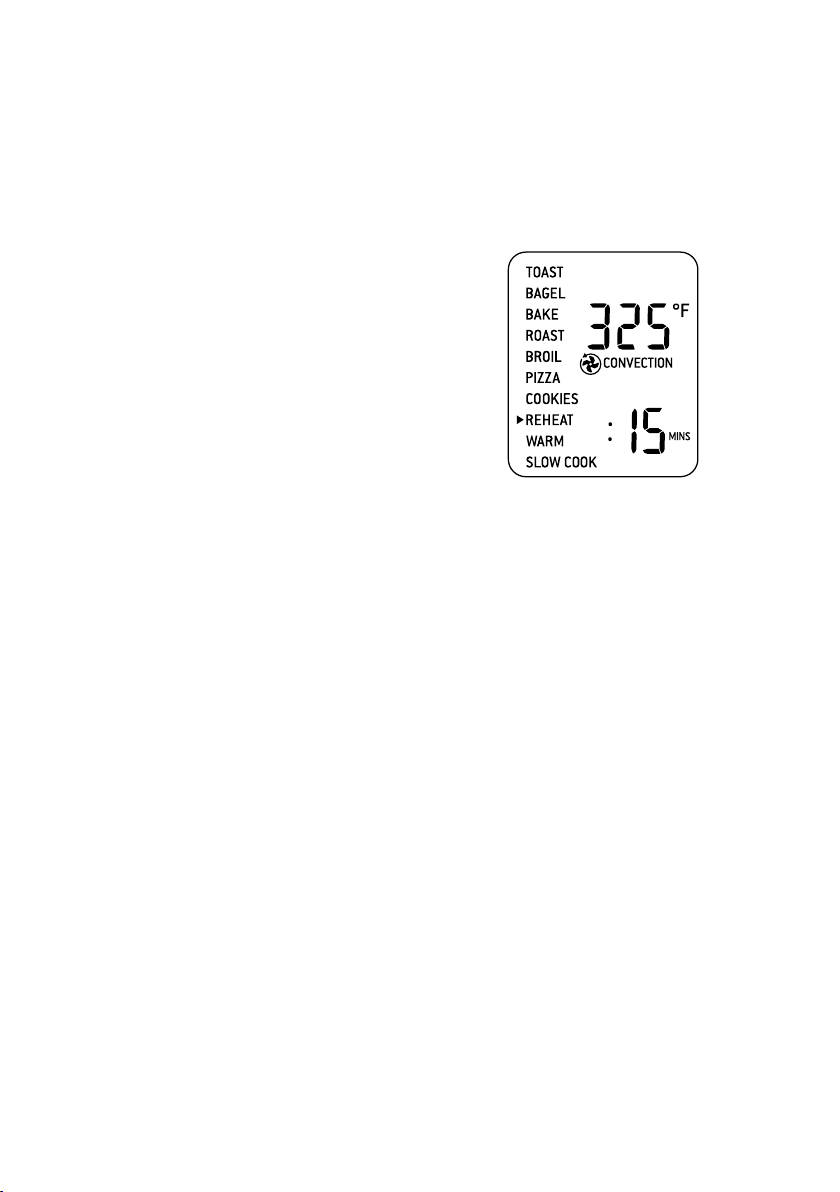
45
5. Pressez sur la touche MARCHE/ARRÊT
pour activer la fonction BISCUITS. La
touche sera rétroéclairée en rouge, le
signal sonore se fera entendre et l’écran
ACL s’illuminera en orange. Le message
‘PREHEATING’ (préchauffage) clignotera
sur l’écran ACL.
6. Dès que le four aura atteint la température
sélectionnée, le signal sonore se fera
entendre.
7. Mettez les aliments dans la lèchefrite, la
plaque a pizza ou tout autre plat allant au
four, au centre de la grille afin de faciliter
une bonne circulation d’air autour des
aliments.
8. Après que le signal de PRÉCHAUFFAGE
se sera fait entendre, le compte à rebours
débutera automatiquement. La température
et le temps peuvent être ajustés durant
le cycle en tournant les molettes
correspondantes de TEMPÉRATURE ET
DE TEMPS. Le cycle peut être interrompu
en tout temps en pressant sur la touche
MARCHE/ARRÊT.
9. À la fin du cycle de BISCUITS, le signal se
fera entendre, la touche MARCHE/ARRÊT
ne sera plus rétroéclairée et l’écran ACL
s’illuminera en bleu.
FONCTION RÉCHAUFFER
La fonction RÉCHAUFFER est idéale pour
réchauffer les restes sans les colorer.
1. Insérer la grille en position supérieure, en
orientant les rayons vers le haut.
2. Mettez les aliments dans la lèchefrite, la
plaque à pizza ou tout autre plat allant au
four, au centre de la grille pour faciliter une
bonne circulation d’air autour des aliments.
3. Fermez la porte du four.
4. Tournez la molette de FONCTIONS
jusqu’à ce que l’indicateur pointe REHEAT
(RÉCHAUFFER) sur l’écran ACL. Le
chiffre du haut indique le préréglage de
température ‘160°C (‘325°F), tandis que
le chiffre du bas indique le préréglage
de temps de 15 MIN. Le préréglage
CONVECTION sera également affiché.
5. La température et le temps peuvent
être ajustés avant ou durant le cycle de
réchauffage.
a) La température est affichée au haut
de l’écran ACL. Tournez la molette de
TEMPÉRATURE pour l’ajuster de 50°C
(120°F) à un maximum de 230°C (450°F).
b) Le temps est affiché au bas de l’écran ACL.
Tournez la molette de temps pour l’ajuster
jusqu’à 2 heures.
6. Pressez sur la touche MARCHE/
ARRÊT pour activer la fonction de
RÉCHAUFFAGE. La touche sera
rétroéclairée en rouge, le signal sonore se
fera entendre et l’écran ACL s’illuminera
en orange.
7. La minuterie sera affichée et le compte
à rebours débutera. La température et le
temps peuvent être ajustés durant le cycle
de réchauffage en tournant les molettes
correspondantes de TEMPÉRATURE et
de TEMPS. Le cycle peut être interrompu
en tout temps en pressant sur la touche
MARCHE/ARRÊT.
8. À la fin du cycle de réchauffage, le signal se
fera entendre, la touche MARCHE/ARRÊT
ne sera plus rétroéclairée et l’écran ACL
s’illuminera en bleu.
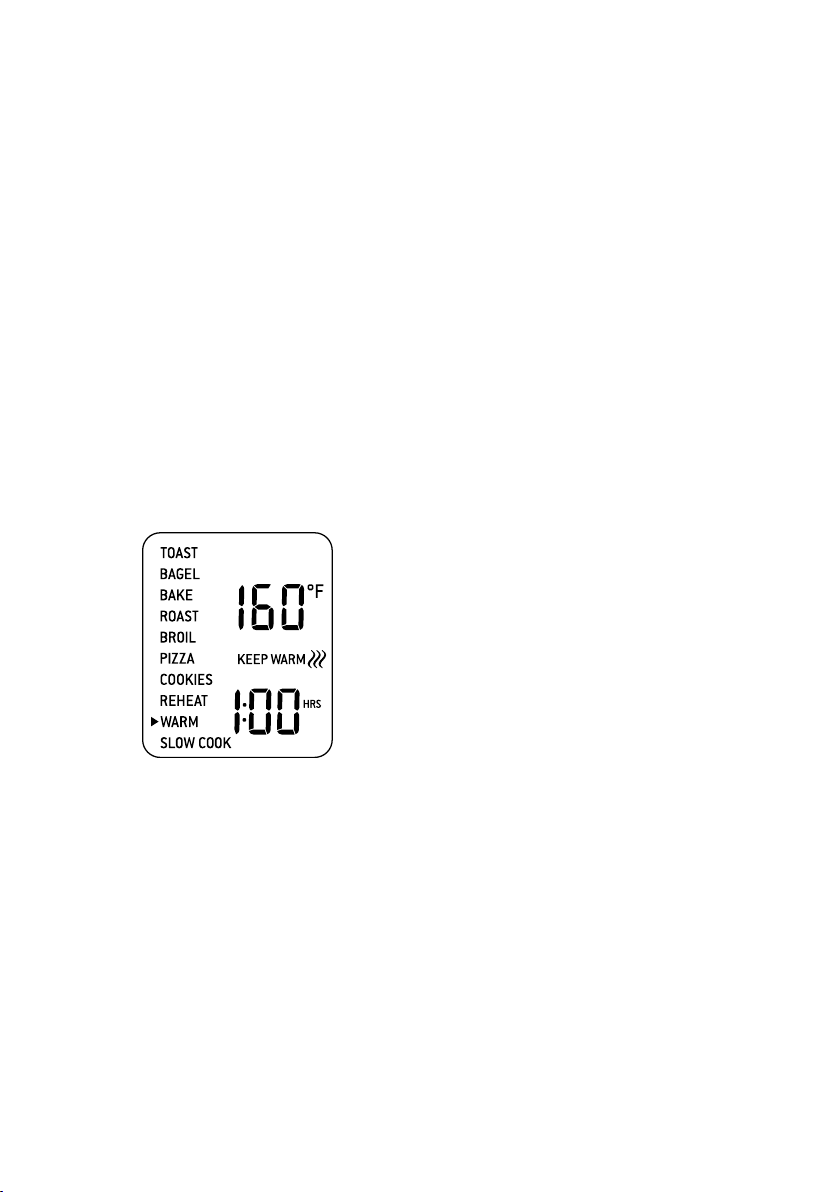
46
FONCTION GARDE-AU-CHAUD
La fonction GARDE-AU-CHAUD maintient
les aliments à la température recommandée
afin de prévenir la formation de bactéries
(70°C/160°F ou plus).
1. Insérer la grille à la position supérieure, en
orientant les rayons vers le haut.
2. Mettez les aliments dans la lèchefrite, la
plaque à pizza ou tout autre plat allant au
four, au centre de la grille pour faciliter une
bonne circulation d’air autour des aliments.
3. Fermez la porte du four.
4. Tournez la molette de FONCTIONS
jusqu’à ce que l’indicateur pointe WARM
(CHAUD) sur l’écran ACL. Le chiffre du
haut indique sur l’écran ACL la température
préréglée de’160°C (‘325°F), tandis que le
chiffre du bas indique le temps préréglé de
1 HRE. Le symbole du préréglage GARDE-
AU-CHAUD sera également affiché.
5. La température et le temps peuvent être
ajustés avant ou durant le cycle.
a) La température est affichée au haut
de l’écran ACL. Tournez la molette de
TEMPÉRATURE pour l’ajuster de 50°C
(120°F) à un maximum de 230°C (450°F).
b) Le temps est affiché au bas de l’écran ACL.
Tournez la molette de temps pour l’ajuster
jusqu’à 2 heures.
6. Pressez sur la touche MARCHE/ARRÊT
pour activer la fonction GARDE-AU-
CHAUD. La touche sera rétroéclairée en
rouge, le signal sonore se fera entendre et
l’écran ACL s’illuminera en orange.
7. La minuterie sera affichée et le compte
à rebours débutera automatiquement.
La température et le temps peuvent
être ajustés durant le cycle en tournant
les molettes correspondantes de
TEMPÉRATURE et de TEMPS. Le cycle
peut être interrompu en tout temps en
pressant sur la touche MARCHE/ARRÊT.
8. À la fin du cycle GARDE-AU-CHAUD, le
signal sonore se fera entendre, la touche
MARCHE/ARRÊT s’éteindra et l’écran ACL
s’illuminera en bleu.
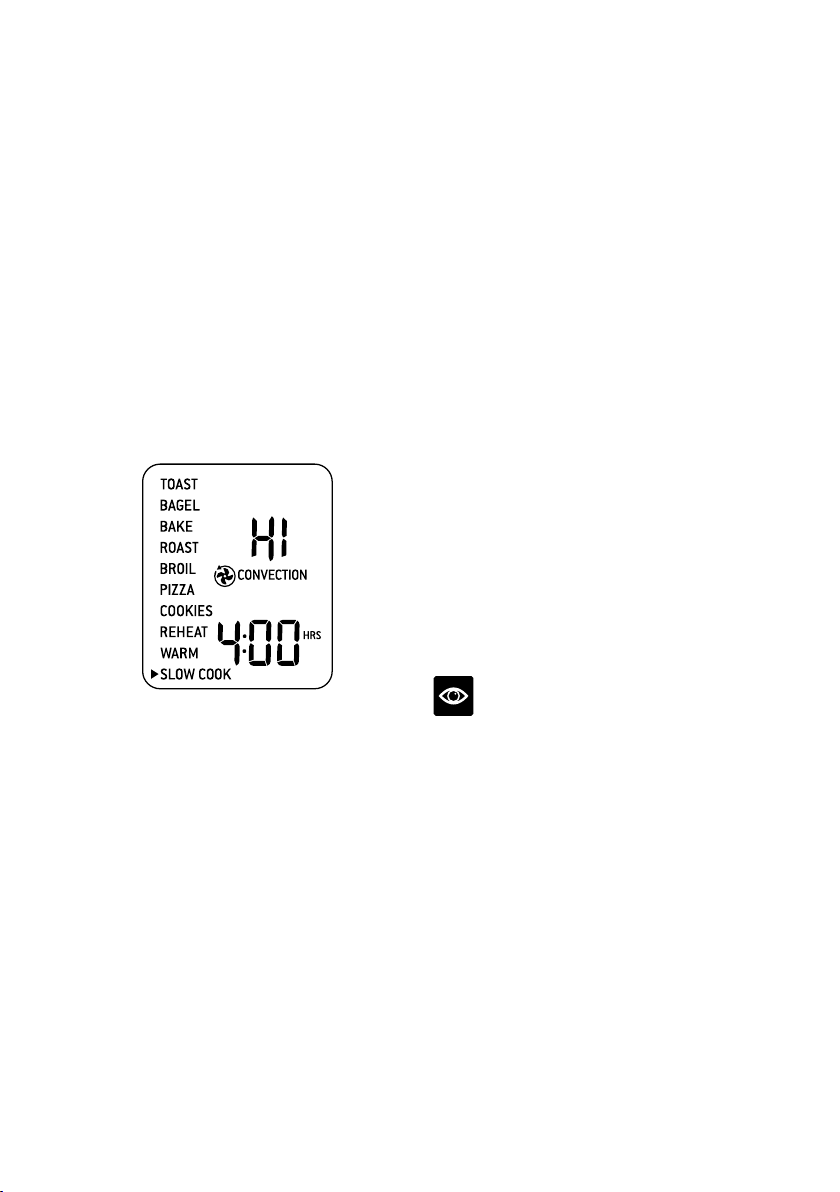
47
FONCTION CUISSON LENTE
La fonction CUISSON LENTE offre des
profils de température programmés pour que
les viandes soient tendres et que les sauces
prennent toute leur saveur.
1. Insérer la grille en position supérieure, en
orientant les rayons vers le haut.
2. Fermez la porte du four.
3. Tournez la molette de FONCTIONS
jusqu’à ce que l’indicateur pointe SLOW
COOK (CUISSON LENTE) sur l’écran
ACL. Le chiffre du haut sur l’écran ACL
indique le préréglage de CUISSON LENTE
‘HI’ (HAUT), tandis que le chiffre du bas
indique le temps préréglé de 4 HRES. Le
préréglage CONVECTION sera également
affiché.
4. La température et le temps peuvent
être ajustés.
a) Le réglage de cuisson lente température est
affiché au haut de l’écran ACL. Tournez la
molette de TEMPÉRATURE pour l’ajuster
à l’un des deux réglages: ‘LO’ (BAS) ou ‘HI’
(HAUT).
b) Le temps est affiché au bas de l’écran ACL.
Tournez la molette de temps pour l’ajuster
entre 4 et 10 heures pour le réglage BAS, et
2 à 8 heures pour le réglage HAUT.
5. Pressez sur la touche MARCHE/ARRÊT
pour activer la fonction CUISSON LENTE.
La touche sera rétroéclairée en rouge, le
signal sonore se fera entendre et l’écran
ACL s’illuminera en orange. Le message
‘PREHEATING’ sera également affiché.
6. Une fois que le four aura atteint la
température sélectionnée, le signal sonore
se fera entendre.
7. Mettez les aliments dans un fait-tout allant
au four, au centre de la grille pour faciliter la
circulation d’air autour des aliments.
8. Après que le signal de PRÉCHAUFFAGE
se sera fait entendre, le compte à rebours
débutera automatiquement. Le temps
peut être ajusté durant la cuisson lente en
tournant la molette correspondante. Le
cycle peut être interrompu en tout temps en
pressant la touche MARCHE/ARRÊT.
9. À la fin du cycle de CUISSON LENTE, le
four passera automatiquement à la fonction
GARDE-AU-CHAUD. L’écran ACL affichera
‘KEEP WARM’ et le compte à rebours du
temps maximal de maintien au chaud de
‘2:00 HRS’ débutera. Vous pouvez arrêter le
cycle de maintien au chaud en tout temps
en pressant la touche MARCHE/ARRÊT.
NOTE
Ne sortez pas plus de la moitié de la grille
lorsque vous insérez ou retirez le fait-tout
du four.
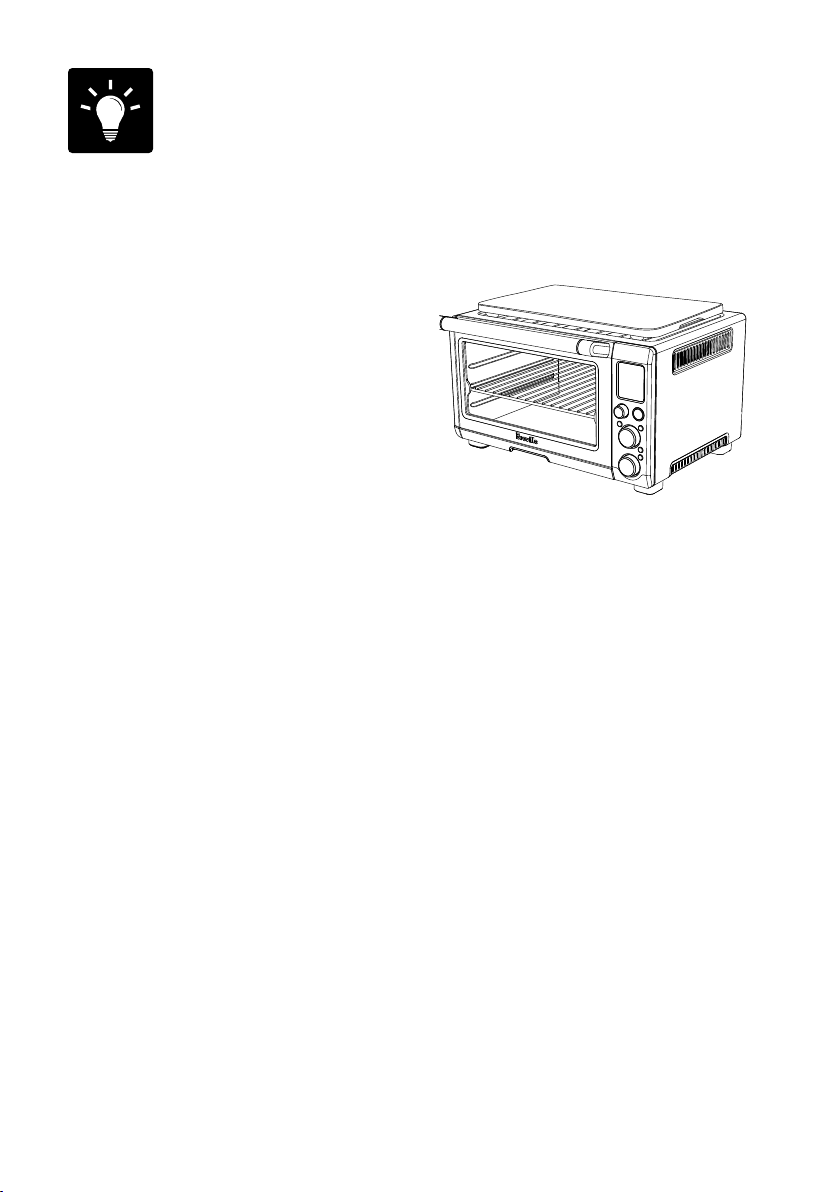
48
Trucs
TRUCS POUR LA CUISSON LENTE
1. Assurez-vous que le fait-tout vide n’excède
pas 6 kg (13 lb) et n’est pas rempli au-delà
des ¾ de sa capacité.
2. Remplissez le fait-tout à un minimum de ½
et un maximum de ¾ de sa capacité. Pour
prévenir les débordements, ne remplissez
pas le fait-tout au-delà des trois quarts.
3. La cuisson lente doit toujours se faire à
couvert afin d’empêcher les aliments de
sécher. Couvrez le fait-tout d’une couche
de papier aluminium avant de mettre le
couvercle; cela aidera à garder le plus de
vapeur à l’intérieur.
4. Suivez les réglages de cuisson et de temps
décrits dans les recettes traditionnelles de
cuisson lente. Une heure au réglage HAUT
équivaut à environ une heure et demie à
deux heures au réglage BAS.
5. Les aliments froids prendront plus de temps
à cuire que ceux qui ont été revenus ou
chauffés au préalable. Vous devrez donc
ajuster le temps de cuisson en conséquence.
Ne faites pas de cuisson lente avec des
aliments congelés.
UTILISER LE RÉCHAUD
Le dessus du four est très chaud durant et
après l’opération. Il n’est donc pas recommandé
d’y déposer des objets.
La seule exception est la Plaque à
découper/Plateau de service en bambou
de Breville qui repose dans l’encoche de
positionnement sur le dessus du four. Visitez
www.breville.com pour plus d’informations.
49
Entretien,
nettoyage et
rangement
Avant de nettoyer votre four, assurez-vous qu’il
est éteint en pressant la touche MARCHE/
ARRÊT du panneau de commande. Le four est
éteint lorsque la touche n’est plus rétroéclairée.
Retirez le cordon d’alimentation de la
prise électrique. Laissez le four et ses
accessoires refroidir complètement avant
de les désassembler et les nettoyer.
Nettoyer le boîtier et la porte
1. Essuyez le boîtier du four avec une éponge
douce et humide. Un liquide nettoyant
non-abrasif ou une solution douce en
vaporisateur peuvent être utilisés pour
prévenir l’accumulation de taches.
Appliquez le nettoyant sur l’éponge, et non
sur le four, avant le nettoyage.
2. Pour nettoyer la porte en verre, utilisez un
nettoyant à vitres ou un détergent doux et
une éponge douce et humide, ou encore des
tampons à récurer en plastique. N’utilisez
pas de nettoyants abrasifs ou de tampons
à récurer métallisés, car ils pourraient
égratigner la surface de la vitre.
3. Essuyez l’écran ACL avec un chiffon
doux et humide. Appliquez le nettoyant
sur le chiffon et non sur l’écran ACL. Des
nettoyants abrasifs ou un chiffon sec
peuvent en égratigner la surface.
4. Laissez sécher toutes les parois du four
avant de le brancher et de le mettre en
marche.
ATTENTION
Ne plongez pas le boîtier, le cordon
d’alimentation ou la fiche dans l’eau ou tout
autre liquide, car cela pourrait causer une
électrocution.
Nettoyer l’intérieur
1. Les parois internes du four sont recouvertes
d’un enduit antiadhésif qui facilite le
nettoyage. Pour nettoyer les éclaboussures,
essuyez-les avec une éponge douce et
humide. Un nettoyant liquide non abrasif ou
une solution douce en vaporisateur peuvent
être utilisés pour éviter l’accumulation de
taches. Appliquez le nettoyant sur l’éponge,
et non sur le four, avant le nettoyage. Évitez
de toucher les éléments chauffants à quartz.
ATTENTION
Faites preuve d’extrême prudence lorsque
vous nettoyez les éléments chauffants à quartz.
Laissez le four refroidir complètement, puis
essuyez les éléments délicatement sur la
longueur avec une éponge douce et humide
ou un chiffon. N’utilisez aucun produit ou
agent nettoyant. Laissez les éléments sécher
complètement avant de brancher le four et de
le mettre en marche.
2. Laissez sécher toutes les parois du four
avant de le brancher et de le mettre
en marche.
Nettoyer le ramasse-miettes
1. Après chaque utilisation, retirez le ramasse-
miettes et jetez les miettes. Essuyez le
plateau avec une éponge douce et humide.
Un nettoyant liquide non-abrasif peut être
utilisé pour éviter l’accumulation de taches.
Appliquez le nettoyant sur l’éponge, et non
sur le plateau, avant le nettoyage. Séchez
soigneusement.
2. Pour nettoyer la graisse collée, laissez
tremper le plateau dans l’eau chaude
savonneuse, puis lavez-le avec une éponge
douce ou un tampon à récurer en plastique.
Rincez et séchez soigneusement.
3. N’oubliez pas de replacer le ramasse-
miettes dans le four après l’avoir nettoyé et
avant de brancher le four et de le mettre en
marche.

50
Nettoyer la grille, le grilloir, la
lèchefrite et la plaque à pizza
1. Lavez tous les accessoires dans l’eau chaude
savonneuse à l’aide d’une éponge douce ou
un tampon à récurer en plastique. Rincez
et séchez correctement. N’utilisez pas de
nettoyants abrasifs, tampons à récurer
ou ustensiles en métal pour nettoyer les
accessoires, car ils peuvent endommager la
surface.
2. Afin de prolonger la durée de vie de vos
accessoires, il n’est pas recommandé de les
nettoyer au lave-vaisselle.
Rangement
1. Assurez-vous que le four et éteint en
pressant la touche MARCHE/ARRÊT du
panneau de commande. Le four est éteint
lorsque la touche n’est plus rétroéclairée.
2. Débranchez l’appareil. Laissez le four et
tous les accessoires refroidir complètement
avant de les réassembler et de les nettoyer.
3. Assurez-vous que le four et tous les
accessoires sont propres et secs.
4. Assurez-vous que le plateau ramasse-
miettes est bien en place dans le four, que
le grilloir est en place dans la lèchefrite et
repose sur la grille à la position centrale.
5. Assurez-vous que la porte est fermée.
6. Rangez le four sur une surface de niveau et
bien assis sur ses pieds. Ne déposez aucun
objet sur le dessus, la seule exception étant
la Planche à découper/Plateau de service en
bamboo de Breville.
51
Guide de démarrage
PROBLÈME POSSIBLE SOLUTION FACILE
Le four ne s’allume pas
•
Vérifiez si la fiche est bien insérée dans la prise murale.
•
Branchez l’appareil dans une prise murale indépendante.
•
Branchez l’appareil dans une autre prise murale.
•
Remettez le disjoncteur en position initiale, si nécessaire.
J’aimerais restaurer
les réglages par défaut
sur l’écran ACL
•
Le four mémorise le dernier réglage pour chaque fonction, à moins que vous
ayez débranché le four.
•
Pour restaurer les réglages par défaut de chaque fonction, débranchez
l’appareil, attendez 5 minutes, puis rebranchez-le.
L’écran ACL n’est
pas illuminé
•
Le four passe en mode veille s’il n’est pas utilisé pendant
10 minutes. L’écran ACL cesse alors d’être illuminé, bien que toutes les
fonctions demeurent visibles.
•
Pour réactiver le four après le mode veille, pressez la touche MARCHE/
ARRÊT ou tournez n’importe quel bouton. L’écran ACL s’illuminera à
nouveau.
La pizza ne cuit pas
uniformément
•
Des pizzas de très grand format peuvent griller de façon inégale dans des
fours compacts. Ouvrez la porte du four à mi-cuisson et tournez la pizza sur
90 degrés pour un grillage plus uniforme.
Le système d’auto
éjection magnétique
éjecte la grille trop loin
quand j’ouvre la porte
•
Ouvrez toujours la porte lentement et délicatement quand la grille est placée
en position centrale, afin d’empêcher qu'elle ne s'éjecte trop rapidement.
Je ne peux pas
sélectionner le bouton
ALIMENTS CONGELÉS
•
Le bouton ALIMENTS CONGELÉS peut être sélectionner seulement pour
les fonctions TOAST, BAGEL, PIZZA et BISCUITS.
De la vapeur s’échappe du
haut de la porte du four
•
Ceci est normal. La porte est ventilée pour laisser sortir la vapeur produite
par les aliments à haute teneur en humidité, comme le pain congelé.
Les éléments chauffants
semblent clignoter
•
L’Élément IQ
MC
contrôle parfaitement la chaleur du four en propulsant de
façon séquentielle l’énergie dans les éléments chauffants. Ceci est normal.
De l'eau s'égoutte sous
la porte et coule sur
le comptoir
•
Cela est normal. La condensation formée par les aliments à haute teneur
en humidité, comme le pain congelé, se formera à l'intérieur de la porte et
coulera sur le comptoir.

52
PROBLÈME POSSIBLE SOLUTION FACILE
La température
affichée sur l'écran
ACL ne correspond
pas à la température
à l'intérieur du four.
•
Pour s'assurer que les mesures sont standardisées, les températures du
four ont été calibrées à partir de la fonction TOAST (au centre de la grille
centrale et sans lèchefrite à l’intérieur). Revérifiez la température à cette
position, en gardant la porte du four fermée durant 10 minutes, car la
chaleur s'en échappera chaque fois que vous l’ouvrirez. À noter, le signal de
'préchauffage' se fait entendre à 75% de la température cible.
Le signal de 'préchauffage'
se fait entendre à une
température plus basse
que celle qui est affichée
sur l'écran ACL.
•
Le signal de 'préchauffage' se fait entendre à 75% de la température cible.
Cela accélère le processus de préchauffage et de cuisson.
•
Quand le signal de 'préchauffage' se fait entendre pour signaler que vous
devez déposer les aliments dans le four, une quantité considérable de
chaleur s'en échappera en ouvrant la porte. Ainsi, si le signal sonore se fait
entendre quand la température cible est atteinte à 100%, le fait d'ouvrir
la porte signifie qu'une partie du temps de préchauffage est ‘perdue’. Nos
calculs nous ont démontré que si le signal se fait entendre à 75% de la
température cible et qu'après, vous ouvrez la porte du four pour y déposer
les aliments, la température cible sera atteinte 2 minutes plus vite. C'est
pourquoi la température affichée sur l'écran ACL ne correspond pas à
la température cible du signal de préchauffage. Au total, le four prendra
environ 8-10 minutes depuis le tout début, incluant le fait d’ouvrir la
porte quand le signal de ‘préchauffage’ se fait entendre, pour atteindre
la température cible. Afin d’assurer un préchauffage des plus rapides, le
four Breville utilise la puissance maximale permise d’une prise de courant
(1500W pour cuire, 1800 pour griller).
L'écran ACL affiche 'E01'
•
L'écran ACL affichera 'E01' lorsque l'appareil ne peut être réinitialisé. Dans
un tel cas, débranchez immédiatement l’appareil et appelez le Soutien aux
consommateurs de Breville.
L'écran ACL affiche 'E02'
•
L'écran ACL affichera 'E02' lorsque l'appareil ne peut être réinitialisé. Dans
un tel cas, débranchez immédiatement l’appareil et appelez le Soutien aux
consommateurs de Breville.
L'écran ACL affiche 'E03'
•
L'écran ACL affichera 'E03' si la température du four excède la limite
maximale. Débranchez le four, laissez-le refroidir 15 minutes, puis
rebranchez-le.
•
Si le message 'E03' persiste, appelez le Soutien aux consommateurs
de Breville.
L'écran ACL affiche 'E04'
•
L'écran ACL affichera 'E04' si la température de la pièce est sous la limite
minimale. Débranchez l’appareil et replacez-le dans un endroit plus chaud.
L'écran ACL affiche 'E05'
•
L'écran ACL affichera 'E05' lorsque l'appareil ne peut être réinitialisé. Dans
un tel cas, débranchez immédiatement l’appareil et appelez le Soutien aux
consommateurs de Breville.

53
Notes

54
Notes


Web: www.breville.caWeb: www.brevilleusa.com
Breville is a registered trademark of Breville Pty. Ltd. A.B.N. 98 000 092 928.
Copyright Breville Pty. Ltd. 2015.
Due to continued product improvement, the products illustrated/photographed
in this booklet may vary slightly from the actual product.
BOV810 USC C15
USA
Mail: Breville USA
19400 S. Western Ave
Torrance CA
90501-1119
Phone: 1-866-273-8455
1-866-BREVILLE
Email:
Canada
Mail: Breville Canada
3595 boulevard Côte-Vertu,
Saint-Laurent, Québec
H4R 1R2
Phone:
1-855-683-3535
Email:
Breville Consumer Support