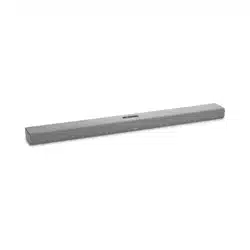
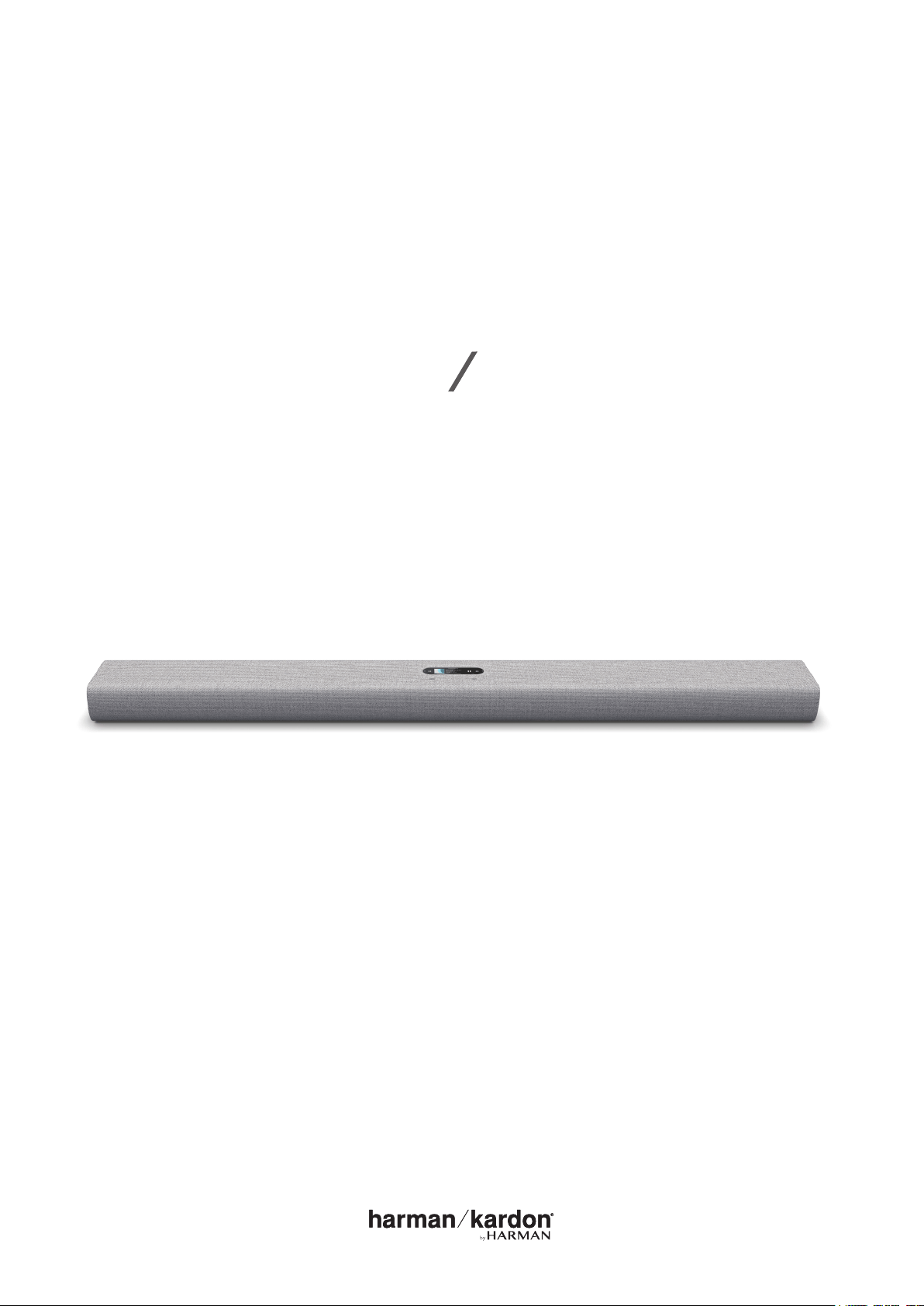
Harman Kardon Citation Bar The smartest soundbar for movies and music

Product's Documents

Below are documents related to this product, you can read online or download:
Citation Bar photo

User Manual

This is the main product document for model Citation Bar.

The file format is pdf, 34 pages, you can download this manual here .

background
OWNER’S
MANUAL
CITATION BAR

background
2
/
IMPORTANT SAFETY
INSTRUCTIONS
Verify Line Voltage Before Use
The CITATION BAR (soundbar) has been designed for use with
100-240 volt, 50/60 Hz AC current. Connection to a line voltage
other than that for which your product is intended can create



selling dealer before plugging the unit in to a wall outlet.
Do Not Use Extension Cords
To avoid safety hazards, use only the power cord supplied

used with this product. As with all electrical devices, do not run
power cords under rugs or carpets, or place heavy objects on



Handle the AC Power Cord Gently

pull the plug; never pull the cord.
If you do not intend to use your speaker for any considerable


Do Not Open the Cabinet





center.
background
3
/
TABLE OF CONTENTS
/ IMPORTANT SAFETY INSTRUCTIONS ............................................. 2
/ ........................................................................................ 4
/ WHAT’S IN THE BOX ............................................................................... 5
/ ............................................................................ 6
/ INSTALLATION ........................................................................................... 11
/ ............................................................................. 14
/ ...............................................16
/ POWER ON ................................................................................................18
/ CONNECTING TO INTERNET .............................................................19
/ ............................................................21
/ USING YOUR CITATION BAR .............................................................23
/ .................................................................................26
/ SET TI N GS...................................................................................................28
/ SPECIFIC ATIONS .................................................................................... 30
/ TROUBLESHOOTING ............................................................................. 31
/ ..........................................................................................33

background
4
/




by-step instructions to help you set up and get started. Read
and understand all the safety instructions before using your
product.
This product may have an important software update
available. Please follow the instructions to connect the
product to Wi-Fi to ensure that your product has the most
recent software updates.

If you have any questions about these products, their



background
5
/
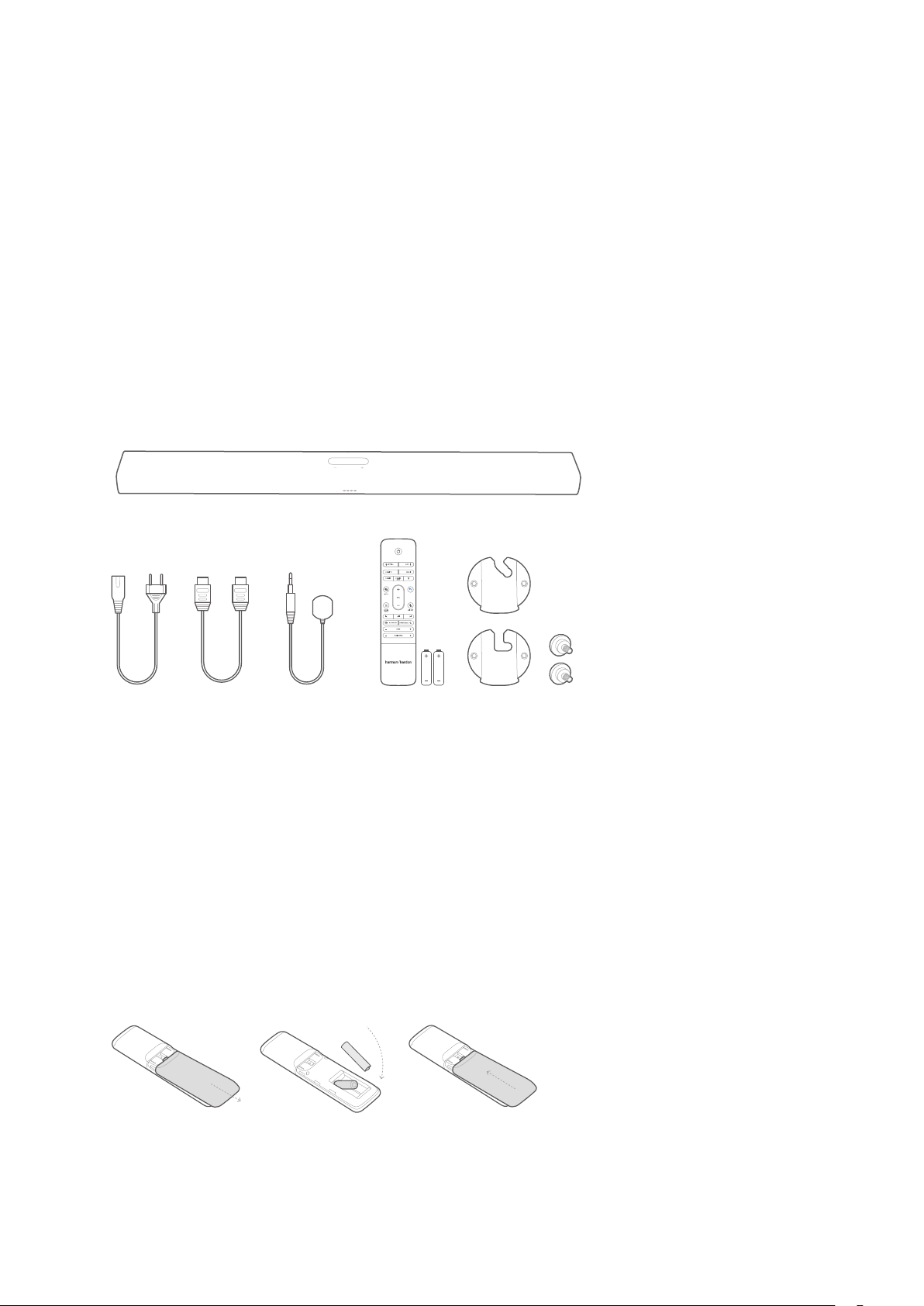
WHAT’S IN THE BOX



1
2 3 4 5 6
1. Main unit (Secondary speaker)
2. Power cord*
3. HDMI cable
4. Infrared (IR) repeater
5. Remote control (with 2 AAA batteries)
6. Wall-mount brackets
*Power cord quantity and plug type vary by regions.
Inserting batteries before using the remote control (AAA
batteries x 2)
Slide the battery cover in the direction of the arrow until it is

that their polarity is correct. Slide the battery cover back into
position.
background
6
/
P

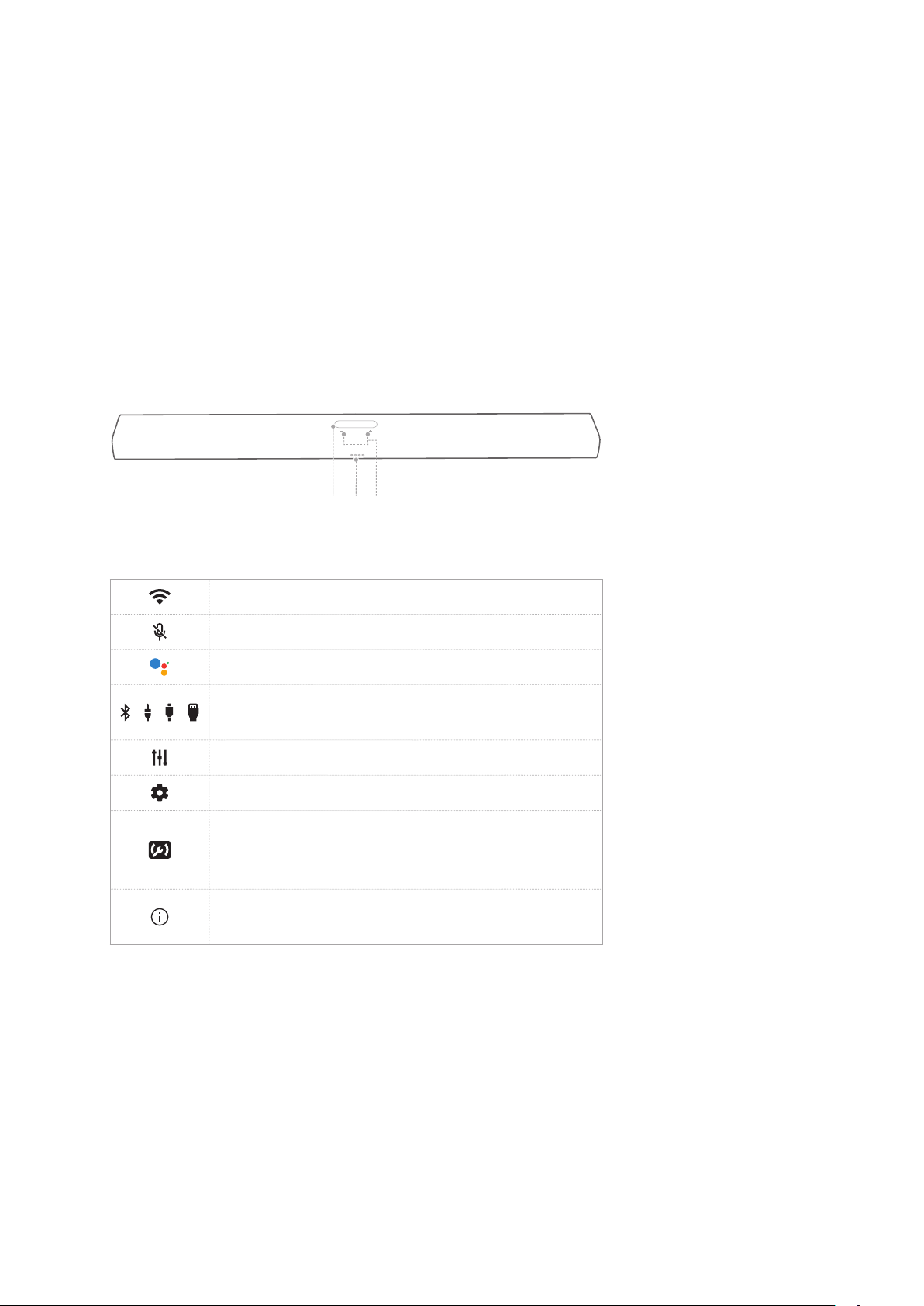
Front Panel & Top Panel
2 31
1. Touch screen
Wi-Fi signal indicator.

Press to activate Google Assistant.
/ / /

/ Optical).






product.
2. - / + (Volume)


background

7
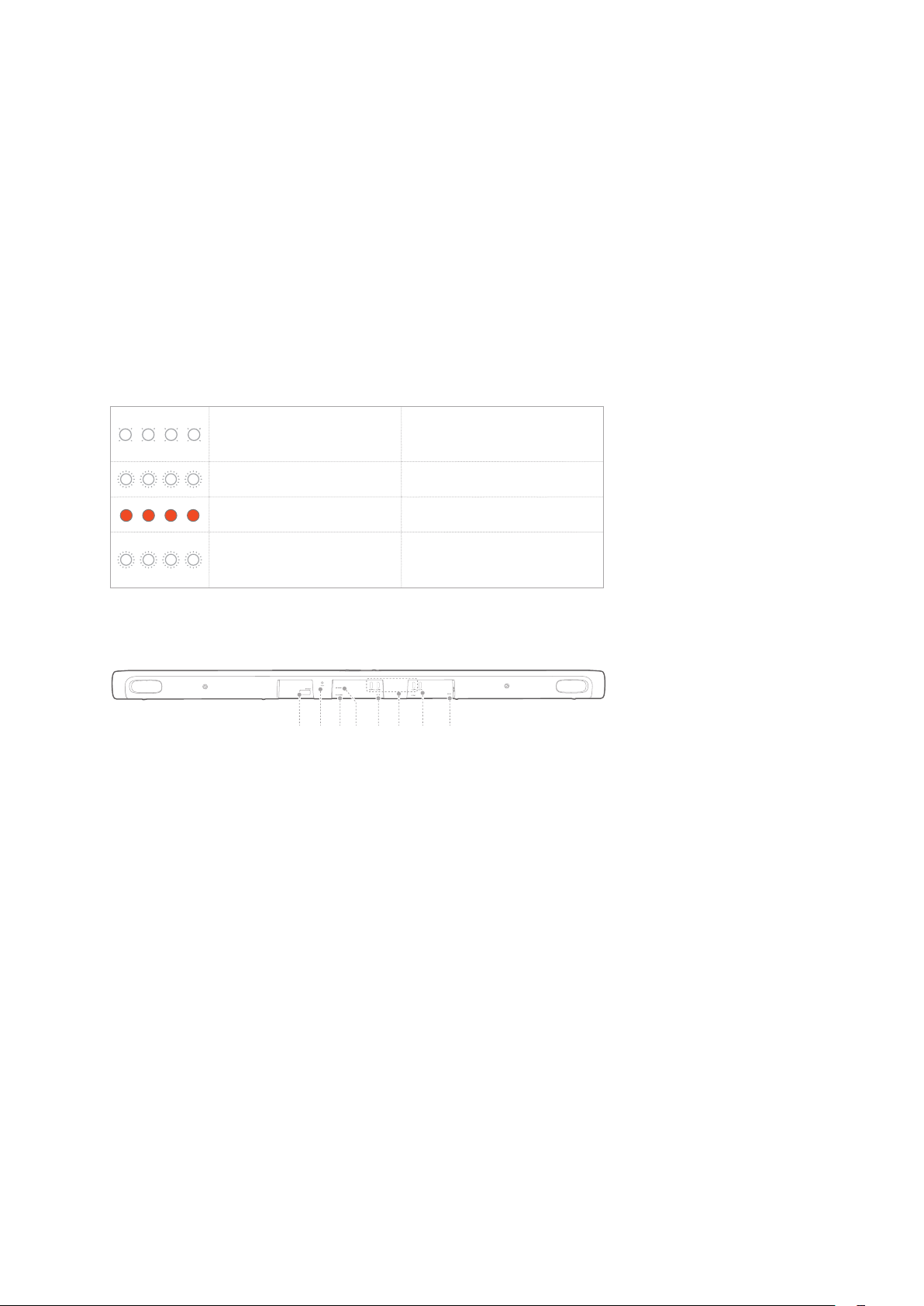
3. LED indicators (Google)
White (Breathing
slowly)
Listening
White (Breathing fast) Responding
 
White (Breathing for


startup
Back Panel
1 2 3 4 5 6 7 8
1. ETHERNET
Connect to the Internet (RJ45 connector).
2. RESET
Press and hold for 5 seconds to restore the factory
settings.
3. IR REPEATER


4. OPTICAL IN

digital device.
5. AUX IN

background

8
6. HDMI 1 / HDMI 2 / HDMI 3

7. HDMI ARC (TV OUT)

8. POWER
Connect to the power supply.
background

9
Remote Control
1
2
3
5
4
7
6
8
9
10
13
12
11
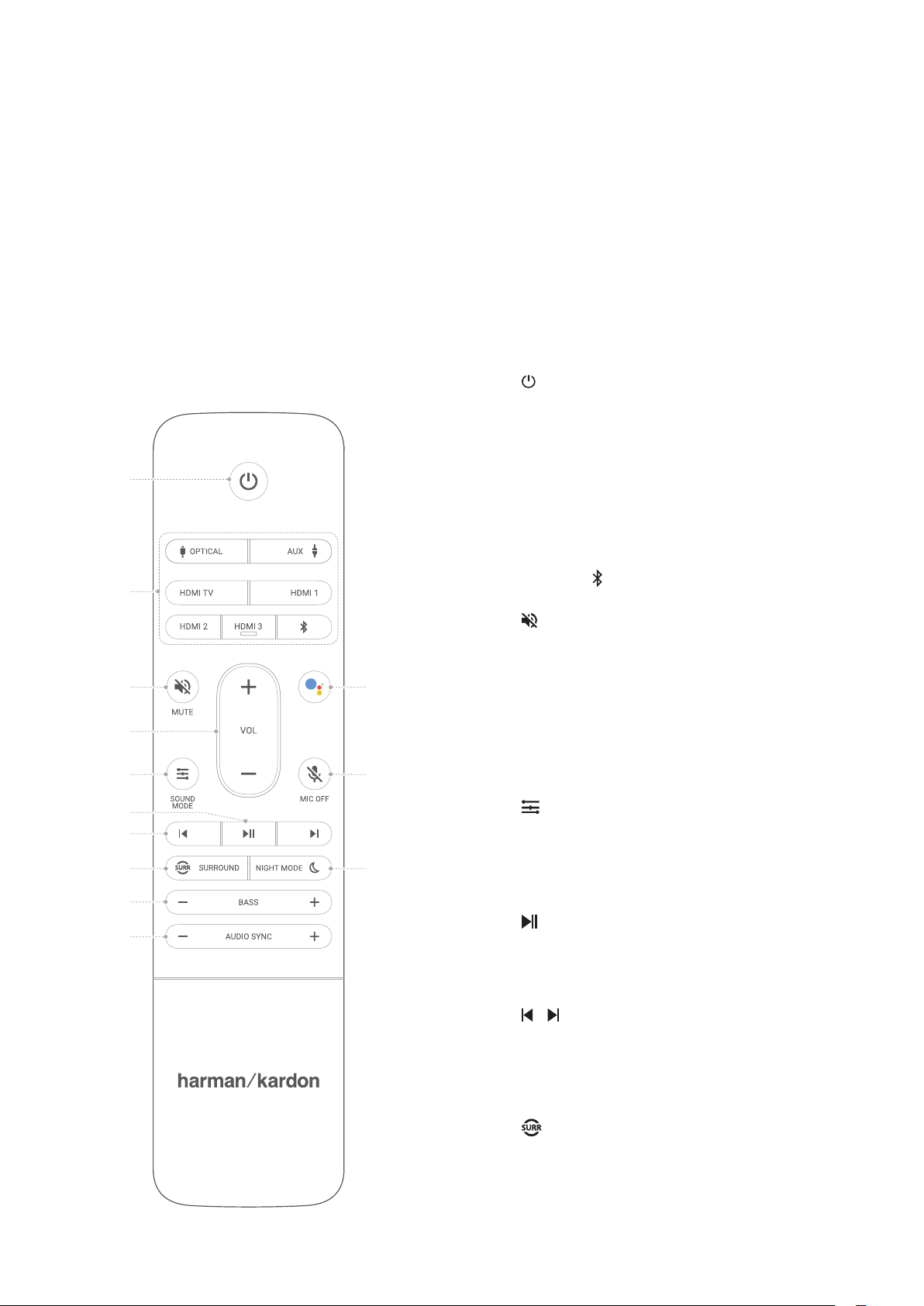
1. (Power)
Power on or switch to standby.
2. Source zone
Select an input source for the
soundbar: OPTICAL / AUX /
HDMI TV / HDMI 1 / HDMI 2 /
HDMI 3 / Bluetooth.
Press to pair with a new device.
3. MUTE

audio.
4. VOL + / -

level.
5. SOUND MODE


Movie / News / Standard.
6.

Bluetooth playback.
7. /


playback.
8. SURROUND


soundbar).
background

10
9. BASS - / +

the optional subwoofer when successfully paired).
10. AUDIO SYNC - / +

audio synchronization is not correct.
11. NIGHT MODE


12. MIC OFF

13.

background
11
/
INSTALLATION
Placement
NOTES:


soundbar.

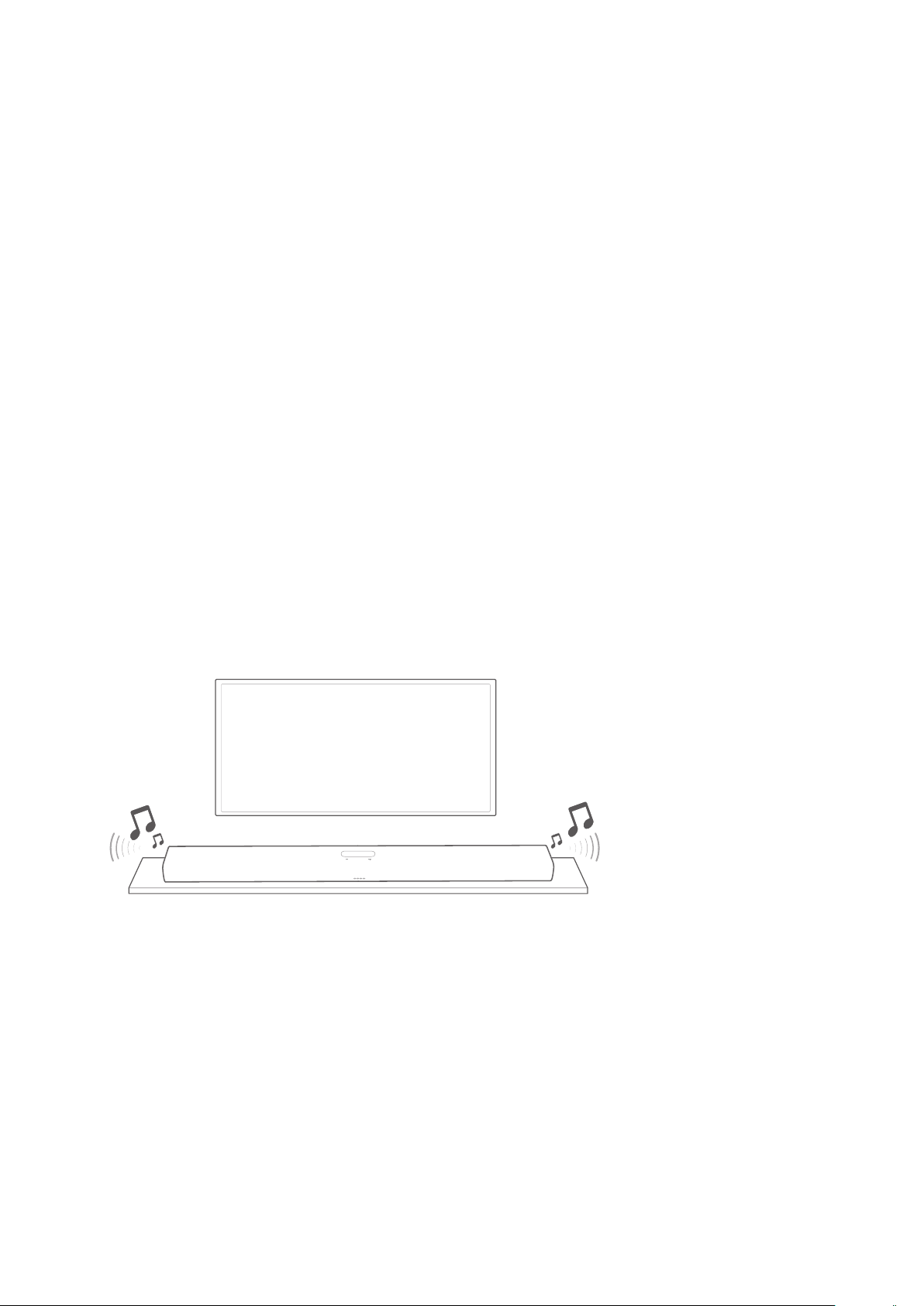
1) Place the soundbar on its rubber feet on a stable and level

2) 
the IR repeater into the IR REPEATER connector on the


TV
CAUTION:


background
/ INSTALLATION
12
Wall-mount
NOTES:

weight of this product.











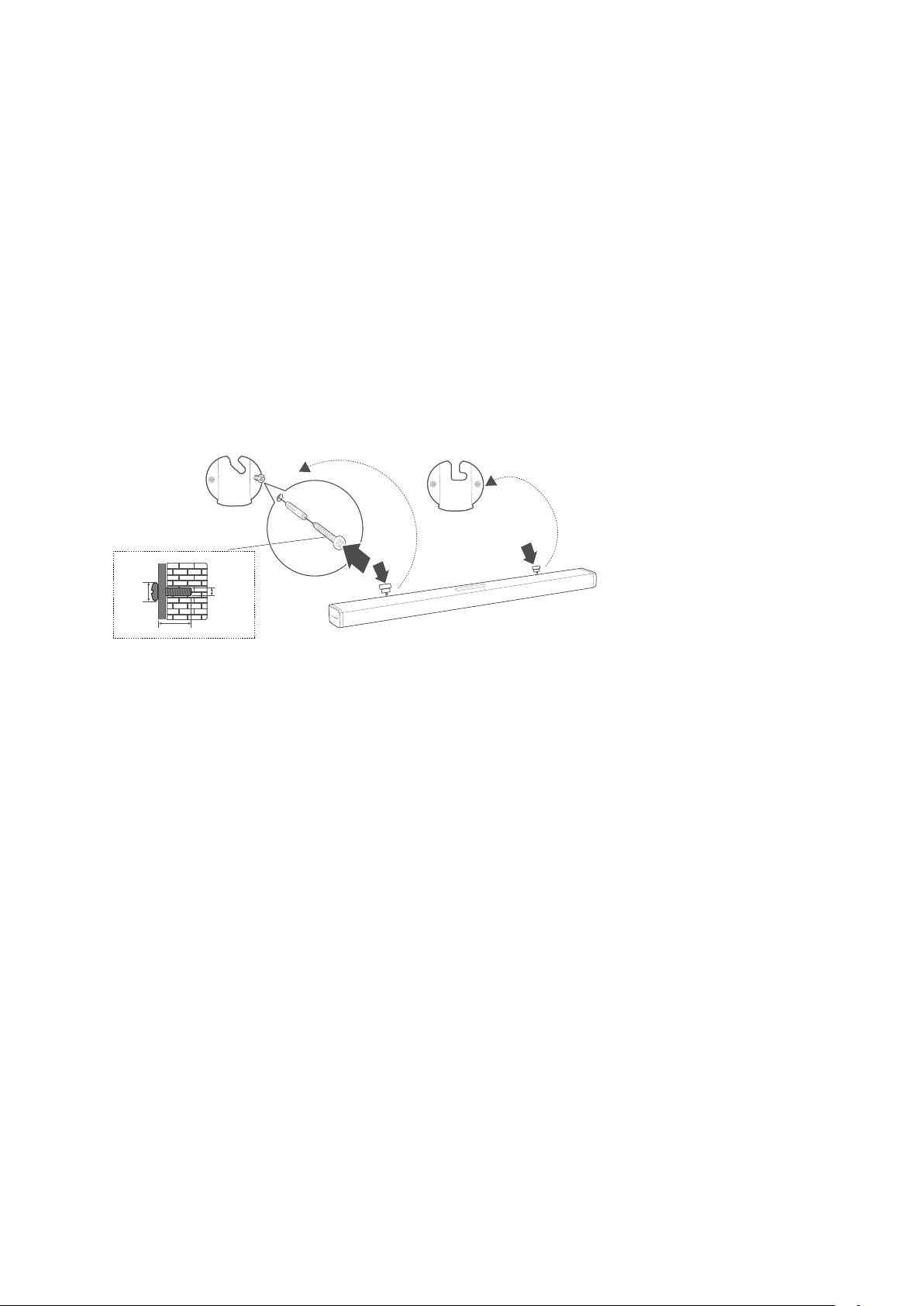
1) 


TV
WALL-MOUNTED PAPER GUIDE
> 5CM (1.9”)
background
/ INSTALLATION
13
2) 

hook the soundbar on the wall.
8 mm/
0.31"
4mm/0.16"
35 mm/1.4"
1
2
3
background
14
/

NOTES:





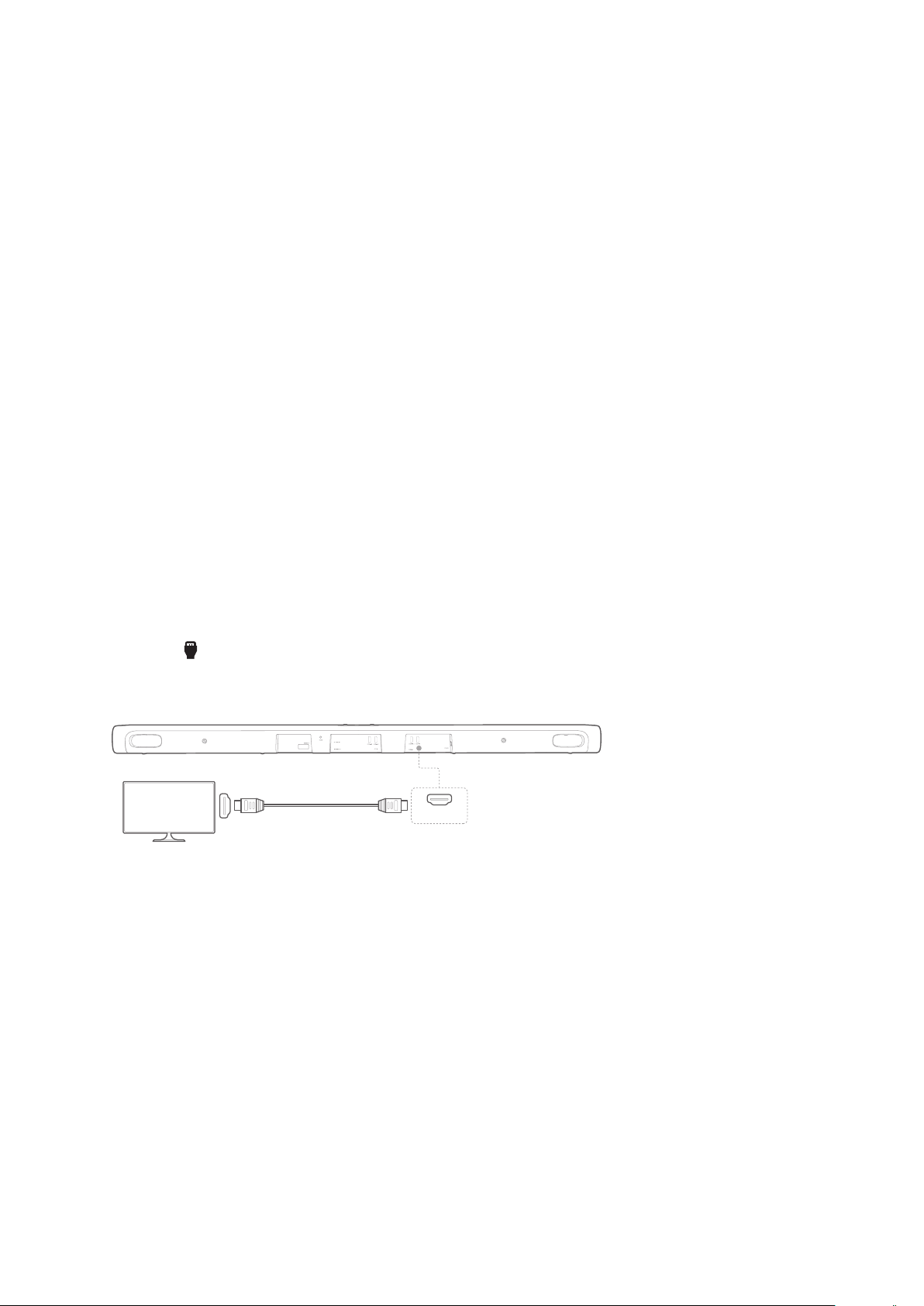
HDMI (Preferred)
1) HDMI OUT (TV
ARC) connector on the back of the soundbar to the HDMI
IN (ARC)
2) Press HDMI ARC on the touch screen or press the
HDMI TV
TV ARC
HDMI (ARC)
HDMI TV
TV
NOTES:

single connector. It is the best option to connect to your soundbar.









background

15
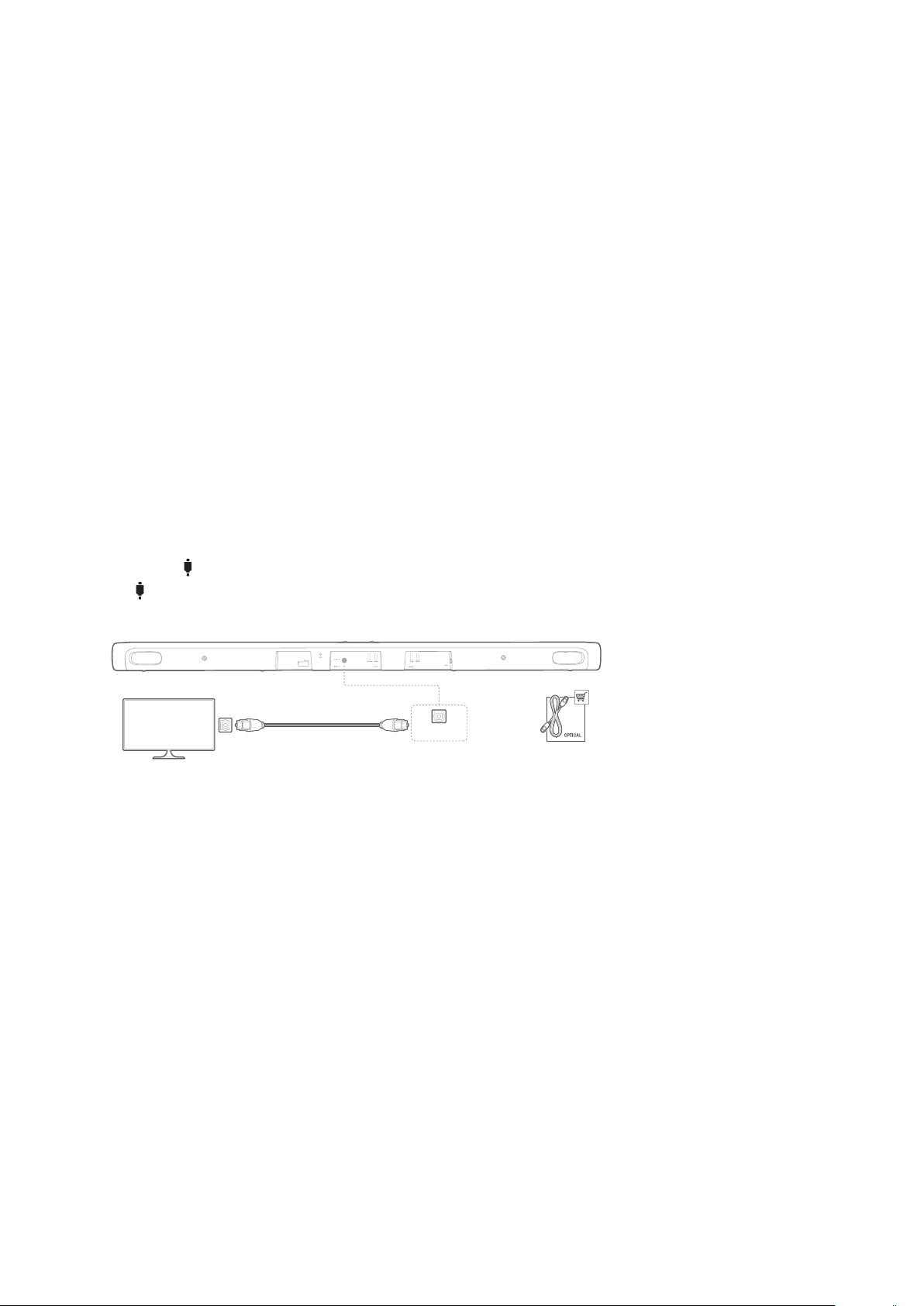
Optical
NOTE:

of the optical cable.
1) Connect the OPTICAL IN connector on the soundbar to the
OPTICAL OUT
(sold separately).
2) Press OPTICAL IN on the touch screen or press the
OPTICAL
OPTICAL
OPTICAL IN
TV
OPTICAL OUT
background
16
/
CONNECTING TO

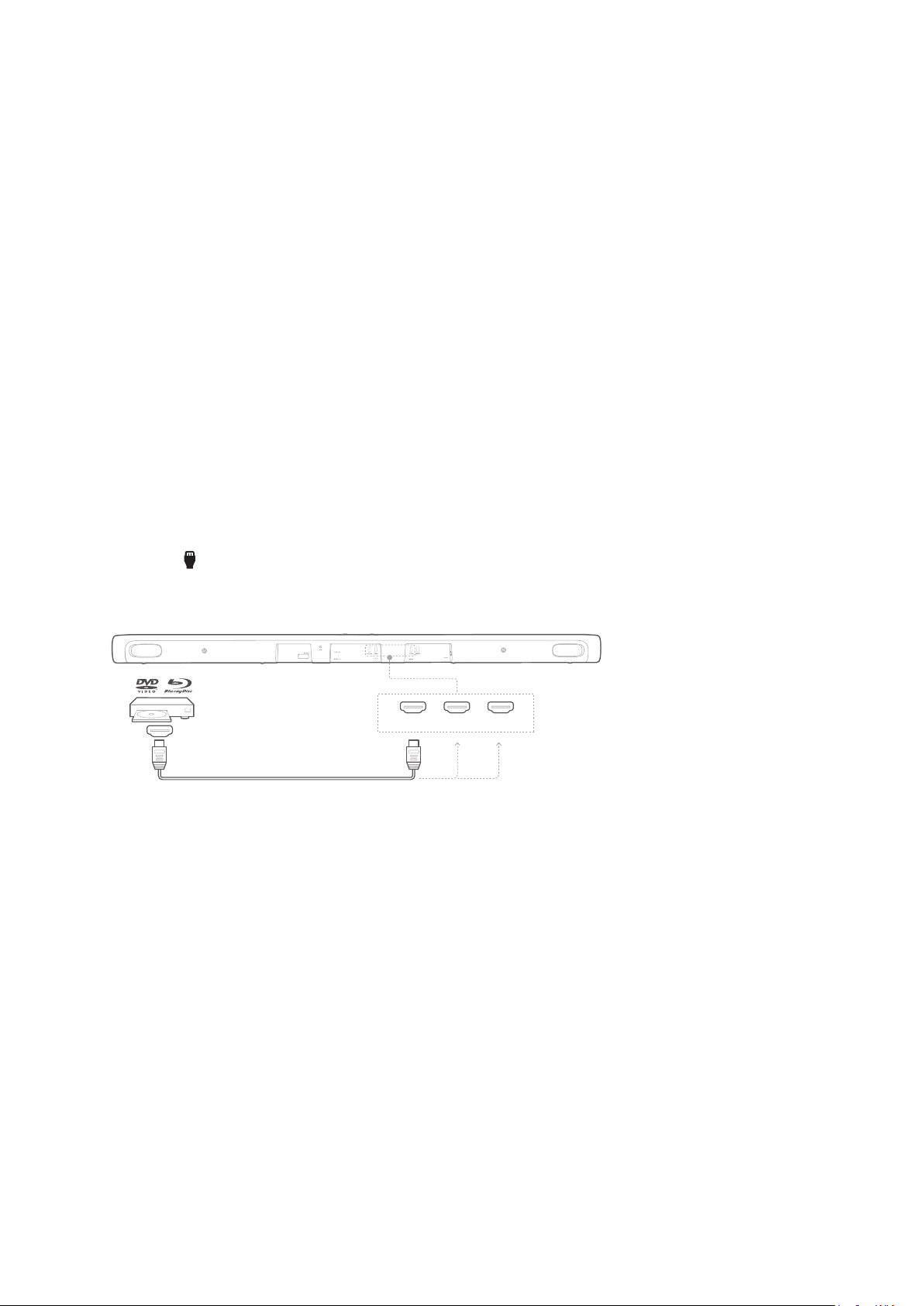
HDMI (Preferred)



1) HDMI IN connector on
the back of the soundbar to the HDMI OUT connector on
your digital device.
2) Press HDMI 1 / HDMI 2 / HDMI 3 on the touch screen or
press the HDMI 1 / HDMI 2 / HDMI 3
control to select the HDMI
HDMI OUT
HDMI 2HDMI 1 HDMI 3
NOTE:


Optical or Analog
1) Connect the OPTICAL IN or AUX IN connector on the
soundbar to the OPTICAL OUT or AUDIO OUT jack of the
source device by using an optical cable (sold separately) or
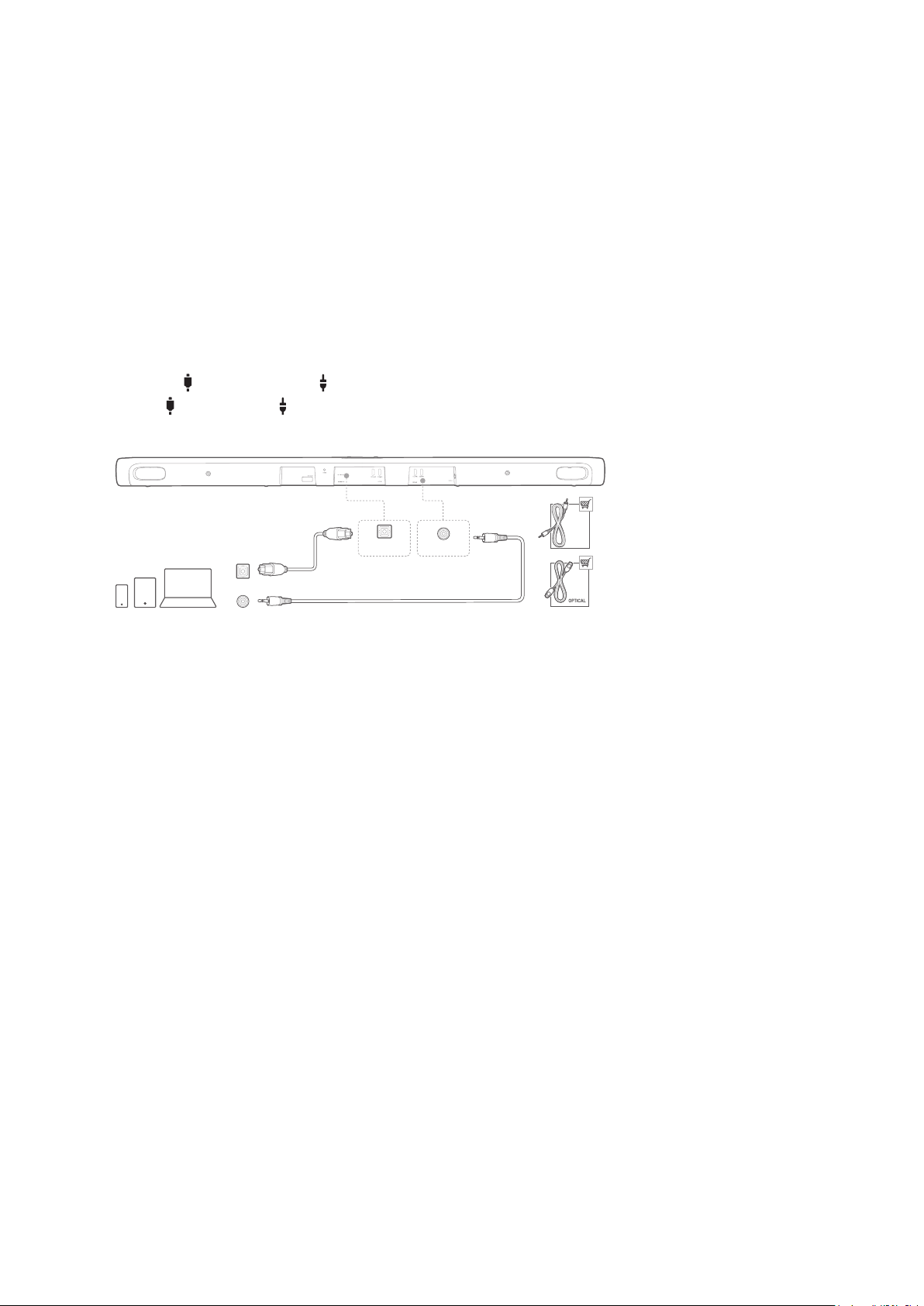

background

17
2) Press OPTICAL IN or AUX on the touch screen or press
the OPTICAL or AUX
select the OPTICAL or AUX
AUX-IN
AUX cable
AUX-OUT
OPTICAL OUT
OPTICAL IN
background
18
/
POWER ON
NOTES:
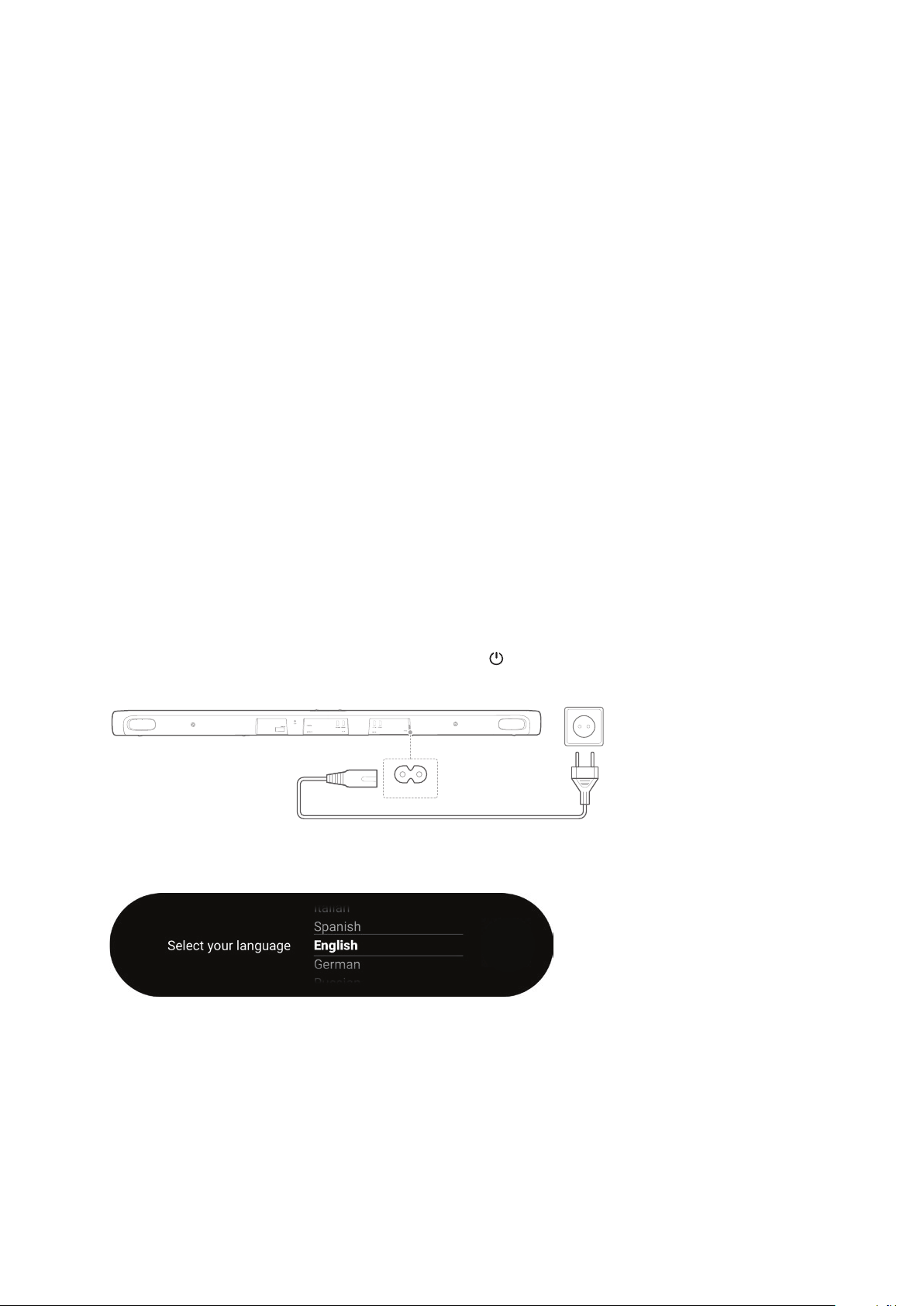
Use the provided power cord only.


When you disconnect the power cord, always pull the plug, never
the cable.


1) Plug one end of the AC power cord into the POWER
connector on the back of the soundbar.
2) 

touch screen will turn on. Alternatively, press on the

POWER
3) Select your language as instructed on the touch screen for

background
19
/
CONNECTING TO
INTERNET
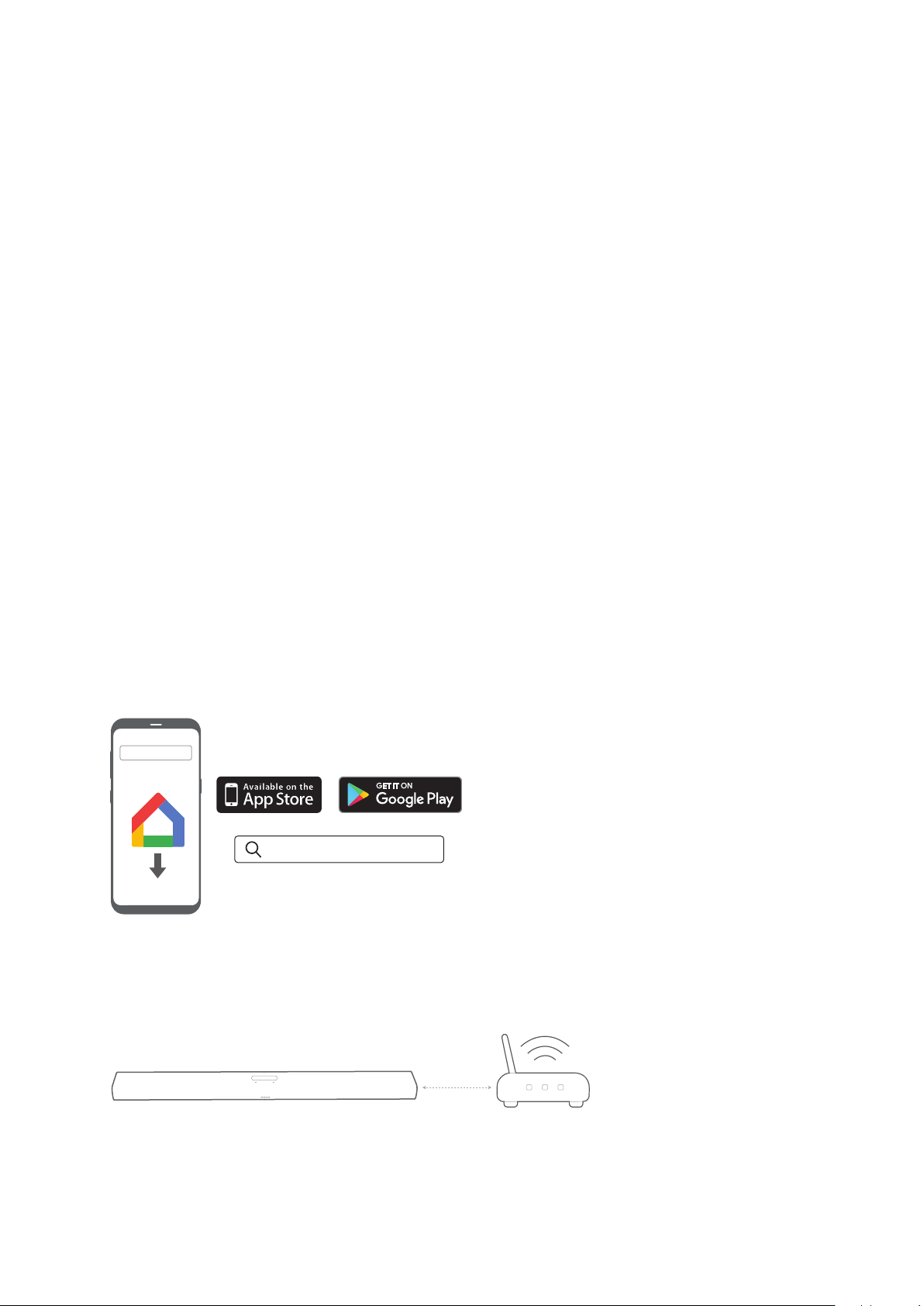
Your CITATION BAR is required to connect to the Internet (Wi-Fi

NOTE:

the Ethernet cable before plugging in the power cord.
1) 
tablet.
2) Power on your CITATION BAR.
3) 
as instructed in the app. Always follow the instructions in the

4) Sign in with your Google account. If you do not have, create
a new one.
Google Home
Google Home
* To avoid any interference, keep a minimum distance of 5
meters (16.4 feet) between the soundbar and your Wi-Fi
router.
>5m

background
/ CONNECTING TO INTERNET
20
CAUTION:





Once this product is connected to the Internet, it will receive a



background
21
/
SPEAKER SETUP
(Optional)
Speaker Setup
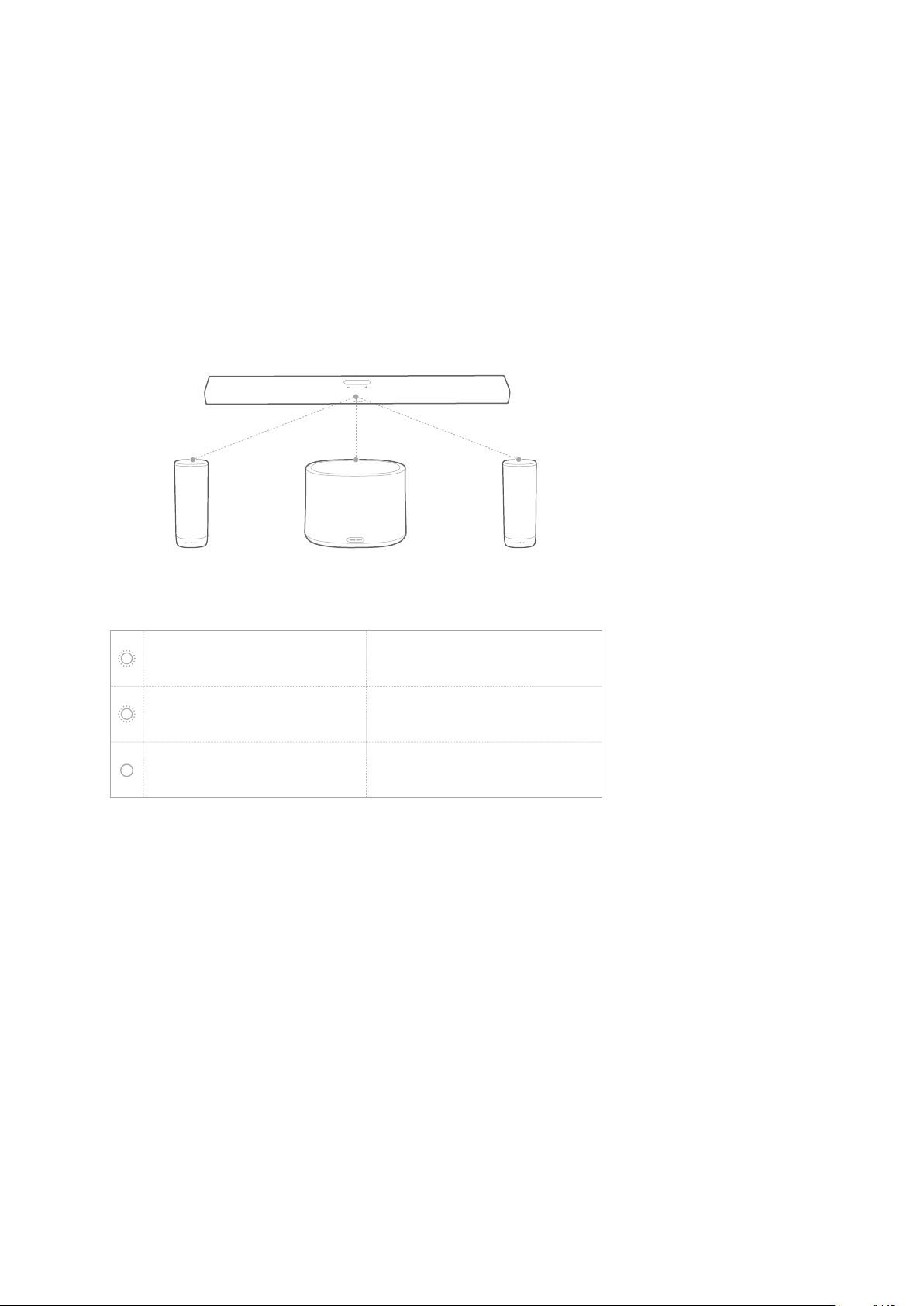
You can wirelessly pair your CITATION BAR with:
CITATION SUB (subwoofer, sold separately): to enhance


separately): to set up a 5.0 channel surround sound



NOTES:

(16.4 feet) between the CITATION BAR and your CITATION SUB or









1) Power on your CITATION BAR, CITATION SUB, or / and

2) PressSpeaker Setup” > “Pairing” > “Surround Setup” or
Subwoofer Setup” on the touch screen to enter pairing

Æ 
connected and “Surround setup successful” or
Subwoofer connected” will be displayed on the touch
screen.
Æ 
speaker and retry the setup.
3) Surround Setup” or
Subwoofer pairing” again, or reset the soundbar.
background

22
CITATION SUBCITATION SURROUND CITATION SURROUND
LED Indicator (CITATION SUB / CITATION SURROUND)
White (Flashing) Pairing
White (Flashing)
Out of range / Lost wireless
connection
White (Constant for 10

Wirelessly connected with
CITATION BAR
Test Tone
PressSpeaker Setup” > “Levels” > “Test tone” to play the test
tone. Each speaker location icon will blink in sequence.
Speaker Volume and Bass
PressSpeaker Setup” > “Levels” > “Speaker volume trim” or
Bass level trim, then swipe up / down to select speakers or

background
23
/
USING YOUR
CITATION BAR
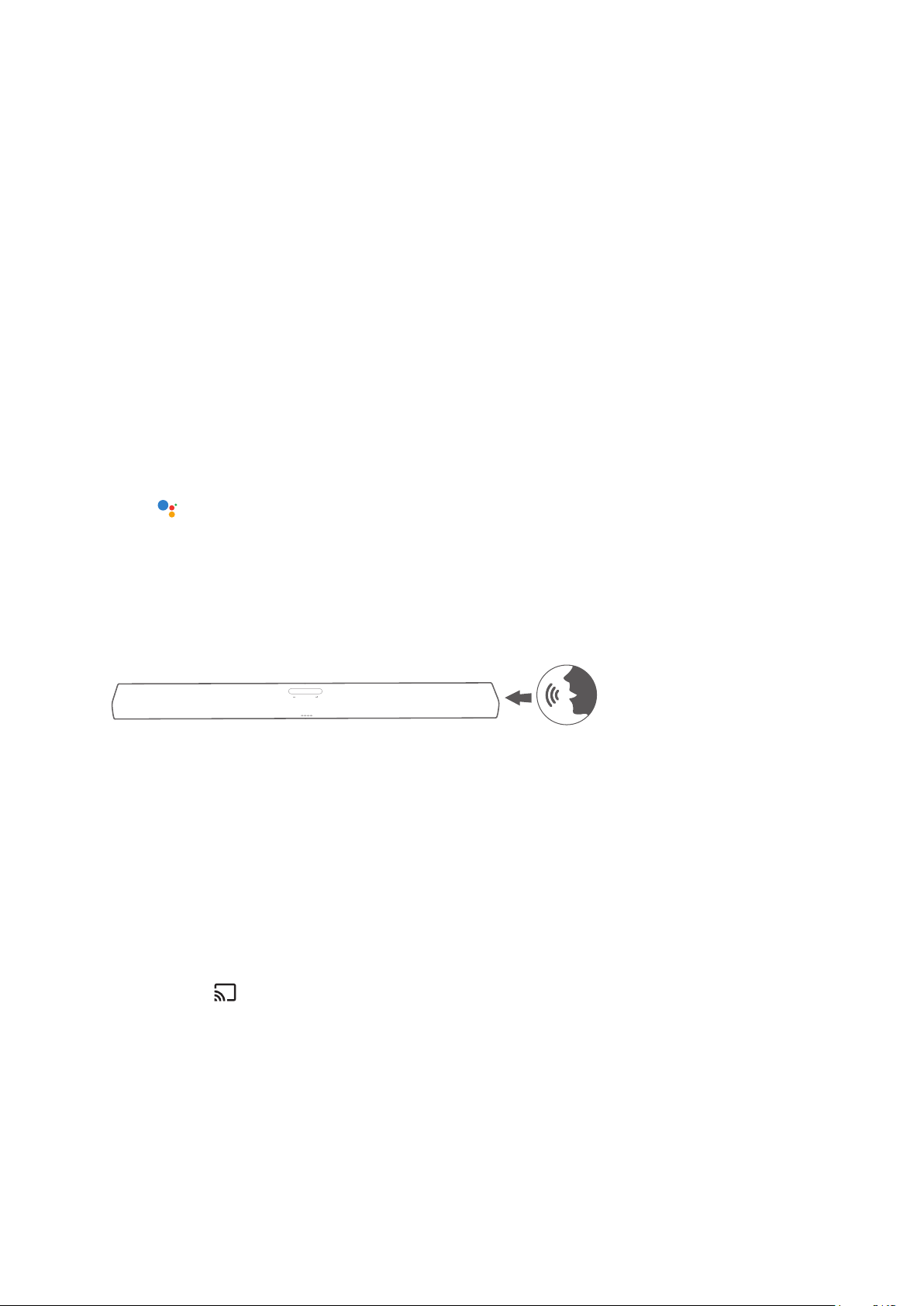
Talk to Google Assistant



voice.
Press 
activate the Google Assistant and then say your request.

Ok
Google” or “Hey Google
Æ CITATION BAR will respond instantly.
NOTE:

Play Music with Chromecast


Cast button.
1) 
tablet.
2) Press the icon in the app and select the CITATION BAR.
3) PressPlay” in the app.
NOTES:



background
/ USING YOUR CITATION BAR
24
Multi-room Group Playback with Citation
Family




NOTES:


to depends on the bandwidth of your local wireless network.


Play Music through Bluetooth
You can use your CITATION BAR as a speaker for your

1) Press  Bluetooth on the

Æ 
successful connection, the white circle below icon will
blink.
2) Citation Bar Speaker

Æ 
song will scroll on the touch screen.
background
/ USING YOUR CITATION BAR
25
NOTES:
If you have already connected the soundbar to Wi-Fi and changed


To disconnect and pair another device, press 
control or on the touch screen.



operation.

product and your Bluetooth device to avoid disconnection.
Playback Controls

/ 
background
26
/

This section helps you choose the ideal sound for your video

Volume


Press or press and hold - / + button on the top panel.




voice.
 MUTE
control. To restore the sound, press MUTE again or adjust

Sound Mode
Press SOUND MODE
Audio

Virtual Surround:
standalone soundbar).
Night Mode:

Music Mode: Creates stereo sound.
Movie Mode: 
News Mode: 
Standard: 
background

27
Synchronize Video and Audio
If the audio and video are not synchronized, press AUDIO
SYNC +/- Speaker Setup
> “Lipsync delay” on the touch screen to delay the audio to


background
28
/
SETTINGS
Display Brightness
Press Options > Brightness, then softly drag the value bar
to adjust the brightness of the touch screen.
Software Upgrade

upgraded to the latest version when it is connected to the
Internet via a Wi-Fi network or Ethernet connection.
Restore Factory Settings

PressOptions” > “Factory Reset” on the touch screen;
or
Press and hold the RESET button on the back of your
CITATION BAR for 5 seconds.



System Information
PressSystem info

Country: Country and language.
Network: 
address.
About: 
Software version: Software version and date of last
update.

background
/ SETTINGS
29
Cleaning and Maintenance



CAUTION:

background
30
/
SPECIFICATIONS


Bluetooth version: 4.2




Wireless network: 802.11b/g/n/ac (2.4GHz/5GHz)

(2.4GHz ISM Band, USA 11 Channels, Europe and others
13 Channels)











country or region): 5.15 - 5.35 GHz, 5.470 - 5.725GHz,
5.725 - 5.825GHz
Ethernet: 10/100 Mbps





background
31
/
TROUBLESHOOTING
Never try to repair the product yourself. If you have any

you request service.
Sound
No sound from the soundbar.

Make sure to select the correct audio input source.
No sound from CITATION SUB or CITATION SURROUND.
Check if the subwoofer or the satellite speakers


Play the test tone (See Section 9.2 “Test Tone.)
Distorted sound or echo.


disabled.
Audio and video are not synchronized.
Press AUDIO SYNC +/- to synchronize.
Bluetooth
A device cannot connect with the soundbar.
Check if you enable the Bluetooth function of the
device.
The soundbar is already connected to another
Bluetooth device. Press 
disconnect and pair with a new device.

background
/ TROUBLESHOOTING
32
Poor audio quality from a connected Bluetooth device.
The Bluetooth reception is poor. Move the device closer

device and the soundbar.
Wi-Fi
Failed to connect to Wi-Fi.
Make sure that Wi-Fi is turned on.
Make sure that you have selected the right network and
entered the correct password.

within the range.


The Google Home app cannot nd the device.
Make sure that your CITATION is powered on.
Make sure that your network is working properly.

and within the range.
No response to the voice command.


Ok Google. Avoid
placing the CITATION in a noisy place or a place that is



 
control or on the touch screen to activate the Google

background
33
/



Bluetooth SIG, Inc. and any use of such

Incorporated is under license. Other

their respective owners.













require subscription(s). The Google
Assistant requires an internet connection
and is not available in certain countries and
languages. Availability and react of certain
features and services are device, service,

available in all areas. Controlling certain






background
34

Specifications

Indexed Terms: Soundbar, Smart

Harman Kardon Citation Bar Questions and Answers

Questions and Answers

Related Products