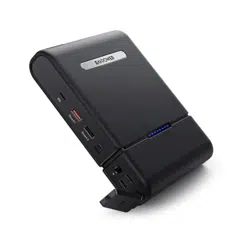
Model: RP-PB055
RAVPower Prime 30000mAh 100W 3-Port
Power House
User Guide
NORTH AMERICA
E-mail: support@ravpower.com(US)
support.ca@ravpower.com(CA)
Tel: 1-888-456-8468 (Monday-Friday: 9:00 – 17:00 PST)
ASIA PACIFIC
E-mail: support.jp@ravpower.com(JP)
JP Importer: SUNVALLEY JAPAN
Address: 104-0032 3 18-6 PMO 9F
EUROPE
E-mail:
support.uk@ravpower.com(UK)
support.de@ravpower.com(DE)
support.fr@ravpower.com(FR)
support.es@ravpower.com(ES)
support.it@ravpower.com(IT)
EU Importer: ZBT International Trading GmbH
Address: Halstenbeker Weg 98C, 25462 Rellingen,Deutschland
MANUFACTURER
Manufacturer: Shenzhen NearbyExpress Technology Development Co., Ltd.
Address: 333 Bulong Road, Shenzhen, China, 518129
www.ravpower.com
02-26-2020
RP-PB055_V2.5_US-JP
MADE IN CHINA
CONTENTS
01-03
04-06
07-09
10-12
13-15
16-18
English
Deutsch
Francais
Espanol
Italiano
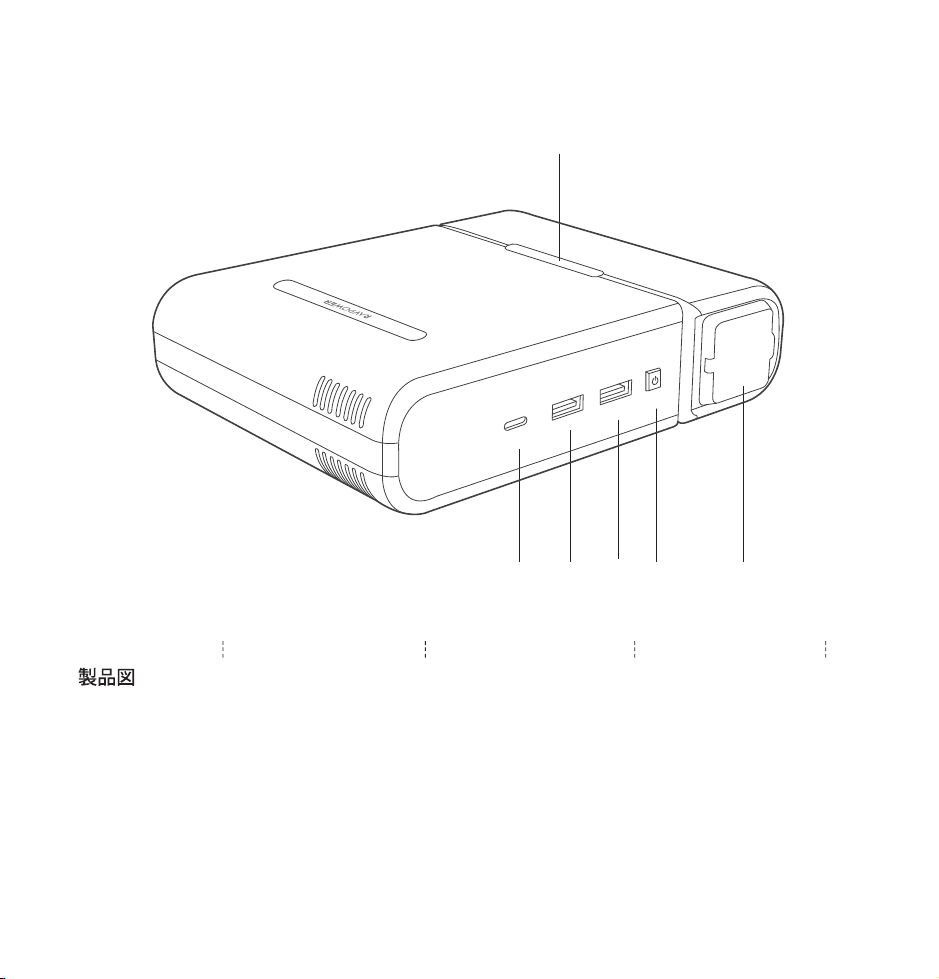
Product Diagram
Produktabbilung Description du Produit Diagrama del producto Schema del Prodotto
PD Input/Output
iSmart1 Output
iSmart2 Output
Power Button
AC Output
LED Indicator
①
②
③
④
⑤
⑥
Package Contents
Packungsinhalt Contenu du colis Contenidos del Paquete Include nella Confezione
• 1 x RAVPower Portable Power House (RP-PB055)
• 1 x Type-C to Type-C Charging Cable
• 1 x Travel Pouch
• 1 x User Guide
• 1 x Thank You Card
① ③ ④ ⑤
⑥
②
A
C-
Ou
t
p
u
t
PO
W
E
R
i
S
ma
r
t
2
i
S
m
a
r
t
1
PD
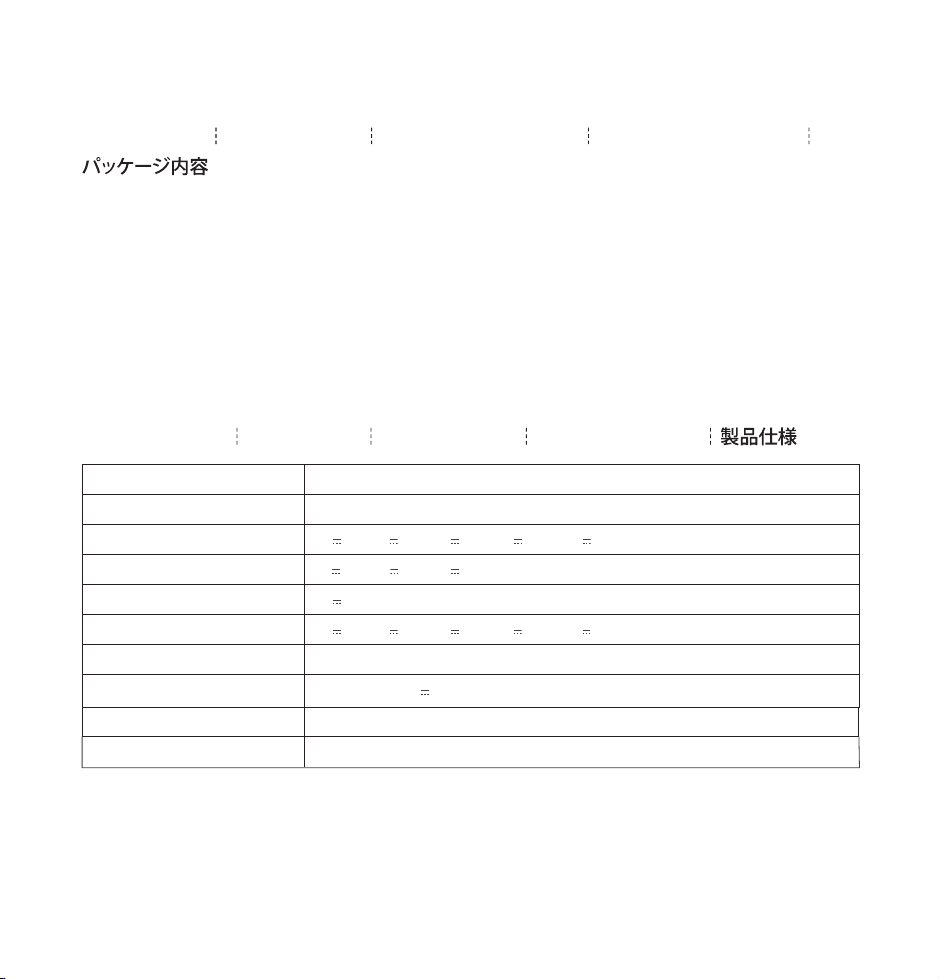
Specifications
Technische Daten Spécifications Especificaciones Specifiche Tecniche
Model
Battery Capacity
PD Input
iSmart1 Output
iSmart2 Output
PD Output
AC Output
Rated Capacity
Net Weight (Battery Pack)
Dimensions
RP-PB055
30000mAh/111Wh
5V 3A, 9V 3A, 12V 3A, 15V 3A, 20V 2.5A PD 45W Max
5V 3A, 9V 2A, 12V 1.5A 18W Max
5V 2.4A 12W Max
5V 3A, 9V 3A, 12V 3A, 15V 3A, 20V 3A PD 60W Max
110-120V/60Hz 150W Max. 100W Rated
5100mAh, 20V 3A
847.2g / 29.9oz
13.8 x 17 x 3.5 cm / 5.4 x 6.7 x 1.4 in
Product Diagram
Produktabbilung Description du Produit Diagrama del producto Schema del Prodotto
PD Input/Output
iSmart1 Output
iSmart2 Output
Power Button
AC Output
LED Indicator
①
②
③
④
⑤
⑥
Package Contents
Packungsinhalt Contenu du colis Contenidos del Paquete Include nella Confezione
• 1 x RAVPower Portable Power House (RP-PB055)
• 1 x Type-C to Type-C Charging Cable
• 1 x Travel Pouch
• 1 x User Guide
• 1 x Thank You Card
① ③ ④ ⑤
⑥
②
A
C-
Ou
t
p
u
t
PO
W
E
R
i
S
ma
r
t
2
i
S
m
a
r
t
1
PD
Specifications
Technische Daten Spécifications Especificaciones Specifiche Tecniche
Model
Battery Capacity
PD Input
iSmart1 Output
iSmart2 Output
PD Output
AC Output
Rated Capacity
Net Weight (Battery Pack)
Dimensions
RP-PB055
30000mAh/111Wh
5V 3A, 9V 3A, 12V 3A, 15V 3A, 20V 2.5A PD 45W Max
5V 3A, 9V 2A, 12V 1.5A 18W Max
5V 2.4A 12W Max
5V 3A, 9V 3A, 12V 3A, 15V 3A, 20V 3A PD 60W Max
110-120V/60Hz 150W Max. 100W Rated
5100mAh, 20V 3A
847.2g / 29.9oz
13.8 x 17 x 3.5 cm / 5.4 x 6.7 x 1.4 in
EN
Thank you for choosing the RAVPower RP-PB055 PowerStation Series 30000mAh Portable Power Outlet.
Please read this guide carefully and keep it in a safe place for future reference. If you need any further assistance,
please contact our customer support team at [email protected].
01/02
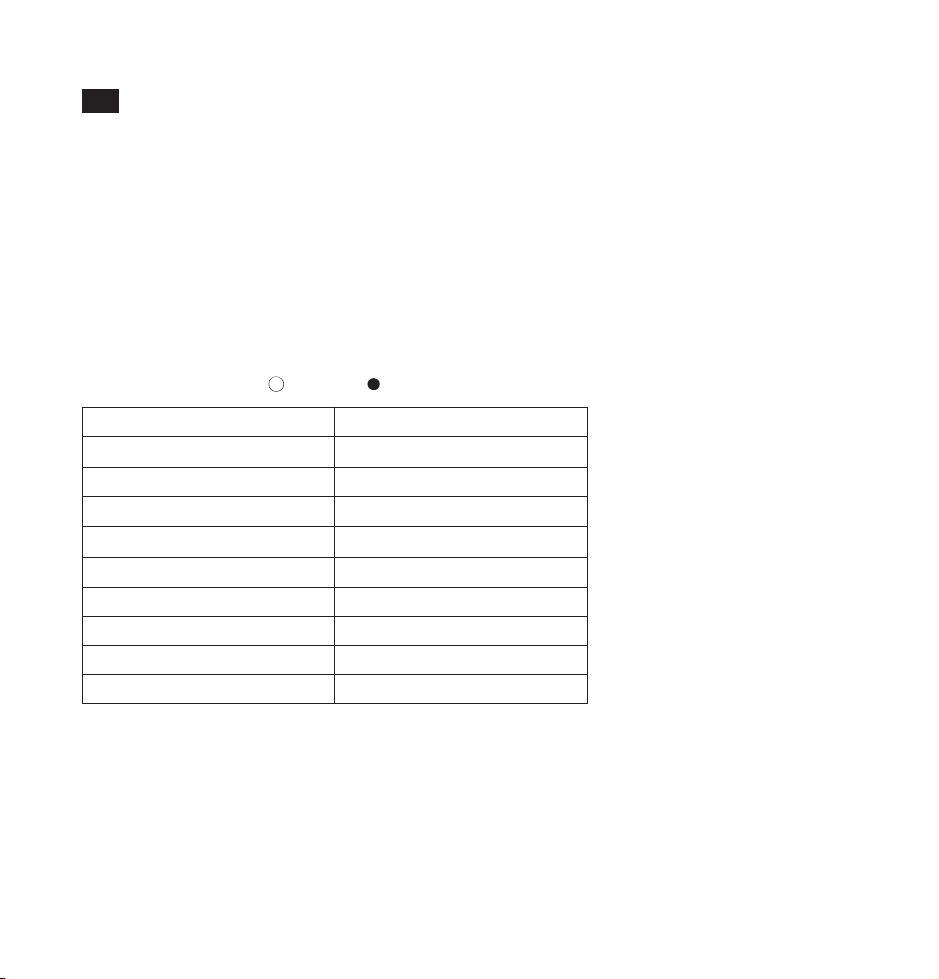
Battery Status Indicator
¤○○○○○○○
¤¤○○○○○○
¤¤¤○○○○○
¤¤¤¤○○○○
¤¤¤¤¤○○○
¤¤¤¤¤¤○○
¤¤¤¤¤¤¤○
¤¤¤¤¤¤¤¤
●●●●●●●●
Battery Level
0% - 13%
14% - 25%
26% - 38%
39% - 50%
51% - 63%
64% - 75%
76% - 88%
89% - 99%
100%
LED Indicator
•
USB Low Output: When the power of the USB and Type-C output is too low, the output will automatically
stop working.
•
Low Battery: The last LED flashes blue.
•
Protection Activation: When an abnormal connection is detected, all of the LED indicators will flash
and the portable power outlet will cut off all connections. To start using it again, recharge or press
the Power Button.
There are eight LED indicators to display the battery level status of the portable power outlet.
When being recharged, the LED indicators will light up based on the current battery level:
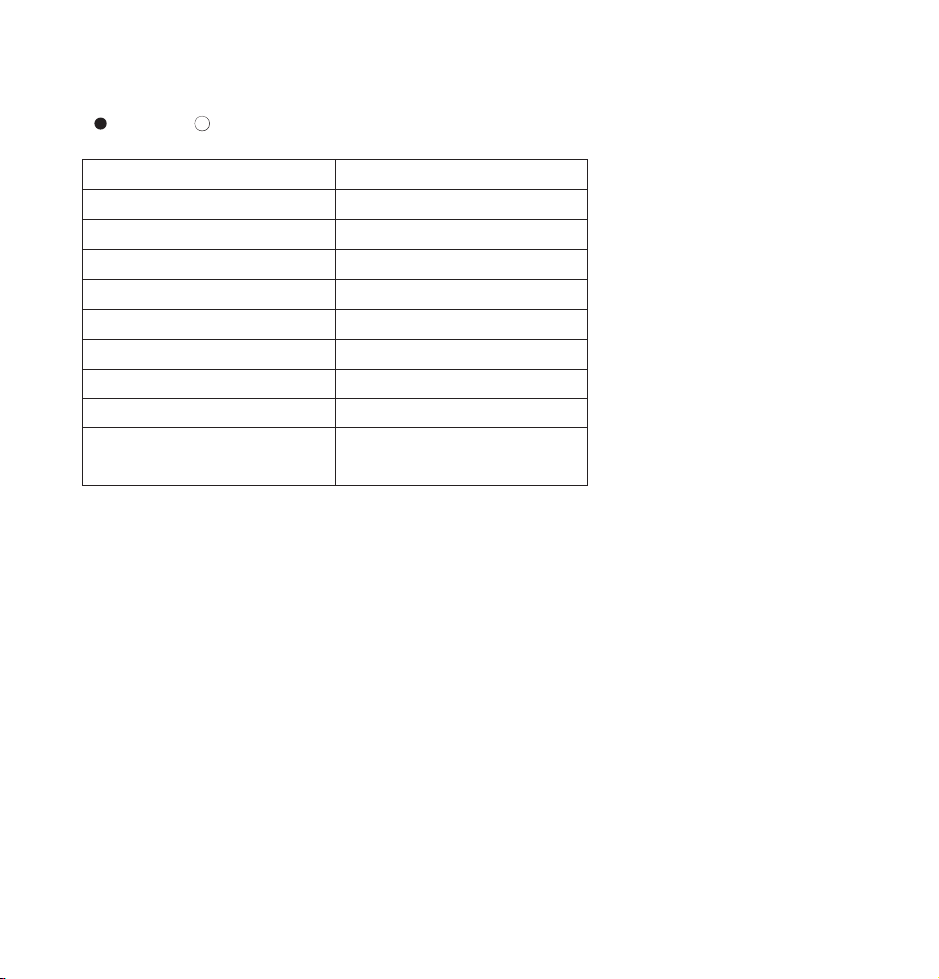
Charging: (
¤
: LED flashes; : LED is off; : LED is on)
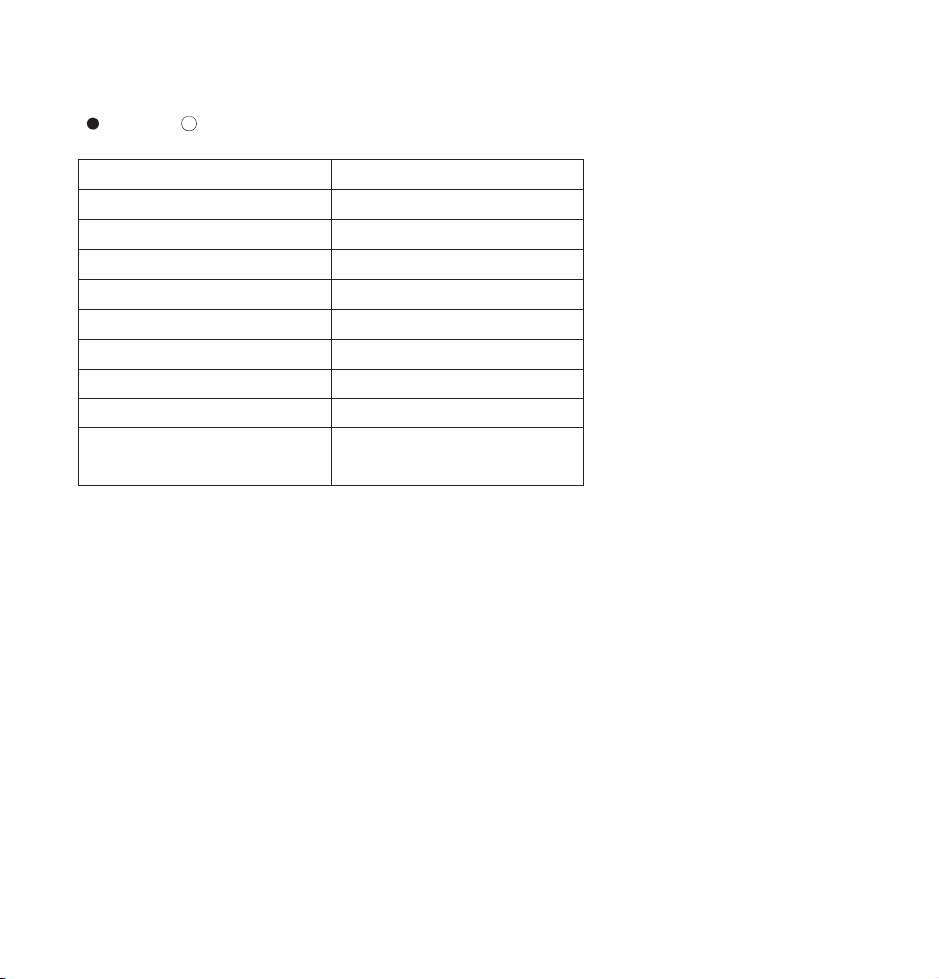
Battery Status Indicator
●●●●●●●●
●●●●●●●○
●●●●●●○○
●●●●●○○○
●●●●○○○○
●●●○○○○○
●●○○○○○○
●○○○○○○○
●○○○○○○○
(2Hz blinking frequency)
Battery Level
100% - 87%
86% - 75%
74% - 62%
61% - 50%
49% - 37%
36% - 25%
24% - 12%
11% - 1%
0%
When devices are connected, the LED indicators will light up as follows:
( : LED is on; : LED is off)
Power Button
•
When the AC output is off, press and hold the Power Button for 3 seconds to turn on the AC output. Press
the button again to show the remaining battery level.
•
When the connected device is fully charged, the AC output will automatically shut off. Turn it on again before
charging another device.
•
If the AC output fails, press the Power Button for 3 seconds to turn on the AC output again.
EN
Thank you for choosing the RAVPower RP-PB055 PowerStation Series 30000mAh Portable Power Outlet.
Please read this guide carefully and keep it in a safe place for future reference. If you need any further assistance,
please contact our customer support team at support@ravpower.com.
01/02
Battery Status Indicator
¤○○○○○○○
¤¤○○○○○○
¤¤¤○○○○○
¤¤¤¤○○○○
¤¤¤¤¤○○○
¤¤¤¤¤¤○○
¤¤¤¤¤¤¤○
¤¤¤¤¤¤¤¤
●●●●●●●●
Battery Level
0% - 13%
14% - 25%
26% - 38%
39% - 50%
51% - 63%
64% - 75%
76% - 88%
89% - 99%
100%
LED Indicator
•
USB Low Output: When the power of the USB and Type-C output is too low, the output will automatically
stop working.
•
Low Battery: The last LED flashes blue.
•
Protection Activation: When an abnormal connection is detected, all of the LED indicators will flash
and the portable power outlet will cut off all connections. To start using it again, recharge or press
the Power Button.
There are eight LED indicators to display the battery level status of the portable power outlet.
When being recharged, the LED indicators will light up based on the current battery level:
Charging: (
¤
: LED flashes; : LED is off; : LED is on)
Battery Status Indicator
●●●●●●●●
●●●●●●●○
●●●●●●○○
●●●●●○○○
●●●●○○○○
●●●○○○○○
●●○○○○○○
●○○○○○○○
●○○○○○○○
(2Hz blinking frequency)
Battery Level
100% - 87%
86% - 75%
74% - 62%
61% - 50%
49% - 37%
36% - 25%
24% - 12%
11% - 1%
0%
When devices are connected, the LED indicators will light up as follows:
( : LED is on; : LED is off)
Power Button
•
When the AC output is off, press and hold the Power Button for 3 seconds to turn on the AC output. Press
the button again to show the remaining battery level.
•
When the connected device is fully charged, the AC output will automatically shut off. Turn it on again before
charging another device.
•
If the AC output fails, press the Power Button for 3 seconds to turn on the AC output again.

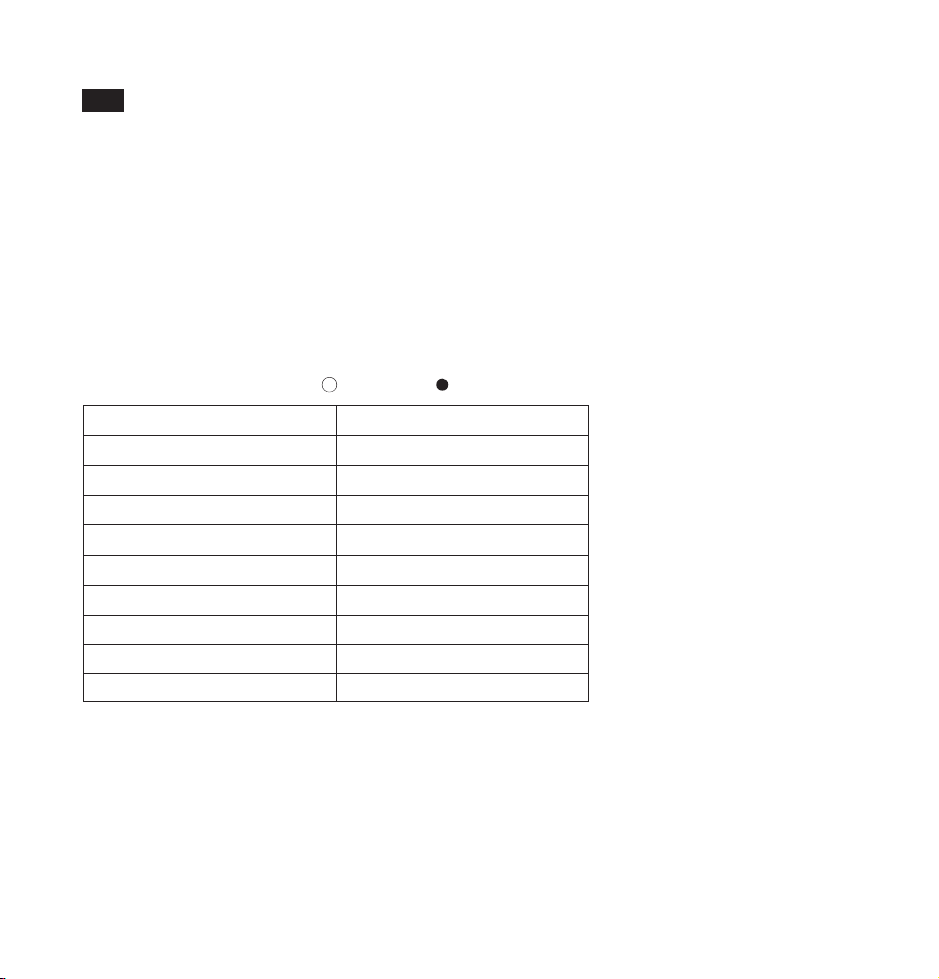
Akkustatusanzeige
¤○○○○○○○
¤¤○○○○○○
¤¤¤○○○○○
¤¤¤¤○○○○
¤¤¤¤¤○○○
¤¤¤¤¤¤○○
¤¤¤¤¤¤¤○
¤¤¤¤¤¤¤¤
●●●●●●●●
Akkustand
0% - 13%
14% - 25%
26% - 38%
39% - 50%
51% - 63%
64% - 75%
76% - 88%
89% - 99%
100%
LED-Anzeige
Es gibt acht LEDs, die den Akkustand der tragbaren Powerbank anzeigen.
Während der Aufladung leuchten die LEDs gemäß dem aktuellen Ladestand des Akkus:
Aufladung: (
¤
: LED blinkt; : LED ist aus; : LED ist an)
03/04
How to Use
•
Use the Type-C cable to connect the portable power outlet to your device and charging will start
automatically. If nothing happens after connecting your device, press the power button to restart the
outlet.
•
Press and hold the Power Button to turn on the AC output. The AC output will shut off automatically
when no connection is made after powered on for 1 minute.
•
Press the Power Button once to check the remaining battery level.
•
Use a 30W PD 3.0 charger to charge the portable power outlet.
Note: When battery is low and the output power is higher than that of input, the portable power outlet will
stop working.
Caution
•
It is normal for the portable power outlet to become slightly warm during charging / discharging.
•
Keep away from heat sources and liquids.
•
Please do not dismantle this product.
•
Fully charge the portable power outlet at least once every 6 months.
Warranty
RAVPower products are covered by an 18 month limited warranty from the date of its original purchase. If any
problems occur, please contact our support team.
We can only provide after sales service for products that are sold by RAVPower or RAVPower authorized
retailers and distributors. If you have purchased your unit from a different place, please contact your seller for
return and warranty issues.
Vielen Dank, dass Sie sich für die RAVPower RP-PB055 PowerStation 30000mAh tragbare Powerbank
entschieden haben. Bitte lesen Sie diese Bedienungsanleitung aufmerksam und bewahren Sie sie auf, falls Sie
etwas nachlesen möchten. Sollten Sie Hilfe benötigen, schreiben Sie bitte eine E-Mail an unseren Kundendienst
unter support.de@ravpower.com.
DE
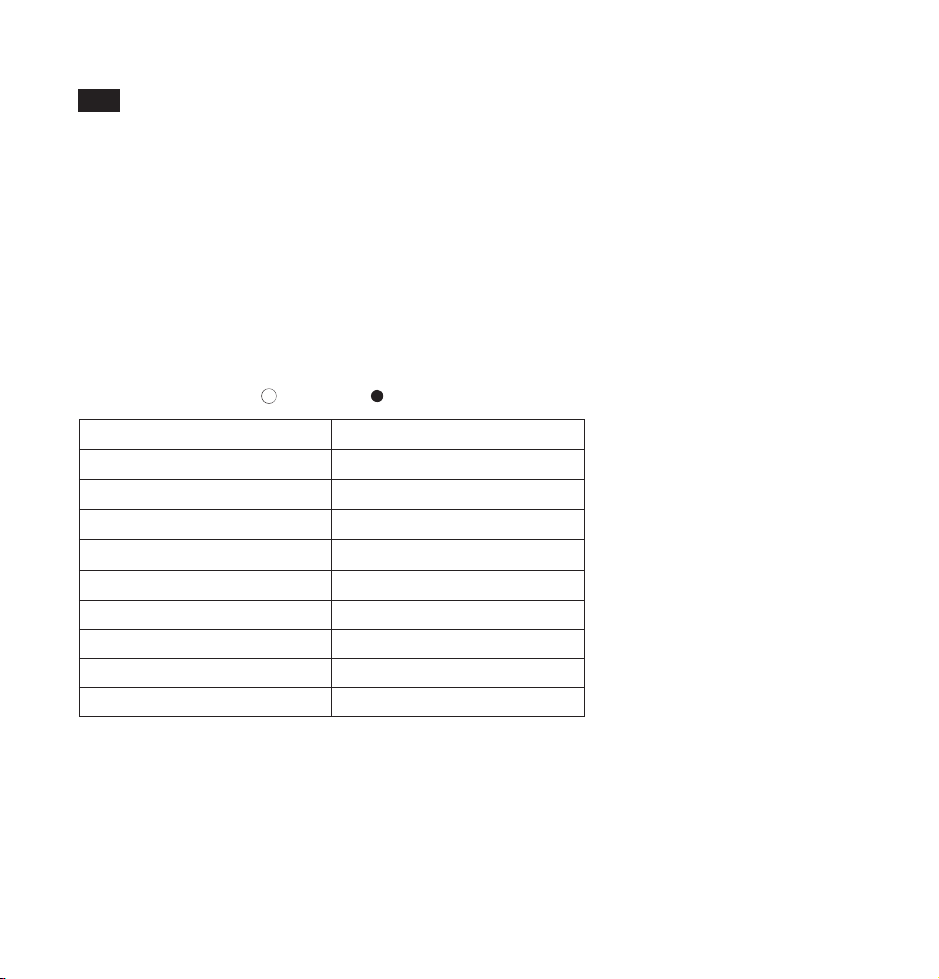
Akkustatusanzeige
¤○○○○○○○
¤¤○○○○○○
¤¤¤○○○○○
¤¤¤¤○○○○
¤¤¤¤¤○○○
¤¤¤¤¤¤○○
¤¤¤¤¤¤¤○
¤¤¤¤¤¤¤¤
●●●●●●●●
Akkustand
0% - 13%
14% - 25%
26% - 38%
39% - 50%
51% - 63%
64% - 75%
76% - 88%
89% - 99%
100%
LED-Anzeige
Es gibt acht LEDs, die den Akkustand der tragbaren Powerbank anzeigen.
Während der Aufladung leuchten die LEDs gemäß dem aktuellen Ladestand des Akkus:
Aufladung: (
¤
: LED blinkt; : LED ist aus; : LED ist an)
03/04
How to Use
•
Use the Type-C cable to connect the portable power outlet to your device and charging will start
automatically. If nothing happens after connecting your device, press the power button to restart the
outlet.
•
Press and hold the Power Button to turn on the AC output. The AC output will shut off automatically
when no connection is made after powered on for 1 minute.
•
Press the Power Button once to check the remaining battery level.
•
Use a 30W PD 3.0 charger to charge the portable power outlet.
Note: When battery is low and the output power is higher than that of input, the portable power outlet will
stop working.
Caution
•
It is normal for the portable power outlet to become slightly warm during charging / discharging.
•
Keep away from heat sources and liquids.
•
Please do not dismantle this product.
•
Fully charge the portable power outlet at least once every 6 months.
Warranty
RAVPower products are covered by an 18 month limited warranty from the date of its original purchase. If any
problems occur, please contact our support team.
We can only provide after sales service for products that are sold by RAVPower or RAVPower authorized
retailers and distributors. If you have purchased your unit from a different place, please contact your seller for
return and warranty issues.
Vielen Dank, dass Sie sich für die RAVPower RP-PB055 PowerStation 30000mAh tragbare Powerbank
entschieden haben. Bitte lesen Sie diese Bedienungsanleitung aufmerksam und bewahren Sie sie auf, falls Sie
etwas nachlesen möchten. Sollten Sie Hilfe benötigen, schreiben Sie bitte eine E-Mail an unseren Kundendienst
unter [email protected].
DE
05/06
•
Geringe USB-Stromausgang: wenn die Ausgangsleistung von USB und Typ-C zu niedrig ist, wird die
Stromabgabe automatisch gestoppt.
•
Niedriger Akkustand: die letzte LED leuchtet blau.
•
Schutzaktivierung: wenn eine unnormale Verbindung entdeckt wird, blinken alle LEDs und die Powerbank
trennt alle Verbindungen. Um sie erneut zu verwenden, laden Sie sie wieder auf oder drücken Sie die
Ein/Aus-Taste.
Akkustatusanzeige
●●●●●●●●
●●●●●●●○
●●●●●●○○
●●●●●○○○
●●●●○○○○
●●●○○○○○
●●○○○○○○
●○○○○○○○
●○○○○○○○
(2Hz Blink Frequenz)
Akkustand
100% - 87%
86% - 75%
74% - 62%
61% - 50%
49% - 37%
36% - 25%
24% - 12%
11% - 1%
0%
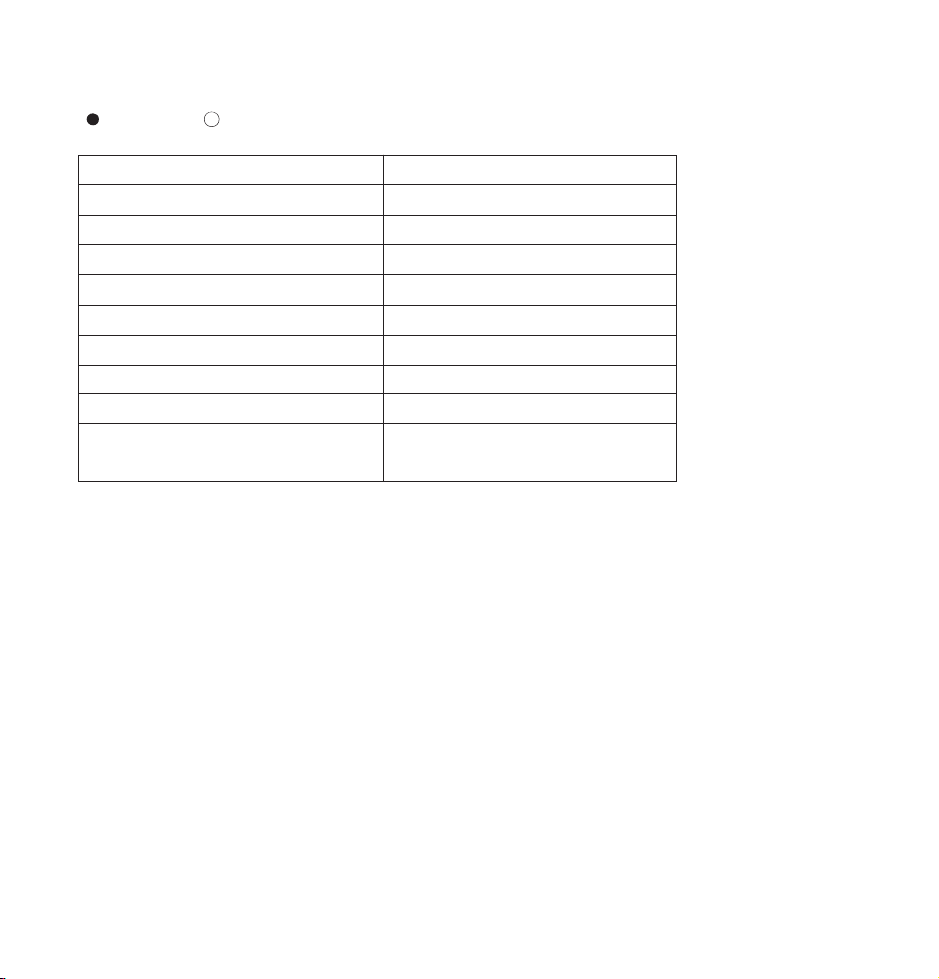
Wenn Geräte angeschlossen sind, leuchten die LEDs wie folgt:
( : LED ist an; : LED ist aus)
Ein/Aus-Taste
•
Wenn der AC-Ausgang ausgeschaltet ist, halten Sie die Ein/Aus-Taste 3 Sekunden lang gedrückt, um den
AC-Ausgang einzuschalten. Drücken Sie den Knopf erneut, um den aktuellen Akkuladestatus zu prüfen.
•
Wenn ein angeschlossenes Gerät vollständig aufgeladen ist, schaltet sich der AC-Ausgang automatisch aus.
Schalten Sie ihn wieder ein, bevor Sie ein weiteres Gerät aufladen.
•
Falls der AC-Ausgang nicht funktioniert, halten Sie die Ein/Aus-Taste 3 Sekunden lang gedrückt, um den
AC-Ausgang wieder einzuschalten.
Verwendungsweise
•
Benutzen Sie das Typ-C-Kabel zum Anschließen der Powerbank an Ihr Gerät und die Aufladung beginnt
automatisch. Falls nach dem Anschließen des Geräts nichts passiert, drücken Sie die Ein/Aus-Taste, um die
Powerbank neu zu starten.
•
Halten Sie die Ein/Aus-Taste gedrückt zum Einschalten des AC Ausgangs. Der AC Ausgang aus, wenn
innerhalb von 1 Minute nach dem Einschalten nichts angeschlossen wird.
•
Drücken Sie die Ein/Aus-Taste einmal, um den aktuellen Akkuladestatus zu sehen.
•
Benutzen Sie ein 30W PD 3.0 Netzteil, um die Powerbank wieder aufzuladen.
Hinweis: Wenn der Akkustand niedrig ist und mehr Strom abgegeben als eingespeist wird, dann wird die
Powerbank aufhören zu arbeiten.
Vorsicht
•
Die Powerbank wird heiß während des Auf- und Entladens. Das ist völlig normal.
•
Von Hitzequellen und Flüssigkeiten fernhalten.
•
Bauen Sie die Powerbank nicht auseinander.
•
Laden Sie die Powerbank mindestens einmal alle 6 Monate vollständig auf.
Garantie
RAVPower Produkte sind ab dem Kaufdatum durch die 18-monatige Garantie abgedeckt. Falls das Produkt
während dieser Zeit defekt sein sollte, kontaktieren Sie bitte unverzüglich den Kundendienst.
Wir bieten unseren Kundendienst nur für Produkte an, die bei RAVPower oder einem von RAVPower
autorisierten Händler und Vertriebsdienstleister gekauft wurden. Falls Sie Ihr Produkt bei einem anderen
Händler gekauft haben, wenden Sie sich bezüglich des Garantieanspruchs an den Verkäufer.

05/06
•
Geringe USB-Stromausgang: wenn die Ausgangsleistung von USB und Typ-C zu niedrig ist, wird die
Stromabgabe automatisch gestoppt.
•
Niedriger Akkustand: die letzte LED leuchtet blau.
•
Schutzaktivierung: wenn eine unnormale Verbindung entdeckt wird, blinken alle LEDs und die Powerbank
trennt alle Verbindungen. Um sie erneut zu verwenden, laden Sie sie wieder auf oder drücken Sie die
Ein/Aus-Taste.
Akkustatusanzeige
●●●●●●●●
●●●●●●●○
●●●●●●○○
●●●●●○○○
●●●●○○○○
●●●○○○○○
●●○○○○○○
●○○○○○○○
●○○○○○○○
(2Hz Blink Frequenz)
Akkustand
100% - 87%
86% - 75%
74% - 62%
61% - 50%
49% - 37%
36% - 25%
24% - 12%
11% - 1%
0%
Wenn Geräte angeschlossen sind, leuchten die LEDs wie folgt:
( : LED ist an; : LED ist aus)
Ein/Aus-Taste
•
Wenn der AC-Ausgang ausgeschaltet ist, halten Sie die Ein/Aus-Taste 3 Sekunden lang gedrückt, um den
AC-Ausgang einzuschalten. Drücken Sie den Knopf erneut, um den aktuellen Akkuladestatus zu prüfen.
•
Wenn ein angeschlossenes Gerät vollständig aufgeladen ist, schaltet sich der AC-Ausgang automatisch aus.
Schalten Sie ihn wieder ein, bevor Sie ein weiteres Gerät aufladen.
•
Falls der AC-Ausgang nicht funktioniert, halten Sie die Ein/Aus-Taste 3 Sekunden lang gedrückt, um den
AC-Ausgang wieder einzuschalten.
Verwendungsweise
•
Benutzen Sie das Typ-C-Kabel zum Anschließen der Powerbank an Ihr Gerät und die Aufladung beginnt
automatisch. Falls nach dem Anschließen des Geräts nichts passiert, drücken Sie die Ein/Aus-Taste, um die
Powerbank neu zu starten.
•
Halten Sie die Ein/Aus-Taste gedrückt zum Einschalten des AC Ausgangs. Der AC Ausgang aus, wenn
innerhalb von 1 Minute nach dem Einschalten nichts angeschlossen wird.
•
Drücken Sie die Ein/Aus-Taste einmal, um den aktuellen Akkuladestatus zu sehen.
•
Benutzen Sie ein 30W PD 3.0 Netzteil, um die Powerbank wieder aufzuladen.
Hinweis: Wenn der Akkustand niedrig ist und mehr Strom abgegeben als eingespeist wird, dann wird die
Powerbank aufhören zu arbeiten.
Vorsicht
•
Die Powerbank wird heiß während des Auf- und Entladens. Das ist völlig normal.
•
Von Hitzequellen und Flüssigkeiten fernhalten.
•
Bauen Sie die Powerbank nicht auseinander.
•
Laden Sie die Powerbank mindestens einmal alle 6 Monate vollständig auf.
Garantie
RAVPower Produkte sind ab dem Kaufdatum durch die 18-monatige Garantie abgedeckt. Falls das Produkt
während dieser Zeit defekt sein sollte, kontaktieren Sie bitte unverzüglich den Kundendienst.
Wir bieten unseren Kundendienst nur für Produkte an, die bei RAVPower oder einem von RAVPower
autorisierten Händler und Vertriebsdienstleister gekauft wurden. Falls Sie Ihr Produkt bei einem anderen
Händler gekauft haben, wenden Sie sich bezüglich des Garantieanspruchs an den Verkäufer.
Voyant d’État de Batterie
¤○○○○○○○
¤¤○○○○○○
¤¤¤○○○○○
¤¤¤¤○○○○
¤¤¤¤¤○○○
¤¤¤¤¤¤○○
¤¤¤¤¤¤¤○
¤¤¤¤¤¤¤¤
●●●●●●●●
Niveau de Batterie
0% - 13%
14% - 25%
26% - 38%
39% - 50%
51% - 63%
64% - 75%
76% - 88%
89% - 99%
100%
Voyants à LED
•
Sortie USB Faible: Si les sorties USB et Type-C sont trop faibles, elles cesseront automatiquement de
fonctionner.
•
Batterie Faible: La dernière LED clignote en bleu.
•
Activation de la Protection: Si une connexion anormale est détectée, tous les voyants à LED vont clignoter et
l’alimentation portable va couper toutes les connexions. Pour la redémarrer, rechargez-là ou appuyez sur le
Bouton Marche/Arrêt.
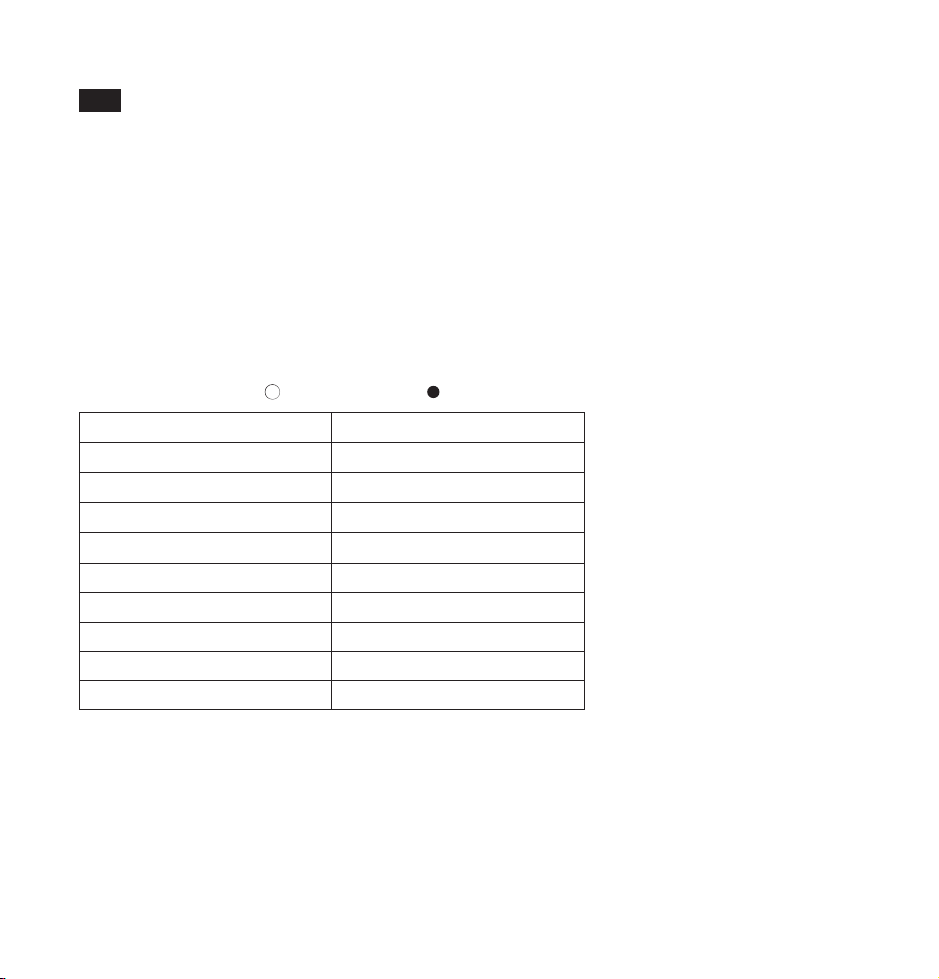
Il y a huit voyants à LED pour afficher le niveau de la batterie de l’alimentation portable.
Pendant la charge, les voyants à LED s’allumeront en fonction du niveau actuel de la batterie :
Chargement: (
¤
: LED clignotante; : LED èteinte; : LED allumèe)
Voyant d’État de Batterie
●●●●●●●●
●●●●●●●○
●●●●●●○○
●●●●●○○○
●●●●○○○○
●●●○○○○○
●●○○○○○○
●○○○○○○○
●○○○○○○○
(Fréquence de clignotement de 2Hz)
Niveau de Batterie
100% - 87%
86% - 75%
74% - 62%
61% - 50%
49% - 37%
36% - 25%
24% - 12%
11% - 1%
0%
Si des appareils sont connectés, les voyants à LED s’allumeront comme suit:
( : LED allumée; : LED éteinte)
Bouton Marche/Arrêt
•
La sortie AC étant coupée, appuyez et maintenez le Bouton Marche/Arrêt pendant 3 secondes pour activer la
sortie AC. Appuyez à nouveau sur le bouton pour afficher le niveau de batterie restant.
•
Quand l’appareil connecté est entièrement chargé, la sortie AC va automatiquement se couper. Rallumez-la
avant de charger un autre appareil.
•
Si la sortie AC ne fonctionne pas, appuyez sur le Bouton Marche/Arrêt pendant 3 secondes pour la rallumer.
07/08
Merci d’avoir choisi l’Alimentation Portable 30000mAh RAVPower RP-PB055 Série PowerStation. Veuillez
lire ce guide attentivement et le conserver dans un endroit sûr pour toute future référence. Si vous avez besoin
d’assistance complémentaire, veuillez contacter notre équipe de support à [email protected].
FR
Voyant d’État de Batterie
¤○○○○○○○
¤¤○○○○○○
¤¤¤○○○○○
¤¤¤¤○○○○
¤¤¤¤¤○○○
¤¤¤¤¤¤○○
¤¤¤¤¤¤¤○
¤¤¤¤¤¤¤¤
●●●●●●●●
Niveau de Batterie
0% - 13%
14% - 25%
26% - 38%
39% - 50%
51% - 63%
64% - 75%
76% - 88%
89% - 99%
100%
Voyants à LED
•
Sortie USB Faible: Si les sorties USB et Type-C sont trop faibles, elles cesseront automatiquement de
fonctionner.
•
Batterie Faible: La dernière LED clignote en bleu.
•
Activation de la Protection: Si une connexion anormale est détectée, tous les voyants à LED vont clignoter et
l’alimentation portable va couper toutes les connexions. Pour la redémarrer, rechargez-là ou appuyez sur le
Bouton Marche/Arrêt.
Il y a huit voyants à LED pour afficher le niveau de la batterie de l’alimentation portable.
Pendant la charge, les voyants à LED s’allumeront en fonction du niveau actuel de la batterie :
Chargement: (
¤
: LED clignotante; : LED èteinte; : LED allumèe)
Voyant d’État de Batterie
●●●●●●●●
●●●●●●●○
●●●●●●○○
●●●●●○○○
●●●●○○○○
●●●○○○○○
●●○○○○○○
●○○○○○○○
●○○○○○○○
(Fréquence de clignotement de 2Hz)
Niveau de Batterie
100% - 87%
86% - 75%
74% - 62%
61% - 50%
49% - 37%
36% - 25%
24% - 12%
11% - 1%
0%
Si des appareils sont connectés, les voyants à LED s’allumeront comme suit:
( : LED allumée; : LED éteinte)
Bouton Marche/Arrêt
•
La sortie AC étant coupée, appuyez et maintenez le Bouton Marche/Arrêt pendant 3 secondes pour activer la
sortie AC. Appuyez à nouveau sur le bouton pour afficher le niveau de batterie restant.
•
Quand l’appareil connecté est entièrement chargé, la sortie AC va automatiquement se couper. Rallumez-la
avant de charger un autre appareil.
•
Si la sortie AC ne fonctionne pas, appuyez sur le Bouton Marche/Arrêt pendant 3 secondes pour la rallumer.
07/08
Merci d’avoir choisi l’Alimentation Portable 30000mAh RAVPower RP-PB055 Série PowerStation. Veuillez
lire ce guide attentivement et le conserver dans un endroit sûr pour toute future référence. Si vous avez besoin
d’assistance complémentaire, veuillez contacter notre équipe de support à support.fr@ravpower.com.
FR

09/10
Indicador de estado de la batería
¤○○○○○○○
¤¤○○○○○○
¤¤¤○○○○○
¤¤¤¤○○○○
¤¤¤¤¤○○○
¤¤¤¤¤¤○○
¤¤¤¤¤¤¤○
¤¤¤¤¤¤¤¤
●●●●●●●●
Nivel de batería
0% - 13%
14% - 25%
26% - 38%
39% - 50%
51% - 63%
64% - 75%
76% - 88%
89% - 99%
100%
Indicador LED
Hay ocho indicadores LED para mostrar el estado de la batería.
Cuando se recarga, los indicadores LED se iluminan en base al nivel actual de la batería:
Carga: (
¤
: LED parpadea; : LED está apagado; : LED está encendido)
Mode d’Emploi
•
Utilisez le câble Type-C pour connecter l’alimentation portable à votre périphérique et la charge va démarrer
automatiquement. Si rien ne se passe après avoir connecté votre appareil, appuyez sur le Bouton
Marche/Arrêt pour redémarrer l’alimentation.
•
Appuyez et maintenez le Bouton Marche/Arrêt pour activer la sortie AC. Elle se coupera automatiquement si
aucune connexion n’est établie pendant une minute après avoir été activée.
•
Appuyez une fois sur le Bouton Marche/Arrêt pour vérifier le niveau de batterie restant.
•
Utilisez un adaptateur 30W PD 3.0 pour charger l’alimentation portable.
Note : Si la batterie est faible et que la puissance de sortie est plus élevée que celle d’entrée, l’alimentation
portable cessera de fonctionner.
Précautions
•
Il est normal que l’alimentation portable devienne légèrement chaude durant la charge / décharge.
•
Tenir éloigné des sources de chaleur et des liquides.
•
Veuillez ne pas démonter l’appareil.
•
Chargez entièrement l’alimentation portable au moins une fois tous les 6 mois.
Garantie
RAVPower fournit une garantie limitée de 18 mois pour ce produit, à compter de la date d’achat initial. Si votre
produit devenait défectueux, veuillez contacter l’équipe du Service Clients par email.
Nous ne pouvons fournir de service après-vente que pour les appareils vendus par RAVPower ou un de ses
distributeurs ou revendeurs autorisés. Si vous avez acheté votre appareil depuis un autre endroit, veuillez
contacter le vendeur pour les questions de retour et de garantie.
Gracias por elegir el Enchufe de corriente Portátil de RAVPower RP-PB055 Serie PowerStation 30000mAh.
Lea esta guía con cuidado y guardarla en un lugar seguro para futuras consultas. Si necesita más ayuda, póngase
en contacto con nuestro equipo de soporte al cliente en support.es@ravpower.com.
ES
09/10
Indicador de estado de la batería
¤○○○○○○○
¤¤○○○○○○
¤¤¤○○○○○
¤¤¤¤○○○○
¤¤¤¤¤○○○
¤¤¤¤¤¤○○
¤¤¤¤¤¤¤○
¤¤¤¤¤¤¤¤
●●●●●●●●
Nivel de batería
0% - 13%
14% - 25%
26% - 38%
39% - 50%
51% - 63%
64% - 75%
76% - 88%
89% - 99%
100%
Indicador LED
Hay ocho indicadores LED para mostrar el estado de la batería.
Cuando se recarga, los indicadores LED se iluminan en base al nivel actual de la batería:
Carga: (
¤
: LED parpadea; : LED está apagado; : LED está encendido)
Mode d’Emploi
•
Utilisez le câble Type-C pour connecter l’alimentation portable à votre périphérique et la charge va démarrer
automatiquement. Si rien ne se passe après avoir connecté votre appareil, appuyez sur le Bouton
Marche/Arrêt pour redémarrer l’alimentation.
•
Appuyez et maintenez le Bouton Marche/Arrêt pour activer la sortie AC. Elle se coupera automatiquement si
aucune connexion n’est établie pendant une minute après avoir été activée.
•
Appuyez une fois sur le Bouton Marche/Arrêt pour vérifier le niveau de batterie restant.
•
Utilisez un adaptateur 30W PD 3.0 pour charger l’alimentation portable.
Note : Si la batterie est faible et que la puissance de sortie est plus élevée que celle d’entrée, l’alimentation
portable cessera de fonctionner.
Précautions
•
Il est normal que l’alimentation portable devienne légèrement chaude durant la charge / décharge.
•
Tenir éloigné des sources de chaleur et des liquides.
•
Veuillez ne pas démonter l’appareil.
•
Chargez entièrement l’alimentation portable au moins une fois tous les 6 mois.
Garantie
RAVPower fournit une garantie limitée de 18 mois pour ce produit, à compter de la date d’achat initial. Si votre
produit devenait défectueux, veuillez contacter l’équipe du Service Clients par email.
Nous ne pouvons fournir de service après-vente que pour les appareils vendus par RAVPower ou un de ses
distributeurs ou revendeurs autorisés. Si vous avez acheté votre appareil depuis un autre endroit, veuillez
contacter le vendeur pour les questions de retour et de garantie.
Gracias por elegir el Enchufe de corriente Portátil de RAVPower RP-PB055 Serie PowerStation 30000mAh.
Lea esta guía con cuidado y guardarla en un lugar seguro para futuras consultas. Si necesita más ayuda, póngase
en contacto con nuestro equipo de soporte al cliente en [email protected].
ES
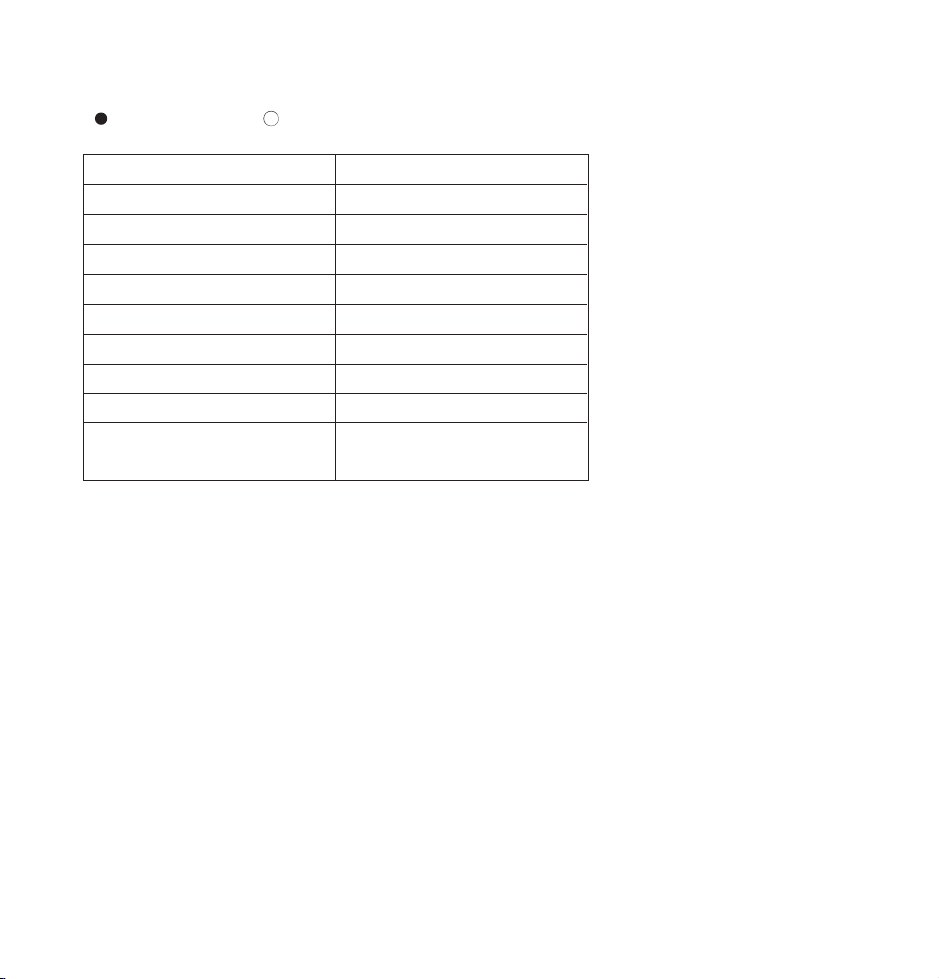
•
USB de salida de bajo: Cuando el poder del USB y salida tipo C es demasiado baja, la salida se para
automáticamente a trabajar.
•
Batería Baja: El último LED parpadea en azul.
•
Protección de activación: Cuando se detecta una conexión anormal, todos los indicadores LED parpadean y
la salida de energía portátil se cortará todas las conexiones. Para empezar a usarlo de nuevo,
recargar o pulse el botón de encendido.
Indicador de estado de la batería
●●●●●●●●
●●●●●●●○
●●●●●●○○
●●●●●○○○
●●●●○○○○
●●●○○○○○
●●○○○○○○
●○○○○○○○
●○○○○○○○
(2Hz frecuencia de parpadeo)
Nivel de la batería
100% - 87%
86% - 75%
74% - 62%
61% - 50%
49% - 37%
36% - 25%
24% - 12%
11% - 1%
0%
Cuando los dispositivos están conectados, los indicadores LED se iluminan a la siguiente manera:
( : LED está encendido; : LED está apagado)
Botón de alimentación
•
Cuando la salida de CA está apagada, pulse y mantenga pulsado el botón de alimentación durante 3
segundos para encender la salida de corriente alterna. Pulse el botón de nuevo para mostrar el nivel de
batería restante.
•
Cuando el dispositivo conectado está completamente cargado, la salida de CA se apagará
automáticamente. Vuelva a encenderlo antes de cargar otro dispositivo.
•
Si la salida de CA falla, pulse el botón de alimentación durante 3 segundos para encender de
nuevo la salida de CA.
Cómo utilizarlo
•
Utilice el cable de tipo C para conectar la fuente de alimentación portátil que el dispositivo y la carga se
iniciará automáticamente. Si no lo ocurre nada después de conectar el dispositivo, pulse el botón de
encendido para reiniciar la salida.
•
Pulse y mantenga pulsado el botón de alimentación para conectar la salida de corriente alterna. Cuando no
haya conexión realizada después de estar encendida durante 1 minuto, la salida de CA se apagará
automáticamente.
•
Pulse el botón de encendido una vez para comprobar el nivel de batería restante. Utilice un adaptador 30W
PD 3.0 para cargar la fuente de alimentación portátil.
Nota: Cuando la batería está baja y la potencia de salida es mayor que la de la entrada, la salida de energía
portátil deja de funcionar.
Precaución
•
Es normal que la toma de corriente portátil puede calentarse ligeramente durante la carga / descarga.
•
Mantenerla alejada de fuentes de calor y líquidos.
•
Por favor, no desmonte este producto.
•
Cargue completamente la toma de corriente portátil una vez al menos cada 6 meses.
Garantía
RAVPowe rofrece una garantía limitada de 18 meses para este producto desde la fecha de compra original. Si su
producto resulta defectuoso, póngase en contacto con nuestro equipo de atención al cliente por correo
electrónico.
Sólo podemos ofrecer servicios de postventa de los productos que se venden por RAVPower o RAVPower
autorizados minoristas y distribuidores. Si usted ha comprado su unidad desde un lugar diferente, por favor
póngase en contacto con el vendedor directamente para cuestiones de retorno y de garantía.
11/12

•
USB de salida de bajo: Cuando el poder del USB y salida tipo C es demasiado baja, la salida se para
automáticamente a trabajar.
•
Batería Baja: El último LED parpadea en azul.
•
Protección de activación: Cuando se detecta una conexión anormal, todos los indicadores LED parpadean y
la salida de energía portátil se cortará todas las conexiones. Para empezar a usarlo de nuevo,
recargar o pulse el botón de encendido.
Indicador de estado de la batería
●●●●●●●●
●●●●●●●○
●●●●●●○○
●●●●●○○○
●●●●○○○○
●●●○○○○○
●●○○○○○○
●○○○○○○○
●○○○○○○○
(2Hz frecuencia de parpadeo)
Nivel de la batería
100% - 87%
86% - 75%
74% - 62%
61% - 50%
49% - 37%
36% - 25%
24% - 12%
11% - 1%
0%
Cuando los dispositivos están conectados, los indicadores LED se iluminan a la siguiente manera:
( : LED está encendido; : LED está apagado)
Botón de alimentación
•
Cuando la salida de CA está apagada, pulse y mantenga pulsado el botón de alimentación durante 3
segundos para encender la salida de corriente alterna. Pulse el botón de nuevo para mostrar el nivel de
batería restante.
•
Cuando el dispositivo conectado está completamente cargado, la salida de CA se apagará
automáticamente. Vuelva a encenderlo antes de cargar otro dispositivo.
•
Si la salida de CA falla, pulse el botón de alimentación durante 3 segundos para encender de
nuevo la salida de CA.
Cómo utilizarlo
•
Utilice el cable de tipo C para conectar la fuente de alimentación portátil que el dispositivo y la carga se
iniciará automáticamente. Si no lo ocurre nada después de conectar el dispositivo, pulse el botón de
encendido para reiniciar la salida.
•
Pulse y mantenga pulsado el botón de alimentación para conectar la salida de corriente alterna. Cuando no
haya conexión realizada después de estar encendida durante 1 minuto, la salida de CA se apagará
automáticamente.
•
Pulse el botón de encendido una vez para comprobar el nivel de batería restante. Utilice un adaptador 30W
PD 3.0 para cargar la fuente de alimentación portátil.
Nota: Cuando la batería está baja y la potencia de salida es mayor que la de la entrada, la salida de energía
portátil deja de funcionar.
Precaución
•
Es normal que la toma de corriente portátil puede calentarse ligeramente durante la carga / descarga.
•
Mantenerla alejada de fuentes de calor y líquidos.
•
Por favor, no desmonte este producto.
•
Cargue completamente la toma de corriente portátil una vez al menos cada 6 meses.
Garantía
RAVPowe rofrece una garantía limitada de 18 meses para este producto desde la fecha de compra original. Si su
producto resulta defectuoso, póngase en contacto con nuestro equipo de atención al cliente por correo
electrónico.
Sólo podemos ofrecer servicios de postventa de los productos que se venden por RAVPower o RAVPower
autorizados minoristas y distribuidores. Si usted ha comprado su unidad desde un lugar diferente, por favor
póngase en contacto con el vendedor directamente para cuestiones de retorno y de garantía.
11/12
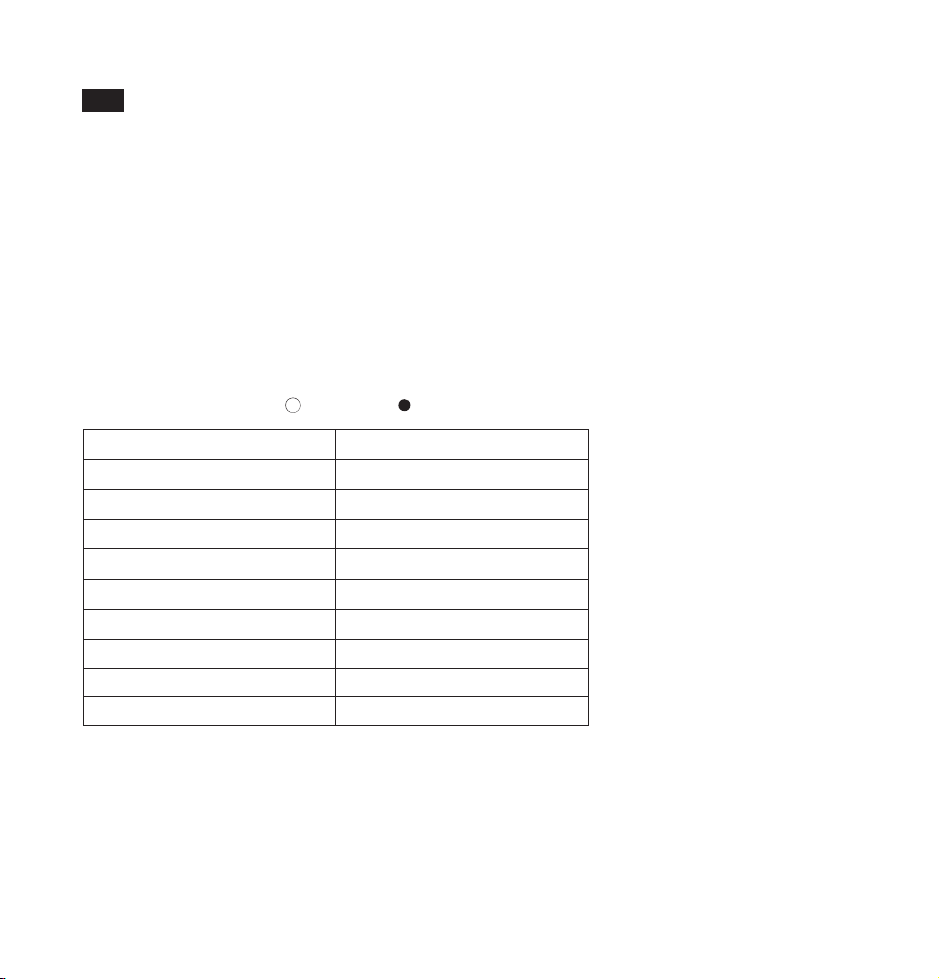
Indicatore Stato della Batteria
¤○○○○○○○
¤¤○○○○○○
¤¤¤○○○○○
¤¤¤¤○○○○
¤¤¤¤¤○○○
¤¤¤¤¤¤○○
¤¤¤¤¤¤¤○
¤¤¤¤¤¤¤¤
●●●●●●●●
Livello Batteria
0% - 13%
14% - 25%
26% - 38%
39% - 50%
51% - 63%
64% - 75%
76% - 88%
89% - 99%
100%
Indicatore LED
•
Uscita USB Bassa: Quando la corrente dell’uscita USB/Type-C è troppo bassa, la corrente in uscita sarà
interrotta.
•
Batteria Bassa: L’ultimo LED lampeggia in blu.
•
Attivazione Protezione: Se una connessione anomale è individuata, tutti gli indicatori LED lampeggeranno e il
caricabatterie interromperà tutte le connessioni. Ricaricare o premere il tasto di accensione per utilizzare
nuovamente.
Otto indicatori LED mostrano il livello della batteria del caricabatterie portatile con output AC.
In ricarica, gli indicatori LED si accenderanno secondo il livello attuale della batteria:
Ricarica: (
¤
: LED lampeggia; : LED spento; : LED acceso)
Indicatore Stato della Batteria
●●●●●●●●
●●●●●●●○
●●●●●●○○
●●●●●○○○
●●●●○○○○
●●●○○○○○
●●○○○○○○
●○○○○○○○
●○○○○○○○
(Frequenza di lampeggiamento di 2Hz)
Livello Batteria
100% - 87%
86% - 75%
74% - 62%
61% - 50%
49% - 37%
36% - 25%
24% - 12%
11% - 1%
0%
Quando si connettono dispositivi, gli indicatori LED si accenderanno come segue:
( : LED acceso; : LED spento)
Tasto Alimentazione
•
Quando l’uscita AC è disattivata, premere e tenere premuto il tasto alimentazione per 3 secondi per attivare
l’uscita AC. Premere nuovamente il tasto per visualizzare il livello della batteria.
•
Quando il dispositivo connesso è completamente carico, l’uscita AC sarà automaticamente disattivata.
Riattivare prima di ricaricare un altro dispositivo.
•
Se l’uscita AC si interrompe, premere il tasto di alimentazione per 3 secondi per riattivare l’uscita AC.
Grazie per aver scelto il Caricabatterie Portatile da 30000mAh con Output AC della Serie POWERSTATION
di RAVPower (Modello: RP-PB055). Vi invitiamo a leggere il seguente manuale con attenzione e a conservarlo
per future consultazioni. Per ulteriore assistenza, contattare il nostro servizio clienti inviando una email al
seguente indirizzo di posta elettronica [email protected].
13/14
I T
Indicatore Stato della Batteria
¤○○○○○○○
¤¤○○○○○○
¤¤¤○○○○○
¤¤¤¤○○○○
¤¤¤¤¤○○○
¤¤¤¤¤¤○○
¤¤¤¤¤¤¤○
¤¤¤¤¤¤¤¤
●●●●●●●●
Livello Batteria
0% - 13%
14% - 25%
26% - 38%
39% - 50%
51% - 63%
64% - 75%
76% - 88%
89% - 99%
100%
Indicatore LED
•
Uscita USB Bassa: Quando la corrente dell’uscita USB/Type-C è troppo bassa, la corrente in uscita sarà
interrotta.
•
Batteria Bassa: L’ultimo LED lampeggia in blu.
•
Attivazione Protezione: Se una connessione anomale è individuata, tutti gli indicatori LED lampeggeranno e il
caricabatterie interromperà tutte le connessioni. Ricaricare o premere il tasto di accensione per utilizzare
nuovamente.
Otto indicatori LED mostrano il livello della batteria del caricabatterie portatile con output AC.
In ricarica, gli indicatori LED si accenderanno secondo il livello attuale della batteria:
Ricarica: (
¤
: LED lampeggia; : LED spento; : LED acceso)
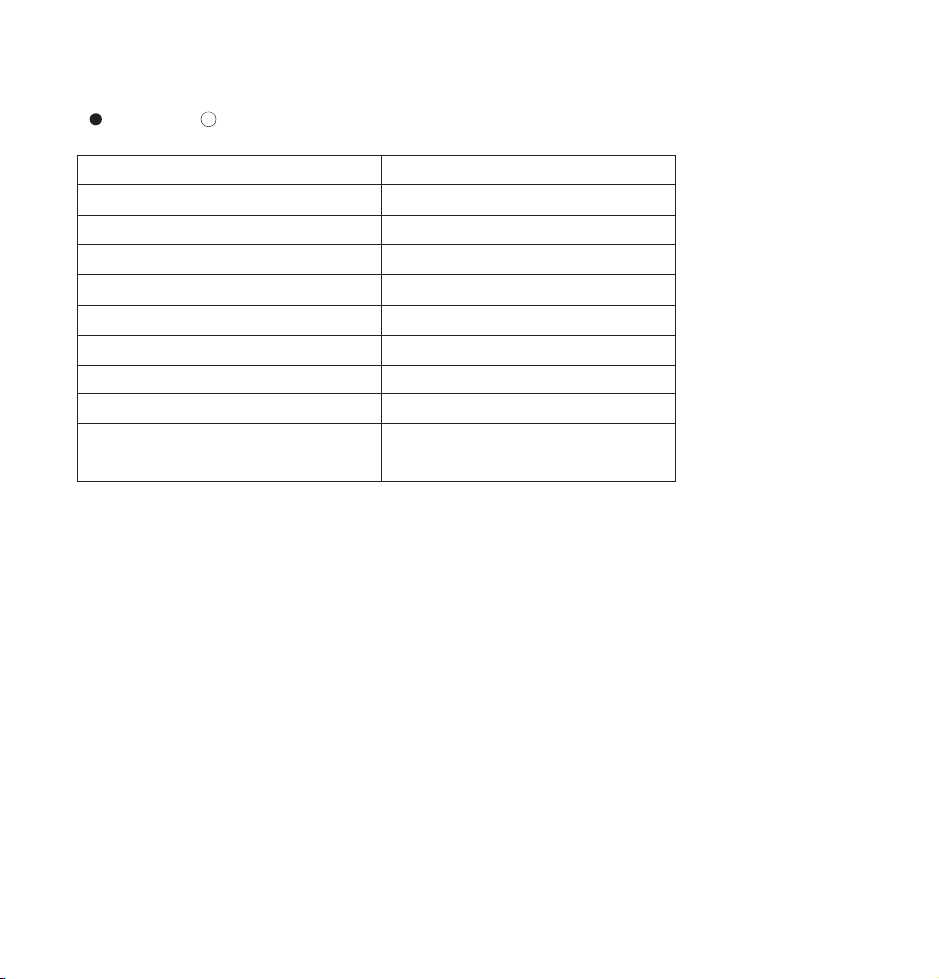
Indicatore Stato della Batteria
●●●●●●●●
●●●●●●●○
●●●●●●○○
●●●●●○○○
●●●●○○○○
●●●○○○○○
●●○○○○○○
●○○○○○○○
●○○○○○○○
(Frequenza di lampeggiamento di 2Hz)
Livello Batteria
100% - 87%
86% - 75%
74% - 62%
61% - 50%
49% - 37%
36% - 25%
24% - 12%
11% - 1%
0%
Quando si connettono dispositivi, gli indicatori LED si accenderanno come segue:
( : LED acceso; : LED spento)
Tasto Alimentazione
•
Quando l’uscita AC è disattivata, premere e tenere premuto il tasto alimentazione per 3 secondi per attivare
l’uscita AC. Premere nuovamente il tasto per visualizzare il livello della batteria.
•
Quando il dispositivo connesso è completamente carico, l’uscita AC sarà automaticamente disattivata.
Riattivare prima di ricaricare un altro dispositivo.
•
Se l’uscita AC si interrompe, premere il tasto di alimentazione per 3 secondi per riattivare l’uscita AC.
Grazie per aver scelto il Caricabatterie Portatile da 30000mAh con Output AC della Serie POWERSTATION
di RAVPower (Modello: RP-PB055). Vi invitiamo a leggere il seguente manuale con attenzione e a conservarlo
per future consultazioni. Per ulteriore assistenza, contattare il nostro servizio clienti inviando una email al
seguente indirizzo di posta elettronica support.it@ravpower.com.
13/14
I T

15/16
LED
¤○○○○○○○
¤¤○○○○○○
¤¤¤○○○○○
¤¤¤¤○○○○
¤¤¤¤¤○○○
¤¤¤¤¤¤○○
¤¤¤¤¤¤¤○
¤¤¤¤¤¤¤¤
●●●●●●●●
0% - 13%
14% - 25%
26% - 38%
39% - 50%
51% - 63%
64% - 75%
76% - 88%
89% - 99%
100%
¤
Funzionamento
•
Utilizzare il cavo Type-C per connettere l’uscita del caricabatterie al proprio dispositivo e la ricarica inizierà
automaticamente. Se la ricarica non dovesse cominciare, premere il tasto accensione per riavviare l’uscita di
corrente.
•
Premere e tenere premuto il tasto di accensione per attivare l’uscita AC. L’uscita AC si spegnerà
automaticamente se non si connettono dispositivi entro 1 minuto dall’accensione.
•
Premere il tasto di accensione una volta per controllare il livello restante della batteria.
•
Utilizzare l’adattatore da 30W PD 3.0 per ricaricare il caricabatterie.
Nota: Quando il livello di batteria è basso e la corrente in uscita è maggiore di quella in entrata, il caricabatterie
cesserà di funzionare.
Attenzione
•
È normale che il caricabatterie si surriscaldi leggermente durante il processo di ricarica/scarica.
•
Tenere lontano da fonti di calore e liquidi.
•
Non smontare il prodotto.
•
Ricaricare da 0 a 100 almeno una volta ogni 6 mesi.
Garanzia
RAVPower fornisce per questo prodotto, una garanzia limitata di 18 mesi dalla sua data d'acquisto. In caso di
difetti del prodotto, si prega di contattare via email il nostro team di supporto clienti.
Forniamo servizio di post vendita esclusivamente per prodotti venduti da RAVPower o da distributori e
rivenditori autorizzati RAVPower. Se acquistati da terzi, vi invitiamo a rivolgervi al vostro venditore per casi
attinenti alla restituzione del prodotto e questioni sulla garanzia.
JP
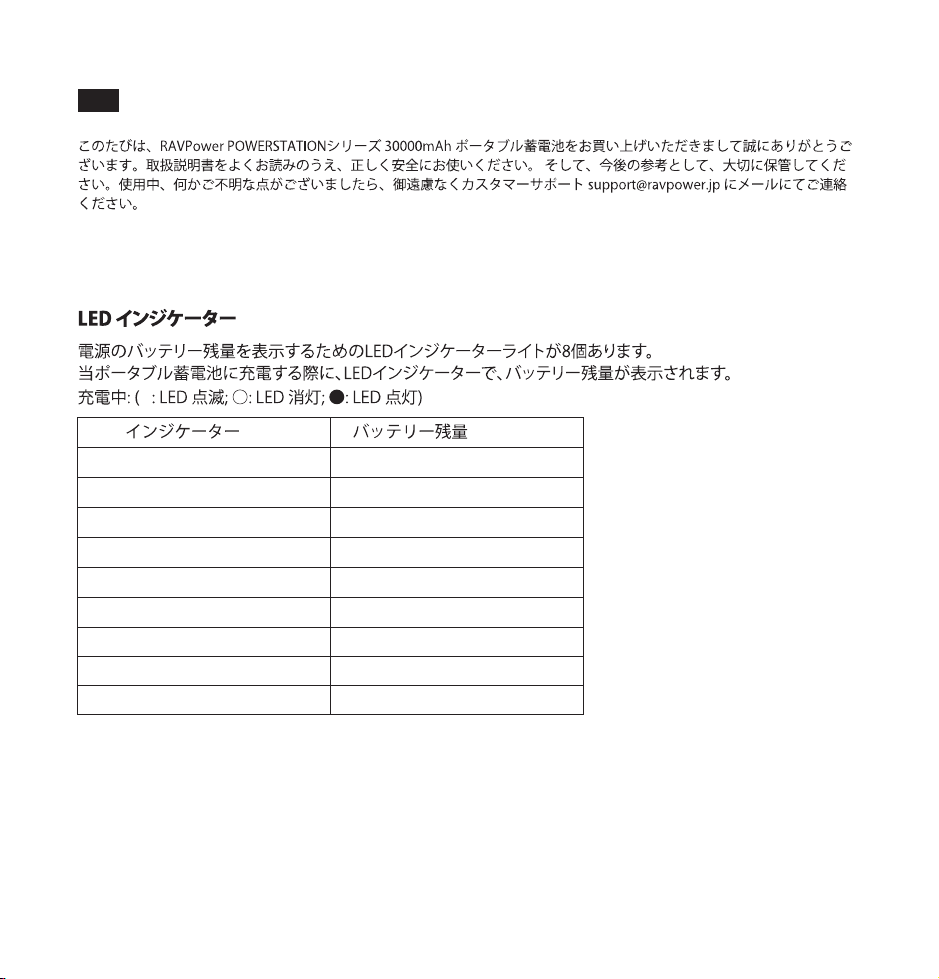
15/16
LED
¤○○○○○○○
¤¤○○○○○○
¤¤¤○○○○○
¤¤¤¤○○○○
¤¤¤¤¤○○○
¤¤¤¤¤¤○○
¤¤¤¤¤¤¤○
¤¤¤¤¤¤¤¤
●●●●●●●●
0% - 13%
14% - 25%
26% - 38%
39% - 50%
51% - 63%
64% - 75%
76% - 88%
89% - 99%
100%
¤
Funzionamento
•
Utilizzare il cavo Type-C per connettere l’uscita del caricabatterie al proprio dispositivo e la ricarica inizierà
automaticamente. Se la ricarica non dovesse cominciare, premere il tasto accensione per riavviare l’uscita di
corrente.
•
Premere e tenere premuto il tasto di accensione per attivare l’uscita AC. L’uscita AC si spegnerà
automaticamente se non si connettono dispositivi entro 1 minuto dall’accensione.
•
Premere il tasto di accensione una volta per controllare il livello restante della batteria.
•
Utilizzare l’adattatore da 30W PD 3.0 per ricaricare il caricabatterie.
Nota: Quando il livello di batteria è basso e la corrente in uscita è maggiore di quella in entrata, il caricabatterie
cesserà di funzionare.
Attenzione
•
È normale che il caricabatterie si surriscaldi leggermente durante il processo di ricarica/scarica.
•
Tenere lontano da fonti di calore e liquidi.
•
Non smontare il prodotto.
•
Ricaricare da 0 a 100 almeno una volta ogni 6 mesi.
Garanzia
RAVPower fornisce per questo prodotto, una garanzia limitata di 18 mesi dalla sua data d'acquisto. In caso di
difetti del prodotto, si prega di contattare via email il nostro team di supporto clienti.
Forniamo servizio di post vendita esclusivamente per prodotti venduti da RAVPower o da distributori e
rivenditori autorizzati RAVPower. Se acquistati da terzi, vi invitiamo a rivolgervi al vostro venditore per casi
attinenti alla restituzione del prodotto e questioni sulla garanzia.
JP
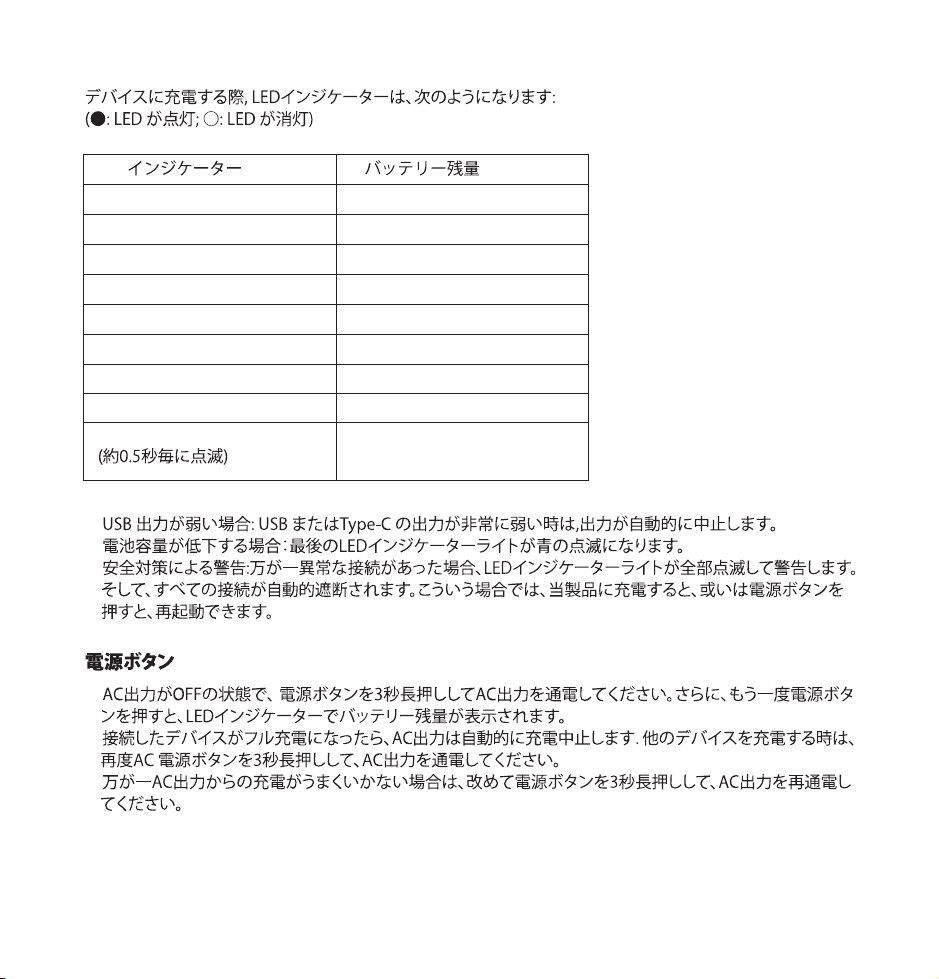
•
•
•
LED
●●●●●●●●
●●●●●●●○
●●●●●●○○
●●●●●○○○
●●●●○○○○
●●●○○○○○
●●○○○○○○
●○○○○○○○
●○○○○○○○
100% - 87%
86% - 75%
74% - 62%
61% - 50%
49% - 37%
36% - 25%
24% - 12%
11% - 1%
0%
17/18
•
•
•
•
•
•
•
30W PD 3.0
•
•
•
•
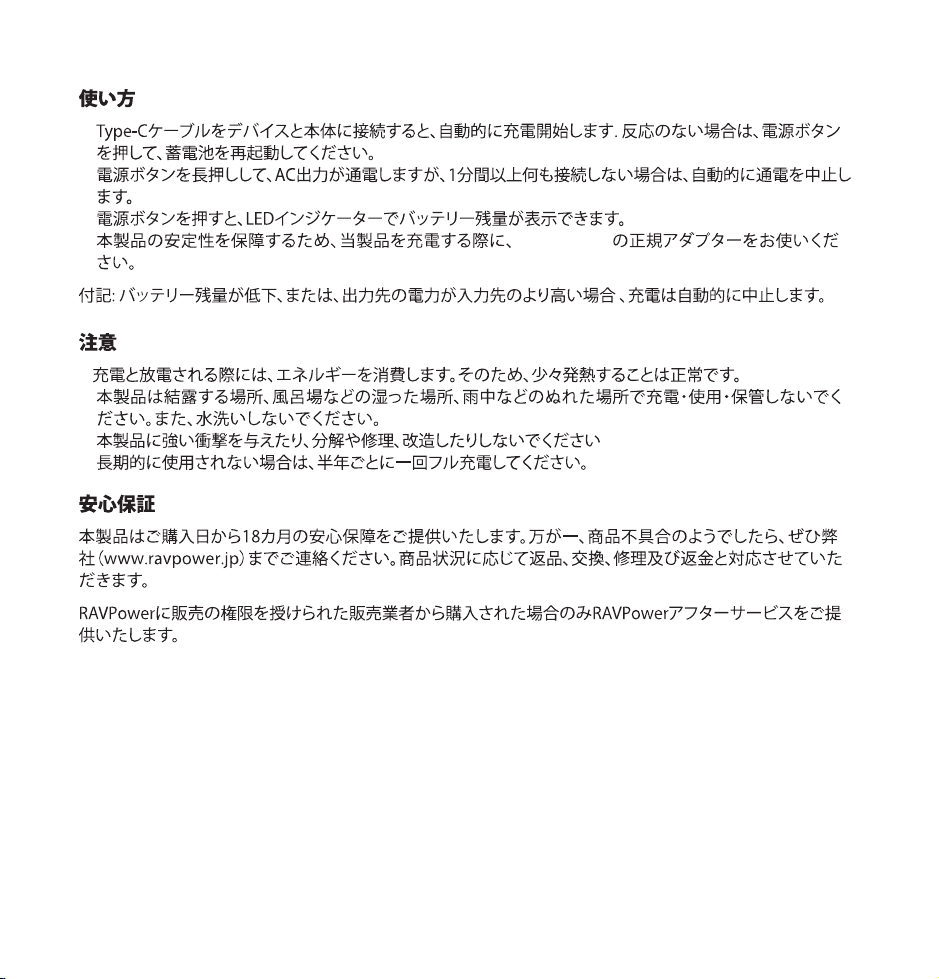
•
•
•
LED
●●●●●●●●
●●●●●●●○
●●●●●●○○
●●●●●○○○
●●●●○○○○
●●●○○○○○
●●○○○○○○
●○○○○○○○
●○○○○○○○
100% - 87%
86% - 75%
74% - 62%
61% - 50%
49% - 37%
36% - 25%
24% - 12%
11% - 1%
0%
17/18
•
•
•
•
•
•
•
30W PD 3.0
•
•
•
•

FCC Compliance
This device complies with Part 15 of the FCC Rules. Operation is subject to the
following two conditions: (1) this device may not cause harmful interference, and
(2) this device must accept any interference received, including interference that
may cause undesired operation.
WEEE Compliance
DO not to dispose of product as unsorted municipal waste and to collect such
WEEE separately, for proper treatment, recovery and recycling, please take this
product(s) to designated collection points where it will be accepted free of
charge. Please contact your local authority for further details of your nearest
designated collection station.
IMPORTANT SAFETY INSTRUCTIONS
When using this product, basic precautions should always be followed, including
the following:
a) Read all the instructions before using the product.
b) To reduce the risk of injury, close supervision is necessary when the product is
used near children.
c) Do not put fingers or hands into the product.
d) Do not expose power bank to rain or snow.
e) Use of a power supply or charger not recommended or sold by power pack
manufacturer may result in a risk of fire or injury to persons.
f) Do not use the power bank in excess of its output rating. Overload outputs
above rating may result in a risk of fire or injury to persons.
g) Do not use the power bank that is damaged or modified. Damaged or modified
batteries may exhibit unpredictable behavior resulting in fire, explosion or risk
of injury.
h) Do not disassemble the power bank. Take it to a qualified service person when
service or repair is required. Incorrect reassembly may result in a risk of fire or
injury to persons.
i) Do not expose a power pack to fire or excessive temperature. Exposure to fire or
temperature above 100°C may cause explosion. The temperature of 100°C can
be replaced by the temperature of 212°F.
j) Have servicing performed by a qualified repair person using only identical
replacement parts. This will ensure that the safety of the product is maintained.
k) Switch off the power bank when not in use.
l) Do not place or use this product in high temperature or damp environment. Do
not expose it to the sun.
m) Dispose the power bank according to the local statues environmental
protection regulations.
SAVE THESE INSTRUCTIONS

FCC Compliance
This device complies with Part 15 of the FCC Rules. Operation is subject to the
following two conditions: (1) this device may not cause harmful interference, and
(2) this device must accept any interference received, including interference that
may cause undesired operation.
WEEE Compliance
DO not to dispose of product as unsorted municipal waste and to collect such
WEEE separately, for proper treatment, recovery and recycling, please take this
product(s) to designated collection points where it will be accepted free of
charge. Please contact your local authority for further details of your nearest
designated collection station.
IMPORTANT SAFETY INSTRUCTIONS
When using this product, basic precautions should always be followed, including
the following:
a) Read all the instructions before using the product.
b) To reduce the risk of injury, close supervision is necessary when the product is
used near children.
c) Do not put fingers or hands into the product.
d) Do not expose power bank to rain or snow.
e) Use of a power supply or charger not recommended or sold by power pack
manufacturer may result in a risk of fire or injury to persons.
f) Do not use the power bank in excess of its output rating. Overload outputs
above rating may result in a risk of fire or injury to persons.
g) Do not use the power bank that is damaged or modified. Damaged or modified
batteries may exhibit unpredictable behavior resulting in fire, explosion or risk
of injury.
h) Do not disassemble the power bank. Take it to a qualified service person when
service or repair is required. Incorrect reassembly may result in a risk of fire or
injury to persons.
i) Do not expose a power pack to fire or excessive temperature. Exposure to fire or
temperature above 100°C may cause explosion. The temperature of 100°C can
be replaced by the temperature of 212°F.
j) Have servicing performed by a qualified repair person using only identical
replacement parts. This will ensure that the safety of the product is maintained.
k) Switch off the power bank when not in use.
l) Do not place or use this product in high temperature or damp environment. Do
not expose it to the sun.
m) Dispose the power bank according to the local statues environmental
protection regulations.
SAVE THESE INSTRUCTIONS
Model: RP-PB055
RAVPower Prime 30000mAh 100W 3-Port
Power House
User Guide
NORTH AMERICA
E-mail: support@ravpower.com(US)
support.ca@ravpower.com(CA)
Tel: 1-888-456-8468 (Monday-Friday: 9:00 – 17:00 PST)
ASIA PACIFIC
E-mail: support.jp@ravpower.com(JP)
JP Importer: SUNVALLEY JAPAN
Address: 104-0032 3 18-6 PMO 9F
EUROPE
E-mail:
support.uk@ravpower.com(UK)
support.de@ravpower.com(DE)
support.fr@ravpower.com(FR)
support.es@ravpower.com(ES)
support.it@ravpower.com(IT)
EU Importer: ZBT International Trading GmbH
Address: Halstenbeker Weg 98C, 25462 Rellingen,Deutschland
MANUFACTURER
Manufacturer: Shenzhen NearbyExpress Technology Development Co., Ltd.
Address: 333 Bulong Road, Shenzhen, China, 518129
www.ravpower.com
02-26-2020
RP-PB055_V2.5_US-JP
MADE IN CHINA