1
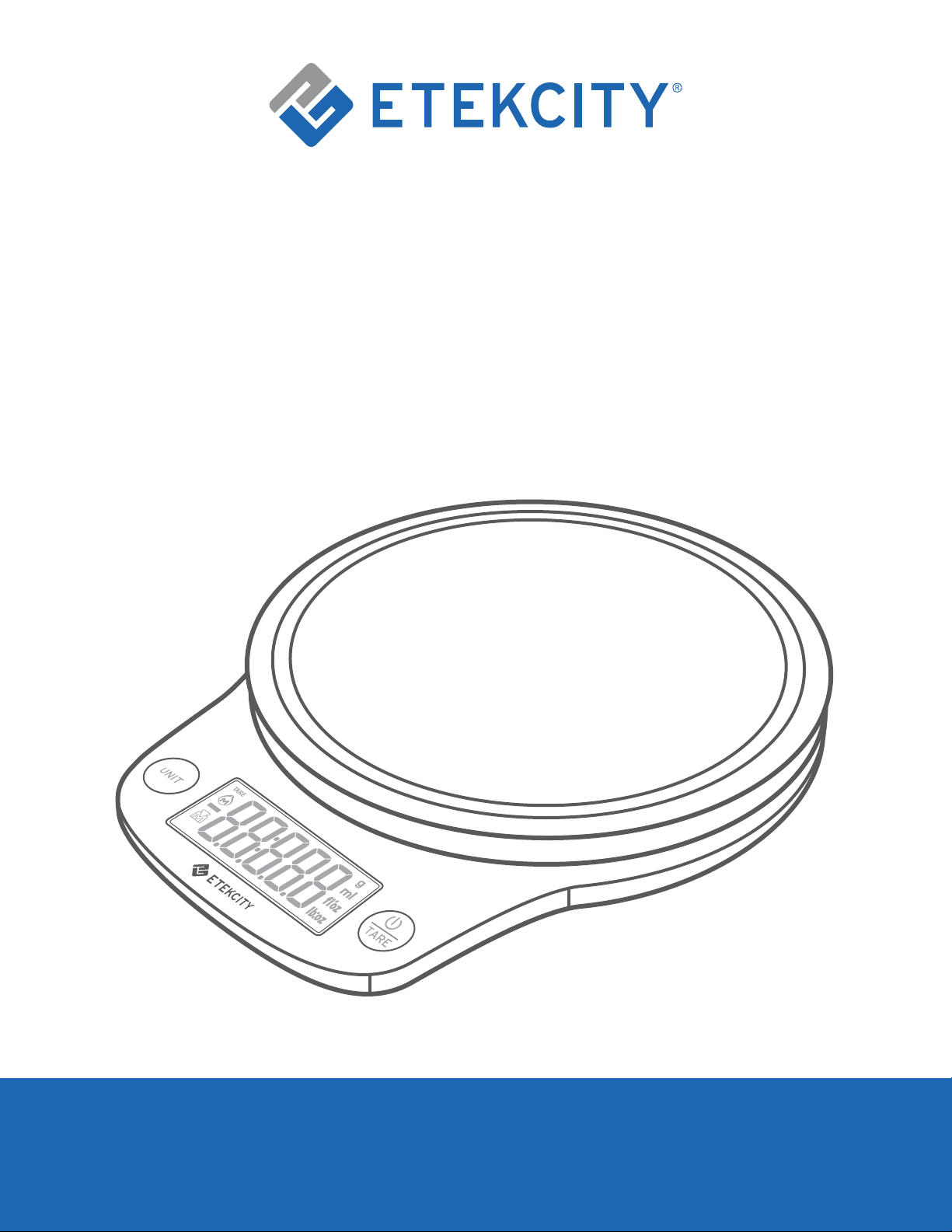
Digital Kitchen Scale
Model: EK9000
Questions or Concerns?
Mon–Fri, 9:00 am–5:00 pm PST/PDT
support@etekcity.com • (855) 686-3835
User Manual

2
If you have any questions or concerns, please
reach out to our helpful Customer Support Team at
support@etekcity.com. We hope you enjoy your
new kitchen scale!
Exclusive deals, giveaways, and product registration.
Better products for better living.
Find us at etekcity.com
Thank you for purchasing the
Digital Kitchen Scale by Etekcity.
Become an Etekcitizen

3
Table of Contents
Using Your Scale 10
Specifications
Important Safety Information
4
5
Package Contents 4
10
Before First Use 9
• General Operation
11• Zero / Tare Function
13Replacing the Batteries
12
12
12• Unit Conversion
• Automatic Power Off
• Manual Power Off
Function Diagram
• LCD Display
• Batteries
• Scale
7
6
8
5
Troubleshooting 14
Customer Support 18
Warranty Information 16

4
Specifications
Weight Capacity 176 oz / 11 lb / 5000 g / 5000 mL
Units
oz / lb:oz / g / ml (water/milk) /
fl’oz (water/milk)
Auto-Off 120 seconds
Battery 2 x 1.5V AAA Batteries (Pre-Installed)
Dimensions 8.3 x 6.4 x 1.3 in / 21 x 16.3 x 3.2 cm
Measurement Unit Item Weight Increment
g
< 1000 g 0.1 g
1000–5000 g 1 g
oz
< 35 oz 0.01 oz
35–176 oz 0.05 oz
Package Contents
1 x Digital Kitchen Scale
2 x 1.5V AAA Batteries (Pre-Installed)
1 x Quick Start Guide
Increments

5
Important Safety Information
To avoid damage to this scale, please read and follow all
instructions and safety guidelines in this manual.
• Do not exceed the 11 lb / 5000 g weight capacity, as this will
damage the scale. An error indicator will appear on the LCD
display if the limit is exceeded.
• Do not immerse the scale in water or any liquid. If liquid is
spilled on the digital display or buttons, immediately wipe
the scale dry with a soft cloth to avoid internal damage.
• Handle with care. This scale is not intended for commercial
or heavy-duty use.
• Keep the scale in a cool, dry place. Avoid exposure to damp
environments or extreme temperatures.
• Household use only.
Scale

6
• Do not mix new and old batteries.
• If the low battery indicator
“ “ appears on the display,
replace the batteries.
• If the scale is not in use for an extended period of time,
remove the batteries to conserve battery life and extend the
lifetime of the scale.
Batteries
SAVE THESE INSTRUCTIONS
Back to Table of Contents
7
UNIT
TARE
Function Diagram
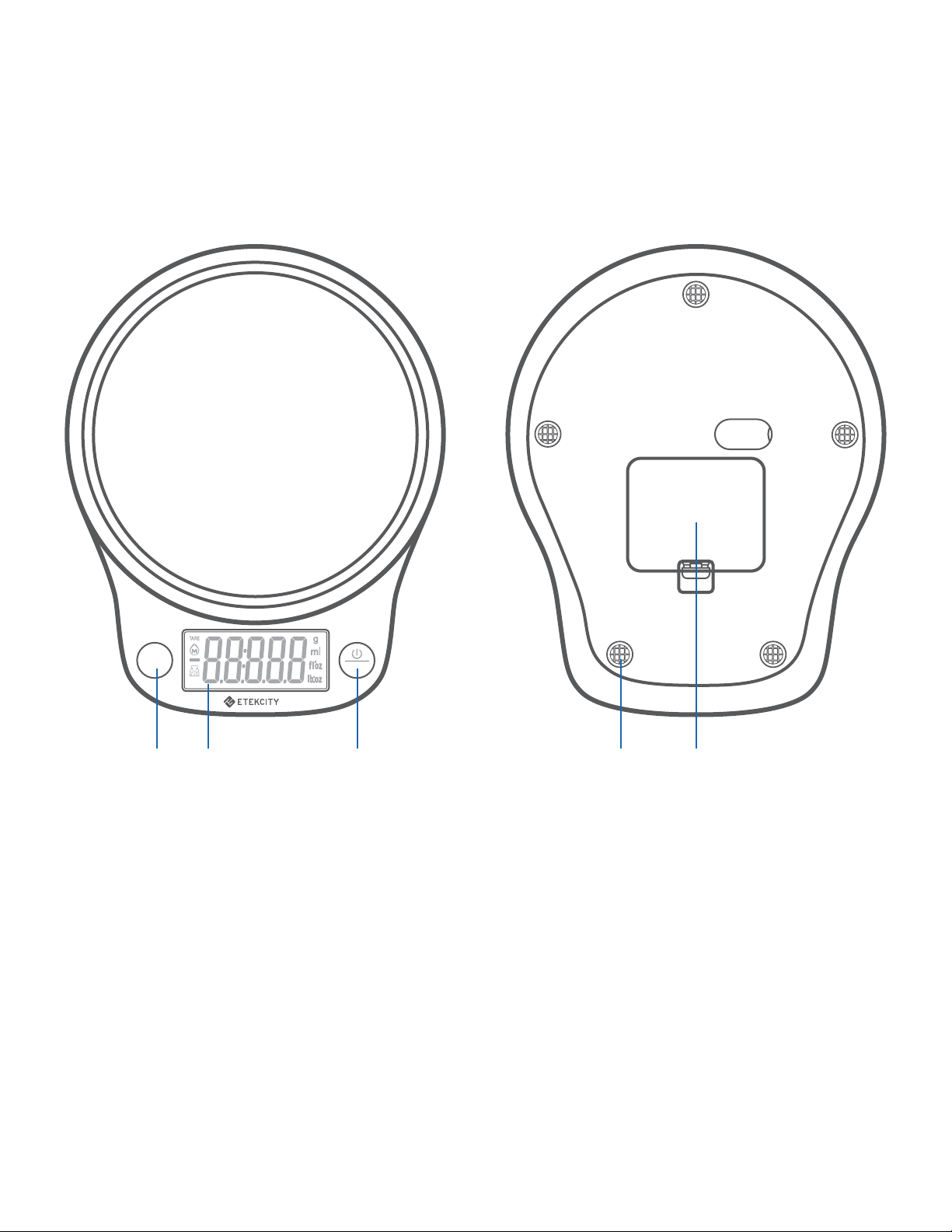
A. Unit Selection Button
B. LCD Display
C. Power/Tare Button
D. Anti-Skid Pads
E. Battery Compartment
A B C
D E
Top Bottom
8
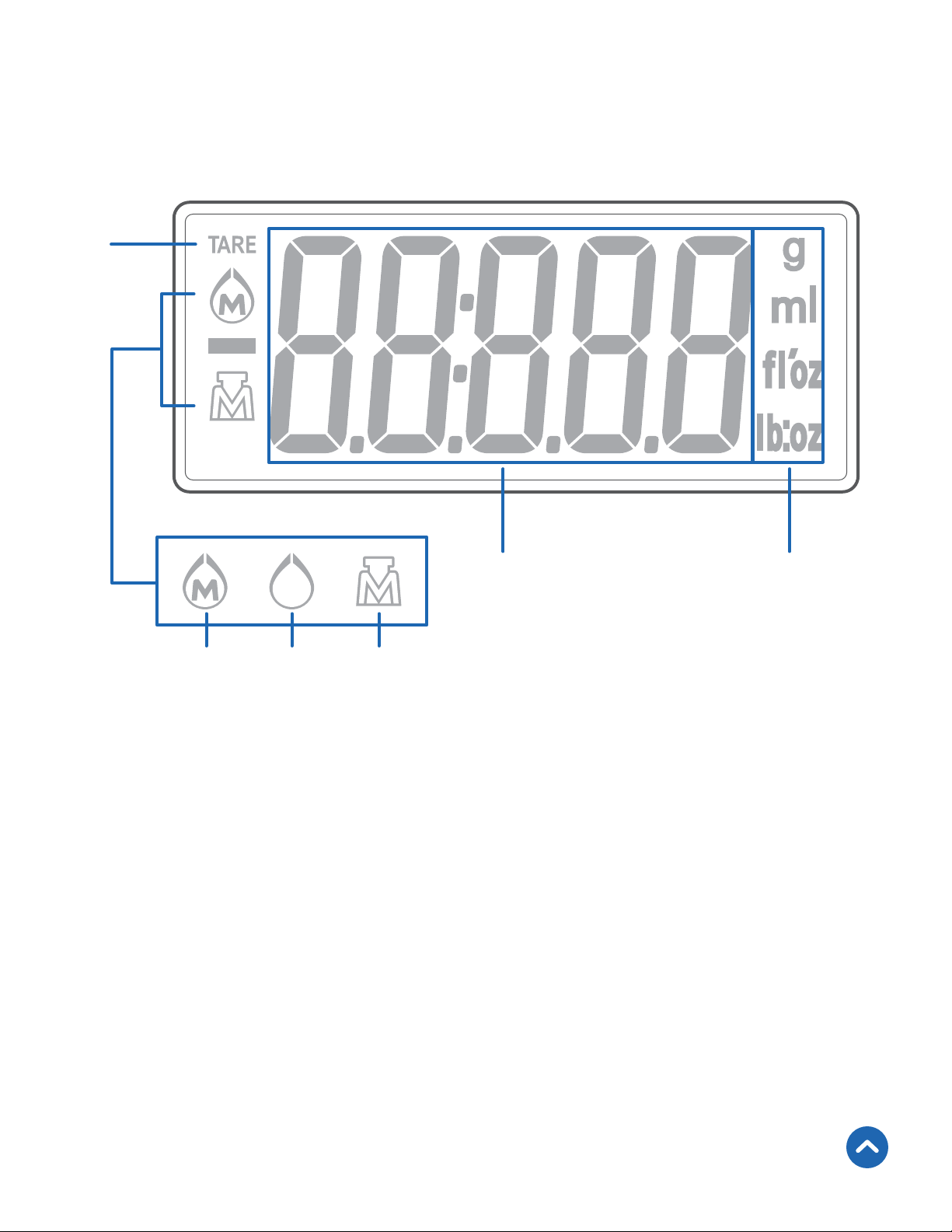
LCD Display
A
B C D
E F
A. Tare Mode
B. Milk
C. Water (Liquid)
D. Solids
E. Weight Value
F. Measurement Unit
Back to Table of Contents
9
Before First Use
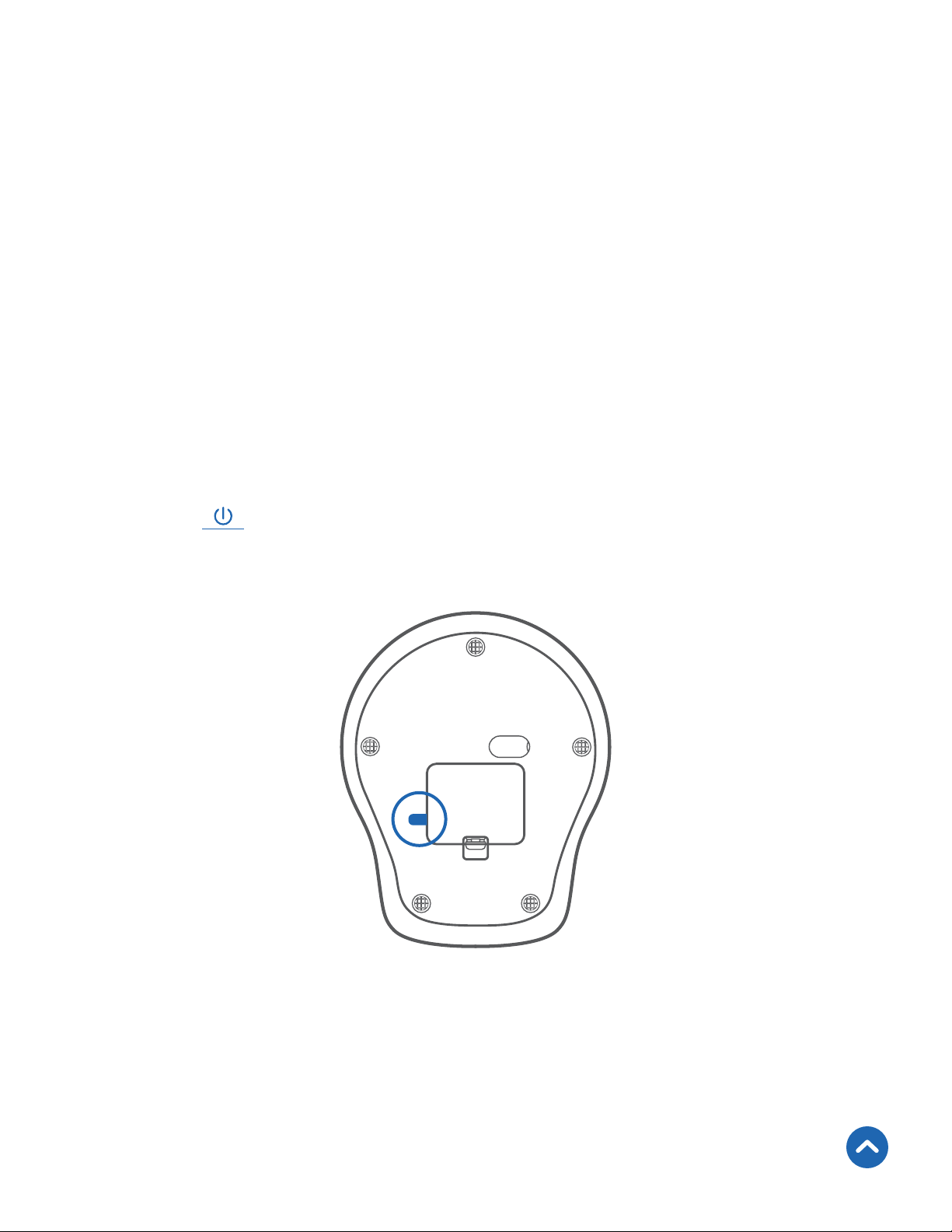
The batteries are pre-installed in the scale.
1. Open the battery compartment on the underside of the
scale.
2. Remove the plastic strip from the battery compartment.
[Figure 1.1]
3. Replace the battery compartment cover.
4. Turn the scale over again and place on a hard, dry, flat
surface.
5. Press
TARE
to turn on the scale.
Figure 1.1
Back to Table of Contents

10
Using Your Scale
1. Place the scale on a hard, dry, flat surface.
2. Press
TARE
to turn on the scale. Make sure the display reads
“
”. Press UNIT to select your desired measuring unit,
which will show on the right of the display.
3. Place your item on the scale.
4. Wait for the reading on the display to stabilize.
Note:
• For accurate results, always place the scale on a hard,
dry, flat surface, and keep the scale away from dirt,
dust, vibrations, wind, air currents, and electromagnetic
interference.
• When you turn on the scale, choose units, or use the
Tare function, wait for the display to read “
” before
measuring.
General Operation
11
NIT
T
NIT
T
Zero / Tare Function
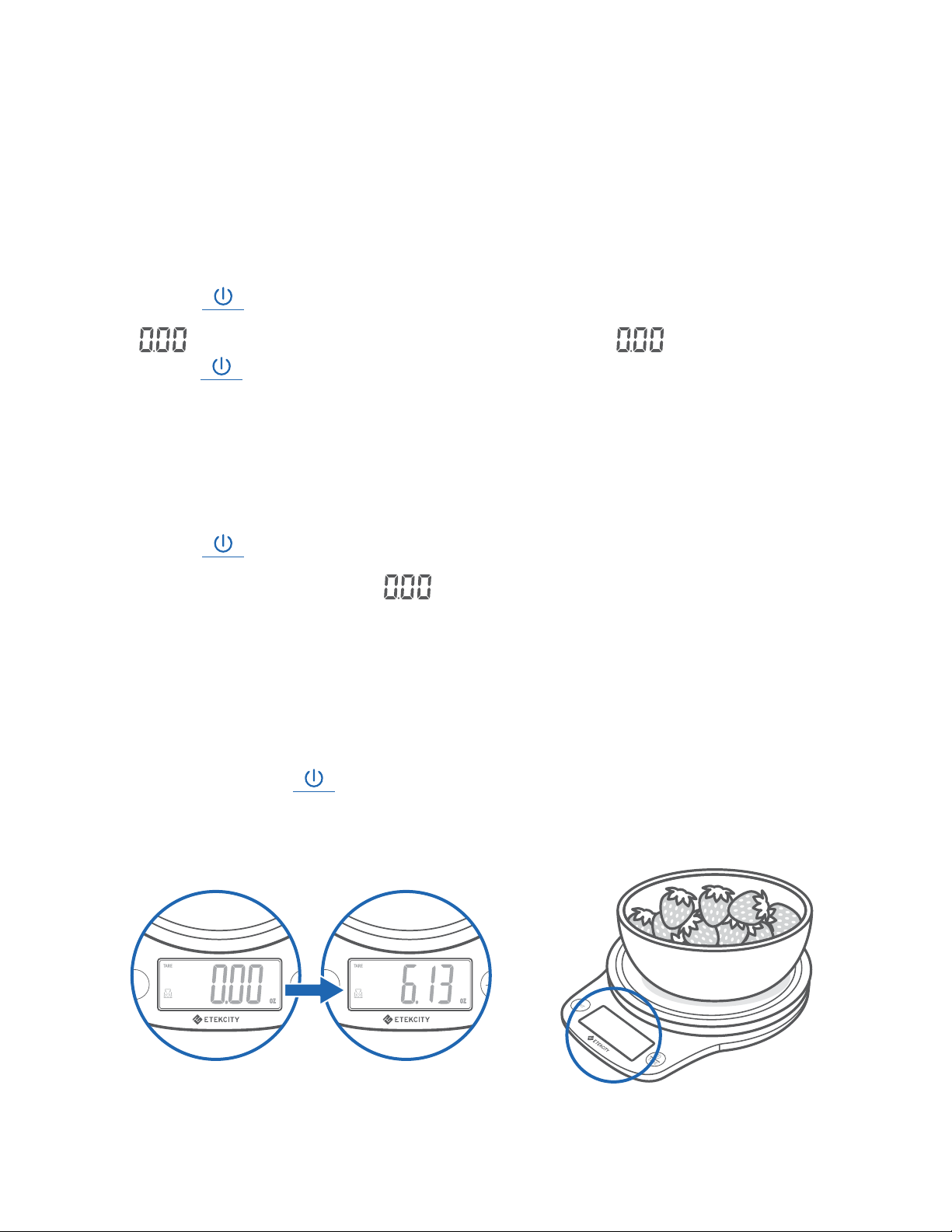
When you measure items inside a container, you can use the
Tare function to remove the container’s weight from the final
measurement.
1. Press
TARE
to turn on the scale. Make sure the display reads
“
”. If the screen does not display “ ” automatically,
press
TARE
to auto-adjust to zero.
2. Place the container on the center of the scale.
3. Wait for the reading on the display to stabilize. The display
will show the container’s weight.
4. Press
TARE
to tare the weight of the container. The screen
should now display “
”.
5. Place the liquid or items into the container. The scale will
measure the contents without including the weight of the
container. [Figure 2.1]
6. When you’re done, reset the scale by removing all weight
and pressing
TARE
again.
Figure 2.1

12
Automatic Power Off
Manual Power Off
Unit Conversion
To save battery power, the scale will automatically power off
after 120 seconds of inactivity.
Press and hold
TARE
for 2 seconds to turn off the scale.
To change the unit of measurement, press UNIT until the display
shows the desired unit of measurement.
Back to Table of Contents

13
Replacing the Batteries
1. Turn the scale over and open the battery compartment.
2. Take out the used batteries and replace them with 2 new
1.5V AAA batteries.
3. Replace the battery compartment cover.
Back to Table of Contents

14
Troubleshooting
Problem Possible Solution
Scale does
not turn on.
Open the battery compartment and remove the
plastic strip.
Replace the batteries (see page 13).
Make sure the batteries are inserted under
the correct polarity as marked in the battery
compartment.
Reading is
inaccurate.
Place the scale on a hard, dry, flat surface, and
keep the scale away from dirt, dust, vibrations,
wind, air currents, and electromagnetic
interference.
Make sure the screen displays “
” before
measuring (see Zero / Tare Function, page 11).
Remove the batteries for 45 seconds, then replace
them to reset the scale.
15
Problem Possible Solution
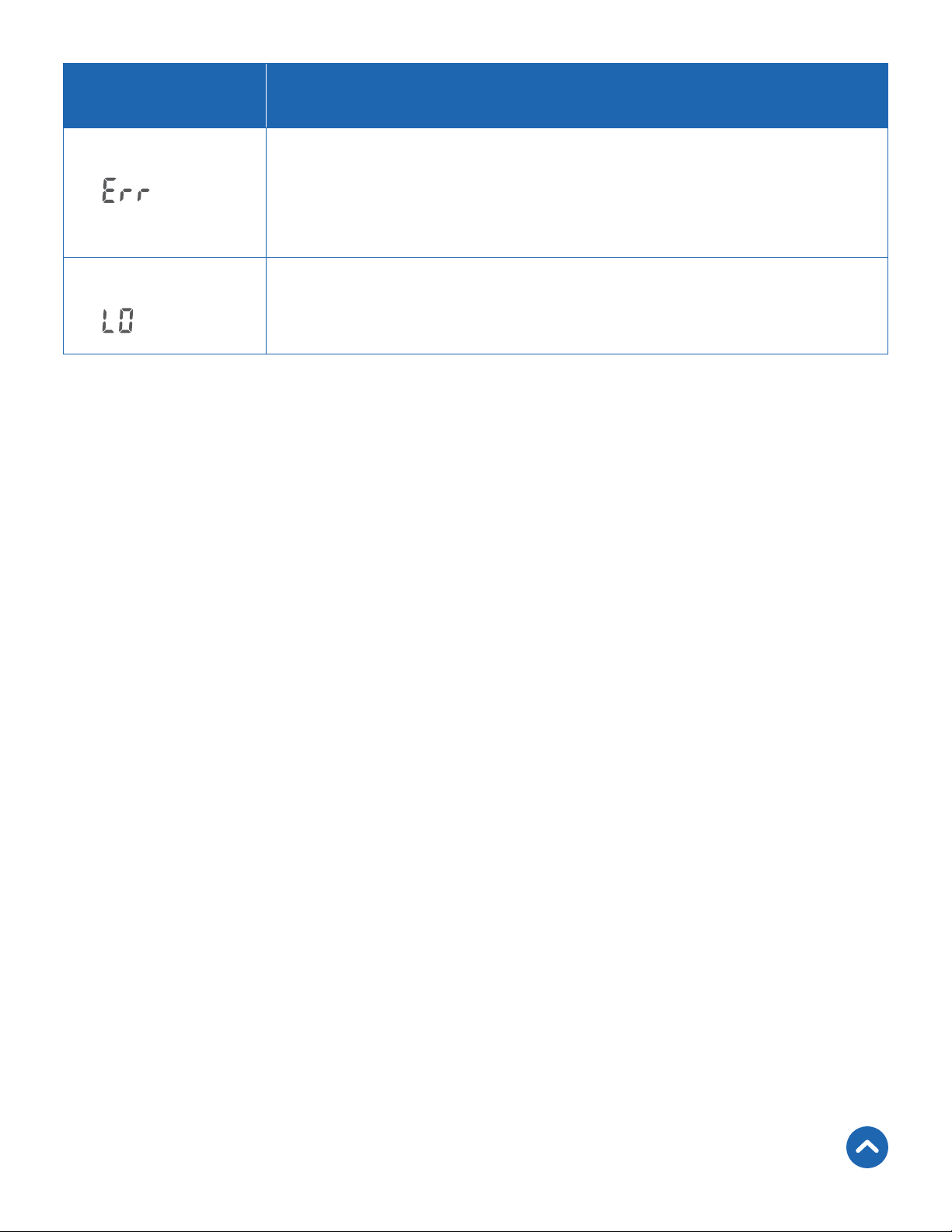
Display shows
“ ”
Item is too heavy. Remove item from scale to
protect its weight sensors. Use a different scale
with a higher weight range.
Display shows
“
”
Battery power is low. Replace the batteries (see
page 13).
If your problem is not listed, please contact Customer Support
(see page 18).
Back to Table of Contents

16
Warranty Information
Terms & Policy
Etekcity Corporation warrants all products to be of the highest quality in
material, craftsmanship, and service, effective from the date of purchase
to the end of the warranty period.
Etekcity Corporation will replace any product found to be defective due
to manufacturer flaws based on eligibility. Refunds are available within
the first 30 days of purchase. Refunds are only available to the original
purchaser of the product. This warranty extends only to personal use
and does not extend to any product that has been used for commercial,
rental, or any other use for which the product is not intended. There are
no warranties other than the warranties expressly set forth with each
product.
This warranty is non-transferrable. Etekcity Corporation is not
responsible in any way for any damages, losses, or inconveniences
caused by equipment failure or by user negligence, abuse, or use
noncompliant with the user manual or any additional safety or use
warnings included in the product packaging and manual.
Product Digital Kitchen Scale
Model EK9000
Default Warranty Period 1 year
For your own reference, we strongly recommend that you record your order ID
and date of purchase.

17
This warranty does not apply to the following:
• Damage due to abuse, accident, alteration, misuse, tampering, or
vandalism.
• Improper or inadequate maintenance.
• Damage in return transit.
• Unsupervised use by children under 18 years of age.
Etekcity Corporation and its subsidiaries assume no liability for damage
caused by the use of the product other than for its intended use or as
instructed in the user manual. Some states do not allow this exclusion
or limitation of incidental or consequential losses so the foregoing
disclaimer may not apply to you. This warranty gives you specific legal
rights and you may also have other rights which may vary from state to
state.
ALL EXPRESSED AND IMPLIED WARRANTIES, INCLUDING THE
WARRANTY OF MERCHANTABILITY, ARE LIMITED TO THE PERIOD
OF THE LIMITED WARRANTY.
Additional 1-Year Warranty
You can extend your 1-year warranty by an additional year. Log onto
www.etekcity.com/warranty to register your new product for the
extended warranty.
Please fill out all required fields and include your order ID, place of
purchase, and purchase date, if applicable.
Defective Products & Returns
If you discover your product is defective within the specified warranty
period, please contact Customer Support via support@etekcity.com with
a copy of your invoice and order ID. DO NOT dispose of your product
before contacting us. Once our Customer Support Team has approved
your request, please return the product with a copy of the invoice and
order ID.
Back to Table of Contents

18
Customer Support
If you have any questions or concerns about your new product,
please contact our helpful Customer Support Team.
Etekcity Corporation
1202 N. Miller St., Suite A
Anaheim, CA 92806
Email: support@etekcity.com
Toll-Free: (855) 686-3835
Support Hours
Mon–Fri, 9:00 am–5:00 pm PST/PDT
*Please have your invoice and order ID ready before contacting
Customer Support.
Back to Table of Contents

19
Connect with us @Etekcity

Building on better living.
AU1019MC-M2_1019EK9000