
GEAppliances.com
49-80593 06-09 JR
JKS10–27 ″ Single Wall Oven
JTS10–30 ″ Single Wall Oven
Owner’s Manual
Safety Instructions . . . . . . . .2–4
Operating Instructions
Clock and Timer . . . . . . . . . . . . .9
Controls . . . . . . . . . . . . . . . . . .5, 6
Oven . . . . . . . . . . . . . . . . . . . .7, 8
Sabbath Feature . . . . . . . . . . . .13
Special Features . . . . . . . . . . . .12
Thermostat . . . . . . . . . . . . . . . .11
Timed Baking and Roasting
. . . .10
Care and Cleaning
Control Panel . . . . . . . . . . . . . .14
Lift-Off Oven Door . . . . . . . . . .15
Light Bulb . . . . . . . . . . . . . . . . .16
Packaging Tape . . . . . . . . . . . . .14
Painted Surfaces . . . . . . . . . . . .14
Porcelain Oven Interior . . . . . .14
Racks . . . . . . . . . . . . . . . . . . . . .14
Troubleshooting Tips . . . .17, 18
Accessories . . . . . . . . . . . . . . . .19
Consumer Support
Consumer Support . . . . . . . . . .
22
Warranty . . . . . . . . . . . . . . . . . .21
Built-In Oven
Electric
Write the model and serial
numbers here:
Model #______________________
Serial # ______________________
You can find them on a label on
the side trim or on the front of
the oven behind the oven door.
2
■ Use this appliance only for its intended
purpose as described in this Owner’s
Manual.
■ Be sure your appliance is properly
installed and grounded by a qualified
technician in accordance with the
provided installation instructions.
■ Do not attempt to repair or replace any
part of your oven unless it is specifically
recommended in this manual. All other
servicing should be referred to a qualified
technician.
■ Have the installer show you the location
of the circuit breaker or fuse. Mark it for
easy reference.
■ Before performing any service, disconnect
the oven power supply at the household
distribution panel by removing the fuse or
switching off the circuit breaker.
■ Do not leave children alone—children
should not be left alone or unattended in
an area where an appliance is in use. They
should never be allowed to sit or stand on
any part of the appliance.
■ Do not allow anyone to climb, stand or
hang on the door. They could damage the
oven, or cause severe personal injury.
WARNING!
For your safety, the information in this manual must be followed to minimize the risk of fire or
explosion, electric shock, or to prevent property damage, personal injury, or loss of life.
IMPORTANT SAFETY INFORMATION.
READ ALL INSTRUCTIONS BEFORE USING.
When using electrical appliances, basic safety precautions should be followed, including
the following:
SAFETY PRECAUTIONS
Safety InstructionsOperating InstructionsCare and CleaningTroubleshooting TipsConsumer Support
Safety Instructions Operating Instructions
Care and Cleaning
Troubleshooting Tips Consumer Support
3
■ Be sure the oven is securely installed in
a cabinet that is firmly attached to the
house structure. Never allow anyone
to climb, sit, stand or hang on the
oven door.
■ Never leave the oven door open when
you are not watching the oven.
■ Always keep combustible wall coverings,
curtains or drapes a safe distance from
your oven.
■ Always keep dish towels, dish cloths, pot
holders and other linens a safe distance
from your oven.
■ Always keep wooden and plastic utensils
and canned food a safe distance away
from your oven.
■ Teach children not to play with the
controls or any other part of the oven.
■ Large scratches or impacts to glass doors
can lead to broken or shattered glass.
■ Do not store flammable materials in
an oven.
■ CAUTION: Items of interest to
children should not be stored in cabinets
above an oven; children climbing on the
oven to reach items could be seriously
injured.
■ Never wear loose-fitting or hanging
garments while using the appliance.
Be careful when reaching for items
stored in cabinets over the oven.
Flammable material could be ignited if
brought in contact with hot surfaces or
heating elements and may cause severe
burns.
■ Use only dry pot holders—moist or
damp pot holders on hot surfaces may
result in burns from steam. Do not let
pot holders touch hot heating elements.
Do not use a towel or other bulky cloth.
■ For your safety, never use your appliance
for warming or heating the room.
■ Do not let cooking grease or other
flammable materials accumulate in
or near the oven.
■ Do not use water on grease fires.
Never pick up a flaming pan. Turn the
controls off.
■ Flame in the oven can be smothered
completely by closing the oven door and
turning the oven off or by using a multi-
purpose dry chemical or foam-type fire
extinguisher.
■ Do not store or use combustible
materials, gasoline or other flammable
vapors and liquids in the vicinity of this
or any other appliance.
GEAppliances.com
SAFETY PRECAUTIONS

4
Safety InstructionsOperating InstructionsCare and CleaningTroubleshooting TipsConsumer Support
READ AND FOLLOW THIS SAFETY INFORMATION CAREFULLY.
SAVE THESE INSTRUCTIONS
IMPORTANT SAFETY INFORMATION.
READ ALL INSTRUCTIONS BEFORE USING.
Cook meat and poultry thoroughly—meat to at least an INTERNAL temperature of 160°F and poultry
to at least an INTERNAL temperature of 180°F. Cooking to these temperatures usually protects against
foodborne illness.
WARNING!
COOK MEAT AND POULTRY THOROUGHLY…
■ Do not touch the heating elements or the
interior surface of the oven. These surfaces
may be hot enough to burn even though
they are dark in color. During and after
use, do not touch, or let clothing or other
flammable materials contact any interior
area of the oven; allow sufficient time for
cooling first.
■ Potentially hot surfaces include oven vent
openings, surfaces near the openings,
crevices around the oven door, the edges
of the window and metal trim parts above
the door.
■ REMEMBER: The inside surface of the oven
may be hot when the door is opened.
■ Never place cooking utensils or any other
items on the oven floor. There is a heating
element beneath the oven floor. Placing
items on the oven floor may cause the
oven to overheat, resulting in damage to
the oven and risk of damage or fire to
cabinets.
■ Stand away from the oven when opening
the oven door. Hot air or steam which
escapes can cause burns to hands, face
and/or eyes.
■ Do not heat unopened food containers.
Pressure could build up and the container
could burst, causing an injury.
■ Keep the oven vent unobstructed.
■ Keep the oven free from grease buildup.
■ Place the oven rack in the desired position
while the oven is cool. If racks must be
handled when hot, do not let pot holder
contact the heating elements.
■ When using cooking or roasting bags in
the oven, follow the manufacturer’s
directions.
■ Pulling out the rack to the stop-lock is a
convenience in lifting heavy foods. It is
also a precaution against burns from
touching hot surfaces of the door or oven
walls.
■ Do not use the oven to dry newspapers.
If overheated, they can catch on fire.
■ Do not use the oven for a storage area.
Items stored in an oven can ignite.
■ Do not leave paper products, cooking
utensils or food in the oven when not
in use.
■ After broiling, always take any broiler
pan out of the oven and clean it. Leftover
grease in a broiler pan can catch fire
next time you use the pan.
■ Never leave jars or cans of fat drippings in
or near your oven.
■ Clean only parts listed in this Owner’s
Manual.
■ Do not use aluminum foil to line oven
bottoms, except as suggested in this
manual. Improper installation of
aluminum foil may result in a risk
of electric shock or fire.
SAFETY PRECAUTIONS
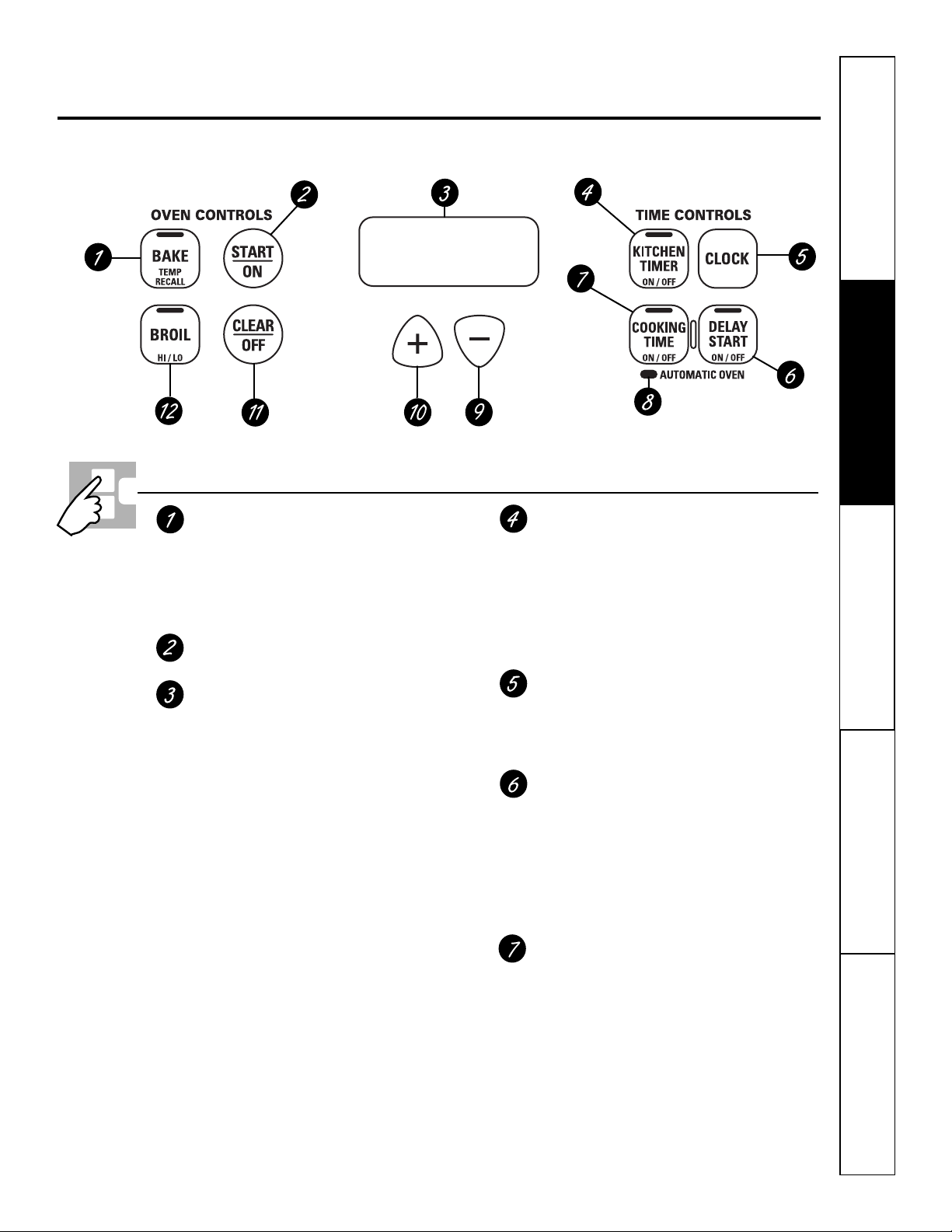
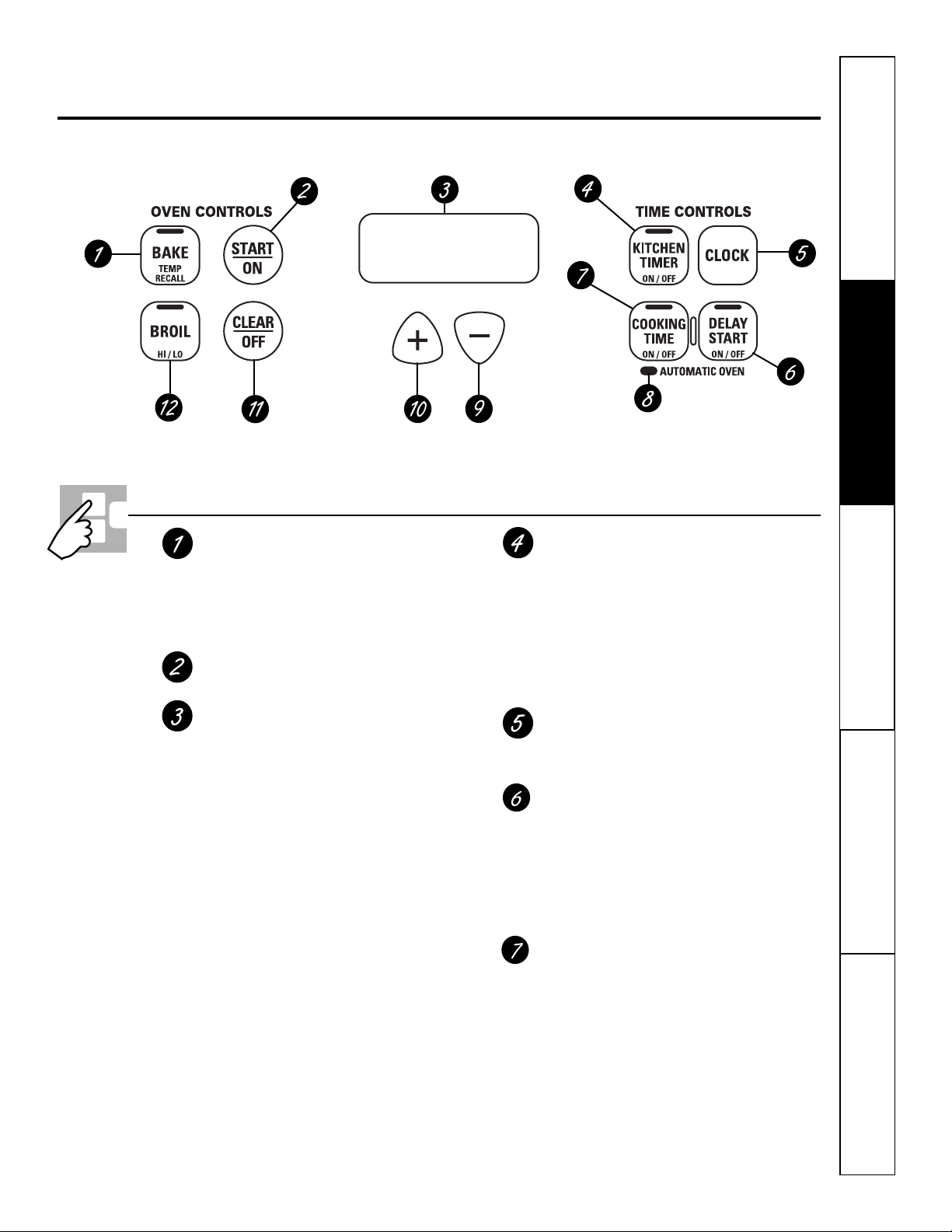
Oven Control, Clock and Timer Features and Settings
BAKE/TEMP RECALL Pad
Press this pad to select the bake function.
BAKE Light
Flashes while in edit mode—you can change
the oven temperature at this point. Glows
when the oven is in bake mode.
START/ON Pad
Must be pressed to start any cooking function.
Display
Shows the time of day, oven temperature,
whether the oven is in the bake or broil
mode and the times set for the timer or
automatic oven operations. The display
will show “PrE” while preheating. When
the oven reaches the selected temperature,
the oven control will beep and the display
will show the oven temperature.
If “F–” and a number or letter flash in the display
and the oven control signals, this indicates a function
error code. Press the CLEAR/OFF pad. Allow the oven
to cool for one hour. Put the oven back into operation.
If the function error code repeats, disconnect the power
to the range and call for service.
If your oven was set for a timed oven operation and
a power outage occurred, the clock and all programmed
functions must be reset.
The time of day will flash in the display when there
has been a power outage. Reset the clock.
KITCHEN TIMER ON/OFF Pad
Touch this pad to select the timer feature.
Then press + and – pads to adjust time.
TIMER Light
Flashes while in edit mode—you can change
the set time at this point. Glows when the
timer has been activated. Flashes again when
the time has run out until the control is reset.
CLOCK Pad
To set the clock, press this pad twice and
then press the + and – pads. The time of
day will flash in the display when the oven
is first turned on.
DELAY START Pad
Use along with the COOKING TIME pad to set
the oven to start and stop automatically at
a time you set.
DELAY START Time Light
Flashes while in edit mode—you can change
the delay start set time at this point. Glows
when the function has been activated.
COOKING TIME Pad
Press this pad and then touch the + or –
pads to set the amount of time you want
your food to cook. The oven will shut off
when the cooking time has run out.
COOKING TIME Light
Flashes while in edit mode—you can change
the set time at this point. Glows when the
function has been activated. Flashes again
when the time has run out until the control
is reset.
5
Safety Instructions Operating Instructions
Care and Cleaning
Troubleshooting Tips Consumer Support
Using the oven controls. G
EAppliances.com
Throughout this manual, features and appearance may vary from your model.
6
Safety InstructionsOperating InstructionsCare and CleaningTroubleshooting TipsConsumer Support
Using the oven controls.
Oven Control, Clock and Timer Features and Settings
AUTOMATIC OVEN Light
This lights anytime the oven has been
p
rogrammed using the COOKING TIME or
DELAY START functions.
– Pad
Short taps to this pad will decrease the time
or temperature by small amounts. Press
and hold the pad to decrease the time
or temperature by larger amounts.
+ Pad
Short taps to this pad will increase the time
or temperature by small amounts. Press
and hold the pad to increase the time
or temperature by larger amounts.
CLEAR/OFF Pad
Press this pad to cancel ALL oven
operations except the clock and timer.
BROIL HI/LO Pad
Press this pad to select the broil function.
BROIL Light
Flashes while in edit mode—you can switch
from HI to LO BROIL at this point. Glows when
the oven is in broil mode.
Indicator Lights (on some pads)
EDIT mode lasts several seconds after the
last pad press.
DELAY START
ON/OFF and
COOKING TIME ON/OFF will be the only pads
lit if either of these options is selected.
(Example:
DELAY START
is selected with
BAKE—the
DELAY START
pad will remain
lit until the clock reaches the programmed
time, at which point it will turn off and the
BAKE/TEMP RECALL pad light will light up).
Power Outage
If a flashing time is in the display, you have
experienced a power failure. Reset the clock.
To reset the clock, press the CLOCK pad.
Enter the correct time of day by pressing
the + or – pads. Press the START/ON pad.
Safety Instructions Operating Instructions
Care and Cleaning
Troubleshooting Tips Consumer Support
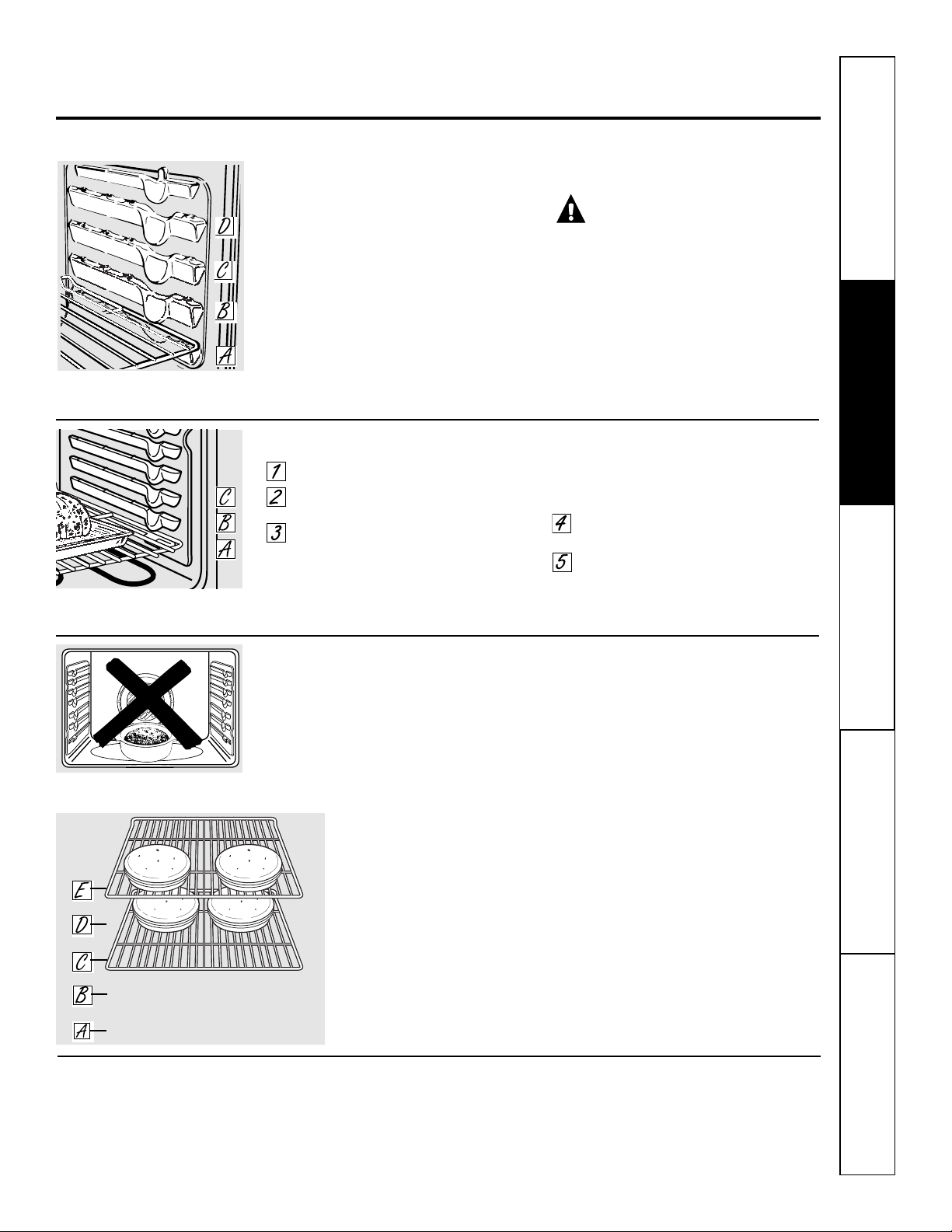
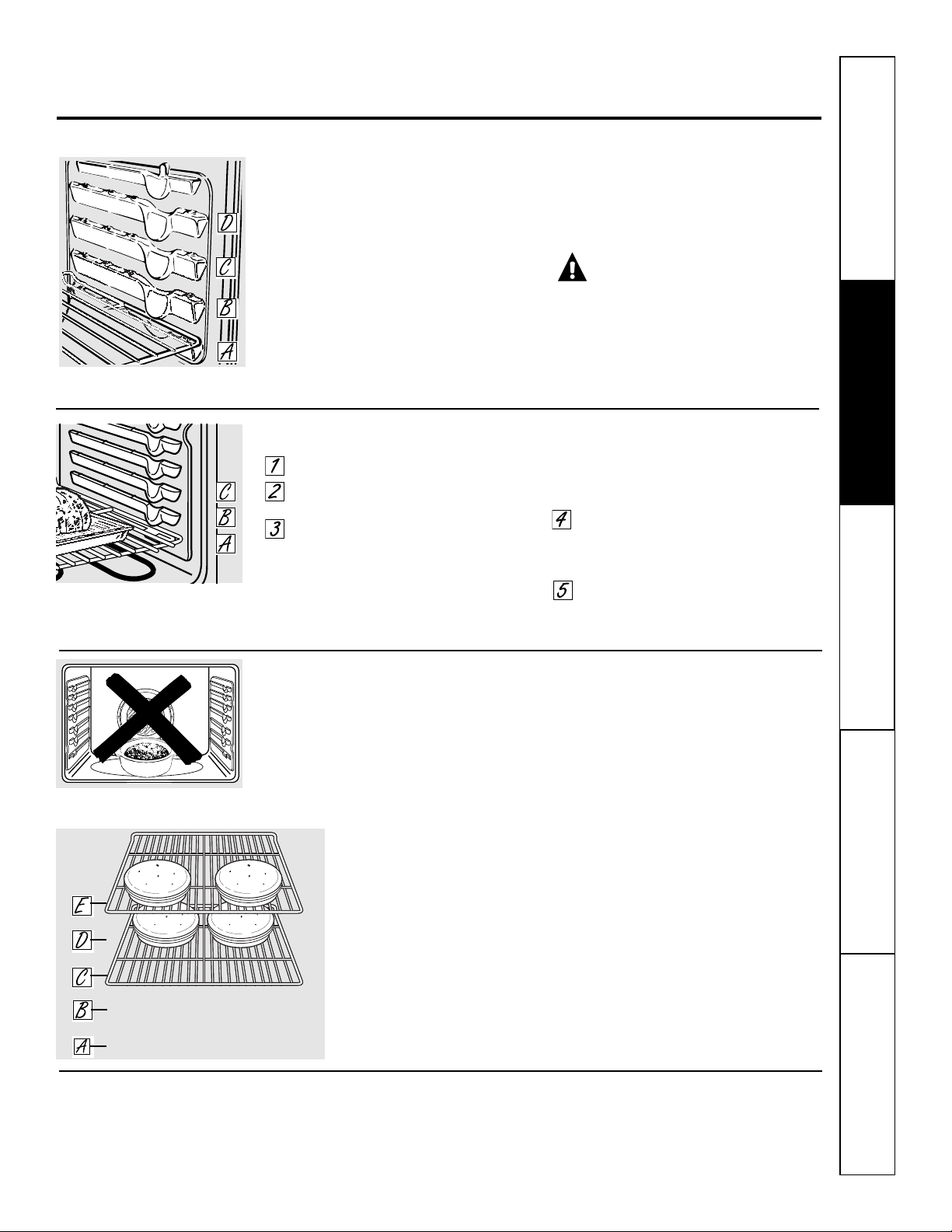
To avoid possible burns, place the racks in the desired position before you turn the oven on.
Aluminum Foil
Aluminum foil may be used to catch a spillover.
Never entirely cover a rack with aluminum
foil. This will disturb the heat circulation and
result in poor baking.
A smaller sheet of foil may be used to catch a
spillover by placing it on a lower rack several
inches below the food.
Using the oven. GEAppliances.com
7
Preheating and Pan Placement
Preheat the oven if the recipe calls for it.
Preheating is necessary for good results when
baking cakes, cookies, pastries and breads.
The display will show “PrE” while preheating. When
the oven reaches the selected temperature, the oven
control will beep and the display will show the oven
temperature.
If baking four cake layers at the
same time, place two layers on
rack C and two layers on rack E.
Stagger pans on the rack so one
is not directly above the other.
Baking results will be better if the food is
centered in the oven as much as possible.
Angel Food cake is the exception and should
be placed on the bottom oven rack (position
A). Follow package direction on prepackaged
and frozen foods for pan placement. Pans
should not touch each other or the walls of
the oven. If you need to use two racks, stagger
the pans so one is not directly above the
other. Leave approximately 1
1
⁄2″ between
pans and from the front, back and sides
of oven wall.
Do not place foods directly on the
oven floor.
How to Set the Oven for Baking or Roasting
Press the BAKE pad.
Press the + or – pads until the desired
temperature is displayed.
Press the START/ON pad.
The oven will start automatically. The display
will show PrE while preheating. When the
oven reaches the selected temperature, the
oven control will beep several times and the
display will show the oven temperature.
To change the oven temperature during BAKE cycle,
press the BAKE pad and then the + or – pads to get
the new temperature.
Check food for doneness at minimum
time on recipe. Cook longer if necessary.
Press the CLEAR/OFF pad when baking
is finished and then remove the food
from the oven.
Before you begin…
T
he racks have stop-locks, so that when placed
correctly on the supports, they will stop before
coming completely out, and will not tilt.
When placing and removing cookware,
pull the rack out to the bump on the rack
support.
To remove a rack, pull it toward you, tilt the
front end up and pull it out.
To replace, place the end of the rack
(stop-locks) on the support, tilt up the front
and push the rack in.
CAUTION: N
ever place cooking
utensils or any other items on the oven floor. There
is a heating element beneath the oven floor. Placing
items on the oven floor may cause the oven to
overheat, resulting in damage to the oven and risk
of damage or fire to cabinets.
The number of rack positions varies
by model.
Safety InstructionsOperating InstructionsCare and CleaningTroubleshooting TipsConsumer Support
8
Using the oven.
How to Set the Oven for Broiling
Close the door. Always broil with the door
closed.
Place the meat or fish on a broiler
grid in a broiler pan.
Follow suggested rack positions in
the Broiling Guide.
If your oven is connected to 208 volts, rare steaks
may be broiled by preheating the broiler and
positioning the oven rack one position higher.
Press the BROIL HI/LO pad once for
Hi Broil.
To change to Lo Broil, press the
BROIL HI/LO pad again.
Press the START pad.
When broiling is finished, press the
CLEAR/OFF pad.
Close the door. Always broil with
the door closed.
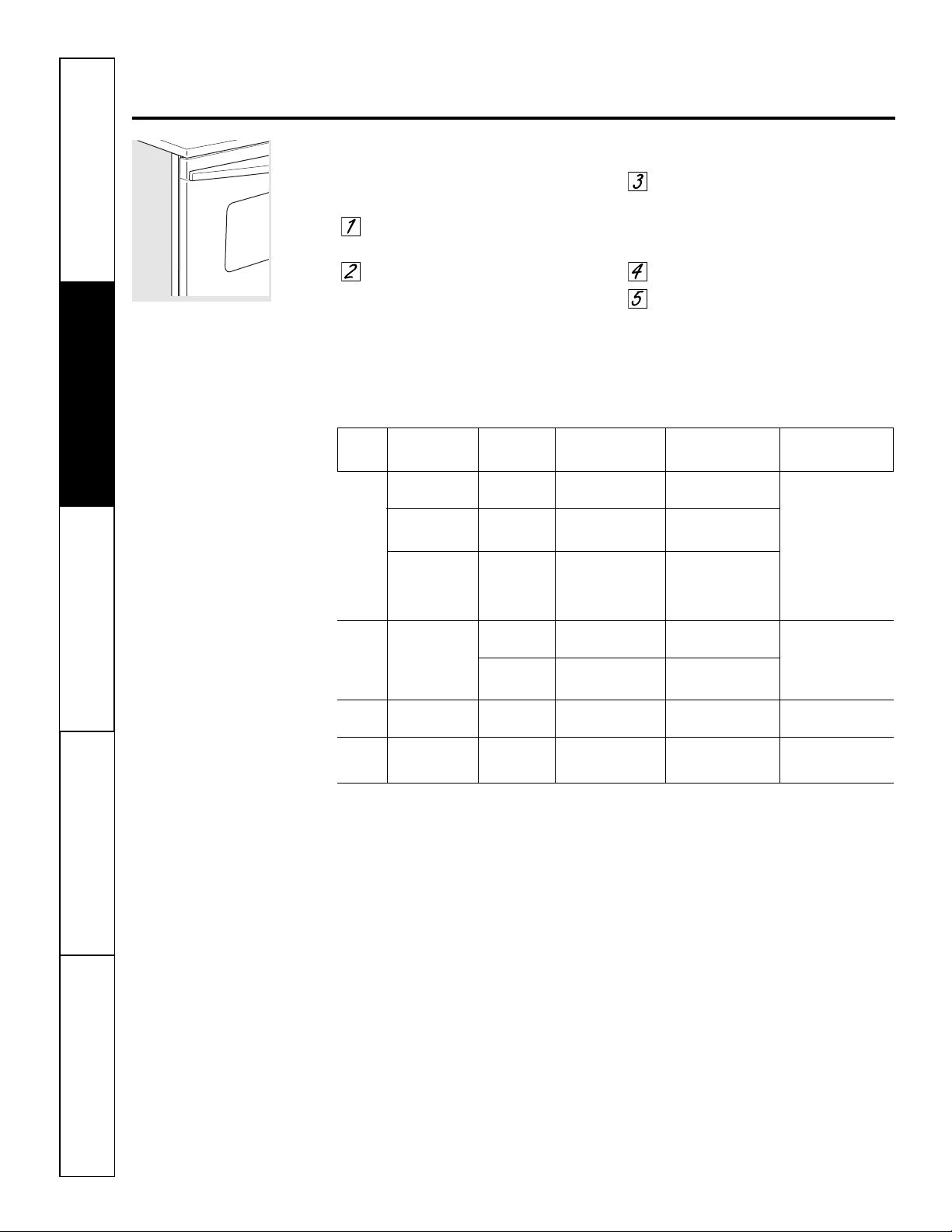
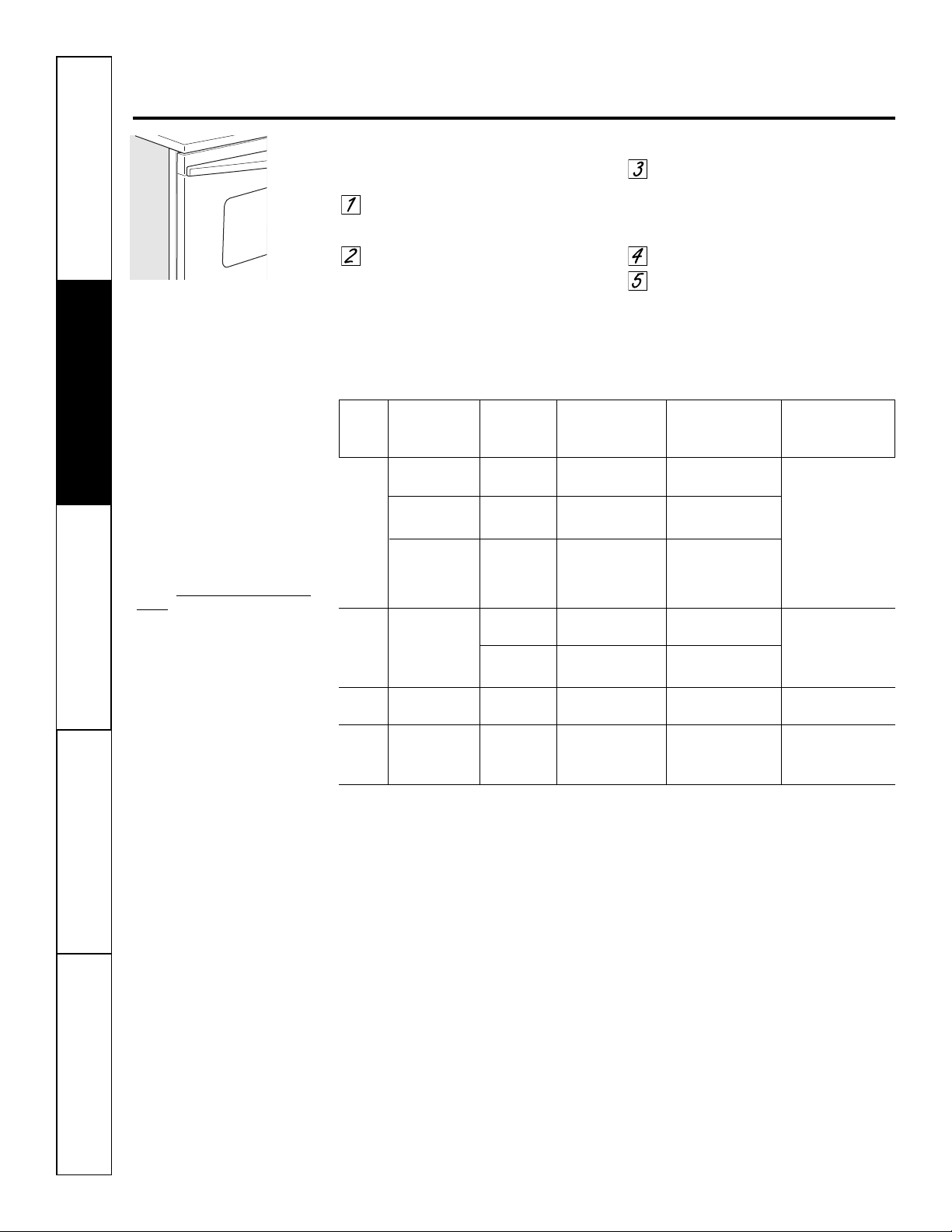
Broiling Guide
The size, weight, thickness,
starting temperature and
your preference of
doneness will affect broiling
times. This guide is based
on meats at refrigerator
temperature.
† The U.S. Department of Agriculture
says “Rare beef is popular, but you
should know that cooking it to only
140°F means some food poisoning
organisms may survive.” (Source:
Safe Food Book. Your Kitchen Guide.
USDA Rev. June 1985.)
Type or 27″ Oven 30″ Oven
Food Doneness Thickness Rack Position Rack Position Comments
Beef Rare (140°F) Steaks – D (food should be
2″
E or F (food should be 1″ Steaks less than 1″ thick
1″ thick
to 4″ from broil element) to 3″ from broil element)
are difficult to cook
rare. They cook through
Medium (160°F) Steaks – D (food should be
2″
E (food should be 3″ before browning.
3/4″ to 1″ thick
to 4″ from broil element)
to 4″ from broil element) To prevent curling of
meat, slash fat at 1″
Well Done (170°F) Steaks – C or D (food should be D or E (food should be 3″ intervals.
3/4″ to 1″ thick
4″ to 7″ from broil element)
to 5″ from broil element)
or Ground Beef
Patties
Chicken Breast, boneless B or C (food should be C (food should be 8″ Broil skin-side-down
8″ to 9″ from broil element)
to 9″ from broil element) first.
Breast, bone-in B or C (food should be C (food should be 7″
7″ to 8″ from broil element)
to 8″ from broil element)
Fish 1/2″ to 1″ thick D (food should be
3″
D or E (food should be 3″ Handle and turn very
Fillets
to 5″ from broil element)
to 6″ from broil element) carefully.
Pork Well Done (170°F) 3/4″ thick C (food should be
6″
D (food should be 6″ To prevent curling of
Chops
to 7″ from broil element)
to 7″ from broil element) meat, slash fat at 1″
intervals.
Preheat the broiler for 2 minutes to improve performance.
Safety Instructions Operating Instructions
Care and Cleaning
Troubleshooting Tips Consumer Support
Make sure the clock is set to the
correct time of day.
The timer is a minute timer only.
The timer does not control oven
operations. The maximum setting on
the timer is 9 hours and 59 minutes.
To Cancel the Timer
Press the KITCHEN TIMER ON/OFF pad
twice.
Using the clock and timer. G
EAppliances.com
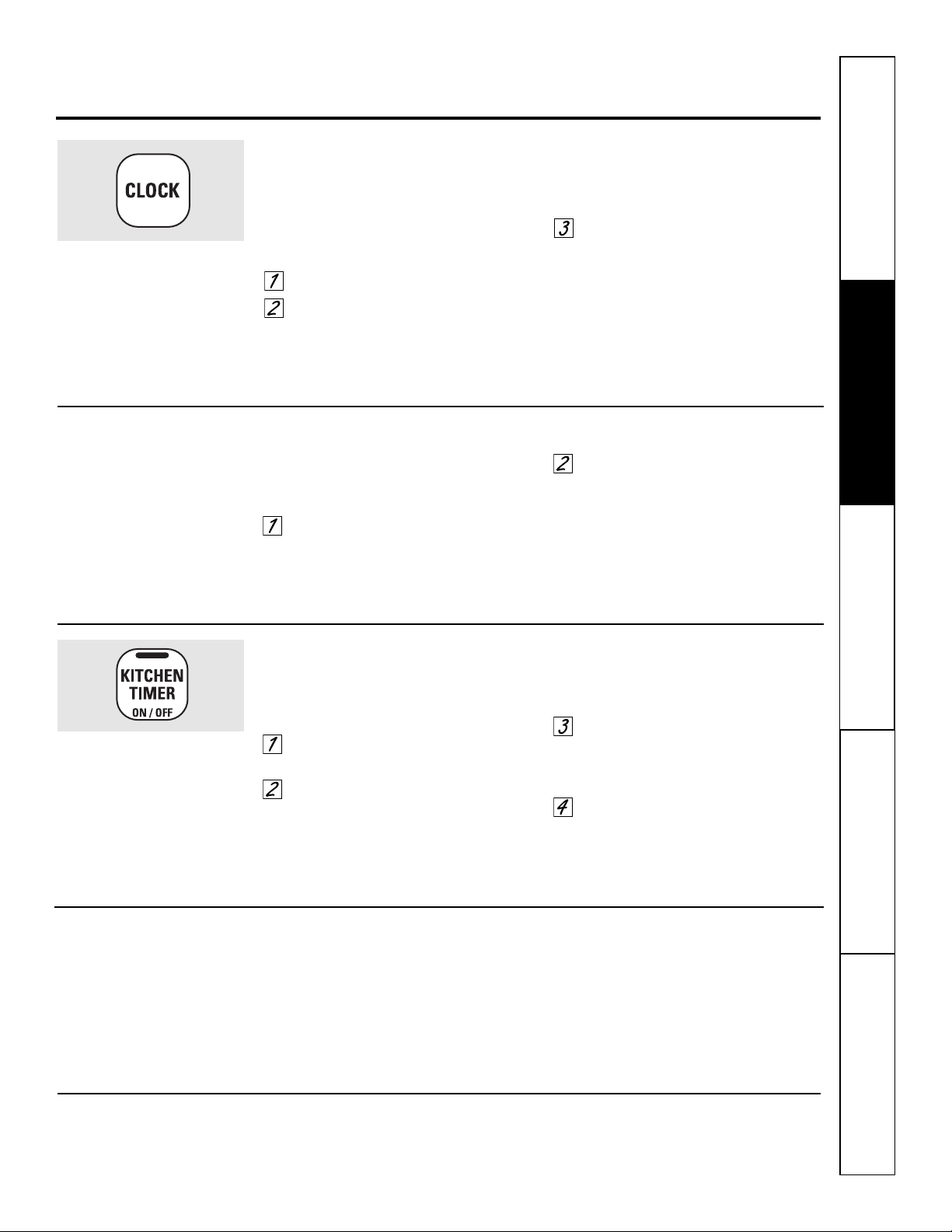
To Set the Timer
The timer does not control oven operations.
The maximum setting on the timer is 9 hours
and 59 minutes.
Press the KITCHEN TIMER ON/OFF
pad.
Press the + or – pads until the
amount of time you want shows in
the display. The maximum time that
can be entered in minutes is 59.
Times more than 59 minutes should
be changed to hours and minutes.
If you make a mistake, press the KITCHEN
TIMER ON/OFF pad and begin again.
Press the START/ON pad. The time
will start counting down, although
the display does not change until
one minute has passed.
When the timer reaches :00, the
control will beep 3 times followed
by one beep every 6 seconds until
the KITCHEN TIMER ON/OFF pad is
pressed.
To Set the Clock
The clock must be set to the correct time
of day for the automatic oven timing
functions to work properly. The time of
day cannot be changed during a delayed
cooking cycle.
Press the CLOCK pad twice.
Press the + or – pads.
If the + or – pads are not pressed within
one minute after you press the CLOCK
pad, the display reverts to the original
setting. If this happens, press the CLOCK
pad twice and reenter the time of day.
Press the START/ON pad until the
time of day shows in the display. This
enters the time and starts the clock.
To check the time of day when the display is
showing other information, simply press the
CLOCK pad. The time of day shows until another
pad is pressed.
To Turn Off the Clock Display
If you have several clocks in your kitchen,
you may wish to turn off the time of day
clock display on your range.
Press the CLOCK pad once to turn
off the time of day display. Although
you will not be able to see it, the
clock maintains the correct time
of day.
Press the CLOCK pad twice to recall
the clock display.
To Reset the Timer
If the display is still showing the time
remaining, you may change it by pressing
the KITCHEN TIMER ON/OFF pad, then
pressing the + or – pads until the time
you want appears in the display.
If the remaining time is not in the display
(clock, delay start set time or cooking
time are in the display), recall the
remaining time by pressing the KITCHEN
TIMER ON/OFF pad and then pressing
the + or – pads to enter the new time
you want.
9
Safety InstructionsOperating InstructionsCare and CleaningTroubleshooting TipsConsumer Support
Using the timed baking and roasting features. (on some models)
NOTE: Foods that spoil easily–such as milk, eggs, fish, stuffings, poultry and pork–should not be allowed to sit for
more than 1 hour before or after cooking. Room temperature promotes the growth of harmful bacteria. Be sure that
the oven light is off because heat from the bulb will speed harmful bacteria growth.
10
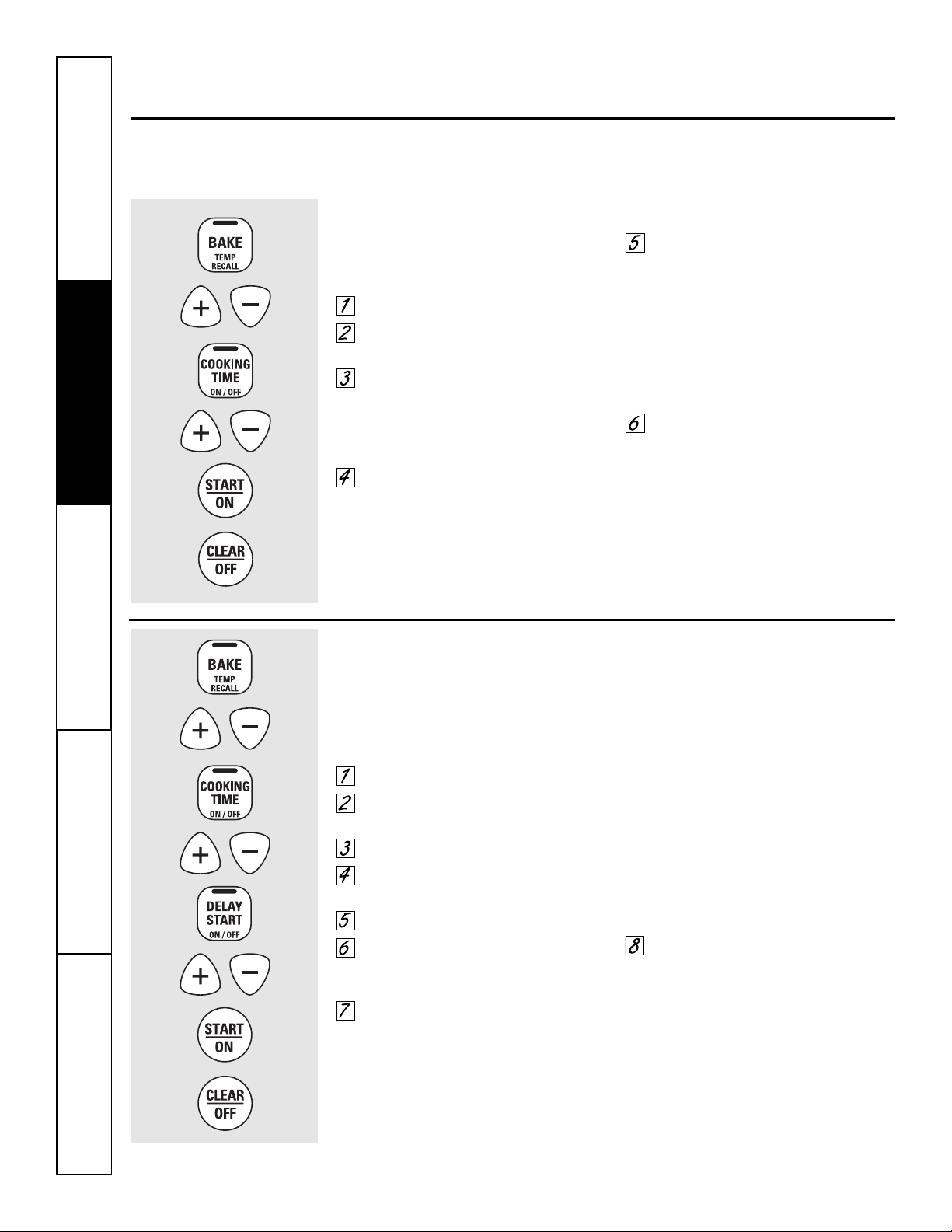
How to Set an Immediate Start and Automatic Stop
The oven will turn on immediately and cook for a
selected length of time. At the end of the cooking
time, the oven will turn off automatically.
Press the BAKE pad.
Press the + or – pads to set the
oven temperature.
Press the COOKING TIME pad.
NOTE: If your recipe requires preheating, you may
need to add additional time to the length of the
cooking time.
Press the + or – pads to set the
baking time.
The cooking time that you entered
will be displayed. (If you select Cooking
Time first and then adjust the Bake
Temperature, the oven temperature
will be displayed instead.)
Press the START/ON pad.
The display shows either the oven
temperature that you set or the cooking
time countdown. (The display starts with
“PrE” if showing the oven temperature.)
The oven will continue to cook for the
programmed amount of time, then turn
off automatically.
Press the CLEAR/OFF pad to clear
the display if necessary.
Remove the food from the oven. Remember, even
though the oven shuts off automatically, foods
continue cooking after controls are off.
How to Set a Delayed Start and Automatic Stop
The oven will turn on at the time of day you set,
cook for a specific length of time and then turn off
automatically.
Make sure the clock shows the correct
time of day.
Press the BAKE pad.
Press the + or – pads to set the
oven temperature.
Press the COOKING TIME pad.
Press the + or – pads to set the
desired length of cooking time.
Press the DELAY START pad.
Press the + or – pads to set the time
of day you want the oven to turn on
and start cooking.
Press the START/ON pad.
NOTE: An attention tone will sound if you are
using timed baking and do not press the
START/ON pad.
NOTE: If you would like to check the times
you have set, press the DELAY START pad
to check the delay start set time you have
set or press the COOKING TIME pad to
check the length of cooking time you
have set.
When the oven turns on at the time of
day you have set, the display will show
“PrE” until it reaches the selected
temperature, then it will display the oven
temperature.
At the end of cooking time, the oven
will turn off and the end-of-cycle tone
will sound.
Press the CLEAR/OFF pad to clear
the display if necessary.
Remove the food from the oven. Remember, even
though the oven shuts off automatically, foods
continue cooking after controls are off.
Safety Instructions Operating Instructions
Care and Cleaning
Troubleshooting Tips Consumer Support
11
Adjust the oven thermostat—Do it yourself! G
EAppliances.com
You may find that your new oven cooks differently than the one it replaced. Use your new oven for a few
weeks to become more familiar with it. If you still think your new oven is too hot or too cold, you can adjust the
thermostat yourself.
Do not use thermometers, such as those found in grocery stores, to check the temperature setting of your
oven. These thermometers may vary 20–40 degrees.
NOTE: This adjustment will only affect baking and roasting temperatures; it does not affect the broiling temperature.
The adjustment will be retained in memory after a power failure.
To Adjust the Thermostat
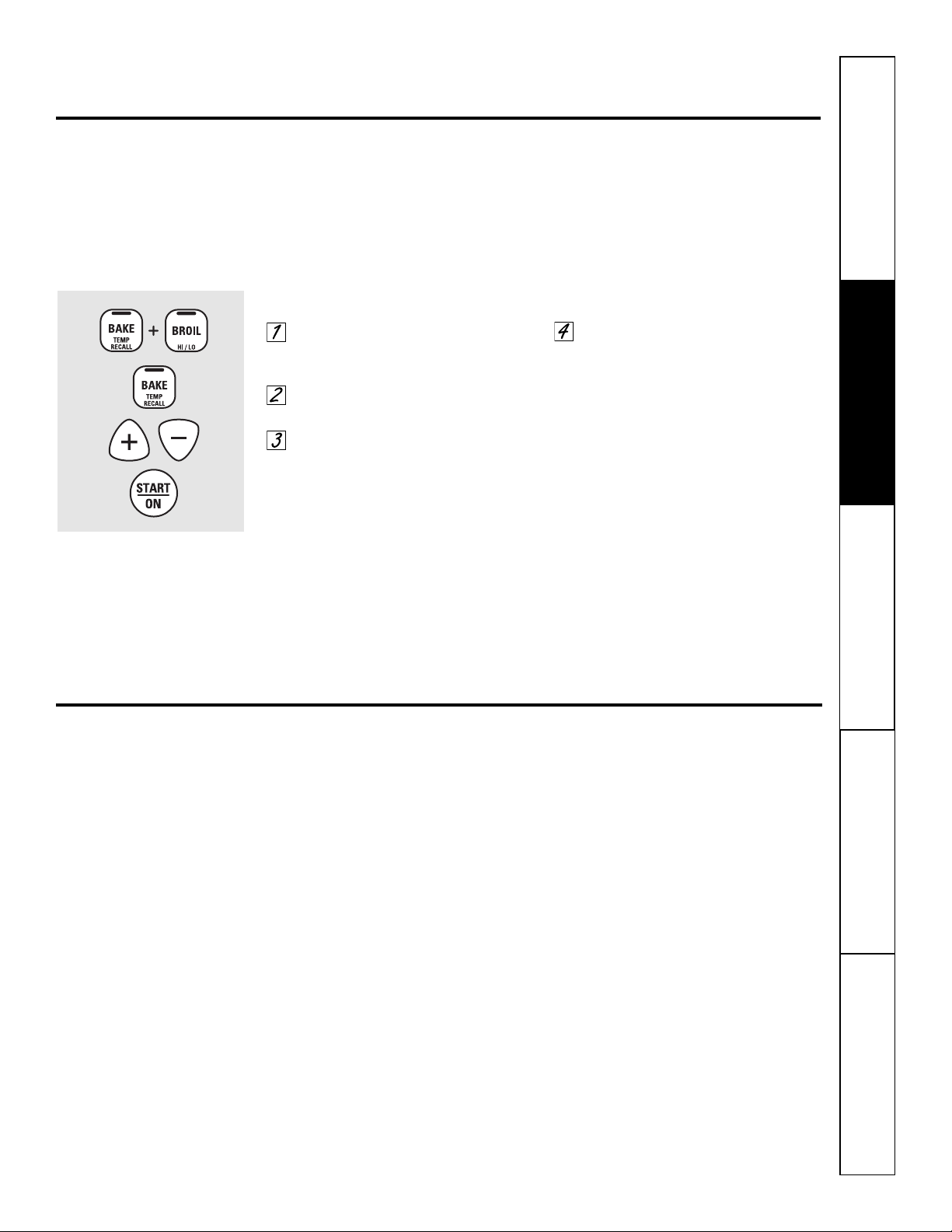
Press the BAKE and BROIL HI/LO
pads at the same time for 3 seconds
until the display shows SF.
Press the BAKE pad. A two-digit
number shows in the display.
The oven temperature can be
adjusted up to (+) 35°F hotter
or (-) 35°F cooler. Tap the + pad
to increase the temperature in
1-degree increments. Tap the – pad
to decrease the temperature in
1-degree increments.
When you have made the
adjustment, press the START/ON pad
to go back to the time of day display.
Use your oven as you would
normally.
The type of margarine will affect baking performance!
Most recipes for baking have been developed using high fat products such as butter or margarine (80% fat). If you
decrease the fat, the recipe may not give the same results as with a higher fat product.
Recipe failure can result if cakes, pies, pastries, cookies or candies are made with low fat spreads. The lower the fat
content of a spread product, the more noticeable these differences become.
Federal standards require products labeled “margarine” to contain at least 80% fat by weight. Low fat spreads, on the
other hand, contain less fat and more water. The high moisture content of these spreads affects the texture and flavor
of baked goods. For best results with your old favorite recipes, use margarine, butter or stick spreads containing at least
70% vegetable oil.
12
Safety InstructionsOperating InstructionsCare and CleaningTroubleshooting TipsConsumer Support
Special features of your oven control.
Your new touch pad control has additional features that you may choose to use. The following are the features and
how you may activate them.
The special feature modes can only be activated while the display is showing the time of day. They remain in the
control’s memory until the steps are repeated.
When the display shows your choice, press the START/ON pad. The special features will remain in memory after
a power failure.
12 Hour Shut-Off
With this feature, should you forget and leave the
oven on, the control will automatically turn off the
oven after 12 hours during baking functions or
after 3 hours during a broil function.
If you wish to turn off this feature, follow
the steps below.
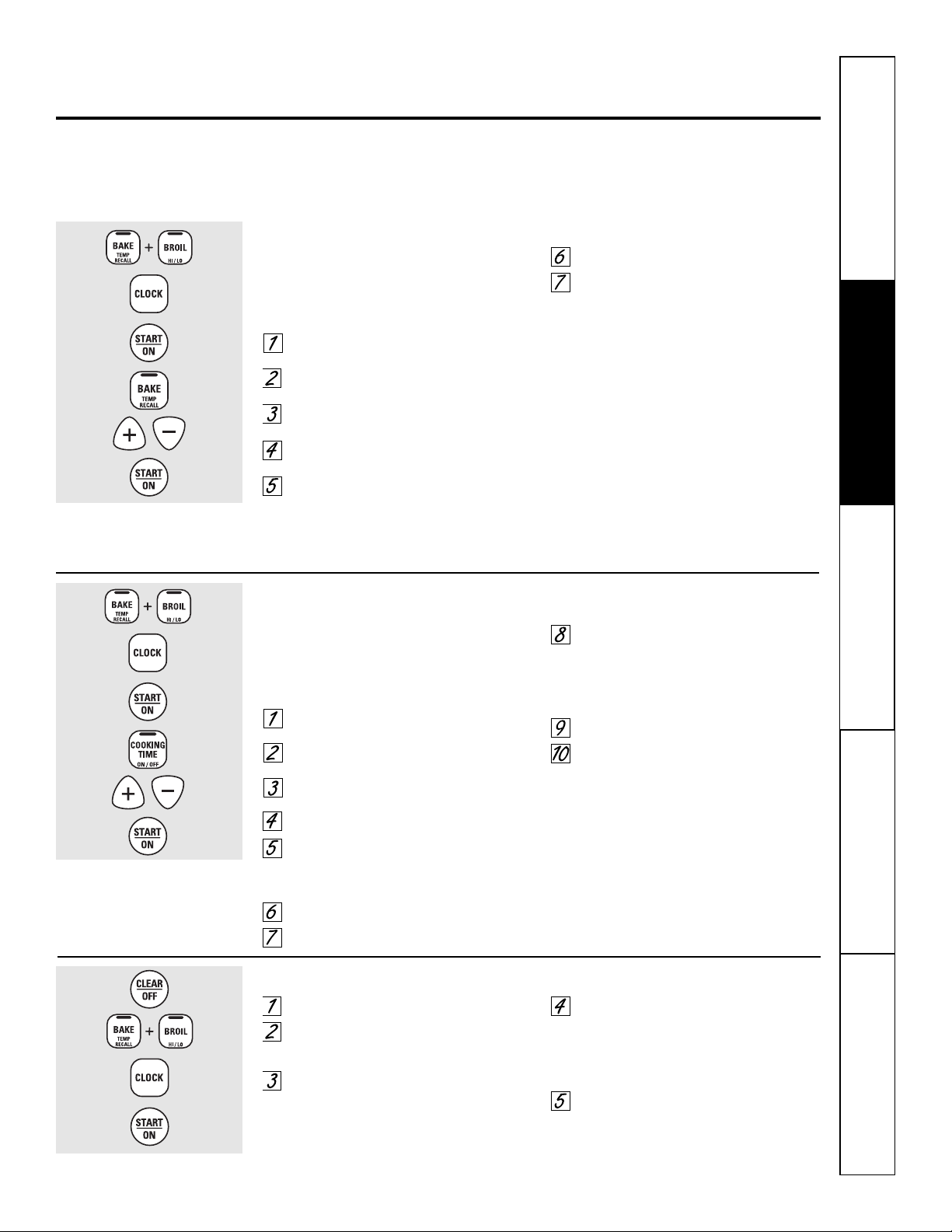
Press the BAKE and BROIL HI/LO
pads at the same time for 3 seconds
until the display shows SF.
Press the CLOCK pad until no shdn
(no shut-off) appears in the display.
Press the START/ON pad to activate
the no shut-off and leave the control
set in this special features mode.
Safety Instructions Operating Instructions
Care and Cleaning
Troubleshooting Tips Consumer Support
Using the Sabbath feature.
(Designed for use on the Jewish Sabbath and Holidays.) (on some models) GEAppliances.com
13
The Sabbath feature can be used for baking/roasting only. It cannot be used for broiling or Delay Start cooking.
NOTE: The oven light comes on automatically (on some models) when the door is opened and goes off when the door
is closed. The bulb may be removed. See the Oven Light Replacement section. On models with a light switch on the
control panel, the oven light may be turned on and left on.
When the display shows ⊃ the oven
is set in Sabbath. When the display
shows ⊃ the oven is
baking/roasting.
⊃
How to Set Sabbath Feature for Timed Baking/Roasting—Immediate Start and
Automatic Stop
NOTE: To understand how the oven control works, practice
using regular (non-Sabbath) Immediate Start and Automatic
Stop before entering the Sabbath mode.
Make sure the clock shows the correct time of day and the
oven is off.
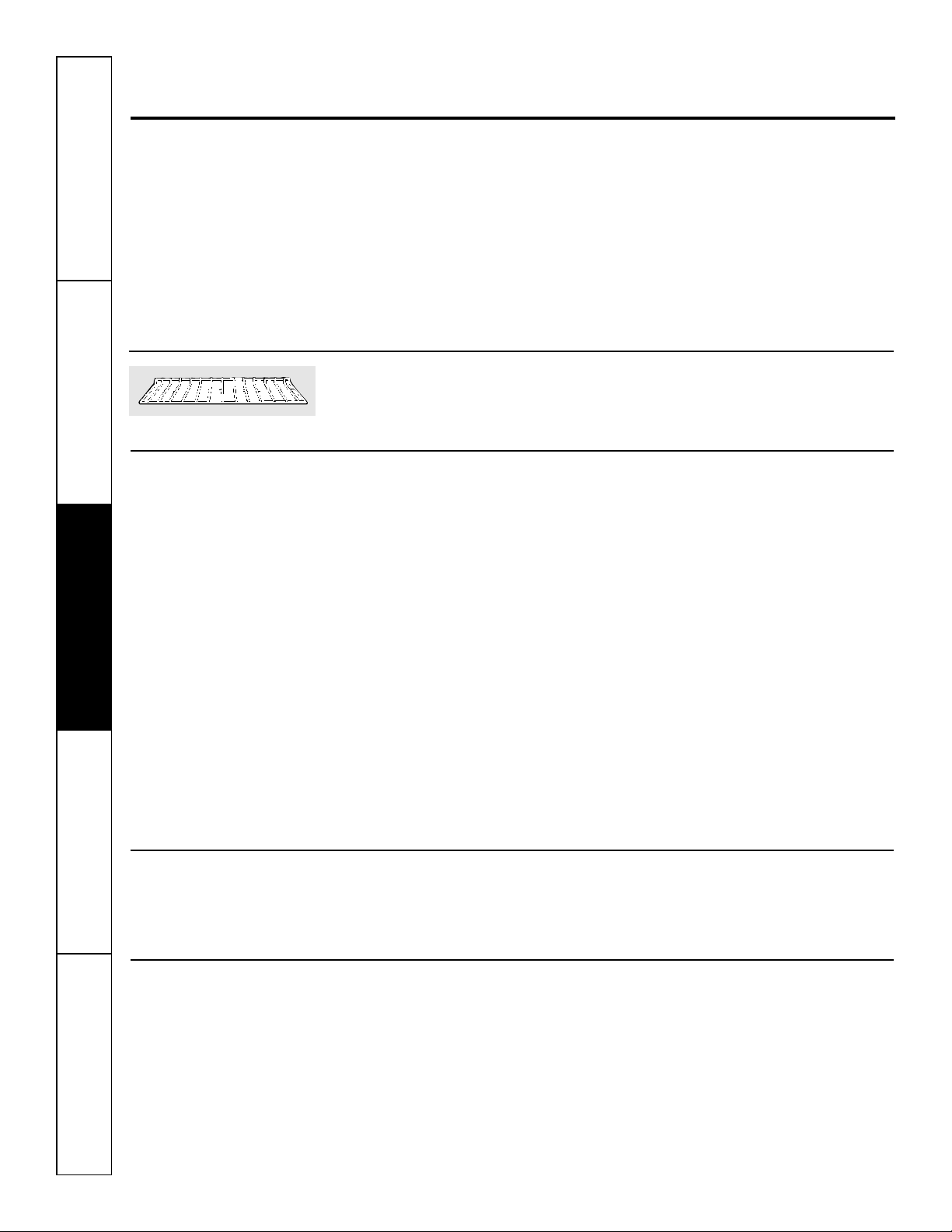
Press and hold both the BAKE and BROIL HI/LO
pads, at thesame time, until the display shows SF.
Tap the CLOCK pad until SAb appears
in the display.
Press the START/ON pad and ⊃ will
appear in the display.
Press the COOKING TIME pad.
Press the + or – pads to set the desired length
of cooking time between 1 minute and 9
hours and 59 minutes. The cooking time
that you entered will be displayed.
Press the START/ON pad.
Press the BAKE pad. No signal will be given.
The preset starting temperature will
automatically be set to 350°. Tap the +
or – pads to increase or decrease the
temperature in 25° increments. The
temperature can be set between 175° and
550°. No signal or temperature will be given.
Press the START/ON pad.
After a random delay period of
approximately 30 seconds to 1 minute,
⊃
will appear in the display indicating that
the oven is baking/roasting. If ⊃ doesn’t
appear in the display, start again at Step 7.
To adjust the oven temperature, press the
BAKE pad and tap the + or – pads to increase
or decrease the temperature in 25° increments.
Press the START/ON pad.
When cooking is finished, the display will change
from ⊃ to ⊃ indicating that the oven has turned
OFF but is still set in Sabbath. Remove the cooked
food.
⊃
⊃
⊃
How to Set Sabbath Feature for Regular Baking/Roasting
NOTE: To understand how the oven control works, practice
using regular baking (non-Sabbath) before entering Sabbath
mode.
Make sure the clock shows the correct time of day and the
oven is off.
Press and hold both the BAKE and BROIL HI/LO
pads, at thesame time, until the display shows SF.
Tap the CLOCK pad until SAb appears
in the display.
Press the START/ON pad and ⊃ will
appear in the display.
Press the BAKE pad. No signal will
be given.
The preset starting temperature will
automatically be set to 350°. Tap the + or –
pads to increase or decrease the temperature
in 25° increments. The temperature can be
set between 175° and 550°. No signal or
temperature will be given.
Press the START/ON pad.
A
fter a random delay period of
approximately 30 seconds to 1 minute, ⊃
will appear in the display indicating that
the oven is baking/roasting. If ⊃ doesn’t
appear in the display, start again at Step 4.
To adjust the oven temperature, press the
BAKE pad and tap the + or – pads to increase
or decrease the temperature in 25° increments.
Press the START/ON pad.
NOTE: The CLEAR/OFF and COOKING TIME pads are
active during the Sabbath feature.
⊃
⊃
When the display shows ⊃ the oven
is set in Sabbath. When the display
shows ⊃ the oven is
baking/roasting.
⊃
How to Exit the Sabbath Feature
Press the CLEAR/OFF pad.
If the oven is cooking, wait for a random
delay period of approximately 30 seconds
to 1 minute, until only ⊃ is in the display.
Press and hold both the BAKE and BROIL
HI/LO pads, at the same time, until the display
shows SF.
Tap the CLOCK pad until ON or OFF appears
in the display. ON indicates that the oven will
automatically turn off after 12 hours. OFF
indicates that the oven will not automatically
turn off. See the Special Features section for
an explanation of the 12-Hour Shutoff feature.
Press the START/ON pad.
NOTE: If a power outage occurred while the oven was in
Sabbath, the oven will automatically turn off and stay off even
when the power returns. The oven control must be reset.
14
Care and cleaning of the oven.
It’s a good idea to wipe the control panel
after each use. Clean with mild soap and
water or vinegar and water, rinse with
clean water and polish dry with a soft
cloth. When cleaning, the control panel
should be at room temperature and not
in direct sunlight.
Do not use abrasive cleansers, strong
liquid cleansers, plastic scouring pads or
oven cleaners on the control panel—they
will damage the finish. A 50/50 solution
of vinegar and hot water works well.
Be sure electrical power is off and all surfaces are cool before cleaning any part of the oven.
How to Remove Protective Shipping Film and Packaging Tape
Carefully grasp a corner of the protective
shipping film with your fingers and slowly
peel it from the appliance surface. Do
not use any sharp items to remove the
film. Remove all of the film before using
the appliance for the first time.
To assure no damage is done to the
finish of the product, the safest way to
remove the adhesive from packaging
tape on new appliances is an application
of a household liquid dishwashing
detergent. Apply with a soft cloth and
allow to soak.
NOTE: The adhesive must be removed from all
parts. It cannot be removed if it is baked on.
Oven Racks
Clean the oven racks with an abrasive
cleanser or steel wool.
After cleaning, rinse the racks with clean
water and dry with a clean cloth.
Porcelain Oven Interior
With proper care, the porcelain enamel
finish on the inside of the oven—top,
bottom, sides, back and inside of the
door—will stay new-looking for years.
Let the oven cool before cleaning. We
recommend that you wear rubber gloves
when cleaning the oven.
Soap and water will normally do the
job. Heavy spattering or spillovers may
require cleaning with a mild abrasive
cleaner. Soap-filled steel wool pads
may also be used.
Household ammonia may make the
cleaning job easier. Place 1/2 cup in a
shallow glass or pottery container in a
cold oven overnight. The ammonia
fumes will help loosen the burned-on
grease and food.
If necessary, you may use an oven cleaner.
Follow the package directions.
■ Do not spray oven cleaner on the electrical
controls and switches because it could cause a
short circuit and result in sparking or fire.
■ Do not allow a film from the cleaner to build up
on the temperature sensor—it could cause the
oven to heat improperly. (The sensor is located
at the top of the oven.) Carefully wipe the
sensor clean after each oven cleaning, being
careful not to move the sensor as a change in
its position could affect how the oven bakes.
■ Do not spray any oven cleaner on the oven
door, handles or any exterior surface of the
oven, cabinets or painted surfaces. The cleaner
can damage these surfaces.
Do not allow food spills with a
high sugar or acid content (such as
tomatoes, sauerkraut, fruit juices
or pie filling) to remain on the
surface. They may cause a dull
spot even after cleaning.
Painted Surfaces
Clean with soap and water or a vinegar and
water solution.
Do not use commercial oven cleaners, cleansing
powders, steel wool or harsh abrasives on any
painted surface.
Control Panel
Safety InstructionsOperating InstructionsCare and CleaningTroubleshooting TipsConsumer Support
GEAppliances.com
15
Safety Instructions Operating Instructions
Care and Cleaning
Troubleshooting Tips Consumer Support
Do not allow food spills with a high
sugar or acid content (such as
tomatoes, sauerkraut, fruit juices or
pie filling) to remain on the surface.
They may cause a dull spot even
after cleaning.
To clean the inside of the door:
■ Soap and water will normally do the
job. Heavy spattering or spillovers may
require cleaning with a mild abrasive
cleaner. Soap-filled steel wool pads may
also be used.
If necessary, you may use an oven cleaner. Follow
the package directions.
Clean the inside of the oven window with a mild
non-scratching cleaner and a damp cloth.
To clean the outside of the door:
■ Use soap and water to thoroughly
clean the top, sides and front of the
oven door. Rinse well. You may also use
a glass cleaner to clean the glass on the
outside of the door. Do not let water
drip into the vent openings.
■ Spillage of marinades, fruit juices,
tomato sauces and basting materials
containing acids may cause
discoloration and should be wiped up
immediately. When surface is cool,
clean and rinse.
■ Do not use oven cleaners, cleaning
powders or harsh abrasives on the
outside of the door.
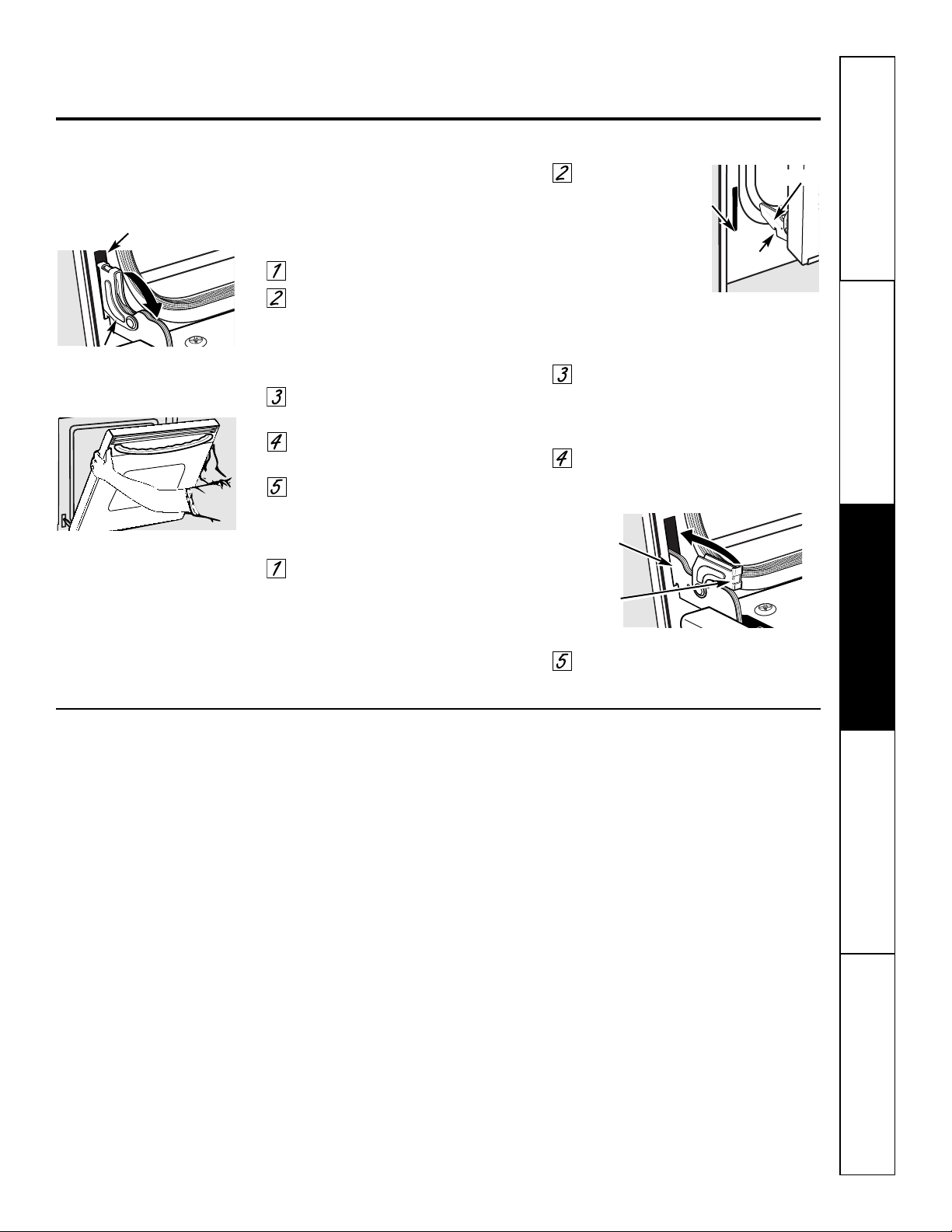
The door is very heavy. Be careful when
removing and lifting the door.
Do not lift the door by the handle.
To remove the door:
Fully open the door.
Pull the hinge locks down toward
the door frame, to the unlocked
position. A tool, such as a small
flat-blade screwdriver, may be
required.
Firmly grasp both sides of the door
at the top.
Close door to the door removal
position (see illustration).
Lift door up and out until the hinge
arm is clear of the slot.
To replace the door:
Firmly grasp both sides of the door
at the top.
With the
door at the
same angle as
t
he removal
position, seat the
indentation of
the hinge arm
into the bottom
edge of the hinge slot. The notch in
the hinge arm must be fully seated
into the bottom of the slot.
Fully open the door. If the door will
not fully open, the indentation is
not seated correctly in the bottom
edge of the slot.
Push the hinge locks up against the
front frame of the oven cavity, to the
locked position.
Close the oven door.
Lift-Off Oven Door
Removal position
Indentation
Bottom
edge
of slot
Hinge lock
Slot
Pull hinge locks down to unlock
Hinge lock
Push hinge locks up to lock
Hinge arm
Hinge
arm
16
Safety InstructionsOperating InstructionsCare and CleaningTroubleshooting TipsConsumer Support
Care and cleaning of the oven.
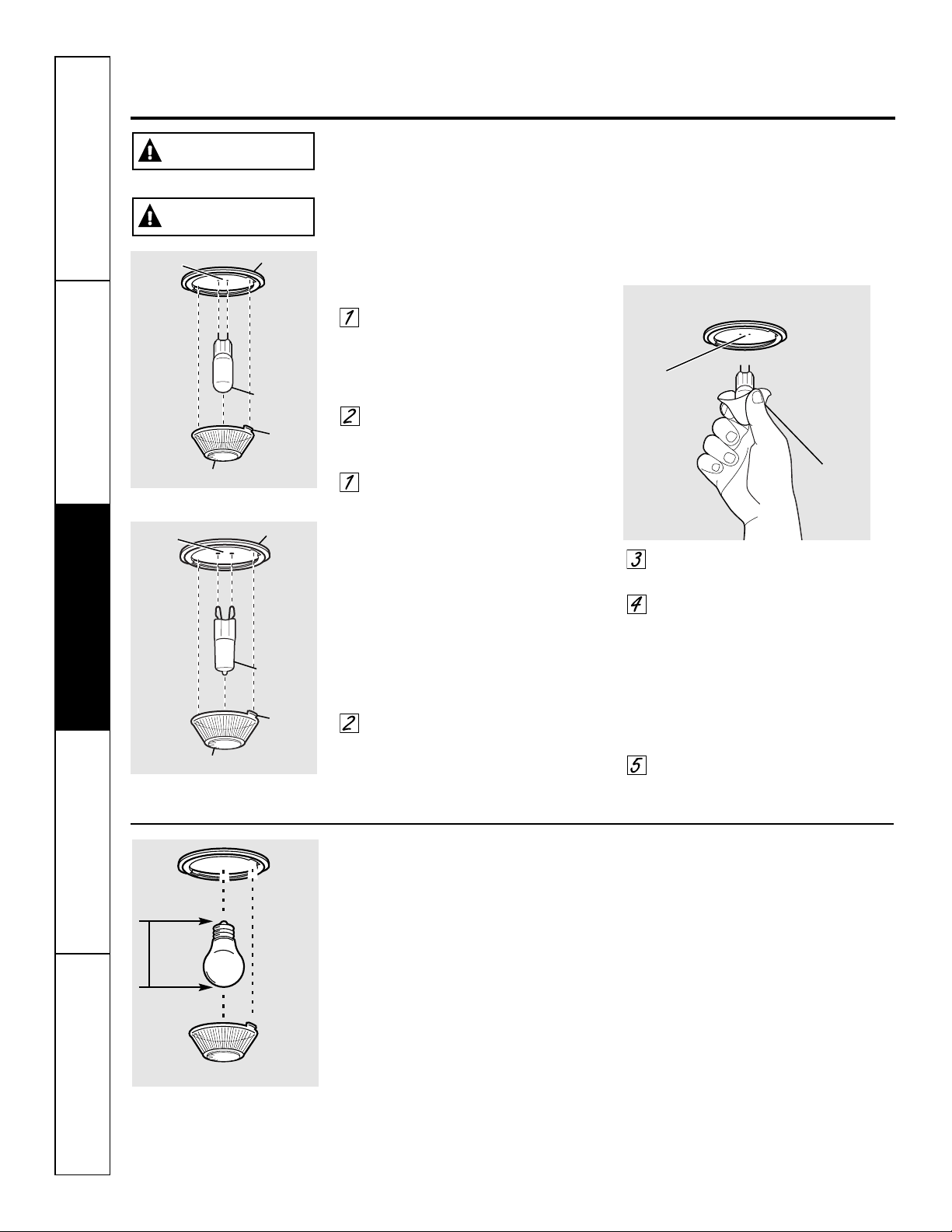
Oven Light Bulb (on some models)
NOTE: The glass cover (on some models) should
be removed only when cold. Wearing latex gloves
may offer a better grip.
Before replacing the bulb, disconnect
electrical power to the oven at the main
fuse or circuit breaker panel. Let the
bulb cool completely before removing it.
For your safety, do not touch a hot bulb
with a damp cloth. If you do, the bulb
will break.
To remove:
Turn the glass cover counterclockwise
1/4 turn until the tabs of the glass cover
clear the grooves of the socket. Remove
the bulb.
To replace:
Put in a new 40-watt appliance bulb.
Place the tabs of the glass cover into the
grooves of the socket. Turn the glass
cover clockwise 1/4 turn.
NOTE:
■ A 40-watt appliance bulb is smaller than a
standard 40-watt household bulb.
■ Install and tighten the cover clockwise.
■ Reconnect electrical power to the oven.
■ For improved lighting inside the oven, clean
the glass cover frequently using a wet cloth.
This should be done when the oven is
completely cool.
Bulb
Socket
Tab
Maximum
length
3
1
⁄2”
Glass cover
Oven Light Replacement
To remove:
Turn the glass cover
counterclockwise 1/4 turn until
the tabs of the glass cover clear the
grooves of the socket. Wearing latex
gloves may offer a better grip.
Using gloves or a dry cloth, remove
the bulb by pulling it straight out.
To replace:
Use a new 120/130-volt halogen
bulb, not to exceed 50 watts.
Replace the bulb with the same
type of bulb that was removed. Your
model will have one of the two types
shown on the left. To determine the
correct replacement bulb, check the
bulb terminals. Bulbs with 2 straight
pin terminals are G6.35 bulbs. Bulbs
with 2 looped terminals are G9
bulbs. (Do not interchange.) Be sure
the replacement bulb is rated 120
volts or 130 volts (NOT 12 volts).
Using gloves or a dry cloth, remove
the bulb from its packaging. Do not
touch the bulb with bare fingers. Oil
from skin will damage the bulb and
shorten its life.
Push the bulb straight into the
receptacle all the way.
Place the tabs of the glass cover into
the grooves of the socket. Turn the
glass cover clockwise 1/4 turn.
For improved lighting inside
the oven, clean the glass cover
frequently using a wet cloth. This
should be done when the oven is
completely cool.
Reconnect electrical power to
the oven.
G6.35 Bulb
Socket
Tab
Glass cover
Receptacle
Use gloves
or cloth
Receptacle
G9 Bulb
Socket
Tab
Glass cover
Receptacle
(on some models)
(on some models)
SHOCK OR BURN HAZARD: Before replacing oven light bulb, disconnect the electrical
power to the oven at the main fuse or circuit breaker panel. Failure to do so may result
in electric shock or burn.
WARNING
BURN HAZARD: The glass cover and bulb should be removed when cool. Touching hot glass
with bare hands or a damp cloth can cause burns.
CAUTION
Before you call for service… G
EAppliances.com
17
Safety Instructions Operating Instructions
Care and Cleaning
Troubleshooting Tips Consumer Support
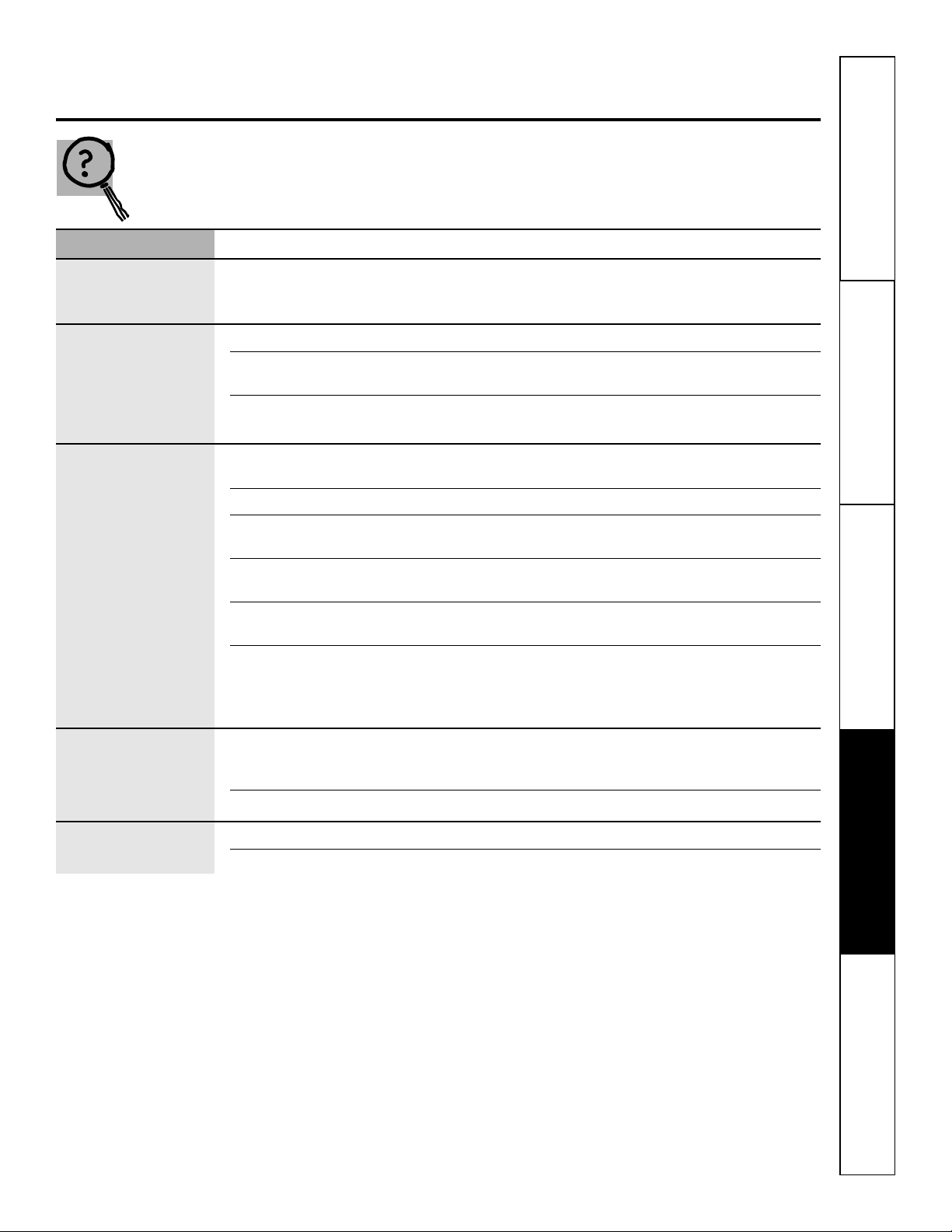
Troubleshooting Tips
Save time and money! Review the charts on the following
pages first and you may not need to call for service.
Problem Possible Causes What To Do
Control signals after You forgot to enter a bake • Press the BAKE pad and desired temperature.
entering cooking time temperature.
or delay start
Food does not bake Oven controls improperly set. • See the Using the oven section.
or roast properly
Rack position is incorrect • See the Using the oven section.
or the rack is not level.
Oven thermostat needs • See the Adjust the oven thermostat—Do it yourself!
adjustment. section.
Food does not Oven door is open. • Close the door. This model is designed for closed door
broil properly broiling only. Always broil with the door closed.
Oven controls improperly set. • Make sure you press the BROIL HI/LO pad.
Improper rack position • See the Broiling Guide.
being used.
Food being cooked • For best results, use a pan designed for broiling.
in a hot pan. Make sure it is cool.
Cookware not suited • For best results, use a pan designed for broiling.
for broiling.
In some areas the power • Preheat the broil element for 10 minutes.
(voltage) may be low.
• Broil for the longest period of time recommended in
the Broiling Guide.
Clock and timer A fuse in your home may be • Replace the fuse or reset the circuit breaker.
do not work blown or the circuit breaker
tripped.
Oven controls improperly set. • See the Using the clock and timer section.
Oven light does Light bulb is loose or defective. • Tighten or replace the bulb.
not work
Pad operating light is broken. • Call for service.
Before you call for service…
18
Safety InstructionsOperating InstructionsCare and CleaningTroubleshooting TipsConsumer Support
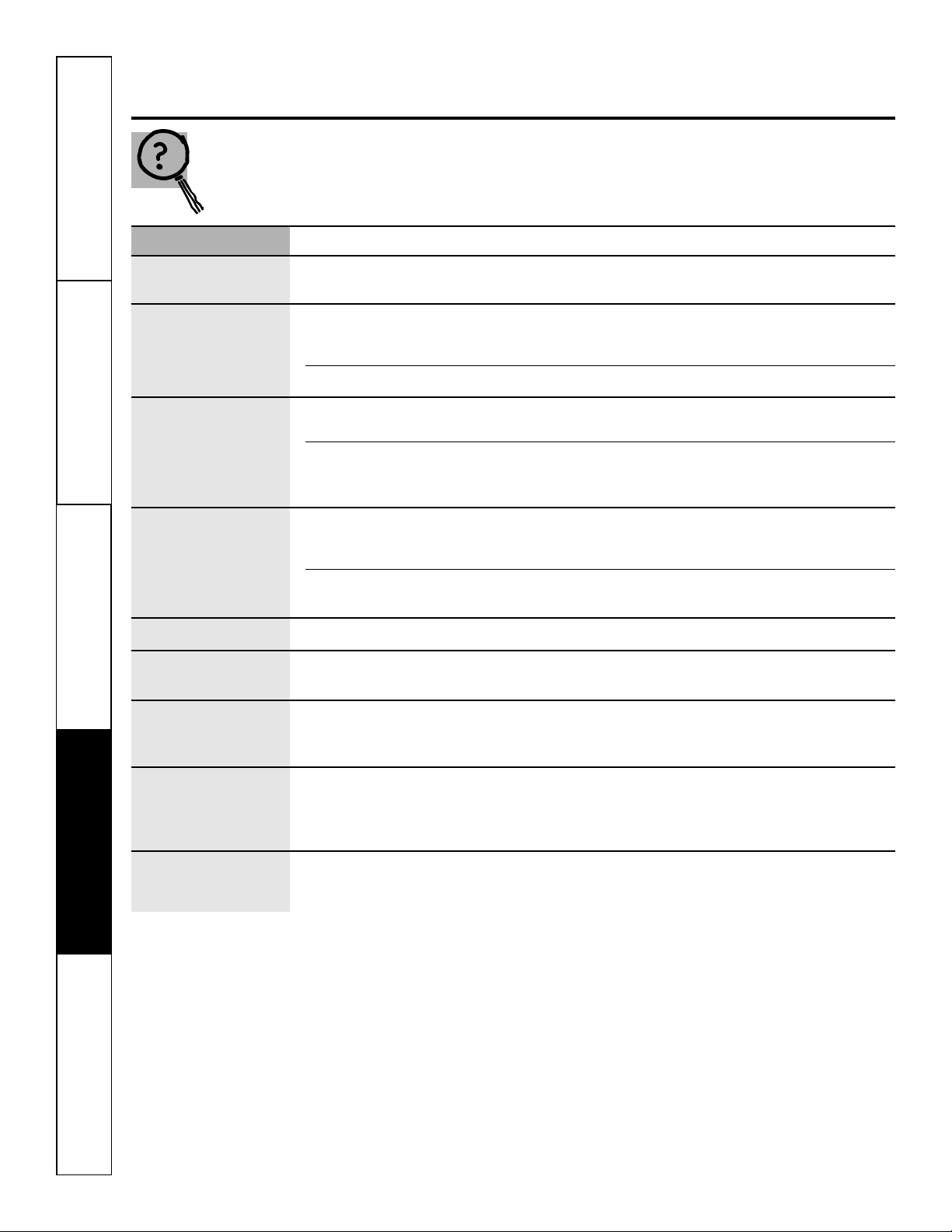
Problem Possible Causes What To Do
Oven temperature too Oven thermostat • See the Adjust the oven thermostat—Do it yourself!
hot or too cold needs adjustment. section.
Oven will not work A fuse in your home may • Replace the fuse or reset the circuit breaker.
be blown or the circuit
breaker tripped.
Oven controls improperly set. • See the Using the oven section.
“F— and a number You have a function • Press the CLEAR/OFF pad. Allow the oven to cool for
or letter” flash error code. one hour. Put the oven back into operation.
in the display
If the function code • Disconnect all power to the oven for at least 30
repeats. seconds and then reconnect power. If the function
error code repeats, call for service.
Display goes blank A fuse in your home may be • Replace the fuse or reset the circuit breaker.
blown or the circuit
breaker tripped.
The clock is in the • See the Special features of your oven control section.
black-out mode.
Display flashes Power failure. • Reset the clock.
Unable to get the Oven control pads were not • The BAKE and BROIL HI/LO pads must be pressed at
display to show “SF” pressed properly. the same time and held for 3 seconds.
Power outage, Power outage or surge. • Reset the clock. If the oven was in use, you must reset
clock flashes it by pressing the CLEAR/OFF pad, setting the clock
and resetting any cooking function.
Strong odor An odor from the insulation • This is temporary.
around the inside of the
oven is normal for the first
few times the oven is used.
Fan noise A cooling fan may • This is normal. The cooling fan will turn on to
automatically turn on. cool internal parts. It may run for up to 2 hours
after the oven is turned off.
Troubleshooting Tips
Accessories. G
EAppliances.com
Looking For Something More?
You can find these accessories and many more at GEAppliances.com (U.S.) or
www.GEAppliances.ca (Canada), or call 800.626.2002 (U.S.) or 800.661.1616
(Canada) (during normal business hours). Have your model number ready.
Experience these other great products to keep your kitchen looking great!
Get the most out of your Broiler Pan! (Not for use with Broiler Drawer models.)
Use your pan and grid cover to broil hamburgers, seafood, steaks, vegetables,
bacon, chops and so much more! The pan below catches the excess fats and oils.
• Genuine GE Part
• Easy To Clean
• One-Year Warranty
Limited Time Offer! Free Shipping!
When you order your broiler pan within 30 days of purchasing your GE cooking product.
Small Large* XL**
U.S. Part # WB48X10055 WB48X10056 WB48X10057
Canada Part # 222D2097G001 222D2097G002 N/A
Dimensions 8-3/4" W x 1-1/4" H x 13-1/2" D 12-3/4" W x 1-1/4" H x 16-1/2" D 17" W x 1-1/4" H x 19-1/4" D
Price US$10.50
†
US$14.50
†
US$16.75
†
† Plus applicable state sales tax (PST/HST and GST)
* The large (standard) broil pan does not fit in 20"/24" ranges.
** The XL pan does not fit in 24" wall ovens, 27" drop-ins or 20"/24" ranges.
To place your order, call 800.626.2002 (U.S.), 800.661.1616 (Canada) or mail this form to:
In the U.S.: GE Parts, P.O. Box 221027, Memphis, TN 38122-1027. In Canada: GE Parts, 1 Factory Lane, Moncton, N.B. E1C 9M3
Broiler Pan Order Form
Quantity ____________________ Part Number ______________________________________________________________
____________________ ______________________________________________________________
____________________ ______________________________________________________________
Model Number ______________ Serial Number____________________ Brand________________ Date of Purchase____________
First Name ____________________________________________ Last Name ______________________________________________
Address __________________________________________________________________________________________________________
City __________________________________________________ State____________ Zip Code ______________________________
Phone ________________________________________________ E-Mail __________________________________________________
Credit Card ____ Check ____ Money Order ____
Visa ____ MasterCard ____ Discover ____ AmEx ____ Credit Card # ____________________________________________
Exp. Date: Month ________________ Year __________________ Signature: ________________________________________
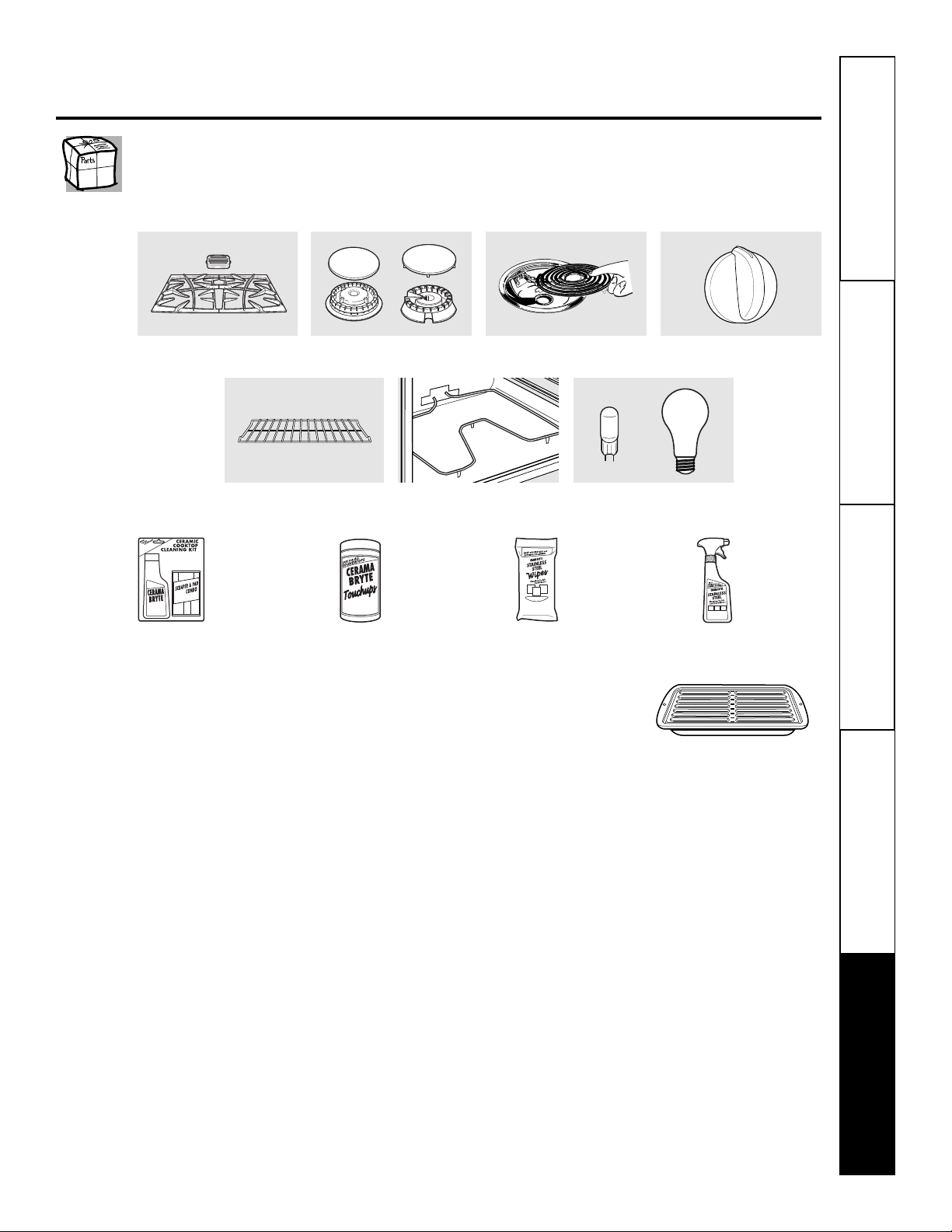
Surface Elements and Drip Pans
Grates Surface Burner Heads and Caps
Oven Elements Light Bulbs
Knobs
Oven Racks
WX10X117GCS
WX10X305
WX10X10001
PM10X311
Ceramic Cooktop
Cleaning Kit:
Includes cleaner,
scraper and pad
Ceramic Cooktop
Cleaning Wipes
Stainless Steel
Appliance Polish
Wipes
Stainless Steel
Appliance
Cleaner
_ _ _ _ _ _ _ _ _ _ _ _ _ _ _ _ _ _ _ _ _ _ _ _ _ _ _ _ _ _ _ _ _ _ _ _ _ _ _ _ _ _ _
✁
or
Safety Instructions Operating Instructions
Care and Cleaning
Troubleshooting Tips Consumer Support
19

20
Safety InstructionsOperating InstructionsCare and CleaningTroubleshooting TipsConsumer Support
Notes.
21
Safety Instructions Operating Instructions
Care and Cleaning
Troubleshooting Tips Consumer Support
GE Built-In Electric Oven Warranty.
For The Period Of: GE Will Replace:
One Year Any part of the oven which fails due to a defect in materials or workmanship.
From the date of the During this limited one-year warranty, GE will also provide, free of charge, all labor
original purchase and in-home service to replace the defective part.
■ Service trips to your home to teach you how to
use the product.
■ Improper installation, delivery or maintenance.
■ Failure of the product if it is abused, misused,
or used for other than the intended purpose
or used commercially.
■ Replacement of house fuses or resetting of circuit
breakers.
■ Damage to the product caused by accident, fire, floods
or acts of God.
■ Incidental or consequential damage caused by possible
defects with this appliance.
■ Damage caused after delivery.
■ Product not accessible to provide required service.
What GE Will Not Cover:
This warranty is extended to the original purchaser and any succeeding owner for products purchased for
home use within the USA. If the product is located in an area where service by a GE Authorized Servicer is not
available, you may be responsible for a trip charge or you may be required to bring the product to an Authorized GE
Service location for service. In Alaska, the warranty excludes the cost of shipping or service calls to your home.
Some states do not allow the exclusion or limitation of incidental or consequential damages. This warranty
gives you specific legal rights, and you may also have other rights which vary from state to state. To know
what your legal rights are, consult your local or state consumer affairs office or your state’s Attorney General.
Warrantor: General Electric Company. Louisville, KY 40225
All warranty service provided by our Factory Service Centers, or
an authorized Customer Care
®
technician. To schedule service,
visit us on-line at GEAppliances.com, or call 800.GE.CARES
(800.432.2737). Please have serial number and model number
available when calling for service.
Staple your receipt here.
P
roof of the original purchase
date is needed to obtain service
under the warranty.
EXCLUSION OF IMPLIED WARRANTIES—Your sole and exclusive remedy is product repair as provided in this Limited
Warranty. Any implied warranties, including the implied warranties of merchantability or fitness for a particular purpose,
are limited to one year or the shortest period allowed by law.
Consumer Support.
Register Your Appliance
GEAppliances.com
Register your new appliance on-line—at your convenience! Timely product registration will allow for
enhanced communication and prompt service under the terms of your warranty, should the need arise.
You may also mail in the pre-printed registration card included in the packing material.
Printed in the United States
GE Appliances Website GEAppliances.com
Have a question or need assistance with your appliance? Try the GE Appliances Website 24 hours a day,
any day of the year! For greater convenience and faster service, you can now download Owner’s Manuals,
order parts or even schedule service on-line.
Schedule Service GEAppliances.com
Expert GE repair service is only one step away from your door. Get on-line and schedule your service at
your convenience any day of the year! Or call 800.GE.CARES (800.432.2737) during normal business hours.
Real Life Design Studio GEAppliances.com
GE supports the Universal Design concept—products, services and environments that can be used by
people of all ages, sizes and capabilities. We recognize the need to design for a wide range of physical and
mental abilities and impairments. For details of GE’s Universal Design applications, including kitchen
design ideas for people with disabilities, check out our Website today. For the hearing impaired, please call
800.TDD.GEAC (800.833.4322).
Extended Warranties GEAppliances.com
Purchase a GE extended warranty and learn about special discounts that are available while your warranty
is still in effect. You can purchase it on-line anytime, or call 800.626.2224 during normal business hours.
GE Consumer Home Services will still be there after your warranty expires.
Parts and Accessories GEAppliances.com
Individuals qualified to service their own appliances can have parts or accessories sent directly to their
homes (VISA, MasterCard and Discover cards are accepted). Order on-line today, 24 hours every day or by
phone at 800.626.2002 during normal business hours.
Instructions contained in this manual cover procedures to be performed by any user. Other servicing generally
should be referred to qualified service personnel. Caution must be exercised, since improper servicing may cause
unsafe operation.
Contact Us GEAppliances.com
If you are not satisfied with the service you receive from GE, contact us on our Website with all the details
including your phone number, or write to: General Manager, Customer Relations
GE Appliances, Appliance Park
Louisville, KY 40225

GEAppliances.com
49-80593 06-09 JR
JKS10–Horno simple de pared de 27″
JTS10–Horno simple de pared de 30 ″
Manual del propietario
Instrucciones de seguridad . . . . . . . .2–4
Instrucciones de operación
Asado y horneado cronometrado . . . . . .10
Controles . . . . . . . . . . . . . . . . . . . . . . . .5, 6
Funciones especiales . . . . . . . . . . . . . . . .12
Horno . . . . . . . . . . . . . . . . . . . . . . . . . . .7, 8
Modo Sabbath . . . . . . . . . . . . . . . . . . . . .13
Reloj y temporizador . . . . . . . . . . . . . . . . .9
Termostato . . . . . . . . . . . . . . . . . . . . . . . .11
Cuidado y limpieza
Bombilla . . . . . . . . . . . . . . . . . . . . . . . . .16
Cinta de empaque . . . . . . . . . . . . . . . . .14
Panel de control . . . . . . . . . . . . . . . . . . .14
Parrillas . . . . . . . . . . . . . . . . . . . . . . . . . .14
Puerta del horno de levantar . . . . . . . . .15
Interior del horno de cerámica . . . . . . .14
Superficies pintadas . . . . . . . . . . . . . . . .14
Consejos para resolución
de problemas . . . . . . . . . . . . . . . . . .17, 18
Accesorios . . . . . . . . . . . . . . . . . . . . . . . .19
Soporte al consumidor
Garantía . . . . . . . . . . . . . . . . . . . . . . . . . .21
Soporte al consumidor . . . . . . . . . . . . . .22
Escriba los números de modelo y
serie aquí:
Nº de modelo ________________
Nº de serie __________________
Los puede encontrar en una
etiqueta en la moldura lateral o
en la parte delantera del horno
detrás de la puerta del horno.
Horno empotrado
eléctrico
2
■ Use este aparato únicamente para
los fines descritos en este Manual
del propietario.
■ Asegúrese de que su aparato sea instalado
y conectado a tierra correctamente por
un técnico calificado, de acuerdo con
las instrucciones de instalación
suministradas.
■ No intente reparar o reemplazar ninguna
parte de su horno a menos que este
manual lo recomiende de manera
específica. Todos los demás servicios
de mantenimiento deberán derivarse
a un técnico calificado.
■ Pida al instalador que le muestre
la ubicación del cortacircuitos o fusible.
Márquelo para una referencia fácil.
■ Antes de realizar cualquier servicio de
mantenimiento, desconecte el suministro
de energía del horno en el panel de
distribución doméstico quitando el fusible
o apagando el cortacircuitos.
■ No deje a los niños sin supervisión;
los niños no deben estar solos o sin
supervisión en un área en la que
un aparato está en uso. No se les
debe permitir sentarse o pararse sobre
ninguna de las partes del aparato.
■ No deje que nadie se suba, se pare o
se cuelgue de la puerta. Podrían dañar
el horno o sufrir lesiones personales
graves.
Cuando se utilizan aparatos eléctricos, se deben seguir las precauciones de seguridad básicas,
incluyendo las siguientes:
PRECAUCIONES DE SEGURIDAD
SeguridadOperaciónCuidado y limpiezaSolucionar problemasSoporte al consumidor
INFORMACIÓN IMPORTANTE DE SEGURIDAD.
LEA TODAS LAS INSTRUCCIONES ANTES DE USAR.
¡ADVERTENCIA!
Si no se sigue exactamente la información de este manual, puede ocurrir un incendio,
una explosión o un cortocircuito que podría causar daños a la propiedad, lesiones personales
o la muerte.
3
■ Asegúrese de que el horno esté instalado
correctamente en un armario que esté
bien sujeto a la estructura de la casa.
Nunca permita que alguien se trepe,
se siente, se pare o se cuelgue de la
puerta del horno.
■ Nunca deje la puerta del horno abierta
cuando no esté observándolo.
■ Siempre mantenga tapices, cortinas o
paños que puedan prenderse fuego a
una distancia segura del horno.
■ Siempre mantenga los paños de cocina,
repasadores, guantes para cacerolas y
todo tipo de tela a una distancia segura
de su horno.
■ Siempre mantenga los utensilios de
madera y plástico, así como alimentos
enlatados, a una distancia segura de su
horno.
■ Enseñe a los niños que no deben jugar
con los controles ni con ninguna otra
parte del artefacto.
■ Los rayones o impactos severos sobre
las puertas de vidrio podrían romper
o astillar el vidrio.
■ No guarde materiales inflamables en
un horno.
■
PRECAUCIÓN:
Los artículos de interés para los niños
no deben guardarse en armarios arriba
de un horno; ya que los niños podrían
sufrir lesiones graves al intentar treparse
sobre él para alcanzar los objetos.
■ Nunca use vestimenta floja o que cuelgue
mientras hace uso del aparato. Tenga
cuidado al intentar alcanzar artículos
guardados en armarios sobre el horno.
Los materiales inflamables podrían
encenderse si entran en contacto con
superficies calientes o elementos
calefactores y podrían provocar
quemaduras graves.
■ Use únicamente guantes para cacerolas
que estén secos; los guantes húmedos
o mojados sobre superficies calientes
podrían causar quemaduras debido
al vapor. No permita que los guantes
entren en contacto con los elementos
calefactores calientes. No use una toalla
u otro tipo de tela voluminosa.
■ Por su seguridad, nunca use su aparato
para calentar la habitación.
■ No permita que la grasa de la cocción u
otros materiales inflamables se acumulen
dentro o cerca del horno.
■ No use agua para apagar incendios
con grasa. Nunca tome una cacerola que
se esté quemando. Apague los controles.
Las llamas en el horno pueden apagarse
por completo al cerrar la puerta del
horno y apagarlo o al utilizar un
producto químico multiuso seco
o un extintor de tipo espuma.
■ No guarde ni use materiales
combustibles, gasolina u otros líquidos y
vapores inflamables cerca de este aparato
ni ningún otro.
GEAppliances.com
PRECAUCIONES DE SEGURIDAD
Seguridad Operación
Cuidado y limpieza
Solucionar problemas Soporte al consumidor
4
SeguridadOperaciónCuidado y limpiezaSolucionar problemasSoporte al consumidor
Cueza la carne roja y de ave por completo: la carne roja a una temperatura INTERNA de al menos 160 °F y la de
ave a una temperatura INTERNA de al menos 180 °F. La cocción a estas temperaturas ofrece protección contra
enfermedades de transmisión por alimentos.
CUEZA LAS CARNES Y EL POLLO COMPLETAMENTE…
INFORMACIÓN IMPORTANTE DE SEGURIDAD.
LEA TODAS LAS INSTRUCCIONES ANTES DE USAR.
LEA Y SIGA ESTA INFORMACIÓN DE SEGURIDAD
CUIDADOSAMENTE.
GUARDE ESTAS INSTRUCCIONES
■ No toque los elementos calefactores
ni la superficie interna del horno. Estas
superficies podrían estar lo suficientemente
calientes como para quemar aún si están
oscuras. Durante el uso y luego de éste,
no toque ni permita que las prendas u otros
materiales inflamables entren en contacto
con ningún área interna del horno;
deje que se enfríe primero.
■ Las superficies que pueden estar calientes
incluyen: orificios de ventilación del horno,
superficies cercanas a los orificios, grietas
alrededor de la puerta del horno, los bordes de
la ventana y los ribetes metálicos sobre la puerta.
RECUERDE: La superficie interna del horno
puede estar caliente al abrir la puerta.
■ Nunca coloque utensilios de cocina ni otros
elementos en el piso del horno. Debajo del piso
del horno hay un elemento calefactor. Si coloca
elementos sobre el piso del horno, éste podría
sobrecalentarse y dañarse al igual que
los armarios.
■ Aléjese del horno cuando abra la puerta.
El aire o vapor caliente que sale puede causar
quemaduras en las manos, la cara y los ojos.
■ No caliente recipientes de alimentos sin abrir.
La presión podría acumularse y el recipiente
podría explotar y provocar una lesión.
■ Mantenga libre la ventilación del horno.
■ No permita que se acumule grasa en el horno.
■ Coloque la parrilla del horno en la posición
que desee mientras el horno esté frío. Si es
necesario manipular las parrillas cuando están
calientes, no permita que los guantes para
cacerolas entren en contacto con los elementos
calefactores.
■ Cuando utilice bolsas para cocinar o asar en
el horno, siga las indicaciones del fabricante.
■ Sacar la parrilla hasta el tope resulta útil
para levantar comidas pesadas. También es
una precaución para evitar quemarse al tocar
las superficies calientes de la puerta o
las paredes del horno.
■ No utilice el horno para secar periódicos.
Si se sobrecalientan, pueden incendiarse.
■ No utilice el horno como área de
almacenamiento. Los elementos almacenados
en un horno pueden incendiarse.
■ No deje objetos hechos de papel, utensilios
de cocina o alimentos en el horno mientras
no esté en uso.
■ Luego de asar a la parrilla, siempre retire
una asadera del horno y límpiela. La grasa que
quede en una asadera puede incendiarse
la próxima vez que utilice la bandeja.
■ Nunca deje frascos o latas con grasa de carne
asada dentro o cerca de su horno.
■ Únicamente limpie las partes enlistadas en
este Manual del propietario.
■ No utilice papel de aluminio para revestir
la parte inferior del horno, a excepción de
lo sugerido en este manual. La instalación
incorrecta del papel de aluminio puede
provocar un riesgo de descarga eléctrica
o incendio.
PRECAUCIONES DE SEGURIDAD
¡ADVERTENCIA!
5
Uso de los controles del horno. G
EAppliances.com
A lo largo de este manual, las características y apariencia pueden variar con los de su modelo.
Seguridad Operación
Cuidado y limpieza
Solucionar problemas Soporte al consumidor
Control del horno, características y configuraciones del reloj
(Clock) y del temporizador (Timer)
Botón BAKE/TEMP RECALL (Horneado/memoria
temperatura)
Presione para seleccionar la función horneado.
Luz BAKE (hornear)
Destella mientras se halla en el modo de edición;
usted puede cambiar la temperatura del horno
en este punto. Resplandece cuando el horno
se halla en el modo hornear.
Botón START/ON (inicio/encender)
Debe presionarse para iniciar cualquier función
de cocción.
Pantalla
Muestra la hora del día, la temperatura del horno, si
el horno está en el modo de horneado o de asar a la
parrilla y las horas establecidas para el temporizador
o las operaciones automáticas del horno. La pantalla
mostrará “PrE” mientras realiza el precalentamiento.
Cuando el horno alcanza la temperatura
seleccionada, el control del horno emitirá un pitido
y la pantalla mostrará la temperatura del horno.
Si una "F–" y un número o letra parpadean en la pantalla
y las señales de control del horno, esto indica un código de error
de la función. Presione el botón CLEAR/OFF. Permita que el horno
se enfríe durante una hora. Ponga el horno nuevamente en operación.
Si el código de error de la función se repite, desconecte el cable de
corriente del horno y comuníquese con el servicio de mantenimiento.
Si su horno fue configurado para una operación cronometrada
del horno y se presentó una interrupción en el fluido eléctrico,
el reloj y todas las funciones programadas deben restablecerse.
La hora del día (puede ser incorrecta) parpadeará en la pantalla
cuando se haya presentado una interrupción en el fluido
eléctrico. Reconfigure el reloj.
Botón KITCHEN TIMER ON/OFF
(temporizador de cocina encender/apagar)
Presione para seleccionar la característica del
temporizador. Luego presione los botones + y – para
ajustar el tiempo.
Luz TIMER (temporizador)
Destella mientras se halla en el modo de edición;
usted puede cambiar el tiempo configurado en
este punto. Resplandece cuando se ha activado
el temporizador. Destella de nuevo cuando
se ha acabado el tiempo hasta que se reconfigure
el control.
Botón CLOCK (reloj)
Para configurar el reloj, presione este botón dos
veces y luego presione los botones + y –. La hora
destellará en la pantalla cuando se enciende
el horno.
Botón DELAY START (inicio postergado)
Utilice junto con el botón COOKING TIME para
configurar el horno para que inicie y se detenga
automáticamente en el momento que usted
programe.
Luz DELAY START Time (tiempo de inicio retardado)
Destella mientras se halla en el modo de edición;
usted puede cambiar el tiempo configurado de inicio
retardado en este punto. Resplandece cuando
se ha activado la función.
Botón COOKING TIME (tiempo de cocción)
Presione este botón y luego presione el botón
+ o – para ajustar la cantidad de tiempo que desea
cocinar su comida. El horno se apagará
automáticamente cuando se haya agotado
el tiempo de cocción.
Luz COOKING TIME (tiempo de cocción)
Destella mientras se halla en el modo de edición;
usted puede cambiar el tiempo configurado
en este punto. Resplandece cuando se ha activado
la función. Destella de nuevo cuando se ha acabado
el tiempo hasta que se reconfigure el control.
6
SeguridadOperaciónCuidado y limpiezaSolucionar problemasSoporte al consumidor
Uso de los controles del horno.
Control del horno, características y configuraciones del reloj
(Clock) y del temporizador (Timer)
Luz AUTOMATIC OVEN (horno automático)
Esta luz se enciende en cualquier momento
en que se ha programado el horno utilizando
las funciones COOKING TIME (tiempo de cocción)
o DELAY START (inicio retardado).
Botón –
Al presionar brevemente este botón se reducirá
el tiempo o la temperatura en pequeñas unidades.
Presione y sostenga el botón para reducir el tiempo
o la temperatura en unidades más grandes.
Botón +
Al presionar brevemente este botón se aumentará
el tiempo o la temperatura en pequeñas unidades.
Presione y sostenga el botón para aumentar
el tiempo o la temperatura en unidades más grandes.
Botón CLEAR/OFF
Presione para cancelar TODAS las operaciones
del horno excepto el reloj y el temporizador.
Botón BROIL HI/LO (asar a la parrilla Alto/Bajo)
Presione para seleccionar la función asar
a la parrilla.
Luz BROIL (asar) (en algunos modelos)
Destella mientras se halla en el modo de edición;
usted puede cambiar de HI a LO BROIL (asar alto a
bajo) en este punto. Resplandece cuando el horno
se halla en el modo asar.
Luces indicadoras (en algunos botones)
El modo EDIT (edición) dura varios segundos
después de haber presionado el último botón.
Los botones DELAY START ON/OFF (inicio retardado
encendido/apagado) y COOKING TIME ON/OFF
(tiempo de cocción encendido/apagado) serán
los únicos botones encendidos si se selecciona
cualquiera de estas dos opciones. (Ejemplo: DELAY
START (inicio retardado) se selecciona con BAKE
(hornear); el botón DELAY START permanecerá
encendido hasta que el reloj alcance el tiempo
programado, en cuyo momento se apagará y se
encenderá la luz del botón BAKE/TEMP RECALL
(hornear/memoria temperatura).
Corte de energía
Si puede verse una hora destellando en la
pantalla, se ha experimentado un corte de
energía. Reconfigure el reloj.
Para reconfigurar el reloj, presione
el botón CLOCK (reloj). Ingrese la hora
correcta presionando el botón + o –.
Presione el botón START/ON
(iniciar/encendido).
Seguridad Operación
Cuidado y limpieza
Solucionar problemas Soporte al consumidor
La cantidad de posiciones de
las parrillas varía por el modelo.
Puede utilizarse el papel aluminio para atrapar derrames.
Nunca cubra por completo una parrilla con
papel aluminio. Esto obstruirá la circulación
del calor y obtendrá un asado deficiente.
Puede utilizarse una pequeña hoja de papel
aluminio para atrapar derrames colocándola
en uno de las parrillas inferiores varias
pulgadas por debajo del alimento.
Para prevenir posibles quemaduras, coloque las parrillas en la posición deseada antes de encender el horno.
Antes de comenzar…
L
as parrillas tienen cierres de tope,
de forma tal que cuando se encuentren
colocados correctamente en los soportes,
se detendrán antes de salir completamente
y no se inclinarán.
Cuando se encuentre colocando o quitando
utensilios de cocina, tire de la parrilla hacia
afuera hasta la protuberancia en el apoyo
de la parrilla.
Para quitar una parrilla, tírela hacia usted,
incline el frente hacia arriba y tire la parrilla
hacia afuera.
P
ara reemplazar, coloque el extremo
de la parrilla (topes de cierre) en el apoyo,
incline el frente y empuje de la parrilla hacia
adentro.
PRECAUCIÓN:
nunca coloque los utensilios de cocina ni otros
artículos sobre el piso del horno. Existe un elemento
de calentamiento debajo del piso del horno. Colocar
artículos sobre el piso del horno puede causar que el
horno se sobrecaliente, resultando en daños para el
horno y el riesgo de daños o incendio en los gabinetes.
Precalentamiento y ubicación de la cacerola
Precaliente el horno si la receta así lo
indica. El precalentamiento es necesario para
obtener buenos resultados cuando hornee
tortas, dulces, pastelitos y panes.
La pantalla mostrará “PrE” mientras realiza el
precalentamiento. Cuando el horno alcanza la
temperatura seleccionada, el control del horno emitirá
un pitido y la pantalla mostrará la temperatura
del horno.
Si va a hornear cuatro capas de
pastel al mismo tiempo, coloque
dos capas en la bandeja C y dos
capas en la bandeja E. Distribuya
los recipientes de modo que
no queden directamente
uno encima del otro.
Los resultados del horneado son mejores
si la comida es centrada en el horno tanto
como sea posible. El pastel “Angel Food”
es la excepción y debe colocarse en la bandeja
inferior del horno (posición A). Siga las
instrucciones del paquete de alimentos
preempaquetados o congelados para la
ubicación de los recipientes. Las sartenes
no se deben tocar entre sí ni deben tocar
las paredes del horno. Si necesita usar dos
parrillas, coloquelas sartenes de forma que
una no quede inmediatamente encima de
la otra. Deje aproximadamente 1
1
⁄2″ entre
cada sartén y desde el frente, desde atrás y
desde los costados del horno.
Papel aluminio
Uso del horno. G
EAppliances.com
7
Cómo configurar el horno para hornear o asar
Presione el botón BAKE.
Presione los botones + o – hasta
la temperatura deseada se visualiza.
Presione el botón START/ON.
El horno se iniciará automáticamente.
La pantalla mostrará “PrE” mientras realiza el
precalentamiento. Cuando el horno alcanza
la temperatura seleccionada, el control del
horno emitirá varios pitidos y la pantalla
mostrará la temperatura del horno.
Para cambiar la temperatura del horno durante el ciclo
BAKE (hornear), presione el botón BAKE y luego los
botones + o – para configurar la nueva temperatura.
Revise los alimentos para el punto de
cocción al mínimo tiempo en la receta.
Cocine durante más tiempo si es
necesario.
Presione el botón CLEAR/OFF
(borrar/apagado) cuando se haya
finalizado el horneado y luego quite
los alimentos del horno.
No coloque alimentos directamente
sobre el piso del horno.
8
SeguridadOperaciónCuidado y limpiezaSolucionar problemasSoporte al consumidor
Uso del horno.
Cómo configurar el horno para asar a la parrilla
Cierre la puerta. Siempre ase a la parrilla con
la puerta cerrada.
Coloque la carne o el pescado sobre
una rejilla para asar en una bandeja para
asar.
Siga las posiciones en la parrilla
sugeridas en la Guía para asar a la parrilla.
Si su horno está conectado a 208 voltios, los filetes
poco cocidos pueden asarse a la parrilla precalentando
la parrilla y posicionando la parrilla del horno en
una posición más alta.
Presione el botón BROIL HI/LO una vez
para Asar a la parrilla HI (Alto).
Para cambiar a Asar a la parrilla LO
(Bajo), presione el botón BROIL HI/LO
nuevamente.
Presione el botón START/ON.
Cuando el asado a la parrilla
esté terminado, presione el botón
CLEAR/OFF.
Cierre la puerta. Siempre ase
a la parrilla con la puerta cerrada.
Guía para asar a la parrilla
El tamaño, peso, grosor,
temperatura inicial y su preferencia
sobre el punto de cocción de
los alimentos afectarán los tiempos
de cocción. Esta guía está basada
en carnes a temperatura de
refrigerador.
†
El Departamento de Agricultura de
EE.UU. indica que: “la carne a poco
cocida es popular, pero usted debe saber
que cocinarla a solamente 140 °F
significa que algunos organismos
venenosos podrían sobrevivir”.
(Fuente: Safe Food Book. Your Kitchen
Guide. USDA Rev. Junio 1985.)
Posición Posición
Nivel de Tipo o de la bandeja de la bandeja
Alimento
cocción grosor de horno 27″ de horno 30″ Comentarios
Carne Jugosa (140°F) Filetes –
D (los alimentos deben estar
E o F (los alimentos deben estar
Es difícil que filetes de
de res 1″ de grosor
de 2″a 4″del elemento de asado)
de
1″a3″del elemento de asado)
menos de 1″ de grosor
queden jugosos. Se
A punto (160°F) Filetes – 3/4″
D (los alimentos deben estar E (los alimentos deben estar
cocinan por completo
a 1″ de grosor
de 2″a 4″del elemento de asado)
de
3″a4″del elemento de asado)
antes de dorarse. Para
evitar que la carne se
Bien cocida (170°F) Filetes – 3/4″
C o D (los alimentos deben estar D o E (los alimentos deben estar
enrosque, corte la
a 1″ de grosor
de 4″a 7″del elemento de asado)
de
3″a5″del elemento de asado)
grasa a intervalos de 1″.
o patties de
carne picada
Pollo Pechuga,
B o C (los alimentos deben estar
C (los alimentos deben estar
Asar sobre el lado de la
sin hueso
de 8″a 9″del elemento de asado)
de
8″a9″del elemento de asado)
piel primero.
Pechuga,
B o C (los alimentos deben estar
C (los alimentos deben estar
con hueso
de 7″a 8″del elemento de asado)
de
7″a8″del elemento de asado)
Filetes de
Grosor de
D (los alimentos deben estar
D o E (los alimentos deben estar
Manipule y gire con
pescado 1/2″ a 1″
de 3″a 5″del elemento de asado)
de
3″a6″del elemento de asado)
mucho cuidado.
Chuletas Bien cocida (170°F) Grosor de
C (los alimentos deben estar D (los alimentos deben estar
Para evitar que la carne
de cerdo 3/4″
de 6″a 7″del elemento de asado)
de
6″a7″del elemento de asado)
se enrosque, corte
la grasa a intervalos
de 1”.
Precaliente la asadera durante 2 minutos para mejorar el desempeño.
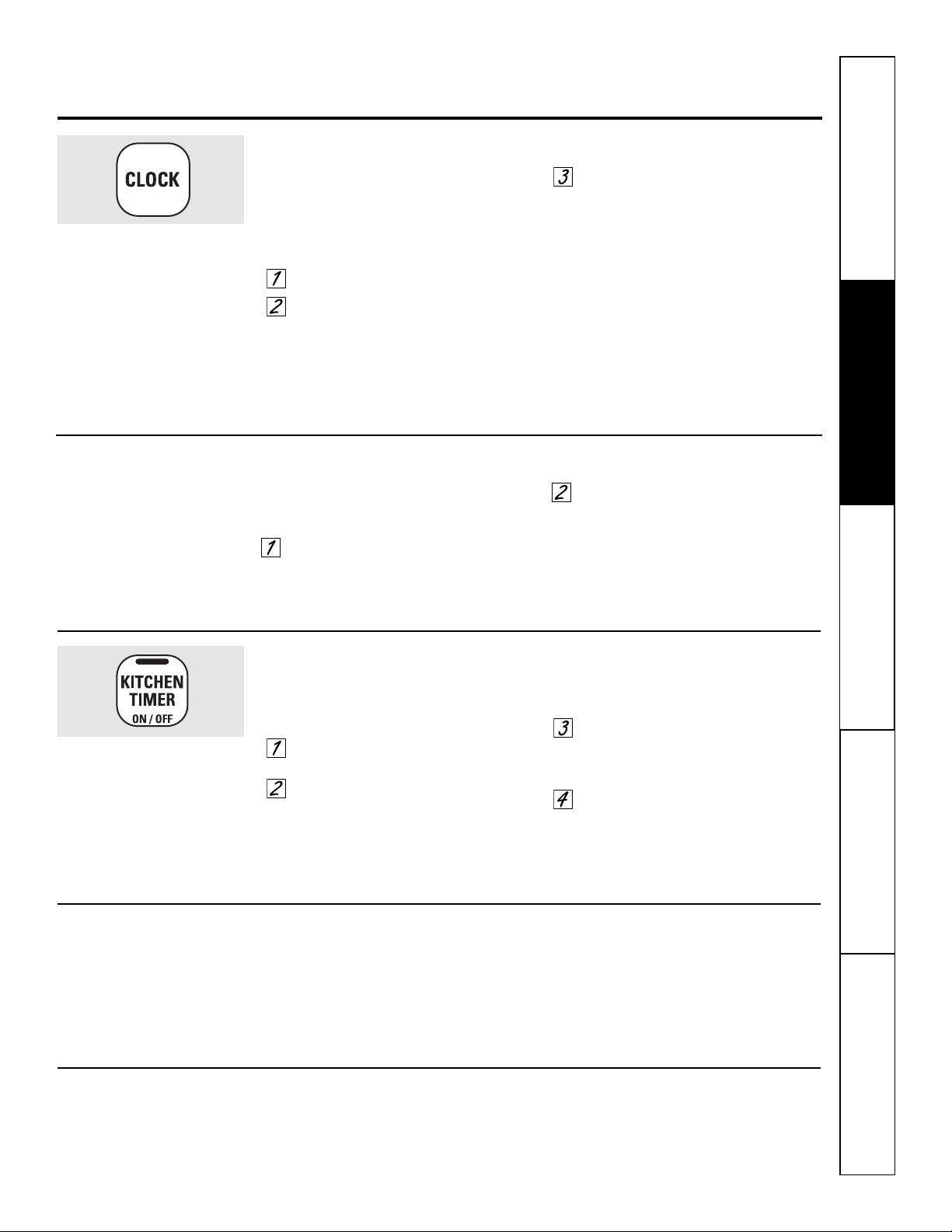
Seguridad Operación
Cuidado y limpieza
Solucionar problemas Soporte al consumidor
Para ajustar el reloj
El reloj debe ser ajustado en la hora
correcta del día para que las funciones
automáticas cronometradas del horno
funcionen apropiadamente. No puede
cambiarse la hora durante el ciclo de
cocción con retardo.
Presione el botón CLOCK.
Presione el botón + o –.
Si no se presionan el botón + o – dentro
del minuto después de presionar el
botón CLOCK (reloj), la pantalla vuelve a
la configuración original. Si esto sucede,
presione el botón CLOCK dos veces y
vuelva a ingresar la hora actual.
Presione el botón START/ON
(iniciar/encendido) hasta que
aparezca la hora en la pantalla. Esto
ingresa la hora e inicia el reloj.
Para consultar la hora cuando la pantalla está
mostrando otra información, simplemente
presione el botón CLOCK (reloj). Aparece la hora
actual hasta que se presione otro botón.
Asegúrese de que el reloj sea
ajustado en la hora correcta del día.
Para ajustar el temporizador
El temporizador no controla las operaciones del
horno. La configuración máxima del temporizador
es 9 horas y 59 minutos.
Presione el botón KITCHEN TIMER
ON/OFF.
Presione el botón + o – hasta que
aparezca en la pantalla la cantidad
de tiempo que desea. El tiempo
máximo que puede ingresarse en
minutos es 59. Los tiempos mayores
a 59 minutos deben cambiarse a
horas y minutos.
Si comete un error, presione KITCHEN TIMER
ON/OFF y vuelva a comenzar.
Presione el botón START/ON.
Se iniciará la cuenta regresiva,
aunque la pantalla no cambie
hasta que haya pasado un minuto.
Cuando el temporizador alcance
:00, el control pitará 3 veces seguidas
por un pitido cada 6 segundos hasta
que se presione el botón KITCHEN
TIMER ON/OFF.
El temporizador es únicamente
un temporizador de minutos.
El temporizador no controla
las operaciones del horno.
La configuración máxima
en el temporizador es de
9 horas y 59 minutos.
Para reiniciar el temporizador
Si la pantalla todavía está mostrando
el tiempo restante, puede cambiarla
presionando el botón KITCHEN TIMER
ON/OFF, luego presione el botón + o –
hasta que en la pantalla aparezca el
tiempo que desea.
Si el tiempo restante no está en
la pantalla (en la pantalla está reloj,
inicio postergado o tiempo de cocción),
recuerde el tiempo restante presionando
el botón KITCHEN TIMER ON/OFF y luego
presionando el botón + o – hasta ingresar
el nuevo tiempo que desea.
Para cancelar el temporizador
Presione el botón KITCHEN TIMER ON/OFF
dos veces.
9
Para apagar la visualización del reloj
Si usted cuenta con varios relojes
en su horno, quizás desee apagar la
visualización de la hora de su horno.
Presione el botón CLOCK (reloj)
una vez para apagar la visualización
de la hora. Aunque usted no pueda
verla, el reloj conserva la hora actual
correcta.
Presione el botón CLOCK de nuevo
para retomar la visualización del
reloj.
Uso del reloj y el temporizador. GEAppliances.com
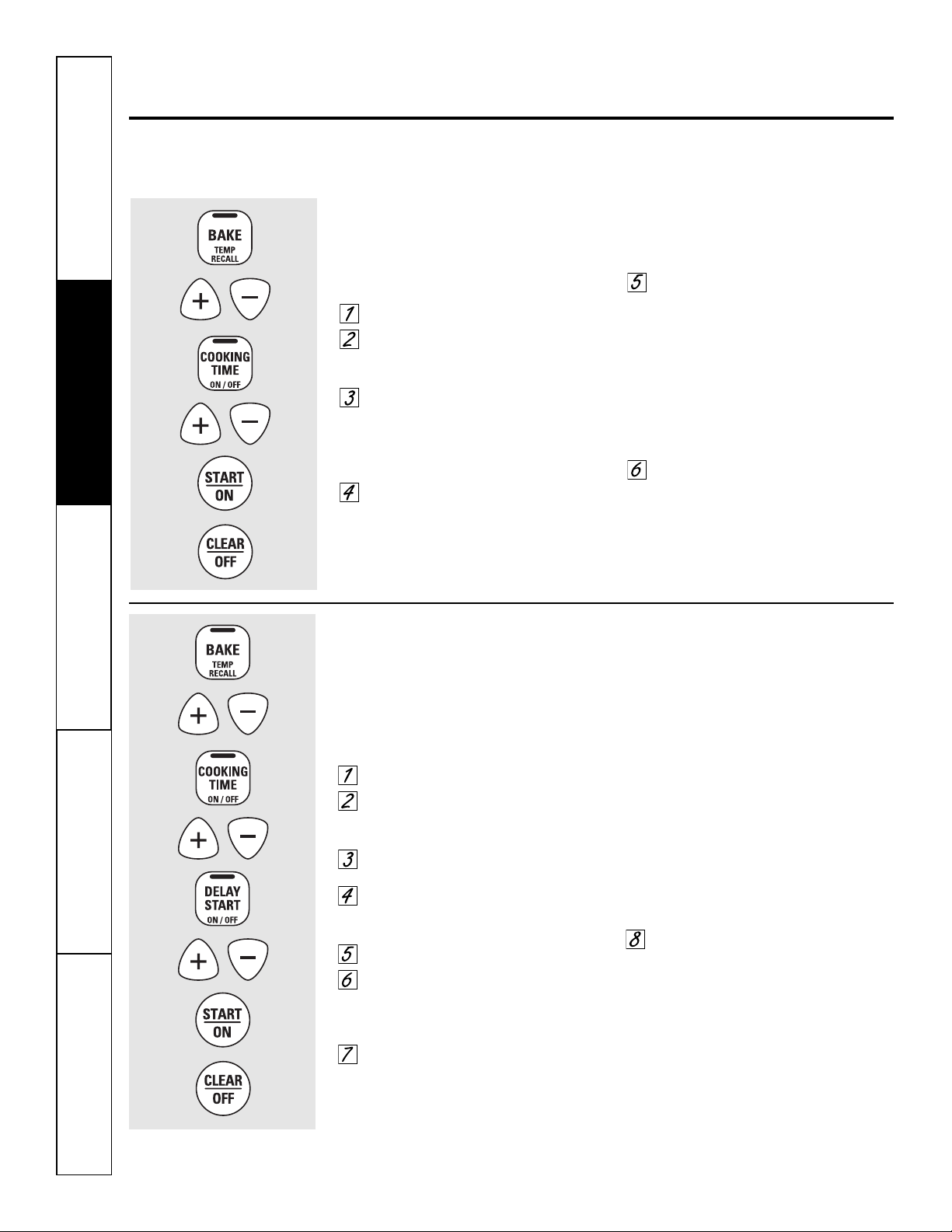
SeguridadOperaciónCuidado y limpiezaSolucionar problemasSoporte al consumidor
Uso de las características cronometradas
de horneado y asado. (en algunos modelos)
NOTA: no debe permitirse que los alimentos que se echan a perder fácilmente—como leche, huevos, pescado,
rellenos, aves y cerdo—reposen por más de 1 hora antes o después de la cocción. La temperatura ambiente
promueve el crecimiento de bacterias peligrosas. Asegúrese de que la luz del horno esté apagada ya que
el calor de la bombilla aceleraría el crecimiento de bacterias peligrosas.
Cómo configurar un Inicio inmediato y una Parada automática
El horno se encenderá inmediatamente y
cocinará durante el tiempo seleccionado.
Al final del tiempo de cocción, el horno
se apagará automáticamente.
Presione el botón BAKE.
Presione el botón + o – para
configurar la temperatura del
horno.
Presione el botón COOKING TIME.
NOTA: Si su receta requiere de precalentamiento,
es posible que necesite añadir más tiempo al
tiempo de cocción.
Presione el botón + o – para
configurar el tiempo de horneado.
El tiempo de cocción ingresado
aparecerá en la pantalla. (Si usted
selecciona primero el tiempo de cocción
y luego ajusta la temperatura de
horneado, se verá en su lugar
la temperatura del horno).
Presione el botón START/ON.
La pantalla muestra la temperatura
del horno que usted ha configurado
o la cuenta regresiva del tiempo de
cocción. (La pantalla inicia con “PrE”
si muestra la temperatura del horno).
El horno continuará cocinando durante
la cantidad de tiempo programada, luego
se apagara automáticamente.
Presione el botón CLEAR/OFF para
borrar la pantalla, si es necesario.
Quite los alimentos del horno. Recuerde,
aunque el horno se apaga en forma automática,
los alimentos siguen cocinándose después de que
se apaguen los controles.
Cómo configurar un Inicio postergado y una Parada automática
El horno se encenderá en el horario que usted
haya configurado, cocinará alimentos durante un
período de tiempo específico y luego se apagará
automáticamente.
Asegúrese de que el reloj muestre la hora
correcta del día.
Presione el botón BAKE.
Presione el botón + o – para
configurar la temperatura del
horno.
Presione el botón COOKING TIME.
Presione el botón + o – para
configurar el tiempo de cocción
deseado.
Presione el botón DELAY START.
Presione el botón + o – para
configurar la hora en que desea que
el horno se encienda y comience
la cocción.
Presione el botón START/ON.
NOTA: un tono de atención sonará si está
utilizando el horneado cronometrado y no
presiona el botón START/ON.
NOTA: Si desea verificar el tiempo que
ha configurado, presione el botón DELAY
START para verificar la hora de inicio que
ha configurado o presione el botón
COOKING TIME para verificar la duración
del tiempo de cocción que ha
configurado.
Cuando el horno se enciende a la hora
que usted ha configurado, la pantalla
mostrará “PrE” hasta que alcance la
temperatura seleccionada, luego
mostrará la temperatura del horno.
Al finalizar el tiempo de cocción,
el horno se apagará y sonará el tono
del fin de ciclo.
Presione el botón CLEAR/OFF para
borrar la pantalla, si es necesario.
Quite los alimentos del horno. Recuerde,
aunque el horno se apaga en forma automática,
los alimentos siguen cocinándose después de que
se apaguen los controles.
10
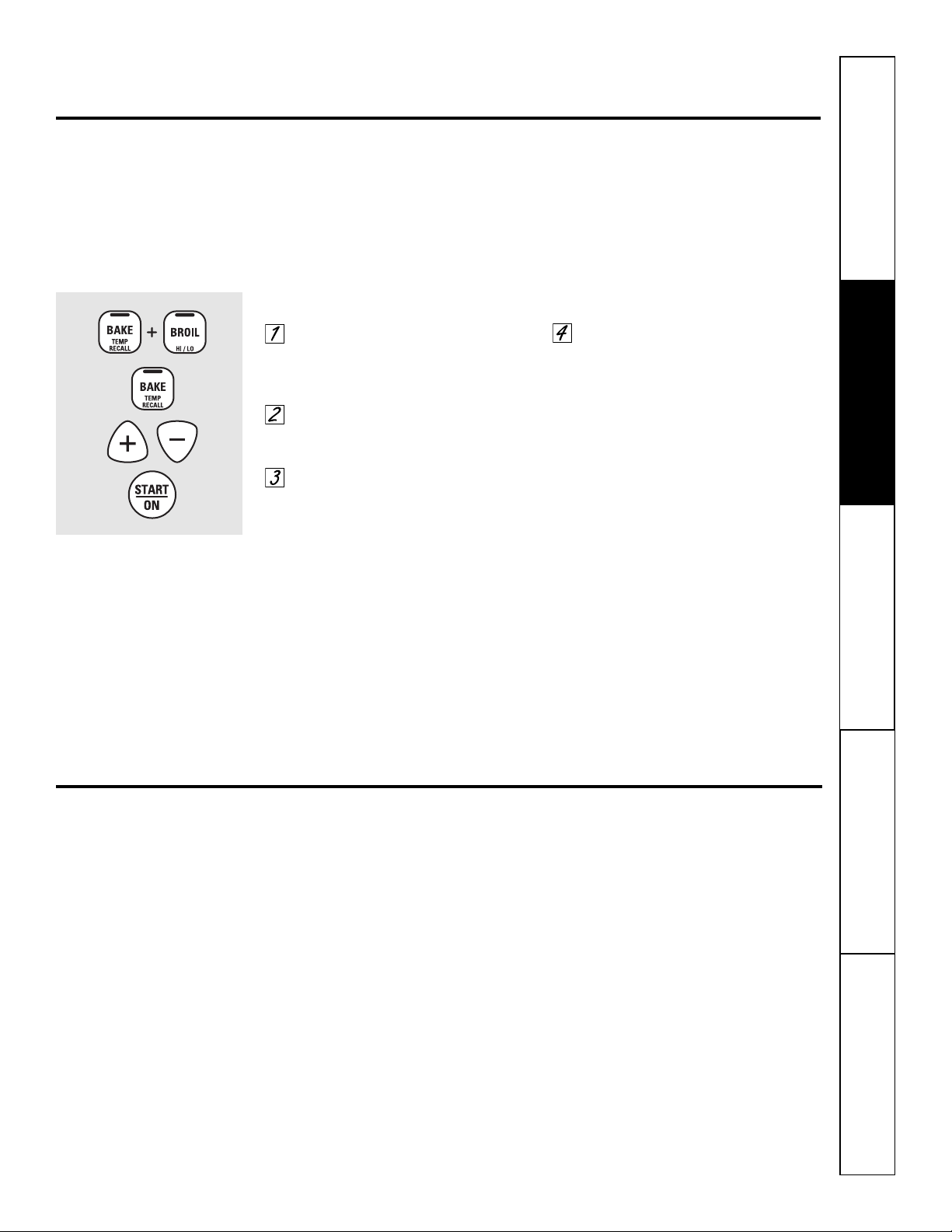
11
Seguridad Operación
Cuidado y limpieza
Solucionar problemas Soporte al consumidor
Usted se puede percatar que su horno nuevo cocina distinto al que reemplazó. Use su horno nuevo por varias
semanas para familiarizarse con él. Si aún piensa que su horno nuevo es demasiado caliente o demasiado frío, usted
puede ajustar el termostato usted mismo.
No use termómetros, como los que se venden en tiendas de aprovisionamiento para inspeccionar la temperatura de
su horno. Estos termómetros podrían variar de 20 a 40 grados.
NOTA: este ajuste sólo afectará la temperatura de horneado y asado; no afecta las temperaturas de asado
a la parrilla. El ajuste se almacenará en la memoria después de una falla eléctrica.
Para ajustar el termostato
Presione los botones BAKE y BROIL
HI/LO al mismo tiempo durante
3 segundos hasta que la pantalla
muestre SF.
Presione el botón BAKE.
En la pantalla se muestra
un número de dos dígitos.
La temperatura del horno
se puede regular hasta un máximo
de (+) 35°F o un mínimo de
(–) 35°F. Presione suavemente
el botón + para aumentar
la temperatura de a 1 grado.
Presione suavemente el botón –
para disminuir la temperatura
de a 1 grado.
Cuando haya realizado el ajuste,
presione el botón START/ON para
volver a la pantalla de la hora del
día. Utilice su horno como lo haría
normalmente.
¡El tipo de margarina afectará el desempeño del horneado!
La mayoría de las recetas para hornear se han desarrollado usando productos de alto contenido en grasa como
mantequilla o margarina (80% de grasa). Si disminuye la grasa, es posible que la receta no tenga los mismos
resultados que con un producto de mayor contenido de grasa.
Las recetas pueden fallar si las tortas, pasteles, galletas o dulces se preparan con productos bajos en grasa.
Mientras menos sea el contenido de grasa de un producto tipo mantequilla, más se notarán estas diferencias.
Los estándares federales exigen que los productos marcados como margarinas, contengan por lo menos un 80%
de grasa por peso. Por otra parte, los productos tipo mantequilla bajos en grasa contienen menos grasa y más agua.
El alto contenido de humedad de estos productos afecta la textura y el sabor de los alimentos horneados. Para mejores
resultados con sus viejas recetas favoritas, use margarina, mantequilla u otros productos que contengan por lo menos
un 70% de aceite vegetal.
Ajuste del termostato del horno: ¡Hágalo usted mismo! G
EAppliances.com
12
SeguridadOperaciónCuidado y limpiezaSolucionar problemasSoporte al consumidor
Características especiales de control de su horno.
Su nuevo control con botones sensibles tiene características adicionales que puede elegir utilizar. A continuación se describen
l
as características y cómo puede activarlas.
Los modos de característica especial sólo pueden activarse mientras la pantalla esté mostrando la hora del día. Dichos modos
p
ermanecen en la memoria del control hasta que los pasos sean repetidos.
Cuando la pantalla muestre su elección, presione el botón START/ON. Las características especiales permanecerán
en la memoria después de una falla en el suministro de electricidad.
Apagado después de 12 horas
Con esta característica, si se olvida y deja
el horno encendido, el control apagará el horno
después de 12 horas automáticamente durante
las funciones de horneado o después de 3 horas
durante una función de asado a la parrilla.
Si desea apagar esta característica,
siga los pasos a continuación.
Presione los botones BAKE y BROIL
HI/LO al mismo tiempo durante
3 segundos hasta que la pantalla
muestre SF.
Presione el botón CLOCK hasta que
no shdn (no apagado) aparezca en
la pantalla.
Presione el botón START/ON
para activar la función no shdn
(no apagado) y deje el control
configurado en el modo
de funciones especiales.
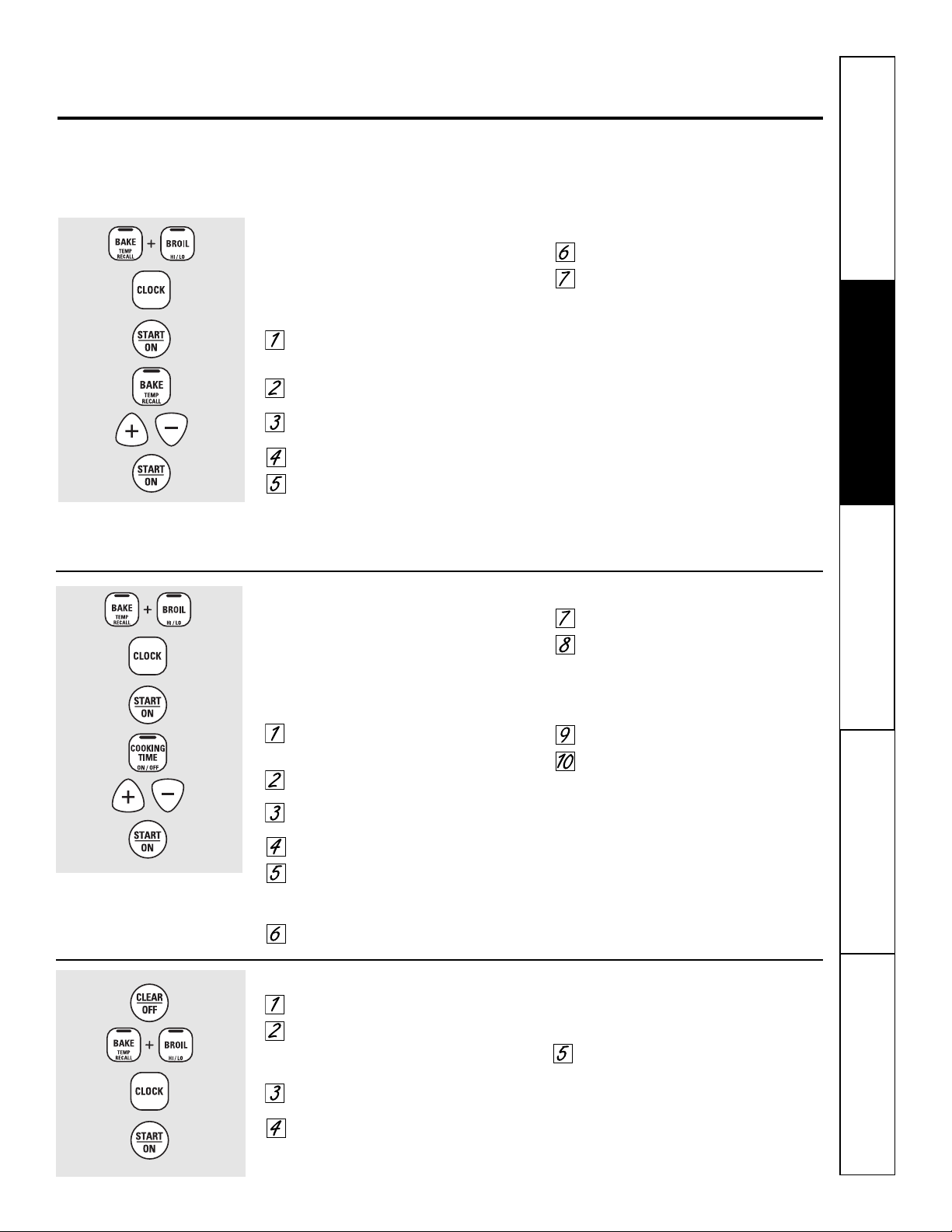
Seguridad Operación
Cuidado y limpieza
Solucionar problemas Soporte al consumidor
Uso de la característica Sabbath.
(Diseñada para utilizarse en el Sabbath judío y días festivos). (en algunos modelos) GEAppliances.com
13
Cómo salir de la característica Sabbath
Presione el botón CLEAR/OFF.
Si el horno está cocinando, espere durante un
periodo aleatorio de aproximadamente 30
segundos a 1 minuto, hasta que solo ⊃ esté en
la pantalla.
Presione y sostenga los botones BAKE y BROIL HI/LO,
al mismo tiempo, hasta que la pantalla muestre SF.
Presione el botón CLOCK hasta que aparezca en la
pantalla ON o OFF. ON indica que el horno se
apagará automáticamente después de 12 horas.
OFF indica que el horno no se apagará
automáticamente. Ver la sección Características
especiales para una explicación sobre la función
Apagado automático de 12 horas.
Presione el botón START/ON.
NOTA: En caso de corte de energía con la función de Sabbath
activada, dicha función se apagará automáticamente aún cuando
vuelva la energía. El control del horno debe volver a configurarse.
La característica Sabbath puede utilizarse únicamente para horneado/asado. No puede utilizarse para asado a la parrilla o Delay Start.
NOTA: la luz del horno se enciende automáticamente (en algunos modelos) cuando la puerta es abierta y se apaga cuando la puerta es
cerrada. Se puede quitar la bombilla. Consulte la sección Reemplazo de la luz del horno. En los modelos con un interruptor de luz en el panel
de control, la luz del horno puede encenderse y dejarse encendida.
Cómo configurar el horneado/asado regular
NOTA: Para entender cómo funciona el control del horno, practique
usando el horneado normal (no en funcionamiento para Sabbath)
antes de ingresar en el modo de funcionamiento para Sabbath.
Asegúrese de que el reloj muestre la hora correcta del día
y que el horno esté apagado.
Presione y mantenga sostenidos los botones BAKE y
BROIL HI/LO, al mismo tiempo, hasta que la pantalla
muestre SF.
Presione el botón CLOCK hasta que SAb aparezca en
la pantalla.
Presione el botón START/ON y ⊃ aparecerá en la
pantalla.
Presione el botón BAKE. No se dará ninguna señal.
La temperatura de inicio preconfigurada
se configurará automáticamente en 350°. Toque
el botón + o – de para aumentar o disminuir
la temperatura en incrementos de 25°. La
temperatura puede configurarse entre 175° y 550°.
No se mostrará ninguna señal ni temperatura.
Presione el botón START/ON.
Después de un periodo aleatorio de espera de
aproximadamente 30 segundos a 1 minuto,
aparecerá en la pantalla ⊃ indicando
que el horno está horneando/asando.
Si no aparece ⊃ en la pantalla,
comience de nuevo en el Paso 4.
Para ajustar la temperatura del horno, presione el botón
BAKE y toque el botón + o – para aumentar o disminuir la
temperatura en incrementos de 25°. Presione el botón
START/ON.
NOTA: los botones CLEAR/OFF y COOKING TIME están activos
durante la característica Sabbath.
⊃
⊃
Cómo configurar un horneado/asado cronometrado: Inicio inmediato y Parada automática
NOTA: Para entender cómo funciona el control del horno, practique
usando Immediate Start (Inicio inmediato) y Automatic Stop
(Detención automática) normales (no en funcionamiento para
Sabbath) antes de ingresar en el modo de funcionamiento para
Sabbath.
Asegúrese de que el reloj muestre la hora correcta del día y que el
horno esté apagado.
Presione y mantenga sostenidos los botones BAKE
y BROIL HI/LO, al mismo tiempo, hasta que la pantalla
muestre SF.
Presione el botón CLOCK hasta que SAb aparezca en
la pantalla.
Presione el botón START/ON y ⊃ aparecerá
en la pantalla.
Presione el botón COOKING TIME.
Presione el botón + o – para configurar el tiempo
de cocción deseado entre 1 minuto y 9 horas y 59
minutos. El tiempo de cocción que ingresó
aparecerá en la pantalla.
Presione el botón START/ON.
Presione el botón BAKE. No se dará ninguna señal.
La temperatura de inicio preconfigurada
se configurará automáticamente en 350°.
Toque el botón + o – para aumentar o disminuir
la temperatura en incrementos de 25°. La
temperatura puede configurarse entre 175° y 550°.
No se mostrará ninguna señal ni temperatura.
Presione el botón START/ON.
Después de un periodo aleatorio de espera
de aproximadamente 30 segundos a 1 minuto,
aparecerá en la pantalla ⊃ indicando que
el horno está horneando/asando. Si no aparece
⊃ en la pantalla, comience de nuevo en
el Paso 7.
Para ajustar la temperatura del horno, apriete el botón
BAKE y toque el botón + o – para aumentar o disminuir
la temperatura en incrementos de 25°. Presione el botón
START/ON.
Cuando la cocción esté terminada, la pantalla cambiará
de ⊃ a ⊃ , indicando que el horno se ha apagado pero
todavía está configurado en Sabbath. Remueva la comida
cocinada.
⊃
⊃
⊃
Cuando la pantalla muestra ⊃ el
horno está configurado en Sabbath.
Cuando la pantalla muestra ⊃
el horno está horneando/asando.
⊃
Cuando la pantalla muestra ⊃
el horno está configurado en
Sabbath. Cuando la pantalla
muestra ⊃ el horno está
horneando/asando.
⊃
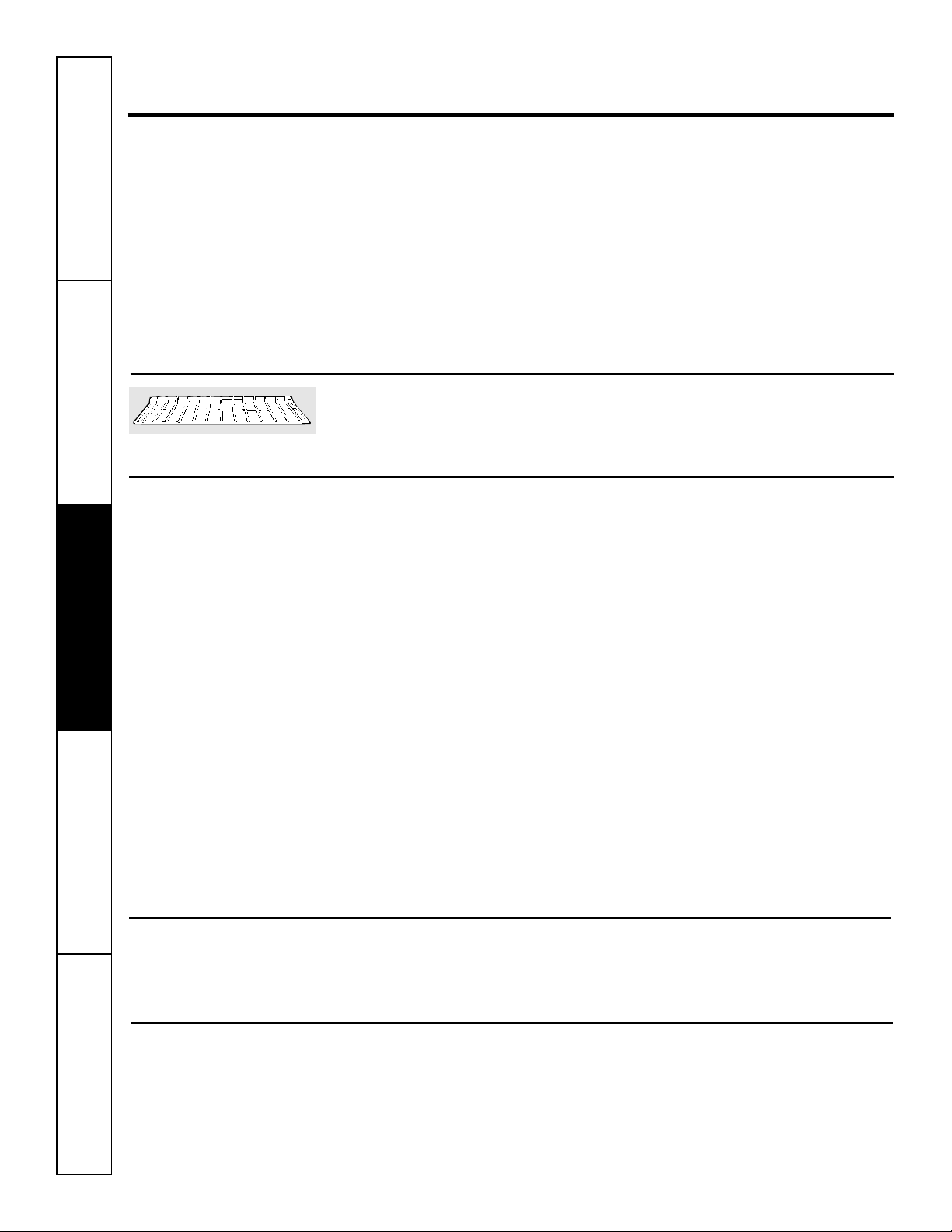
Es buena idea limpiar el panel de control
después de cada uso. Limpie con jabón
suave y agua o con una solución de
vinagre y agua, enjuague con agua limpia
y lustre en seco con un paño suave.
Cuando haga la limpieza, el panel
de control debe estar a temperatura
ambiente y no bajo la luz solar directa.
No utilice limpiadores abrasivos,
limpiadores líquidos fuertes, almohadillas
plásticas para restregar o limpiadores
para hornos sobre el panel de control:
estos productos dañarán el acabado.
Una solución 50/50 de vinagre y agua
caliente funciona bien.
Interior del horno de cerámica
Con el cuidado adecuado, el acabado de
cerámica del interior del horno (parte
superior, inferior, posterior, laterales e
interior de la puerta) se mantendrá
como nuevo durante años.
Deje enfriar el horno antes de limpiarlo.
Recomendamos el uso de guantes de
goma para limpiar el horno.
Normalmente, podrá utilizar jabón
y agua para realizar esta tarea. Será
necesario aplicar un limpiador abrasivo
suave para quitar las salpicaduras o
derrames más difíciles. También podrá
utilizar una esponja de acero llena de
jabón.
El amoníaco de uso doméstico puede
facilitar la limpieza. Coloque media taza
de amoníaco en un recipiente de vidrio o
cerámica poco profundo y déjelo dentro
del horno durante toda la noche.
Los gases del amoníaco facilitarán
el desprendimiento de la grasa y
los restos de alimentos quemados.
Si es necesario, aplique un limpiador
para hornos. Siga las instrucciones de
uso del envase.
■ No rocíe el limpiador para hornos sobre
los controles o interruptores eléctricos,
ya que esto podría provocar un corto
circuito y ocasionar chispas o un incendio.
■ No permita que se forme una película del
producto sobre el sensor de temperatura.
Esto podría provocar que el horno caliente en
forma incorrecta. (El sensor se encuentra en
la parte superior del horno). Limpie el sensor
cuidadosamente cada vez que limpie el horno.
No cambie la posición del sensor, ya que esto
podría afectar la cocción.
■ No rocíe el limpiador sobre la puerta del horno,
manijas, cualquier superficie exterior del horno,
armarios o superficies pintadas. El producto de
limpieza puede dañar estas superficies.
Antes de limpiar cualquier parte del horno, asegúrese de que el suministro eléctrico esté desconectado y
todas las superficies estén frías.
Cómo retirar la película protectora y la cinta adhesiva de empaque
Tome cuidadosamente una esquina
de la película protectora y despéguela
lentamente de la superficie del aparato.
No use ningún objeto puntiagudo para
retirar la película. Retire toda la película
antes de usar el aparato por primera vez.
Para asegurarse de no dañar el acabado
del producto, la manera más segura
de retirar el adhesivo de la cinta de
empaque sobre aparatos nuevos es
la aplicación de un detergente doméstico
líquido para lavar platos. Aplique con
un paño suave y moje.
NOTA: Debe retirar el adhesivo de todas las
partes. No puede retirarse si se quema.
Parrillas de horno
Limpie las parrillas del horno con un
limpiador abrasivo o estropajo de acero.
Después de limpiar, enjuague
las parrillas con agua limpia y seque
con un paño limpio.
No permita que derramamientos
de comida con alto contenido de
azúcar o de ácido (como tomates,
chucrut, jugos de frutas o rellenos
de pasteles) permanezcan sobre
la superficie. Pueden dejar manchas
pálidas aún después de la limpieza.
Superficies pintadas
Limpie con jabón y agua o una solución
de vinagre y agua.
No use limpiadores de horno comerciales,
limpiadores en polvo, lana de acero ni abrasivos
fuertes en ninguna superficie pintada.
Panel de control
14
Cuidado y limpieza del horno.
SeguridadOperaciónCuidado y limpiezaSolucionar problemasSoporte al consumidor
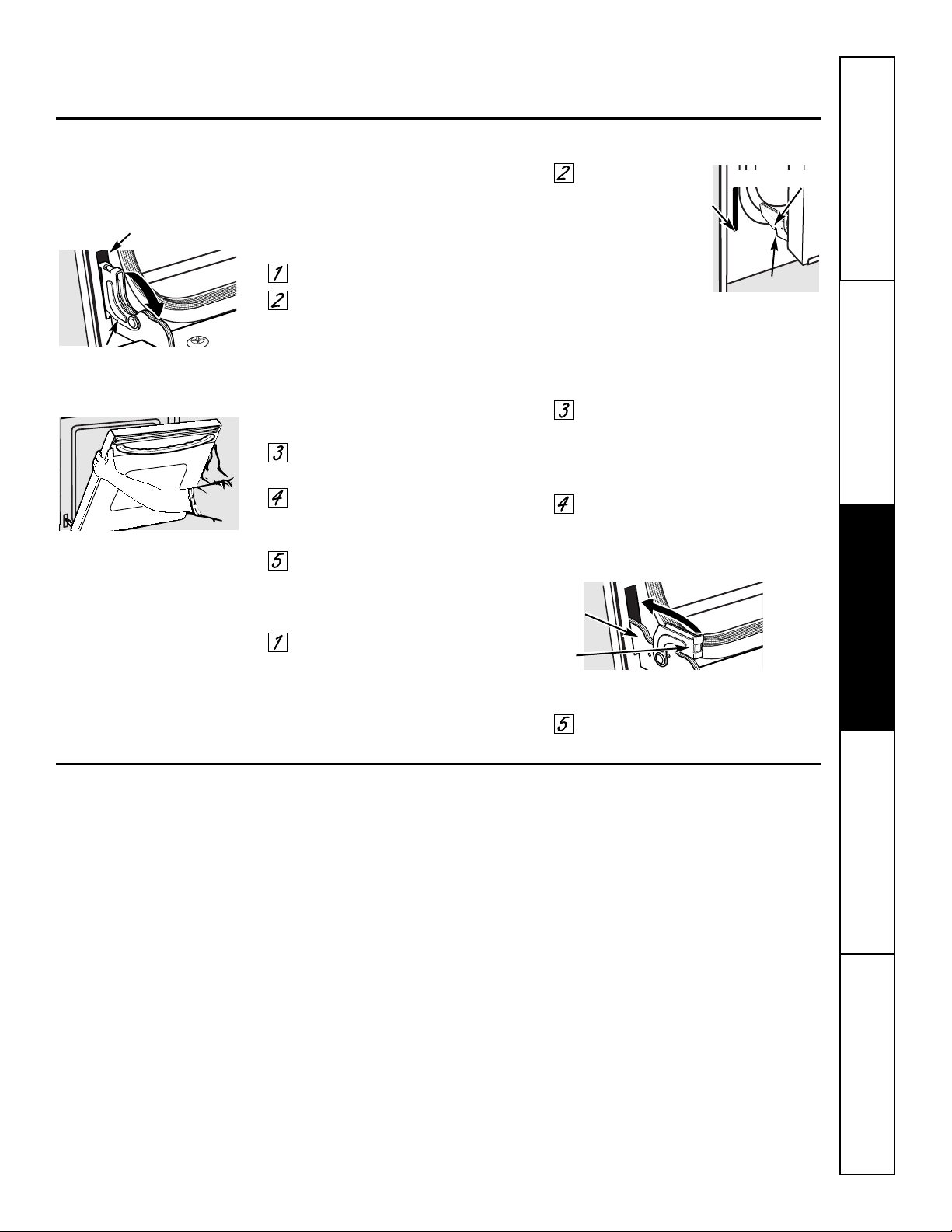
15
GEAppliances.com
Seguridad Operación
Cuidado y limpieza
Solucionar problemas Soporte al consumidor
No permita que derramamientos
de comida con alto contenido de
azúcar o de ácido (como tomates,
chucrut, jugos de frutas o rellenos
de pasteles) permanezcan sobre la
superficie. Pueden dejar manchas
pálidas aún después de la limpieza.
Para limpiar el interior de la puerta:
■ Agua y jabón normalmente es
suficiente. Las salpicaduras o derrames
pesados posiblemente necesiten
limpieza con un limpiador abrasivo
suave. También se pueden usar
almohadillas de restregar con jabón.
Cuando sea necesario, puede usar un limpiador de
horno. Siga las instrucciones del empaque.
Limpie el interior del horno con un limpiador suave
que no raye y un paño húmedo.
Para limpiar el exterior de la puerta:
■ Use agua y jabón para limpiar bien
la parte superior, los costados y la parte
delantera de la puerta del horno.
Enjuague bien. También puede usar
un limpiavidrios para limpiar el vidrio
en el exterior de la puerta. No permita
que se derrame agua en los orificios de
ventilación.
■ El derrame de adobos, jugos de frutas,
salsas de tomate y materiales para
rociar que contengan ácidos puede
provocar decoloración y deberá
limpiarse de inmediato. Cuando
la superficie esté fría, límpiela y
enjuáguela.
■ No use limpiadores para hornos,
polvos de limpieza ni abrasivos fuertes
en el exterior de la puerta.
La puerta es muy pesada. Tenga cuidado
al quitar y levantar la puerta.
No levante la puerta de la manija.
Para quitar la puerta:
Abra la puerta por completo.
Tire hacia abajo los seguros
de la bisagra hacia el marco
de la puerta, y colóquelos en
la posición de desbloqueo.
Podrá ser necesario utilizar
una herramienta, como un
destornillador pequeño
de hoja plana.
Sujete con firmeza ambos lados
de la puerta en la parte superior.
Cierre la puerta hasta la posición
de extracción de la puerta (consulte
la ilustración).
Levante la puerta hasta que el brazo
de la bisagra se libere de la ranura.
Para volver a colocar la puerta:
Sujete con firmeza ambos lados
de la puerta en la parte superior.
Con
la puerta
en el
m
ismo
ángulo que la
posición de
extracción, coloque
la muesca del brazo
de la bisagra en el borde inferior de
la ranura de la bisagra. La muesca
en el brazo de la bisagra debe estar
bien asentada en la parte inferior de
la ranura.
Abra la puerta por completo.
Si la puerta no se abre
completamente, la muesca
no está asentada correctamente
en el borde inferior de la ranura.
Empuje los seguros de la bisagra
hacia arriba contra el marco
delantero de la cavidad del horno
y colóquelos en la posición de
bloqueo.
Cierre la puerta del horno.
Seguro
de la
bisagra
Puerta extraíble del horno
Brazo de
la bisagra
Posición de extracción
Borde
inferior de
la ranura
Seguro de la bisagra
Ranura
Empuje los seguros de la bisagra hacia arriba
para bloquearlos
Tire los seguros de la bisagra hacia
abajo para desbloquearlos
Brazo de la bisagra
Muesca
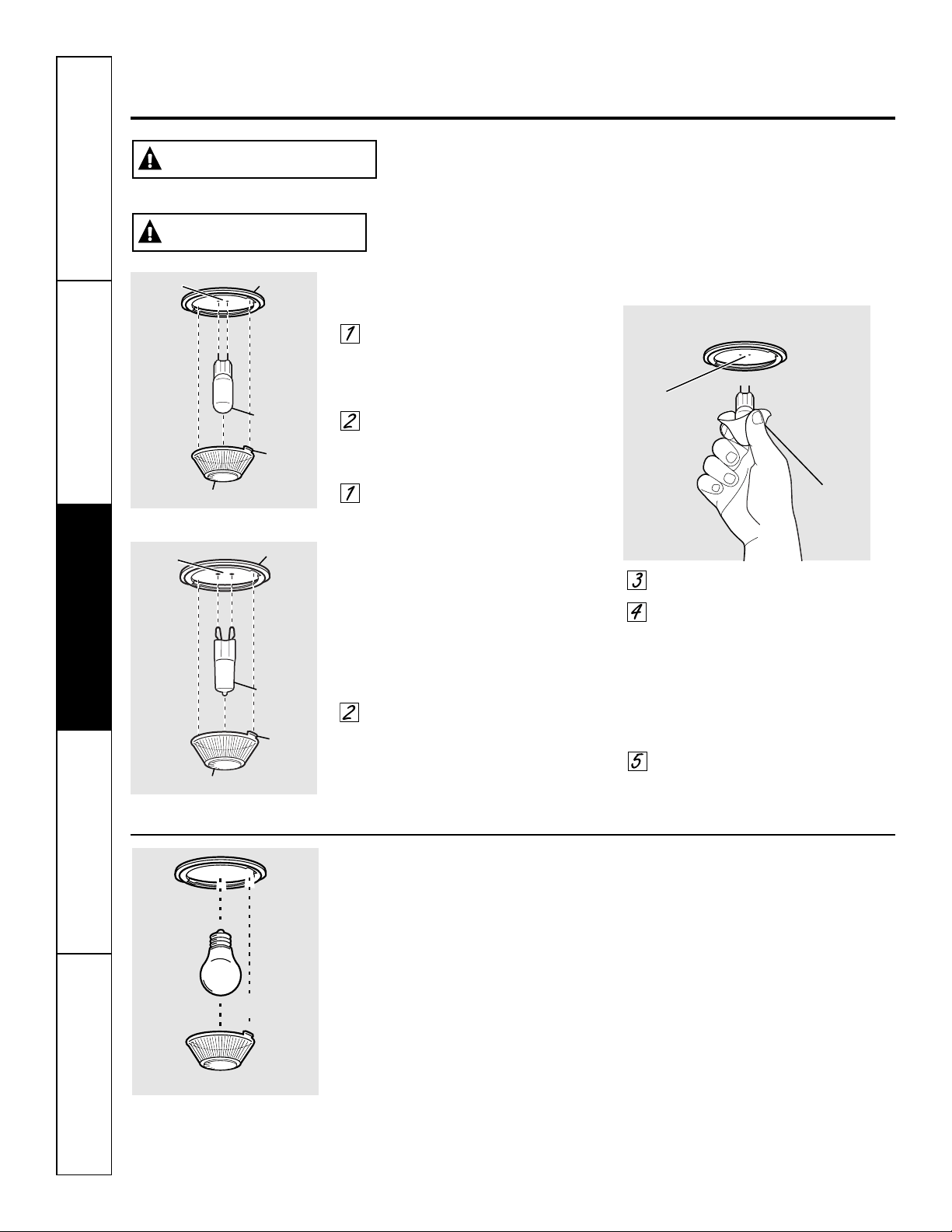
16
SeguridadOperaciónCuidado y limpiezaSolucionar problemasSoporte al consumidor
Cuidado y limpieza del horno.
Lámpara de luz del horno (en algunos modelos)
NOTA: La cubierta de vidrio (en algunos modelos) sólo
deberá quitarse cuando esté fría. El uso de guantes de
látex puede ofrecer un mejor agarre.
Antes de reemplazar la lámpara, desconecte
la energía eléctrica que va al horno en el
panel del cortacircuitos o fusible principal.
Deje que la lámpara se enfríe por completo
antes de quitarla. Para su seguridad, no toque
una lámpara caliente con un paño húmedo.
Si lo hace, se romperá la lámpara.
Para retirar:
Gire la cubierta de vidrio 1/4 de vuelta en
sentido opuesto a las agujas del reloj hasta
que las lengüetas de la cubierta de vidrio
se liberen de las ranuras del portalámparas.
Retire la lámpara.
Para volver a colocar:
Coloque una nueva lámpara de 40 vatios
para electrodomésticos. Coloque las lengüetas
de la cubierta de vidrio en las ranuras del
portalámparas. Gire la cubierta de vidrio
1/4 de vuelta en el sentido de las agujas
del reloj.
NOTA:
■ Una lámpara para electrodomésticos de 40 vatios
es más pequeña que una lámpara estándar para
uso doméstico de 40 vatios.
■ Instale y ajuste la cubierta en el sentido
de las agujas del reloj.
■ Vuelva a conectar la energía eléctrica al horno.
■ Para tener una mejor iluminación dentro del horno,
limpie la cubierta de vidrio con un paño húmedo de
manera frecuente. Esto debería realizarse cuando
el horno esté completamente frío.
Bombilla
Portalámparas
Lengüeta
Longitud
máxima
3
1
⁄2 pulg.
Cubierta de vidrio
Bombilla eléctrica del horno inferior
Para retirar:
Gire la cubierta de vidrio en sentido
contrario a las manecillas del reloj 1/4
de vuelta hasta que las lengüetas de
la cubierta de vidrio liberen los surcos
del portalámparas. Colocarse guantes
de látex puede brindar un mejor agarre.
Utilizando guantes o un paño seco,
remueva la bombilla jalándola en línea
recta.
Para reemplazar:
Utilice una nueva bombilla halógena
de 120/130 voltios, no exceda 50 vatios.
Reemplace la lámpara de luz con el
mismo tipo de lámpara que se retiró.
En su modelo corresponderá uno de
los dos tipos que figuran a la izquierda.
Para determinar cuál es la lámpara
correcta, controle las terminales de la
lámpara. Las lámparas con 2 terminales
con clavijas rectas son lámparas de
G6.35. Las lámparas con 2 terminales
con clavijas con curvas son lámparas
de G9. (No las intercambie.) Asegúrese
al reemplazar la lámpara que sea de
120 volts o 130 volts (NO de 12 volts).
Utilizando guantes o un paño seco,
remueva la bombilla de su paquete.
No toque la bombilla con los dedos
desnudos. El aceite para piel dañará
la lámpara y acortará su tiempo
de duración.
Empuje la bombilla en línea recta
dentro del receptáculo hasta el tope.
Coloque las lengüetas de la cubierta
de vidrio dentro de los surcos del
portalámparas. Gire la cubierta de vidrio
en sentido de las manecillas del reloj
1/4 de vuelta.
Para una mejor iluminación dentro
del horno, limpie frecuentemente la
cubierta de vidrio utilizando un paño
húmedo. Esto debería hacerse cuando
el horno está completamente frío.
Conecte nuevamente el suministro
eléctrico al horno.
Bombilla
de G6.35
Portalámpara
Lengüeta
Cubierta de vidrio
Receptáculo
Use
guantes o
un paño
Receptáculo
Bombilla
de G9
Portalámpara
Lengüeta
Cubierta de vidrio
Receptáculo
(en algunas modelos)
(en algunas modelos)
DESCARGA O PELIGRO DE QUEMADURAS: Antes de reemplazar la lámpara
de luz del horno, desconecte la conexión eléctrica del horno del fusible principal
o del panel del disyuntor. Si esto no se cumple se podrá producir una descarga
eléctrica o quemadura.
ADVERTENCIA
RIESGO DE INCENDIO: La tapa de vidrio y la lámpara de luz se deberán retirar
cuando estén frías. Tocar el vidrio caliente sin protección en las manos o con
un trapo húmedo puede ocasionar quemaduras.
PRECAUCIÓN
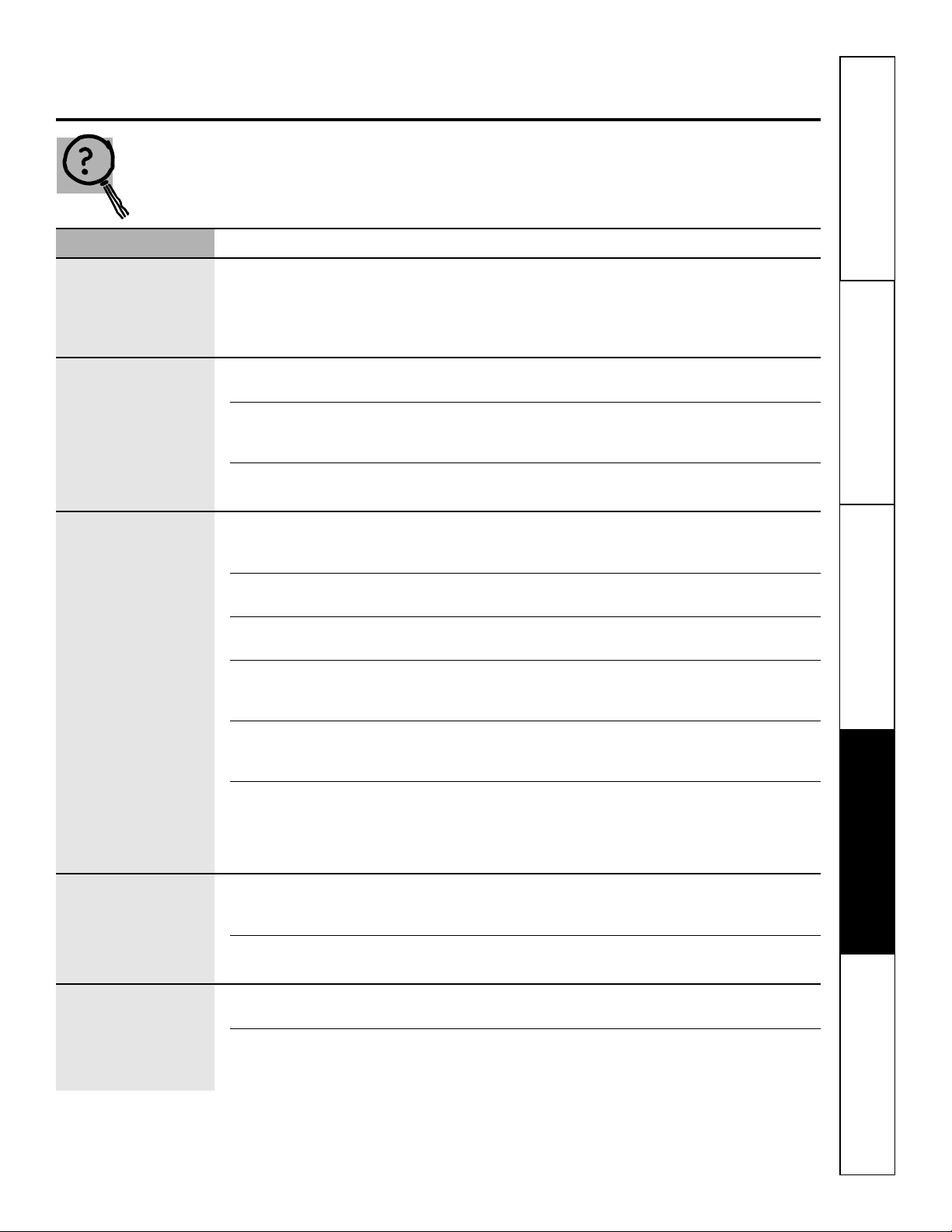
Antes de llamar para solicitar
un servicio de mantenimiento…
G
EAppliances.com
17
Seguridad Operación
Cuidado y limpieza
Solucionar problemas Soporte al consumidor
¡Los consejos para resolución de problemas ahorran tiempo y
dinero! Revise primero las gráficas en las siguientes páginas
y es posible que no tenga que llamar para solicitar servicio de
mantenimiento.
Problema Causas posibles Qué hacer
Señales de control Olvidó ingresar una • Presione el botón BAKE y la temperatura deseada.
después de ingresar temperatura de horneado o
el tiempo de cocción el tiempo de limpieza.
o Delay Start
(Inicio postergado)
Los alimentos Controles del horno no • Consulte la sección Uso del horno.
no se hornean o configurados apropiadamente.
asan apropiadamente
La posición de la parrilla es • Consulte la sección Uso del horno.
incorrecta o la parrilla no
está nivelado.
El termostato del horno • Consulte la sección Ajuste del termostato del horno:
necesita ajuste. ¡Hágalo usted mismo!.
Los alimentos no La puerta del horno está • Cierre la puerta. Este modelo está diseñado para un
se asan a la parrilla abierta. asado únicamente con la puerta cerrada. Siempre ase
apropiadamente a la parrilla con la puerta cerrada.
Los controles del horno están • Asegúrese de presionar el botón BROIL HI/LO.
configurados inadecuadamente.
Se está utilizando una posición • Consulte la Guía para asar a la parrilla.
inadecuada de la parrilla.
Los alimentos se están • Para obtener mejores resultados, utilice una fuente
cocinando en una fuente caliente. diseñada para asar a la parrilla. Asegúrese de que
esté fría.
Los utensilios de cocina • Para mejores resultados, utilice una bandeja diseñada
no son adecuados para asar para asar a la parrilla.
a la parrilla.
En algunas áreas • Precaliente el elemento de asado a la parrilla durante
el voltaje puede ser bajo. 10 minutos.
• Ase a la parrilla durante un periodo más prolongado
que el recomendado en la Guía para asar a la parrilla.
El reloj y el temporizador Un fusible en su casa • Reemplace el fusible o reinicie el disyuntor.
no funcionan puede estar fundido o
el disyuntor activado.
Los controles del horno están • Consulte la sección Uso del reloj y el temporizador.
configurados incorrectamente.
La luz no funciona La bombilla está floja o • Apriete o reemplace la bombilla.
defectuosa.
El botón de operación • Llame para solicitar servicio de mantenimiento.
de la bombilla está roto.
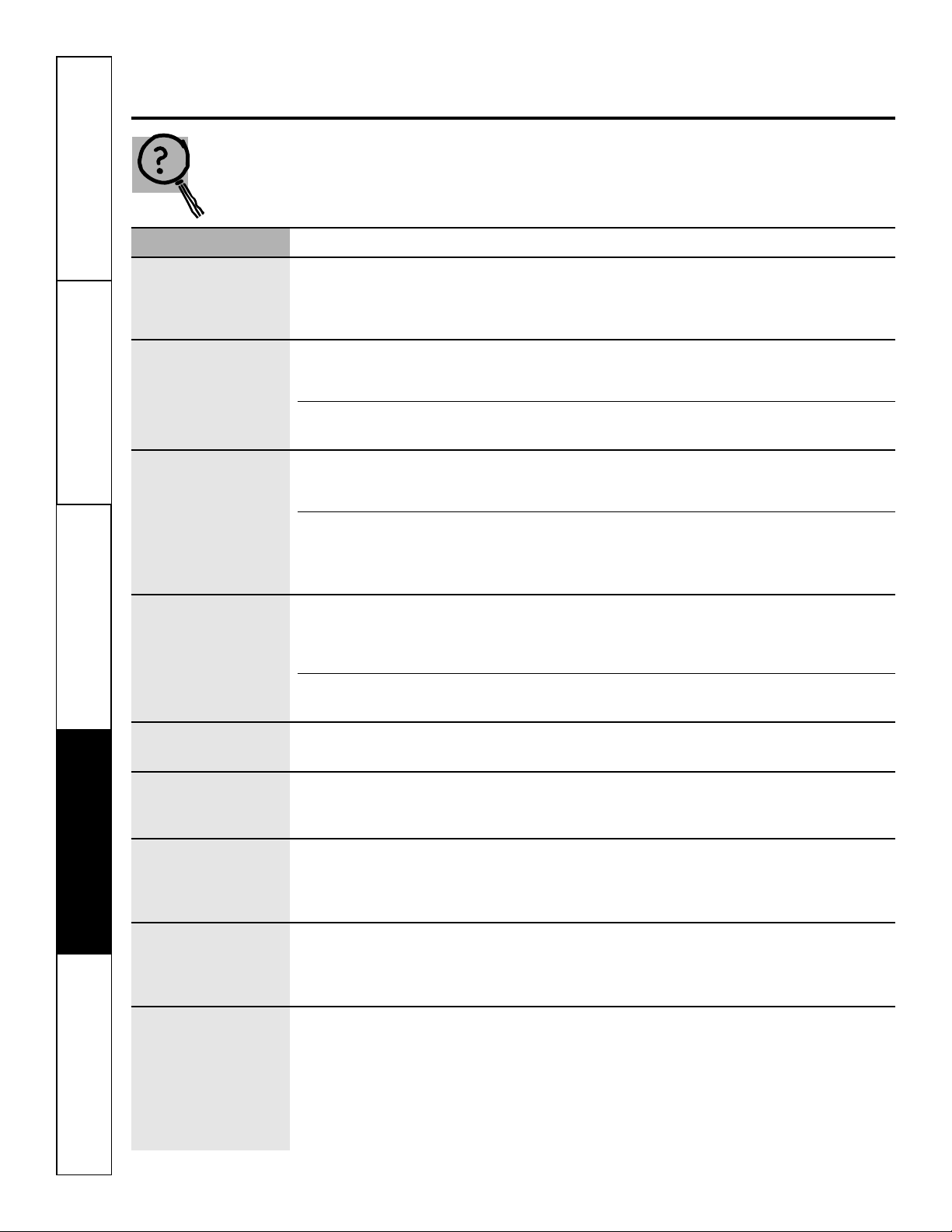
18
Antes de llamar para solicitar
un servicio de mantenimiento…
Los consejos para resolución de problemas
SeguridadOperaciónCuidado y limpiezaSolucionar problemasSoporte al consumidor
Problema Causas posibles Qué hacer
La temperatura El termostato del horno • Consulte la sección Ajuste del termostato del horno:
del horno es necesita un ajuste. ¡Hágalo usted mismo!
demasiado alta
o demasiado baja
El horno Un fusible en su casa puede • Reemplace el fusible o reinicie el disyuntor.
no funciona estar fundido o el disyuntor
activado.
Los controles del horno están • Consulte la sección Uso del horno.
configurados inadecuadamente.
“F— y un número o Tiene un código de • Presione el botón CLEAR/OFF. Permita que el horno
letra” parpadean en error de la función. se enfríe durante una hora. Ponga el horno
la pantalla nuevamente en operación.
Si el código de la función • Desconecte la corriente del horno durante
se repite. 30 segundos y conecte nuevamente la corriente.
Si el función se repite, llame para solicitar servicio
de mantenimiento.
La pantalla se pone Se ha fundido un fusible • Reemplace el fusible o reajuste el cortacircuitos.
en blanco en su hogar o bien
el cortacircuitos no está
funcionando correctamente.
El reloj está en el modo • Consulte la sección Funciones especiales de los
de apagado. controles de su horno.
La pantalla parpadea Falla en el suministro • Reinicie el reloj.
de electricidad.
Imposible lograr Los botones de control del • Los botones BAKE y BROIL HI/LO deben ser
la pantalla muestre “SF” horno no fueron presionados presionados que al mismo tiempo y sostenidos
apropiadamente. durante 3 segundos.
Corte en el suministro Pico o corte del suministro • Reinicie el reloj. Si el horno estaba en uso,
eléctrico, el reloj eléctrico. debe reiniciarlo presionando el botón CLEAR/OFF,
parpadea configurando el reloj y reestableciendo cualquier
función de cocción.
Olor fuerte Un olor del aislamiento • Esto es temporal.
al rededor del interior del
horno es normal las primeras
veces que se utiliza el horno.
Suena un ventilador Un ventilador de enfriamiento • Esto es normal. El ventilador de enfriamiento
puede encenderse se encenderá para refrigerar las partes internas.
automáticamente. Puede funcionar durante 2 horas después que
el horno esté apagado.
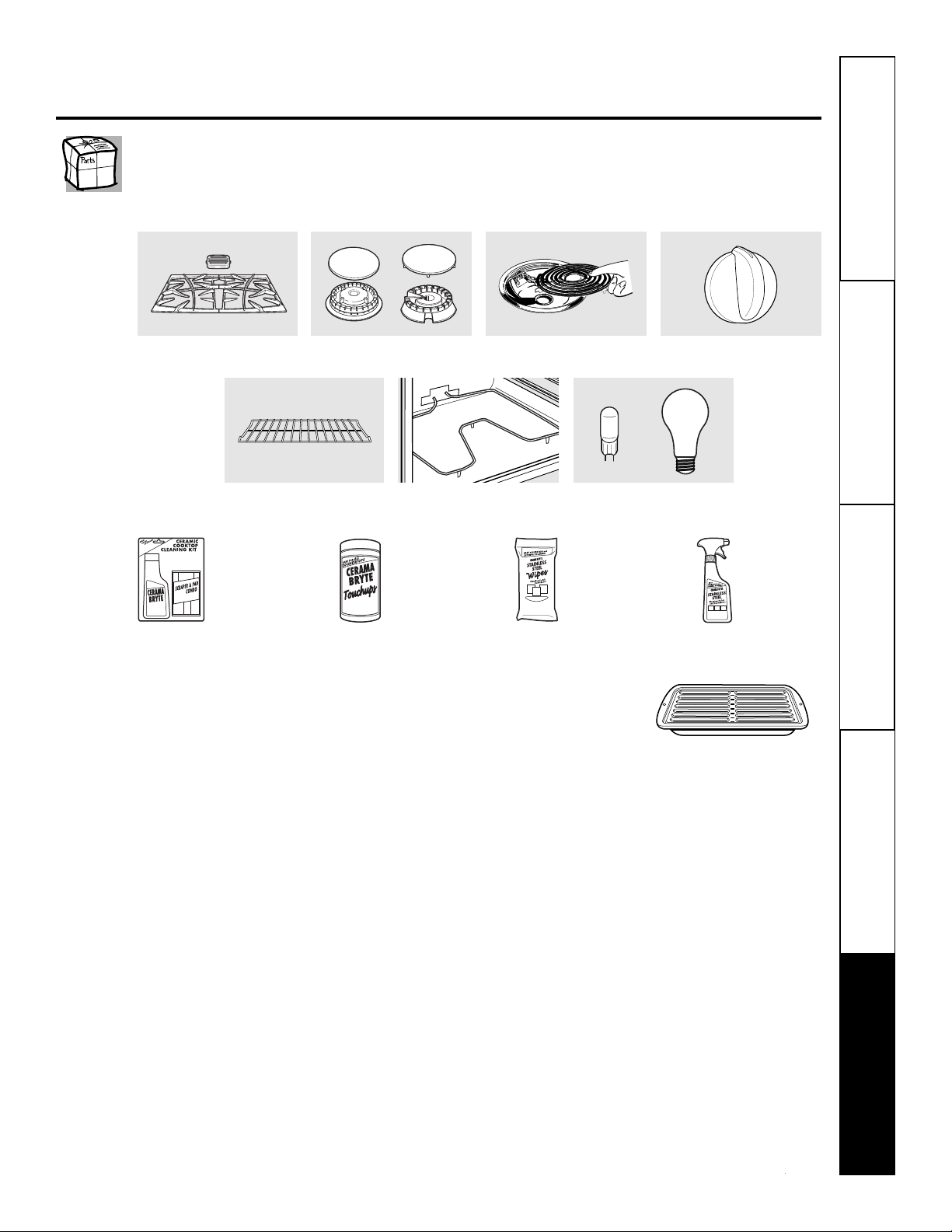
Seguridad Operación
Cuidado y limpieza
Solucionar problemas Soporte al consumidor
Accesorios. G
EAppliances.com
¿Desea algo más?
Usted puede encontrar estos accesorios y muchos más en GEAppliances.com, o
llame al 800.626.2002 (en horario de trabajo normal). Tenga listo el número de modelo.
¡Pruebe estos otros excelentes productos para que su cocina se vea estupenda!
¡Aproveche al máximo su bandeja para asar! (No para usar con modelos de cajón asador.)
¡Utilice su bandeja y tapa de rejilla para asar hamburguesas, frutos de mar, filetes, vegetales, panceta,
costillas y mucho más! La bandeja inferior retiene el exceso de grasas y aceites.
• Pieza GE genuina
• Fácil de limpiar
• Garantía de un año
¡Oferta de tiempo limitado! ¡Envío sin cargo!
Cuando solicite la bandeja para asar dentro de los 30 días de haber adquirido su producto de cocina GE.
Pequeña Grande* Extra grande**
N° de pieza WB48X10055 WB48X10056 WB48X10057
Dimensiones 8-3/4" A x 1-1/4" A x 13-1/2" P 12-3/4" A x 1-1/4" A x 16-1/2" P 17" A x 1-1/4" A x 19-1/4" P
Precio US$10.50
†
US$14.50
†
US$16.75
†
† Más impuestos aplicables de venta estatales (PST/HST and GST)
* La bandeja para asar grande (estándar) no entra en cocinas de 20/24 pulgadas.
** La bandeja extra grande no entra en hornos de paredes de 24 pulgadas, empotradas de 27 pulgadas o cocinas de 20/24 pulgadas.
Llame al 800.626.2002 o utilice este formulario para enviar su solicitud por correo:
GE Parts, P.O. Box 221027, Memphis, TN 38122-1027.
Formulario de solicitud de la bandeja para asar
Cantidad ____________________ Número de pieza ______________________________________________________________
____________________ ______________________________________________________________
____________________ ______________________________________________________________
Número de modelo______________ Número de serie__________________ Marca ______________ Fecha de compra __________
Nombre ______________________________________________ Apellido ________________________________________________
Dirección ________________________________________________________________________________________________________
Ciudad ________________________________________________ Estado __________ Código Postal __________________________
Teléfono ______________________________________________ Correo electrónico ________________________________________
Tarjeta de crédito ____ Check____ Giro postal____
Visa ____ MasterCard ____ Discover ____ AmEx ____ N° de Tarjeta de Crédito ________________________________________
Fecha de vencimiento: Mes ________________ Año____________ Firma: ________________________________________________
Elementos de superficie y
bandejas colectoras
Rejillas Cabezales o tapas de
quemadores de superficie
Elementos del horno Bombillas de luz
Perillas
Bandejas del horno
WX10X117GCS
WX10X305
WX10X10001
PM10X311
Kit de limpieza
de anafes
vitrocerámicos:
Incluye limpiador,
rasqueta y paño
Toallitas
de limpieza
de anafes
vitrocerámicos
Toallitas para
pulir artefactos de
acero
inoxidable
Limpiador
de artefactos
de acero
inoxidable
_ _ _ _ _ _ _ _ _ _ _ _ _ _ _ _ _ _ _ _ _ _ _ _ _ _ _ _ _ _ _ _ _ _ _ _ _ _ _ _ _ _ _
✁
o
19

SeguridadOperaciónCuidado y limpiezaSolucionar problemasSoporte al consumidor
20
Notas.
21
Garantía de GE para su horno eléctrico empotrado.
Por el período de: GE reemplazará:
Un año Cualquier parte del horno que falle debido a defectos en los materiales o en la fabricación.
A partir de la fecha Durante este garantía limitada de un año, GE también proporcioná, sin costo alguno,
de la compra original toda la mano de obra y los servicios internos para reemplazar partes defectuosas.
■ Viajes de servicio a su casa para enseñarle cómo usar
el producto.
■ Instalación, entrega o mantenimiento inapropiada.
■ Fallas del producto si hay abuso, mal uso, o uso para
otros propósitos que los propuestos, o uso para fines
comerciales.
■ Reemplazo de fusibles de su casa o reajuste de
interruptores de circuito.
■ Daño al producto causado por accidente, fuego,
inundaciones o actos de Dios.
■ Daño incidental o consecuencial causado por posibles
defectos con el aparato.
■ Daño causado después de la entrega.
■ Producto no accesible para facilitar el servicio
requerido.
Lo que no está cubierto por GE:
Esta garantía se extiende al comprador original y cualquier comprador posterior de productos comprados para
uso residencial dentro des Estados Unidos. Si el producto está situado en un área que no dispone de servicio por
parte de un proveedor de servicio autorizado de GE, podría tener que hacerse cargo de los costes de envío o bien
podría solicitársele que lleve el producto a un centro de servicio de GE autorizado para realizar la reparación.
En Alaska, la garantía excluye el costo de envío o las visitas de servicio a su casa.
Algunos estados no permiten la exclusión o las limitaciones de daños incidentales o consecuenciales. Esta garantía
da derechos legales específicos, y usted podría tener otros derechos que variarán de estado a estado. Para saber
cuáles son sus derechos legales, consulte a la oficina de asuntos del consumidor local o la oficina del Prucurador
(Attorney General) en su localidad.
Garante: General Electric Company. Louisville, KY 40225
Todos los servicios de garantía los proporcionan nuestros Centros
de Reparación de Fábrica o nuestros técnicos Customer Care
®
autorizados. Para concertar una cita de reparación, visíte
nos en línea en GEAppliances.com, o llame al 800.GE.CARES
(800.432.2737). Cuando llame para solicitar servicio, por favor
tenga a mano el número de serie y el número de modelo.
Pegue aquí su recibo.
Se requiere facilitar prueba
de la fecha de compra original
p
ara obtener un servicio
bajo la garantía.
EXCLUSIÓN DE GARANTÍAS IMPLÍCITAS—Su único y exclusivo derecho es la reparación del producto, tal y como se
indica en esta Garantía limitada. Cualquier garantía implícita, incluyendo las garantías implícitas de comerciabilidad
o adecuación para un fin determinado, están limitadas a un año o el período de tiempo más breve permitido por
la ley.
Seguridad Operación
Cuidado y limpieza
Solucionar problemas Soporte al consumidor
Impreso en los Estados Unidos
Soporte al consumidor.
Página Web de GE Appliances
GEAppliances.com
¿Tiene alguna pregunta sobre su electrodoméstico? ¡Pruebe la página Web de GE Appliances 24 horas al
d
ía, cualquier día del año! Para mayor conveniencia y servicio más rápido, ya puede descargar los Manuales
de los Propietarios, pedir piezas o incluso hacer una cita en línea para que vengan a realizar una
reparación.
Solicite una reparación GEAppliances.com
El servicio de expertos GE está a tan sólo un paso de su puerta. ¡Entre en línea y solicite su reparación
cuando le venga cualquier día del año! O llame al 800.GE.CARES (800.432.2737) durante horas normales
de oficina.
Real Life Design Studio (Estudio de diseño para la vida real)
GEAppliances.com
GE apoya el concepto de Diseño Universal—productos, servicios y ambientes que pueden usar gente de
todas las edades, tamaños y capacidades. Reconocemos la necesidad de diseñar para una gran gama de
habilidades y dificultades físicas y mentales. Para más detalles cobre las aplicaciones de GE Diseño Universal,
incluyendo ideas de diseño para la cocina para personas con discapacidades, mire nuestra página Web hoy
mismo. Para personas con dificultades auditivas, favor de llamar al 800.TDD.GEAC (800.833.4322).
Garantías ampliadas GEAppliances.com
Compre una garantía ampliada y obtenga detalles sobre descuentos especiales disponibles mientras su
garantía está aún activa. Puede comprarla en línea en cualquier momento, o llamar al 800.626.2224
durante horas normales de oficina. GE Consumer Home Services estará aún ahí cuando su garantía termine.
Piezas y accesorios GEAppliances.com
Aquellos individuos con la calificación necesaria para reparar sus propios electrodomésticos pueden
pedir que se les manden las piezas o accesorios directamente a sus hogares (aceptamos las tarjetas
VISA, MasterCard y Discover). Haga su pedido en línea hoy, 24 horas cada día o llamar por teléfono
al 800.626.2002 durante horas normales de oficina.
Las instrucciones descritas en este manual cubren los procedimientos a seguir por cualquier usuario. Cualquier
otra reparación debería, por regla general, referirse a personal calificado autorizado. Debe ejercerse precaución
ya que las reparaciones incorrectas pueden causar condiciones de funcionamiento inseguras.
Póngase en contacto con nosotros GEAppliances.com
Si no está satisfecho con el servicio que recibe de GE, póngase en contacto con nosotros en nuestra página
Web indicando todos los detalles así como su número de teléfono o escríbanos a:
General Manager, Customer Relations
GE Appliances, Appliance Park
Louisville, KY 40225
Registre su electrodoméstico GEAppliances.com
¡Registre su nuevo electrodoméstico en línea—cuando usted prefiera! El registrar su producto a tiempo le
proporcionará, si surgiera la necesidad, una mejor comunicación y un servicio más rápido bajo los términos
de su garantía. También puede enviar su tarjeta de registro pre-impresa que se incluye en el material
de embalaje.

