

en Safety
2
Table of contents
INFORMATION FOR USE
1 Safety...................................................................2
2 Preventing material damage ..............................6
3 Environmental protection and saving en-
ergy ......................................................................7
4 Familiarising yourself with your appliance .......8
5 Accessories.......................................................12
6 Before using for the first time ..........................13
7 Basic operation .................................................14
8 Microwave .........................................................15
9 MicroCombi .......................................................17
10 Grill ....................................................................17
11 Steam.................................................................18
12 Automatic programmes....................................21
13 Time-setting options.........................................24
14 Childproof lock..................................................25
15 Basic settings....................................................25
16 Cleaning and servicing.....................................26
17 Cleaning function..............................................28
18 Troubleshooting................................................29
19 Disposal.............................................................31
20 Customer Service..............................................31
21 How it works......................................................32
22 INSTALLATION INSTRUCTIONS ......................43
22.1 Safe installation ..............................................
..43
1 Safety
Observe the following safety instructions.
1.1 General information
¡ Read this instruction manual carefully.
¡ Keep the instruction manual and the
product information safe for future refer-
ence or for the next owner.
¡ Do not connect the appliance if it has been
damaged in transit.
1.2 Intended use
This appliance is designed only to be built
into kitchen units. Read the special installation
instructions.
Only a licensed professional may connect ap-
pliances without plugs. Damage caused by in-
correct connection is not covered under the
warranty.
The appliance can only be used safely if it is
correctly installed according to the safety in-
structions. The installer is responsible for en-
suring that the appliance works perfectly at its
installation location.
Only use this appliance:
¡ To prepare meals and drinks.
¡ Under supervision. Never leave the appli-
ance unattended when cooking for short
periods.
¡ For household use and similar applications,
such as: In kitchens for employees in
shops, offices and other commercial sec-
tors; in agriculture; by customers in hotels
and other residential facilities; in bed and
breakfasts.
¡ Up to an altitude of max. 2000m above
sea level.
Do not use the appliance:
¡ With an external timer or a separate remote
control.
This appliance complies with the standards
EN 55011 and CISPR 11. It is a group 2,
class B product. Group 2 means that mi-
crowaves are produced for the purpose of
heating food. Class B means that the appli-
ance is suitable for private households.
1.3 Restriction on user group
This appliance may be used by children aged
8 or over and by people who have reduced
physical, sensory or mental abilities or inad-
equate experience and/or knowledge,
provided that they are supervised or have
been instructed on how to use the appliance
safely and have understood the resulting
dangers.
Do not let children play with the appliance.
Children must not perform cleaning or user
maintenance unless they are at least 15 years
old and are being supervised.
Keep children under the age of 8 years away
from the appliance and power cable.

Safety en
3
1.4 Safe use
Always place accessories in the cooking com-
partment the right way round.
→"Accessories", Page12
WARNING‒Risk of fire!
Combustible objects that are left in the cook-
ing compartment may catch fire.
▶ Never store combustible objects in the
cooking compartment.
▶ If smoke is emitted, the appliance must be
switched off or the plug must be pulled out
and the door must be held closed in order
to stifle any flames.
Loose food remnants, fat and meat juices
may catch fire.
▶ Before using the appliance, remove the
worst of the food residues and remnants
from the cooking compartment, heating ele-
ments and accessories.
Opening the appliance door creates a
draught. Greaseproof paper may come into
contact with the heating element and catch
fire.
▶ Never place greaseproof paper loosely
over accessories when preheating the ap-
pliance and while cooking.
▶ Always cut greaseproof paper to size and
use a plate or baking tin to hold it down.
WARNING‒Risk of burns!
The appliance and its parts that can be
touched become hot during use.
▶ Caution should be exercised here in order
to avoid touching heating elements.
▶ Young children under 8 years of age must
be kept away from the appliance.
Accessories and cookware get very hot.
▶ Always use oven gloves to remove ac-
cessories or cookware from the cooking
compartment.
When the cooking compartment is hot, any al-
coholic vapours inside may catch fire. The ap-
pliance door may spring open. Hot steam and
jets of flame may escape.
▶ Only use small quantities of drinks with a
high alcohol content in food.
▶ Do not heat spirits (≥ 15% vol.) when undi-
luted (e.g. for marinating or pouring over
food).
▶ Open the appliance door carefully.
WARNING‒Risk of scalding!
The accessible parts of the appliance become
hot during operation.
▶ Never touch these hot parts.
▶ Keep children at a safe distance.
Hot steam may escape when you open the
appliance door. Steam may not be visible, de-
pending on the temperature.
▶ Open the appliance door carefully.
▶ Keep children at a safe distance.
If there is water in the cooking compartment
when it is hot, this may create hot steam.
▶ Never pour water into the cooking compart-
ment when the cooking compartment is
hot.
WARNING‒Risk of injury!
Scratched glass in the appliance door may
develop into a crack.
▶ Do not use any harsh or abrasive cleaners
or sharp metal scrapers to clean the glass
on the appliance door, as they may scratch
the surface.
The hinges on the appliance door move when
the door is opened and closed, which could
trap your fingers.
▶ Keep your hands away from the hinges.
Components inside the appliance door may
have sharp edges.
▶ Wear protective gloves.
WARNING‒Risk of electric shock!
Incorrect repairs are dangerous.
▶ Repairs to the appliance should only be
carried out by trained specialist staff.
▶ Only use genuine spare parts when repair-
ing the appliance.
▶ If the power cord of this appliance is dam-
aged, it must be replaced by the manufac-
turer, the manufacturer's Customer Service
or a similarly qualified person in order to
prevent any risk.
If the insulation of the power cord is dam-
aged, this is dangerous.
▶ Never let the power cord come into contact
with hot appliance parts or heat sources.
▶ Never let the power cord come into contact
with sharp points or edges.
▶ Never kink, crush or modify the power
cord.
An ingress of moisture can cause an electric
shock.
▶ Do not use steam- or high-pressure clean-
ers to clean the appliance.
en Safety
4
If the appliance or the power cord is dam-
aged, this is dangerous.
▶ Never operate a damaged appliance.
▶ Never operate an appliance with a cracked
or fractured surface.
▶ Call customer services. →Page31
WARNING‒Danger: Magnetism!
Permanent magnets are used in the control
panel or in the controls. These may affect
electronic implants, e.g. heart pacemakers or
insulin pumps.
▶ Wearers of electronic implants must stay at
least 10 cm away from the control panel.
WARNING‒Risk of suffocation!
Children may put packaging material over
their heads or wrap themselves up in it and
suffocate.
▶ Keep packaging material away from chil-
dren.
▶ Do not let children play with packaging ma-
terial.
Children may breathe in or swallow small
parts, causing them to suffocate.
▶ Keep small parts away from children.
▶ Do not let children play with small parts.
1.5 Microwave
CAREFULLY READ THE IMPORTANT SAFETY
INSTRUCTIONS AND KEEP THEM SAFE FOR
FUTURE USE
WARNING‒Risk of fire!
Using the appliance for anything other than its
intended purpose is dangerous and may
cause damage. For example, heated slippers
and pillows filled with grain or cereal may
catch fire, even several hours later.
▶ Never dry food or clothing with the appli-
ance.
▶ Never heat up slippers, pillows filled with
grain or cereal, sponges, damp cleaning
cloths or similar with the appliance.
▶ The appliance must only be used to pre-
pare food and drink.
Food and its packaging and containers may
catch fire.
▶ Never heat food in heat-retaining pack-
aging.
▶ Do not leave food unattended while it is
heating in containers made of plastic, pa-
per or other combustible materials.
▶ Never set the microwave power too high or
the cooking time too long. Follow the in-
structions provided in this user manual.
▶ Never use the microwave to dry food.
▶ Never defrost or heat food with a low water
content, such as bread, at too high a mi-
crowave power or for too long.
Cooking oil may catch fire.
▶ Never use the microwave to heat cooking
oil on its own.
WARNING‒Risk of explosion!
Liquids and other food may easily explode
when in containers that have been tightly
sealed.
▶ Never heat liquids or other food in contain-
ers that have been tightly sealed.
WARNING‒Risk of burns!
Foods with peel or skin may burst or explode
during heating, or even afterwards.
▶ Never cook eggs in their shell or heat hard-
boiled eggs in their shell.
▶ Never cook shellfish or crustaceans.
▶ Always prick the yolk of eggs before mi-
crowaving.
▶ The skin of foods that have a peel or skin,
such as apples, tomatoes, potatoes and
sausages, may burst. Before heating, prick
the peel or skin.
Heat is not distributed evenly through baby
food.
▶ Never heat baby food in closed containers.
▶ Always remove the lid or teat.
▶ Stir or shake well after heating.
▶ Check the temperature before giving the
food or drink to a child.
Heated food gives off heat. The cookware
may become hot.
▶ Always use oven gloves to remove cook-
ware or accessories from the cooking com-
partment.
Airtight packaging may burst when food is
heated.
▶ Always follow the instructions on the pack-
aging.
▶ Always use oven gloves to remove the
dishes from the cooking compartment.
The accessible parts of the appliance become
hot during operation.
▶ Never touch these hot parts.
▶ Keep children at a safe distance.
Safety en
5
Using the appliance for anything other than its
intended purpose is dangerous. This is be-
cause, for instance, overheated slippers, pil-
lows filled with grain or cereal, sponges and
damp cleaning cloths, etc., may cause burns
to the skin.
▶ Never dry food or clothing with the appli-
ance.
▶ Never heat up slippers, pillows filled with
grain or cereal, sponges, damp cleaning
cloths or similar with the appliance.
▶ The appliance must only be used to pre-
pare food and drink.
WARNING‒Risk of scalding!
There is a possibility of delayed boiling when
a liquid is heated. This means that the liquid
reaches the boiling temperature without the
usual steam bubbles rising to the surface. Ex-
ercise caution even when only gently shaking
the container. The hot liquid may suddenly
boil over and splatter.
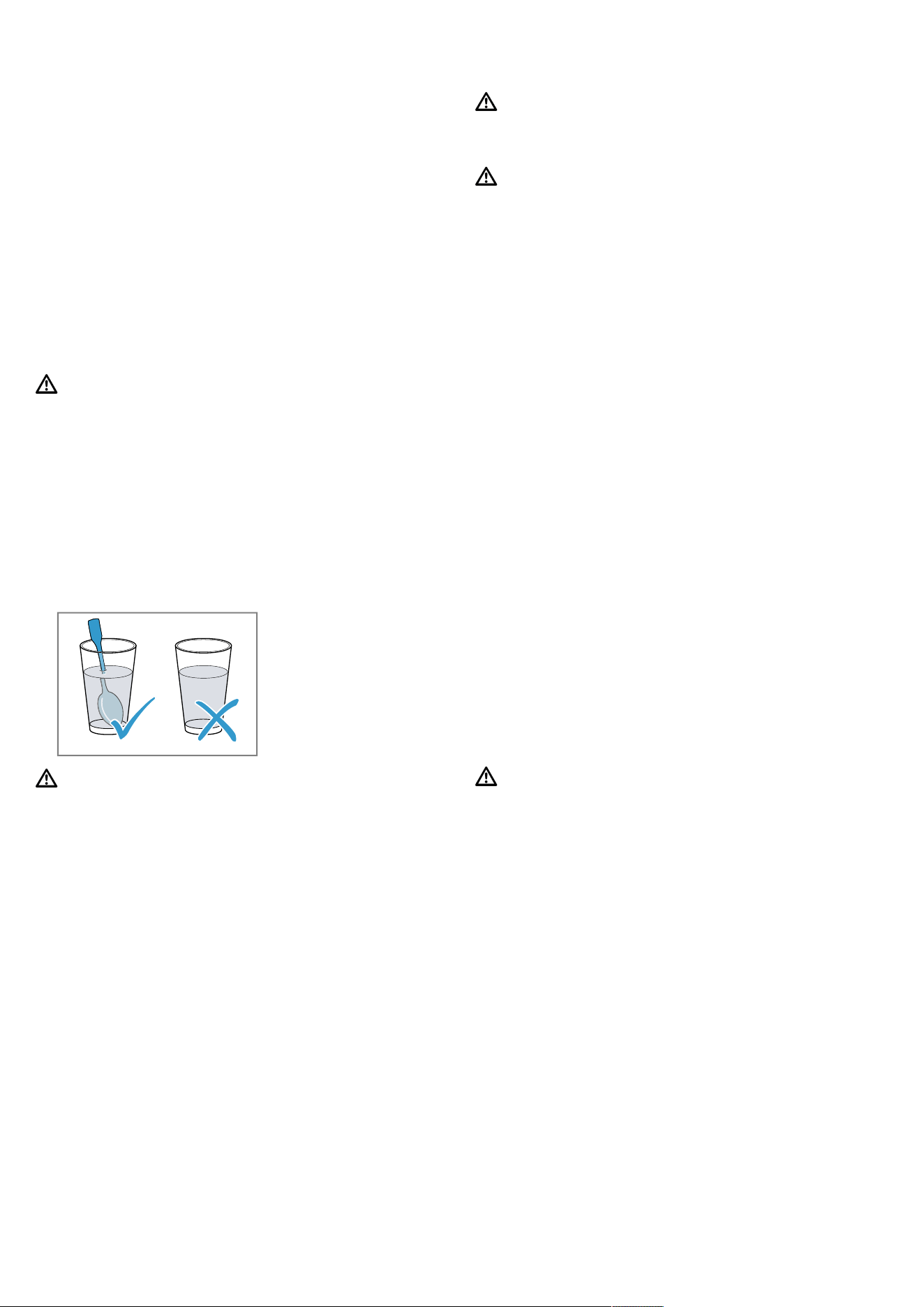
▶ Always place a spoon in the container
when heating liquids. This prevents delayed
boiling.
WARNING‒Risk of injury!
Unsuitable cookware may crack. Porcelain or
ceramic cookware can have small perfora-
tions in the handles and lid. These perfora-
tions conceal a cavity below. If moisture pen-
etrates this cavity, it could cause the cook-
ware to crack.
▶ Only use microwave-safe cookware.
Cookware and containers made from metal or
cookware with metal edging may lead to
sparks being formed during simple mi-
crowave operation. The appliance is dam-
aged.
▶ Never use metal containers during mi-
crowave-only operation.
▶ Only use microwave-safe cookware or use
the microwave in combination with a type
of heating.
WARNING‒Risk of electric shock!
The appliance uses a high voltage.
▶ Never remove the casing.
WARNING‒Risk of serious harm to
health!
Inadequate cleaning may destroy the surface
of the appliance, reduce its service life, and
lead to dangerous situations, such as escap-
ing microwave energy.
▶ Clean the appliance on a regular basis,
and remove any food residue immediately.
▶ Always keep the cooking compartment,
door and door stop clean.
→"Cleaning and servicing", Page26
Never operate the appliance if the cooking
compartment door is damaged. Microwave
energy may escape.
▶ Never use the appliance if the cooking
compartment door or the plastic door
frame is damaged.
▶ Any repair work must only be carried out
by the after-sales service.
Microwave energy will escape from appli-
ances that do not have any casing.
▶ Never remove the casing.
▶ Contact our after-sales service if mainten-
ance or repair work is needed.
1.6 Steam
Follow these instructions when using a steam
function.
WARNING‒Risk of scalding!
The water in the water tank may become very
hot if you operate the appliance for long peri-
ods.
▶ Always empty the water tank after using the
steam function.
Hot steam is generated in the cooking com-
partment.
▶ Do not reach into the cooking compartment
when using steam.
Hot liquid may spill over the sides of the ac-
cessory when it is removed from the cooking
compartment.
▶ Remove hot accessories with care and al-
ways wear oven gloves.

en Preventing material damage
6
WARNING‒Risk of fire!
Due to the hot surfaces, vapours from flam-
mable liquids may catch fire in the cooking
compartment (explosion). The appliance door
may spring open. Hot steam and jets of flame
may escape.
▶ Do not pour flammable liquids (e.g. alco-
holic drinks) into the water tank.
▶ Only fill the water tank with water or with
the descaling solution we have recommen-
ded.
2 Preventing material damage
2.1 General
ATTENTION!
Alcoholic vapours may catch fire in the hot cooking
compartment and cause permanent damage to the ap-
pliance. The appliance door may spring open due to
an explosion and it may fall off. The door panels may
shatter and fragment. Due to the resulting negative
pressure, the cooking compartment may become con-
siderably deformed inwards.
▶ Do not heat spirits (≥ 15% vol.) when undiluted (e.g.
for marinating or pouring over food).
If there is water on the cooking compartment floor
when operating the appliance at temperatures above
120°C, this will damage the enamel.
▶ Do not use the appliance if there is water on the
cooking compartment floor.
▶ Wipe away any water on the cooking compartment
floor before operation.
When the cooking compartment is hot, any water in-
side it will create steam. The change in temperature
may cause damage.
▶ Never pour water into the cooking compartment
when it is still hot.
The prolonged presence of moisture in the cooking
compartment leads to corrosion.
▶ Always wipe away the condensation after cooking.
▶ Do not keep moist food in the cooking compartment
for a long time with the door closed.
▶ Do not store food in the cooking compartment.
Leaving the appliance to cool down with the door open
will damage the front of neighbouring kitchen units over
time.
▶ Always allow the cooking compartment to cool
down with the door closed after cooking at high
temperatures.
▶ Take care not to trap anything in the appliance
door.
▶ Only leave the cooking compartment to dry with the
door open if a lot of moisture was produced during
operation.
If the seal is very dirty, the appliance door will no
longer close properly during operation. This may dam-
age the front of adjacent kitchen units.
▶ Keep the seal clean at all times.
▶ Never operate the appliance if the seal is damaged
or missing.
Sitting or placing objects on the appliance door may
damage it.
▶ Do not place, hang or support objects on the appli-
ance door.
▶ Do not place cookware or accessories on the appli-
ance door.
With certain models, accessories may scratch the door
pane when closing the appliance door.
▶ Always push accessories fully into the cooking com-
partment.
2.2 Microwave
Follow these instructions when using the microwave.
ATTENTION!
Metal touching the wall of the cooking compartment
will cause sparks, which may damage the appliance or
the inner door pane.
▶ Metal (e.g. a spoon in a glass) must be kept at least
2cm from the cooking compartment walls and the
inside of the door.
Placing aluminium containers in the appliance may
cause sparks, which will damage the appliance.
▶ Do not use aluminium containers in the appliance.
Operating the appliance without food in the cooking
compartment may lead to overloading.
▶ Do not switch on the microwave unless there is food
inside. The only exception to this rule is when per-
forming a short cookware test.
If you prepare several bags of microwave popcorn in
immediate succession at a microwave power level that
is too high, the cooking compartment may be dam-
aged.
▶ Leave the appliance to cool down for several
minutes between each use.
▶ Never set a microwave power level that is too high.
▶ Use a maximum microwave output of 600 watts.
▶ Always place the popcorn bag on a glass plate.

Environmental protection and saving energy en
7
Using unsuitable cookware may result in damage.
▶ When using the grill or the microwave combined op-
eration, only use cookware that can withstand high
temperatures.
2.3 Steam
Follow these instructions when using the steam func-
tion.
ATTENTION!
Silicone bakeware is not suitable for combined opera-
tion with steam.
▶ Cookware must be heat- and steam-resistant.
Using cookware with rust spots may cause corrosion in
the cooking compartment. Even the smallest spots of
rust can cause corrosion.
▶ Do not use cookware with rust spots.
Dripping liquids make the cooking compartment floor
dirty.
▶ When steaming with a perforated cooking container,
always place the baking tray, the universal pan or
the unperforated cooking container underneath. This
will catch any liquid that drips down.
Hot water in the water tank may damage the steam
system.
▶ Only fill the water tank with cold water.
If descaling solution comes into contact with the control
panel or other delicate surfaces, it will damage them.
▶ Remove descaling solution immediately with water.
Cleaning the water tank in the dishwasher will damage
it.
▶ Do not clean the water tank in the dishwasher.
▶ Clean the water tank with a soft cloth and standard
washing-up liquid.
3 Environmental protection and saving energy
3.1 Disposing of packaging
The packaging materials are environmentally compat-
ible and can be recycled.
▶
Sort the individual components by type and dispose
of them separately.
3.2 Saving energy
If you follow these instructions, your appliance will use
less power.
Only preheat the appliance if the recipe or the recom-
mended settings tell you to do so.
¡
Not preheating the appliance can reduce the en-
ergy used by up to 20%.
Use dark-coloured, black-coated or enamelled baking
tins.
¡
These types of baking tin absorb the heat particu-
larly well.
Open the appliance door as little as possible during
operation.
¡
This maintains the temperature in the cooking com-
partment and eliminates the need for the appliance
to reheat.
When baking multiple dishes, do so in succession or
in parallel.
¡
The cooking compartment is heated after baking
the first dish. This reduces the baking time for the
second cake.
If the cooking time is relatively long, you can switch
the appliance off 10minutes before the cooking time
ends.
¡
There will be enough residual heat to finish cooking
the dish.
Remove any accessories that are not being used from
the cooking compartment.
¡
Accessories that are not being used do not need to
be heated.
Allow frozen food to defrost before cooking.
¡
This saves the energy that would otherwise be re-
quired to defrost it.
Note:
The appliance requires:
¡ A maximum of 1W in standby mode with the dis-
play switched on
¡ A maximum of 0.5W in standby mode with the dis-
play switched off
en Familiarising yourself with your appliance
8
4 Familiarising yourself with your appliance
4.1 Control panel
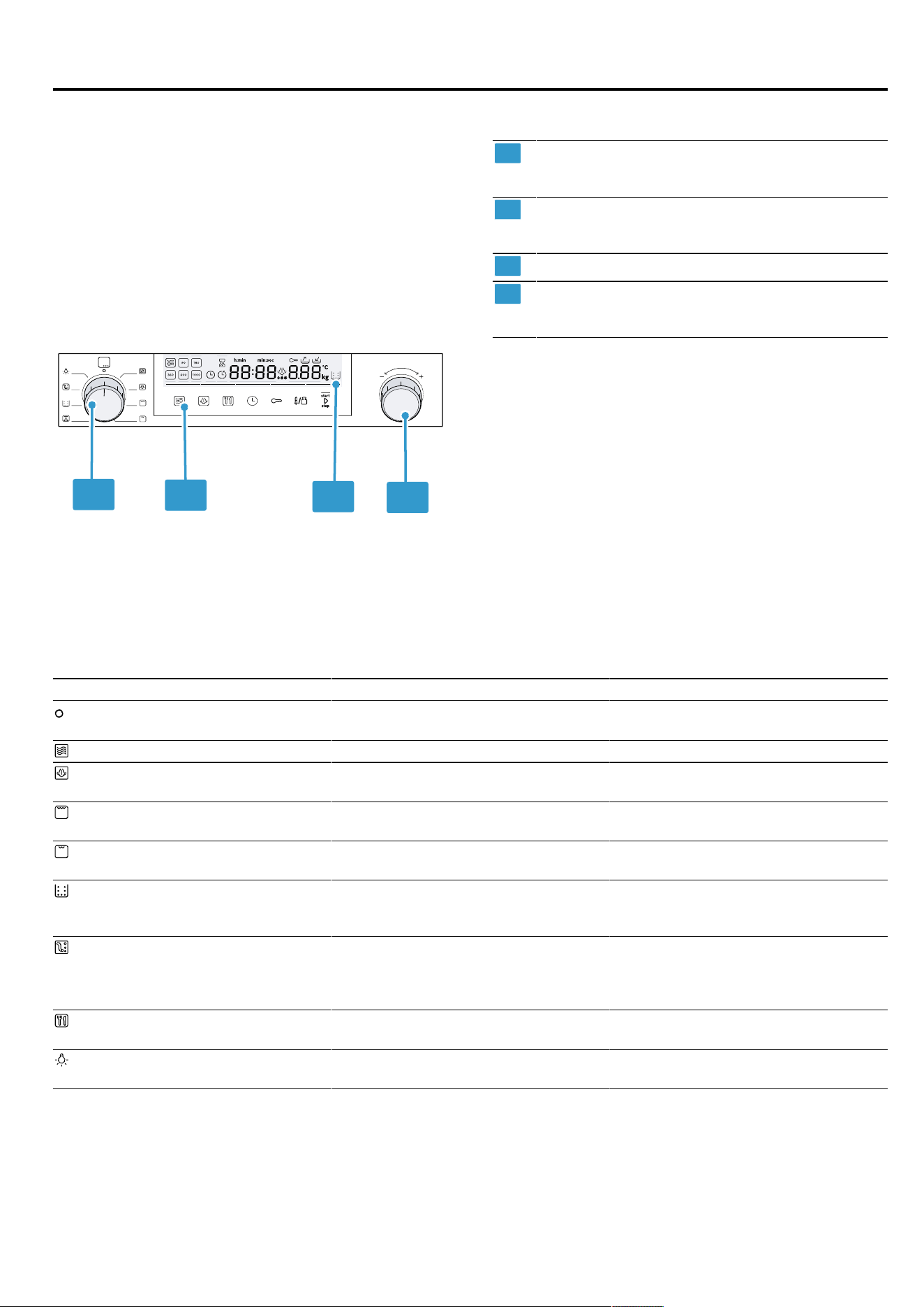
You can use the control panel to configure all functions
of your appliance and to obtain information about the
operating status.
On certain models, specific details such as colour and
shape may differ from those pictured.
2
3
4
1
1
Function selector
Use the function selector to set the operating
modes or other functions.
2
Touch fields
Use the touch fields to set different functions
directly.
3
Display
4
Rotary selector
You can turn the rotary selector clockwise and
anti-clockwise.
Function selector
Use the function selector to set the types of heating and other functions. On some product variants, the function se-
lector can be pushed in. If you turn the function selector from the zero setting to a function, it takes a few seconds for
the relevant function to be available.
Symbol Setting Use
Zero setting The appliance is switched off and is
in energy-saving mode.
Microwave Select microwave operation.
Steam Hot steam is fed into the cooking
compartment.
Full-surface grill The entire area below the grill ele-
ment becomes hot.
Centre-area grill The centre part of the grill element
becomes hot.
Descale This function descales the evaporator
and ensures it remains fully function-
ing.
Rinse The pipes in the steam unit are
rinsed with water. We recommend
using the rinsing function after every
steam operation.
Programmes This gives you access to prepro-
grammed settings for many dishes.
Interior lighting Switches on the interior lighting. The
appliance is not heating up.
Touch fields
Touch fields are touch-sensitive surfaces. To select a function, touch the relevant field.
Familiarising yourself with your appliance en
9
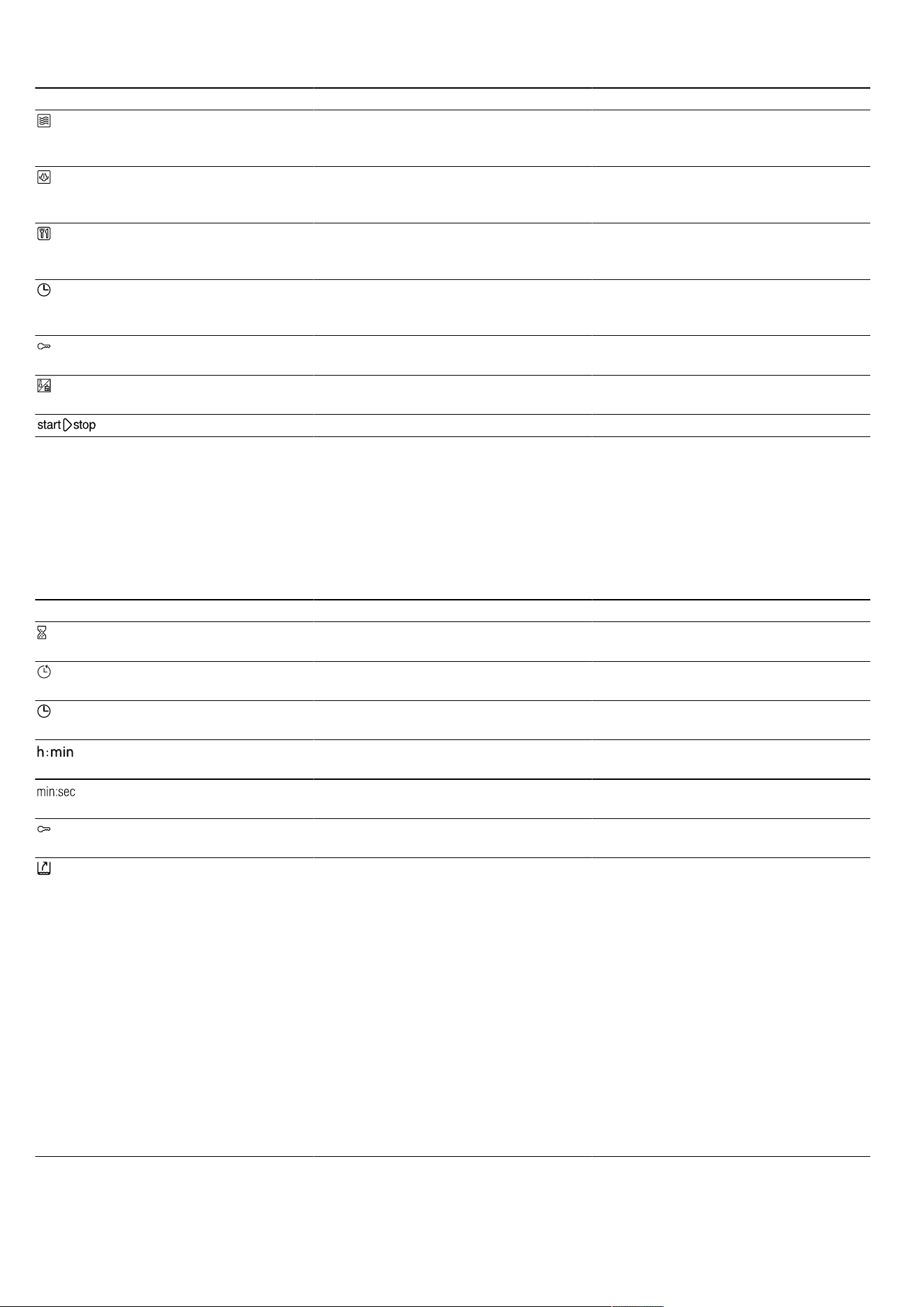
Symbol Touch field Use
Microwave Select the microwave power levels or
switch on the microwave function for
grilling or steaming.
Steam Select a steam setting or switch on
the steam function for a type of heat-
ing.
Programmes Call up the programme selection and
use the rotary selector to set the pro-
gramme number.
Time-setting options Select the "Time-setting options" sym-
bol and use the rotary selector to set
the time-setting options you require.
Childproof lock Pressing and holding activates or de-
activates the childproof lock.
Temperature/weight Use the rotary selector to select and
set the temperature or weight.
Start/stop Start or pause the operation.
Display
You can see the current setting values or options in the
display.
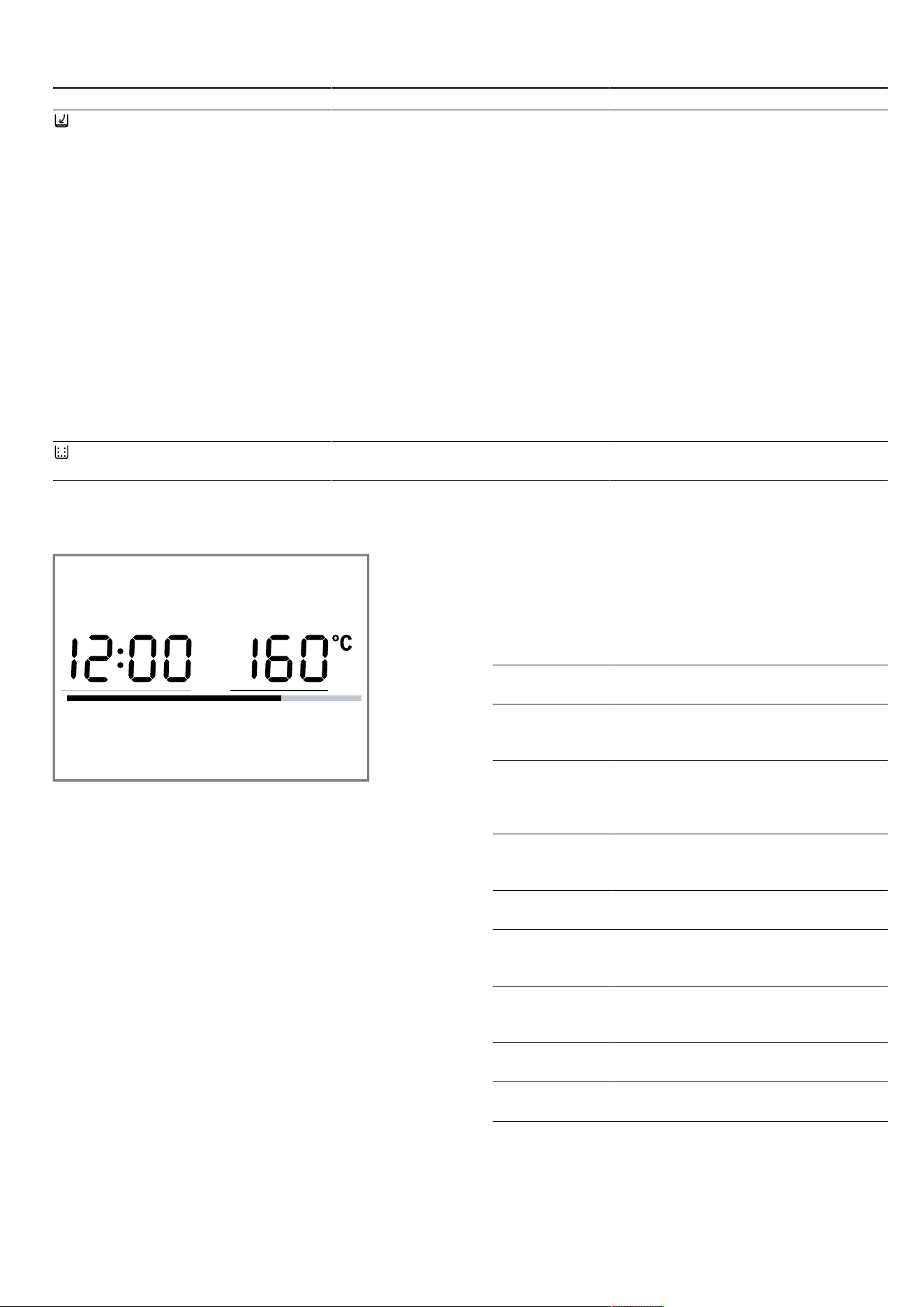
The value that you can currently set is highlighted.
It is highlighted by a red bar displayed below the set
value.
You can use the rotary selector to change the high-
lighted value directly.
Display elements
You can find a brief explanation of the different display elements below.
Symbol Name Meaning
Timer If the symbol is highlighted, the timer
appears on the display.
Cooking time If the symbol is highlighted, the cook-
ing time appears on the display.
Clock If the symbol is highlighted, the clock
appears on the display.
Hours/minutes The cooking time is displayed in
hours and minutes.
Minutes/seconds The cooking time is displayed in
minutes and seconds.
Childproof lock If the symbol lights up, the childproof
lock is activated.
Drip tray The symbol indicates the status of
the drip tray.
The symbol lights up and the arrow
flashes:
¡ The drip tray is in the tank recess.
¡ The drip tray is full.
¡ Empty the drip tray.
The symbol flashes and the arrow
does not flash:
¡ The drip tray is not in the tank re-
cess.
¡ Insert the drip tray into the tank re-
cess.
The symbol lights up and the arrow
does not light up:
¡ The drip tray is in the tank recess.
¡ No further action necessary.
en Familiarising yourself with your appliance
10
Symbol Name Meaning
Water tank The symbol indicates the status of
the water tank.
The symbol lights up and the arrow
flashes:
¡ The water tank is in the tank re-
cess.
¡ The water tank is empty.
¡ Fill the water tank.
The symbol flashes and the arrow
does not flash:
¡ The water tank is not in the tank
recess.
¡ Insert the water tank into the tank
recess.
The symbol lights up and the arrow
does not light up:
¡ The water tank is in the tank re-
cess.
¡ No further action necessary.
Descale If this symbol lights up, the appliance
must be descaled.
Temperature display
The temperature display shows the heating progress.
The red bar at the bottom of the display shows that the
appliance is heating up. If a type of heating is in use,
the bar turns red from left to right as the cooking com-
partment heats up. If you are using the grill or steam
mode, the entire bar lights up red immediately. The bar
does not light up when the microwave function is in
use. When you are preheating the appliance, the op-
timal time to place your food in the cooking compart-
ment is as soon as all five sections of the line have
turned red.
Due to thermal inertia, the temperature that is displayed
may differ slightly from the actual temperature inside
the cooking compartment.
Night mode
To save energy, the control panel brightness is auto-
matically reduced to a lower level between 10 p.m. and
5.59 a.m.
Rotary selector
You can use the rotary selector to change the adjust-
ment values shown on the display.
For most selection lists, e.g. programmes, the first
point begins again following the last point. For some
selection lists, e.g. cooking time, rotate the rotary se-
lector back again once the minimum or maximum
value has been reached.
4.2 Operating modes
The menu is divided into different operating modes.
Operating
mode
Use
Microwave You can use the microwave to cook,
heat up or defrost your food more
quickly.
Steam Cook food with steam. There are
various finely tuned steam settings
that will allow you to cook your food
to perfection.
Full-surface
grill
For grilling flat items such as steaks,
sausages or bread, and for cooking
au gratin.
Centre-area
grill
For grilling small amounts of steak,
sausages, bread and pieces of fish.
Microwave
combined op-
eration
In addition to the steam function or
grill function, you can also switch on
the microwave.
Steam com-
bined opera-
tion
In addition to the microwave function
or grill function, you can also switch
on the steam function.
Cleaning Different cleaning functions are avail-
able: Descaling and rinsing
Basic settings Adjust the basic settings.
→"Basic settings", Page25
Familiarising yourself with your appliance en
11
4.3 Types of heating
Here you can find an overview of the types of heating. You can find recommendations on using the types of heating.
Symbol Name Temperature/
settings
Use
Full-surface grill Grill settings:
¡ 1 = low
¡ 2 = medium
¡ 3 = high
Grill flat items such as steak, sausages or bread. Gratinate food.
Centre-area grill Grill settings:
¡ 1 = low
¡ 2 = medium
¡ 3 = high
For grilling small amounts of steak, sausages, bread and pieces of
fish.
Note:For each type of heating, the appliance specifies
a default temperature. You can accept this default tem-
perature or change it in the relevant area.
4.4 Cooking compartment
The functions in the cooking compartment make your
appliance easier to use.
Interior lighting
The interior lighting remains lit while the appliance is in
operation. When the appliance ends the operation, it
switches off.
When you open the appliance door, the interior lighting
switches on. This makes it easier to clean your appli-
ance, for example. After approximately 15minutes, the
interior lighting automatically switches itself off.
Cooling fan
The cooling fan switches on and off as required. The
hot air escapes through the ventilation slots above the
appliance door.
ATTENTION!
Covering the ventilation slots will cause the appliance
to overheat.
▶ Do not cover the ventilation slots.
To cool the cooking compartment more quickly after
operation, the cooling fan continues to run for a certain
period afterwards. If the appliance is running in mi-
crowave operation, the appliance remains cool, but the
cooling fan still switches on. The cooling fan may con-
tinue to run even when microwave operation has
ended.
Condensation
Condensation can occur in the cooking compartment
and on the appliance door when cooking. Condensa-
tion is normal and does not adversely affect appliance
operation. Wipe away the condensation after cooking.
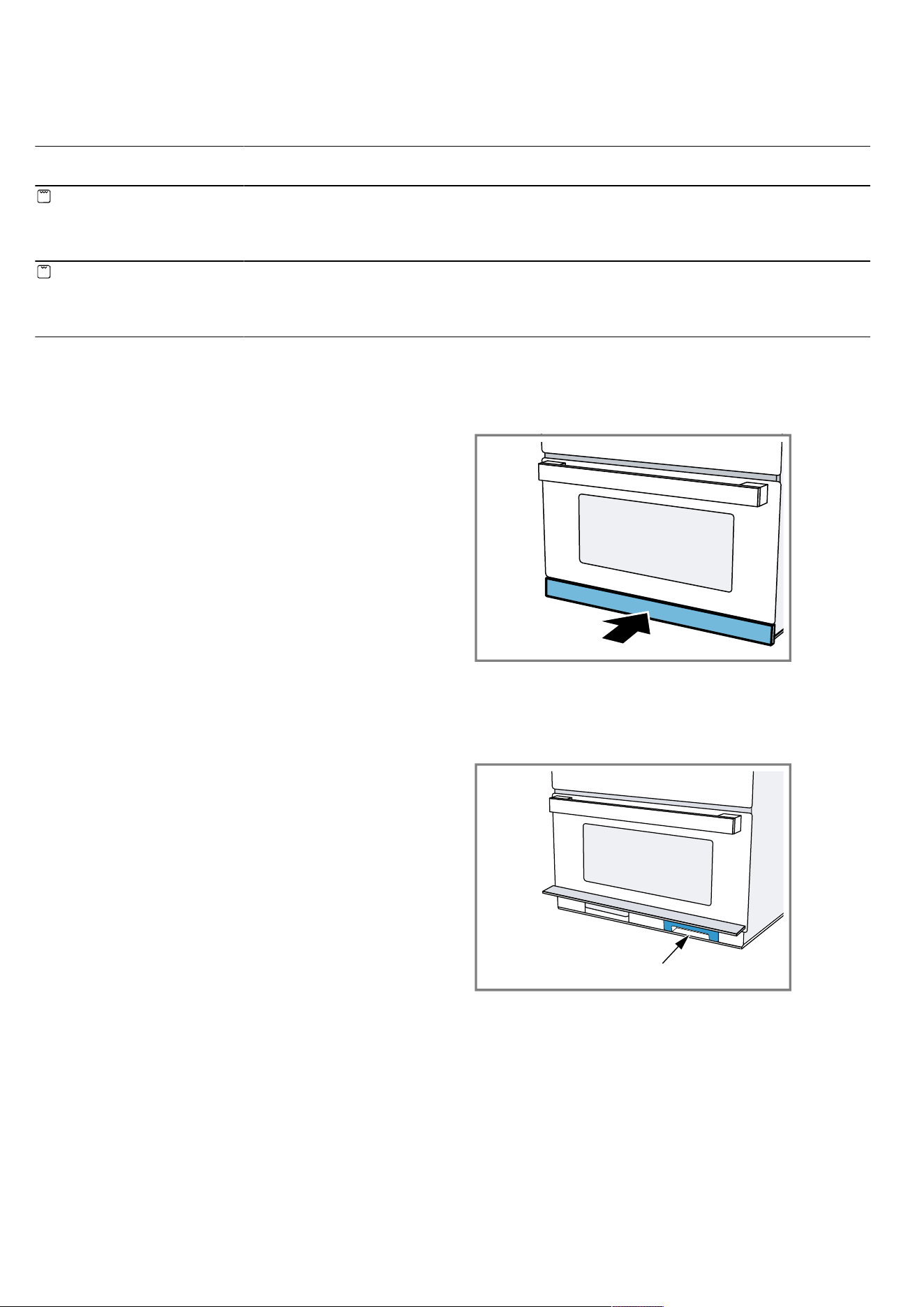
4.5 Tank cover
The tank cover is located below the appliance door
and allows for access to the drip tray and water tank.
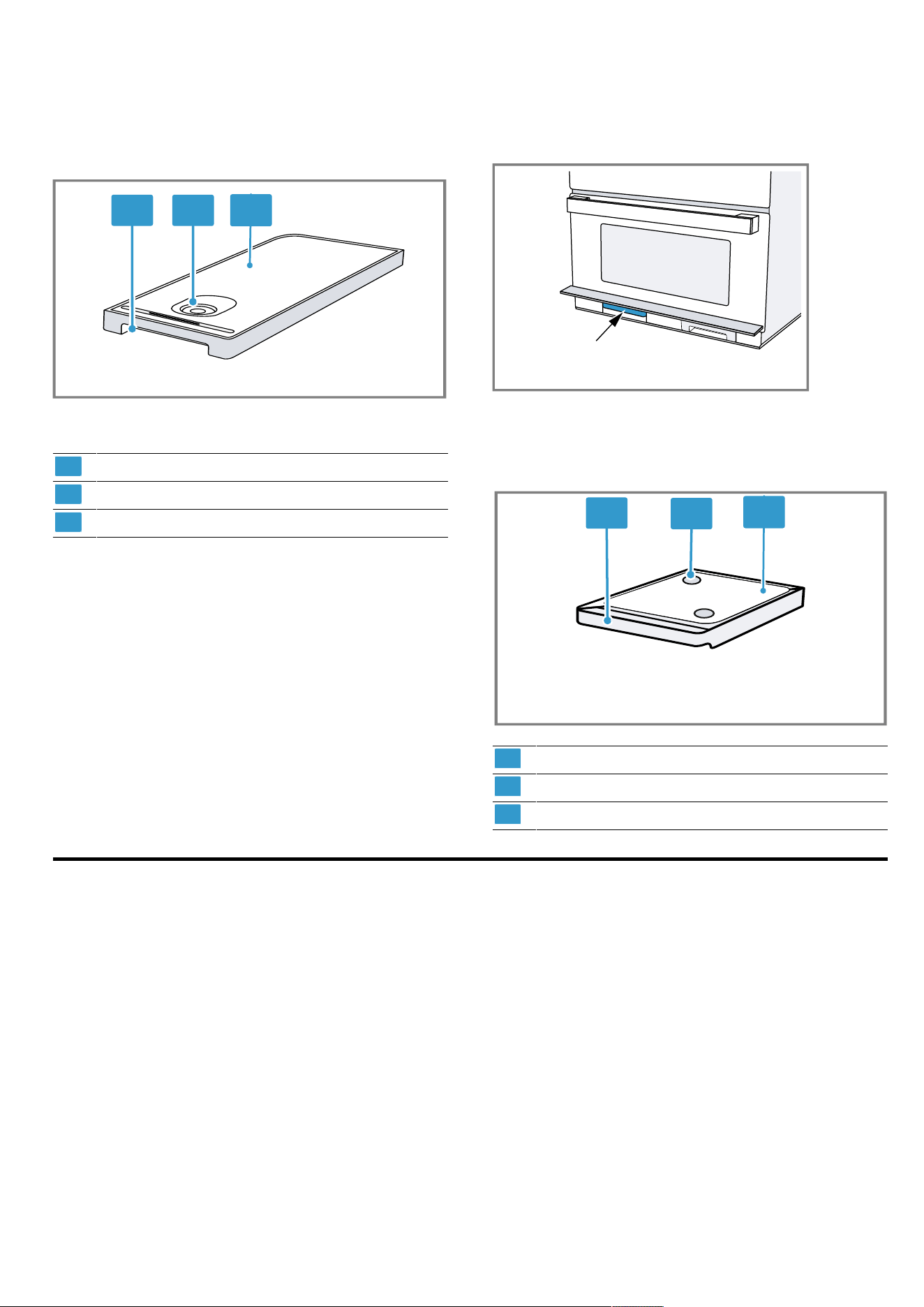
4.6 Water tank
The water tank is located to the right behind the tank
cover.
en Accessories
12
Fill the water tank with water to operate the appliance
using steam modes.
→"Filling the water tank", Page19
1
2
3
1
Handle for removing and inserting
2
Opening for filling and emptying
3
Tank cover
4.7 Drip tray
The drip tray is located to the left behind the tank
cover.
Empty the drip tray before and after running the clean-
ing functions.
1
2
3
1
Handle for removing and inserting
2
Collection openings
3
Tank cover
5 Accessories
Use original accessories. These have been made espe-
cially for your appliance.
The accessories supplied may differ depending on the
appliance model.
Before using for the first time en
13
Accessories Use
Wire rack ¡ Wire rack for baking
and roasting in oven
operation.
¡ Wire rack for grilling,
e.g. steaks, sausages
and bread
¡ Wire rack as a storage
space, e.g. for flat
ovenproof dishes
Glass pan ¡ For cooking food
¡ Splash guard when
grilling directly on the
wire rack
¡ Microwave-safe
Steam cookware ¡ For cooking rice, pota-
toes and vegetables
¡ Place the steam con-
tainer into the glass
tray in order to cook
with the "Steam" or
"Steam with mi-
crowave" operating
modes
¡ Place the food directly
onto the steam con-
tainer
5.1 Additional accessories
Additional accessories may be enclosed depending on
the appliance model.
Accessories Use
Wire insert ¡ Wire rack for roasting
¡ Insert into the glass
tray with its feet to the
bottom
¡ Ensures that fat and
meat juices drip into
the glass tray
¡ Not suitable for use in
microwave operation
or steam mode
5.2 Other accessories
You can purchase other accessories from our after-
sales service, specialist retailers or online.
You will find a comprehensive range of products for
your appliance in our brochures and online:
www.bosch-home.com
Accessories vary from one appliance to another. When
purchasing accessories, always quote the exact
product number (E no.) of your appliance.
You can find out which accessories are available for
your appliance in our online shop or from our after-
sales service.
Glass roasting dish
Use
¡ Stews
¡ Bakes
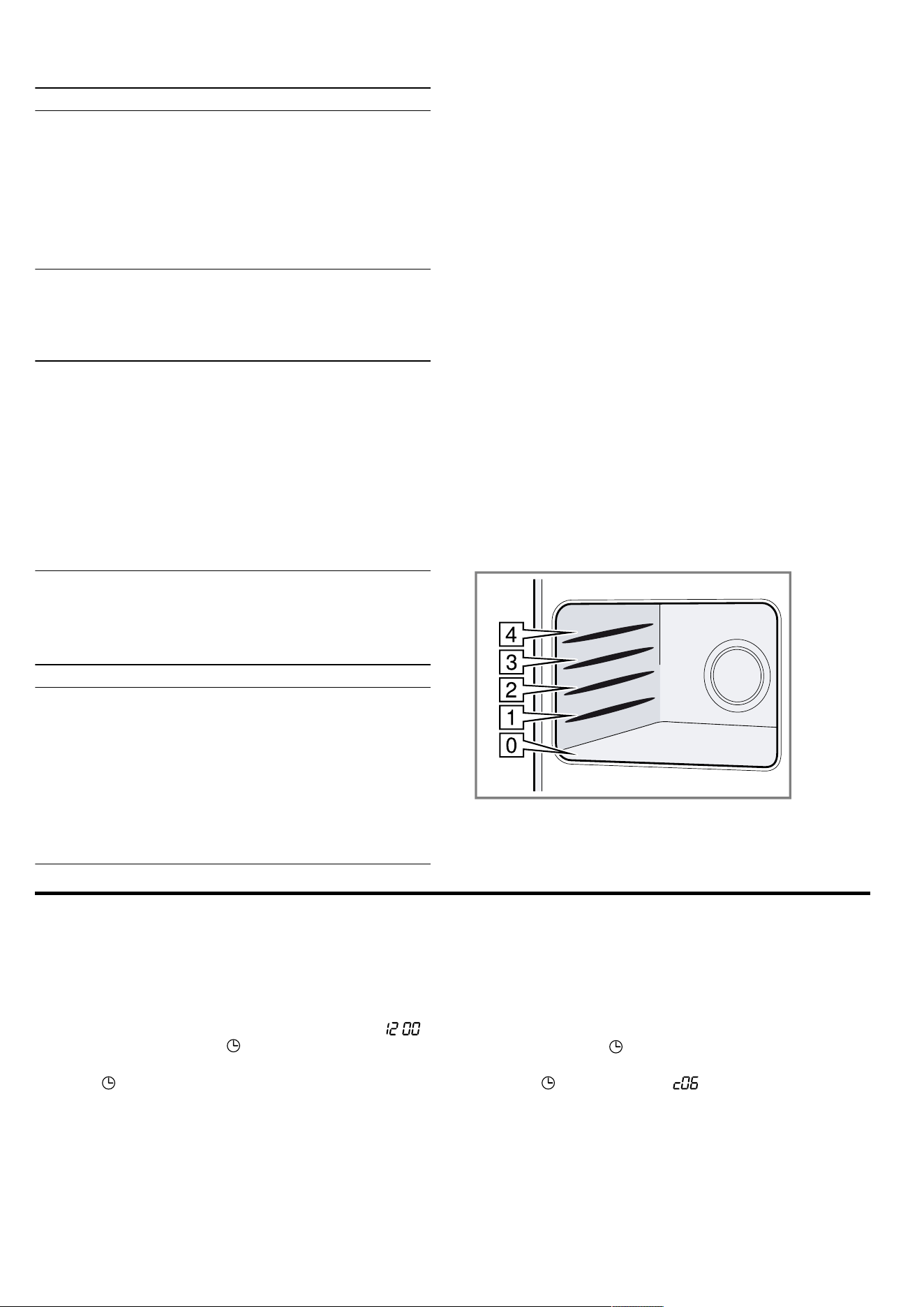
5.3 Shelf positions
The cooking compartment has 4 shelf positions.
The shelf positions are numbered from bottom to top.
Insert the accessory into the guide and slide it in fully.
The cooking compartment floor at position0 is particu-
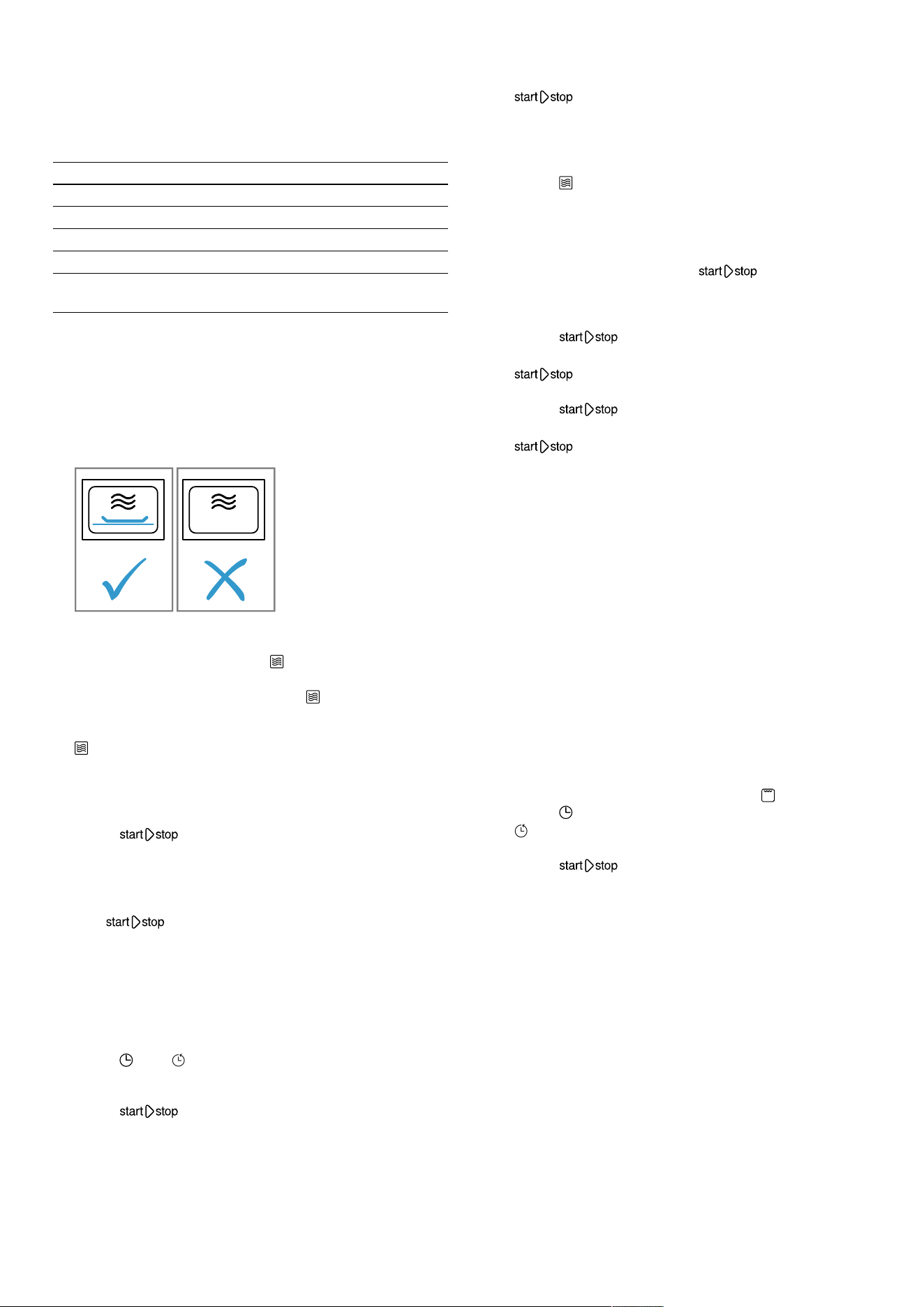
larly suitable for microwave operation. The microwave
output is best on the cooking compartment floor. Only
use microwave-safe cookware.
6 Before using for the first time
Configure the settings for initial start-up. Clean the ap-
pliance and accessories.
6.1 Setting the time
During initial use, the time display is highlighted. :
flashes on the display and lights up.
1.
Set the time using the rotary selector.
2.
Press .
a The time is set.
6.2 Setting the water hardness
Requirements
¡ Before you set the water hardness, ask your water
supplier about the hardness of your tap water.
¡ The appliance is switched off.
1.
Press and hold for a few seconds.
a The first basic setting appears on the display.
2.
Press repeatedly until appears.
3.
Use the rotary selector to select the water hardness.
en Basic operation
14
Note:If your tap water is at 3 or 4 in the water hard-
ness range, we recommend that you use softened
water.
Tip:If you use mineral water, set the water hardness
range to "very hard". If you use mineral water, you
must only use non-carbonated mineral water.
Water hardness range Setting
0 0 softened
1 (up to 1.3mmol/l) 1 soft
2 (1.3 - 2.5mmol/l) 2 moderately hard
3 (2.5 - 3.8mmol/l) 3 hard
4 (above 3.8mmol/l) 4 very hard
4.
To save the changes, press and hold for a few
seconds.
6.3 Cleaning the appliance before using it
for the first time
Clean the cooking compartment and accessories be-
fore using the appliance to prepare food for the first
time.
Requirement:Ensure that there is no leftover pack-
aging, accessories or other objects in the cooking
compartment.
1.
Before heating, wipe the smooth surfaces in the
cooking compartment with a soft, damp cloth.
2.
Close the appliance door.
3.
Ventilate the room while the appliance is heating.
4.
Use the function selector to set .
5.
Set to grill setting 3 using the rotary selector.
6.
Press .
a The appliance starts heating.
7.
Use to switch off the appliance after one
hour.
8.
Turn the function selector to the zero setting.
9.
Wait until the cooking compartment has cooled
down.
6.4 Cleaning the accessories
▶
Clean the accessory thoroughly with soapy water
and a soft dish cloth.
7 Basic operation
7.1 Switching on the appliance
▶
Turn the function selector to switch on the appli-
ance.
a The appliance is ready to use.
a A default value appears in the display.
Note:You can set the childproof lock only when the
appliance is switched off. Some indicators also remain
visible on the display when the appliance has been
switched off.
Switch off your appliance when it is not being used. If
no settings are applied for an extended period, the ap-
pliance switches itself off automatically.
7.2 Switching off the appliance
Switch your appliance off when you are not using it. If
no settings are applied for an extended period, the ap-
pliance switches itself off automatically.
▶
Turn the function selector to the off position.
a The appliance stops any ongoing functions.
a The display shows the time.
a Some indicators also remain visible on the display
when the appliance has been switched off.
Note:In the
→"Basic settings", Page25, you can set whether or
not the time should be displayed when the appliance is
switched off.
7.3 Setting an operating mode
Requirement:The appliance must be switched on.
1.
Use the function selector to select the operating
mode.
If required, implement additional settings. To do this,
touch the appropriate field and use the rotary se-
lector to change the value.
2.
Press .
a The appliance starts the operation.
7.4 Setting the cooking time
1.
Set an operating mode.
2.
Press until is highlighted.
3.
Use the rotary selector to set the required cooking
time.
4.
Press .
a The appliance starts heating.
a lights up.
a You can see the cooking time counting down.
7.5 Pausing the operation
1.
Press or open the appliance door.
a The appliance stops the operation.
a flashes.
2.
Close the appliance door.
3.
Press .
a The appliance continues the operation.
a lights up.
7.6 Stopping operation
You can stop operation at any time.
▶
Turn the function selector to the off position.
The fan may continue to run after operation has
been paused or stopped.
a The appliance stops any ongoing functions.
Microwave en
15
7.7 Automatic safety switch-off function
The automatic safety switch-off is activated if your appli-
ance is operating for a long time with no cooking time
having been set.
The appliance automatically switches off after 9hours.
8 Microwave
You can use the microwave to cook, heat up, bake or
defrost food very quickly. The microwave can be used
on its own or in combination with a type of heating.
8.1 Microwave-safe cookware and
accessories
To heat food evenly and avoid damaging your appli-
ance, it is important to use the right cookware and ac-
cessories.
Note:Read the manufacturer's instructions before us-
ing any cookware in the microwave. If in doubt, carry
out a cookware test.
Microwave-safe
Cookware and accessor-
ies
Reason
Cookware made from
heat-resistant, microwave-
safe material:
¡ Glass
¡ Glass ceramic
¡ Porcelain
¡ Temperature-resistant
plastic
¡ Fully glazed ceramic
without cracks
These materials allow mi-
crowaves to pass
through. Microwaves do
not damage heat-resistant
cookware.
Metal cutlery Note:You can use metal
cutlery, e.g. place a
spoon in a glass, to pre-
vent delayed boiling.
ATTENTION!
Metal touching the wall of the cooking compartment
will cause sparks, which may damage the appliance or
the inner door pane.
▶ Metal (e.g. a spoon in a glass) must be kept at least
2cm from the cooking compartment walls and the
inside of the door.
Not microwave-safe
Cookware and accessor-
ies
Reason
Metal cookware Metal does not allow mi-
crowaves to pass
through. The food hardly
heats up.
Cookware with gold or sil-
ver decoration
Microwaves can damage
gold and silver decora-
tion.
Tip:You can only use this
kind of cookware if the
manufacturer guarantees
that it is microwave-safe.
8.2 Testing cookware for microwave
suitability
Test cookware to see whether it is suitable for mi-
crowave use. Testing cookware is the only time the ap-
pliance should be operated in microwave mode without
any food inside.
WARNING‒Risk of scalding!
The accessible parts of the appliance become hot dur-
ing operation.
▶ Never touch these hot parts.
▶ Keep children at a safe distance.
1.
Place the empty cookware in the cooking compart-
ment.
2.
Set the appliance to run for 30 seconds to 1 minute
at maximum power.
3.
Press to start.
4.
Check the cookware several times:
– If the cookware is cold or warm to the touch, it is
suitable for microwave use.
– If the cookware becomes hot or sparks are cre-
ated, stop the cookware test. The cookware is
not microwave-safe.
8.3 Microwave output settings
This is where you can find an overview of the different
microwave output settings and when to use them.
Microwave output in
watts
Use
90 Defrost delicate foods.
180 Defrost food and continue
cooking.
360 Cook meat and fish or heat del-
icate foods.
600 Heat and cook food.
1000 Heat liquids.
Notes
¡ The appliance suggests a cooking time for each mi-
crowave setting. You can accept this value or
change it in the relevant area.
¡ The maximum microwave output setting is not de-
signed for heating liquids. To protect the appliance,
the microwave output is gradually reduced to
600watts during the first few minutes. Maximum
output is made available after a cooling period.
Default settings
The appliance suggests a cooking time for each mi-
crowave power setting. You can accept this value or
change it in the relevant area.
en Microwave
16
8.4 Intervals for the time settings
The interval for setting a cooking time in microwave op-
eration changes with the length of the cooking time.
Cooking time Interval
0–1minutes 5seconds
1-3minutes 10seconds
3–15minutes 30seconds
15minutes – 1hour 1minute
1hour–
1hour30minutes
5minutes
8.5 Configuring the microwave settings
ATTENTION!
Operating the appliance without food in the cooking
compartment may lead to overloading.
▶ Do not switch on the microwave unless there is food
inside. The only exception to this rule is when per-
forming a short cookware test.
1.
Read the safety instructions →Page4 and the sec-
tion on how to prevent material damage →Page6.
2.
Set the function selector to .
a The appliance is ready to use. The display shows
the maximum microwave output as a default
value.
3.
To set the required microwave output setting, press
.
a The microwave output setting is highlighted and a
default cooking time is shown on the display.
4.
Use the rotary selector to set the required cooking
time.
5.
Press to start.
You can change the cooking time at any time during
operation using the rotary selector.
a The cooking time starts to count down and the mi-
crowave starts.
a The LED lights up.
Note:Once the cooking time has elapsed, the appli-
ance stops the microwave operation and a signal
sounds.
8.6 Setting the cooking time
1.
Set an operating mode.
2.
Press until is highlighted.
3.
Use the rotary selector to set the required cooking
time.
4.
Press .
a The appliance starts heating.
a lights up.
a You can see the cooking time counting down.
8.7 Changing the microwave output setting
▶
Press until the required setting is selected on the
display.
Note:Touching it several times switches the output set-
tings from the highest to the lowest level.
If the microwave function is only added after starting,
the appliance pauses. Press to start.
8.8 Pausing the operation
1.
Press or open the appliance door.
a The appliance stops the operation.
a flashes.
2.
Close the appliance door.
3.
Press .
a The appliance continues the operation.
a lights up.
8.9 Stopping operation
You can stop operation at any time.
▶
Turn the function selector to the off position.
The fan may continue to run after operation has
been paused or stopped.
a The appliance stops any ongoing functions.
8.10 Heating and drying the cooking
compartment
Always dry the cooking compartment after operation to
ensure that no moisture remains.
1.
Allow the appliance to cool down.
2.
Remove the worst of the food residues from the
cooking compartment immediately.
3.
Wipe away any moisture from the cooking compart-
ment floor.
4.
Use the function selector to select .
5.
Press twice.
a is highlighted on the display.
6.
Use the rotary selector to set a time of 15minutes.
7.
Press to start.
a The drying process starts and ends after
15minutes.
8.
Open the appliance door for 1 to 2 minutes to allow
the steam to escape.
8.11 Drying the cooking compartment by
hand
Always dry the cooking compartment after operation to
ensure that no moisture remains.
1.
Allow the appliance to cool down.
2.
Remove the worst of the food residues from the
cooking compartment.
3.
Dry the cooking compartment with a sponge.
4.
Leave the appliance door open for 1 hour so that
the cooking compartment dries completely.
MicroCombi en
17
9 MicroCombi
You can combine the microwave function with the grill
and steam function.
MicroCombi mode can be used with the following
functions:
¡ Steam
¡ Full-surface grill
¡ Centre-area grill
Exceptions:
¡ Microwave output of 1000 watts
9.1 Setting MicroCombi
Switch on microwave mode in addition to a type of
heating.
1.
Set the function selector to a combinable type of
heating.
a The display shows a default value.
2.
Set the required steam setting or grill setting.
3.
To set the required microwave output setting, press
.
a The display shows a default value for the cooking
time.
4.
Use the rotary selector to set the cooking time.
5.
Press to start.
a The cooking time counts down and the operation
starts.
a You can see the cooking time counting down.
a lights up.
a Once the cooking time has elapsed, the appliance
stops the operation and a signal sounds.
9.2 Changing the microwave output setting
▶
Press until the required setting is selected on the
display.
Note:Touching it several times switches the output set-
tings from the highest to the lowest level.
If the microwave function is only added after starting,
the appliance pauses. Press to start.
9.3 Pausing the operation
1.
Press or open the appliance door.
a The appliance stops the operation.
a flashes.
2.
Close the appliance door.
3.
Press .
a The appliance continues the operation.
a lights up.
9.4 Stopping operation
You can stop operation at any time.
▶
Turn the function selector to the off position.
The fan may continue to run after operation has
been paused or stopped.
a The appliance stops any ongoing functions.
10 Grill
You can brown or gratinate your food using the grill.
You can use the grill on its own or in combination with
the microwave.
10.1 Setting the grill
1.
Set the function selector to or .
2.
Set a grill setting using the rotary selector.
a The display shows the grill setting.
3.
Use the rotary selector to set the required cooking
time.
4.
Press to start.
a The appliance starts heating. Once the appliance
has heated up, slight fluctuations in temperature are
normal.
a The temperature display lights up completely.
Note:When the time has elapsed, a signal sounds.
Grill functions
You can choose between two different grill functions,
depending on the type and amount of food:
Function Food
Full-surface grill Use the full-surface grill to grill
large pieces of meat and bread
or to brown bakes.
Centre-area grill Use the centre-area grill to grill
small amounts of food. Only
the centre part of the grill ele-
ment becomes hot with this
function.
Grill settings
The following grill settings are available.
Full-surface grill
Grill setting Food
1 (low) ¡ Deep-dish bakes
¡ Soufflés
2 (medium) ¡ Shallow bakes
¡ Fish
3 (high) ¡ Sausages
¡ Toast
Centre-area grill
Grill setting Food
1 (low) For small soufflés and deep
bakes.
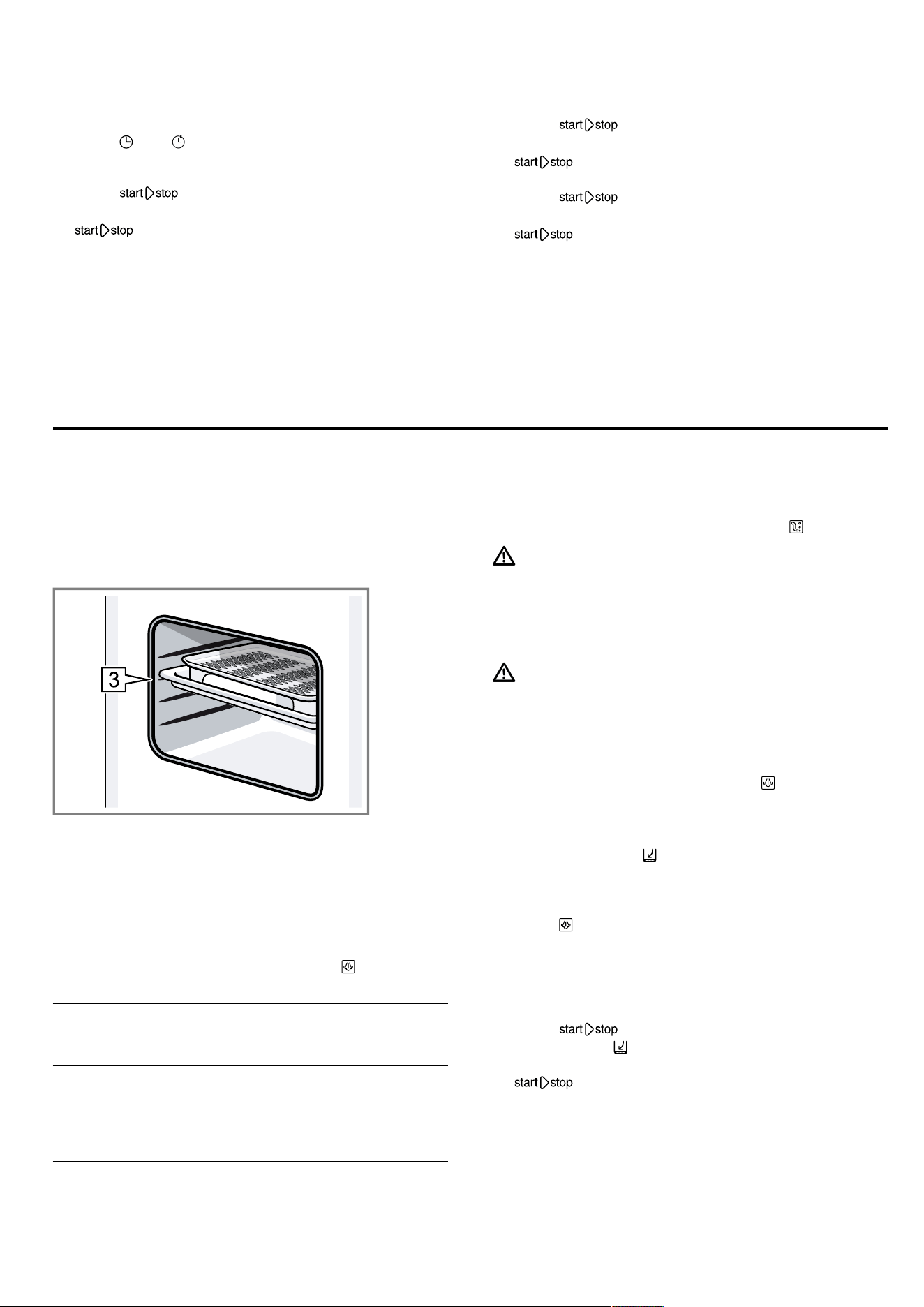
en Steam
18
10.2 Setting the cooking time
1.
Set an operating mode.
2.
Press until is highlighted.
3.
Use the rotary selector to set the required cooking
time.
4.
Press .
a The appliance starts heating.
a lights up.
a You can see the cooking time counting down.
10.3 Changing the grill setting
Once the grill function has been selected or the opera-
tion has been started, you can still change the grill set-
ting at any time.
▶
Use the rotary selector to change the grill setting.
a The cooking time remains unchanged.
10.4 Pausing the operation
1.
Press or open the appliance door.
a The appliance stops the operation.
a flashes.
2.
Close the appliance door.
3.
Press .
a The appliance continues the operation.
a lights up.
10.5 Stopping operation
You can stop operation at any time.
▶
Turn the function selector to the off position.
The fan may continue to run after operation has
been paused or stopped.
a The appliance stops any ongoing functions.
11 Steam
You can use the steam function on its own or in com-
bination with the grill function and the microwave func-
tion. To ensure optimum use of the steam function, re-
move the wire rack. Insert the glass tray at shelf posi-
tion 3 and insert the steam container into the glass
tray.
Note:You will hear a humming noise during operation.
This noise is caused by the pump. It is a normal oper-
ating noise.
11.1 Steam settings
Different intensity levels are available when using the
steam function.
You can select the steam settings using . The display
shows the selected steam setting.
Steam setting Food
1 (low) For defrosting vegetables,
meat, fish and fruit
2 (medium) For preparing desserts, fish
and sausages
3 (high) For cooking vegetables, fish,
side dishes, for extracting juice
from fruit and for blanching
11.2 Setting the steam
Note:If you have not used the appliance for an exten-
ded period, start by running a rinse cycle .
WARNING‒Risk of scalding!
Hot steam may escape when you open the appliance
door. Steam may not be visible, depending on the tem-
perature.
▶ Open the appliance door carefully.
▶ Keep children at a safe distance.
WARNING‒Risk of burns!
The water tank may heat up while the appliance is in
operation.
▶ Wait until the water tank has cooled down from the
previous operation.
▶ Remove the water tank from the tank recess.
1.
Use the function selector to select .
a The appliance is ready to use.
a The maximum steam setting and a cooking time of
20minutes are set as the default values.
a The arrow next to flashes.
2.
Remove the water tank, fill with fresh water up to the
"MAX" mark and insert fully in the tank recess.
→"Filling the water tank", Page19
3.
Press until the required power level is reached.
a The display shows the selected steam setting.
4.
Use the rotary selector to set the required cooking
time.
You can also adjust the cooking time first and then
the steam setting.
5.
Press to start.
a The arrow for goes out and the symbol without
the arrow lights up.
a lights up,
a The temperature display lights up completely.
a The cooking time counts down on the display. The
amount of time a tankful of water will last varies de-
pending on the steam setting.
Notes
¡ When the time has elapsed, a signal sounds.
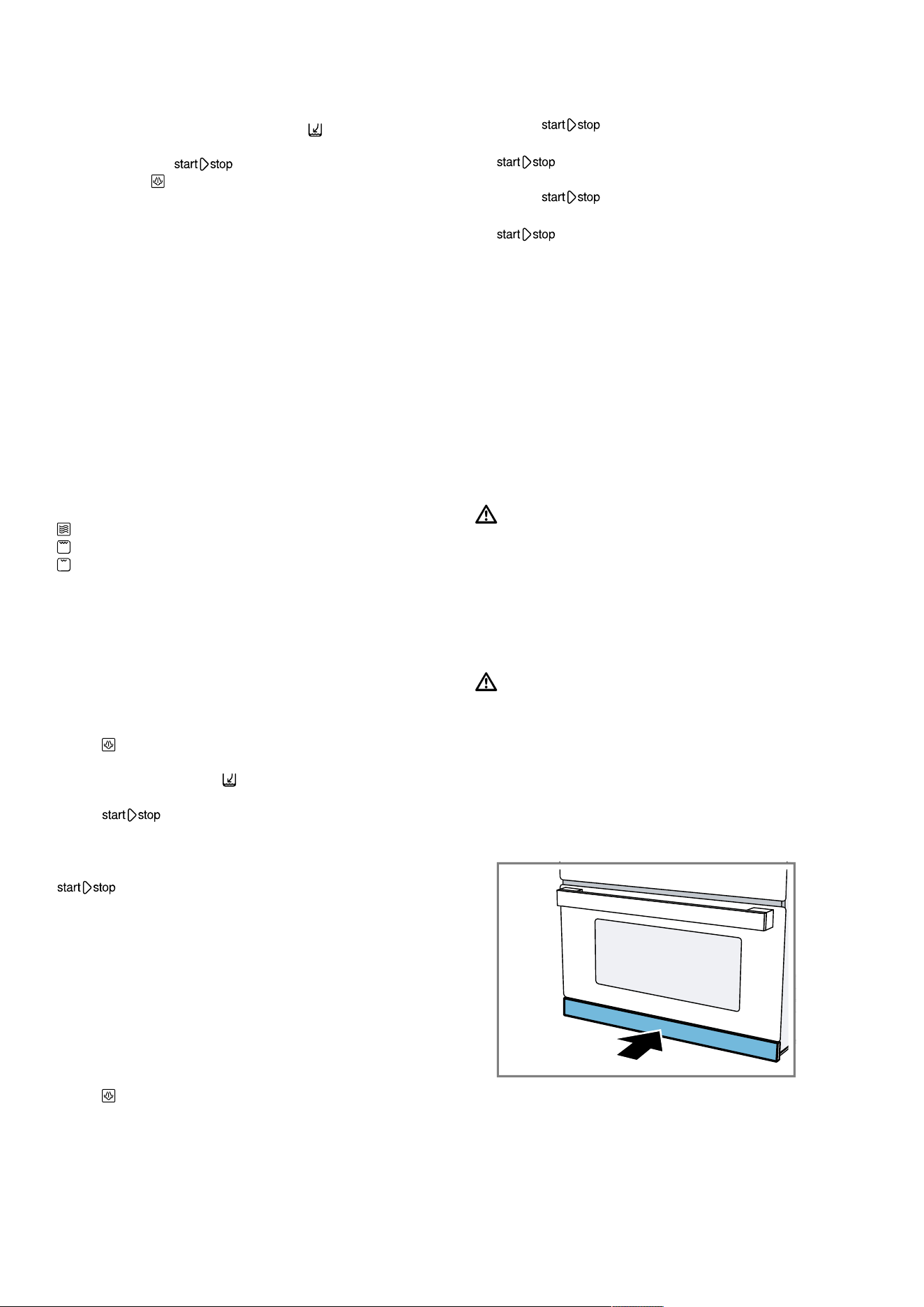
Steam en
19
¡ If the water tank runs out of water while the appli-
ance is in operation, the appliance is paused and
the arrow of the water tank symbol flashes. Fill
the water tank with fresh water up to the "MAX"
mark and press to resume operation.
¡ You can use to change the steam setting at any
time when the appliance is in operation.
¡ After cooking with steam, wipe out the drip trough
and the cooking compartment.
→"After using steam operation", Page20
11.3 Steam combined operation
With some types of heating, you can switch on the
steam function. When you cook with added steam, the
appliance introduces steam into the cooking compart-
ment at various intervals and with varying degrees of
intensity. This gives you a better cooking result.
Your food
¡ becomes crispy on the outside.
¡ develops a glossy surface.
¡ is succulent and tender on the inside.
¡ only undergoes a minimal reduction in volume.
Steam combined operation can be used with the
following functions:
¡ Microwave
¡ Full-surface grill
¡ Centre-area grill
Setting the steam combined operation
Switch on microwave mode in addition to a type of
heating.
1.
Set the function selector to a combinable type of
heating.
a The display shows a default value for the temperat-
ure.
2.
Use the rotary selector to set the required setting
3.
Press until the required setting is selected on the
display.
a The water tank symbol appears on the display.
4.
Fill the water tank.
5.
Press to start.
a The cooking time counts down and the operation
starts.
a You can see the cooking time counting down.
a lights up.
a Once the cooking time has elapsed, the appliance
stops the operation and a signal sounds.
Notes
¡ If the water tank is empty, the appliance continues
to operate but without added steam. Nothing ap-
pears on the display.
¡ Opening the appliance door affects the cooking res-
ult. Always keep the appliance door closed when
cooking.
Changing the steam setting
▶
Press until the required setting appears on the
display.
Note:Repeatedly pressing this switches through the
settings, from the highest to the lowest setting. After
the lowest setting, the steam function is deactivated.
Press again to activate the steam function, starting at
the highest setting.
11.4 Pausing the operation
1.
Press or open the appliance door.
a The appliance stops the operation.
a flashes.
2.
Close the appliance door.
3.
Press .
a The appliance continues the operation.
a lights up.
11.5 Stopping operation
You can stop operation at any time.
▶
Turn the function selector to the off position.
The fan may continue to run after operation has
been paused or stopped.
a The appliance stops any ongoing functions.
11.6 Filling the water tank
The water tank is located to the right behind the tank
cover, below the appliance door. Before starting an op-
eration with steam, open the tank cover and fill the wa-
ter tank with water.
WARNING‒Risk of fire!
Due to the hot surfaces, vapours from flammable li-
quids may catch fire in the cooking compartment (ex-
plosion). The appliance door may spring open. Hot
steam and jets of flame may escape.
▶ Do not pour flammable liquids (e.g. alcoholic drinks)
into the water tank.
▶ Only fill the water tank with water or with the descal-
ing solution we have recommended.
WARNING‒Risk of burns!
The water tank may heat up while the appliance is in
operation.
▶ Wait until the water tank has cooled down from the
previous operation.
▶ Remove the water tank from the tank recess.
Requirement:The water hardness must be set cor-
rectly.
→"Setting the water hardness", Page13
1.
Press on the centre of the tank cover.
a The tank cover opens.
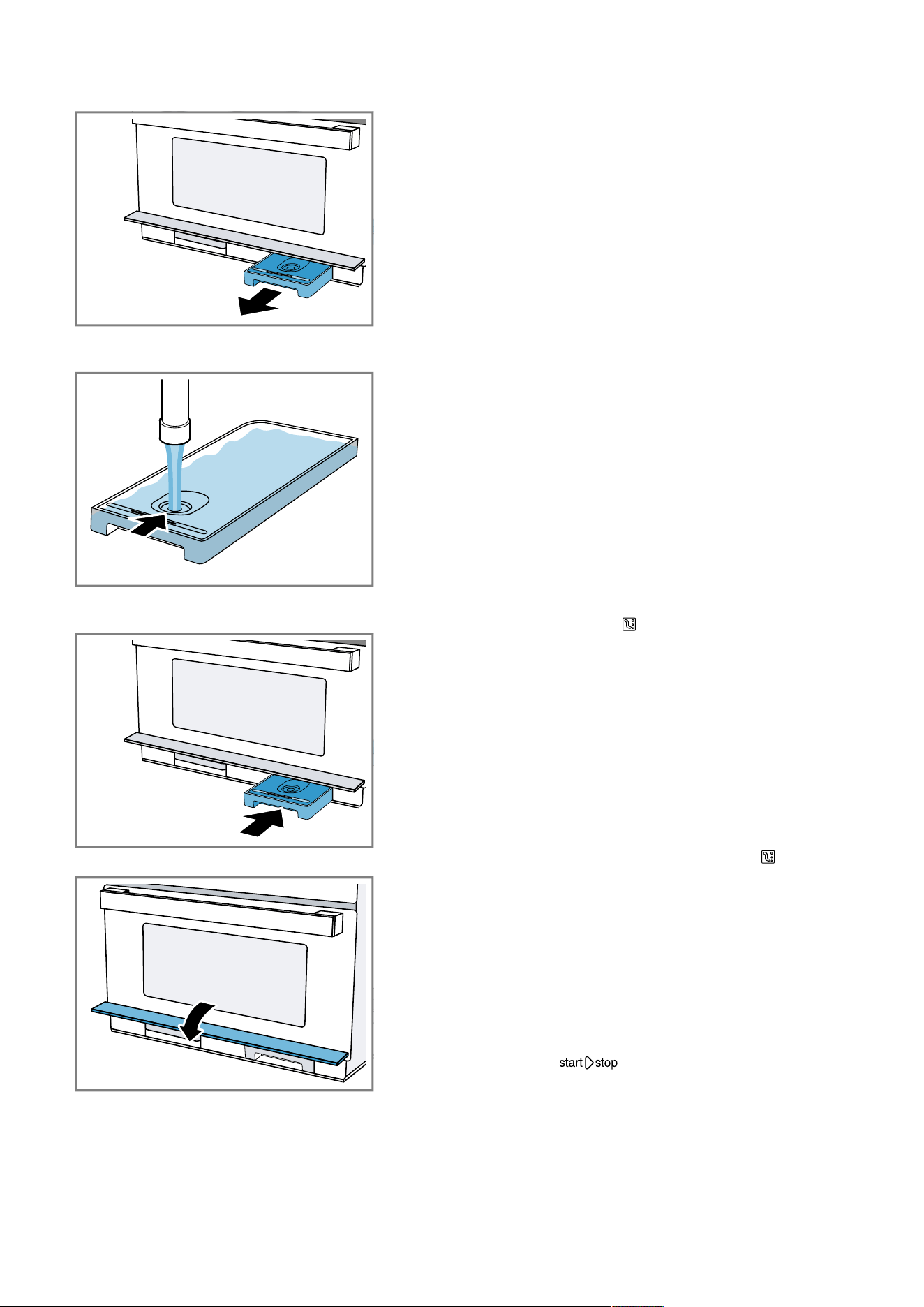
en Steam
20
2.
Remove the water tank from the tank recess.
3.
Fill the water tank with cold water up to the "MAX"
mark.
4.
Place the water tank into the tank recess and slide it
in fully.
5.
Close the tank cover.
11.7 Refilling the water tank
Notes
¡ The way the appliance responds if the water tank
runs dry when the appliance is in operation
depends on what operating mode it is in:
– Steam operation: The appliance interrupts the
operation. The display shows a message. At the
highest steam setting, a tankful of water will last
around 30-40minutes; at the lower steam set-
tings, it will last much longer.
– Steam with microwave: The appliance interrupts
the operation. A tankful of water will last around
50minutes.
– Grill with steam: The appliance continues to oper-
ate using the grill. No message appears on the
display. At the highest steam setting, a tankful of
water will last around 3hours; at the lower steam
settings, it will last much longer.
¡ Actual times may vary from those specified.
1.
Open the control panel.
2.
Remove the water tank.
3.
Fill the water tank up to the "MAX" mark.
4.
Insert the full water tank and close the control panel.
11.8 After using steam operation
Moisture will remain in the cooking compartment. Care-
fully wipe out the drip trough and the cooking compart-
ment.
Each time you cook using steam, we recommend that
you run the Rinse cleaning function. Then empty and
dry the water tank and drip tray.
Note:Remove limescale marks with a cloth soaked in
vinegar, then wipe with clean water and dry with a soft
cloth.
Rinsing the appliance
To ensure that your appliance stays clean, you can
pump water through the pipe system. The appliance
then drains the water into the drip tray.
Note:After running the rinse cycle, loosened limescale
particles may be in the collecting container. This is nor-
mal and does not affect operation.
1.
Use the function selector to select .
a The display shows the programme duration. You
cannot change the duration.
2.
Open the tank cover.
3.
Remove the drip tray and empty it.
4.
Slide the empty drip tray in fully.
5.
Remove and empty the water tank and drain any re-
sidual water.
6.
Rinse out the water tank thoroughly and fill it with
fresh water.
7.
Slide the water tank in fully.
8.
Close the tank cover.
9.
Press .
a The appliance pumps water through the pipes.
a The time remaining counts down in the display.
a An audible signal sounds once this time has
elapsed.
10.
Empty the drip tray.
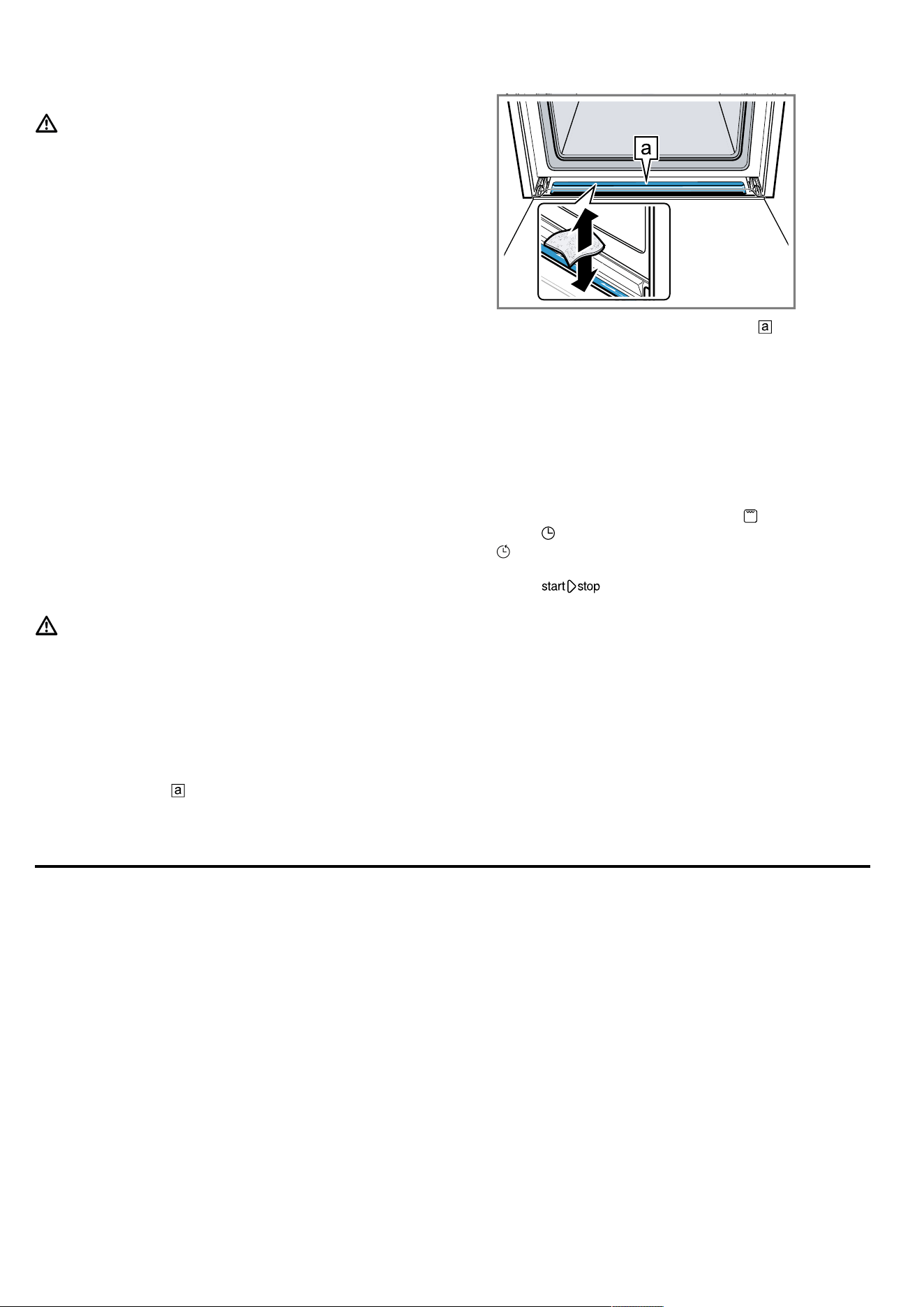
Automatic programmes en
21
Emptying the water tank
WARNING‒Risk of burns!
The water tank may heat up while the appliance is in
operation.
▶ Wait until the water tank has cooled down from the
previous operation.
▶ Remove the water tank from the tank recess.
ATTENTION!
Cleaning the water tank in the dishwasher will damage
it.
▶ Do not clean the water tank in the dishwasher.
▶ Clean the water tank with a soft cloth and standard
washing-up liquid.
1.
Press on the centre of the tank opening.
a The tank cover hinges upwards.
2.
Pull out the water tank.
3.
Carefully remove the lid of the water tank.
4.
Empty the water tank, clean it with detergent and
then rinse it thoroughly with clean water.
5.
Dry all parts with a soft cloth.
6.
Rub the seal on the lid until dry.
7.
Leave the water tank to dry with the lid open.
8.
Place the lid on the water tank and push down on it.
9.
Slide the water tank in fully.
10.
Close the tank cover and briefly press on the centre
of it.
a The tank cover is locked.
Drying the drip trough
WARNING‒Risk of burns!
The appliance becomes hot during operation.
▶ Allow the appliance to cool down before cleaning.
Requirement:The cooking compartment has cooled
down.
1.
Open the appliance door.
2.
Open the tank cover.
3.
Remove the water tank and drip tray.
4.
Note:
The drip trough is underneath the cooking com-
partment.
Soak up the water in the drip trough with a
sponge cloth and wipe it carefully.
Heating and drying the cooking compartment
Always dry the cooking compartment after operation to
ensure that no moisture remains.
1.
Allow the appliance to cool down.
2.
Remove the worst of the food residues from the
cooking compartment immediately.
3.
Wipe away any moisture from the cooking compart-
ment floor.
4.
Use the function selector to select .
5.
Press twice.
a is highlighted on the display.
6.
Use the rotary selector to set a time of 15minutes.
7.
Press to start.
a The drying process starts and ends after
15minutes.
8.
Open the appliance door for 1 to 2 minutes to allow
the steam to escape.
Drying the cooking compartment by hand
Always dry the cooking compartment after operation to
ensure that no moisture remains.
1.
Allow the appliance to cool down.
2.
Remove the worst of the food residues from the
cooking compartment.
3.
Dry the cooking compartment with a sponge.
4.
Leave the appliance door open for 1 hour so that
the cooking compartment dries completely.
12 Automatic programmes
Automatic programmes can help you prepare different
dishes by selecting the optimal settings automatically.
12.1 Tips on configuring the settings for
dishes
Follow these tips to achieve optimal cooking results.
¡ Only use food that is in perfect condition.
¡ Only use meat at refrigerator temperature.
¡ Only use frozen food straight from the freezer.
¡ Take the food out of its packaging and weigh it. If
you cannot set the exact weight on the appliance,
round the weight up or down.
¡ Place the food in the cold cooking compartment.
¡ Always use microwave-safe, heat-resistant cook-
ware, for example made of glass or ceramic.
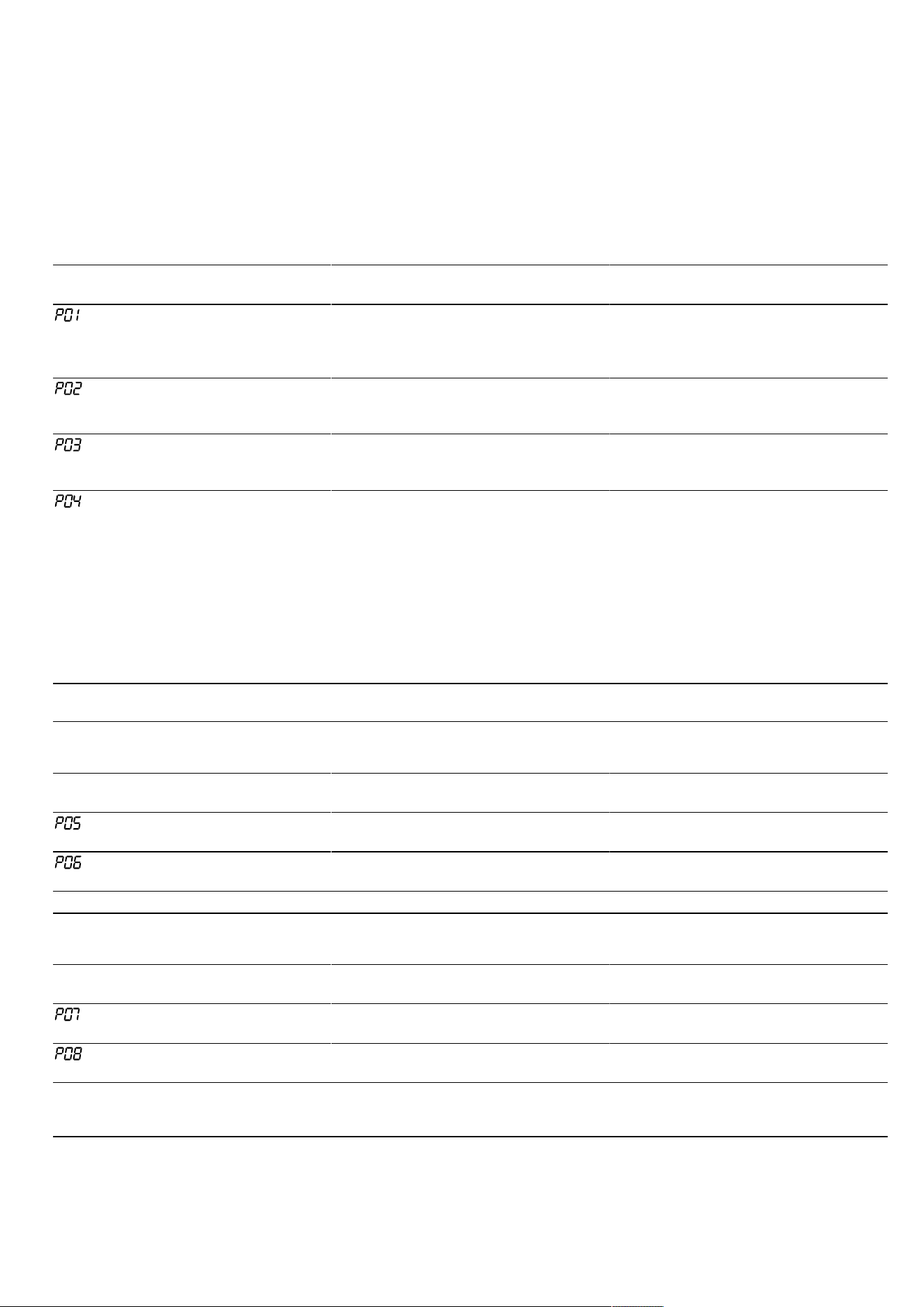
en Automatic programmes
22
12.2 Overview of dishes
The appliance prompts you to enter the weight. You
can only enter weights within the intended weight
range.
Defrost
Tip:Stick the programme sticker to your appliance.
You can therefore access the programmes faster and
more easily.
No. Food Accessories Shelf position Weight range in
kg
Information
Minced beef,
lamb or pork
1, 2
Shallow cook-
ware without lid
0 0.10-1.20 After turning, re-
move any meat
that has already
defrosted.
Fish fillet
1, 2
Shallow cook-
ware without lid
0 0.10-1.00 Fillet of pike, cod,
ocean perch, pol-
lock, pike-perch
Chicken pieces
on the bone
1, 2
Shallow cook-
ware without lid
0 0.15-1.20 Arrange the
chicken portions
skin-side down.
Bread slices
1, 2
Shallow cook-
ware without lid
0 0.10-0.50 Wheat bread,
wheat-rye bread,
wholemeal bread;
bread should only
be defrosted in
the required
amounts. Bread
quickly becomes
stale. If possible,
separate the
slices of bread.
1
Observe the signals given when it is time to turn the food.
2
Use microwave-safe cookware.
Poultry, meat, fish
No. Food Accessories Shelf position Weight range in
kg
Information
Fish fillet, fresh
1
Steam container
+ glass tray
3 0.20-0.50
Fish fillet, frozen
1
Steam container
+ glass tray
3 0.20-0.50 Use fish fillets of
equal thickness.
1
Fill the water tank.
Vegetables, side dishes
No. Food Accessories Shelf position Weight range in
kg
Information
Broccoli, fresh
1
Steam container
+ glass tray
3 0.10-1.00
Peas, frozen
1
Steam container
+ glass tray
3 0.10-1.00
1
Fill the water tank.
2
Observe the signals given when it is time to stir the food.
3
Use microwave-safe cookware.
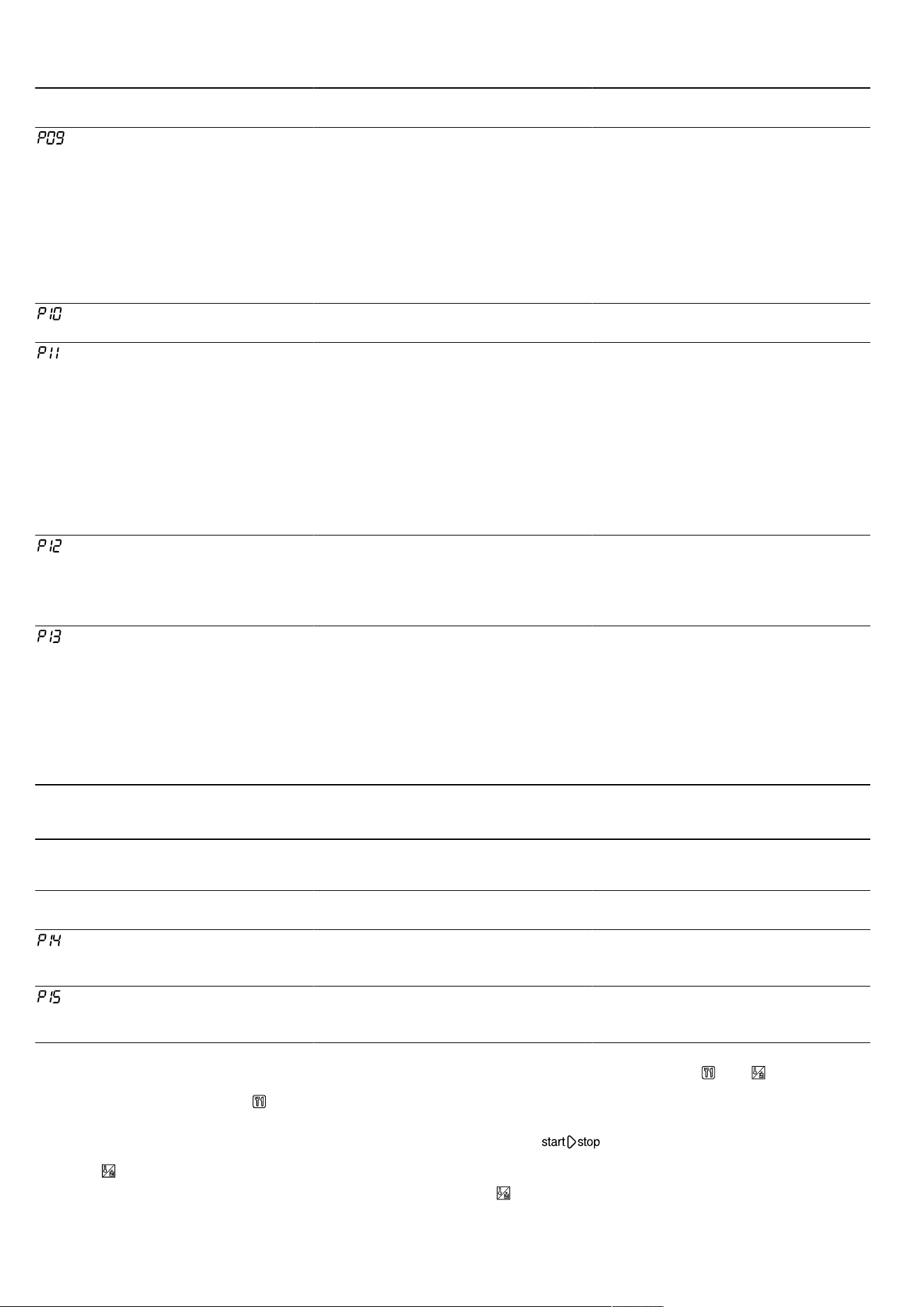
Automatic programmes en
23
No. Food Accessories Shelf position Weight range in
kg
Information
Sliced carrots,
fresh
1
Steam container
+ glass tray
3 0.10-0.75 The thicker the
slices, the firmer
the result. If you
want the meal to
be cooked right
through, enter a
higher weight.
This extends the
programme dura-
tion.
Green asparagus,
fresh
1
Steam container
+ glass tray
3 0.10-0.70 Do not place on
top of each other.
Rice
2, 3
Deep cookware
with lid
0 0.10-0.50 Only use long
grain rice. Do not
use any boil-in-
the-bag rice. Add
2 to 3 parts water
to one part rice.
After the pro-
gramme has
ended, leave the
rice to stand for 5
- 10 minutes.
Boiled potatoes
3, 1
Steam container
+ glass tray
3 0.20-0.50 Peel and dice the
potatoes. The lar-
ger the pieces,
the firmer the res-
ult.
Fruit compote
3, 1, 2
Steam container
+ glass tray
3 0.30-0.80 Add some sugar
and cinnamon to
the fruit. For berry
compotes, do not
add raspberries
and strawberries
until you are
prompted to stir
the fruit.
1
Fill the water tank.
2
Observe the signals given when it is time to stir the food.
3
Use microwave-safe cookware.
Convenience
No. Food Accessories Shelf position Weight range in
kg
Information
Reheat plated
meal, chilled
Shallow cook-
ware on glass
tray
3 0.20-0.50
Reheat plated
meal, frozen
Shallow cook-
ware on glass
tray
3 0.20-0.50
12.3 Applying settings for dishes
1.
Set the function selector to .
a The display shows the first dish number and a de-
fault value for the weight.
2.
Use the rotary selector to set the required weight.
3.
Press .
a The weight setting is highlighted on the display.
4.
Turn the rotary selector to set the weight.
Before starting, you can use and to switch
between the dish and the weight.
a The appliance automatically sets the right cooking
time.
5.
Press .
Once you have started the programme, you can no
longer change the dish or the weight. You can use
to display the set weight.
a The appliance starts.
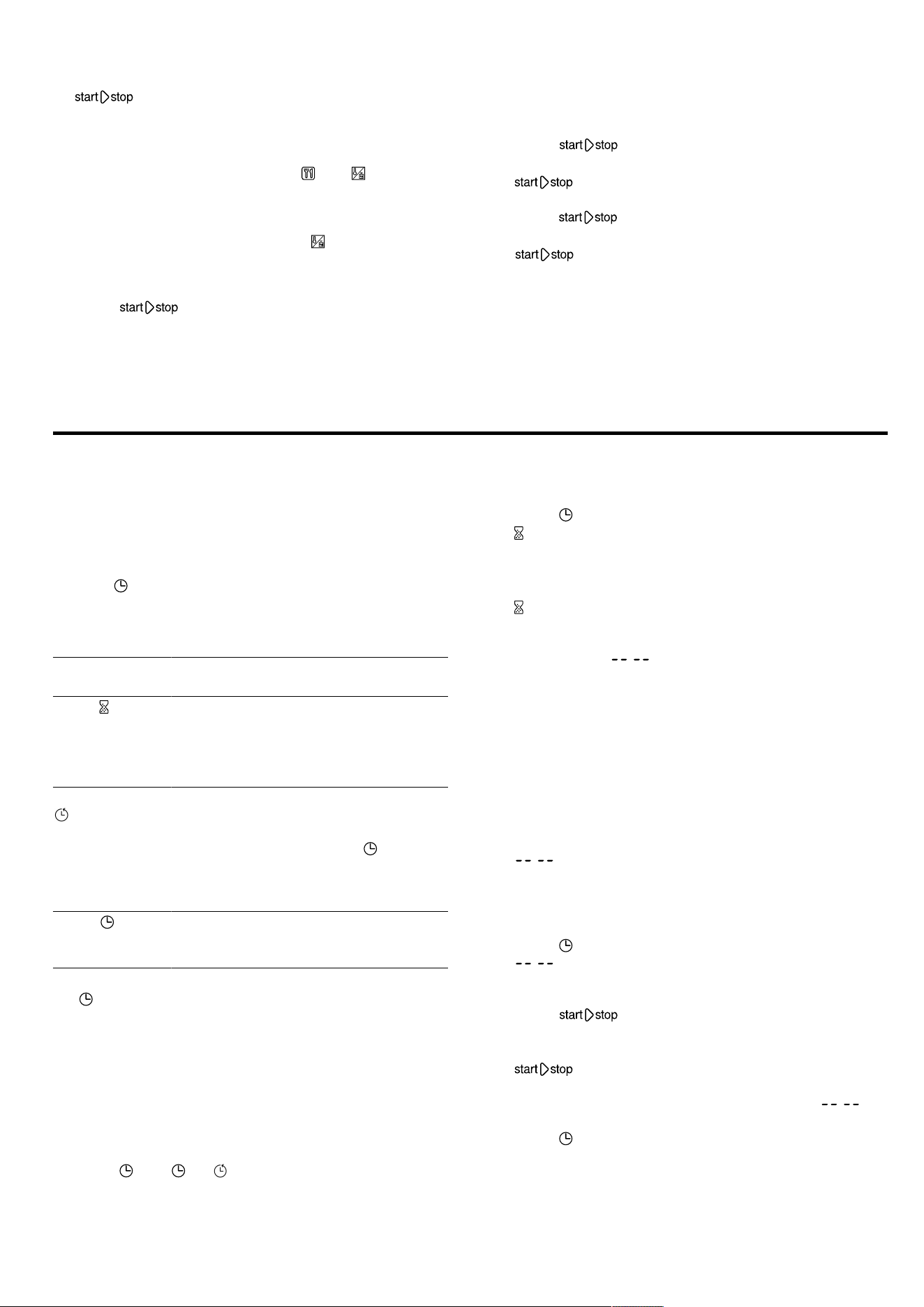
en Time-setting options
24
a lights up.
a You will see the cooking time counting down.
a When the time has elapsed, a signal sounds.
6.
Turn the function selector to the zero setting.
Note:Before starting, you can use and to switch
between programmes and weight.
Once you have started the programme, you can no
longer change the programme number or the weight.
You can check the set weight using .
12.4 Changing the dish
1.
Press for 4seconds or open the appliance
door.
a The dish is reset
2.
Select a new dish.
12.5 Pausing operation
You can pause operation at any time.
1.
Press or open the appliance door.
a Operation is paused.
a flashes.
2.
To continue operation, close the appliance door and
press .
a Operation continues.
a lights up.
12.6 Stopping operation
You can stop operation at any time.
▶
Turn the function selector to the off position.
The fan may continue to run after operation has
been paused or stopped.
a The appliance stops any ongoing functions.
13 Time-setting options
Your appliance features time-setting options that you
can use to set the cooking time and the timer.
13.1 Overview of the time-setting options
Your appliance has various time-setting options. You
can use to call up the menu and switch between the
individual functions. The symbols for the available func-
tions light up on the display and the function that you
just selected is highlighted.
Time-setting
option
Use
Timer You can set the timer to run inde-
pendently of the appliance during op-
eration. It does not affect the appli-
ance. A signal sounds once a timer
duration has elapsed.
Cooking time
Once the set cooking time has
elapsed, the appliance will automat-
ically stop heating. You can only call
up the cooking time using after
setting a type of heating. An audible
signal sounds once the time has
elapsed.
Clock When no other function is running in
the foreground, the appliance shows
you the time of day on the display.
Note:You can cancel the audible signal early by press-
ing . You can change how long the audible signal
sounds for in the basic settings →Page25.
13.2 Checking the time-setting options
Requirement:If several time-setting options are set,
the corresponding symbols light up on the display. You
can see the cooking time counting down. During opera-
tion, the timer and cooking time are available. In
standby, the timer and the time are available.
▶
Press until , or is highlighted.
a The respective value is shown on the display.
13.3 Setting the timer
1.
Press .
a and the time symbols light up on the display.
2.
Use the rotary selector to set the timer duration.
a After a few seconds, the time setting is adopted.
a The timer starts.
a lights up on the display and the timer counts
down. The other time symbols go out.
a An audible signal sounds once the timer duration
has elapsed. : is shown on the display.
3.
You can use any field to switch off the timer.
13.4 Changing the timer
▶
Use the rotary selector to change the timer duration.
a After a few seconds, the appliance displays the set
timer duration.
13.5 Cancelling the timer
▶
Use the rotary selector to set the timer duration to
: .
a The timer is switched off.
13.6 Setting the cooking time
1.
Press twice.
a : is shown on the display and the time symbols
light up.
2.
Set a cooking time using the rotary selector.
3.
Press .
a The appliance starts the operation.
a The cooking time counts down on the display and
lights up. The other time symbols go out.
a An audible signal sounds once the cooking time
has elapsed. The appliance stops heating. : is
shown on the display.
4.
Press to stop the signal.
5.
To switch off the appliance, turn the function se-
lector to the zero setting.
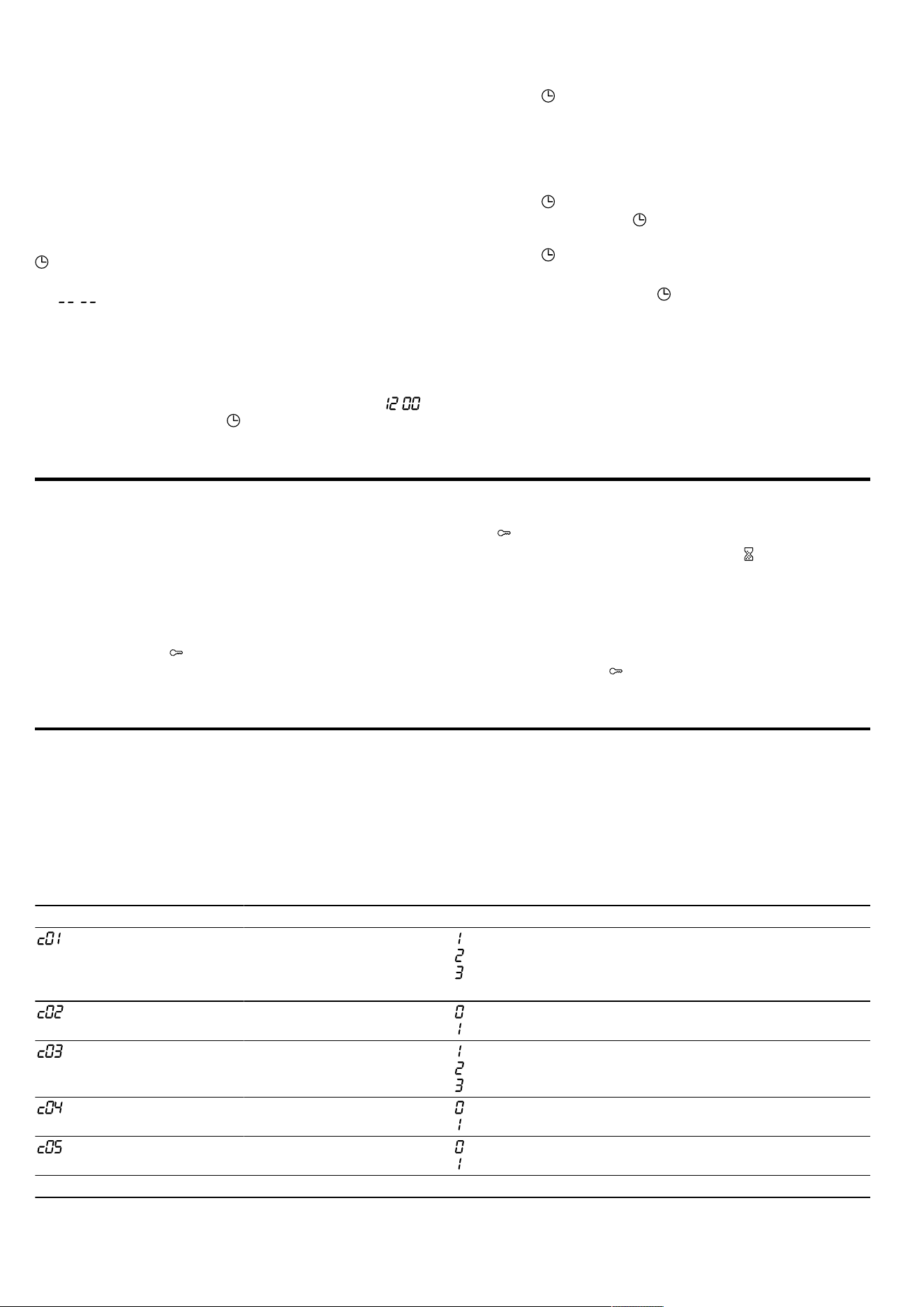
Childproof lock en
25
13.7 Changing the cooking time
▶
Change the cooking time using the rotary selector.
a After a few seconds, the display shows the changed
cooking time.
a You will see the cooking time counting down.
13.8 Clearing the cooking time
Note:With the timer function set, you must first press
to change the cooking time.
▶
Use the rotary selector to set the cooking time to
: .
a The appliance applies the change after a few
seconds.
13.9 Setting the time
During initial use, the time display is highlighted. :
flashes on the display and lights up.
1.
Set the time using the rotary selector.
2.
Press .
a The time is set.
13.10 Changing the time
Requirement:The appliance is switched off.
1.
Press twice.
a The display shows and the time.
2.
Set the time using the rotary selector.
3.
Press .
a The time is set.
Note:If you do not press after setting the time, the
appliance automatically applies the set value after a
few seconds.
If you have changed the position of the function se-
lector while configuring the settings, you can only use
the appliance once you turn the function selector to the
zero setting.
To reduce the standby consumption of your appliance,
you can hide the clock.
14 Childproof lock
You can secure your appliance to prevent children
from accidentally switching it on or changing the set-
tings.
14.1 Activating the childproof lock
Requirement:The appliance is switched off.
▶
Press and hold for approximately 4seconds.
a The control panel is locked.
a appears on the display.
Note:If you have set a timer duration , this continues
to count down. While the childproof lock is active, the
timer duration cannot be changed.
You can end the signal tones by touching any field.
14.2 Deactivating the childproof lock
▶
Press and hold for approximately 4seconds.
a The control panel is unlocked.
15 Basic settings
You can configure the basic settings for your appliance to meet your needs.
15.1 Overview of the basic settings
Here you can find an overview of the basic settings and factory settings. The basic settings depend on the features
of your appliance.
Display Basic setting Selection Description
Signal duration = short = 10seconds
= medium = 30seconds
1
= long = 2minutes
Set the signal duration for
after a cooking time
elapses or the timer
reaches zero.
Button tone = off
= on
1
Switch the button tones on
or off.
Display brightness = low
= medium
1
= high
Set the brightness of the
display.
Time indicator = off
= on
1
Show the clock time in the
display.
Interior lighting = off
= on
1
Switch the interior lighting
on or off.
1
Factory setting (may vary according to model)
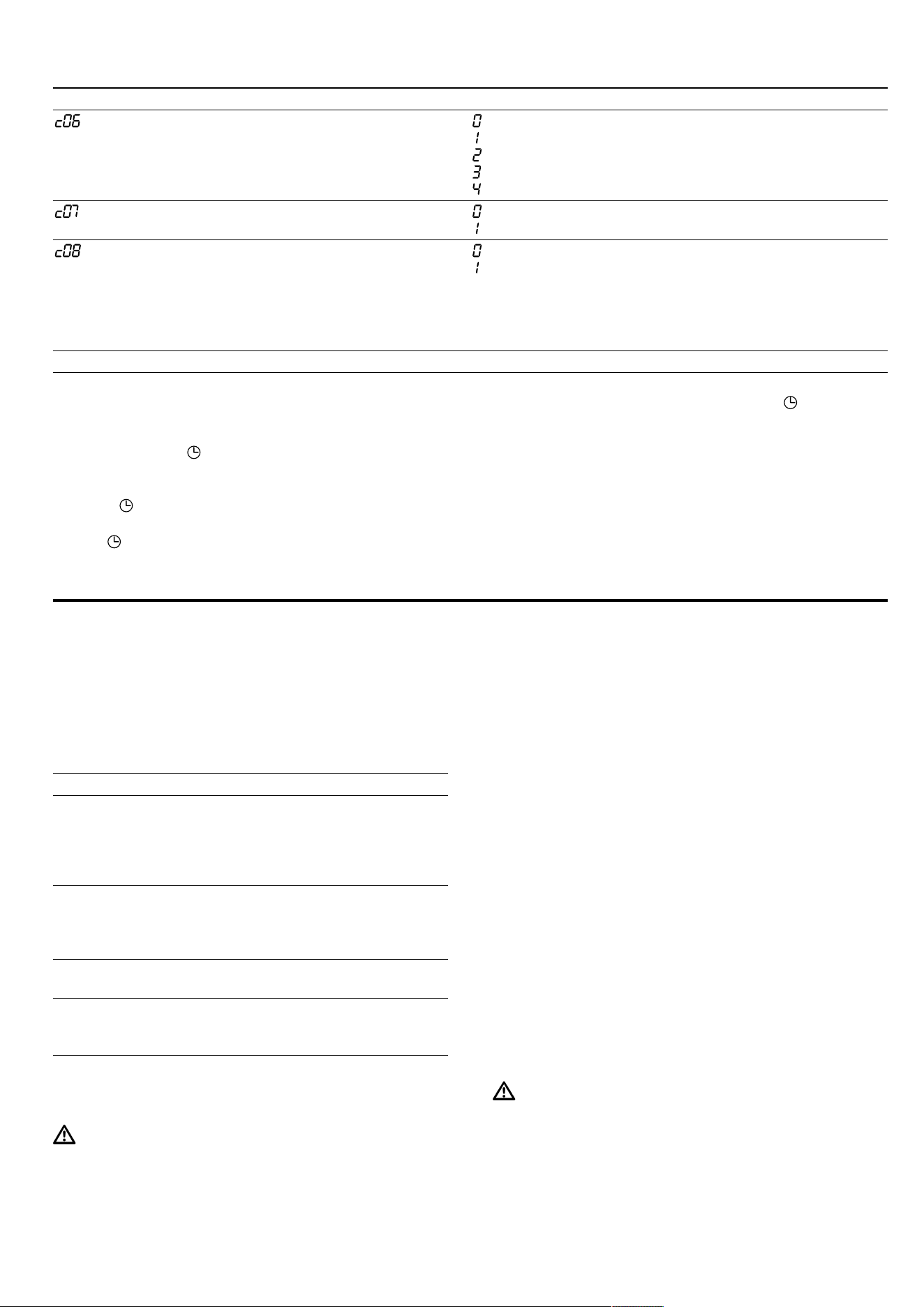
en Cleaning and servicing
26
Display Basic setting Selection Description
Water hardness = softened
= soft
= moderate
= hard
= very hard
1
Set the water hardness
→Page13.
Factory setting = off
1
= on
Reset the changed settings
to the factory settings.
Demo mode = off
1
= on
Switch demo mode on or
off.
Note:Demo mode is only
visible in the first 5minutes
after connecting the appli-
ance to the mains.
1
Factory setting (may vary according to model)
15.2 Changing the basic settings
Requirement:The appliance is switched off.
1.
Press and hold for a few seconds.
a The first basic setting is shown on the display.
2.
Use the rotary selector to change the basic setting.
3.
Press .
a The next basic setting is shown on the display.
4.
Use to select all of the required basic settings
and change the values.
5.
To save the changes, press and hold for a few
seconds.
Note:The changes to the basic settings will be re-
tained even after a power cut.
15.3 Discarding changes to the basic
settings
▶
Turn the function selector.
a All changes are discarded and not saved.
16 Cleaning and servicing
To keep your appliance working efficiently for a long
time, it is important to clean and maintain it carefully.
16.1 Tips on caring for your appliance
Follow the tips on appliance care to make sure your
appliance functions properly at all times.
Measure Advantage
Always keep the appli-
ance clean and remove
dirt immediately. Always
clean the cooking com-
partment after use.
Prevents dirt from accu-
mulating and burning on.
Remove limescale,
grease, starch and albu-
min (e.g. egg white)
stains immediately.
Prevents corrosion.
Use the glass tray for
baking very moist cakes.
Keeps the cooking com-
partment cleaner.
Use suitable cookware for
roasting, e.g. a roasting
dish.
Keeps the cooking com-
partment cleaner.
16.2 Cleaning products
Only use suitable cleaning agents.
WARNING‒Risk of electric shock!
An ingress of moisture can cause an electric shock.
▶ Do not use steam- or high-pressure cleaners to
clean the appliance.
ATTENTION!
Unsuitable cleaning agents damage the surfaces of the
appliance.
▶ Do not use harsh or abrasive cleaning products.
▶ Do not use cleaning products with a high alcohol
content.
▶ Do not use hard scouring pads or cleaning
sponges.
▶ Do not use any special cleaners for cleaning the ap-
pliance while it is hot.
▶ Only use glass cleaners, glass scrapers or stainless
steel care products if recommended in the cleaning
instructions for the relevant part.
New sponge cloths contain residues from production.
▶ Wash new sponge cloths thoroughly before use.
You can find out which cleaning products are suitable
for each surface or part of the appliance in the indi-
vidual cleaning instructions.
16.3 Cleaning the appliance
Clean the appliance as specified. This will ensure that
the different parts and surfaces of the appliance are
not damaged by incorrect cleaning or unsuitable clean-
ing products.
WARNING‒Risk of burns!
The appliance and its parts that can be touched be-
come hot during use.
▶ Caution should be exercised here in order to avoid
touching heating elements.
▶ Young children under 8 years of age must be kept
away from the appliance.

Cleaning and servicing en
27
WARNING‒Risk of fire!
Loose food remnants, fat and meat juices may catch
fire.
▶ Before using the appliance, remove the worst of the
food residues and remnants from the cooking com-
partment, heating elements and accessories.
WARNING‒Risk of injury!
Scratched glass in the appliance door may develop
into a crack.
▶ Do not use any harsh or abrasive cleaners or sharp
metal scrapers to clean the glass on the appliance
door, as they may scratch the surface.
1.
Read the information on cleaning products.
→Page26
2.
Observe the information on cleaning the appliance
components or surfaces.
3.
Unless otherwise specified:
‒ Clean the components of the appliance with hot
soapy water and a dish cloth.
‒ Dry with a soft cloth.
16.4 Cleaning the front of the appliance
ATTENTION!
Incorrect cleaning may damage the front of the appli-
ance.
▶ Do not use glass cleaner, metal scrapers or glass
scrapers for cleaning.
▶ To prevent corrosion on stainless steel fronts, re-
move any limescale, grease, starch and albumin
(e.g. egg white) stains immediately.
▶ On stainless steel surfaces, use special stainless
steel cleaning products suitable for hot surfaces.
1.
Read the information on cleaning products.
→Page26
2.
Clean the front of the appliance using hot soapy wa-
ter and a dish cloth.
Note:Slight differences in colour on the front of the
appliance are caused by the use of different materi-
als, such as glass, plastic and metal.
3.
For stainless steel appliance fronts, apply a thin
layer of the stainless steel cleaning product with a
soft cloth.
You can obtain the stainless steel cleaning products
from the after-sales service or the online shop.
4.
Dry with a soft cloth.
16.5 Cleaning the control panel
ATTENTION!
Incorrect cleaning may damage the control panel.
▶ Never wipe the control panel with a wet cloth.
1.
Read the information on cleaning products.
→Page26
2.
Clean the control panel using a microfibre cloth or a
soft, damp cloth.
3.
Dry with a soft cloth.
16.6 Cleaning the door panels
ATTENTION!
Incorrect cleaning may damage the door panes.
▶ Do not use a glass scraper.
1.
Read the information on cleaning products.
→Page26
2.
Clean the door panels with a soft dish cloth and
glass cleaner.
Note:Shadows on the door panels, which look like
streaks, are caused by reflections made by the in-
terior lighting.
3.
Dry with a soft cloth.
16.7 Cleaning the door handle
1.
Read the information on cleaning products.
→Page26
2.
Clean the door handle with hot soapy water and a
soft dish cloth.
Note:If descaler comes into contact with the door
handle, wipe it off immediately. Otherwise, it will no
longer be possible to remove these stains.
3.
Dry with a soft cloth.
16.8 Cleaning the door seal
ATTENTION!
Incorrect cleaning may damage the door seal.
▶ Do not use metal scrapers or glass scrapers for
cleaning.
▶ Do not use abrasive cleaning agents.
1.
Read the information on cleaning products.
→Page26
2.
Clean the door seal with hot soapy water and a soft
dish cloth.
3.
Dry with a soft cloth.
16.9 Cleaning the stainless steel surfaces
1.
Read the information on cleaning products.
→Page26
2.
Clean using a dish cloth and hot soapy water.
3.
Dry with a soft cloth.
4.
Check the position of the door seal after cleaning it.
16.10 Cleaning the cooking compartment
ATTENTION!
Incorrect cleaning may damage the cooking compart-
ment.
▶ Do not use oven spray, abrasive materials or other
aggressive oven cleaners.
1.
Read the information on cleaning products.
→Page26
2.
Clean with hot soapy water or a vinegar solution.
3.
Use oven cleaner to remove very heavy soiling.
Only use oven cleaner when the cooking compart-
ment is cold.
Tip:To eliminate unpleasant odours, heat up a cup
of water with a few drops of lemon juice for 1 to
2minutes at maximum microwave power setting. Al-
ways place a spoon in the container to prevent
delayed boiling.
4.
Wipe out the cooking compartment with a soft cloth.
5.
Leave the cooking compartment to dry with the door
open.

en Cleaning function
28
16.11 Cleaning the accessories
1.
Read the information on cleaning products.
→Page26
2.
Soften baked-on food remnants with a damp dish
cloth and hot soapy water.
3.
Clean the accessory with hot soapy water and a soft
dish cloth or a scrubbing brush.
4.
Clean the wire rack with stainless steel cleaner or in
the dishwasher.
Use steel wool or oven cleaner to remove very
heavy soiling.
5.
Dry with a soft cloth.
16.12 Cleaning the drip tray
ATTENTION!
Heat may damage the drip tray.
▶ Do not dry the drip tray in the hot cooking compart-
ment.
▶ Do not clean the drip tray in the dishwasher.
1.
Read the information on cleaning products.
→Page26
2.
Clean the drip tray using a dish cloth and hot soapy
water.
3.
Rinse thoroughly with clean water.
4.
Dry with a soft cloth.
5.
Leave the drip tray to dry with the lid open.
6.
Rub the seal on the lid until dry.
16.13 Cleaning the water tank
1.
Read the information on cleaning products.
→Page26
2.
Clean the water tank using a dish cloth and hot
soapy water.
3.
Rinse thoroughly with clean water.
4.
Dry with a soft cloth.
5.
Leave the water tank to dry with the lid open.
6.
Rub the seal on the lid until dry.
16.14 Cleaning the tank recess
1.
Read the information on cleaning products.
→Page26
2.
Wipe the tank recess dry after every use.
16.15 Cleaning the steam outlet in the
cooking compartment
1.
Read the information on cleaning products.
→Page26
2.
Clean the steam outlet in the cooking compartment
with hot soapy water and a cleaning sponge or soft
washing-up brush.
17 Cleaning function
You can use the cleaning function to clean the appli-
ance.
17.1 Descaling
To ensure that your appliance continues to operate cor-
rectly, it must be descaled regularly.
How frequently you need to run the descaling pro-
gramme depends on the water hardness and how
many times you have used the steam-assisted opera-
tions. By showing on the display, the appliance indic-
ates when only another 5 or fewer steam-assisted oper-
ations are possible. If you do not carry out descaling,
you can no longer set any operation with steam.
Descaling will take around 32minutes in total.
Descaling consists of two automatic steps.
¡ Descaling, duration approx.31minutes
¡ Rinse cycle after descaling, duration ap-
prox.1minute
For reasons of hygiene, the descaling programme must
be run in full.
If you interrupt the descaling programme, you can no
longer set any operation with steam. To ensure that the
appliance is ready for operation again, run the rinse
cycle.
Starting the descaling process
It takes around31minutes to descale your appliance.
ATTENTION!
Using non-recommended descaler may damage the
appliance
▶ Only use the descaler recommended by us for the
descaling programme. The length of time for which
the descaler is left to work is based on this product.
If descaling solution comes into contact with the control
panel or other delicate surfaces, it will damage them.
▶ Remove descaling solution immediately with water.
1.
Use the function selector to select .
a The display shows the duration of the descaling pro-
gramme. You cannot change the duration.
2.
Open the tank cover.
3.
Remove the drip tray and empty it.
4.
Slide the empty drip tray in fully.
5.
Remove the water tank.
6.
Mix water with descaler to make a descaling solu-
tion.
‒ Mix 250ml water with 50ml liquid descaler to
make a descaling solution, or dissolve a descal-
ing tablet, weight 18g, in 250ml water for
5minutes.
7.
Pour the descaling solution into the water tank and
slide the water tank in fully.
8.
Close the tank cover.
9.
Press
a The appliance is descaled.
a The remaining time counts down on the display.
a Once the descaling programme has run through to
the end, an audible signal sounds. The appliance
pauses.
10.
Open the tank cover.
11.
Remove the drip tray, empty it and slide it in.
12.
Remove the water tank, rinse it thoroughly, fill it with
fresh water and slide it in.
13.
Close the tank cover.
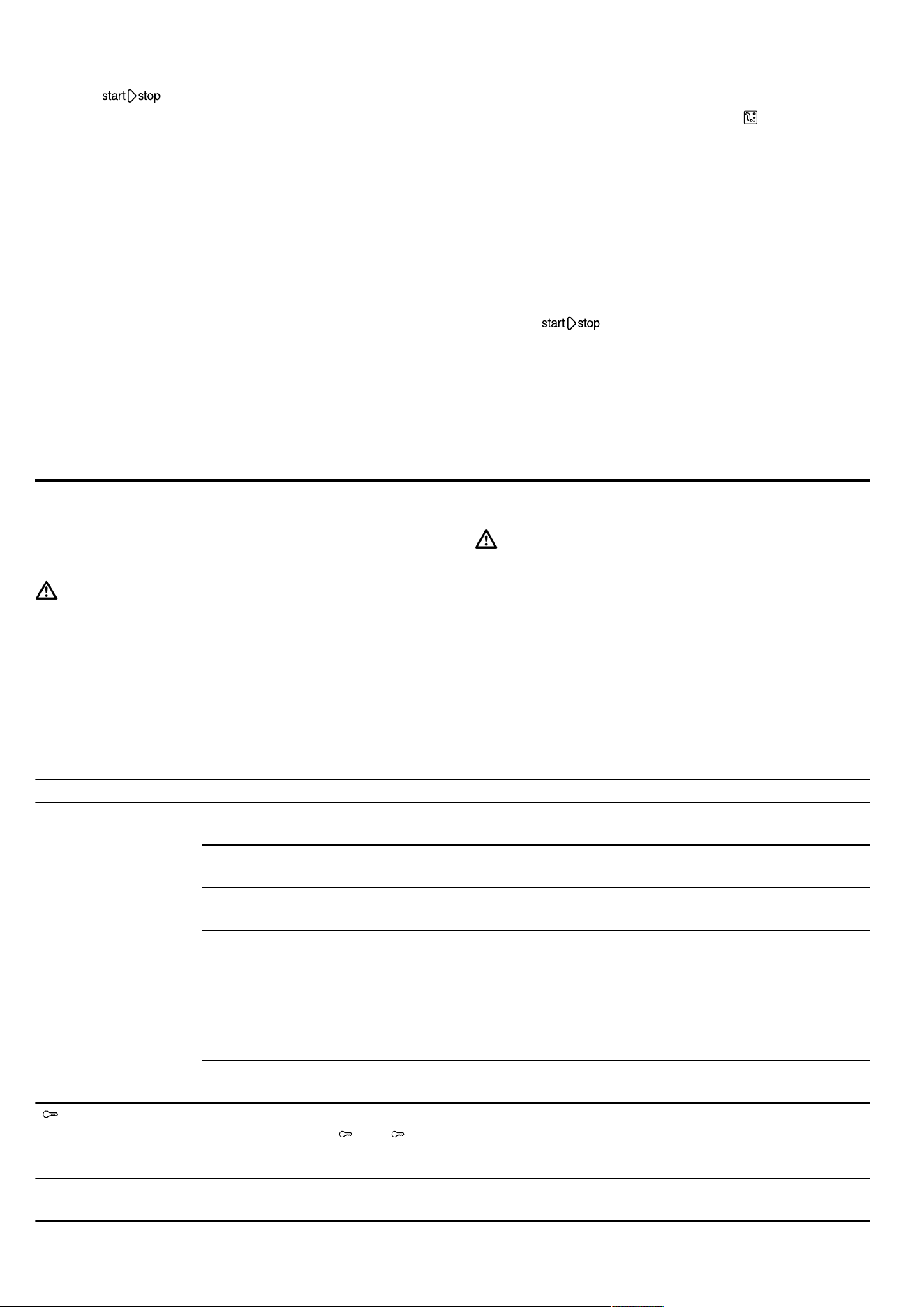
Troubleshooting en
29
14.
Press
a The appliance is rinsed automatically twice. Once
the rinse cycle has run through to the end, an aud-
ible signal sounds.
Note:Observe the mixing ratio for the descaler.
Liquid descaler (order number 00311680): Mixing ratio
of 1:5, mix 50ml descaler with 250ml water.
Descaling tablets (order number 00311976): Dissolve
one descaling tablet, weight 36g, in 500ml water for
5minutes.
17.2 Rinsing
If you have not used the steam function for a long time,
descale and rinse the appliance.
To ensure that your appliance stays clean, you can
pump water through the pipe system. The appliance
then drains the water into the drip tray.
Note:After running the rinse cycle, loosened limescale
particles may be in the drip tray. This is normal and
does not affect operation.
Running the rinse cycle
1.
Use the function selector to select .
a The display shows the programme duration. You
cannot change the programme duration.
2.
Open the tank cover.
3.
Remove the drip tray and empty it.
4.
Slide the empty drip tray in fully.
5.
Remove and empty the water tank and drain any re-
sidual water.
6.
Rinse out the water tank thoroughly and fill it with
fresh water.
7.
Slide the water tank in fully.
8.
Close the tank cover.
9.
Press .
a Water is pumped through the pipes.
a The time remaining counts down in the display.
a An audible signal sounds once this time has
elapsed.
18 Troubleshooting
You can rectify minor faults on your appliance yourself.
Read the troubleshooting information before contacting
after-sales service. This will avoid unnecessary costs.
WARNING‒Risk of injury!
Improper repairs are dangerous.
▶ Repairs to the appliance should only be carried out
by trained specialist staff.
▶ If the appliance is defective, call Customer Service.
WARNING‒Risk of electric shock!
Incorrect repairs are dangerous.
▶ Repairs to the appliance should only be carried out
by trained specialist staff.
▶ Only use genuine spare parts when repairing the
appliance.
▶ If the power cord of this appliance is damaged, it
must be replaced by the manufacturer, the manufac-
turer's Customer Service or a similarly qualified per-
son in order to prevent any risk.
18.1 Malfunctions
Fault Cause and troubleshooting
The appliance is not
working.
The mains plug of the power cord is not plugged in.
▶
Connect the appliance to the power supply.
The circuit breaker in the fuse box has tripped.
▶
Check the circuit breaker in the fuse box.
There has been a power cut.
▶
Check whether the lighting in your kitchen or other appliances are working.
Malfunction
1.
Switch off the fuse in the fuse box.
2.
Switch the fuse back on after approx. 10seconds.
a If the fault was a one-off, the message disappears.
3.
If the message appears again, call the after-sales service. Please specify the exact error
message when calling.
→"Customer Service", Page31
Door is not fully closed.
▶
Check whether food remains or foreign material are trapped in the door.
lights up in the
display and no set-
tings can be made
on the appliance.
Childproof lock is activated.
▶
Press and hold until goes out.
The interior lighting is
not working.
The LED lamp is defective.
▶
If this fault recurs, call the after-sales service.
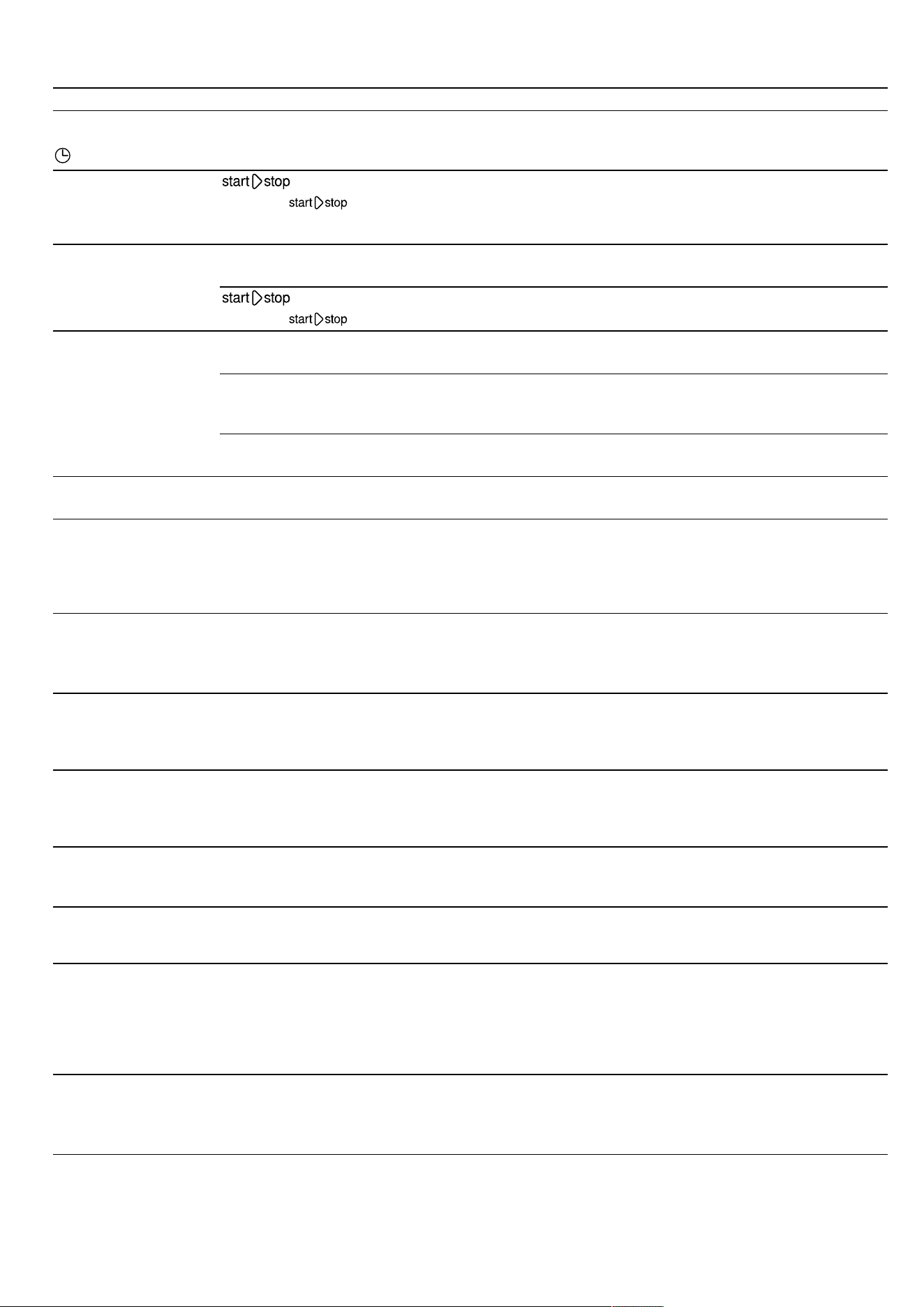
en Troubleshooting
30
Fault Cause and troubleshooting
12:00 flashes in the
display and the
symbol lights up.
There has been a power cut.
▶
Reset the time.
→"Setting the time", Page25
The appliance is not
in operation. A cook-
ing time is shown in
the display.
has not been pressed.
▶
Press .
Microwave not work-
ing.
Door is not fully closed.
▶
Check whether food remains or foreign material are trapped in the door.
has not been pressed.
▶
Press .
Food takes longer
than usual to heat up.
The microwave power setting is set too low.
▶
Set a higher microwave power setting. →Page16
A larger amount than usual has been placed in the appliance.
▶
Set a longer cooking time.
You need double the time when you have double the amount.
The food is colder than usual.
▶
Turn or stir the food from time to time during cooking.
Microwave mode is
cancelled.
Appliance has a fault.
▶
If this fault recurs, call the after-sales service.
Appliance is not heat-
ing, colon is flashing
in the display.
Demo mode is activated in the basic settings.
1.
Disconnect the appliance from power supply by briefly switching off the circuit breaker in
the fuse box.
2.
Go to the basic settings →Page25 and deactivate Demo mode within the next
3minutes.
The water tank and
drip tray symbols are
flashing continuously.
Technical problem
1.
Make sure that the water tank and drip tray are fully inserted in the relevant tank recess.
2.
If the symbols continue to flash, call our customer service.
Note:You can continue to use the appliance, except for the steam function.
Hot air or steam es-
capes above the
door.
Not a fault. The appliance's cooling fan is running.
▶
No action required.
The fan continues to run briefly even after the operation has ended. The fan protects the
appliance from overheating.
Cooling fan continues
to run after the opera-
tion has ended.
The appliance must be cooled down after the operation has ended.
▶
No action required.
The fan continues to run briefly even after the operation has ended. The fan protects the
appliance from overheating.
Cooling fan runs
while the door is
open.
The appliance must be cooled during and after operation.
▶
No action required.
All cooking functions are stopped when the door is opened.
Steam is not visible in
Hot air mode and grill
combined operation.
Steam is not visible in every temperature range. The hotter the steam, the less visible it is.
▶
No action required.
Drip tray is empty
after steam operation.
In normal steam operation and steam combined operation, the condensation is collected by
the glass plate on the bottom and the grey drip trough in the bottom plate. It will not get into
the drip tray.
▶
No action required.
The drip tray is used only for the rinse cycle and descaling process, not for normal
steam operation and steam combined operation.
White limescale
particles are in the
drip tray.
During rinsing and descaling, fine limescale particles are loosened from the boiler.
1.
Check the water hardness setting.
2.
Run the descaling programme at the specified intervals.
▶
Descale the appliance as described in the instruction manual for your appliance.
Disposal en
31
Fault Cause and troubleshooting
Low water consump-
tion in combined op-
eration. Especially
when combining 3
functions.
In steam combined operation, especially when combining 3 functions, only a small amount
of steam is used in some cases. This means that only a small amount of water is used from
the fresh water tank.
▶
No action required.
18.2 Information on display panel
Fault Cause and troubleshooting
The message E0532
appears on the dis-
play
Dirt on the control panel is causing a touch field to be permanently active.
1.
Switch off the appliance.
2.
Clean the control panel.
3.
Switch the appliance back on.
▶
If this fault recurs immediately after switching back on, call our customer service.
The message E5005
appears on the dis-
play
The steam function has been activated multiple times with an empty water tank.
▶
Before next use, make sure that the water tank is filled with cold water and fully inserted
in the tank recess.
▶
If this fault recurs, call the after-sales service.
19 Disposal
19.1 Disposing of old appliance
Valuable raw materials can be reused by recycling.
▶
Dispose of the appliance in an environmentally
friendly manner.
Information about current disposal methods are
available from your specialist dealer or local author-
ity.
This appliance is labelled in accord-
ance with European Directive
2012/19/EU concerning used elec-
trical and electronic appliances
(waste electrical and electronic equip-
ment - WEEE).
The guideline determines the frame-
work for the return and recycling of
used appliances as applicable
throughout the EU.
20 Customer Service
Function-relevant genuine spare parts according to the
corresponding Ecodesign Order can be obtained from
Customer Service for a period of at least 10 years from
the date on which your appliance was placed on the
market within the European Economic Area.
Note:Under the terms of the manufacturer's warranty
the use of Customer Service is free of charge.
Detailed information on the warranty period and terms
of warranty in your country is available from our after-
sales service, your retailer or on our website.
If you contact Customer Service, you will require the
product number (E-Nr.) and the production number
(FD) of your appliance.
The contact details for Customer Service can be found
in the enclosed Customer Service directory or on our
website.
This product contains light sources from energy effi-
ciency class D. These light sources are available as a
spare part and should only be replaced by trained spe-
cialist staff.
20.1 Product number (E-Nr.) and production
number (FD)
You can find the product number (E-Nr.) and the pro-
duction number (FD) on the appliance's rating plate.
You will see the rating plate with these numbers if you
open the appliance door.
Make a note of your appliance's details and the Cus-
tomer Service telephone number to find them again
quickly.
en How it works
32
21 How it works
Here, you can find the ideal settings for various dishes
as well as the best accessories and cookware. We
have tailored these recommendations to your appli-
ance.
21.1 What is the best way to proceed?
In this section, you will find out the best way to proceed
step-by-step in order to be able to make optimum use
of the recommended settings. You will get information
on many meals, with details and tips on how to best
use and set your appliance.
Note:Your appliance has programmed settings for a
selection of dishes. If you want to be guided by the ap-
pliance, use the automatic programmes.
→"Automatic programmes", Page21
1.
Before using the appliance, remove all unnecessary
cookware from the cooking compartment.
2.
Select a type of food from the recommended set-
tings.
3.
Place the food in suitable cookware.
Use the cookware and accessories listed in the re-
commended settings.
Use cookware and accessories that are suitable for
the cooking method.
→"Microwave-safe cookware and accessories",
Page15
Use genuine accessories for your appliance. These
have been tailored to the cooking compartment and
the operating modes of your appliance.
4.
Tip:If you want to cook quantities that deviate from
those specified in the tables, set approximately
double the time for double the amount.
The setting values apply to food placed in the cook-
ing compartment while the cooking compartment is
still cold.
Preheating is necessary for selected types of food –
this is indicated in the table. Do not place your food
and accessory into the cooking compartment until it
has finished preheating.
Some types of food turn out best if they are cooked
in multiple stages. These are indicated in the table.
If you wish to follow one of your own recipes, you
should use the settings listed in the table for similar
food as reference. Additional information can be
found in the tips listed after the settings tables.
When using the microwave, always set the longest
specified time but check your meal after the
shortest specified time.
Before cooking with steam, ensure that the water
tank is full.
Set the appliance according to the recommended
settings.
The temperatures and times given in the tables are
guidelines and depend on the quality, temperature
and consistency of the food. Settings ranges are
specified for this reason. Try using the lower values
to start with. You can increase the temperature next
time if necessary.
5.
Place your food in the cooking compartment in the
appropriate shelf position.
6.
WARNING‒Risk of scalding!
Hot steam may escape when you open the appli-
ance door. Steam may not be visible, depending on
the temperature.
▶ Open the appliance door carefully.
▶ Keep children at a safe distance.
WARNING‒Risk of burns!
Heated food gives off heat. The cookware may be-
come hot.
▶ Always use oven gloves to remove cookware or
accessories from the cooking compartment.
When the dish is ready, switch off the appliance.
21.2 General cooking tips
Take note of the following information when cooking all
types of food.
Condensation
When you are cooking food in the cooking compart-
ment, a lot of steam may form in the cooking compart-
ment.
Since your appliance is extremely energy-efficient, only
a small amount of heat escapes during operation. Due
to the significant differences in temperature between
the appliance interior and the external parts of the ap-
pliance, condensation may build up on the appliance
door, the control panel or the front panels of adjacent
kitchen units. The formation of condensation is a nor-
mal physical phenomenon.
When you preheat the appliance or open the door
carefully, you reduce the build-up of condensation.
Both added-steam cooking and cooking with a type of
steam heating necessitate the production of large
amounts of steam in the cooking compartment. Wipe
the cooking compartment down once the appliance
has cooled down.
Baking tins
For best results, we recommend using dark-coloured
metal baking tins.
Tinplate baking tins, ceramic dishes and glass dishes
extend the baking time and prevent the baked item
from browning evenly.
If you are using silicone moulds, check the manufac-
turer's instructions to see whether they are suitable for
use with microwaves or steam-assisted cooking. Use
the manufacturer's instructions and recipes as a guide.
Silicone moulds are often smaller than normal tins. The
given quantities and recipes may vary.
Greaseproof paper
Only use greaseproof paper that is suitable for the se-
lected temperature. Always cut the greaseproof paper
to size.
How it works en
33
WARNING‒Risk of fire!
Opening the appliance door creates a draught.
Greaseproof paper may come into contact with the
heating element and catch fire.
▶ Never place greaseproof paper loosely over ac-
cessories when preheating the appliance and while
cooking.
▶ Always cut greaseproof paper to size and use a
plate or baking tin to hold it down.
21.3 Tips for keeping acrylamide levels low
during cooking
Acrylamide is harmful to your health and is produced
when you cook cereal and potato products at very high
temperatures.
Dish Tip
General ¡ Keep cooking times as
short as possible.
¡ Brown dishes until they
are golden brown and
not too dark.
¡ Use large, thick pieces
of food. These contain
less acrylamide.
Baked items and biscuits ¡ Set the temperature for
hot air to max. 180°C.
¡ Brush baked items
and biscuits with egg
or egg yolk. This re-
duces the production
of acrylamide.
Oven chips ¡ Spread the chips out
evenly and in a single
layer on the baking
tray.
¡ Cook at least 400g at
once on a baking tray
so that the chips do
not dry out.
21.4 Tips for defrosting and heating
Follow these tips for good results when defrosting and
heating.
Issue Tip
The food should be de-
frosted, hot or cooked
once the time has
elapsed.
Set a longer cooking
time. Larger quantities
and food which is piled
high require longer times.
Issue Tip
Once the time has
elapsed, the food should
not be overheated at the
edge and cooked in the
middle.
¡ Stir the food occasion-
ally.
¡ Set a lower microwave
power setting and a
longer cooking time.
After defrosting, poultry or
meat should not be de-
frosted on the outside
only but still frozen in the
middle.
¡ Set a lower microwave
power setting.
¡ If you are defrosting a
large quantity, turn it
several times.
The food should not be
too dry.
¡ Set a lower microwave
power setting.
¡ Set a shorter cooking
time.
¡ Cover the food.
¡ Add more liquid.
21.5 Defrosting
With your appliance you can defrost frozen food.
Defrosting food
1.
Place the frozen food in an uncovered container on
the bottom of the cooking compartment.
Delicate parts such as the drumsticks and wings of
chicken or fatty outer layers of roasts can be
covered with small pieces of aluminium foil. The foil
must not touch the walls of the appliance.
2.
Start the operation.
You can remove the foil halfway through the defrost-
ing time.
3.
Note:Liquid is produced when you defrost meat
and poultry.
Drain off any liquid when turning and under no cir-
cumstances use it for other purposes or allow it to
come into contact with other foods.
4.
Redistribute the food or turn it once or twice as it
defrosts.
Turn large pieces of food several times.
5.
To even out the temperature, leave the defrosted
food to stand at room temperature for approx. 10–
60 minutes.
You can remove the giblets from poultry at this
point. You can continue to cook the meat even if a
small section of it is still frozen in the centre.
en How it works
34
Recommended settings for defrosting food
Food Accessories/cookware Shelf posi-
tion
Type of
heating
Microwave
setting inW
Cooking
time inmins
Whole pieces of meat, on the
bone or boned, 800g
Cookware without lid 0 1. 180
2. 90
1. 15
1
2. 15-25
1
Whole pieces of meat, on the
bone or boned, 1000g
Cookware without lid 0 1. 180
2. 90
1. 15
1
2. 25-35
1
Whole pieces of meat, on the
bone or boned, 1500g
Cookware without lid 0 1. 180
2. 90
1. 20
1
2. 25-35
1
Meat in pieces or slices, 200g Cookware without lid 0 1. 180
2. 90
1. 5
2
2. 4-6
2
Meat in pieces or slices, 500g Cookware without lid 0 1. 180
2. 90
1. 10
2
2. 5-10
2
Meat in pieces or slices, 800g Cookware without lid 0 1. 180
2. 90
1. 10
2
2. 10-15
2
Minced meat, mixed, 200g
3
Cookware without lid 0 90 15
1, 4
Minced meat, mixed, 500g
3
Cookware without lid 0 1. 180
2. 90
1. 5
1, 5
2. 10-15
1, 5
Minced meat, mixed, 800g
3
Cookware without lid 0 1. 180
2. 90
1. 10
1, 5
2. 15-20
1, 5
Poultry or poultry portions, 600g Cookware without lid 0 1. 180
2. 90
1. 5
6
2. 10-15
6
Poultry or poultry portions,
1200g
Cookware without lid 0 1. 180
2. 90
1. 10
6
2. 20-25
6
Duck, 2000g Cookware without lid 0 1. 180
2. 90
1. 20
1, 6
2. 30-40
1, 6
Goose, 4500g Cookware without lid 0 1. 180
2. 90
1. 30
7, 6
2. 60-80
7, 6
Fish fillet, fish steak or slices,
400g
Cookware without lid 0 1. 180
2. 90
1. 5
8
2. 10-15
8
Whole fish, 300g Cookware without lid 0 1. 180
2. 90
1. 3
2. 10-15
Whole fish, 600g Cookware without lid 0 1. 180
2. 90
1. 8
2. 15-25
Vegetables, e.g. peas, 300g Cookware without lid 0 180 10-15
9
Vegetables, e.g. peas, 600g Cookware without lid 0 1. 180
2. 90
1. 10
9
2. 9-15
9
Fruit, e.g. raspberries, 300g Cookware without lid 0 180 7-10
9, 8
Fruit, e.g. raspberries, 500g Cookware without lid 0 1. 180
2. 90
1. 8
9, 8
2. 5-10
9, 8
Butter, defrosting, 125g
10
Cookware without lid 0 90 6-8
Butter, defrosting, 250g
10
Cookware without lid 0 1. 180
2. 90
1. 2
2. 3-5
Bread, loaf, 500g Cookware without lid 0 1. 180
2. 90
1. 3
2. 10-15
1
Turn the food several times.
2
When turning the pieces of meat, separate them.
3
Freeze the food flat.
4
Remove any meat that has already defrosted.
5
Separate any defrosted parts when turning.
6
Remove the liquid that escapes during defrosting.
7
Turn the food every 20minutes.
8
Separate any defrosted parts from each other.
9
Carefully stir the food occasionally.
10
Remove all packaging.
11
Only defrost cakes without icing, whipped cream, gelatine or custard.
12
Separate the pieces of cake.
How it works en
35
Food Accessories/cookware Shelf posi-
tion
Type of
heating
Microwave
setting inW
Cooking
time inmins
Bread, loaf, 1000g Cookware without lid 0 1. 180
2. 90
1. 5
2. 15-25
Cakes, plain, e.g. sponge cake,
500g
11, 12
Cookware without lid 0 90 10-15
Cakes, plain, e.g. sponge cake,
750g
11, 12
Cookware without lid 0 1. 180
2. 90
1. 3
2. 10-15
Cakes, moist, e.g. fruit flan,
cheesecake, 500g
11
Cookware without lid 0 1. 180
2. 90
1. 5
2. 15-25
Cakes, moist, e.g. fruit flan,
cheesecake, 750g
11
Cookware without lid 0 1. 180
2. 90
1. 7
2. 15-25
1
Turn the food several times.
2
When turning the pieces of meat, separate them.
3
Freeze the food flat.
4
Remove any meat that has already defrosted.
5
Separate any defrosted parts when turning.
6
Remove the liquid that escapes during defrosting.
7
Turn the food every 20minutes.
8
Separate any defrosted parts from each other.
9
Carefully stir the food occasionally.
10
Remove all packaging.
11
Only defrost cakes without icing, whipped cream, gelatine or custard.
12
Separate the pieces of cake.
21.6 Heating
With your appliance you can heat food.
Heating frozen food
WARNING‒Risk of burns!
Heated food gives off heat. The cookware may become
hot.
▶ Always use oven gloves to remove cookware or ac-
cessories from the cooking compartment.
1.
Take ready meals out of the packaging and place in
microwave-safe cookware.
2.
Distribute the food flat in the cookware.
Food that is in contact with the bottom will cook
more quickly than food that is piled up. Do not layer
pieces of food on top of each other.
3.
Cover the food with a suitable lid, a plate or special
microwave foil.
4.
Place the cookware on the bottom of the cooking
compartment.
5.
Start the operation.
6.
Turn or stir the food 2 to 3times during this time.
The speed at which different components of the
meal heat up may vary.
7.
To even out the temperature, leave the heated food
to stand at room temperature for approx. 2
to5minutes.
Recommended settings for heating frozen food
Food Accessories/cookware Shelf posi-
tion
Type of
heating
Microwave
setting inW
Cooking
time inmins
Soup, frozen, 400g Cookware with lid 0 600 8-15
Stew, frozen, 500g Cookware with lid 0 600 8-13
Stew, frozen, 1000g Cookware with lid 0 600 20-25
Menu, plated meal, ready meal
with 2-3 components, frozen,
300-400g
Cookware with lid 0 600 11-15
Slices or pieces of meat in
sauce, e.g. goulash, frozen,
500g
Cookware with lid 0 600 12-17
1
Slices or pieces of meat in
sauce, e.g. goulash, frozen,
1000g
Cookware with lid 0 600 25-30
1
1
Separate the pieces of meat when stirring.
2
Add a little liquid to the food.
3
Pour water into the dish so that it covers the base.
4
Cook the food without any additional water.
5
Stir the food occasionally.
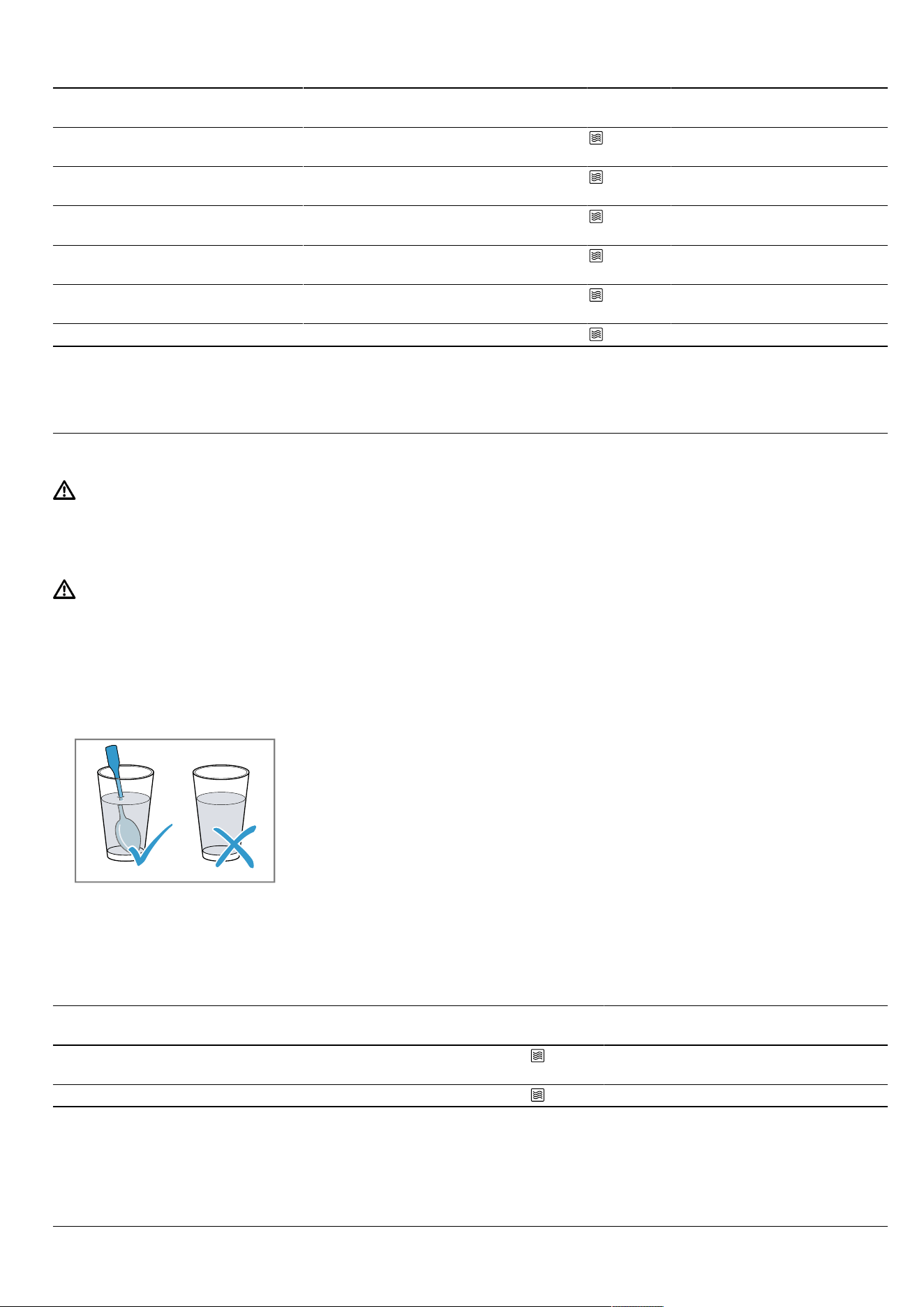
en How it works
36
Food Accessories/cookware Shelf posi-
tion
Type of
heating
Microwave
setting inW
Cooking
time inmins
Bakes, e.g. lasagne, cannelloni,
frozen, 450g
Cookware with lid 0 600 10-15
Side dishes, e.g. rice, pasta,
frozen, 250g
2
Cookware with lid 0 600 2-5
Side dishes, e.g. rice, pasta,
frozen, 500g
2
Cookware with lid 0 600 8-10
Vegetables, e.g. peas, broccoli,
carrots, frozen, 300g
3
Cookware with lid 0 600 8-10
Vegetables, e.g. peas, broccoli,
carrots, frozen, 600g
3
Cookware with lid 0 600 14-17
Creamed spinach, frozen, 500g
4
Cookware with lid 0 600 11-16
5
1
Separate the pieces of meat when stirring.
2
Add a little liquid to the food.
3
Pour water into the dish so that it covers the base.
4
Cook the food without any additional water.
5
Stir the food occasionally.
Heating food
WARNING‒Risk of burns!
Heated food gives off heat. The cookware may become
hot.
▶ Always use oven gloves to remove cookware or ac-
cessories from the cooking compartment.
WARNING‒Risk of scalding!
There is a possibility of delayed boiling when a liquid is
heated. This means that the liquid reaches the boiling
temperature without the usual steam bubbles rising to
the surface. Exercise caution even when only gently
shaking the container. The hot liquid may suddenly boil
over and splatter.
▶ Always place a spoon in the container when heating
liquids. This prevents delayed boiling.
ATTENTION!
Metal touching the wall of the cooking compartment
will cause sparks, which may damage the appliance or
the inner door pane.
▶ Metal (e.g. a spoon in a glass) must be kept at least
2cm from the cooking compartment walls and the
inside of the door.
1.
Take ready meals out of the packaging and place in
microwave-safe cookware.
2.
Distribute the food flat in the cookware.
Food that is in contact with the bottom will cook
more quickly than food that is piled up. Do not layer
pieces of food on top of each other.
3.
Cover the food with a suitable lid, a plate or special
microwave foil, if this is specified in the table.
4.
Place the cookware on the bottom of the cooking
compartment.
If you are using the steam function, place your cook-
ware on the glass tray in shelf position 3 and fill the
water tank.
5.
Start the operation.
6.
Turn or stir the food several times during cooking.
The speed at which different components of the
meal heat up may vary.
7.
Check the temperature.
8.
To even out the temperature, leave the heated food
to stand at room temperature for approx. 2
to5minutes.
Recommended settings for heating food
Food Accessories/cookware Shelf posi-
tion
Type of
heating
Microwave
setting inW
Steam
setting
Cooking
time inmins
Baby food, e.g. baby
bottles, 150ml
1
Cookware without lid 0 360 - 0.5-1.5
2, 3
Drinks, 200ml
4
Cookware without lid 0 1000 - 1-2
5, 6
1
Heat up baby food without the teat or lid.
2
Always shake the food well after heating.
3
Always check the temperature.
4
Place a spoon in the glass.
5
Do not overheat alcoholic drinks.
6
Check the food occasionally.
7
Separate the slices of meat.
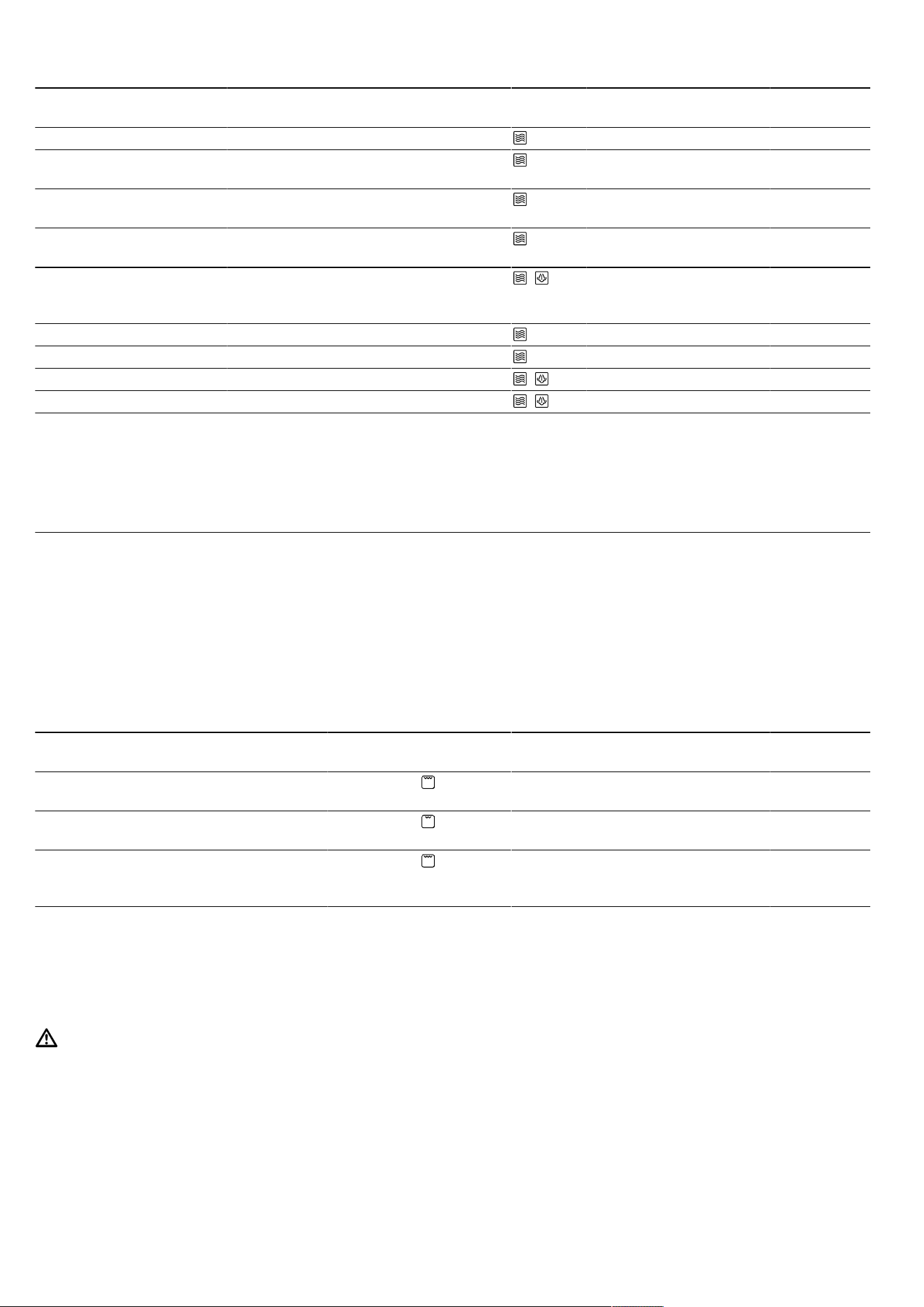
How it works en
37
Food Accessories/cookware Shelf posi-
tion
Type of
heating
Microwave
setting inW
Steam
setting
Cooking
time inmins
Drinks, 500ml
4
Cookware without lid 0 1000 - 4-5
5, 6
Soup, 2cups, 175g
each
Cookware without lid 0 600 - 3-4
Soup, 4 cups, 175g
each
Cookware without lid 0 600 - 6-8
Fish or pieces of meat in
sauce, 500g
7
Cookware with lid 0 600 - 7-10
Menu, plated meal, ready
meal with 2-3 compon-
ents, frozen, 400g
Cookware without lid 0 + 360 3 9-14
Stew, 400g Cookware with lid 3 600 - 6-8
Stew, 800g Cookware with lid 0 600 - 8-11
Vegetables, 150g Cookware without lid 3 + 360 3 3-5
Vegetables, 300g Cookware without lid 3 + 360 3 4-7
1
Heat up baby food without the teat or lid.
2
Always shake the food well after heating.
3
Always check the temperature.
4
Place a spoon in the glass.
5
Do not overheat alcoholic drinks.
6
Check the food occasionally.
7
Separate the slices of meat.
21.7 Bread and bread rolls
You can bake bread and bread rolls using your appli-
ance.
Tips for cooking frozen products
¡ Carefully take the food out of the packaging.
¡ Remove any ice on the food.
Do not use frozen products that are covered with a
thick layer of ice.
¡ Some frozen products may be unevenly pre-baked.
Uneven browning may remain even after baking.
Recommended settings for bread and bread rolls
Food Accessories/cook-
ware
Shelf posi-
tion
Type of
heating
Temperature
in °C
Grill set-
ting
Steam
setting
Cooking
time inmins
Bread for toast-
ing, 12slices
Wire rack 3 1. -
2. -
1. 3
2. 3
1. -
2. -
1. 3-5
2. 2-3
Bread for toast-
ing, 4slices
Wire rack 3 1. -
2. -
1. 3
2. 3
1. -
2. -
1. 5-6
2. 3-4
Toast with top-
ping, 2-4slices
Wire rack
+
Glass tray
3+1 - 3 - 8-10
21.8 Poultry, meat and fish
You can use your appliance to cook poultry, meat and
fish.
Tips for cooking in cookware
WARNING‒Risk of injury!
If hot glass cookware is placed on a wet or cold sur-
face, the glass may shatter.
▶ Place hot glass ovenware on a dry mat after cook-
ing.
¡ Only use cookware that is suitable for what you in-
tend to use it for.
Glass ovenware is the most suitable.
Check whether the cookware fits in the cooking
compartment.
¡ Stainless steel and aluminium roasting trays that
have a shiny surface are not suitable for microwave
use.
During conventional cooking, shiny roasting trays re-
flect heat like a mirror, meaning that they are not en-
tirely suitable.
The poultry, meat or fish cooks slower and does not
brown so well.
Use a higher temperature and a longer cooking
time for conventional cooking.
¡ Follow the cookware manufacturer's instructions.
Cookware without a lid
¡ To cook poultry, meat and fish, it is best to use a
deep roasting tin.
¡ Place the tin on the bottom of the cooking compart-
ment.

en How it works
38
¡ If you would like to cook using added steam, use
cookware without a lid.
¡ If you do not have any suitable cookware, use the
glass tray.
Cookware with a lid
¡ Ensure that the lid fits well and closes properly.
¡ Place the cookware on the wire rack.
Tips for cooking in combination with the
microwave
¡ Cooking in combination with the microwave consid-
erably reduces the cooking time.
¡ When using the microwave, the cooking time is de-
termined based on the total weight.
If you want to cook a quantity that differs from the
specified quantity, the general rule is: "Double the
quantity requires just under double the cooking
time".
¡ Use heat-resistant, microwave-safe cookware.
¡ Metal roasting dishes or earthenware pots are only
suitable for roasting without using the microwave.
Tips for cooking with added steam
¡ Certain dishes become crispier if cooked using ad-
ded steam. Their surface becomes glossier and
they dry out less.
¡ Use cookware without a lid.
¡ Use cookware that is heat-resistant and steam-res-
istant.
¡ Cook with added steam if it is indicated in the set-
tings table.
¡ Fill the water tank up to the "MAX" mark. If the appli-
ance runs out of water, it will continue to cook your
meal with the selected type of heating but without
added steam.
Tips for steaming food using the steam
container
¡ In contrast to cooking with added steam, the steam-
ing function cooks the meat particularly gently but it
does not become crispy on the outside. It remains
very succulent.
¡ You can also sear pieces of meat before steaming,
which will reduce their cooking time and give them
a slightly different flavour. Larger pieces require a
longer cooking time. Pieces of meat do not need to
be turned.
¡ To steam poultry, meat or fish, place the item to be
cooked on the steam container in the glass tray and
then place this in the cooking compartment at shelf
position 3.
¡ Fill the water tank up to the "MAX" mark. If the water
tank runs dry during operation, the operation will be
paused. You will be alerted to this by a message on
the display.
Grilling tips
ATTENTION!
Acidic food may damage the grid
▶ Do not place acidic food, such as fruit or food with
an acidic marinade directly on the pan support.
¡ Keep the appliance door closed when using the
grill. Never grill with the appliance door open.
¡ Place the food directly on the wire rack. Place the
glass dish underneath the wire rack as well. Any
dripping fat will be caught.
¡ Try to use pieces of food of a similar thickness and
weight. This will allow them to brown evenly and re-
main succulent and juicy.
¡ Use tongs to turn the pieces of food you are grilling.
If you pierce the meat with a fork, the juices will run
out and it will become dry.
¡ Do not add salt to the meat until it has been grilled.
Salt draws water from the meat.
Note:The grill elements continuously switch on and off;
this is normal. The grill setting determines how fre-
quently this occurs.
Smoke may be produced when grilling.
Information for those allergic to nickel
In rare cases, small amounts of nickel may pass into
the food.
Recommended setting values
¡ The setting values are based on the assumption that
unstuffed, chilled, ready-to-roast poultry, meat or fish
is placed into a cold cooking compartment.
¡ The table lists values for poultry, meat and fish, with
default values for the weight. If you want to cook
heavier poultry, meat or fish, always use the lower
temperature. If cooking more than one item, use the
weight of the heaviest item as a basis for determin-
ing the cooking time. The individual pieces should
be approximately the same size.
¡ Try to use pieces of food of a similar thickness and
weight. This will allow them to brown evenly and re-
main succulent and juicy.
¡ The larger the poultry, meat or fish, the lower the
cooking temperature and the longer the cooking
time.
¡ Turn poultry, meat and fish if specified in the set-
tings table.
Tips for cooking poultry
¡ For duck or goose, pierce the skin on the underside
of the wings. This allows the fat to drain out.
¡ If using duck breast, score the skin.
¡ Do not turn duck breasts.
¡ When you turn poultry, ensure that the breast side
or the skin side is underneath at first.
Tips for cooking meat
¡ Coat lean meat with fat or oil as required and cover
it with strips of bacon.
¡ When roasting, add a little liquid if the meat is lean.
This liquid should just about cover the bottom of the
glass cookware.
¡ Score the rind crosswise.
¡ When the joint is ready, turn off the oven and allow
it to rest for a further 10minutes in the cooking
compartment, keeping the door closed. This helps
distribute the meat juices more evenly. Wrap the
joint in aluminium foil. The recommended resting
time is not included in the cooking times specified.
¡ It is more convenient to roast and braise meat in the
cookware. You can take the joint out of the cooking
compartment more easily in the cookware, and pre-
pare the sauce in the cookware itself.
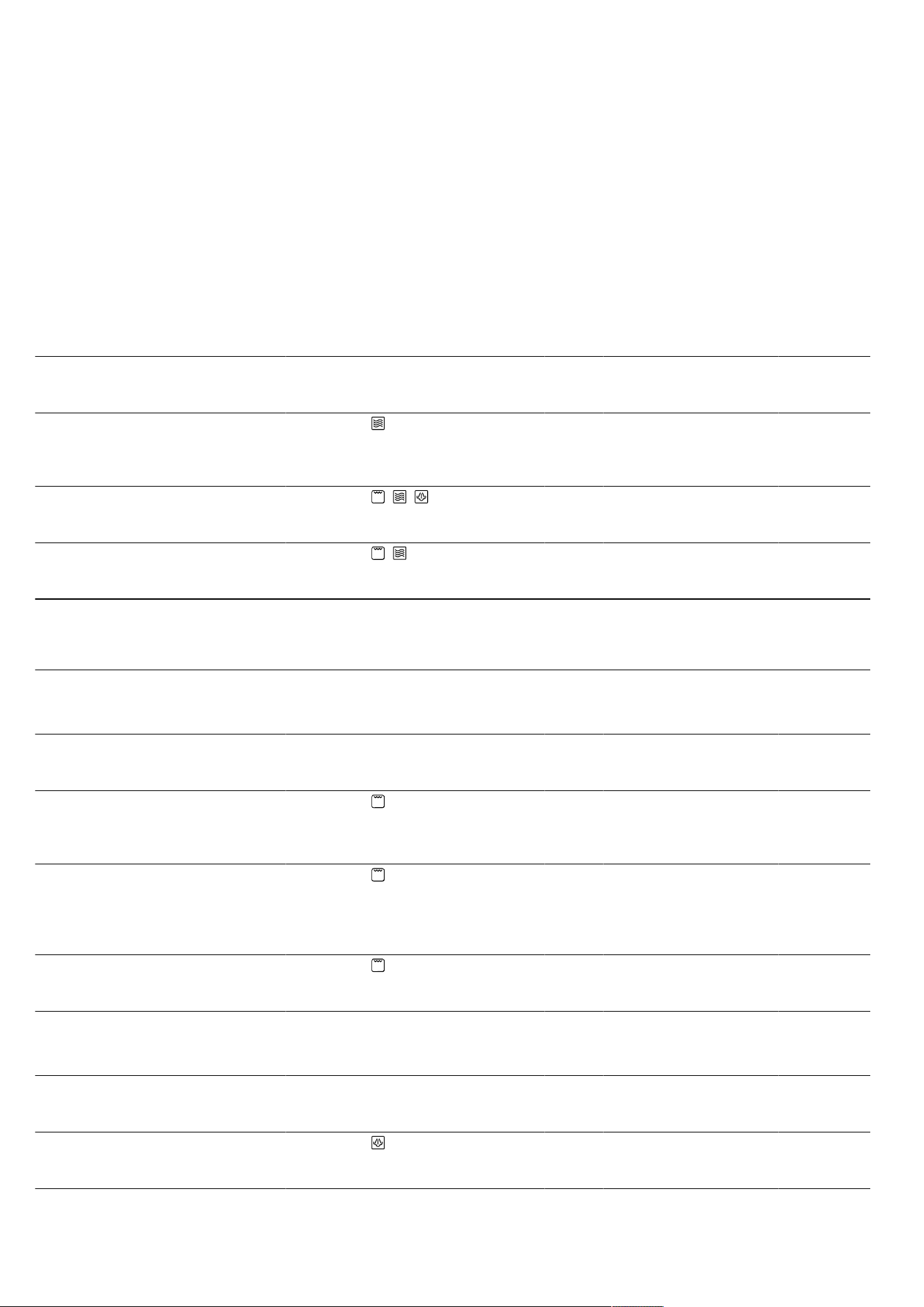
How it works en
39
¡ The quantity of liquid depends on the type of meat,
the material the cookware is made from and on
whether or not a lid is used. If you are cooking meat
in an enamelled or dark-coloured metal roasting
dish, it will need a little more liquid than if cooked in
glass cookware.
¡ The liquid in the cookware evaporates as the meat
roasts. Carefully pour in more liquid if required.
¡ The gap between the meat and the lid must be at
least 3cm. The meat may expand.
¡ To braise the meat, sear it first as required. Add wa-
ter, wine, vinegar or a similar liquid for the braising
liquid. The base of the cookware must be covered
with 1-2cm of liquid.
Tips for cooking fish
¡ You do not need to turn a whole fish.
¡ If you would like to cook fish on the wire rack, coat
the wire rack with a little oil beforehand as this will
make it easier to remove the fish later.
¡ You can tell when the fish is cooked because the
dorsal fin can be removed easily.
Recommended settings for poultry
Food Accessories/
cookware
Shelf pos-
ition
Type of
heating
Temperat-
ure in °C
Grill
setting
Microwave
setting inW
Steam
setting
Cooking
time
inmins
Chicken,
whole,
cooked,
1.3kg
Cookware with
lid
0 - - 600 - 25-35
1
Duck breast,
500g
Wire rack
+
Glass tray
3+2 + + - 3 180 3 10-12
2, 3
Goose breast,
goose legs,
700-900g
Cookware
without lid
0 + - 2 180 - 30-40
4, 3
1
Turn the dish halfway through the cooking time.
2
Place with the skin side up.
3
Do not turn the food.
4
Use deep cookware without a lid.
Recommended settings for meat
Food Accessories/
cookware
Shelf pos-
ition
Type of
heating
Temperat-
ure in °C
Grill
setting
Microwave
setting inW
Steam
setting
Cooking
time
inmins
Beef steaks,
2-3cm thick,
2-3pieces,
200g each
Wire rack
+
Glass tray
3+1 1. -
2. -
1. 3
2. 3
1. -
2. -
1. -
2. -
1. 10-15
2. 5-10
Pork neck
steaks, 2-3cm
thick,
2-3pieces,
120g each
Wire rack
+
Glass tray
3+1 1. -
2. -
1. 2
2. 2
1. -
2. -
1. -
2. -
1. 15-20
2. 10-15
Grilling saus-
ages, x 4-6,
150g each
Wire rack
+
Glass tray
3+1 1. -
2. -
1. 3
2. 3
1. -
2. -
1. -
2. -
1. 10-15
2. 5-10
Recommended settings for fish
Food Accessories/
cookware
Shelf pos-
ition
Type of
heating
Temperat-
ure in °C
Grill
setting
Microwave
setting inW
Steam
setting
Cooking
time
inmins
Fish fillet,
fresh, 400g
Glass tray
+
Steam container
3 - - - 3 15-17
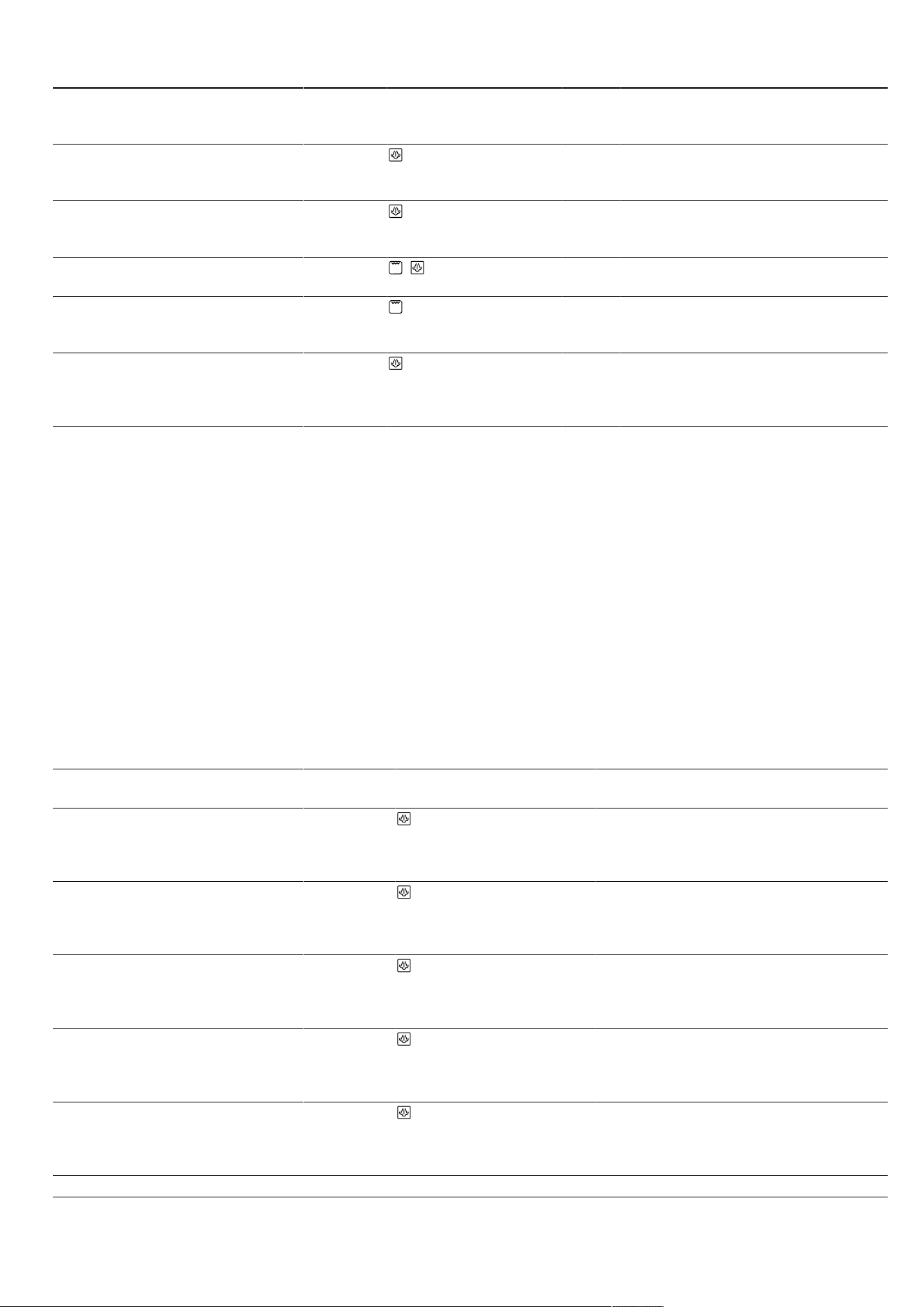
en How it works
40
Food Accessories/
cookware
Shelf pos-
ition
Type of
heating
Temperat-
ure in °C
Grill
setting
Microwave
setting inW
Steam
setting
Cooking
time
inmins
Fish fillet
pieces, frozen,
400g
Cookware with
lid
3 - - - 3 18-20
Fish fillet
pieces, frozen,
800g
Glass tray
+
Steam container
3 - - - 3 23-25
Fish fillet, au
gratin, 500g
Cookware
without lid
0 + - 3 600 - 10-15
Fish steaks, x
2-3, 150 g
each
Wire rack
+
Glass tray
3+1 - 3 - - 8-12
Fish, whole,
e.g. trout, x
2-3, 300g
each
Glass tray
+
Steam container
3 - - - 3 18-22
21.9 Vegetables and side dishes
You can use your appliance to cook vegetables and
side dishes.
Tips for cooking with the microwave
¡ Use microwave-safe cookware with a lid.
¡ Cook rice in a deep pot with a lid and add the
quantity of liquid indicated in the table.
Tips for steaming
¡ Use the glass tray and the steam container to steam
food.
¡ Use the portion sizes listed in the settings table. The
cooking time is reduced for smaller pieces and in-
creased for larger ones.
¡ The cooking time is also influenced by the quality
and age of the food. The settings indicated are
therefore intended as a guide only.
¡ Always distribute the food evenly in the cookware. It
will not cook evenly if the food is piled up to varying
heights.
¡ Do not stack pressure-sensitive food too high in the
steam container.
¡ Fill the water tank up to the "MAX" mark. If the water
tank runs dry during operation, the operation will be
paused. You will be alerted to this by a message on
the display.
Recommended settings for vegetables and side dishes
Food Accessories/
cookware
Shelf posi-
tion
Type of
heating
Temperature
in °C
Microwave
setting inW
Steam
setting
Cooking
time inmins
Artichokes,
whole, fresh
Glass tray
+
Steam con-
tainer
3 - - 3 35-40
Spinach leaves,
fresh, 250g
Glass tray
+
Steam con-
tainer
3 - - 3 5-7
Cauliflower,
whole, fresh
Glass tray
+
Steam con-
tainer
2 - - 3 28-35
Broccoli, whole,
fresh, 500g
Glass tray
+
Steam con-
tainer
2 - - 3 20-23
Broccoli florets,
frozen, 500g
Glass tray
+
Steam con-
tainer
3 - - 3 14-16
1
Stir the food occasionally.
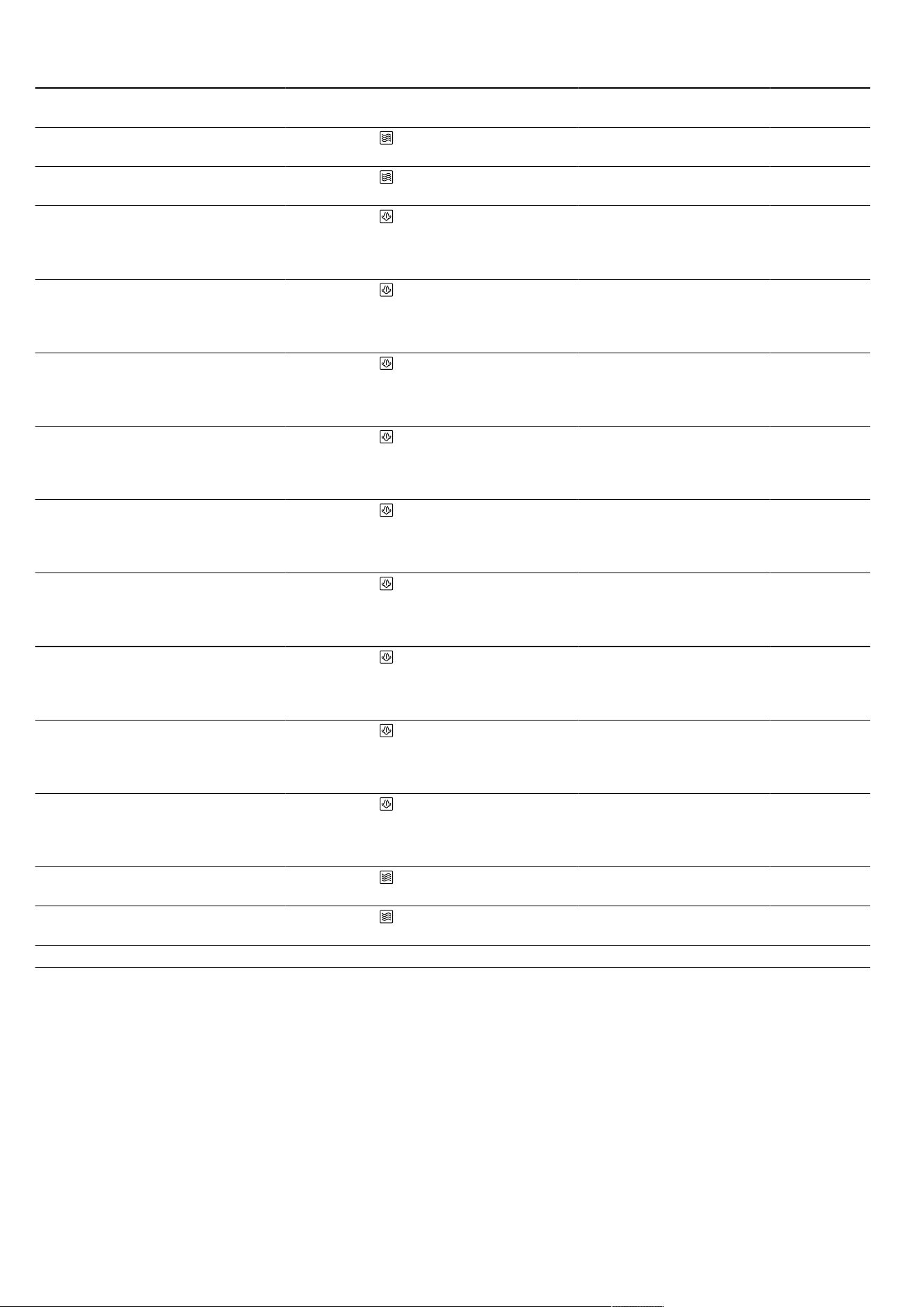
How it works en
41
Food Accessories/
cookware
Shelf posi-
tion
Type of
heating
Temperature
in °C
Microwave
setting inW
Steam
setting
Cooking
time inmins
Vegetables,
fresh, 250g
Cookware with
lid
0 - 600 - 6-10
1
Vegetables,
fresh, 500g
Cookware with
lid
0 - 600 - 10-15
1
Mixed veget-
ables, frozen,
250g
Glass tray
+
Steam con-
tainer
3 - - 3 12-15
Carrots, sliced,
steamed, 500g
Glass tray
+
Steam con-
tainer
3 - - 3 18-20
Sliced leeks,
fresh, 500g
Glass tray
+
Steam con-
tainer
3 - - 3 10-12
Green beans,
fresh, 500g
Glass tray
+
Steam con-
tainer
3 - - 3 18-20
Asparagus,
green, 250g
Glass tray
+
Steam con-
tainer
3 - - 3 10-15
Courgettes,
sliced,
steamed, 500g
Glass tray
+
Steam con-
tainer
3 - - 3 12-14
Potatoes,
quartered,
250g
Glass tray
+
Steam con-
tainer
3 - - 3 28-30
Potatoes,
quartered,
500g
Glass tray
+
Steam con-
tainer
3 - - 3 30-32
Potatoes,
quartered,
750g
Glass tray
+
Steam con-
tainer
3 - - 3 32-35
125g rice +
300ml water
Cookware with
lid
0 - 1. 600
2. 180
1. -
2. -
1. 4-6
2. 12-15
250g rice +
500ml water
Cookware with
lid
0 - 1. 600
2. 180
1. -
2. -
1. 6-8
2. 15-18
1
Stir the food occasionally.
21.10 Desserts
You can use your appliance to prepare desserts.
Tips for cooking rice pudding
¡ Add milk in the specified ratio. For example, with a
ratio of 1:2.5, use 250ml of milk for every 100g of
pudding rice.
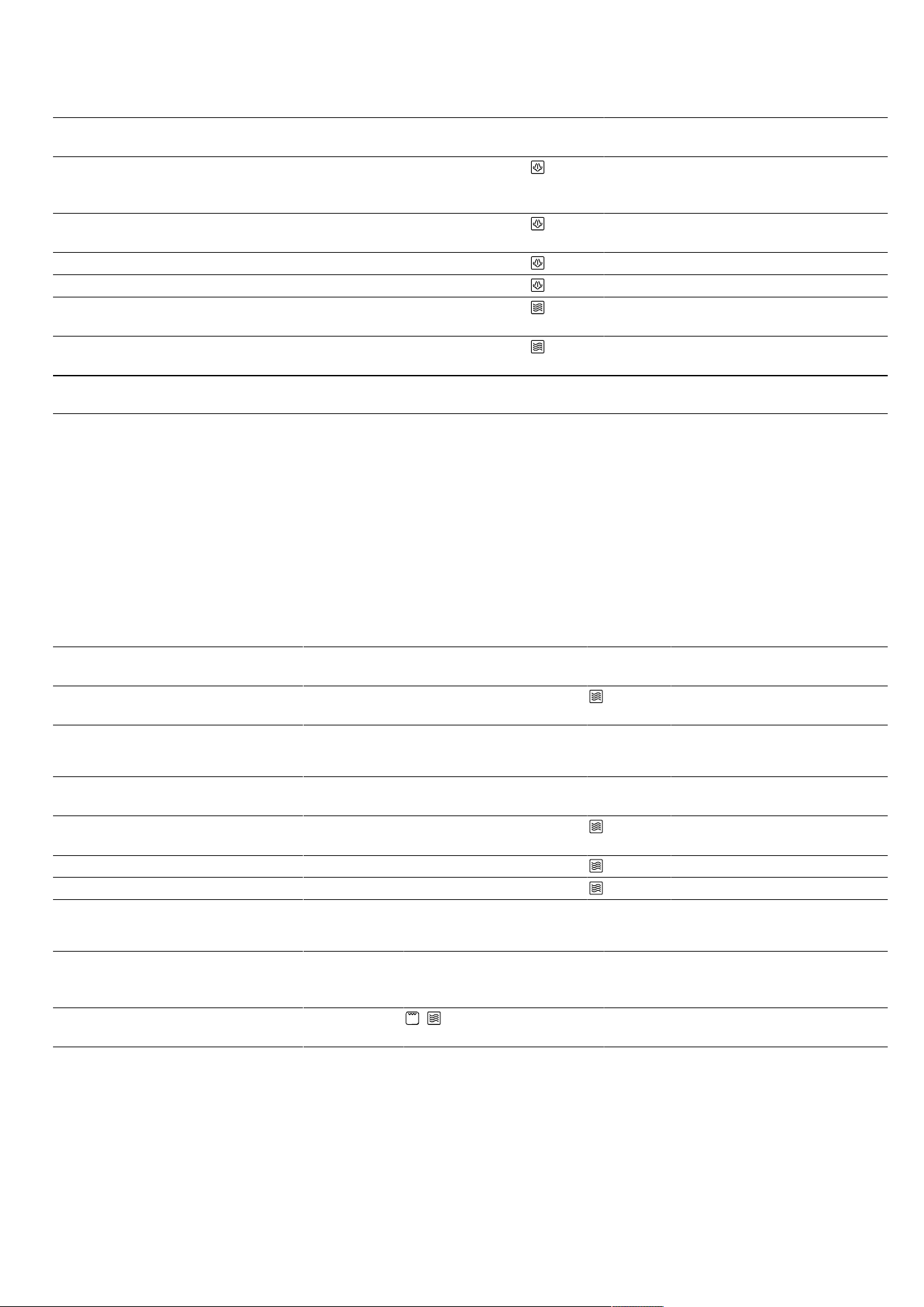
en How it works
42
Recommended settings for desserts
Food Accessories/cookware Shelf posi-
tion
Type of
heating
Microwave
setting inW
Steam
setting
Cooking
time inmins
Crème caramel Glass tray
+
Soufflé dishes
3 - 3 40-50
Steamed yeast dump-
lings
Glass tray 3 - 2 20-25
Rice pudding 1:2.5
1
Glass tray 3 - 3 30-40
Fruit, compote, 500g Glass tray 3 - 3 9-12
Microwave popcorn, 1 x
100g bag
Cookware with lid 0 600 - 3-5
Desserts, e.g. instant
blancmange, 500ml
Cookware with lid 0 600 - 6-8
2
1
Add milk in the specified ratio.
2
Stir the food occasionally.
21.11 Test dishes
These overviews have been produced for test institutes
to facilitate appliance testing in accordance with EN
60350-1:2013 or IEC 60350-1:2011 and EN
60705:2012, IEC 60705:2010.
Microwave cooking
Please take note of the following information if you are
cooking test dishes using the microwave.
Use heat-resistant, microwave-safe cookware.
Recommended settings for defrosting food using the microwave
Food Accessories/cookware Shelf posi-
tion
Type of
heating
Microwave
setting inW
Cooking
time inmins
Defrosting meat, 500g Cookware without lid 0 1. 180
2. 90
1. 7
2. 8-12
Recommended settings for cooking food using the microwave
Food Accessories/cookware Shelf posi-
tion
Type of
heating
Microwave
setting inW
Cooking
time inmins
Custard, 1000g Cookware without lid 0 1. 360
2. 180
1. 18-20
2. 18-22
Sponge cake, 475g Cookware without lid 0 600 8-10
Meatballs, 900g Cookware without lid 0 600 20-25
Recommended settings for cooking in combination with the microwave
Food Accessories/
cookware
Shelf posi-
tion
Type of
heating
Temperature
in °C
Grill set-
ting
Microwave
setting inW
Cooking
time
inmins
Potato gratin Cookware
without lid
0 + - 1 360 25-32
Steaming
Please take note of the following information if you are
steaming test dishes.
Place the glass tray with steam container on shelf posi-
tion 3.
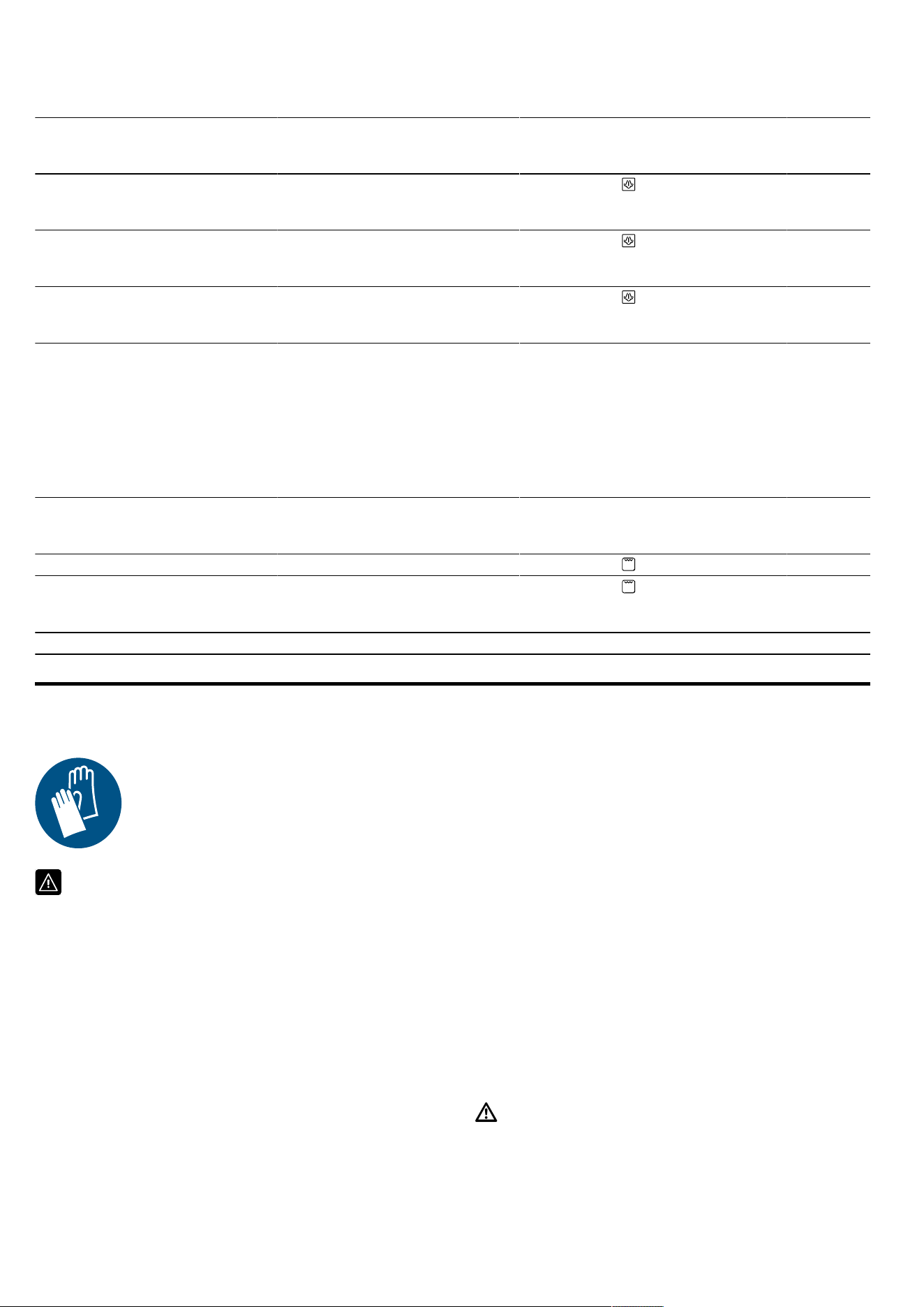
Installation instructions en
43
Recommended settings for steaming
Food Accessories/cookware Shelf posi-
tion
Type of
heating
Steam
setting
Cooking
time
inmins
Peas, frozen, 1000g Glass tray
+
Steam container
3 3 -
Broccoli, fresh, 300g Glass tray
+
Steam container
3 3 10-12
Broccoli, fresh, one container Glass tray
+
Steam container
3 3 16-18
Grilling
Please take note of the following information if you are
grilling test dishes.
¡ Place the glass dish underneath the wire rack. The
liquid will be caught and the cooking compartment
stays cleaner.
¡ The recommended settings apply to dishes placed
into the non-preheated appliance.
Recommended settings for grilling
Food Accessories/cookware Shelf posi-
tion
Type of
heating
Grill set-
ting
Cooking
time
inmins
Toast, browned Wire rack 3 3 4-5
Beef burgers, x 12 Wire rack
+
Glass tray
3+1 3 35-45
1
1
Turn the dish halfway through the cooking time.
22 Installation instructions
Observe this information when installing the appliance.
22.1 Safe installation
Follow these safety instructions when in-
stalling the appliance.
¡ The appliance can only be used safely if it
is correctly installed according to the safety
instructions. The installer is responsible for
ensuring that the appliance works perfectly
at its installation location.
¡ Check the appliance for damage after un-
packing it. Do not connect the appliance if
it has been damaged in transit.
¡ Before starting up the appliance, remove
any packaging material and adhesive film
from the cooking compartment and the
door.
¡ Proceed in accordance with the installation
sheets for installing accessories.
¡ Fitted units must be temperature-resistant
up to 90°C, and adjacent unit fronts up to
65°C.
¡ Do not install the appliance behind a decor-
ative door or the door of a kitchen unit.
There is a risk of overheating.
¡ Cut-out work on the units should be carried
out before installing the appliance. Remove
any shavings. Otherwise, the correct opera-
tion of electrical components may be ad-
versely affected.
¡ Only a licensed professional may connect
appliances without plugs. Damage caused
by incorrect connection is not covered un-
der the warranty.
WARNING‒Risk of injury!
Parts that are accessible during installation
may have sharp edges and may lead to cut-
ting injuries.
▶ Wear protective gloves.
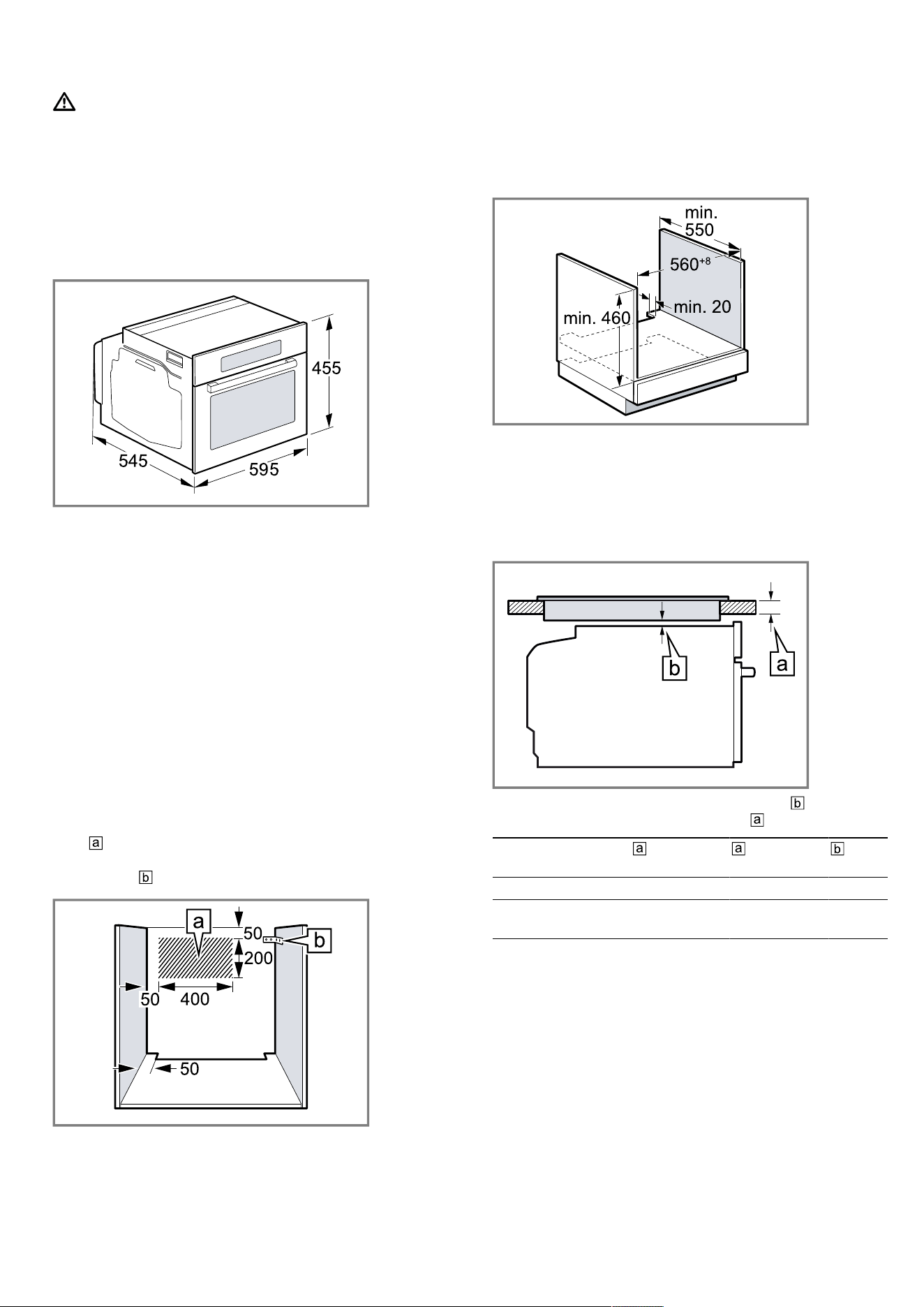
en Installation instructions
44
WARNING‒Risk of fire!
It is dangerous to use an extended power
cord and non-approved adapters.
▶ Do not use extension cables or multiple
socket strips.
22.2 Appliance dimensions
You will find the dimensions of the appliance here
22.3 Fitted units
This appliance is only intended to be fully fitted in a kit-
chen. It is not intended to be used as a tabletop appli-
ance or within a cupboard.
Ensure that the fitted cabinet behind the appliance
does not have a back panel. Maintain a clearance of at
least 35mm between the wall and the cabinet base or
the rear panel of the cabinet situated above.
Ensure that the fitted cabinet has a ventilation opening
of 50cm² on the front. To create a ventilation opening,
trim the base panel or fit a ventilation grille.
Ensure that surround units without a ventilation cut-out
have a ventilation opening measuring 200cm² towards
the rear of the side panels.
Do not cover the ventilation slots and air intake open-
ings.
Ensure that the wall socket is located in the hatched
area or outside of the installation space.
Secure any unsecured units to the wall using a stand-
ard bracket .
22.4 Installation below a worktop
Observe the installation dimensions and the safety
clearances when installing below a worktop.
To ventilate the appliance, the intermediate floor must
have a ventilation cut-out.
The worktop must be secured to the fitted unit.
22.5 Installing below a hob
If the appliance is installed below a hob, the following
minimum dimensions must be adhered to (including
substructure, if applicable).
The required minimum worktop thickness is based
on the required minimum clearance .
Hob type raised in
mm
flush in
mm
in
mm
Induction hob 48 49 5
Full-surface in-
duction hob
58 59 5
Observe the installation instructions for the hob.
Note:Not suitable for installing under a gas hob or
electric hob.
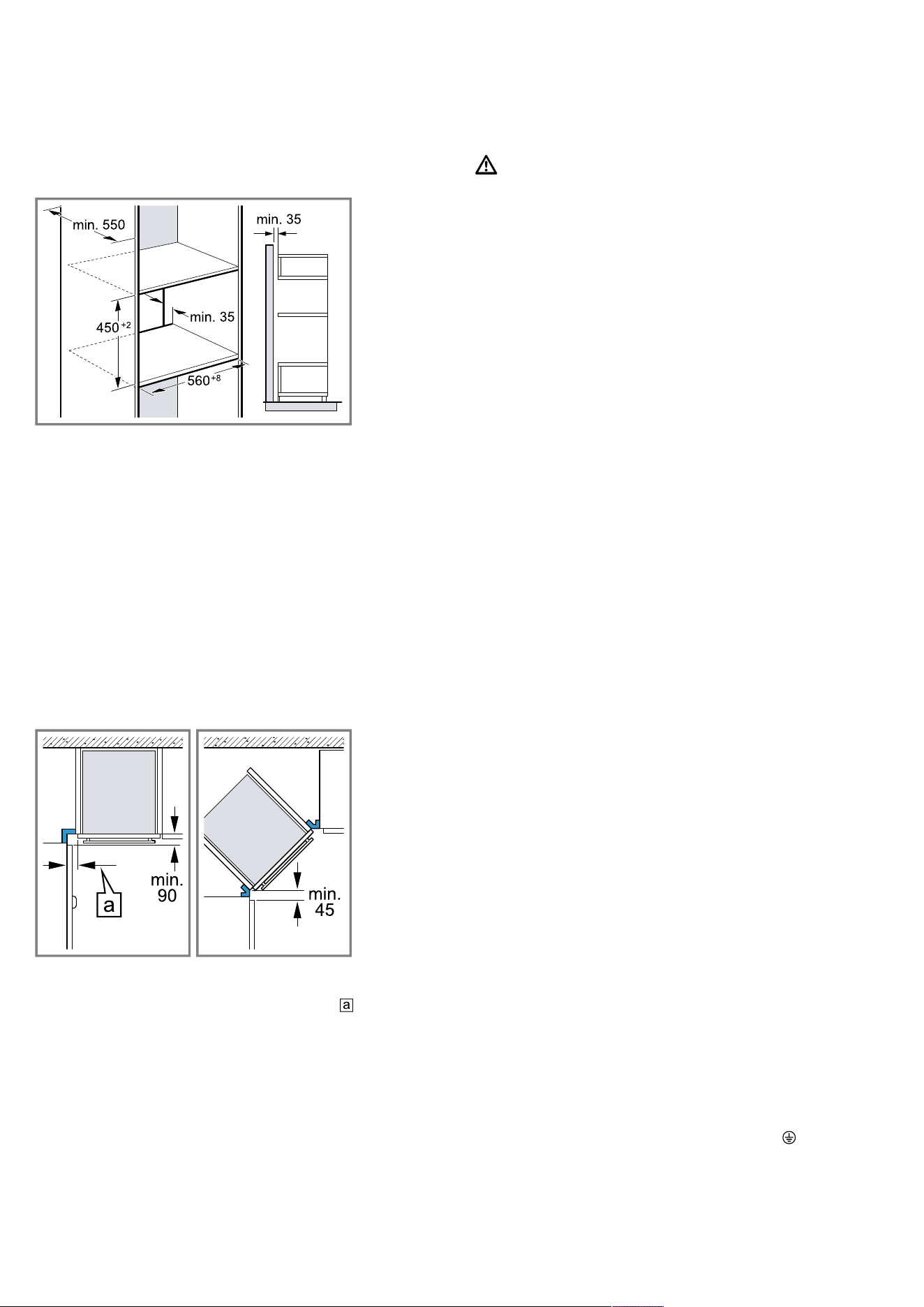
Installation instructions en
45
22.6 Installation in a tall unit
Observe the installation dimensions and the safety
clearances in a tall unit.
To ventilate the appliance, the intermediate floor must
have a ventilation cut-out.
If the tall unit has another back panel in addition to the
element back panels, this must be removed.
Do not fit the appliance too high up; it must be pos-
sible for accessories to be removed easily.
22.7 Combination with a warming drawer
First fit the warming drawer. Follow the installation in-
structions for the warming drawer.
Slide the appliance, on the warming drawer, into the fit-
ted cabinet. When sliding in the appliance, do not dam-
age the warming drawer's panel.
22.8 Corner installation
Observe the installation dimensions and the safety
clearances when installing in a corner.
To ensure that the appliance door can be opened, you
must take the minimum dimensions into consideration
when installing in a corner. The dimension is de-
pendent on the thickness of the unit front and the
handle.
22.9 Electrical connection
In order to safely connect the appliance to the elec-
trical system, follow these instructions.
WARNING‒Danger: Magnetism!
The appliance contains permanent magnets. These
may affect electronic implants, e.g. heart pacemakers
or insulin pumps.
▶ Persons with electronic implants must stay at least
10cm away from the appliance.
¡ The appliance corresponds to protection class I and
must only be operated with a protective earth con-
nection.
¡ The fuse protection must correspond to the power
rating specified on the appliance's rating plate and
to the local regulations.
¡ The appliance must be disconnected from the
power supply whenever installation work is being
carried out.
¡ If the power cable is damaged, it must be replaced
by the manufacturer, customer service or a person
with equivalent qualifications in order to eliminate
any risks.
¡ Contact protection must be guaranteed by the in-
stallation.
Connecting the appliance to the electricity
supply
Note:The appliance must only be connected to a pro-
tective contact socket that has been correctly installed.
1.
Insert the non-heating appliance plug of the power
cable into the appliance.
Check that the non-heating appliance plug is inser-
ted properly.
2.
Insert the mains plug of the appliance into a nearby
socket.
Ensure that the mains plug of the mains power
cable is easily accessible after installation of the ap-
pliance. If free access to the mains plug of the
power cable is not possible, an all-pole isolating
switch must be installed in the permanent electrical
installation according to the installation regulations.
Electrically connecting an appliance without a
protective contact plug
Note:Only licensed specialists may connect the appli-
ance. Damage caused by incorrect connection is not
covered under the warranty.
An isolating switch must be integrated into the perman-
ent electrical installation according to the installation
regulations.
1.
Identify the phase and neutral conductors in the
socket.
The appliance may be damaged if it is not connec-
ted correctly.
2.
Connect the hob in accordance with the connection
diagram.
See the rating plate for the voltage.
3.
Connect the wires of the mains power cable accord-
ing to the colour coding:
‒ Green/yellow = Protective conductor
‒ Blue = Neutral conductor
‒ Brown = Phase (external conductor)
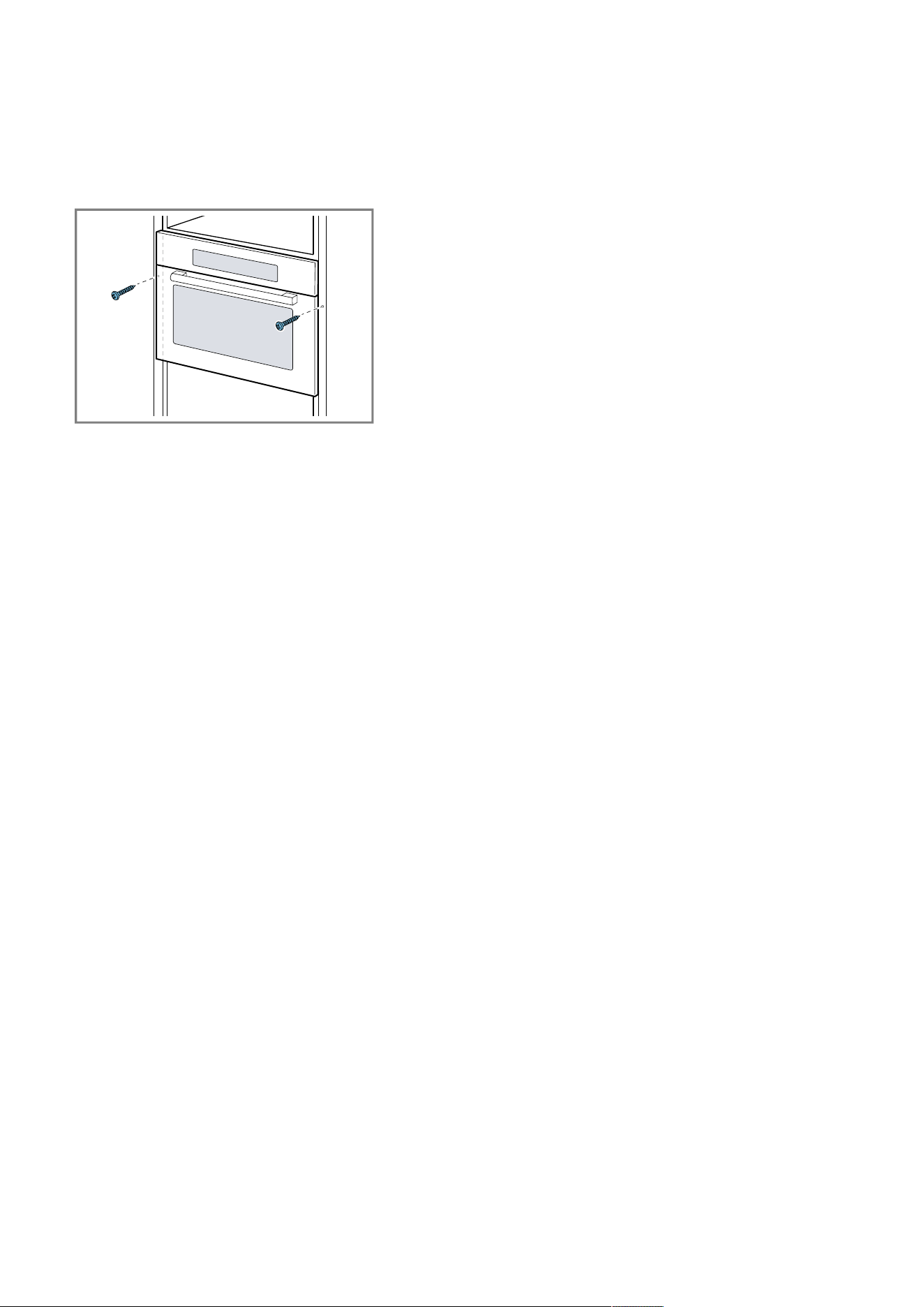
en Installation instructions
46
22.10 Installing the appliance
1.
Use a spirit level to adjust the appliance so that it is
perfectly level.
2.
Push the appliance in fully.
3.
Align the appliance horizontally and centrally.
4.
Screw the appliance tightly onto the unit.
5.
Remove any packaging material and adhesive film
from the cooking compartment and the door.
Note:Do not close the gap between the worktop and
the appliance using additional battens.
Do not attach any thermal insulation strips to the side
panels of the surround unit.
22.11 Removing the appliance
1.
Disconnect the appliance from the power supply.
2.
Undo the fastening screws.
3.
Lift the appliance slightly and pull it out completely.

Thank you for buying a
Bosch Home Appliance!
Register your new device on MyBosch now and profit directly from:
• Expert tips & tricks for your appliance
• Warranty extension options
• Discounts for accessories & spare-parts
• Digital manual and all appliance data at hand
• Easy access to Bosch Home Appliances Service
Free and easy registration – also on mobile phones:
www.bosch-home.com/welcome
Looking for help?
You'll find it here.
Expert advice for your Bosch home appliances, help with problems
or a repair from Bosch experts.
Find out everything about the many ways Bosch can support you:
www.bosch-home.com/service
Contact data of all countries are listed in the attached service directory.
*9001686154*
9001686154 (021212)
en1
BSH Hausgeräte GmbH
Carl-Wery-Straße 34
81739 München, GERMANY
www.bosch-home.com
A Bosch Company
Valid within Great Britain:
Imported to Great Britain by
BSH Home Appliances Ltd.
Grand Union House
Old Wolverton Road
Wolverton, Milton Keynes
MK12 5PT
United Kingdom