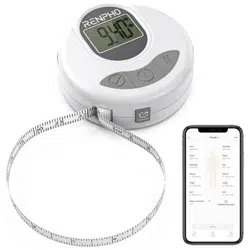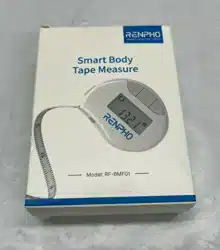

SMART BODY TAPE MEASURE
USER MANUAL
Model: RF-BMF01
PRECAUTION FOR USE
Safety Warnings
Please read all the instructions.
1. DO NOT use this device for any purpose other than outlined in this manual.
2. DO NOT disassemble/modify the device. There are no user-serviceable
parts inside.
3. DO NOT subject the device to extreme conditions: extreme temperatures
beyond operating temperatures, high vibrations, dusty area, humid conditions
(including any liquid) or direct sunlight.
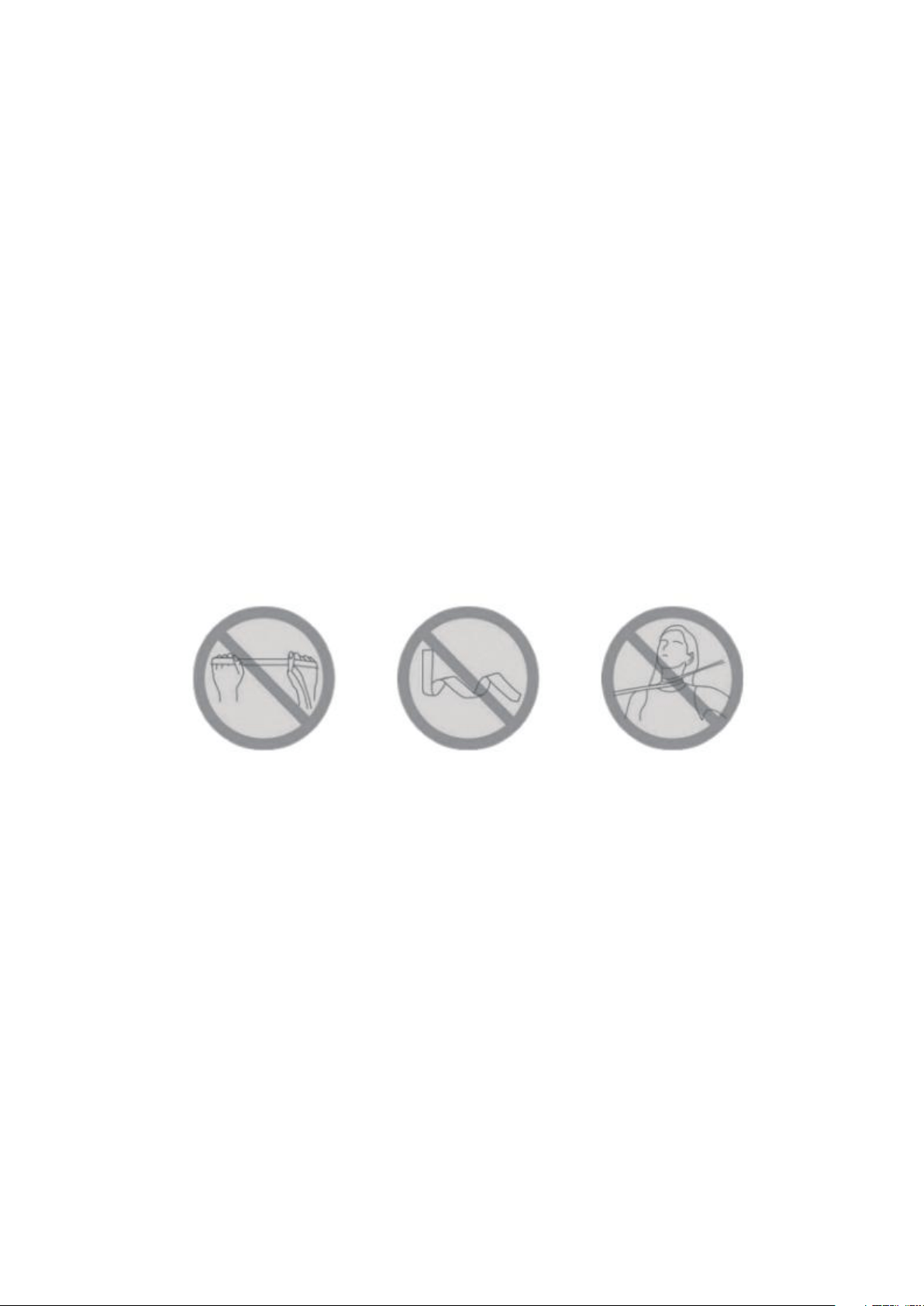
4. DO NOT use excessive force on the tape or the gear. Stretching the tape
or grinding the gear can damage the device permanently.
5. DO NOT fold or twist the tape. This can damage the tape permanently.
6. DO NOT use excessive force to pull the tape over 150cm/60inch. This may
permanently damage the device.
7. Be very careful when measuring neck circumference. The tape may
accidentally cause choking.
8. Children under ten years old should use under adult supervision.
KNOW YOUR RENPHO TAPE MEASURE
PREFACE
Thank you for choosing RENPHO Smart Body Tape Measure! This Bluetooth
body tape measure is your personal health assistant. It helps you easily
measure various parts of the body and keep track to improve your health and
fitness. We sincerely hope that you enjoy using your new RENPHO smart
body tape measure!
Technical Data
Model: RF-BMF01
Mode: length / circumference
Unit: cm / in
Measuring Range: 150cm / 60in
Resolution: 1mm, 1/16 in
Accuracy: ±3mm, ±3/32 in
Working Temperature: 32°F ~ 122°F
Working Humidity: <85%
Battery: CR2032
Stand-by current: 1uA
Working current: 2mA
Package Contents
1 x RENPHO Smart Body Tape Measure
1 x CR2032 Battery
1 x User Manual
TROUBLE SHOOTING
Problem
Possible Cause
Solution
No display or ambiguous
Lower voltage, no battery or
incorrect installation of battery
Reinstall battery or
replace battery
Erratic display
Casual fault caused by high vibration
or strongly swinging
Zero setting
Number skip or frozen display
Internal error
Remove battery wait 1
minute and replace
NOTE:
If the tape LCD part shows nothing after pressing the on/off button, please
replace the battery.
APPEARANCE
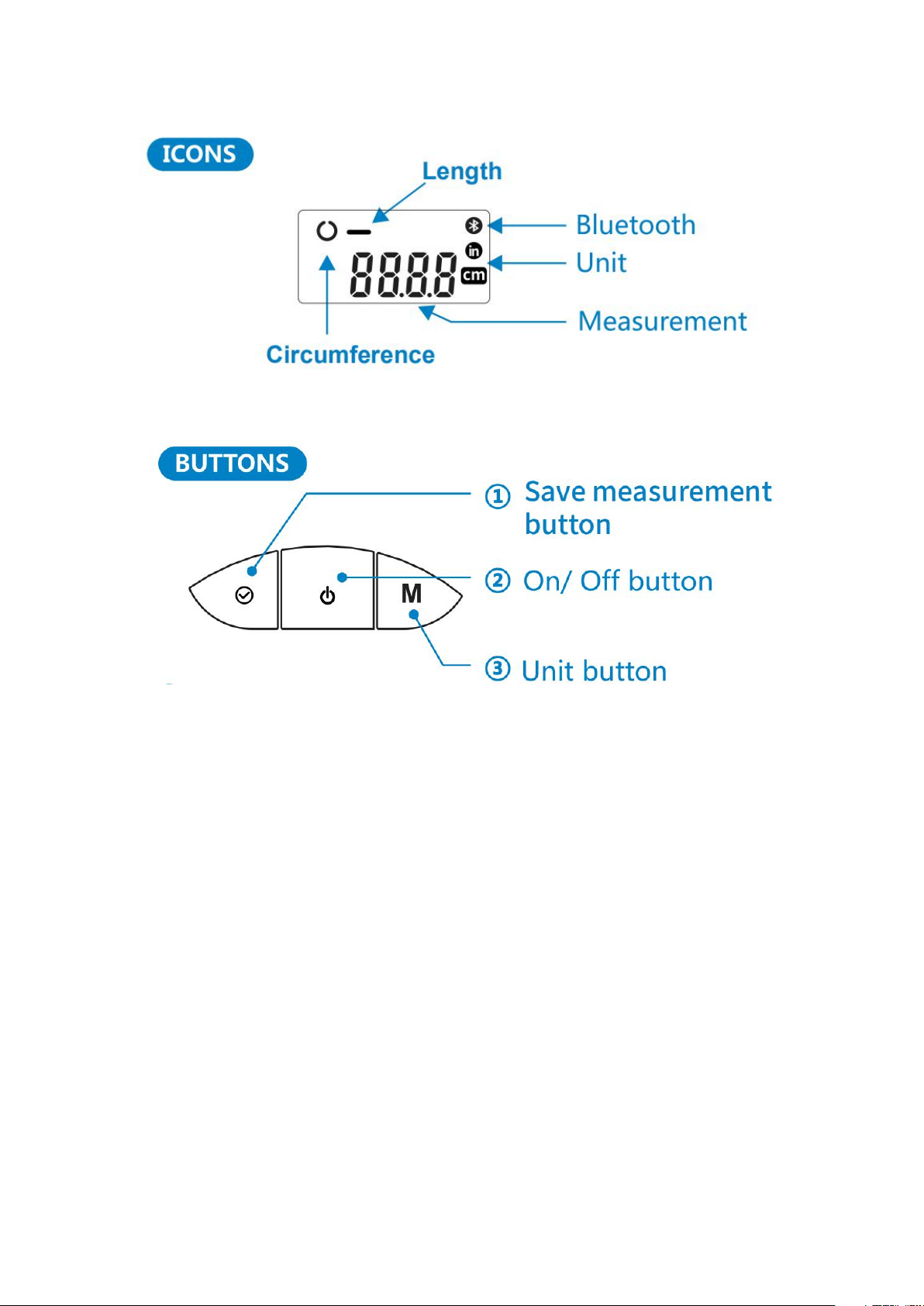
①
Short press: confirm the measurement and send to the App via Bluetooth
Long press: clear to zero
②
Short press: power on
Long press: power off
③
Short press: switch between inches and centimeters
Long press: switch between length and circumference
NOTE:
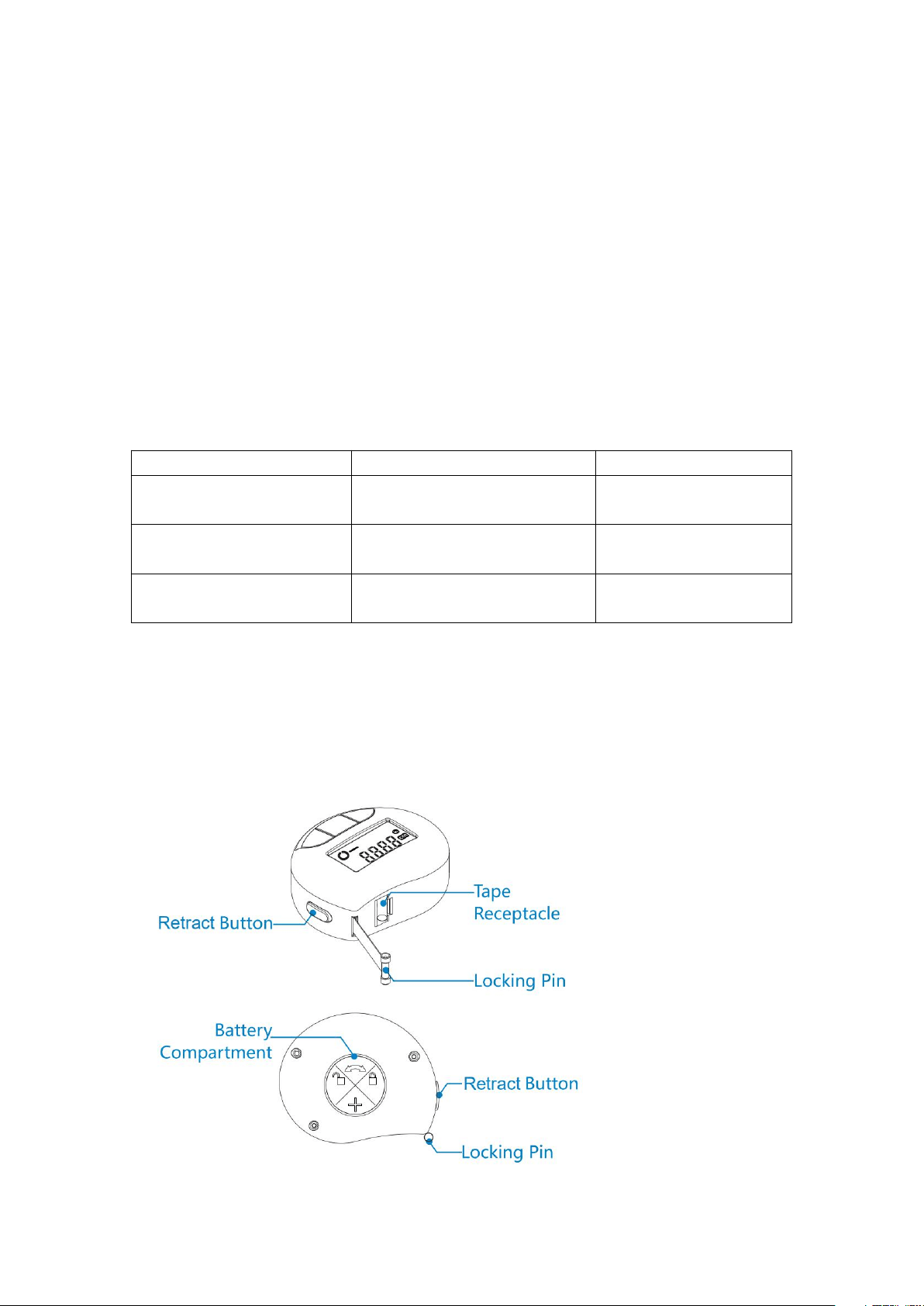
The difference between circumference and length is 2.1cm / 0.84in, due to the
tape needs to needle into the tape receptacle while circumference measuring.
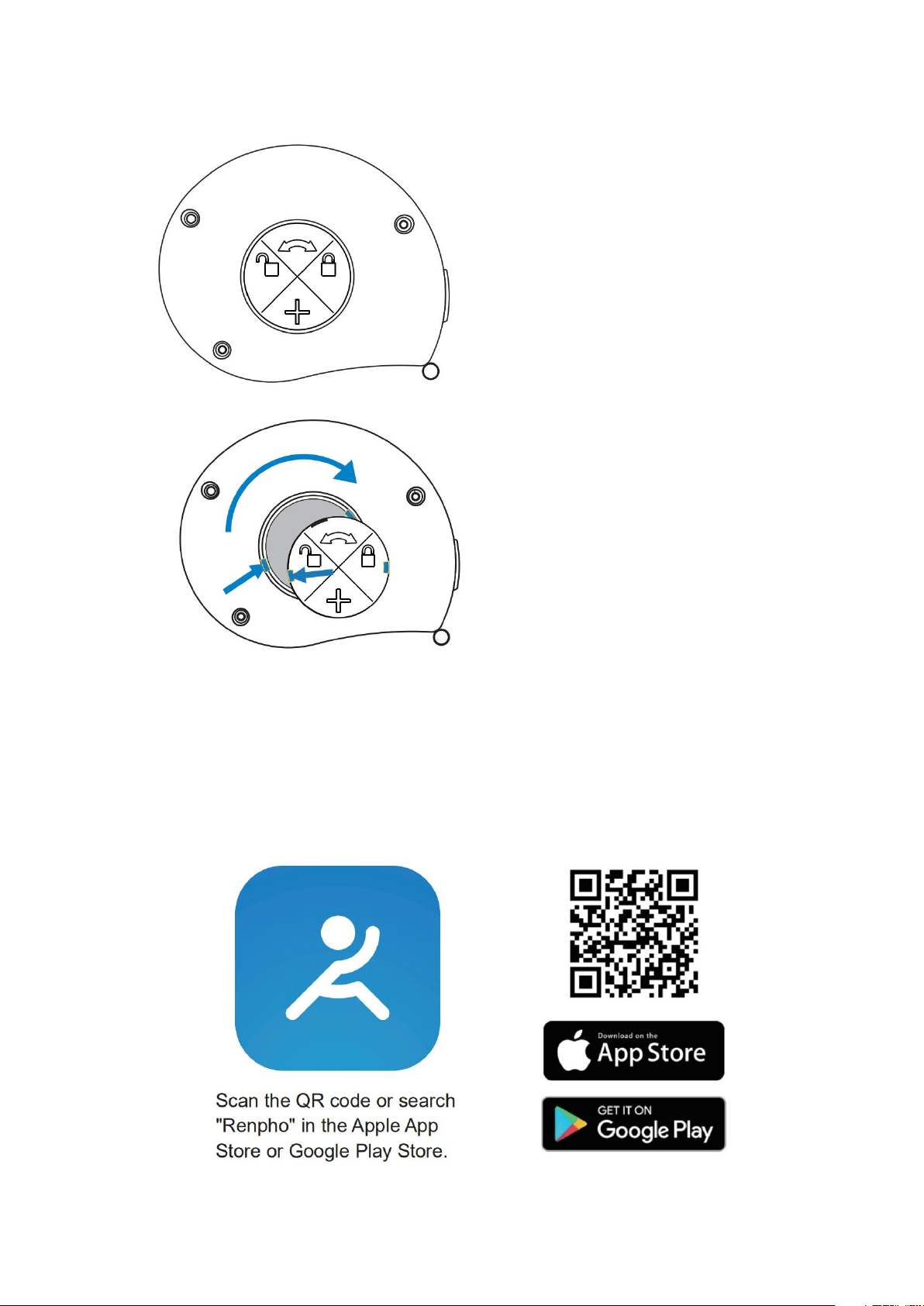
INSTALL THE BATTERY
GETTING STARTED
Download the app: go to the app store on your device (App Store for iOS or
Play Store for Android) and search for “Renpho”, or follow these links:
https://apps.apple.com/us/app/renpho/id1219889310
https://play.google.com/store/apps/details?id=com.qingniu.renpho
Press and rotate the battery
door anticlockwise. Battery
door will be open. Insert the
battery. Make sure the
positive pole face up.
Connect securely by aiming
at the Snap-Fit Joint, then
rotate it clockwise to lock it.
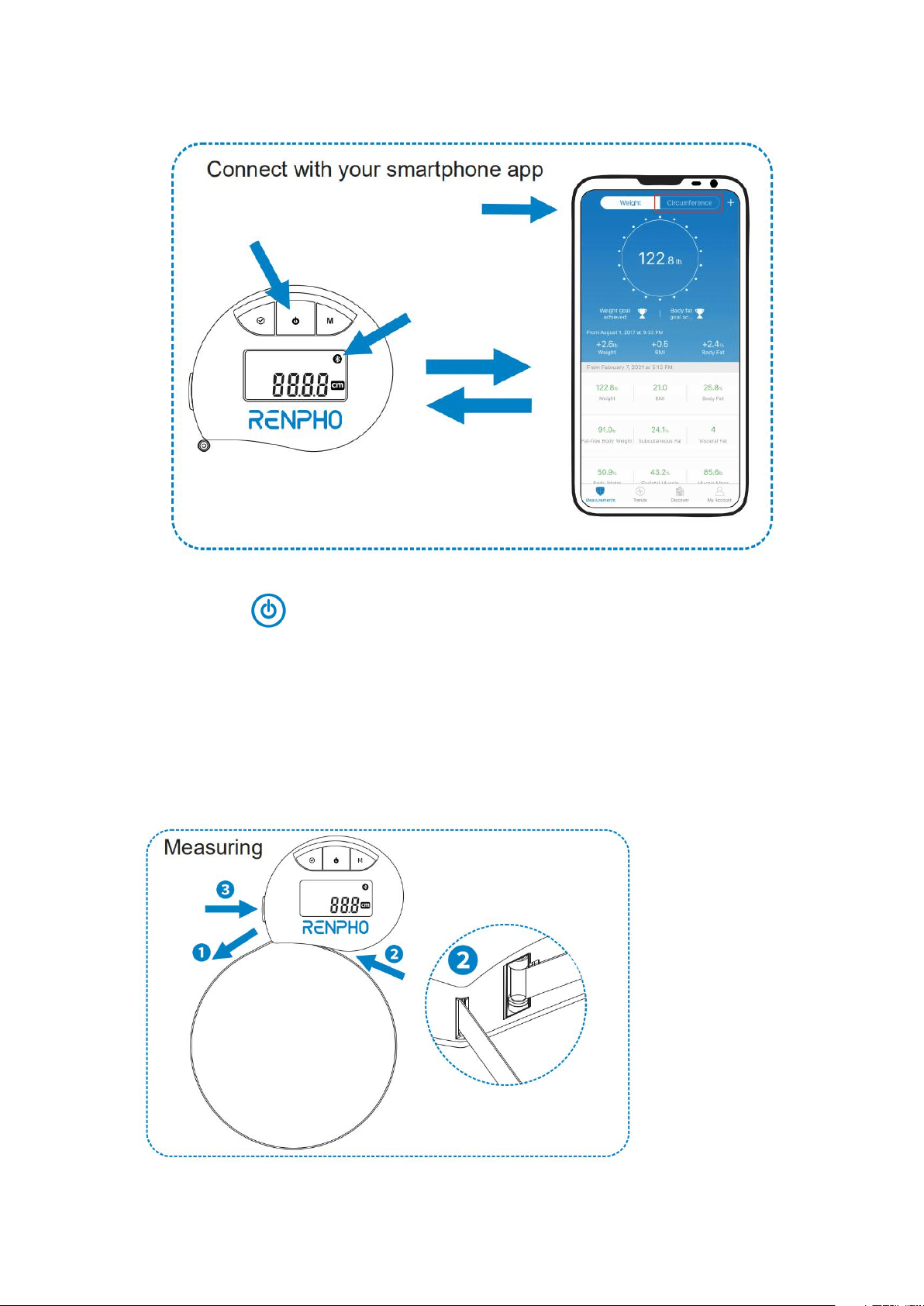
Short press " " button, turn it on.
If the Bluetooth icon flashing continuously, it means that the Bluetooth is not
connected.
1. Turn on the Bluetooth, and open the App, tap "circumference", at the top of
the screen.
2. Pull out the tape and it will be connected to the app automatically.
3. The Bluetooth icon will be bright after the connection is successful.
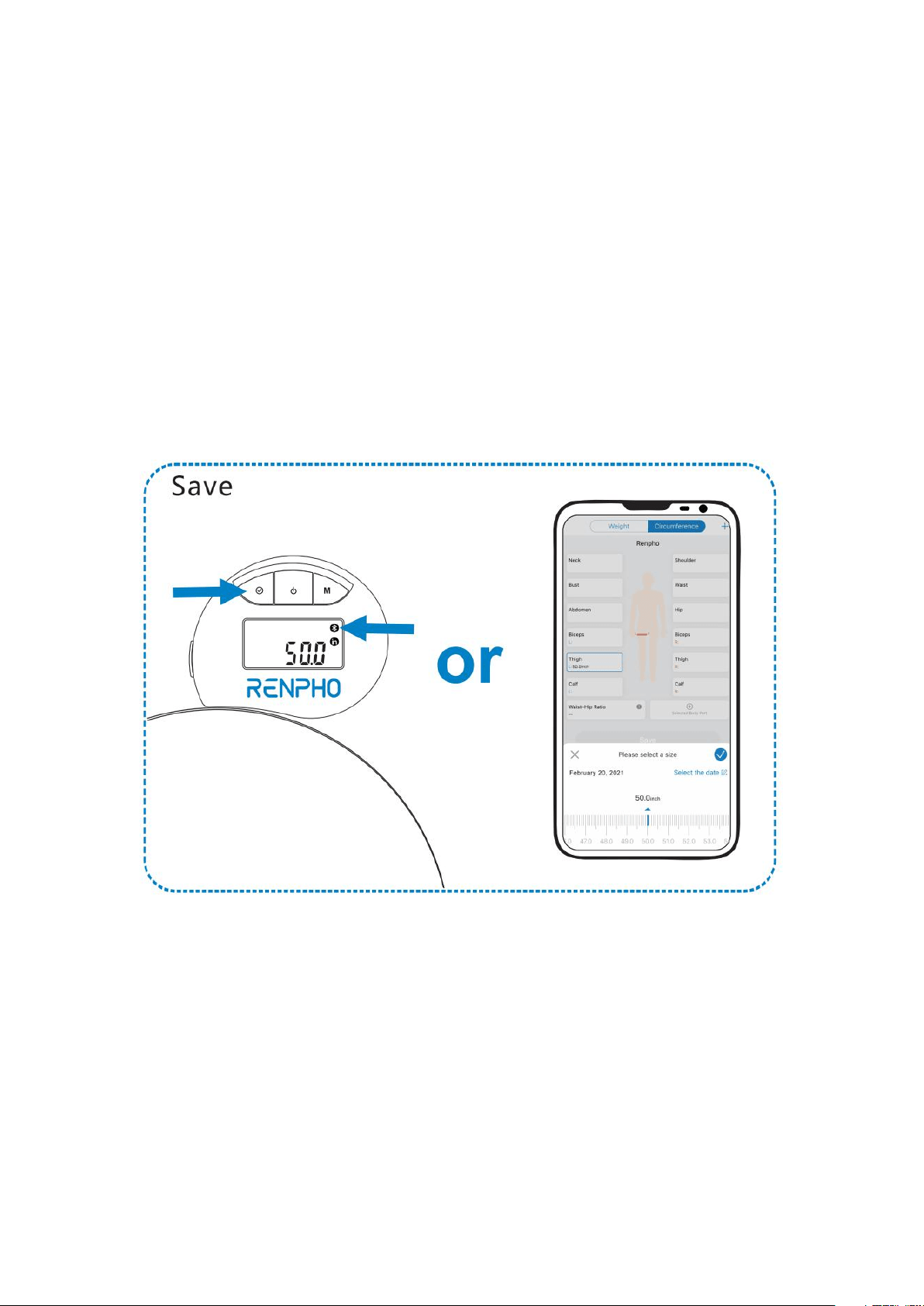
①
Pull the tape and wrap it around the body part.
②
Insert the locking pin into the tape receptacle.
③
Press and hold the adjust button until the tape has fully retracted around the
body part.
NOTE:
1. DO NOT retract too fast when retracting the tape, or it might hurt yourself.
2. DO NOT use excessive force to pull the tape (over 1m / 39.4inch per
second). This may cause inaccurate reading.
1. Click the body part name (e.g. Waist) to sync data.
2. Choose the date.
3. Press "√" on the tape or click "√" on App to confirm the measurement.
4. Click "Save" to save the data.

If you wish to file a claim under this guarantee or have any questions, please
GIVE US A CALL
For US Customer: 1-(844)-417-0149 (9am to 4:30pm)
For UK Customer: 44-743-466-6088 GMT 9:00am-5:00pm Mon-Fri
WRITE US EMAIL
Please feel free to write us email, we will get back to you within 24 hours.
For US Customer: support@renpho.com
For EU Customer: support-eu@renpho.com