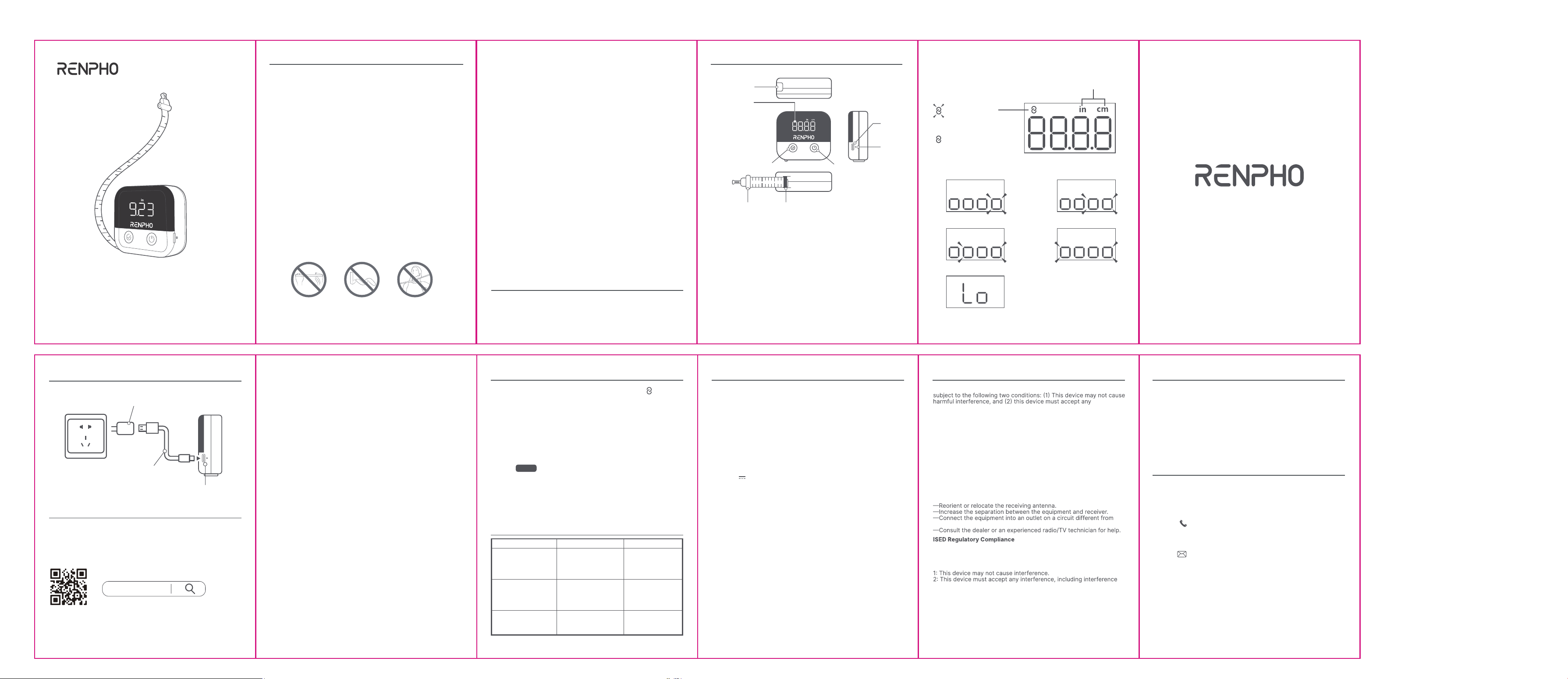
1. This appliance is not intended for use by persons (including
children) with reduced physical, sensory or mental capabilities, or
lack of experience and knowledge, unless they have been given
supervision or instruction concerning use of the appliance by a
person responsible for their safety.
2. Children should be supervised to ensure that they do not play with
the appliance.
3. The device is for household use only and not for medical or
commercial purposes.
4. DO NOT expose the device to extreme conditions, such as high
temperatures, humidity, direct sunlight, or dusty environments.
5. DO NOT use excessive force on the tape or the gear as this may
cause permanent damage to the device.
6. DO NOT fold or twist the tape as this may cause permanent
damage.
7. DO NOT pull the tape with excessive force beyond the maximum
length of 150 cm / 60 inch.
8. Be cautious when retracting the tape to avoid minor injuries.
9. Exercise caution when measuring neck circumference to avoid
accidental choking.
10. Children under 10 years old must be supervised by an adult when
using the device.
About the battery
1. Do not expose the appliance or battery to excessive temperatures.
2. Be aware of the risk of terminals of the battery-operated appliance
or battery being short- circuited by metal objects.
3. This appliance contains batteries that are non-replaceable. When
the battery is at end of life, the appliance shall be properly
disposed of.
4. Do not dismantle, open or shred battery.
5. Do not subject cells or batteries to mechanical shock.
6. In the event of a cell leaking, do not allow the liquid to come in
contact with the skin or eyes. If contact has been made, wash the
affected area with copious amounts of water and seek medical
advice.
7. Secondary cells and batteries need to be charged before use.
Always use the correct charger and refer to the manufacturer’s
instructions or product manual for proper charging instructions.
8. Do not leave a battery on prolonged charge when not in use.
9. After extended periods of storage, it may be necessary to charge
and discharge the cells or batteries several times to obtain
maximum performance.
10. The battery used in this device may present a risk of fire or
chemical burn if mistreated. Do not recharge, disassemble, heat
above 100℃ (212℉).
IMPORTANT SAFETY INSTRUCTIONS
READ ALL INSTRUCTIONS CAREFULLY BEFORE USE.
SAVE THESE INSTRUCTIONS
LED Display
WHAT’S IN THE BOX
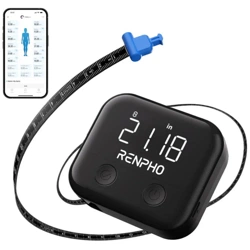
Smart Body Tape Measure x1
USB-C Charging Cable x1 (For charging only, not for data transfer)
User Manual x1
1. Retract Button
Press to retract the tape.
2. LED Display
3. Confirm Button
Press to confirm the measurement.
Press and hold for 3 seconds to zero the measurement.
4. Power Button
Press to turn on / switch the units.
Press and hold for 3 seconds to turn off.
5. Locking Pin
6. Tape Receptacle
7. USB-C Charging Port
8. Reset Button
To reset the device, insert a pin (not included) into the Reset
Button, press and release.
50%-75%
0%-25%
75%-100%
25%-50%
Low battery.
Charge the device.
ABOUT YOUR SMART TAPE
5
6
3 4
7
8
1
2
Measurements
Units: Switch via
the Power Button
The tape is
not connected
with app.
The tape is
connected
with app.
01 02 03 04
CHARGING YOUR SMART TAPE
INSTALLING THE APP & PAIRING
1. Download the RENPHO Health App
Scan the QR code below or search for “RENPHO Health” from the App
Store or Google Play to download the app.
System requirement: iOS 12.0 or later, Android 7.0 or later
Note: Due to continuous updates and improvements, the
“RENPHO Health” App may appear slightly different.
Charging Time: approx. 2 hours
DC 5V 0.5A Charger (Not Included)
Power Source Provided Charging Cable
USB-C Charging Port
05
Please feel free to contact us if you have any questions or concerns.
RENPHO Customer Service Team guarantees a quick response and
hassle-free solutions to any issue you may have within business
hours.
*For defective products or the return of items, please contact us with
your order number within the specified warranty period. DO NOT
dispose of any product parts as they may be required for
inspection/repair.
TECHNICAL SPECIFICATIONS
2. Log in / Sign up
a. Log in directly with an existing RENPHO App account.
b. If you do not have any RENPHO App account, tap “Sign up” using
your email address and fill in the personal information; this step is
required for calculating your health measurements accurately.
Note: You may also log in using Guest Mode if you do not wish to
measurement data will not be saved if you log it in on another device.
3. Connect the Tape with the App
a. Before pairing, enable the wireless setting on your smartphone.
b. Open the RENPHO Health App and press Power Button.
c. Tap “+” in the upper-right corner of the “Home” page and select
your smart tape from the device list.
d. Follow the in-app instructions to complete pairing.
Product Name: Smart Tape
Model: R-MTX01
Unit: cm / in
Size: 73.5 x 68 x 27mm / 2.9 x 2.6 x 1in
Measuring Range: 150cm / 60in
Resolution: 1mm, 1/16in
Accuracy: ±3mm, ±3/32in
Working Temperature: 0
o
C~40
o
C / 32
o
F~104
o
F
Working Humidity: 40%~85%
Battery Capacity: 300mAh 1.11Wh
Input: 5V 0.5A
Rated Power: 2.5W
06 08
WARRANTY POLICY
CUSTOMER SERVICE
Your RENPHO product purchase is covered by a one-year limited
manufacturer warranty from the date of delivery.
For warranty terms and conditions, please visit:
https://renpho.com/pages/warranty-terms-and-conditions
Note: Product registration is not required for the warranty.
If you choose not to register your product, it will not void the product
warranty.
TEL: +1(844) 417 0149 (US&CA)
Monday-Friday 9:00AM-4:30PM
1800 MY RENPHO (1800 69 7367) (AU ONLY)
Monday-Friday 9:00AM-6:00PM (AEST)
Email: [email protected] (US&CA)
[email protected] (AU)
10
1. Press Power Button to turn on the smart tape. When “ ” on the
smart tape display turns solid, it indicates a successful connection.
2. Press Power Button again to choose the unit (in/cm) you prefer.
3. Once the device is connected, tap the body part name
on the App.
4. Press the locking pin until a “click” is heard, pull out the tape and
wrap it around your target body part.
5. Insert the locking pin into the receptacle until a “click” is heard.
6. Press Retract Button to tighten the tape and press Confirm Button
to get your measurement on the tape display or App.
7. Tap “ ” on the app to save all the measurements.
Note:
1. If the smart tape is turned on and left idle, it will shut off
automatically after 20 seconds.
2. After measuring, retract the tape for easy storage and to keep
it in good condition.
USING YOUR SMART TAPE
Save
TROUBLESHOOTING GUIDE
Problem
Nothing appears on
the display or the
measurement is
blurred.
Erratic display.
Fail to connect to the
app.
Possible Cause
Low battery.
Casual malfunction
caused by high
vibration or strong
swing.
Phone is too far away
from the device.
Solution
Charge the device.
Insert a pin into the
Reset Button, press
and release.
Keep phone within
26ft (8m) of the
device.
07 09
NA2
Made in China
RENPHO Health
FCC Regulatory Compliance
This device complies with part 15 of the FCC Rules. Operation is
interference received, including interference that may cause
undesired operation.Warning: Changes or modifications not expressly
approved by the party responsible for compliance could void the
user’s authority to operate the equipment.
Note: This equipment has been tested and found to comply with the
limits for a Class B digital device, pursuant to part 15 of the FCC
Rules. These limits are designed to provide reasonable protection
against harmful interference in a residential installation. This
equipment generates, uses and can radiate radio frequency energy
and, if not installed and used in accordance with the instructions,
may cause harmful interference to radio communications. However,
there is no guarantee that interference will not occur in a particular
installation. If this equipment does cause harmful interference to
radio or television reception, which can be determined by turning the
equipment off and on, the user is encouraged to try to correct the
interference by one or more of the following measures:
that to which the receiver is connected.
This device contains licence-exempt transmitter(s)/receiver(s) that
comply with Innovation, Science and Economic Development
Canada’s licence-exempt RSS(s). Operation is subject to the following
two conditions:
that may cause undesired operation of the device.
L'émetteur/récepteur exempt de licence contenu dans le présent appareil
est conforme aux CNR d'Innovation, Sciences et Développement
économique Canada applicables aux appareils radio exempts de licence.
L'exploitation est autorisée aux deux conditions suivantes :
1. L'appareil ne doit pas produire de brouillage;
2. L'appareil doit accepter tout brouillage radioélectrique subi, même
si le brouillage est susceptible d'en compromettre le fonctionnement.
Model: R-MTX01
USER MANUAL
SMART BODY
TAPE MEASURE