
User guide
USB Type-C
™
Charging Dock
DK60

Contents
Introduction...................................................................................3
About the DK60 USB Type-C Charging Dock....................................3
Using the DK60 USB Type-C Charging Dock.................................4
Using the attachments..................................................................... 4
Charging............................................................................................5
Legal information.......................................................................... 7
Sony DK60......................................................................................... 7
FCC Statement...................................................................................7
Industry Canada Statement..............................................................7
2
Introduction
About the DK60 USB Type-C Charging Dock
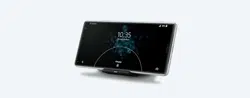
The DK60 USB Type-C Charging Dock is a charging accessory designed for Xperia™
phone. It positions your phone at a comfortable viewing angle so that you can
easily browse content while your phone is charging.
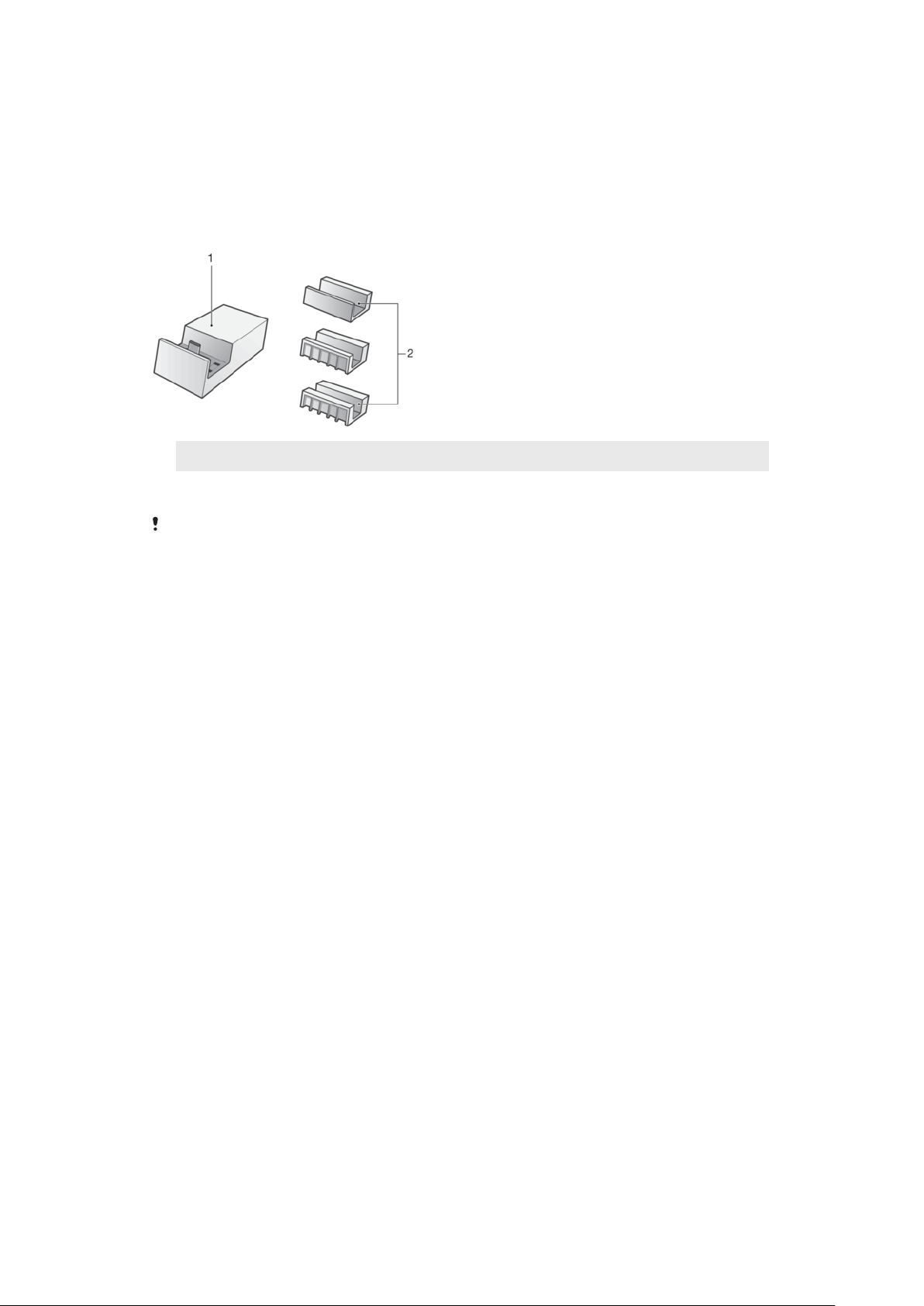
1
Charging dock
2
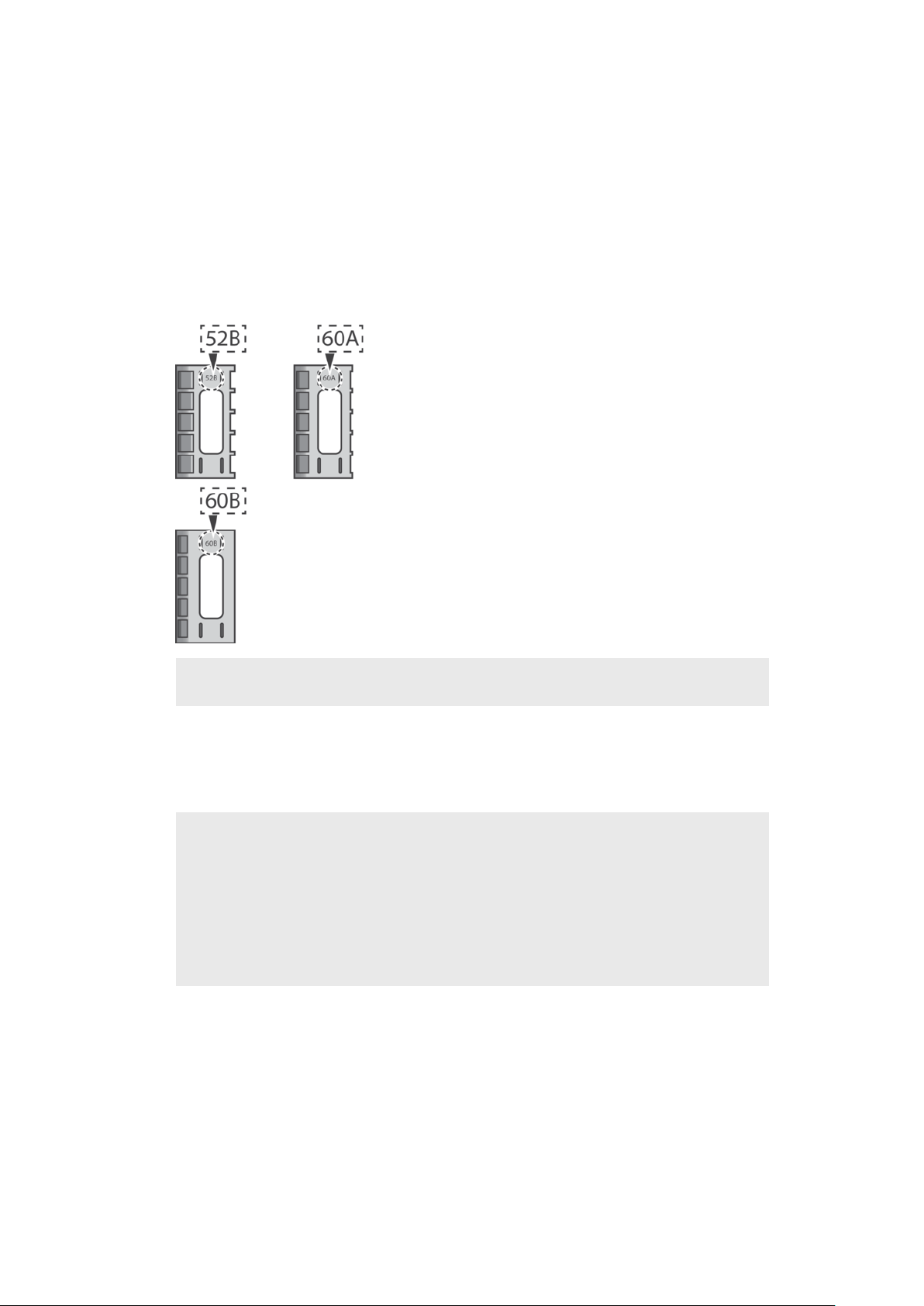
Attachments for holding your phone in place
The DK60 USB Type-C Charging Dock is not bundled for sale with a phone or charger. You
must purchase it separately. Before use, remove the protective plastic film from the
accessory.
Operating temperature
5°C to 35°C
3
This is an internet version of this publication. © Print only for private use.
Using the DK60 USB Type-C Charging
Dock
Using the attachments
Three attachments of dierent widths come with your DK60 USB Type-C Charging
Dock. Each attachment can fit into the DK60 USB Type-C Charging Dock and hold
your phone in place while it’s charging. You need to select the appropriate
attachment for your phone before placing it in the DK60 USB Type-C Charging
Dock.
Attachment
type
Supported device
52B Xperia XZ
Xperia XZs, XZ Premium, XA1, XA1 Ultra, L1
Xperia XZ1, XA1 Plus, XZ2
Xperia XZ1 with protective case
60A Xperia X Compact
Xperia XZ with protective case
Xperia X Compact with protective case
Xperia XZs, XZ Premium, XA1, XA1 Ultra, L1 with protective case
Xperia XZ1 Compact, XA2, XA2 Ultra, L2, XZ2 Compact
Xperia XZ1 Compact, XA1 Plus, XA2, XA2 Ultra, XZ2 with protective
case
4
This is an internet version of this publication. © Print only for private use.
60B Xperia XZ with Style Cover Touch SCTF10 / Style Cover Flip SCSF10
Xperia X Compact with Style Cover Touch SCTF20 / Style Cover Flip
SCSF20
Xperia XZ with thick protective case
Xperia X Compact with thick protective case
Xperia XZs with Style Cover Touch SCTG20 / Style Cover Stand
SCSG20
Xperia XZ Premium with Style Cover Stand SCSG10
Xperia XA1 with Style Cover Stand SCSG30
Xperia XA1 Ultra with Style Cover Stand SCSG40
Xperia XZ1 with Style Cover Touch SCTG50 / Style Cover Stand
SCSG50
Xperia XZ1 Compact with Style Cover Stand SCSG60
Xperia XZs, XZ Premium, XA1, XA1 Ultra, L1 with thick protective
case
Xperia XA1 Plus with Style Cover Stand SCSG70
Xperia XA2 Ultra with Style Cover Stand SCSH20
Xperia XA2 with Style Cover Stand SCSH10
Xperia XZ2 with Style Cover Touch SCTH40 / Style Cover Stand
SCSH40
Xperia XZ2 Compact with Style Cover Touch SCTH50
Xperia L2, XZ2 Compact with thick protective case
No
attachment
Xperia XZ2 Compact with Style Cover Stand SCSH50
Some protective cases may not be compatible with the attachments.
Charging
To charge your phone using the DK60 USB Type-C Charging Dock
5
This is an internet version of this publication. © Print only for private use.
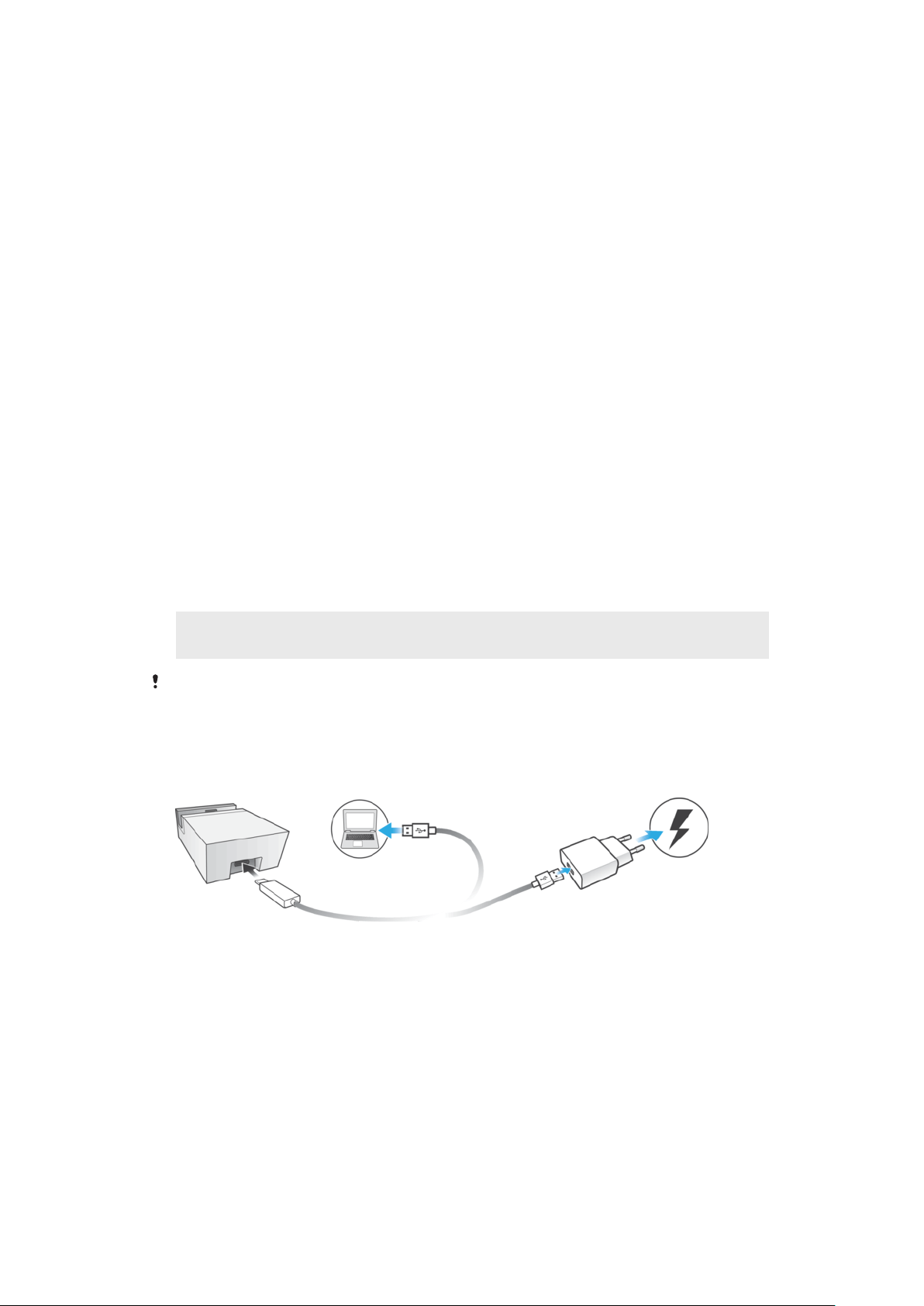
1 Plug the USB Type-C end of the charger cable into the charging dock, then
plug the other end into the USB port of a computer or a phone charger. If
you are using a phone charger, plug the charger into a power outlet.
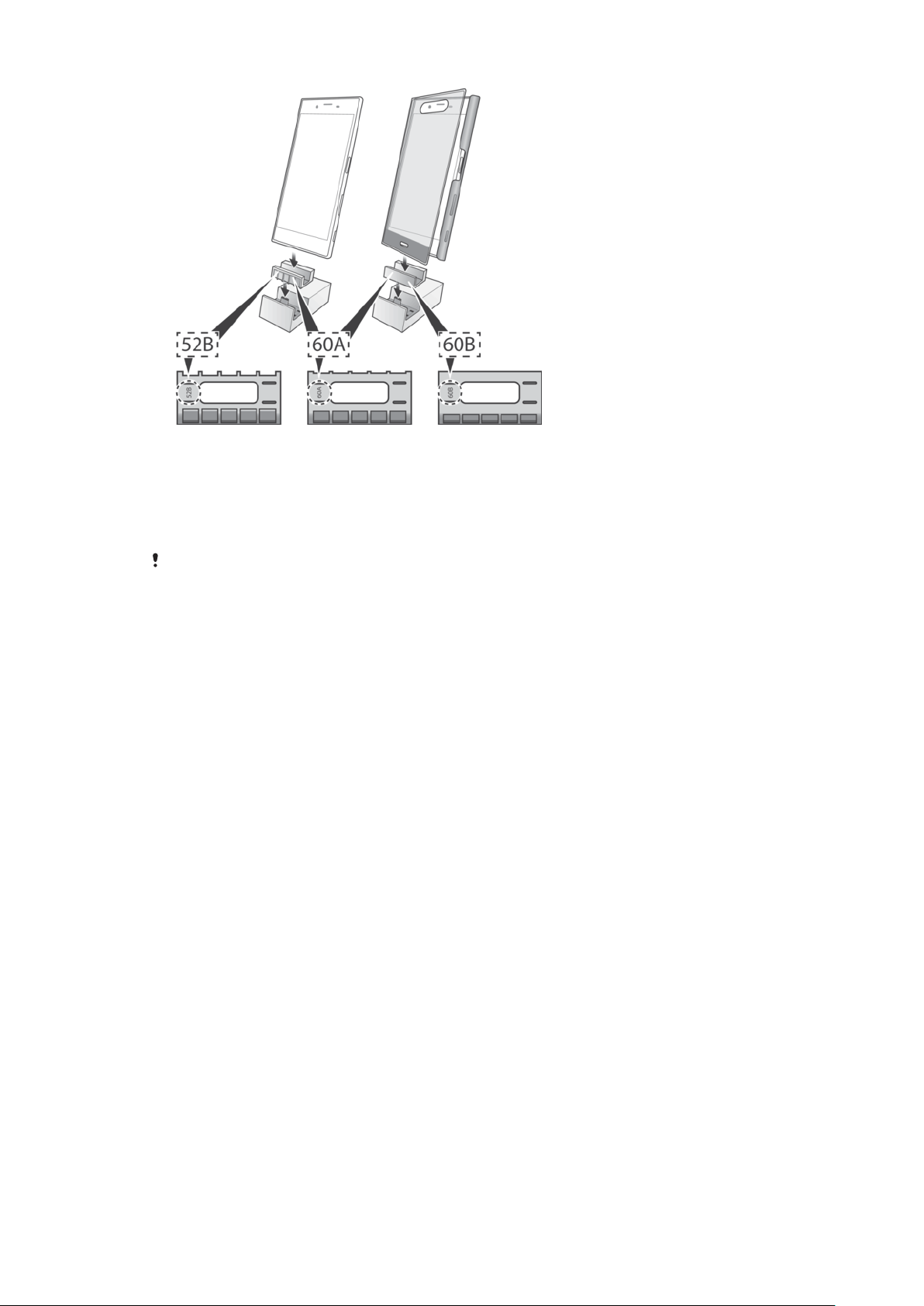
2 Insert the required attachment into the charging dock.
3 Place your phone in the dock in such a way that the charging dock connector
on the phone makes contact with the connector in the dock.
If you aren't sure of the location of the charging dock connector on your phone, refer to the
relevant phone User guide.
6
This is an internet version of this publication. © Print only for private use.

Legal information
Sony DK60
Prior to use, please read the
Important information
leaflet separately provided.
This User guide is published by Sony Mobile Communications Inc.or its local
aliated company, without any warranty. Improvements and changes to this User
guide necessitated by typographical errors, inaccuracies of current information, or
improvements to programs and/or equipment, may be made by Sony Mobile
Communications Inc. at any time and without notice. Such changes will, however,
be incorporated into new editions of this User guide.
All rights reserved.
©2016 Sony Mobile Communications Inc.
4-12-3 Higashi-Shinagawa, Shinagawa-ku, Tokyo, 140-0002 Japan
Sony Belgium, bijkantoor van Sony Europe Limited, Da Vincilaan 7-D1, 1935
Zaventem, Belgium
Sony is the trademark or registered trademark of Sony Corporation.
USB Type-C™ and USB-C™ are trademarks of USB Implementers Forum.
All product and company names mentioned herein are the trademarks or
registered trademarks of their respective owners. Any rights not expressly granted
herein are reserved. All other trademarks are property of their respective owners.
Visit
www.sonymobile.com
for more information.
All illustrations are for illustration only and may not accurately depict the actual
accessory.
FCC Statement
This device complies with Part 15 of the FCC rules. Operation is subject to the
following two conditions: (1) This device may not cause harmful interference, and
(2) This device must accept any interference received, including interference that
may cause undesired operation.
Industry Canada Statement
CAN ICES-3(B)/NMB-3(B)
7
This is an internet version of this publication. © Print only for private use.