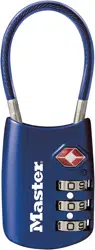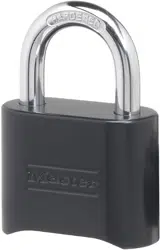

Master Lock Model 178D – Combination Reset Instructions
To Open the Lock the First Time:
SET the combination to 0-0-0-0. DEPRESS shackle and PULL open.
To Set Your Own Combination:
(REMEMBER: Combination can only be set when lock is open.)
1. INSERT ‘reset’ tool (enclosed in package) in hole on side of lock.
2. PUSH key in and TURN key 90˚ in either direction (key automatically stays in this position). Failure to
exert force while pushing key in will result in a failed attempt to set or reset combination.
3. SET dials to desired combination.
4. TURN and remove reset tool. Lock is now set to new combination.
To Lock: SCRAMBLE the dials and CLOSE the shackle.
To Reopen: DIAL your combination and DEPRESS shackle.