EN User manual
SHC5102
www.philips.com/welcome
Register your product and get support at
Indoor wireless headphones
A B
C
D
F
G
E
a b
d e
c
H
21
CHANNEL
21
CHANNEL
CHANNEL
1 2
CHANNEL
1 2


4 EN
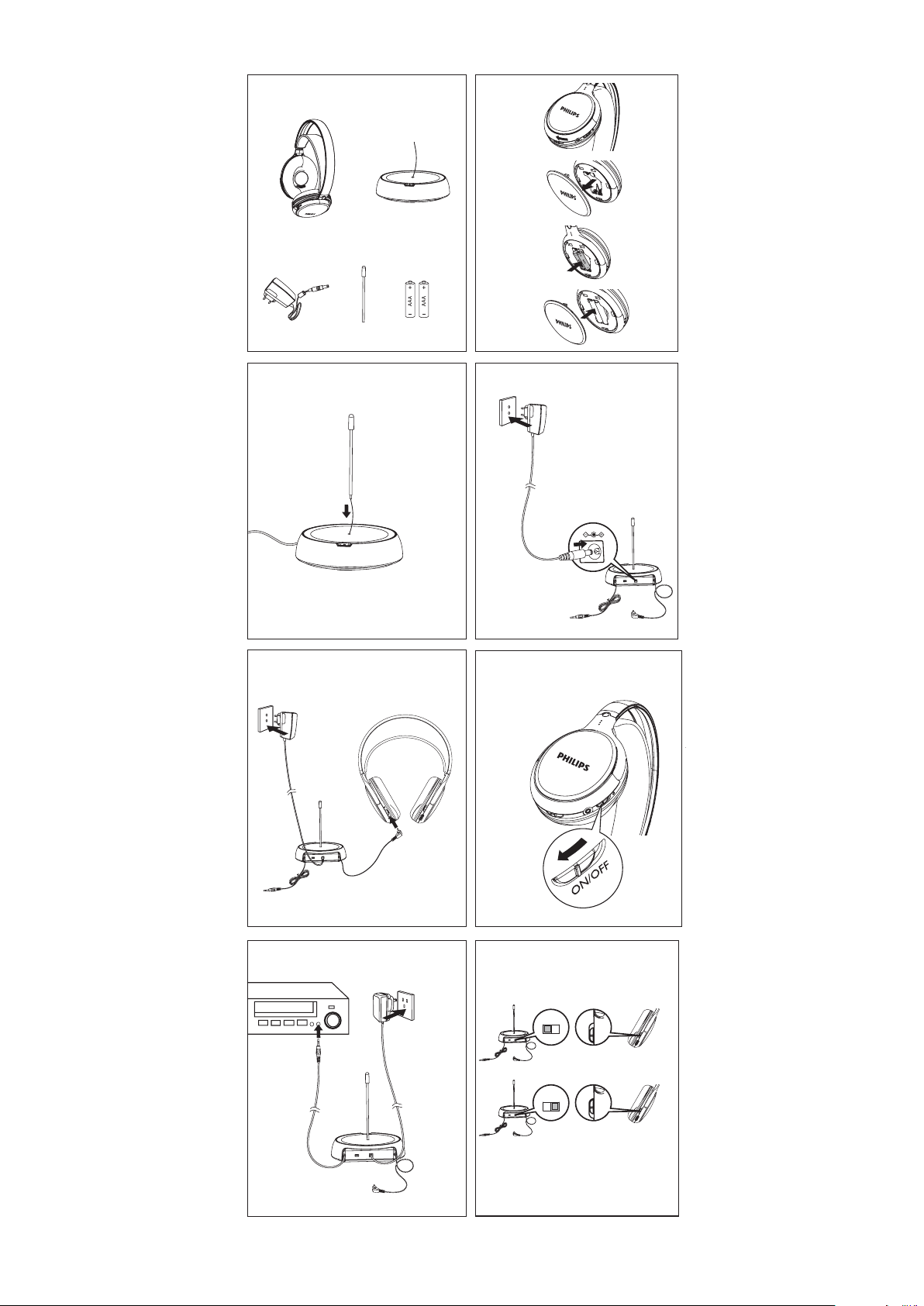
1 What’s in the box
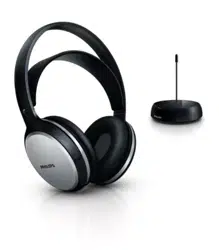
1) 2 x Headphones 2) Transmitter
3) AC/DC adaptor 4) Antenna tube
5) 4 x AAA rechargeable shortened sleeve NiMH batteries (SBC
HB550L)

5EN
English
2 Get started
Note
Before using the headphones for the rst time, charge the supplied •
batteries for at least 10 hours.
• Only use Philips rechargeable shortened sleeve NiMH batteries with your
headphones. Other types of rechargeable batteries cannot be charged
with this system.
• AAA alkaline batteries can be used to operate the headphones, but
cannot be charged with this system.
If the volume of the audio source is insufcient, the transmitter •
automatically turns off.
1 Install/Replace supplied batteries (Fig. B).
2 Install the antenna tube into the transmitter (Fig. C).
3 Power on the transmitter (Fig. D).
Red LED is on when audio source is connected. »
Red LED blinks if no audio source is connected for two »
minutes.
Red LED is off if no audio source is connected for four »
minutes.
4 To charge the headphones, connect the charging cable with
the headphones (Fig. E).
Headphones: red LED is off during charge. »
Transmitter: green LED is on during charge and is off when »
headphones are fully charged.
When one headphone is during charge, another one can still
be used.
Transmitter: both red and green LED are on. »
5 Power on the headphones and red LED is on (Fig. F).
6 Connect the audio device with the transmitter (Fig. G).
Red LED is on when audio source is connected. »
Tip
If there is interference, tune the transmitter and the headphones to the •
same channel (Fig. H).

6
EN
3 Product version table
Ver-
sion /
Region
Adaptor type
number
Input
voltage /
frequency
Output
voltage
Carrier /
Reception
frequency
Channel 1 Channel 2
/10
Europe
SVV-005-
080-020-A2
100-240V
/ 50/60Hz
8V
200mA
863.5MHz 864.5MHz
/05 UK SBH-005-
080-020-A2
100-240V
/ 50/60Hz
8V
200mA
863.5MHz 864.5MHz
For further product support, please visit www.philips.com/welcome

© 2011 Koninklijke Philips Electronics N.V.
All rights reserved.
SHC5102_UM_10_V1.2
0197