Operating instructions
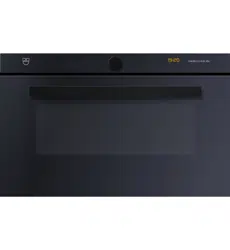
Combi-Steam MSLQ
Combi-steam cooker

Thank you for choosing to buy one of our products. Your appliance is made to high
standards and is easy to use. Nevertheless, please take the time to read these operating
instructions in order to familiarise yourself with the appliance and get the best use out of
it.
Please follow the safety precautions.
Modifications
Text, diagrams and data correspond to the technical standard of the appliance at the
time these operating instructions went to press. The right to make technical modifications
for the purpose of the further development of the appliance is reserved.
Validity
The product family (model number) corresponds to the first alphanumerics on the identi-
fication plate. These operating instructions apply to:
Type Product family Size system
CSTMSLQZ60 23015 60-600
CSTMSLQZ60c 23015 60-600
Variations depending on the model are noted in the text.
Colour operating instructions can be downloaded from the internet from www.vzug.com.
© V-ZUG Ltd, CH-6301 Zug, 2017
2

3
Table of contents
1 Safety precautions 5
1.1 Symbols used......................................................... 5
1.2 General safety precautions.................................. 5
1.3 Appliance-specific safety precautions .............. 6
1.4 Instructions for use................................................ 8
2 Using for the first time 11
3 Appliance description 12
3.1 Construction .........................................................12
3.2 Operating and display elements.......................12
3.3 Cooking space.....................................................13
3.4 Accessories ..........................................................14
3.5 Plate warmer.........................................................16
4 Operating modes 16
4.1 Overview of operating modes ...........................16
4.2 Steam.....................................................................16
4.3 Top/Bottom heat..................................................17
4.4 Hot air ....................................................................17
4.5 Hot air with steaming ..........................................17
4.6 PowerSteam..........................................................18
4.7 PowerRegeneration.............................................18
4.8 Microwave .............................................................18
4.9 Regeneration ........................................................19
4.10 PizzaPlus ...............................................................19
4.11 Grill .........................................................................20
4.12 Grill-forced convection........................................20
4.13 Top/Bottom heat humid .....................................20
4.14 Hot air humid........................................................21
4.15 Bottom heat ..........................................................21
4.16 Fast heating ..........................................................21
4.17 Combi mode / PowerPlus..................................22
5 Using the appliance 23
5.1 Filling the water tank ...........................................23
5.2 Selecting and starting the operating mode ....24
5.3 Checking and changing the settings...............24
5.4 Setting a duration ................................................25
5.5 Setting a delayed start / end time....................25
5.6 Food probe temperature .....................................26
5.7 Cancelling/ending the operating mode before
time..........................................................................27
5.8 Changing the operating mode ...........................27
5.9 Timer .......................................................................27
5.10 End of operation ...................................................28
5.11 Switching the appliance off.................................29
5.12 Emptying the water tank......................................30
6 Microwave 30
6.1 Note on use ...........................................................30
6.2 Tips for microwave mode....................................31
6.3 Microwave operation............................................31
7 GourmetGuide 31
7.1 Recipe book ..........................................................32
7.2 Own recipes...........................................................33
7.3 Vacuisine * .............................................................35
7.4 BakeOmatic ...........................................................37
7.5 Professional baking..............................................38
7.6 Soft roasting...........................................................39
7.7 RegenerateOmatic................................................42
7.8 Defrosting...............................................................43
7.9 Wellness * ..............................................................43
7.10 Hygiene *................................................................44
7.11 Keep warm *..........................................................44
8 EasyCook 44
8.1 Overview of food groups.....................................45
8.2 Selecting and starting foods...............................45
9 Favourites 46
9.1 Creating favourites ...............................................46
9.2 Selecting and starting favourites .......................46
9.3 Changing favourites .............................................46
9.4 Deleting favourites................................................46
10 Tips and tricks 47
10.1 Unsatisfactory cooking result... ..........................47
10.2 General tips ...........................................................48
10.3 Saving energy........................................................48

4
11 User settings 48
11.1 Overview of user settings...................................48
11.2 Adjusting user settings .......................................48
11.3 Language ..............................................................49
11.4 Display ...................................................................49
11.5 Date........................................................................49
11.6 Clock......................................................................50
11.7 Notifications ..........................................................50
11.8 Descaling the appliance.....................................50
11.9 Water hardness....................................................50
11.10 Loudness...............................................................51
11.11 Assistance functions ...........................................51
11.12 Temperature .........................................................51
11.13 Childproof lock.....................................................52
11.14 Appliance information.........................................52
11.15 Demo mode..........................................................52
11.16 Checking the connection * ................................52
11.17 Factory settings....................................................52
12 Care and maintenance 52
12.1 Cleaning the exterior...........................................53
12.2 Cleaning the cooking space..............................53
12.3 Cleaning the appliance door .............................53
12.4 Cleaning the door seal .......................................53
12.5 Replacing the door seal .....................................54
12.6 Replacing the halogen light bulb .....................54
12.7 Cleaning the accessories and shelf guides ...54
12.8 Descaling ..............................................................54
13 Trouble-shooting 57
13.1 What to do if ….....................................................57
13.2 After a power failure............................................60
14 Accessories and spare parts 61
14.1 Accessories ..........................................................62
14.2 Special accessories ............................................62
14.3 Spare parts ...........................................................62
15 Technical data 63
15.1 Note for testing institutes ...................................63
15.2 Temperature measurement ...............................63
15.3 Product fiche .........................................................64
15.4 EcoStandby............................................................64
15.5 Reference to «Open Source» licence...............64
16 Disposal 65
17 Index 66
18 Notes 69
19 Service & Support 71

5
1 Safety precautions
1.1 Symbols used
Denotes important safety precau-
tions.
Failure to observe said precautions
can result in injury or in damage to
the appliance or fittings!
Information and precautions that
should be observed.
Information on disposal
Information about the operating in-
structions
▸ Indicates step-by-step instructions.
– Describes how the appliance reacts
to the steps taken.
▪ Indicates a list.
1.2 General safety precautions
▪ Read the operating instruc-
tions before using the appli-
ance for the first time!
▪ This appliance can be used
by children aged 8 and above
and by persons with reduced
physical, sensory or mental
capabilities, or lack of experi-
ence and/or knowledge,
provided they are supervised
or have been instructed on
the safe use of the appliance
and have understood the haz-
ards involved. Children shall
not play with the appliance.
Cleaning and user mainten-
ance shall not be undertaken
by children without supervi-
sion.
▪ If an appliance is not
equipped with a mains cable
and a plug or other means for
disconnecting from the mains
with a contact opening on
each pole complying with the
conditions of overvoltage cat-
egory III for full isolation, an
isolating device must be in-
corporated into the perman-

1 Safety precautions
6
ently installed electrical install-
ation in accordance with the
installation regulations.
▪ If the mains cable of this ap-
pliance is damaged, it must
be replaced by the manufac-
turer or its Customer Services
or a similarly qualified person
in order to avoid hazard.
1.3 Appliance-specific safety
precautions
▪ READ THE IMPORTANT
SAFETY PRECAUTIONS
CAREFULLY AND RETAIN
FOR FUTURE USE.
▪ WARNING: The appliance
and its accessible parts get
hot during use. Be careful not
to touch the heating ele-
ments. Children under 8
years of age must be kept
away from the appliance un-
less they are constantly su-
pervised.
▪ WARNING: Accessible parts
can get hot during use. Keep
young children away from the
appliance.
▪ This appliance is intended for
use in the home and similar
settings such as: in staff kit-
chens in shops, offices and
other commercial establish-
ments; in agricultural estab-
lishments; by guests in hotels,
motels and other accommod-
ation establishments; in bed
and breakfast establishments.
▪ A heatable appliance drawer
and its contents get hot.
▪ Do not use aggressive or ab-
rasive cleaning agents or
sharp metal scrapers for
cleaning the glass in the oven
door as they could scratch
the surface. This can destroy
the glass.
▪ For appliances with pyrolytic
self-cleaning: Excessive soil-
ing and any and all accessor-
ies (tableware, baking trays,
runners, shelf guides) must
be removed before carrying
out pyrolytic self-cleaning.
▪ Only use the food probe re-
commended for this oven.
▪ Under no circumstances use
a steam cleaner to clean the
appliance.
▪ WARNING: Before replacing
the light bulb, ensure the ap-
pliance is switched off and
disconnected from the mains
power supply to avoid pos-
sible electric shock.
▪ To avoid overheating, the ap-
pliance must not be installed
behind a decor door.
▪ This appliance is not intended
for use in vehicles or on
board ships or aircraft or in

1 Safety precautions
7
rooms where there are spe-
cial conditions such as, for in-
stance, a corrosive or explos-
ive atmosphere (dust, steam
or gas) or condensing mois-
ture.
▪ WARNING: Never heat food
or liquids in sealed containers
such as cans or bottles as
they are liable to explode due
to overpressure.
▪ See the «Accessories» sec-
tion for the proper use of in-
sertable parts.
▪ WARNING: Children should
only use the appliance in the
combined operating mode
under adult supervision due
to the temperatures gener-
ated.
▪ WARNING: In the event that
the door or door seals are
damaged, the appliance must
not be used until it has been
repaired by a qualified com-
petent person.
▪ WARNING: It is hazardous for
anyone other than a qualified
competent person to carry
out any service or repair op-
eration which involves the re-
moval of a cover which gives
protection against exposure
to microwave energy.
▪ Only use containers that are
suitable for use with mi-
crowave appliances.
▪ The appliance must be con-
stantly monitored when heat-
ing up foodstuffs in contain-
ers made from plastic or pa-
per, as they could ignite.
▪ If smoke is observed, switch
off or unplug the appliance
and keep the appliance door
closed in order to stifle any
flames.
▪ The contents of feeding
bottles and baby food jars
must be stirred or shaken
and the temperature must to
be checked before consump-
tion in order to avoid burns
and scalds.
▪ The microwave appliance is
intended for heating up food
and beverages. Desiccating
food, drying clothing or heat-
ing warming pads, slippers,
sponges, damp cleaning
cloths and the like can result
in injury, ignition or fire.
▪ Microwave heating of bever-
ages can result in delayed
eruptive boiling (super boil-
ing), therefore care must be
taken when handling the con-
tainer.
▪ Eggs in their shell or whole
hard-boiled eggs should not
be heated in microwave appli-
ances since they may ex-
plode, even after microwave
heating has ended.

1 Safety precautions
8
▪ Keep the appliance and the
door seals clean. Remove
any soiling as soon as pos-
sible. Otherwise the appliance
or the door seal could be-
come damaged adversely af-
fecting the life of the appli-
ance and possibly result in a
hazardous situation. For de-
tailed information on cleaning
the door seals, the cooking
space and the adjacent parts,
see the «Care and mainten-
ance» section.
1.4 Instructions for use
Before using for the first time
▪ The appliance must be installed and
connected to the electricity supply in
accordance with the separate installa-
tion instructions. Have a qualified fitter/
electrician carry out the necessary
work.
Correct use
▪ The appliance is designed for use in
the home for preparing food. Under no
circumstances flambé or cook food us-
ing a lot of fat in the cooking space! No
liability is assumed for any damage
caused by improper use or incorrect
handling.
▪ Never use the appliance to dry animals,
textiles or paper, etc.
▪ Do not use the appliance as a room
heater.
▪ The appliance should only be installed
and operated at an ambient temperat-
ure of 5 °C to 35 °C. If frost develops,
residual water left in the pumps could
freeze and cause damage.
▪ Any repairs, modifications or manipula-
tions to the appliance, especially any
electrically live parts, may only be car-
ried out by the manufacturer, its Cus-
tomer Services or a similarly qualified
person. Repairs if carried out incorrectly
may cause serious injury, damage to
the appliance and fittings, as well as af-
fect the functioning of the appliance. If
the appliance is not working properly or
in case of a repair order, follow the in-
structions given in the «Service & Sup-
port» section. Please contact our Cus-
tomer Services if necessary.
▪ Use original spare parts only.
▪ Retain these operating instructions for
future reference.
▪ The appliance corresponds to recog-
nized technology standards and the rel-
evant safety regulations. Proper use of
the appliance is essential to avoid dam-
age and accidents. Please therefore fol-
low the precautions given in these oper-
ating instructions.
Note on use
▪ Use the childproof locking facility.
▪ If the appliance is visibly damaged, do
not use it. Contact our Customer Ser-
vices.
▪ If the appliance is not operating prop-
erly, disconnect it from the power sup-
ply immediately.
▪ Ensure there are no foreign bodies or
pets in the cooking space before clos-
ing the appliance door.
▪ Objects that could pose a danger if the
appliance were accidentally switched
on should not be stored in the cooking
space or the heatable appliance
drawer. Do not store food or any tem-
perature-sensitive or inflammable mater-
ials, e.g. cleaning agents, oven sprays,
etc., in the cooking space or the heat-
able appliance drawer.
▪ For appliances with grill: Leave the ap-
pliance door closed when grilling. The
heat could otherwise damage the oper-
ating and display elements or the fitted
units above.

1 Safety precautions
9
▪ Do not switch the microwave on until
you have put the food in the cooking
space.
▪ Remove any non-microwaveable plastic
and paper packaging from the food be-
fore cooking or defrosting it. Ignition
hazard!
▪ Do not leave the appliance unattended
when heating food in plastic or paper
containers. Ignition hazard!
▪ Always open sealed food containers be-
fore placing them in the cooking space.
Danger of explosion due to excess
pressure!
Caution: Risk of burns!
▪ The appliance gets very hot when in
use. The appliance door also gets hot.
▪ Steam and/or hot air may escape from
the cooking space when the appliance
door is opened.
▪ The appliance will remain hot for some
time after it is switched off and will only
cool down slowly to room temperature.
Allow sufficient time for the appliance to
cool down before, for instance, cleaning
it.
▪ Overheated fat and oil can easily catch
fire. Heating oil in the cooking space to
sear meat is dangerous and should not
be done. Never attempt to extinguish
burning oil or fat with water. Danger of
explosion! Smother the flames with a
fire blanket. Keep doors and windows
closed.
▪ Do not pour spirits (brandy, whisky,
schnapps, etc.) over hot food. Danger
of explosion!
▪ Do not leave the appliance unattended
when drying herbs, bread, mushrooms,
etc. If the foodstuff dries out too much,
it can pose a fire hazard.
▪ If you notice smoke possibly coming
from the appliance itself or from inside
the cooking space, keep the appliance
door closed. Disconnect the appliance
from the power supply.
▪ Accessories get hot in the cooking
space. Use protective gloves or oven
cloths.
▪ Do not heat up alcoholic beverages!
▪ When heating liquids in a microwave,
place a teaspoon in the vessel to pre-
vent delayed boiling. When delayed
boiling occurs, the boiling temperature
is reached without the usual steam
bubbles rising. Disturbing a vessel,
even slightly, can cause the liquid to
erupt if the container is open. Do not
use vessels with a narrow lip.
Caution: Risk of injury!
▪ Be careful not to put fingers in the door
hinges, there is otherwise a risk of in-
jury if the appliance door is moved. Par-
ticular care should be taken when chil-
dren are around.
▪ Only leave the appliance door open in
the at-rest position. An open appliance
door poses a danger of tripping or in-
jury! Do not sit or rest on the appliance
door or use it as a storage surface.
▪ For hobs: A hob guard can be fitted to
protect small children. Hob guards are
available from specialist retailers.
Caution: Risk to life!
▪ Danger of suffocation! Keep packaging
material, e.g. plastic film and poly-
styrene, away from children. Packaging
material can be dangerous for children.
How to avoid damaging the appliance
▪ Close the appliance door carefully.
▪ For appliances with visible bottom heat-
ing element: Do not place any objects
directly on the bottom heating element.
▪ Do not use protective aluminium inserts
with appliances with no visible bottom
heating element.
▪ Do not use objects that can rust in the
cooking space.
▪ Using knives or cutting wheels on the
baking tray will visibly damage the sur-
face.
▪ To prevent corrosion, leave the appli-
ance door open in the at-rest position
until the cooking space has cooled
down.

1 Safety precautions
10
▪ When cleaning the appliance, make
sure no water gets inside it. Use a mod-
erately damp cloth. Do not spray the
outside or the inside of the appliance
with water. If water gets inside the appli-
ance, it will cause damage.
▪ The construction of the appliance may
not be changed in any way. Do not ap-
ply force to or interfere with the appli-
ance door or the control and safety
devices. The illumination may only be
replaced by our Customer Services.
▪ Take care not to damage the appliance
door, the door frame and the door
hinges.
▪ Ensure that nothing is trapped between
the appliance door and the frame.
▪ Do not switch the microwave on until
you have put the food in the cooking
space.

2 Using for the first time
Before operating the newly installed appliance for the first time, the following steps
should be taken:
▸ Remove packaging and transport materials as well as any protective blue film from
out of the cooking space.
▸ Clean the cooking space and the accessories.
▸ Press the power button.
– The appliance switches on.
Version 1 *
* Depending on the software version
– Various user settings necessary for operation, such as language, time and temper-
ature unit, appear in the display one after the other.
▸ Make the settings and confirm.
▸ Fill the water tank with fresh, cold drinking water and slot into position in the water
tank compartment.
Language and time must be set so that the appliance can be operated.
Version 2 *
* Depending on the software version
▸ Set the time (see page 50).
▸ If necessary, adjust the user settings to the water hardness (see page 50).
▸ Fill the water tank with fresh, cold drinking water and slot into position in the water
tank compartment.
Completing the initial set-up
▸ Heat the empty cooking space (without wire shelves, baking trays, etc.) using the
operating mode at 180°C for about 30minutes.
As there is likely to be some smoke and odour given off, we recommend ventilat-
ing the room well during this phase.
All temperatures in these operating instructions are in degrees Celsius. Apply the
corresponding conversions via the user setting «Degrees Fahrenheit» (see page
51).
11
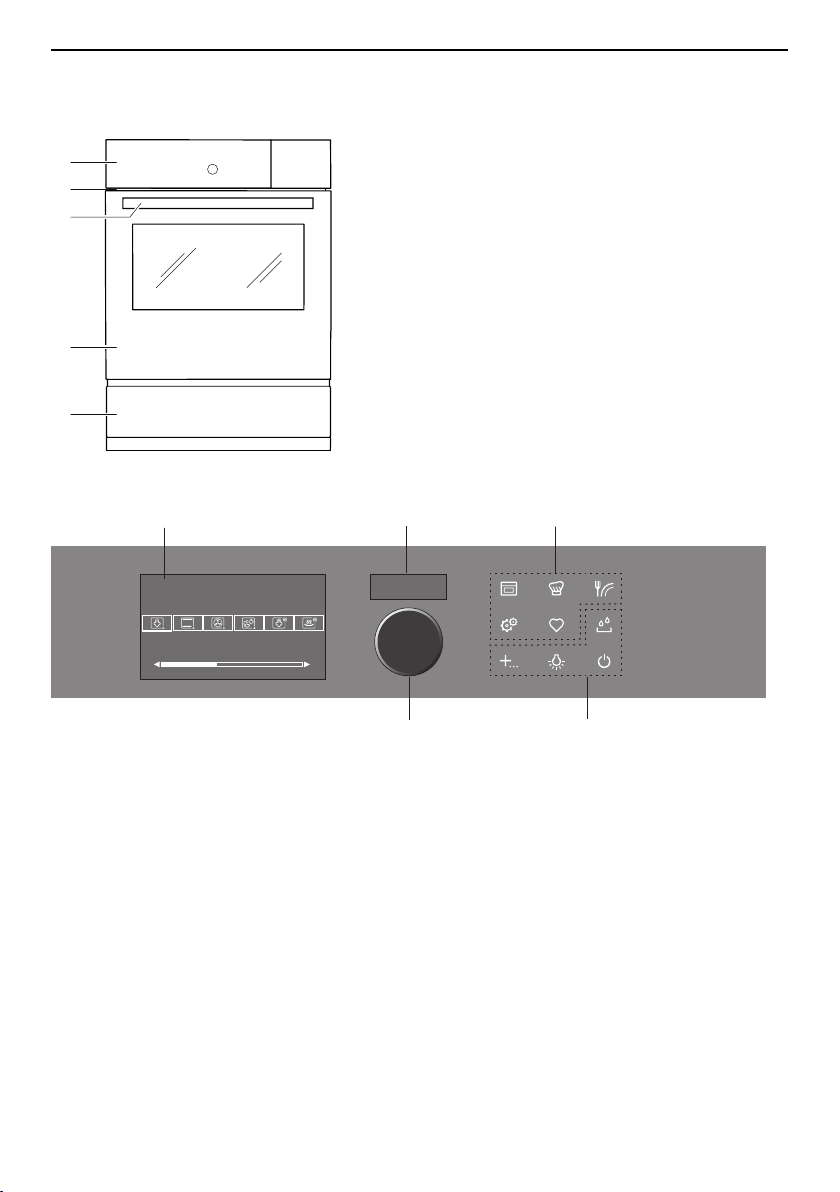
3 Appliance description
3 Appliance description
3.1 Construction
1
2
3
4
5
1
Operating and display elements
2
Ventilation opening
3
Door handle
4
Appliance door
5
Heatable appliance drawer *
* Depending on model
3.2 Operating and display elements
12:00
곋2SHUDWLQJPRGHV
6WHDP
2 3
4
1
5
1
Display
4
Action buttons
2
Digital display (duration/timer/time)
5
Adjusting knob / switching on appliance
3
Menu buttons
12
3 Appliance description
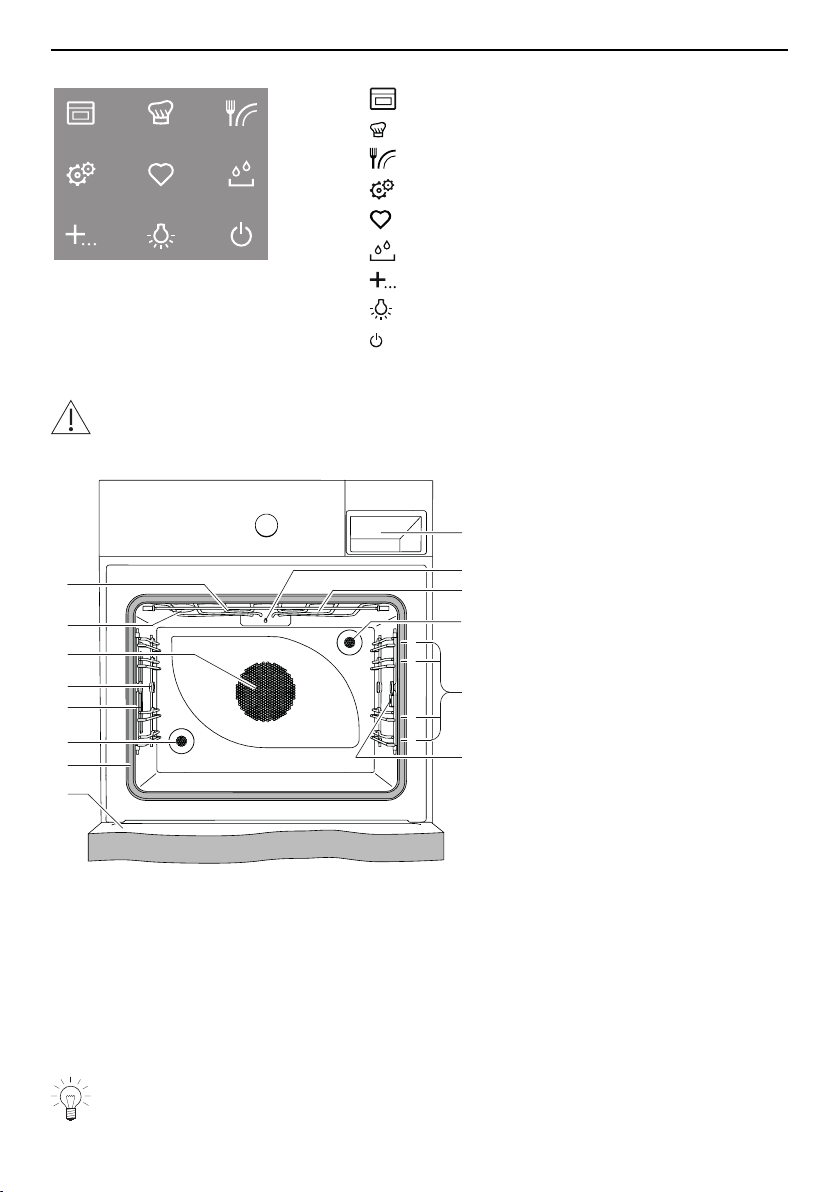
Overview of touch buttons
Operating modes
GourmetGuide
EasyCook
User settings
Favourites
Water tank
Extra functions
Cooking space illumination
Switch off
3.3 Cooking space
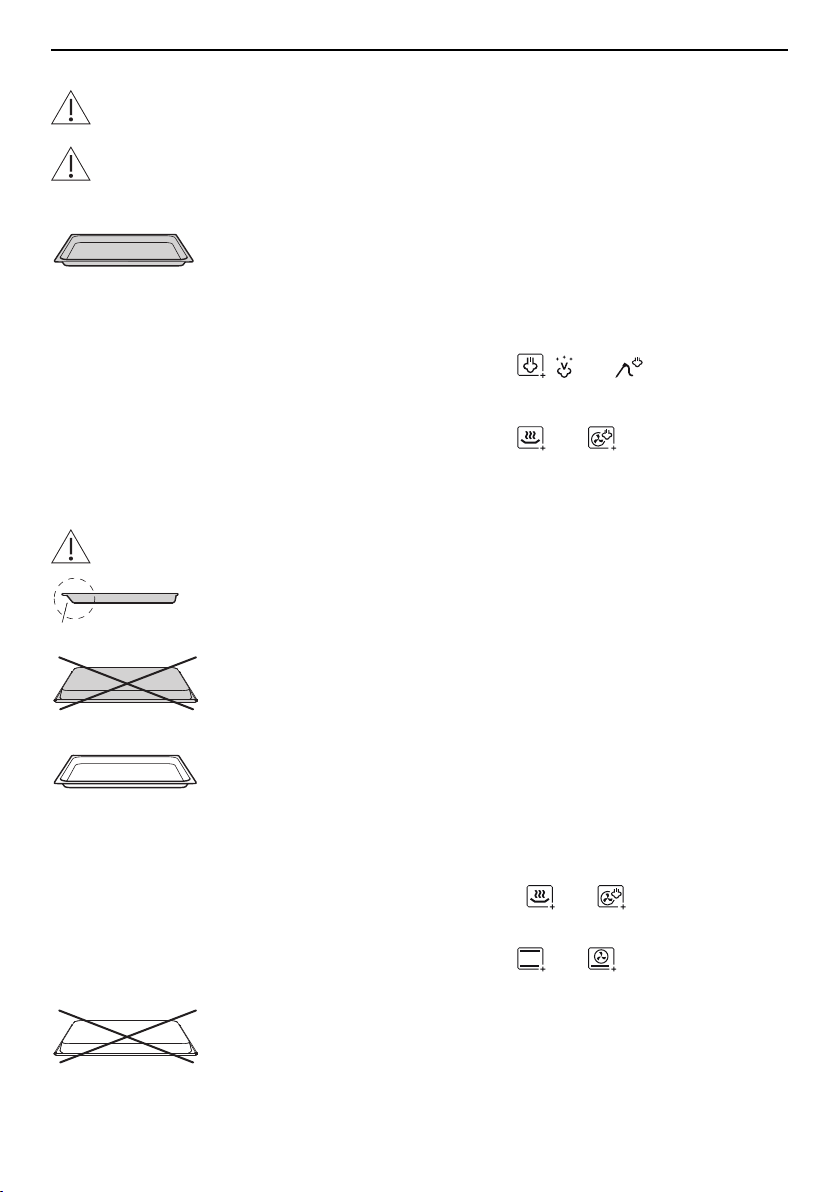
Using protective inserts or aluminium foil can damage the appliance.
Do not place any protective insert or aluminium foil on the floor of the cooking
space.
11
6
5
13
14
1
2
3
4
9
7
2
4
1
3
12
10
8
1
Appliance door
8
Grill/top heat
2
Door seal
9
Water tank compartment
3
Climate sensor
10
Temperature sensor
4
Cooking space illumination
11
Microwave inlet
5
Knurled nut
12
Steam inlet
6
Hot air blower
13
Levels
7
Cooking space ventilation
14
Socket for food probe
The bottom heating element is beneath the cooking space floor.
13
3 Appliance description
3.4 Accessories
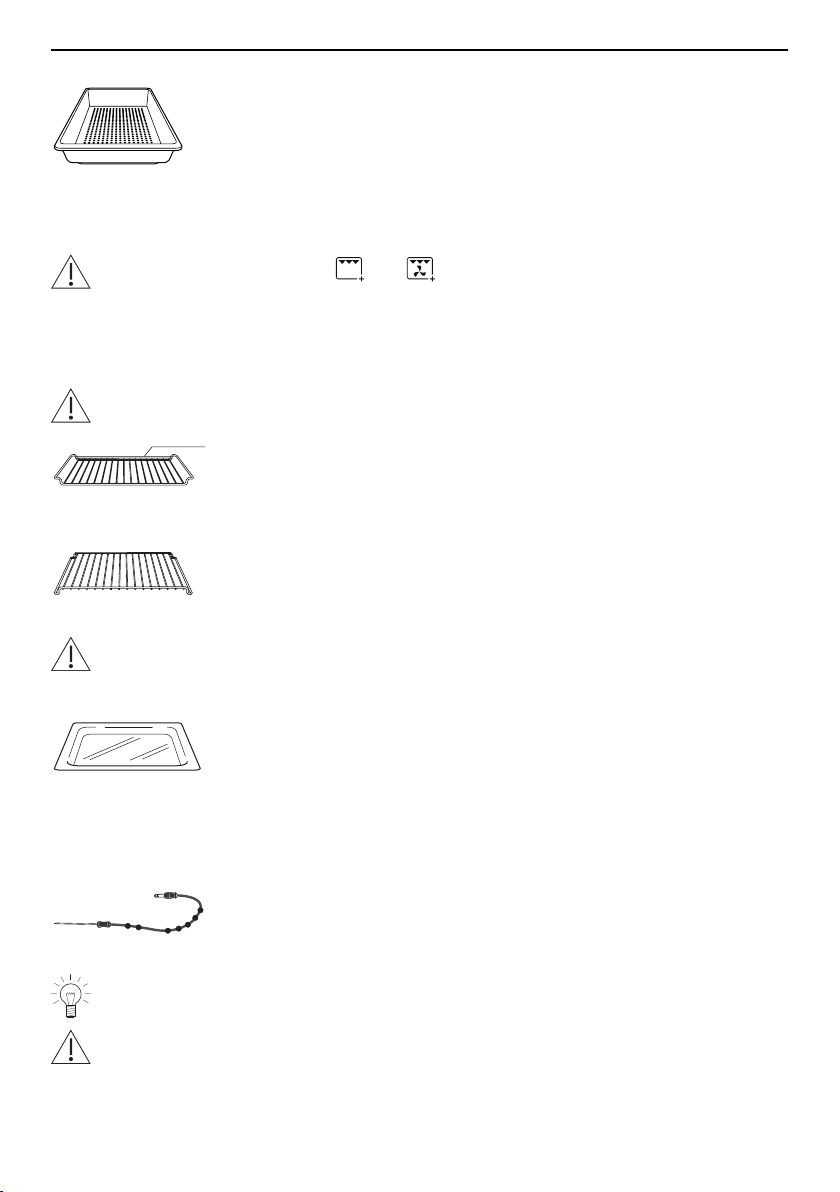
Incorrect handling can cause damage!
Do not use knives or cutting wheels on the accessories.
Do not use any metal accessories in the microwave and combi modes nor any
baking tray or stainless steel tray.
Dual enamel baking tray
▪ Baking tin e.g. for flans, bread and biscuits
▪ Use together with the wire shelf as a drip tray.
▪ If not fully covered by the baking, its shape can become
distorted during baking. This is normal. As it cools
down, it will go back to its original form.
▪ Not suitable for use with the , and operating
modes.
▸ Instead use the stainless steel tray.
▪ Not suitable for use with the and operating
modes if the temperature is set to under 150°C. With
frequent use, the appearance of the surface can
change. However, this does not affect the functionality.
Do not use the baking tray in the microwave and combi modes.
1
▸ Ensure that the «sloped» side1 of the baking tray is to
the back of the cooking space.
▸ Only use the normal way round – not upside down.
Stainless steel tray
▪ Use together with the wire shelf or perforated cooking
tray as a drip tray.
▪ Baking tin e.g. for aperitif nibbles and biscuits
▪ If not fully covered by the baking, its shape can become
distorted during baking. This is normal. As it cools
down, it will go back to its original form.
▪ Less suitable for use with the and operating
modes if the temperature is set to over 150°C.
▪ Not suitable for use with the and operating
modes.
▸ Only use the normal way round – not upside down.
14
3 Appliance description
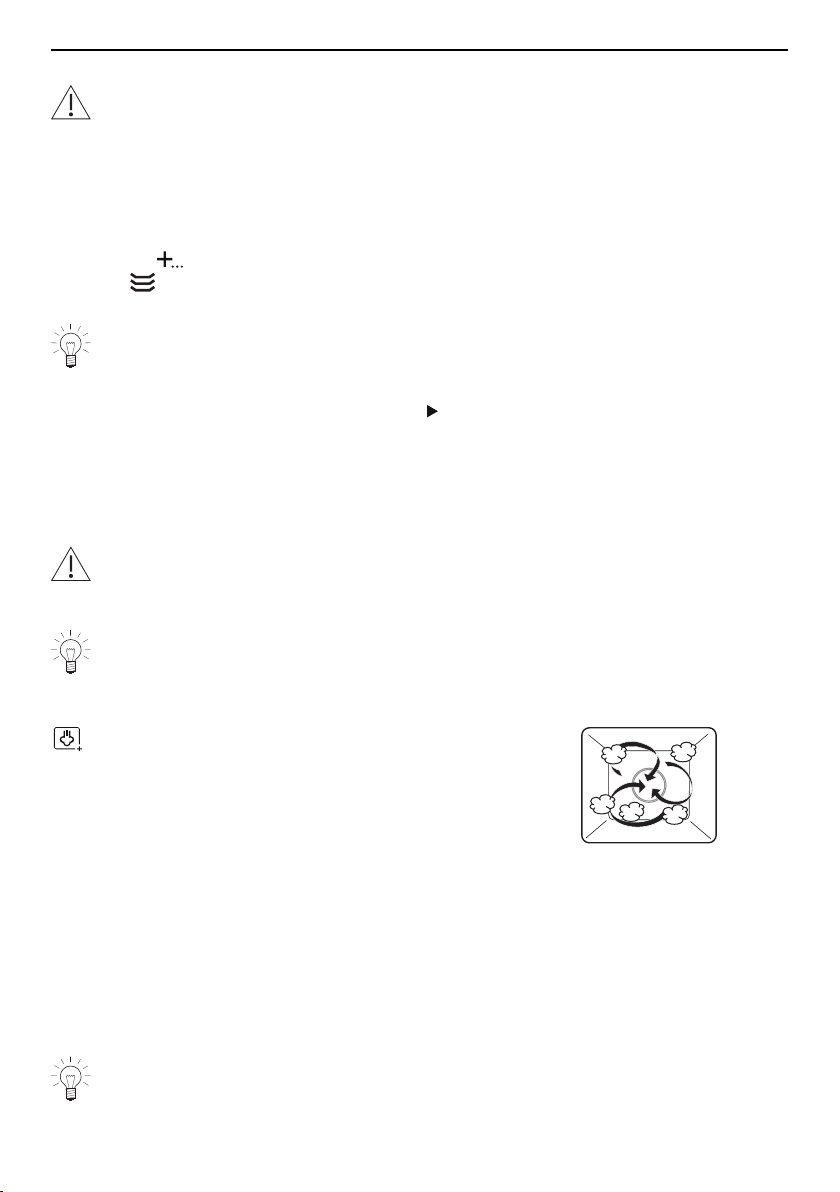
Perforated plastic cooking tray
▪ Particularly suitable for use in the microwave and combi
mode
▪ For cooking fresh or frozen vegetables, meat and fish
▪ For extracting juice from berries, fruit, etc.
▸ Do not use metal cutlery (knives, ladles, etc.) for preparing or serving. Metal leaves
traces of use.
Not suitable for use with the and operating modes, GourmetGuide applica-
tions with grill nor for temperatures of over 150°C. There must be a distance
between the cooking tray and the floor and roof of the cooking space of at least
5cm.
Wire shelf
Using the wrong accessories can damage the appliance!
1
▪ For standing roasting and baking tins on
▪ For standing meat, frozen pizza, etc. on
▸ Ensure that the cross strut 1 is to the back of the cook-
ing space. It enables the food to be removed safely
from the cooking space.
▪ Serves as a cooling rack
Hardened glass dish
Cooling the glass dish too quickly can cause stress cracks or fractures.
Allow the glass dish when it is hot to cool down slowly – do not put it on a cold
surface or cool it down with water.
▪ Especially for use in the microwave and combi modes
▪ For standing baking tins, ramekins, preserving jars, etc.
on
▪ For standing the perforated cooking tray on
▪ Use when grilling or together with the perforated cook-
ing tray as a drip tray.
Food probe
▪ For measuring the core temperature of food
For recommended food probe temperatures, see «EasyCook».
Not suitable for temperatures of over 230°C. There must be a distance between
the food probe and the roof of the cooking space of at least 5cm.
15
4 Operating modes
Special accessories
Place any accessories not included in the scope of delivery on the wire shelf or,
for operating modes with microwave, on the glass dish.
▸ Special accessories can be found at: www.vzug.com
3.5 Plate warmer
▸ If the appliance is switched off, first press the adjusting knob.
▸ Put the wire shelf at level 1 and place the tableware on it.
▸ Press the touch button.
▸ Select .
▸ Set the required duration.
Select a duration of at least 1 hour.
▸ Set the end time if necessary.
▸ Switch on the «Plate warmer» by selecting .
– The «Plate warmer» switches off automatically when the set duration is over.
4 Operating modes
4.1 Overview of operating modes
Do not use any metal accessories in the microwave and combi modes nor any
baking tray or stainless steel tray.
All the operating modes and fast heating are described below.
Follow the advice given in «Tips and tricks» (see page 47) and in «EasyCook».
4.2 Steam
Temperature range 30–100 °C
Recommended value 100 °C
Level 1 to 4
The cooking space is heated simultaneously by steam and hot air. The food is heated up
or cooked by steaming.
Uses
▪ Cooking vegetables, rice, cereal products, pulses and egg dishes
▪ Poaching meat, poultry and fish
▪ Extracting juice from fruit and berries
▪ Making yoghurt
▪ Preserving
Possible to cook on several levels simultaneously.
▸ Place the stainless steel tray underneath the perforated cooking tray.
16
4 Operating modes
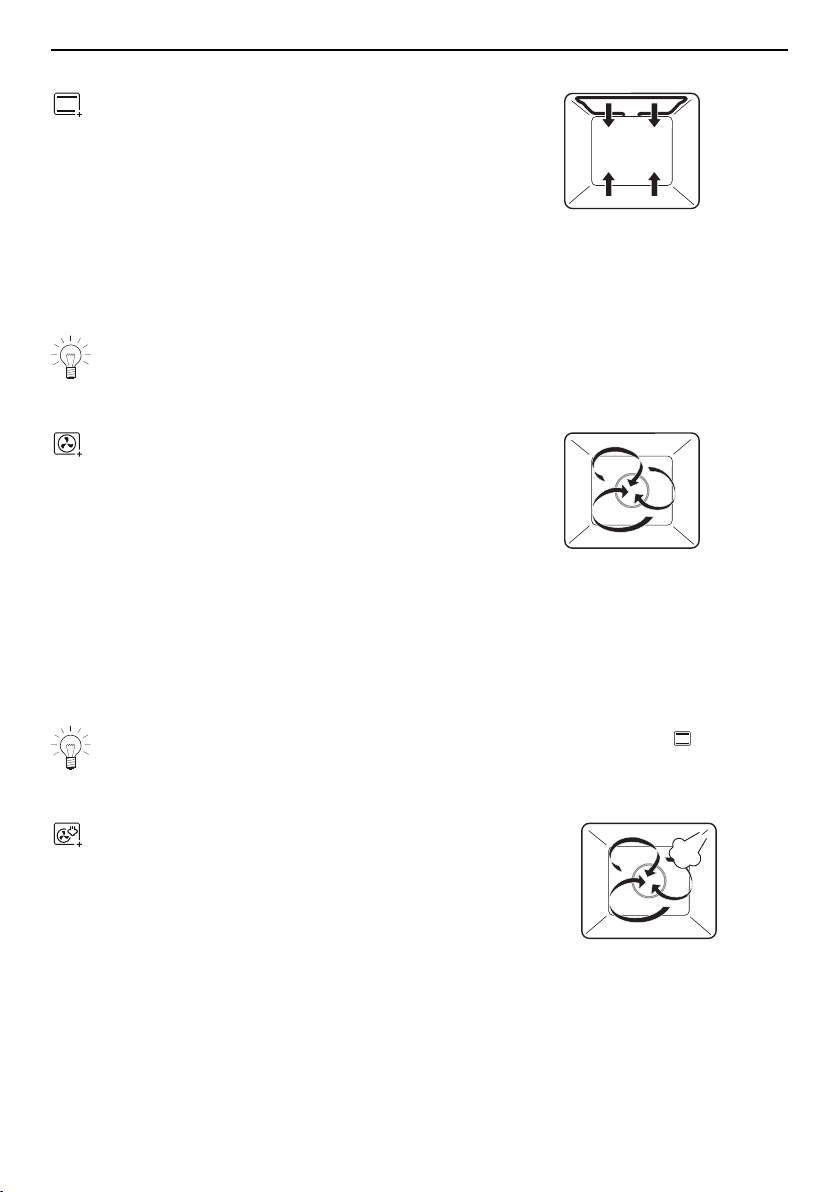
4.3 Top/Bottom heat
Temperature range 30–230 °C
Recommended value 200 °C
Level 2 (or 1)
The cooking space is heated by the top and bottom heating elements.
Uses
▪ Classic operating mode for cooking and baking on one level
▪ Cakes, biscuits, bread and roasts
Use a dark enamelled tray or a black tray or tin for crispy results.
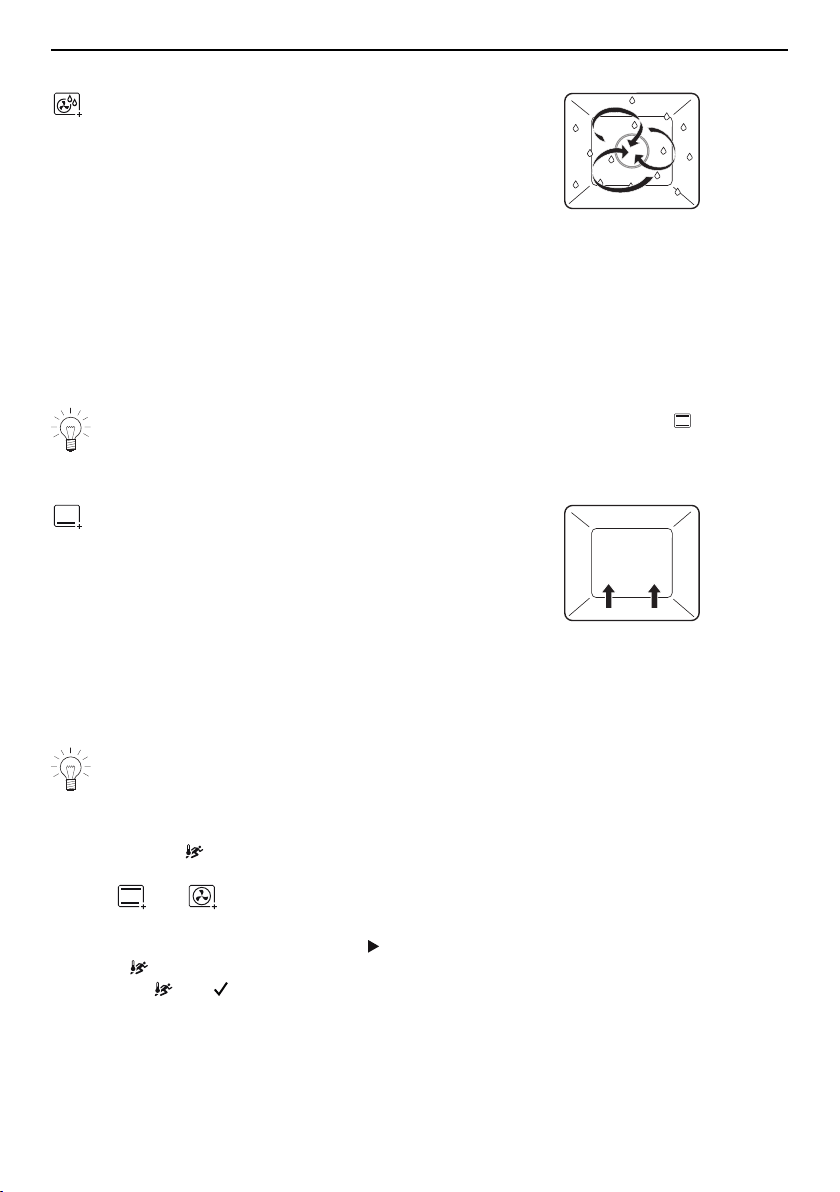
4.4 Hot air
Temperature range 30–230 °C
Recommended value 180 °C
Level 2 or 1 + 3
A heating element behind the back wall of the cooking space heats up the air inside the
cooking space, which is circulated evenly.
Uses
▪ Particularly suitable for baking savouries and biscuits on several levels at the same
time
▪ Cakes, bread and roasts
Select a lower temperature (reduce by approximately 20°C) than for as the
heat transfer is more efficient.
4.5 Hot air with steaming
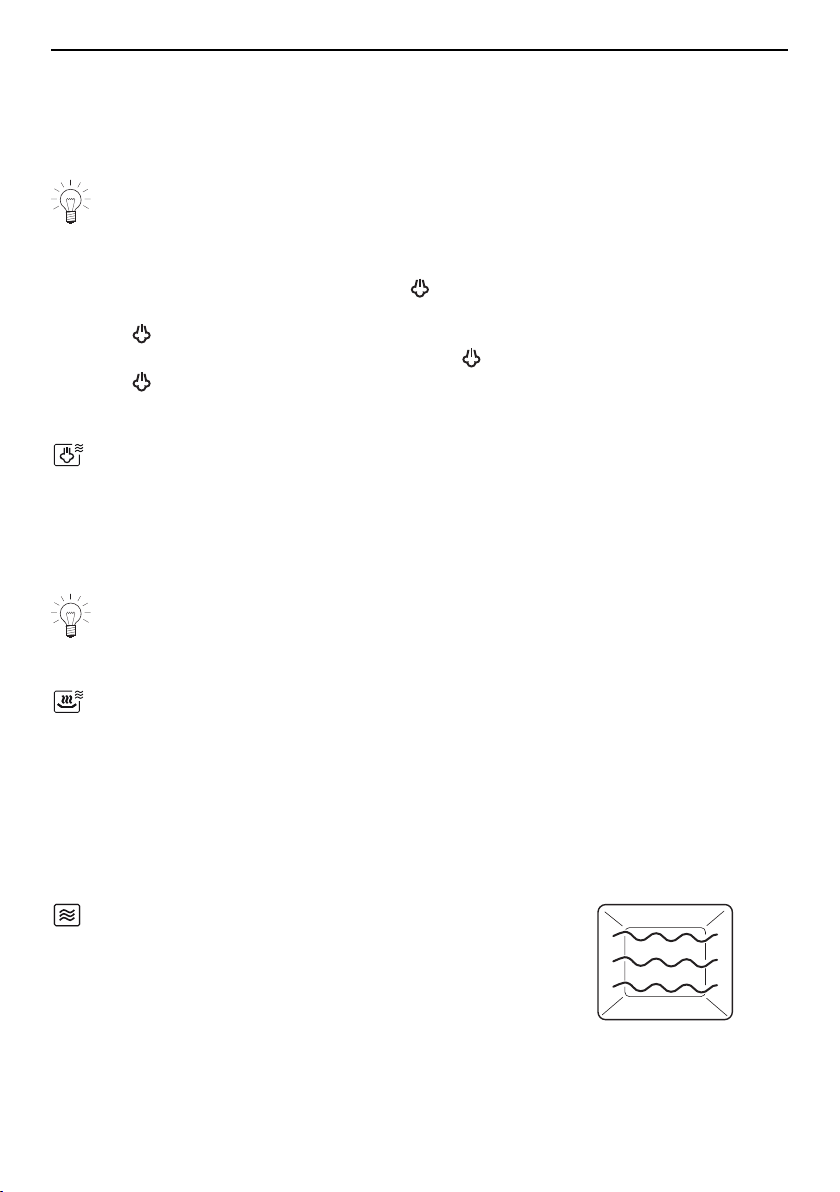
Temperature range 80–230 °C
Recommended value 180 °C
Level 2 or 1 + 3
A heating element behind the back wall of the cooking space heats up the air inside the
cooking space, which is circulated evenly. With condensing steam, the energy is trans-
ferred more efficiently to the food than when cooking with hot air, which accelerates the
cooking process.
Steam over 100°C is not visible.
17
4 Operating modes
Uses
▪ Puff pastries, yeast pastries, bread, plaited bread
▪ Baked dishes and gratins
▪ Meat
▪ Frozen and convenience foods
Particularly suitable for low-fat cooking of frozen foods such as oven chips and
spring rolls.
The supply of steam can be switched off and on again during operation.
▸ Start the operating mode.
▸ To switch off the supply of steam, select «Switch steaming off» in the settings of the
operating mode.
– The symbol goes out.
▸ To switch the supply of steam on again, select «Switch steaming on».
– The symbol illuminates.
4.6 PowerSteam
Level 2
The cooking time is reduced as the food is microwaved as well as steamed.
Uses
▪ Cooking vegetables, rice, cereal products and pulses
Refer to the recommended cooking times in «EasyCook».
4.7 PowerRegeneration
Level 2
Heating with steam and hot air cooks the food gently without drying it out. The additional,
automatic microwave power shortens the reheating time.
Uses
▪ Reheating precooked foods and convenience foods
4.8 Microwave
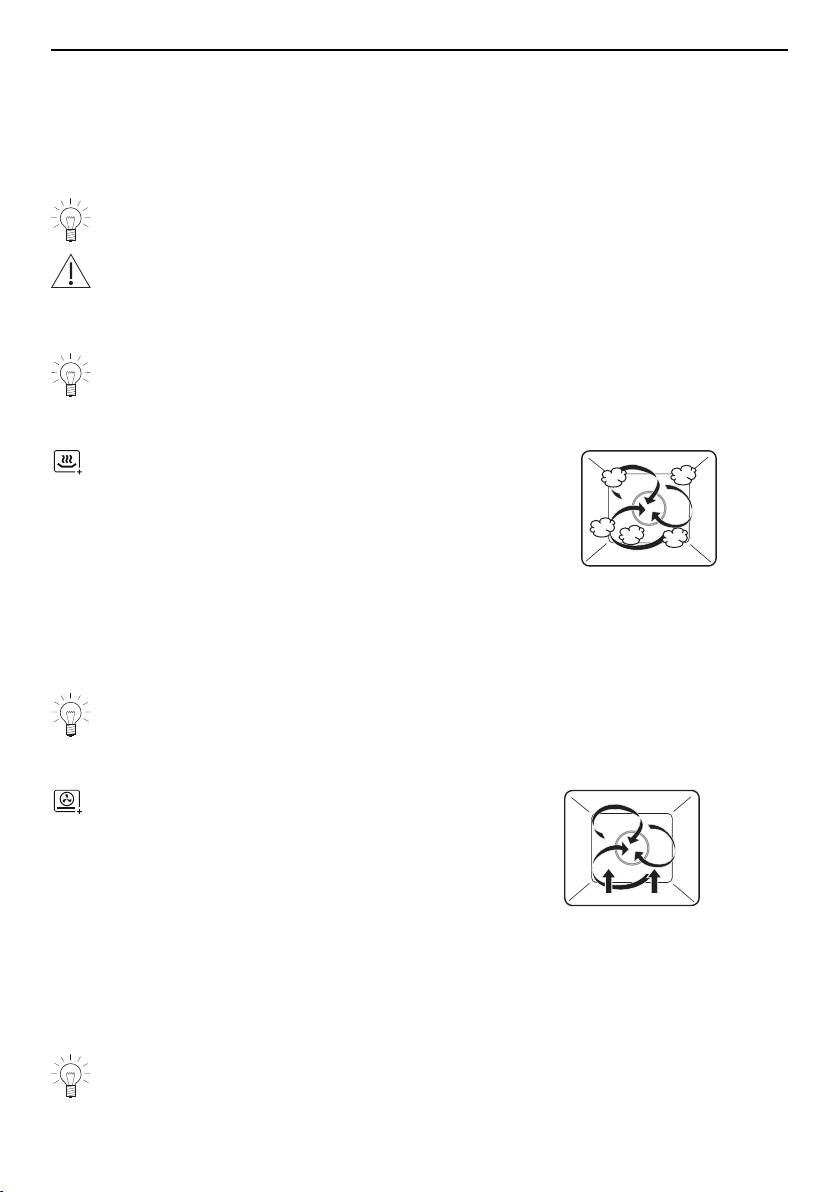
Power range in steps from 50–700 W
Recommended value 500 W / 2 mins.
Level 2
Foods and liquids are heated using microwaves.
Uses
▪ Precooked foods
18
4 Operating modes
▪ Frozen and convenience foods
▪ Liquids
Preparing eggs:
▸ Crack open the eggs and beat them before cooking.
▸ For fried eggs: Prick the yolk before cooking
▸ Turn or stir foods, if possible, halfway through the cooking time.
Use a fork to prick the skin or peel of foods such as potatoes, tomatoes, sausages,
shellfish or similar.
Otherwise, the steam that is produced will be unable to escape and may cause the
food to explode.
Further information on the microwave can be found in the «Microwave» section
(see page 30).
4.9 Regeneration
Temperature range 80–200 °C
Recommended value 120 °C
Level 2 or 1 + 3
The cooking space is heated by steam and hot air. The food is reheated gently without
drying it out.
Uses
▪ Reheating precooked foods and convenience foods
Possible to regenerate on several levels simultaneously.
4.10 PizzaPlus
Temperature range 30–230 °C
Recommended value 180 °C
Level 2 (or 1)
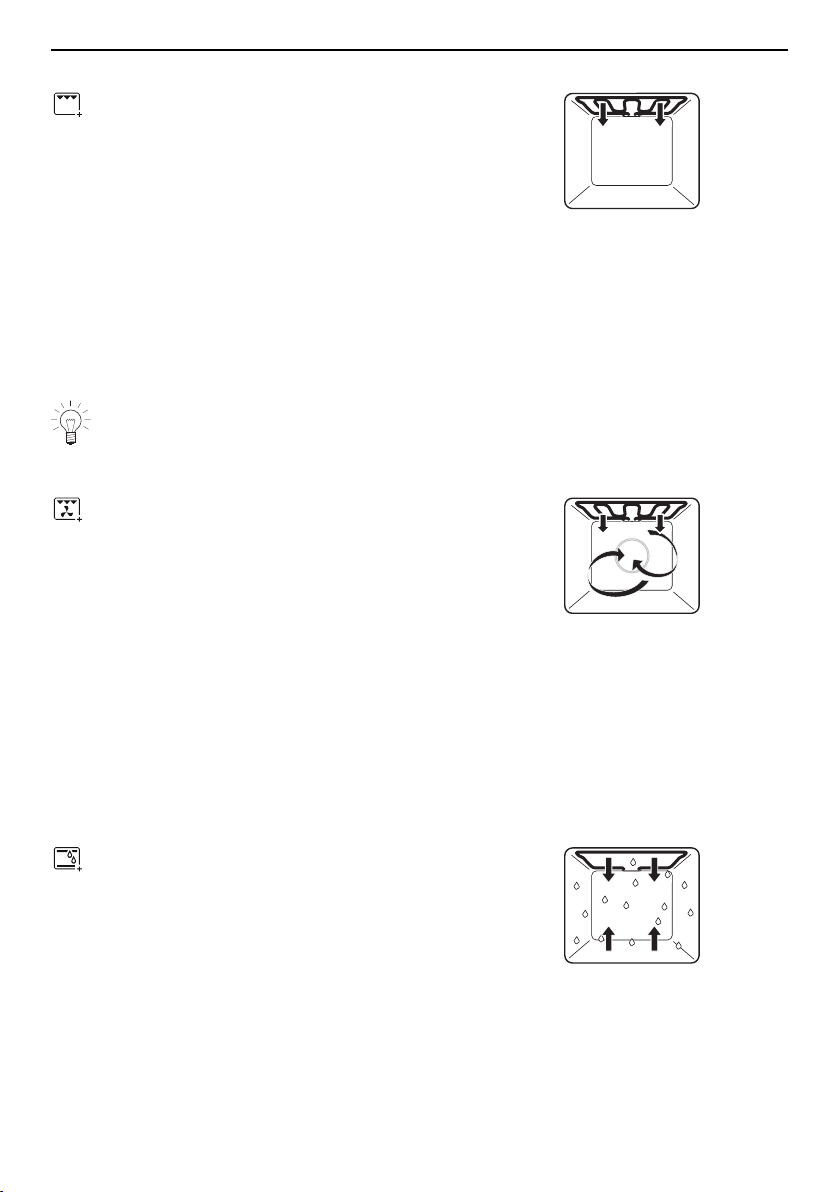
The cooking space is heated by hot air and bottom heat. The base of the food is baked
particularly intensively.
Uses
▪ Pizza
▪ Flans and quiches
Use a dark enamelled tray or a black tray or tin without baking paper for very
crispy results.
19
4 Operating modes
4.11 Grill
Temperature range 4 levels
Recommended value Level 3
Level 3 or 4
The cooking space is heated by the grill element.
Uses
▪ Flat food for grilling, e.g. steaks, chops, chicken parts, fish and sausages
▪ Gratinating
▪ Toast
▸ Place the food to be grilled directly on the wire shelf.
▸ Line the baking tray with aluminium foil and then place it underneath the wire shelf.
For best results, preheat the cooking space for 3 minutes before introducing the
food.
4.12 Grill-forced convection
Temperature range 30–230 °C
Recommended value 180 °C
Level 2 or 3
The cooking space is heated by the grill element. The hot air fan distributes the air
evenly in the cooking space.
Uses
▪ Suitable for a whole chicken
▪ Large, bulky food for grilling
▸ Put food for grilling in a porcelain or glass dish or directly on the wire shelf.
▸ Line the baking tray with aluminium foil and then place it underneath the wire shelf.
4.13 Top/Bottom heat humid
Temperature range 30–230 °C
Recommended value 200 °C
Level 2 (or 1)
The cooking space is heated by the top and bottom heating elements. The steam pro-
duced is largely retained in the cooking space. The food retains its moisture.
Uses
▪ Bread, plaited bread, roasts and gratins on one level
▪ Low temperature cooking
20
4 Operating modes
4.14 Hot air humid
Temperature range 30–230 °C
Recommended value 180 °C
Level 2 or 1 + 3
A heating element behind the back wall of the cooking space heats up the air inside the
cooking space, which is circulated evenly. The steam produced is largely retained in the
cooking space. The food retains its moisture.
Uses
▪ For savouries and biscuits on two levels at the same time
▪ For yeast pastries and bread on two levels at the same time
▪ Gratins and baked dishes
Select a lower temperature (reduce by approximately 20°C) than for as the
heat transfer is more efficient.
4.15 Bottom heat
Temperature range 6 levels
Recommended value Level 3
Level 2 (or 1)
The cooking space is heated by the bottom heating element.
Uses
▪ Baking flan bases
▪ Making preserves
Use a dark enamelled tray or a black tray or tin for crispy results.
4.16 Fast heating
For fast heating , the cooking space is heated using hot air and bottom heat, which
shortens the preheating time. Fast heating can be used with the following operating
modes: and .
▸ Select the desired operating mode and adjust the settings.
▸ To start the operating mode, select .
▸ Select «Switch fast heating on» in the settings for the operating mode.
– Above , the symbol illuminates.
As soon as an acoustic signal is emitted:
– put the food into the cooking space.
21
4 Operating modes
4.17 Combi mode / PowerPlus
Check the food from time to time during operation so that it does not burn.
Switch the combi mode off if necessary.
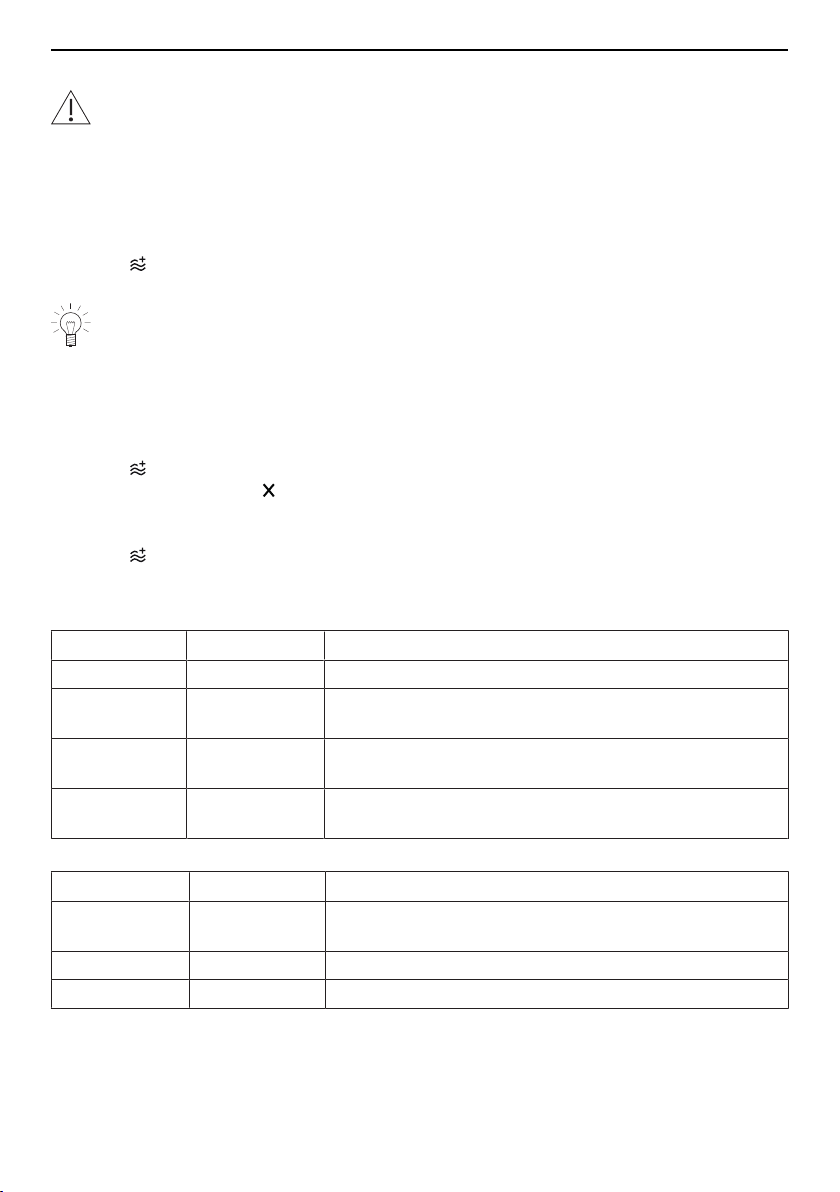
Thanks to PowerPlus, cooking times can be reduced as any operating mode can be
combined with the microwave. Every PowerPlus level is assigned a total amount of en-
ergy that is delivered to the food over a set duration. The duration of the operating mode
is not important: any residual energy dissipates when the cooking time is up. PowerPlus
can be turned on before starting the operating mode or while it is running.
▸ Select in the settings of the current operating mode.
▸ Set the desired PowerPlus level and confirm.
When using the food probe, the appliance switches off when the food probe tem-
perature is reached.
PowerPlus ends during operation
If PowerPlus ends during operation, a new PowerPlus level can be set subsequently.
Changing PowerPlus during operation
▸ Select in the settings of the current operating mode.
▸ Set PowerPlus to level and confirm.
– The current PowerPlus level ends.
– The operating mode settings are displayed.
▸ Select again.
▸ Select a new PowerPlus level and confirm.
Overview of the PowerPlus levels
Intensity Output Uses, e.g.
Gentle 100–200 W Baking cakes, braising/roasting meat
Moderate 300–400 W Cooking foods with fillings or gratins with little topping/
liquid
Intensive 500 W Cooking gratins / baked dishes with a lot of topping/
liquid
Extra intensive 600 W Cooking gratins / baked dishes with a lot of topping/
liquid
Duration Minutes Uses, e.g.
Short Up to 10 mins. Baking quick cakes, cooking delicate or low water
content foods
Medium 10–20mins. Cooking gratins / baked dishes
Long Over 20mins. Baking cakes, braising/roasting meat
22
5 Using the appliance
5 Using the appliance
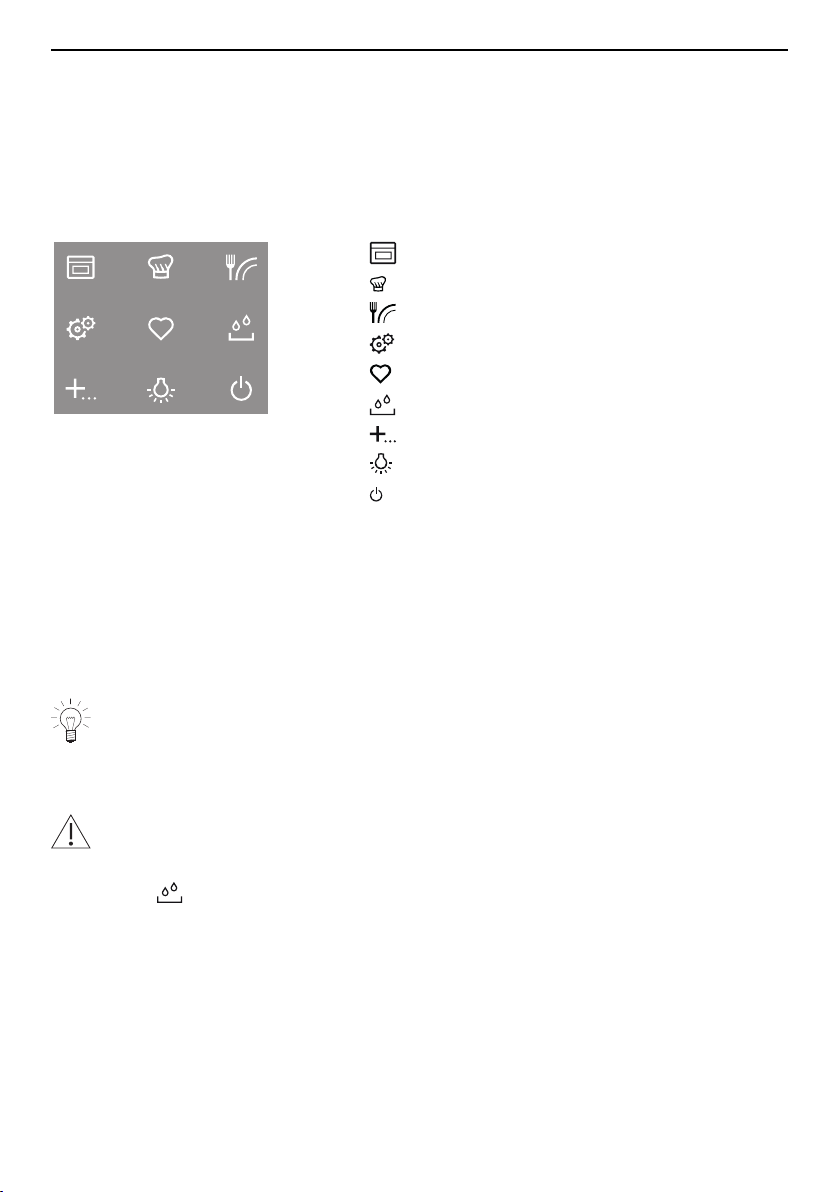
The different main menus and functions are selected by pressing the corresponding
touch button. Selected touch buttons and functions are illuminated in white; other select-
able functions are illuminated in orange.
Settings and functions that cannot be selected or changed are greyed out in the various
menus.
The following touch buttons with the following main menus and functions are available:
Operating modes
GourmetGuide
EasyCook
User settings
Favourites
Water tank
Extra functions
Cooking space illumination
Switch off
Adjusting knob functions
Press ▪ Switching on the appliance
▪ Selecting/opening a submenu, setting, etc.
▪ Confirming/closing a message
▪ Activating/deactivating a user setting
Turn ▪ Navigating within the submenus
▪ Changing/setting a value, user setting
Your appliance has a touch function display. You can also select submenus, con-
firm messages and activate/deactivate user settings by pressing the relevant part
of the display.
5.1 Filling the water tank
Do not use demineralized (filtered) or distilled water.
▸ If the appliance is switched off: first press the adjusting knob.
▸ Press the touch button.
– The water tank is ejected.
▸ Remove the water tank to fill it.
▸ Fill the water tank with fresh, cold drinking water and seal it with the cover.
▸ Slot the filled water tank into position in the water tank compartment.
Refill water
The contents of the water tank normally suffice for one cooking session.
If, however, the water tank needs to be refilled:
▸ Fill the water tank with a maximum of 0.5l of water as otherwise water could spill over
at the end of operation.
23
5 Using the appliance
5.2 Selecting and starting the operating mode
▸ If the appliance is switched off: first press the adjusting knob.
▸ If the appliance is in another menu: press the touch button.
– The selection of operating modes appears in the display.
▸ Select the operating mode.
– The operating mode settings appear in the display; a recommended value appears
above the temperature.
▸ Set the values for duration, end time, temperature or temperature level, PowerPlus
level and target temperature as required and confirm.
Press and go
Once all the necessary settings for the operating mode have been made, a bar appears
in the display and counts down 20seconds. If no further settings are made during this
time, operation starts automatically. If a setting is changed, Press and go starts again.
The duration of Press and go can be adjusted (see page 51) or it can be deactiv-
ated in the user settings.
▸ To start operation immediately, i.e. without Press and go, select .
– If set, the countdown to the time remaining appears in the display and in the digital
display.
The operating mode selected cannot be changed once it has started.
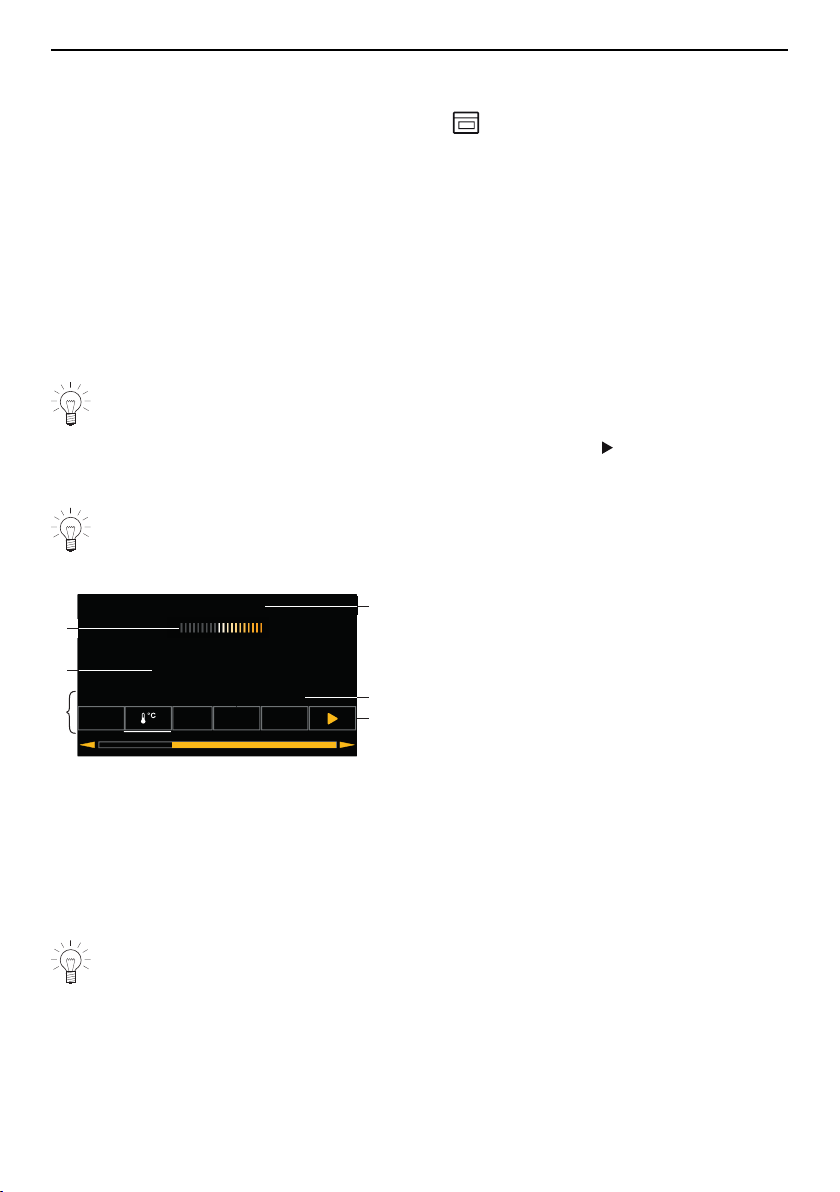
Display overview
6HWWHPSHUDWXUH
곟+RWDLU
궡
굴굵
K
굶
4
6
5
3
2
1
1
Operating mode settings
2
Current position of the adjusting knob /
selected setting
3
Press and go
4
Operating mode with symbol
5
Set values / recommended values
6
Symbols for settings
5.3 Checking and changing the settings
▸ Select the symbol for the desired setting.
▸ To change the value, turn the adjusting knob to the right or left.
▸ Press the adjusting knob to confirm the setting.
– The operating mode settings are displayed.
– The changed value can be seen above the corresponding symbol.
The end time can only be changed during the first 60seconds of
operation.
24

5 Using the appliance
5.4 Setting a duration
The operating mode selected ends automatically when the operating time is up.
▸ Select the desired operating mode.
▸ Select in the operating mode settings.
▸ Set the desired duration – max. 9 hours and 59 minutes – and confirm.
– The duration is displayed in the operating mode settings as well as the end time
which is calculated based on this value.
– End of operation / duration finished (see page 28)
5.5 Setting a delayed start / end time
The delayed start is activated when for the operating mode selected both the duration
and the end time are set.
The appliance switches automatically on and off again at the desired times.
If you use the food probe, you will need to estimate and set the duration. You will find a
guide on times in «EasyCook». The appliance switches on with a delay and switches off
again when the set target temperature is reached. Depending on the estimated duration,
this can occur earlier or later than the set end time.
Perishables should not be kept unrefrigerated.
Before setting the delayed start
▸ Place the food in the cooking space.
▸ Select the desired operating mode.
▸ Set the temperature.
▸ Set the duration.
Setting a delayed start
▸ Select in the operating mode settings.
– The current end time calculated using the duration is displayed.
▸ Set the desired end and confirm.
– The time remaining to the start of operation is displayed.
– After 3 minutes, the display goes out and the touch button is illuminated in
white. The display can be called up again at any time by pressing the adjusting
knob.
– The appliance remains switched off until 3 minutes before the automatic start of op-
eration.
▸ Check and change the settings (see page 24).
Example
▸ Select the operating mode and 180°C.
▸ At 8:00, set a duration of 1hour and 15minutes.
▸ Set the end time to 11:30.
– The appliance will automatically switch on at 10:15 and off again at 11:30.
25

5 Using the appliance
5.6 Food probe temperature
Only use the supplied food probe.
Do not clean the food probe in the dishwasher. Always keep the plug clean.
The food probe is used to measure the temperature inside the food (referred to as the
food probe temperature). As soon as the food reaches the target temperature (the food
probe temperature that should be attained at the end of the cooking process), operation
stops automatically. It is also possible to simply measure the food probe temperature
without stopping operation.
The food probe must be inserted as far into the middle of the meat as possible to
get a correct reading of the food probe temperature.
The optimal target temperature is dependent on the cut of meat and on the degree
of doneness.
Refer to the information on target temperatures in «EasyCook».
Setting
▸ Select the desired operating mode and set the temperature.
▸ Select in the operating mode settings.
▸ Set the desired target temperature and confirm.
▸ To start operation, select .
Operation can only be started when the food probe is plugged in.
▸ Check and change the settings (see page 24).
– The current food probe temperature is shown in the top part of the display when
cooking.
– The set target temperature is displayed above .
– Operation ends automatically once the target temperature has been reached – see
also End of operation (see page 28).
If the meat is left in the cooking space after having switched off the appliance, the
food probe temperature will continue to rise due to the residual heat.
Measuring the food probe temperature
If you only wish to measure the food probe temperature without operation stopping auto-
matically when the target temperature is reached, proceed as follows:
▸ Select the desired operating mode and set the temperature and, if you wish, the dura-
tion.
▸ Plug in the food probe.
▸ Start the operating mode.
– The current food probe temperature is shown in the top part of the display when
cooking.
26
5 Using the appliance
5.7 Cancelling/ending the operating mode before time
▸ In the operating mode settings, select or press the touch button.
– An acoustic signal is emitted.
– The selected operating mode is cancelled.
– The following appears in the display: « Residual heat» and, for example: «
Hot air cancelled».
– If the food probe is plugged in, the food probe temperature is displayed. *
* Depending on the software version
▸ If you wish to start a new operating mode, press the touch button.
▸ If you wish to switch off the appliance, press the touch button.
5.8 Changing the operating mode
If no operating mode is running:
▸ Select in the settings of the current operating mode.
– The operating modes menu is displayed.
If an operating mode is already running:
▸ Select or press the touch button.
– The set operating mode is cancelled.
▸ Press the touch button and select a new operating mode.
5.9 Timer
The timer functions like an egg timer. It can be used at any time and independently of all
other functions.
Setting and starting the timer
▸ Press the touch button.
▸ Select .
– A suggested value of «10min» appears in the display.
▸ Turn the adjusting knob and set the desired duration.
– The duration and the end time for the timer appear in the display.
The timer can be set for:
▪ up to 10minutes in 10-second intervals, e.g. = 9minutes and 50seconds;
▪ over 10 minutes in 1-minute intervals, e.g. = 1hour and 12minutes;
▪ over 10 hours in 1-hour intervals, e.g. = 18hours.
The maximum timer duration is 99 hours.
▸ Press the adjusting knob to confirm.
– The timer starts.
– If there is no operating mode running with a set duration, the remaining time on the
timer will be displayed in the digital display.
– The touch button is illuminated in white.
– If the appliance was in another menu before the timer was set, e.g. operating
modes: the menu or the submenu selected within it, e.g. a running operating mode,
appears.
– If the appliance was not in another menu: the display goes black.
27
5 Using the appliance
Checking and changing
▸ Press the touch button.
▸ Select .
– The countdown to the time remaining appears in the display.
▸ Shorten or extend the time by turning the adjusting knob.
▸ Confirm this shortening or extending of the time.
When the timer finishes
When the set duration is up:
– An acoustic signal is emitted.
– «Timer finished» appears in the display.
▸ To close the message, select .
Switching the timer off before time
▸ Press the touch button.
▸ Select .
– The countdown to the time remaining appears in the display.
▸ Set the timer to 0 by turning the adjusting knob and confirm.
Or, if the timer is the only active function:
▸ Press the touch button.
Or, to switch off the appliance:
▸ Press the touch button 2×.
5.10 End of operation
When the set duration is up or, if the food probe is being used, when the set target tem-
perature is reached:
– The selected operating mode ends automatically.
– An acoustic signal is emitted.
– Three options are displayed:
▪ Select to choose a new operating mode
▪ Select to extend the operation
▪ Select to switch the appliance off.
– The appliance switches off automatically after 3 minutes without interaction.
You can adjust the appliance end time individually (see page 49).
– As long as the temperature is above 80°C, « Residual heat» appears in the dis-
play.
– If the food probe is plugged in, the food probe temperature is displayed. *
The food can be kept warm with residual heat for some time. As soon as the tem-
perature falls below 80 °C, all the displays go out. If at this point the food probe is
still plugged in, the displays only go out when the food probe is unplugged. *
The cooling fan can continue to run.
* Depending on the software version
28

5 Using the appliance
For all operating modes that use steam, steam reduction can take place at the end of
the cooking process. The steam is gradually released from the cooking space into the at-
mosphere – this takes about 1minute. This means that there is no sudden rush of steam
when the appliance door is opened; it can, however, be opened at any time.
Removing food from cooking space
Risk of scalding!
Hot steam or hot air may escape from the cooking space when the appliance door
is opened.
The accessories get hot. Use protective gloves or oven cloths.
▸ Take the food out of the cooking space when done.
▸ Any condensate or food particles in the cooking space must be completely removed
after each cooking session with steam.
▸ Wipe away traces of water or soiling with a soft cloth to prevent corrosion and un-
pleasant odours.
▸ Leave the appliance door open in the at-rest position until the cooking space has
cooled down and dried out.
5.11 Switching the appliance off
▸ Press the touch button.
– An acoustic signal is emitted.
– Any running operating mode or application is ended; if switched on, the timer,
cooking space illumination or plate warmer will remain active.
– « Residual heat» appears in the display.
– If the food probe is plugged in, the food probe temperature is displayed. *
* Depending on the software version
– The following message appears in the display after all operating modes with steam:
«Draining appliance. Please do not remove the water tank.»
▸ Press the touch button again.
– All touch buttons go out.
– All functions are ended and switched off.
Or at the end of operation:
▸ Select the option in the display.
– An acoustic signal is emitted.
– Any running operating mode or application is ended; if switched on, the timer,
cooking space illumination or plate warmer will remain active.
– The following appears in the display: « Residual heat».
– If the food probe is plugged in, the food probe temperature is displayed. *
* Depending on the software version
▸ Press the touch button.
– All touch buttons go out.
– All functions are ended and switched off.
The appliance is switched off if none of the touch buttons are illuminated any more
and the display is dark.
The cooling fan can continue to run.
29

6 Microwave
5.12 Emptying the water tank
Risk of scalding!
The water in the tank may be hot. If «Please do not remove the water tank» ap-
pears in the display, the temperature of the residual water is too high. Do not re-
move the water tank!
For safety reasons, the residual water is not pumped off until the temperature has
fallen below a certain level.
When the appliance is switched off, the residual water is pumped back into the water
tank.
The following appears in the display: «Water is being pumped off». When the water has
been pumped back:
▸ Press the touch button.
– The water tank is ejected.
▸ Remove, empty and dry the water tank.
▸ Put the water tank back.
Any operating mode can be started again.
6 Microwave
6.1 Note on use
Refer to the «Safety precautions» section.
Porcelain, ceramic and earthenware cookware have cavities which can fill with wa-
ter. Risk of cracking! Follow the manufacturers’ instructions.
Suitable for microwave and combi mode
Not suitable for microwave and combi mode
Particularly suitable for microwave mode
▪ Glass, e.g. hardened glass dish
▪ Porcelain
▪ Microwaveable plastic, e.g. perforated plastic cooking tray
▪ Silicone baking moulds
Permitted for microwave mode
▪ Food probe with burls
▪ Aluminium packaging of convenience foods
▪ Wire shelf
Forbidden for microwave mode
▪ Cast iron pots
▪ Metal cookware
▪ Aluminium foil
▪ Baking trays
▪ Stainless steel trays
30
7 GourmetGuide
▪ Perforated stainless steel cooking tray
▪ Cookware with gold rim or metal decor
▪ Meat thermometer
6.2 Tips for microwave mode
Do not switch the microwave mode on until you have put the food in the cooking
space.
▸ Cover food when just using the microwave mode to prevent it from drying out. Suit-
able covers include microwave food covers, glass or porcelain covers and microwave-
able films.
The cooking space can become damp when using the microwave mode. To avoid un-
pleasant odours and corrosion in the cooking space, please observe the following:
▸ Cover liquid or steaming food – unless it should remain crispy.
▸ Wipe away traces of water and soiling with a soft cloth to prevent corrosion and un-
pleasant odours.
▸ To prevent damage to the appliance, leave the appliance door open in the at-rest pos-
ition at the end of cooking until the cooking space has cooled down.
6.3 Microwave operation
▸ Select and start the operating mode (see page 24).
When the appliance door is opened, the microwave mode is immediately interrupted.
After the appliance door is closed, the operation continues.
The duration and the microwave power level can be checked and changed during opera-
tion (see page 24). To change PowerPlus, see Combi mode / PowerPlus (see page 22).
To switch the microwave off, see Cancelling/ending the operating mode before time (see
page 27).
– End of operation (see page 28).
When using the food probe, the microwave mode switches off when the set target
temperature is reached.
Extending the operation
▸ Select the option in the display within 3 minutes.
7 GourmetGuide
The GourmetGuide encompasses several programmes which make preparing meals
as easy as possible for you. The following programmes can be called up:
Recipes Vacuisine *
BakeOmatic Defrosting
Professional baking Wellness *
Soft roasting Hygiene *
RegenerateOmatic Keep warm *
* Depending on the software version
31

7 GourmetGuide
7.1 Recipe book
A recipe book contains recipes which are tailored to suit the particular appliance. These
are already programmed into the appliance and run automatically once started.
A recipe book is included in the scope of delivery for the appliance and has already
been unlocked in the appliance.
Provided that your appliance has the required operating modes, you can order additional
recipe books (subject to charge) and then activate them in the appliance.
The following recipe books are available for your appliance:
▪ Baking treats
▪ Magical steaming *
▪ Fast steaming
▪ QueenSteam recipes * (available at www.vzug.com/queensteam)
* Depending on the software version
Unlocking a recipe book
When you buy a recipe book, you receive a password which is used to unlock the recipe
book in the appliance. After it has been unlocked, the recipes are displayed in the appli-
ance.
▸ If the appliance is switched off, first press the adjusting knob.
▸ Press the touch button.
▸ Select .
▸ Select the recipe book that you wish to unlock.
– The following appears in the display: «Do you want to unlock the recipe book?».
▸ Select «Yes».
▸ Enter the password using the on-screen keypad and confirm by selecting .
– The recipe book is now unlocked.
Starting a recipe
For recipes that do not require preheating, place the food in the cold cooking
space.
▸ If the appliance is switched off, first press the adjusting knob.
▸ Fill the water tank with fresh, cold drinking water and slot into position in the water
tank compartment.
▸ Press the touch button.
▸ Select .
▸ Select the desired recipe book or «Own recipes».
▸ To select a recipe, choose .
▸ Select a recipe.
– The recipe settings are displayed.
▸ If you wish, set the end time or delayed start.
When cooking recipes from recipe books, a delayed start is only possible if the
cooking space does not need to be preheated and the food does not need to be
stirred or turned partway through, for example.
▸ To start the recipe, select .
– The recipe starts.
– The display shows the current recipe step, the time remaining in this step and the
entire duration of the recipe.
32

7 GourmetGuide
– The digital display shows the remaining time for the current recipe step.
In the course of the recipe
In the course of the recipe, it may be necessary to open the appliance door, e.g. to turn
over the food or to spread a topping over it. In such an instance, operation is paused
and the display shows instructions on what to do next.
To continue the recipe, proceed as follows:
▸ Open the appliance door.
▸ Carry out the action, e.g. turn over food.
▸ Close appliance door and select in the display.
– The recipe will continue to run.
Cancelling the recipe
▸ In the recipe settings, select .
– The following appears in the display: «Should the current recipe be cancelled?»
▸ To abort the recipe, select «Yes».
– The recipe is cancelled.
7.2 Own recipes
Up to 24 of your own favourite recipes can be created and saved. A recipe can consist
of several steps with any operating modes (including Professional baking), pauses and
hold times, which run automatically once started. You can also change and save existing
recipes.
Creating your own recipe
▸ If the appliance is switched off: first press the adjusting knob.
▸ Press the touch button.
▸ Select .
▸ Select .
▸ To create a new recipe, select .
– The selection of operating modes including professional baking appears in the dis-
play.
▸ Select the desired operating mode.
▸ Set the target temperature, duration, temperature or temperature level for step1.
If you are only making temperature settings, this step takes as long as is neces-
sary for the cooking space to reach the required temperature.
▸ To confirm the settings, select .
▸ To add a new step, select .
▸ Set an operating mode, pause or hold time for step 2.
For the intermediate step «Hold», the heating continues to run and the cooking
space temperature remains constant. For the intermediate step «Pause», the
cooking space is not heated any more and the temperature drops.
After a hold or pause step, a preheating stage can be set.
▸ To save the settings, select .
– The overview of the set steps is displayed.
▸ Set additional steps in the same way. A recipe can consist of up to 9 steps.
▸ To save the recipe, select .
– The overview of the available storage spaces is displayed.
33
7 GourmetGuide
▸ Select the desired (empty) storage space and confirm.
▸ Enter the recipe name using the on-screen keypad and confirm by pressing .
– The recipe is now saved.
– The following appears in the display: «Do you want to run the recipe?» If you do not
wish to run the recipe, you will return to the recipes main menu.
Step duration
The duration of a step depends on whether values have been set for the target temperat-
ure, duration, temperature or temperature level. If multiple values have been set, e.g. the
duration and the temperature, only one of these takes priority for the step duration.
The table below shows the priorities in descending order:
Setting
1 Target temperature
2 Duration
3 Temperature / temperature level
Cancelling recipe entry/change
▸ Select in the overview of the set steps.
– The following appears in the display: «Do you really want to cancel the recipe
entry?»
▸ To cancel the recipe entry, select «Yes».
– The menu for your own recipes or, if a recipe from a recipe book was changed, the
menu for the recipe book is displayed.
Ending a step before time
This is only possible for «Own recipes». If, for example when a recipe is running, you
realize that the food or the cooking space is ready for the next step in the recipe even
though the current step is still in progress, you can end the step before time.
▸ Select the symbol for target temperature, duration, temperature or temperature level in
the operating mode settings. Pay attention to the priorities for the step duration as de-
scribed under «Step duration».
▸ Set the displayed value to 0 or reduce it until it is less than the currently measured
value.
▸ Press the adjusting knob to confirm.
– The step is ended.
– If it was the final step, the recipe ends too.
– If it was not the final step, the next step starts.
Changing recipes
Any recipe – from a recipe book as well as your own recipes – can be copied and
changed.
▸ Select the desired recipe book or .
▸ Select .
▸ Choose a recipe.
– An overview of the steps in the recipe is displayed.
Changing a step
▸ Select the step to be changed.
▸ Make the settings and confirm with .
34
7 GourmetGuide
Adding a step
▸ Select .
▸ Make the settings and confirm with .
Deleting a step
▸ Select .
– An overview of the steps in the recipe is displayed.
▸ Select the step.
– The following appears in the display: «Do you want to delete this step?»
▸ To delete the step, select «Yes».
– The step is deleted.
Saving a changed recipe
▸ Select .
▸ Select storage space, enter the recipe name and confirm by pressing .
– The changed recipe is now saved.
A storage space that is already being used can be overwritten.
Recipes that have been amended from recipe books are not saved in the recipe
book, but under «Own recipes». The original recipe remains in the correspond-
ing recipe book.
Deleting your own recipe
Any recipe in «Own recipes» can be deleted.
▸ Select «Own recipes».
▸ Select .
▸ Select the recipe to be deleted.
– The following appears in the display: «Do you want to delete this recipe?»
▸ To delete the recipe, select «Yes».
– The recipe is deleted.
7.3 Vacuisine *
* Depending on the software version
With Vacuisine, meat, fish, vegetables and fruit can be prepared sous vide. The va-
cuum-packed food is gently steamed. The food probe temperature can be monitored
with the food probe. The food probe temperature is the set cooking space temperature.
This ensures that the food is cooked to the same degree of doneness throughout.
Temperature range 30–95 °C
Recommended value 60 °C
Level 1 to 4
Recommended maximum cooking time 48 hours
The cooking space is heated simultaneously by steam and hot air. The food is heated or
cooked by steam.
35
7 GourmetGuide
Tips for an optimal result
▪ Only use fresh food. This applies to meat and fish in particular. Food that has already
been kept for some time has a higher bacterial content and is therefore unsuitable for
Vacuisine.
▪ Meat quality: Both lean (e.g. fillet) and marbled, more sinewy (e.g. stewing meat and
belly pork) cuts of meat and can be prepared optimally using Vacuisine.
Preparing the food
▪ Vacuum seal the food. For this, see the tips in the operating instructions for the va-
cuum drawer, on the homepage or in the recipe brochure.
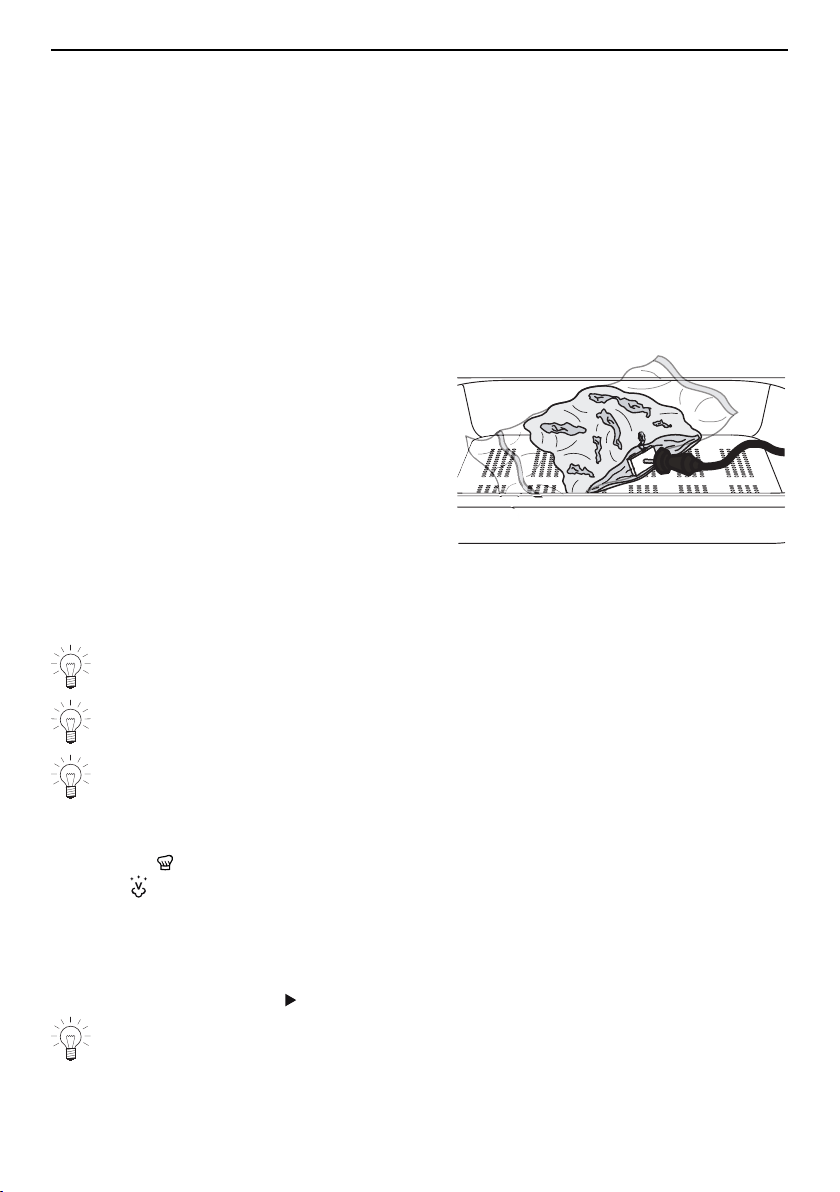
▪ To monitor the food probe temperature of the meat with the food probe, the spot
where the food probe punctures the vacuum bag must be sealed with a sealing pad
(see page 62). This ensures that the vacuum is maintained in the bag.
▸ Attach a sealing pad to the bag con-
taining the vacuumed food, having
first ensured that the bag is clean and
dry.
▸ Insert the food probe through the seal-
ing pad and the bag, and into the
meat. The tip of the food probe should
be inserted into the centre of the thick-
est end of the meat.
Selecting and starting Vacuisine
▸ Put the perforated cooking tray into the cooking space and place the vacuum-sealed
food in it.
Ensure that the bags are adjacent and not overlapping so that the steam can cir-
culate and cook the food evenly.
The filled water tank must be in position in the water tank compartment.
If the desired cooking time is longer than 10 hours, place the stainless steel tray
underneath the perforated cooking tray.
▸ Plug the food probe into the appliance, if necessary.
▸ If the appliance is switched off: first press the adjusting knob.
▸ Press the touch button.
▸ Select .
▸ Make the desired settings.
▸ If a cooking time of 10–48 hours is required, use the timer (see page 27) only to
check the cooking time. «Vacuisine» will continue to run until interrupted manually.
The cooking time can be monitored with the timer.
▸ To start Vacuisine, select .
With «Vacuisine», the food probe only serves to monitor the food probe temperat-
ure. It is not possible to set the food probe temperature. If the food probe is
plugged in for monitoring, an acoustic signal is emitted when the core temperature
of the meat is roughly the same as the temperature of the cooking space.
36
7 GourmetGuide
Monitoring the food probe temperature using the food probe temperature
▸ When the food probe temperature and the cooking space temperature are roughly the
same:
– an acoustic signal is emitted.
– «Food has reached food probe temperature.» appears in the display.
– the meat is cooked. The operation is not cancelled.
– the meat can be left in the appliance for up to an hour.
▸ If the cooking time (not timer!) is accidentally set too short and is up before the food
probe temperature has been reached:
– the operation is not cancelled.
– an acoustic signal is emitted.
– «Food has not yet reached food probe temperature. Operation will continue.» ap-
pears in the display.
7.4 BakeOmatic
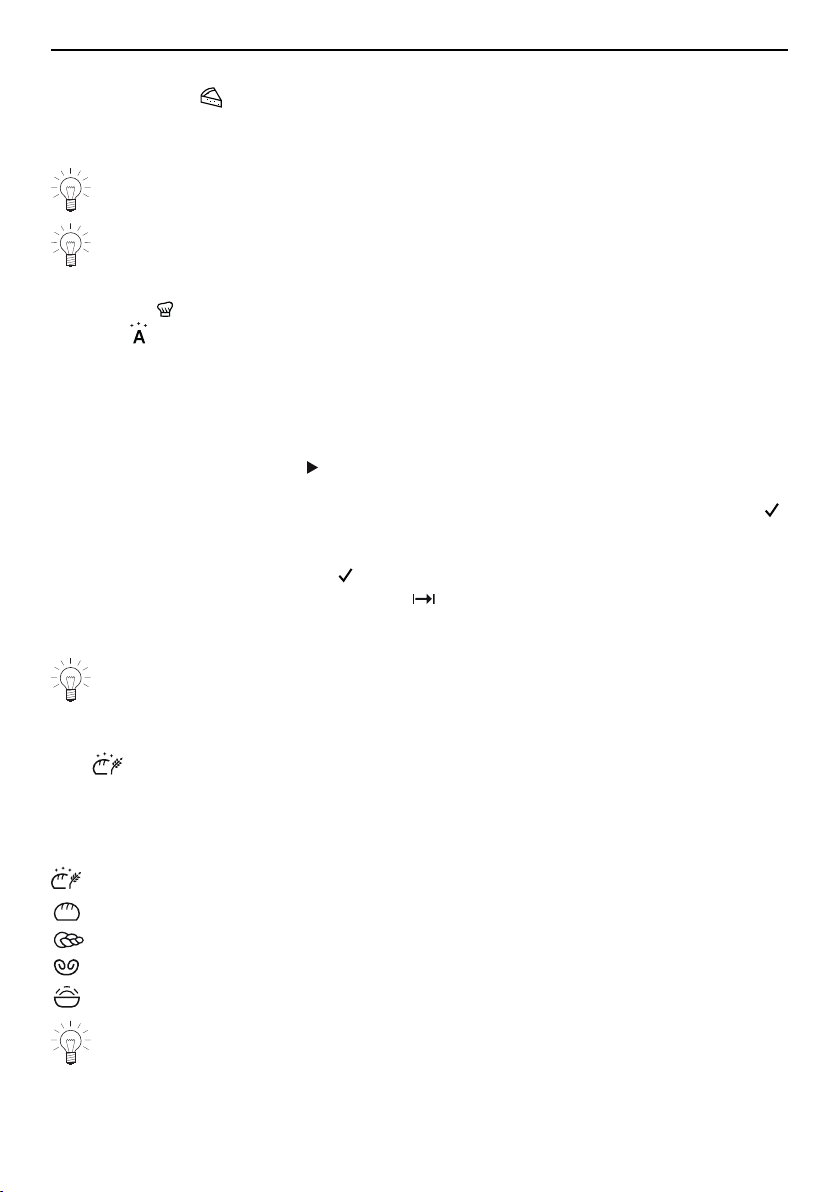
BakeOmatic comprises applications for different food groups. The size and shape of
the food are recognized and the duration and cooking space climate are adjusted auto-
matically. BakeOmatic is suitable for the following foods and dishes:
Fresh aperitif nibbles Frozen pizza (F) *
Frozen aperitif nibbles (F) * Flan
Gratin Bread
Soufflé Plaited bread
Baked potatoes Yeast pastries with filling
Pre-fried frozen products (F) * Loaf cake
Braising meat Muffins / tray-baked cake
Fresh pizza
* Depending on the software version
Degree of browning
For certain food categories, the degree of browning can be adjusted by selecting the
«lightly browned», «medium browned» or «well browned» setting.
When used for frozen products, the approximate duration indicated on the pack-
aging must be selected instead of the degree of browning. Frozen products are
prepared in a variety of ways.
Duration
When BakeOmatic starts, sensors determine the optimum duration. The effective duration
is displayed after about 10–15 minutes.
Before starting, the cooking space must have cooled down and be dry in order to
determine the optimum duration.
The appliance door must not be opened whilst the duration is being determined.
37
7 GourmetGuide
Preheating
In the case of the «Flan» food group, after starting, separate preheating takes place
first. Put the food in after preheating has ended.
Selecting and starting BakeOmatic
The filled water tank must be in position in the water tank compartment.
A delayed start is only possible for applications where preheating is not required
and is only suitable for food that does not need to be refrigerated or to rise.
▸ If the appliance is switched off: first press the adjusting knob.
▸ Press the touch button.
▸ Select .
▸ Select the desired application.
▸ Select the degree of browning or, for frozen products, the appropriate time indicated
on the packaging.
– The BakeOmatic settings are displayed.
▸ Set an end time or delayed start, if required.
▸ To start BakeOmatic, select .
– Depending on the application, the cooking space may be preheated first.
– An acoustic signal is emitted and in the display appears: «Introduce food. Select
to continue.».
▸ Put the food at the appropriate level.
▸ To confirm the message, select .
– The following appears in the display: « is being determined.».
– The countdown to the time remaining appears in the display and in the digital dis-
play.
The appliance door must not be opened whilst the duration is being determined.
Otherwise, the optimal duration and temperature will not be calculated correctly.
7.5 Professional baking
With professional baking, the cold cooking space is heated by a steam phase
(about 10 minutes) and a hot air phase, which follows automatically. This makes yeast
and puff pastries light and airy while also forming a nice, shiny crust. «Proofing» allows
you to proof a large batch of dough or pre-prepared portions at optimal temperature and
humidity levels.
Professional baking has the following range of uses:
Bread
Plaited bread
Puff pastry
Proofing
The appliance door must not be opened during the steam phase, as this would al-
low cold air to stream in, extending the steam phase and oversteaming the bread.
The bread would come out flatter as a result.
38
7 GourmetGuide
Tips
▪ Allow bread, bread buns and other yeast pastries to proof for about 15 minutes after
forming into shape. Place on a stainless steel tray, which has been lined with baking
paper, put it into the cold cooking space and bake.
▪ The adjustable temperature corresponds to that of the hot air phase. The temperature
during the steam phase is preset.
▪ For a nice, crispy crust: the smaller the item to be baked, the higher the temperature.
The optimum temperature for bread buns is generally higher than for a single loaf of
bread.
▪ When using «Plaited bread», we recommend brushing the shaped dough with
egg wash.
Selecting and starting professional baking
▸ Put in the food.
▸ If the appliance is switched off, first press the adjusting knob.
▸ Press the touch button.
▸ Select .
▸ Select the desired application.
– The operating mode settings are displayed.
▸ Set the temperature, duration and, if necessary, an end time or delayed start and con-
firm.
▸ To start professional baking, select .
The filled water tank must be in position in the water tank compartment.
7.6 Soft roasting
How it functions
The soft roasting function allows high-quality cuts of meat to be prepared gently. You
can select exactly when the cooking process is complete, irrespective of the weight and
thickness of the meat. The temperature is automatically regulated.
The cooking time can be set to between 2½ and 4½ hours for «Soft roasting
seared» or between 1½ and 2½hours for «Soft roasting with steam».
Tips for an optimal result
▪ Take the meat out of the refrigerator some 30–60 minutes before soft roasting.
▪ Weight of meat:
– Soft roasting seared: 500–2000g
– Soft roasting with steam: 500–1500g
▪ Meat food probe temperature: up to 90°C
▪ Meat thickness: at least 4cm
▪ Quality: lean, high-quality meat
39
7 GourmetGuide
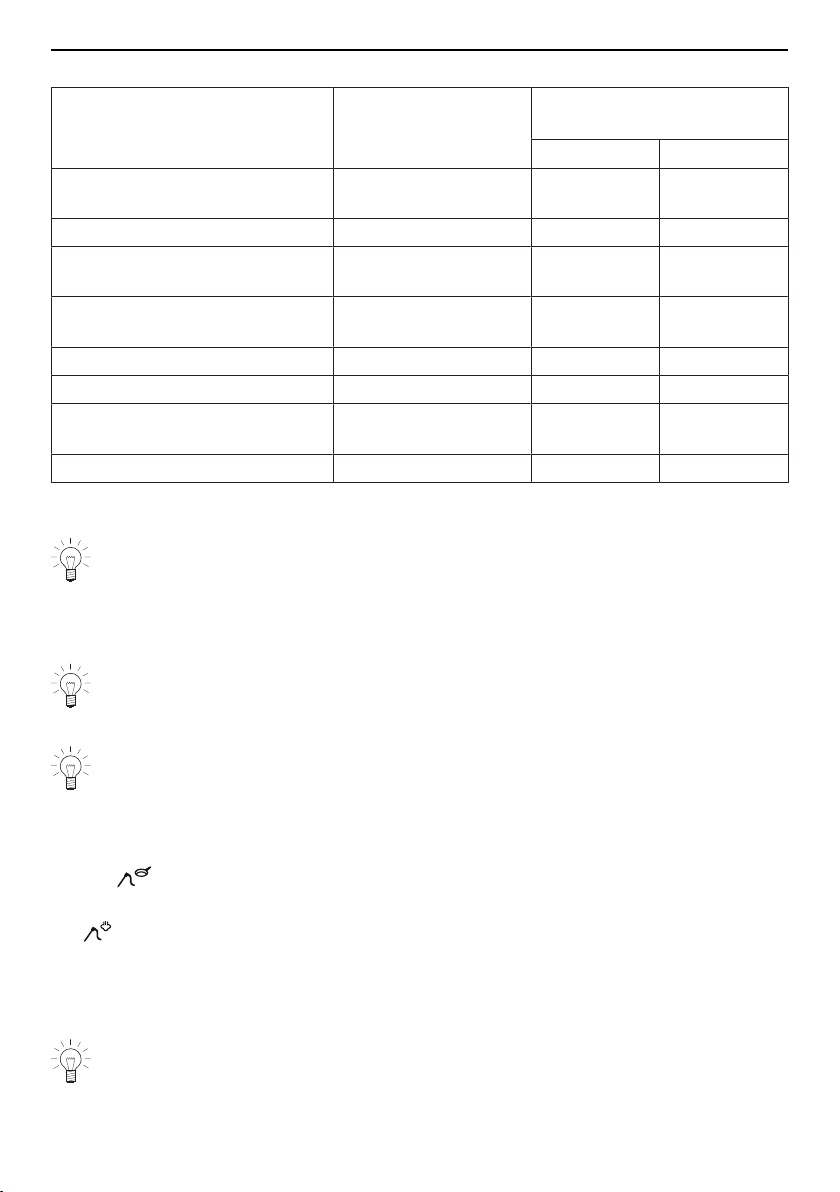
Soft roasting table for «Soft roasting with steam» and «Soft roasting seared»
Cut of meat Degree of doneness Recommended
target temperature °C
With steam Seared
Fillet of veal rare
medium
54
58
58
62
Rump or loin of veal medium 59 63
Fillet of beef rare
medium
49
53
53
57
Rib-eye or sirloin rare
medium
49
53
53
57
Rump of beef medium 59 63
Rump or loin of pork medium 61 65
Leg of lamb rare
medium
59
63
63
67
Freely select meat type – 60 70
«Soft roasting seared»
▸ Season or marinate the meat.
Remove any marinade made with herbs, mustard, etc. from the meat before sear-
ing. These ingredients burn easily.
▸ Salt the meat immediately before searing.
▸ Briefly sear the meat all over for no longer than 5minutes.
▸ Then place the meat in a glass or porcelain roasting dish.
If you do not intend to sear the meat until after the soft roasting, lower the recom-
mended target temperature by around 3–4°C.
▸ Insert the food probe into the meat so that the tip is in the centre of the thickest part.
The food probe must be inserted as far into the middle of the meat as possible to
get a correct reading of the food probe temperature. The temperature inside the
meat is crucial for optimal results at the end of cooking.
▸ Put the wire shelf at level 2 and place the dish on it.
▸ Insert the food probe plug into the socket.
▸ Start «Soft roasting seared» (see page 41).
«Soft roasting with steam»
For «Soft roasting with steam», the meat is cooked gently with steam. Since steam
transfers energy better, shorter cooking times and thus energy savings are possible. As
steam produces condensate, more residual water is left in the cooking space at the end
of the cooking process than with «Soft roasting seared».
▸ Insert the food probe into the meat so that the tip is in the centre of the thickest part.
The food probe must be inserted as far into the middle of the meat as possible to
get a correct reading of the food probe temperature. The temperature inside the
meat is crucial for optimal results at the end of cooking.
40
7 GourmetGuide
▸ Put the stainless steel tray at level 2 and place the meat on the perforated plastic
cooking tray on top.
Tip: If you would like to add more flavour to the meat, lay it on a bed of fresh herbs
or hay.
▸ Insert the food probe plug into the socket.
▸ Start «Soft roasting with steam» (see page 41).
▸ After soft roasting, gently sear the meat all over for a total of 4–6minutes.
▸ After searing, wrap the whole piece of meat in aluminium foil and leave it covered for
about 5minutes.
▸ Cut the meat and serve immediately.
As the meat is only seared after soft roasting for optical reasons, the recommen-
ded target temperature is 4°C lower than for «Soft roasting seared».
Selecting and starting soft roasting
The longer the meat is cooked, the more tender and succulent it becomes. This
applies particularly for thicker pieces of meat.
The target temperature cannot be changed once soft roasting has started.
▸ If the appliance is switched off, first press the adjusting knob.
▸ Press the touch button.
▸ Select .
▸ Select the desired soft roasting method.
▸ Select the desired type of meat.
▸ Select the desired cut.
▸ If the desired type of meat or cut cannot be selected, select the «Freely se-
lect meat type» option.
▸ Select the degree of doneness (not possible for «Freely select meat type»).
– The operating mode settings are displayed.
– A recommended value appears above the target temperature.
▸ Adjust the recommended value if necessary and set a delayed start if you wish.
▸ To start soft roasting, select .
The food probe must be plugged in.
– Soft roasting starts.
– The set target temperature, the current food probe temperature and the remaining
time are displayed.
– The remaining time appears in the digital display.
The appliance door must be closed during operation. If the appliance door is
opened while soft roasting is running, the operation is interrupted and then, after a
short time, cancelled.
Inadvertently interrupting the programme
▸ If the touch button is pressed, the soft roasting programme is interrupted.
– The following appears in the display: «Should be cancelled?»
▸ To continue soft roasting, select «No».
– Operation is continued.
41
7 GourmetGuide
Cancelling / ending soft roasting before time
▸ Select in the soft roasting settings or press the touch button.
– The following appears in the display: «Should be cancelled?».
▸ Select «Yes».
– Operation is cancelled.
▸ To switch off the appliance, press the touch button.
If you accidentally pressed «Yes» or you wish to finish cooking the meat, you must
press the touch button and select an operating mode. «Soft roasting» is not
suitable for already cooked meat.
7.7 RegenerateOmatic
How it functions
With «RegenerateOmatic», food can be heated without having to set an operating
mode, temperature or duration. The quantity and shape of the food are recognized and
the regeneration time and cooking space climate are adjusted individually and automatic-
ally.
Degree of moisture
With RegenerateOmatic, you can choose between «Regenerate moist» and «Re-
generate crispy».
Degree of moisture Uses
Foods that should not dry out
e.g. vegetables, meat, pasta
Foods that should be crispy after regeneration
e.g. pizza, flans, aperitif nibbles
Regeneration time
Sensors detect when the food is hot.
The approximate time for the most common uses is as follows:
▪ «Regenerate moist»: 10–14minutes
▪ «Regenerate crispy»: 14–18minutes
Selecting and starting RegenerateOmatic
Before starting, the cooking space should have cooled down and be dry in order
to determine the optimum duration.
The appliance door should not be opened during operation.
The filled water tank must be in position in the water tank compartment.
▸ Put the food in a heat-resistant dish, place it on the wire shelf and push it into the cold
cooking space.
▸ If the appliance is switched off: first press the adjusting knob.
▸ Press the touch button.
▸ Select .
▸ Select the «Moist» or «Crispy» degree of regeneration.
▸ Set an end time or delayed start, if required.
42
7 GourmetGuide
An estimated average regeneration time is used to calculate the delayed start. The
regeneration can therefore also be ended earlier or later.
▸ Select to start.
– Operation starts.
– The following appears in the display: « is being determined.».
– The countdown to the time remaining then appears in the display.
The operation cannot be extended when regeneration finishes.
7.8 Defrosting
Different types of food can be defrosted using «Defrost». After the desired quantity has
been entered, the duration and cooking space climate are adjusted automatically.
Selecting and starting defrosting
No delayed start can be set.
▸ If the appliance is switched off: first press the adjusting knob.
▸ Press the touch button.
▸ Select .
– The selection of foods appears in the display.
▸ Select the type of food.
▸ Set the desired weight or quantity.
– The operating mode settings are displayed.
▸ Select to start.
7.9 Wellness *
* Depending on the software version
With «Wellness», the following items can be prepared for personal well-being:
▪ Hot towels
▪ Hot wraps
▪ Hot massage stones
▪ Cherry stone or grape seed cushions
Caution hot!
Feel the temperature of the heated objects with your hand first before placing them
on any other parts of the body.
Hot towels
Before starting the application:
▸ Wet and wring out the towels.
▸ Open the towels and place in the perforated cooking tray or:
▸ Roll up the towels to the desired size and place in the perforated cooking tray.
Hot wraps
Before starting the application:
▸ Spread the prepared towels out across the perforated cooking tray.
43

8 EasyCook
Hot massage stones
Before starting the application:
▸ Put the clean, smooth massage stones in a suitable container and place it directly on
the floor of the cooking space.
Cherry stone or grape seed cushions
Before starting the application:
▸ Put the cherry stone or grape seed cushions in a suitable container and place it dir-
ectly on the floor of the cooking space.
7.10 Hygiene *
* Depending on the software version
«Hygiene» can be used for sterilizing containers. The following applications are avail-
able:
▪ «Sterilize baby bottles» replaces the need to boil baby bottles in hot water.
▪ «Prepare jam jars» replaces the need to prepare empty jam jars by rinsing them with
hot water.
▪ «Preserve jam» helps to preserve the jam for longer.
Feeding bottles
Before starting the application:
▸ Clean the bottles.
▸ Unscrew the feeding bottles and place all parts into the perforated cooking tray.
After the application has finished:
▸ Stand the bottles upside down on a clean kitchen towel and leave to dry completely.
7.11 Keep warm *
* Depending on the software version
Cooked foods can be kept warm using the «Keep warm» setting.
If the cooking space is already hot, open the appliance door and allow the cooking
space to cool down for 3 to 4 minutes before starting the «Keep warm» function.
This ensures that the food does not overcook.
The longer the food is kept warm, the greater the changes may be to the consist-
ency of the food.
8 EasyCook
EasyCook helps you to prepare any food simply and conveniently. After choosing the
food group and food, the appliance suggests the suitable operating modes or Gourmet-
Guide applications, including the settings and accessories.
The brochure of the same name, which you received with the operating instruc-
tions, contains the same settings information in paper form.
The values given for temperature or temperature levels and duration serve only as
guide. They may vary depending on the type and size of the food as well as on in-
dividual preference.
44
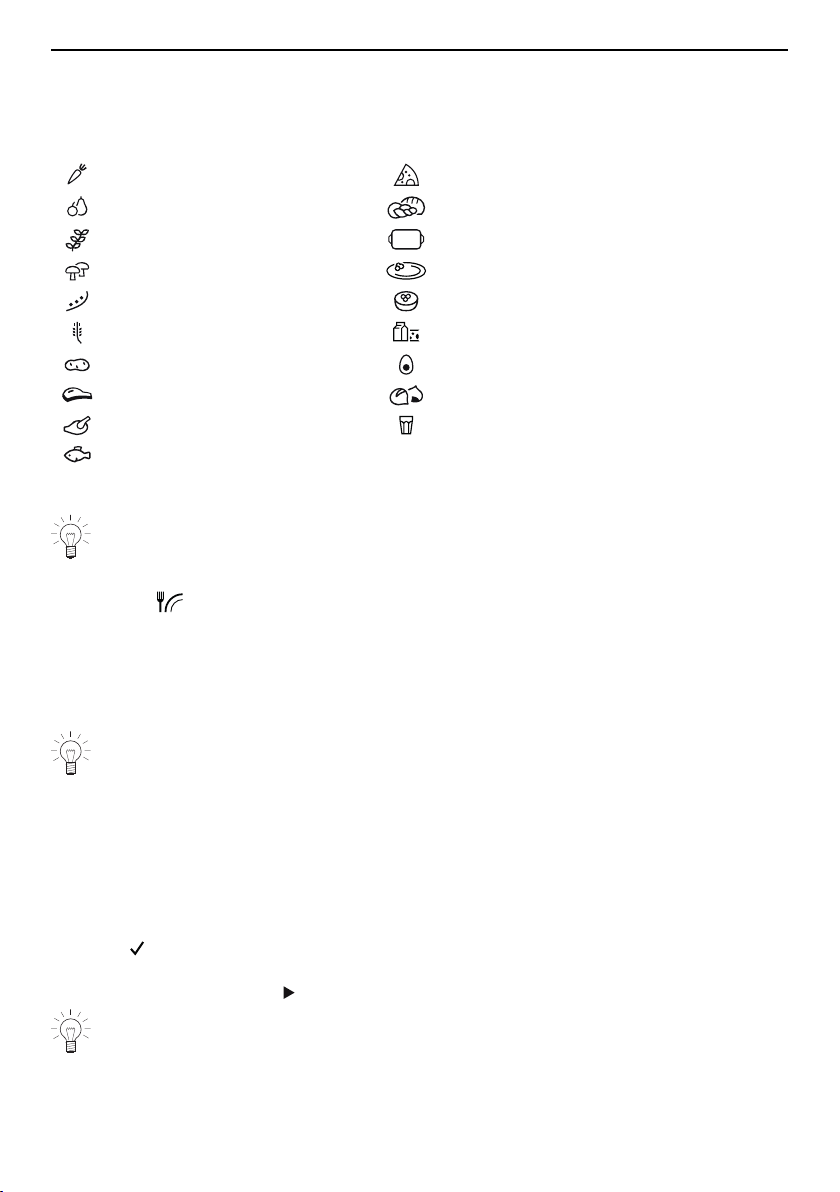
8 EasyCook
8.1 Overview of food groups
Foods are categorized into different groups; an item of food can appear in more than
one group.
The following food groups can be selected:
Vegetables Flans and pizza
Fruit Bakery products
Herbs Baked dishes and gratin
Mushrooms Accompaniments
Pulses Desserts
Grains Dairy products
Potatoes Eggs
Meat Chestnuts
Poultry Liquids and liquid foods
Fish and seafood
8.2 Selecting and starting foods
A delayed start is only possible for applications where preheating is not required
and is only suitable for food that does not need to be refrigerated or to rise.
▸ If the appliance is switched off: first press the adjusting knob.
▸ Press the touch button.
– The overview of food groups is displayed.
▸ Select the food group.
▸ Chose the desired type of food.
▸ If necessary: select the shape (whole, pieces, etc).
▸ If necessary: select the preparation method (cooking, baking, etc.).
PowerCook also uses microwaves in the cooking process.
▪ The display contains information about:
– Temperature
– Duration
– Preheating necessary / not necessary
– Accessories needed
– Level
– Possible tips
▸ Select .
▸ The operating mode summary is displayed.
▸ To start operation, select .
You can change the set values to a limited extent.
45

9 Favourites
9 Favourites
Up to 24 operating modes, GourmetGuide and EasyCook applications together with the
settings made can be saved as favourites.
9.1 Creating favourites
▸ Select an operating mode, GourmetGuide or EasyCook application.
▸ Make the settings.
▸ Press the touch button.
– The favourites menu opens.
▸ Select a storage space and confirm.
▸ Enter the name of the favourite using the on-screen keypad and confirm.
– The favourite is saved.
9.2 Selecting and starting favourites
▸ Press the touch button.
▸ Choose the desired favourite and select «Yes».
▸ To start the favourite, select .
– The favourite starts.
9.3 Changing favourites
▸ Select the desired favourites.
▸ Adjust the settings as required.
▸ Press the touch button.
▸ Select the storage space or favourite that is to be overwritten.
▸ Enter the favourite name or overwrite as appropriate.
– The changed favourite is saved.
9.4 Deleting favourites
▸ If the appliance has another menu open, press the touch button.
▸ Select .
▸ Select the favourite to be deleted.
– The following appears in the display: «Do you want to delete this favourite?».
▸ To delete the favourite, select «Yes».
– The favourite is deleted.
46
10 Tips and tricks
10 Tips and tricks
10.1 Unsatisfactory cooking result...
… when baking and roasting
Result Solution
▪ The baking or roast looks
good on the outside but is still
doughy or raw on the inside.
▸ Next time, set a lower temperature and lengthen
the operating time.
▪ The cake collapses. ▸ Check that the settings used correspond to those
recommended in «EasyCook».
▸ Next time, set a lower temperature and lengthen
the operating time.
▸ Stir the cake mixture well. When finished, bake im-
mediately.
▸ For whisked sponges, beat the egg yolks / egg
whites to a foam a little longer and then carefully
fold into the mixture. When finished, bake immedi-
ately.
▸ Follow the instructions on how much baking
powder to add.
Result Solution
▪ The baking has browned un-
evenly.
▸ Next time, set a lower temperature and adjust
the operating time.
▸ If using , , and , check that the
levels used correspond to those recommended
in «EasyCook».
▸ Do not push baking tins or bulky foodstuff right
to the back of the cooking space.
▪ The baked goods have come out
lighter on one baking tray than on
the other.
▸ Check that the settings used correspond to
those recommended in «EasyCook».
Some uneven browning is normal. More even browning is generally achieved at
lower temperatures.
... for regenerated foods
Result Solution
▪ Regenerated food is dried out. ▸ Next time, set a lower temperature and reduce
the operating time.
▸ Use «RegenerateOmatic moist».
▪ Too much condensate on or
around the regenerated food.
▸ Next time, set a higher temperature and
lengthen the operating time.
▸ Use «RegenerateOmatic crispy».
47
11 User settings
10.2 General tips
▪ Several foods can be cooked simultaneously to save energy, e.g. rice or pulses to-
gether with vegetables with similar cooking times.
▪ With the appropriate amount of liquid, grains, e.g. rice or millet, and pulses, e.g. len-
tils, cook directly in suitable tableware.
▪ Put the tableware directly in the hardened glass dish or on the wire shelf.
10.3 Saving energy
The and operating modes consume less energy than the and operating
modes.
▸ Avoid opening the appliance door frequently.
▸ Only switch the illumination on when needed.
▸ For gratins, use the residual heat: for cooking times over 30 minutes, switch the appli-
ance off 5–10 minutes before the end of the operating time.
▸ Minimize preheating.
▸ Only preheat the cooking space if the cooking or baking results depend on it.
Power consumption can be reduced to a minimum by selecting «Hide time» in the
user settings. Despite EcoStandby, all safety functions remain active.
11 User settings
11.1 Overview of user settings
Language Assistance functions
Display Temperature
Date Childproof lock
Clock Appliance information
Notifications Demo mode
Descale appliance Check connection
Water hardness Factory settings
Loudness
11.2 Adjusting user settings
▸ If the appliance is switched off, first press the adjusting knob.
▸ Press the touch button.
48

11 User settings
▪ The user settings main menu appears in
the display:
괫8VHUVHWWLQJV
6HWODQJXDJH
▸ Select the desired user setting or submenu.
▸ Adjust the desired user setting and press the adjusting knob to confirm.
– Either the user settings main menu or the relevant submenu appears in the display.
▸ To exit a submenu and return to the user settings main menu, select .
▸ To exit the user settings, press a different touch button or the touch button.
All user settings are retained in the event of a power failure.
11.3 Language
The language in the display can be changed. Different languages are available for selec-
tion.
11.4 Display
Brightness
The brightness of the display can be changed.
Background images
You can turn the background image display on and off. If background images are activ-
ated, different images are displayed depending on the menu.
Start screen *
* Depending on the software version
With this user setting, you can determine the menu that is displayed when you start the
appliance. The following menus can be selected:
▪ Operating modes (factory setting)
▪ GourmetGuide
▪ EasyCook
▪ Favourites
Appliance switch-off time
If no operating mode is running but the appliance is switched on, it is automatically
switched off after a certain period of time without any user interaction. Example: After the
end of an operating mode.
The appliance switch-off time can be set between 3 and 30 minutes; the factory setting is
15minutes.
11.5 Date
The date can be called up and changed.
49
11 User settings
11.6 Clock
The following time functions are available:
▪ Time
▪ Time format
▪ Time display
▪ Mains synchronization
Time format
The time can be displayed in the European 24-hour time format or the US 12‑hour format
(a.m./p.m.).
Time display
With the «Show time» setting (factory setting), the time is dimmed between 00:00 and
06:00 (24-hour format) or 12:00 a.m. and 06:00 a.m. (12-hour format).
If «Hide time» is selected, the displays are not illuminated when the appliance is off.
To reduce power consumption to a minimum, select «Hide time» in the user set-
tings. Despite EcoStandby, all safety functions remain active.
Mains synchronization
Mains synchronization synchronizes the appliance clock with the mains frequency. Irregu-
lar mains frequency can cause the clock to not run correctly. A pulse generator inside
the appliance is used when mains synchronization is switched off.
11.7 Notifications
Acoustic signals and instruction messages can be switched off or disabled. Essential
acoustic signals (such as the timer, end of operation and switch appliance off) cannot be
switched off or disabled.
11.8 Descaling the appliance
This function can be used to descale the appliance or read the remaining operating time
until the next descaling process.
See Descaling (see page 54).
11.9 Water hardness
The appliance features a system that automatically indicates when it is time to descale.
The system can be optimized for households with soft water (also through using a water
softening appliance) and medium water hardness by changing the user settings to the
relevant range of water hardness.
There are three settings for water hardness:
Type Water hardness [°fH] Water hardness [°dH] Water hardness [°eH]
▪ Hard 36 to 50 21 to 28 26 to 35
▪ Medium 16 to 35 9 to 20 12 to 25
▪ Soft 1 to 15 1 to 8 1 to 11
50
11 User settings
11.10 Loudness
The acoustic signal can be set at one of two levels of loudness or can be completely
switched off.
An acoustic signal is emitted in the event of a malfunction even if the setting is set
to «off».
A short acoustic signal is emitted when the appliance is switched off even if the
setting is set to «off» (safety function).
11.11 Assistance functions
Illumination
The «Automatic» setting switches on the cooking space illumination:
▪ 3 minutes before a cooking process ends, e.g. in the case of an automatic pro-
gramme or an operating mode with a set duration,
▪ if the operation is ended before time, i.e. cancelled (using or the touch button),
▪ when the appliance door is opened.
Press the touch button to switch the illumination on or off at any time.
If the illumination is not switched off, it will go off automatically within 5 minutes to
save energy.
Fast heating
With the «Automatic» setting, fast heating is switched on automatically wherever possible.
Water tank
With the «Automatic» setting, the water tank is automatically ejected when it is empty.
Press and go
«Press and go» refers to the period of time after which an operating mode/pro-
gramme starts automatically as long as all necessary settings are available or have been
made. Adjusting the settings restarts the countdown.
«Press and go» can be switched on or off.
When «Press and go» is activated, values between 10 seconds and
1 minute are possible; the factory setting is 20 seconds.
11.12 Temperature
Temperature unit
The temperature can be displayed in «°C» or «°F».
▪ °C: Degrees Celsius
▪ °F: Degrees Fahrenheit
Default value for soft roasting
The default value is the target temperature that is automatically set when soft roasting.
With this user setting, it can be increased or decreased by up to 4°C; the setting then
applies for all cuts of meat.
Example: When using «Soft roasting seared» with a 2°C increase in the default value, a
«medium» fillet of beef is cooked to a target temperature of 59°C instead of 57°C.
51

12 Care and maintenance
11.13 Childproof lock
The childproof lock is to prevent children accidentally switching on the appliance.
When the childproof lock is activated, the appliance can only be operated after first en-
tering a code. The code is displayed in reverse order when unlocking.
The childproof lock activates 3 minutes after the appliance is switched off.
11.14 Appliance information
Under «Appliance information», you will find:
▪ The article number and serial number (FN) of your appliance
▪ The software versions of your appliance as well as the acoustic signals and back-
ground images currently being used (depending on model)
▪ The operating data:
– number of descaling processes already performed
– date and time of the last descaling process
– steam operating time to date
11.15 Demo mode
In demo mode, almost all the appliance functions are available but it is not possible to
cook with the appliance. This ensures operating safety during product demonstrations
and consultations.
It is only possible to switch demo mode on and off with a safety code.
11.16 Checking the connection *
* Depending on the software version
This function is used by testing institutes to check whether the appliance has the connec-
ted load required.
11.17 Factory settings
If one or more user settings have been changed, these can be reset to the factory set-
tings.
12 Care and maintenance
Risk of burns from hot surfaces!
You should allow the appliance and the accessories to cool before cleaning.
Do not reach into the water tank compartment if the following appears in the dis-
play: «Please do not remove the water tank».
Improper use can result in damage to the appliance!
Do not use any abrasive or caustic cleaning agents, metal scrapers that are sharp
or scratch, steel wool, abrasive scouring pads, etc. These products will damage
the surfaces. Glass surfaces that are scratched can crack.
Never use a steam cleaner to clean the appliance.
Risk of leaking microwaves!
Regularly check the appliance door, the door seal and the door lock. If these parts
are damaged, do not use the appliance in the microwave mode any more.
52

12 Care and maintenance
12.1 Cleaning the exterior
▸ Remove any soiling or excess cleaning solution immediately.
▸ Clean the surfaces with a soft cloth dampened with water and a little washing-up liquid
– for metallic surfaces rub in the direction of the original polish lines.
▸ Wipe dry with a soft cloth.
12.2 Cleaning the cooking space
Incorrect handling can result in damage to the appliance!
Do not bend the temperature sensor.
Clean the microwave inlet in the top of the cooking space using a soft cloth
dampened with water. Do not use cleaning agents.
Do not clean the microwave inlet using a sharp or pointed object as it is sensitive
to shocks.
▸ Clean the cooking space regularly, especially if food has been spilt. Take care that no
grease splashes or food residues harden.
▸ Any condensate or food particles must be completely removed after each cooking
session with steam.
▸ Place the glass dish or stainless steel tray under the perforated cooking tray or wire
shelf when cooking to catch food particles and condensate.
▸ Remove any soiling from the cooking space while still hand warm. Use a soft cloth
dampened with water and a little washing-up liquid. Wipe dry with a soft cloth.
▸ To remove dried-on soiling more easily, switch the appliance on for about 30 minutes
beforehand, setting it to the operating mode and a temperature of 80°C. This will
soften the soiling.
▸ For stubborn soiling, clean the cooking space when cold with a grease-dissolving
spray cleaner or cream cleaner in accordance with the manufacturer’s instructions.
12.3 Cleaning the appliance door
Under no circumstances may the appliance door be removed, otherwise the pro-
tection against leaking microwaves is no longer guaranteed.
Do not use abrasive cleaning agents or cleaning aids such as steel wool, knives,
glass scrapers, razor blades, etc. to clean the door glass. Scratches on the door
glass could cause a breakage.
▸ Clean the appliance door with a soft cloth dampened with water and a little washing-
up liquid.
▸ Wipe dry with a soft cloth.
Remove cleaning products from the door seal and trim kit immediately.
Risk of damage to plastic. Protection from leaking microwaves is not guaranteed if
the seals are damaged.
12.4 Cleaning the door seal
▸ Clean the door seal with a soft cloth dampened with water, but do not use any clean-
ing agent.
▸ Wipe dry with a soft cloth.
53
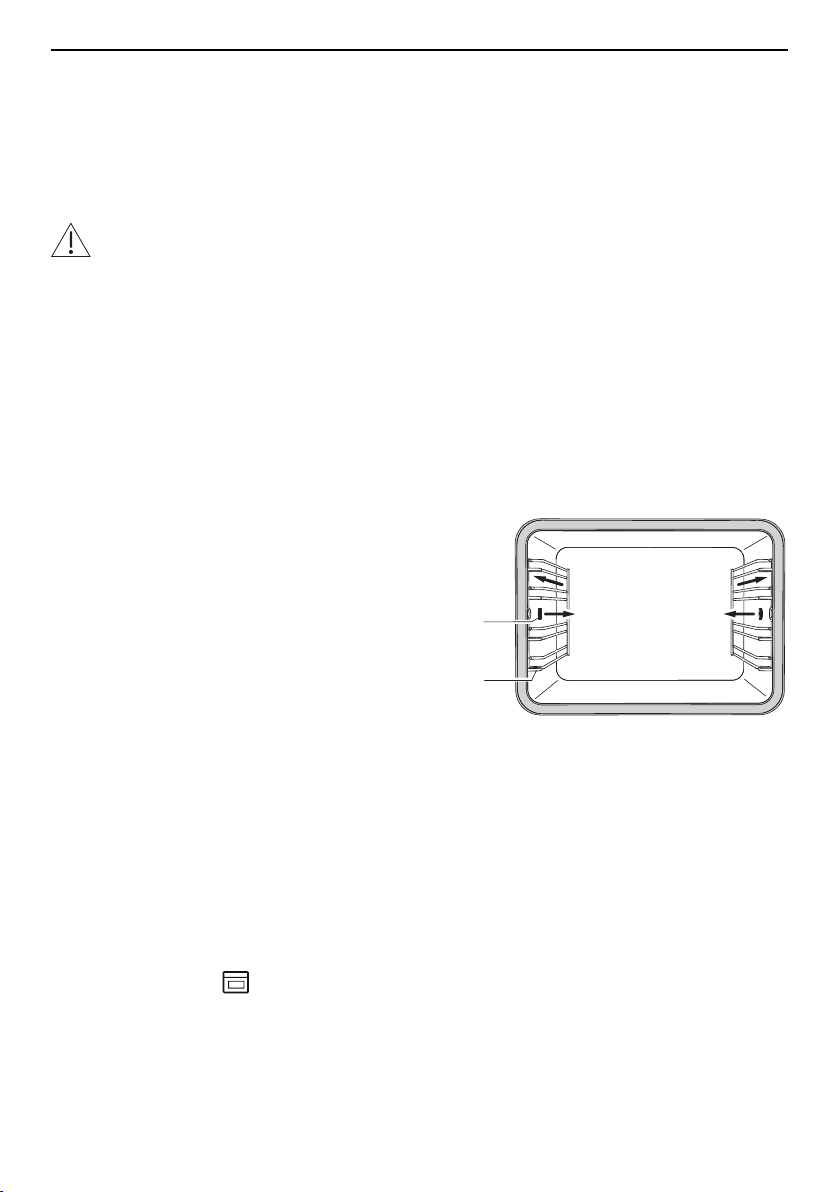
12 Care and maintenance
12.5 Replacing the door seal
For safety reasons, the door seal must be replaced by our Customer Services.
12.6 Replacing the halogen light bulb
For safety reasons, the halogen light bulb must be replaced by our Customer Services.
12.7 Cleaning the accessories and shelf guides
Incorrect handling can cause damage!
Do not clean the food probe or water tank in the dishwasher.
▪ The glass dish, the stainless steel tray, the perforated cooking tray, the wire shelf and
the shelf guides can be cleaned in the dishwasher.
▪ The baking tray can be cleaned in the dishwasher; however, this will affect its non-
stick properties.
▪ Watermarks in the water tank can be removed using a standard descaler (do not use
washing-up liquid!).
▸ Clean the food probe with a soft cloth dampened with water and a little washing-up li-
quid.
▸ If the water tank valve drips, descale it.
Removing the shelf guides
▸ Unscrew the knurled nuts 1 in the front of
the shelf guides in an anti-clockwise dir-
ection.
▸ Pull the shelf guides 2 to the side of the
screws and remove from the front.
2
1
Reassembling the shelf guides
▸ Insert the shelf guides into the openings in the back wall of the cooking space and
position on the screws. Place the knurled nuts on the screws and tighten securely in a
clockwise direction.
12.8 Descaling
How it functions
Whenever steam is produced, depending on the hardness of the local water supply (i.e.
the limescale content of the water), limescale is deposited in the boiler.
The appliance automatically detects and indicates when descaling is necessary.
– After pressing the touch button and finishing a cooking process, the following ap-
pears in the display:
Would you like to descale the appliance now?
You must accompany the process.
54
12 Care and maintenance
We recommend descaling the appliance whenever the warning appears in the dis-
play. Continued to descale the appliance will likely impair its functions or cause
damage to the appliance. Descaling takes about 45 minutes.
Descaling interval
The time interval between descaling depends on the hardness of the water and fre-
quency of use. If steaming 4× 30 minutes per week, the appliance must be descaled –
depending on water hardness – roughly as follows:
Water hardness Descale after about
Hard 5 months
Medium 8 months
Soft 12 months
Read remaining operating time
The remaining steam operating time until the next descaling process can be read in the
user settings under «Descaling».
Descaler
durgol swiss steamer
Using the wrong descaler can damage the appliance!
Only use «durgol swiss steamer» to descale your appliance. The descaler contains
highly effective acid. Immediately rinse away any splashes with water. Follow the
manufacturer's instructions.
See «Accessories and spare parts» for where to obtain this descaler (see page
61).
«durgol swiss steamer» was developed especially for this appli-
ance.
Standard descaling solutions are not suitable as they may con-
tain foam-creating additives or not be effective enough.
Using a different descaler could cause
▪ overfoaming inside the appliance
▪ insufficient descaling of the boiler
▪ damage to the appliance in the worst case.
55

12 Care and maintenance
Starting the descaling process
The appliance must have cooled down before descaling.
Remove accessories, cookware or other objects from the cooking space. Do not
leave the appliance unattended: during the descaling process, the descaler must
be filled and the water tank must be emptied. The appliance door must be kept
closed during descaling.
When the following message appears in the display «Would you like to descale the appli-
ance now? You must accompany the process.»:
▸ Select «Yes».
▸ The following appears in the display: «The appliance is being prepared for descaling.»
If an acoustic signal is emitted and « Residual heat too high» appears in the dis-
play, the appliance has not cooled down sufficiently and the descaling process
cannot be started.
▸ Allow the appliance to cool down.
▸ As soon as the corresponding message appears in the display: fill the water tank with
0.5 l undiluted descaler, insert the tank and select .
– The descaling process starts.
– The following appears in the display: «Descaling appliance.»
For safety reasons, once started the descaling process cannot be cancelled.
Replacing the rinsing solution
▸ As soon as the corresponding message appears in the display, remove the water
tank, pour the rinsing solution away and fill it with 1l warm water.
▸ Put the water tank back.
– The rinsing phase starts automatically.
– The following appears in the display: «Rinsing appliance.».
▸ Repeat the process as often as is necessary.
As the water is heated up during final rinsing, the appliance door may steam up.
Ending the descaling process
▸ As soon as the corresponding message appears in the display, remove, empty and
dry the water tank.
▸ Wipe up any water in the bottom of the cooking space with a soft cloth.
▸ To confirm the message, select .
– The following appears in the display: «Appliance has been successfully descaled».
▸ To confirm the message, select .
– The appliance is ready for operation again.
For the , , or operating modes, after descaling, the water that is
pumped back into the water tank may not be clear. This will not affect the cooking
or baking characteristics nor the quality of the food being cooked or baked.
56
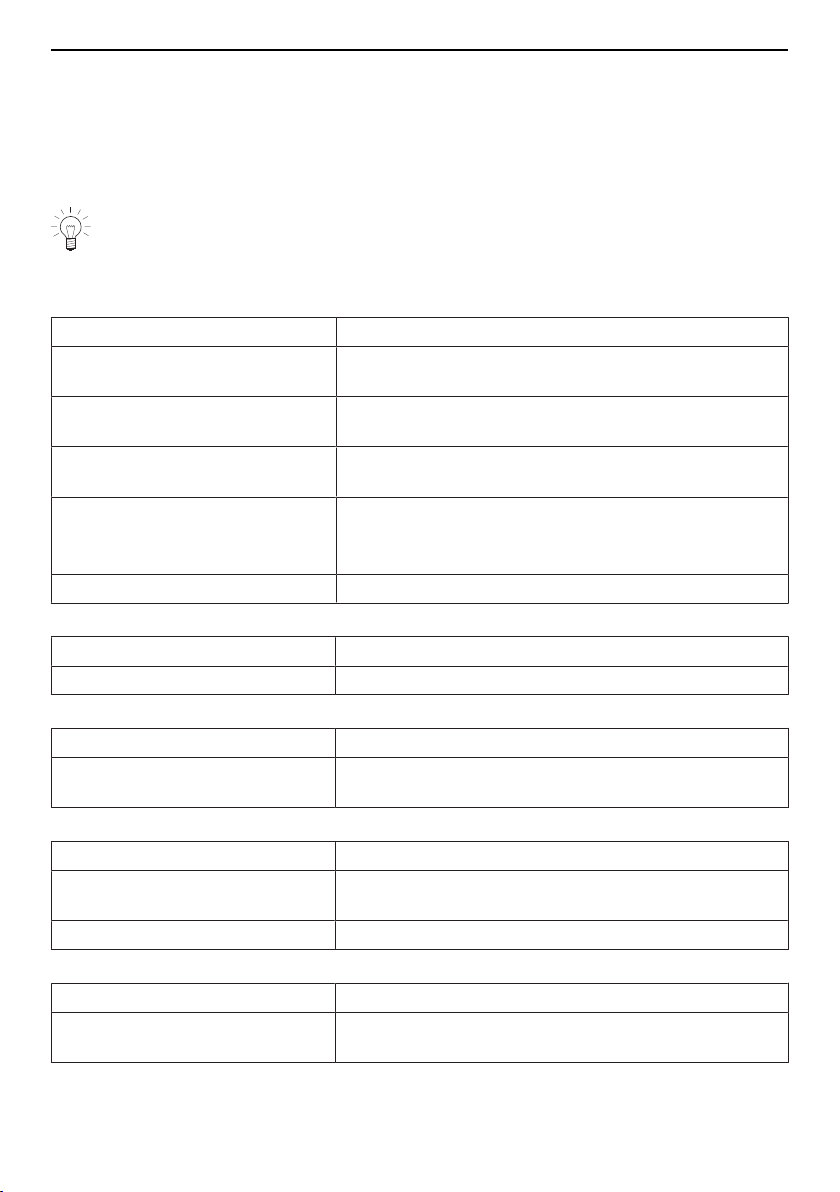
13 Trouble-shooting
13 Trouble-shooting
13.1 What to do if …
This section lists faults that can be solved simply by following the instructions given. If
another fault is displayed or the fault cannot be remedied, please call Customer Ser-
vices.
Before calling Customer Services, please note down the error message in full.
Fxx/Exxx see operating instructions
FNxxxxx xxxxxx.
… the appliance is not working
Possible cause Solution
▪ A household fuse or circuit
breaker has tripped.
▸ Change the fuse.
▸ Reset the circuit breaker.
▪ The fuse or circuit breaker
keeps blowing.
▸ Call Customer Services.
▪ An interruption in the mains
power supply.
▸ Check the power supply.
▪ Demo mode is switched on. It is only possible to switch off demo mode with a
safety code.
▸ Call Customer Services.
▪ The appliance is faulty. ▸ Call Customer Services.
… just the illumination is not working
Possible cause Solution
▪ The halogen light is defective. ▸ Call Customer Services.
... the cooking time seems unusually long
Possible cause Solution
▪ The appliance only has a
single-phase connection.
▸ Establish a two-phase connection.
… when grilling, thick smoke is given off
Possible cause Solution
▪ The food is too near to the
heating elements.
▸ Check that the level selected corresponds to the
«EasyCook».
▪ Grill setting is too high. ▸ Reduce the grill setting.
... no visible steam is produced when steaming
Possible cause Solution
▪ The temperature of the cook-
ing space is over 100°C.
No solution required:
Steam is invisible above 100°C.
57
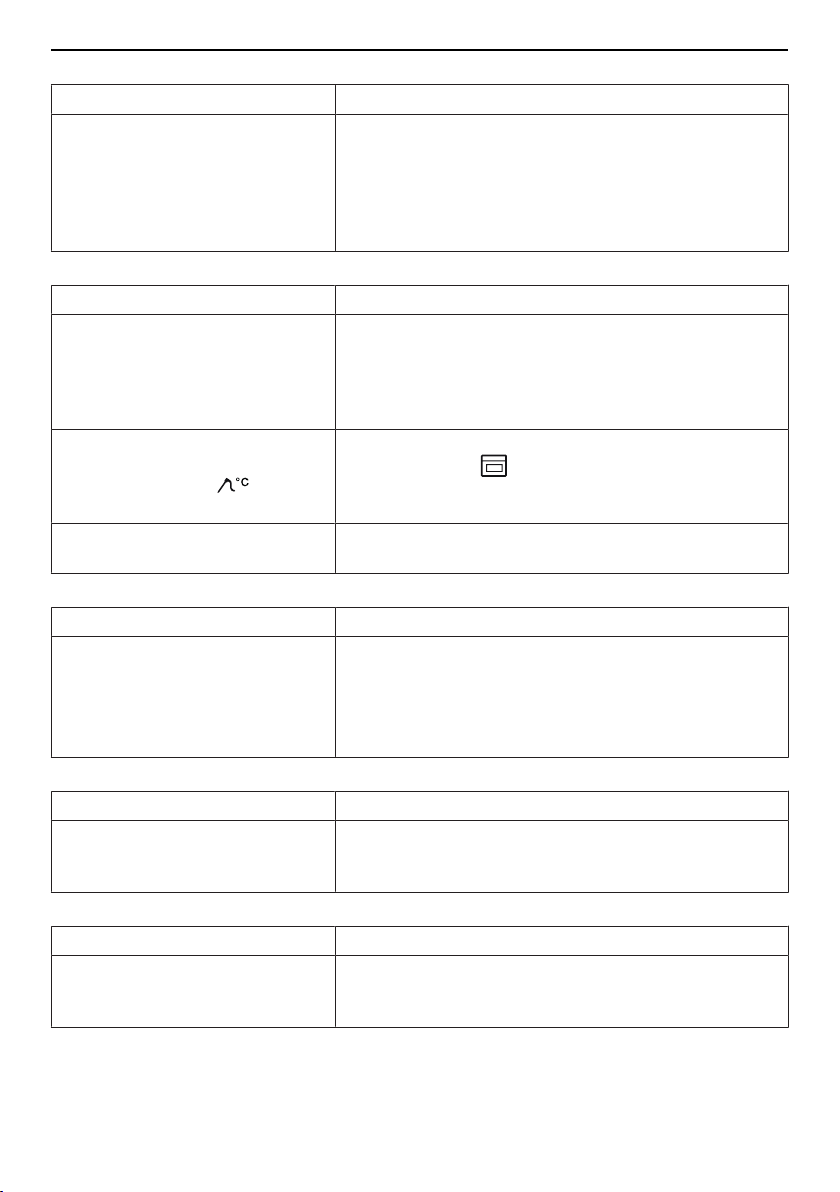
13 Trouble-shooting
… hot air flows out of the appliance during microwave operation
Possible cause Solution
▪ Normal functional state. The
heat emitted by the food
warms the air in the cooking
space. This is then discharged
to the outside. The heated air
contains no microwaves.
▸ Ventilation slots must be kept unobstructed.
... the food probe temperature is not displayed
Possible cause Solution
▪ The food probe is not plugged
in correctly.
▸ Check whether the food probe is correctly plugged
into the socket.
▸ Check whether the food probe is correctly inserted
in the food: The tip must be in the centre of the
thickest part.
▪ In the selected automatic pro-
gramme, the food probe can-
not be used; the symbol
is illuminated in grey.
▸ If you wish to use the food probe in spite of this,
change to the operating mode menu and set a
suitable operating mode.
▪ The food probe or the socket
is defective.
▸ Call Customer Services.
... the control panel steams up
Possible cause Solution
▪ Steam escaping when using
operating modes with steam.
It is normal for the control panel to steam up tempor-
arily.
▸ When closing the appliance door, make sure that it
forms a seal all the way round.
▸ If it keeps steaming up, call Customer Services.
... there is a change in the noise of the fan
Possible cause Solution
▪ Ventilation of cooking space
and cooling-down of appliance
occur as required.
This is normal and reduces the energy consumption.
… the appliance makes noises during operation
Possible cause Solution
▪ The appliance may emit noise
when operating (e.g. switching
and pumping noises).
Such noise is normal.
58
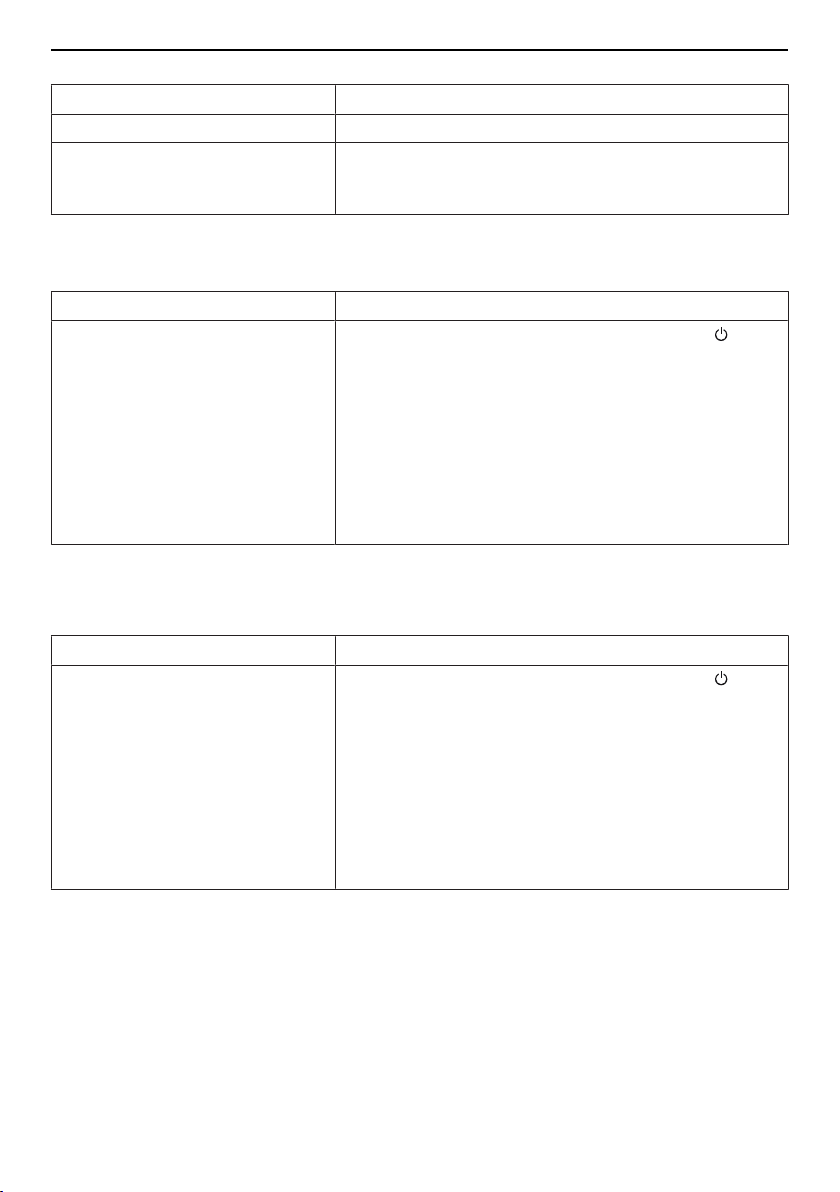
13 Trouble-shooting
… the clock is not running correctly
Possible cause Solution
▪ Irregular mains frequency ▸ Switch off the mains synchronization.
▪ Internal pulse generator is im-
precise when mains synchron-
ization is switched off.
▸ Call Customer Services.
… the following appears in the display
FX/EXX see operating instructions
FN XXX XXXXXX
Possible cause Solution
▪ Various situations can lead to
an error message.
▸ Cancel the error message by pressing the touch
button.
▸ Disconnect from the power supply for
about1minute.
▸ Reconnect the power supply.
▸ If the error appears again, note down the error
message in full along with the serial number (FN;
see identification plate).
▸ Disconnect from the power supply.
▸ Call Customer Services.
… the following appears in the display
UX/EXX see operating instructions
FN XXX XXXXXX
Possible cause Solution
▪ An interruption in the power
supply.
▸ Cancel the error message by pressing the but-
ton.
▸ Disconnect from the power supply for
about1minute.
▸ Reconnect the power supply.
▸ If the error appears again, note down the error
message in full along with the serial number (FN;
see identification plate).
▸ Disconnect from the power supply.
▸ Call Customer Services.
59
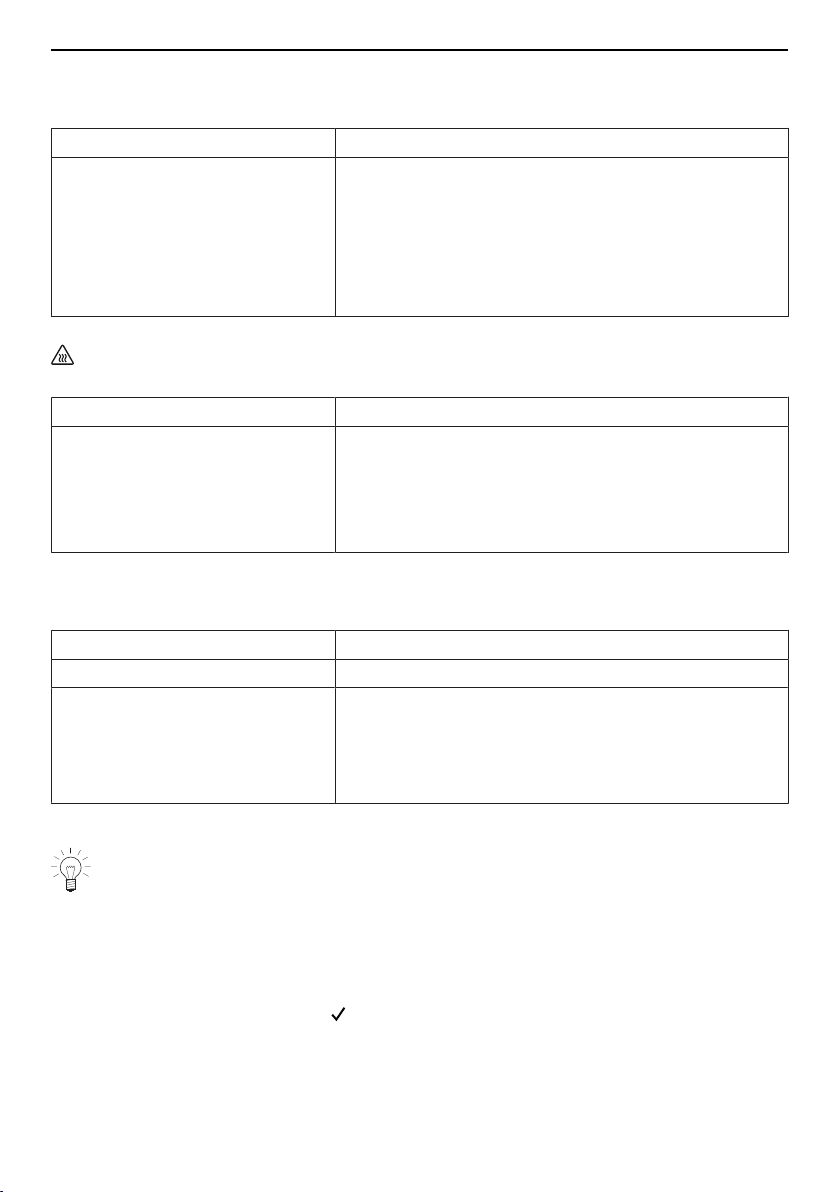
13 Trouble-shooting
… the following appears in the display
Please open the appliance door and then close again!
System initialization necessary.
Possible cause Solution
▪ The appliance door was open
for too long.
▪ After the power was discon-
nected, microwave was selec-
ted without the appliance door
being opened and closed be-
forehand.
▸ Fully open and close the appliance door.
– The correct functioning of the door lock is
checked.
… the following appears in the display
Residual heat
Do not remove the water tank.
Possible cause Solution
▪ Water temperature in the
boiler is too high.
▸ Wait for it to cool down (this can take up to
30minutes).
For safety reasons, water is only pumped off when it
falls below a certain temperature.
The appliance may be used without further ado.
… the following appears in the display
Descaling failed.
Appliance was not descaled.
Possible cause Solution
▪ Used unsuitable descaler. ▸ Descale again using the recommended descaler.
▪ Descaling was not carried out
correctly.
▸ If the message does not disappear after repeating
the descaling process several times, note down
the error message in full and the serial number
(FN; see identification plate).
▸ Call Customer Services.
13.2 After a power failure
The user settings remain unchanged.
Brief power failure during operation
– The current operation of the appliance is cancelled.
– The following appears in the display when the appliance is switched on: «Power
failure. Operation cancelled».
▸ To cancel the message, select .
– The operating modes menu appears in the display.
60

14 Accessories and spare parts
Brief power failure during descaling
– The descaling process is interrupted.
– The following appears in the display when the appliance is switched on: « Power
failure. Continuing descaling.»
▸ To confirm the message, select .
– The descaling process continues.
Prolonged power failure
Variant 1 *
* Depending on the software version
The appliance goes through its initial set-up process after a prolonged power failure.
However, only the language and time need to be reset to enable the appliance to be op-
erated again. It is not necessary to make any other settings.
– If a descaling process was running, the descaling process continues.
Variant 2 *
* Depending on the software version
The appliance goes through its initial set-up process after a prolonged power failure.
However, only the time needs to be reset to enable the appliance to be operated again.
It is not necessary to make any other settings.
– The following appears in the display when the appliance is switched on: «Power
failure. Set time.»
▸ To confirm the message, select .
– The «Clock» menu in the user settings appears in the display.
▸ Select , set the time and confirm.
– The «Clock» menu appears again in the display.
▸ Select .
– The following appears in the display: «Do you want to continue with the initial start-
up?»
▸ To change other user settings, select «Yes».
– The relevant user settings menu appears in the display.
▸ If no other user settings are to be changed, select «No».
– The appliance is ready for operation again.
– If a descaling process was running, the descaling process continues.
14 Accessories and spare parts
The accessories listed below, as well as spare parts, can be ordered in addition to the
scope of delivery of the appliance. Ordering is subject to charge, except in the event of
warranty claims. Please give product family of the appliance and exact designation of the
accessory or spare part when ordering parts.
61
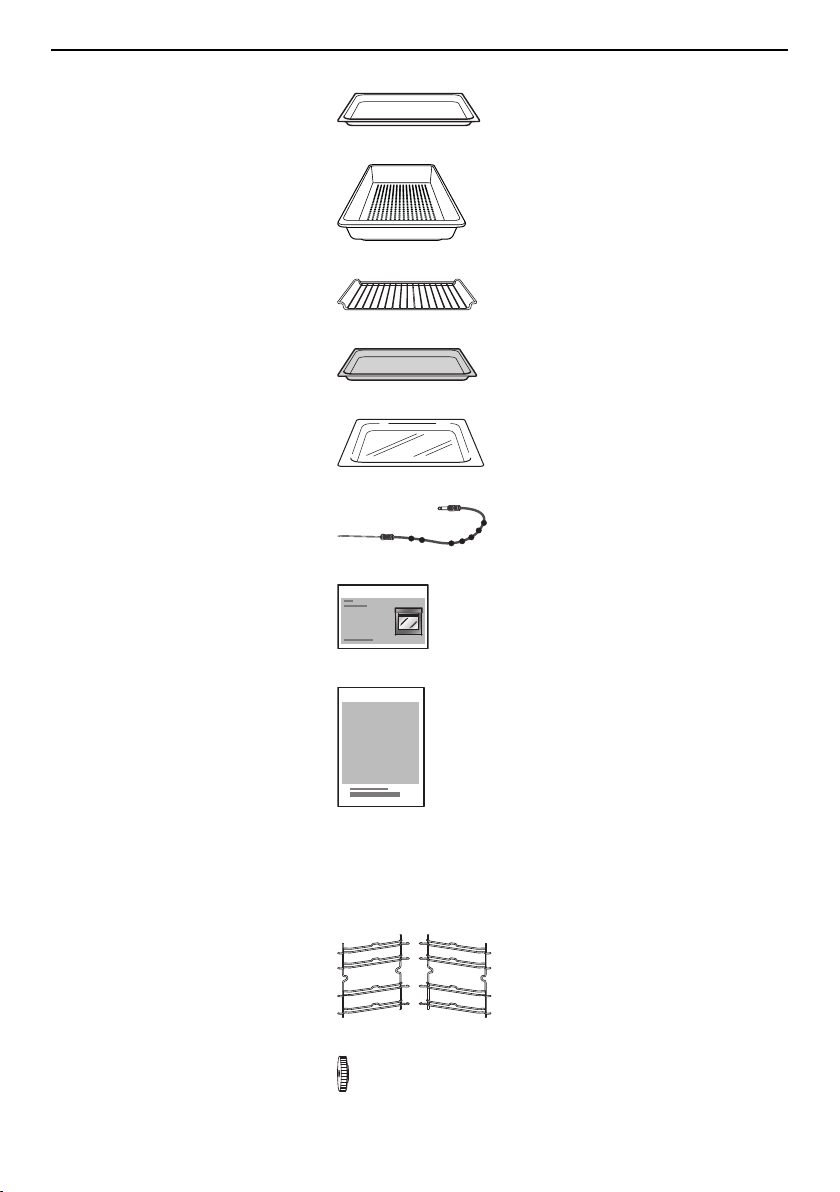
14 Accessories and spare parts
14.1 Accessories
Stainless steel tray
Perforated plastic cooking tray
Wire shelf
Dual enamel
baking tray
Hardened glass dish
Food probe
EasyCook brochure
Bedienungsanleitung … Einstelltipps
Recipe book
14.2 Special accessories
For information see: www.vzug.com
14.3 Spare parts
Shelf guides
left/right
Knurled nut
62
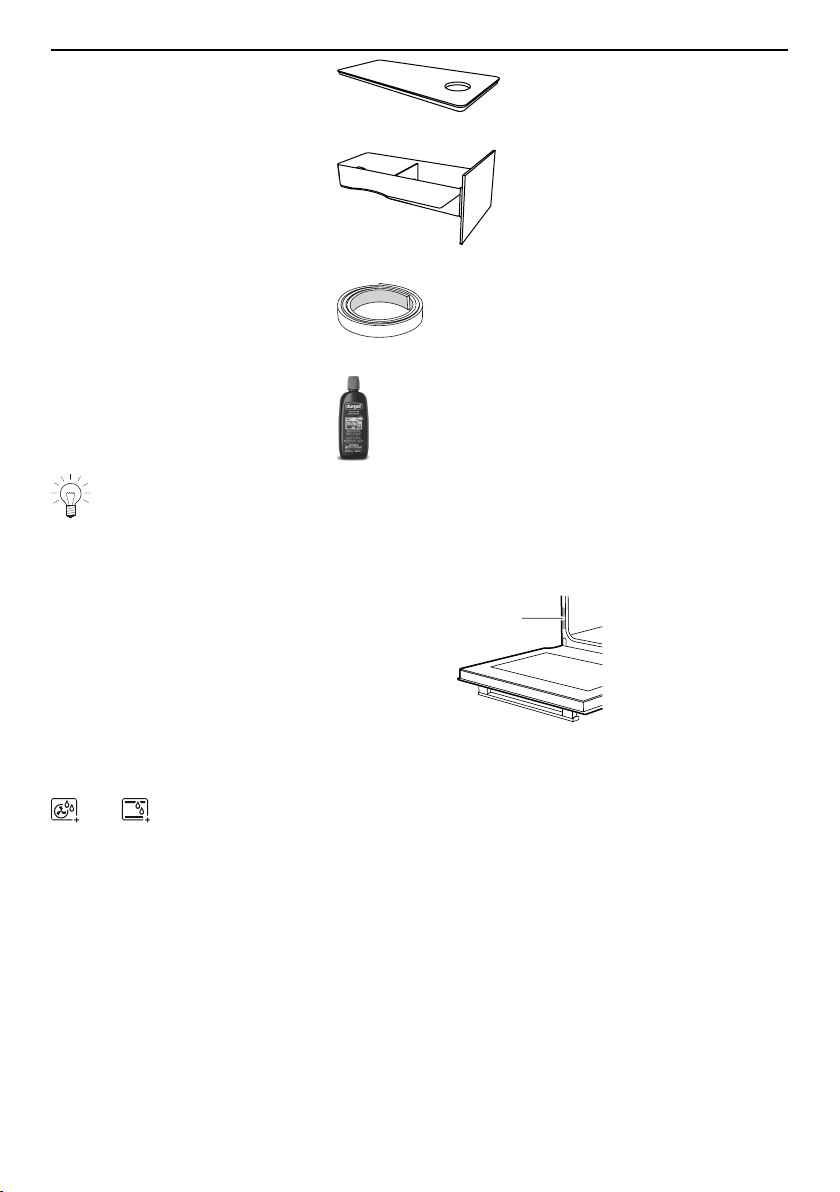
15 Technical data
Lid for water tank
Water tank
Sealing pad for Vacuisine with
food probe
durgol swiss steamer
descaler
The descaler is also available from specialist retailers.
15 Technical data
External dimensions
▸ See installation instructions
1
Electrical connection
▸ See identification plate 1
15.1 Note for testing institutes
The energy efficiency class according to EN 50304 / EN 60350 is determined using the
and operating modes.
Placing thermocouples between the appliance door and the seal can cause lack of leak-
tightness and thus measuring errors.
The usable volume within the meaning of EN 50304 / EN 60350 is obtained with the
shelf guides disassembled.
The rated power is determined in accordance with the requirements of IEC 60335 using
the «User settings / Check connection» function.
General note
Maximum load capacity: 3 kg
15.2 Temperature measurement
The temperature inside the cooking space is measured when the cooking space is
empty according to an internationally accepted standard. Own measurements can be im-
precise and are not suitable for checking the accuracy of the temperature.
63
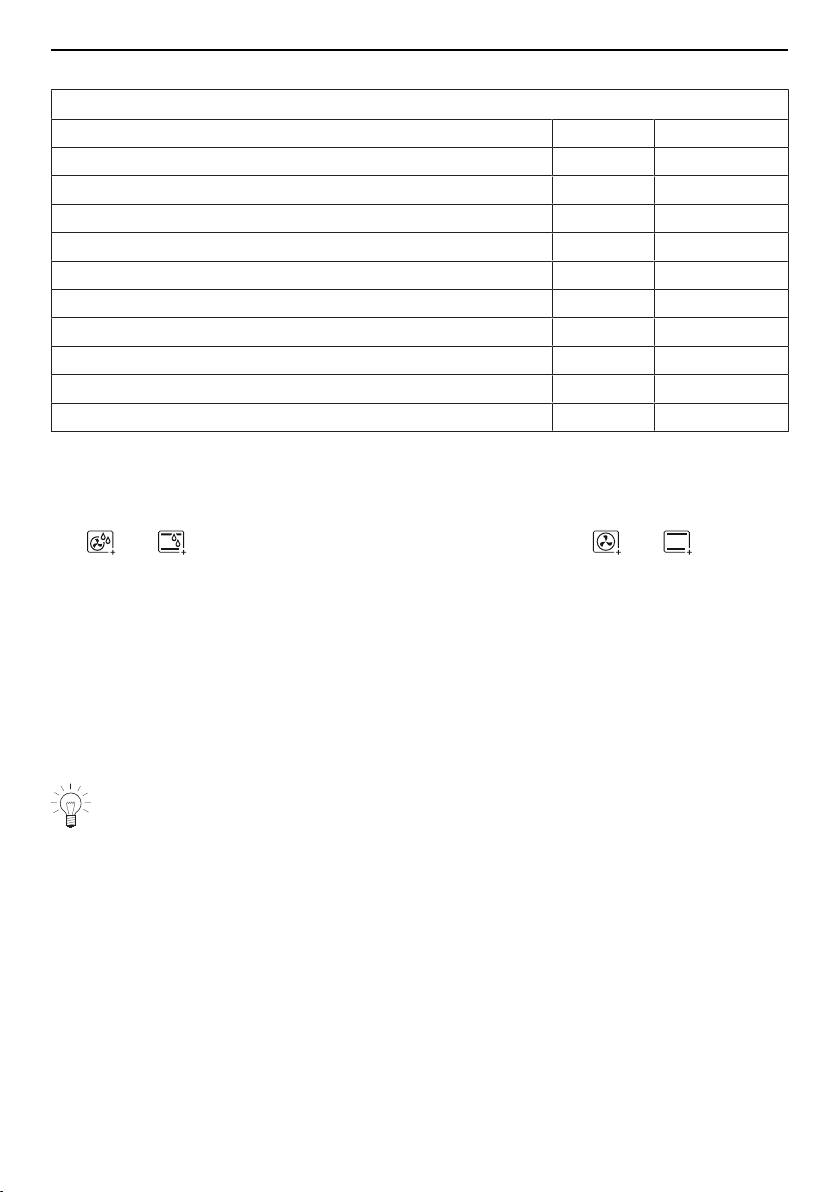
15 Technical data
15.3 Product fiche
In accordance with EU Regulation No.: 66/2014
Brand – V-ZUG Ltd
Type of appliance – Steam cooker
Model designation – CSTMSLQ
Mass of appliance kg 52
Number of cavities – 1
Heat source per cavity – Electric
Volume per cavity l 55
Energy consumption in conventional mode
1
) kWh/cycle 0.79
Energy consumption in hot air / forced convection mode
2
) kWh/cycle 0.67
Energy-efficiency index per cavity
3
) – 85.9
Measurement and calculation methods used – IEC 60350
1
)
Required to heat a standardized load in cavity
2
)
Required to heat a standardized load in cavity
3
)
Measurement methods: See EU Regulation No. 66/2014, Annex II, Chapter 1
Saving energy while cooking
The and operating modes consume less energy than the and operating
modes.
▸ Avoid opening the appliance door frequently.
▸ For gratins, use the residual heat: for cooking times over 30 minutes, switch the appli-
ance off 5–10 minutes before the end of the operating time.
▸ Minimize preheating.
▸ Only preheat the cooking space if the cooking or baking results depend on it.
15.4 EcoStandby
To prevent unnecessary energy consumption, the appliance is equipped with the auto-
matic energy-saving «EcoStandby» function.
To reduce power consumption to a minimum, select «Hide time» in the user set-
tings. Despite EcoStandby, all safety functions remain active.
15.5 Reference to «Open Source» licence
Your appliance contains Newlib open-source software. This is subject to the licensing
conditions specified in Section 4.1 (4.1.1-4.1.8; 4.1.9; 4.1.10; 4.1.14-4.1.16) of the en-
closed open-source software licence text document.
64

16 Disposal
16 Disposal
16.1 Packaging
Never allow children to play with packaging material due to the danger of injury or
suffocation. Store the packaging material in a safe location or dispose of it in an
environmentally-friendly way.
16.2 Safety
Render the appliance unusable to prevent accidents caused by improper use (e.g.
through children playing):
▸ Disconnect the appliance from the mains. With a fixed appliance, this is to be carried
out by a qualified electrician. Then cut the mains cable off flush with the appliance.
16.3 Disposal
▪ The «crossed‐out wheeled bin» symbol requires the separate collection of waste
electrical and electronic equipment (WEEE). Such equipment can contain hazardous,
environmentally harmful materials.
▪ These appliances are to be handed over to a designated collection point for the recyc-
ling of electrical and electronic equipment and must not be disposed of with unsorted
household waste. And in this way, you will be helping to protect resources and the en-
vironment.
▪ For more information, please contact the local authorities.
65

17 Index
A
Accessories ........................................ 14, 61, 62
Cleaning ........................................................ 54
Acoustic signals ............................................... 50
Activating/deactivating steam supply .......... 18
Appliance disposal .......................................... 65
Appliance door
Cleaning ........................................................ 53
Appliance information ..................................... 52
Appliance switch-off time ............................... 49
B
Background images ........................................ 49
BakeOmatic ...................................................... 37
Baking tray ........................................................ 14
Before using for the first time........................... 8
Bottom heat ............................................... 13, 21
Brightness ......................................................... 49
C
Cancelling
Changing recipe .......................................... 34
Creating own recipe.................................... 34
Operating mode........................................... 27
Recipes.......................................................... 33
Care.................................................................... 52
Check connection............................................ 52
Cleaning............................................................. 53
Accessories .................................................. 54
Appliance door............................................. 53
Cooking space............................................. 53
Door seal....................................................... 53
Food probe ................................................... 54
Shelf guides.................................................. 54
Water tank..................................................... 54
Cleaning the exterior ....................................... 53
Clock .................................................................. 50
Combi mode
with microwave............................................. 22
Construction...................................................... 12
Cooking space
Cleaning ........................................................ 53
Temperature measurement ....................... 63
Cooking tray...................................................... 15
D
Defrosting .......................................................... 43
Degree of moisture.......................................... 42
Delayed start..................................................... 25
Deleting
Favourites...................................................... 46
Own recipe.................................................... 35
Demo mode ...................................................... 52
Descaler............................................................. 55
Descaling........................................................... 54
Duration until next descaling process ..... 52
Failed ............................................................. 60
Rinsing phase .............................................. 56
Starting........................................................... 56
Disposal............................................................. 65
Door seal
Cleaning ........................................................ 53
Replacing ...................................................... 54
Duration ............................................................. 25
Recipe step................................................... 34
E
EasyCook ................................................... 44, 62
Food groups ................................................. 45
EcoStandby....................................................... 64
Electrical connection ....................................... 63
End ..................................................................... 25
Extending operation ........................................ 28
External dimensions ........................................ 63
F
F and E messages .......................................... 59
Factory settings................................................ 52
Fast heating ............................................... 21, 51
Automatic switch-on .................................... 51
Favourites.......................................................... 46
Changing....................................................... 46
Creating ......................................................... 46
Deleting ......................................................... 46
Starting........................................................... 46
FN ....................................................................... 52
Food probe ................................................ 15, 26
Cleaning ........................................................ 54
Food probe temperature ................................ 26
Measure only ................................................ 26
G
Grill ..................................................................... 20
Grill-forced convection .................................... 20
H
Halogen light bulb ........................................... 54
Hardened glass dish ....................................... 15
Hold .................................................................... 33
Hot air ................................................................ 17
Hot air humid .................................................... 21
Hot air with bottom heat ................................. 19
Hot air with steaming ...................................... 17
Hygiene.............................................................. 44
66

17 Index
I
Identification plate............................................ 63
Illumination ................................................. 51, 57
Initial set-up ................................................... 8, 11
Instruction message ........................................ 50
Instructions for use ............................................. 8
K
Keep warm........................................................ 44
L
Language........................................................... 49
Levels ................................................................. 13
Load capacity ................................................... 63
Long cooking time........................................... 57
Loudness ........................................................... 51
M
Mains synchronization .................................... 50
Maintenance ..................................................... 52
Microwave .................................................. 18, 30
Combi mode................................................. 22
Cookware ...................................................... 30
Note on use .................................................. 30
Tips................................................................. 31
Model number .............................................. 2, 52
N
Notes.................................................................. 69
O
Operating and display elements................... 12
Operating mode
Cancelling ..................................................... 27
Changing....................................................... 27
Selecting........................................................ 24
Operating mode settings................................ 24
Changing....................................................... 24
Checking ....................................................... 24
Operation........................................................... 23
Own recipes...................................................... 33
Creating ......................................................... 33
Deleting ......................................................... 35
P
Pause ................................................................. 33
Plate warmer..................................................... 16
Power failure ..................................................... 60
PowerPlus.......................................................... 22
Overview........................................................ 22
Uses ............................................................... 22
PowerRegeneration ......................................... 18
PowerSteam...................................................... 18
Preheating .................................................. 48, 64
Press and go ............................................. 24, 51
Product family...................................................... 2
Professional baking......................................... 38
Q
Quick instructions ............................................ 72
R
Recipe book .............................................. 32, 62
Unlocking ...................................................... 32
Recipes.............................................................. 32
Action required............................................. 33
Changing....................................................... 34
Copying ......................................................... 34
Creating own ................................................ 33
Ending a step before time ......................... 34
Step duration ................................................ 34
RegenerateOmatic........................................... 42
Regeneration ............................................. 19, 47
Regeneration time ........................................... 42
S
Safety precautions
Appliance-specific ..........................................6
Before using for the first time.......................8
Correct use ......................................................8
General .............................................................5
Saving energy............................................ 48, 64
Service & Support............................................ 71
Setting the time ................................................ 48
Shelf guides ...................................................... 54
Cleaning ........................................................ 54
Socket ................................................................ 13
Soft roasting...................................................... 39
Default value................................................. 51
Positioning the food probe ........................ 40
Seared ........................................................... 40
Starting........................................................... 41
Switching off before time ........................... 42
With steam .................................................... 40
Software versions............................................. 52
Spare parts ................................................ 61, 62
Special accessories ................................. 16, 62
Stainless steel tray........................................... 14
Start screen....................................................... 49
Steam ................................................................. 16
Switching off before time................................ 27
Symbols ................................................................ 5
T
Target temperature .......................................... 26
Technical data .................................................. 63
Technical questions......................................... 71
Temperature sensor ........................................ 13
Temperature unit.............................................. 51
67

Testing institutes .............................................. 63
Time display...................................................... 50
Time format ....................................................... 50
Timer .................................................................. 27
Tips and tricks .................................................. 47
Top/bottom heat .............................................. 17
Top/bottom heat humid.................................. 20
Touch buttons................................................... 13
Type....................................................................... 2
U
U and E messages.......................................... 59
Uneven browning............................................. 47
User settings..................................................... 48
Adjusting........................................................ 48
Overview........................................................ 48
Using for the first time..................................... 11
V
Vacuisine ........................................................... 35
Validity................................................................... 2
W
Warranty extensions ........................................ 71
Water hardness ................................................ 50
Water tank ......................................................... 51
Automatic ejection....................................... 51
Cleaning ........................................................ 54
Emptying........................................................ 30
Filling.............................................................. 23
Wellness ............................................................ 43
Wire shelf........................................................... 15
68

69
18 Notes

70

19 Service & Support
The «Troubleshooting» chapter provides valuable information for dealing with
minor operating faults. This saves you the time, effort and potential cost of having
to call out a service technician.
Information on the V-ZUG warranty can be found at www.vzug.com →Service →Warranty
information. Please read this information carefully.
Please register your V-ZUG appliance online immediately at www.vzug.com →Service
→Warranty registration. This will allow you to take advantage of the best possible support
in the event of an fault in the appliance during the warranty period. You will require the
serial number (FN) and appliance designation to complete the registration process. This
information can be found on the identification plate for your appliance.
My appliance information:
FN: ___________________ Appliance: _____________________
Always have this appliance information to hand when you contact V-ZUG. Thank you.
▸ Open the appliance door.
– The identification plate is located on the left-side panel.
Your repair order
At www.vzug.com →Service→Service number you will find the telephone number of your
nearest V‑ZUG service centre.
Technical questions, accessories, warranty extensions
V-ZUG is happy to help you with any general administrative or technical queries, to take
your orders for accessories and spare parts and to inform you about our progressive
service agreements.
71
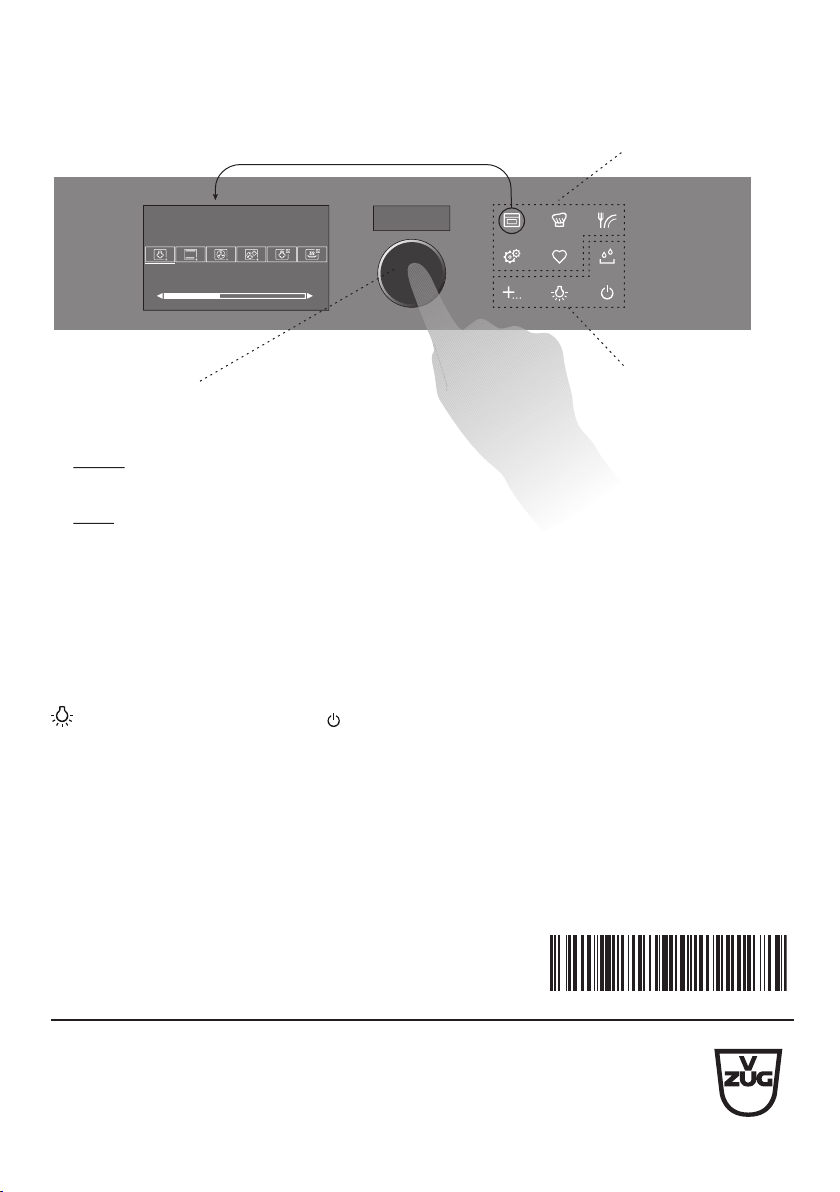
Quick instructions
Here you will find an overview of key operating information.
12:00
곋2SHUDWLQJPRGHV
6WHDP
Active menu Menu buttons
Action buttons
Press to switch on the appliance or
to select/confirm
Turn to set the temperature and time
or to navigate within the menu
Adjusting knob as a central
operating element
►
►
Menu and action buttons
The menu buttons contain a selection of preparation options and user settings. These
can be selected by pressing the relevant button. The active menu is shown in the dis-
play. You can use the adjusting knob to operate and navigate within the menu; additional
submenus can also be called up.
The function buttons provide direct access to independent functions such as illumination
or switching off the appliance .
V-ZUG Ltd, Industriestrasse 66, CH-6301 Zug
[email protected], www.vzug.com
J23014352-R07