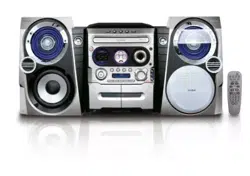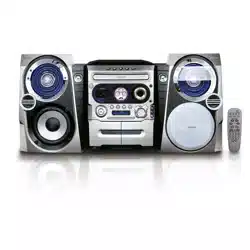
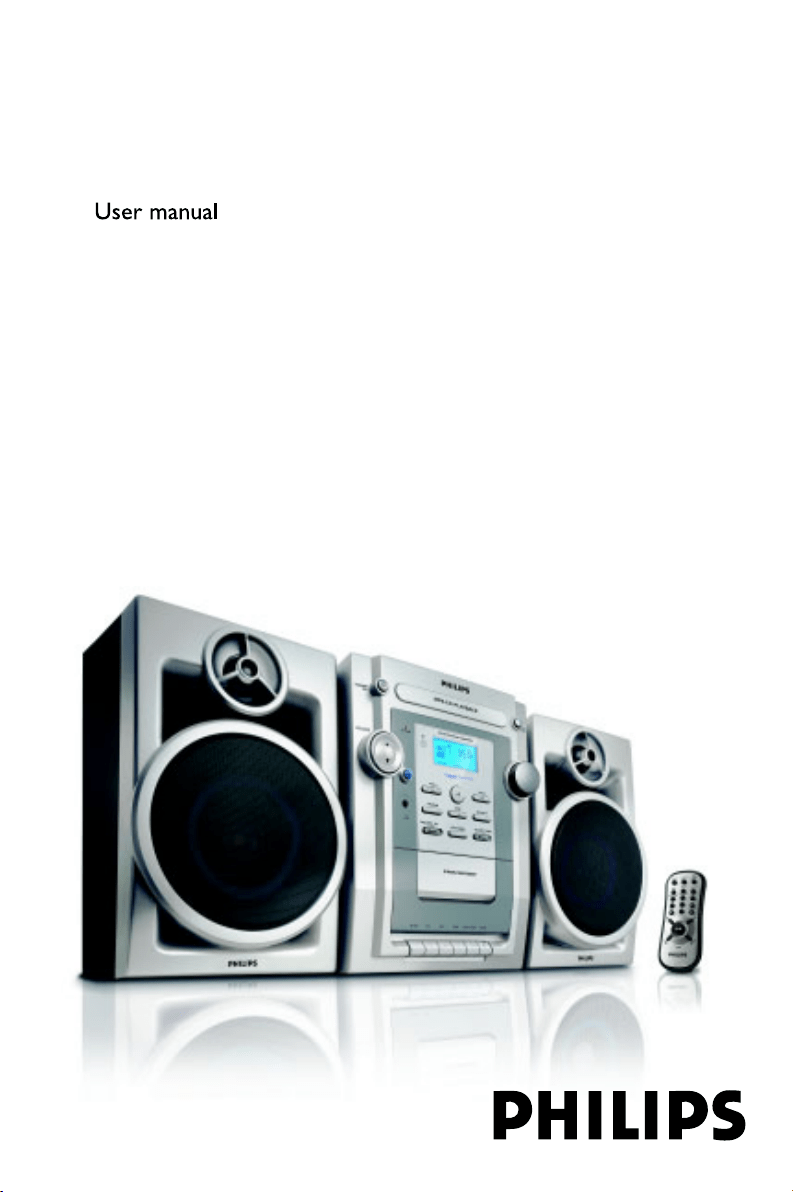
FWM139
MP3-CD Mini Hi-Fi System
pg001-pg018_FWM139_05_Eng 2006.5.29, 15:441
2
Important notes for users in the
U.K.
Mains plug
This apparatus is fitted with an approved 13
Amp plug. To change a fuse in this type of plug
proceed as follows:
1 Remove fuse cover and fuse.
2 Fix new fuse which should be a BS1362 3 Amp,
A.S.T.A. or BSI approved type.
3 Refit the fuse cover.
If the fitted plug is not suitable for your socket
outlets, it should be cut off and an appropriate
plug fitted in its place.
If the mains plug contains a fuse, this should
have a value of 3 Amp. If a plug without a fuse
is used, the fuse at the distribution board
should not be greater than 3 Amp.
Note: The severed plug must be disposed of to
avoid a possible shock hazard should it be
inserted into a 13 Amp socket elsewhere.
How to connect a plug
The wires in the mains lead are coloured with
the following code: blue = neutral (N),
brown = live (L).
¶ As these colours may not correspond with the
colour markings identifying the terminals in
your plug, proceed as follows:
– Connect the blue wire to the terminal
marked N or coloured black.
– Connect the brown wire to the terminal
marked L or coloured red.
– Do not connect either wire to the earth
terminal in the plug, marked E (or e) or
coloured green (or green and yellow).
Before replacing the plug cover, make certain
that the cord grip is clamped over the sheath
of the lead - not simply over the two wires.
Copyright in the U.K.
Recording and playback of material may
require consent. See Copyright Act 1956 and
The Performer’s Protection Acts 1958 to 1972.
CAUTION
Use of controls or adjustments or
performance of procedures other than
herein may result in hazardous
radiation exposure or other unsafe
operation.
pg001-pg018_FWM139_05_Eng 2006.5.29, 15:442
3
2
&
(
™
)
¡
%
5
#
4
3
8
$
!
£
4
1
2
%
^
3
9
$
0
@
5
6
!
§
8
7
&
FWM139
pg001-pg018_FWM139_05_Eng 2006.5.29, 15:443
4
English
Contents
General Information
Environmental information ................................ 5
Supplied accessories ............................................ 5
Safety information ................................................ 5
Preparation
Rear connections ................................................. 6
Inserting batteries into the remote control ... 7
Controls
Controls on the system and remote
control .................................................................... 8
Basic Functions
Switching the system on ..................................... 9
Power-saving automatic standby ....................... 9
Adjusting volume and sound .............................. 9
CD/MP3 Operation
Playing a disc ........................................................ 10
Selecting a different track ................................. 10
Finding a passage within a track ...................... 10
Playing an MP3 disc ...................................... 10-11
Different play modes: Shuffle and Repeat ..... 11
Programming track numbers ........................... 11
Reviewing the programme ............................... 11
Erasing the programme ..................................... 11
Radio Reception
Tuning to radio stations .................................... 12
Ta pe Operation/Recording
Tape playback ...................................................... 13
General information on recording ................. 13
Synchro start CD recording ............................ 13
Recording from the radio ................................. 14
Maintenance.............................................. 14
Clock/Timer
Setting the clock ................................................. 15
Setting the timer ................................................. 15
Activating and deactivating TIMER ................. 15
Activating and deactivating SLEEP .................. 16
Specifications ........................................... 16
Tr oubleshooting .............................. 17-18
Disposal of your old product
Your product is designed and
manufactured with high quality
materials and components, which
can be recycled and reused.
When this crossed-out wheeled bin
symbol is attached to a product it means the
product is covered by the European Directive
2002/96/EC
Please inform yourself about the local separate
collection system for electrical and electronic
products.
Please act according to your local rules and do
not dispose of your old products with your
normal household waste. The correct disposal of
your old product will help prevent potential
negative consequences for the environment and
human health.
pg001-pg018_FWM139_05_Eng 2006.5.29, 15:444
English
5
General Information
This product complies with the radio
interference requirements of the European
Community.
Supplied accessories
–2 speaker boxes
– remote control
Environmental Information
All unnecessary packaging has been omitted. We
have tried to make the packaging easy to
separate into three materials: cardboard (box),
polystyrene foam (buffer) and polyethylene (bags,
protective foam sheet).
Your system consists of materials which can be
recycled and reused if disassembled by a
specialized company. Please observe the local
regulations regarding the disposal of packaging
materials, exhausted batteries and old
equipment.
Safety Information
● Before operating the system, check that the
operating voltage indicated on the typeplate (or
the voltage indication beside the voltage
selector) of your system is identical with the
voltage of your local power supply. If not, please
consult your dealer.
● Place the system on a flat, hard and stable
surface.
● Place the system in a location with adequate
ventilation to prevent internal heat build-up in
your system. Allow at least 10 cm (4 inches)
clearance from the rear and the top of the unit
and 5 cm (2 inches) from each side.
● The ventilation should not be impeded by
covering the ventilation openings with items,
such as newspapers, table-cloths, cur tains, etc.
● Do not expose the system, batteries or discs to
excessive moisture, rain, sand or heat sources
caused by heating equipment or direct sunlight.
● No naked flame sources, such as lighted candles,
should be placed on the apparatus.
● No objects filled with liquids, such as vases, shall
be placed on the apparatus.
● The apparatus shall not be exposed to dripping
or splashing.
● Install this unit near the AC outlet and where the
AC power plug can be reached easily.
● If the system is brought directly from a cold to a
warm location, or is placed in a very damp room,
moisture may condense on the lens of the disc
unit inside the system. Should this occur, the CD
player would not operate normally. Leave the
power on for about one hour with no disc in the
system until normal playback is possible.
● The mechanical parts of the set contain self-
lubricating bearings and must not be oiled or
lubricated.
● When the system is switched to Standby
mode, it is still consuming some power.
To disconnect the system from the
power supply completely, remove the AC
power plug from the wall socket.
The making of unauthorized copies of copy-
protected material, including computer
programmes, files, broadcasts and sound
recordings, may be an infringement of
copyrights and constitute a criminal offence.
This equipment should not be used for such
purposes.
pg001-pg018_FWM139_05_Eng 2006.5.29, 15:445
6
English
Preparations
Rear connections
The type plate is located at the back of the
system.
For users in the U.K.: please follow the
instructions on page 2.
A Powe r
Before connecting the AC power cord to the
wall outlet, ensure that all other connections
have been made.
WARNING!
–For optimal performance, use only the
original power cable.
–Never make or change any connections
with the power switched on.
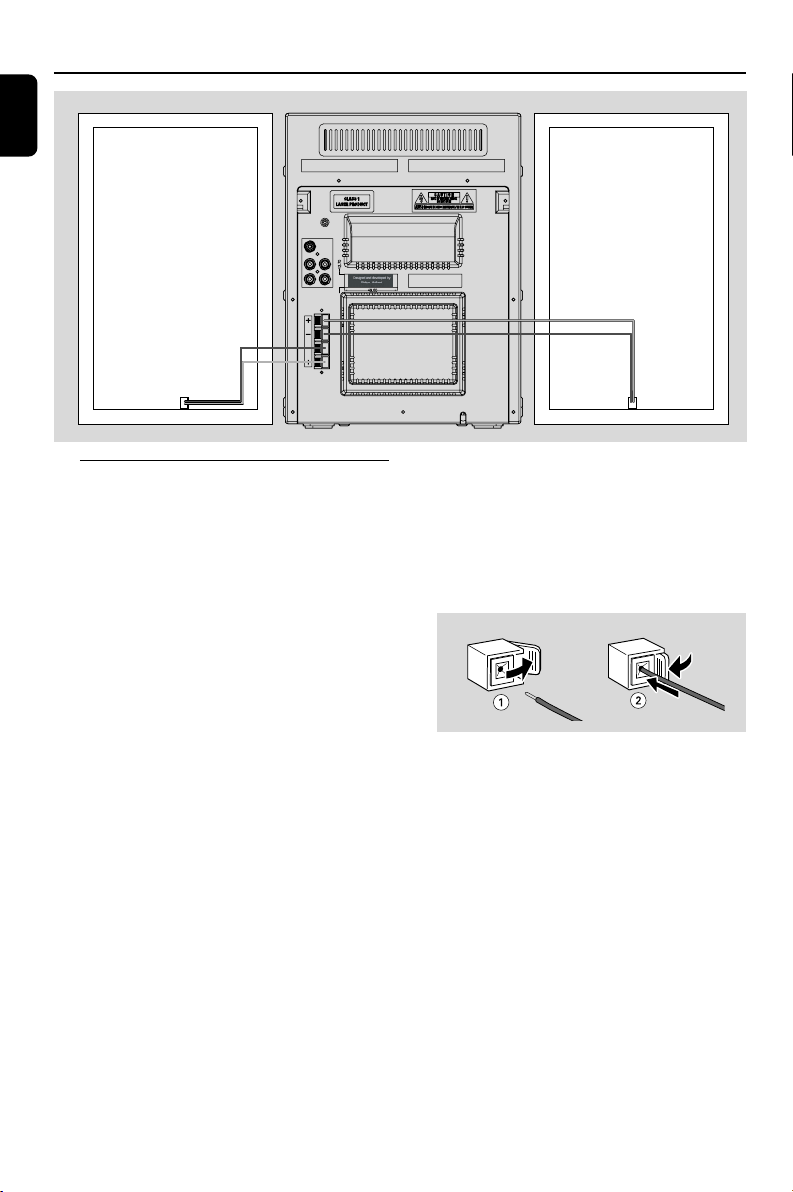
B Speakers Connection
Front Speakers
Connect the speaker wires to the SPEAKERS
terminals, right speaker to "R" and left speaker to
"L", coloured (marked) wire to "+" and black
(unmarked) wire to "-".
● Fully insert the stripped portion of the speaker
wire into the terminal as shown.
Notes:
–For optimal sound performance, use the
supplied speakers.
– Do not connect more than one speaker to any
one pair of
+
/
-
speaker terminals.
– Do not connect speakers with an impedance
lower than the speakers supplied. Please refer to
the SPECIFICATIONS section of this manual.
Speaker
(right)
Speaker
(left)
pg001-pg018_FWM139_05_Eng 2006.5.29, 15:446
English
7
Inserting batteries into the
remote control
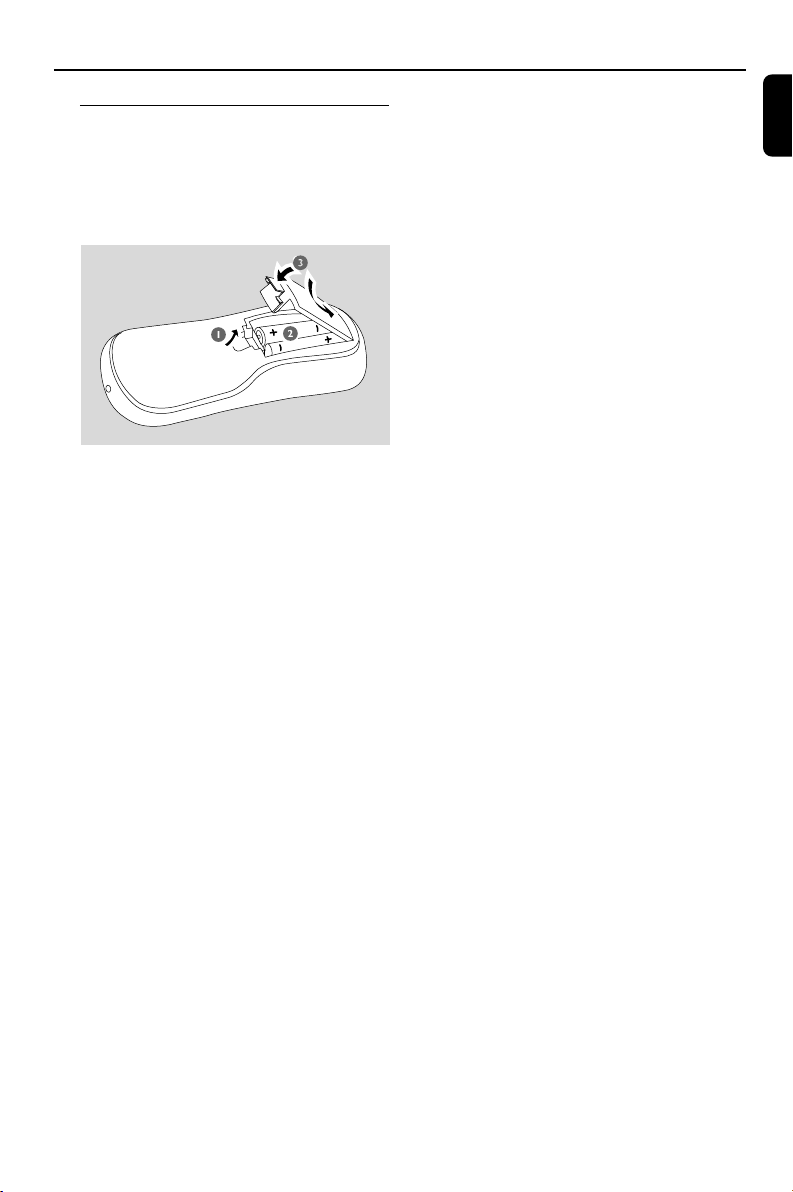
Insert two batteries type R03 or AAA into the
remote control with the correct polarity as
indicated by the “+”and“-” symbols inside
the battery compartment.
CAUTION!
– Remove batteries if they are exhausted
or will not be used for a long time.
– Do not use old and new or different
types of batteries in combination.
– Batteries contain chemical substances,
so they should be disposed of properly.
Preparations
pg001-pg018_FWM139_05_Eng 2006.5.29, 15:447

8
English
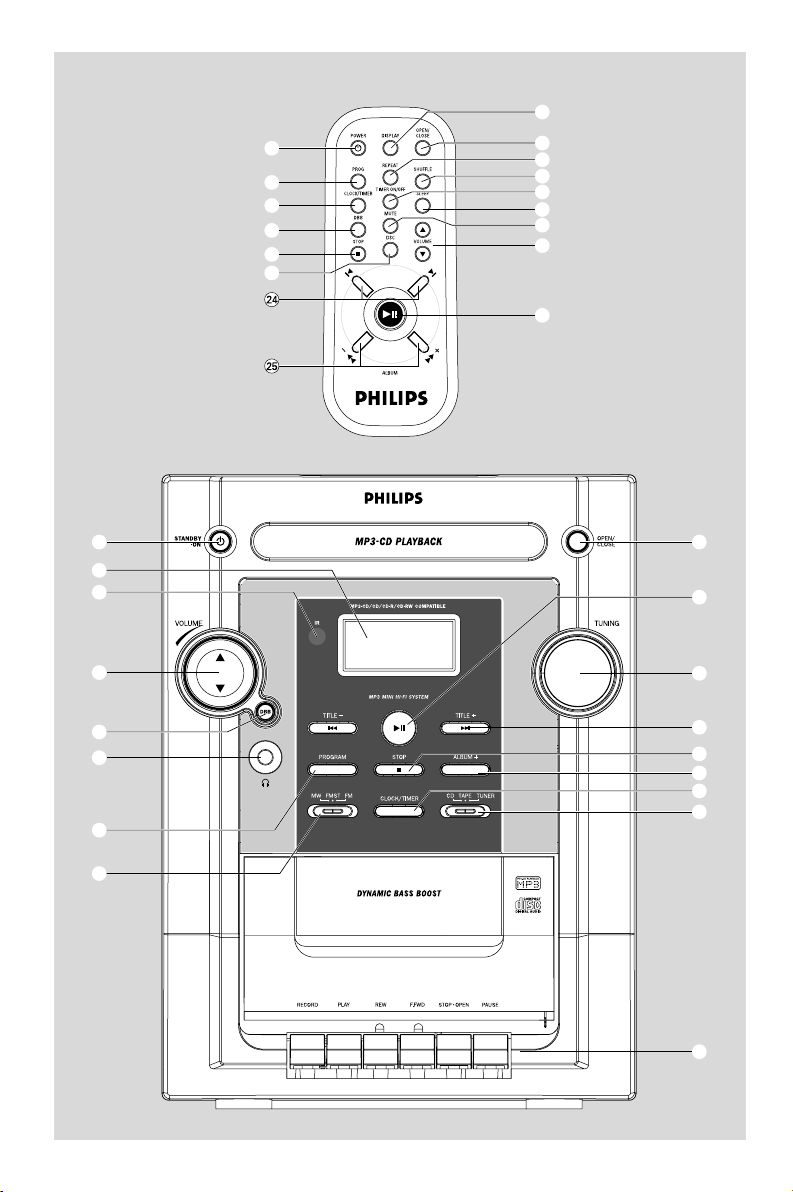
Controls (illustrations on page 3)
Controls on the system and
remote control
1 LCD Display
– shows the status of the system.
2 iR SENSOR
– infrared sensor for remote control.
3 PROGRAM (PROG)
for CD ................. programs tracks and reviews the
program.
4 STANDBY-ON y (POWER y)
– switches the system to standby/on.
5 2;
for CD/MP3 ..... starts or pauses CD playback.
6 TITILE-/+ ¡1 / 2™
for CD/MP3 ..... skips to the beginning of a
current track/previous/ next
track (title).
(press and hold) fast searches
back and forward within a track/
disc.
for clock/timer .. adjusts the hours and minutes
for clock / timer functions.
7 Source selector (CD/ TAPE/TUNER)
– selects the respective sound source for CD/
TAPE/ TUNER.
8 CLOCK/TIMER
– sets the clock or timer function.
9 Band selector (MW/FMST/FM)
for Tuner ............. selects waveband: MW, FM
(stereo) or FM (mono).
0 OPEN/CLOSE
– open/close the CD door.
! STOP 9
for CD/MP3 ..... stops CD playback or erases a
CD program.
@ TUNING
– tunes to a radio station.
# DISPLAY
– display the current time.
$ DBB(Dynamic Bass Boost)
– enhances the bass.
% VOLUME 3/4
– adjusts the volume level.
^ n
– connect headphones.
& Ta pe Deck Operation
RECORD 0 ....... starts recording.
PLAY 2 ................. starts playback.
REW à /F.FWD á fast rewinds/
forwards the tape.
STOP•OPEN 9/ stops the tape;
opens the tape compartment.
PAUSEÅ ............ pauses recording or playback.
* REPEAT
for CD/MP3 ..... repeats a track/CD programme/
entire CD.
( SHUFFLE
for CD/MP3 ..... plays CD tracks in random order.
) SLEEP
– activates/deactivates or selects the sleeper time.
¡ MUTE
– switches playback sound off and on.
™ TIMER ON/OFF
– activates/deactivates the timer.
£ DSC (Digital Sound Control)
– selects sound characteristics: CLASSIC/JAZZ/
POP/ROCK.
≤ í/ë
for CD/MP3 ..... skips to the beginning of a
current track/previous/next track
(title).
for CD/MP3 ..... (press and hold) fast searches
back and forward within a track/
CD.
for clock/timer adjusts the hours and minutes
for clock/timer functions.
∞ ALBUM-/+ 5 /6
for MP3 ............... selects an album.
§ ALBUM+
for MP3 ............... selects an album upward.
pg001-pg018_FWM139_05_Eng 2006.5.29, 15:448
English
9
Basic Functions
IMPORTANT:
Before you operate the system, complete
the preparation procedures.
Switching the system on
● Press STANDBY-ON y (POWER y on the
remote).
➜ The system will switch to the last selected
source.
To switch the system to standby mode
● Press STANDBY-ON y (POWER y on the
remote).
➜ The volume level (up to a maximum volume
level of 15), interactive sound settings, last
selected source and tuner presets will be
retained in the player's memory.
Power-saving automatic standby
The power-saving feature automatically switches
to standby 30 minutes after a tape or CD
playback has ended and no control is operated.
Adjusting volume and sound
1 Press VOLUME 3/4 to increase or decrease
volume.
➜ Display shows the volume level UoL and a
number from 0-40.
2 Press DBB to switch bass enhancement on or
off.
➜ Display shows: DBB
if
the DBB is activated.
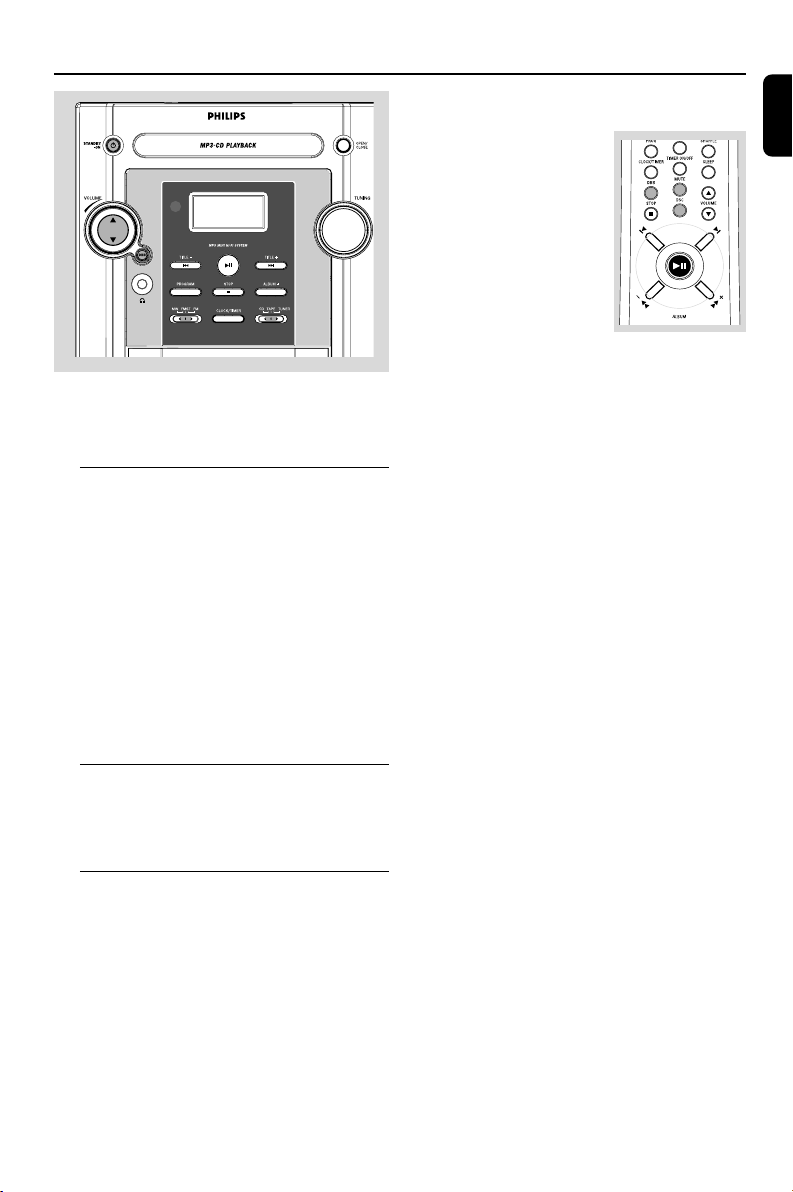
3 Press DSC on the remote
to repeatedly to select the
desired sound
effect:CLASSIC,JAZZ, POP
or ROCK.
4 Press MUTE on the
remote control to stop
sound play-back instantly.
➜ Playback will continue without sound and the
display shows MUTE.
● To start sound playback you can:
– press MUTE again;
– adjust the volume controls.
FWM139
pg001-pg018_FWM139_05_Eng 2006.5.29, 15:449
10
English
CD/MP3 Operation
5 To pause playback press 2;. Press 2; again to
resume play.
➜ The display freezes and the elapsed playing
time flashes when playback is interrupted.
6 To stop disc playback, press STOP 9.
Note: CD playback will also stop when;
– the CD door is opened.
– the disc has reached the end.
– you select another source: TAPE, TUNER.
– you select standby.
Selecting a different track
● Press TITILE-/+ ¡1 or 2™ (í/ë on the
remote) once or repeatedly until the desired
track number appears in the display.
● Press 2; to start playback.
Finding a passage within a track
1 Press and hold down TITILE-/+ ¡1 or 2™
(í/ë on the remote).
➜ The disc is played at high speed and low
volume.
2 When you find the passage you want, release
TITILE-/+ ¡1 or 2™ (í/ë on the remote).
➜ Normal playback continues.
Playing an MP3 disc
1 Load an MP3 disc.
➜ The disc reading time may exceed 10
seconds due to the large number of songs
compiled into one disc.
➜ "XX YYY" is displayed. XX is the current
album number and YYY is the current track
number.
2 Press ALBUM+ (ALBUM-/+ 5 /6 on the
remote) to select a desired album.
3 Press TITILE-/+ ¡1 / 2™ (í/ë on the
remote) to select a desired track.
➜ The album number will change accordingly as
you reach the first track of an album by pressing
TITILE- 4 (í on the remote) or the last
track of an album by pressing TITILE+ ¢
(ë on the remote).
4 Press 2; to start playback.
IMPORTANT:
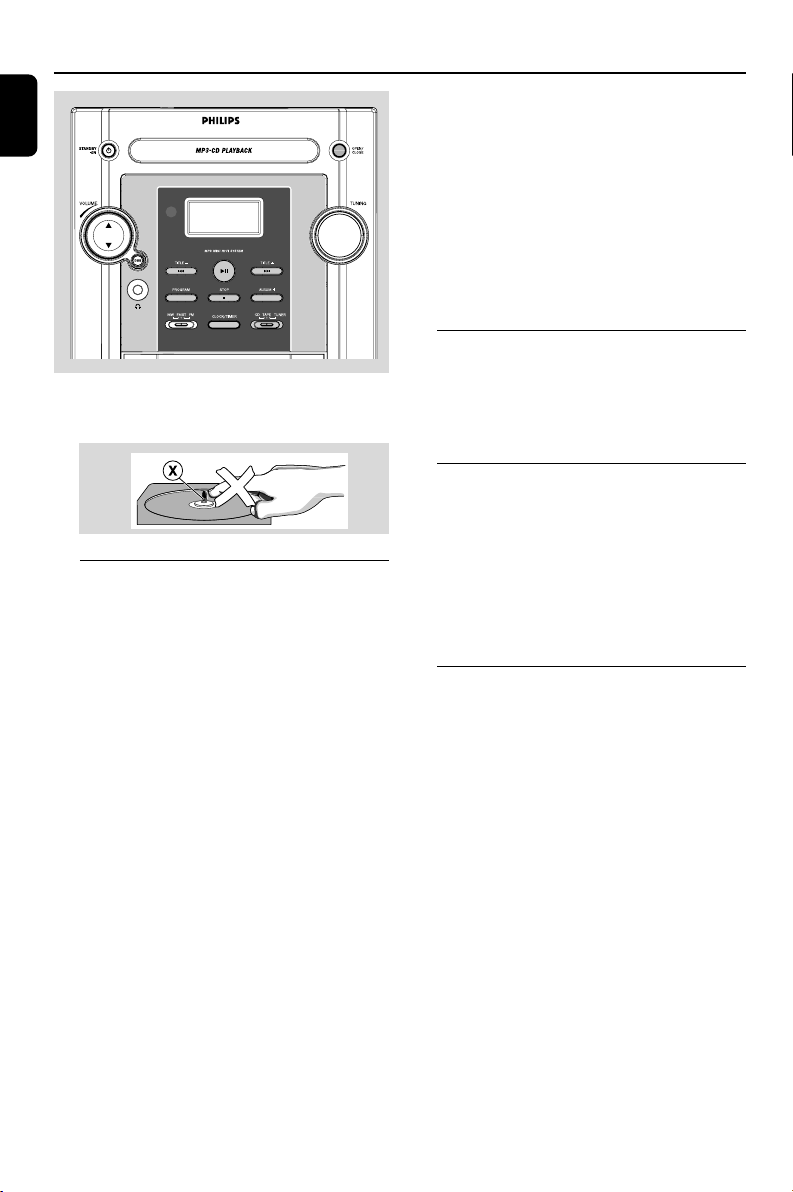
The lens of the CD player should never be
touched.
Playing a disc
This CD player plays Audio Discs including CD-
Recordables, CD-Rewritables and MP3 CD.
¶ CD-ROM, CD-I, CDV, VCD, DVD or computer
CDs, however, are not possible.
1 Adjust the source selector to select CD source.
2 Press OPEN/CLOSE on the system to open
the CD compartment.
➜ OPEN is displayed when you open the CD
compartment.
3 Insert a disc with the printed side facing up and
press OPEN/CLOSE to close the CD door.
➜ rEAd is displayed as the CD player scans
the contents of a disc, and then the total number
of tracks and playing time (or the total number
of albums and tracks for MP3 disc) are shown.
4 Press 2; to start playback.
➜ The current track number and elapsed
playing time of the track are displayed during disc
playback.
FWM139
pg001-pg018_FWM139_05_Eng 2006.5.29, 15:4410

English
11
CD/MP3 Operation
Programming track numbers
Programme in the STOP position to select and
store your disc tracks in the desired sequence. If
you like, store any track more than once. Up to
20 tracks can be stored in the memory.
1 Press PROGRAM (PROG on the remote) to
enter the programming mode.
2 Use TITILE-/+ ¡1 / 2™ (í/ë on the
remote) to select your desired track number.
➜ The selected track number and PROG flash on
the display panel.
3 Press PROGRAM (PROG on the remote
control) to confirm the track number to be
stored.
4 Repeat steps 2-3 to select and store all desired
tracks.
5 To start playback of your disc programme, press
2;.
Note:
– If you wish, you can add further tracks to your
current program. Make sure you are in the STOP
position, and that you have not exceeded 20
tracks.
Erasing the programme
You can erase the programme by:
● pressing STOP 9 once in the STOP mode;
● pressing STOP 9 twice during playback;
● opening the CD compartment;
● selecting another sound source
➜PROG disappears from the display.
Supported MP3 disc formats:
– ISO9660, Joliet, UDF 1.5
– Maximum title number: 511 (depending on
filename length)
– Maximum album number: 99
– Supported sampling frequencies: 32 kHz, 44.1
kHz, 48 kHz
– Supported Bit-rates: 32~256 (kbps), variable
bitrates
Different play modes: SHUFFLE
and REPEAT
You can select and change the various play
modes before or during playback.
REPEAT ............ plays the current track
continuously
REPEAT ALL ... repeats the entire disc/
programme
SHUF ................ tracks of the entire disc are
played in random order
SHUF and REPEAT ALL repeats the entire
disc/programme continuously in
random order
1 To select your play mode, press SHUFFLE or
REPEAT on the remote control before or
during playback until the display shows the
desired function.
2 Press 2; to start playback if in the STOP
position.
3 To return to normal playback, press SHUFFLE
or REPEAT on the remote control until the
various SHUFFLE/ REPEAT modes are no longer
displayed.
● You can also press STOP 9 to cancel your play
mode.
pg001-pg018_FWM139_05_Eng 2006.5.29, 15:4411
12
English
Radio Reception
Tuning to radio stations
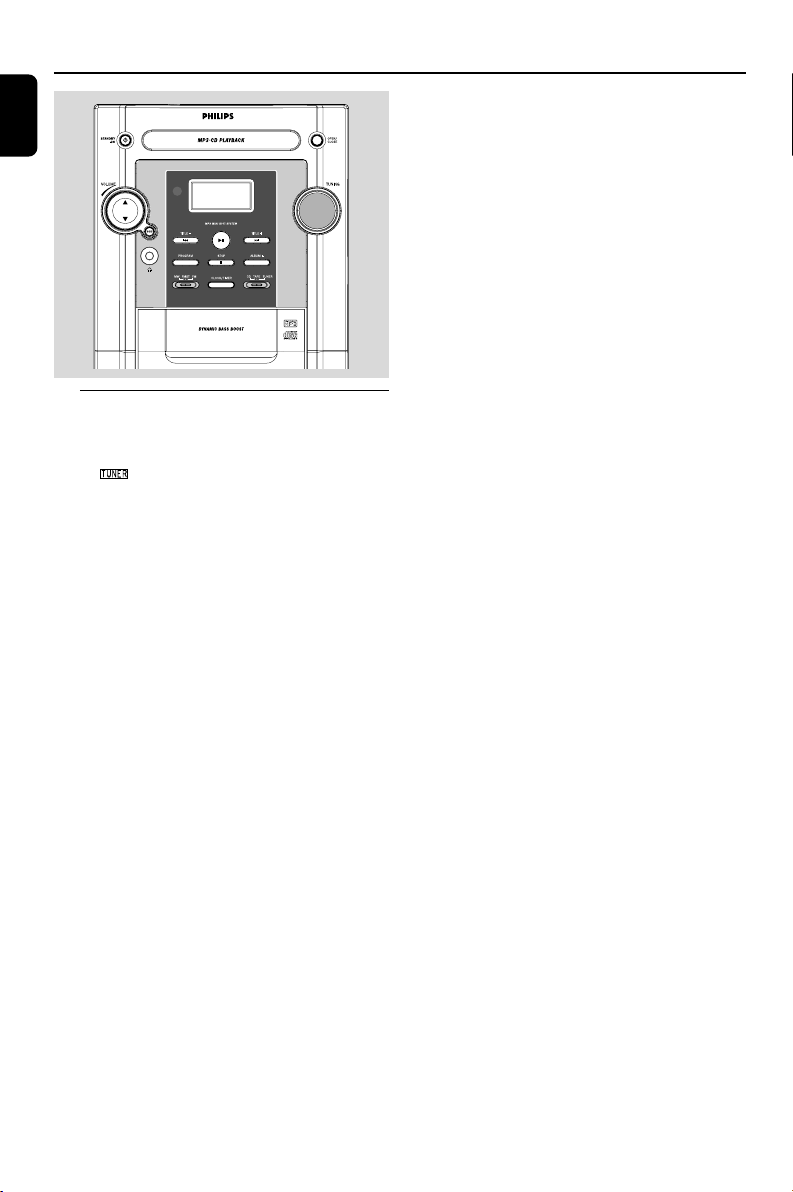
1 Adjust the source selector to select TUNER
source.
➜ is displayed.
2 Adjust the band selector to select your
waveband: MW, FM (mono) or FMST (stereo).
3 Adjust the TUNING control knob to tune to a
desired radio frequency.
Note:
– The system is equipped with a built-in MW
antenna and a fixed FM antenna. For optimal MW
reception, adjust the position of the whole set until
the strongest signal is found. For optimal FM
reception, fully extend and adjust the position of
the FM antenna until the strongest signal is found.
FWM139
pg001-pg018_FWM139_05_Eng 2006.5.29, 15:4412
English
13
Ta pe Operation / Recording
General information on
recording
● Recording is permissible insofar as copyright or
other rights of third parties are not infringed.
● For recording, use only NORMAL (IEC type I)
tapes on which the tabs have not yet been
broken. This deck is not suited for recording on
METAL (IEC IV) type tapes.
● The best recording level is set automatically.
Altering the VOLUME or DBB controls will not
affect the recording in progress.
● The recording sound quality might differ
depending on the quality of your recording
source and the recording tape.
● At the very beginning and end of the tape, no
recording will take place during the 7 seconds
when the leader tape passes the recorder heads.
● To protect a tape from accidental erasure, have
the tape in front of you and break out the left
tab. Recording on this side is no longer possible.
If, however, you wish to record over this side
again, cover the tabs with a piece of adhesive
tape.
Synchro start CD recording
1 Adjust the source selector to select CD source.
2 Insert a disc and if desired, programme track
numbers.
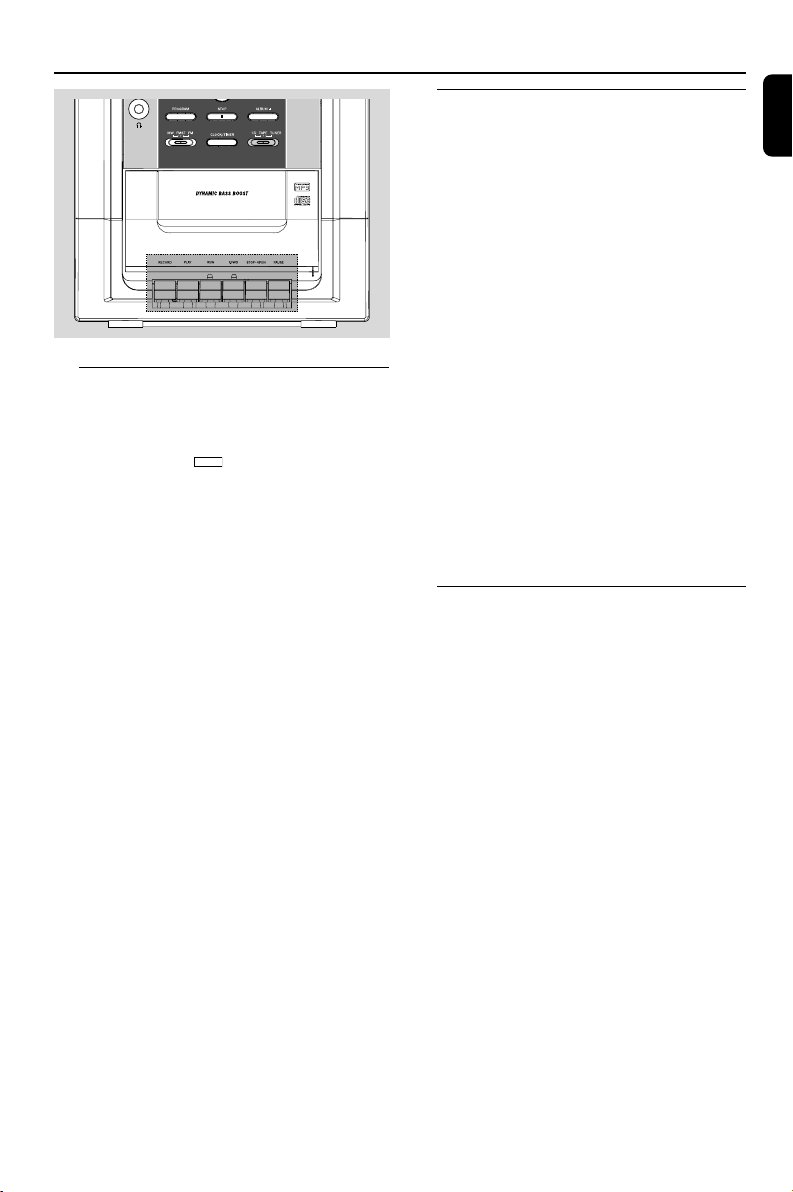
3 Press STOP•OPENÇç to open the tape
door.
4 Insert a suitable tape into the deck and close the
tape door.
5 Press RECORD 0 to start recording.
➜ Playing of the CD programme starts
automatically from the beginning of the CD
after 7 seconds. It is not necessary to start the
CD player separately.
Tape playback
1 Adjust the source selector to select TAP E
source.
➜ Display: shows
TAPE
throughout tape
operation.
2 Press STOP•OPENÇç to open the tape
door.
3 Insert a recorded tape and close the tape door.
➜ Load the tape with the open side downward
and the full spool to the left.
4 Press PLAY 2 to start playback.
5 To pause, press PA USE Å. Press again to
resume.
6 Press REW à or F.FWD á to fast wind
tape in either direction.
7 To stop the tape, press STOP•OPENÇç.
Notes:
– During playback, the keys are automatically
released at the end of a tape. To switch off the set,
press STANDBY-ON y (POWER y on the
remote).
– During fast forwarding/rewinding, the keys will
not be released at the end of a tape. To stop fast
winding, press STOP•OPEN 9/.
pg001-pg018_FWM139_05_Eng 2006.5.29, 15:4413
14
English
Cleaning the Cabinet
● Use a soft cloth slightly moistened with a mild
detergent solution. Do not use a solution
containing alcohol, spirits, ammonia or abrasives.
Cleaning Discs
● When a disc becomes dirty,
clean it with a cleaning cloth.
Wipe the disc from the centre
out.
● Do not use solvents such as
benzene, thinner, commercially
available cleaners, or antistatic spray intended
for analogue records.
Cleaning the disc lens
● After prolonged use, dir t or dust may
accumulate at the disc lens. To ensure good
playback quality, clean the disc lens with Philips
CD Lens Cleaner or any commercially available
cleaner. Follow the instructions supplied with
cleaner.
Maintenance
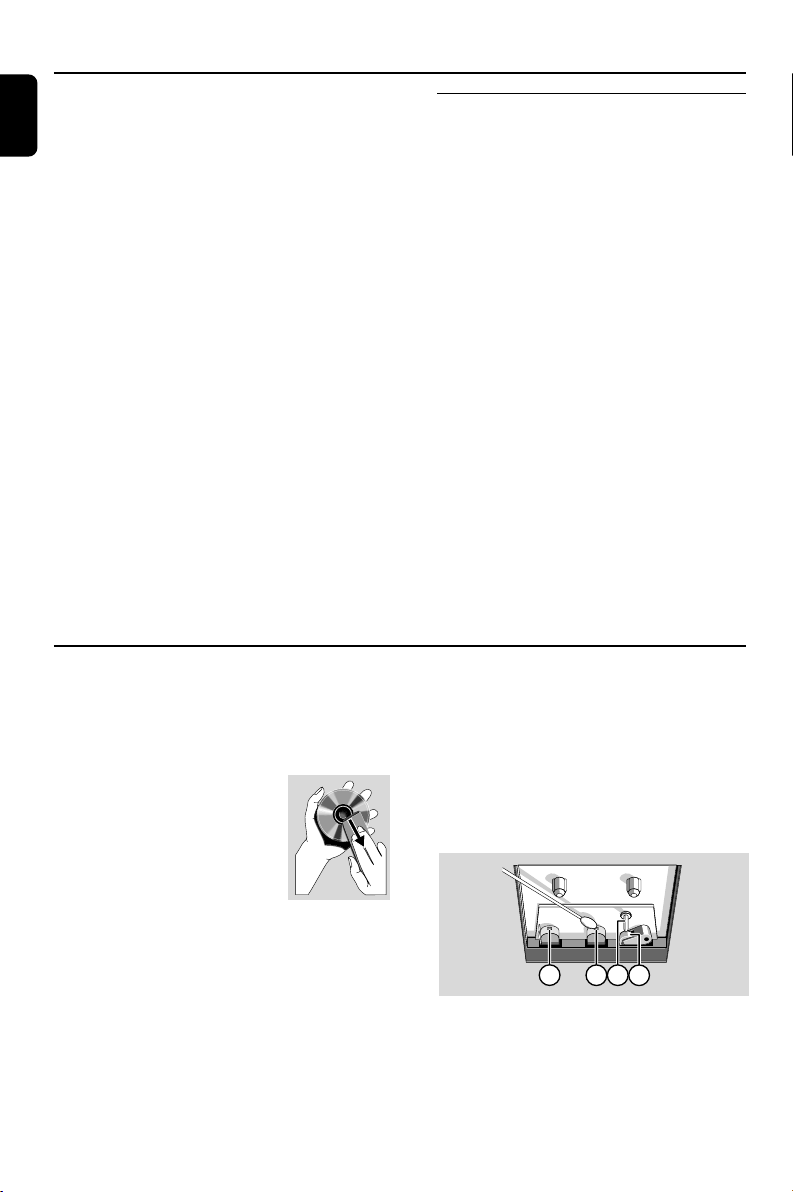
Cleaning the Heads and the Tape Paths
● To ensure good recording and playback quality,
clean the heads A, the capstan(s) B, and
pressure roller(s) C after every 50 hours of
tape operation.
● Use a cotton swab slightly moistened with
cleaning fluid or alcohol.
● You can also clean the heads by playing a
cleaning tape once.
A A B C
Demagnetising the heads
● Use a demagnetising tape available at your
dealer.
Ta pe Operation / Recording
To select and record a particular passage
within a CD track:
● Press and hold down on REW à or F.FWD
á. Release the control when you recognize the
passage you want.
● To interrupt CD playback press 2; .
● Recording starts from this exact point in the
track when you press RECORD 0.
6 To pause, press PAUSE Å. Press again to
resume.
7 To stop recording, press STOP•OPENÇç.
Recording from the radio
1 Tune to the desired radio station (see Tuning to
radio stations).
2 Press STOP•OPENÇç to open the tape
door.
3 Insert a suitable tape into the deck and close the
tape door.
4 Press RECORD 0 to start recording.
5 To pause, press PA USE Å Press again to
resume.
6 To stop recording, press STOP•OPENÇç.
pg001-pg018_FWM139_05_Eng 2006.5.29, 15:4414
English
15
Clock/Timer
Setting the timer
● The system can be used as an alarm clock. CD
or TUNER can be set to switch on at a preset
time. The clock time needs to be set first before
the timer can be used.
● If no button is pressed within 7 seconds during
timer setup, the system will exit timer setting
mode automatically.
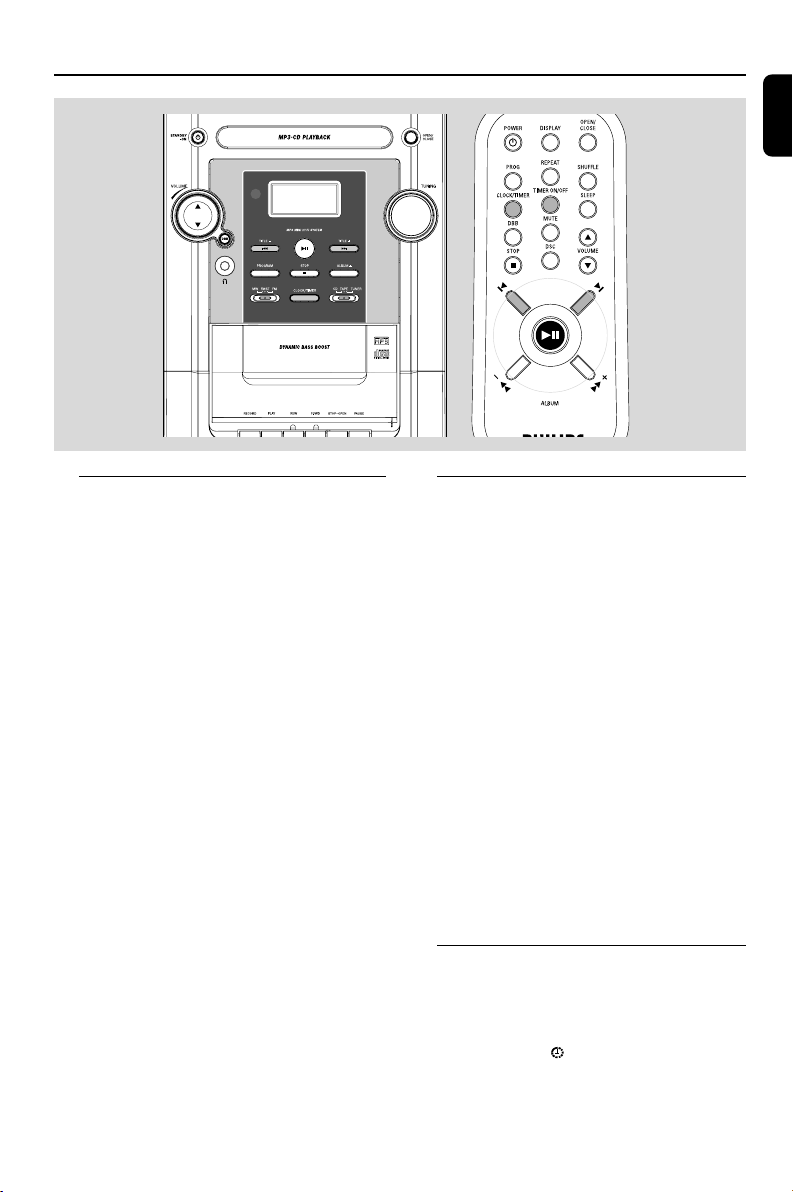
1 In active mode, press and hold CLOCK/
TIMER for more than 2 seconds.
2 Press TITILE-/+ ¡1 / 2™ (í/ë on the
remote) to set the hours.
3 Press CLOCK/TIMER again.
➜ The clock digits for the minutes flash.
4 Press TITILE-/+ ¡1 / 2™ (í/ë on the
remote)to set the minutes.
5 Press CLOCK/TIMER to confirm the time
➜ The timer is now set and actiated.
Activating and deactivating
TIMER
● In standby or during playback, press
TIMER ON/OFF once.
➜ Display shows if activated, and disappears if
deactivated.
Setting the clock
1 In any mode, press CLOCK/TIMER twice.
➜ The clock digits for the hours flash.
2 Press TITILE-/+ ¡1 / 2™ (í/ë on the
remote) to set the hours.
3 Press CLOCK/TIMER again.
➜ The clock digits for the minutes flash.
4 Press TITILE-/+ ¡1 / 2™ (í/ë on the
remote)to set the minutes.
5 Press CLOCK/TIMER to confirm the time.
Note:
– If the clock has not been set, 0:00 will be
displayed.
FWM139
pg001-pg018_FWM139_05_Eng 2006.5.29, 15:4415
16
English
Clock/Timer
Activating and deactivating
SLEEP
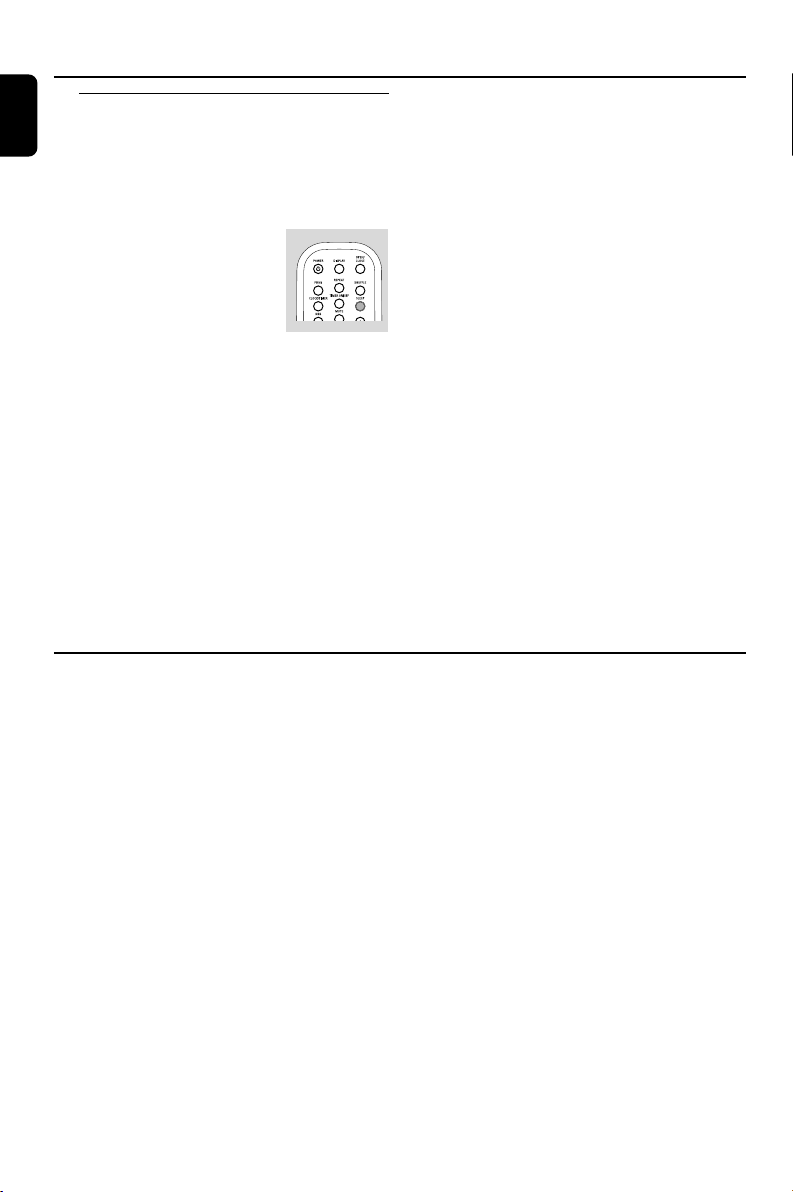
The sleep timer enables the system to switch off
by itself after a set period of time
● Press SLEEP on the remote control repeatly to
select desired time before
system shuts off.
➜ Display shows SLEEP and
series of time options for
selection:120, 90, 60, 45,30,
15, OFF.
● To deactivate, press SLEEP on the remote
control once or more until ‘OFF’ is shown, or
press STANDBY-ON y (POWER y on the
remote).
Specifications
AMPLIFIER
Output power ....................................... 2 x 20 W RMS
.......................................................................... 800W PMPO
Signal-to-noise ratio .......................... ≥ 62 dBA (IEC)
Frequency response ......... 63 – 16000 Hz, ± 3 dB
Impedance loudspeakers ......................................... 8 Ω
Impedance headphones ................. 32 Ω – 1000 Ω
CD PLAYER
Frequency range .................................. 63 – 16000 Hz
Signal-to-noise ratio ............................................ 65 dBA
TUNER
FM wave range ................................... 87.5 – 108 MHz
MW wave range ................................ 522 – 1710 kHz
TAPE DECK
Frequency response
Normal tape (type I) ...... 125 – 8000 Hz (8 dB)
Signal-to-noise ratio
Normal tape (type I) .................................... 35 dBA
Wow and flutter ......................................... ≤ 0.4% DIN
SPEAKERS
Bass reflex system
Dimensions (w x h x d) . 190 x 292 x 182 (mm)
GENERAL INFORMATION
AC Power ..................................... 220 – 230 V / 50 Hz
Dimensions (w x h x d) .. 220 x 292 x 285 (mm)
Weight (with/without speakers) ..................................
............................................................... approx. 4.9 / 2.3 kg
Subject to modification
pg001-pg018_FWM139_05_Eng 2006.5.29, 15:4416
English
17
Tr oubleshooting
WARNING
Under no circumstances should you try to repair the system yourself, as this will invalidate the
warranty. Do not open the system as there is a risk of electric shock.
If a fault occurs, first check the points listed below before taking the system for repair. If you
are unable to remedy a problem by following these hints, consult your dealer or service centre.
Problem Solution
CD OPERATION
“No disc” is displayed. – Insert a disc.
– Check if the disc is inserted upside down.
–Wait until the moisture condensation at the lens
has cleared.
– Replace or clean the disc, see “Maintenance”.
– Use a finalised CD-RW, CD-R or MP3 CD.
RADIO RECEPTION
Radio reception is poor. – Increase the distance between the Micro HiFi
System and your TV or VCR.
TAPE OPERATION / RECORDING
Recording or playback cannot be made. – Clean deck parts, see “Maintenance”.
– Use only normal (IEC I) tape for recording.
– Apply a piece of adhesive tape over the missing
tab space.
GENERAL
The system does not react when buttons – Remove and reconnect the AC power plug and
are pressed. switch on the system again.
Sound cannot be heard or is of poor – Adjust the volume.
quality. – Disconnect the headphones.
– Check that the speakers are connected correctly.
– Check if the stripped speaker wire is clamped.
The left and right sound outputs are – Check the speaker connections and location.
reversed.
pg001-pg018_FWM139_05_Eng 2006.5.29, 15:4417

18
English
The remote control does not function – Reduce the distance between the remote control
and the system.
– Insert the batteries with their polarities
(+/– signs) aligned as indicated.
–Replace the batteries.
–Point the remote control directly toward
IR sensor on the front of the system.
The timer is not working. – Set the clock correctly.
– Press TIMER ON/OFF to switch on the timer.
– If a recording is in progress, stop the recording.
The Clock/Timer setting is erased. –Power has been interrupted or the power cord
has been disconnected. Reset the clock/timer.
Troubleshooting
pg001-pg018_FWM139_05_Eng 2006.5.29, 15:4418