A short power-supply cord is provided to reduce the risks resulting from becoming entangled in or tripping over a longer cord. Extension cords may be used if care is exercised in their use. If an extension cord is used, the marked electrical rating of the extension cord must be at least as great as the electrical rating of the appliance, and the longer cord should be arranged so that it will not drape over the countertop or tabletop where it can be pulled on by children or tripped over.
NOTICE This appliance has a polarized plug (one blade is wider than the other). To reduce the risk of electric shock, this plug will fit into a polarized outlet only one way. If the plug does not fit fully into the outlet, reverse the plug. If it still does not fit, contact a qualified electrician. Do not modify the plug in any way.
OPERATING NOTICE
Clogging and backing up of water and/or coffee in the filter basket can occur under any or a combination of any of the following conditions: The use of too finely ground coffee, using two or more paper filters, using the gold-tone filter in conjunction with a paper filter or not properly cleaning coffee grounds from the gold-tone filter, or allowing coffee grounds to spill over the filter.
Caution: Never open the filter basket during the brewing cycle, even if no water is draining from the filter basket, because extremely hot water/coffee can spill out from the filter basket and cause injury. If water/ coffee is not draining from the filter basket during the brewing cycle, unplug the unit and wait 10 minutes before opening and checking the filter basket.
IMPORTANT UNPACKING INSTRUCTIONS
Place the box on a large, sturdy, flat surface.
Remove literature.
Turn the box so that the back side of the coffeemaker is down and slide the coffeemaker from the box.
After the coffeemaker has been removed, place the box out of the way and lift off the left and right inserts.
Grasp the carafe by its handle, remove it from the resting plate, and remove the polybag.
Remove the polybag covering the coffeemaker.
Save all packing materials in case you have to ship the machine in the future.
KEEP ALL PLASTIC BAGS AWAY FROM CHILDREN.
THE QUEST FOR THE PERFECT CUP OF COFFEE
Element 1: Water
Coffee is 98% water. The quality of that water is as important as the quality of your coffee. If water doesn’t taste good from the tap, it won’t taste good in your coffee. Cuisinart includes a charcoal water filter to remove chlorine, bad tastes and odors for the purest coffee flavor, every time you brew.
Element 2: Coffee
While coffee is 98% water, all of the flavor comes from the beans. To achieve the same great taste you enjoy at a coffee bar, you need to use the same quality of coffee. If you choose to grind your own beans, buy them fresh and whole. Buy only about a two-week supply at a time, because once the bean is broken, its flavor degrades quickly.
Element 3: Grind
The grind is critical for proper flavor extraction. If the grind is too fine, over extraction and bitterness will result. Too fine a grind may also clog the filter. If grind is too coarse, the water will pass through too quickly and the maximum flavor will not be extracted. When grinding your own beans, we recommend a medium-fine grind.
Element 4: Proportion
Coffee that is too strong or too weak is always a disappointment. Follow the recommended portions of ground coffee in the instructions under MAKING COFFEE, and later adjust the amount to suit your taste.
FEATURES AND BENEFITS
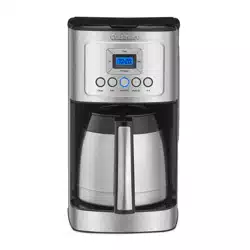
1.Coffeemaker Lid
Opens to access filter basket, water filter and water reservoir.
2. Water Reservoir with Water Level Indicator Window
3. Showerhead (not shown)
Distributes water evenly over coffee, reducing temperature loss as water passes through grounds.
4. Charcoal Water Filter Holder
Holds water filter firmly in place.
5. Charcoal Water Filter
Eliminates chlorine, bad tastes and odors from tap water.
NOTE: Some fine grounds may flow through the filter and appear as sediment in the carafe.
9. Control Panel
See detailed illustration, page 6.
10. Brew Pause™
Stops flow of coffee from basket when carafe is removed (20 seconds max) from the heater plate, so a cup can be poured mid-brew.
11. 12-Cup Thermal Carafe
The easy-pour double-wall insulated carafe has an ergonomic handle and is designed to keep your coffee hot for hours. No need to turn or adjust lid to pour.
12. 60-Second Reset (not shown)
One-minute protection in case a breaker trips, the unit is unplugged, or the power fails. It holds all programmed information, including time of day, Auto On time and Auto Off time.
13. Measuring Scoop
14. BPA Free (not shown)
All parts that come in contact with coffee or liquids are BPA free.
GETTING TO KNOW YOUR CONTROL PANEL
Detailed programming and use instructions are on pages 7 and 8.
1. Ready Tone Button
Lets you turn an audible “Brew Cycle Finished” alert on or off.
2. Blue Backlit Display
Displays time of day and Auto On time. Ready Tone off icon appears when Ready Tone is off.
3. Hour and Minute Buttons
Use to set hours and minutes for time of day and Auto On time.
4. Program Button
Lets you program your coffeemaker to automatically begin brewing up to 24 hours in advance. To activate the setting, hit the AUTO ON button.
5. Clean Button
Red indicator appears when it is time to decalcify your coffeemaker.
6. Bold Flavor Strength Button
Lets you choose bold or regular coffee flavor; blue indicator appears when bold is selected.
7. Brew/Off Button
Turns coffeemaker on and off.
8. Auto On Button
Once an AUTO ON time is set using the Program button, the AUTO ON button will illuminate blue, indicating the function is on and brewing will start automatically at the preset time.
9. 1–4 Cup Button
Adjusts brew process to maximize coffee flavor when brewing fewer than 5 cups. Blue indicator appears when function is selected
BEFORE BREWING YOUR FIRST POT OF COFFEE
Rinsing your coffeemaker: During the manufacturing process, dust can get trapped in the unit. We recommend flushing out the system before brewing your first pot of coffee. Simply fill the reservoir, power on the unit, and follow steps 1, 3 and 5 on page 8 under MAKING COFFEE. Do not add coffee!
Charcoal Water Filter
Your coffeemaker comes with a charcoal water filter that eliminates chlorine, bad tastes and odors from tap water.
Inserting the Water Filter
Remove the filter from polybag and soak it, fully immersed, in cold tap water for 15 minutes.
Lift the water filter holder out of the water reservoir.
Press down on the filter compartment and pull toward you to open.
Place filter into the holder and snap it closed. Be careful – improper placement can tear the filter skin.
Flush filter by running cold tap water through holes in bottom of compartment for 10 seconds.
Allow the filter to drain completely.
Slide the water filter holder back into the channel in the water reservoir, pushing it down to the base of the unit.
NOTE: We recommend changing the water filter every 60 days or after 60 uses, and more often if you have hard water.
Replacement filters can be purchased in stores, by calling Cuisinart Customer Service
PROGRAMMING YOUR COFFEEMAKER
SETTING THE CLOCK
When the coffeemaker is plugged in, 12:00 will flash in the display for 10 seconds, indicating the unit is in Clock Set mode. If 12:00 stops flashing, simply press and hold Hour or Minute button to return to flashing Clock Set mode.
Setting Hours and Minutes
Press either button to select the desired time. Hold buttons down to scroll through the digits quickly, or press and release to advance one digit at a time. Be sure the PM indicator is on if setting a PM time.
SETTING THE AUTO ON TIME
1.Press the Program button.
The digital display will flash the default (12:00) or previously selected time. Follow directions under SETTING THE CLOCK (above) to program your start brew time. Five seconds after finishing, the unit will automatically exit Auto On Setup mode and the Auto On light will illuminate, letting you know Auto On is activated.
NOTE: To exit Auto On Setup mode, you can also just press Program button again.
2. To activate Auto On using previously selected time:
Press the Auto On button. Previously set time will appear and indicator will light up. Display will return to clock setting.
3. To deactivate Auto On:
Press illuminated Auto On button; light will go off, indicating mode is turned off.
TURNING OFF READY TONE
Your coffeemaker features a Ready Tone that beeps 5 times when coffee is finished brewing. To turn this alert off, press Tone button; an icon will appear in display to indicate tone is off. To turn tone back on, press Tone button again; icon will disappear.
MAKING COFFEE
Follow instructions in BEFORE BREWING YOUR FIRST POT OF COFFEE (page 7).
1.Fill the water reservoir
Lift the coffeemaker lid to open. Pour the desired amount of water into the water reservoir using the water level indicator located at the side of the coffeemaker.
2. Add the ground coffee
Insert a #4 paper filter OR the gold-tone filter. Be sure that the paper filter is com pletely open and fully inserted in the bas ket. It may help to fold and flatten the seams of a paper filter beforehand. Add 1 level scoop of ground coffee per cup. Adjust the amount according to taste.
NOTE: The maximum capacity for ground coffee is 15 tablespoons for this coffeemaker. Exceeding this amount may cause overflow if the coffee is too finely ground.
3. Position carafe and plug in unit
Place carafe in unit and be sure coffeemaker lid is closed. Plug coffeemaker into an electrical outlet.
4. Set preferences
a. Press the 1–4 cup button if you are brewing fewer than 5 cups. The indicator light will illuminate.
b. Press the Bold button to select stronger coffee flavor, if desired. The button’s indicator light will illuminate. Press again to turn off light and brew at regular strength.
5. Start Brewing
Press the Brew/Off button to begin brewing.
6. After brewing
When the brewing cycle has been completed, five beeps will sound. Coffee will continue to stream from the filter for several seconds.
Note: Reservoir cover may be hot during and directly after brewing. Wait at least 10 minutes before opening.
Helpful Hint: Using cold water in the carafe can affect brewed coffee temperature. “Preheat” your carafe by rinsing it out with hot water before brewing.
Brew Pause™ Feature
This feature interrupts the flow of coffee from the basket to let you pour that first cup mid-brew. Because the flavor profile of coffee brewed at the start of a cycle differs from that brewed toward the end, be aware that using this feature will weaken the flavor strength of the finished pot.
NOTE: Removing carafe for more than 20 seconds during brew cycle may cause filter basket to overflow.
CLEANING AND MAINTENANCE
Always turn coffeemaker off and remove the plug from the electrical outlet before cleaning.
Lift up the coffeemaker lid. Remove and discard the paper filter and ground coffee. The filter basket can be washed in warm, soapy water and rinsed thoroughly, or cleaned in the upper rack of the dishwasher. Dry all parts after use.
Do not put any water in the unit once the filter basket has been removed. Wipe the area under the filter basket with a damp cloth.
Remove the carafe from the resting plate. Discard any remaining coffee. The carafe and lid can be washed in warm, soapy water and rinsed thoroughly, or placed in a dishwasher. The carafe and carafe lid should be placed on the upper rack only.
Do not use any scouring agents or harsh cleansers on any part of the coffeemaker.
Never immerse base unit in water or other liquids. To clean base, simply wipe with a clean, damp cloth and dry before storing.
Fingerprints and other blemishes on the housing can be washed off with soap and water or a nonabrasive cleaning solution. Wipe resting plate with a clean, damp cloth. Never use rough, abrasive materials or cleansers to clean the resting plate. Do not dry the inside of the water reservoir with a cloth, as lint may remain.
Maintenance
Any other servicing should be performed by an authorized service representative.
DECALCIFICATION
Decalcification refers to the removal of cal cium deposits that form over time on the metal parts of your coffeemaker. The mineral content of the tap water in your area and the frequency of use affects the rate of the calcium buildup, which can affect the func tioning of your coffeemaker and the flavor of your coffee.
For best performance from your PerfecTemp® coffeemaker, we recommend cleaning it whenever the CLEAN LED indicator lights up.
NOTE: Before decalcifying your unit, remove the charcoal water filter from the water reservoir.
To clean:
Fill the water reservoir to capacity with a mixture of 1⁄3 white vinegar and 2⁄3 water.
Press and hold the CLEAN button. When the CLEAN LED indicator flashes, the coffeemaker is in Clean mode. Release the button.
When the cycle is completed, 5 beeps will sound and the coffeemaker will shut off.
If the CLEAN indicator illuminates once more, repeat the cleaning procedure with a fresh solution of vinegar and water. NOTE: One cleaning cycle is usually sufficient.
When the CLEAN indicator remains off, run one cycle with a full reservoir of fresh, cold water to rinse the unit.
Return the charcoal water filter to the holder inside the water reservoir and your coffeemaker is ready to brew!
BEFORE RETURNING YOUR CUISINART PRODUCT
If your Cuisinart® PerfecTemp® 12-Cup Programmable Thermal Coffeemaker should prove to be defective within the warranty period, we will repair or, if we think necessary, replace it. To obtain warranty service, please call our Consumer Service Center toll-free at 1-800-726- 0190 or write to: Cuisinart, 7475 North Glen Harbor Blvd., Glendale, AZ 85307. To facilitate the speed and accuracy of your return, please enclose $10.00 for shipping and handling of the product, along with proof of purchase. (California residents need only supply proof of purchase and should call 1-800-726-0190 for shipping instructions.) Be sure to include your return address, phone numbers, description of the product’s defect, product serial number, and any other information pertinent to the return. Please pay by check or money order.
NOTE: For added protection and secure handling of any Cuisinart product that is being returned, we recommend you use a traceable, insured delivery service. Cuisinart cannot be held responsible for in-transit damage or for packages that are not delivered to us. Lost and/or damaged products are not covered under warranty.
Your Cuisinart® PerfecTemp® 12-Cup Programmable Thermal Coffeemaker has been manufactured to the strictest specifications and has been designed for use only in 120-volt outlets and only with authorized accessories and replacement parts. This warranty expressly excludes any defects or damages caused by attempted use of this unit with a converter, as well as use with accessories, replacement parts or repair service other than those authorized by Cuisinart. This warranty does not cover any damage caused by accident, misuse, shipment or other than ordinary household use. This warranty excludes all incidental or consequential damages. Some states do not allow the exclusion or limitation of these damages, so these exclusions may not apply to you. You may also have other rights, which vary from state to state.
Important: If the nonconforming product is to be serviced by someone other than Cuisinart’s Authorized Service Center, please remind the servicer to call our Consumer Service Center at 1-800-726-0190 to ensure that the problem is properly diagnosed, the product is serviced with the correct parts, and to ensure that the product is still under warranty