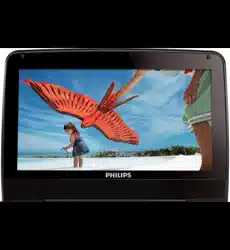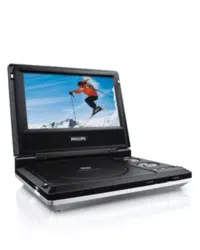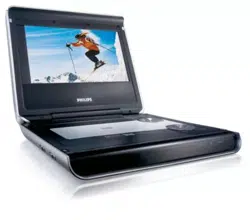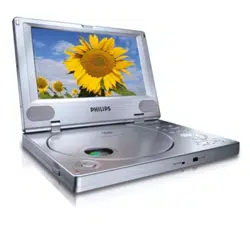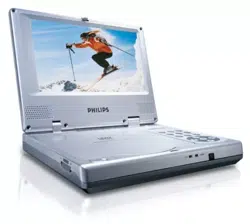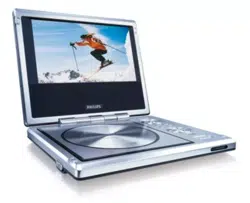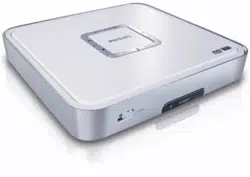

PortableDVDPlayer
Registeryourproductandgetsupportat
www.phi lips/welcome
Usermanual
PET100
Safetyandmaintenance
• Do not disassemble the unit for laser rays are dangerous to eyes. Any service
shouldbedonebyqualifiedservicepersonnel.
• UnplugtheACadaptortocutthepowerifliquidorobjectsgetinsidetheunit.
• Take care not to drop the unit or subject it
to strong shocks, which may cause
malfunction.
• Donotexposetoexcessiveheatcausedbyheatingequipmentordirectsunlight.
• Thisproductisnotwaterproof:donotallowyourplayertobesubmersedinwater.
Waterenteringtheplayermaycausemajordamage.
• Donotturnupthe
volumesohighthatyoucan’thearwhat’saroundyou.
• You should use caution or temporarily discontinue use in potentially hazardous
situations.
• Do not use headphones while operating a motorized vehicle, cycling,
skateboarding,etc.;itmaycrea teatraffichazardandisillegalinmanyareas.
• Important
(formodelswithby‐packedheadphones):Philipsguaranteescompliance
with the maximum sound power of its audio players as determined by relevant
regulatorybodiesonlywiththe originalmodelofprovidedheadphones.In casethis
one needs replacement, we recommend that you contact your retailer to order a
modelidenticalto
thatoftheoriginalprovidedbyPhilips.
• Trafficsafety:donotusewhiledrivingorcyclingasyoumaycauseanaccident.
• Whentheplayerisinuseforalongperiodoftime,thesurfacewillbeheated.This
isnormal.
Handlingdiscs
• Donotattach
paperortapetothedisc.
• Keepthediscawayfromdirectsunlightorheatsources.
• Storethediscinadisccaseafterplayback.
• Toclean,wipethediscoutwardsfromthecenterwithasoft,lint‐freecleancloth.
• Do not use any cleaning agents
containing alcohol, ammonia, benzene, or
abrasivesasthesemayharmtheplayer.
• Apparatusshallnotbeexposedtodrippingorsplashing.Donotplaceanysources
ofdangerontheapparatus(e.g.liquidfilledobjects,lightedcandles)
• Donottouchthelens!
YourPortableDVDPlayer
Your portable DVD player plays digital video discs conforming to the universal DVD
Videostandard.Withit,youwillbeabletoenjoyfull‐lengthmovieswithtruecinema
picturequality,andstereoormultichannelsound(dependingonthediscandonyour
playbackset‐up).
The unique features of DVD
‐Video, such as selection of soundtrack and subtitle
languages, and of different camera angles (again depending on the disc), are all
included.
Unpacking
Firstcheckandidentifythecontentsofyourpackage,aslistedbelow:
• PortableDVDplayer
• RemoteControl
• Caradaptor(12V,AY4196)
• Usermanual
• ACpoweradaptor(12V,AY4196)
• Audio/Videocable
Placement
• Placetheplayeronafirm,flatsurface.
• Keepaw ayfromdomesticheatingequipmentanddirectsunlight.
• If the player cannot read CDs/DVDs correctly, try using a commonly available
cleaning CD/DVD to clean the lens before taking the player to be repaired. Other
cleaningmethodsmaydestroythe
lens.
• Always keep the disc door closed to avoid dust on the lens. The lens may cloud
over whentheplayeris suddenlymovedfromcoldtowarmsurroundings.Itisthen
not possible to play a CD/DVD. Leave the player in a warm environment until the
moistureevaporates.
Playablediscformats
InadditiontoDVD‐Videodisc,youwillalsobeabletoplayall VideoCDs,CDs, CDR,
CDRW,DVD±RandDVR±RW.
DVD‐Video
Depending on the material on the disc (a movie, video clips, a drama series, etc.)
these discs may have one or more Titles, and each Title may
have one or more
Chapters.To make access easy and convenient, your player lets you move between
Titles,andalsobetweenChapters.
VideoCD
Depending on the material on the disc (a movie, video clips, a drama series, etc.)
thesediscsmayhaveoneormoreTracks,andtracksmayhaveoneormoreindexes,
conv enien t,yourplayerletsyoumovebetweentracksandbetweenindexes.
AudioCD/Mp3
Audio CDs /Mp3 contain music tracks only .You can play them in the conventional
waythroughastereosystemusingthekeysontheremotecontroland/ormainunit,
or
via the TV using the On Screen Display (OSD). Music bought from on‐line music
stores are not supported because they are secured by Digital Rights Management
protection(DRM).
Picture:
Thisdeviceonlysupportpicturefilewiththefollowingfileextension:.jpg
OverviewMainunitcontrols
Usethecontrolsonly
asstartedinthisusermanual
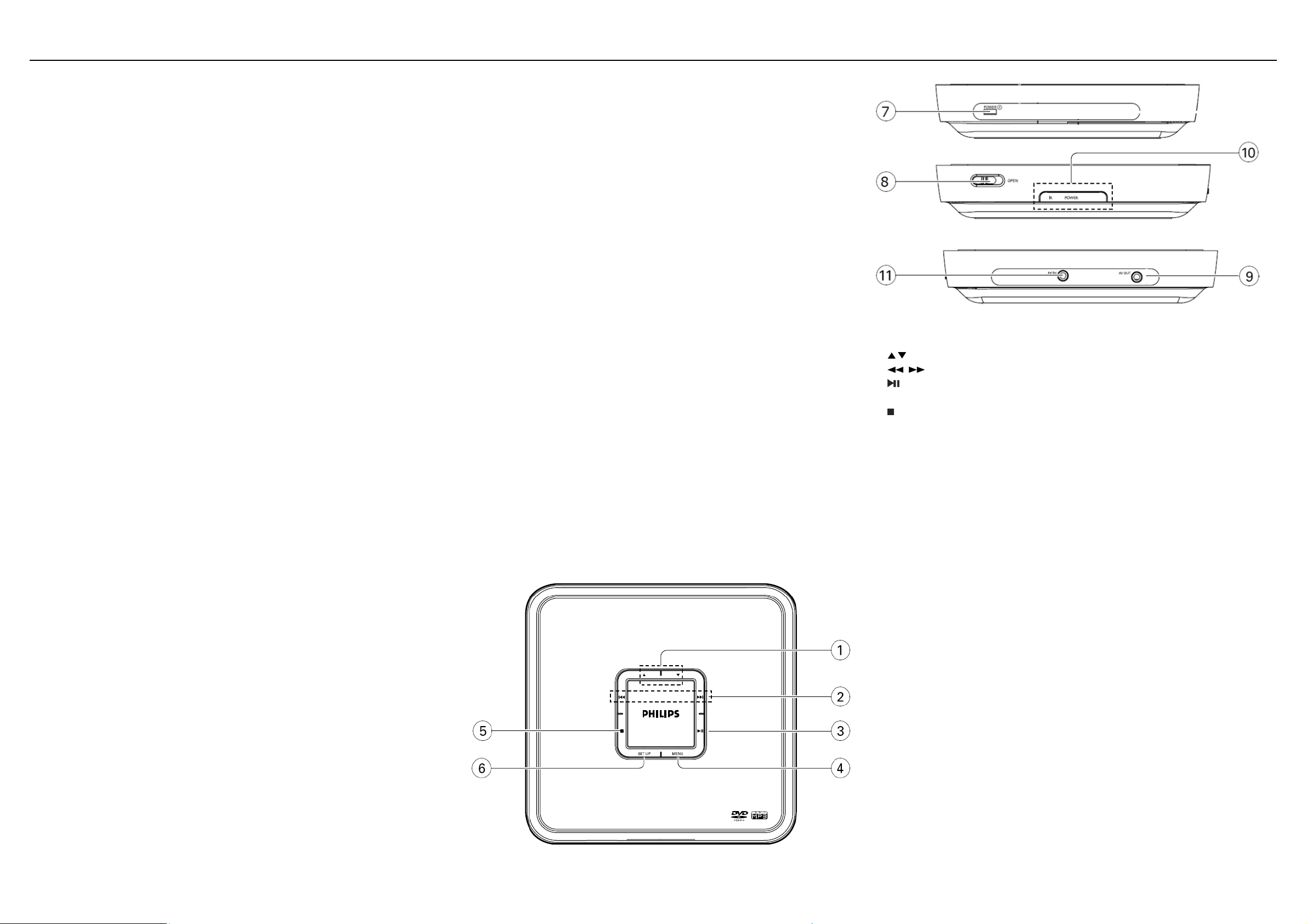
Mainunitcontrols
1
, Up/downcursor
2
, Skiptoprevious/nextchapter,trackortitle
3
Startinterruptplayback
4Menuenterorexitthediscconten tsmenu
5 Stopplaybackoreraseaprogram
6setupenterorexitthesystemmenu
7Powerswitchthepoweron/off
8Open:openthediscdoortoinsertorremovedisc
9AVout:Audio/Videooutput
10IRpower:powerremotesensor
11Dcin:powersupplysocket
1
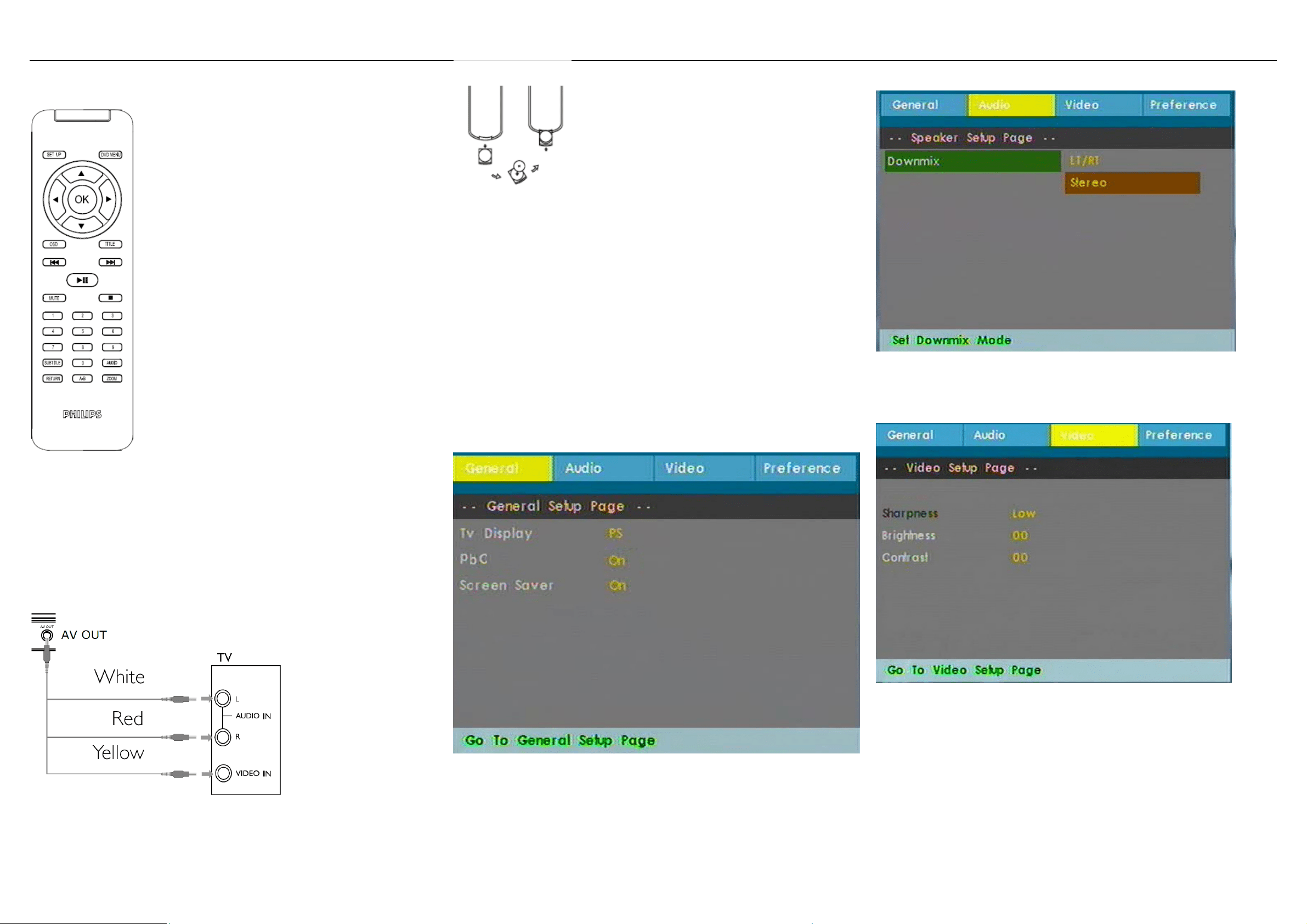
RemoteControl
Preparation:
ConnectACadaptor
Connectthesuppliedadaptortothesetandthemainpowersupply
ConnecttoTV
YoushouldconnecttheplayertoaTVandenjoyyourDVD.
Ifthepicturecan'tdisplaynormally.pleasetrytochangetheTVsystemundertheTV
Typemenu
Poweringyourremotecontrol
1Openthebatterycompartment.Removetheprotectiveplastictab(firsttimeusers
only).
2Insert1xlithium3Vbattery,typeCR2025,thenclosethecompartment.
CAUTION
• Batteriescontainchemicalsubstances,sotheyshouldbedisposedofproperly.
• Batteriesshallnotbeexposedtoexcessiveheatsuchassunshine,fireorthelike.
• Dangerofexplosionifbatteryis incorrectlyreplaced.Replaceonly with thesame
orequivalenttype.
• Incorrect use of batteries can cause electrolyte leakage and will corrode the
compartmentorcausethebatteriestoburst.
• Removethebatteriesiftheset
isnottobeusedforalongtime.
• Per‐chlorate Material – special handling may apply. See
www.dtsc.ca.gov/hazardouswaste/perchlorate.
Setup
PressSETUP.
Listoffeaturesisshown.
UseLeft/Righttohighlightyourselection.
Usethenavigationkeystohighlightyourdesiredsetting
TheSETUPmenuincludes:
General
TVdisplay: Setscreendisplayaspectratio
OSDLang:LanguageSetOnScreenDisplay(OSD)languages
PBC:ON/OFF.
ScreenSaver:ON/OFF.
Audio
Dobly(Downmix):LT/RT
Stereo
Setthedigitaloutputformat
Video
Sharpness:Itallowsyoutoadjustthecolorofthescreen
Brightness:Itallowsyoutoadjustthebrightnessofthescreen
Contrast:Itallowsyoutoadjustthecontrastofthescreen
Preference
2
SETUP:setupenterorexitthesystemmenu
DVDMENU:returntotheDVDmenu
Navigationkey:Up/down/left/right
OK:Confirmaselection
OSD:viewtheplaybackstatus
Title:ReturntotheTitlemenuofDVDdisc
Previous/ Next: Skip to previous or next
chaptertrack
Play/Pause:Startinterruptplayback
Mute:
cutthesoundout
Stop:Stopplaybackoreraseaprogram
Number Keypad (0‐9): input the password
orselectthetrack
Subtitle: select the subtitle language for
DVDdisc
Audio: select the audio language for DVD
disc
Return:returntothePBCmenuforVCDdisc
A‐B:repeatplayback
Zoom:zoominorzoomoutthepicture
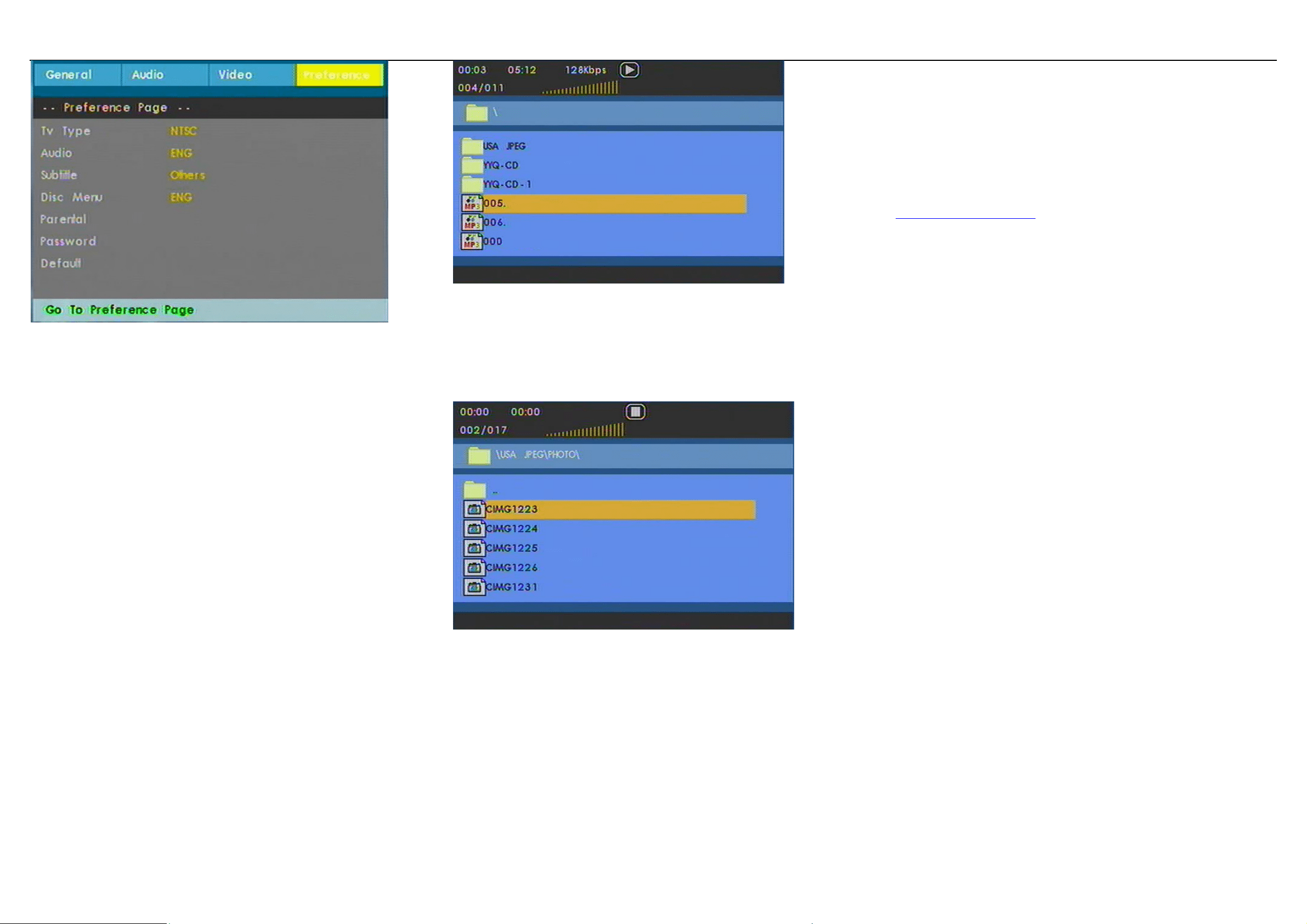
TVtype:SetvideooutputformattoTVsystem
Audio:Settheaudiolanguage
Subtitle:Setthesubtitlelanguage
DiscMenu:Setthediscmenulanguage
Parental:ParentalSetparentaloptions
Password:SetpasswordChangepassword(default:9999)
Default:FactorysettingsRestorefactorysettings
PlaybackDVD
1ConnecttheplayertoaTV
2POWERonthemaincontroloftheplayertoswitchontheset.
3 Open the disc door and insert the disc. The player will start to play the disc
automatically.
Use navigation keys to select an item from the DVD disc menu,
such as play now,
selectlanguagesandsubtitle.
PlaybackVCDorSuper(S)VCD
1connecttheplayertoa TV
2POWERonthemaincontroloftheplayertoswitchontheset.
3 Open the disc door and insert the disc. The player will start to play the disc
automatically.
PlaybackAudioCDorMP3‐CD
1connecttheplayertoa TV
2.POWERonthemaincontr oloftheplayertoswitchontheset.
3.Openthediscdoorandinsertthedisc.
• Thesetwillstarttoplaythediscautomatically.
4.UsenavigationkeystoselectthefolderandMP3
orCDfiletobeplayed.
PlaybackPicture‐CD
TheplayercanonlyreadpicturesinJPEGformat.
1ConnecttheplayertoaTV
2.POWERonthemaincontr oloftheplayertoswitchontheset.
3.Openthediscdoorandinsertthedisc.
• Thesetwillstarttoplaythediscautomatically.
4.Use
navigationkeystoselectthefolderandJPEGfiletobeplayed.
Tip:thef ollowingfunctionsareavailableduringplayback:
Dependsondifferentdiscanddifferentplaybackstatus,somefunctionmaydisabled
Pause:Topauseplayback.YoucanresumeplaybackbypressingPauseagain
Previous/Next:BrieflypressPrevious(or)Nextonceorseveraltimesto selectyour
desiredchapters
Fast backward / Fast forward: Keep pressing or to initiate backward/forward
when
2xisshownonscreen,pressbackward(or)forwardbrieflytochangespeedto4x,8x,
16x,32xorresumenormalplayback.Youmayalsopresstoresumenormalplayback.
ThisfunctionisonlyavailableforplaybacksDVD,CD,MP3discs.
Stop:Brieflypresstostopplayback
Subtitle: To
change subtitle display. The function is available by pressing either the
SUBTITLEkey
OSD:Brieflypresstochecktheplaybackstatus
Language:Youcanchangethelanguageusingthisfunction.
ThefunctionisavailablebypressingAUDIO
NOTE:SomeVCDsonlycont ain2languagesforselection.
Zoom:Zoominthe
screen,andthenusethenavigationkeystopan thescreen.The
functionisavailablebypressingeither theZOOMkey.Thisfunction isonlyavailable
forplaybacksDVDvideo,Jpegfile.
A‐B Repeat: Set repeat loop playback. Press A‐B to set the starting point and press
A‐
B again to set the ending point. Then, the player will repeat the loop playback.
Press A‐B to cancel the loop layback. This function is only available for playbacks
DVD,CD,MP3.
Troubleshooting
If you encounter problems when using this DVD player, check the following points
before requestingservice.if the problem remains unsolved,goto the Philips web
sitewww.welcome.philips/us_en/. Orcontact Philips(see contactinformation).When
youcontactPhilips,ensurethatyourmicrosystemisnearbyandthemodelnumber
andserialnumberareavailable.
ToKeepthewarrantyvalid,nevertrytorepairthesystemyourself
Nopicture
EnsuretheconnectionisrightfromtheplayertoTV
Disccan’tbeplayed
•Ensurethedisclabelisupwards.
• Cleanthedisc.,andcheckifthediscisdefectivebytryinganotherdisc.
Theplayerdoesnotrespondtotheremotecontrol
•Aimtheremotecontr oldirectlyatthesensoronthefrontoftheplayer.
•Avoidallobstaclesthatmayinterferewiththesignalpath.
•Inspectorreplacethebatteries.
DistortedorB/WpicturewithDVD
•UseonlydiscsformattedaccordingtotheTV‐setused(PAL/NTSC).
PlayerfeelswarmWhentheplayerisinuseforalongperiodoftime,the
surfacewill
beheated.
•Thisisnormal.
Nopower
•Checkifbothplugsofthemainscor dareproperlyconnected.
• CheckifthereispowerattheACoutletbyplugginginanotherappliance.
Distortedpicture
• Check the disc for fingerprints and clean with a soft
cloth, wiping from centre to
edge.
• Sometimes a small amount of picture distortion may appear. This is not a
malfunction.
Completelydistortedpicture/nocolourin
•the TV screen The NTSC/PAL setting may be in the wrong status. Match your TV’s
settingwiththeplayer’ssetting.
Disccan’t
beplayed
•Ensurethedisclabelisupwardsandcleanthedisc.
• Check if the disc is defective by trying another disc. the brightness in the SETUP
menu
3

TechnologyInformation
Dimensions
Weight
PowersupplyDC12V1A
PowerConsumption ≤20W
Operatingtemperaturerange0‐50°C(32‐122°F)
Laserwavelength650nm
VideosystemNTSC/PAL/AUTO
PHILIPS reserves the right to make design and specification changes for product for
productimprovementwithoutpriornotice
Modifications not authorized by the
manufacturer may void users authority to
operatethisdevice
Allrightsreserved
4
เครื่องเลนดีวีดีแบบพกพา PET100
ลงทะเบียนผลิตภัณฑของทานและขอคําแนะนําชวยเหลือไดที่
www.philips.com/welcome
ดานความปลอดภัยและดูแลรักษา
• อยาถอดแยกตัวเครื่องเนื่องจากแสงเลเซอรจะทําอันตรายใหกั
บดวงตาได การบริการใดๆ
ควรดําเนินการโดยชางผูชํานาญจากศูนยบริการเทานั้น
• ถอดปลั๊กไฟฟาเอซี ออกจากแหลงจายไฟ
หากมีของเหลวหรือวัตถุหลนเขาภายในตัวเครื่อง
• ระมัดระวังอยาใหตัวเครื่องหลนหรือกระทบกระเทือนแรงๆ
อาจทําใหการทํางานผิดพลาดได
• อยาวางตัวเครื่องไวในสถานที่ที่มีความรอนสูงจากอุปกรณที่ให
ความรอนหรือแสงอาทิตยโดยตรง
• ผลิตภัณฑนี้ไม
กันน้ํา: อยานําเครื่องเลนของทานแชลงในน้ํา
น้ําที่เขาภายในตัวเครื่องอาจทําใหเกิดความเสียหายอยางยิ่ง
• อยาเปดเสียงไวในระดับสูงๆ ทําใหทานไมไดยินเสียงโดยรอบ
• ทานควรใชดวยความระมัดระวังหรือหยุดใชชั่วคราว
หากอยูในสถานที่ๆ อาจเปนอันตรายได
• อยาใชหูฟงขณะที่ใชรถจักรยานยนต, จักรยาน, สเกตบอรด,
เปนตน
อาจทําใหเกิดอันตรายจากการจราจรและยังผิดกฏหมายในหล
ายพื้นที่
• ขอสําคัญ (สําหรั
บรุนที่มีหูฟง) บริษัท
ฟลิปสรับประกันเครื่องเลนในการใชงานรวมกับอุปกรณตอพวง
ที่กําลังขับเสียงสูงสุดของเครื่องเลนที่เทาเทียมกับกําลังเสียงที่ไ
ดจากการใชหูฟงที่ใหมากับเครื่องเลนเทานั้น
กรณีที่ตองการนําเครื่องเลนไปตอพวงกับเครื่องขยายหรืออุปก
รณอื่นๆ กรุณาติดตอรานคาหรือตัวแทนจําหนาย
• ความปลอดภัยดานการจราจร: อยาใชในขณะขับหรือขี่
อาจทําใหทานเกิดอุบั
ติเหตุได
• เมื่อใชเครื่องเลนเปนระยะเวลานานๆ
สวนผิวของตัวเครื่องจะมีความรอน ซึ่งเปนเรื่องปกติ
การถือแผนดิสก
• อยาติดกระดาษหรือเทปลงบนแผนดิสก
• เก็บรักษาแผนดิสกใหหางจากแสงแดดหรือแหลงความรอน
• เก็บแผนดิสกไวในกลองบรรจุหลังจากเลนเสร็จ
• ทําความสะอาด
โดยเช็ดจากตรงกลางออกดานนอกแผนดิสกดวยผานุม,
ผาสําลีสะอาด
• อยาใชน้ํายาทําความสะอาดที
่มีสวนผสมของแอลกอฮอล,
แอมโมเนีย, หรือผงขัดซึ่งอาจเปนอันตรายกับเครื่องเลน
• ไมควรใหของเหลวหยดหรือหกใสตัวเครื่อง
อยาวางสิ่งใดที่เปนอันตรายไวบนตัวเครื่อง(เชนภาชนะบรร
จุน้ํา, เทียนไข เปนตน)
• อยาสัมผัสกับเลนส
เครื่องเลนดีวีดีแบบพกพาของทาน
เครื่องเลนดีวีดีแบบพกพาของทานสามารถเลนไดกับแผนดีวีดี
ภาพยนตร ที่ไดมาตรฐานสากลทั่วไป
ดังนั้นทานจึงสามารถเพลิดเพลินไปกับภาพยนตรเรื่องยาวดวยภา
พที่คมชัดดุจโรงภาพยนต,
และเสียงระบบสเตอริโอหรือเสียงมัลติแชนแนล
(ขึ้นอยูกับแผนดิสกและการปรับตั้งการเลนของทาน)
ดวยคุณสมบัติพิเศษที่รวมอยูในแผนดีวีดี ภาพยนตร
เชนการเลือกเสียงพากยและภาษาคําบรรยายใตภาพ
และมุมกลองตางๆ (ขึ้นอยูกับแผนดิสกเชนกัน)
เปดกลองบรรจุ
สิ่งแรกคือสํารวจและตรวจสอบรายการทั้งหมดในกลองบรรจุ
ตามรายการดานลางนี้:
• เครื่องเลนดีวีดีพกพา
• รีโมท คอนโทรล
• อุปกรณแปลงไฟสําหรับรถยนต (12V)
• คูมือการใชงาน
• อุปกรณแปลงไฟ เอซี
• สายสัญญาณภาพ/เสียง
ตําแหนงการวางเครื่อง
• วางเครื่องเลนไวบนพื้นที่มั่นคงและผิวราบเรียบ
• วางไวใหหางจากอุปกรณที่ใหความรอนภายในบานและแสงแ
ดด
• ถาเครื่องเลนไมสามารถอานแผนซีดี/ดีวีดี ไดถูกตอง
ลองใชแผนซีดี/ดีวีดี สําหรับทําความสะอาด
ทําความสะอาดเลนกอนนําเครื่องเลนไปซอมแซม
การทําความสะอาดดวยวิธีอื่นอาจทําใหเลนสเสียหายได
5
• ปดฝาเครื่องเลนไวตลอดเวลาเพื่อปองกันฝุนจับบนตัวเลนส
เลนสอาจเกิดฝาขึ้นไดเมื่อยายเครื่องเลนจากที่เย็นไปยังที่ร
อนโดยทันทีนเหตุใหเครื่องเลนไมสามารถเลนแผนซีดี/ดีวีดี
ได
างเครื่องเลนไวในที่ที่มีอากาศอุนกระทั่งความชื้นระเหยไป
แผนดิสกที่สามารถเลนได
นอกจากเลนแผนดีวีดี ภาพยนตรไดแลว
ทานยังสามารถเลนแผนวิดีโอ ซีดี, ซีดีเพลง, CDR, CDRW,
DVD/R และ DVD/RW
ดีวีดี ภาพยนตร
ขึ้นอยูกับเนื้อหาที่บรรจุภายในแผนดิสก (ภาพยนตร, คลิปวิดีโอ,
ภาพยนตรซีรี่ส เปนตน) ซึ่งอาจมีเพียงหนึ่งหัวเรื่องหรือมากกวา
และในแตละหัวเรื่องอาจมีหนึ่งหัวตอนหรือมากกวา
เขาถึงรายการงายและสะดวกจากเครื่องเลน
โดยจะสลับเปลี่ยนไปมาระหวางหัวเรื่องและระหวางหัวตอน
วิดีโอซีดี
ขึ้นอยูกับเนื้อหาที่บรรจุภายในแผนดิสก (ภาพยนตร, คลิปวิดีโอ,
ภาพยนตรซีรี่ส เปนตน) ซึ่งอาจมีเพียงหนึ่งหัวตอนหรือมากกวา
และในแตละหัวตอนอาจมีหนึ่งดัชนีหรือมากกวา
สะดวกตอการเขาถึงรายการจากเครื่องเลน
โดยสลับเปลี่ยนไปมาระหวางหัวตอนและระหวางดัชนี
ซีดีเพลง/Mp3
ซีดีเพลง/Mp3 จะประกอบดวยเฉพาะแทร็คเพลงเทานั้น
ทานสามารถเลนรายการเหลานี้ไดอยางสะดวกดวยระบบเสียงสเต
อริโอ ดวยปุมตัวเลขบนรีโมท คอนโทรล
และ/หรือจากปุมบนตัวเครื่อง หรือผานทางหนาจอโทรทัศน (ระบบ
OSD) ไมรองรับการซื้อเพลงจากผูบริการเพลงทางอินเทอรเนต
เนื่องดวยมีการปองกันดวยระบบ Digital Rights Management
(DRM)
ซีดีภาพ
• เครื่องเลนนี้รองรับเฉพาะไฟลภาพที่มีนามสกุล .jpg
2.3 รายการปุมควบคุมบนตัวเครื่อง
ใชควบคุมเฉพาะตามที่กําหนดในคูมือการใชงานนี้
2.3.1 ปุมควบคุมบันตัวเครื่อง
1 ปุม
, ....................เลื่อนเครื่องหมายขึ้นบน/ลาง
2 ปุม , .............เพื่อขามไปยังหัวตอน,
เรื่องหรือหัวเรื่องที่ผานมา/ถัดไป
3 ปุม .......................เริ่มเลนหรือหยุดเลนชั่วคราว
4 ปุม MENU .................เขาหรือออกจากเมนูแผนดิสก
5 ปุม
.........................หยุดเลนหรือลบรายการ
6 ปุม SETUP ................เขาหรือออกจากเมนูระบบ
7 ปุม POWER ................เปด/ปดเครื่องเลน
8 ปุม
OPEN ………………………เปดฝาชองบรรจุแผนดิสกเพื่อใสห
รือนําแผนดิสกออก
9 ชอง AV OUT ……………………จายสัญญาณภาพ/เสียง
10
POWER/IR/CHR ………..ไฟสถานะเปดเครื่อง/รับสัญญาณ
รีโมท คอนโทรล/ชารจไฟ
11 ชอง DC IN ……………..ชองตอแหลงไฟฟา
6
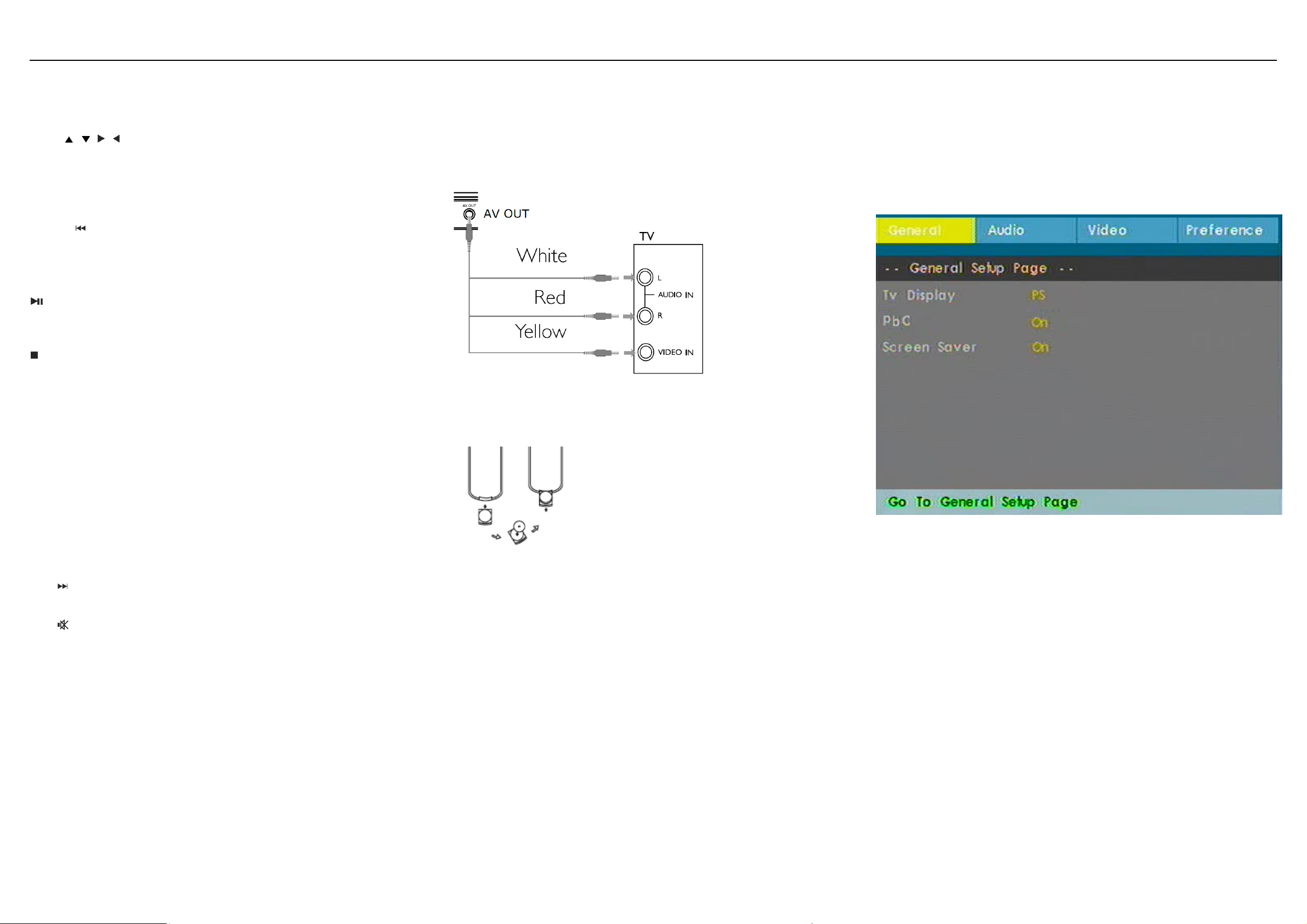
รีโมท คอนโทรล
ปุม
, , , .............................ปุมลูกศรบน/ลาง/ขวา/ซาย
ปุม
OK ………………………………………………..ยืนยันการเลือ
ก
ปุ4 ปุม
..........................................ขามไปยังหัวตอน,
เรื่อง/เพลง, หรือหัวตอนที่ผานมา
ปุม PLAY/PAUSE
…………………….เริ่มหรือหยุดเลนชั่วคราว
ปุม STOP
………………………………………หยุดเลนหรือลบรายการ
ปุมตัวเลข ......................................เพื่อใสตัวเลข
ปุม
SUBTITLE ................................เลือกภาษาคําบรรยายใตภาพ
ปุม
RETURN .................................แสดงหนาเมนูสําหรับแผนวิดีโอ
ซีดี
ปุม
A-B ......................................เลนซ้ําชวงที่กําหนดบนแผนดิสก
ปุม SETUP ..................................เขาหรือออกจากระบบเมนู
ปุม
........................................ขามไปยังหัวตอน, เรื่อง/เพลง
หรือหัวตอนถัดไป
ปุม
.......................................ปดเสียงเครื่องเลนชั่วคราว
ปุม
AUDIO ................................เลือกภาษาเสียงพากยเมื่อเลนแผน
ดีวีดี หรือเลือกรูปแบบเสียง (สเตอริโอ, โมโน-ซาย หรือ
โมโน-ขวา) เมื่อเลนแผนวิดีโอ ซีดี/ซีดีเพลง
ปุม
ZOOM ……………………………………..ขยายหรือลดขนาด
ของภาพหรือแสดงภาพภาพบนจอ TFT
การเตรียมเครื่อง:
3.4 การตออุปกรณแปลงไฟเอซี
ตออุปกรณแปลงไฟที่จัดมาใหเขากับเครื่องเลนและกับเตาจายไฟ
(ดังภาพแสดง)
การเชื่อมตอกับโทรทัศน
ทานเพียงเชื่อมตอเครื่องเลนไปยังโทรทัศนและพรอมที่จะเพลิดเพ
ลินไปกับดีวีดี ภาพยนตรของทาน
การใสแบตเตอรี่ รีโมท คอนโทรล
1 เปดชองบรรจุแบตเตอรี่ นําแถบพลาสติกปองกันออก
(เฉพาะการใชงานครั้งแรกเทานั้น)
2 ใสแบตเตอรี่ลิเธียม 3V จํานวน 1 กอน ชนิด CR2025
จากนั้นปดชองบรรจุแบตเตอรี่
ขอควรระวัง
• แบตเตอรี่ประกอบดวยสารเคมีเปนสวนใหญ
ดังนั้นควรกําจัดทิ้งอยางเหมาะสม
• แบตเตอรี่ไมควรอยูในสถานที่ที่มีความรอนสูงเชน แสงแดด,
ไฟหรือที่คลายกัน
• อันตรายจากการระเบิด หากเปลี่ยนแบตเตอรี่ไมถูกตอง
เปลี่ยนแบตเตอรี่เฉพาะชนิดเดียวกันหรือเหมือนกัน
• การใชแบตเตอรี่อยางไมถูกตอง
สามารถทําใหเกิ
ดการรั่วไหลและเปนสนิมในชองบรรจุแบต
เตอรี่หรือทําใหแบตเตอรี่ระเบิดได
• นําแบตเตอรี่ออก ถาไมไดใชเครื่องเลนเปนเวลานาน
• สารตั้งตน Chloride เปนสารควบคุมพิเศษ ดู
www.dtsc.ca.gov/hazardouswaste/perchlorate
การปรับตั้ง
กดปุม SETUP
จะแสดงรายการสําคัญๆ
ใชปุมลูกศรซาย/ขวา ใหรายการที่เลือกเปนแถบสวาง
ใชปุมลูกศรเลือกรายการที่ตองการปรับตั้งเปนแถบสวาง
เมนูปรับตั้ง (SETUP MENU) ประกอบดวย
ขอมูลทั่วไป (General)
TV display: ปรับตั้งอัตราสวนการแสดงของจอภาพ
PBC: PBC on/off
Screen Saver: เปดหรือปดระบบถนอมจอภาพ
เสียง (Audio)
7
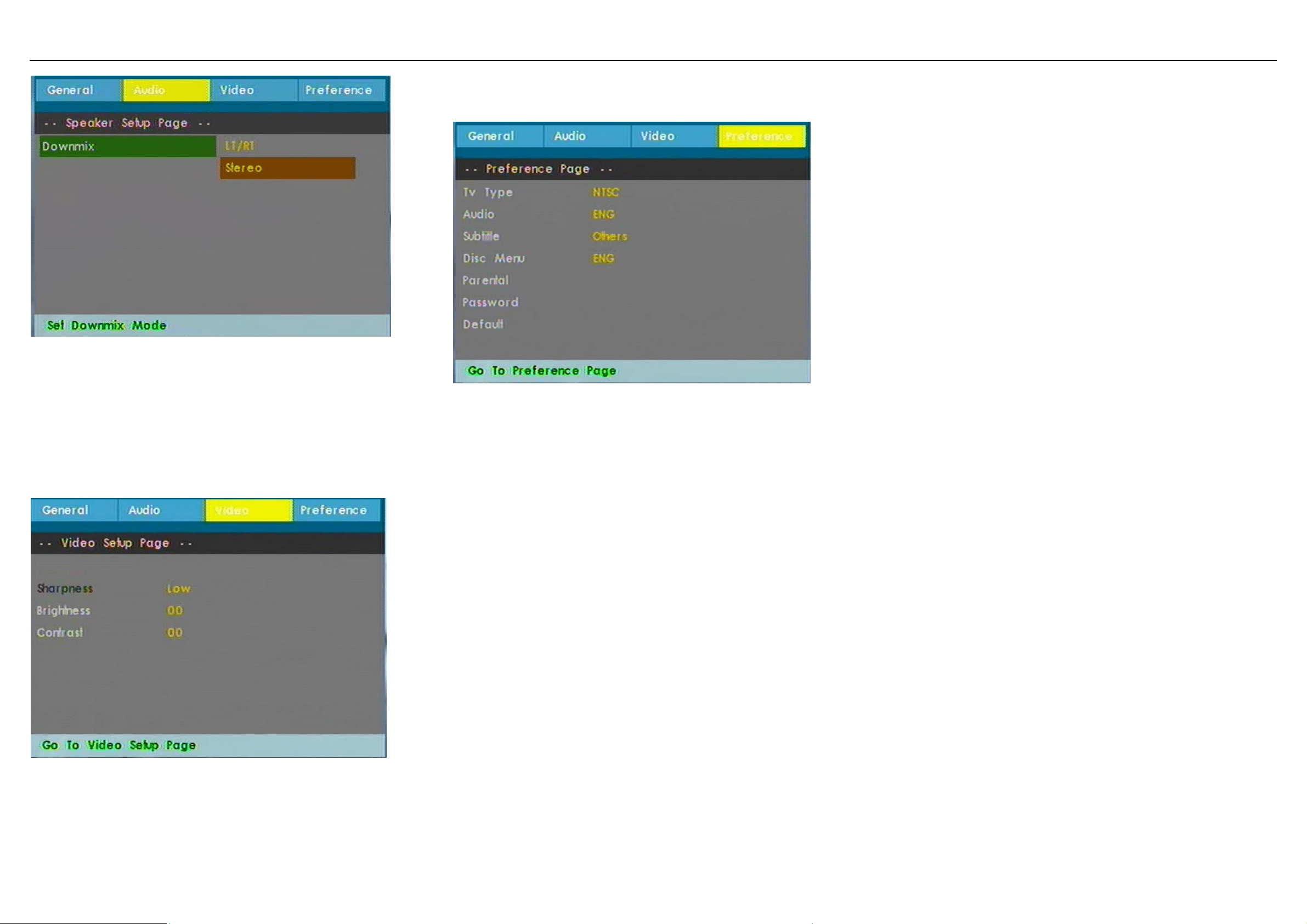
รูปแบบเสียง (Downmix) : LT/RT
(โมโนซาย/โมโนขวา)
Stereo (สเตอริโอ)
ภาพ (Video)
ความชัด (Sharpness): ใหทานปรับสีบนจอภาพ
ความสวาง (Brightness): ใหทานปรับความสวางจอภาพ
คอนทราสต (Contrast): ใหทานปรับคอนทราสตจอภาพ
ขอมูลอางอิง (Preference)
ระบบสัญญาณภาพ (TV type):
ตั้งรูปแบบการจายสัญญาณภาพไปยังระบบโทรทัศน
เสียง (Audio): ตั้งภาษาเสียงพากย
คําบรรยายใตภาพ (Subtitle): ตั้งภาษาคําบรรยายใตภาพ
เมนูแผนดิสก (Disc Menu): ตั้งภาษาเมนูของแผนดิสก
ระบบล็อคปองกัน (Parental): ปรับตั้งระดับการปองกัน
รหัสผาน (Password): ตั้งรหัสผานเพื่อเปลี่ยนรหัสผาน
(คาเริ่มตน: 9999)
คาเริ่มตน (Default): เพื่อปรับใหกลับไปยังคาปรับตั้งจากโรงงาน
การเลนดีวีดี
1 ตอเครื่องเลนไปยังโทรทัศน
2 กดปุม POWER บนตัวเครื่อง เพื่อเปดเครื่องเลน
3 เปดชองฝาชองบรรจุแผนดิสกและใสแผนดิสก
เครื่องเลนจะเริ่มเลนแผนดิสกอัตโนมัติ
การเลนแผนวิดีโอ ซีดีและซูเปอร วิดีโอซีดี
1 ตอเครื่องเลนไปยังโทรทัศน
2 กดปุม POWER บนตัวเครื่อง เพื่อเปดเครื่องเลน
3 เปดชองฝาชองบรรจุแผนดิสกและใสแผนดิสก
เครื่องเลนจะเริ่มเลนแผนดิสกอัตโนมัติ
การทํางานที่ใชไดระหวางเลน
ปุม Pause (หยุดชั่วคราว): เพื่อหยุดเลนชั่วคราว
กดปุมอีกครั้งเพื่อเลนตามปกติ
ปุม Previous/Next (ยอนกลับ/ถัดไป): กดปุม Previous สั้นๆ
(หรือ) ปุม Next หนึ่งครั้งหรือมากกวา
เพื่อเลือกหัวตอนที่ทานตองการ
ปุม Fast backward/Fast forward (ถอยหลังเร็ว/เดินหนาเร็ว):
กดปุมคางไวหรือถอยหลังเร็ว/เดินหนาเร็วไปยังจุดเริ่มตน
เมื่อ 2x แสดงบนจอภาพ กดปุมถอยหลังเร็ว (หรือ)
เดินหนาเร็วสั้นๆ เพื่อเปลี่ยนความเร็วเปน 4x, 8x, 16x, 32x
หรือเลนตามปกติ
ทานอาจตองกดเพื่อกลับไปเลนตามปกติ
ปุม Stop (หยุ
ด): กดสั้นๆ เพื่อหยุดเลน
การเลนซีดีเพลง หรือซีดี MP3
1 ตอเครื่องเลนไปยังโทรทัศน
2 กดปุม POWER บนตัวเครื่อง เพื่อเปดเครื่องเลน
3 เปดชองฝาชองบรรจุแผนดิสกและใสแผนดิสก
เครื่องเลนจะเริ่มเลนแผนดิสกอัตโนมัติ
• เครื่องจะเริ่มเลนแผนดิสกอัตโนมัติ
4 ใชปุมลูกศรเลือกโฟลเดอรและไฟล MP3
หรือไฟลเพลงที่ตองการเลน
8
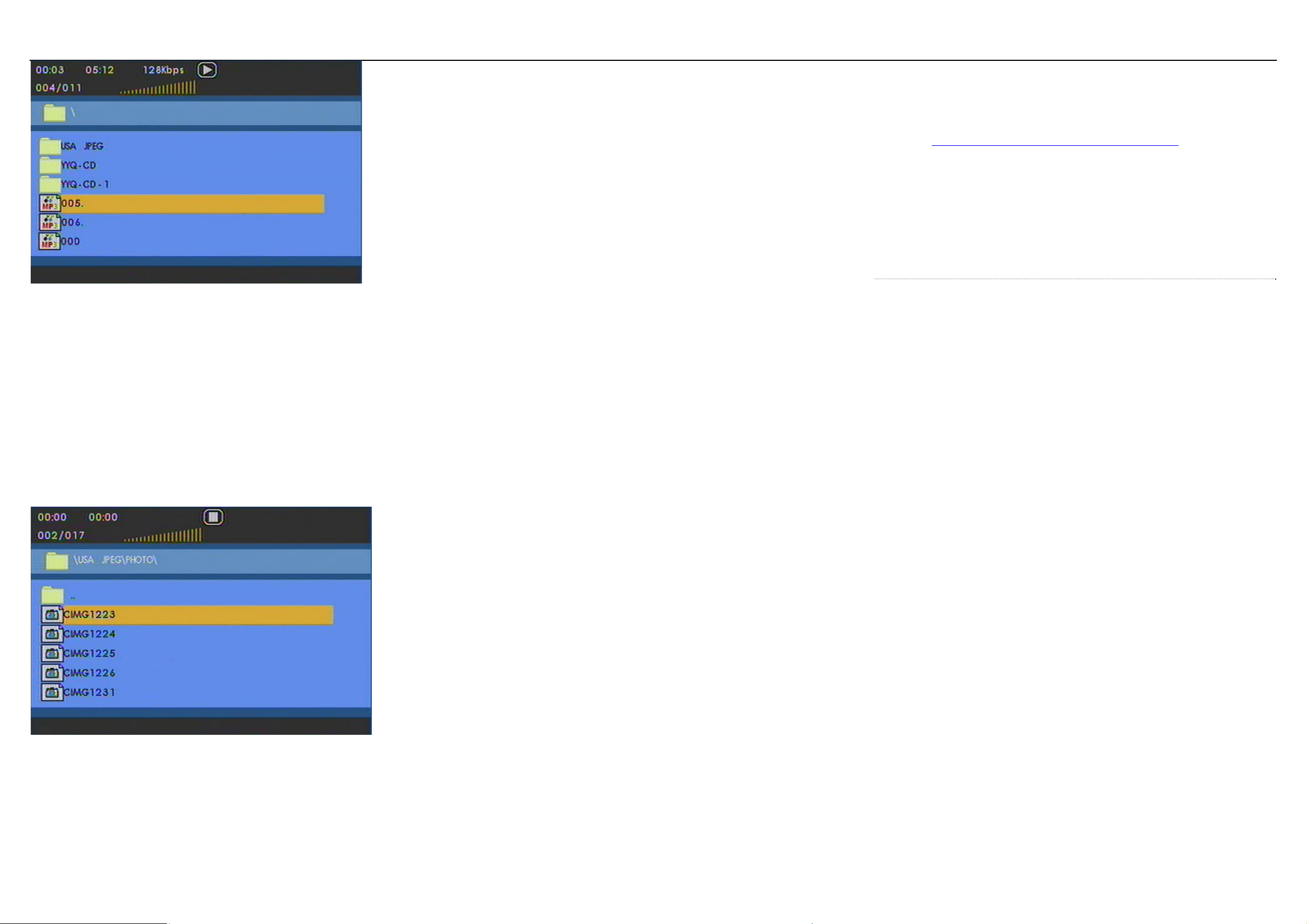
การเลนซีดีภาพ (Picture CD)
เครื่องเลนสามารถอานไดเฉพาะภาพในรูปแบบ JPEG เทานั้น
1 ตอเครื่องเลนไปยังโทรทัศน
2 กดปุม POWER บนตัวเครื่อง เพื่อเปดเครื่องเลน
3 เปดชองฝาชองบรรจุแผนดิสกและใสแผนดิสก
เครื่องเลนจะเริ่มเลนแผนดิสกอัตโนมัติ
• เครื่องจะเริ่มเลนแผนดิสกอัตโนมัติ
4 ใชปุมลูกศรเลือกโฟลเดอรและไฟล JPEG ที่ตองการเลน
การทํางานที่ใชไดระหวางเลน
ขึ้นอยูกับความแตกตางของแผนดิสกและความแตกตางสถานะกา
รเลน บางการทํางานอาจใชไมได
ปุม Pause (หยุดชั่วคราว): เพื่อหยุดเลนชั่วคราว
กดปุมอีกครั้งเพื่อเลนตามปกติ
ปุม Previous/Next (ยอนกลับ/ถัดไป): กดปุม Previous สั้นๆ
(หรือ) ปุม Next หนึ่งครั้งหรือมากกวา
เพื่อเลือกหัวตอนที่ทานตองการ
ปุม Fast backward/Fast forward (ถอยหลังเร็ว/เดินหนาเร็ว):
กดปุมคางไวหรือถอยหลังเร็ว/เดินหนาเร็วไปยังจุดเริ่มตน
เมื่อ 2x แสดงบนจอภาพ กดปุมถอยหลังเร็ว (หรือ)
เดินหนาเร็วสั้นๆ เพื
่อเปลี่ยนความเร็วเปน 4x, 8x, 16x, 32x
หรือเลนตามปกติ
ทานอาจตองกดเพื่อกลับไปเลนตามปกติ
การทํางานนี้ใชไดเฉพาะกับการเลนแผนดีวีดี, ซีดีเพลง, MP3
เทานั้น
ปุม Stop (หยุด): กดสั้นๆ เพื่อหยุดเลน
ปุม Subtitle (คําบรรยายใตภาพ):
เพื่อเปลี่ยนการแสดงคําบรรยายใตภาพ,
การทํางานนี้สามารถใชไดโดยกดปุม SUBTITLE
ปุม OSD (แสดงขอมูลบนจอภาพ): กดสั้นๆ
เพื่อตรวจสอบสถานะการเลน
ปุม Language (ภาษา):
ทานสามารถเปลี่ยนภาษาไดดวยการทํางานนี้
การทํางานนี้สามารถใชไดโดยกดปุม AUDIO
หมายเหตุ: แผนวิดีโอ ซีดี บางแผนจะมีภาษาใหเลือก 2 ภาษา
ปุม ZOOM (ขยายภาพ): ขยายภาพบนจอภาพ
และจากน
ั้นใชปุมลูกศรเพื่อเลื่อนภาพบนจอ
การทํางานนี้สามารถใชไดโดยกดปุม ZOOM
การทํางานนี้สามารถใชไดเฉพาะกับแผนดีวีดี ภาพยนตร, ไฟล
JPEG เทานั้น
ปุม A-B Repeat (เลนซ้ําชวง A-B): ตั้งการเลนซ้ําแบบวนไปมา
กดปุม A-B เพื่อตั้งจุดเริ่มตนและกดปุม A-B
อีกครั้งเพื่อตั้งจุดสิ้นสุด จากนั้นเครื่องเลนจะเลนซ้ํา กดปุม A-B
อีกครั้งเพื่อยกเลิกการเลนวน
การทํางานนี้ใชไดเฉพาะกับแผนดีวีดี ภาพยนตร, ซีดีเพลงและ
MP3 เทานั้น
9. ปญหาและการแกไข
ถาทานพบปญหาเมื่อใชเครื่องเลนดีวีดี
ให
ทําการตรวจสอบตามคําแนะนํา กอนเรียกศูนยบริการ
หากปญหายังคงอยูใหไปที่เว็บไซตของ
ฟลิปส ที่ www.welcome.philips.com/us_en/.or
หรือติดตอศูนยบริการฟลิปส (ดูขอมูลการติดตอ)
เมื่อทานติดตอกับบริษัท ฟลิปส
ตองแนใจวาเปนระบบไมโครและหมายเลขรุนและหมายเลขเครื่อง
ปรากฏอยู
ปญหา การแกไข
ไมมีไฟฟาเขาเครื่อง -
ตรวจสอบวาเสียบปลั๊กไฟทั้งสองดานของสายไฟฟาถูกตองแลว
-
ตรวจสอบวามีกระแสไฟฟาอยูภายในเตาจายไฟเอ.ซี.
โดยลองเสียบปลั๊กไฟของอุปกรณอื่น
-
ตรวจสอบวาตออุปกรณแปลงไฟฟาภายในรถยนตถูกตองแลว
ภาพผิดเพี้ยน -
ตรวจสอบรอยนิ้วมือบนแผนดิสก และทําความสะอาดแผนดิสก
โดยใชผานุมๆ
เช็ดแผนดิสกจากตรงกลางออกไปยังขอบแผน
-
ในบางครั้งภาพอาจเกิดผิดเพี้ยนเล็กนอย
สิ่งนี้ไมไดเปนความผิดปกติแตอยางใด
ภาพผิดเพี้ยนทั้งหมด/ -
โทรทัศนไมไดถูกตั้งไว
ในระบบ PAL ตั้งระบบของโทรทัศน
ไมมีสีบนจอโทรทัศน
ใหตรงกับระบบของเครื่องเลนดีวีดี
ไมมีเสียง -
ตรวจสอบวาตอสายสัญญาณเสียงถูกตองแลว
9

ไมสามารถเลน -
ตรวจสอบวาหันดานฉลากของแผนดิสกขึ้นดานบน
แผนดิสกได - ทําความสะอาดแผนดิสก
-
ตรวจสอบวาแผนดิสกชํารุดเสียหายหรือไม ดวยการลองเลน
แผนดิสกแผนอื่น
เครื่องเลนไมรับคําสั่ง -
ชี้รีโมทไปที่ตัวรับสัญญาณรีโมทบนดานหนาเครื่องเลนโดยตรง
จากรีโมท คอนโทรล -
หลีกเลี่ยงสิ่งกีดขวางทั้งหมดซึ่งอาจรบกวนวิถีสัญญาณ
ตรวจสอบและเปลี
่ยนแบตเตอรี่ในรีโมท
ภาพผิดเพี้ยนหรือภาพเปนสีขาว-ดํา -
ใชเฉพาะแผนดิสกซึ่งมีรูปแบบที่ตรงกับระบบของโทรทัศน
เมื่อเลนแผนดีวีดี (PAL/NTSC)
ระหวางเลนแผนดิสก -
การทํางานบางอยางอาจถูกจํากัดโดยแผนดิสก
เครื่องเลนไมตอบสนองบางการทํางาน -
อางอิงคําแนะนําที่จัดมาใหพรอมกับแผนดิสก
เครื่องเลนอุนขึ้น
-
เมื่อใชงานเครื่องเลนเปนระยะเวลานานติดตอกัน พื้นผิวของ
เครื่องเลนจะรอนขึ้น
ซึ่งเปนการทํางานปกติ
เครื่องเลนดีวีดีเครื่องนี้ทําตามมาตรฐานอุปกรณรบกวนคลื่นวิทยุข
องสหภาพยุโรป
ขอมูลดานเทคโนโลยี
ขนาด
น้ําหนัก
กําลังไฟที่ใช DC12V 1A
ใชกําลังไฟ <20 วัตต
อุณหภูมิขณะใชงาน 0 ถึง 50 ํ C (32 ถึง 122 ํF)
ความยาวคลื่นของเลเซอร 650 นาโนเมตร
ระบบภาพ NTSC/ PAL/ AUTO
บริษัทฟลิปสมีสิทธิอยางถูกตองในการเปลี่ยนแปลงการออกแบบแ
ละขอมูลจําเพาะได
โดยไมตองแจงใหทราบลวงหนา เพื่อการพัฒนาเครื่อง
การเปลี่ยนแปลงหรือแกไขใดๆ
กับอุปกรณน
ี้โดยไมไดรับอนุญาตจากผูผลิต จะทํา
ใหทานหมดสิทธิ์ในการเปนผูใชอุปกรณนี้ทันที
สงวนลิขสิทธิ์ทั้งหมด
10
Need help?
Online
Go to www.philips.com/support
Royal Philips Electronics N.V.2007
Meet Philips at the Internet
Http://www.philips.com
Printed in China