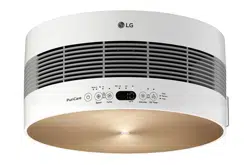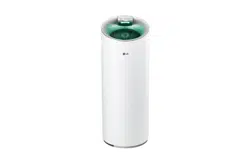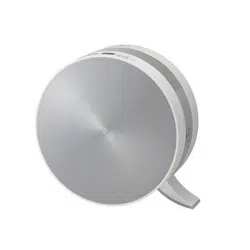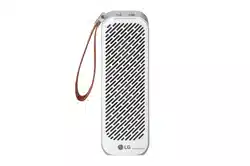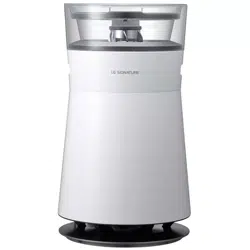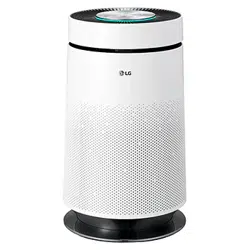
PS-M550 Series
사용 전에「안전을 위한 주의사항」을 반드시 읽고 정확하게 사용하세요.
사용자의 안전을 지키고 재산상의 손해 등을 막기 위한 내용입니다.
사용설명서에 제품보증서가 포함되어 있습니다.
사용설명서를 읽고 난 후 사용하는 사람이 언제라도 볼 수 있는 장소에 보관하세요.
P/No.:MFL31040009

34
Air Purifier
The advantages are
Congratulations on your purchase and welcome to the LG family.
Your new LG Air Purifier combines high-efficiency operation with portable convenience.
By following the operating and care instructions in this manual, your air purifier will provide you with
many years of reliable service.
- 99.9% highly purified platinum catalyst filter completely removes pollutants such as VOCs, harmful chemical
elements and their odors.
- Air is first cleaned by a washable HEPA filter and then sterilized by the NPI (Nano Plasma Ion) technology.
Only the LG air purifier can clean and sterilize air in this manner.
- Filter cleaning is easy with LG's convenient filter separation system.
- Filters can be washed over and over again.
The Platinum Sterilization System
Easy to Use HEPA filter system
- The anti-allergic filter absorbs and breaks up the particles that cause allergies. The anti-allergic filter is also
effective removing odors and bacteria from the air.
- The advanced photo catalyst system removes particles from indoor air and utilizes static power to improve the
efficiency of the HEPA filter.
Powerful anti-allergic filter
Photo-catalyst plasma system

Important Safety Issues
How to Use
Care and Cleaning
Table of Contents
❏ The advantages are ...........................................................34
❏ Safety Precautions .......................................................36~45
❏ Installation ..........................................................................46
❏ How to Use.........................................................................47
❏ Key Parts and Components .........................................48~51
– Mainframe
– Display and Controller
– Filters System
– Remote Controller
❏ Remote Controller Guide....................................................52
– Battery Installation
– Caution
35
Owner’s Manual
Important Safety Issues
❏ Exterior and Dust Sensors Cleaning Method .....................59
❏ Filter Cleaning ..............................................................60~61
❏ Maintenance.......................................................................62
❏ Troubleshooting Before Calling for Service..................63~64
❏ Product Specification..........................................................65
Care and Cleaning
❏ Operation Mode............................................................53~55
– Air Purifying Mode
– Speed Mode
– Automatic Mode
– Yellow Sandstorm Mode
– Sleeping Mode
❏ Additional Functions.....................................................56~58
– Off timer Mode Function
– Negative Ion / sterilization function
– Filter Checking Function
– Power Failure Compensation Function
How to Use
36
Air Purifier
Safety Precautions
For your safety, the information in this manual must be followed to minimize the risk of fire or explosion, electric
shock, or to prevent property damage, personal injury, or death.
WARNING
CAUTION
Warning / Caution
This symbol will alert you to hazards or unsafe practices which could cause bodily injury
or property damage.
This symbol will alert you to the possibility of improper use that may result in damage.
Read instructions to avoid damage or injury.
This symbol will alert you to any product detail or operation that could lead to a safety
hazard if the instructions in the manual are not followed properly.
Important Safety Issues
Safety Precautions
37
Owner’s Manual
Warning
Installation
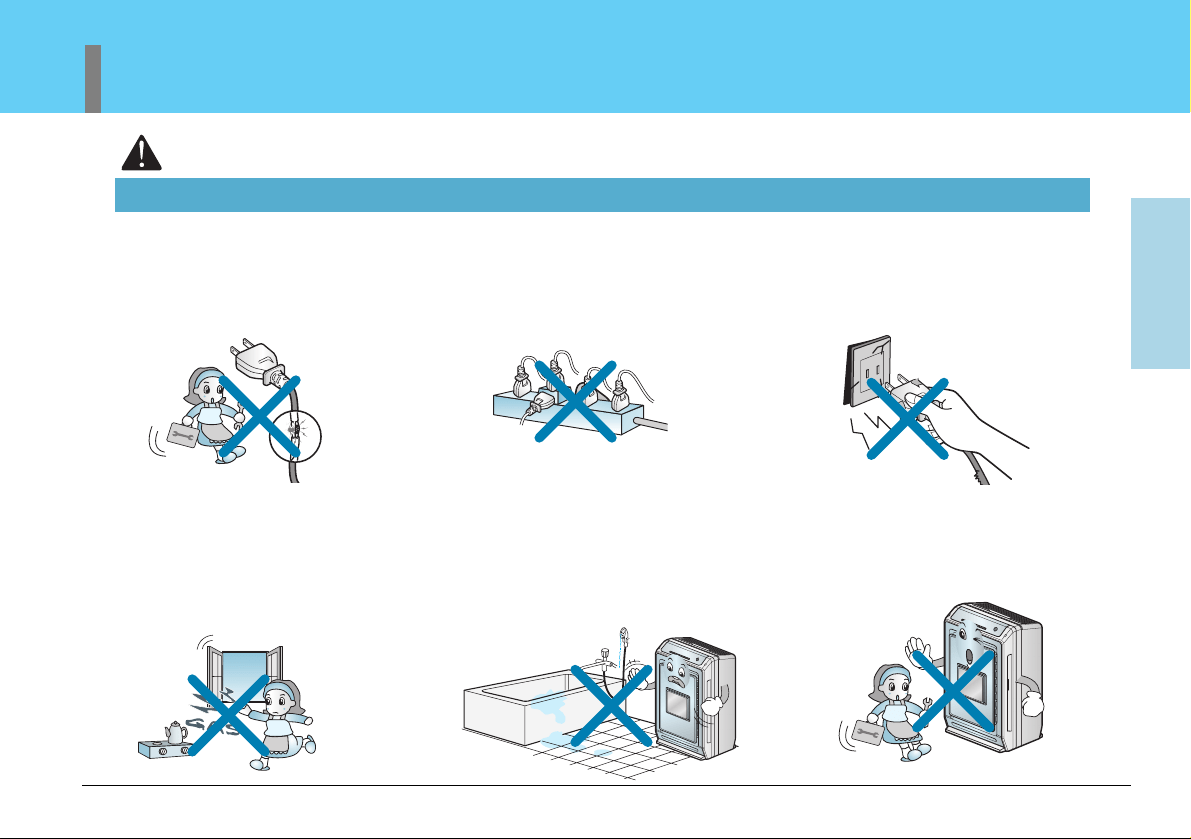
If the power cord becomes worn
or damaged, the cord should
only be replaced by a qualified
service technician using
genuine replacement parts.
Do not operate with wet hands
or in a damp environment.
Do not disassemble or modify the
air purifier or the power cord.
Do not plug other appliances
into the same outlet.
Overloading of any outlet can
cause a fire or create an
electrical shock hazard.
Do not remove the round
grounding prong from the plug.
Do not operate this or any
electrical appliance when you
smell gas.
38
Air Purifier
Safety Precautions
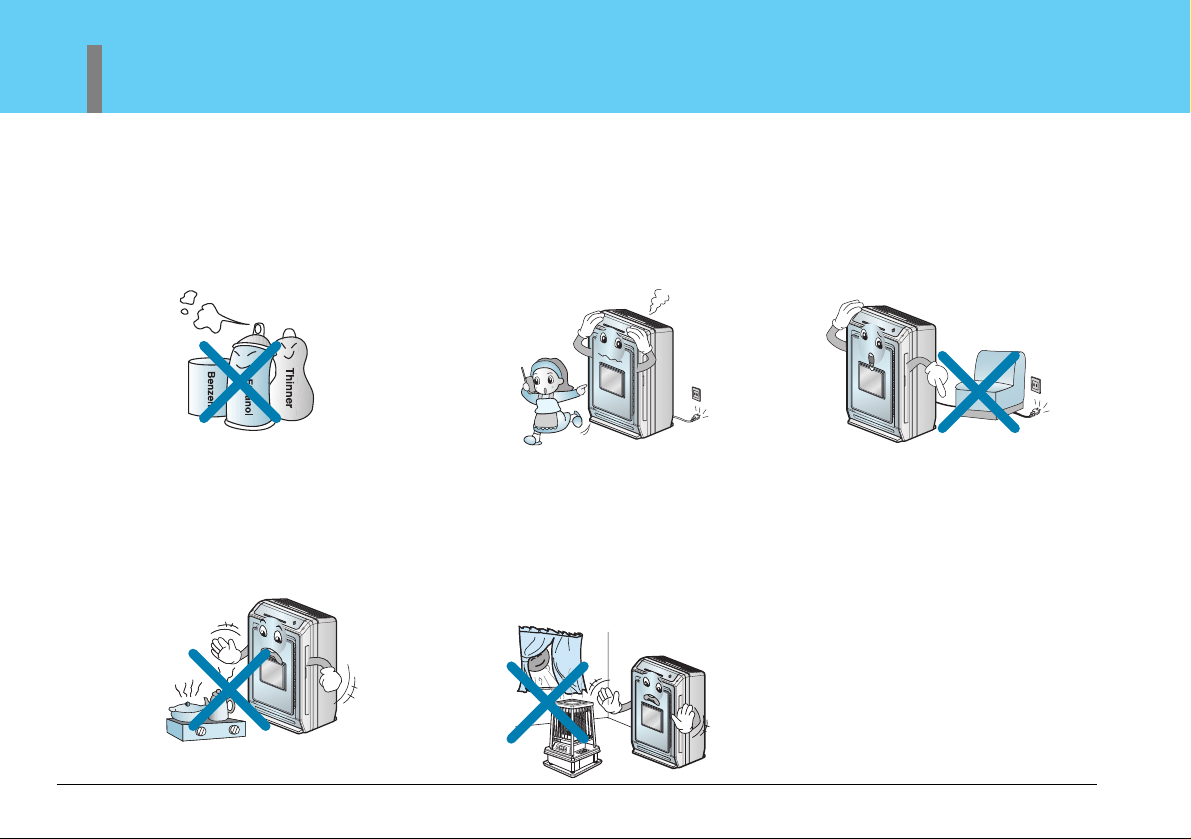
Keep this product out of the direct rays
of the sun or other heat sources. Do not
use the unit near water sources that
could allow moisture to enter the unit.
Overheating and/or water infiltration
could lead to a fire or shock hazard and
could result in failure of the product.
If you hear abnormal sounds or
smell smoke, immediately unplug
your Air Purifier and have the unit
checked by a qualified technician.
Make sure the Air Purifier and
cord is positioned where it does
not create a tripping hazard. Do
not roll heavy furniture over the
top of the cord.
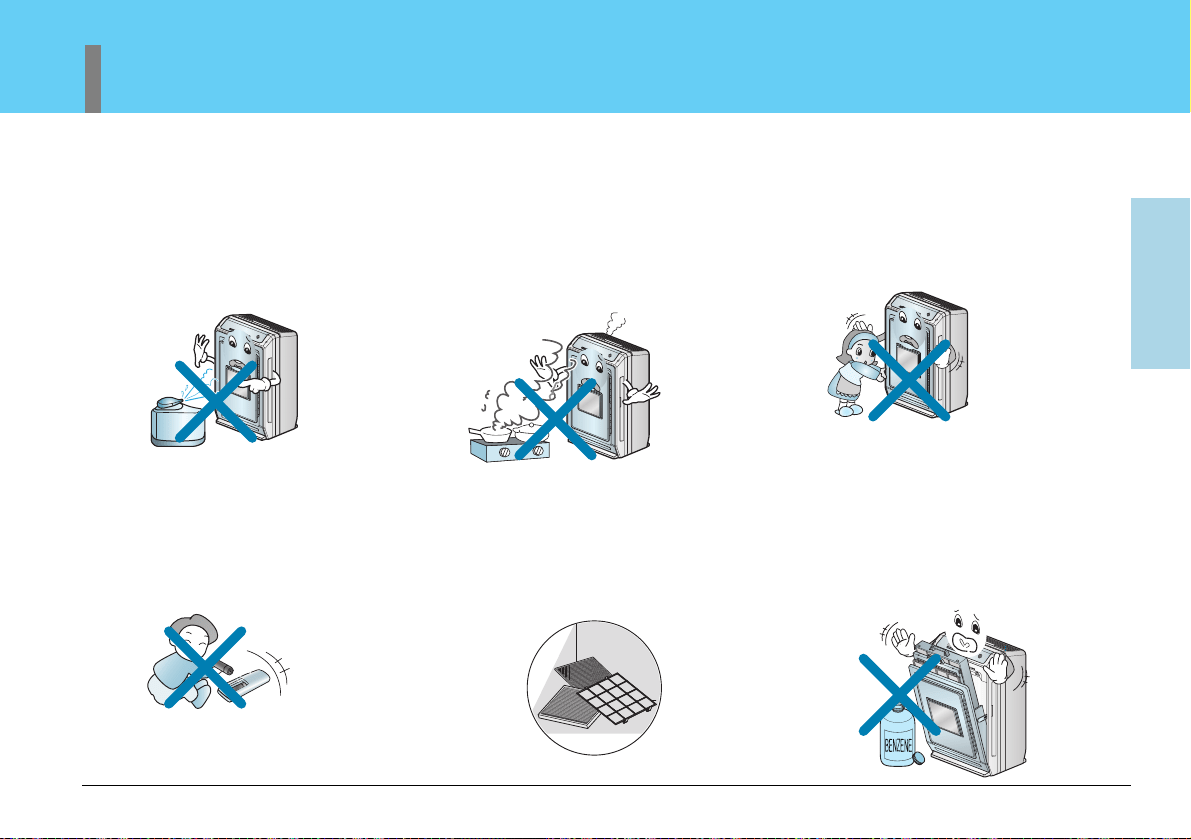
Do not use this or any appliance
near flammable gases or liquids or
other combustibles, such as
gasoline, benzene, thinner, etc.
Do not use near open flames.
Important Safety Issues
Safety Precautions
39
Owner’s Manual
Operation
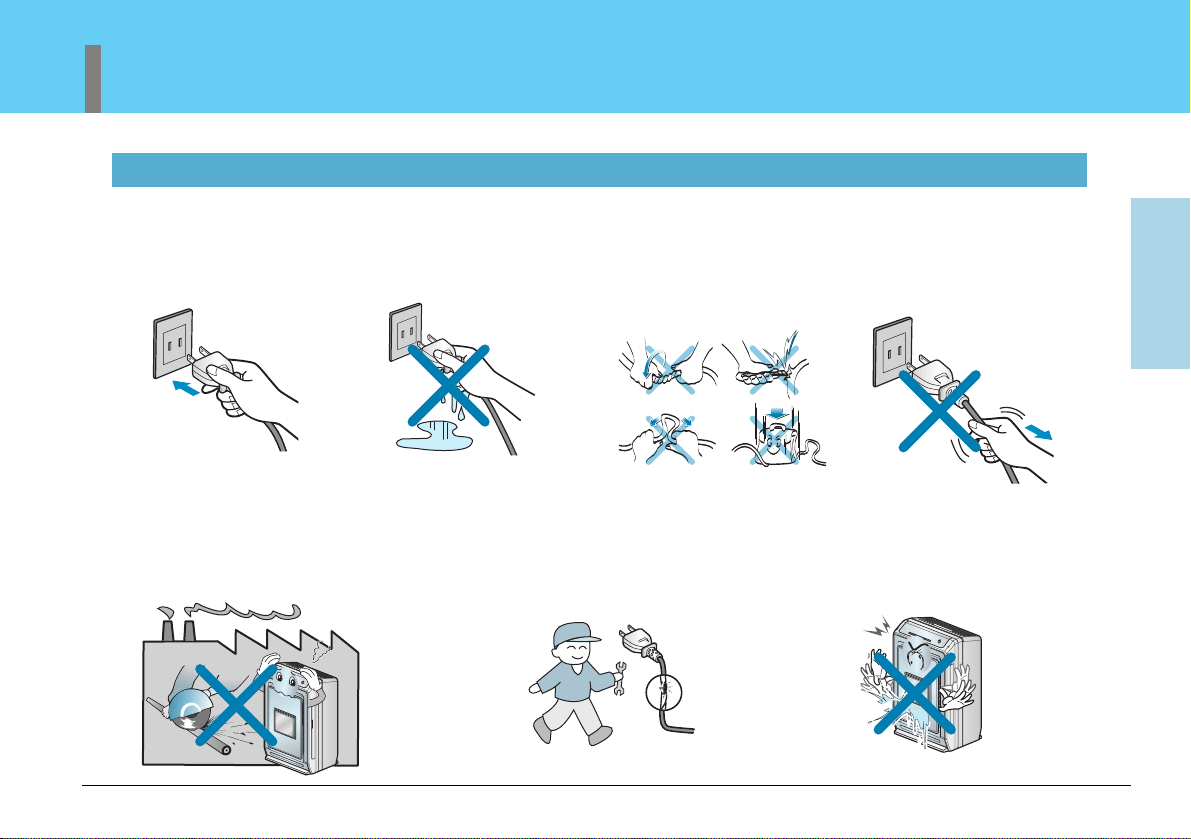
Do not install a place where there
are much industrial Oil dust or
metallic dust.
If may cause fire and failure of
product.
If the power cord ever becomes
frayed or damaged, do not attempt
to repair. The cord should be
replaced by a qualified technician.
Make sure the power cord
is plugged firmly and
completely into the
outlet.
Do not operate with wet
hands.
Never pour or allow water to run
onto or into the unit; it could
damage internal components and
create a shock and fire hazard.
Do not operate your Air
Purifier with a damaged
power cord. A damaged
cord could expose you to
a severe shock and burn
hazard.
Never pull the power plug
away from outlet by
pulling on the wire.
Always grasp the cord by
the receptacle end.
40
Air Purifier
Safety Precautions
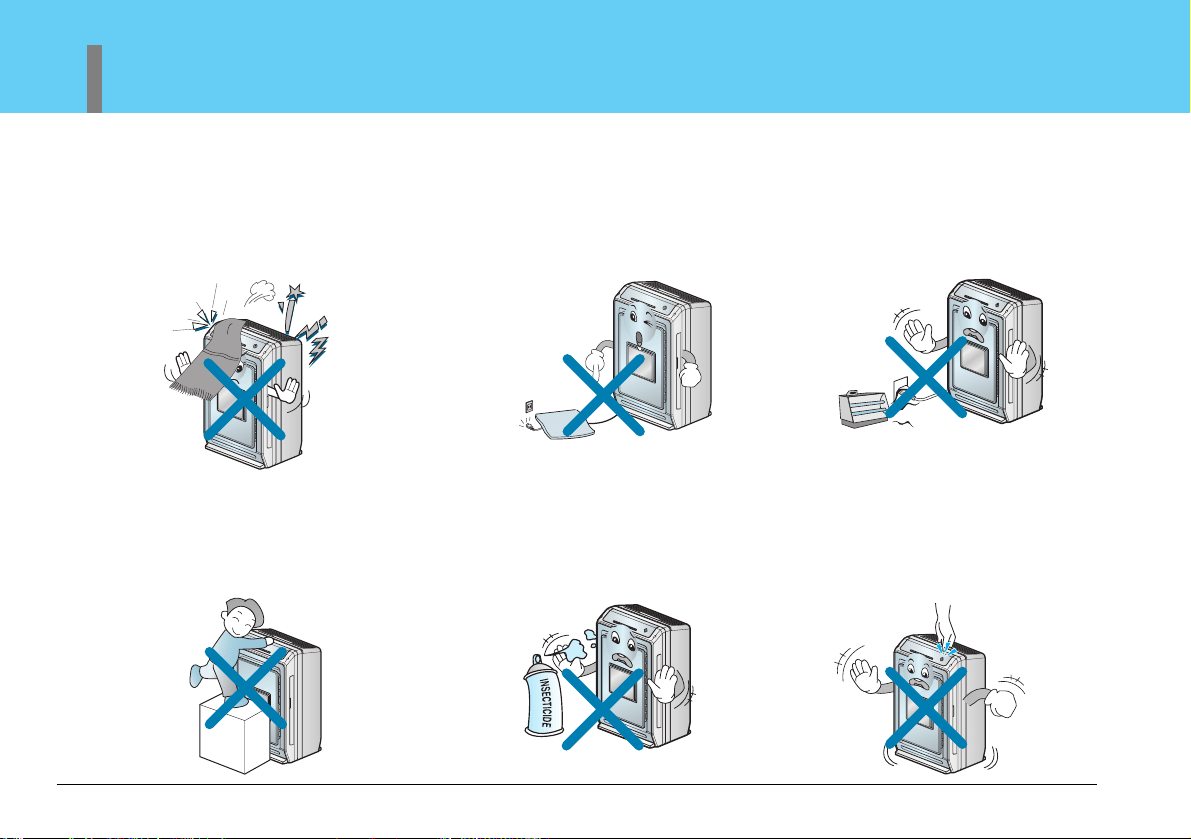
Do not use your Air Purifier to
remove hair spray and insecticides
from a room. These chemicals not
only clog the filters but could
damage the unit.
Secure the air purifier to prevent
it from rolling on smooth floors.
When moving the product,
insure that the power cord is
unplugged from the wall.
Do not place the power cord or
Air Purifier near a heater,
radiator, or other heat source.
Keep objects such as curtains
away from the air openings in the
unit. The openings must be free
from obstruction for the unit to
work efficiently.
Do not run power cords under
carpeting or other coverings which
could fray the cord and expose the
wires. Frayed cords are a shock and
fire hazard.
This air purifier is not designed
for use by young children. Young
children should be supervised to
ensure that they do not play with
or climb on the air purifier.
Important Safety Issues
Safety Precautions
41
Owner’s Manual
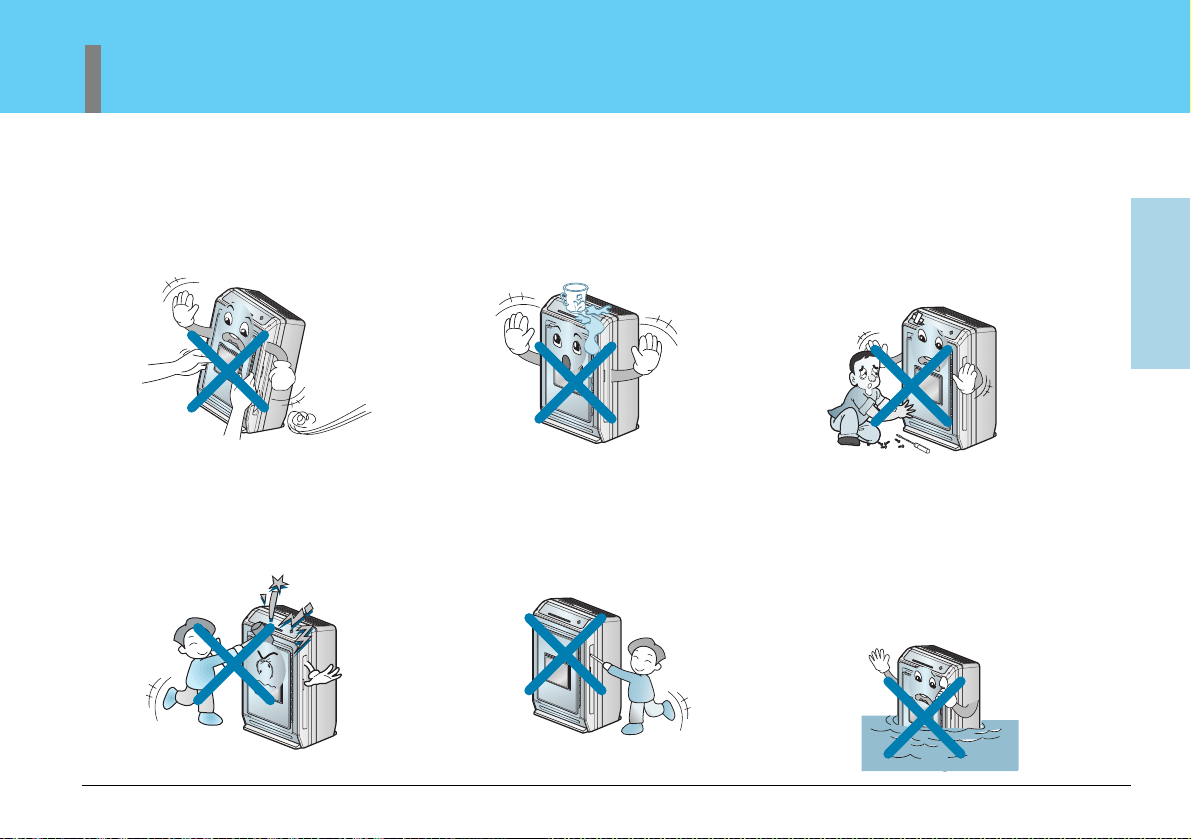
Other than cleaning and
replacing the filters, there are no
user replaceable components in
your Air Purifier. Service of this
unit should be referred to a
qualified service technician.
Do not move the air purifier by
pulling or pushing on the front
panel.
Do not use the top of the unit for
storage. Keep liquids away from
the top of the unit.
Do not apply pressure to the front
panel of the air purifier.
Keep hands and objects away
from the air inlet and outlet.
Do not clean the unit by
submerging in water. Water in the
unit will damage the insulation
and create an electrical shock
hazard. If water enters the unit,
unplug immediately and contact
Customer Service.
42
Air Purifier
Safety Precautions
Caution
Installation
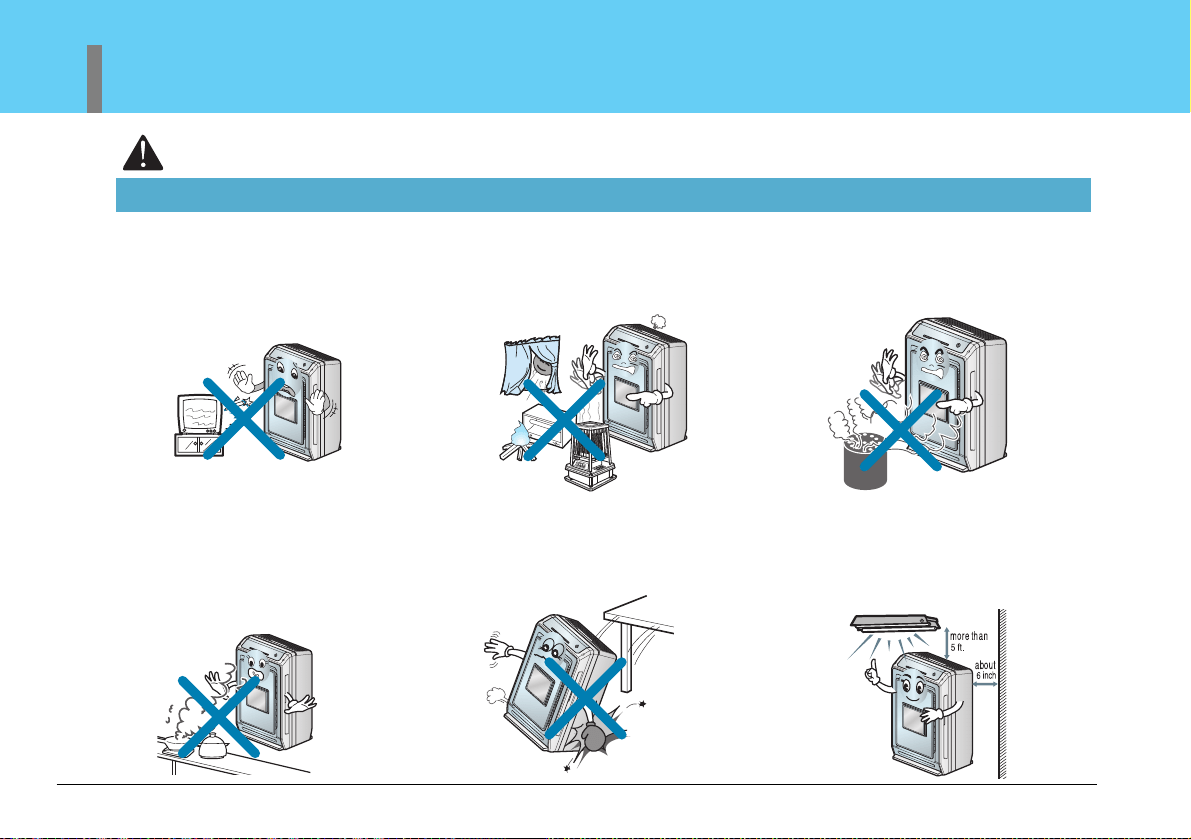
When using the unit, maintain a
distance of at least 3 feet
between the Air Purifier and any
Television or audio product.
Never use your Air Purifier to
remove toxic gasses (such as
Carbon Monoxide, Natural or
Liquified Petroleum Gasses).
Do not use your Air Purifier to
remove food odors while cooking.
Airborne oils that are released
during cooking will plug the
filters. Wait until cooking is
completed before operating your
Air Purifier.
Install the unit on a stable, flat
surface. Do not drop the unit.
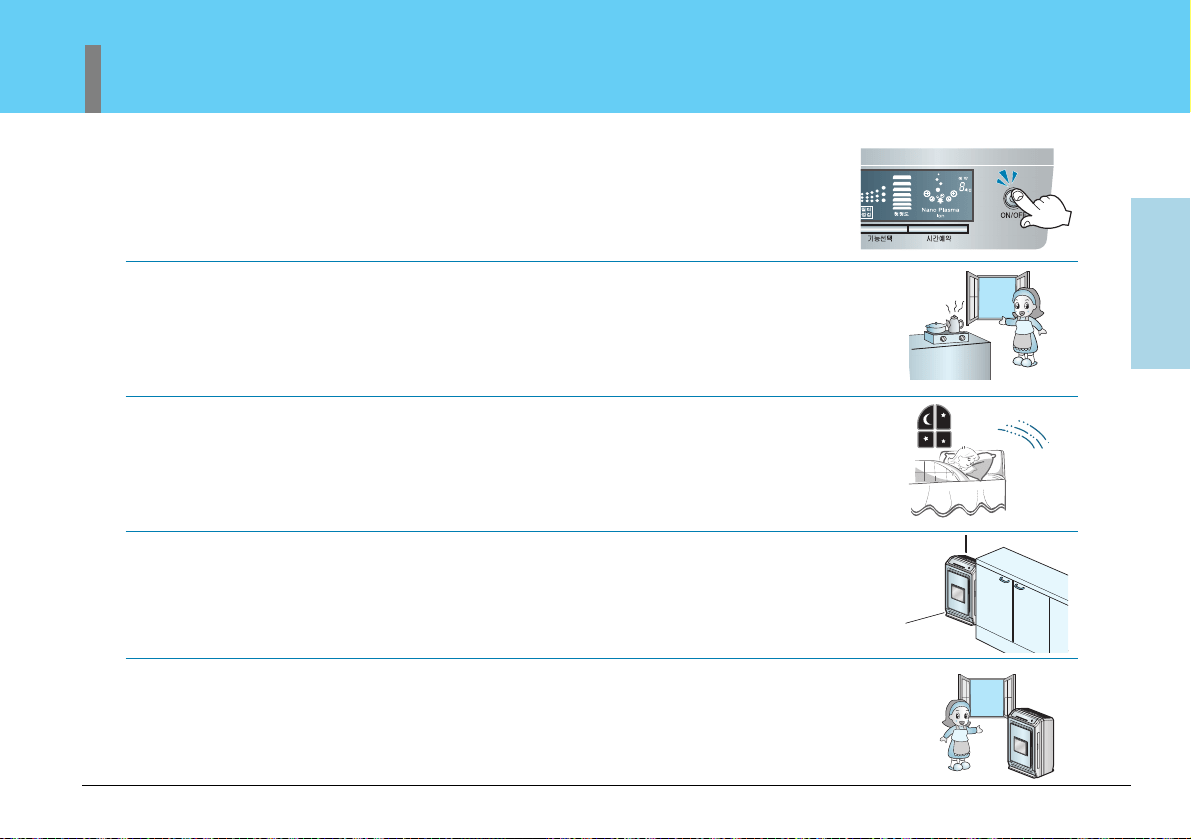
Maintain a minimum distance of
5 ft from any heat producing
light source. For proper
ventilation, maintain a distance
of 6 inches or more from a wall.
Avoid installing the Air Purifier in
direct sunlight and never operate
the unit near or around open
flames or other heat sources.
Important Safety Issues
Safety Precautions
43
Owner’s Manual
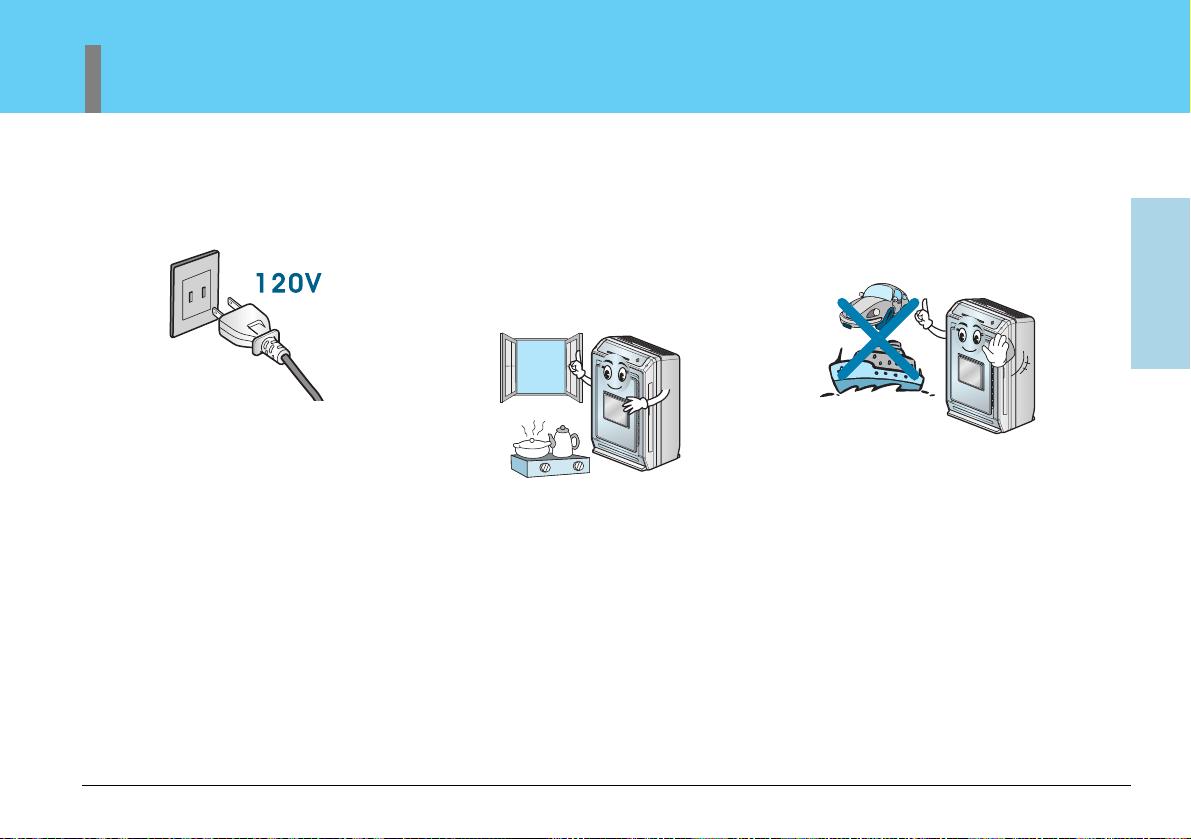
Do not use except AC 120V.
It may cause fire or electrical
shock.
This unit is not designed to
remove combustion by-products
such as those produced by open
flame burners. Toxic substances
such as carbon monoxide
should be ventilated from the
room by either using an exhaust
fan or by opening a window.
Your air purifier is not designed
to be used in moving vehicles
such as cars, RV's or boats.
44
Air Purifier
Safety Precautions
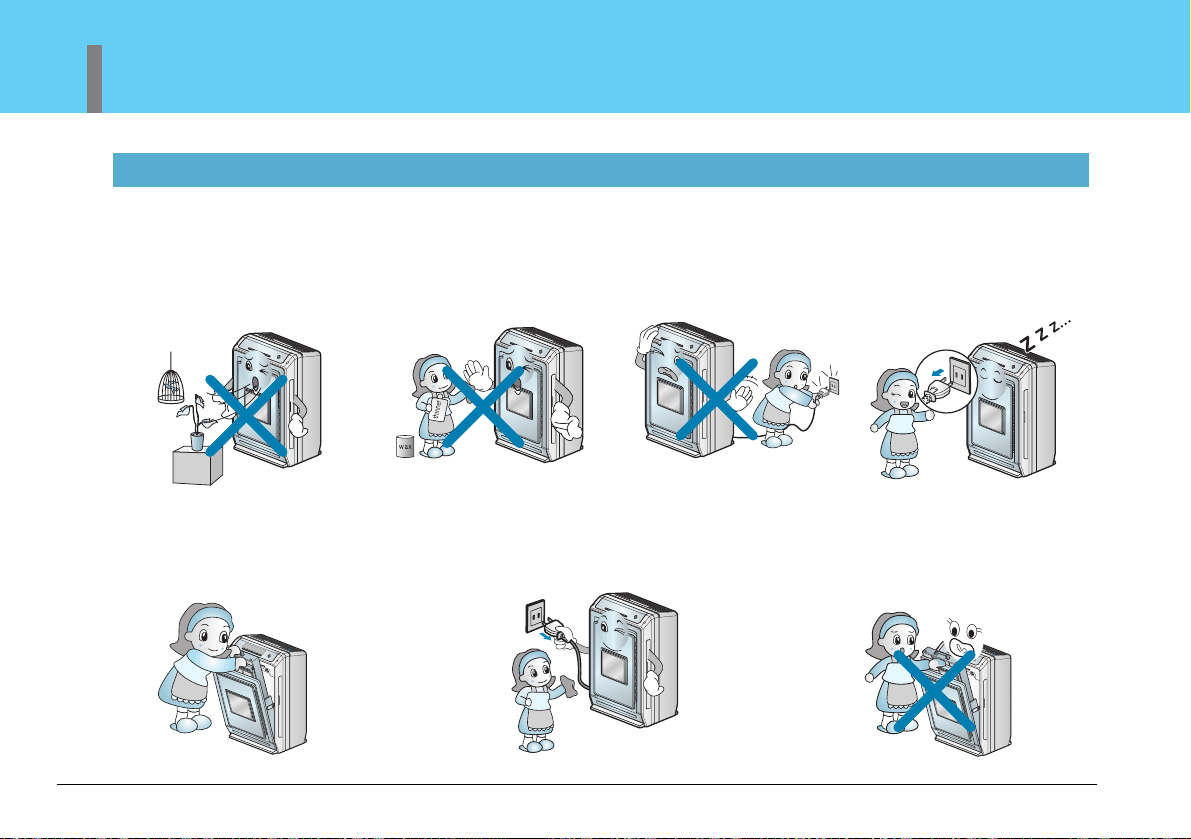
Clean filters on a regular basis.
Improper filter maintenance can
cause premature failure of the
product.
Operation
To prevent damage to plants
or injury to pets, make sure
they are not exposed to direct
air flow from the air purifier.
This unit is not intended to be
used for the preservation of art
objects or precision machinery.
Clean with a soft cloth and
mild detergent. Filter
should be cleaned once a
month.
Do not start or stop
operation by plugging in
or unplugging the power
cord.
Always turn off and unplug
the air purifier when it will
not be used for extended
periods of time. This
conserves energy and
reduces the chance of
accidents.
Turn off and unplug the unit
before disassembling the unit
for cleaning.
A damaged filter can create an
electrical hazard.
Important Safety Issues
Safety Precautions
45
Owner’s Manual
Do not open the front panel
during the operation of the
product.
Opening the front panel stops
the operation.
If a humidifier is used in the
same room as your Air Purifier,
keep the humidifier a safe
distance away from the Air
Purifier. Moisture from the
humidifier could clog the filters
and create an electrical shock
hazard.
Do not use your Air Purifier to
remove food odors while cooking.
Airborne oils that are released
during cooking will plug the filters.
Wait until cooking is completed
before operating your Air Purifier.
Keep batteries out of reach of
children.
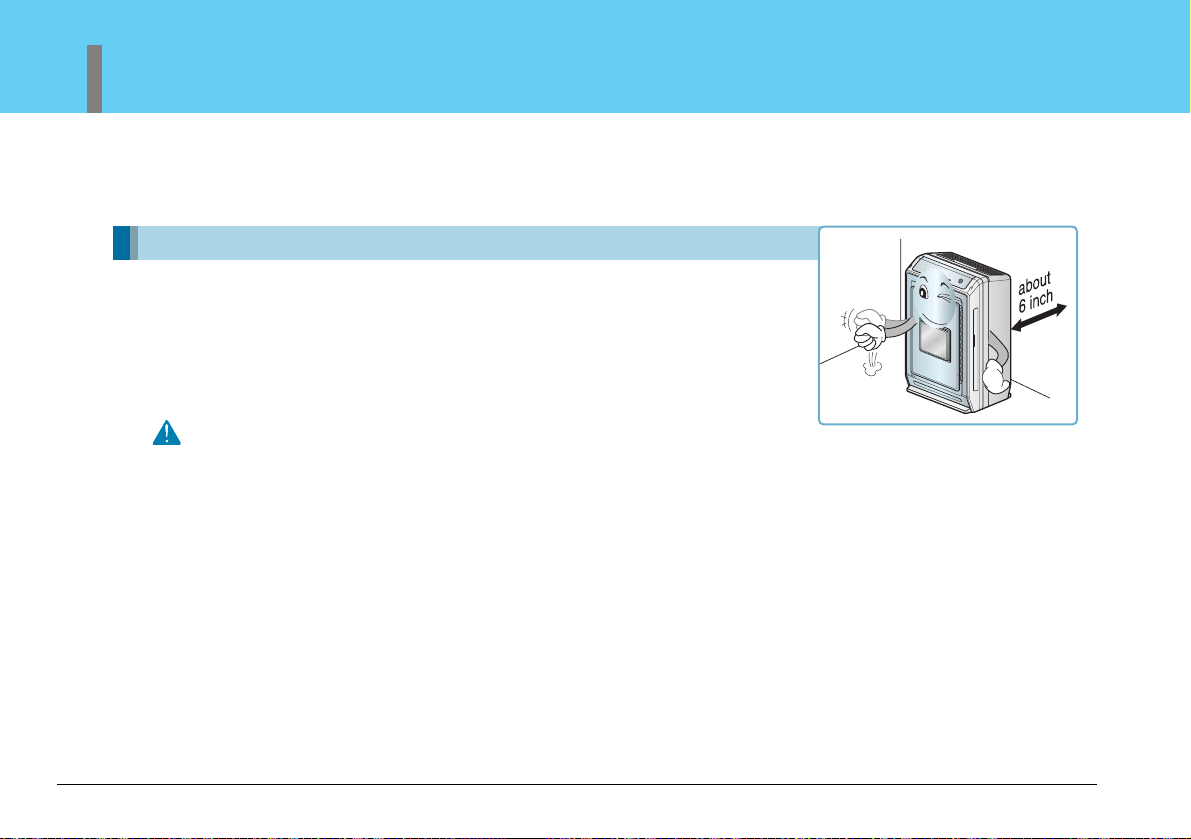
After washing your filters, make
sure they are completely dry before
reinserting them into the Air
Purifier. Do not run your Air Purifier
with wet filters.
Keep flammable products away
from your Air Purifier. Failure
to keep flammable products
away from your purifier could
lead to premature failure or
create a fire hazard.
46
Air Purifier
Installation
Warning
This unit is not intended for use on boats or recreation
vehicles.
Places to Install
Refer to the Installation Instructions before using the air purifier.
1. Plug power cord into its own dedicated properly grounded outlet.
2. Make sure the power cord is positioned where it does not cause a tripping hazard and will
receive adequate ventilation. Do not install your air purifier directly next to furniture or
objects that could block the vent openings.
3. Make sure that any items that could be blown over or damaged by the air flow from the fan
are out of the airflow path.
How to Use
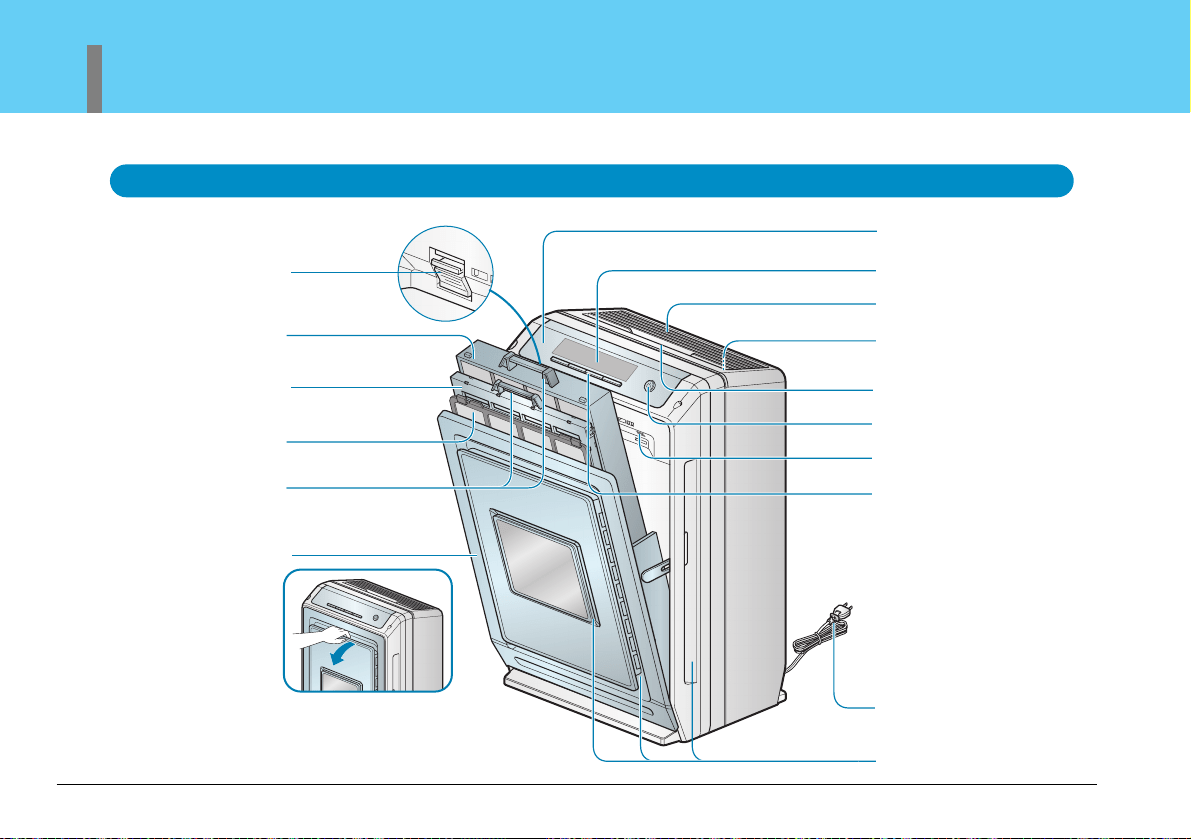
Cleaning the Air Purifier
• The air filter should be cleaned on a regular basis. Depending on the air quality, more frequent
cleaning may be required.
The filter can be washed in warm water using a mild detergent.
Allow the filter to completely dry before reinstalling.
Use after enough air circulation when cooking.
• Certain foods can give off oils during cooking which can shorten the life of the filters. When frying
meats or fish, use other methods to exhaust the odors from the home (such as an exhaust fan or
an open window). Once the majority of the odors have been exhausted, your air purifier can then
be used to remove any residual odors that remain. This will insure maximum life of your filters.
Do not stay too closed when sleeping.
• To prevent drafts while you're sleeping, do not install the air purifier closer than 3 feet from sleep
areas.
Do not place in the corner edge.
• Do not place directly next to furniture or objects that could block the vent openings. Avoid installing
in inclosed areas (such as the corner of a room) where air flow to the rest of the room will be
restricted.
Ensure air circulate 30 minutes at least everyday.
• Use the air purifier for at least 30 minutes a day to ensure a fresh air flow. Regular cleaning
maintenance will assure better air flow.
47
Owner’s Manual
Important Safety Issues
48
Air Purifier
Key Parts and Components
Mainframe
Remote Control Receiver
Dust Sensor
Filter Case
Photo-Catalyst
Plasma Filter
Pre-Filter
Filter Handle
Front Panel
Display
Air Outlet
Safty Net:
–The inside of air outlet
Handle
Power On/Off Button
Odor Sensor
Controller
Power Plug
Air Inlet
Important Safety Issues
Key Parts and Components
49
Owner’s Manual
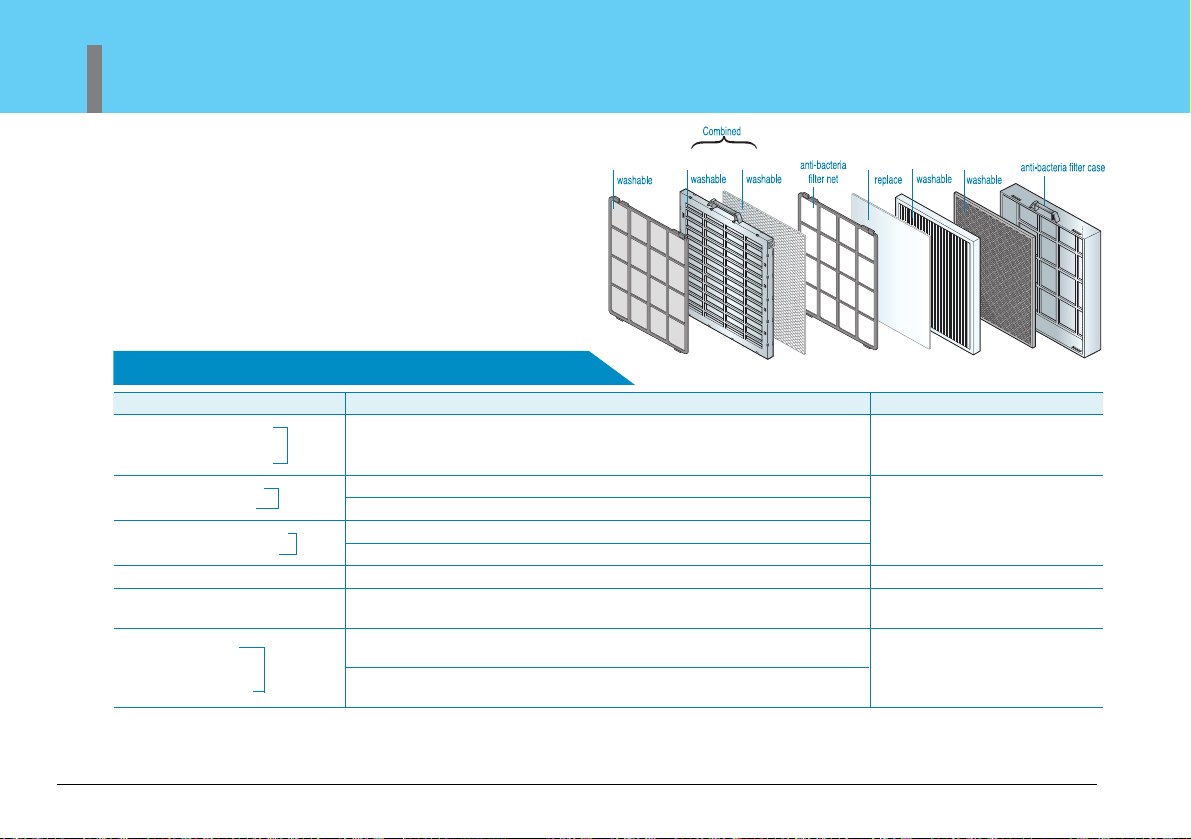
Display and controller
Off timer indicator
Power On/Off button
Off timer button
Function button
Negative ion/ sterilization indicator
Purity level indicator
Level reflects how well the air purifier is
cleaning the air.
Filter self-checking indicator
Check the filter when indicated by the light.
Operation indicator
Fan speed indicator
Operation Mode button
Fan speed button
Operation mode
indicator
Dust/Odor indicator
Reflects how well air is moving
through the unit.
50
Air Purifier
Key Parts and Components
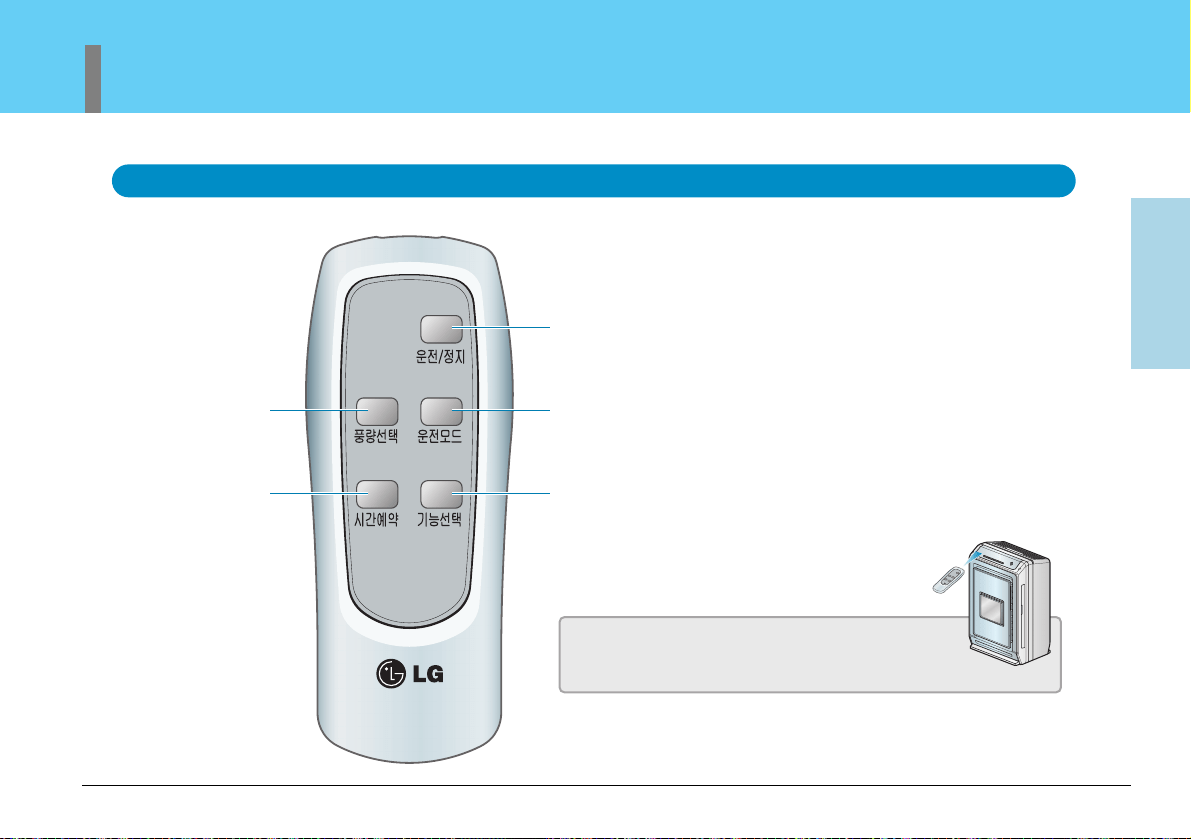
Filter system (include the filter part only)
Removes large particles
Anti-bacteria function
Anti- mildew function
Plasma dust-absorb filter
Plasma deodorant filter
Filters large particles such as pollen, soot, and mildew.
Absorbs odors and dust.
Additional odor absorption and large particle filtering.
Remove odor particles, VOCs, smoke smell, musty smell, decompose malodor ingredients and chemicals.
This filter has anti-bacteria, anti-mildew, and large particle filtering functions.
In extreme filtering conditions, these filters may have to be cleaned or
replaced more often.
Pre-filter
Plasma filter
Photo-catalyst anti-bacteria filter
Photo-catalyst deodorant filter
Anti-allergic filter
Absorbs and eliminates allergens.
Washable HEPA filter
Washable HEPA filter removes pollens, dirt particles, dust and mildew
from the air.
Eliminates food, pet and other odors. Removes alkaline, acid and organic
compound odors.
This filter uses jewelry grade platinum and should be disposed of properly
when discarded.
Photo-
catalyst
filter
Washable carbon
Catalyst function
Nano Platinum filter
※
Allow the filter to dry completely before reinstalling. If not completely dried, it may cause the air purifier to malfunction or cause bad odors to be emitted during use.
※
A replacement filter (Anti-Allergic Filter) can be purchased at an LG service center.
Washable
deodorization
filter
Filter name Function
Washing/Replacement cycle
Once a month
Once a month
6~12 months replacement cycle
Every 6 months
Every 6 months
Important Safety Issues
Key Parts and Components
51
Owner’s Manual
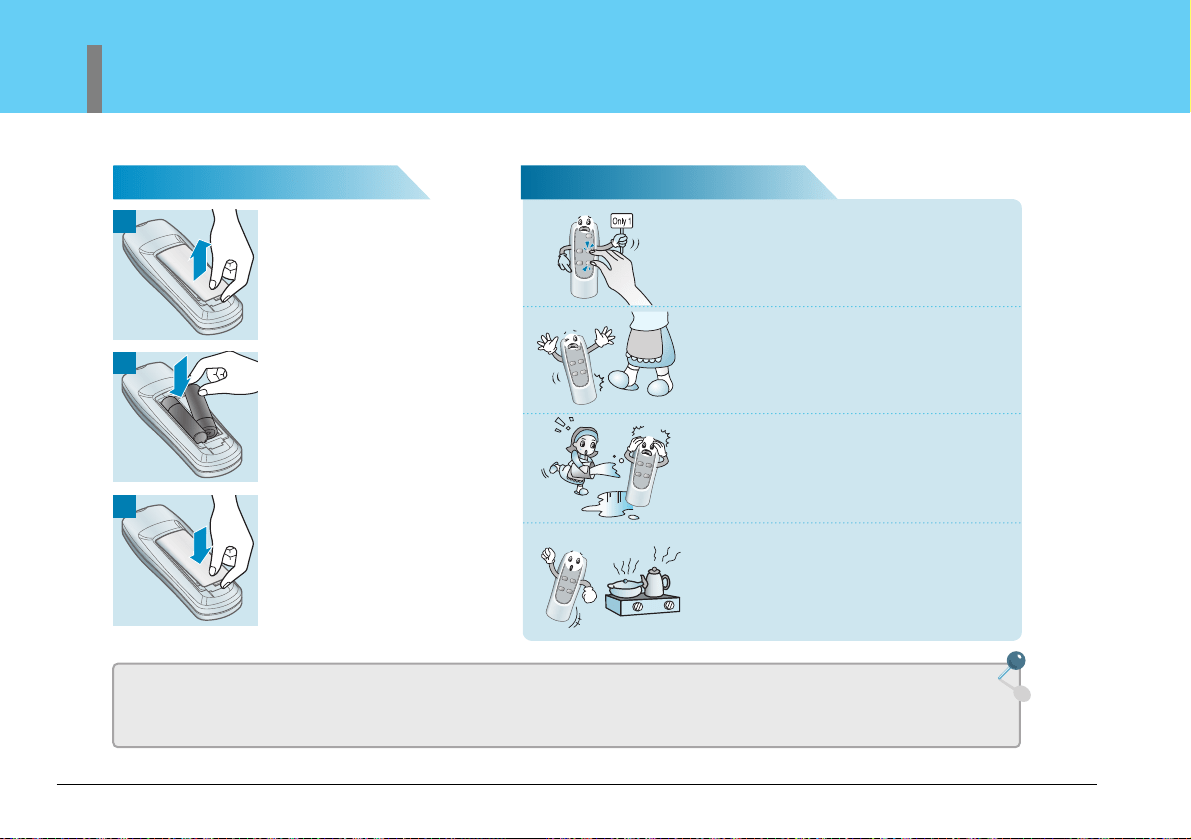
Remote Controller
Power On/Off
Turns the air purifier on and off
Fan speed button
Set Fan speed
Off timer button
Adjust the timer delay time
Mode
Switches the operation speed, auto mode,
sand mode and sleep timer.
Function selection button
When turned on, the unit produces negative
ions which can help sterilize the air.
Remote Control
Must be aimed at the remote control receiver window on
the main unit.
2
1
3
52
Air Purifier
Remote Controller Guide
Battery Installation Caution
• Remove batteries when the air purifier is stored for extended periods of time.
• If controller fails to work after new batteries are installed, contact an LG service center for service.
• If controller fails to work, replace the batteries. Always replace both batteries at the same time. Do not mix old and
new batteries.
Press locking tab on the battery
cover on the back of the remote
and remove the cover.
Insert new batteries into the
battery compartment, being sure
to note the proper polarity.
Reattach the battery cover,
making sure the locking tab
clicks into place.
Press only one button on the
remote at one time.
Press only one button on the remote at one time.
Pressing two or more buttons simultaneously will
prevent the remote from working properly.
Do not drop or otherwise damage
the remote.
Keep remote away from water.
Keep remote away from heat
sources or open flames.
How to Use
Operation Mode
53
Owner’s Manual
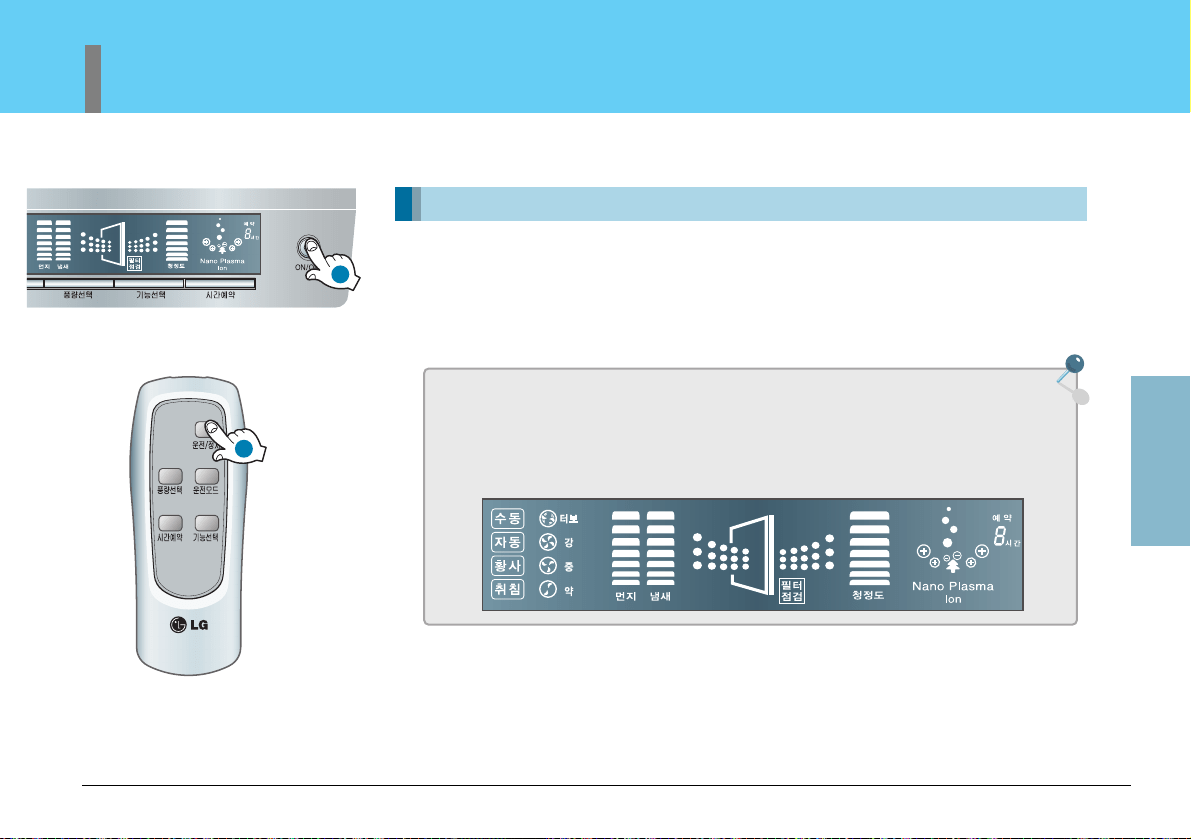
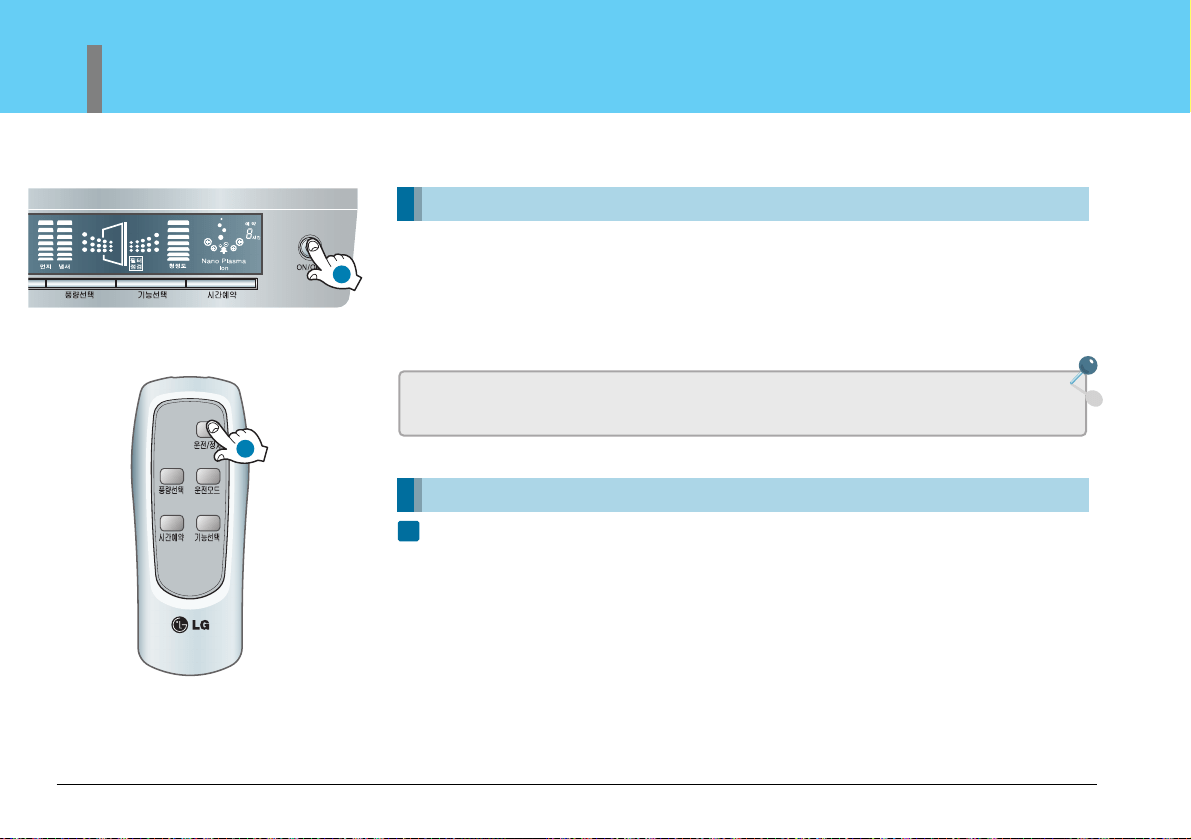
Power ON/OFF
Turns the air purifier on and off. Press once to turn on, again to turn it off.
A confirmation tone will sound to indicate that the unit is powering on or turning off.
The unit will also produce a tone when the unit is first plugged in.
What is "Start-up Operation"
When first turned on, the unit will go through Start-up function which prepares the
unit for operation. During this 2 minute period, the display will fluctuate to indicate
that the unit is sensing the air quality in the room.
Air Purifying Operation Purify Indoor Air
1
1
54
Air Purifier
Operation Mode
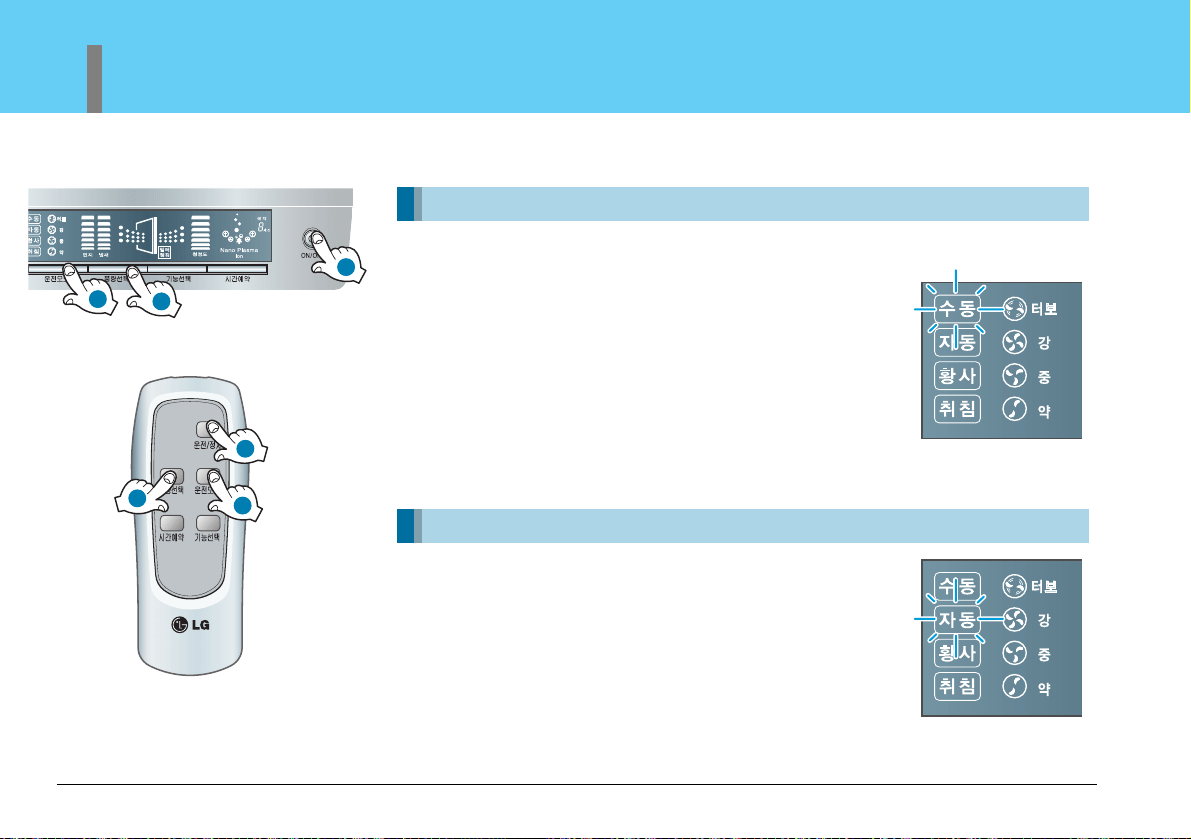
Power ON/OFF
Speed mode User may manually adjust fan speed
Automatic mode Air Purifier will automatically set the most appropriate Fan speed.
Power ON/OFF
MODE switches allows the user to select the
various modes of operation including auto fan
and sleep, sandstorm and self timer modes.
Automatic Mode
• When in AUTO mode, the fan speed is automatically selected by
the unit depending on pollution levels. Even in the AUTO mode,
however, the user can still increase or decrease the fan speed by
one level by depressing the fan speed button.
• The AUTO function only automates the fan speed. All other
functions need to be set by the consumer.
Fan Speed
Adjusts the circulation fan speed between low, medium, high and
turbo.
• The default speed is low.
• When the unit is shut off and restarted, the fan speed will default
to the last fan speed used.
1
2
3
1
2
3
How to Use
Operation Mode
55
Owner’s Manual
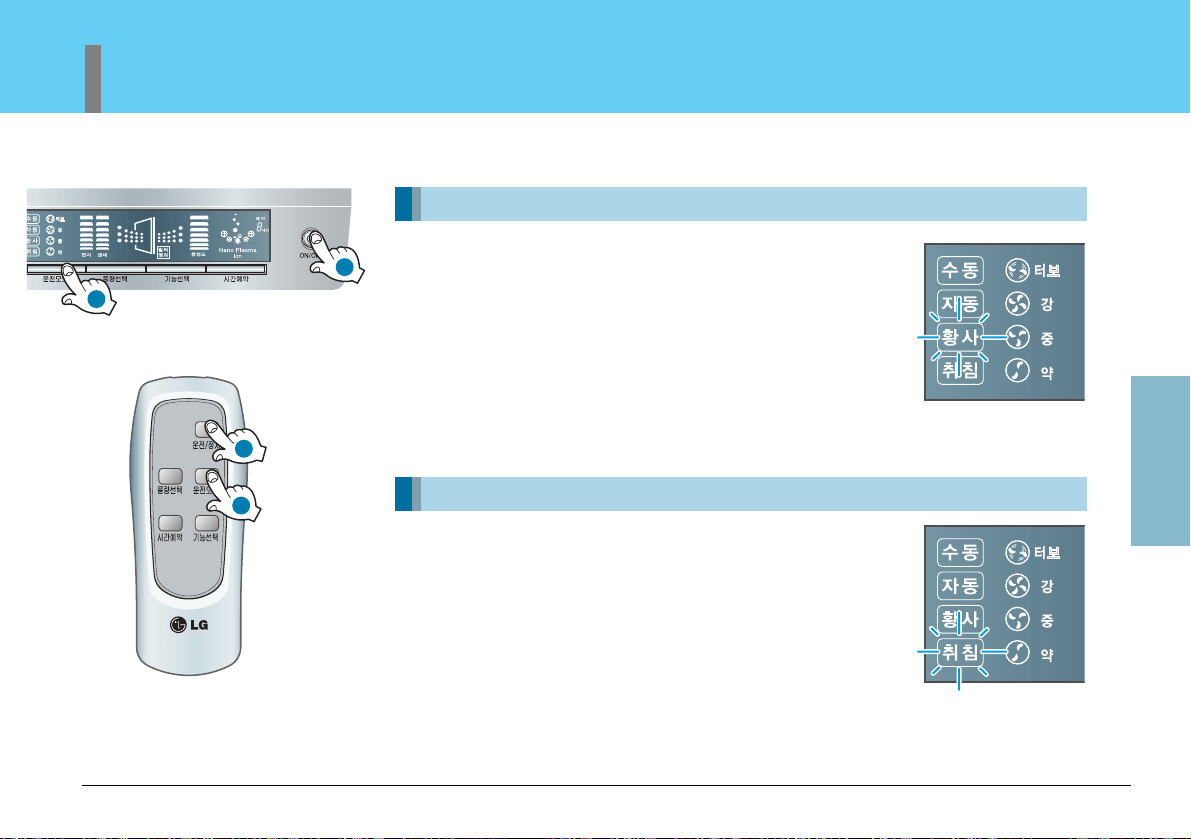
Power ON/OFF
Switch to sandstorm mode by pressing the mode
button.
The correct fan speed will automatically be selected by the unit.
The consumer can increase the fan speed to the next highest level
by depressing the fan speed button.
When in the sandstorm mode, the unit will automatically select the
proper fan speed. All other functions must be manually selected by
the consumer.
Yellow Sandstorm Mode
Purifies indoor air even in extreme conditions such as a sandstorm
Power ON/OFF
Press MODE button until the SLEEP light
illuminates on the unit.
When in the SLEEP mode, the unit will automatically select low
fan speed. The consumer can increase the fan speed to the next
highest level by depressing the fan speed button.
Sleeping Mode
Provide quiet indoor atmosphere while sleeping
1
2
1
2
56
Air Purifier
Additional Functions
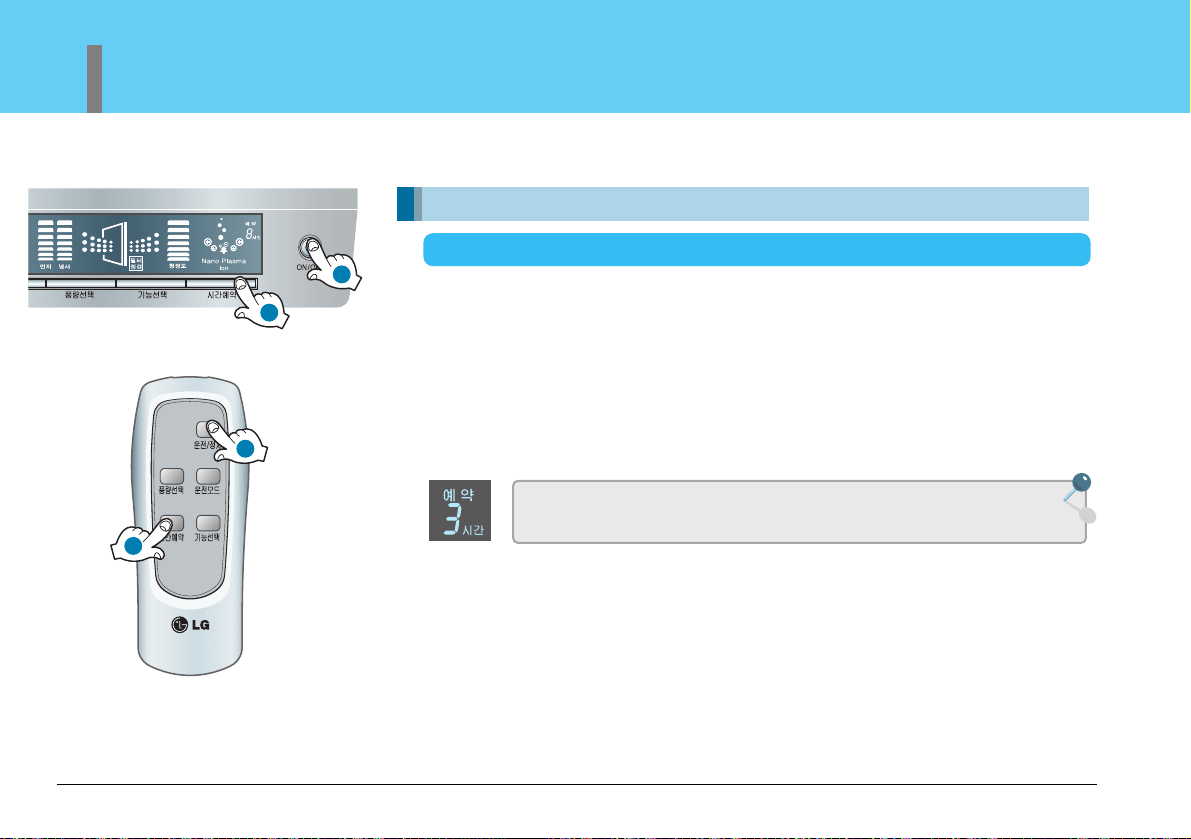
Power ON/OFF
Allows you to set a delay from 1 to 9 hours that will turn the
air purifier off automatically.
When this mode is selected, the unit will automatically select 3 hours of run time. If
more time is required, press the timer button again. Each time the button is
depressed, the run time will increase by 1 hour. At the end of the selected time, the
unit will automatically shut off.
• Maximum reservation time is 9 hours
• Shut down automatically.
• Automatically shut down 3 hours later.
Off timer mode function
Automatically shuts down after a preset amount of time
Example:shut down automatically after 3 hours
1
2
1
2
How to Use
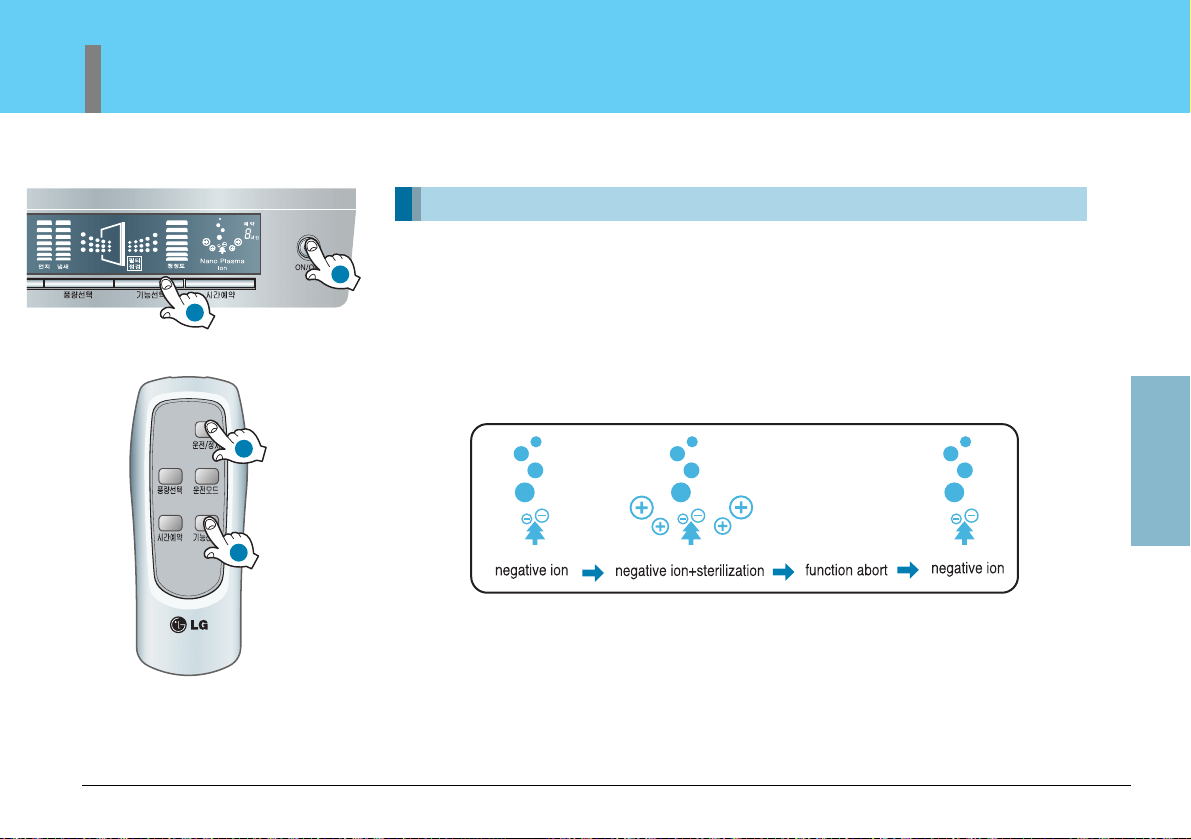
Power ON/OFF
Press the function button to choose expected function.
• Press button each time, switch according to ‘negative ion - negative ion+sterilization - function
abort -negative ion’ sequence.
In the Negative Ion mode, the unit generates and adds negative ions to the air stream. When
in the sterilization mode, the negative ions will also remove bacteria from the air.
Negative ion / sterilization function
Additional Functions
57
Owner’s Manual
1
2
1
2
58
Air Purifier
Additional Functions
Filter self check light indicates to check filter.
Power ON/OFF to shut the unit off.
Open front panel to remove filter. Check filter, clean if necessary.
(see page 60~61 to clean filter).
• How often filter must be cleaned will depend on use and air conditions in the home.
Filter Checking Function
May remind users to clean or replace the filter after use for a certain period.
When power cut or other reasons cause power failure, the power
failure compensation function will memorize previous operation
status automatically.
Power Failure Compensation Function
1
1
Care and Cleaning
Exterior and Dust Sensors Cleaning Method
59
Owner’s Manual
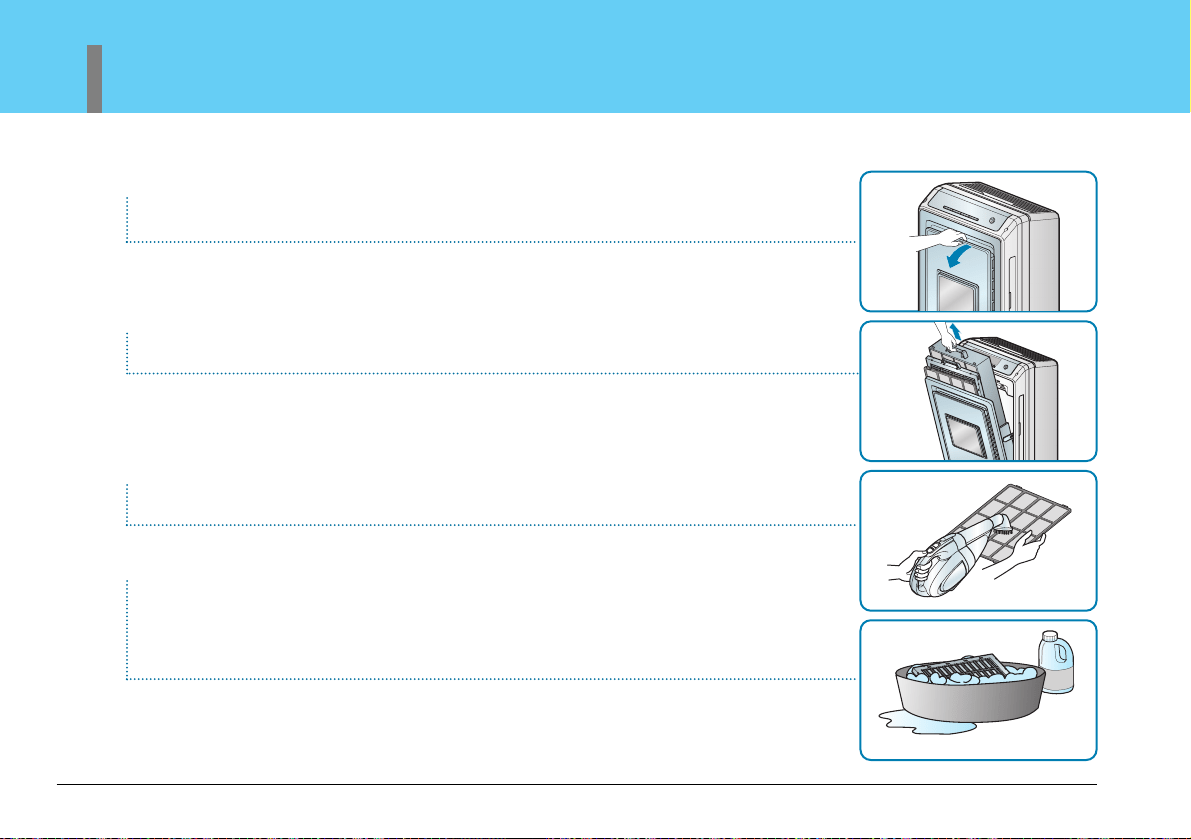
Exterior Cleaning Method
Dust sensor cleaning method
Wipe the exterior of the air purifier with a soft cloth with warm water and mild detergent.
The dust sensor senses both small and large dust particles. The sensor needs to be wiped clean to
maintain high performance.
After cleaning the lens, close the cover of the dust sensor in the reverse order.
Open the front panel to access the the dust sensor cover.
Remove the cover.
• Do not use harsh cleaners or very hot water. Do not wash in dishwasher.
• Never pour water onto the unit; it could damage internal components and
create a shock and fire hazard.
Clean the sensor lens every 6 months. If the environment is very dusty,
more frequent cleaning is recommended
Caution
Wipe the sensor lens of with a cotton swab.
60
Air Purifier
Filter Cleaning
• The prefilter should be cleaned on a monthly basis.
• Check the filter when the filter indicator light is on.
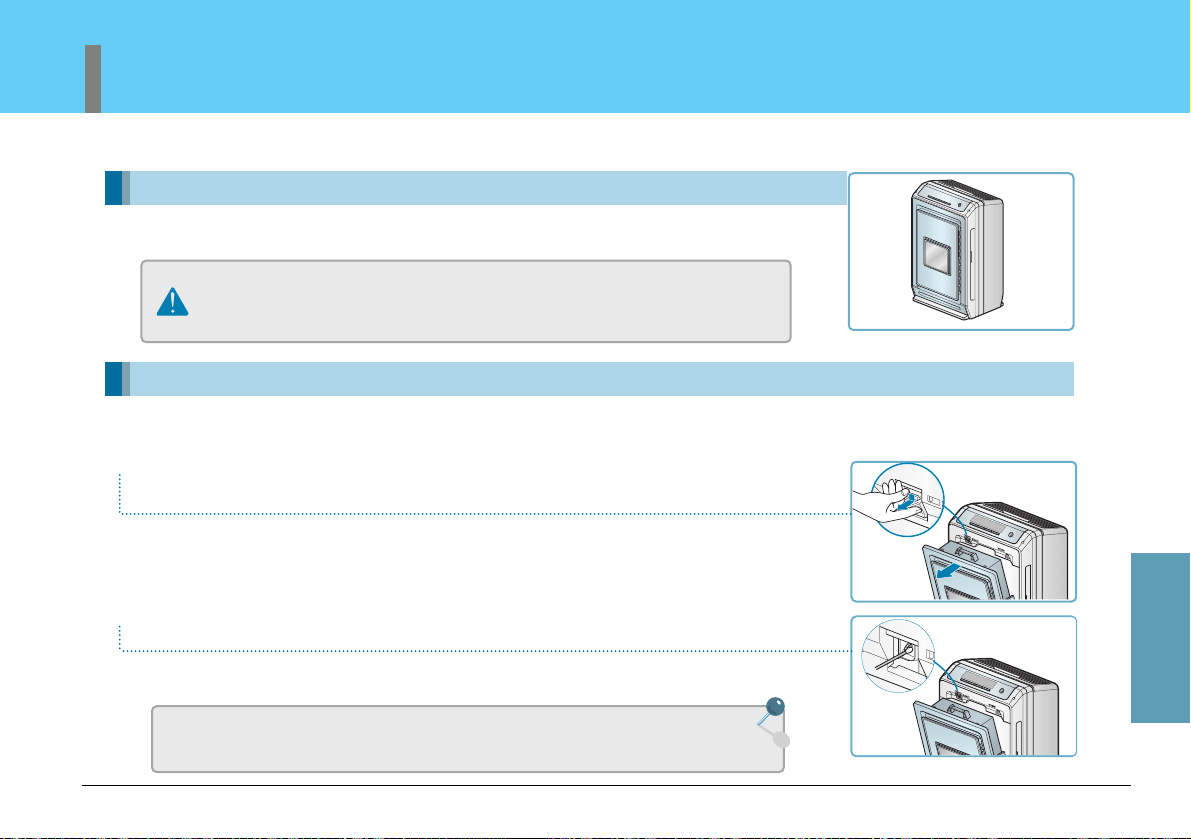
Turn unit off and unplug before cleaning.
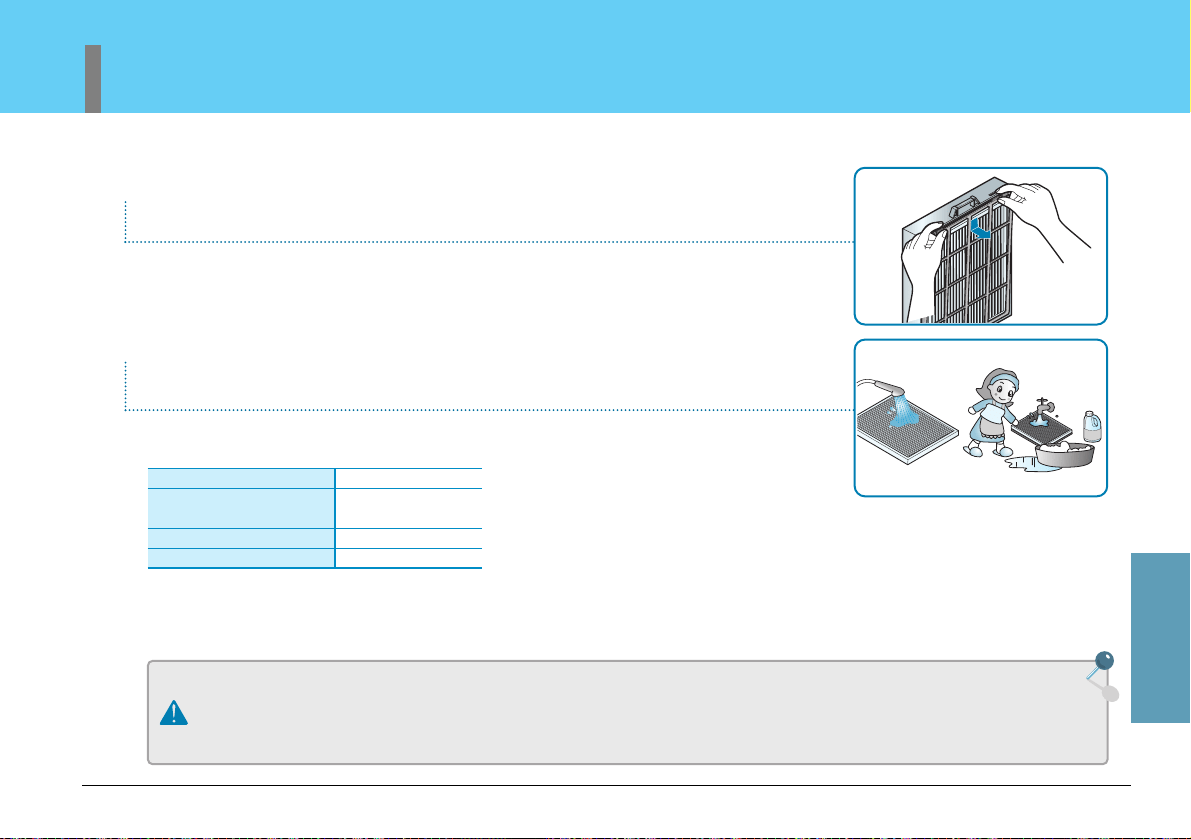
Grasp the grips on the front panel, pull forward to open.
Remove the filter from the mainframe. Clean or replace.
Clean the pre-filter with a vacuum or soft brush.
Photo Catalyst Plasma Filter Cleaning
Soak the filter in warm water with a mild detergent for 1 hour. Remove
particles from the filter by shaking the water from the filter. Rinse the
filter with warm water. Completely dry the filter before replacing the
filter.
The ionization wire inside of the filter case is fragile. Please clean with care.
Use a soft cloth when cleaning the photo catalyst plasma filter. The filter coating may peel
resulting in reduced performance.
Care and Cleaning
Filter Cleaning
61
Owner’s Manual
Separate filter case to remove the filter.
HEPA and Deodorizing washable filter. Soak in warm water for an hour. Rinse.
NOTE: The anti allergic filter should NOT be washed. Washing this filter will
reduce its efficiency.
Clean the washable HEPA filter and deodorization filter with warm water and rinse under running
water. Dry filter in a well ventilated room until completely dry.
• Clean Pre-Filter with vacuum or soft brush and
mild detergent.
• Do not use water over 40 degrees Celcius
(105 degrees F)
• Do not allow Anti Allergic filter to become wet.
• For your safety, turn off and unplug the air purifier before cleaning.
• Allow the filters to completely dry before using.
• Utilizing the unit before all the filters are completely dry may result in the creation of odors from the unit.
• Replace filter when unable to remove all dirt on the filter.
• Please do not rub the filter in your hands.
Replace Anti Allergic filter every 6 to 12 months.
Caution
Filter Type
Pre-Filter
Photo-Catalyst Plasma Filter
Washable HEPA Filter
Washable deodorization Filter
Washing Cycle
Once a month
Every 6 months
Every 6 months
62
Air Purifier
Maintenance
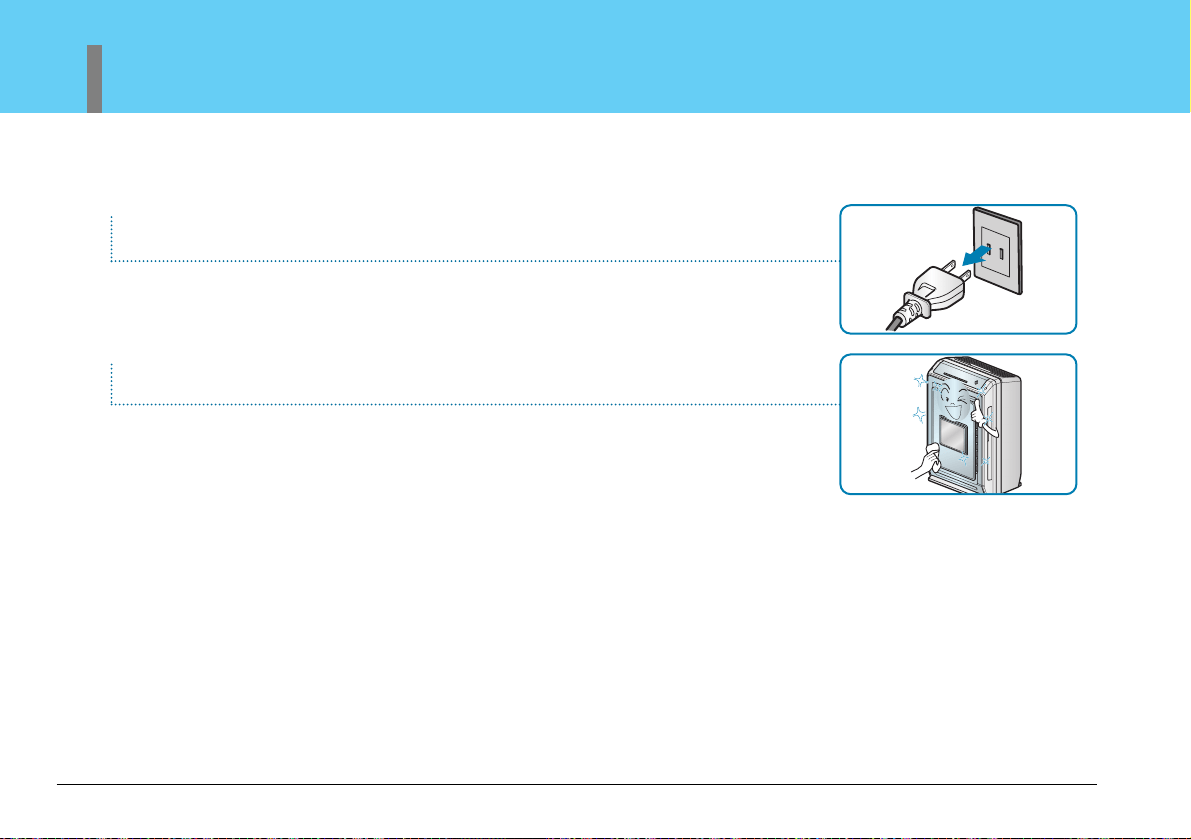
Remove plug from grounded outlet.
Clean and protect the air purifier's mainframe.
Cover the air purifier when storing for an extended period of time.
Clean with a soft cloth and mild detergent.
Exterior case may scratch easily

Care and Cleaning
Troubleshooting Before Calling for Service
63
Owner’s Manual
When product goes wrong, before contacting the service center please confirm the following items.
Problem Possible Cause Solutions
Air Purifier will not start
Low air volume,
Noisy operation
Start-up Function is
not working
Air purfiy function is
not working well.
●
The air purifier plug is not completely inserted in the
electrical outlet.
●
The house fuse is blown or the circuit breaker has
tripped.
●
Power failure
●
Does the remote control have batteries.
●
Prefilter dirty.
●
HEPA filter dusty.
●
Anti Allergic filter clogged.
●
Is the indicator light working?
●
Is the air quality in the home excessively polluted?
●
Is the Pre-filter clogged?
●
Is the HEPA filter clogged?
●
Is the room area larger than recommended for this type
of air purifier?
●
Are the air inlet and outlet free of obstacles?
●
Is there enough room around the unit to insure proper
air ventilation?
●
Make sure electrical plug is plugged completely into a live,
properly grounded outlet.
●
Replace the fuse or reset the circuit breaker. Make sure that
there are no other appliances on the same circuit
●
Check the power supply system in your house.
●
Replace the batteries in the remote control. Check to make
sure the batteries are placed correctly.
●
Clean the prefilter.
●
Clean the HEPA filter
●
Replace the Anti Allergic filter
●
Reset the Start-up function according to the manual.
●
Open a window or use an exhaust fan to remove excess
pollution before running the air purifier.
●
Clean the pre-filter.
●
Clean the HEPA filter with warm water and a mild detergent.
Dry completely returning the filter to the unit.
●
Use the unit in an appropriate sized space.
●
Remove objects that could be restricting air flow.
●
Move unit away from tight spaces that could restrict air
movement.

64
Air Purifier
Troubleshooting Before Calling for Service
When product goes wrong, before contacting the service center please confirm the following items.
Problem Possible Cause Solutions
Air outlet has an
abnormal odor
Sensor Indicator
●
Is the unit being used in a smoky area?
●
Is the unit being used in a room with food odors?
●
Were the filters completely dry after cleaning before the
unit was re-energized?
●
Dust sensor light is always on a high level.
●
Odor sensor level is on a high level.
●
Air purifier used in smoky areas may cause the filter to be
less efficient.
●
Food odors may stay in the filter. Allow enough air to
circulate through the filter.
●
Wash and dry the air filter completely. If the air filter is still
wet damp when used, it may cause odors from the filter.
●
Clean the dust sensor and filter.
●
The LG air purifier is designed to detect pollutants in the air.
It may not be able to sense food odors. Steam particles
from cooking may cause the sensor level to go up.

Product Standards
For the reason of enhancing product quality, this product exterior, design,
specification may differ relatively.
Model Number
Power Supply
Room Capacity
Product Weight
Product Size
Power Output
PS-M550 Series
120 V, 60 Hz
45 sq. meters/146 sq ft.
9.5 KG/21 lbs
16 (W) X 21.7 (H) X 9.9 (D)
35W
65
Owner’s Manual
Care and Cleaning
Printed in Korea
직접구입
LG-Livart Co.Ltd 2110 S. Tubeway Ave, Commerce, CA 90040
구입상담
(323)887-7750
각종필터 구입방법 안내 및 SVC
Address
LG-Livart Co.Ltd 2110 S. Tubeway Ave, Commerce, CA 90040
Call
(323)887-7750
Service Center Information