
WARNING: This product contains chemicals known to the State of California to cause cancer and birth defects or other
reproductive harm. Wash hands after handling.
2
ENG
ENGLISH
CONTENTS
CONTENTS
3 INSTALLATIONPREPARATION
3 Accessories
4 MountingHoles
5 PortraitLayout
6 StorageMethodforPanelProtection
6 - CorrectMethod
6 - IncorrectMethod
7 PRODUCTINSTALLATION
7 InstallinganLVDSCable
8 LightingInstallation
9 InstallationinEnclosure
10 Precaution
10 - CorrectMethod
10 - IncorrectMethod
11 TROUBLESHOOTING
12 SPECIFICATIONS
14 LVDSPINMAPGUIDE
Thewarrantywillnotcoveranydamagescausedbyusingtheproductinanexcessivelydusty
environment.
NOTE
3
ENG
ENGLISH
INSTALLATIONPREPARATION
INSTALLATIONPREPARATION
Accessories
Checkyourproductboxforthefollowingitems.Ifthereareanymissingaccessories,contactthelocal
dealerwhereyoupurchasedyourproduct.Theillustrationsinthismanualmaydifferfromtheactualproduct
andaccessories.
Donotuseanyunapprovedorcounterfeitpartsoraccessoriestoensurethesafetyandproductlife
span.
Anydamagesorinjuriesbyusingunapproveditemsarenotcoveredbythewarranty.
Theaccessoriessuppliedwithyourproductmayvarydependingonthemodel.
Productspecificationsorcontentsinthismanualmaybechangedwithoutpriornoticeduetoupgrade
ofproductfunctions.
LVDScableisoptionalandnotprovidedwiththeproduct.
PleaserefertoLVDSPinMapGuideon
pages14to15fortheLVDScableassembly.
CD(Owner'sManual)/
EasySetupGuide
CAUTION
NOTE
4
ENG
ENGLISH
INSTALLATIONPREPARATION
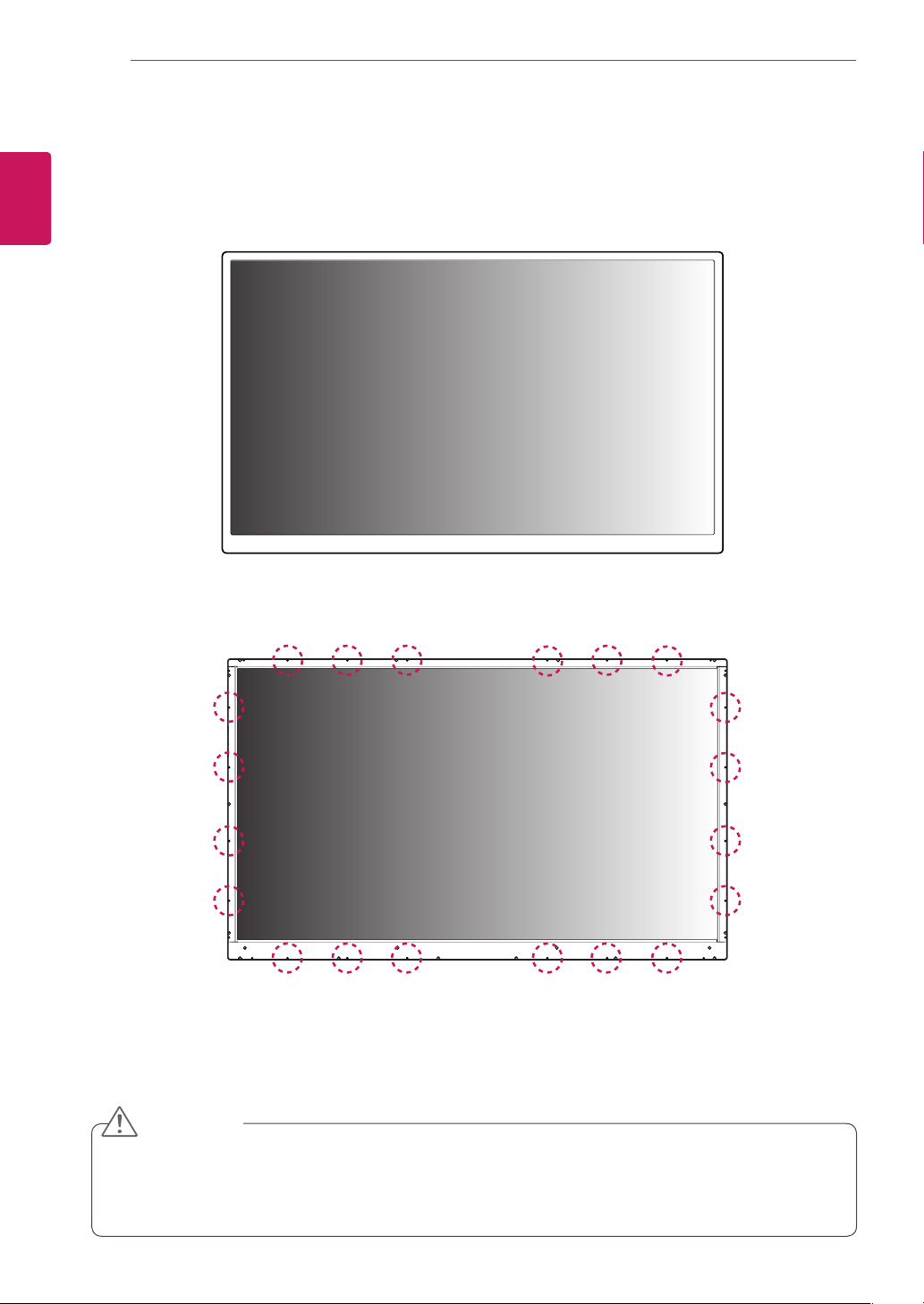
Frontoftheproduct
Rearoftheproduct
Thisproducthasthefrontandbacksides.Makesuretheproductisinstalledwiththefrontsidefacing
forward.
Imageisdisplayedreverselyonthebackside.
CAUTION
MountingHoles
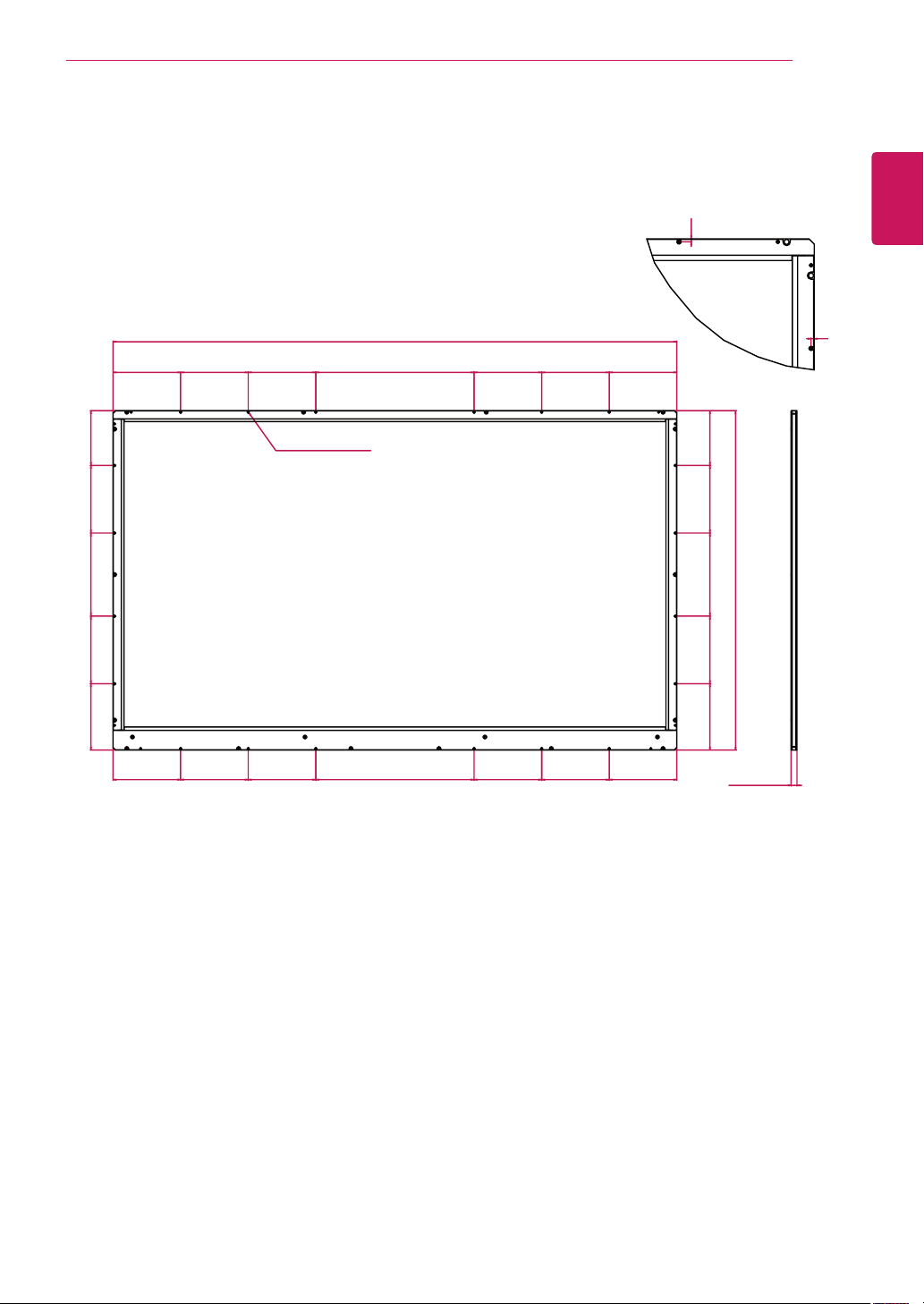
UseM3screwstomountthemonitor.Thereare20positionsforscrewsontherearsideoftheproduct.
5
ENG
ENGLISH
INSTALLATIONPREPARATION
PortraitLayout
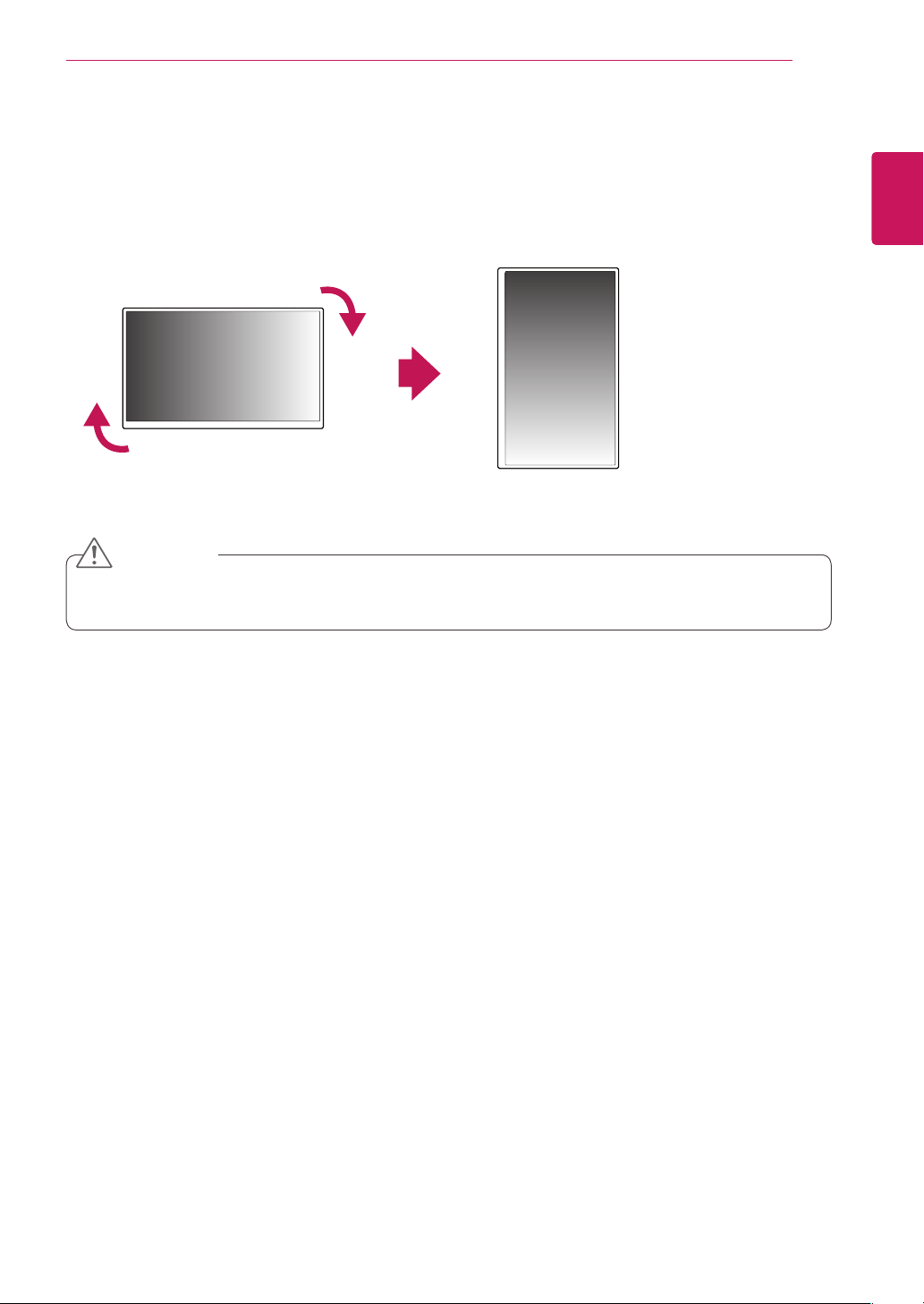
Toinstallinportraitmode,rotatethesetclockwise90degreeswhenlookingatfromthefront.
Theportraitmodeisonlyavailableonthescalerboard.(Thescalerboardshouldsupportportraitmode.)
Thescalerboardisoptionalanditisnotpartoftheproduct.
CAUTION
6
ENG
ENGLISH
INSTALLATIONPREPARATION
CorrectMethod IncorrectMethod
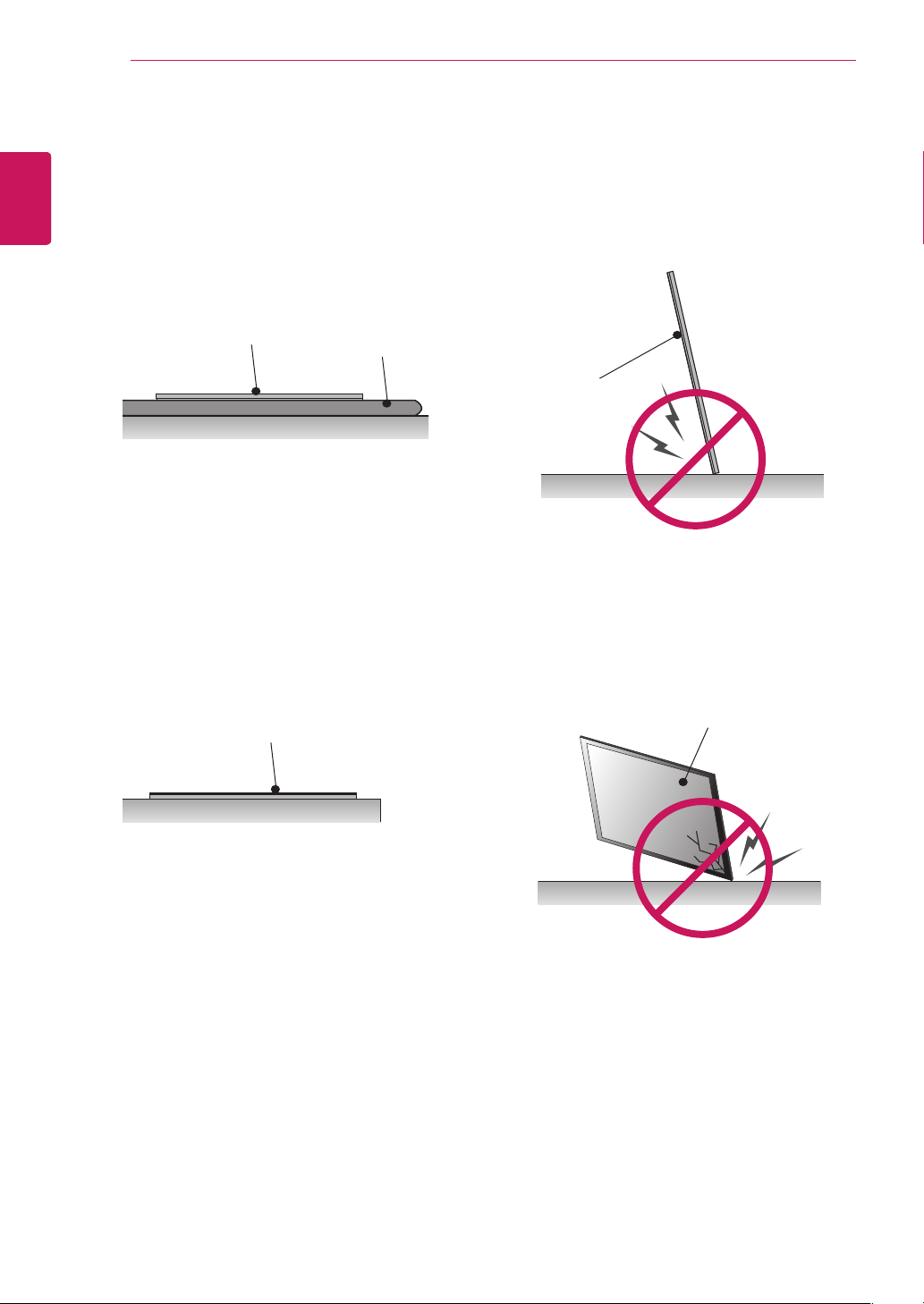
StorageMethodforPanelProtection
Panel
Cushion
Whenlayingtheproductonaflatfloor,pititface
downonacushionorblankettopreventscratch-
inganddamage.
Ifthereisnoacushionorasoftclothavailable,
ensurethefloorisclean.Thenlaytheproduct
downcarefullywiththepanelfacingeitherupward
ordownward.Atthistime,makesurethatno
objectfallsonthepanel.
Panel
Panel
Panel
Iftheproductistiltedontothebezel,thebottomof
thepanelmaybedamaged.
Iftheproductistiltedontotheedgeofthepanel,
thepanelmaybedamaged.
7
ENG
ENGLISH
PRODUCTINSTALLATION
PRODUCTINSTALLATION
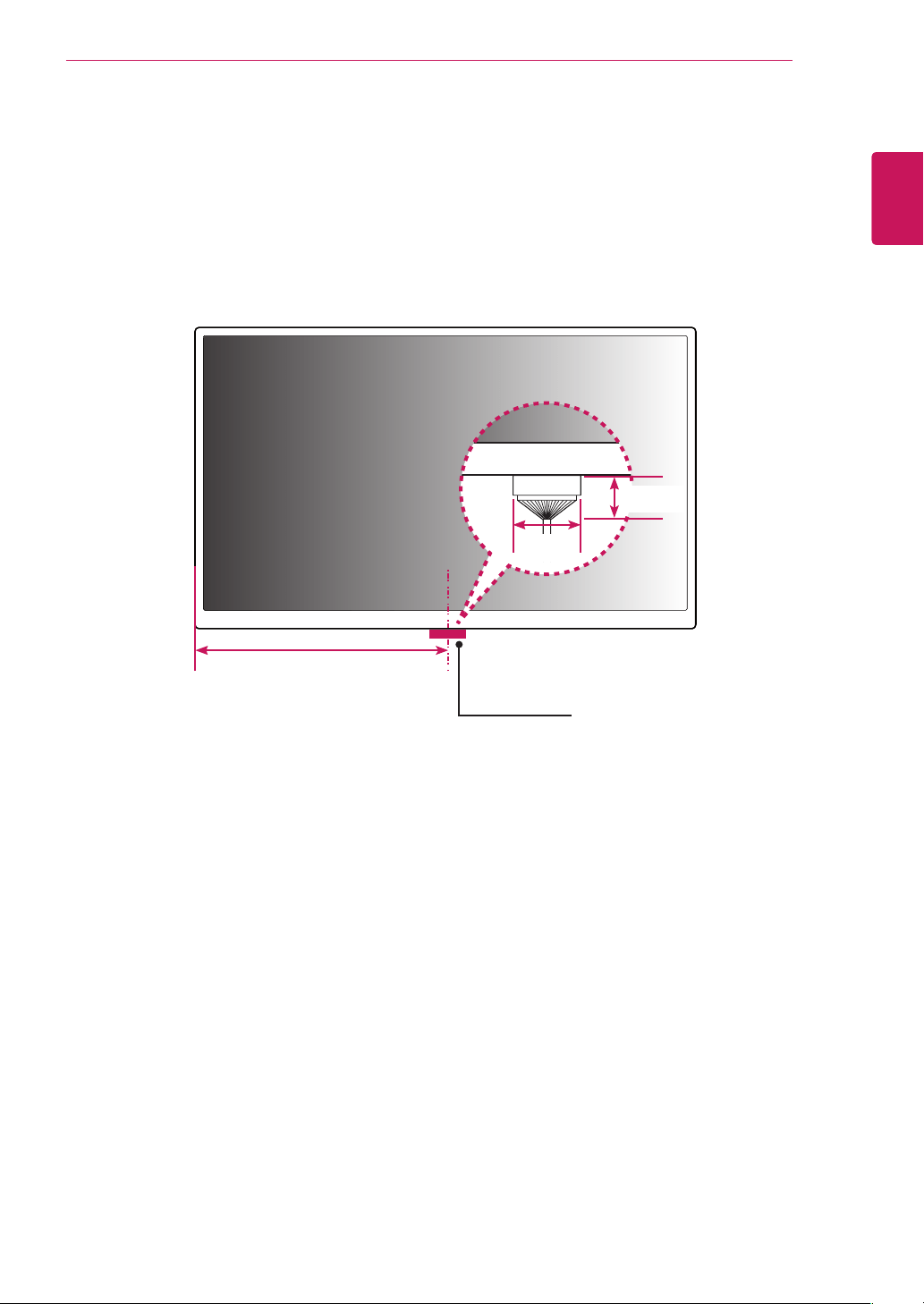
InstallinganLVDSCable
542.25mm
45mm
30mm
LVDSCable
TheLVDScableportislocatedasshowninthefigurebelow.
Wheninstallingtheproduct,makesurethereisenoughspacetoinstalltheLVDScable.
8
ENG
ENGLISH
PRODUCTINSTALLATION
LightingInstallation
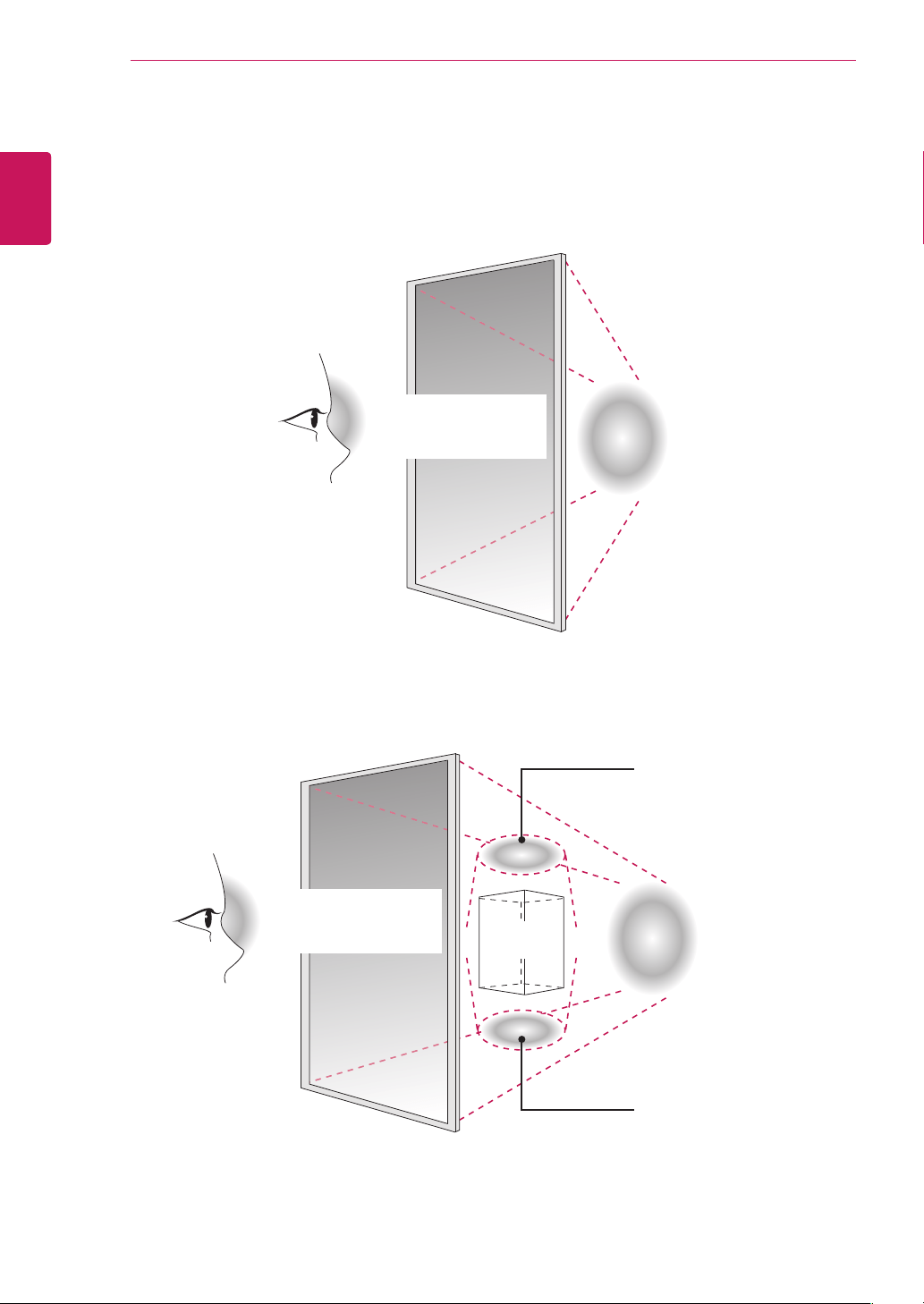
Thisproductmustbeinstalledwithbacklighting.
Lightingmustbeinstalledbehindtheproductsothatthedisplaycanbeseenclearly.
Ifsomethingobstructsthebacklighting,additionallightingmayberequired.
Lighting
Lighting
Additionallighting
Additionallighting
Object
600luxormore
(WhentheFullScreen
isWhite.)
600luxormore
(WhentheFullScreen
isWhite.)
9
ENG
ENGLISH
PRODUCTINSTALLATION
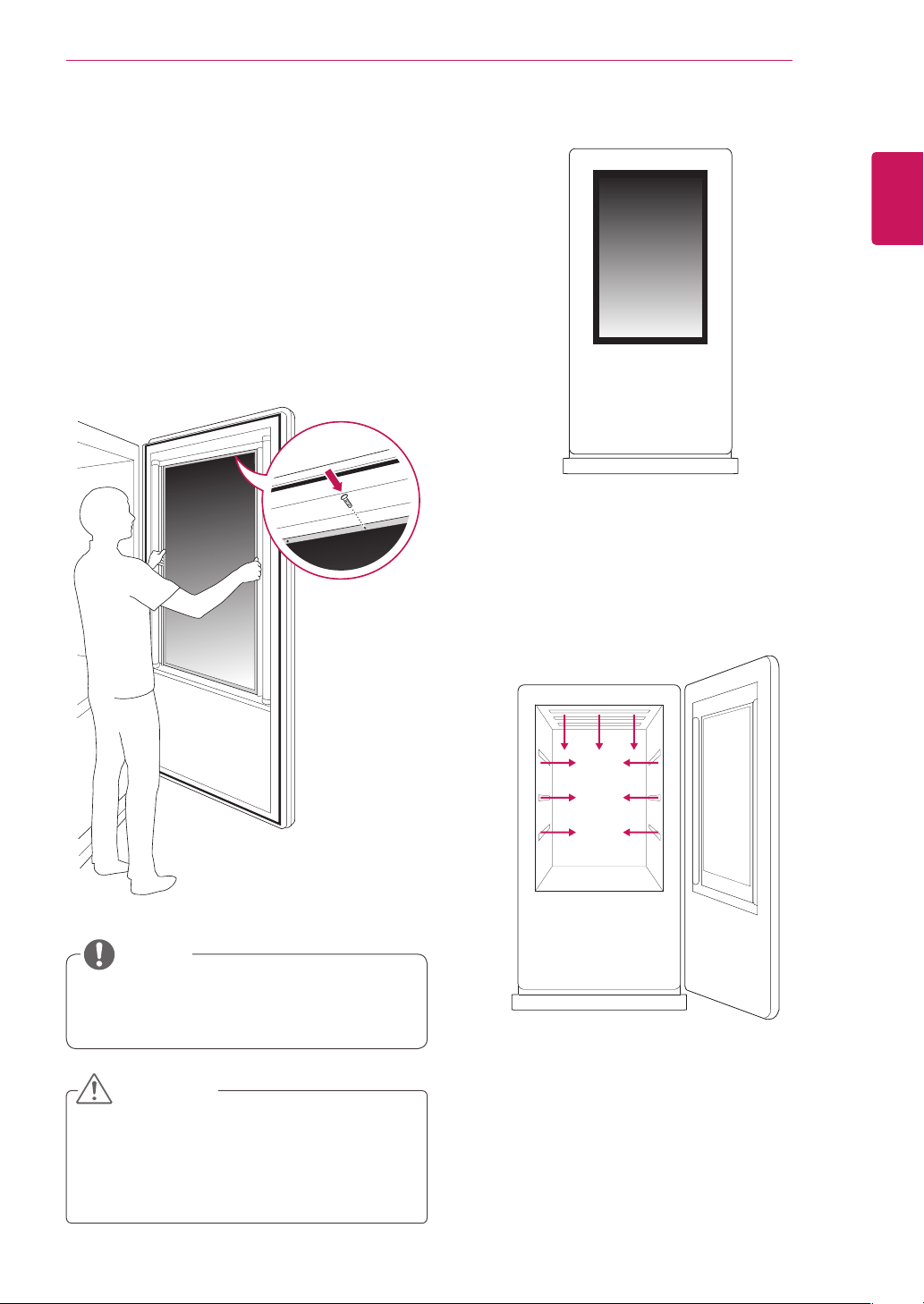
Thisproductcanbeinstalledinvarious
locationsbesidestheenclosure.
Exampleoftheproductintheenclosure
Exampleofthelightinginstallation
Lightingmustbeinstalledintheenclosure.
InstallationinEnclosure
Installtheproductintheenclosure.Wearworking
gloveswheninstallingtheproduct.Donotuse
barehands.Otherwise,itmaycausepersonal
injury.
1
Placetheproductintheenclosure.
2
Attachtheproductusingthepreparedscrew
holesandanadditionalenclosureguideframe.
NOTE
Thepanelofthisproductissothinthatitcan
beeasilybrokenwhenitisexposedtothe
outside.Useaclearprotectivecovertokeep
theproductfromexposuretotheelements.
CAUTION
10
ENG
ENGLISH
PRODUCTINSTALLATION
Precaution
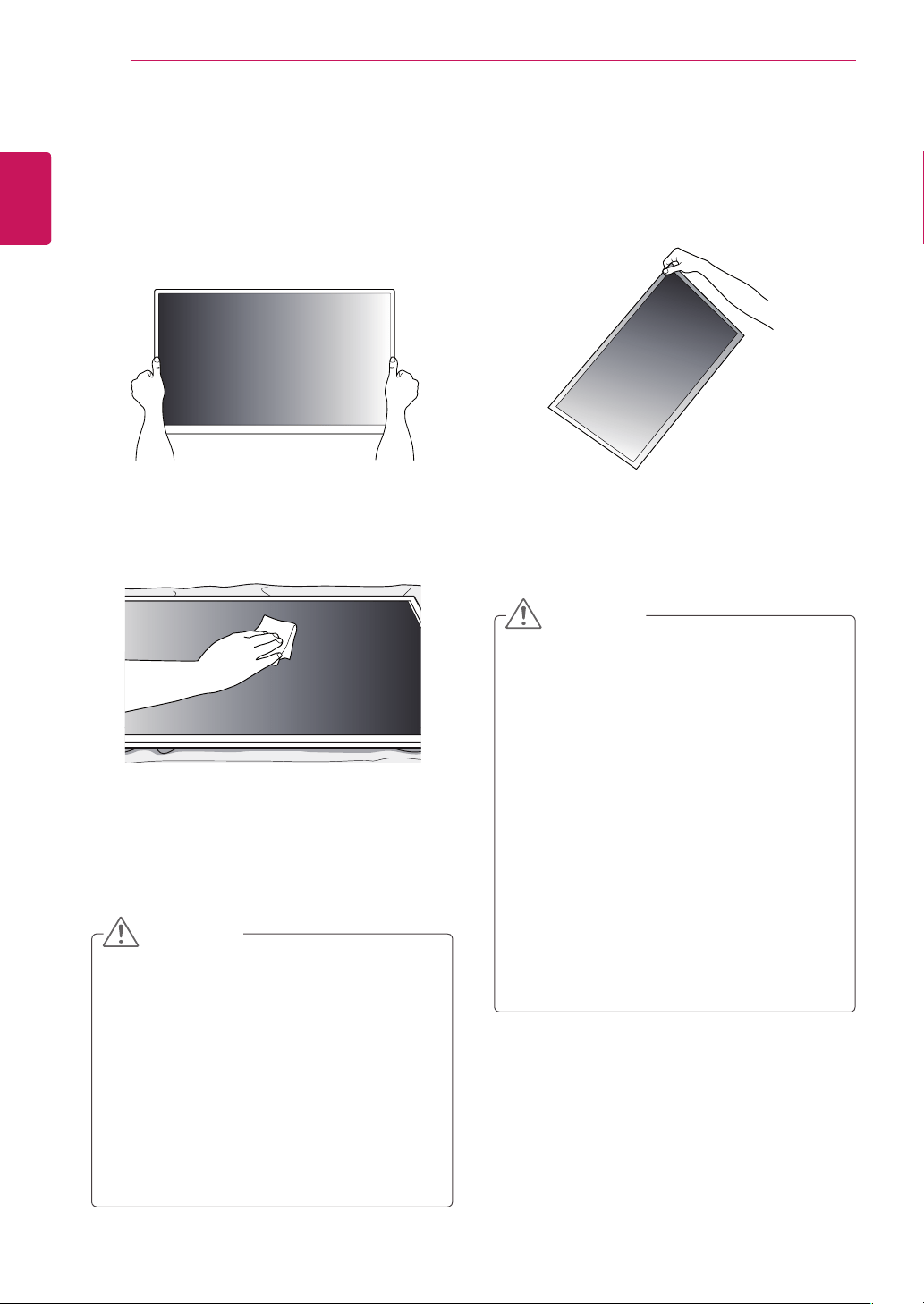
Donotliftuptheproductbyholdingacorner.Donotholdthescreenareawhenholdingthe
product.
Useasoftclothmoistenedwithn-hexaneto
removedustorstainsonthescreen.
CorrectMethod IncorrectMethod
Makesurethepowerisdisconnectedbefore
movingorinstallingtheproduct.Otherwise
electricshockmayoccur.
Wearworkinggloveswheninstallingthe
product.Donotusebarehands.Otherwise,
itmaycausepersonalinjury.
Ifyouinstalltheproductonaceilingor
slantedwall,itmayfallandresultinsevere
injury.
Donotfastenthescrewstootightly;thismay
causedamagetotheproductandvoidyour
warranty.
UseM3x4mmscrewstomountthe
monitor.Anydamagesorinjuriescausedby
misuseoruseofimproperaccessoriesare
notcoveredbythewarranty.
Ifafixedimagedisplaysonthescreenfora
longperiodoftime,itwillbeimprintedand
becomeapermanentdisfigurementonthe
screen.Thisisimageburnorburn-inandnot
coveredbythewarranty.
Topreventimagesticking,donotplayastill
imageformorethantwohours.
Recommendedoperationtimeforoptimum
performanceandreliabilityis12hoursor
lessperday.
CAUTION
CAUTION
11
ENG
ENGLISH
TROUBLESHOOTING
TROUBLESHOOTING
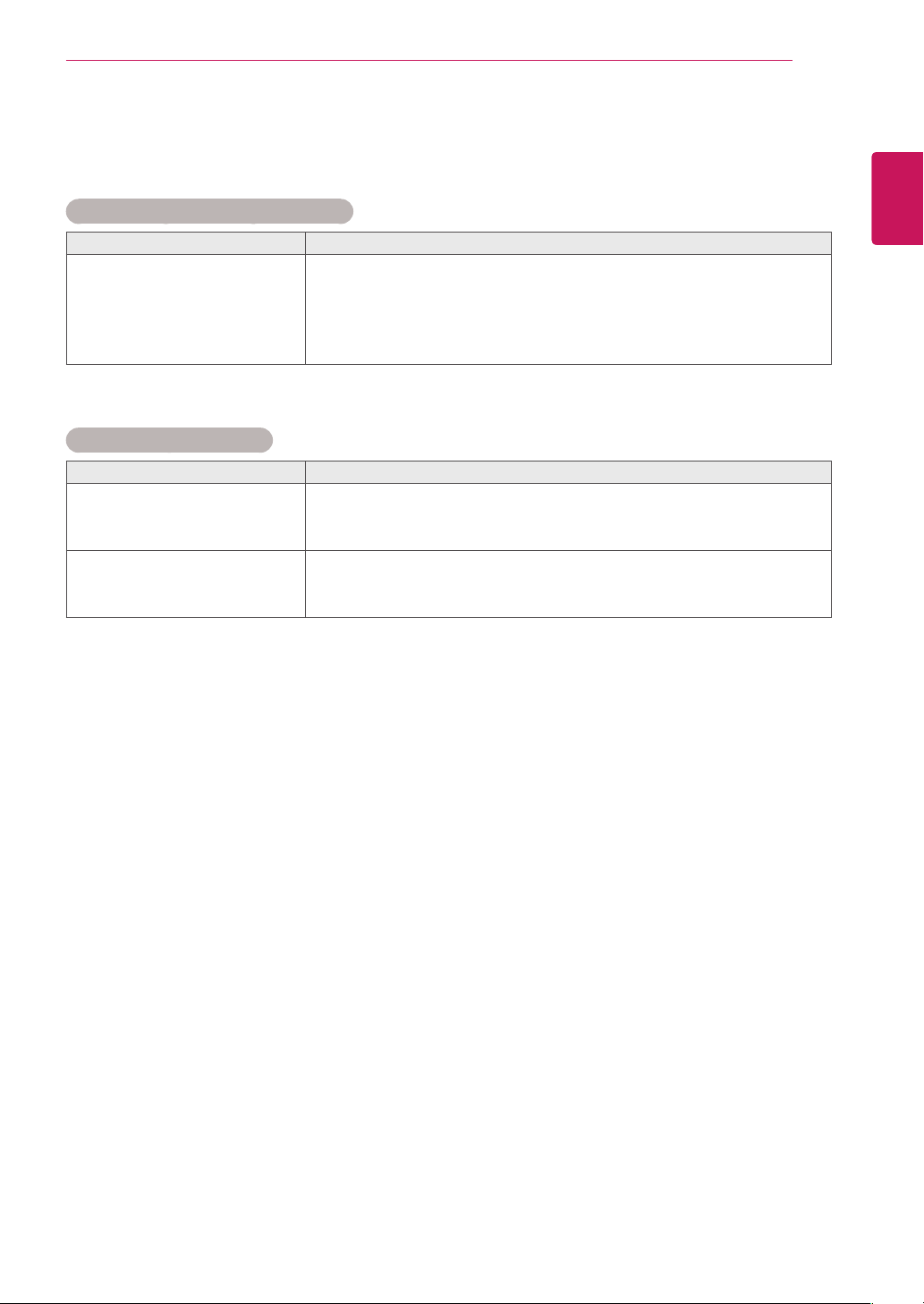
After-imageappearsontheproduct.
Problem Resolution
After-imageappearswhenthe
productisturnedoff.
Ifyouuseafixedimageforalongtime,thepixelsmaybedamaged
quickly.Usethescreen-saverfunction.
Whenadarkimageisdisplayedonthescreenafteranimagewith
highcontrast(blackandwhiteorgray),thismaycauseimagesticking.
ThisisnormalforLCDscreen.
Screencolorisabnormal.
Problem Resolution
Screencolorisunstableor
mono-colored.
ChecktheconnectionstatusoftheLVDScable.
CheckwhethertheLVDScableisconnectedcorrectlyfollowingthe
LVDSPinMapGuide.
Doblackspotsappearonthe
screen?
Severalpixels(red,green,whiteorblackcolor)mayappearonthe
screen,whichcanbeattributabletotheuniquecharacteristicsofthe
LCDpanel.ItisnotamalfunctionoftheLCD.
12
ENG
ENGLISH
SPECIFICATIONS
SPECIFICATIONS
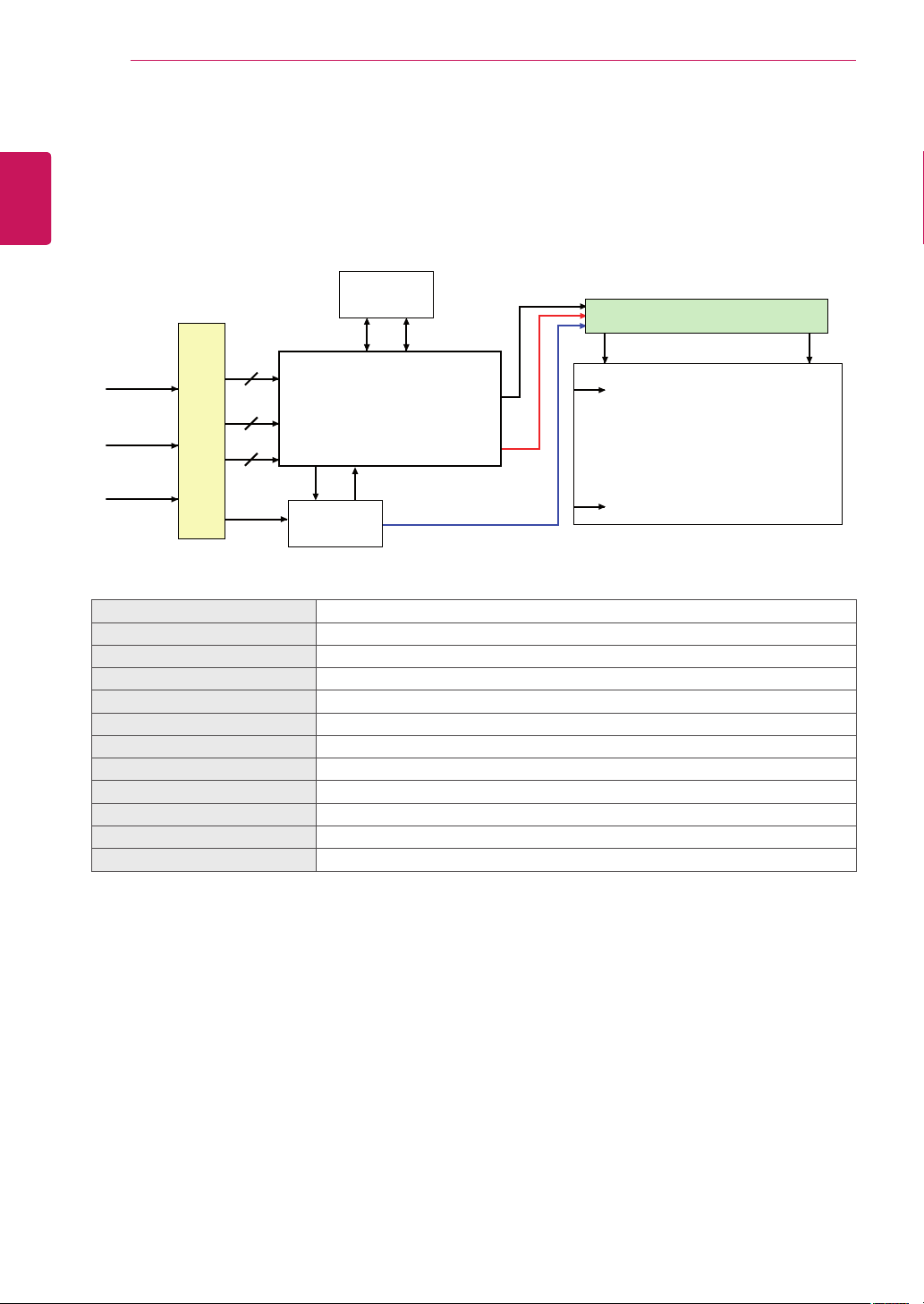
CN1
(51pin)
EEPROM
S1
SCL SDA
S1920
Source Driver Circuit
Timing Controller
LVDS Rx
Intergrated
TFT - LCD Panel
(1920 x RGB x 1080 pixels)
[Gate In Panel]
G1
G1080
EPI(RGB)
Control
Signals
Power Signals
LVDS 2Port
LVDS 1,2
I2C
Option
signal
LVDS Select
+12.0V
Power Circuit
Block
ScreenSize 47"class(46.9"/119.2cmdiagonal)
Dimension(WxHxD) 1084.5mmx653mmx11.2mm
PixelPitch 0.5415mmx0.5415mm
PixelFormat 1920horiz.by1080vert.Pixels,RGBstripearrangement
ColorDepth 8Bit(D),16.7Millioncolors
Transmittance(WithPOL) 6.4%(Typ.)
ViewingAngle(CR>10) Viewinganglefree(R/L178(Min.),U/D178(Min.))
PowerConsumption Total6.1W(Typ.)(TBD)
Weight(head) 2.9kg
DisplayOperatingMode Transmissivemode,Normallyblack
SurfaceTreatment(Top) Hardcoating(3H),Anti-glaretreatment(Reflectance<2%),
PossibleDisplayType LandscapeandPortraitEnabled
13
ENG
ENGLISH
SPECIFICATIONS
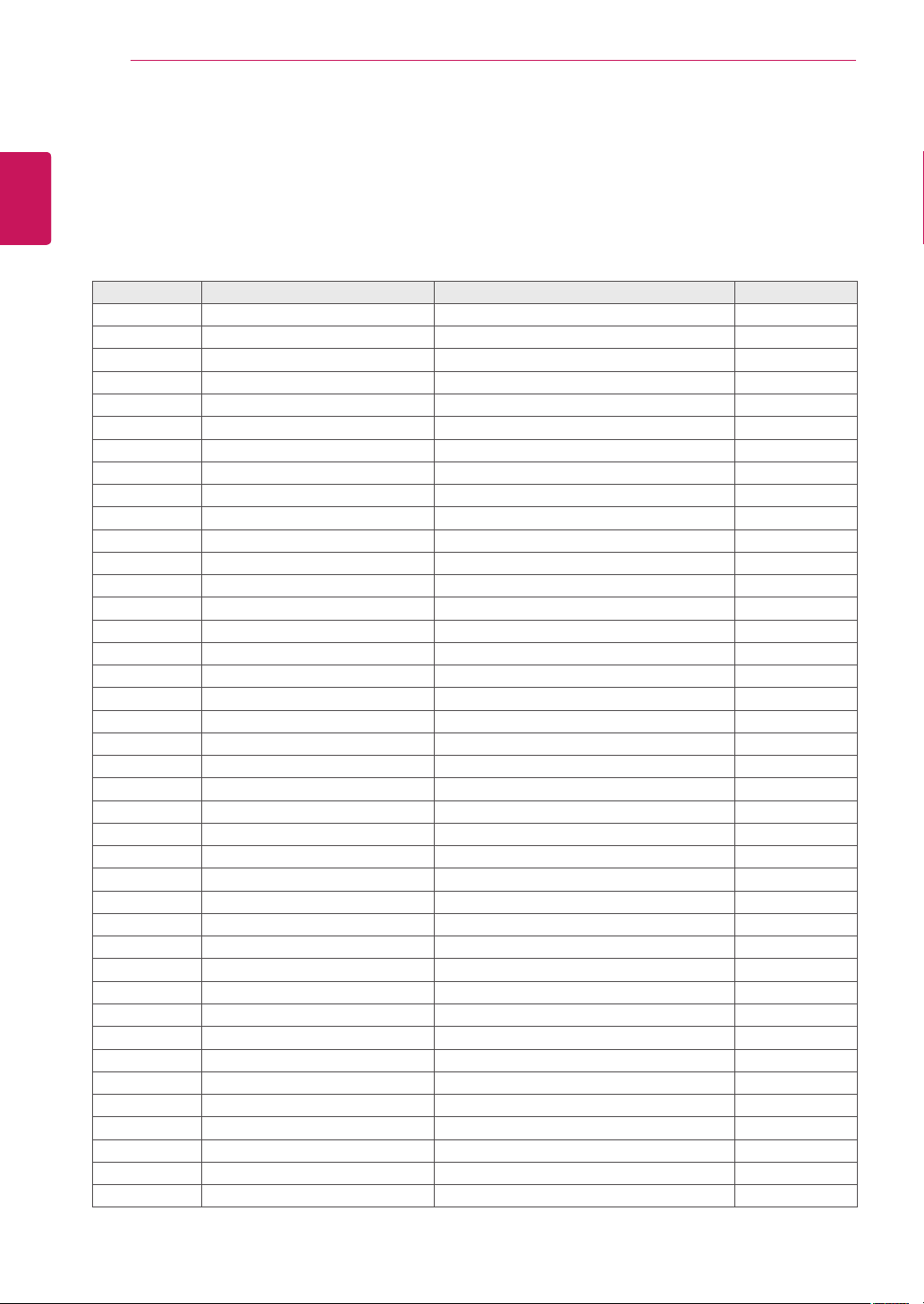
1084.5
(Unit:mm)
653
105.4
105.4
130
130
160
160
130
130
127.6
127.6
3
3
304.5
304.5
130
130
20-M3TapHole
130
130
11.2
130
130
130
130
130
130
130
130
14
ENG
ENGLISH
LVDSPINMAPGUIDE
LVDSPINMAPGUIDE
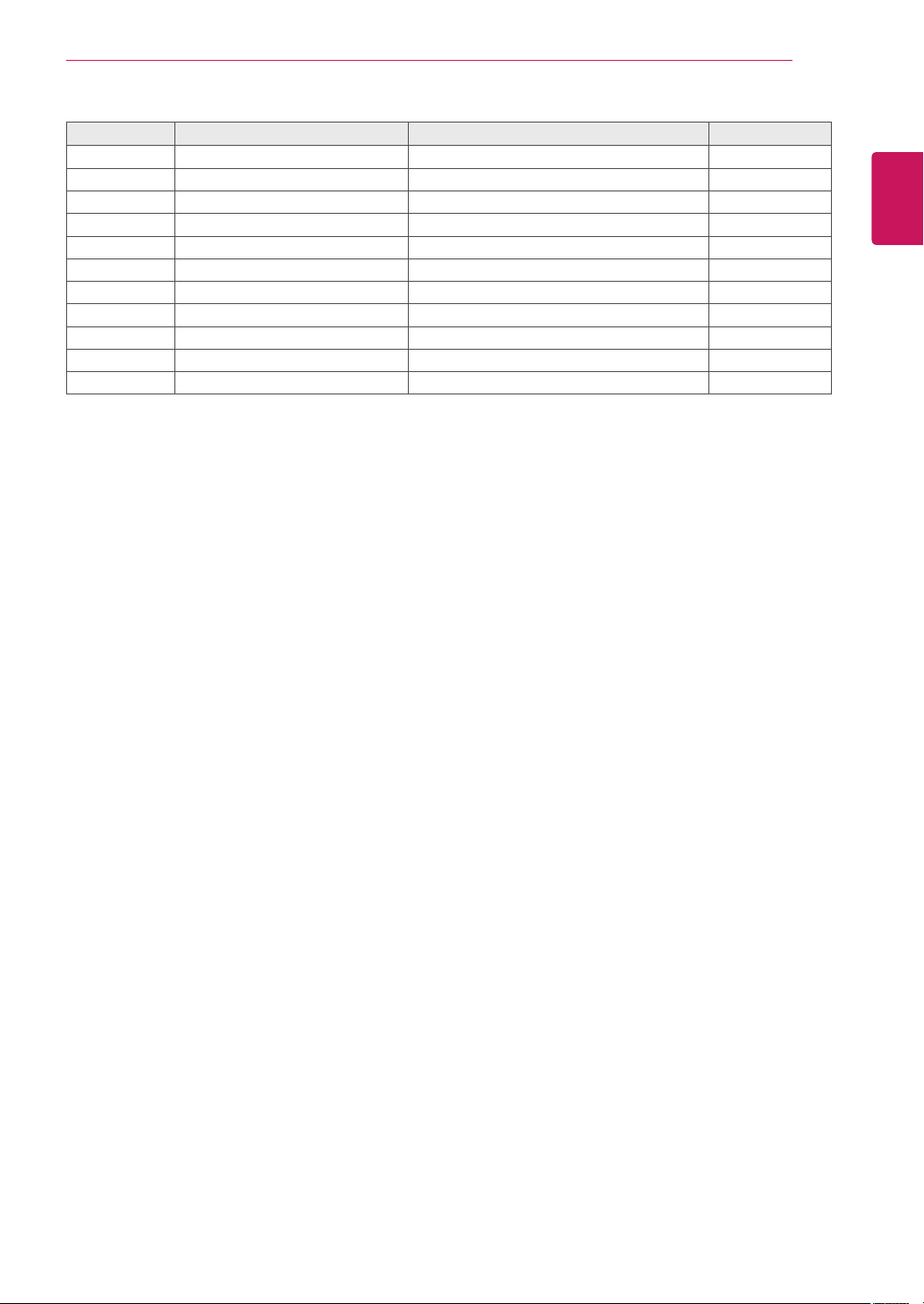
PinNo. Symbol Description Note
1 NCorGND NoConnectionorGround
2 NC NoConnection 4
3 NC NoConnection 4
4 NC NoConnection 4
5 NC NoConnection 4
6 NC NoConnection 4
7 LVDSSelect 'H'=JEIDA,'L'=VESA
8 NC NoConnection
9 NC NoConnection
10 NC NoConnection
11 GND Ground 1
12 R1AN FIRSTLVDSReceiverSignal(A-)
13 R1AP FIRSTLVDSReceiverSignal(A+)
14 R1BN FIRSTLVDSReceiverSignal(B-)
15 R1BP FIRSTLVDSReceiverSignal(B+)
16 R1CN FIRSTLVDSReceiverSignal(C-)
17 R1CP FIRSTLVDSReceiverSignal(C+)
18 GND Ground 1
19 R1CLKN FIRSTLVDSReceiverClockSignal(-)
20 R1CLKP FIRSTLVDSReceiverClockSignal(+)
21 GND Ground 1
22 R1DN FIRSTLVDSReceiverSignal(D-)
23 R1DP FIRSTLVDSReceiverSignal(D+)
24 NC NoConnection 4
25 NC NoConnection 4
26 NCorGND NoConnectionorGround
27 NC NoConnection 4
28 R2AN SECONDLVDSReceiverSignal(A-)
29 R2AP SECONDLVDSReceiverSignal(A+)
30 R2BN SECONDLVDSReceiverSignal(B-)
31 R2BP SECONDLVDSReceiverSignal(B+)
32 R2CN SECONDLVDSReceiverSignal(C-)
33 R2CP SECONDLVDSReceiverSignal(C+)
34 GND Ground 1
35 R2CLKN SECONDLVDSReceiverClockSignal(-)
36 R2CLKP SECONDLVDSReceiverClockSignal(+)
37 GND Ground 1
38 R2DN SECONDLVDSReceiverSignal(D-)
39 R2DP SECONDLVDSReceiverSignal(D+)
40 NC NoConnection 4
LCDConnector(CN1):FI-RE51S-HForEquivalent,Refertobelowtable.
MatingConnector:FI-RE51HL
Cablelength:1mofcoaxialcableorless
15
ENG
ENGLISH
LVDSPINMAPGUIDE
Note:1.AllGND(ground)pinsshouldbeconnectedtogethertotheLCDmodule’smetalframe.
2.AllVLCD(powerinput)pinsshouldbeconnectedtogether.
3.AllInputlevelsofLVDSsignalsarebasedontheEIA644Standard.
4.#1~#6~#10NC(NoConnection)ThesepinsareusedonlyforLGD(Donotconnect)
5.SpecificpinNo.#44isusedforNosignaldetectionofsystemsignalinterface.
ItshouldbeGNDforNSB(NoSignalBlack)duringthesysteminterfacesignalisnot.
IfthispinisH,LCDModuledisplaysAGP(AutoGenerationPattern).
PinNo. Symbol Description Note
41 NC NoConnection 4
42 NCorGND NoConnectionorGround
43 NCorGND NoConnectionorGround
44 GND Ground 5
45 GND Ground
46 GND Ground
47 NC NoConnection
48 VLCD PowerSupply+12.0V 2
49 VLCD PowerSupply+12.0V 2
50 VLCD PowerSupply+12.0V 2
51 VLCD PowerSupply+12.0V 2
Make sure to read the Safety Precautions
before using the product.
Keep the Owner's Manual (CD) in an
accessible place for future reference.
The model and serial number of the SET is
located on the back and one side of the SET.
Record it below should you ever need service.
MODEL
SERIAL
TemporarynoiseisnormalwhenpoweringONor
OFFthisdevice.