USER GUIDE
Model: E1G-G8E
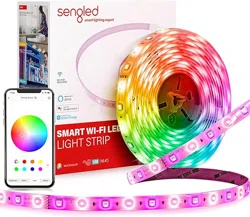
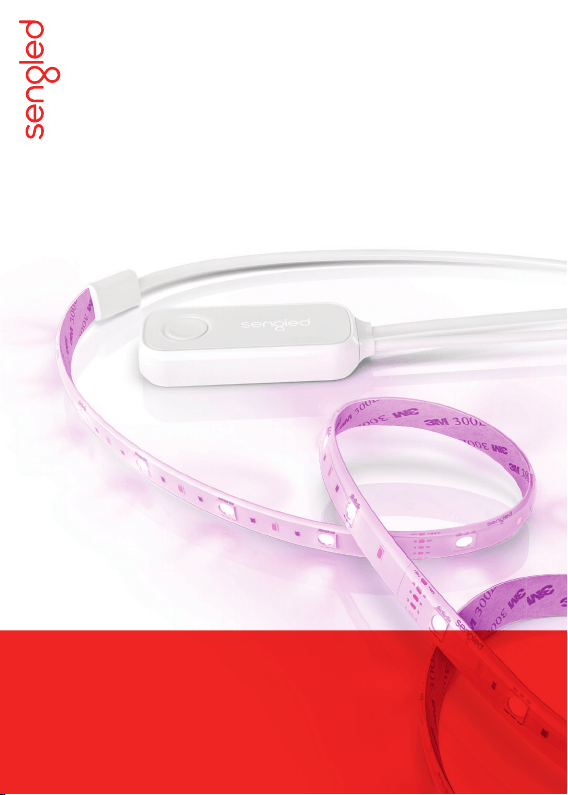
Sengled Smart LED Multicolor Light Strip

Introduction:
Sengled Smart LED Multicolor Light Strip enables you to wrap your
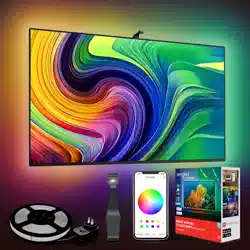
house in color, whether it’s under the cabinets, around your tv, or
anywhere else you would like to have some color without a traditional
socket. Additionally, the light strip can be extended or shortened to fit
your desired length.
Note: A hub is required to control this Light Strip.
Important Safety Information:
Before installing the Sengled Smart Light Strip, please read and
follow precautions, including:
• Risk of electric shock. Do not attempt to disassemble the
controller pack.
• Suitable for use in operating environment between -4°F and 104°F
(-20°C and 40°C).
• Do not use where directly exposed to water.
• Indoor use only.
1
4
Once you have successfully connected the
Light Strip to your hub, you may attach it to
wherever you would like in your home.
Ensure the surface is clean before attaching
your light strip.
Since the Light Strip is made of a flexible
material, you can attach it to virtually
anything, including things that have corners
sharper than 90 degrees.
Congratulations on successfully installing your
Sengled Smart LED Multicolor Light Strip!
3
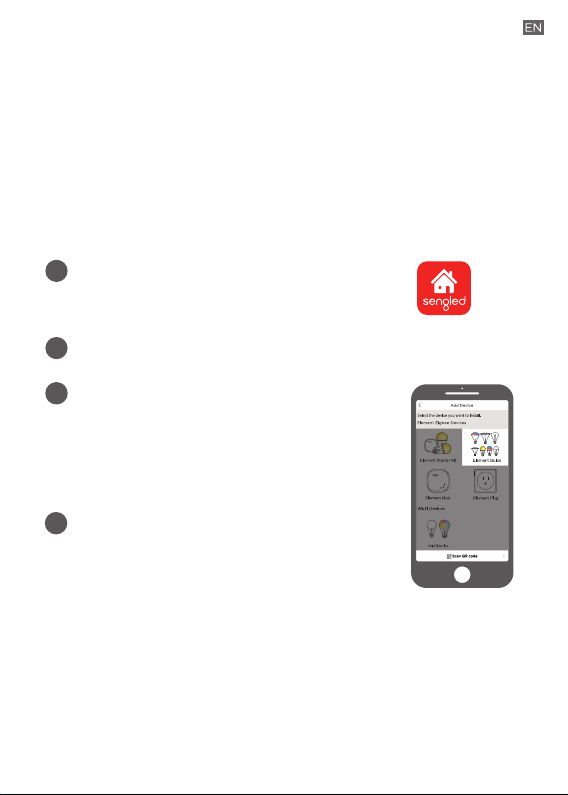
Open the Sengled Home app.
Go to Devices, select the + sign,
and choose Bulbs.
Follow the in-app instructions to
finish installation.
Download the latest version of the Sengled
Home App from the Apple
App Store or Google Play Store.
2
Register and sign-in to your Sengled account in the app.
Installation Instructions:
The following instructions are applicable for adding your Smart
Light Strip to a Sengled hub. If you have a third-party hub, such
as SmartThings or Amazon Echo Plus, or would like to find our
latest list of supported third-party hubs, please refer to
support.sengled.com.
Note: Sengled recommends ensuring you can add your light strip
to your Sengled Hub before attaching it to your wall, bed, etc.
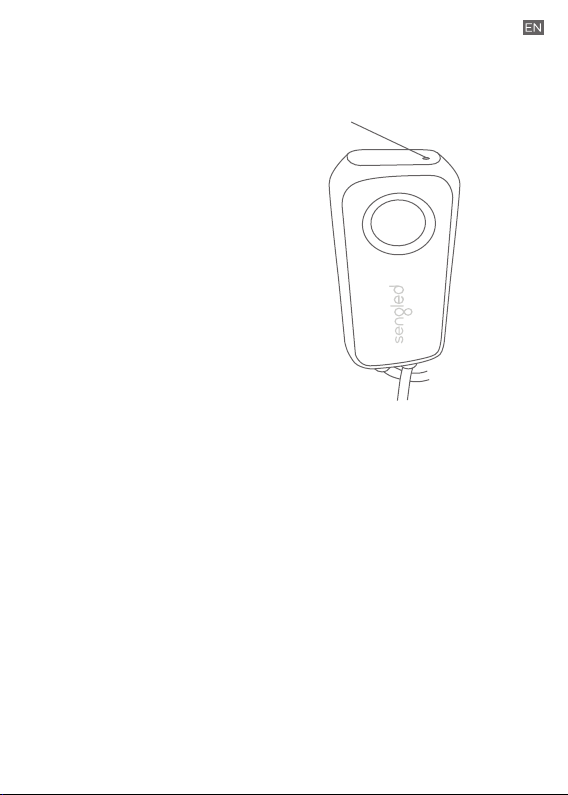
Reset Instructions:
To reset your Smart Light Strip,
locate the reset button and hold
for 3 to 10 seconds. When the
Light Strip is successfully reset,
it will flash five times. If it does
not flash, please try again. Once
successfully reset, please pair
the Light Strip again in your
Sengled Home app.
Reset Button
Operation:
The following section outlines some of the popular operational
modes of the Sengled Smart Light Strip.
Turning the light strip on and o
The light strip can be controlled through a variety of means:
• Manually via the light strip controller itself
• Through Sengled Home App
• Through partner programs like Alexa,
Google Assistant, IFTTT, etc.
Dimming
The light strip can be dimmed through the Sengled Home app,
through partner programs such as Amazon Alexa, Google
Assistant, IFTTT, etc. or the Sengled Smart Switch.
Scheduling
Schedules can be created with the Sengled Home app.
Color Cycling
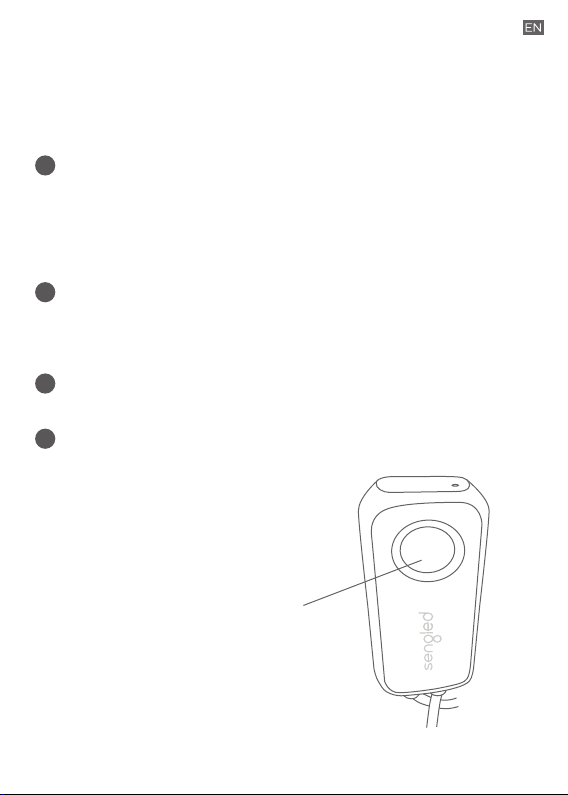
The light strip can be color cycled
if you hold down the button on the
controller. To select a color, simply
release the button.
A
B
C
D
Control Button
Single click:
Turn the Light Strip on/o.
Hold down:
Color cycle the Light Strip
and release the button to
select a color.

Tuning Whites
Adjust whites via the white palette in the Sengled Home app, or
with voice control and third parties.
Changing Colors
Change between 16 million colors using the color palette in the
Sengled Home app, or with voice control and third parties.
G
H
Check the in-app how-to pages through "Settings" for the following
two operations.
Voice Control
• Set up Amazon Alexa by adding Sengled Home Skill.
• Set up Google Assistant by adding Sengled Home Skill.
Third Party Control
Utilize a third-party program (like IFTTT) to control your lights.
E
F
Frequently Asked Questions:
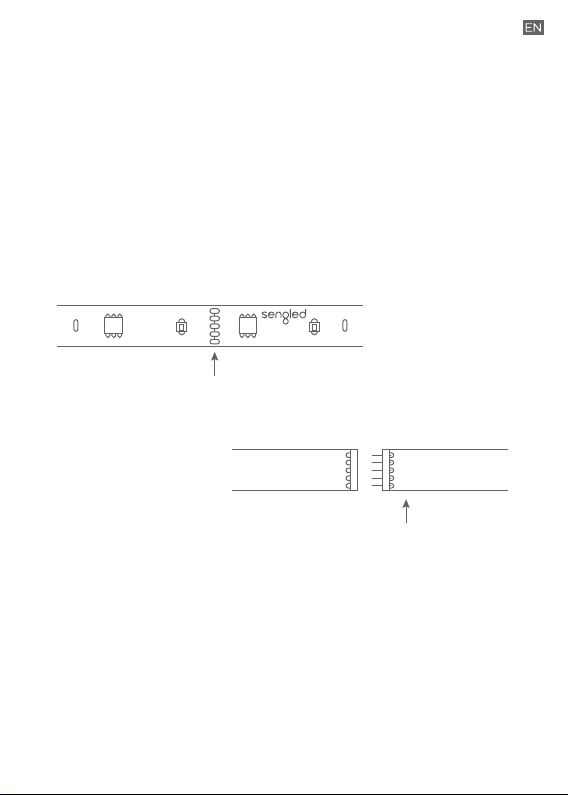
1. How can the length of the Smart Light Strip be altered?
The length of the light strip can be both lengthened and shortened.
Once shortened, it is unable to be lengthened again. To shorten the
Light Strip, please cut on the indicated points below (about every
25 cm, or 9.8 in). To extend, please add the 1M extensions that
are available.
2. Can dierent types of Sengled Smart devices be
used simultaneously?
Yes, a single Sengled Hub can support up to 64 devices from the
Sengled Smart LED family.
W
+24V +24V
W
G G
R R
B B
Cut Line
Extension
W
+24V
G
R
B
+24V
W
G
R
B
To Shorten:
To Extend:
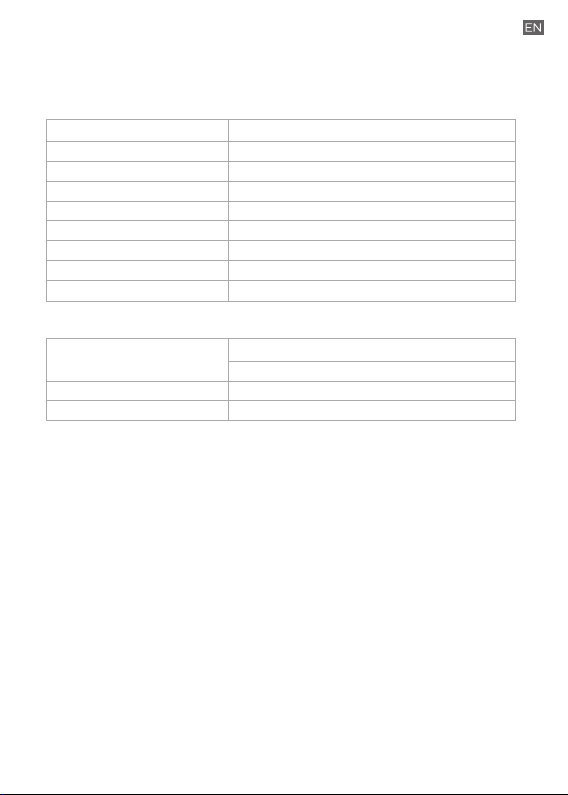
Product Specifications:
LED Light Strip
Length
Brightness
Power
Color temperature
Color
Dimming
Lifetime
Warranty
Maximum length
6.6 ft
1400 lumens
18W
2000K–6500K
16 million colors
via Sengled Home app or 3rd-party app
25,000 hrs
3 years
Expandable up to 33 ft
Controller and Electrical
Power Supply
Operation Temperature
Operation Humidity
Input: 100-240V~50/60Hz, 800mA, 24.5W
Output: 24V, 900mA, 21.6W (Max)
-4~104°F
0–95%

Limited Warranty:
3-year limited warranty from original purchase date. To learn more
about the Limited Warranty for Sengled products, please visit
www.sengled.com/warranty.
Support:
If you encounter any issues, please reach out to your local Sengled
Support team.
Visit the following website for web support:
https://support.sengled.com/
Send emails to:
Support@sengled.zendesk.com (USA)
[email protected]sk.com (CA)
Dial Customer Support Line 1-877-401-5990
10:00am-8:00 pm CST on Mon-Fri
11:00am-8:00 pm CST on Sat
Closed on Sunday