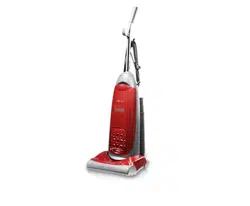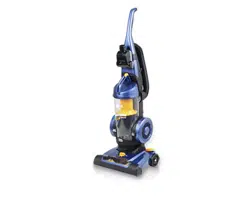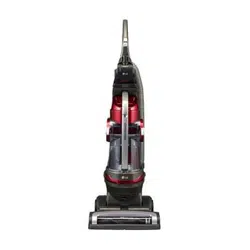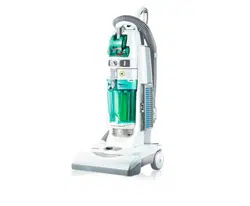

PLEASE
READ
THIS
MANUAL
THOROUGHLY
AND
CAREFULLY
BEFORE
OPERATING
THE
VACUUM
CLEANER
Upright
Vacuum
Cleaner
Owner's
Manual
MODEL:
V-FA282HT
V-FA272FT
V-FA262FN
P/No.:
3828FI3877B

-2-
TABLE
OF
CONTENTS
INFORMATION
FOR
YOUR
SAFETY.....................................................3
PARTS
AND
FEATURES
........................................................................4
TELESCOPIC
HANDLE
RELEASE........................................................5
CORD
RELEASE
....................................................................................5
SWITCH
OPERATION
............................................................................6
BODY
RELEASE
AND
POSITIONS
.......................................................6
RECOMMENDED
PILE
HEIGHT
SETTINGS
.........................................6
ATTACHMENT
USE
CHART...................................................................7
VACUUMING
TIPS
..................................................................................7
ATTACHMENTS
......................................................................................7
PERFORMANCE
FEATURES
................................................................9
VACUUM
CLEANER
CARE
..................................................................10
Vacuum
Storage........................................................................................................10
Dust
bin
assembly
.....................................................................................................10
Dust
bin
cleaning
.......................................................................................................11
Filters
cleaning
/
changing.........................................................................................12
Belt
Changing
and
Agitator
Cleaning
........................................................................13
Cleaning
exterior
.......................................................................................................16
Removing
clogs
.........................................................................................................16
TROUBLESHOOTING
..........................................................................17

-3-
INFORMATION
FOR
YOUR
SAFETY
Please
read
all
the
following
information,
which
contains
important
instructions
for
the
safety,
the
use
and
the
maintenance
of
the
appliance.
This
appliance
complies
with
the
following
EC
Directives:
-73/23/EEC,
93/68/EEC-Low
Voltage
Directive-89/336EEC
-EMC
Directive.
Never
allow
children
to
use
the
appliance
unsupervised.
Do
not
allow
it
to
use
as
a
toy,
injury
could
result.
Do
not
continue
to
the
cleaner
if
any
appears
to
be
faulty,
missing
or
damaged.
In
these
cases,
contact
an
approved
LG
Electronics
Service
Agent.
Repairs,
when
necessary,
must
be
performed
at
an
approved
LG
Electronics
Service
Agent.
Only
use
parts
produced
or
recommended
by
LG
doing
otherwise
could
invalidate
your
guarantee.
Do
not
use
without
the
dust
tank
or
air
filter.
Do
not
use
the
vacuum
cleaner
If
the
power
cord
is
damaged
or
faulty.
If
the
power
cord
is
damaged,
it
must
be
replaced
by
an
approved
LG
Electronics
Service
Agent
to
avoid
a
hazard.
Do
not
unplug
by
pulling
on
cord.
Do
not
pull
on
the
supply
cord,
run
over
it,
pull
it
around
sharp
edges
or
near/over
hot surfaces.
Always
turn
the
vacuum
cleaner
off
before:
?
Emptying
the dust
bin.
?
Cleaning
or
changing
the
filter.
?
Removing
from
the
mains
outlet.
Do
not
leave
vacuum
cleaner
with
the
plug
connected
to
a
mains
outlet-unplug
when
not
in
use.
Do
not
use
the
vacuum
with
any
of
the
openings
blocked
with
any
object
that
may
restrict
the
airflow.
Do
not
put
any
part
of
the
body,
clothes
or
any
object
(e.g.
stick)
or
into
the
opening
or
moving
parts
of
the
cleaner.
Do
not
use
outdoors.
Do
not
vacuum
hot
ash,
embers
etc.
or
sharp
objects.
Do
not
vacuum
flammable
or
explosive
substances(liquids
or
gases).
Do
not
vacuum
water
or
other
liquids.
Do
not
handle
the cleaner
or
plug
with
wet
hands.
Do
not
immerse
the
whole
cleaner
in
water.
Do
not
use
vacuum
cleaner
without
repaired
if it
was
under
water.
When
you
vacuum
with
an
attachment
appliance
that
has
a
rotating
brush
roller:
?
Do
not
reach
into
the
running
brush
roller.
The
appliance
is
not
intended
for
use
by
young
children
or
infirm
persons
without
supervision.
?
Young
children
should
be
supervised
to
ensure
that
they
do
not
play
with
the
appliance.
If
the
appliance
is
supplied
from
a
cord
extension
set
or
an
electrical
portable
outlet
device,
the
cord
extension
set
on
electrical
portable
outlet
device
must
be
positioned
so
that
it
is
not
subject
to
splashing
or
ingress
of
moisture.
Thermal
protector:
This
vacuum
cleaner
has
a
special
thermostat
that
protects
the
cleaner
in
case
of
motor
overheating.
If
the cleaner
suddenly
shuts
off,
turn
off
the
switch
and
unplug
the
cleaner.
Check
the
cleaner
for
a
possible
source
of
overheating
such
as
a
full
dust
chamber,
a
blocked
hose
or
clogged
filter.
If
these
conditions
are
found,
fix
them
and
wait
at
least
30
minutes
before
attempting
to
use
the
cleaner.
After
the
30
minutes
period,
plug
the
cleaner
back
in
and
turn
on
the
switch.
If
the
cleaner
still
does
not
run,
contact
a
qualified
electrician.
Important
for
users
in
the
UK.
The
wires
in
the
mains
lead
of
this
appliance
are
coloured
in
accordance
with
the
following
code:
BLUE-neutral
BROWN
-
live
VERY
IMPORTANT:
Do
not
earth
the
appliance
If
a
13
amp
plug
is
fitted,
fit
a
13
amp
BS
1362
fuse.
If
any
other
type
of
plug
is
used,
protect
with
a
15
amp
fuse
at
the
distribution
board.
For
appliances
which
come
with
mains
lead
and
plug
moulded
on:
the
plug
moulded
on
to
the
cable
incorporates
a
fuse.
For
replacement
use
a
13
amp
BS
1362
fuse.
Only
ASTA
approved
or
certified
fuses
should
be
used.
The
plug
must
not
be
used
if
the
fuse
cover/carrier
is
lost.
A
replacement
cover
carrier
must
be
obtained
from
authorised
electrical
goods
retailers.

-4-
PARTS
AND
FEATURES
It
is
important
to
know
your
vacuum
cleaner's
parts
and
features
to
assure
its
proper
and
safe
use.
Review
these
before
using
your
cleaner.
Telescopic
handle
Switch
Agitator
On/Off
Switch
(V-FA282HT)
Mini
nozzle
Carry
handle
Nozzle
hose
Agitator
Height
adjustment
knob
Telescopic
release
lever
Quick
release
cord
hanger
Crevice
tool
Body
release
pedal
Cord
hook
Motor
protector
Dusting
brush
Wand
Supporter
filter
case
Dust
bin
Dust
bin
release
lever
Exhaust
filter

Release
the
telescopic
handle
by
pulling
telescopic
release
lever
up
with
fingers
and
pulling
up
the
telescopic
handle.
To
lower
the
telescopic
handle
pull
the
telescopic
release
lever
up
with
fingers
and
push
down
on
the
telescopic
handle.
Note
:
For
your
convenience,
adjust
telescopic
handle
height properly
to
your
height.
Turn
the
quick
release
cord
hanger
to
either
side
to
release
the
power
cord.
To
store
the
power
cord,
wrap
the
power
cord
around
the
quick
release
cord
hanger
and
hook,
and
clip
the
plug
onto
the
power
cord
Telescopic
release
lever
Telescopic
handle
Quick
release
cord
hanger
Cord
hook
Cord
holder
Plug
shape:
NORTH
AMERICA
UK
AUSTRALIA
EU
-5-
TELESCOPIC
HANDLE
RELEASE
CORD
RELEASE

Switch
operation
V-FA282HT
?
Min
Max
?
Carpet:
Agitator
On/Off
Switch
V-FA272FT
?
Off
?
Floor:
Agitator
off
?
Carpet:
Agitator
on
V-FA262FN
?
On/Off
Switch
BODY
RELEASE
AND
POSITIONS
RECOMMENDED
PILE
HEIGHT
SETTINGS
SWITCH
OPERATION
WARNING
Personal
injury
hazard
To
avoid
personal
injury,
do
not
turn
switch
On/Off
if
the
vacuum
or
your
hand
is
wet.
-6-
To
select
a
pile
height
setting
:
Turn
off
cleaner
first.
Select
a
pile
height
setting
by
using
height
adjustment
knob.
Rotate
the
adjustment
knob
to
the
correct
setting
position.
Suggested
pile
height
settings
:
You
may
need
to
raise
the
height
to
make
some
jobs
easier,
such
as
scatter
rugs
and
longer
pile
carpets.
For
easiest
adjustment,
place
cleaner
in
full
upright
position.
Attention:
Special
care
is
required
when
vacuuming
certain
types
of
carpet
or
floor
covering.
Always
check
the
carpet
or
floor
covering
manufacturer's
recommended
cleaning
instructions
before
vacuuming.
Release
the
vacuum
body
by
pressing
down
on
the
body
release
pedal
with
your
foot
and
pulling
back
and
down.
V-FA282HT
V-FA272FT
V-FA262FN
Body
release
pedal
Height
adjustment
knob

To
use
attachments
1)
Place
the
cleaner
on
a
flat
surface.
Remove
the
wand
off
the
body
by
grasping
and
rotating
while
pulling
up.
2)
Set
pile
height
to
high
3)
Place
switch
in
"Agitator
off"
mode.(for
V-FA282HT)
Place
switch
in
"Floor"
mode.(for
V-FA272FT)
-7-
ATTACHMENT
USE
CHART
ATTACHMENT
CLEANING
AREA
DUSTING
BRUSH
CREVICE
TOOL
MINI
NOZZLE
Furniture*
Between
Cushions*
Drapes*
Stairs
Walls
XXX
XX
XX
X
XX
X
*
Always
clean
attachments
before
using
on
fabrics.
VACUUMING
TIPS
ATTACHMENTS
Carpet
edges
Use
attachments
such
as
crevice
tool,
dusting
brush,
Mini-nozzle
on
carpet
edges.
See
page
7,
8
WARNING
Personal
Injury
Hazard
Use
care
if
vacuum
cleaner
is
placed
on
stairs.
If
it
falls,
personal
injury
or
property
damage
could
result.

Dusting
brush:
Functions
as
a
dusting
brush,also
an
upholstery
nozzle
which
is
useful
for
furniture,
shelves
etc.
Attach
as
shown.
Crevice
tool:
Crevice
tool
is
attached
as
shown
and
used
for
corners,
between
cushions
etc.
Note
:
For
added
reach
the
dusting
brush
can
be
used
with
crevice
tool
as
shown.
Mini-nozzle
Mini-nozzle
is
attached
as
shown
and
used
for
stairs
and
other
hard
to
reach
places.
To
remove
Mini-nozzle
cover:
Remove
2
screws
on
the
bottom
and
take
Mini-
nozzle
cover
off
as
shown.
Frequently
check
and
remove
hair,
string,
and
lint
build-up
the
brush
area.
Failure
to
do
so
could
cause
damage
to
Mini-nozzle.
To
extend
wand:
Rotate
the
wand
to
unlock
and
pull.
TO
STORE
ATTACHMENTS
Return
the
wand
to
its
position
on
the
body
and
the
attachments
to
their
holders.
Press
Pull
Unlock
Lock
Unlock
Lock
-8-
CAUTION
Do
not
pull
the
vacuum
cleaner
around
the
room
by
the
hose.
Property
damage
could
result.

-9-
Motor
protector
This
vacuum
has
a
motor
protector
bypass
valve
which
automatically
opens
to
provide
cooling
air
to
the
motor
when
a
clog
prevents
the
normal
flow
of
air
to
the
motor.
If
the
by-
pass
valve
opens
to
prevent
motor
overheating
and
possible
damage
to
the
vacuum,
you
will
notice
a
change
of
sound
as
air
rushes
through
the
valve
opening.
NOTE:
Do
not
block
motor
protector.
To
correct
problem:
Check
for
and
remove
clogs.
See
CLOG
REMOVAL
section.
NOTE:
The
motor
protector
may
open
when
using
attachments
or
when
cleaning
new
carpet,
due
to
reduced
airflow
caused
by
the
attachments
themselves
or
by
new
carpet
fuzz
filling
the
dust
bin
quickly.
Thermal
protector
This
vacuum
has
a
thermal
protector
which
automatically
trips
to
protect
the
vacuum
from
overheating.
If
a
clog
prevents
the
normal
flow
of
air
to
the
motor
the
thermal
protector
turns
the
motor
off
automatically
to
allow
the
motor
to
cool
in
order
to
prevent
possible
damage
to
the
vacuum.
To
correct
problem:
If
this
occurs,
turn
the
vacuum
off
and
unplug
the
power
cord
from
the
outlet
to
allow
the
vacuum
to
cool.
Check
for
and
remove
clogs,
if
necessary.
Wait
approximately
thirty(30)minutes
and
plug
the
vacuum
in
and
turn
back
on
to
see
if
the
motor
protector
has
reset.
The
thermal
protector
system
will
not
reset
untill
the
vacuum
has
cooled
down.
Motor
protector
PERFORMANCE
FEATURES

-10-
DUST
BIN
ASSEMBLY
Dust
bin
lid
The
dust
bin
lid
covers
up
the
dust
bin.
Blade
Blade
traps
large
dirt
and
debris
that
is
picked
up
by
the
suction.
Bottom
plate
Used
to
throw
dust
out
of
the
bin.
Bottom
plate
lever
Used
to
open
the
bottom
plate
for
dust
and
debris
disposal.
Dust
bin
Where
dirt
is
collected.
To
store
the
vacuum
cleaner
when
it
is
not
used,
assemble
its
cord
and
return
its
telescopic
handle
to
its
lower
space
saving
position.
Dust
bin
lid
Blade
Dust
bin
Bottom
plate
Bottom
plate
lever
Push
VACUUM
STORAGE
WARNING
Electrical
shock
and
personal
injury
hazard.
Wrapping
the
cord
too
tightly
puts
stress
on
the
cord
and
can
cause
cord
damage.
A
damaged
cord
is
an
electrical
shock
hazard
and
could
cause
personal
injury
or
damage.
Always
follow
all
safety
precautions
when
cleaning
and
servicing
the
vacuum
cleaner.
WARNING
Electrical
shock
and
personal
injury
hazard.
Disconnect
electrical
supply
before
servicing
or
cleaning
the
unit.
Failure
to
do
so
could
result
in
electrical
shock
or
personal
injury
from
cleaner
suddenly
starting.
VACUUM
CLEANER
CARE

For
best
perfornance
always
empty
the
dust
bin
when
the
dirt
level
reaches
the
"MAX"
line.
TO
REMOVE
DUST
BIN,
press
the
dust
bin
release
lever
until
it
snaps,
and
slide
the
bin
out
of
cleaner.
TO
EMPTY
DUST
BIN,
press
the
bottom
plate
lever
as
shown.
If
dust
still
remains
on
the
inner
part
of
dust
bin,
separate
blade
from
dust
bin
lid
and
remove
dust.
Note
:
When
replacing
the
dust
bin
in
the
vacuum
you
need
to
slide
and
snap
it.
Make
sure
that
dust
bin
is
fully
engaged
otherwise
suction
power
could
be
low.
TO
CLEAN
DUST
BIN
remove
3
catches
on
dust
cap
and
separate
dust
bin
lid
from
dust
bin
and
blade
as
shown.
Do
not
use
wet
dust
bin
and
blade
when
reuse,
dry
completely.
Clean
dust
bin
lid
with
a
cloth
and
brush
to
remove
fluff
or
debris.
and
DO
NOT
USE
ANY
LIQUID
AND
WATER.
Align
triangle
on
dust
bin
lid
with
triangle
on
blade
and
rotate
blade
to
lock
it
into
place.
Press
the
dust
bin
lid
until
3
catches
click.
-11-
DUST
BIN
CLEANING
Blade
Lock
Unlock
Dust
bin
release
lever
MA
X
MA
X
Dust
bin
Dust
bin
lid
Blade
Lock
Unlock
MAX
Catch
M
A
X
WARNING
Electrical
shock
and
personal
injury
hazard.
Always
unplug
power
cord
from
electrical
outlet
before
performing
any
service
on
vacuum.
Lock
Blade
Dust
bin
lid
Catch
Dust
bin
lid

-12-
Remove
supporter
filter
case
and
clean
the
filter
and
case
in
cold
water
only.
DO
NOT
USE
DETERGENT
OR
SOAP.
TO
CLEAN
EXHAUST
FILTER
(V-FA282HT
&
V-FA272FT)
Remove
exhaust
filter
from
vacuum
and
clean
the
filter
and
case
in
cold
water
only.
DO
NOT
USE
DETERGENT
AND
SOAP.
TO
REPLACE
EXHAUST
FILTER(V-FA262FN)
Remove
exhaust
filter
from
vacuum
and
replace
it
with
new
one.
Allow
exhaust
filter
to
dry
24
hours
before
putting
them
back.
Make
sure
that
the
filters
dry
completely.
FOR
OPTIONAL
PERFORMANCE,
CHECK
FILTERS
FREQUENTLY
AND
CLEAN
WHEN
DIRTY.
Exhaust
filter
CAUTION
Wet
filter
can
cause
permanent
damage
to
cleaner.
Ensure
that
all
filters
dry
completely.
The
cycle
of
the
cleaning.
?
Filter
-
Every
2
months.
?
Exhaust
filter
-
Once
a
year.
Supporter
filter
case
Open
Close
FILTERS
CLEANING
/
CHANGING

-13-
WARNING
Electrical
shock
and
personal
injury
hazard.
Disconnect
electrical
supply
before
servicing
or
cleaning
the
unit.
Failure
to
do
so
could
result
in
electrical
shock
or
personal
injury
from
cleaner
suddenly
starting.
BELT
CHANGING
AND
AGITATOR
CLEANING
Frequently
check
and
remove
hair,
string,
and
lint
build-up
in
the
agitator
brush
area.
If
build-
up
becomes
excessive,
follow
the
steps
below.
Should
the
belt
become
loose
or
should
it
break,
follow
the
belt
removal
instructions.
NOZZLE
BOTTOM
PLATE
REMOVAL
/
INSTALLATION
Disconnect
electrical
supply,
press
body
release
pedal
and
rotate
body
down,
so
the
cleaner
is
laying
flat
on
the
floor.
To
protect
the
floor
surface
place
paper
under
the
nozzle
and
work
area.
Remove
4
screws
from
the
bottom
as
shown.
Remove
the
bottom
plate
as
shown.
Check
and
remove
hair,
string,
ad
lint
build-up
in
the
agitator
brush
area.
To
replace
nozzle
bottom
plate,
should
regulation
be
placed
in
its
place
and
reinstall
things
you
removed.
TO
REMOVE
BELT
/
CLEAN
AGITATOR
Position
hands
on
opposite
ends
of
the
agitator.
If
the
belt
is
still
attached
to
the
agitator,
there
will
be
tension
on
it.
Carefully
lift
the
right
end
of
the
agitator
and
then
lift
the
other
end.
Remove
the
worn
or
broken
belt
from
the
motor
drive
shaft
and
clean
the
agitator.
WARNING
Personal
injury
hazard
Always
unplug
the
vacuum
cleaner
before
cleaning
the
brush
area
as
agitator
may
suddenly
restart.
Failure
to
do
so
can
result
in
personal
injury.
Hook
Belt
Agitator

-14-
Remove
string
or
hair
that
may
be
wrapped
around
the
agitator.
TO
REPLACE
BELT
(V-FA282HT
&
V-FA272FT)
Seat
the
right
end
of
agitator
into
nozzle
base.
Loop
the
new
belt
on
the
motor
shaft.
Loop
the
other
end
of
belt
onto
the
belt
pulley
on
the
left
end
of
agitator.
To
seat
agitator
right
end,
pull
both
end
of
agitator
forward
and
seat
it
into
nozzle
base.
To
seat
agitator
left
end,
put
left
end
of
agitator
into
slot
in
nozzle
base
as
shown.
Press
firmly,
checking
to
see
that
each
end
is
completely
inserted.
And
then
turn
agitator
making
sure
that
belt
turns
freely
and
is
not
pinched
between
agitator
and
agitator
shield.
To
replace
the
nozzle
bottom
plate,
follow
the
NOZZLE
BOTTOM
PLATE
REMOVAL
/
INSTALLATION
section.(Page
13)
WARNING
Be
careful
when
removing
the
agitator
as
the
belt
tension
is
high.
Failure
to
do
so
could
result
in
personal
injury
from
the
agitator
releasing
quickly
and
snapping
away.

-15-
TO
REPLACE
BELT
(V-FA262FN)
Put
the
new
belt
slantly
into
the
gap
between
motor
shaft
and
wall
of
the
nozzle
base.
Loop
the
new
belt
on
the
motor
shaft
by
using
tool
like
screwdriver.
Seat
the
right
end
of
agitator
into
nozzle
base.
Loop
the
other
end
of
belt
onto
the
belt
pulley
on
the
left
end
of
agitator.
To
seat
agitator
right
end,
pull
both
end
of
agitator
forward
and
seat
it
into
nozzle
base.
To
seat
agitator
left
end,
put
left
end
of
agitator
into slot
in
nozzle
base
as
shown.
Press
firmly,
checking
to
see
that
each
end
is
completely
inserted.
And
then
turn
agitator
making
sure
that
belt
turns
freely
and
is
not
pinched
between
agitator
and
agitator
shield.
To
replace
the
nozzle
bottom
plate,
follow
the
NOZZLE
BOTTOM
PLATE
REMOVAL
/
INSTALLATION
section.(Page
13)
1
2

-16-
CLEANING
EXTERIOR
REMOVING
CLOGS
Unplug
power
cord
from
wall
outlet.
Clean
exterior
using
a
clean,
soft
cloth
that
has
been
dipped
in
a
solution
of
mild
liquid
detergent
and
water
and
wrung
dry.
DO
NOT
drip
water
in
the
cleaner.
DO
NOT
clean
tools
in
dishwasher
or
clothes
washer.
Wash
tools
in
warm
soapy
water,
rinse
and
air
dry.
DO
NOT
use
tools
if
they
are
wet.
The
hose
located
on
the
vacuum
cleaner
carries
the
dirt
from
the
nozzle
up
to
the
dust
bin.
If
the
hose
should
become
clogged
:
Unplug
vacuum.
Remove
the
assembled
wand,
nozzle
hose
and
check
them.
Check
the
base
of
the
hose
for
clogging
as
shown.
Check
suction
inlet
and
filters
for
clogs.
Note
:
Clogged
filters
can
cause
suction
power
to
be
low.
To
clean
the
filter,
refer
to
FILTERS
CLEANING
/
CHANGING
section.
(Page
12)
Nozzle
hose
Pull
Check
suction
inlet
Check
suction
inlet
of
nozzle

-17-
TROUBLESHOOTING
Review
this
chart
to
find
do-it-yourself
solutions
for
a
minor
performance
problems.
Additional
service
needed,
other
than
those
described
in
this
owner's
manual,
should
be
performed
at
an
authorized
LG
Electronics
Service
agency.
WARNING
Electrical
shock
and
personal
injury
hazard.
Disconnect
electrical
supply
before
servicing
or
cleaning
the
unit.
Failure
to
do
so
could
result
in
electrical
shock
or
personal
injury.
PROBLEM
POSSIBLE
CAUSE
POSSIBLE
SOLUTION
CLEANER
WILL
NOT
RUN
POOR
JOB
OF
DIRT
PICKUP
DUST
ESCAPES
THE
DUST
BIN
1.
Unplugged
at
wall
outlet.
2.
Switch
in
off
position.
3.
Thermal
protector
activated.
1.
Full
or
clogged
dust
bin.
2.
Broken
agitator
belt.
3.
Clogged
hose
or
nozzle.
4.
Hose
not
inserted
fully
5.
Worn
agitator.
6.
Hole
in
hose
7.
Dust
bin
assembly
improperly
installed.
8.
Belt
not
installed
on
motor
shaft.
9.
Motor
protection
system
activated.
1.
Dust
bin
assembly
improperly
installed.
1.
Plug
in
firmly,
check
Motor
protection
system
/
fuse.
2.
Push
switch
to
from
min
to
max(V-FA282HT).
Push
switch
to
floor
or
carpet
mode(V-FA272FT).
Push
switch
to
on(V-FA262FN).
3.
See
"To
correct
problem",
page
9.
1.
Empty
dust
bin
and
clean
the
filters.
2.
Replace
agitator
belt.
3.
Clean
hose
or
nozzle
area.
4.
Insert
hose.
5.
Replace
agitator.
6.
Replace
hose.
7.
Properly
install
dust
bin
assembly.
8.
Install
belt
on
the
motor
shaft.
9.
Check
for
clogs.
1.
Properly
install
dust
bin.
Disposal
of
your
old
appliance
1.
When
this
crossed-out
wheeled
bin
symbol
is
attached
to
a
product
it
means
the
product
is
covered
by
the
European
Directive
2002/96/EC.
2.
All
electrical
and
electronic
products
should
be
disposed
of
separately
from
the
municipal
waste
stream
via
designated
collection
facilities
appointed
by
the
government
or
the
local
authorities.
3.
The
correct
disposal
of
your
old
appliance
will
help
prevent
potential
negative
consequences
for
the
environment
and
human
health.
4.
For
more
detailed
information
about
disposal
of
your
old
appliance,
please
contact
your
city
office,
waste
disposal
service
or
the
shop
where
you
purchased
the
product.

-18-
Note

-19-
Note