www.elitescreens.com
How to distinguish the TOP and BOTTOM direction of the
CLR®/CLR®2/CLR3®/CLR® 4 materials
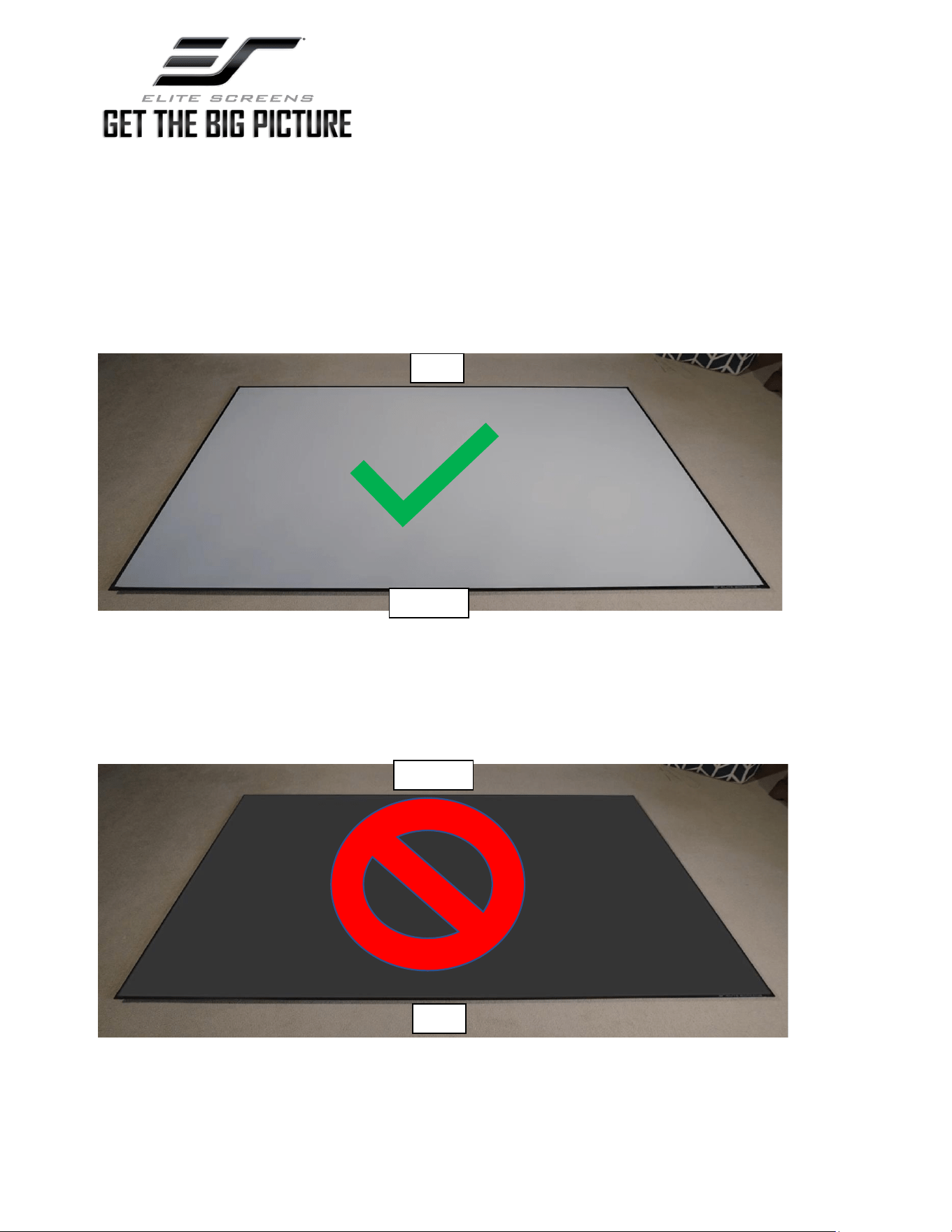
CORRECT DIRECTION
The material should have a white/gray color when viewed from an angle as shown below. This is how to distinguish
the correct direction of the REFLECTIVE LAYER positioned at the bottom of the material’s microstructure.
INCORRECT DIRECTION
If the material is black as shown below then it is upside down and is instead positioned to show the ABOSRBENT
LAYER.
TOP
Bottom
TOP
Bottom
www.elitescreens.com
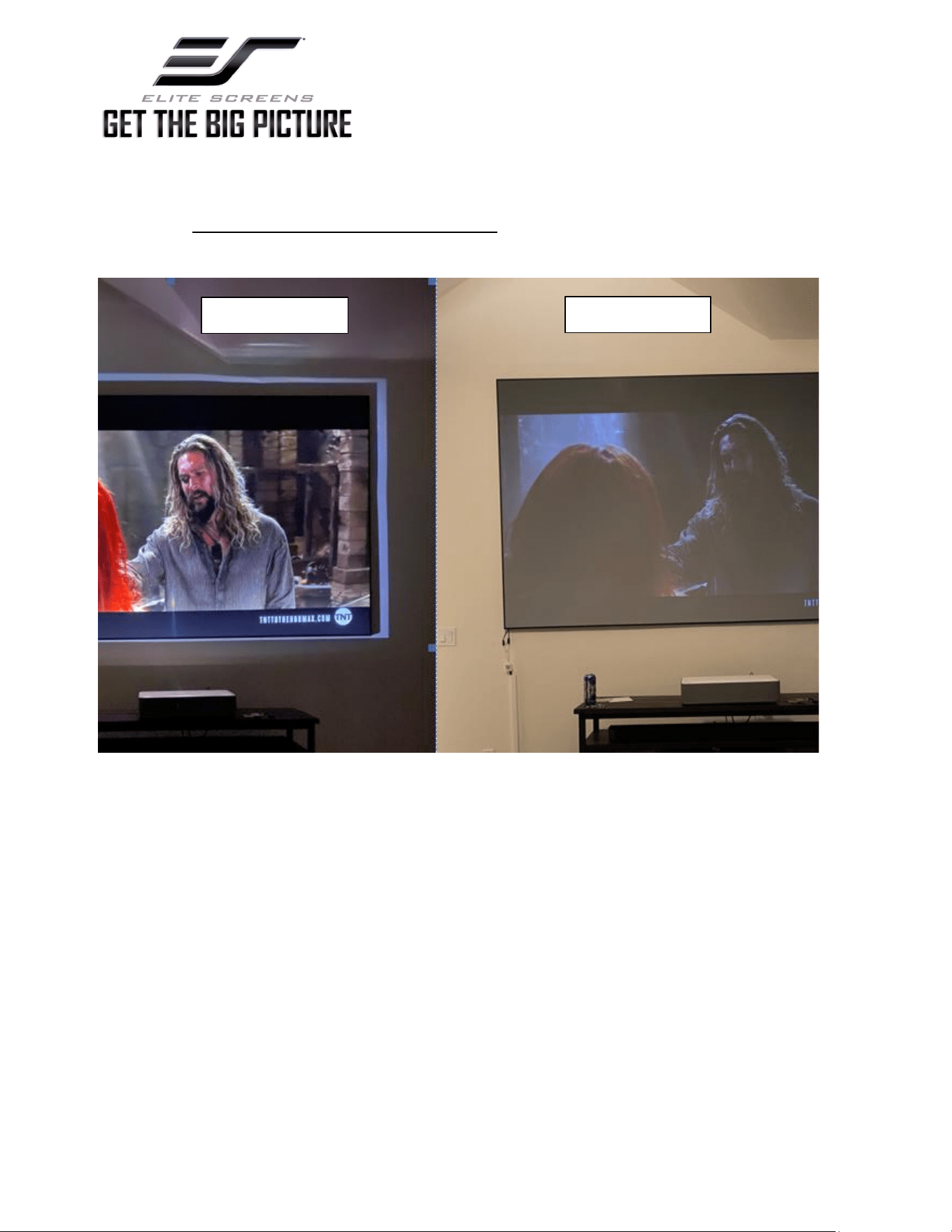
Examples of Correct and Incorrect direction with projection images
Incorrect: Ceiling Light on Projection
image not reflecting properly and not
rejecting light from above
Correct: Ceiling Light on Projection image bright
reflecting properly and absorbing light from above
Ceiling Light on Close up comparison of
Correct and incorrect direction.
Correct
Incorrect
Correct
www.elitescreens.com
Example of screen hung up in the wrong direction with lights off. Projection may still
look good but when Ceiling lights are turned on the image looks washed out. This is
due to the material not absorbing overhead light.
Ceiling Lights On
Ceiling Lights Off