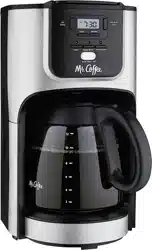
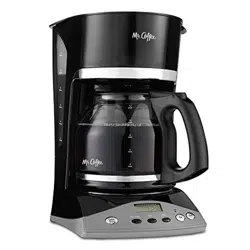
For your convenience the plug is stored inside the cord storage.
A short power supply cord is provided to reduce the hazards resulting from a person or pet becoming entangled in, or tripping over, a longer cord.
An extension cord may be purchased and used if care is exercised in its use.
If an extension cord is used, the marked electrical rating of the extension cord must be at least 10 amps and 120 volts. The resulting extended cord must be arranged so that it will not drape over a countertop or tabletop where it can be pulled on by children or tripped over accidentally.
This appliance has a polarized plug (one blade is wider than the other). To reduce the risk of electric shock, this plug will fit in a polarized outlet only one way. If the plug does not fit fully in the outlet, reverse the plug. If it still does not fit, contact a qualified electrician. Do not modify the plug in any way. You can customize the length of the power cord so that it is the exact length you desire. To increase the length of the power cord: grasp the power cord (not the power plug) and gently lift it out of the slot, then pull it away from the coffeemaker. To decrease the length of the power cord: Grasp the power cord (not the power plug), lift it out of the slot and gently feed it into the coffeemaker. Lock the cord in the slot when finished.
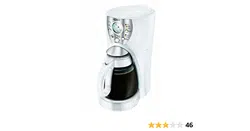
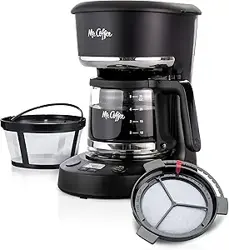
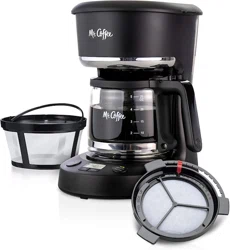
DIAGRAM OF PARTS
Dual Water Windows
Water Reservoir
Filter Basket Lid
Pause ’n Serve
Cord Storage
Warming Plate (not on thermal models)
Control Panel (see detail on next page)
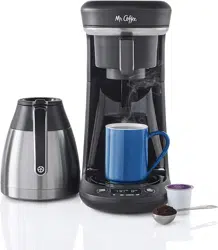
Glass Decanter or Thermal Carafe
Removable Filter Basket
Shower Head
7. Control Panel, Switch Models Only
a. On/Off Switch with On Indicator Light
7. Control Panel, Programmable Models Only
a. PM Indicator
b. Delay Brew Button
c. Delay Indicator
d. Set Delay Button
e. Hour Button
f. Minute Button
g. Clock Display
h. On Button
i. Off Button
Coffeemaker Extras (not included with all models)
COFFEEMAKER FEATURES AND BENEFITS
Your new MR. COFFEE® coffeemaker has the following features:
Brewing Capacity
12 cups – Glass decanter series
8 cups – Thermal carafe series
Brew Basket with Removable Filter Basket – Lifts out for fast and easy cleaning and filling.
Pause ‘n Serve – Allows you up to 30 seconds to pour a cup of coffee while the coffeemaker is still brewing. Carefully remove the decanter and the Pause ’n Serve feature will be automatically activated, temporarily stopping the flow of coffee into the decanter.
Dual Water Windows – Show amount of water in the reservoir for accurate filling.
Non-Stick Warming Plate (not on thermal models) – Allows you to keep your coffee hot after brewing. The non-stick attribute prevents the decanter from sticking to the surface of the warming plate.
Cord Storage – Safely stores excess cord to keep your countertop neat.
On/Off Indicator Light – Lets you know when your coffeemaker is “on.”
Additional Programmable Control Features (programmable models only)
Clock – The LED clock serves as a handy kitchen clock and allows you to set the Delay Brew feature.
Delay Brew – Allows you to preset when you would like the coffeemaker to automatically brew your coffee, up to 24 hours in advance.
Two-Hour Auto Shut-Off – Keeps your coffee warm for 2 hours after you brew, then automatically turns off (on programmable models).Thermal models shut off immediately after brewing cycle is completed.
NOTE: If you have selected any of the operating functions, the coffeemaker will act upon the last operation selected if the power is restored within 10 seconds after a power outage
CLEAN YOUR COFFEEMAKER BEFORE USING THE FIRST TIME
Make sure your first cup of coffee is as good as can be by cleaning your MR. COFFEE® Coffeemaker before its first use. Just follow these simple steps:
Wash the decanter, decanter lid and the filter basket in a mixture of mild detergent and water. Rinse each thoroughly (please refer to the parts diagram listed above).
Replace all the parts and close the lid. Then, run a brew cycle with water only, without adding coffee and coffee filter.
When brewing is complete, turn your coffeemaker off, discard the water in the decanter and rinse the decanter, decanter lid, and filter basket.
Your coffeemaker is now ready to use. Enjoy it!
SETTING THE CLOCK AND DELAY BREW TIME
For Programmable Models Only
To Set the Clock:
Plug the power cord into a standard electrical outlet. The clock will flash on the control panel to indicate that the time has not been set yet.
Press and hold the HOUR and MINUTE buttons until you reach the current time. The PM indicator will light on the left of the display.
NOTE: Pressing any button before setting the clock will cause the clock to start keeping time from 12:00 a.m. You must set the clock if you want to use the Delay Brew feature.
To Set the Delay Brew Time:
After setting the clock, simply press and hold the SET DELAY button (Figure 1), and set the brew time by pressing the HOUR and MINUTE buttons. The PM indicator will light up on the clock display.
NOTE: To activate the DELAY BREW cycle, see the “Brewing Coffee Later” section.
To check the programmed time, push the SET DELAY button. The display will show the time you have programmed the coffee to brew.
PREPARING FOR USE
Selecting and Measuring Ground Coffee:
For best results, use a level tablespoon for ground coffee measurement.
Make sure you use medium grind coffee for a perfect brew.
Suggested Coffee Measurement Chart:
To Brew
Ground Coffee
1 level tablespoon
(tbsp) = 5 gr./0.17 oz.
1 cup = 5 fl. oz. of brewed coffee
Use more or less coffee to suit your taste.
12 Cups
9 tbsp.
10 Cups
7.5 tbsp.
8 Cups
6.5 tbsp.
6 Cups
4.5 tbsp.
4 Cups
3 tbsp.
Water Filtration System:
(Not Included. Available at your favorite retailer or visit the web site www.mrcoffee.com)
Your coffeemaker has been designed to use the MR. COFFEE® water filtration system. Using the Mr. Coffee® carbon-based water filter in the Mr. Coffee® coffeemaker during the brewing process helps remove up to 97% of the chlorine from the water and improves the taste of your coffee. First, look for the MR. COFFEE® Filtration Friendly symbol on the bottom of your filter basket. If you do not see this symbol, please call 1-800-672-6333.
To use the water filtration system in your MR. COFFEE® Coffeemaker, please follow these steps:
1. Align the red indicator on the frame to the letter that corresponds with the month that you are using the disk for the first time. This serves to remind you to change the disk every month (approx. 30 brewing cycles). (Figure 2) To change the disk, remove the used disk, insert new disk into the frame.
NOTE: For optimum results, use the water filtration system with a permanent filter.
2. Rinse the water filter in fresh water before first use.
3. Follow “Adding Water and Ground Coffee” Instructions in the next section.
4. When you are done brewing your coffee, rinse the water filter with fresh water. Do not put your water filter in the dishwasher.
Adding Water and Ground Coffee:
Lift and open the filter basket lid. For your convenience, you can lift out the removable filter basket.
2. Place a MR. COFFEE® brand 10-12 cup paper basketstyle filter or a MR. COFFEE® permanent filter into the removable filter basket. (Figure 3)
NOTE: If using paper filters, it is important that the sides of the filter fit flush against the side of the filter basket. If filter collapse occurs, dampen the filter before placing in the filter basket and adding ground coffee and water.
3. Add the desired amount of coffee and gently shake to level the coffee. See the “Suggested Coffee Measurement Chart”.
4. If using the MR. COFFEE® Water Filtration System, after following instructions in the Water Filtration System section, place the MR. COFFEE® water filter in the basket, making sure that the side marked “this side up” faces you and that the water filter is level.
5. Be sure the filter basket is properly centered and all the way down in the filter basket.
6. Fill the decanter with cold, fresh water to the desired capacity (1 cup equals 5 ounces). For easy and accurate filling, the water markings on the glass decanter and on the dual water windows show the amount of water needed to make the corresponding desired number of cups. Do not fill past the “MAX line” or water will flow out of the overfill hole in the back of the water reservoir. The amount of coffee brewed will always be slightly less than the amount of water poured in the water reservoir.
This is due to the minimum absorption of water by the coffee grounds.
7. Pour the water into the water reservoir. Close the lid and place the empty decanter onto the warming plate.
NOTE: Make sure the decanter is fully placed on the warming plate or the water and the grounds will overflow from the filter basket. An overflow may cause personal injury or damage to property.
CAUTION! To reduce the risk of damaging the decanter and/or the risk of personal injury, do not add cold water to the decanter if the decanter is already hot. Allow the decanter to cool before using.
BREWING COFFEE NOW
1. After completing the steps in the “Adding Water and Ground Coffee” section and with the decanter and the filter basket securely in place, turn the coffeemaker on. For Programmable models: Press the ON Button to begin the brewing cycle.
The blue indicator light will turn on to signal that the coffeemaker is brewing. When the brewing cycle is complete the coffeemaker switches over to the warming mode.
Your coffeemaker will keep your coffee hot for 2 hours, then automatically shut off. Thermal units will shut off immediatly after the brewing cycle is complete. While the coffee is brewing, the Pause n’ Serve feture allows you to sneak a cup of coffee from the decanter. REPLACE THE DECANTER ON THE WARMING PLATE WITHIN 30 SECONDS TO PREVENT OVERFLOW AND POSSIBLE INJURY. To turn the coffeemaker off, push the OFF button. For Switch models: Press the ON/OFF Switch on the control panel so the blue indicator light illuminates. The light indicates that the coffeemaker is on and that the brew cycle will begin.
While the coffee is brewing, the Pause ’n Serve feature allows you to sneak a cup of coffee from the decanter. REPLACE THE DECANTER ON THE WARMING PLATE WITHIN 30 SECONDS TO PREVENT OVERFLOW AND POSSIBLE INJURY. To turn off the coffeemaker, push the switch so the light is no longer illuminated.
If the brew basket overflows or fails to empty into the decanter, do not open the brew basket. Turn off the coffeemaker. Unplug the coffeemaker and wait for the contents to cool before handling.
2. After the used coffee grounds have cooled, carefully discard them.
3. Make sure the decanter is empty before starting to brew coffee.
4. Be sure to turn your coffeemaker off when no longer using it.
BREWING COFFEE LATER
For Programmable Models Only (Delay Brew)
You must first set the time when you would like the coffeemaker to begin brewing your coffee as described in “Setting the Clock and the Delay Brew Timer” section.
Prepare your coffeemaker as described in “Adding Water and Ground Coffee” section.
To activate DELAY BREW and program your coffeemaker to brew coffee at a later time, press the Delay Brew button. The DELAY indicator light will illuminate. The coffeemaker is now set to automatically brew coffee at the pre-set later time.
At the pre-set time the blue indicator light will turn on and the DELAY light will turn off, indicating the brewing has started.
The coffeemaker warming plate will keep your coffee hot for 2 hours and then will automatically turn off. Thermal units will shut off immediatly after the brewing cycle is complete.
As a safety feature, your coffeemaker will NOT start again automatically the next day. If you want your coffee to brew at the same time the following day, simply add a new filter, coffee and water and set DELAY BREW, by repeating Steps 2 and 3 above.
To cancel DELAY BREW: Press the OFF button. The DELAY BREW blue indicator light will turn off.
CLEANING AND MAINTAINING YOUR COFFEEMAKER
Daily Cleaning:
Always unplug the coffeemaker and allow to cool before cleaning. Remove the filter basket, permanent filter (not included on all models), decanter and decanter lid and wash them in a solution of hot water and mild liquid soap.
Never use abrasive cleansers, steel wool pads or other abrasive materials. Dishwasher top rack safe parts: glass decanter and lid, filter basket and permanent filter. The water filter disk and thermal decanter are not dishwasher safe.
CAUTION! Never immerse the coffeemaker itself in water, in any other liquid or place in the dishwasher.
Regular Cleaning and Maintenance:
Decalcifying your MR. COFFEE® Coffeemaker
Minerals (calcium) found in water will leave deposits in your coffeemaker and will affect it.
It’s recommended that you regularly remove these deposits by using MR. COFFEE® Cleaner or vinegar. MR. COFFEE® Cleaner is available at many retail stores or by calling the MR. COFFEE® Consumer Service Department at 1-800-MR COFFEE (1-800-672-6333).
Follow package instructions to prepare one batch of MR. COFFEE® Coffeemaker Cleaner. Pour the mixture into the water reservoir. If using water filtration disk, remove the water filtration disk from the machine before decalcifing. NOTE: 4 cups or 20 fl. oz. of undiluted, white household vinegar may be used as a substitute for the cleaner.
Place an empty MR. COFFEE® 10-12 cup basket-style paper filter or MR. COFFEE® permanent filter into the filter basket and close lid.
Place the empty decanter back in the unit, centered on the warming plate.
Brew three cups of cleaning solution through the coffeemaker.
Turn the coffeemaker off and let stand for 30 minutes.
Run the remainder of the cleaning solution through the coffeemaker.
Discard the cleaning solution and rinse the decanter thoroughly with clean water.
Fill the water reservoir with clean, fresh water.
Place the empty decanter back on the coffeemaker, centered on the warming plate.
Remove and discard the paper filter used during the cleaning cycle. If a MR. COFFEE® permanent filter was used during cleaning, remove it and rinse it thoroughly before replacing it in the filter basket.
Begin brewing and allow the full brew cycle to complete.
Repeat Steps 8 through 11 one more time.
Your coffeemaker is now clean and ready to brew the next pot of delicious, hot coffee!
Suggested Decalcifying Interval:
Type of Water
Cleaning Frequency
Soft Water
Every 80 Brew Cycles
Hard Water
Every 40 Brew Cycles
Water Filtration Disk Replacement:
Your water filtration disk will need to be replaced once a month (approx. 30 brew cycles). If the machine will not be in use for an extended period of time, rinse the water filter with running water and clean the coffeemaker before use.
Cleaning the Decanter:
Hard water can leave a whitish stain on the decanter, and coffee may then turn this stain brown. To remove decanter stains:
Fill the decanter with a solution of equal parts water and vinegar and let the solution stand in the decanter for approximately 20 minutes.
Discard the solution, then wash and rinse the decanter.
Do not use harsh abrasive cleaners that may scratch the decanter, scratches may cause the decanter to break.
NOTE: Do not place thermal carafe in the dishwasher
TROUBLESHOOTING YOUR COFFEEMAKER
Your MR. COFFEE® Coffeemaker has been carefully designed to give you many years of trouble-free service. In the unlikely event that your new coffeemaker does not operate satisfactorily, please review the following potential problems and try the steps recommended BEFORE you call an Authorized Sunbeam Service Center.
PROBLEM
POSSIBLE CAUSE
SOLUTION
THE ON LIGHT DOES NOT LIGHT UP
The appliance is unplugged.
PLUG UNIT IN.
There’s a power outage.
WAIT FOR POWER TO BE RESTORED.
THE COFFEE IS NOT BREWING
The appliance is unplugged.
PLUG UNIT IN.
There’s a power outage.
WAIT FOR POWER TO BE RESTORED.
The water reservoir is empty.
CHECK THE WATER WINDOWS.
The filter basket is not properly inserted.
INSERT FILTER BASKET CORRECTLY.
The decanter is not placed all the way in on the warming plate.
PLACE DECANTER CORRECTLY ON WARMER PLATE.
THE COFFEEMAKER ONLY BREWS WATER
There are no coffee grounds in the filter basket.
ADD THE DESIRED AMOUNT OF COFFEE.
THE COFFEEMAKER BREWS SLOWLY
The coffeemaker needs cleaning.
CLEAN COFFEEMAKER AS
DESCRIBED IN “CLEANING AND MAINTAINING” SECTION.
THE FILTER BASKET OVERFLOWS
The filter basket is not properly inserted.
INSERT FILTER BASKET CORRECTLY.
The decanter is not placed all the way in on the warming plate.
PLACE DECANTER CORRECTLY ON WARMING PLATE.
The decanter lid is not on decanter.
PLACE LID ON THE DECANTER.
Too many coffee grounds were placed in the filter.
REMOVE FILTER, DISCARD GROUNDS. IF PAPER FILTER, REPLACE. IF PERMANENT FILTER, RINSE. BEGIN BREWING PROCESS AGAIN.
The decanter was removed from the warming plate for more than 30 seconds.
TURN OFF AND UNPLUG THE UNIT. ALLOW TO COOL. WIPE UP THE SPILL. DO NOT SET HOT DECANTER BACK ON THE WET WARMING PLATE OR IT MIGHT CRACK.
THE COFFEE IS NOT HOT
There’s a power outage.
WAIT FOR POWER TO BE RESTORED.
THE COFFEE IS NOT HOT
Auto SHUTOFF has been activated.
(Programmable models only)
FOR BEST RESULTS, BREW A FRESH POT OF COFFEE.
THE COFFEE TASTES BAD
Coffee grounds other than for an automatic drip coffeemaker were used.
USE COFFEE GRIND RECOMMENDED FOR AUTOMATIC DRIP COFFEEMAKERS.
The ground coffee-towater ratio was unbalanced.
USE CORRECT GROUND COFFEE-TO-WATER RATIO.
The coffeemaker needs cleaning.
CLEAN COFFEEMAKER AS DESCRIBED IN “CLEANING AND MAINTAINING YOUR COFFEEMAKER” SECTION.
THE GROUNDS ARE IN THE COFFEE
The filter is not properly seated in the basket.
SEAT FILTER PROPERLY WITHIN THE FILTER BASKET.
The filter collapsed.
REMOVE FILTER AND REPLACE.
SERVICE AND MAINTENANCE
Replacement Parts:
Coffee Filters – For better tasting coffee, we recommend that you use a MR. COFFEE® brand 10-12 cup basket paper filter or MR. COFFEE® brand permanent filter. These filters are available at most grocery stores.
Water Filtration - Replacement water filtration disks can be purchased through your local retailer or by calling 1-800-MR-COFFEE (1-800-672-6333) in the U.S. or 1-800-667-8623 in Canada.
Decanters – You can usually purchase a replacement decanter from the store where you purchased your coffeemaker. If you are unable to find a replacement, please visit mrcoffee.com or call 1-800-MR-COFFEE (1-800-672-6333) in the U.S. or 1-800-667-8623 in Canada for information on where you can find a store that carries replacement decanters.
Repairs
If your coffeemaker requires service, do not return it to the store where you purchased it. All repairs and replacements must be made by Sunbeam or by an authorized MR. COFFEE® Service Center. If you live in the U.S. or Canada, please call us at the following toll-free telephone numbers to find the location of the nearest authorized service center: U.S. 1-800-MR COFFEE (1-800-672-6333) Canada 1-800-667-8623
You may also visit our website at www.mrcoffee.com for a list of service centers.
To assist us in serving you, please have the coffeemaker model number and date of purchase available when you call. The model number is on the bottom of the coffeemaker. We welcome your questions, comments or suggestions. In all your communications, please include your complete name, address and telephone number and a description of the problem.
Visit our website at mrcoffee.com and discover the secret to brewing the perfect cup of coffee. You will also find a rich blend of gourmet recipes, entertaining tips and the latest information on MR. COFFEE® products.
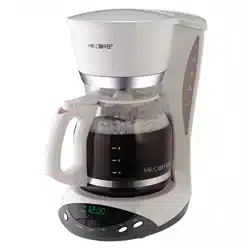


 on the bottom of your filter basket. If you do not see this symbol, please call 1-800-672-6333.