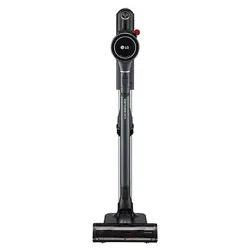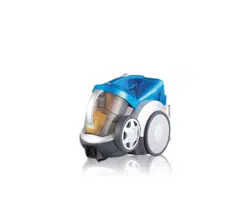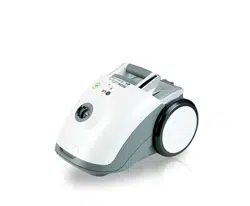

V-CC383HTU
OWNER'S
MANUAL

P/No.:3828Fi2858F
Table
of
contents
2
Information
for
your
safety
......................................................................................3
How
to
use
.................................................................................................................4
Assembling
cleaner
.............................................................................................................
....................4
Using
the
accessory
and
nozzle
.................................................................................................
.............6
Using
the
Air
Turbine
Brush.....................................................................................................................8
Changing
dust
bag...................................................................................................................................9
Operation
...............................................................................................................................................10
How
to
plug
in
and
use.........................................................................................................
..........10
Adjusting
the
suction
power
....................................................................................................
.......10
Park-System...................................................................................................................................10
Storage...........................................................................................................................................10
Cleaning
the
exhaust
filter
.....................................................................................................................11
What
to
do
if
your
vacuum
cleaner
does
not
work
..............................................12
What
to
do
when
suction
performance
decreases
..............................................12

P/No.:3828Fi2858F
Information
for
your
safety
3
Please
read
all
the
following
information,
which
contains
important
instructions
for
the
safety,
the
use
and
the
maintenance
of
the
appliance.
This
appliance
complies
with
the
following
EC
Directives:
-73/23/EEC,
93/68/EEC-Low
Voltage
Directive-89/336EEC
-EMC
Directive.
Never
allow
children
to
use
the
appliance
unsupervised.
Do
not
use
the
vacuum
as a
toy,
injury
could
result.
Do
not
continue
to
vacuum
if
any
defect
appears,
missing
or
damaged.
In
these
cases,
contact
an
approved
LG
Electronics
Service
Agent.
Repairs,
when
necessary,
must
be
performed
at
an
approved
LG
Electronics
Service
Agent.
Only
use
parts
produced
or
recommended
by
LG
doing
otherwise
could
invalidate
your
guarantee.
Do
not
use
the
vacuum
cleaner
If
the
power
cord
is
damaged
or
faulty.
If
the
power
cord
is
damaged,
it
must
be
replaced
by
an
approved
LG
Electronics
Service
Agent
to
avoid
a
hazard.
Do
not
unplug by
pulling
on
cord.
Do
not
pull
on
the
supply
cord,
run
over
it,
pull
it
around
sharp
edges
or
near/over
hot
surfaces.
Always
turn
the
vacuum
cleaner
off
before:
Cleaning
or
changing
the
filter.
Do
not
leave
vacuum
cleaner
with
the
plug
connected
to
a
mains
outlet-unplug
when
not
in
use.
Do
not
use
the
vacuum
with
any
of
the
openings
blocked
with
any
object
that
may
restrict
the
airflow.
Do
not
put
any
part
of
the
body,
clothes
or
any
object
(e.g.
stick)
into
the
opening
or
moving
parts
of
the
cleaner.
Do
not
use
outdoors.
Do
not
vacuum
hot
ash,
embers
etc.
or
sharp
objects.
Do
not
vacuum
flammable
or
explosive
substances(liquids
or
gases).
Do
not
vacuum
water
or
other
liquids.
Do
not
handle
the
cleaner
or
plug
with
wet
hands.
Do
not
immerse
the
whole
cleaner
in
water.
Do
not
use
vacuum
cleaner
without
repaired
if it
was
under
water.
When
you
vacuum
with
an
attachment
appliance
that
has
a
rotating
brush
roller:
Do
not
reach
into
the
running
brush
roller.
Do
not
vacuum
fine
dust
Do
not
expose
vacuum
cleaner
to
heat
Thermal
protector:
This
vacuum
cleaner
has
a
special
thermostat
that
protects
the
cleaner
in
case
of
motor
overheating.
If
the
cleaner
suddenly
shuts
off,
turn
off
the
switch
and
unplug
the
cleaner.
Check
the
cleaner
for
a
possible
source
of
overheating
such
as
a
full
dust
bag,
a
blocked
hose
or
clogged
filter.
If
these
conditions
are
found,
fix
them
and
wait
at
least
30
minutes
before
attempting
to
use
the
cleaner.
After
the
30
minutes
period,
plug
the
cleaner
back
in
and
turn
on
the
switch.
If
the
cleaner
still
does
not
run,
contact
a
qualified
electrician.

?
NZ-50
1
2
Spring
latch
P/No.:3828Fi2858F
How
to
use
Assembling
cleaner
4
Carpet
and
floor
nozzle
Push
telescopic
pipe
into
nozzle
outlet.
Telescopic
pipe
?
Press
the
spring
latch
to
release.
?
Pull
out
the
pipe
to
the
desired
length.
?
Release
spring
latch
to
lock
the
pipe
in
position.
?
Push
telescopic
pipe
into
hose
handle
firmly.

3
Attachment
Point
Head
Button
Flexible
Hose
indicator
P/No.:3828Fi2858F
Connecting
the
flexible
hose
?
Push
the
end
of
the
head
on
the
flexible
hose
into
the
attachment
point
on
the
vacuum
cleaner.
?
To
remove
the
flexible
hose
from
the
vacuum
cleaner,
press
on
the button
situated
on
the
head,
then
pull
the
head
out
of
the
vacuum
cleaner.
5

1
2
3
P/No.:3828Fi2858F
How
to
use
Using
the
accessory
and
nozzle
6
Upholstery
nozzle
Upholstery
nozzle
is
for
vacuuming
upholstery,
mattresses,
etc.
The
thread
collectors
help
to
pick
up
the
threads
and
fluff.
Dusting
brush
Dusting
brush
is
for
vacuuming
picture
frames,
furniture
frames,
books
and
other
irregular
surfaces.
Crevice
tool
Crevice
tool
is
for
vacuuming
in
those
normally
hard-to-
reach
places
such
as
reaching
cobwebs,
or
between
the
cushions
of
a
sofa.

4 53
1
2
4
Pedal
Carpet
Carpet
Floor
?
Cleaning
carpet
and
floor
nozzle
P/No.:3828Fi2858F
7
Carpet
and
floor
nozzle
?
The
2
position
cleaning
head
equipped
with
a
pedal
which
allows
you
to
alter
its
position
according
to
the
type
of
floor
to
be
cleaned.
?
Carpet
or
rug
position
Press
the
pedal
to
lower
brush.
?
Hard
floor
position
(tiles,
parquets
floor)
Both
types
are
available.
?
Open
the
cover
by
pulling
the
hook.
?
Divide the
nozzle
into
two
parts
?
Clean
the
hole
of
the
nozzle.

5
Long
Pile
Short
Pile
Pile
Adjustment
P/No.:3828Fi2858F
8
How
to
use
Using
the
Air
Turbine
Brush
Air
Turbine
Brush
?
Slide
the
Pile
Adjustment
to
the
right
for
long
pile
and
to
the
left
for
short
pile.

Motor
Filter
Motorfilter
Motorfilter
Motorfilter
Moottorin
suodatin
CAUTION
P/No.:3828Fi2858F
9
How
to
use
Changing
dust
bag
Changing
dust
bag
(This
filter
is
able
to
replace
with
"SWIRL
Y30"
filter.)
The
dust
bag
needs
changing
when
the
cleaner
is
set
to
maximum
power
and
the
nozzle
is
off
the
floor
but
the
"bag
full"
indicator
window
is
completely
coloured
red.
Even
if
the
dust
bag
does
not
appear
to
be
full
at
this
stage,
it
should
be
changed.
It
could
be
that
a
great
deal
of
very
fine
dust
has
clogged
up
the
pores
of
the
dust
bag.
Turn
off
the
appliance
and
unplug
it.
Remove
hose
from
the
Vacuum
Cleaner.
Push
the
button
and
open
the
cover.
Your
appliance
is
equipped
with
either
a
paper
dust
bag
or
a
fabric
dust
bag.
Insert
the
new
dust
bag.
If
your
appliance
is
fitted
with
a
fabric
dust
bag
follow
the
same
instructions
as
above.
Empty
it
and
replace
it.
Do
not
wash
it.
Note:
as
the
appliance
is
fitted
with
a
safety
device
which
checks
that
the
dust
bag
is
in
place
you
cannot
close the
cover
If
the
dust
bag
is
not
fitted
correctly.
The
motor
filter
is
situated
inside
the
appliance
between
the dust
bag
and
the
motor.
Each
time
that
you
change
the
dust
bag
filter
we
advise
you
to
remove
the
motor
filter
and
to
clean
it
by
tapping
to
remove
the
dirt
and
then
replacing
it
in
the
vacuum
cleaner.

2
3
4
1
Cord
reel
button
Power
switch
button
OFF
FLOOR
POWER
CONTROL
CARPET
SOFA
CURTAIN
MAX
MIN
Suction
control
switch
P/No.:3828Fi2858F
10
Adjusting
the
Suction
power
?
Adjust
suction
with
the
suction
control
switch
in
the
hose
handle.
How
to
Plug
in
and
Use
?
Pull
out
the
power
cord
to
the
desired
length
and
plug
into
the
socket.
?
Push
the
suction
control
switch
of
the
handle
in
the
direction
of
the
position
what
you
want.
?
To
stop
it,
push
down
the
suction
control
switch
in
the
direction
of
OFF.
?
Press
the
cord
reel
button
to
retract
the
power
cord
after
use.
Park-system
?
To
store
after
vacuuming
and
pause
while
vacuuming.
?
For
deposit
after
vacuuming,
for
example
to
move
a
small
piece
of
furniture
or
a
rug,
use
the
Park
system
to
support
the
flexible
hose
and
cleaning
head.
-
Slide
the
hook
on
the
large
cleaning
head
into
the
slot
on
the
rear
of
the dust
chamber.
Storage
?
When
you
have
switched
off
and
unplugged.
?
The
appliance,
press
on
the
button
to
automatically
rewind
the
cord.
?
You
can
store
your
appliance
in
a
vertical
position
by
sliding
the
hook
on
the
large
cleaning
head
into
the
clip
on
the
underside
of
the
appliance.
How
to
use
Operation

P/No.:3828Fi2858F
11
exhaust
filter
cover
white
side
white
side
white
side
How
to
use
Cleaning
the
exhaust
filter
?
The
exhaust
filter
is
a
washable
HEPA
filter.
?
To
change
the
exhaust
filter,
remove
the
Exhaust
filter
cover
on
the
body
by
release
hook.
?
Pull
out
the
exhaust
filter.
?
Clean
it
with
cold,
running
water.
?
Do
not
clean
blue side
of
the
filter.
?
Do
not
use
the
brush.
-
Using
the
brush
will
cause
permanent
damage
and
allow
dust
to
bypass
the
filter.
?
Allow
exhaust
filter
to
dry
in
a
shaded
location
for
a
dry
or
two
until
completely
drys.
?
The
exhaust
filter
should
be
cleaned
at
least
once
a
year.

P/No.:3828Fi2858F
12
What
to
do
if
your
vacuum
cleaner
does
not
work
What
to
do
when
suction
performance
decreases
Check
that
the
vacuum
is
plugged
in
correctly
and
that
the
electrical
socket
is
working.
?
Turn
off
the
vacuum
cleaner
and
unplug
it.
?
Check
the
telecsopic
pipe,
flexible
hose
and
cleaning
tool
for
blockages
or
obstructions.
?
Check
that
the
dust
bag
is
not
full.
Empty
if
necessary.
?
Check
that
the
exhaust
filter
is
not
blocked.
Clean
the
exhaust
filter,
if
necessary.

Notes
P/No.:3828Fi2858F
13

P/No.:3828Fi2858F
Notes
14

15

P/No.:
3828FI2858F