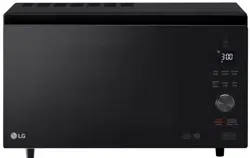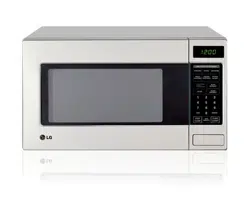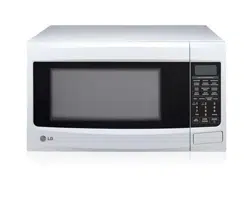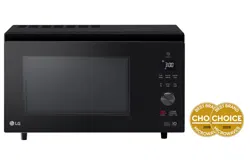
MJ3967ABC / MC3967ABC / MJ3966ASS / MJ3966ABS / MJ3966AWS / MJ3966AGMB
(optional, please check model specification)
OWNER’S MANUAL
MICROWAVE OVEN
"CONVECTION"
Please read this owner’s manual thoroughly before operating.
MFL69621110_0
www.lg.com
Copyright © 2020 LG Electronics Inc. All Rights Reserved

2
CONTENTS
How the Microwave Function Works
Microwaves are a form of energy similar to radio,
television waves, and ordinary daylight. Normally,
microwaves spread outwards as they travel
through the atmosphere and disappear without
effect.
This oven, however, has a magnetron that is
designed to make use of the energy in microwaves.
Electricity, supplied to the magnetron tube, is used
to create microwave energy.
These microwaves enter the cooking area through
openings inside the oven. A tray is located inside
the oven. Microwaves cannot pass through metal
walls of the oven, but they can penetrate such
materials as glass, porcelain and paper, the
materials out of which microwave-safe cooking
dishes are constructed.
Microwaves do not heat cookware, though cooking
vessels will eventually get hot from the heat
generated by the food.
A very safe appliance
Your Microwave oven, is one of the safest
of all home appliances. When the door
is opened, the oven automatically stops
producing microwaves. Microwave energy is
converted completely to heat when it enters
food, leaving no “left over” energy to harm you
when you eat your food.
CONTENTS
3
IMPORTANT SAFETY INSTRUCTIONS
8
BEFORE USE
8
Unpacking & Installing
10
Control Panel (MJ3967ABC
10
Display Icon Meanings
Setting The Clock
Quick Start
More/Less
Energy Saving
1
HOW TO USE
Manual Cooking (timed cooking)
Microwave Power Levels
Grill Cooking
Grill Combi. Cooking
Convection Preheat
Convection Cooking
Convection Combi. Cooking
Child Lock
Inverter Cook
Defrost & Cook Menu Instructions
1
Popular Menu Instructions
2
Roast & Bake Menu Instructions
23
3
Air Fry
2
Air Fry Menu Instructions
2
Steam Chef Menu Instructions
Sensor Cook
Sensor Cook Menu Instructions
Slow Cook
Slow Cook Menu Instructions
Inverter Defrost
Inverter Defrost Menu Instructions
3
MICROWAVE-SAFE UTENSILS
FOOD CHARACTERISTICS &
MICROWAVE COOKING
TO CLEAN YOUR OVEN
SMART FUNCTION S
36
QUESTIONS & ANSWERS
37
TECHNICAL SPECIFICATIONS
Control Panel
(MJ3966ASS / ABS / AWS / AGMB)
Display Icon Meanings
11
11
12
12
12
12
3
13
13
14
14
15
15
16
16
17
17
8
1
2
Steam
5
6
27
27
2
2
9
9
3
3
1
1
2
33
35
35
M 3967ABC)C
/
cause death or serious injury.
or safety risk such as fire, causing burns
Doing so can cause an explosion.
Doing so can cause serious injury and damage.
cause sparks and fire.
plants, soil, pets or any other living matter inside it.) The
with reduced
cooking.
N
ever heat baby bottles with the lid or teat still fitted.
Children must not be allowed to
or any part of the
for
oven must only be used for heating or cooking food.
be burnt.
oven.
mode (for ovens with Combination function)
will be
•
B
e careful when handling the container.
M
icrowave heating of beverages can result in delayed eruptive boiling,
therefore care must be taken when handing the container.
-
his model doesn't provide a temperature probe.
T
trays and racks
(for ovens fitted with these functions)
them
Not doing so could cause them to burst or rupture.
liquid and may even cause a fire.
Not doing so could cause
leak from the container
Only connect the supply lead plug to an earthed power outlet socket that has the same rating and
This product is intended for domestic household applications only and not for commercial use.
It must not be used in mobile applications.
specification requirement of the oven.
I
f you are unsure about your outlet socket earth connection,
it should be checked by an electrical contractor.
N
ever cut of the earth pin of the power plug.
damage or electric shock.
power connection in the event of any occurrence,
B
ed and breakfast type environments.
F
arm houses;
B
y clients in hotels, motels and other residential environments;
S
36
When the symbol is used, It means that the surfaces are liable to get hot during use.
Caution, hot surface
A
lways install the oven according to the installation requirements that are outlined in this manual.
F
or
refer to the
Do not use any steam cleaners to clean the oven.
37
D
o not place an object (a book, a box, ect.) on the product.
T
he product may overheat or catch fire or the
38
Metallic containers for food and beverages are not allowed during microwave cooking.
This requirement is not applicable if the manufacturer specifies size and shape of metallic containers suitable
for microwave cooking.
object may fall, causing injury to persons.
BEFORE USE
Unpacking & Installing
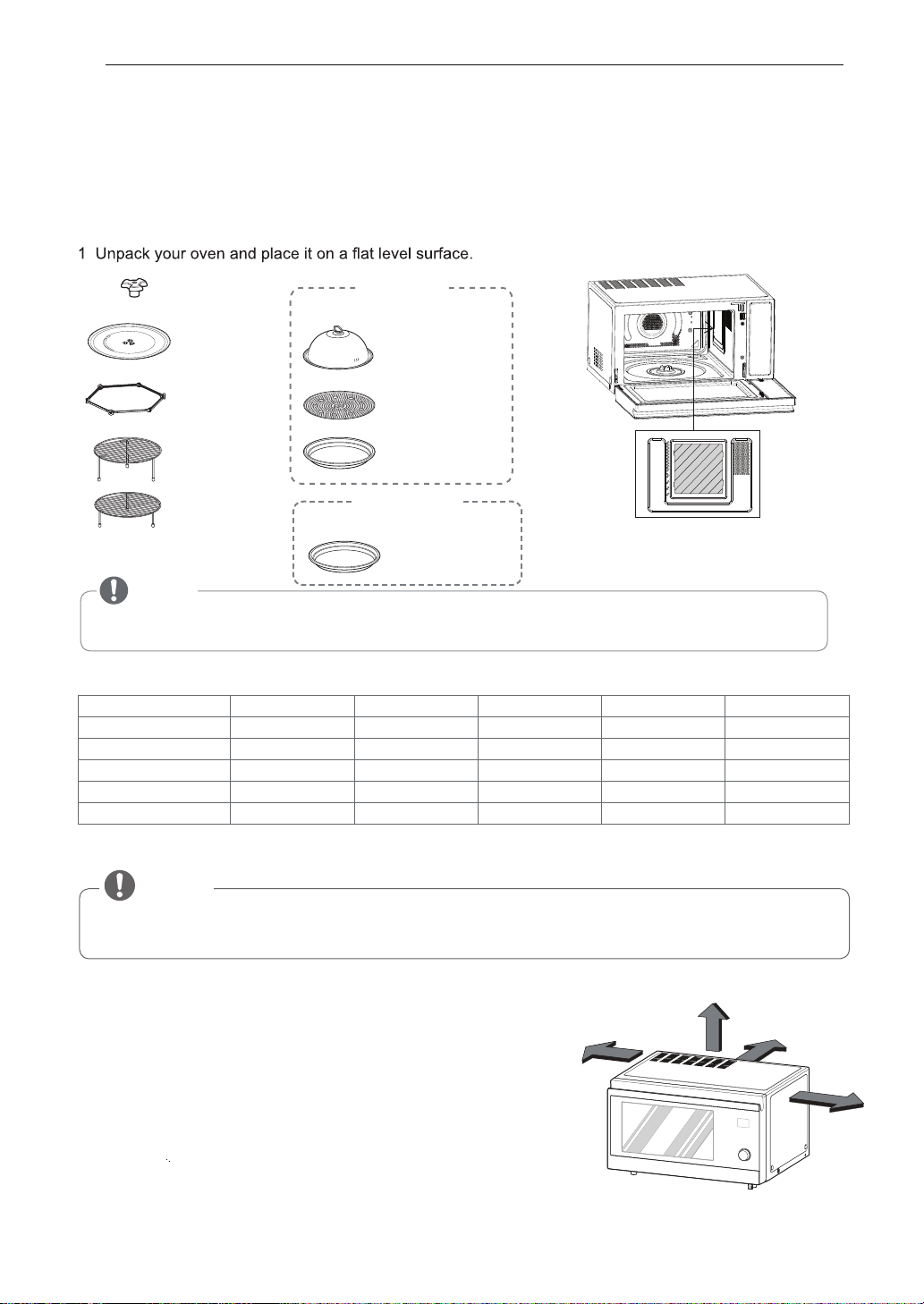
By following the basic steps on these two pages you will be able to quickly check that your oven is operating
correctly. Please pay particular attention to the guidelines on where to install your oven. When unpacking your
oven make sure you remove all accessories and packing materials. Check to make sure that your oven has not
been damaged during shipping.
• Be certain to use proper accessories on each operation mode .
• Improper use could result in damage to your oven and accessories, or could result in a fire.
NOTE
Caution: Use accessories in accordance with cooking guides! O Acceptable
- Not Acceptable
2
8 BEFORE USE
Place the oven on a level location of your choice with more
least 8 cm from the front edge of the surface to prevent tipping.
An exhaust outlet is located on the bottom and side of
the oven. Blocking the outlet can damage the oven.
Do not use the microwave oven in an enclosed space or
cupboard, The air flow for cooling the product could be
compromised. It may result in lower performance and
reduced service life and possible malfunction due to
overheating.
Mica Sheet
Mica Sheet
*Do Not Remove
Mica Sheet
NOTE
•
Do not remove the cavity Mica Sheet (silver plate) inside of oven.
The Mica Sheet is there to protect the microwave components from food spatters.
10 cm
5 cm
15 cm
10 cm
rear ventilation. The front of the oven should be at least
than 85cm height but make sure there is at least 15 cm of space
on the top and 10 cm at the left & right for proper and 5 cm at the
SHAFT
STEAMER
(MJ3966ASS / ABS / AWS / AGMB)
GLASS TRAY
Steam cover
ROTATING
Steam plate
RING
Steam water bowl
High rack
(Crisp tray)
CRISP TRAY
Low rack
(MJ3967ABC / MC3967ABC)
Crisp tray
Method to use Accessories As per Mode
Microwave Grill Convection Grill combi Conv combi
Glass tray O O O O O
High rack - O O O O
Low rack - O O O O
Crisp tray O O O O O
Steamer O - - - -
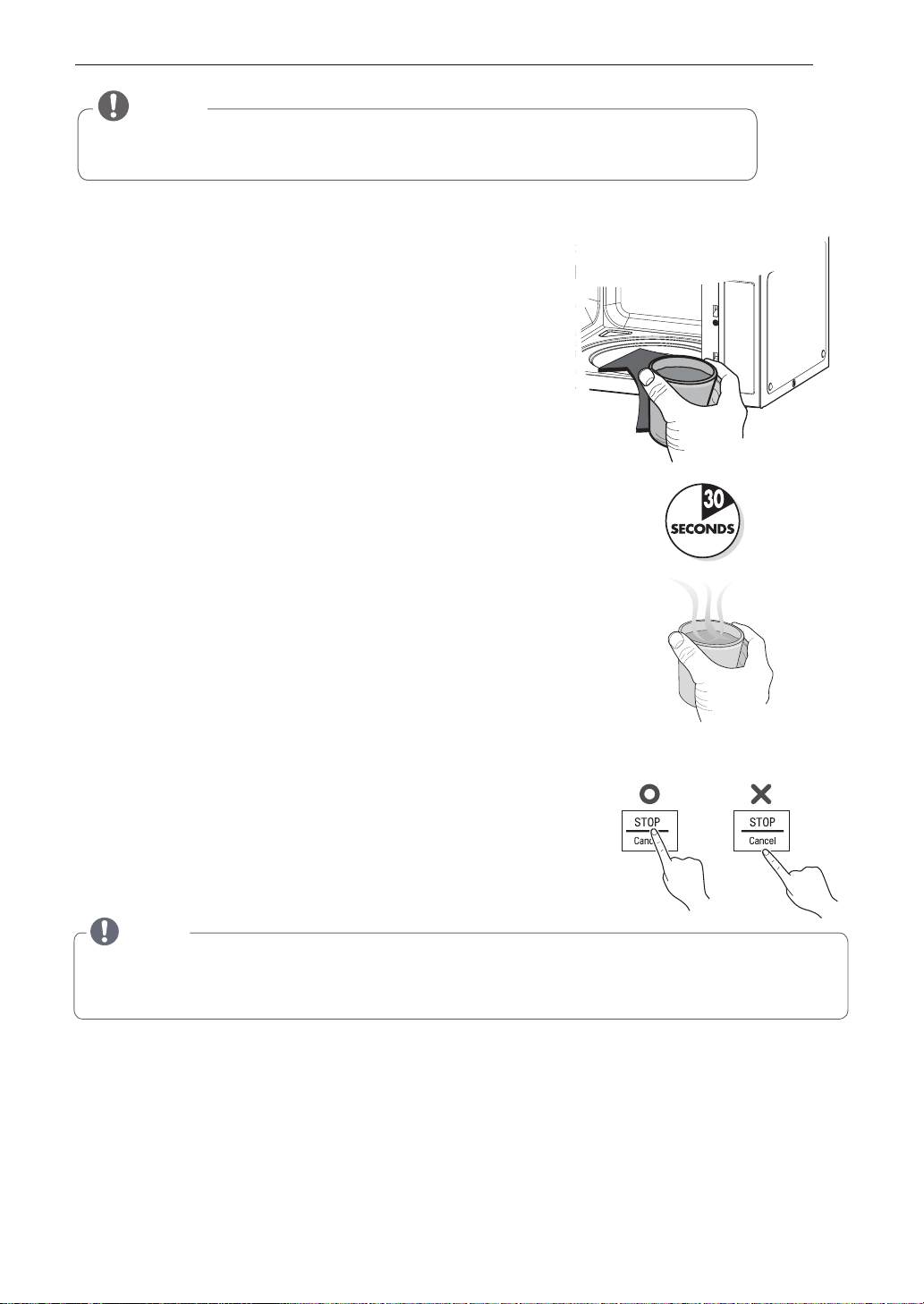
7 The DISPLAY will count down from 30 seconds.
When it reaches 0 it will chime briefly. Open the oven door and test
the temperature of the water. If your oven is operating the water
should be warm.
Be careful when removing the container as it may be hot.
YOUR OVEN IS NOW INSTALLED
8 The contents of feeding bottles and baby food jars must be stirred or shaken and the temperature checked
before consumption in order to avoid burns.
3 Plug your oven into a standard household socket. Make sure your oven is the only appliance connected
to the socket.
If your oven does not operate properly, unplug it from the
electrical socket and then plug it back in.
4
6
Press the STOP/CANCEL button, and press the START button
one time to start 30 seconds of cooking time.
Open your oven door by pulling the door handle.
Place the rotating ring inside the oven and place the
glass tray on top.
5 File a
microwave safe container with 300 ml (1/2 pint) of water.
Place on the glass tray and close the oven door.
If you have any doubts about what type of container to use
please refer to Microwave-safe utensils.
9
Button recognition may be hampered in the foll
owing circumstances:
• Only the outside area of the button is pressed.
•
The button is pushed using a nail or the tip of the finger.
10
The setting of the cooking time should be shorter than common microwave ovens (700 W, 800 W) due to
the relatively high output power of the product. Excessive heating of food product may cause moisture
on the door. This is not a malfunction.
11
All of the recipes in this book give a range of cooking times. In general, you will find that the food remains
under-cooked at the lower end of the time range, and you may sometimes want to cook your food beyond
the maximum time given, according to personal preference. The governing philosophy of this book is that
it is best for a recipe to be conservative in giving cooking times because overcooked food is undesirable.
NOTE
Do not use rubber gloves or disposable gloves.
When wiping the touch control panel with a wet towel, remove moisture from the touch control panel
when finished.
9 BEFORE USE
• THIS OVEN SHOULD NOT BE USED FOR COMMERCIAL CATERING PURPOSES.
DO NOT USE THIS OVEN IN A BUILT IN APPLICATION.
NOTE
12. When using sensor cook or some inverter cook menus, SEΠS appears on the display. The SEΠS function
automatically sets its own cooking time according to the moisture and steam content. Food should not be
sealed in packaging or completely covered for this function.
10 ESU EROFEB
LENAP LORTNOC
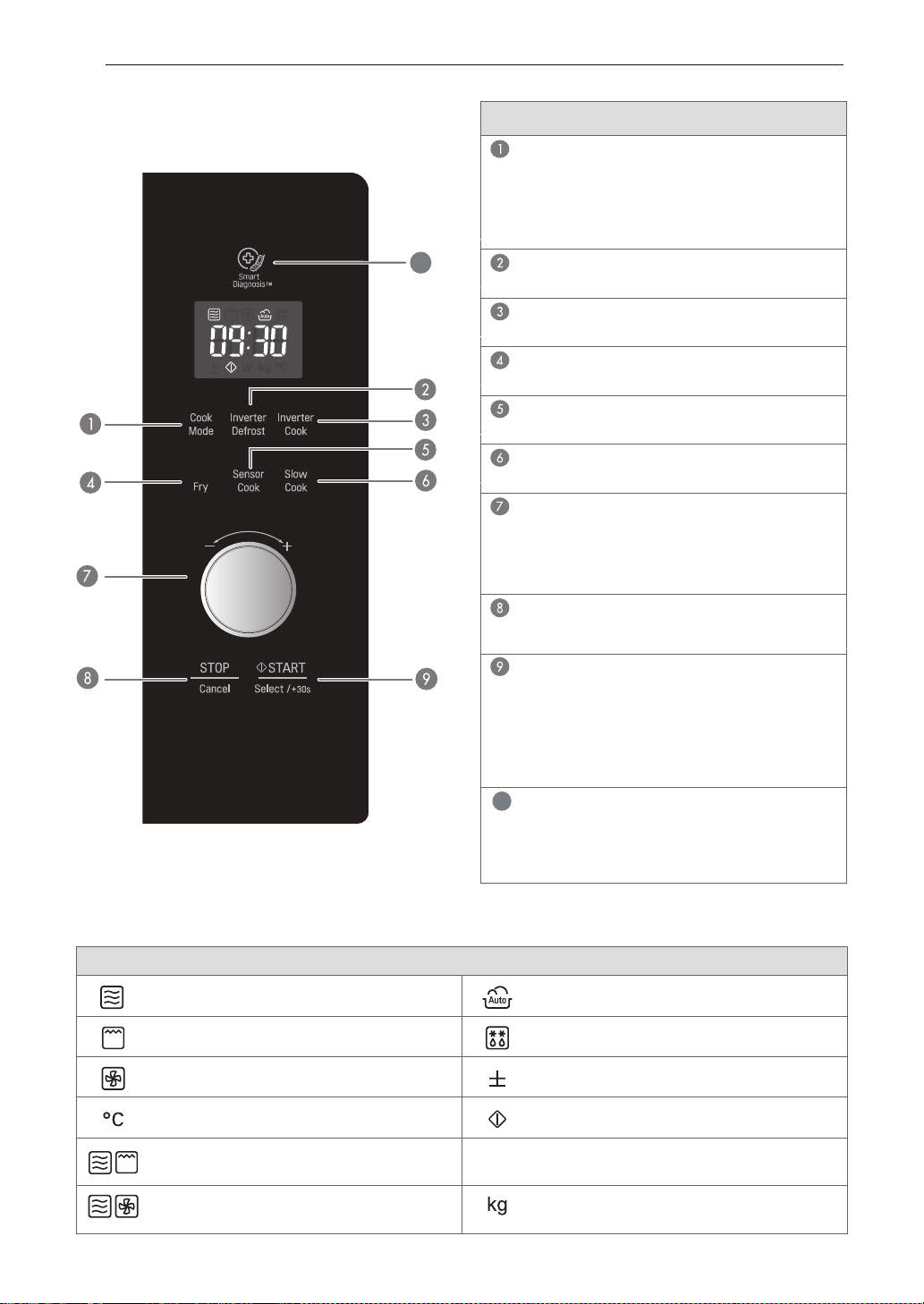
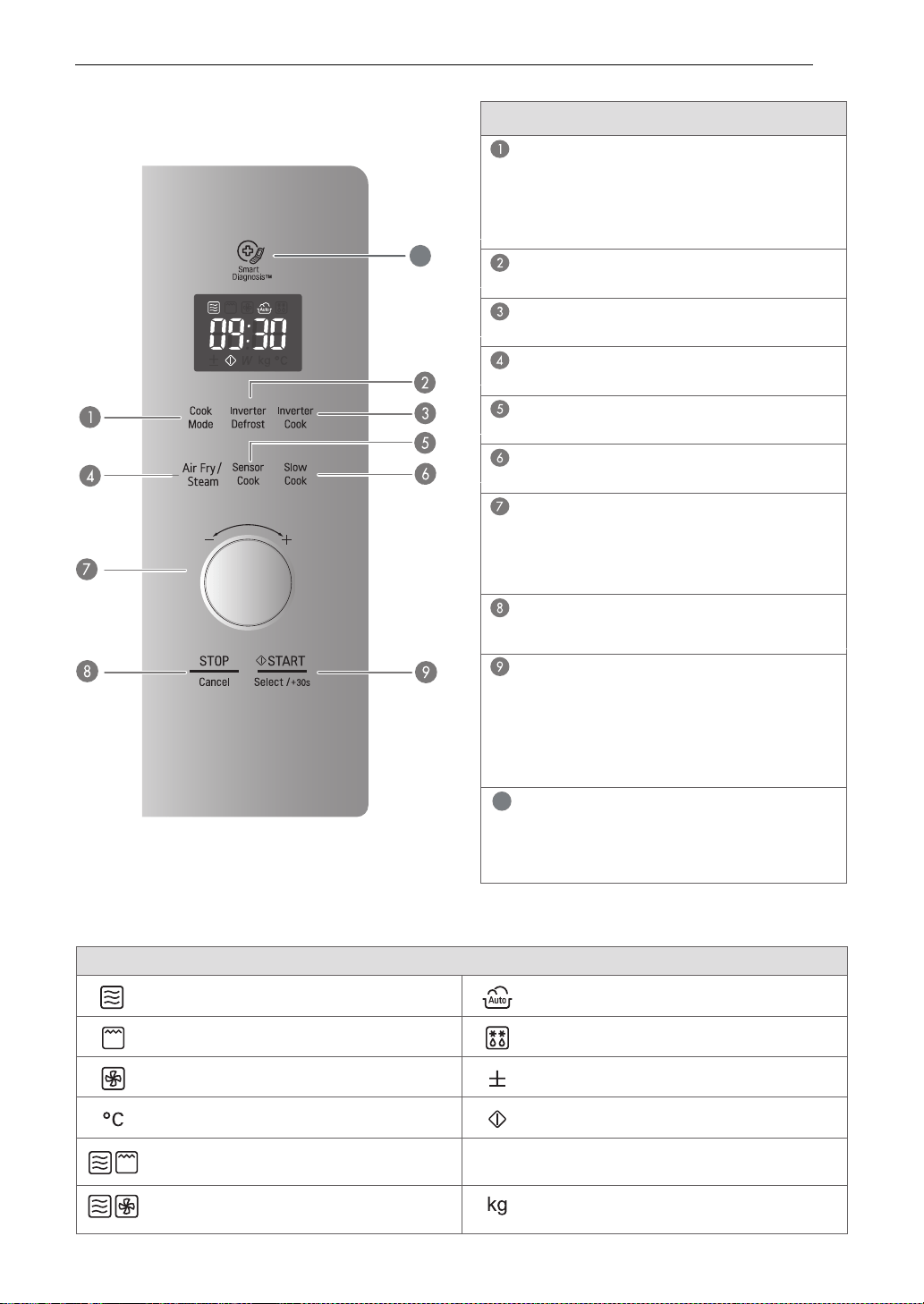
DISPLAY ICON MEANINGS
P-10~HI
Icon
Shows when the Microwave function is in
operation
Shows when the Auto Cook function is in
operation
Shows when the Grill function is in
operation
Shows when the Inverter defrost Microwave
function is in operation
Shows when the Convection function is in
operation
Shows when More or Less can be set or
adjusted
Shows when the Convection Temperature
needs to be set
Is shown flashing on the display, when the
cooking can be Started
Shows when the Grill Combi function is in
operation
Shows when the Output Power can be set.
Shows when the weight can be set
Shows when the Convection Combi function
is in operation
Part
COOK MODE
See page 13 “Microwave”
See page 14 “Grill”
See page 14 “Grill Combi(Microwave + Grill)”
See page 15 “Convection”
See page 16 “Conv Combi(Microwave + Conv)”
INVERTER DEFROST
See page 31 "Inverter Defrost”
INVERTER COOK
See page 17 “Inverter cook”
AIR FRY
See page 23 “Air Fry”
SENSOR COOK
See page 27 “Sensor Cook ”
SLOW COOK
See page 29 “Slow Cook”
DIAL (MORE / LESS)
• Set cooking time, temperature and power level.
• While cooking with auto and manual function,
you can increase or decrease the cooking time at
any point by turning the dial (except defrost mode).
STOP / CANCEL
• Clears all functions and set entries except time
of day.
START
• Press this button to start cooking or resume cooking
if the door was opened or the STOP button was
pressed once.
• The quick start feature allows you to set 30
second intervals of HIGH power cooking with
each press of the START button.
10
Air
10
SMART DIAGNOSIS
Hold the mouthpiece of a phone up to this icon
when directed to by service centre personnel, to
help diagnose problems with the microwave oven
when calling for service.
(MJ3967ABC / MC3967ABC)
B EFORE USE
11
LENAP LORTNOC
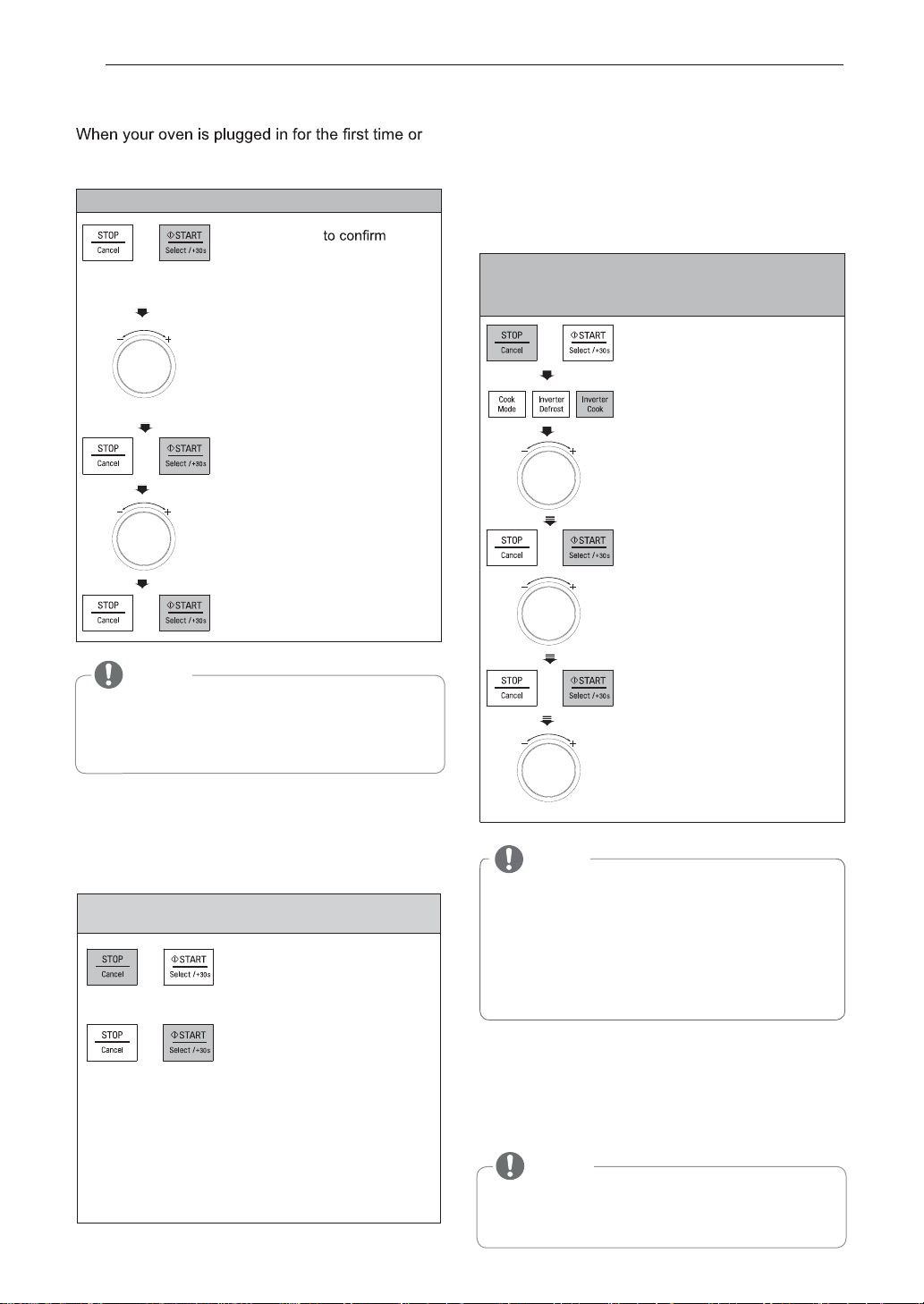
DISPLAY ICON MEANINGS
P-10~HI
Icon
Shows when the Microwave function is in
operation
Shows when the Auto Cook function is in
operation
Shows when the Grill function is in
operation
Shows when the Inverter defrost Microwave
function is in operation
Shows when the Convection function is in
operation
Shows when More or Less can be set or
adjusted
Shows when the Convection Temperature
needs to be set
Is shown flashing on the display, when the
cooking can be Started
Shows when the Grill Combi function is in
operation
Shows when the Output Power can be set.
Shows when the weight can be set
Shows when the Convection Combi function
is in operation
Part
COOK MODE
See page 13 “Microwave”
See page 14 “Grill”
See page 14 “Grill Combi(Microwave + Grill)”
See page 15 “Convection”
See page 16 “Conv Combi(Microwave + Conv)”
INVERTER DEFROST
See page 31 "Inverter Defrost”
INVERTER COOK
See page 17 “Inverter cook”
AIR FRY / STEAM
See page 23 “Air Fry / Steam”
SENSOR COOK
See page 27 “Sensor Cook ”
SLOW COOK
See page 29 “Slow Cook”
DIAL (MORE / LESS)
• Set cooking time, temperature and power level.
• While cooking with auto and manual function,
you can increase or decrease the cooking time at
any point by turning the dial (except defrost mode).
STOP / CANCEL
• Clears all functions and set entries except time
of day.
START
• Press this button to start cooking or resume cooking
if the door was opened or the STOP button was
pressed once.
• The quick start feature allows you to set 30
second intervals of HIGH power cooking with
each press of the START button.
10
10
SMART DIAGNOSIS
Hold the mouthpiece of a phone up to this icon
when directed to by service centre personnel, to
help diagnose problems with the microwave oven
when calling for service.
(MJ3966ASS/ABS/AWS/AGMB)
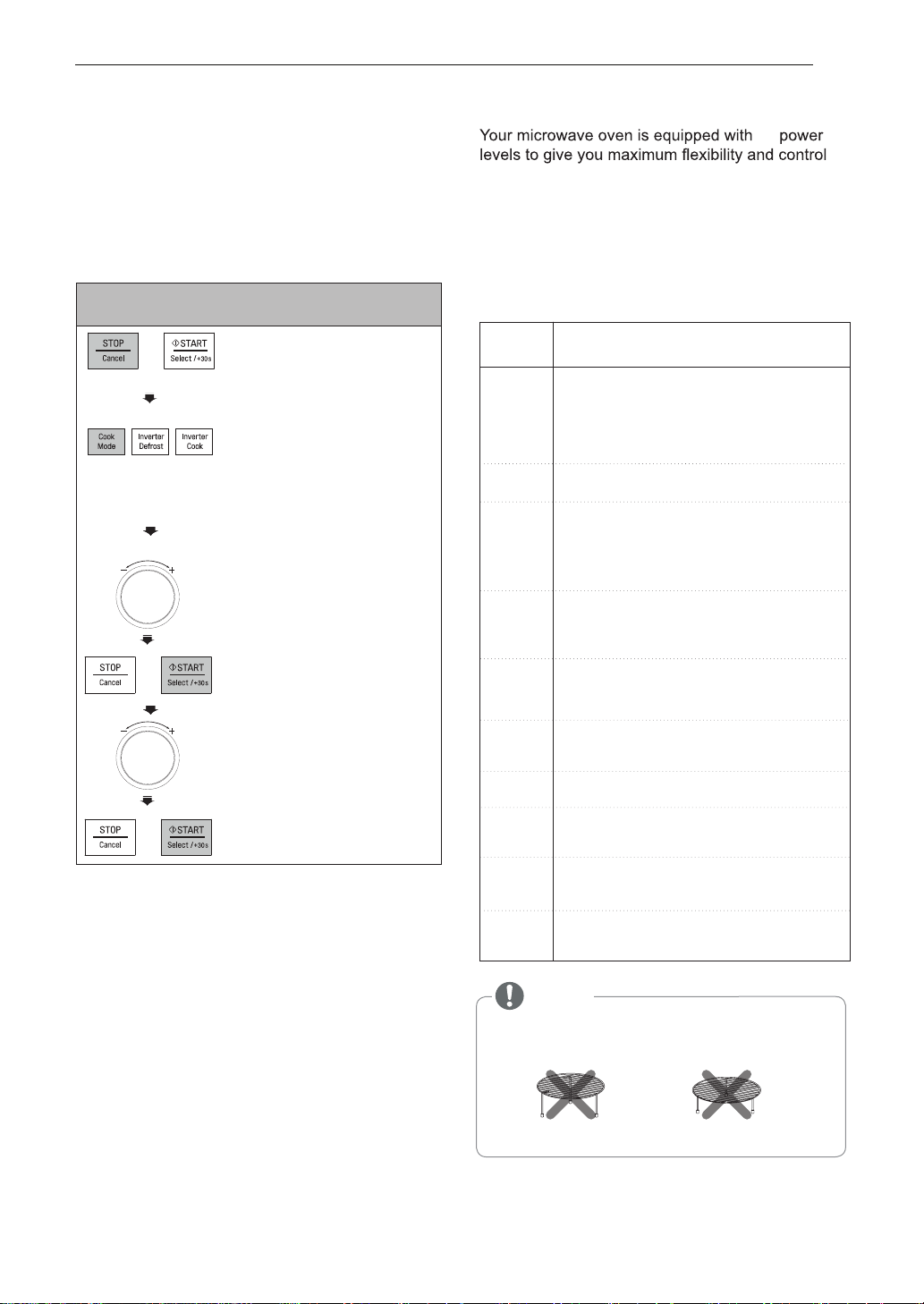
SETTING THE CLOCK
when power resumes after a power interruption,
the numbers in the display reset to '12H'.
Example: To set 11:11 .
1. Press START
the 12H clock display. (If you
wish to have a 24H clock
display, simply turn the DIAL
to select ’24H’ before following
next steps)
2. Turn the DIAL until display
shows ’11:’.
3. Press START.
4. Turn the DIAL to change the
minutes until the display shows
‘11:11’.
5. Press START.
MORE/LESS
By turning the dial, manual cook settings can be
adjusted to cook food for a longer or shorter time.
Turning the dial will increase 10 seconds or decrease
10 seconds to the cooking time each time. The max
cooking time possible in the manual cook mode will be
99 minutes 59 seconds
Example:To adjust the Inverter Cook
(ex. 0.3kg chicken nuggets) cooking time for a
longer time, or for a shorter time.
1. Press STOP/CANCEL.
2. Press INVERTER COOK
until display shows ‘1’.
5. Press START.
3. Turn the DIAL until display
shows ‘1-3’.
Turn the DIAL until display
shows ‘0.3 kg’.
4. Press START.
6. Turn the Dial to lengthen or
shorten the cooking time by
10 second increments.
ENERGY SAVING
Energy saving means saving energy by automatically
turning off the display. This feature only operates when
the Microwave Oven is in standby and the display will
automatically go out.
NOTE
•
If you suspect that your food maybe over or
undercooked when using the preset COOK program,
you can increase or decrease the cooking time by
turning the DIAL.
•
You can lengthen or shorten the cooking time
(except defrost mode) at any point by turning the
DIAL
.
The QUICK START feature allows you to set 30
seconds intervals of HIGH power cooking with
each touch of the START button.
Example: Set 2 minutes of cooking on high
power
To select 2 minutes
on
high power.
Press the START button four times The oven will
start before you have finished the fourth press.
During QUICK START cooking, you can extend
the cooking time up to 99 minutes 59 seconds by
repeatedly pressing the START button.
QUICK START
1.
2.
Press STOP/CANCEL.
NOTE
•
If the clock has been set, the Energy saving mode
will not operate. The Energy saving mode will only
operate if the clock was not set.
NOTE
•
•
If you don’t want to use clock mode,
Press STOP/CANCEL button, after plugging in your oven.
If you want to set the clock again or change options,
you will need to unplug the power cord and reconnect.
ESU EROFEB 12
HOW TO USE
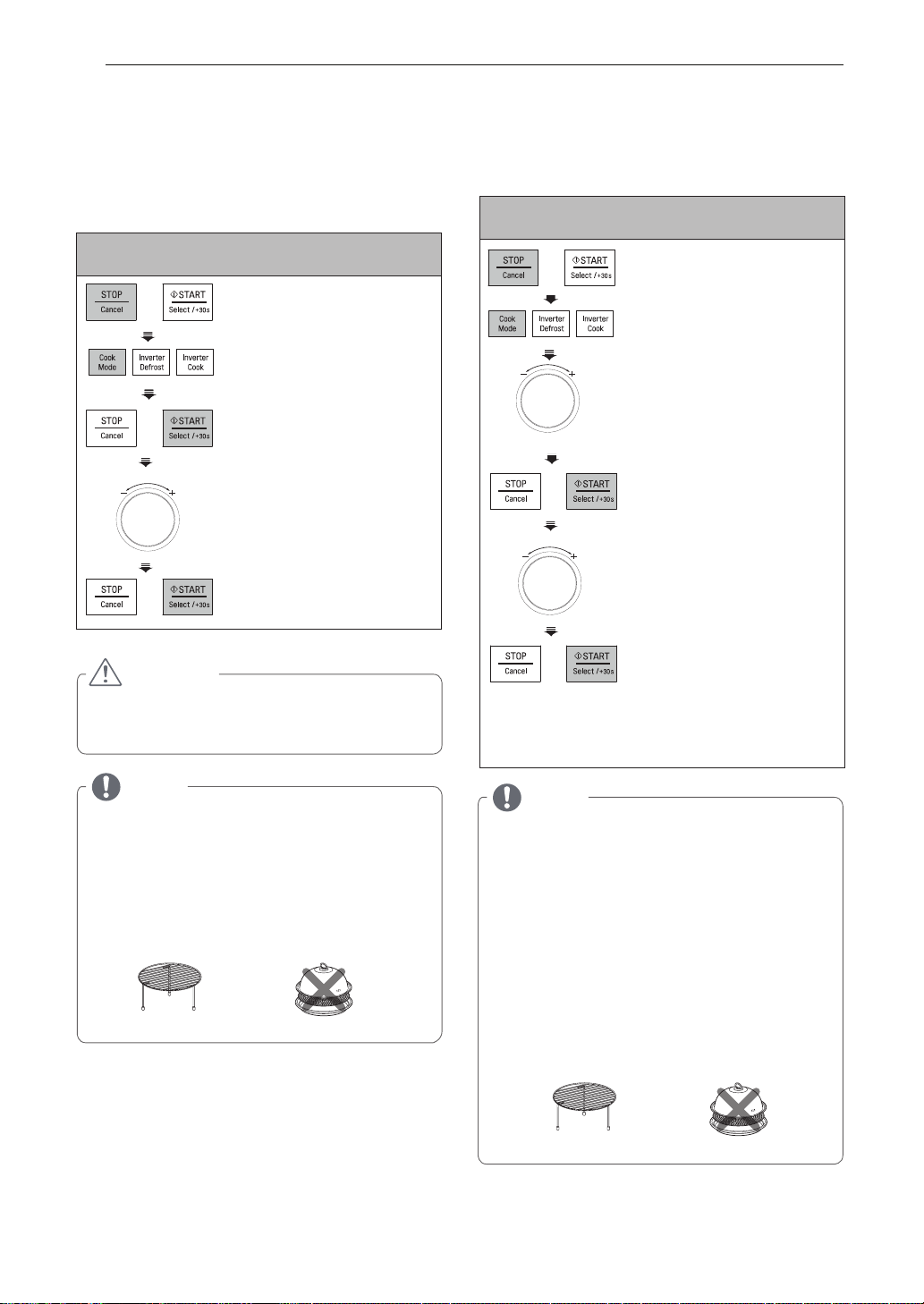
MICROWAVE POWER LEVELS
MANUAL COOKING
(timed cooking)
over cooking. The adjacent table will give you
some idea of which foods are prepared at each of
10
This function allows you to cook food for a desired
the various power levels.
time. There are 10 power levels available. The
• T he adjacent chart shows the power level
example below shows how to set a 90 % power
level for 5 minutes and 30 seconds
settings for your oven.
MICROWAVE POWER LEVEL CHART
2. P ress COOK MODE once.
The Display will show P-HI
(1st time P-HI appears in the
display. This is to tell you that the
oven is set on 100% power
unless a different power setting
is chosen.)
3. T urn the DIAL until display
shows ‘P-90’.
4. Press START.
5. T urn the DIAL until display
shows ‘5:30’.
6. Press START.
When cooking is complete, a chime will sound. The
word End shows in the display window. 'End' remains
in the display and the chime will sound every minute
for 5 minutes, or until the door is opened or any
button is pressed.
NOTE:
If you do not select a power level, the oven
will operate at power HIGH. To set HI-POWER
cooking, skip step 3 above.
Example: To cook food on 90 % Power for 5
minutes 30 seconds
1. Press STOP/CANCEL.
• Do not use the following accessories in
Microwave mode.
HIGH RACK
LOW RACK
NOTE
Power
Level
Use
* Boiling water.
* Browning ground beef.
* Making candy.
*
Cooking poultry pieces, fish, & vegetables.
* Cooking tender cuts of meat.
* Reheating rice, pasta, & vegetables.
* Reheating prepared foods quickly.
* Reheating sandwiches.
* Cooking egg, milk and cheese dishes.
* Cooking cakes and breads.
* Melting chocolate.
* Cooking veal.
* Cooking whole fish.
* Cooking puddings and custard.
* Cooking ham, whole poultry and lamb.
* Cooking rib roast and sirloin tip.
* Thawing meat, poultry and seafood.
* Cooking less tender cuts of meat.
* Cooking pork chops and roast.
* Taking chill out of fruit.
* Softening butter.
*
Keeping casseroles and main dishes warm.
(100 %)
P-HI
1100 W
990 W
880 W
770 W
660 W
550 W
440 W
330 W
220 W
110 W
P-90
P-80
P-70
P-60
P-50
P-40
P-30
P-20
P-10
* Softening butter and cream cheese.
* Reheating Quiche: about 8 minutes
for 600 g.
13
HOW TO USE
GRILL COOKING
This feature will allow you to brown and crisp food
quickly.
Always use gloves when removing food and
accessories after cooking as the oven &
accessories will be very hot.
Example: Use Grill to cook food for 5 minutes 30
seconds
2. Press COOK MODE until
display shows ‘GrIL’.
3. Press START.
htnruT.4 e DIAL until display
shows ‘5:30’ .
5. Press START.
GRILL COMBI. COOKING
Your oven has a combination cooking feature
which allows you to cook food using the built in
Grill heater and microwave.
Example: Programme your oven with micro power
330 W and grill for a cooking time of 25 minutes
2. Press COOK MODE until
display shows ‘GC-1’.
3. Turn the DIAL until display
shows ‘GC-2’.
4. Press START.
5. Turn the DIAL until display
shows ‘25:00’.
6. Press START.
When cooking you can turn the
DIAL to increase or decrease
the cooking time.
Be careful when removing your
food as the cooking vessel will
be hot!
CAUTION
•
Always use oven gloves when removing the food
and accessories after cooking as the oven &
accessories will be very hot.
NOTE
• Your oven has a combination cooking feature which
allows you to cook food using the built in Grill Heater
and Microwave.
This generally means it takes less time to cook your
food.
• You can select three different levels of microwave
power in the Grill Combi. function
(GC-1: 220 W, GC-2: 330 W, GC-3: 440 W).
in grill combi mode.
• For the best result use the High Rack.
• Do not use any plastic container or trays, or, the
Steamer accessory for any Convection or Grill
functions.
HIGH RACK STEAMER
sserP .1 STOP/CANCEL.
sserP .1 STOP/CANCEL.
NOTE
• This feature will allow you to brown and crisp food
• Preheat the grill for 5 minutes.
quickly.
• For the best result use the High Rack.
• Not necessary to preheat.
• Do not use any plastic container or trays, or, the
Steamer accessory for any Convection or Grill functions.
HIGH RACK STEAMER
14 HOW TO USE
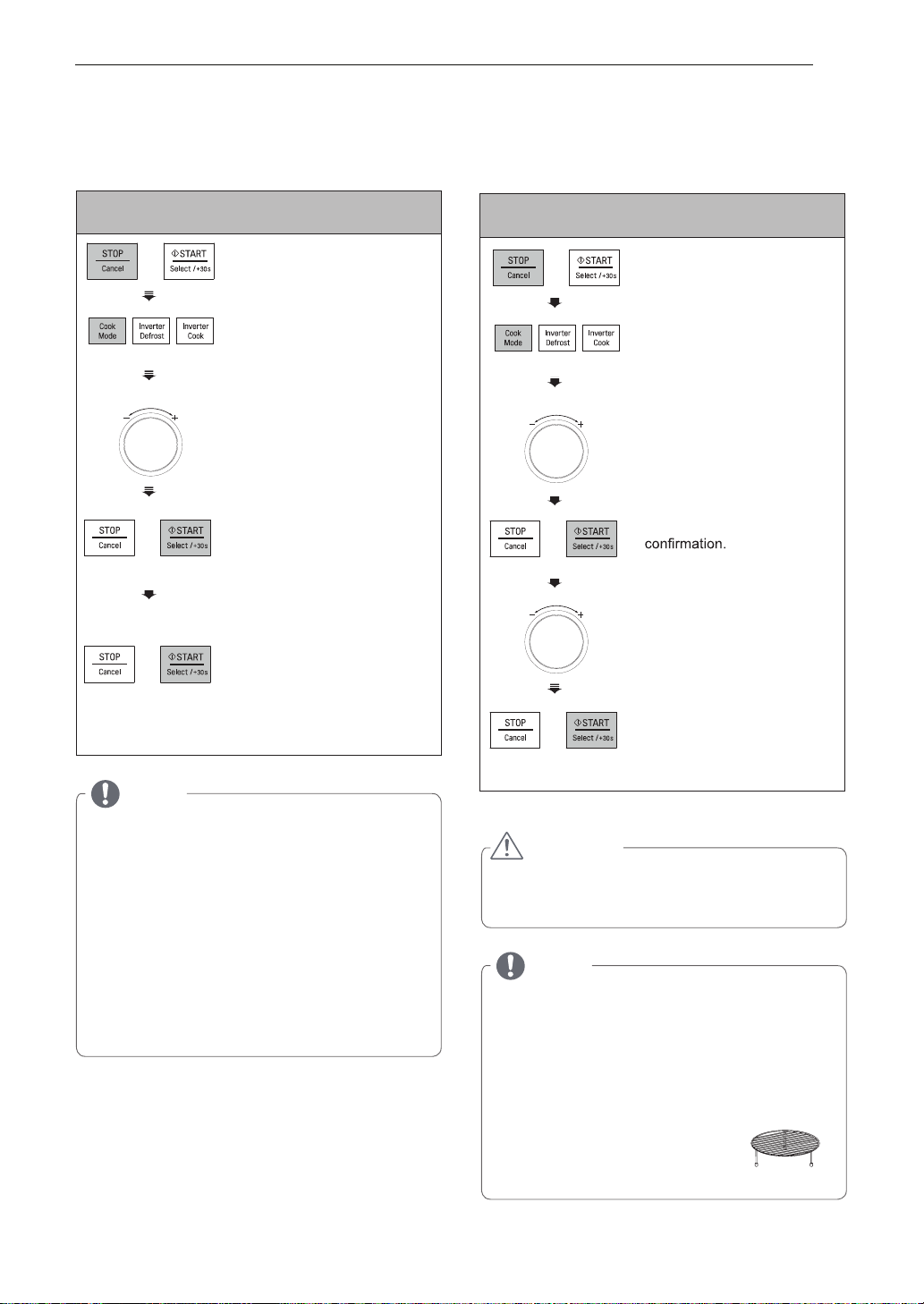
CONVECTION PREHEAT
Always use gloves when removing food and
accessories after cooking as the oven &
accessories will be very hot.
Example: To preheat the oven to a temperature of
200 °C.
sserP .2 COOK MODE until
display shows ‘180 °C’.
eht nruT .3 DIAL until display
shows ‘200 °C’.
sserP .4 START to lock in the
temperature and to set a
preheating time if desired.
If a time is entered, the set
temperature may not be
achieved
sserP .5 START.
Preheating will start and show
60° in the display.
The temperature on the display
will then rise to reflect the
actual cavity temperature.
CONVECTION COOKING
The metal tray or metal rack must be used during
convection cooking.
Example: To cook some food at a temperature of
200 °C for 50 minutes.
eht nruT .3 DIAL until display
shows ‘200 °C’.
het nruT .5 DIAL until display
shows ‘50:00’.
sserP .6 START.
When cooking you can turn the
DIAL to increase or decrease
the cooking time.
NOTE
•
The convection oven has a temperature range of
40~200 °C.
•
The oven has a ferment function at the oven
temperature of 40 °C. You may need to wait until the
oven is cool because you cannot use a ferment
function if the oven temperature is over 40 °C.
•
Your oven will take a few minutes to reach the
selected temperature.
•
Once it has reached correct temperature, your
oven will BEEP to let you know that it has reached
the correct temperature.
•
Then place your food in your oven and to start
cooking.
CAUTION
•
Always use oven gloves when removing the food
and accessories after cooking as the oven &
accessories will be very hot.
sserP .1 STOP/CANCEL.
sserP .4 START for temperature
sserP .2 COOK MODE until
display shows ‘180 °C’.
sserP .1 STOP/CANCEL.
NOTE
•
If you do not set a temperature your oven will
automatically select 180 °C, the cooking
temperature can be changed by turning the DIAL.
•
•
For the best result please use the following
accessories.
LOW RACK
Baking for cakes, pastries and biscuits if you require
temperature about 200°C, extend preheat time 10
minutes.
•
When baking fresh pizza, cook
at 200°C.
HOW TO USE 15
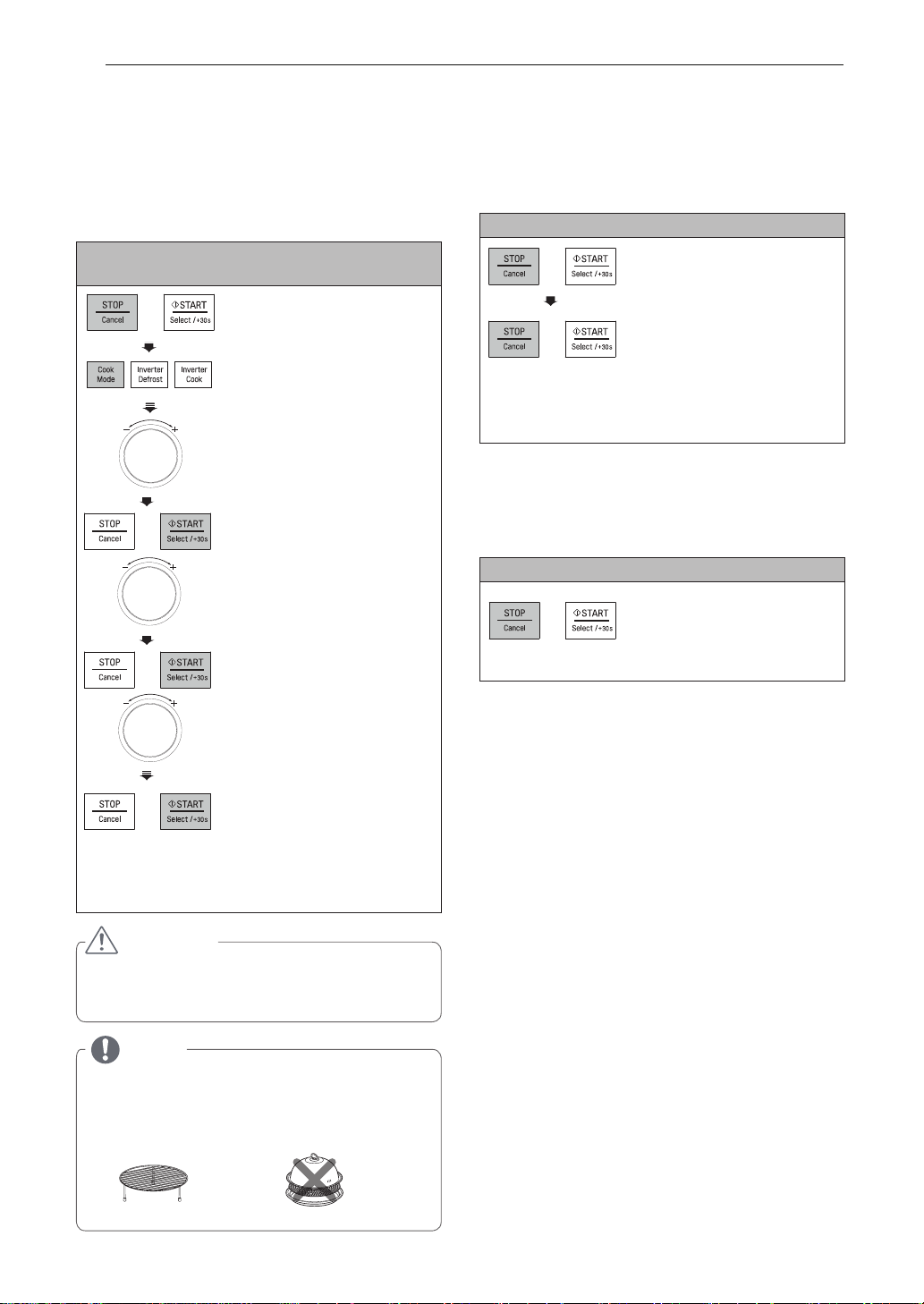
CONVECTION COMBI. CHILD LOCK
COOKING
This is a unique safety feature that prevents
unwanted oven operations. Once the CHILD LOCK
In the following example, it shows you how to
is set, no cooking can take place.
program your oven at a microwave power of 330 W
and at a convection temperature of 200 °C for a
cooking time of 25 minutes.
Example: To set the CHILD LOCK
Example: To cook food at a convection combi.
1. Press STOP/CANCEL.
mode for 25 minutes.
1. Press STOP/CANCEL.
dloh dna sserP .2
STOP/CANCEL until ‘Loc’
sserP .2 COOK MODE untily
appears in the display and
and a chime is heard.
display shows ‘CC-1’.
If the time of day was already set, the time of day
will appear on the display window after 1 second.
3. T urn the DIAL until display
shows ‘CC-2’.
If the CHILD LOCK is enabled and you touch
a key pad, the word Loc shows in the display.
You can cancel the CHILD LOCK
according to below procedure.
4. P ress START.
Turn the DIAL until display
shows ‘200 °C’.
Example: To cancel the CHILD LOCK
Press and hold
STOP/CANCEL until ‘Loc’
5. P ress START.
disappears in the display.
Turn the DIAL until display
shows ‘25:00’ .
After the CHILD LOCK is turned off, the oven will
operate normally.
sserP .6 START.
When cooking you can turn the
DIAL to increase or decrease
the cooking time.
Be careful when removing your
food as the cooking vessel will
be hot!
CAUTION
•
Always use oven gloves when removing the food
and accessories after cooking as the oven &
accessories will be very hot.
NOTE
• You can select three different levels of microwave
power in Convection Combi mode.
(CC-1: 220 W, CC-2: 330 W, CC-3: 440 W).
• For the best result use the Low Rack.
• Do not use the STEAMER for this function.
LOW RACK
STEAMER
16 HOW TO USE
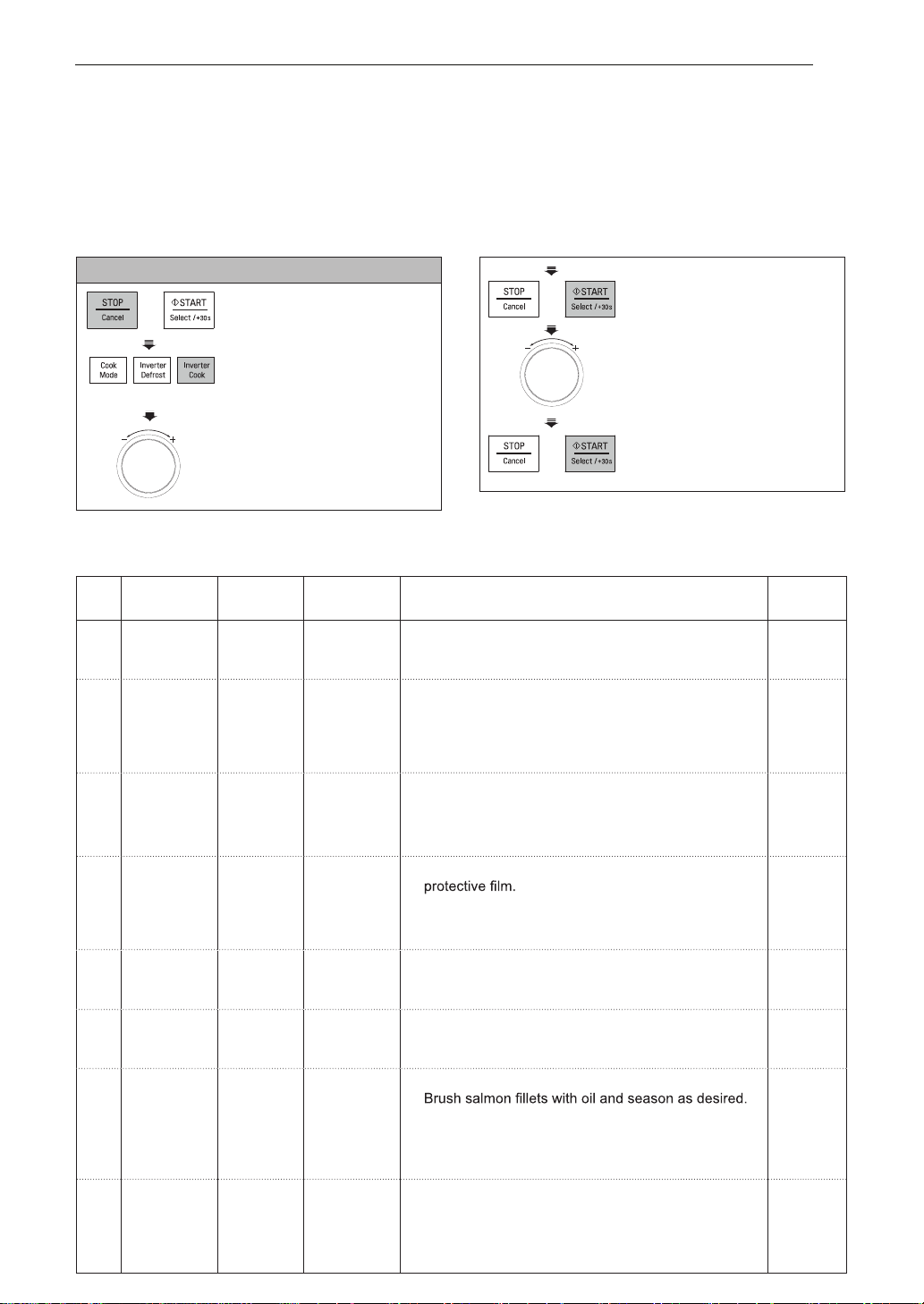
INVERTER COOK
Your oven’s menu has been preprogrammed to automatically cook food. Select a menu from the below,
INVERTER COOK is included with INVERTER COOK 1(DEFROST & COOK), INVERTER COOK 2(
POPULAR MENU) & INVERTER COOK 3(ROAST & BAKE MENU).
select the weight and then allow the microwave oven to do the rest. To select the different menu Codes,
turn the dial (as in step 3) until the respective menu code appears.
Adjust cook time according to the size, thickness, and your preference of doneness.
Example: To cook 0.3 kg Cheese Sticks
4. Press START.
1. Press STOP/CANCEL.
5. Turn the DIAL until display
2. Press INVERTER COOK
shows ‘0.3 kg’.
until display shows ‘1’.
3. Turn the DIAL until display
6. Press START.
shows ‘1-2’.
DEFROST & COOK MENU INSTRUCTIONS
Weight Initial
Code Menu Instructions Utensil
Limit Temperature
1-1 Baguette/ 0.1 - 0.3 kg Frozen 1. Place frozen bread on the Low rack. Choose the
Low rack
Croissant (50 - 100 g/ menu and weight, press start.
piece)
1-2 Cheese 0.2 - 0.4 kg Frozen 1. Brush cheese sticks with oil.
Crisp tray
Sticks 2.Place food on the Crisp tray on the High rack.
on the High
Choose the menu and weight, press start.
rack
3. When BEEP, turn food over and press start to
continue cooking.
1-3 Chicken 0.2 - 0.3 kg Frozen
1. Place chicken nuggets on the Crisp tray on the
Crisp tray
Nuggets
High rack. Choose the menu and weight, press start.
on the High
rack
2. When BEEP, turn food over and press start to
continue cooking.
1-4 Frozen 0.3 kg Frozen 1. Remove tray from outer carton and remove
Lasagna
Low rack
2. Place food on the Low rack. Choose the menu, press
start.
3. After cooking, stand covered for 2 minutes.
1-5 Frozen Pizza 0.5 kg Frozen 1. Remove thick-crust pizza from all packaging.
Crisp tray
(Thick) 2.Place food on the Crisp tray on the Low rack.
on the Low
Choose the menu, press start.
rack
1-6 Frozen Pizza 0.2 - 0.4 kg Frozen 1. Remove thin-crust pizza from all packaging.
Crisp tray
(Thin) 2.Place food on the Crisp tray on the Low rack.
on the Low
Choose the menu and weight, press start.
rack
1-7 Salmon 0.2 - 0.6 kg Frozen
1. Choose salmon fillets of 200 g and 2,5 cm thick each.
Crisp tray
Fillets
on the High
2.Place food on the Crisp tray on the High rack.
rack
Choose the menu and weight, press start.
3. When BEEP, turn food over and press start to
continue cooking.
1-8 Shrimps 0.2 - 0.4 kg Frozen 1. Brush shrimps with oil and season as desired.
Crisp tray
2.Place food on the Crisp tray on the High rack.
on the High
Choose the menu and weight, press start.
rack
3. When BEEP, turn food over and press start to
continue cooking.
Note: When using grill and convection mode to reduce heat loss keep door closed when turning or stirring the food.
17HOW TO USE
Weight Initial
Code Menu Instructions Utensil
Limit Temperature
2-1 Apple Tart 1 Room
Crisp tray
Ingredients
on the Low
1 short crust pastry dough or sheets
rack
5 apples
20 g sugar
2 tablespoons liquid honey
1.
2.
On a lightly floured surface, roll out pastry into a round
shape approx. 20 cm 5 mm thick and put in the crisp tray.
Trim edges, leaving little overhang. Prick with a fork and
set aside.
Chop 2 1/2 apples and place in a frying pan with sugar.
Simmer until apple is soft. Cut remaining apples into
5 mm slices.
3. S pread cooked apples onto dough and arrange sliced
apples in spiraling rosettes over the entire surface.
Finally spread honey on the top of apples.
4. P lace the Crisp tray on the Low rack. Choose the menu,
press start.
5. After cooking, remove from the oven and let them cool.
2-2 Lamb Chops 0.2-0.6 kg Refrigerated 1. Choose lamb chops of 100 - 150 g weight and 1.5-2.0
High rack
cm thickness each. Remove excess fat. Season with
salt and pepper or as desired.
on a drip
dish
2. Place food on the High rack onadrip dish. Choose the
menu and weight, press start.
3. When BEEP, turn food over and press start to continue
cooking.
2-3 Lasagne 1 Room
26 x 17 cm
Ingredients
baking dish
9 lasagna instant sheets
on the
500 g spaghetti sauce
Low rack
600 g cheese sauce
300 g grated mozzarella cheese
30 g grated parmesan cheese
For Cheese sauce :
60 g butter
Pinch ground nutmeg
500 ml milk
20 g grated parmesan cheese
1. Melt butter in small saucepan.
nutmeg, stirring until smooth.
2. Gradually add milk and stir until it boils and
thickens.
3. Reduce heat and add parmesan cheese.
Stir until cheese melts well.
1. Prepare lasagna sheets according to package directions
and drain.
2. S pread about 125 g spaghetti sauce in a 26 x17 cm
baking dish.
3. Layer 3 lasagna sheets, 300 g cheese sauce, 125 g
spaghetti sauce, 100 g mozzarella cheese. Repeat
layering.
4. Finally layer remaining lasagna sheets, spread 125 g
spaghetti sauce, sprinkle with 100 g mozzarella cheese
and 30 g parmesan cheese.
5. Place baking dish on the Low rack. Choose the menu,
press start.
Adjust cook time according to the size, thickness, and your preference of doneness.
POPULAR MENU INSTRUCTIONS
18 HOW TO USE
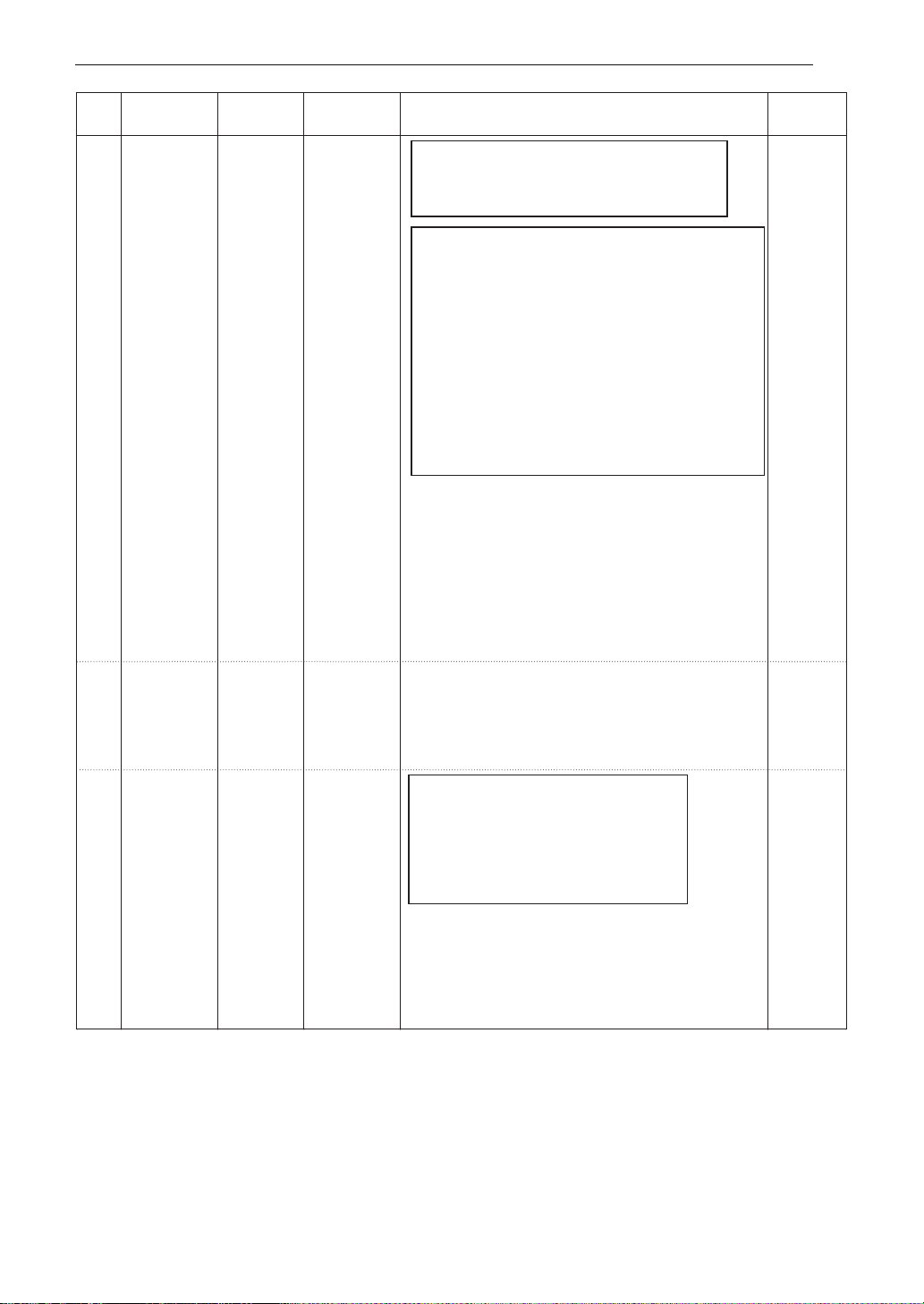
Code Menu
Weight
Limit
Initial
Temperature
Instructions Utensil
2-4 1
Ingredients
600-650 g meat mixture
2 puff pastry sheets, thawed (180-200 g/sheet)
1 egg, lightly beaten
1. On a lightly floured surface, roll out 1 puff pastry sheet
into round shape and put in the crisp tray. Trim edges,
leaving a little overhang and prick with a fork. Fill with the
cooled meat mixture and brush around edges with
beaten egg to top will stick to it.
2. Roll out the remaining pastry sheet and place on top of
pie to form a lid and trim edges. Press edges together
with a fork to seal. Cut a vent in top of pie to allow steam
to escape. Brush top with remaining beaten egg.
3. Place crisp tray on the Low rack. Choose the menu,
press start.
1. Choose Pork chops of 200 g weight and 2.5 cm thickness
each. Season with salt and pepper or as desired.
2. Place food on the High rack on a drip dish.
Choose the menu and weight, press start.
3. When BEEP, turn food over and press start to continue
cooking.
1. Peel and wash potatoes then cut into 5 mm slices.
Rub inside of a baking dish with garlic clove and butter.
2. Place half of potatoes in the baking dish and season.
Fill with remaining potatoes and season as desired.
Then pour cream and cheese over the top.
3. Place the baking dish on the Low rack.
Choose the menu, press start.
Crisp tray
on the
Low rack
2-6 1.5 kg
Room
Room
Ingredients
1 kg potatoes
1 garic clove
20 g butter
300 g cream
100 g grated cheese
Nutmeg, salt and pepper to taste
20 x 20 cm
baking dish
on the
Low rack
Meat Pie
Potato Gratin
2-5 0.2 - 0.6 kg
Refrigerated
High rack
on a
drip dish
Pork Chops
For Meat mixture :
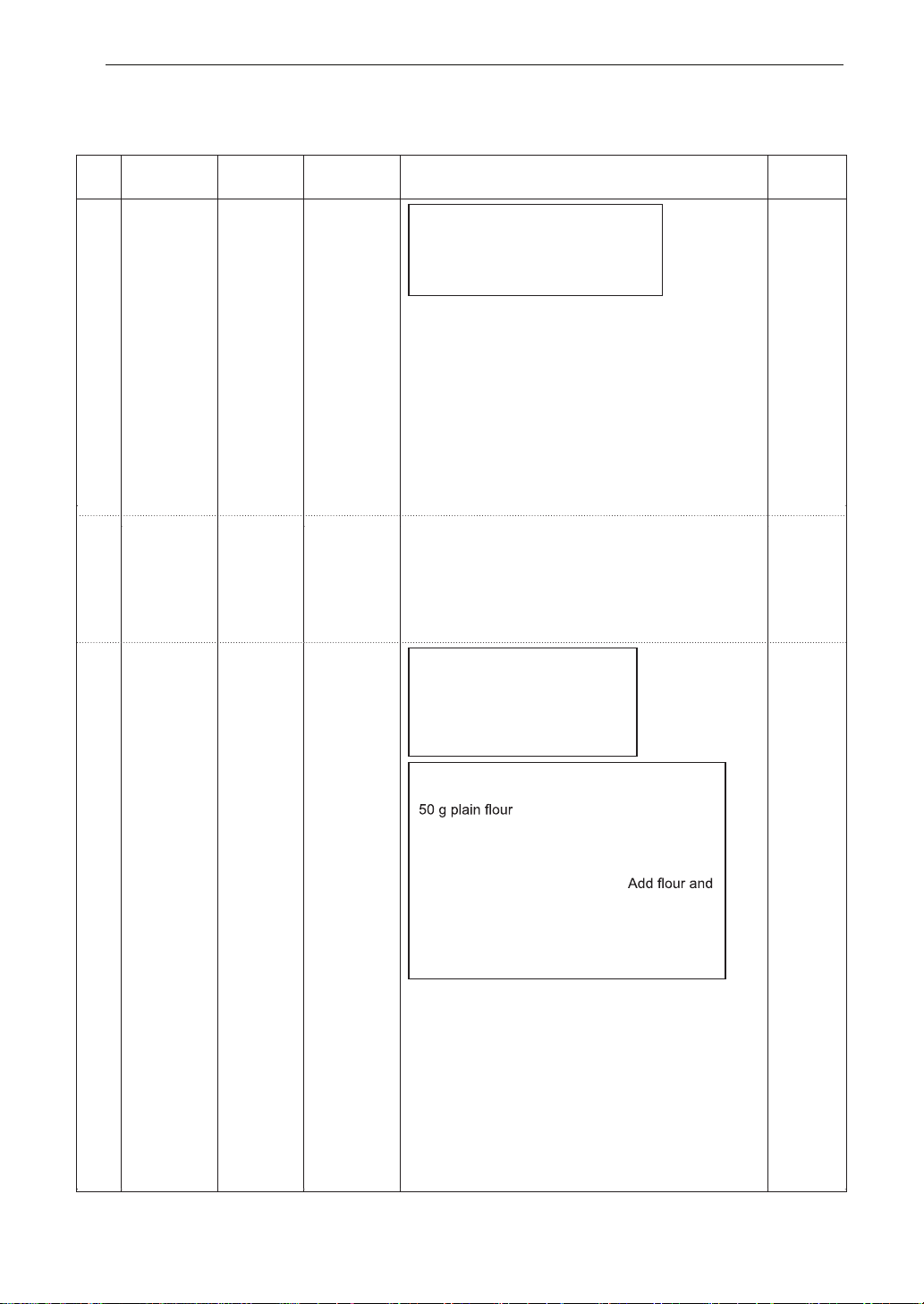
1 onion, chopped
500 g steak, finely chopped
2 tablespoons plain flour
250 ml beef stock
1/2 teaspoon thyme
Pinch ground nutmeg
Salt and pepper to taste
Saute chopped onion over a low heat in a saucepan
until soften. Add chopped steak and stir until browned.
Sprinkle flour over steak and continue cooking for
further 2 minutes. Gradually add bouillon and stir
constantly until it boils and thickens. Add all remaining
ingredients. Cover and simmer for 30 minutes. Allow to cool.
19HOW TO USE
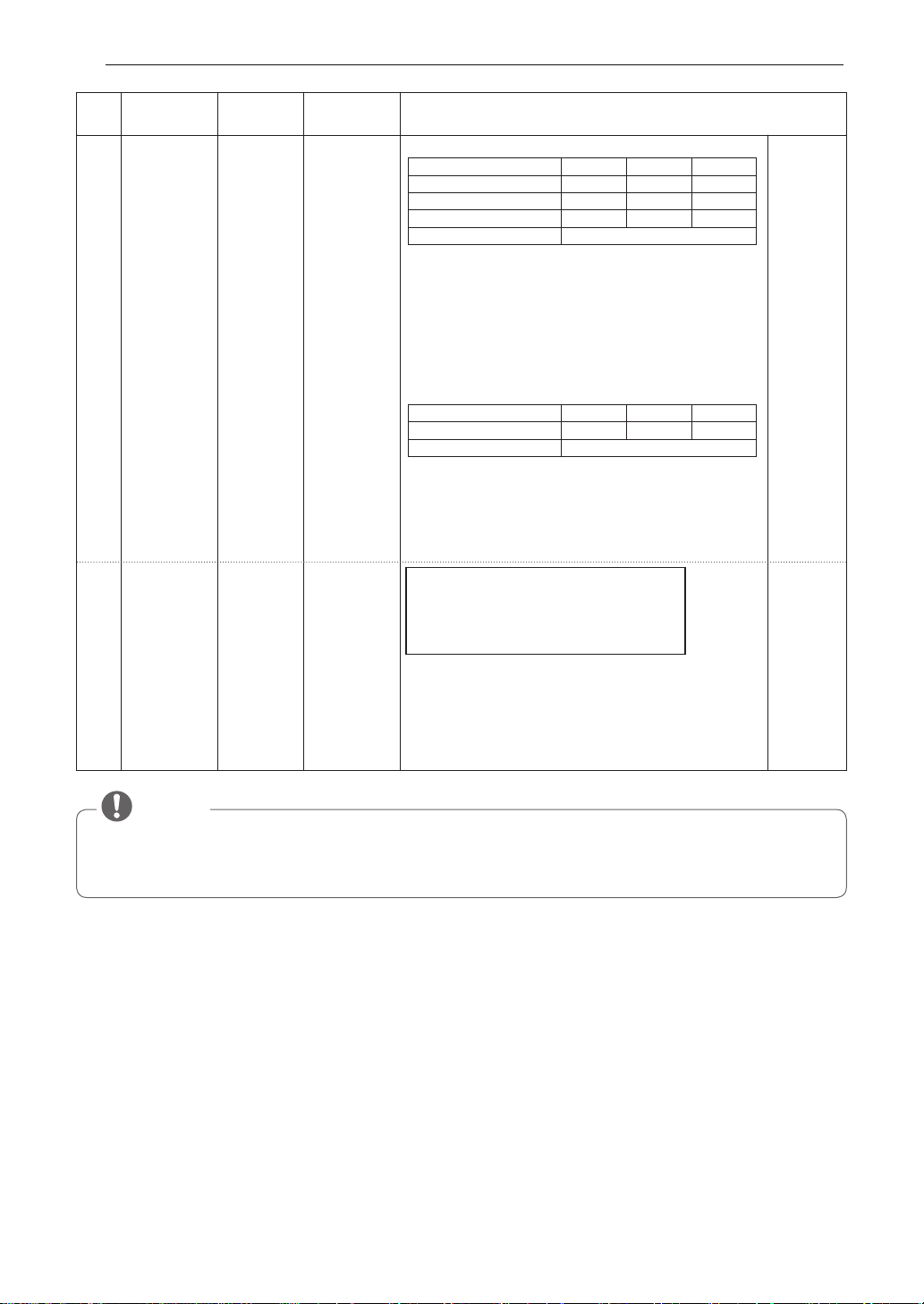
Code Menu
Weight
Limit
Initial
Temperature
Instructions Utensil
Room1.2 kg
2-7 Rice/Pasta 0.1 - 0.3 kg Room
Ingredients for rice
Rice 100 g 200 g 300 g
Butter, melted 30 g 40 g 50 g
Onion, grated 50 g 75 g 100 g
Chicken stock or water 250 ml 500 ml 750 ml
Salt To taste
1. Add rice, melted butter and onion in a deep and large
microwave-safe bowl(3 L) and mix well. Pour boiling
chicken stock or water and add salt. Cover with
plastic wrap and vent.
2. Place food in the oven. Choose the menu and weight,
press start.
3. After cooking, stir and stand covered for
5 - 10 minutes if needed.
1. Place pasta and boiling water with salt in a deep and
large microwave-safe bowl(3 L). Cover with plastic
wrap and vent.
2. Place food in the oven. Choose the menu and weight,
press start.
3. After cooking, Rinse pasta with cold water.
Ingredients for pasta
Pasta 100 g 200 g 300 g
Water 400 ml 800 ml 1000 ml
Salt To taste
Microwave-
safe bowl
2-8 Stuffed
Zucchini
Ingredients
4 round zucchinis of about 200 g each
500 g ground beef
2 tablespoons olive oil
Salt and pepper to taste
1. Cut tops off zucchini to form hats and seed them,
taking care not to pierce flesh or skin. Then sprinkle
each zucchini with salt and pepper.
2. Stuff zucchinis with ground beef and replace hats.
3. Place food on the Crisp tray on the Low rack and
drizzle with olive oil. Choose the menu, press start.
Crisp tray
on the Low
rack
• When using some inverter cook menus, SENS appears on the display. After 5 minutes, the
automatically set cooking time is displayed.
• Menu : Apple Tart, Lasagne, Meat Pie
NOTE
20 HOW TO USE
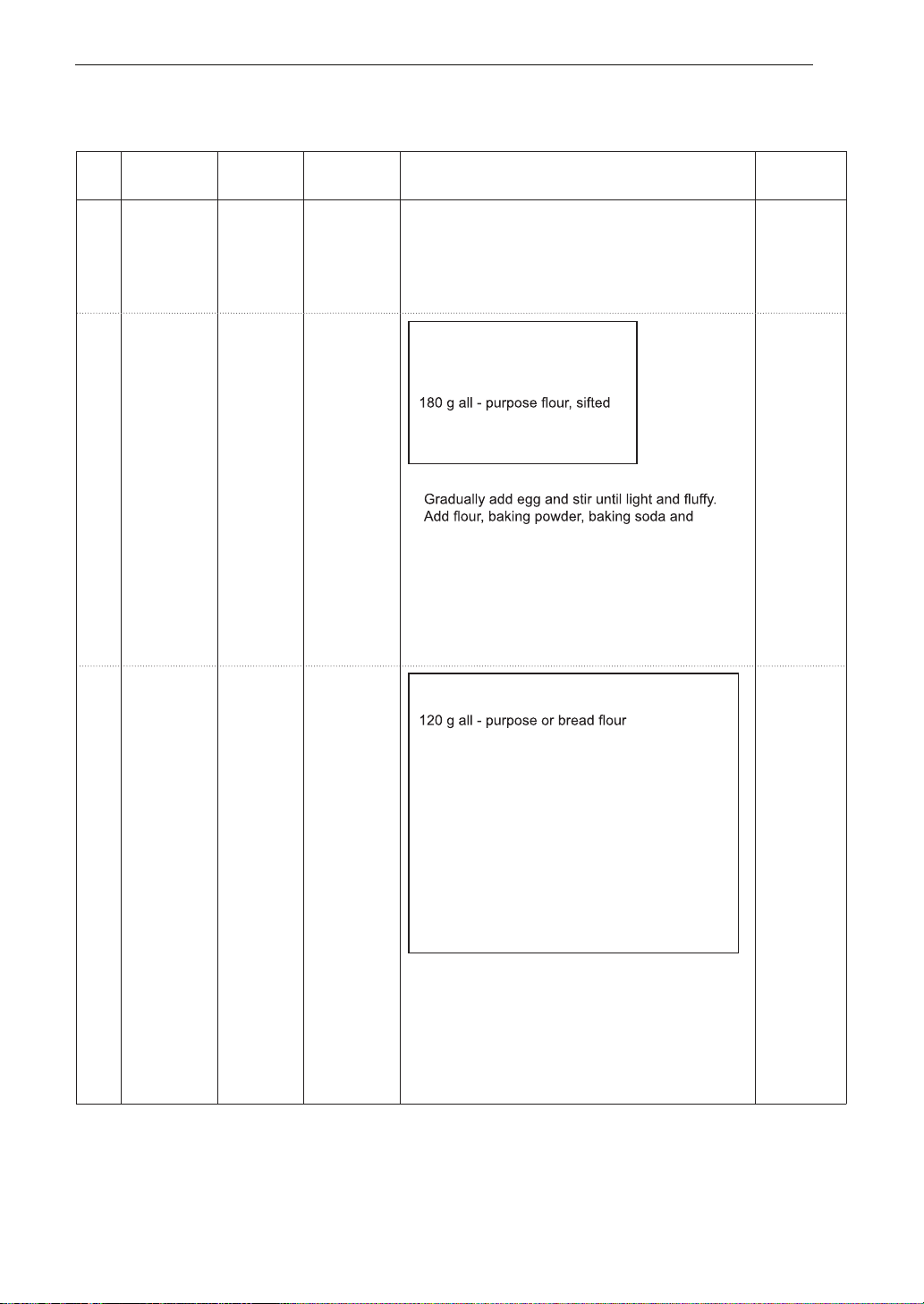
Weight Initial
Code Menu Instructions Utensil
Limit Temperature
3-1
Baked
0.2 - 1.0 kg Room 1. Wash potatoes and dry with a paper towel. Low rack
Potatoes (180 - 220 g/ 2. Pierce each potato 8 times with a fork.
each) 3. Place food on the Low rack. Choose the menu and
weight, press start.
4. A fter cooking, stand covered with an aluminum foil
for 5 minutes.
3-2
Cookies
1 Room
High rack
Ingredients
+
80 g brown sugar
Low rack
80 g butter, softened
1 egg, lightly beaten
1/2 teaspoon baking powder
1/2 teaspoon baking soda
100 g mini chocolate chips
1. Mix brown sugar and softened butter.
chocolate chips and mix well.
2. Drop dough by tablespoon onto the High rack and
Low rack covered with an aluminum foil.
Cookies should be spaced 2 cm apart.
3. Place the High rack and Low rack in the oven.
Choose the menu, press start.
4. A fter cooking, remove from the oven and let them
cool.
3-3
Fresh Pizza
1 Room
Crisp tray
Ingredients
on the Low
Dough:
rack
1 teaspoon active dry yeast
1/3 teaspoon salt
1 teaspoon sugar
70 ml warm water
1 teaspoon extra-virgin olive oil, plus
little for coating
Topping:
3 tablespoons pizza sauce
30 g sausage, sliced
1/2 onion, sliced
2 fresh mushrooms, sliced
1/2 fresh pepper
100 g shredded mozzarella cheese
1. Combine all Ingredients for Dough in a large mixing
bowl.
2. Knead with an electric mixer to make smooth and
elastic dough.
3. Roll dough out and place dough on the Crisp tray.
Spread pizza sauce. Top with toppings and cheese.
4.Place the Crisp tray on the Low rack.
Choose the menu, press start.
Adjust cook time according to the size, thickness, and your preference of doneness.
ROAST & BAKE MENU INSTRUCTIONS
HOW TO USE 21
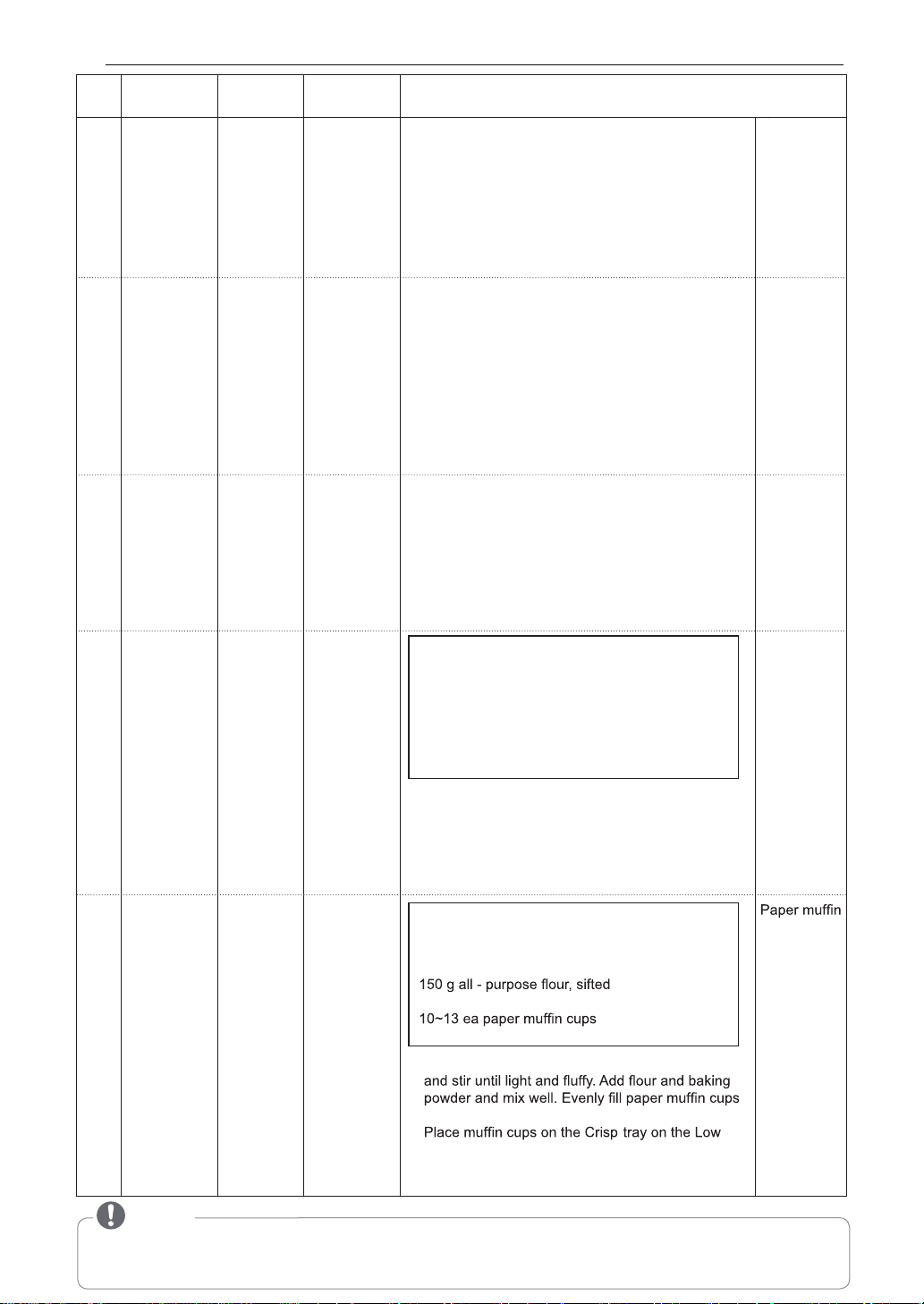
NOTE
• When using some inverter cook menus, SENS appears on the display. After 5 minutes, the automatically set cooking
time is displayed.
• Menu : Roast Beef, Roast Chicken, Roast Pork
Weight Initial
Code Menu
Instructions Utensil
Limit Temperature
3-4
Roast Beef
0.5 - 1.5 kg Refrigerated
1. Brush beef with melted butter or oil and season as
Low rack on
desired.
a drip dish
2. Place food on the Low rack on a drip dish.
Choose the menu and weight, press start.
3. When BEEP, drain juices and turn food over
immediately. And then press start to continue
cooking.
4. After cooking, stand covered with an aluminum foil
for 10 minutes.
3-5
Roast
0.8 - 1.8 kg Refrigerated
Low rack on
Chicken
a drip dish
3-6
Roast Pork
0.5 - 1.5 kg Refrigerated 1. Brush pork with melted butter or oil and season as
Low rack on
desired.
a drip dish
2. Place food on the Low rack on a drip dish.
Choose the menu and weight, press start.
3. When BEEP, drain juices and turn food over
immediately. And then press start to continue
cooking.
4. After cooking, stand covered with an aluminum foil
for 10 minutes.
3-7
Roast 0.2 - 0.3 kg Room
Crisp tray
Ingredients
Vegetables
on the High
Eggplants, cut into 1-2 cm thickness
rack
Zucchinis, cut into 1-2 cm thickness
Onions, cut into wedges
Sweet peppers, cut in half lengthwise and
discard seeds
Whole cherry tomatoes
Mushrooms, cut in half
1. Brush vegetables with melted butter or oil and
season as desired.
2. Place food on the Crisp tray on High rack.
Choose the menu and weight, press start.
3. When BEEP, turn food over and press start to
continue cooking.
3-8
Small Cakes 1 Room
Ingredients
cups on the
120 g sugar
Crisp tray
120 g butter, softened
on the Low
2 egg, lightly beaten
rack
1 teaspoon baking powder
(50 mm base X 30 mm height)
1. Mix sugar and softened butter. Gradually add eggs
with batter. (25~30 g per each)
2.
rack. Choose the menu, press start.
3. A fter cooking, remove from the oven and let them
cool.
1. Brush chicken with melted butter or oil and season
as desired.
2. Place whole chicken breast-side down on the Low
rack on a drip dish. Choose the menu and weight,
press start.
3. When BEEP, drain juices and turn food over
immediately. Shield wings and legs with a small
sized piece of foil. And then press start to continue
cooking.
4. After cooking, stand covered with an aluminum foil
for 10 minutes.
22 HOW TO USE
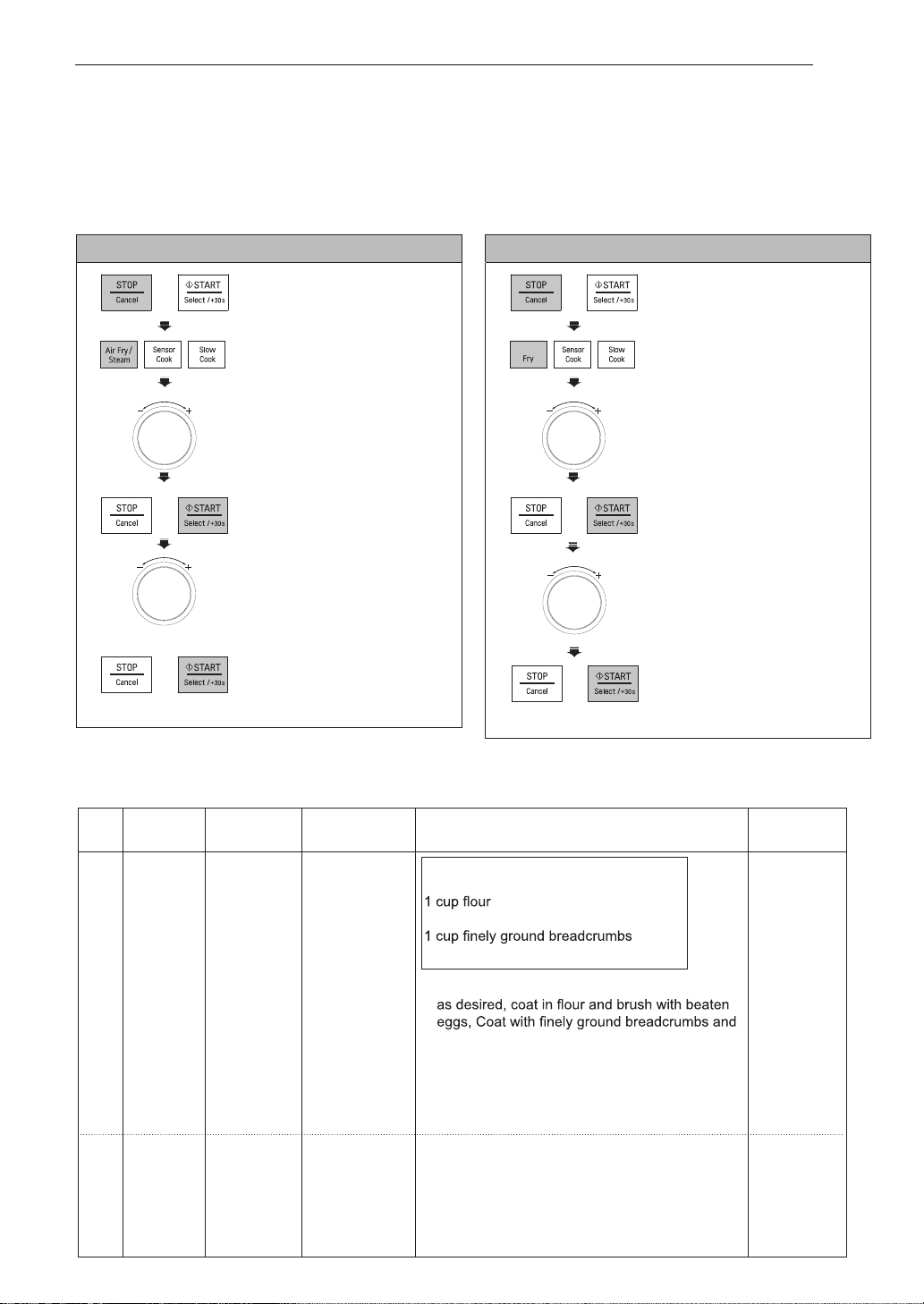
AIR FRY
Your oven’s menu has been preprogrammed to automatically cook food. Select a menu from the below,
select the weight and then allow the microwave oven to do the rest. To select the different menu Codes,
turn the dial (as in step 3) until the respective menu code appears.
Example: To cook 0.6 kg Chicken Wings
1. PressSTOP/CANCEL.
2. Press
AIR FRY
/ STEAM until the display
shows ‘1’.
3. Turn the DIAL until display
shows ‘1-2’.
4. Press START.
5. Turn the DIAL until display
shows ‘0.6 kg’.
6. Press START.
AIR FRY MENU INSTRUCTIONS
Adjust cook time according to the size, thickness, and your preference of doneness.
Weight Initial
Code Menu Instructions Utensil
Limit Temperature
1-1 Chicken 0.2 - 0.6 kg Refrigerated
Ingredients
Crisp tray on
Schnitzel
Chicken breasts of 150 - 200 g each
the High rack
2 eggs, lightly beaten
Salt and pepper to taste
1. Season chicken breasts with salt and pepper or
brush chicken schnitzel with oil.
2. Place food on the Crisp tray on the High rack.
Choose the menu and weight, press start.
3. When BEEP, turn food over and press start to
continue cooking.
1-2 Chicken 0.2 - 0.6 kg Refrigerated 1. Brush chicken wings with melted butter or oil Crisp tray on
Wings and season as desired. the High rack
2. Place food on the Crisp tray on the High rack.
Choose the menu and weight, press start.
3. When BEEP, turn food over and press start to
continue cooking.
5. Turn the DIAL until display
shows ‘0.6 kg’.
6. Press START.
Example: To cook 0.6 kg Chicken Wings
1. PressSTOP/CANCEL.
2. Press
AIR FRY
until the
display
shows ‘’.
FOR MJ3967ABC / MC3967ABC
FOR MJ3966ASS/ABS/AWS/AGMB
HOW TO USE 23
Air
3. Turn the DIAL until display
shows ‘2’.
4. Press START.
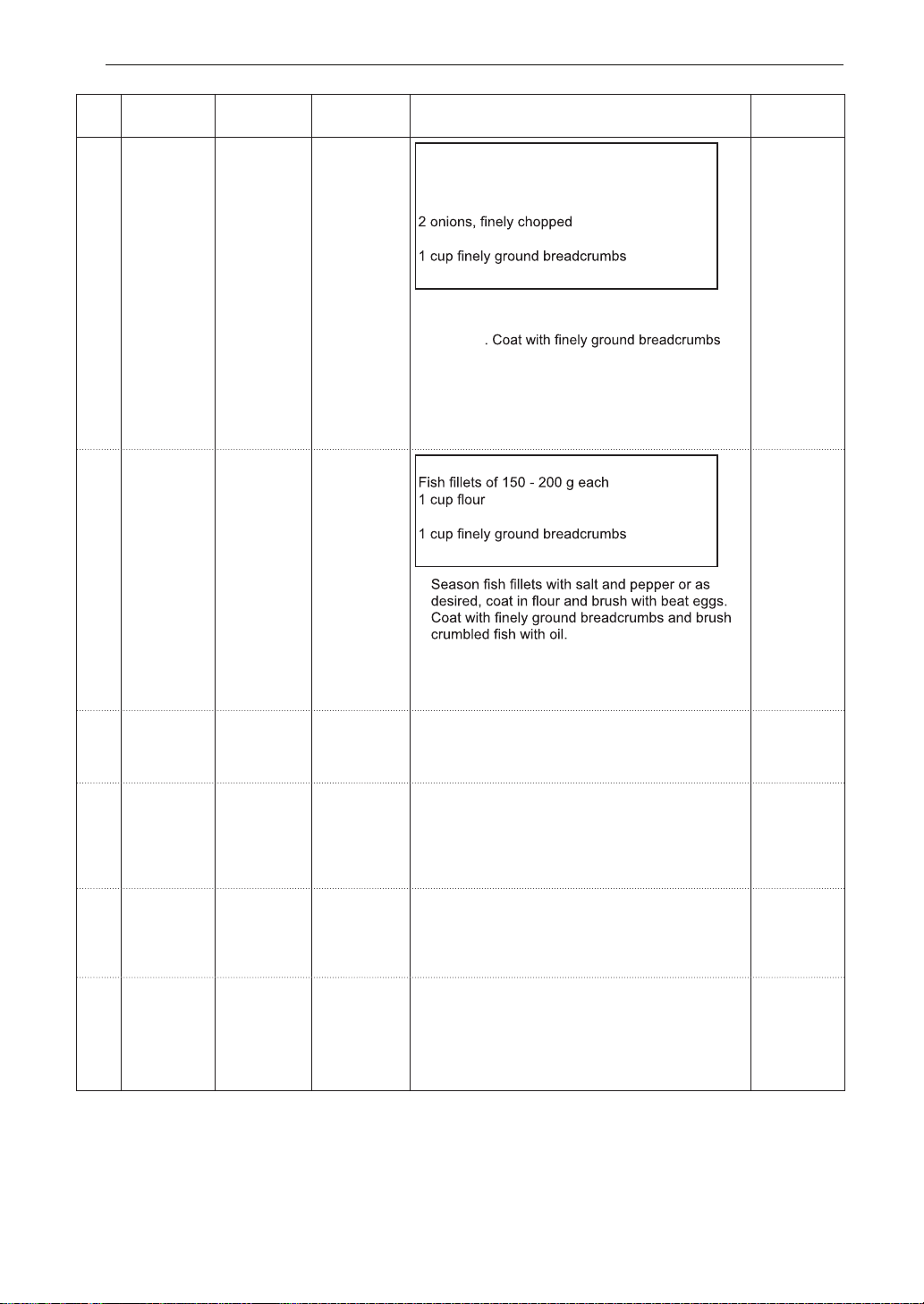
Weight Initial
Code Menu Instructions Utensil
Limit Temperature
1-3 Cutlet 0.2-0.4 kg Refrigerated
Ingredients
Crisp tray on
500 g lean grouond lamb or beef
the High rack
500 g small potatoes, cooked and mashed
3 eggs, lightly beaten
2 tablespoons chopped parsley
Salt and pepper to taste
.yelsrap dna snoino ,sgge ,seotatop ,taem xi M .1
With meat mixture, make balls about 4-5 cm
diameter
and shape balls into ovals about 1 cm thick each.
Brush cutlet with oil.
2. P lace food on the Crisp tray on the High rack.
Choose the menu and weight, press start.
ot trats sserp dna revo doof nrut ,PEEB neh W .3
continue cooking.
1-4 Fish 0.2 - 0.6 kg Refrigerated
Ingredients
Crisp tray on
Schnitzel
the High rack
2 eggs, lightly beaten
Salt and pepper to taste
1.
.kcar hgiH eht no yart psirC eht no doof ecalP .2
Choose the menu and weight, press start.
ot trats sserp dna revo doof nrut ,PEEB neh W .3
continue cooking.
1-5 French 0.1 - 0.3 kg Frozen 1. S pread frozen potato products out on the Crisp
Crisp tray on
Fries
tray on the High rack. For the best results, cook
the High rack
in a single layer. Choose the menu and weight,
press start.
1-6 Hamburgers 0.2 - 0.4 kg Refrigerated
.hcae kciht mc 1 dna g 001 fo sregrubmah esoohC .1
Crisp tray on
Brush hamburgers with oil.
the High rack
2.
Place food on the Crisp tray on the High rack.
Choose the menu and weight, press start.
ot trats sserp dna revo doof nrut ,PEEB neh W .3
continue cooking.
1-7 Sausages 0.2 - 0.6 kg Refrigerated
0.2 - 0.4 kg Room
1. Remove all packaging and slit on the surface.
Crisp tray on
2.
Place food on the Crisp tray on the High rack.
the High rack
Choose the menu and weight, press start.
ot trats sserp dna revo doof nrut ,PEEB nehW .3
continue cooking.
1-8 Wedge .segdew otni tuc dna seotatop hsaW .1 Crisp tray on
Potatoes Brush potatoes with oil. the High rack
2.
Place food on the Crisp tray on the High rack.
Choose the menu and weight, press start.
ot trats sserp dna revo doof nrut ,PEEB neh W .3
continue cooking.
24 HOW TO USE
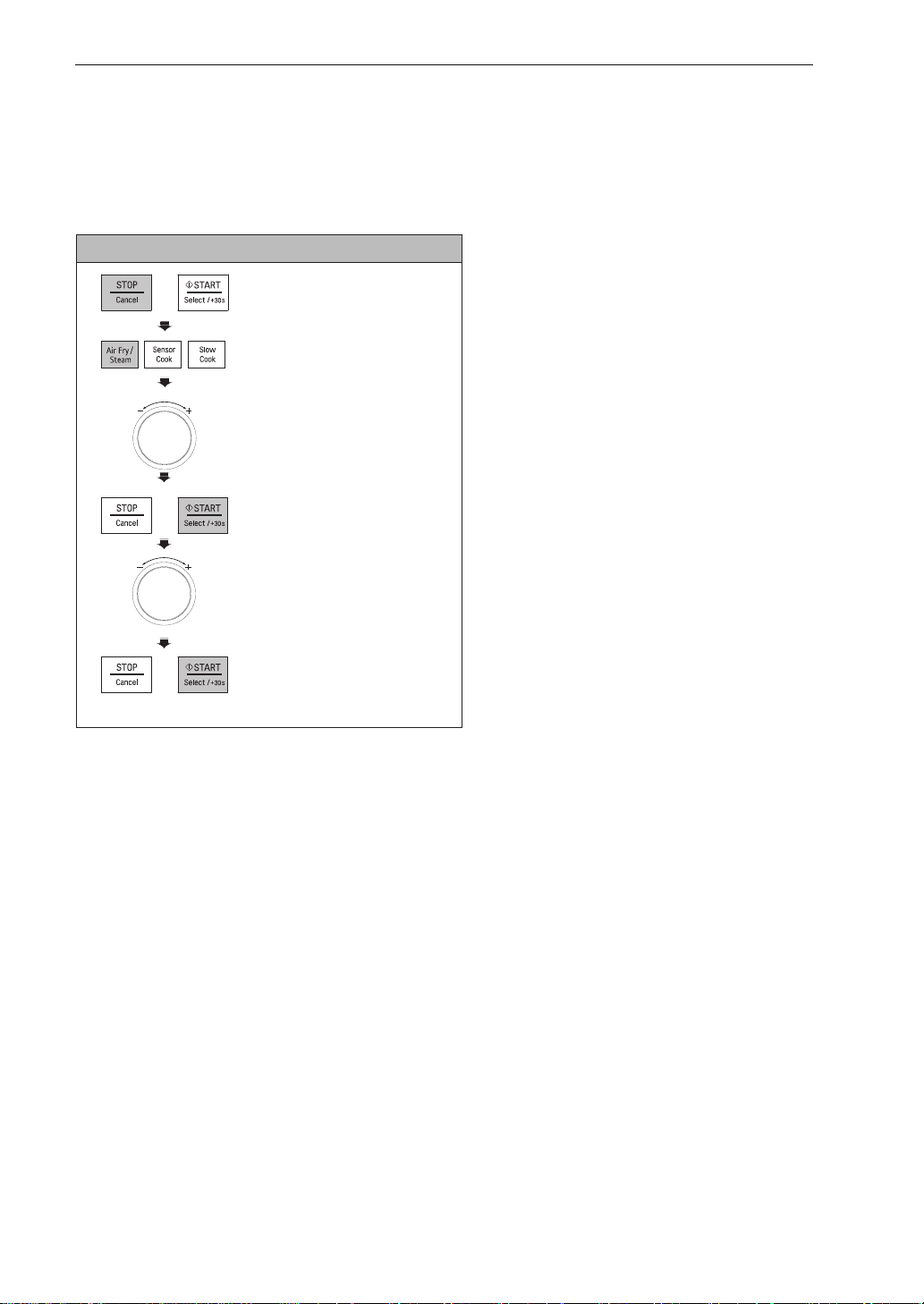
STEAM
Your oven’s menu has been preprogrammed to automatically cook food. Select a menu from the below,
select the weight and then allow the microwave oven to do the rest. To select the different menu Codes,
turn the dial (as in step 3) until the respective menu code appears.
Example: To cook 0.6 kg Prawns
1. PressSTOP/CANCEL.
2. Press
AIR FRY
/ STEAM until the display
shows ‘2’.
3. Turn the DIAL until display
shows ‘2-8’.
4. Press START.
5. Turn the DIAL until display
shows ‘0.6 kg’.
6. Press START.
FOR MJ3966ASS/ABS/AWS/AGMB
HOW TO USE 25
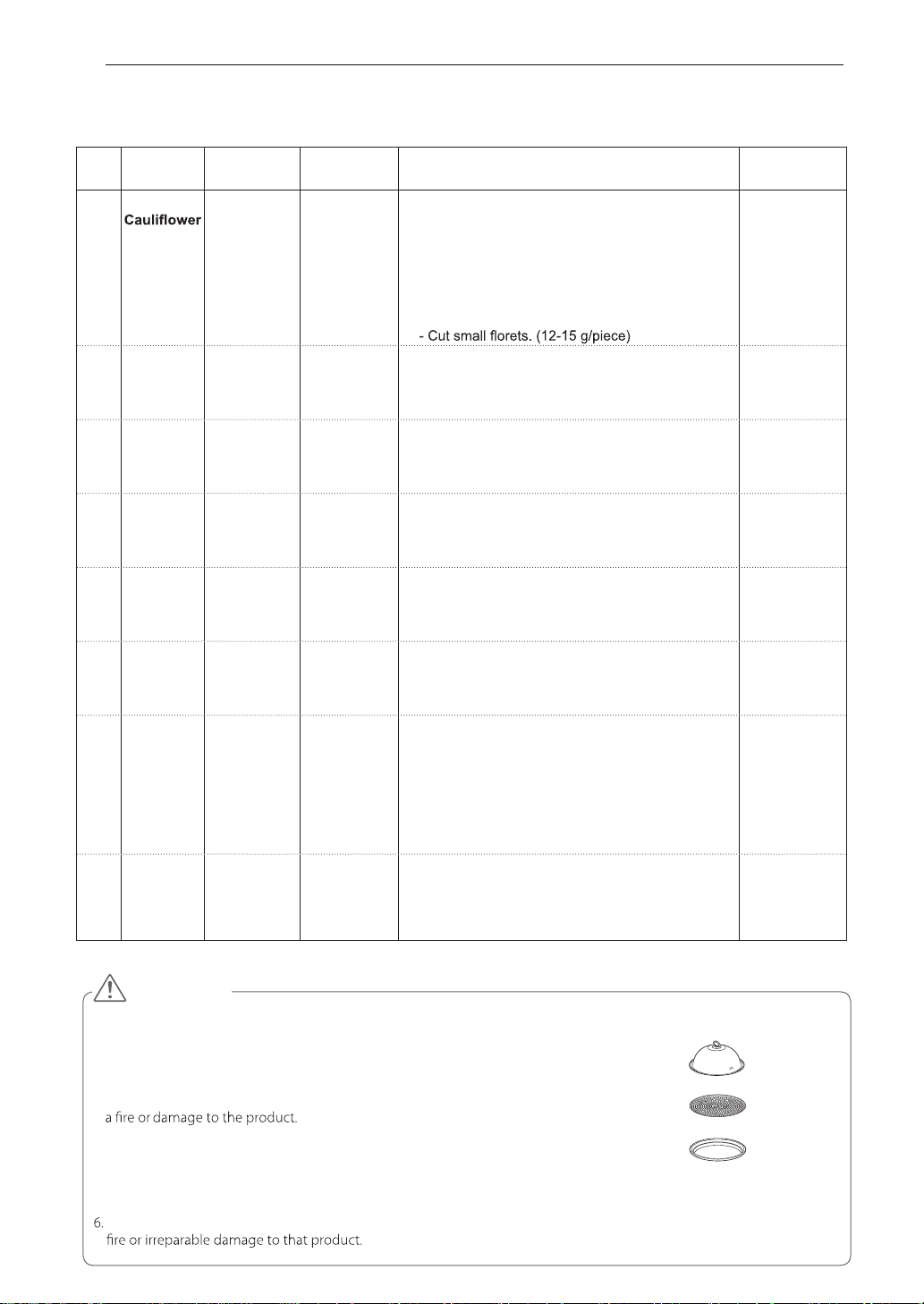
Code Menu
Weight
Limit
Initial
Temperature
Instructions Utensil
2-1 Broccoli/ 0.2 - 0.6 kg Room
dezis ralimis otni tuc dna vegetables hsaW .1
pieces.
2.
Pour 300 ml tap water into the steam water bowl.
Place the steam plate on the steam water bowl. Place
prepared food on the steam plate in a single layer.
Cover with steam cover.
eht esoohC .nevo eht ni lwob maets eht ecalP .3
menu and weight, press start.
Steam water
bowl
Steam plate
Steam cover
2-2 Carrot 0.2 - 0.6 kg Room Same as above
- Under 5 mm thickness
Steam water
bowl
Steam plate
Steam cover
2-3 Chicken
Breasts
0.2-0.6 kg Refrigerated Same as above
- Under 2.5 cm thickness
Steam water
bowl
Steam plate
Steam cover
2-4 Eggs 2 - 9 ea Refrigerated
Same as above
Steam water
bowl
Steam plate
Steam cover
2-5 Fish
Fillets
0.2 - 0.6 kg Refrigerated Same as above
- Under 2.5 cm thickness
Steam water
bowl
Steam plate
Steam cover
2-6 Green
Beans
0.1 - 0.3 kg Room
Same as above
Steam water
bowl
Steam plate
Steam cover
2-7 Mussels ro llehs nekorb yna dracsid dna slessum hsaW .1detaregirfeRgk 6.0 - 2.0
dead mussels.
2.
Pour 300 ml tap water into the steam water bowl.
Place the steam plate on the steam water bowl. Place
prepared food on the steam plate in a single layer.
Cover with steam cover.
eht esoohC .nevo eht ni lwob maets eht ecalP .3
menu and weight, press start.
Steam water
bowl
Steam plate
Steam cover
2-8 Prawns 0.2 - 0.6 kg Refrigerated Same as above
- Under 20 cm length
Steam water
bowl
Steam plate
Steam cover
.toh yrev eb lliw ti sa gnikooc retfa nevo eht morf REMAETS a gnivomer nehw sevolg nevo esu syawlA .1
.gnikooc retfa tlem yam taht ecalp a ro elbat ssalg a no REMAETS toh a tup ton oD .2
Always make sure a pad or tray is used to place it on.
.ti gnisu erofeb esab eht otni retaw fo lm 003 tsael ta ruop ,REMAETS siht esu uoy nehW .3
If the amount of water is less than 300ml, it may cause incomplete cooking, or may cause
.retaw fo lluf si taht REMAETS eht evom uoy nehw luferac eB .4
tes eb dluohs lwob retaw maetS dna revoc maets eht ,REMAETS eht esu uoy nehW .5
perfectly right. Eggs or chestnuts will explode if the steam cover and steam water bowl
are not placed correctly onto the STEAMER tray.
Never use this STEAMER with any other model or brand of microwave oven as it may cause a
CAUTION
Steam cover
Steam plate
Steam water bowl
(Crisp tray)
Adjust cook time according to the size, thickness, and your preference of doneness.
STEAM CHEF MENU INSTRUCTIONS
26 HOW TO USE
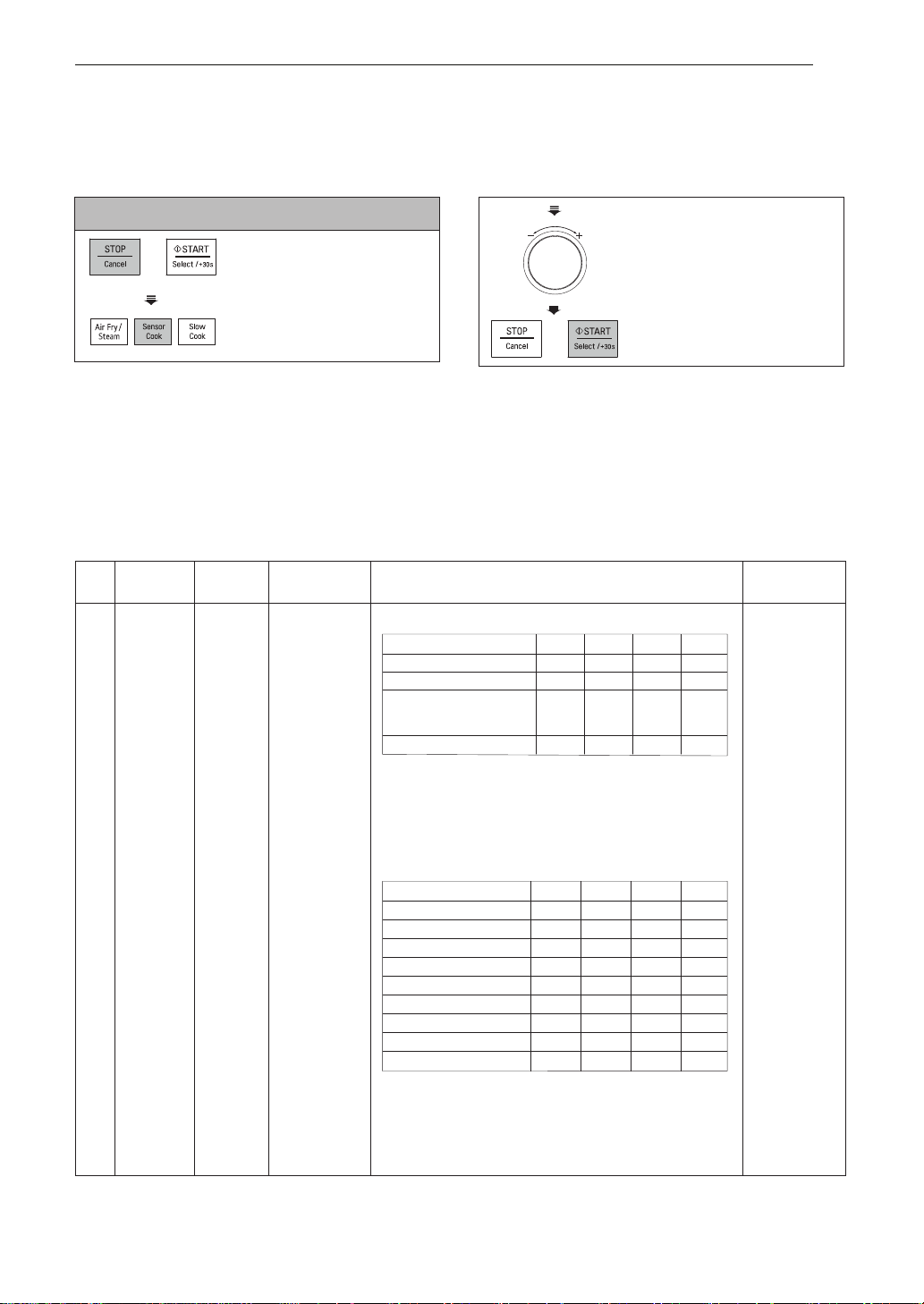
SENSOR COOK
Your oven’s menu has been preprogrammed to automatically
cook food. Select one of the Sensor Cook
menus and then dial in the weight of the food before pressing START to allow the microwave to cook your
selection.
Adjust cook time according to the size, thickness, and your preference of doneness
SENSOR COOK MENU INSTRUCTIONS
Weight
Initial
Code
Menu
Instructions
Ute
nsil
Limit
Temperature
safe bowl
1. Combine cream of mushroom soup, tuna and milk in
a microwave- safe bowl. Add boiled noodles and stir
thoroughly. Cover with plastic wrap and vent. Or vented lid.
2. Place food in the oven. Choose the menu
press start.
3. After cooking, stand covered for 3 minutes.
1. Place steak, left flour and all other ingredients in a
microwave-safe bowl. Cover with plastic wrap and vent.
Or vented lid.
2. Place food in the oven. Choose the menu, press start.
3. After cooking, stand covered for 3 minutes.
1 Casserole
1 - 4
Room
Microwave-
Tuna & Noodle
Beef Stroganoff
Serving 1 2 3 4
Noodles(Pasta), boiled 140 g 280 g 420 g 560 g
Cream of mushroom soup 140 g 280 g 420 g 560 g
Can or equivalent,
Starkist chunk light tuna,
in spring water, drained
60 g 120 g 180 g 240 g
Milk 125 ml 250 ml 375 ml 500 ml
:
Example
To reheat 0.4 kg Fresh Vegetables
sserP .2 SENSOR COOK.
eht nruT .3 DIAL until
display shows ‘2’.
sserP .4 START.
HOW TO USE
1. Press STOP/CANCEL.
Serving
250 g 500 g 750 g 1000 g
1 2 3 4
2 Tbsp 1/4 cup 1/2 cup 1/2 cup
1/2 1 1 1
Rump steak, cubed
Plain flour
Small onion, finely chopped
2 tsp 1 Tbsp
1 1/2 Tbsp
2 Tbsp
Tomato puree
125 ml 200 ml
250 ml
375 ml
Beef stock
60 ml 60 ml
60 ml
60 ml
Red wine
25 g 50 g
75 g
100 g
Mushroom, sliced
75 ml 150 ml
200 ml
300 ml
Sour cream
Salt and pepper to taste
27
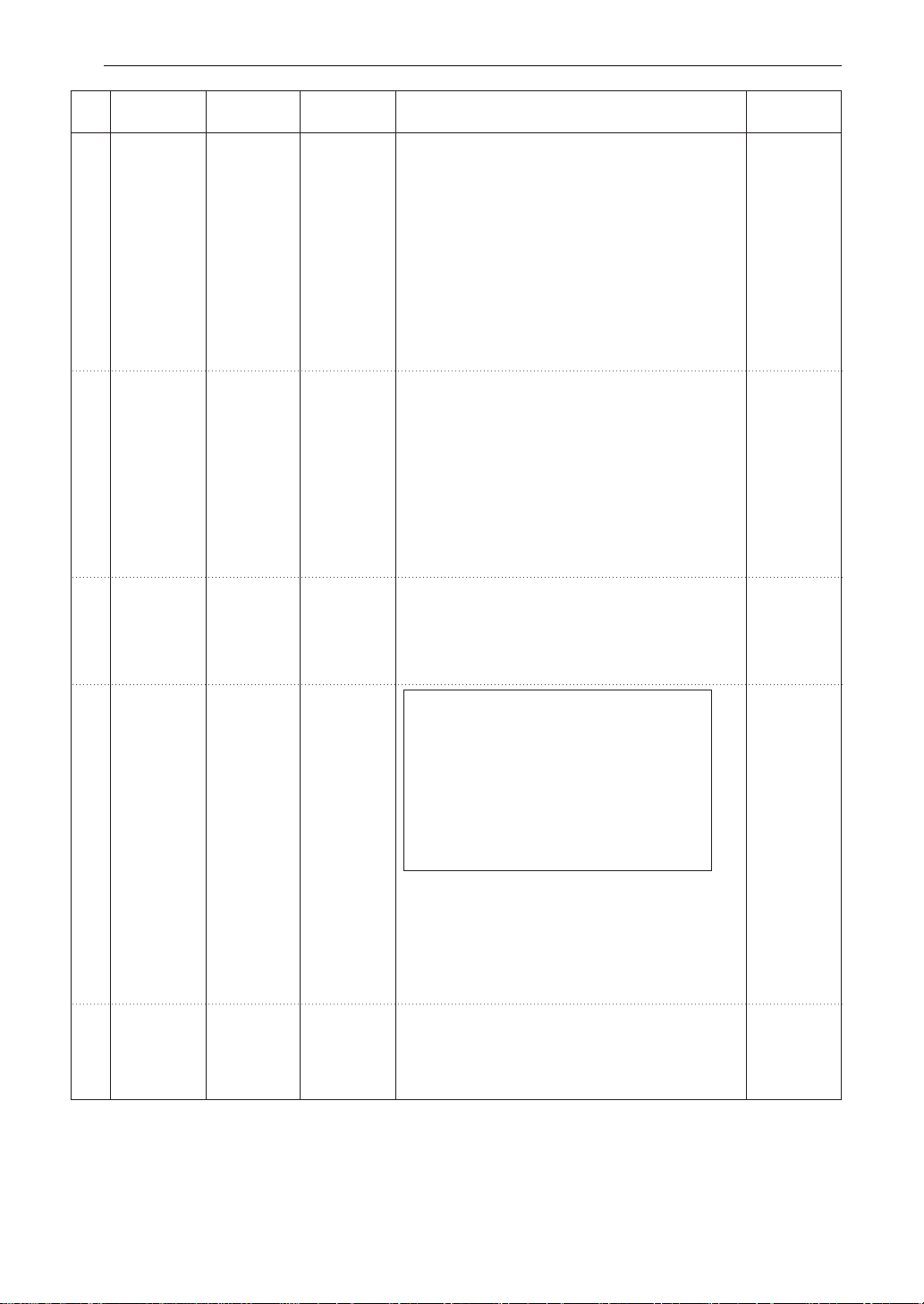
Fresh
Vegetables
0.2 - 0.8 kg
0.2 - 0.8 kg
1. Prepare vegetables(carrots, broccoli, cauliflower,
Microwave-
zucchini, beans, peas).
safe bowl
2. Cut vegetables into even size pieces. Wash the
vegetables and place food in a microwave- safe
bowl.
3. Add amount of water according to the quantity
(0.2 - 0.4 kg: 2 tablespoons, 0.5 - 0.8 kg:
4 tablespoons). Cover with plastic wrap and vent.
Or vented lid.
4. Place food in the oven. Choose the menu,
press start.
5. After cooking, stir and stand covered for 3
minutes.
2
Frozen
1. Prepare frozen vegetables(carrots, broccoli,
Microwave-
safe bowl
Microwave-
safe bowl
Microwave-
safe bowl
Vegetables
cauliflower, zucchini, beans, peas).
2. Place food in a microwave-safe bowl.
3. Add amount of water according to the quantity(
0.2 - 0.4 kg: 2 tablespoons, 0.5 - 0.8 kg:
4 tablespoons). Cover with plastic wrap and vent.
Or vented lid.
4. Place food in the oven. Choose the menu,
press start.
5. After cooking, stir and stand covered for 3
minutes.
3
Weight
Code
Menu
Instructions
Ute
nsil
Limit
Initial
Temperature
Room
Frozen
0.2 - 1.0 kg
(180 - 220
g / each)
Jacket
Potatoes
1. Wash potatoes and dry with a paper towel.
2. Pierce each potato 8 times with a fork.
3. Place food on a paper towel in the oven.
Choose the menu
200 g risotto rice
1 1/2 cups water or stock
1/2 cup milk
200 g raw beef, chopped
2 eggs
1 onion, chopped
50 g frozen green peas
100 g grated cheese
Salt and pepper to taste
Ingredients
, press start.
4. After cooking, stand for 3 minutes.
Paper towel
4
Room
1.2 kg
Risotto
1. Add all ingredients in a deep and large
microwave-safe bowl and mix well. Cover with
plastic wrap and vent. Or vented lid
2. Place the bowl in the oven. Choose the menu,
press start.
3. After cooking, stir and stand covered for 5 - 10
minutes if needed.
1. Place food on a microwave-safe bowl.
Cover with plastic wrap and vent.
2. Place food in the oven.
Choose the menu, press start.
3. After cooking, stand covered for 3 minutes.
5
Room
0.25 – 1.0 kg
(250 g/
1 serving)
Soup /
Sauce
6
Room
HOW TO USE28
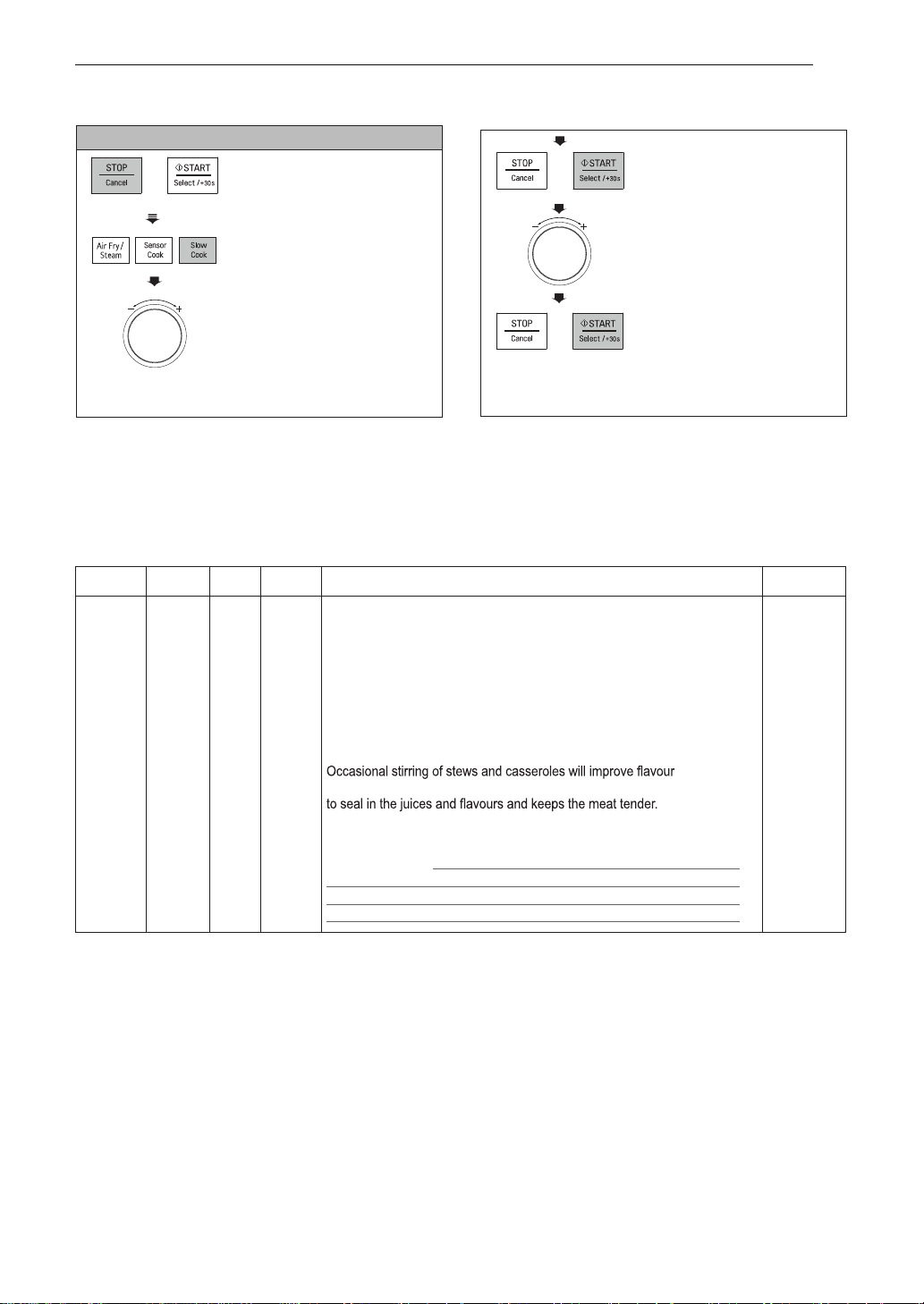
SLOW COOK
Example : How to set 60° for 5Hrs (Food drying)
eht nruT .3 DIAL until
display shows ‘60 °C’.
sserP .4 START.
‘10:00’ will show in the
display.
eht nruT .5 DIAL until
display shows ‘5h00’.
sserP .6 START.
When cooking you can
increase or decrease the
cooking time by turning
the DIAL.
HOW TO USE
1. Press
2. Press
STOP/CANCEL.
SLOW COOK
until display shows ‘2’.
SLOW COOK MENU INSTRUCTIONS
Function Range Step Default Instructions Utensil
wolS .1
Cook
130 °C
(HIGH) /
110 °C
(LOW)
- 130 °C
(HIGH)
This function maintains a relatively low temperature compared to other
cooking methods(such as baking, boiling and frying) for many hours allowing
unattended cooking of pot roast, stew and other suitable dishes.
110 °C (LOW) Setting
The low setting gently simmers food for an extended period of time without
overcooking or burning. No stirring is required when using this setting.
130 °C (HIGH) Setting
The high setting will cook food in approximately half the time required for
the low setting. Some foods may boil when cooked on the high setting, so it
may be necessary to add extra liquid.
distribution.
Searing and browning before slow cooking is not necessary, but this will help
Slow cook guide
Traditional
cooking time
Slow cooker cooking time
(without searing)
Slow cooker cooking time
(with searing)
110 °C(Low) 130 °C(High) 110 °C(Low) 130 °C(High)
35 to 60 minutes 6 to 9 hrs 3 to 4 hrs 4 to 6 hrs 2 to 3 hrs
1 to 3 hours 8 to 9 hrs 4 to 6 hrs 5 to 6 hrs 3 to 4 hrs
Heatproof
glass dish
placed
on the
turntable
29
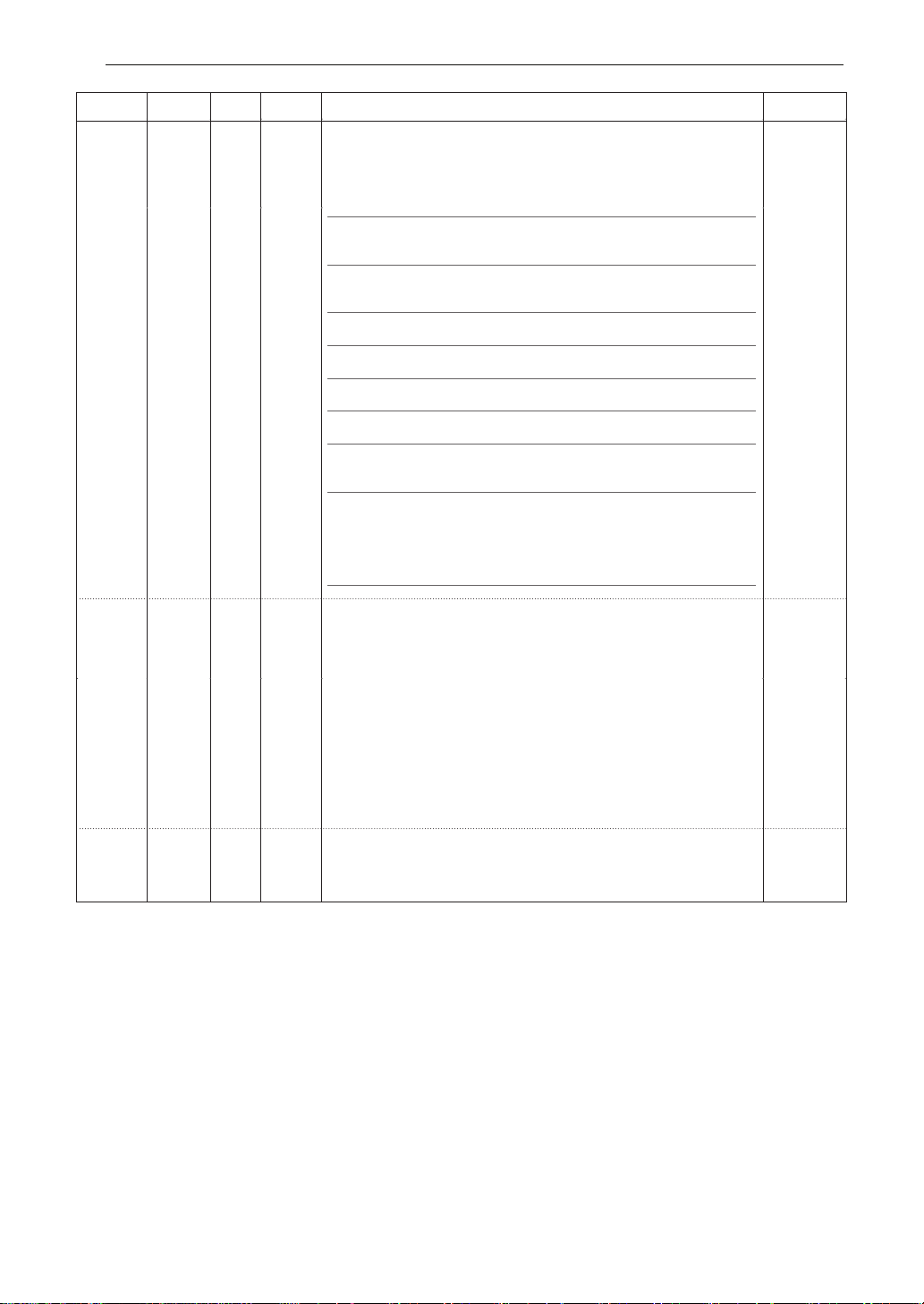
Function Range Step Default Instructions Utensil
Crisp tray
on the
Low rack
Heat-proof
glass bowl
on the
Low rack
2. Food
Drying
40 °C
80 °C
70 °C
60 °C
90 °C
10 °C 70 °C
10 °C 70 °C
foorP .3 40 °C 40 °C
~
-
With this function, you can dry fruit, veggies, and beef into healthy and
nutritional snacks and tasty jerky without chemicals and preservatives.
Place baking paper on Crisp tray and spread food into a single layer.
Food Drying guide
Food type Preparation Set temp Time Use
Bananas Slice into 5~6 mm
thick
70 °C 5~8hrs Snacks, baby food,
granola, cookies and
banana bread
Figs Remove stems and
halve
70 °C 8~9hrs Fillings, cakes,
puddings, breads and
cookies
Kiwi Peel, slice into
8~12 mm thick
70 °C 5~8 hrs Snacks
Mangos Remove skin, slice
into 6~10 mm thick
70 °C 6~9 hrs Snacks, cereals,
baked goods
Pineapple Peel, core, slice into
8~12 mm thick
70 °C 6~9 hrs Snacks, baked
goods, baked granola
Tomatoes Wash and slice 6mm
circles
70 °C 6~9 hrs Soups, stews, paste
or sauce
Mushroom Clean with soft brush
or cloth. Don’t wash
60 °C 4~8 hrs Rehydrate for
soups, meat dishes,
omelettes or frying
Beef jerky Marinate sliced
meats (5~6 mm
thick)in store-bought
or your own recipe
for 6 to 8hours in the
refrigerator
80 °C 6~9 hrs Snack
4. Keep
warm
How to make yogurt
• Pour a 1000 ml milk into a proper heat-resistant bowl with cover.
• ot nwod looc neht dna )C° 07~06 ot pu( erutarepmet reporp ot ti lioB
about 40 °C
• Add 150 ml natural yogurt into a bowl and stir well.
• Place covered bowl in the oven.
• Choose the menu, and set cook time 5~8 hours.
How to raise yeast dough
• gnikab htiw revoc dna lwob tnatsiser-taeh reporp a ni hguod eht ecalP
wrap or damp cloth.
• Place the bowl in the oven.
• hguod eht litnu setunim 04 tuoba ot emit kooc tes dna ,unem eht esoohC
has doubled in volume.
Heat from the top and bottom elements are used to maintain set
temperature. You can use this function to keep food warm until ready
to serve.
Heat-proof
glass bowl
on the
Low rack
HOW TO USE30
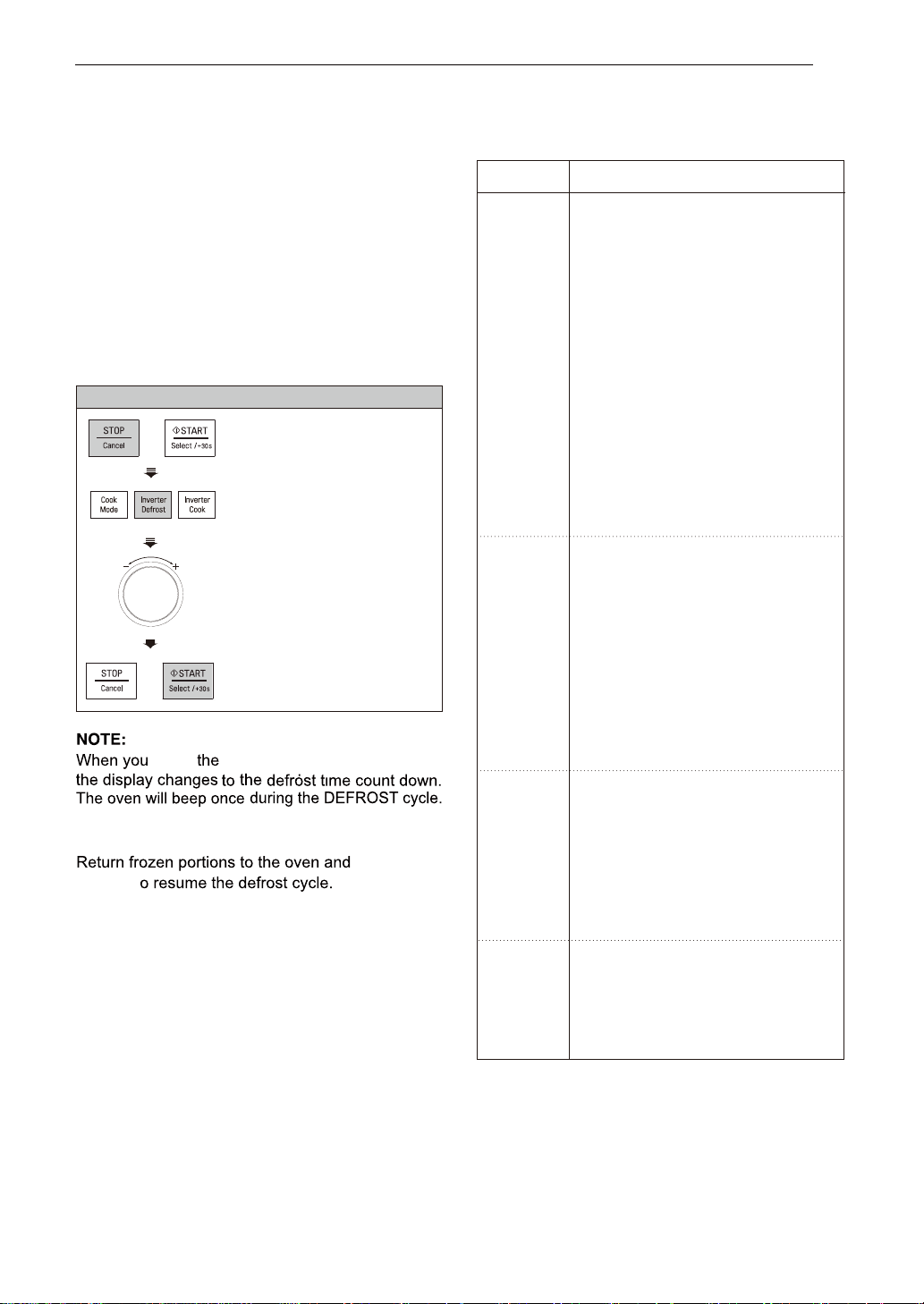
INVERTER DEFROST
Example: To defrost 1.2 kg of Meat
3. Turn the DIAL until display
shows ‘1.2 kg’ .
4. Press START.
HOW TO USE
1. Press
2. Press
STOP/CANCEL.
INVERTER DEFROST
until display shows ‘
dEF1
’.
Four defrost sequences are preset in the oven.
The INVERTER DEFROST feature provides you
with the best defrosting method for frozen foods.
The cooking guide will show you which defrost
• Place foods in a shallow container or in a
microwave roasting dish to catch the drippings.
• Food should still be somewhat icy in the center
when removed from the oven.
sequence is recommended for the food you are
defrosting.
For added convenience, the INVERTER DEFROST
includes an audible beep function that reminds
you to check, turn over, separate, or rearrange
to get the best defrost results. Four different
defrosting levels are provided.
(MEAT /POULTRY / FISH / BREAD)
START
START
t
•
Remove fish, shellfish, meat, and poultry from
its original wrapping paper or plastic package.
Otherwise, the wrap will hold steam and juice
close to the foods, which can cause the outer
surface of the foods to cook.
press
At the beep, open the door and remove any portions
that have thawed and turn the food over.
press
button,
• The length of defrosting time varies according to
how solidly the food is frozen.
• The shape of the package affects how quickly
food will defrost. Shallow packages will defrost
more quickly than a deep block.
INVERTER DEFROST
MENU INSTRUCTIONS
Category
Food to be Defrosted
Beef
Ground beef, Round steak,
Cubes for stew, Tenderloin steak,
Pot roast, Rib roast, Rump roast,
Chuck roast, Hamburger patty
Remove any defrosted portion of
ground beef at the beeps.
MEAT
Lamb
(dEF1)
Chops, Rolled roast
Pork
0.1 - 4.0 kg
Chops
, Hot dogs,
Spareribs, Country-style ribs.
Rolled roast, Sausage
Separate portions after beep.
Veal
Cutlets (0.5 kg, 20 mm thick)
Turn food over at beep.
After defrosting, let stand for 5 - 15
minutes.
Poultry
Whole, Cut-up, Breast (boneless).
POULTRY
Rinse chicken cavity with tap
(dEF2)
water and let stand for 30 minutes
0.1 - 4.0 kg
for better performance.
Cornish Hens
Whole
Turkey
Breast
Turn food over at beep.
After defrosting, rinse cavity with
cold water after 30 minutes, let stand
for 30 minutes.
Fish
FISH
Fillets, Whole Steaks
(dEF3)
Shellfish
Crab meat, Lobster tails, Shrimp,
0.1 - 4.0 kg
Scallops
Turn food over at beep.
Separate portions if needed.
After defrosting, let stand for 5 - 10
minutes.
Sliced bread, Buns, Baguette, etc.
BREAD
Separate slices and place between
(dEF4)
paper towel or flat plate.
0.1 - 0.5 kg
Turn food over at beep.
After defrosting, let stand for
1-2 minutes.
31
MICROWAVE-SAFE
UTENSILS
MICROWAVE-SAFE UTENSILS
test. Do not heat dinner plates that use any painted on decorative as they will arc if the paint has metallic
content.
32
FOOD CHARACTERISTICS & MICROWAVE COOKING
FOOD CHARACTERISTICS & MICROWAVE COOKING
33
FOOD CHARACTERISTICS & MICROWAVE COOKING
oven especially if the foil passes too closely to the walls of
the oven during rotation.
FOOD CHARACTERISTICS & MICROWAVE COOKING
34
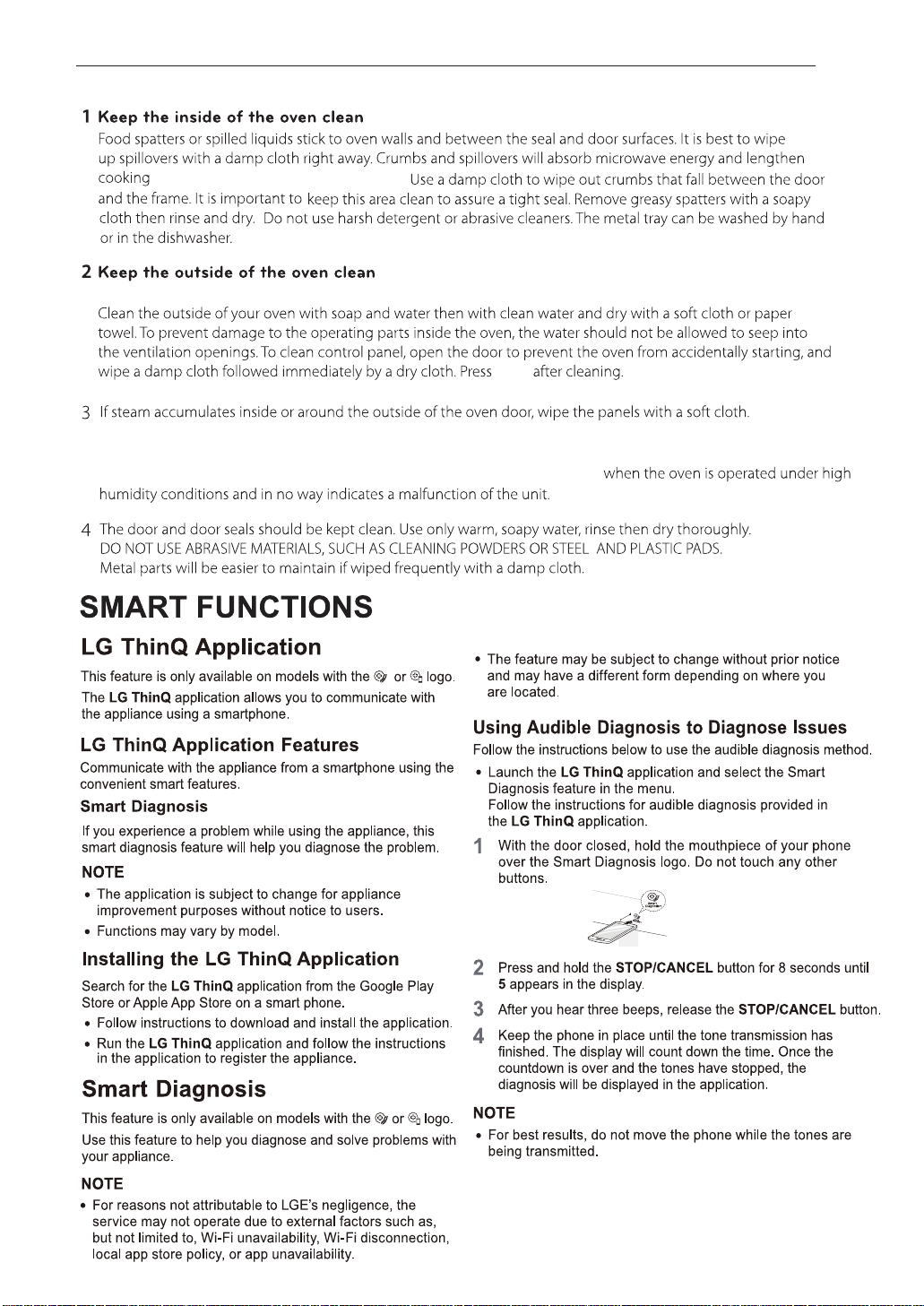
TO CLEAN YOUR OVEN
times and may even damage the oven.
Steam or
condensation build up inside the door is normal if foods are heated for a long period on higher power levels. this
is not a malfunction. the condensation will eventually evaporate. Try covering the food or vary the heating levels
and time to reduce any condensation forming in the door, this may also occur
Disconnect the mains plug from the power outlet before cleaning the oven to eliminate the possibility of electric shock.
STOP
TO CLEAN YOUR OVEN / SMART FUNCTION S
35
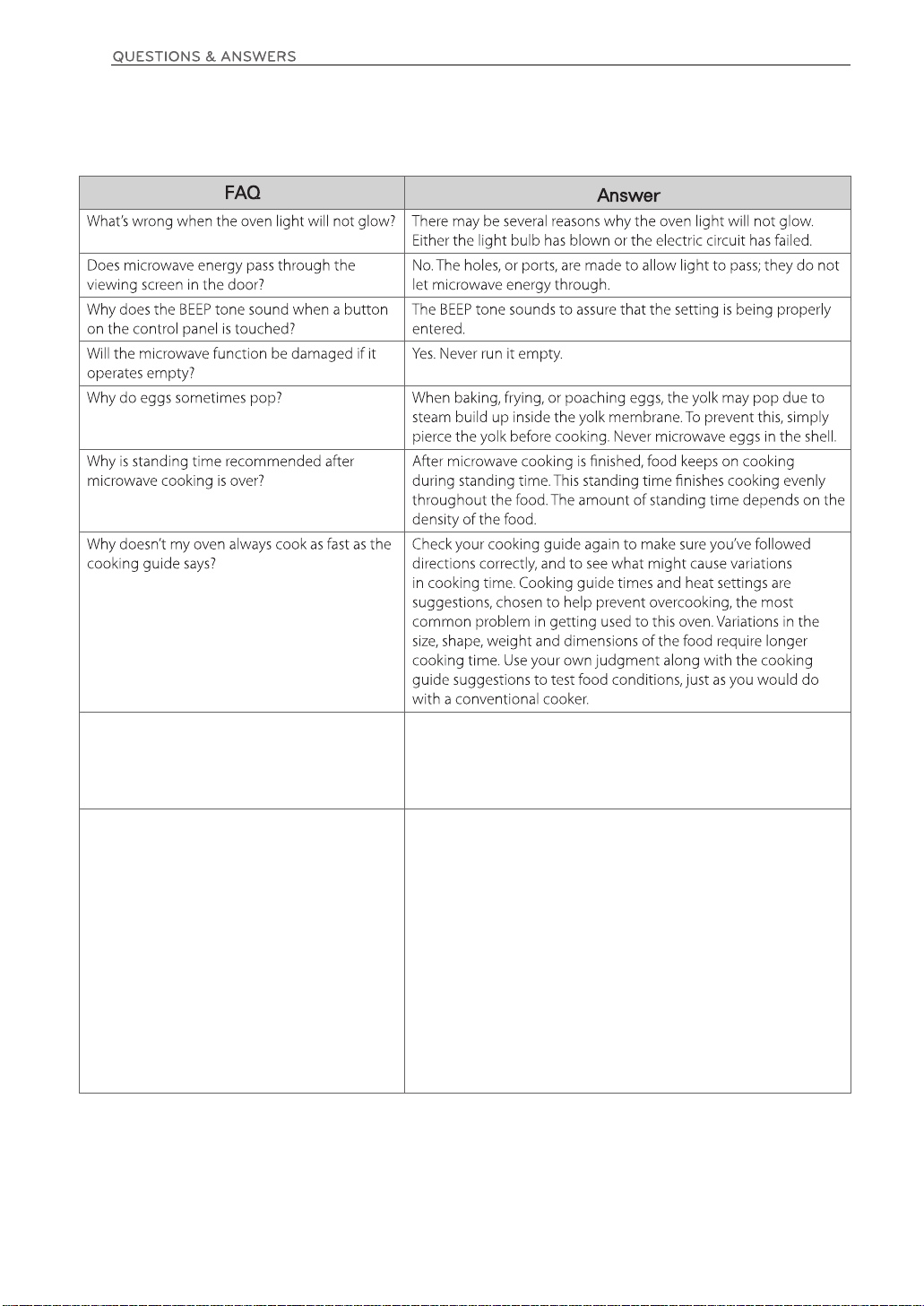
After cooking is complete, the fan may operate to cool the oven.
The display will show 'Cool'. If you open the door or press once
STOP before the cooking time is complete, the remaining
cooking time will show on the display. This is not a malfunction.
When operating the microwave oven, If you use a product such as radio, TV, wireless LAN, Bluetooth, medical equipment,
wireless equipment etc. Using the same frequency as the microwave oven, the product may receive interference from
these products. This interference does not indicate a problem of the microwave or the product and is not a malfunction.
Therefore, it is safe to use. However, medical equipment may receive interference as well, so use caution when using
medical equipment near the product.
3
'Cool' appears on the display and the cooling
SEΠS appears on the display.
fan continues to run after the cooking or
heating time is over.
QUESTIONS & ANSWERS
Did you use an inverter cook menu ? When using some inverter
cook menus, SEΠS appears on the display.
When using some inverter cook menus, SENS appears on the
display.
After 5min the automatically set cooking time will be displayed. It
is not a malfunction.
• Menu : Apple Tart, Lasagne, Meat Pie, Roast Beef, Roast Chicken,
Roast Pork
Did you use a sensor cook menu ? When using sensor cook
menus, SEΠS appears on the display.
The SEΠS function automatically sets its own cooking time
according to the moisture and steam content.
Food should not be sealed in packaging or completely covered for
this function.
6
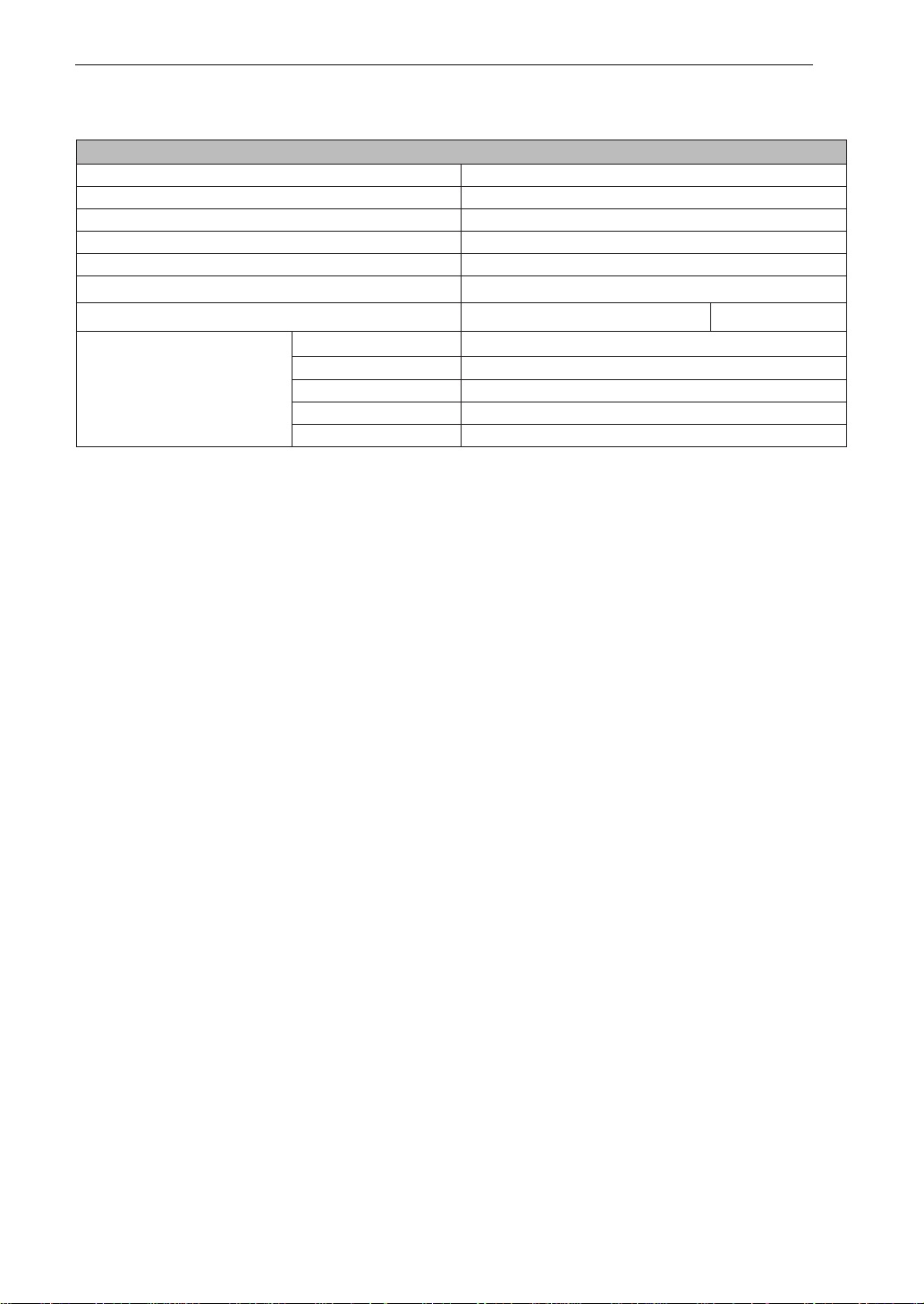
TECHNICAL SPECIFICATIONS
20.0 kg (MJ3967ABC/MC3967ABC) 21.3 kg (Others)
MJ3967ABC / MC3967ABC / MJ3966ASS / MJ3966ABS / MJ3966AWS / MJ3966AGMB
Power Input 230-240 V~ 50 Hz
Microwave Output Power. Max. 1100 watt (IEC60705 rating standard)
Microwave Frequency 2450 MHz
Oven Cavity Dimension
395 mm(W) X 262 mm(H) X 378 mm(D)
Outside Dimension 540 mm(W) X 325 mm(H) X 523 mm(D)
Power Consumption
Microwave
1350 watt
15.3 kg
Grill 900 watt
Convection 1750 watt
Grill Combi. 1400 watt
Convection Combi. 1800 watt
Microwave Frequency : 2450 MHz +/- 50 MHz (Group 2 / Class B) **
* at the 1100 W and 990 W settings (P-HI, & P-90) output power will gradually reduced to avoid overheating.
Group 2 equipment: group 2 contains all ISM RF equipment in which radio-frequency energy in the
frequency range 9 kHz to 400 GHz is intentionally generated and used or only used, in the form of
electromagnetic
Class B equipment is equipment suitable for use in domestic establishments and in establishments
directly connected to a low voltage power supply network which supplies buildings used for
domestic purposes.
You can download the owner's manual at http://www.lg.com
3TECHNICAL SPECIFICATIONS
Net Weight
Shipping Weight
7
Printed in China
LG Electronics Australia 2 Wonderland Drive Eastern Creek NSW 2766 (ABN : 98 064 531 264)
FOR CUSTOMER SERVICE PLEASE CONTACT LG Service on
1300 LG CARE (1300 54 2273) AUSTRALIA or
0800 LG CARE (0800 54 2273) NEW ZEALAND
www.lg.com