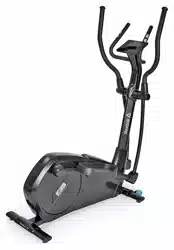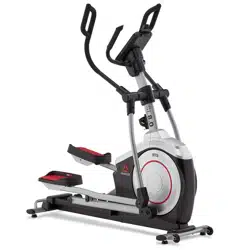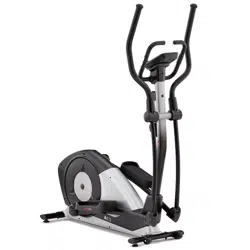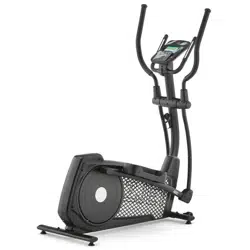
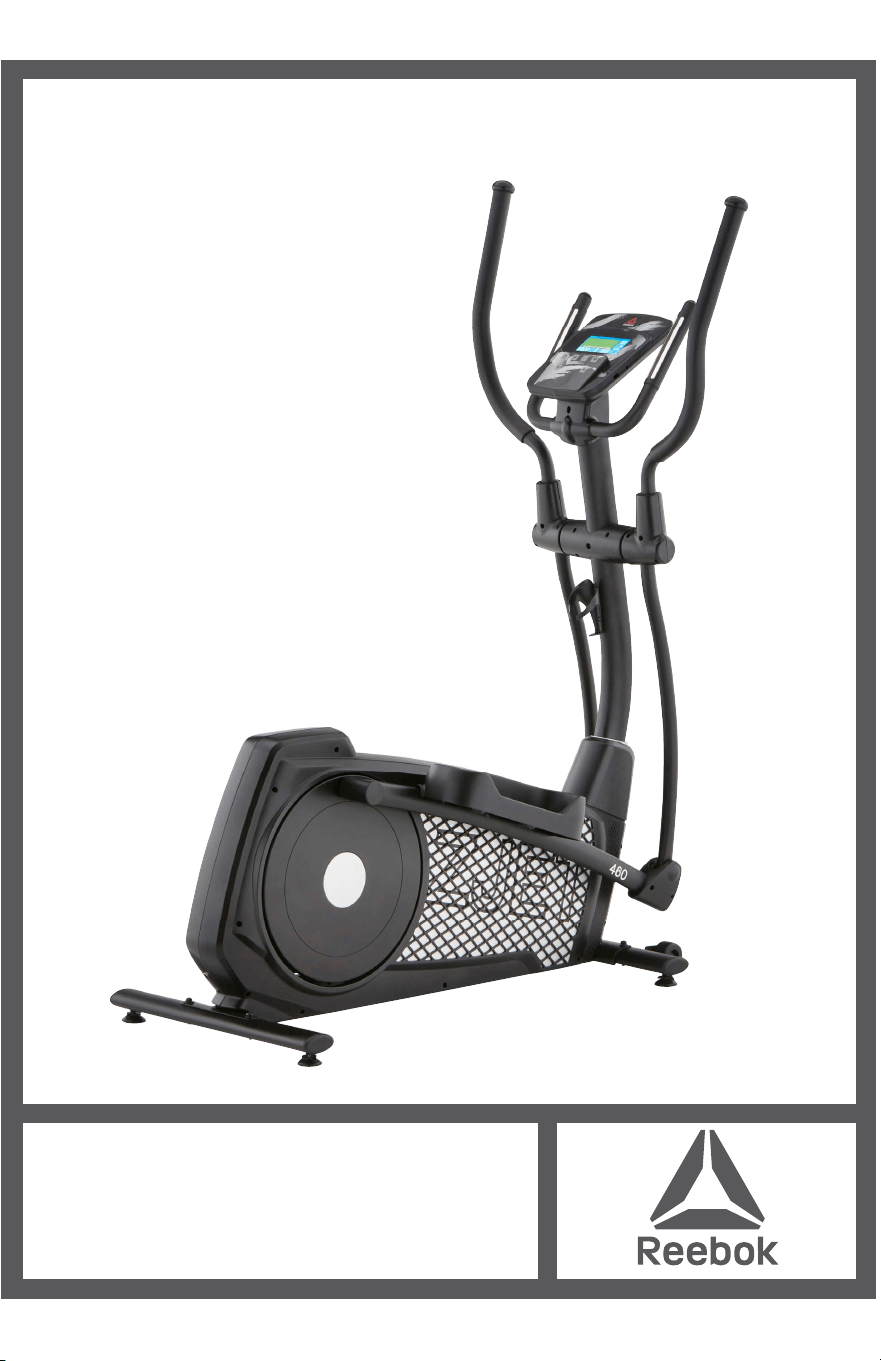
ZJET 460 ELLIPTICAL
ASSEMBLY GUIDE
reebokfitness.com
ZJET 460
ASSEMBLY GUIDE
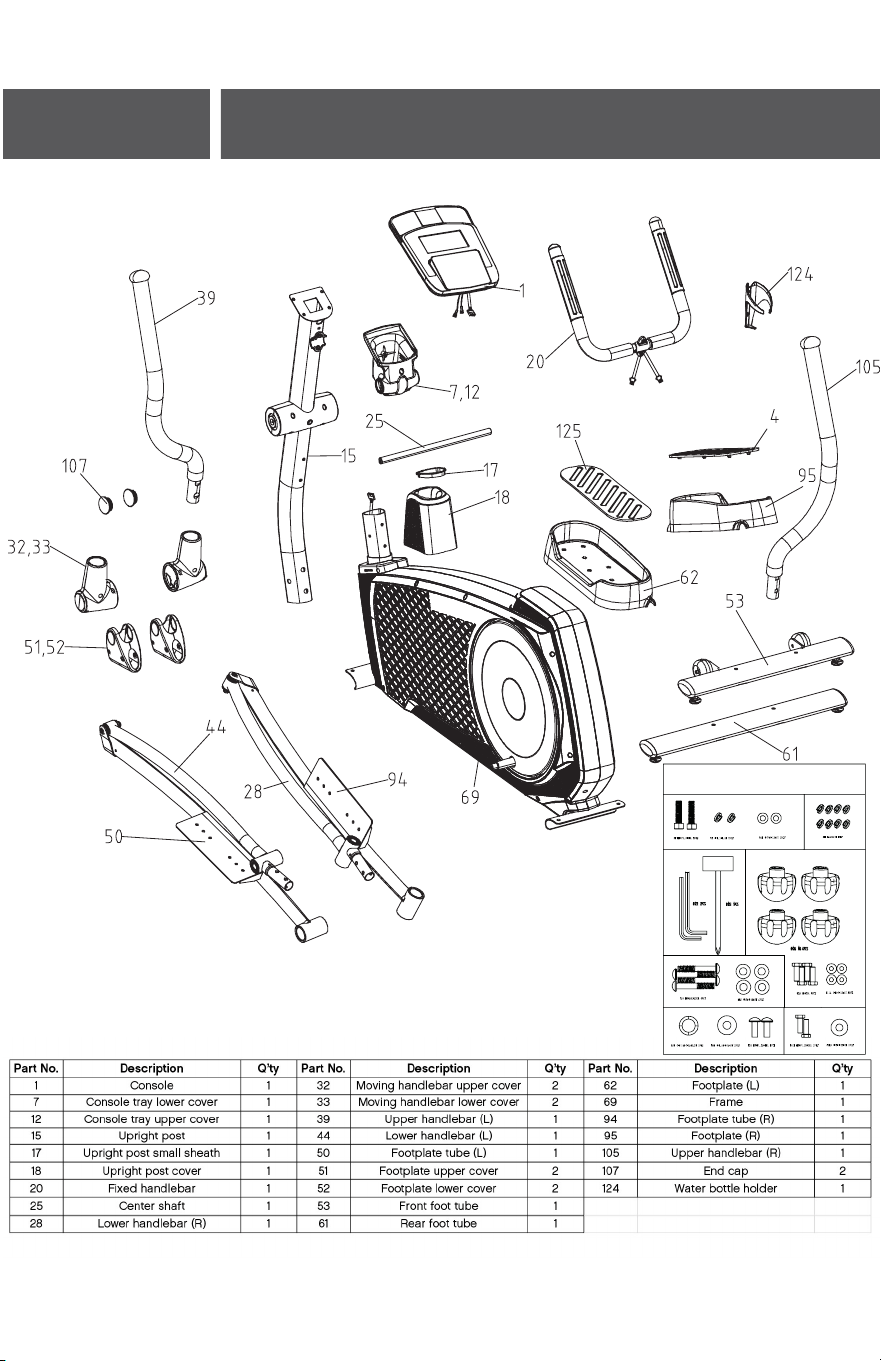
Parts Check List
1
2
ZJET 460 XT TOOLS
0.6m
0.6m
Max load: 120kg
Warning! Not equipped with
a free wheel therefore the
moving parts cannot be
stopped immediately.
ZJET 460
ASSEMBLY GUIDE
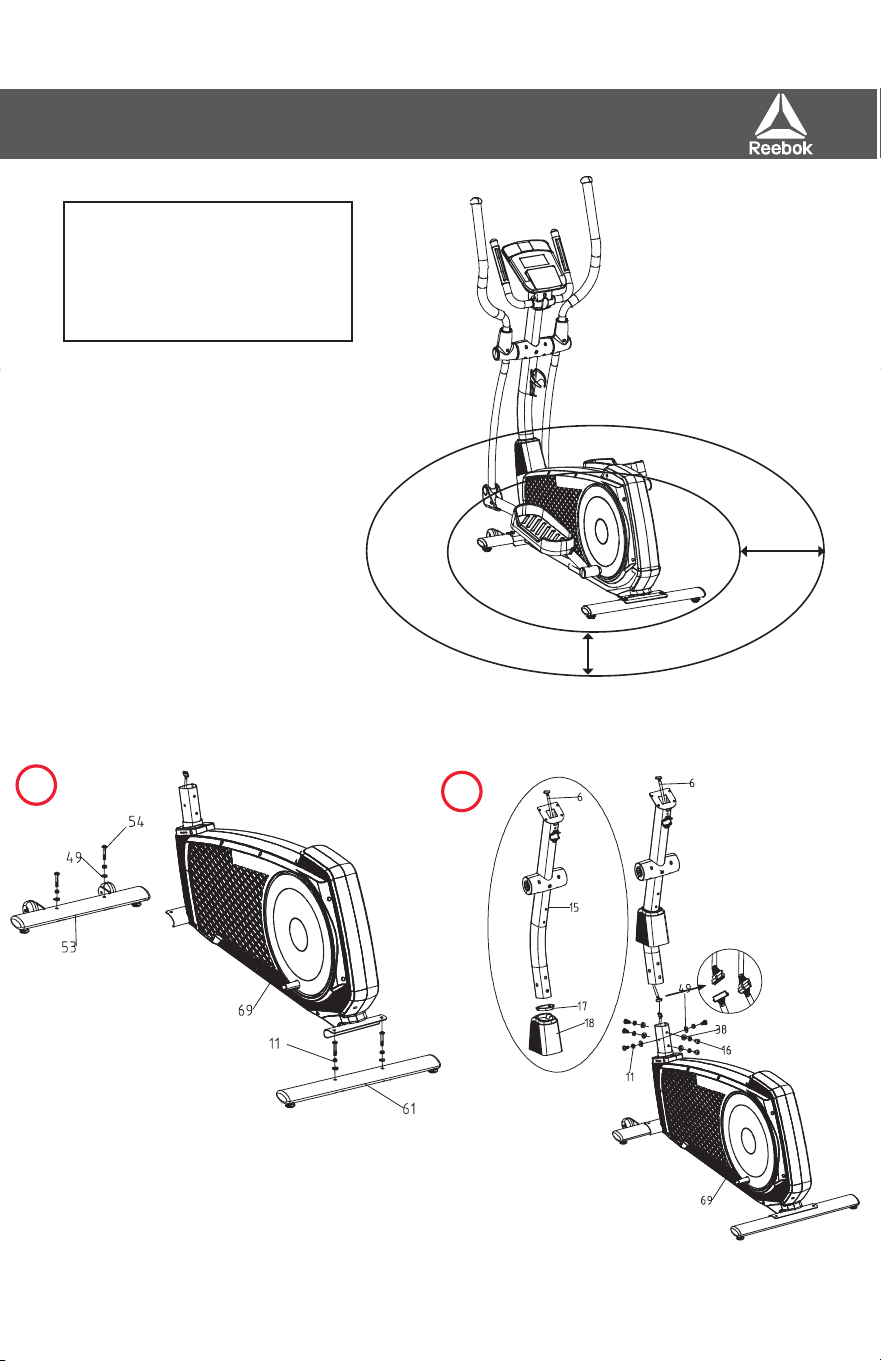
Parts Check List
1
2
ZJET 460 XT TOOLS
0.6m
0.6m
Max load: 120kg
Warning! Not equipped with
a free wheel therefore the
moving parts cannot be
stopped immediately.
ZJET 460
ASSEMBLY GUIDE
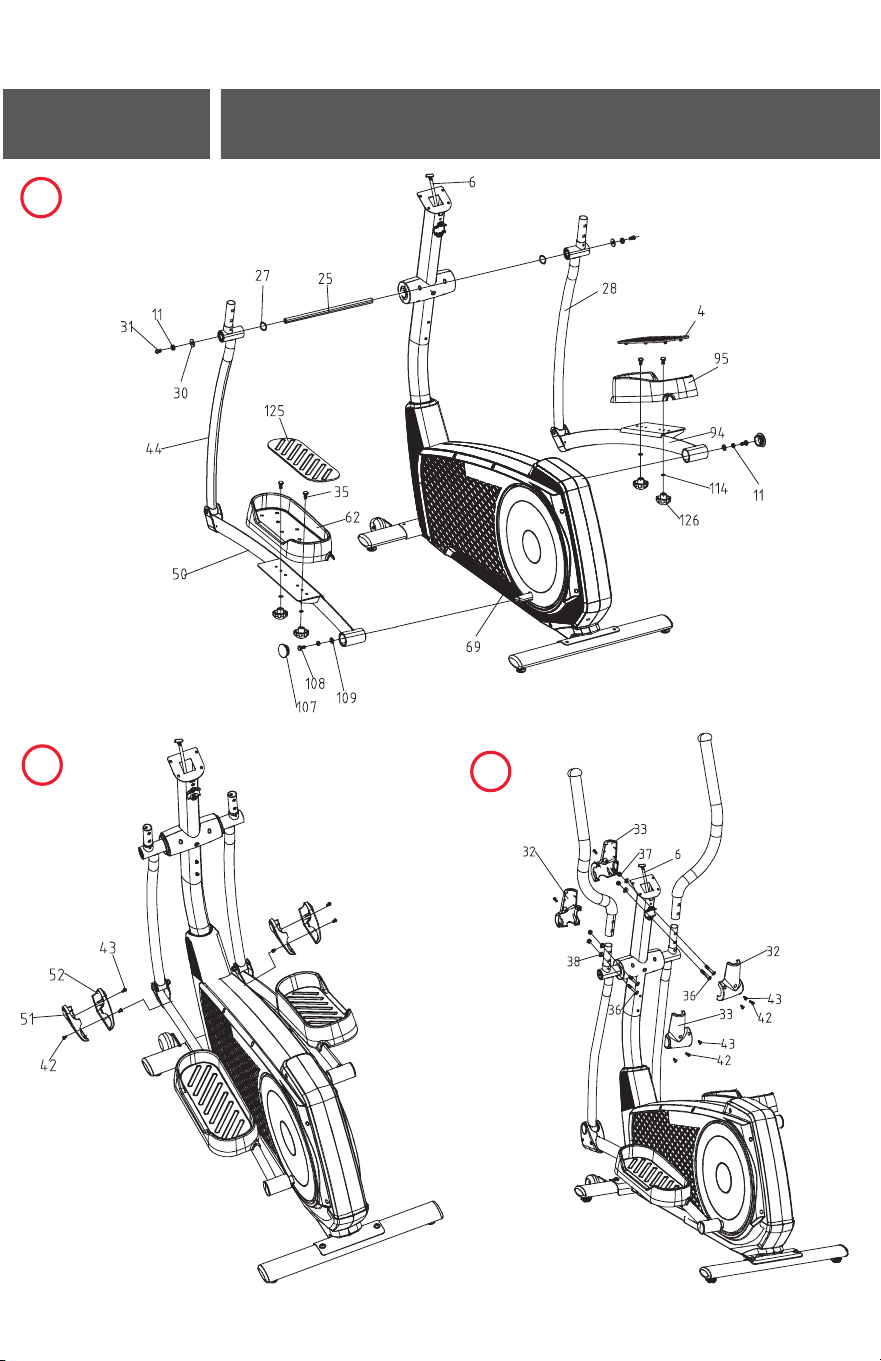
4
5
7
8
9
6
3
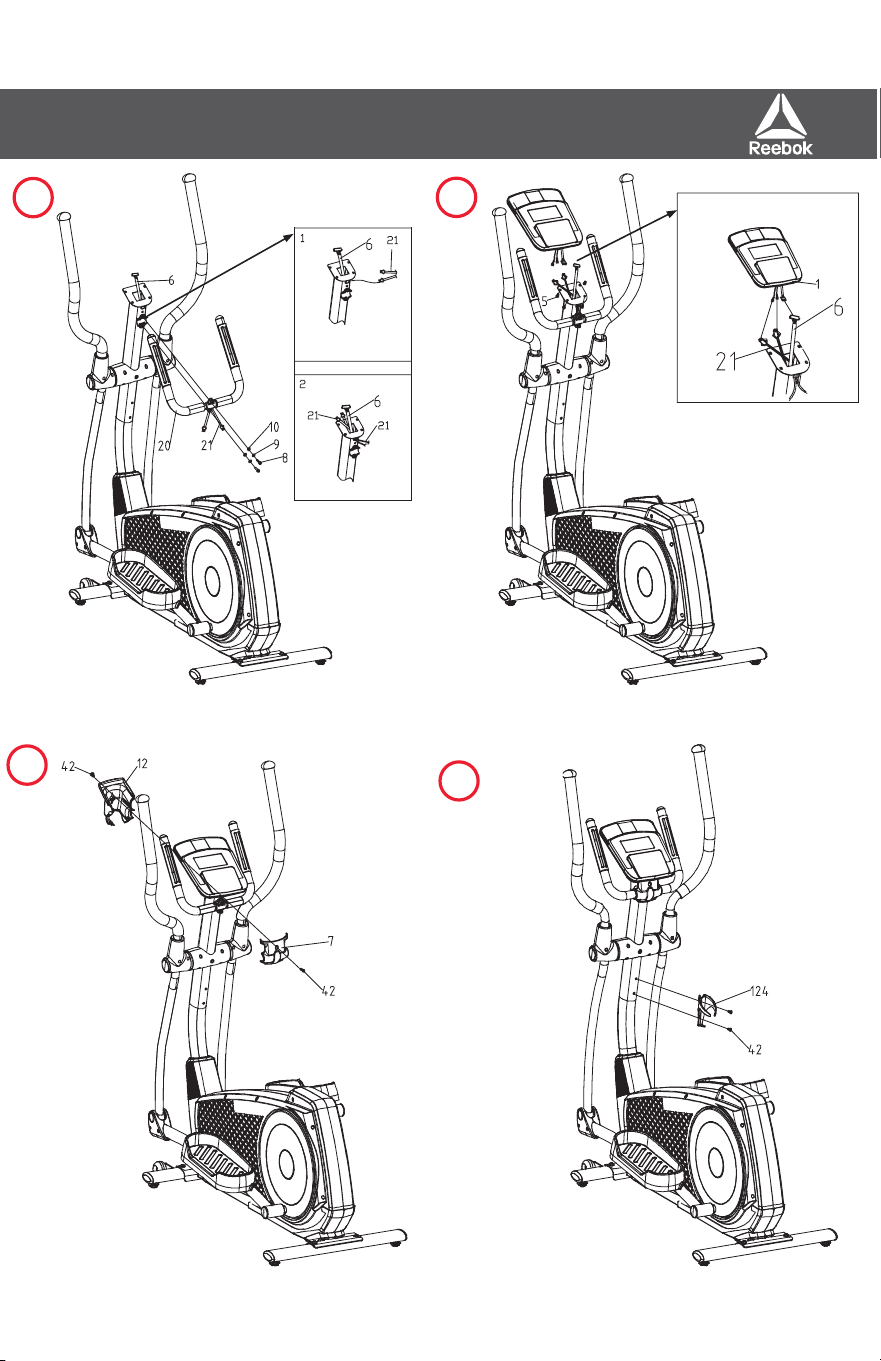
ZJET 460
ASSEMBLY GUIDE
4
5
7
8
9
6
3
ZJET 460
ASSEMBLY GUIDE
Parts List
Exploded Diagram
NO
De
sc
ri
pt
io
n S
PEC.
Q’
ty
NO
De
sc
ri
pt
io
n S
PEC.
Q’
ty
1 Co ns ole 1 65 Turnplate c over 2
2 Sc rew M5*P0.8*12L 2 66 C hain cover (L ) 1
3 Flat was her 2 67 C ha in c over le ft trim cover 1
4 Footplate cus hion (R ) TP R 70˚ 1 68 Bearing 2203 2
5 Sc rew M5 8 69 Frame 1
6 Upper cable 1 70 Belt 510J 6 1
7 Co ns ole tray lower cover 1 71 Motor 1
8 Sc rew M7*P1.0*30L 2 72 Magnetic s ys tem 1
9 Spring was her 2 73 Screw M8*P1.25*55L 1
10 F lat was her 2 74 Flat was her 1
11 Spring was her 8 14 75 Belt pulle y 289*6 1
12 Co ns ole tray upper c over 1 76 Scre w M6*P1.0*16L 4
13 C e nter s haft lowe r c over 1 77 C s hape c las p 2
14 C e nter s haft upp e r c ove r 1 78 Nylon nut M6 4
15 Upright pos t 1 79 Spring was her 4
16 Screw M8*P1.25*16L 6 80 C rank axle 1
17 Upright pos t s mall s heath 1 81 Scre w M8*20 L 1
18 Upright pos t cover 1 82 Idler whee l 1
19 Handlebar grip 2 83 Bearing 600 0 1
20 F ixe d handle bar 22.2*2T*900 L 1 84 Scre w M6*10 1
21 Hand puls e wire 1 85 Idler plate 1
22 Hand puls e 2 86 Idler s pring 1
23 Scre w ST2.9 *20L 6 87 F ly whee l axle 3/8"-26*126L 1
24 E nd c ap 2 88 Bearing 63 00 1
25 C enter s haft 17*350L(M8) 1 89 6mm Plas tic s lee ve 10* 15.8*6mm 1
26 P las tic s lee ve 17* 32*15L 2 90 Nut 3/8"-26*3.8T, 3
27 Wave was her 2 91 Nut 3/8"-26*7T, 2
28 Lower handlebar (R ) 1 92 C hain cover (R ) 1
29 Bearing 600 3 4 93 C hain cover right trim cover 1
30 Flat was her 2 94 Footplate tube (R ) 1
31 Screw M8*P1.25*20 L 2 95 Footplate (R ) 1
32 Moving handlebar uppe r c over 2 96 S e ns or bar 1
33 Moving handlebar lower cover 2 97 1
34 Wave was her 4 98 S cre w M5*10 4
35 S c rew M6*20L 4 99 Bearing 600 4 2
36 S c rew M8*P1.25*50 L 4 100 F lat was he r 1
37 Nylon nut M8 8 101 Wave was he r 1
38 Semic irc le was her 6 102 C s hape clas p 1
39 Uppe r handle bar (L) 1 103 DC wire 1
40 Upp er handlebar grip 2 104 Lower cable 1
41 E nd c ap 2 105 Upp er handlebar (R ) 1
42 Scre w M5*16 13 106 Scre w 8
43 Scre w ST2.9*20 10 107 E nd cap 2
44 Lower handlebar (L ) 3/16"*3/4", 1 108 Sc rew 2
45 Bearing 600 1 4 109 Flat was her 2
46 S lee ve 8.1* 12*38L 2 110 Flat was he r 8
47 C s hape clas p 4 111 S c re w ST3.9*20L, 8
48 Scre w M8*P1.25*55L 2 112 Scre w 3/16"*3/4", 8
49 F lat was her 10 113 Nut M10 2
50 Footplate tube (L ) 1 114 Flat was her 4
51 F ootplate upp er c over 2 115 S c rew ST2.9*8L, 48
52 Footplate lower cover 2 116 Flat was he r 1
53 Front foot tube 1 117 Wave was her 10.2* 13*0.3T, 1
54 Scre w M8*40L*S12L 4 118 Flat was he r 1
55 Tra ns port whee l 2 119 Magnetic s ys tem s pring 1* 8.5*48L 1
56 Scre w M6*10L 2 120 M51 Toroidal cores 1
57 F lat was her 2 121 Adaptor 9V 1000 mA 1
58 Foot tube e nd cap 4 122 Hex wrenc h 6mm*30 mml*84mml 1
59 Loc k s hee t 3T 4 123 Soc ket s panne r 13.14 1
60 Adjus table foot pad M8 4 124 Wa ter bottle holder 1
61 R e ar foot tube 1 125 Footplate cus hion (L) TP R 70˚ 1
62 Footplate (L) 1 126 Footplate knob 1
63 Turnplate cros s 2 127 F ly whee l 1
64 Turnplate 2
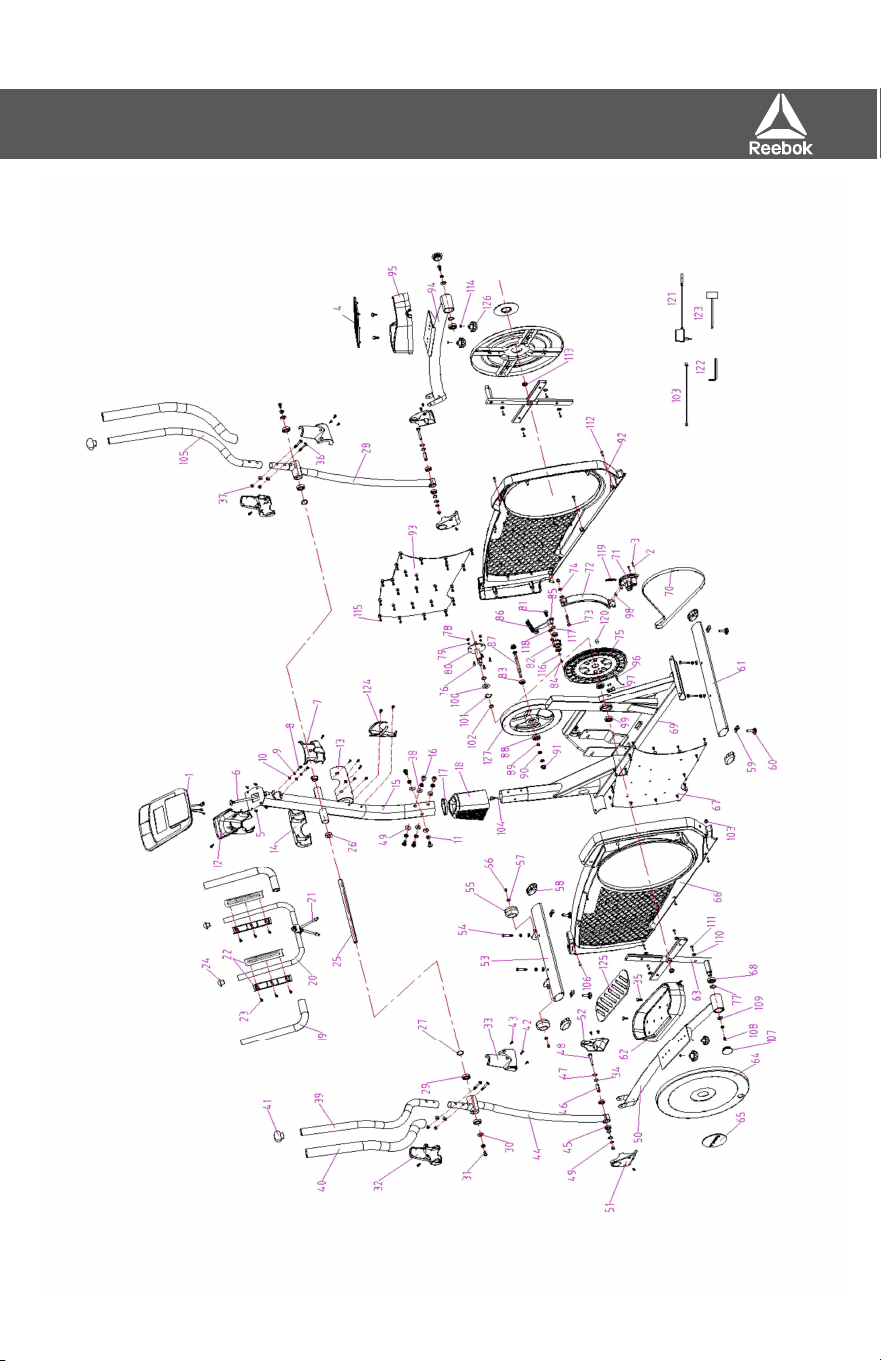
ZJET 460
ASSEMBLY GUIDE
Parts List
Exploded Diagram
NO
De
sc
ri
pt
io
n S
PEC.
Q’
ty
NO
De
sc
ri
pt
io
n S
PEC.
Q’
ty
1 Co ns ole 1 65 Turnplate c over 2
2 Sc rew M5*P0.8*12L 2 66 C hain cover (L) 1
3 Flat was her 2 67 C ha in c over le ft trim cover 1
4 Footplate cus hion (R ) TP R 70˚ 1 68 Bearing 2203 2
5 Sc rew M5 8 69 Frame 1
6 Upper cable 1 70 Belt 510J 6 1
7 Co ns ole tray lower cover 1 71 Motor 1
8 Sc rew M7*P1.0*30L 2 72 Magnetic s ys tem 1
9 Spring was her 2 73 Screw M8*P1.25*55L 1
10 F lat was her 2 74 Flat was her 1
11 Spring was her 8 14 75 Belt pulle y 289*6 1
12 Co ns ole tray upper c over 1 76 Screw M6*P1.0*16L 4
13 C e nter s haft lowe r c over 1 77 C s hape c las p 2
14 C e nter s haft upp e r c ove r 1 78 Nylon nut M6 4
15 Upright pos t 1 79 Spring was her 4
16 Screw M8*P1.25*16L 6 80 C rank axle 1
17 Upright pos t s mall s heath 1 81 Scre w M8*20 L 1
18 Upright pos t cover 1 82 Idler whee l 1
19 Ha ndlebar grip 2 83 Bearing 600 0 1
20 F ixe d handle bar 22.2*2T*900 L 1 84 Scre w M6*10 1
21 Hand puls e wire 1 85 Idler plate 1
22 Hand puls e 2 86 Idler s pring 1
23 Scre w ST2.9 *20L 6 87 F ly whee l axle 3/8"-26*126L 1
24 E nd c ap 2 88 Bearing 63 00 1
25 C enter s haft 17*350L(M8) 1 89 6mm P las tic s lee ve 10* 15.8*6mm 1
26 P las tic s lee ve 17* 32*15L 2 90 Nut 3/8"-26*3.8T, 3
27 Wave was her 2 91 Nut 3/8"-26*7T, 2
28 Lower handlebar (R ) 1 92 C hain cover (R ) 1
29 Bearing 600 3 4 93 C hain c ove r right trim cover 1
30 F lat was her 2 9 4 Footplate tube (R ) 1
31 Screw M8*P1.25*20 L 2 95 Footplate (R ) 1
32 Moving handlebar uppe r c over 2 96 S ens or bar 1
33 Moving handlebar lower cover 2 97 1
34 Wave was her 4 9 8 S c re w M5*10 4
35 S c rew M6*20L 4 99 Bearing 600 4 2
36 S c rew M8*P1.25*50 L 4 100 F lat was he r 1
37 Nylon nut M8 8 101 Wave was he r 1
38 Semic irc le was her 6 102 C s hape clas p 1
39 Uppe r handle bar (L) 1 103 DC wire 1
40 Upp e r handlebar grip 2 104 Lower cable 1
41 E nd c ap 2 105 Upp er handlebar (R ) 1
42 Scre w M5*16 13 106 S cre w 8
43 Scre w ST2.9*20 10 107 E nd cap 2
44 Lower handlebar (L ) 3/16"*3/4", 1 108 Sc rew 2
45 Bearing 600 1 4 109 Flat was her 2
46 S lee ve 8.1* 12*38L 2 110 Flat was he r 8
47 C s hape clas p 4 111 S cre w ST3.9*20L, 8
48 Scre w M8*P1.25*55L 2 112 Scre w 3/16"*3/4", 8
49 F lat was her 10 113 Nut M10 2
50 Footplate tube (L ) 1 114 Flat was her 4
51 F ootplate upp er c over 2 115 S c rew ST2.9*8L, 48
52 Footplate lower cover 2 116 Flat was he r 1
53 Front foot tube 1 117 Wave was her 10.2* 13*0.3T, 1
54 Scre w M8*40L*S12L 4 118 Flat was he r 1
55 Tra ns port whee l 2 119 Magnetic s ys tem s pring 1* 8.5*48L 1
56 Scre w M6*10L 2 120 M51 Toroidal cores 1
57 F lat was her 2 121 Adaptor 9V 1000 mA 1
58 Foot tube e nd cap 4 122 Hex wrenc h 6mm*30 mml*84mml 1
59 Loc k s hee t 3T 4 123 Soc ket s panne r 13.14 1
60 Adjus table foot pad M8 4 124 Wa ter bottle holder 1
61 R e ar foot tube 1 125 Footplate cus hion (L) TP R 70˚ 1
62 Footplate (L) 1 126 Footplate knob 1
63 Turnplate cros s 2 127 F ly whee l 1
64 Turnplate 2
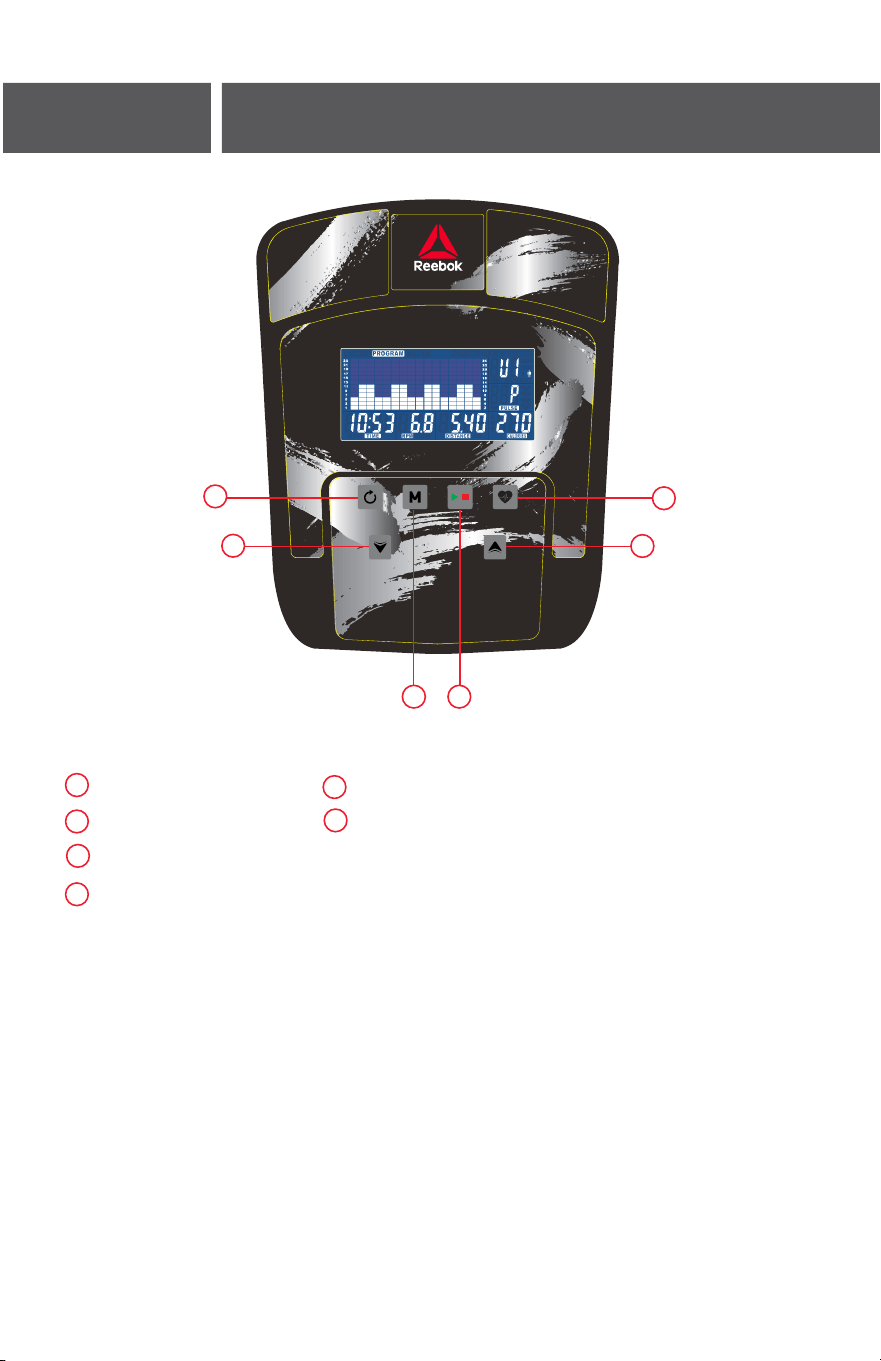
CONSOLE GUIDE
ZJET 460
REEBOKFITNESS.COM
OPERATION
When the power supply is connected to the machine the
computer will power on with a long beep sound. .
The Main menu will be displayed. The user can press START
to begin immediately in the manual mode. All values (SPEED,
DISTANCE, TIME and CALORIES) will count up from zero.
Resistance level can be changed at any time during exercise
by pressing UP/DOWN.
Before beginning the manual exercise the user can set the
desired workout for TIME, DISTANCE, CALORIES, and PULSE.
Before beginning the manual exercise the user can set the
desired workout for TIME, DISTANCE, CALORIES, and PULSE.
From main menu press UP/DOWN buttons to highlight
MANUAL at the top of the screen.
Press MODE to highlight the required selection, use UP/DOWN
to alter the setting. Press
START to begin when details have been inputted. The inputted
data will now count down from the entered information.
Program
• In main menu press UP/DOWN to highlight the program
function
• Press MODE, P1 will be displayed (After 2 seconds the
program profile will be shown)
• Use UP/DOWN to select Program P1 – P12.
• Press MODE to enter the program.
• Use UP/DOWN to change the program level.
• Press START to begin.
H.R.C (Heart Rate Control)
• In main menu press UP/DOWN to highlight H R C.
• Press MODE to select.
• Age will be displayed, press UP/DOWN to change.
• Press MODE to move to next section.
Maximum users heart rate is worked out as 220 – age = total
TARGET HEART RATE. This is the maximum your
heart rate (MHR) should be. You can then work out at 55%, 75%
or 90% of this. For example: 220 – 25 (users age) =
195 MHR, from here you can work out at the desired %.
•Computer will record the TARGET HEART RATE and allow
the user to work out within this. The resistance level will
automatically be changed.
•If no heart rate is being recorded the below will be displayed
on the screen. In this instance ensure that both hands are
securely holding the pulse sensors.
Personal
User can create own workout profile.
• In main menu press UP/DOWN to select USER.
• Press UP/DOWN to alter resistance level in the first segment
of the profile.
• Press MODE to move to the next segment.
• Continue the above for all columns.
• Press START to begin exercise once complete.
Recovery
At any time during exercise the recovery button can be
pressed. Once pressed the user must place both hand
securely on the pulse sensors, the computer will count down
from 1 minute
After the countdown has completed the users recovery level
will be displayed, F1 – F6. The aim is to improve this level over
time which indicates the users fitness is improving.
Recovery Grade
F1 Excellent
F2 Very good
F3 Good
F4 Satisfactory
F5 Below average
F6 Poor
Notes
•
If there is no movement detected for approximately 4
minutes the computer will switch off. Press any button or
begin pedaling to restart.
• When any preset value reaches zero the computer will
beep 8 times to alert the user. To stop this press any key.
• Speed and distance are preset to either Km or miles;
It is not possible to switch between miles and Kilometres.
BUTTON FUNCTIONS
Recovery
• After a workout can be pressed to measure the users
recovery rate.
• Once complete can be pressed again to return to the
previous display.
Down
Press to make decreasing adjustments when setting TIME,
SPEED, DISTANCE and CALORIES or the calendar/time.
Up
Pressed to make increasing adjustments when setting TIME,
SPEED, DISTANCE and CALORIES or the calendar/time.
Reset
This is used to reset all values.
Mode
Confirm your selection
Start / Stop
COMPUTER FUNCTIONS
Reset
Recovery
Down
Up
Start / Stop
Mode
A
C
F
E
D
B
A
B
C
D
E
F

CONSOLE GUIDE
ZJET 460
REEBOKFITNESS.COM
OPERATION
When the power supply is connected to the machine the
computer will power on with a long beep sound. .
The Main menu will be displayed. The user can press START
to begin immediately in the manual mode. All values (SPEED,
DISTANCE, TIME and CALORIES) will count up from zero.
Resistance level can be changed at any time during exercise
by pressing UP/DOWN.
Before beginning the manual exercise the user can set the
desired workout for TIME, DISTANCE, CALORIES, and PULSE.
Before beginning the manual exercise the user can set the
desired workout for TIME, DISTANCE, CALORIES, and PULSE.
From main menu press UP/DOWN buttons to highlight
MANUAL at the top of the screen.
Press MODE to highlight the required selection, use UP/DOWN
to alter the setting. Press
START to begin when details have been inputted. The inputted
data will now count down from the entered information.
Program
• In main menu press UP/DOWN to highlight the program
function
• Press MODE, P1 will be displayed (After 2 seconds the
program profile will be shown)
• Use UP/DOWN to select Program P1 – P12.
• Press MODE to enter the program.
• Use UP/DOWN to change the program level.
• Press START to begin.
H.R.C (Heart Rate Control)
• In main menu press UP/DOWN to highlight H R C.
• Press MODE to select.
• Age will be displayed, press UP/DOWN to change.
• Press MODE to move to next section.
Maximum users heart rate is worked out as 220 – age = total
TARGET HEART RATE. This is the maximum your
heart rate (MHR) should be. You can then work out at 55%, 75%
or 90% of this. For example: 220 – 25 (users age) =
195 MHR, from here you can work out at the desired %.
•Computer will record the TARGET HEART RATE and allow
the user to work out within this. The resistance level will
automatically be changed.
•If no heart rate is being recorded the below will be displayed
on the screen. In this instance ensure that both hands are
securely holding the pulse sensors.
Personal
User can create own workout profile.
• In main menu press UP/DOWN to select USER.
• Press UP/DOWN to alter resistance level in the first segment
of the profile.
• Press MODE to move to the next segment.
• Continue the above for all columns.
• Press START to begin exercise once complete.
Recovery
At any time during exercise the recovery button can be
pressed. Once pressed the user must place both hand
securely on the pulse sensors, the computer will count down
from 1 minute
After the countdown has completed the users recovery level
will be displayed, F1 – F6. The aim is to improve this level over
time which indicates the users fitness is improving.
Recovery Grade
F1 Excellent
F2 Very good
F3 Good
F4 Satisfactory
F5 Below average
F6 Poor
Notes
•
If there is no movement detected for approximately 4
minutes the computer will switch off. Press any button or
begin pedaling to restart.
• When any preset value reaches zero the computer will
beep 8 times to alert the user. To stop this press any key.
• Speed and distance are preset to either Km or miles;
It is not possible to switch between miles and Kilometres.
BUTTON FUNCTIONS
Recovery
• After a workout can be pressed to measure the users
recovery rate.
• Once complete can be pressed again to return to the
previous display.
Down
Press to make decreasing adjustments when setting TIME,
SPEED, DISTANCE and CALORIES or the calendar/time.
Up
Pressed to make increasing adjustments when setting TIME,
SPEED, DISTANCE and CALORIES or the calendar/time.
Reset
This is used to reset all values.
Mode
Confirm your selection
Start / Stop
COMPUTER FUNCTIONS
Reset
Recovery
Down
Up
Start / Stop
Mode
A
C
F
E
D
B
A
B
C
D
E
F

ZJET 460 ELLIPTICAL
ASSEMBLY GUIDE
reebokfitness.com