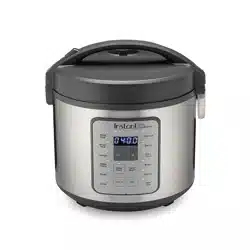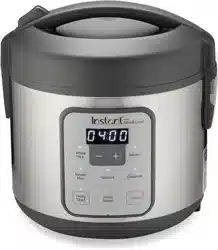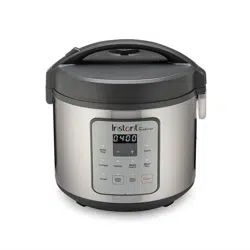
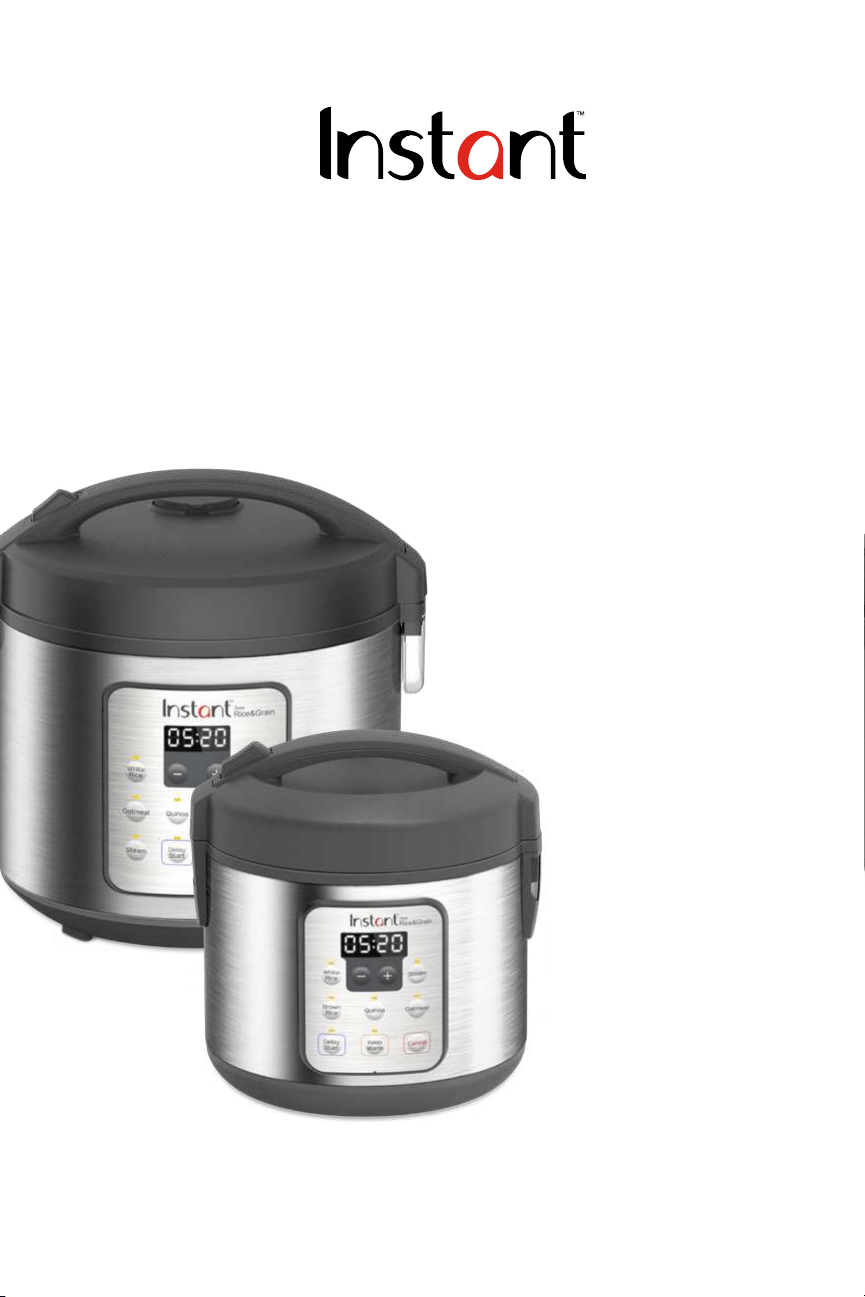
ZEST
™
Rice & Grain Cookers
8 and 20 Cup
User Manual
Welcome
Important Safeguards
Product Specications
Initial Setup
Product, Parts and Accessories
Control Panel
Initial Test Run
Smart Programs
Care and Cleaning
Troubleshooting
Warranty
Contact Information
Welcome to the world of Instant cooking.
2
Thank you for welcoming us into your kitchen.
Having families ourselves, we developed the Instant
™
Zest
™
to allow busy
families and professionals alike to cook healthy, delicious meals more
easily and in less time.
We have partnered with chefs, authors and bloggers to compile a
collection of recipes that we hope you enjoy!
Happy cooking,
Download the FREE Instant Pot App
• Original Recipes
• New User Tips
• Getting Started Videos
Find helpful how-to videos, download the app, or visit our recipe site.
Robert J. Wang
Founder and Chief Innovation Ofcer

Table of Contents
3
IMPORTANT SAFEGUARDS ..................................................................................4-7
Polarized Plug ...........................................................................................................7
Product Spe cication s ............................................................................................7
Initial Setup ................................................................................................................ 8
Product, Parts and Accessories .........................................................................9–10
Control Panel ........................................................................................................... 11
Smart Program Settings ....................................................................................12 – 13
Standy Mode ...........................................................................................................12
Cancel ....................................................................................................................... 12
−/+ Butto n s .............................................................................................................. 12
Smart Programs ......................................................................................................12
Adjust and Save Cooking Time ............................................................................ 12
Adjust and Save Cooking Temperature .............................................................. 12
Keep Warm ..............................................................................................................12
Delay Start ...............................................................................................................13
Resent Individual Smart Program ........................................................................13
Reset all Smart Programs ......................................................................................13
Status Messages ...................................................................................................... 14
Smart Programs ........................................................................................................ 15
Steam .......................................................................................................................15
Sauté ........................................................................................................................16
Keep Warm .............................................................................................................16
Smart Programs and Cooking Ratios ................................................................... 17
Initial Test Run .......................................................................................................... 18
Care and Cleaning .................................................................................................. 19
Troubleshooting ...................................................................................................... 20
Warranty ............................................................................................................. 21–22

IMPORTANT SAFEGUARDS
4
When using your appliance, basic safety precautions should be followed,
including the following:
1. READ ALL INSTRUCTIONS, SAFEGUARDS, AND WARNINGS BEFORE
OPERATING APPLIANCE. FAILURE TO FOLLOW THESE SAFEGUARDS AND
INSTRUCTIONS MAY RESULT IN INJURY AND/OR PROPERTY DAMAGE.
2. Always operate the appliance on a horizontal surface that is level, stable,
and non-combustible.
3. Do not touch hot surfaces. To avoid spills and burns, do not carry cooker
by the lid handle. To carry, wait until the cooker has cooled to room
temperature, then lift the cooker from the bottom.
4.
CAUTION
To protect against the risk of electrical shock, do not immerse
cord, plug or the appliance in water or any other liquid. See
Care and
Cleaning
instructions for cleaning. Do not rinse the appliance under tap.
5. To avoid electrical shock, do not put liquid of any kind into the cooker base
as it contains the electrical components. Always use the inner
pot for cooking.
6. This appliance is NOT to be used by children or by persons with reduced
physical, sensory, or mental capabilities. Close supervision is necessary
when any appliance is used near children and these individuals. Children
should not play with this appliance.
7. Press Cancel, then unplug from outlet when not in use and before cleaning.
Let appliance cool before putting on or taking off parts and before cleaning
or storing the appliance. To unplug, grasp the plug and pull from the outlet.
Never pull from the power cord.
8. Do not operate any appliance with a damaged cord or plug or after the
appliance malfunctions, or is dropped or damaged in any manner. For
assistance, contact Customer Care at
or
1-800-828-7280.
9. Do not attempt to repair, replace, alter, or modify components of the
appliance, as this may cause electric shock, re or injury, and will void
the warranty.
10. Do not tamper with any of the safety mechanisms.
Read this manual carefully and completely, and retain for future reference.
Failure to adhere to safety instructions may result in serious injury.
WARNING

IMPORTANT SAFEGUARDS
5
11. Do not use any accessories or attachments not authorized by Instant
Brands Inc. The use of attachments not recommended by the manufacturer
may cause a risk of injury, re or electric shock.
12. For household countertop use only. Do not use outdoors. Not for
commercial use.
13. Do not let cord touch hot surfaces or hang over the edge of a counter
or table.
14. Do not place the appliance on or near a hot gas or electric burner, or a
heated oven; heat from an external source will damage the appliance.
15. Extreme caution must be used when moving the appliance containing hot
rice or other liquids.
16. Do not use the appliance for other than its intended use.
17. Do not touch, cover or obstruct the steam vent on the top of the rice cooker
as it is extremely hot and may cause scalding.
18. Do not use unit in electric systems other than 120 V / 60 Hz for North
America. Do not use with power converters or adapters.
19.
CAUTION
Spilled food can cause serious burns. A short
power-supply cord is provided to reduce the hazards resulting
from grabbing, entanglement and tripping
.
• Keep the appliance and cord away from children.
• Never drape the power cord over edges of tables or counters.
• Never use below-counter power outlets, and never use with
an extension cord.
20. The rice cooker should be operated on a separate electrical circuit from
other operating appliances. If the electrical circuit is overloaded with other
appliances, the appliance may not operate properly.
21. Steam vent on top of cooker is extremely hot. To avoid the risk of injury, do
not cover or obstruct steam vent.
22. Always make sure the outside of the inner cooking pot is dry prior to use. If
the inner pot is returned to the cooker when wet, it may cause damage or
cause the appliance to malfunction.
Read this manual carefully and completely, and retain for future reference.
Failure to adhere to safety instructions may result in serious injury.
WARNING

IMPORTANT SAFEGUARDS
6
23. Use extreme caution when opening the lid during or after cooking. Hot
steam will escape and may cause scalding. Keep hands and face at a safe
distance when opening the cooker.
24. Rice should not be left in the inner cooking pot with the Keep Warm
function on for more than 12 hours.
25. To prevent damage or deformation, do not use the inner cooking pot
on a stovetop or burner.
26. To reduce the risk of electrical shock, cook only in the removable inner
cooking pot provided.
27. Do not wrap or tie cord around appliance.
SAVE THESE INSTRUCTIONS
Read this manual carefully and completely, and retain for future reference.
Failure to adhere to safety instructions may result in serious injury.
WARNING
IMPORTANT SAFEGUARDS
7
Polarized Plug
This appliance has a polarized plug (one blade is wider than the other). To
reduce the risk of electric shock, this plug is intended to t into a polarized
outlet only one way. If the plug does not t fully into the outlet, reverse the
plug. If it still does not t, contact a qualied electrician. Do not attempt to
modify the plug in any way.
Product Specications
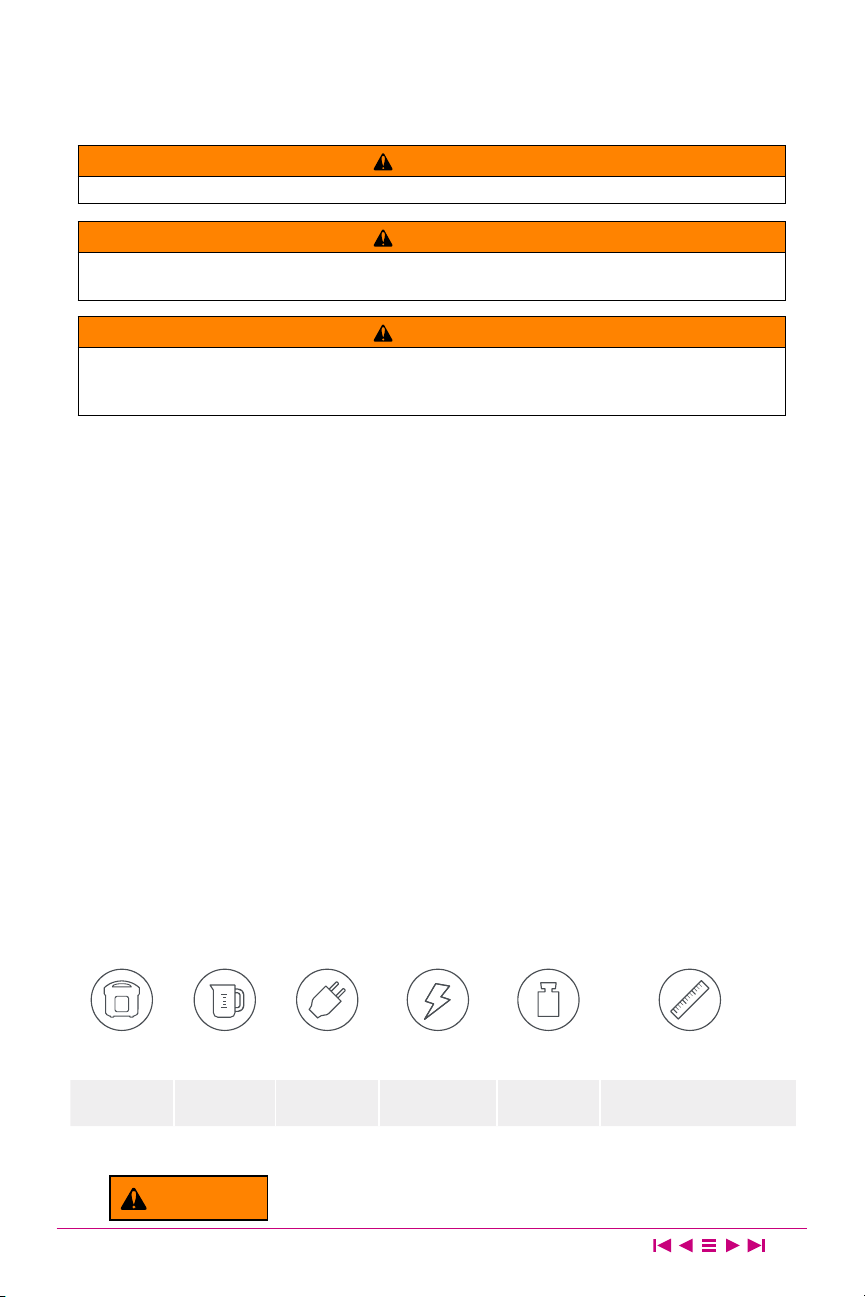
Zest 8C
8 Cups
2 Litres
450 W 120 V / 60 Hz
2 kg
4.41 lbs.
in: 8.54 L × 8.78 W × 8.94 H
cm: 21.7 L × 22.3 W × 22.7 H
Zest 20C
20 Cups
5 Litres
860 W 120 V / 60 Hz
3 kg
6.61 lbs.
in: 11.42 L × 11.26 W × 11.42 H
cm: 29 L × 28.6 W × 29 H
Read this manual carefully and completely, and retain for future reference.
Failure to adhere to safety instructions may result in serious injury.
WARNING
WARNING
THE FAILURE TO FOLLOW ANY OF THE IMPORTANT SAFEGUARDS AND THE IMPORTANT
INSTRUCTIONS FOR SAFE USE IS A MISUSE OF YOUR APPLIANCE THAT CAN VOID YOUR
WARRANTY AND CREATE THE RISK OF SERIOUS INJURY.
WARNING
Electrical shock hazard. Use grounded outlet only. DO NOT remove ground. DO NOT use an adapter. DO
NOT use an extension cord. Failure to follow instructions can cause electrical shock and/or death.
WARNING
To avoid injury, read and understand instruction manual before using this machine.

Initial Setup
8
• Read all the Important Safeguards before using the appliance. Failure to
read and follow the Important Safeguards may result in damage to the
appliance, property damage or personal injury.
• Remove all packing material from in and around the appliance.
• Place the appliance on a stable, level surface, away from external
heat sources.
• Read and follow
Care and Cleaning instructions to clean the appliance
before rst use.
• Do not remove safety warnings or rating labels from the appliance.
CAUTION
Heat from an external source will damage the appliance. Never use the appliance on a
stovetop. Do not place the appliance on or in close proximity to a hot gas or electric
burner or a heated oven.
Product, Parts and Accessories
9
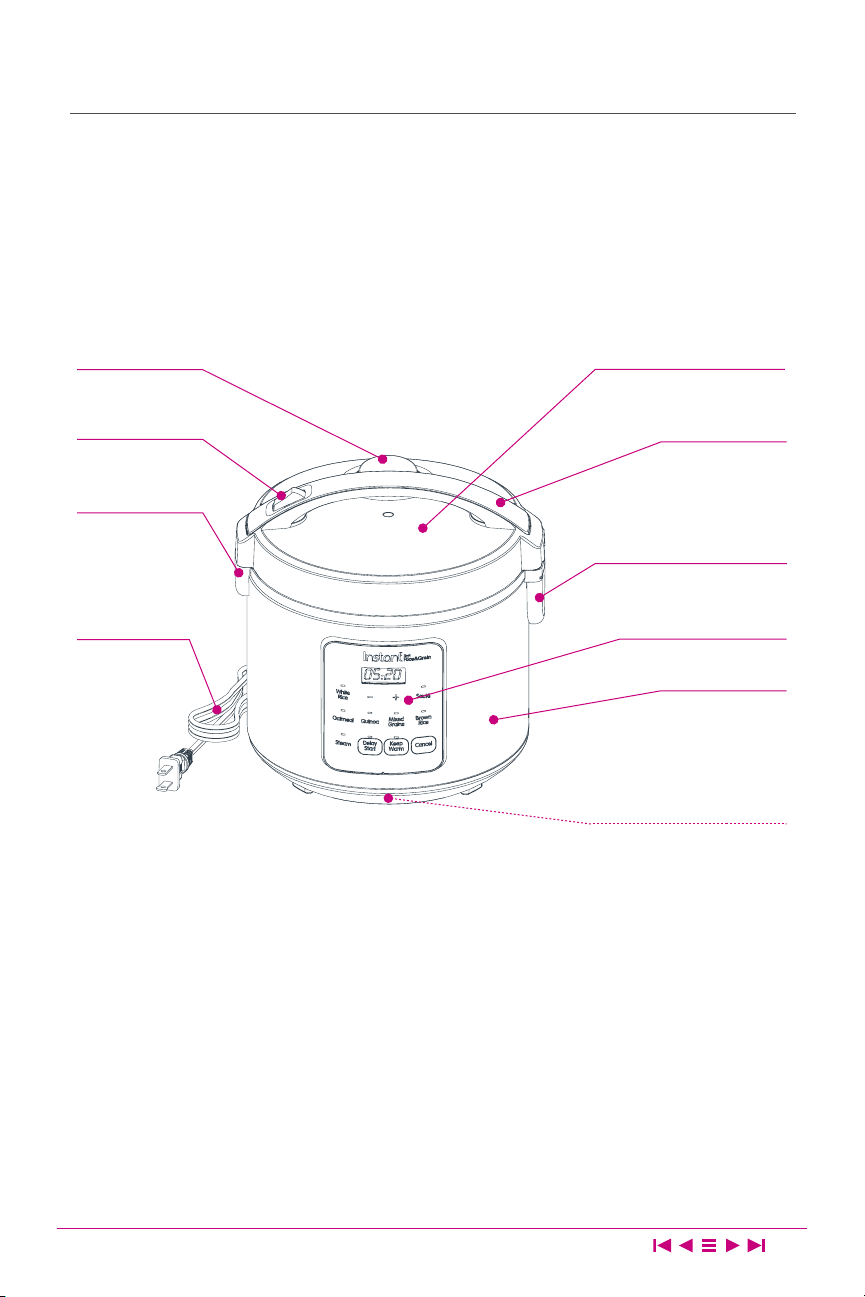
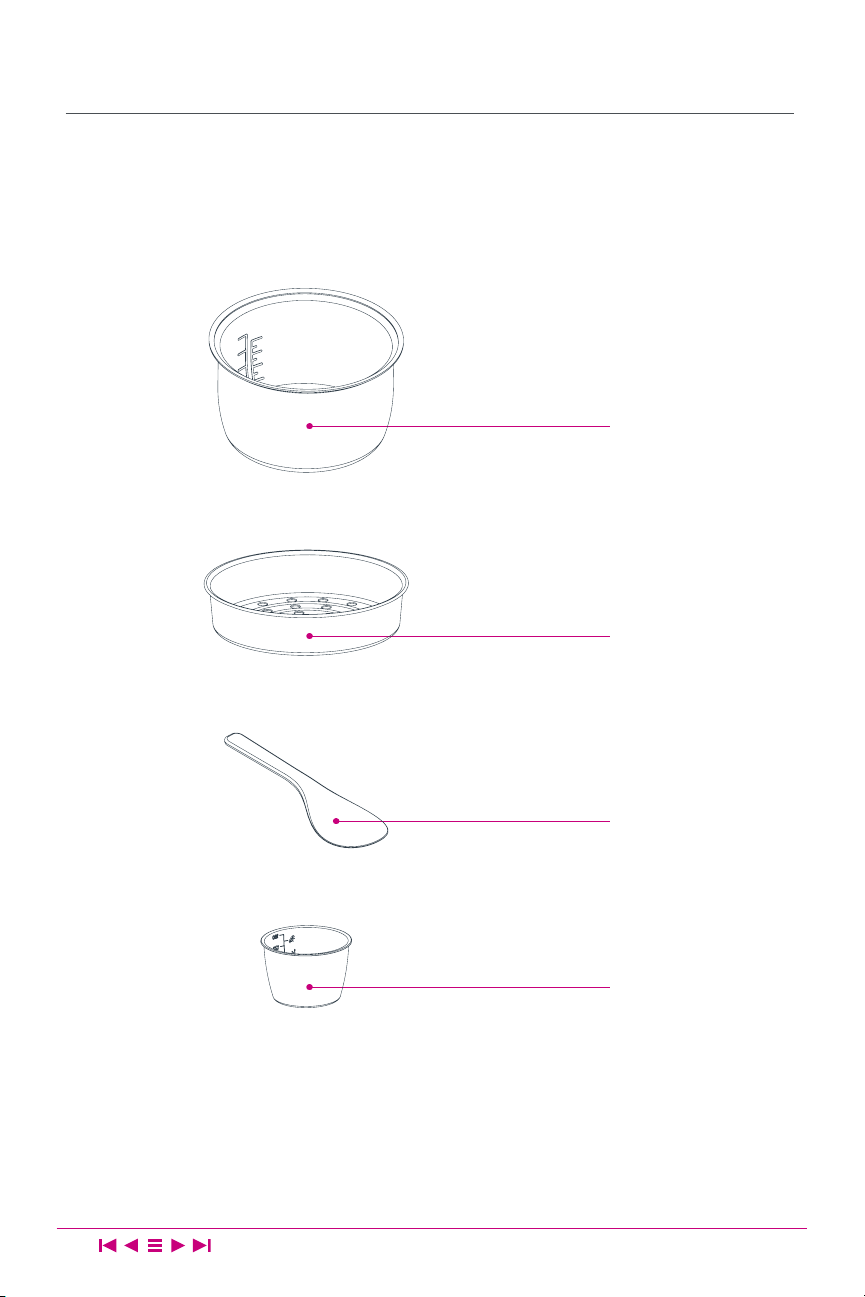
The Instant Zest automatically perfectly cooks a variety of grains.
Before using the Zest, verify that all parts are accounted for.
Zest Rice & Grain Cooker
Illustrations are for reference only and may differ from the actual product.
Lid Handle
Control Panel
Heating Element
(Interior)
Condensation Collector
Lid Release
Lid Lock
Power Cord
Cooker Base
Steam Vent Lid
Control Panel
11
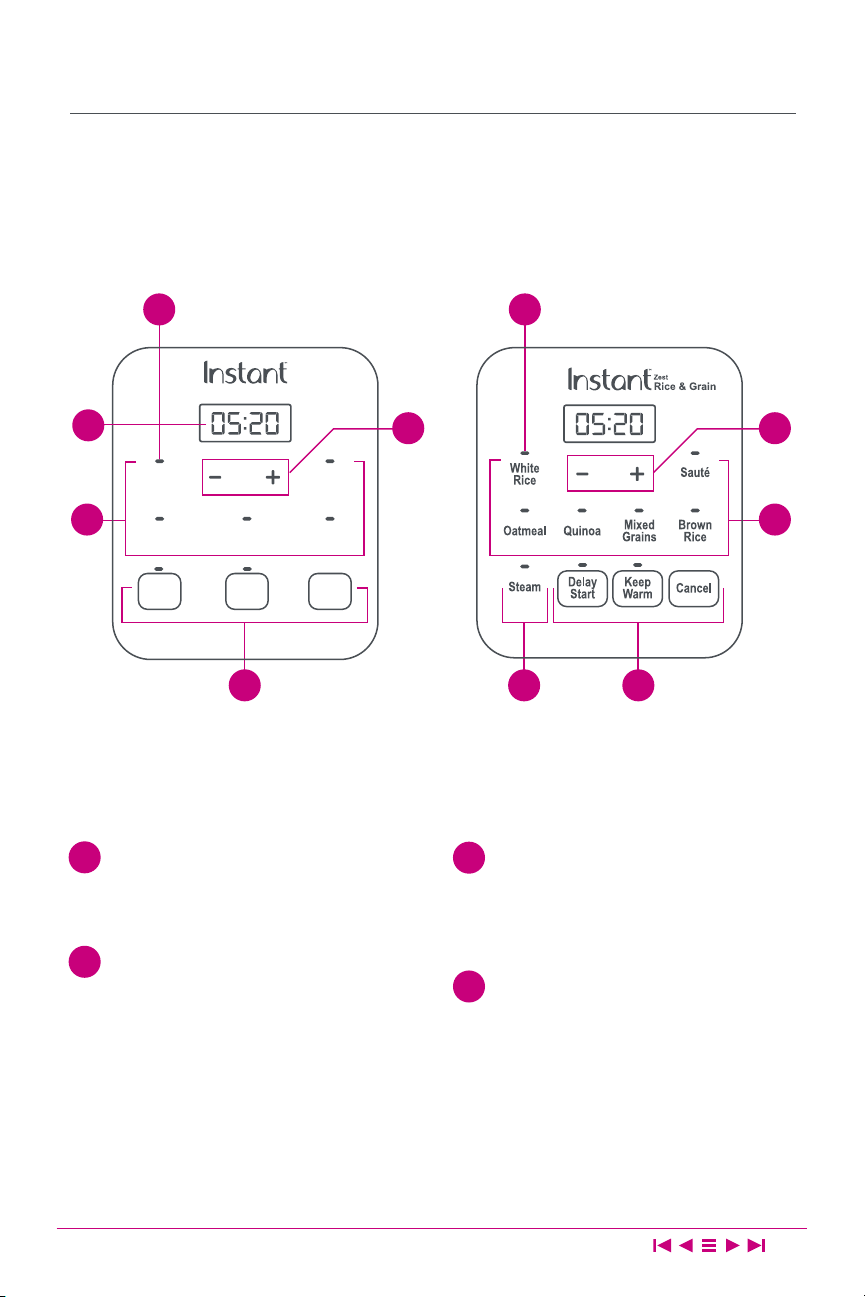
Your Zest features an intuitive control panel with status indicators and an LED
display to help make cooking quick and easy.
Display
Indicates the cooking time and
cooker status messages.
One-Touch Smart Programs
White Rice Brown Rice
Oatmeal Quinoa
Steam Sauté
(Zest 20 Cup)
Mixed Grains (Zest 20 Cup)
Smart Program Indicator
Located above each Smart Program
button, the LED illuminates when a
Smart Program is selected or running.
Smart Program Settings
Keep Warm Delay Start
Cancel − / + buttons
1
2
3
4
33
424
2 2
4
Cancel
White
Rice
Steam
OatmealQuinoa
Brown
Rice
Delay
Start
Keep
Warm
Zest
Rice & Grain
Zest 8 Cup Zest 20 Cup
1
4

Smart Program Settings
12
Standby Mode
When the rice and grain cooker is plugged in, the display shows OFF to indicate
that it is in Standby mode.
You may select a Smart Program when in Standby mode.
Cancel
Press Cancel to stop a Smart Program at any time. The rice and grain cooker
returns to Standby mode and the display indicates OFF.
−/+ Buttons
Use to increase or decrease the cooking time or Delay Start time.
Smart Programs
For the cooking time and temperature associated with each Smart Program, see
Smart Programs and Cooking Ratios.
Adjust and Save Cooking Time
Select a Smart Program, then use the −/+ buttons to adjust the cooking time in
increments of 10 minutes . The adjusted cooking time is saved when the Smart
Program begins.
Only applicable to Oatmeal and Steam Smart Programs.
Adjust and Save Cooking Temperature
With the Smart Program selected, press the Smart Program button again to
toggle between HI (High) and LO (Low). The adjusted cooking temperature is
saved when the Smart Program begins.
Only applicable to Sauté and Keep Warm Smart Programs.
Keep Warm
Press Keep Warm to toggle the setting on or off at any time. Keep Warm has 2
modes:
• After cooking nishes, the cooker automatically keeps food warm for up to
12 hours.
• When selected from Standby mode, the Keep Warm Smart Program keeps
any food warm for up to 10 hours.

Smart Program Settings
13
Delay Start
After selecting a Smart Program and adjusting the cooking time and
temperature, press Delay Start, then use the −/+ buttons to adjust the Delay
Start time in increments of 10 minutes to a maximum of 24 hours.
Not applicable to the Sauté Smart Program.
Reset Individual Smart Program
With the cooker in Standby mode, press and hold the Smart Program button
you wish to reset for 5 seconds. The cooker beeps to indicate that it has been
restored to the factory default settings.
Reset All Smart Programs
With the cooker in Standby mode, press and hold Cancel for 5 seconds. The
cooker will beep once to indicate that all Smart Programs have been restored to
the factory default settings.
Status Messages
14
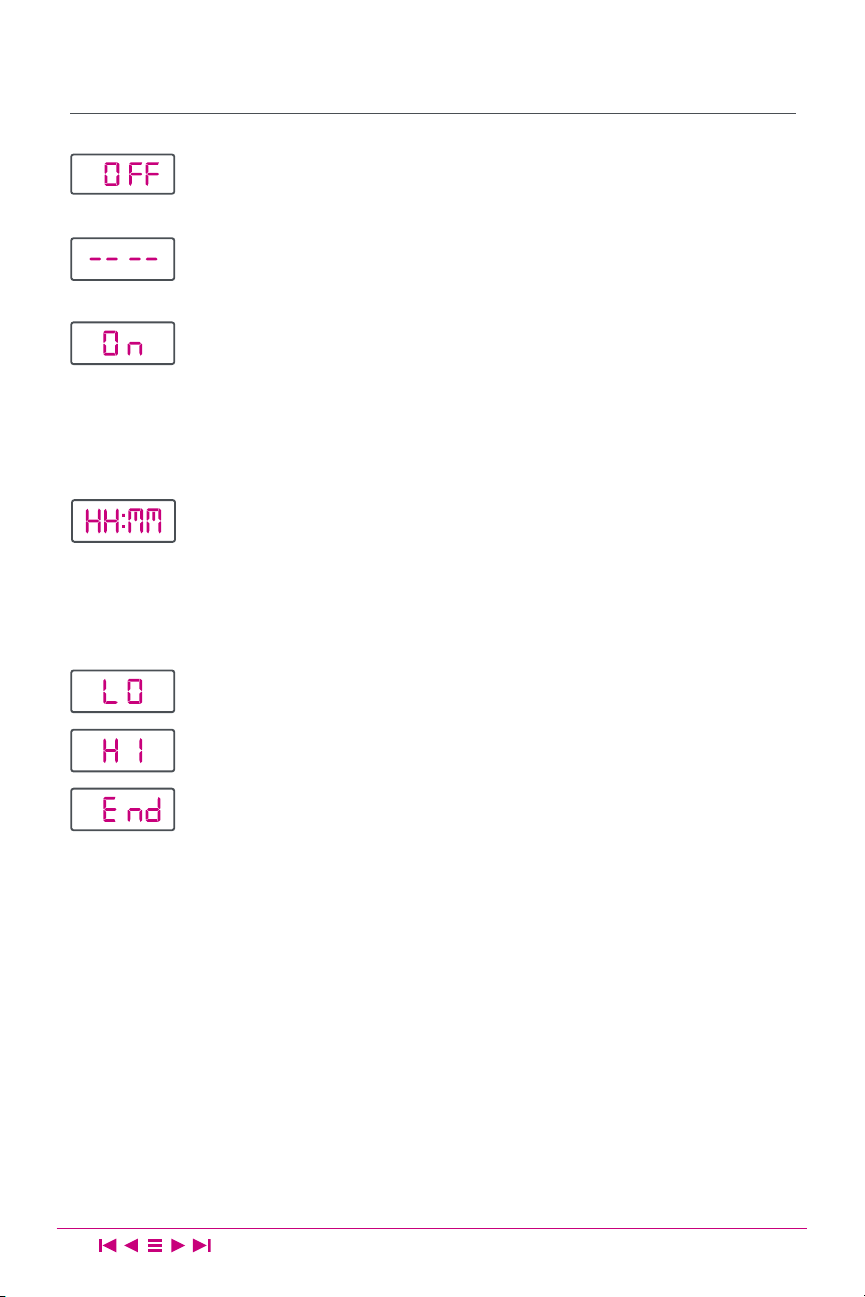
Indicates that no Smart Program is running and the cooker
is in Standby mode.
Indicates that a Smart Program has been selected but
not yet started.
Indicates that a Smart Program is running.
Display reads On when the White Rice, Brown Rice, Quinoa, and
Mixed Grains Smart Programs are running.
Display changes to MM:SS when less than 10 minutes
of cooking time remains.
Indicates the time remaining in the Delay Start cycle, or Smart
Program cooking time remaining when using the Oatmeal,
Steam or Sauté Smart Programs.
Display changes to MM:SS when less than 1 hour remains until
Delay Start or Smart Program completion.
Indicates that the selected Smart Program is set to LO (Low).
Indicates that the selected Smart Program is set to HI (High).
Indicates that the Smart Program has ended.

Smart Programs
15
For the cooking time and temperature associated with each Smart Program,
see Smart Programs and Cooking Ratios.
The Zest features Smart Programs for one-touch cooking of popular rice and
grains. For best results, follow grain-to-water ratios as described in
Smart
Programs and Cooking Ratios
.
These Smart Programs detect the volume of ingredients in the inner pot and
control cooking times and temperatures automatically:
White Rice Brown Rice Oatmeal
Quinoa Mixed Grains (Zest 20 only)
1. Press the Smart Program button to select the Smart Program of your choice.
The Smart Program begins automatically after 10 seconds.
Note: If Delay Start is on, the display indicates the countdown to the delayed start
time. When cooking begins, the rice cooker counts down the remaining cooking
time.
2. Press Cancel to stop a Smart Program at any time. The cooker returns to
Standby mode and the display indicates OFF.
The Zest also features Smart Programs for other cooking methods:
Steam Sauté
Cooking times and temperatures for these Smart Programs are adjustable.
Steam
The Steam Smart Program uses steam (212°F / 100°C) to cook food.
1. Press Steam to select the Steam Smart Program.
2. Use the −/+ buttons to adjust the cooking time to a maximum of 1 hour.The
Smart Program begins automatically after 10 seconds.
Note: If Delay Start is on, the display shows the countdown to the delayed start time.
When cooking begins, the display counts down the remaining cooking time.

Smart Programs
16
Sauté (Zest 20C only)
The Sauté Smart Program lightly fries/browns foods using a small amount of oil
in the inner pot.
1. Press Sauté to select the Sauté Smart Program.
2. Press Sauté again to toggle between HI (High) and LO (Low) temperatures.
3. Use the −/+ buttons to adjust the cooking time to a maximum of 30
minutes. The Smart Program cooking begins automatically after 10
seconds.
Note: Delay Start and Keep Warm are not available when using the Sauté Smart
Program.
The Zest also offers the Keep Warm Smart Program to keep any food warm for
up to 10 hours.
Keep Warm
1. When in Standby mode, press Keep Warm to select the Keep Warm Smart
Program.
2. Press Keep Warm again to toggle between HI (High) and LO (Low)
temperatures.
3. Use the −/+ buttons to adjust the warming time to a maximum of 10 hours.
Smart Program cooking begins automatically after 10 seconds.
Adjustments to cooking time and temperature may only be made when using
Keep Warm as a standalone Smart Program. Any adjustments made do not
affect the Keep Warm setting when it is used in conjunction with other Smart
Programs.

Smart Programs and Cooking Ratios
17
The cooking times and temperatures for all Smart Programs are controlled
automatically (according to the volume of ingredients to be cooked) and are
not user-adjustable.
Smart
Program
Grain to
Liquid Ratios
Cooking Time
Cooking Time
Adjustment
Cooking Temperature
White Rice 1:1.5
Automatic
25–60 min per vol
N/A
212°F / 100°C
Not user-adjustable
Brown Rice 1:2
Automatic
40–90 min per vol
Quinoa 1:1.5
Automatic
3 –60 min per vol
Mixed
Grains
*
1:2
Automatic
40–90 min per vol
Steam N/A Default: 10 min
User-adjustable
Range: 5–60 min
212°F / 100°C
Not user-adjustable
Sauté
*
N/A Default: HI, 30 min
User-adjustable
Range: 1–30 min
User-adjustable
LO: 221°F / 105°C
HI: 320°F / 160°C
Oatmeal 1:3 Default: 50 min
User-adjustable
Range: 20–60 min
212°F / 100°C
Not user-adjustable
Auto
Keep Warm
N/A Default/Max:12 hrs N/A
User-adjustable
LO: 149°F / 65°C
HI: 176°F / 80°C
Keep Warm N/A Default/Max: 10 hrs
User-adjustable
**
Range: 1hr–10 hrs
User-adjustable
LO: 149°F / 65°C
HI: 176°F / 80°C
* Zest 20 Cup model ONLY.
** Keep Warm cooking time is NOT user-adjustable when used in conjunction with Smart
Programs for Automatic Cooking.

Initial Test Run
18
Follow these steps to familiarize yourself with the Zest, and to ensure your
cooker is operating properly.
1. Depress the lid release button (located on the lid handle)
and lift the lid.
2. Remove the inner pot from the cooker base.
3. Place the steam rack on the bottom of the inner pot.
4. Add 1 cup (8 oz / 250 mL) of clean water to the inner pot.
5. Return the inner pot to the cooker base and close the lid,
ensuring it clicks.
6. Plug the power cord into a 120 V outlet. The display indicates OFF.
7. Press Steam to select the Steam Smart Program.
8. Press Keep Warm to turn the warming setting off.
The Smart Program cooking begins automatically after 10 seconds.
When the Smart Program ends, the cooker beeps and the
display indicates END.
9. Carefully dispose of the water in the inner pot, then start using
your rice and grain cooker!
CAUTION
The cooker may be hot during and after cooking. Do not touch hot surfaces.

Care and Cleaning
19
Clean the cooker after each use.
Always unplug the cooker and let it cool to room temperature before
cleaning. Never use harsh chemical detergents, scouring pads, or powders to
clean any part of the cooker.
Allow the cooker to dry completely before further use or storage.
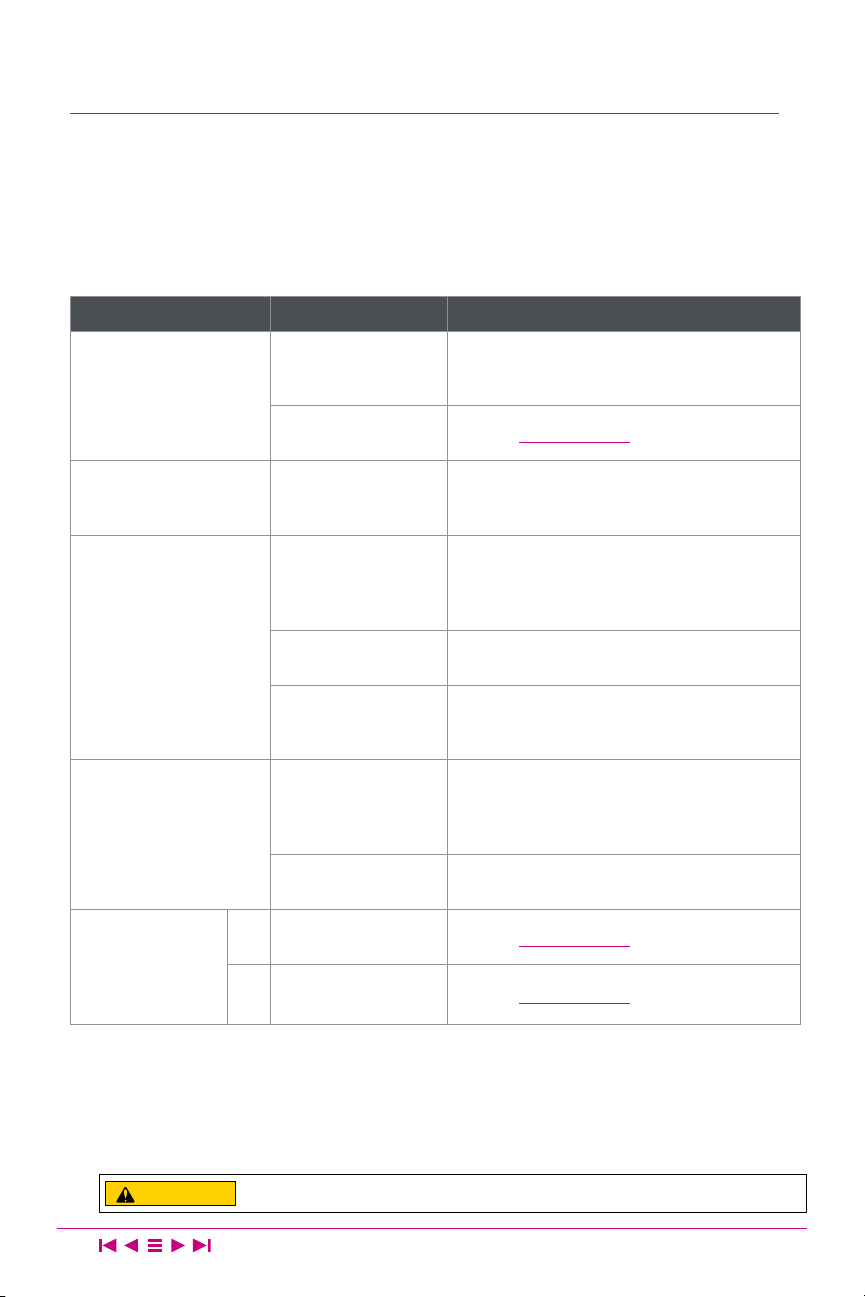
Part / Accessory Instruction Cleaning Method
Accessories
• Condensation collector
• Plastic steamer tray
• Rice measuring cup
• Plastic rice spoon
Empty and rinse the condensation
collector after each use.
Clean accessories after use.
Dishwasher Safe
Inner Pot
Always ensure the inner pot is dry on
the outside before inserting into the
cooker base.
Ensure all grease and food debris is
fully removed.
Optionally, spray with non-stick
cooking spray before adding food.
Hand Wash
Lid
Clean after each use.
Wipe with a soft, damp cloth or
sponge.
Cooker Base
If wet food or grease enters the cooker
base, wipe clean with a soft, damp
cloth or sponge.
Clean the exterior with a soft, damp
cloth or sponge, and wipe dry to
avoid streaking.
How-to Videos and Recipes available online at
instantappliances.com
WARNING
Do not immerse the appliance in
water. Do not rinse the appliance
under a tap. Do not wet the
prongs of the power cord.
Without proper cleaning,
food may build up around
the steam release.
If you smell smoke, press Cancel and
unplug the appliance. Once cool, remove
the inner pot and check for foreign objects
between the inner pot and heating element.
Troubleshooting
20
Register your product today at instantappliances.com/support/register.
Contact Customer Care:
1-800-828-7280
support@instantappliances.com
instantappliances.com/#Chat
Problem Possible Reason Try This
Display remains blank
after connecting the
power cord.
Bad power
connection or no
power.
Inspect power cord for damage. Do not use
if the power cord is damaged in any manner.
Check outlet to ensure it is powered.
Cooker’s electrical
fuse has blown.
Contact Customer Care.
Difculty opening the
lid.
Lid release
Press down the lid release button on the lid
handle, then lift up to one side. The lid is not
removable.
Rice or grain is
chewy, too hard, or
undercooked.
Lid was opened too
early.
After cooking completes, open the cooker
and quickly uff the rice or grains, then close
the lid and let the cooker sit for an additional
5–10 minutes.
Not enough water or
liquid.
Add ½ to 1 cup water, mix, and run the
cooking program again.
Rice or grain requires
a longer cooking
time.
Run the cooking program a second time.
Rice or grain is too soft,
or overcooked.
Too much water or
liquid.
Stir the rice or grain to redistribute the
cooking liquid. Close the lid and run Keep
Warm for 10-30 minutes as required, stirring
occasionally.
Rice or grain was
cooked for too long.
Refer to recipe instructions.
Error code
appears on
display, cooker
beeps and lights
ash continuously.
E1
Faulty sensor
detected.
Contact Customer Care.
E3
Faulty sensor
detected.
Contact Customer Care.
Any other servicing should be performed by an authorized service representative.
CAUTION
Do not attempt to service the appliance yourself.

Warranty
21
Limited Warranty
This Limited Warranty is effective for one year from the date of original consumer purchase. Proof of original purchase
date and, if requested by an authorized representative of Instant Brands Inc. (“Instant Brands”), return of your
appliance, is required to obtain service under this Limited Warranty. Provided that this appliance is operated and
maintained in accordance with written instructions attached to or furnished with the appliance, Instant Brands will, in
its sole and exclusive discretion, either: (i) repair defects in materials or workmanship; or (ii) replace the appliance. In
the event that your appliance is replaced, the Limited Warranty on the replacement appliance will expire 12 months
from the date of original consumer purchase.
This Limited Warranty extends only to the original purchaser and use of the appliance in
the United States of America and Canada. This warranty does not cover units that are used
outside of the United States of America and Canada.
Any modication or attempted modication to your appliance may interfere with the safe operation of the appliance
and will void this Limited Warranty. This Limited Warranty does not apply in respect of any appliance or any part
thereof that has been altered or modied unless such alterations or modications were expressly authorized by an
Instant Brands representative.
Limitation and Exclusions
The liability of Instant Brands, if any, for any allegedly defective appliance or part shall in no circumstances exceed the
purchase price of a comparable replacement appliance.
This Limited Warranty does not cover:
1. Damage resulting from accident, alteration, misuse, abuse, neglect, unreasonable use, use contrary to the
operating instructions, normal wear and tear, commercial use, improper assembly, disassembly, failure to provide
reasonable and necessary maintenance, re, ood, acts of God or repair by anyone unless directed by an Instant
Brands Representative;
2. Repairs where your appliance is used for other than normal, personal use or when it is used in a manner that is
contrary to published user or operator instructions; or
3. Use of unauthorized parts and accessories, or repairs to parts and systems resulting from unauthorized repairs or
modications made to this appliance.
The cost of repair or replacement under these excluded circumstances shall be paid by you.

Warranty
22
Disclaimer of Implied Warranties
EXCEPT AS EXPRESSLY PROVIDED HEREIN AND TO THE EXTENT PERMITTED BY LAW, INSTANT BRANDS MAKES
NO WARRANTIES, CONDITIONS OR REPRESENTATIONS, EXPRESS OR IMPLIED, BY STATUTE, USAGE, CUSTOM OF
TRADE OR OTHERWISE WITH RESPECT TO THE APPLIANCES OR PARTS COVERED BY THIS WARRANTY, INCLUDING
BUT NOT LIMITED TO, WARRANTIES, CONDITIONS, OR REPRESENTATIONS OF WORKMANSHIP, MERCHANTABILITY,
MERCHANTABLE QUALITY, FITNESS FOR A PARTICULAR PURPOSE OR DURABILITY.
Some states or provinces do not allow for the exclusion of implied warranties of merchantability or tness, so this
limitation may not apply to you. In these states and provinces, you have only the implied warranties that are expressly
required to be provided in accordance with applicable law.
Limitation of Remedies; Exclusion of Incidental and Consequential Damage
YOUR SOLE AND EXCLUSIVE REMEDY UNDER THIS LIMITED WARRANTY SHALL BE APPLIANCE REPAIR OR REPLACEMENT
AS PROVIDED HEREIN. INSTANT BRANDS SHALL NOT BE LIABLE FOR INDIRECT, INCIDENTAL OR CONSEQUENTIAL
DAMAGES ARISING OUT OF OR IN CONNECTION WITH THE USE OR PERFORMANCE OF THE APPLIANCE OR
DAMAGES WITH RESPECT TO ANY ECONOMIC LOSS, PERSONAL INJURY, LOSS OF PROPERTY, LOSS OF REVENUES OR
PROFITS, LOSS OF ENJOYMENT OR USE, COSTS OF REMOVAL, INSTALLATION OR OTHER INDIRECT, INCIDENTAL OR
CONSEQUENTIAL DAMAGES OF ANY NATURE OR KIND.
Warranty Registration
Please visit
www.instantappliances.com/support/register to register your new Instant Brands™ appliance
and validate your warranty within thirty (30) days of purchase. You will be asked to provide the store name, date of
purchase, model number (found on the back of your appliance) and serial number (found on the bottom of your
appliance) along with your name and email address. The registration will enable us to keep you up to date with
product developments, recipes and contact you in the unlikely event of a product safety notication. By registering,
you acknowledge that you have read and understand the instructions for use, and warnings set forth in the
accompanying instructions.
Warranty Service
To obtain service under this warranty, please contact our Customer Service Department
by phone at
1-800-828-7280 or by email to support@instantappliances.com. You can also
create a support ticket online at
www.instantappliances.com/support. If we are unable to
resolve the problem, you may be asked to send your appliance to the Service Department
for quality inspection. Instant Brands is not responsible for shipping costs related to warranty
service, save and except for shipping costs associated with the return of your appliance from
Canada or within the 48 contiguous states and the District of Columbia of the United States
of America, as provided herein. When returning your appliance, please include your name,
mailing address, email address, phone number, and proof of the original purchase date as
well as a description of the problem you are encountering with the appliance.

Copyright © 2019 Instant Brands
™
Inc
Register your product today
instantappliances.com/support/register
Contact Customer Care
1-800-828-7280
support@instantappliances.com
instantappliances.com/#Chat
instantappliances.com
store.instantappliances.com
Instant Brands Inc.
1–300 Earl Grey Dr., Suite 383
Ottawa, Ontario
K2T 1C1
Canada