
1
,,QLWLDO6HWXS&RQƭJXUDWLRQLQLWLDOH&RQƭJXUDFLÎQLQLFLDO
,,7XWRULDO7XWRULHO7XWRULDO
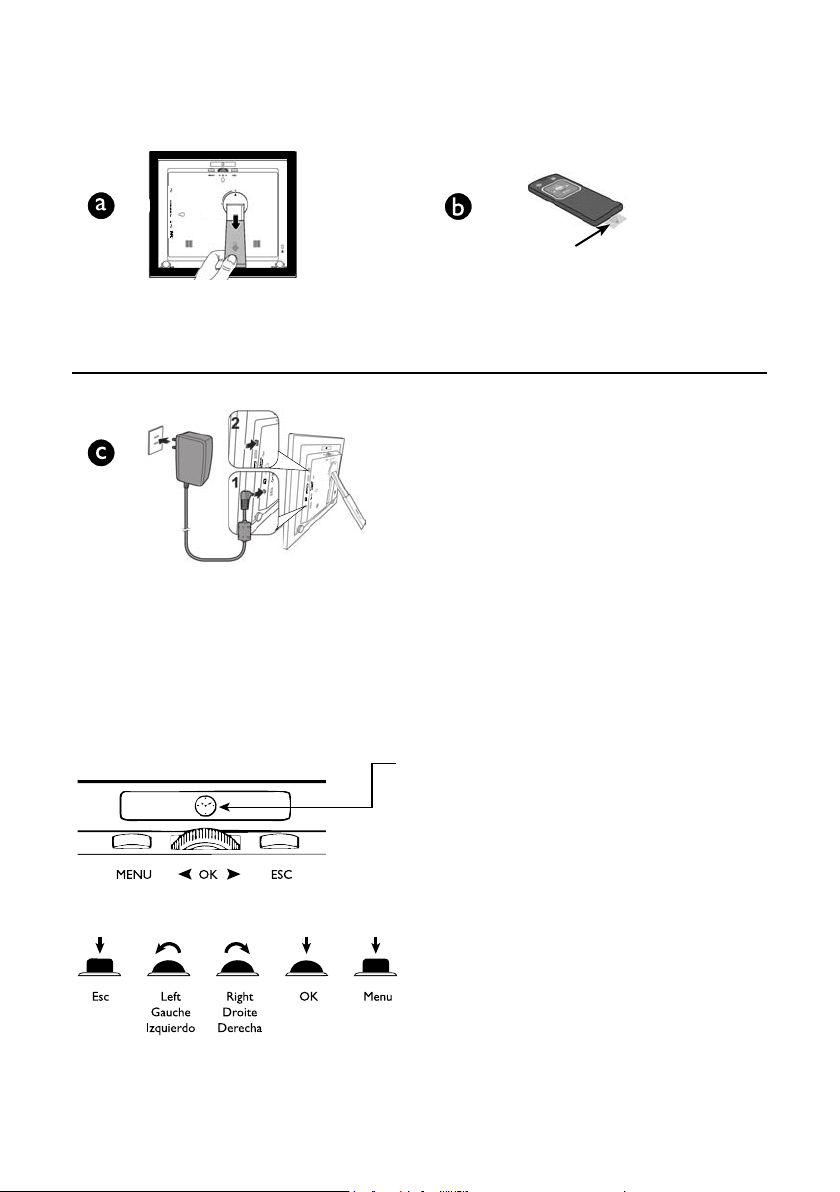
Extend / Prolonger / Extemder
Connect to power (1) & power on (2)
Brancher à I’alimentation (1) et allumer (2)
Conectat a una fuente de energía (1) y encender
(posición “on”)(2)
Toggle between Clock and Slideshow mode
Alterner entre le mode Horloge et le mode
Diaporama Alternar entre modo Reloj y
Prsentación de Diapositivas
Remove / Retirer / Eliminar
2
,,,$QLPDWHG0HQX,FRQV,FÏQHVGH0HQX$QLPÄHV¨FRQRVGH
0HQÕ$QLPDGRV
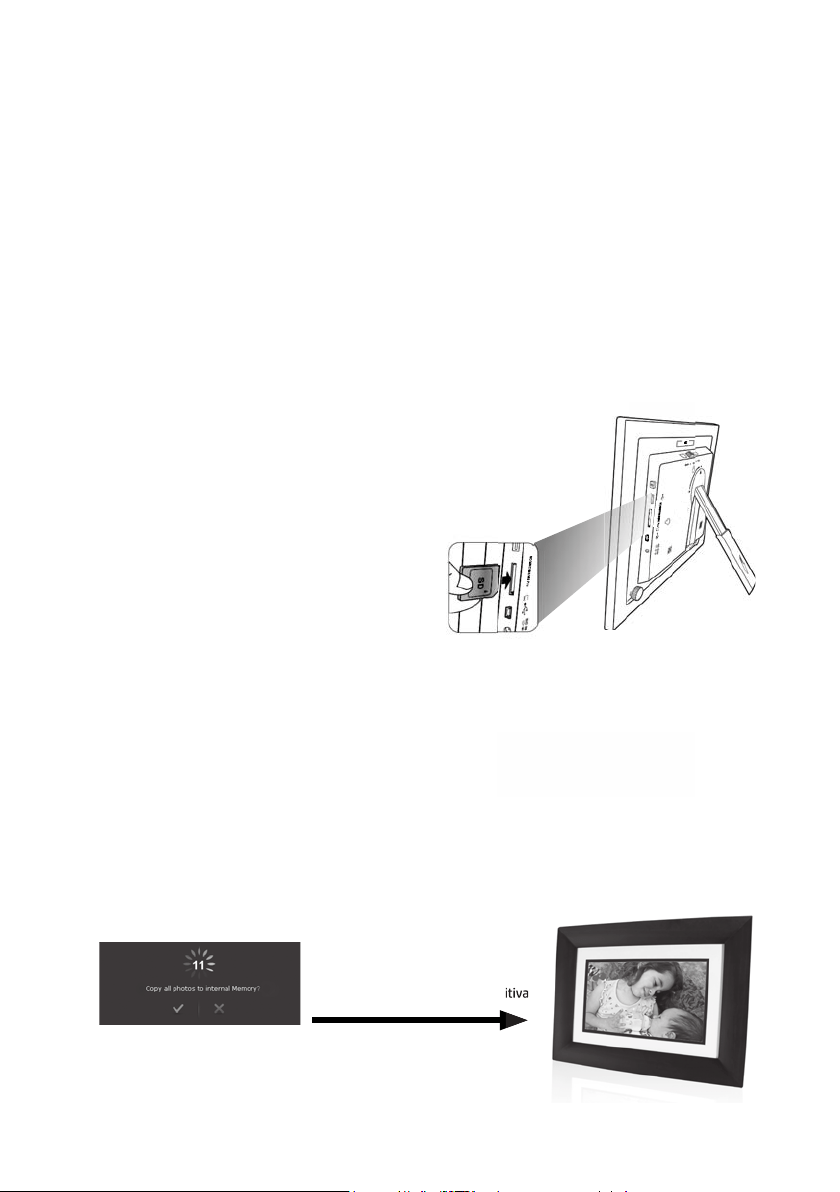
,9,QVHUW0HPRU\&DUG,QVÄUHUOD&DUWH0ÄPRLUH,QVHUWHOD
7DUMHWDGH0HPRULD
9,PSRUW3KRWRV,PSRUWHUGHV3KRWRV,PSRUWDU)RWRV
&DUG5HDGHU/HFWHXUGHFDUWH/HFWRUGHWDUMHWDV
Scroll to animated menu icon and press OK to select
)DLUHGÄƭOHUMXVTXo»,oLFÏQHGHPHQXDQLPÄHHWDSSX\H]VXUOK pour la sélectionner
Recorra los íconos de menú animados y presione OK para seleccionar
Slideshow begins
Le diaporama commence
Comienza presentación de diapositiva
Comienza presentación de diapositiva
* All other trademarks and copyrights are property of their respective owners.
* Toutes les autres marques de commerce et tous les autres droits d'auteur appartiennent à leurs propriétaires respectifs.
* Todos los demás derechos de autor y marcas comerciales son propiedad de sus respectivos dueños.
86%ƯDVKGULYH
Clé USB
8QLGDGSDUDPHPRULDƯDVK86%
or / ou / o
SD/SDHC
Memory Stick
Memory Stick Pro
MultiMedia Card / Carte MMC / Tarjeta multimedia
3
,03257$177,36(QJOLVK
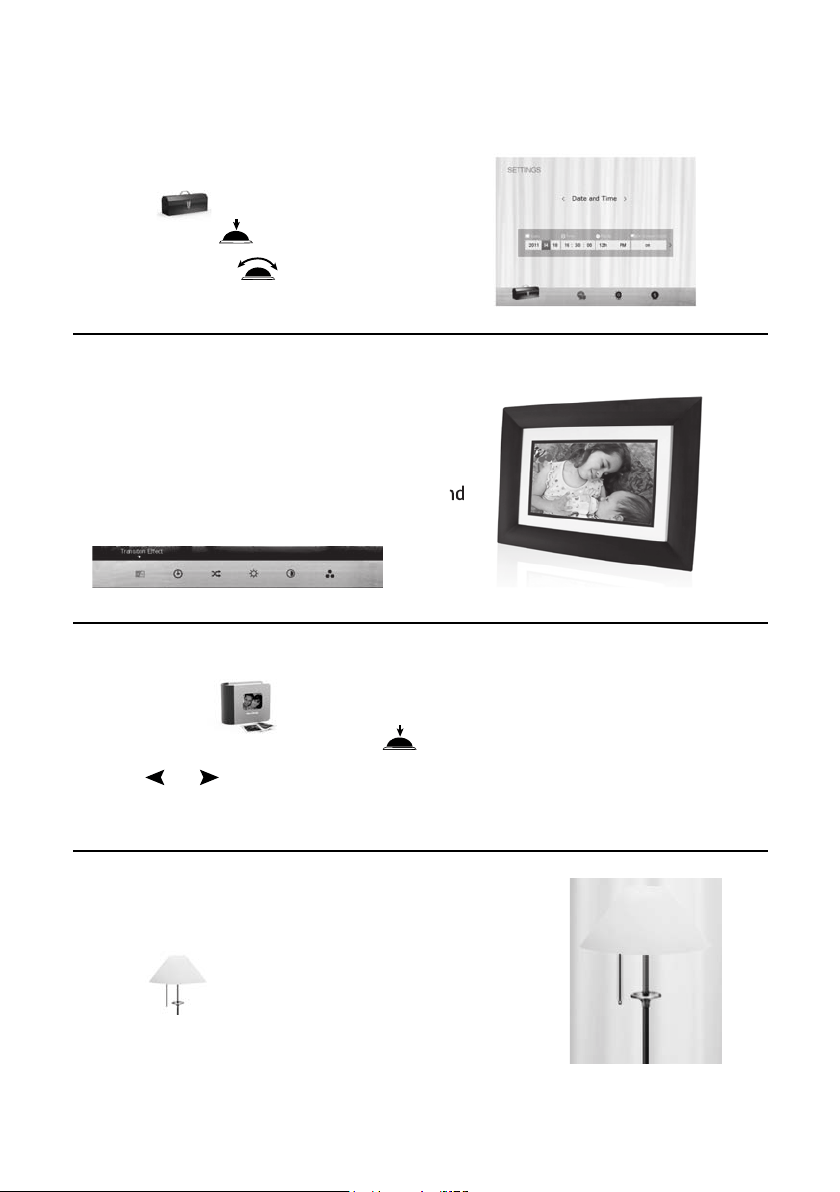
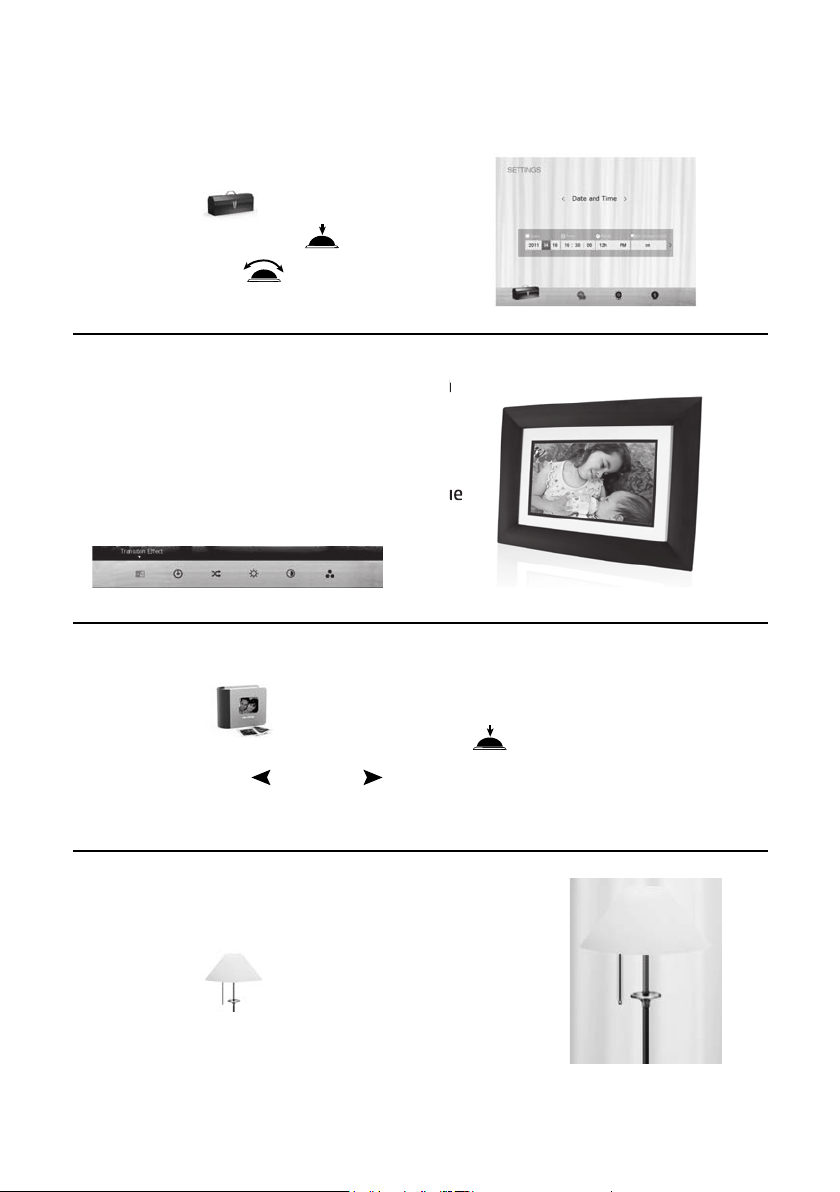
6HWWLQJ'DWH7LPH
1. Select
2. Press OK twice
3. Use scroll wheet to complete setup
8VLQJ7UDQVLWLRQ(ƫHFWV
1. 6/,'(6+2: mode
2. Press 0(18
6HOHFWWUDQVLWLRQHƫHFWVOLNHVKXƱHPRGHDQG
slideshow interval between photos
(QHUJ\0DQDJHPHQW
Optimize power consumption settings
1. Select to choose desired power saving mode
6HOHFWWUDQVLWLRQHƫHFWVOLNHVKXƱHPRGHDQG
'HOHWH)LOHV
1. $/%80 mode
2. Select desired album and press OK
3. Scroll or to select photo(s) and press OK
4. Press 0(18 and select X to delete photo(s).
5
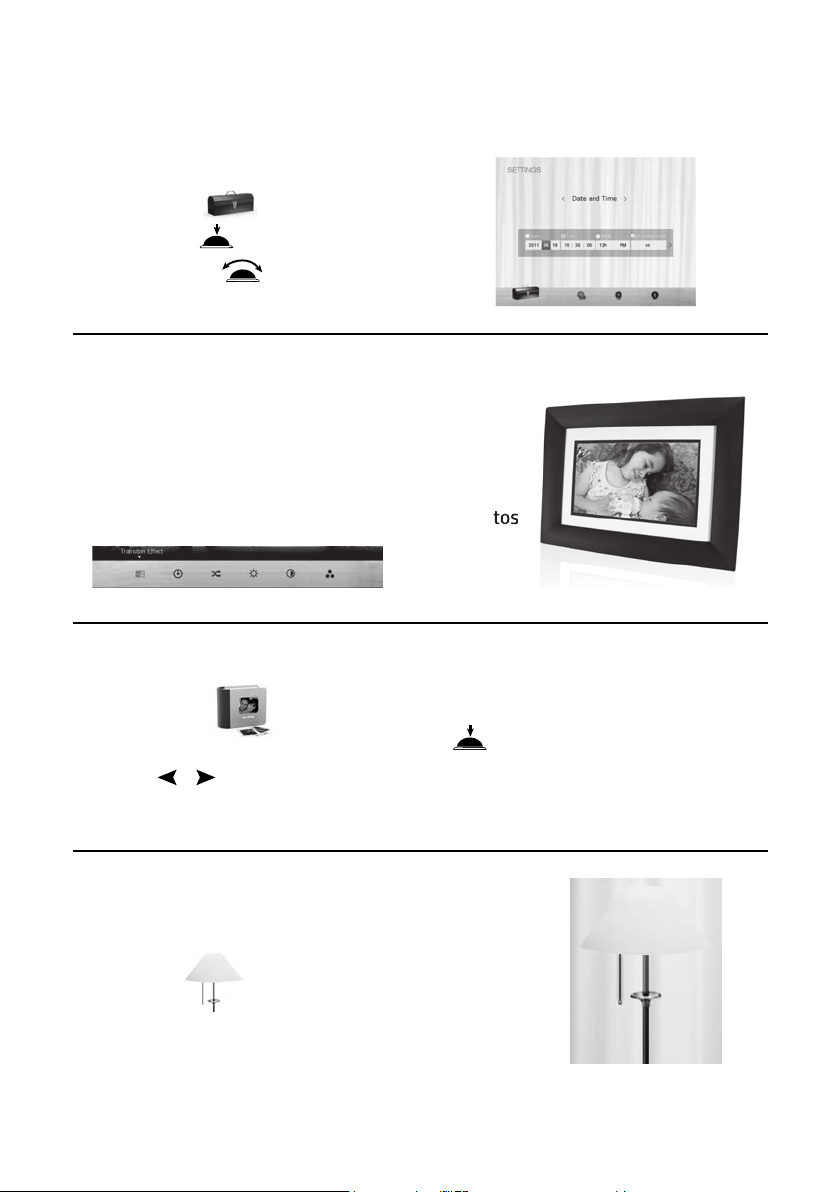
&216(,/635$7,48(6,03257$176)UHQFK
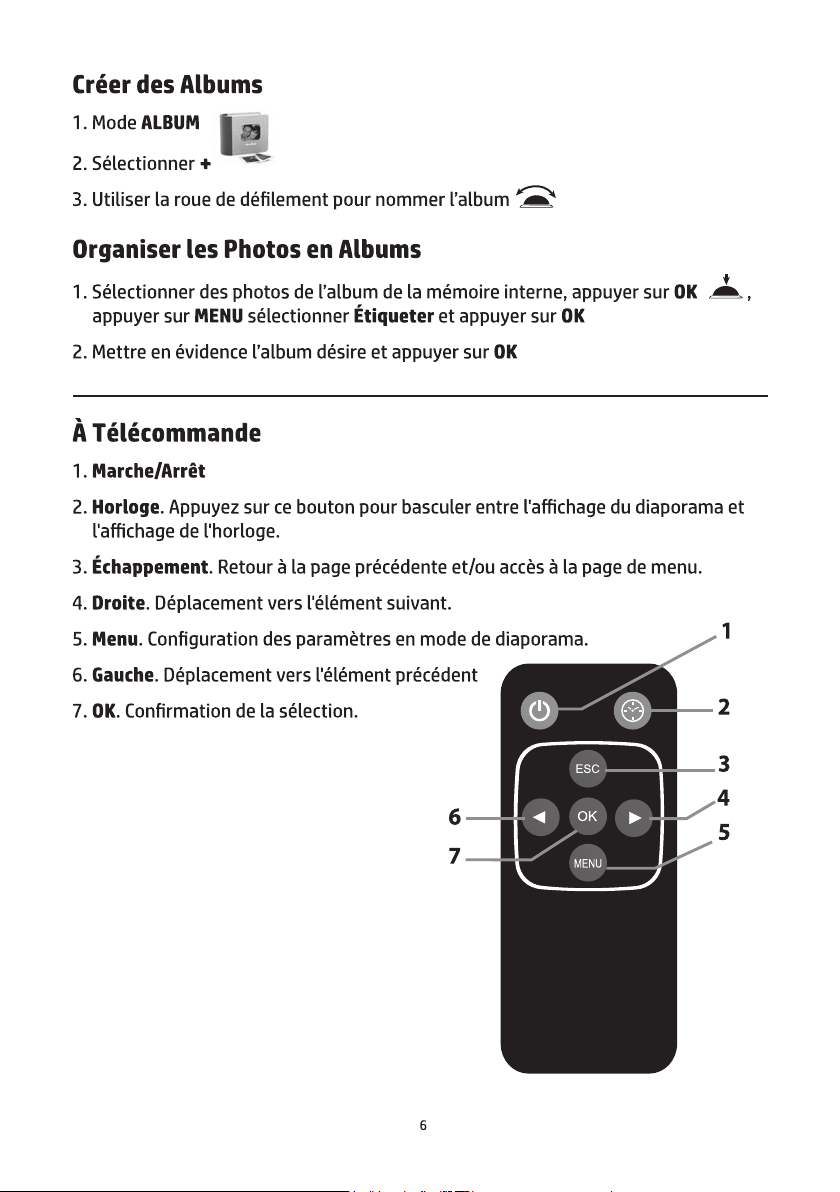
5ÄJODJHGHODGDWHHWGH,oKHXUH
1. Sélectionner
2. Appuyer deux fois sur OK
8WLOLVHUODURXHGHGÄƭOHPHQWSRXU
WHUPLQHUODFRQƭJXUDWLRQ
8WLOLVDWLRQGHVHƫHWVGHWUDQVLWLRQ
1. Mode ',$325$0$
2. Appuyer sur 0(18
6ÄOHFWLRQQHUGHVHƫHWVGHWUDQVLWLRQWHOVTXH
mode aléatoire et intervalle entre photos
8WLOLVDWLRQGHVHƫHWVGHWUDQVLWLRQ
6ÄOHFWLRQQHUGHVHƫHWVGHWUDQVLWLRQWHOVTXH
(ƫDFHUGHV)LFKLHUV
1. Mode $/%80
2. Sélectionner I’album désiré et appuyer sur OK
)DLUHGÄƭOHUYHUVODRXODSRXUVÄOHFWLRQQHUGHVSKRWRVHWDSSX\HUVXUOK
4. Appuyez sur 0(18 et sélectionner XSRXUHƫDFHUGHVSKRWRV
*HVWLRQGHOD&KDUJH
Optimiser les paramétres de consommation électrique
1. Sélectionner pour choisir le mode d’économie
d’énergie désiré.
7
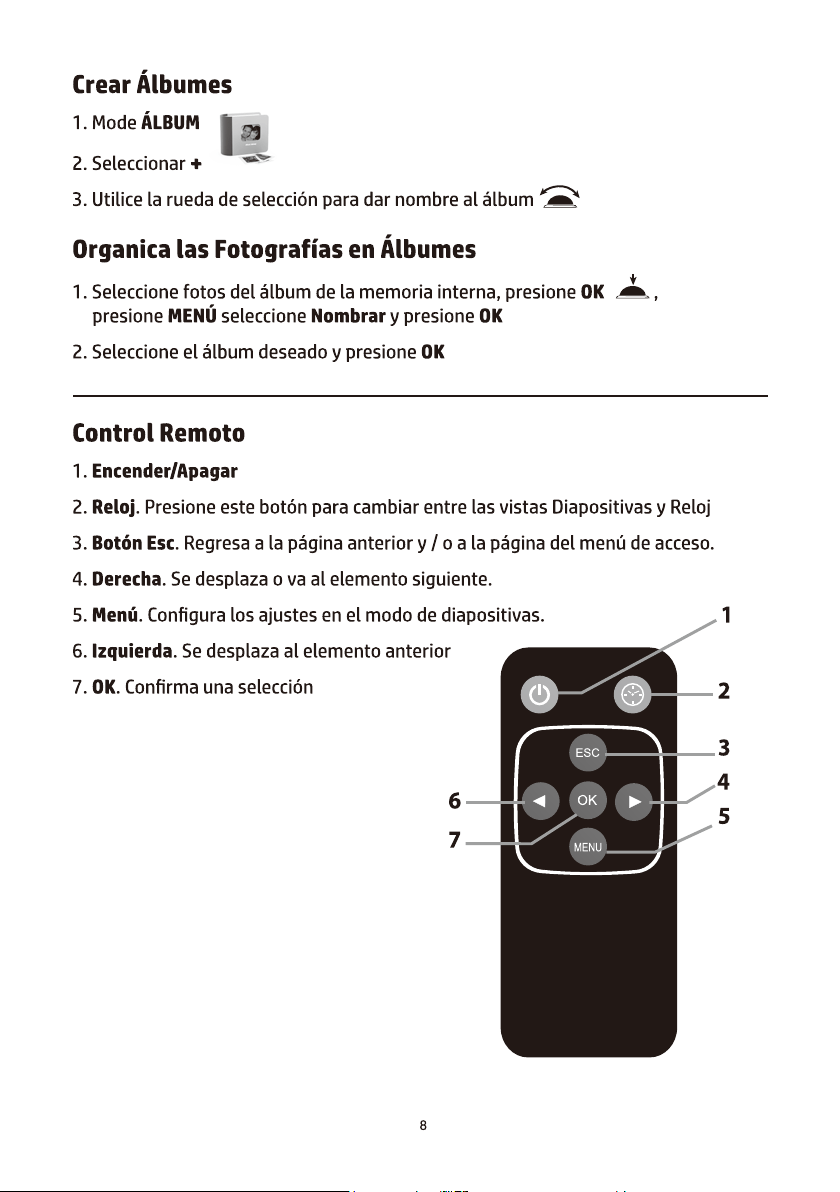
&216(-26,03257$17(66SDQLVK
&RQƭJXUDFLÎQGH)HFKD\+RUD
1. Seleccionar
2. Presione OK dos veces
3. Utilice la rueda de selección para
FRPSOHWDUODFRQƭJXUDFLÎQ
8VRGHHIHFWRVGHWUDQVLFLÎQ
1. Mode 35(6(17$&,®1'(',$326,7,9$6
2. Presione 0(1µ
3. Seleccione efectos de transición como el mode
aleatorio y el intervalo para diapositi vas entre fotos
aleatorio y el intervalo para diapositi vas entre fotos
(OLPLQDU$UFKLYRV
1. Mode /%80
2. Seleccione el álbum deseado y presione OK
3. Marque o Para seleccionar una o más fotos y presione OK
4. Presione 0(1µ y seleccione X para eliminar una o más fotos.
0DQHMRGHOD(QHUJÈD
2SWLPLFHODVFRQƭJXUDFLRQHVGHFRQVXPRGHHQHUJÈD
1. Seleccione para escoger el mode de ahorro de
energía deseado.


D.06.13.14