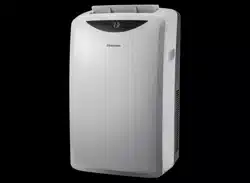
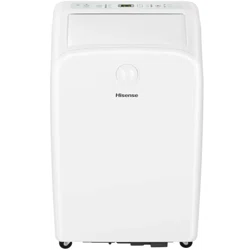
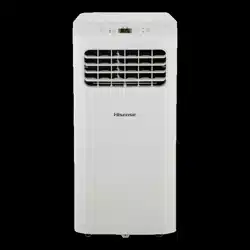
User manual Air Conditioner
IDENTIFICATION OF PARTS
Front
-364766.png)
- Cool air outlet
- Signal receptor
- Remote control
- Control panel
- Transport handle
- Evaporator air intake
- Secondary drain port
- Air outlet hose coupling
- Condenser air intake
- Primary drain port
- Power supply (May differ from the one shown)
- Drain hose clip (Heat pump models)
- Drain hose (Heat pump models)
Back
-646685.png)
-458349.png)
Note The figures in this manual are based on the external view of a standard model. They may differ from that of the air conditioner you have selected.
INSTALLATION REQUIREMENTS
Tools and Parts
Gather the required tools and parts before starting installation.Read and follow the instructions provided with any tools listed here.
Tools needed
- Phillips screwdriver
- Scissors
- Pencil
- Cordless drill and Vs" bit
Parts supplied
Check that all parts are included in parts package._
-380921.png)
Electrical Requirements
Recommended Grounding Method
This portable air conditioner must be grounded. This portable air conditioner is equipped with a power supply cord with a three-prong grounding plug. The cord must be plugged into a mating, grounded three-prong outlet, grounded in accordance with all local codes and ordinances. If a mating outlet is not available, it is the customer's responsibility to have a properly grounded three-prong outlet installed by a qualified electrical installer.
It is the customer’s responsibility:
To contact a qualified electrical installer.
To assure that the electrical installation is adequate and conforms to the Nation Electrical Code,ANSI/NFPA 70-last edition,and all local codes and ordinances.
Wiring requirement
115 V (103.5 min. to 126.5 max.)
15 A time-delay fuse or circuit breaker Power Supply Cord
-348257.png)
NOTES:
Your air conditioner’s device may differ from the one shown. This room air conditioner is equipped with a power supply cord required by UL. This power supply cord contains state-of-the-art electronics that sense leakage current. If the cord is crushed, the electronics detect leakage current and power will be disconnected in a fraction of a second.
To test your power supply cord:
- Plug power supply cord into a grounded 3 prong outlet.
- Press RESET (on some devices, a green light will turn on).
- Press TEST (listen for click; Reset button will trip, and on some devices, a green light will turn off).
- Press and release RESET (listen for click; Reset button will latch, and on some devices, a green light will turn on). The power supply cord is ready for operation.
NOTES:
- The Reset button must be pushed in for proper operation.
- The power supply cord must be replaced if it fails to trip when the test button is pressed or fails to reset.
- Do not use the power supply cord as an off/on switch. The power supply cord is designed as a protective device.
- A damaged power supply cord must be replaced with a new power supply cord obtained from the product manufacturer and must not be repaired.
- The power supply cord contains no user serviceable parts. Opening the tamper-resistant case voids all warranty and performance claims.
Location Requirements
NOTES:
- The flexible exhaust hose allows placement of the air conditioner at least 20" from window or door.
- Confirm you are using the correct size air conditioner for the space to be cooled, per sizing recommendations, below:
|
Area to be cooled
|
DOE Capacity needed(BTUs)
|
|
10'x 20' Room
|
200 sq ft.
|
5,000/5,500
|
|
Up to 15'x20' Room
|
300 sq ft.
|
6,000/6,500
|
|
Up to 20'x20'Room
|
400 sq ft.
|
7,000/7,500
|
|
Up to 20'x 25'Room
|
500 sq ft.
|
8,000/8,500
|
|
Up to 20'x 30'Room
|
600 sq ft.
|
9,000/9,500
|
|
Up to 20'x 35'Room
|
700 sq ft.
|
10,000
|
NOTES: Match BTUs to room use and location:
- Shaded room reduce to next smaller size
- Sunny room increase to next larger size
- For kitchens, increase to next larger size
WARNING
The length of the exhaust hose is specially designed according to the specification of the product. Do not replace or extend ,or otherwise modify the hose.
-615553.png)
NOTE:
- For best performance, allow at least 20 In of air space on all sides of the unit for good air circulation.
- Do not block the air outlet.
- Provide easy access to the grounded 3 prong outlet.
- To ensure proper function, DO NOT overextend or bend the hose. Make sure that there is no obstacle around the air outlet of the exhaust hose in order to the exhaust system works properly. All the illustrations in this manual are for explanation purpose only. Your air conditioner may be slightly different. The actual shape shall prevail.
-783395.png)
INSTALLATION INSTRUCTIONS
Unpack the Air Conditioner
Remove packaging materials
- Remove and recycle packaging materials.
- Remove tape and glue residue from surfaces before turning on the air conditioner. Rub a small amount of liquid dish soap over the adhesive with your fingers. Wipe with warm water and dry.
- Do not use sharp instruments, rubbing alcohol, flammable fluids, or abrasive cleaners to remove tape or glue. These products can damage the surface of your air conditioner.
- Handle the air conditioner gently.
- Keep unit upright at least 2 hours prior to use.
Caution: Installation accessories are stored in the top of the carton, and are required for proper cooling performance. Please remove all accessories from packing materials before use.
Window Vent Panel And Extensions
The window installation kit allows you to install the air conditioner in most vertical-sliding windows 25" to 50" wide,or horizontal sliding windows from 25" to 50" tall.
|
Panel Length / Window Length
|
H
25"
|
I
91t6"
|
J
18"
|
K
18"
|
Fig.
|
|
25"
|
V
|
|
|
|
a
|
|
25"- 33"
|
V
|
V
|
|
|
b
|
|
25"-42"
|
V
|
|
V
|
|
c
|
|
43"- 50"
|
V
|
|
V
|
V
|
d
|
- Please check your window size and choose the fit from the above table. For window openings shorter than 25”, trim panel H to fit the opening.
- If your window size requires more than 2 panels, after adjusting the length, please secure the panels with rivets, E.
Note:
Slider cutting may be needed to fit the width or height of the window.
-323606.png)
For an 25" window opening, use the window vent panel by itself.
Fig. “a”
-969985.png)
For window openings from 25" to 33", use the window vent panel(Panel H) and a extension panel (Panel I).
Fig. “b”
-526733.png)
For window openings from 25" to 42", use the window vent panel(Panel H) and a extension panel (Panel J).
Fig. “c"
-300815.png)
-912006.png)
For window openings from 43" to 50", use the window vent panel and two extension panels (Panel Kand Panel J).
Fig. “d”
Install The Portable Air Conditioner
Install Exhaust Hose and Adapter
1. Roll the air conditioner to selected location, see “Location Requirements.”
2. Preparing the exhaust hose assembly: Press the flexible exhaust hose into the coupling and the window exhaust adapter. Both the coupling and window exhaust adapter have integral clips that snap onto the hose.
-296394.png)
3. Insert the coupling into the slot on the back of the air conditioner.
4. Slide the hose into place.
-90889.png)
5. Confirm the hose is locked in place before operating.
CAUTION: Ensure the coupling is correctly locked in place by trying to move it up and down by hand. If there’s any movement of the coupling, then it isn’t locked, and won't provide normal cooling performance. Only extend the hose to the necessary length,keeping it as short as possible.We do not recommend extending the hose more than 9'long.
Window Installation
Your window installation kit has been designed to fit most standard vertical and horizontal window applications. Roll the air conditioner to selected location, see “Location Requirements.”
1. Attach the window exhaust adapter to the outer slider section (the piece with the large exhaust hole).
NOTE: Product must be used with included Duct Window installation kit for effective cooling.
-965892.png)
Installation In Vertical Sliding Windows
NOTE:The window installation kit can be used with vertical sliding windows between 25" and 50" wide.
-868236.png)
Cut the foam seal L(adhesive type) & M (adhesive type-shorter)to the proper length,and attcah it to the window sash and frame.
-768749.png)
Insert the vent panel assembly, including extension panels, if needed, into the window opening. Extend the extension panels, if used.
-215793.png)
Cut the foam seal A( Non-adhesive type) to the window width. Stuff the foam seal A between the glass and the window to prevent air and foreign objects from getting into the room.
-103539.png)
Install the Window-lock bracket with a type F screw as shown if you need.
-571707.png)
Insert the diffuser into the opening in the vent panel and slide it to lock it into place.
-636535.png)
Align the tabs on the diffuser with the slots in the vent panel. Insert the diffuser into the opening in the vent panel.
-8973.png)
Insert the screw in the hole in the diffuser to prevent the diffuser from sliding out of the vent opening.
Installation In Horizontal Sliding Windows
NOTE: The window installation kit can be used with horizontal sliding windows between 25" and 50" wide.
-663873.png)
Cut the foam seal L( adhesive type) &M(adhesive type-shorter)to the proper length, and attach it to the window sash and frame.
-880853.png)
Insert the vent panel assembly, including extension panels, if needed, into the window opening. Extend the extension panels, if used.
-549163.png)
Cut the foam seal A(Non-adhesive type) to the window width. Stuff the foam seal A between the glass and the window to prevent air and foreign objects from getting into the room.
-615032.png)
Install the Window-lock bracket with a type F screw as shown if you need.
-615984.png)
Insert the diffuser into the opening in the vent panel and slide it to lock it into place.
-21079.png)
Align the tabs on the diffuser with the slots in the vent panel. Insert the diffuser into the opening in the vent panel.
-240847.png)
Insert the screw in the hole in the diffuser to prevent the diffuser from sliding out of the vent opening.
PORTABLE AIR CONDITIONER USE
Operating your portable air conditioner properly helps you to obtain the best possible results.
This section explains proper air conditioner operation.
IMPORTANT:
- Do not stay in direct airflow from the air conditioner for extended periods of time.
- Never use in tightly enclosed spaces. Always ensure there is sufficient airflow of outside air entering the household especially when used in conjunction with combustible devices such as gas stoves, fireplaces, furnaces, hot water heaters etc. Do not place the power cord or air conditioner near a heater, radiator, stoves or other apparatus(including amplifiers) that produce heat.
- This air conditioner is intended for household use as a residential appliance. Do not use it as a precision climate control for commercial use, or for precision equipment, food, pets, plants, artwork, etc.
- Do not block or obstruct the exhaust vent hose as it may severely affect performance, or cause failure of the air conditioner.
- The air conditioner display shows the current room temperature.
- When changing modes while the air conditioner is in operation, the compressor will stop for 3 to 5 minutes before restarting. If a button is pressed during this time, the compressor will not restart for another 3 to 5 minutes.
- In Cooling or Dry mode, the compressor and condenser fan will stop when the room temperature reaches the set temperature.
- On Dry mode, the humidity level is automatically set, but is not able to be displayed.
NOTE: In the event of a power failure, your air conditioner will operate at the previous settings when the power is restored.
Starting Your Portable Air Conditioner
Control panel
-933774.png)
NOTE:The symbols may be different from these models, but the functions are similar.
-435598.png)
NOTE:
Keep upright at least 2 hours before use to prevent damaging the compressor.
At the first time when the air conditioner is plugged in and turned on after your purchase, it will beset in Cool Mode. When the air conditioner is turned on at all other times, it will run according to the previous setting.
Mode
1. Press and release MODE until you see the symbol for the desired setting.
Operating modes:
-214025.png)
2. Choose Cool , Dry, Fan or Heat.
Cool -Cools the room. Press FAN to select High, Mid or Low speeds. Press the Plus or Minus button to adjust the temperature.
-763199.png)
Dry-Dries the room. The air conditioner automatically selects the temperature. The fan runs on Low speed only. Dehumidification ranges between 2 to 3 pints per hour, by model.
NOTE: Dry mode should not be used to cool the room.
-194756.png)
Fan Only mode. Press FAN to select High,
Mid or Low.
-806895.png)
Heat-heats the room. Press FAN to select high, Mid or Low speeds. Press the PLUS or MINUS button to adjust the temperature.
NOTE: Heating is NOT available for cooling only models.
-974831.png)
WIFI control is available for connected models with this logo on control panel.
-628166.png)
Fan Speed
1. Press and release FAN to choose the desired fan speed.
-906579.png)
2. Choose High, Mid or Low.
High-for maximum fan speed
-813708.png)
Mid-for normal fan speed
-521788.png)
Low-for minimum fan speed LOW O
-125242.png)
Temperature
Press the PLUS button to raise the temperature. Press the PLUS button once to increase the set temperature by 1°F (1°C ).
-283316.png)
Press the MINUS button to lower the temperature. Press the MINUS button once to decrease the set temperature by 1°F (1°C ).
-991978.png)
NOTE:
- In the Cooling mode, the temperature can be set between 61°F and 86°F (16°C and 30°C).
- In Fan Only mode, the temperature can not be set.
- The unit LED shows the target temperature for 5 seconds and then displays the room temperature.
Change display between °F and °C
To change the temperature display between°F and °C press both the Plus and Minus Adjust buttons at the same time.
-471619.png)
Using the Remote Control
1. Remove the battery cover along the arrowed direction.
-377897.png)
2. Insert new batteries making sure that the (+) and (-) of battery are matched correctly.
3. Re-attach the cover by sliding it back into position.
-331718.png)
Note
- Use 2 standard AAA(1.5volt) batteries. Do not use rechargeable batteries.
- Replace batteries with new ones of the same type when the display becomes dim, or after 6 months.
- When replacing batteries, always replace both batteries with new batteries. Do not mix old and new batteries. Do not mix alkaline, standard( carbon-zinc), or rechargeable (ni-cd, ni-mh, etc)batteries.
- If the air conditioner will not be used for an extended period of time, remove the batteries from the remote.
CAUTION
- Do not use the remote if the batteries have leaked. The chemicals in batteries could cause burns or other health hazards.
Storage Tip
The holder on the back of the unit can be used to store the remote control.
-644359.png)
How to Use
To operate the room air conditioner, aim the remote control at the signal receptor. The remote control will operate the air conditioner at a distance of up to 23'(7m) when pointing at signal receptor of the air conditioner.
-787541.png)
Remote control
-352797.png)
Button and Function
-841665.png)
Note
- Your air conditioner can display either degrees Fahrenheit or Celsius. To change between the two, press the the MODE and DOWN buttons at the same time. *This function is not available on all models.
Indication symbols
-506388.png)
PORTABLE AIR CONDITIONER CARE
Draining the Air Conditioner( non-Heating mode)
-527185.png)
- Unplug the air conditioner or disconnect power.
- Move the air conditioner to a drain location or outside.
- NOTE: To avoid leaking water from the unit, move the air conditioner slowly and keep it level.
- Remove the primary drain cover and plug.
- Drain water completely through the drain hole.
- NOTE: If the air conditioner will be stored after use, see “Storing After Use”.
- Reinstall the drain plug to the primary drain hole.
- Reinstall the primary drain cover to the drain hole.
- Reposition the air conditioner.
- Plug in the air conditioner or reconnect power.
Draining the Air Conditioner(Heating models)
-637619.png)
WARNING: Please connect the drain hose on heating mode, or the unitwill stop running after the water reaches warning level.
- Uncover the primary drain port.
- Attach the drain hose to the primary drain hose. Make sure the connector has no water leak.
- Place the other end of drain hose into a outfall. Check to see that the hose lies flat and is in the drain.Make sure the hose end that gose to the drain is on a lower level than the hose end that connects to the unit. The hose should not be kinked or pinched.
Cleaning the Outside
- Press ON/OFF to turn off the air conditioner.
- Unplug the air conditioner or disconnect power.
- Remove the air filter and clean separately. See "cleaning the Air Filter ”.
- Wipe the outside of the air conditioner with a soft, damp cloth.
- Plug in the air conditioner or reconnect power.
- Press ON/OFF to start the air conditioner.
Cleaning the Air Filter
-438689.png)
- Press ON/OFF to turn off the air conditioner.
- Open the filter panel door on the back of the air conditioner and remove.
- Remove the tapping screw from the condenser air intake filter panel door and remove.
- Use a vacuum cleaner to clean the filter. If the filter is very dirty, wash the filter in warm water with a mild detergent. NOTE: Do not wash the filter in the dishwasher or use any chemical cleaners.
- Air dry the filter completely before replacing to ensure maximum efficiency.
- Reattach the air filter to the filter panel door.
- Reinstall the filter panel door and tapping screw.
- Press ON/OFF to start the air conditioner._
Storing After Use
If the air conditioner will not be used for an extended period of time:
- Drain the water completely. See "draining the Air Conditioner “.
- Run the air conditioner set to Fan Only for approximately 12 hours to dry the air conditioner.
- Unplug the air conditioner.
- Remove the flexible exhaust hose and store with the air conditioner in a clean, dry area. See “ installation Instructions
- Remove the window kit and store with the air conditioner in a clean, dry area. See" Installation Instructions “.
- Remove the filter and clean. See Cleaning the Air Filter.
- Clean the outside of the air conditioner. See" Cleaning the Outside “.
- Reinstall the filter.
- Remove the batteries and store the remote control with the air conditioner in a clean, dry area.
Before using the air conditioner again:
- Make sure the filter and drain cap are in place.
- Check the power cord to make sure it is in good condition, with no cracks or damage.
- Place new batteries in the remote.
- Install the air conditioner. See “Installation Instructions”.
TROUBLESHOOTING
Before calling for service, please try the suggestions below.
Air conditioner will not operate
The power supply cord is unplugged.
- Plug into a grounded 3 prong outlet. See" electrical Requirements.”
Time-delay fuse or circuit breaker of the wrong capacity is being used.
- Replace with a time-delay fuse or circuit breaker of the correct capacity. See" electrical Requirements”.
The power supply cord has tripped (Reset button has popped out).
- Press and release RESET (listen for click; Reset button will latch and remain in) to resume operation.
A household fuse has blown, or a circuit breaker has tripped.
- Replace the fuse, or reset the circuit breaker. See “Electrical Requirements”.
The On/Off button has not been pressed.
The local power has failed.
- Wait for power to be restored.
Air conditioner blows fuses or trips circuit breakers
Too many appliances are being used on the same circuit.
- Unplug or relocate appliances that share the same circuit.
You are trying to restart the air conditioner too soon after turning off air conditioner.
- Wait at least 3 minutes after turning off air conditioner before trying to restart the air conditioner.
Air conditioner power supply cord trips (Reset button pops out)
Disturbances in your electrical current can trip (Reset button will pop out) the power supply cord.
- Press and release RESET (listen for click; Reset button will latch and remain in) to resume operation.
Electrical overloading, overheating, cord pinching or aging can trip (Reset button will pop out) the power supply cord.
- After correcting the problem, press and release RESET (listen for click; Reset button will latch and remain in) to to resume operation. If the power cord fails to reset, contact a service technician.
NOTE: A damaged power supply cord must be replaced with a new power supply cord obtained from the product manufacturer and must not be repaired.
Air conditioner seems to run too much
Is there a door or window open?
- Keep doors and windows closed.
The current air conditioner replaced an older model.
- The use of more efficient components may cause the air conditioner to run longer than an older model, but the total energy consumption will be less. Newer air conditioners do not emit the “ blast” of cold air you may be accustomed to from older units, but this is not an indication of lesser cooling capacity or efficiency. Refer to the efficiency rating (EER) and capacity rating (in Btu/h) marked on the air conditioner.
The air conditioner is in a heavily occupied room, or heat-producing appliances are in use in the room.
- Use exhaust vent fans while cooking or bathing and try not to use heat-producing appliances during the hottest part of the day. Portable air conditioners are designed as supplemental cooling to local areas within a room. A higher capacity air conditioner may be required, depending on the size of the room being cooled.
Air conditioner runs for a short time only, but room is not cool
Set temperature is close to room temperature.
- Lower set temperature. See " portable Air Conditioner Use ”.
Display error code
If the unit displays error code E5, the water container is full.
- Drain the water, see “Draining the air conditioner”. After draining, the unit can be operated again.
If the unit display error code E1/E2/E3/E4/E6/E7/EA
- please contact customer service.
Air conditioner runs, but does not cool
The filter is dirty or obstructed by debris.
Air outlet is blocked.
Set temperature is too high.
Air conditioner cycles on and off too much
The air conditioner is not properly sized for your room.
- Check the cooling capabilities of your portable air conditioner. Portable air conditioners are designed as supplemental cooling to local areas within a room.
The filter is dirty or obstructed by debris.
There is excessive heat or moisture, open container cooking, showers, etc. in the room.
- Use a fan to exhaust heat or moisture from the room. Try not to use heat-producing appliances during the hottest part of the day.
The louvers are blocked.
- Install the air conditioner in a location where the louvers are free from curtains, blinds, furniture, etc.