Operating Instructions
Countertop Coffee Machine
To prevent accidents and machine damage, you absolutely must read
these instructions before installation or use.
en–US, CA M.-Nr. 10 973 070
Packaging material / Disposal of old machine
2
Packaging material
The packaging material used protects
the machine during transportation.
Please retain the original box and
polystyrene pieces so that you can
pack the appliance securely, should
you need to transport it in the future.
Disposal of your old appliance
Electrical and electronic appliances
contain valuable materials. They also
contain certain substances, compounds
and components which were essential
for the proper functioning and safe use
of the equipment. Handling these
materials improperly by disposing of
them in your household waste can be
harmful to your health and the
environment. Therefore, please do not
dispose of your old appliance with
regular household waste and follow
local regulations on proper disposal.
Consult with local authorities, dealers or
Miele in order to dispose of and recycle
electrical and electronic appliances.
Miele assumes no responsibility for
deleting any personal data left on the
appliance being disposed. Please
ensure that your old appliance is kept
away from children until removal.
Observe safety requirements for
appliances that may tip over or pose an
entrapment hazard.

Contents
3
Packaging material / Disposal of old machine .................................................. 2
IMPORTANT SAFETY INSTRUCTIONS ................................................................ 6
Guide to the appliance ....................................................................................... 16
Controls and display ........................................................................................... 17
Accessories ......................................................................................................... 18
Operation.............................................................................................................. 19
Before first use .................................................................................................... 20
Before using for the first time................................................................................ 20
Turning on for the first time ................................................................................... 20
Water hardness.................................................................................................... 22
Filling the water tank........................................................................................... 23
Filling the coffee bean container ....................................................................... 24
Switching on and off ........................................................................................... 25
Adjusting the coffee dispensers to the cup height .......................................... 26
Preparing beverages ........................................................................................... 27
Making a coffee drink............................................................................................ 27
Cancelling a drink.................................................................................................. 28
Double portion....................................................................................................... 28
Coffee pot: Making several cups of coffee one after the other............................. 29
Making coffee drinks from ground coffee ............................................................. 29
Adding ground coffee....................................................................................... 29
Dispensing hot water (CM5400,CM5500) ............................................................ 30
Making drinks using a profile (CM5400,CM5500) ................................................ 31
Making coffee with milk...................................................................................... 32
Using milk cartons or bottles ................................................................................ 32
Preparing drinks with milk ..................................................................................... 33
Grinder setting..................................................................................................... 34
Amount of coffee, brew temperature, and pre-brewing.................................. 35
Amount of coffee................................................................................................... 35
Brewing temperature ............................................................................................. 35
Pre-brewing ground coffee.................................................................................... 35

Contents
4
Portion size .......................................................................................................... 36
User profiles......................................................................................................... 38
Accessing user profiles ......................................................................................... 38
Creating a user profile ........................................................................................... 38
Selecting a user profile.......................................................................................... 39
Changing a user profile ......................................................................................... 39
Changing the name ............................................................................................... 39
Deleting a user profile............................................................................................ 39
Settings ................................................................................................................ 40
Accessing the “Settings” menu............................................................................. 40
Changing and saving settings ............................................................................... 40
Setting options ...................................................................................................... 41
Language............................................................................................................... 42
Timer: switch off after............................................................................................ 42
Eco mode .............................................................................................................. 42
Info (displaying information) .................................................................................. 42
Locking the coffee machine (System lock) ....................................................... 42
Water hardness ..................................................................................................... 43
Display brightness................................................................................................. 43
Volume................................................................................................................... 43
Factory default setting........................................................................................... 43
Showroom program (Demo mode)........................................................................ 43
Cleaning and care ............................................................................................... 44
Overview of cleaning intervals............................................................................... 44
Unsuitable cleaning agents ................................................................................... 45
Clean by hand or in dishwasher............................................................................ 46
Grounds container, drip tray, and drip tray cover ................................................. 47
Cleaning the water container ................................................................................ 48
Main dispenser with integrated Cappuccinatore................................................... 48
Milk pipework ........................................................................................................ 50
Bean container and ground coffee chute.............................................................. 50
Cleaning the housing............................................................................................. 51
Care programs....................................................................................................... 51
Accessing the “Maintenance” menu ................................................................ 51
Rinsing the appliance............................................................................................ 52
Rinsing the milk pipework ..................................................................................... 52
Degreasing the brew unit and cleaning inside ...................................................... 54
Descaling the appliance ..................................................................................... 57

Contents
5
Transport .............................................................................................................. 59
Evaporating the coffee machine............................................................................ 59
Packaging.............................................................................................................. 59
Frequently Asked Questions .............................................................................. 60
Messages in the display........................................................................................ 60
Unusual performance of the coffee system .......................................................... 63
Unsatisfactory results............................................................................................ 70
Technical Service................................................................................................. 72
Contact in case of fault ......................................................................................... 72
Warranty ................................................................................................................ 72
Saving energy ...................................................................................................... 73
Electrical connection .......................................................................................... 74
Installation............................................................................................................ 75
Appliance dimensions......................................................................................... 76
Technical data...................................................................................................... 77
IMPORTANT SAFETY INSTRUCTIONS
6
Please read these instructions carefully to prevent accidents and
appliance damage.
This appliance complies with current safety requirements.
Improper use of the appliance can cause personal injury and
material damage. Read this safety information carefully before
operating the appliance.
They contain important information on the safe installation,
operation, and care of your coffee system. To avoid the risk of
personal injury or damage to the coffee system, it is important that
you carefully read the instructions. Miele cannot be held liable for
damage caused by non-compliance with these IMPORTANT
SAFETY INSTRUCTIONS.
Keep these instructions in a safe place and pass them on to any
future user.

IMPORTANT SAFETY INSTRUCTIONS
7
Intended use
Use this coffee system only in standard household environments
for making coffee beverages such as espresso, cappuccino, latte
macchiato, etc. Any other type of use is not permitted.
The coffee system is not suitable for outdoor use.
This coffee machine must not be used at altitudes above 6560ft
(2000m).
The machine is intended only for the preparation of coffee-based
drinks such as espresso, cappuccino, latte macchiato etc. Any other
usage is not supported.
Persons which lack physical, sensory or mental abilities or
experience with the machine should not use it without supervision or
instruction by a responsible person.

IMPORTANT SAFETY INSTRUCTIONS
8
Safety with children
Caution! Danger of burning and scalding on the dispensing
dispensers.
Children's skin is far more sensitive to high temperatures than that
of adults.
Ensure children do not touch hot surfaces of the coffee system or
place parts of their body under the dispensing dispensers.
Keep the coffee system out of reach of children.
Keep children away from the appliance, the power cord and
outlet.
Children should be supervised when they are near the coffee
system. Do not allow them to play with it or to use the controls.
Remember that coffee and espresso are not suitable drinks for
children.
Danger of suffocation!
Keep children away from any packing material.

IMPORTANT SAFETY INSTRUCTIONS
9
Technical safety
Before installing the coffee system, check for externally visible
damage. If the coffee system is damaged, it may pose a safety
hazard and must not be used under any circumstances.
Before connecting the coffee system, check the voltage and
frequency indicated on the data plate against the voltage and
frequency of the household electrical supply.
This data must correspond in order to prevent damage to the coffee
system. If in doubt, consult a qualified electrician.
Be certain your appliance is properly installed and grounded by a
qualified technician. To guarantee the electrical safety of this
appliance, continuity must exist between the appliance and an
effective grounding system. It is imperative that this basic safety
requirement be met. If there is any doubt, have the electrical system
of the house checked by a qualified electrician.
Reliable and safe operation of the coffee system can only be
guaranteed if it is connected to the electrical supply.
Do not connect the machine to the electrical supply using an
extension cord or power bar.
The coffee machine may not be used in mobile installations such
as ships.
Unplug the coffee machine from the power supply immediately if
you notice any damage or smell scorching, for example.
Do not operate any appliance with a damaged cord or plug or
after the appliance malfunctions, or has been damaged in any
manner. Return appliance to the nearest authorized service facility
for examination, repair or adjustment.
Ensure that the power cord will not be pinched or damaged by
any sharp edges.

IMPORTANT SAFETY INSTRUCTIONS
10
The power cord should not hang down. Someone could trip over
it with the risk of injury and the appliance could be damaged.
Do not let cord hang over edge of table or counter, or touch hot
surfaces.
Do not place on or near a hot gas or electric burner, or in a heated
oven.
Only use the coffee system in rooms where the ambient
temperature is between +50°F (10°C) and +100°F (38°C).
Danger of overheating! Ensure that there is sufficient ventilation
around the coffee system. Do not cover it with tea towels etc. while it
is in use.
If the coffee system is installed behind a cabinet door, it may only
be used with the door open. This will prevent the formation of heat
and humidity and subsequent damage to the appliance and/or
housing unit. Do not close the cabinet door while the coffee system
is in use. Ensure the coffee system has cooled down completely
before closing the door.
Protect the coffee system from water and water spray. Do not
immerse the appliance in water.
Repairs and other work by unqualified persons to the appliance
and the power cord could be dangerous. The manufacturer cannot
be held liable for unauthorized work. Repairs may only be carried out
by a Miele-authorized service technician.
The manufacturer's warranty will be invalidated if the appliance is
not repaired by a Miele approved service technician from Technical
Service.
Miele can only guarantee the safety of the appliance when
genuine Miele parts are used. Faulty components must only be
replaced by Miele original parts.

IMPORTANT SAFETY INSTRUCTIONS
11
For repairs, the coffee system must be disconnected from the
electrical power supply.
The coffee system is only disconnected from the power supply if
– The power cord has been unplugged.
Unplug the cord by pulling on the plug, not on the cord.
– The fuses to the household power supply are turned off.
– Any screw-in fuses in the household supply are fully unscrewed.
Never open the outer casing of the machine. Tampering with
electrical connections or components and mechanical parts is highly
dangerous to the user and can cause operational faults or electric
shock.
To protect against fire, electric shock and injury to persons do not
immerse cord, plugs, or coffee machine in water or other liquid.
Disconnect the coffee system from the power supply if it is not
going to be used for some time.
Use only genuine original Miele parts. If parts or accessories from
other manufacturers are used, the warranty may become void.
The use of accessory attachements not recommended by Miele may
result in fire, electric shock or injury to persons.
IMPORTANT SAFETY INSTRUCTIONS
12
Proper use
Danger of burning and scalding at the dispensers.
The liquids and steam dispensed are very hot.
Keep away from the area underneath the dispensers when hot
liquids and steam are being dispensed.
Do not touch hot components.
Hot liquid or steam could spatter from the spouts. Ensure that the
main dispenser is clean and fitted correctly.
Water in the drip tray can also be very hot. Take care when
emptying it.
Please note the following regarding water:
– Only use cold, fresh tap water to fill the water container. Hot or
warm water or other liquids can damage the coffee machine.
– Change the water every day to prevent a build-up of bacteria.
– Do not use sparkling water.
Only fill the bean container with roasted espresso or coffee beans.
Do not fill the bean container with coffee beans that have been
treated with additives or with ground coffee.
Do not pour liquids into the bean container.
Do not use green (unroasted) coffee beans or mixtures of coffee
beans which contain green coffee beans. Green coffee beans are
very hard and still contain residual moisture. These can damage the
coffee machine grinder as soon as grinding begins.
Do not use oily beans or beans that have been treated with
caramel, sugar, or other substances. Sugar and oil will damage the
coffee system.
Only fill the coffee chute with ground coffee beans.

IMPORTANT SAFETY INSTRUCTIONS
13
Do not use any flavored ground coffee. The sugar in the coffee will
stick to and block the brew unit of the coffee system. The cleaning
tablets for degreasing the brew unit will not remove this type of
deposit.
Only use plain milk. Most sugary additives can clog the milk lines.
and damage the machine.
If using dairy milk make sure that it has been pasteurized.
Do not place any alcohol mixtures which are alight underneath the
main dispenser. The flames could ignite plastic components and
cause them to melt.
Do not use open flames, such as a candle, on or near the coffee
machine. The coffee machine could catch fire with the risk of the fire
spreading.
Do not use the coffee system to clean objects.

IMPORTANT SAFETY INSTRUCTIONS
14
Cleaning and care
The coffee system must be disconnected from the electrical
supply before cleaning or maintenance. Allow to cool before putting
or taking off parts, and before cleaning or maintenance.
Clean the coffee machine daily, particularly before using for the
first time (see “Cleaning and care”).
All parts of the milk system need to be cleaned thoroughly and
regularly.
Do not use a steam cleaner to clean this machine. Steam could
reach electrical components and cause a short circuit.
Descale the coffee system regularly depending on the water
hardness level in your area. Descale the machine more frequently in
areas with very hard water. Miele cannot be held liable for damage
arising from insufficient descaling, the use of incorrect descaling
agent or the use of descaling agent that is not of the appropriate
concentration.
Degrease the brew unit regularly with Miele cleaning tablets.
Depending on the natural oil content of the coffee used, the brew
unit can become blocked quite quickly.
Rinsing coffee grounds down the drain can cause the sink to clog.
Instead, dispose of your coffee grounds appropriately as
biodegradable waste (where facilities exist) or by composting.

IMPORTANT SAFETY INSTRUCTIONS
15
For machines with stainless steel surfaces:
Do not use sticky notes, transparent adhesive tape, masking tape,
or other types of adhesive on the stainless steel surfaces.
Stainless-steel surfaces are susceptible to scratching. Even
magnets can cause scratches.
SAVE THESE INSTRUCTIONS
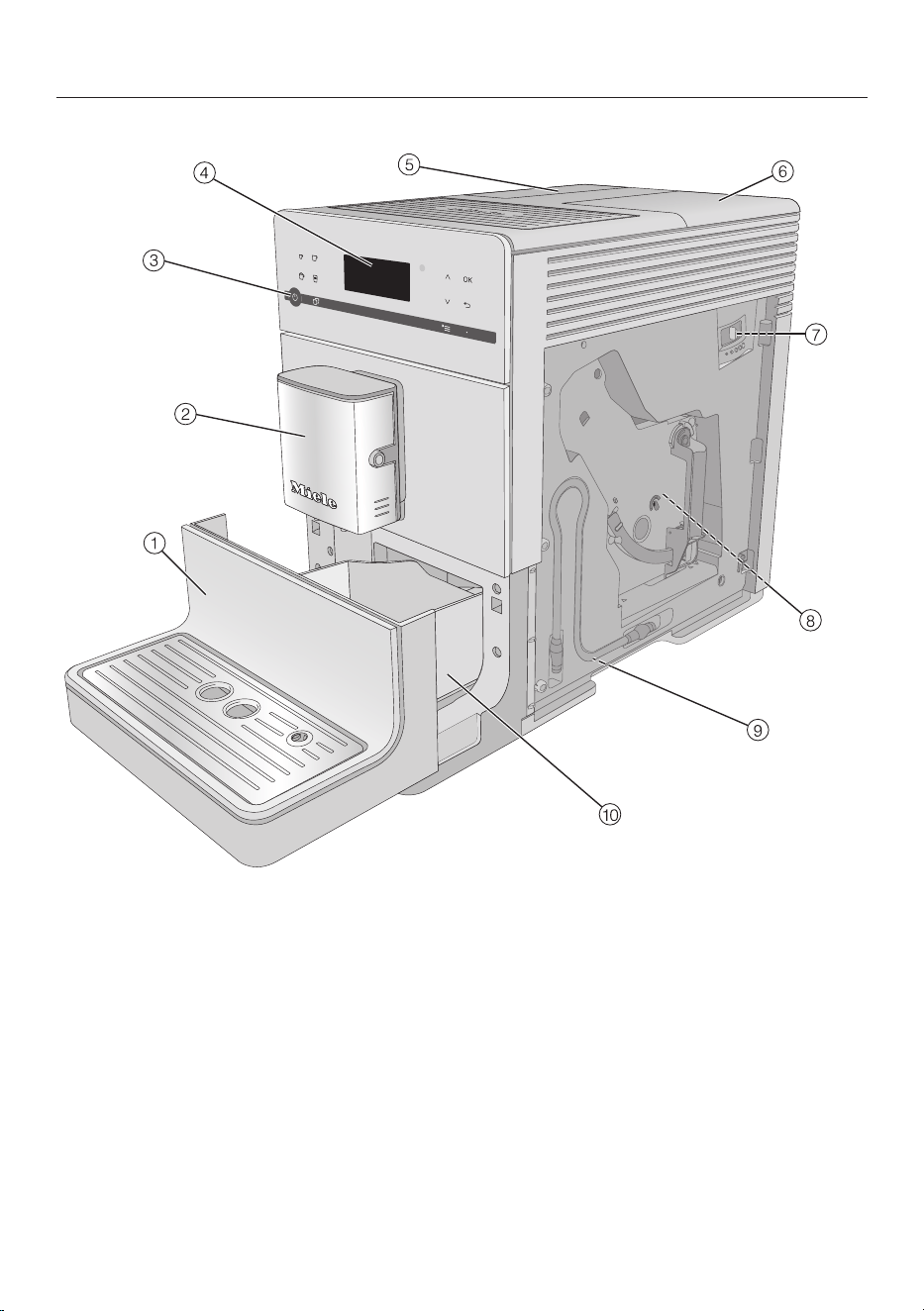
Guide to the appliance
16
a
Lower panel with drip tray cover
b
Main dispenser with Cappuccinatore
and hot water dispenser
c
On/Off button
d
Controls and display
e
Water container
f
Bean container and ground coffee
chute
g
Grinder setting (behind the service
panel)
h
Brew unit (behind the service panel)
i
Park position for milk pipework
(behind the service panel)
j
Drip tray with lid and grounds
container
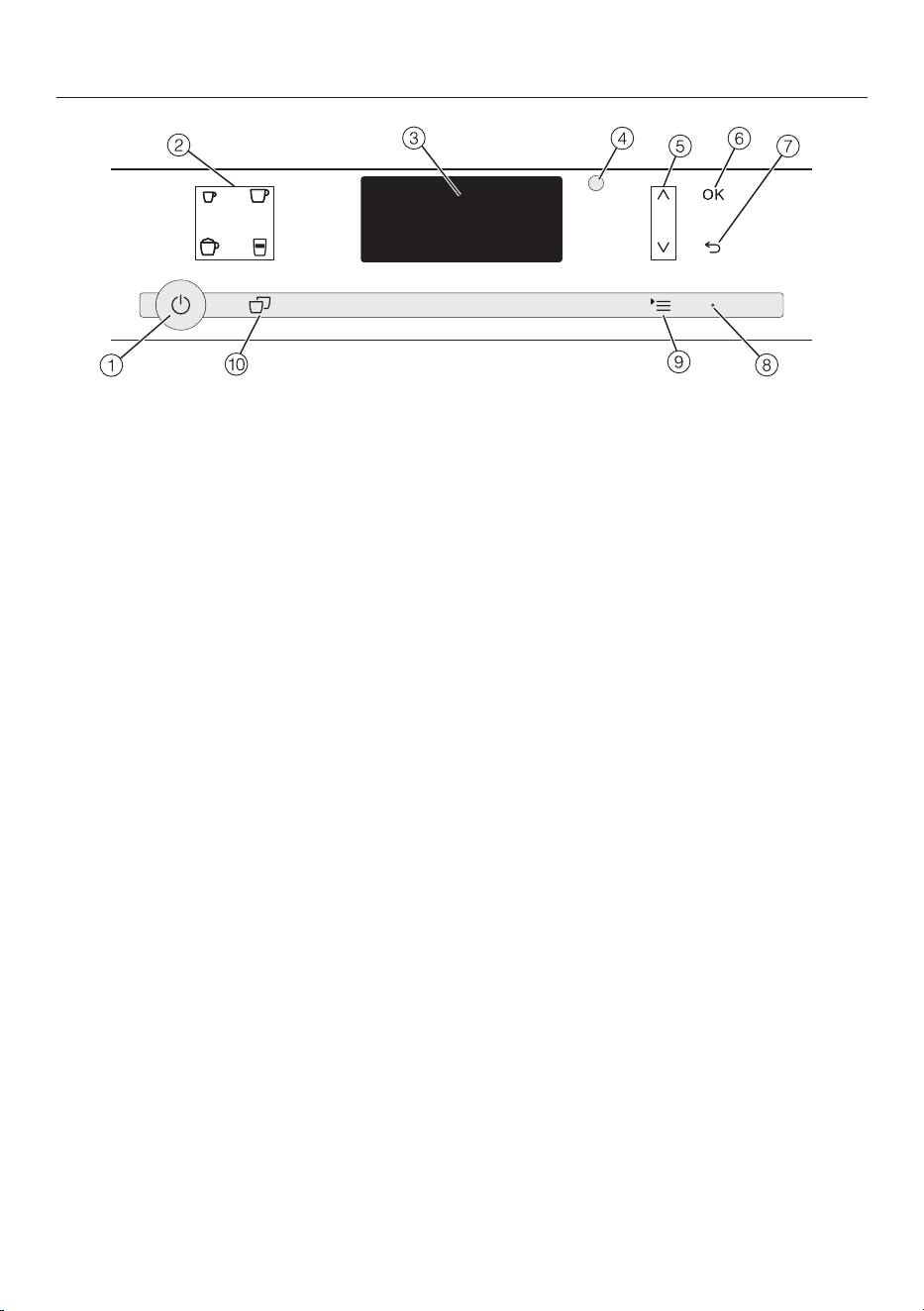
Controls and display
17
a
On/Off button
For turning the appliance on and off
b
Drink buttons
For making espresso ,
coffee ,
cappuccino or
latte macchiato
c
Display
Shows information on current activity
or status
d
Optical interface
(for Miele Technical Service only)
e
Arrow buttons
For showing additional selection
options in the display and
highlighting a selection
f
OK
For confirming display messages and
saving settings
g
Back
For returning to the previous menu,
canceling unwanted actions
h
LED
Flashes when the appliance is
switched on and the display is in
energy saving mode
i
Menus
Additional drinks
Profiles*
Maintenance
Parameters
Settings
j
Double portion
For preparing two portions of a drink
* CM5400,CM5500

Accessories
18
These products and other useful
accessories can be ordered via the
Miele Webstore, from Miele Service or
from your Miele dealer.
Included accessories
– Miele “Welcome Pack”
Different cleaning products are
supplied depending on model.
– Cleaning brush
for cleaning the milk pipework, for
example.
Optional accessories
Miele also offers a range of optional
accessories, as well as cleaning and
conditioning products for your coffee
system.
– Microfiber cloth
for removing finger marks and light
soiling
– Cleaning agent for milk pipework
for cleaning the milk system
– Cleaning tablets
for degreasing the brew unit
– Descaling tablets
for descaling the water pipework
– Stainless steel milk flask MB-CM
For keeping milk cool longer
(capacity approx. 2 cups / 0.5 l)
– CJ JUG coffee pot
Coffee pot for coffee or tea
(capacity 1l)

Operation
19
To operate the coffee machine, tap the
sensor buttons with your finger.
An audible signal is generated each
time a button is touched. You can
adjust the volume of the signal tones
or switch the tones off (see “Settings –
Volume”).
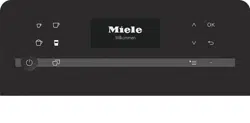
When the following appears on the
display, you are in the drinks menu:
Miele
Select drink
To make a coffee drink, tap one of the
drink buttons.
Touch to open the Additional drinks
menu. This includes drinks such as
Ristretto and Caffè Latte.
Selecting a menu and
navigating within a menu
To select a menu, tap the relevant
button. You will then be able to start an
action or change settings in the menu.
A scroll bar at the right of the display
shows that additional options or text
are available. Use the arrow keys to
display them.
The setting which is currently selected
will have a checkmark beside it.
To select an option, touch the arrow
buttons until the option/menu item
you want is highlighted.
To confirm the selection, tap OK.
Leaving the menu or canceling
an action
To exit the current menu, tap.
Before first use
20
Before using for the first time
Remove any protective coverings and
notices from the machine.
Remove the protective foil from the
drip tray cover and place the drip tray
cover into the lower panel.
Place the coffee machine on a level
flat surface that is not sensitive to
water (see “Installation”).
Clean the appliance thoroughly
before filling it with water and coffee
beans.
Insert the plug of the coffee machine
into the socket.
Remove the water container and fill it
with fresh, cold tap water. Only fill the
container up to the “max.” mark and
then reinsert the water container.
Take the lid off the coffee bean
container, fill it with roasted coffee
beans and replace the lid.
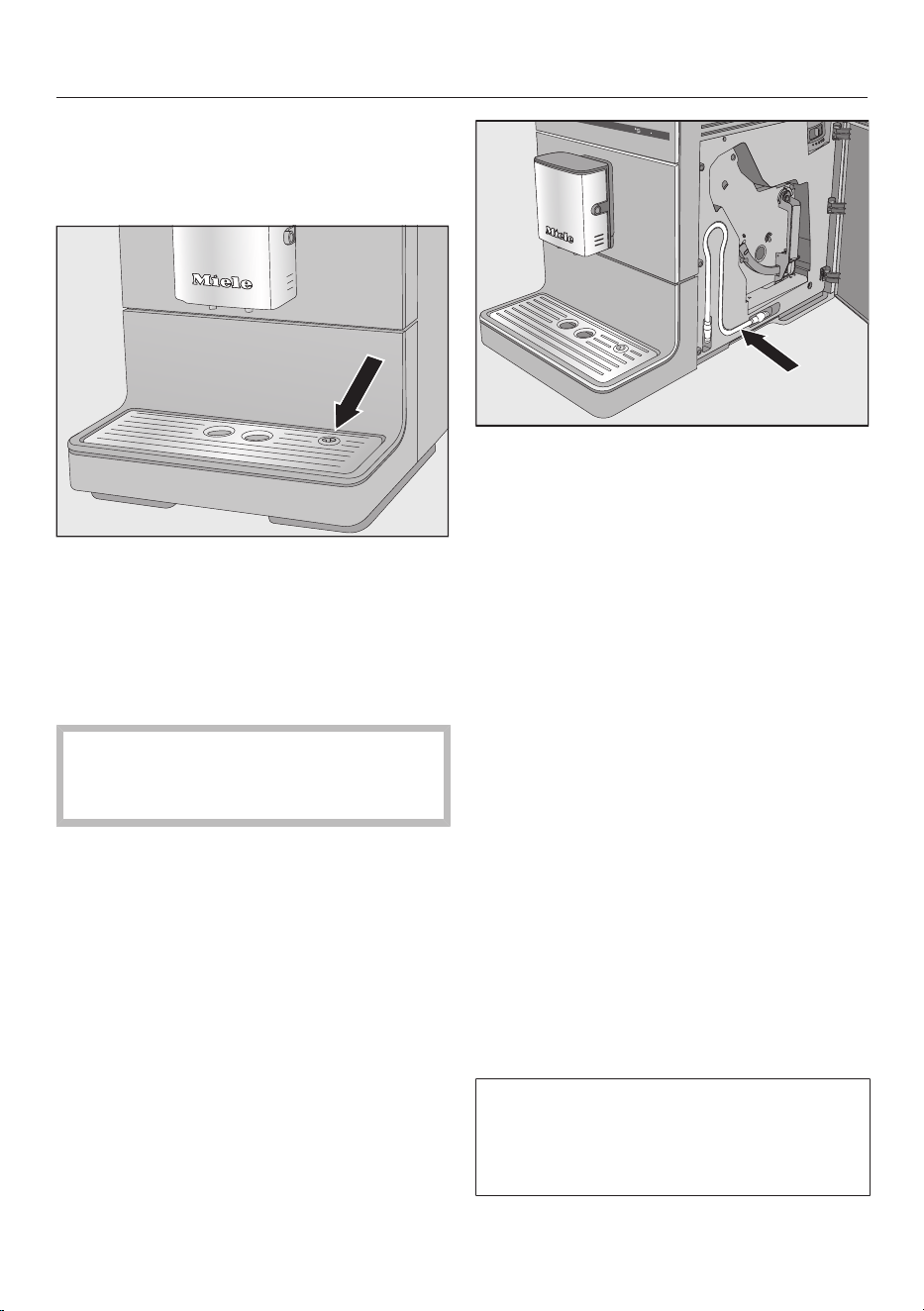
Tip: The milk pipework can be stored
behind the service panel when not in
use.
Turning on for the first time
Tap the On/Off button.
Miele - Willkommen appears briefly on the
display.
Use the arrow buttons to
highlight the required language. Then
tap OK.
Select the country if necessary and
then tapOK.
The setting is saved.
The coffee machine is now successfully
set up for use. The coffee machine will
heat up and rinse the pipework. Rinse
water flows out of the main dispenser.
Rinse the milk pipework (see “Rinsing
the milk pipework”) before making a
drink with milk for the first time.
Please note that the coffee aroma and
the characteristic crema only develops
after the first few coffees have been
made.

Before first use
21
A larger quantity of coffee beans is
ground for the first coffee drinks and
powder from the coffee grounds may
adhere to the cover of the drip tray.
Water hardness
22
The water hardness level indicates how
much calcium is dissolved in the water.
The higher the calcium content, the
harder the water, and the harder the
water, the more often the coffee
machine will need to be descaled.
The coffee machine measures the
amount of water used and steam made.
Depending on the level of water
hardness set, more or fewer drinks can
be dispensed before the appliance
needs to be descaled.
Program the coffee machine to the
water hardness level of your area so
that it functions correctly and does not
get damaged. At the correct time a
prompt will then appear in the display
to descale the appliance.
Your local water authority will be able to
tell you the hardness of water in your
area.
The water hardness level is set to 3 at
the factory.
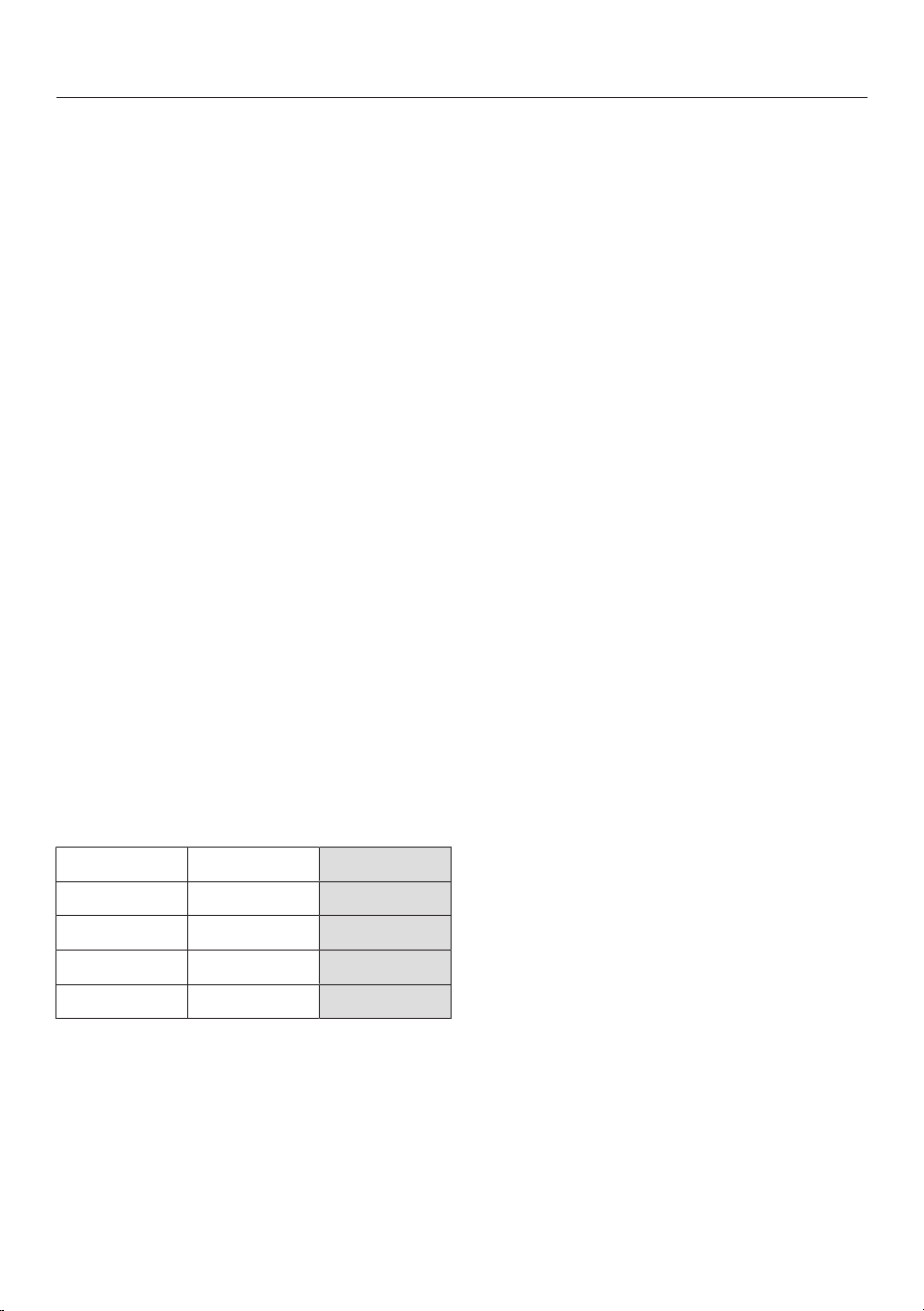
You can program four hardness levels
on the machine:
°dH gr/gal Setting
0-8.4 0–8.7 Soft 1
8.4–14 8.7-14.6 Medium 2
14–21 14.6-21.9 Hard 3
>21 > 21.9 Very hard 4
* The water hardness settings in the display may
differ from the water hardness level in your area.
To set the correct water hardness level for your
area always refer to the values in the chart.
Setting the water hardness
Tap.
Select the Settings menu with the
arrow buttons and tap OK.
Select Water hardness and tap OK.
Select the hardness level you want
and then tapOK.
The setting is saved.
Filling the water tank
23
Change the water every day to
prevent a build-up of bacteria.
Only use cold, fresh tap water to fill
the water container.
Hot or warm water or other liquids
can damage the coffee machine.
Do not pour carbonated water into
the water container.
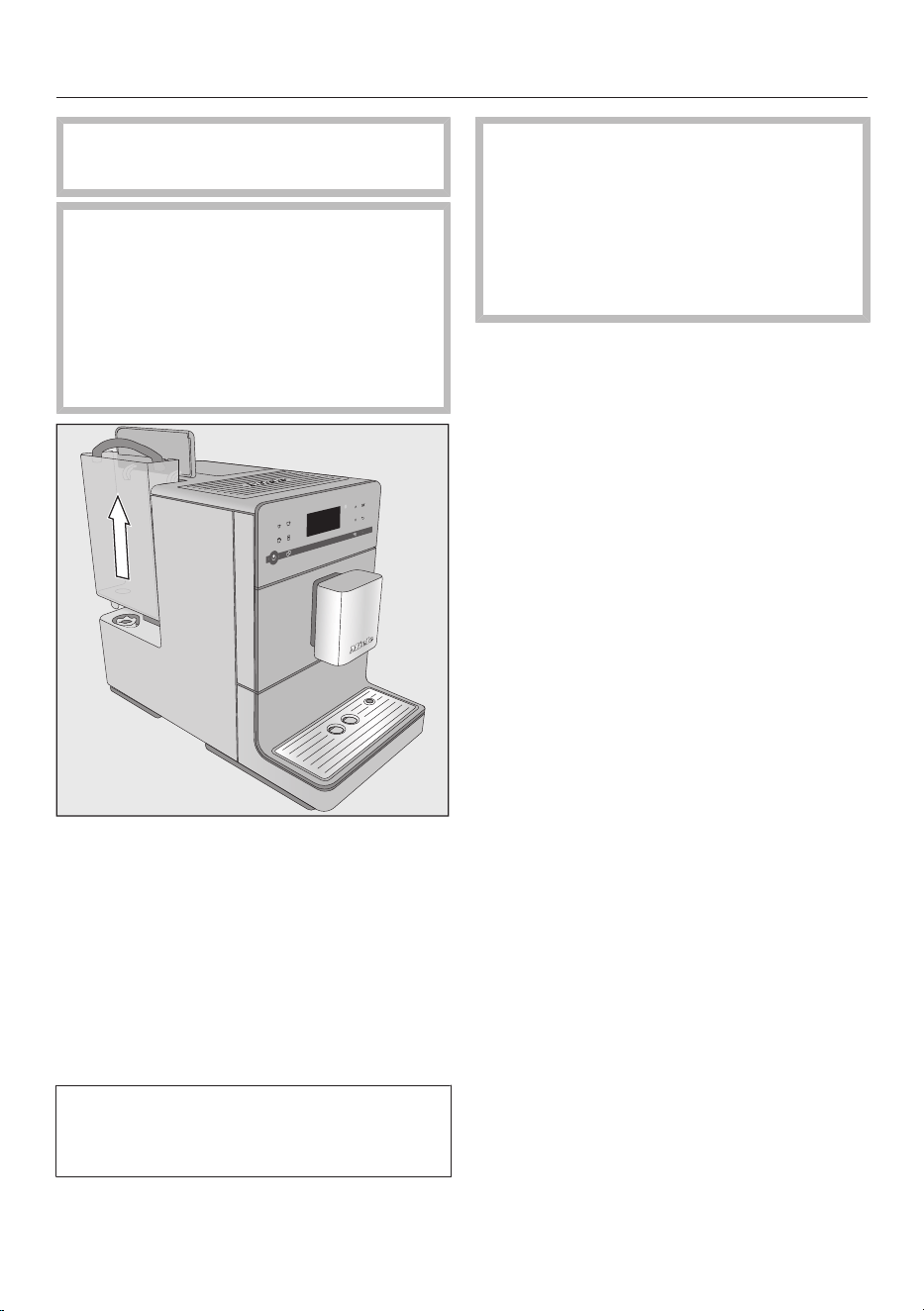
Open the lid on the left-hand side of
the coffee machine.
Pull the water container upwards and
out.
Fill the water container with fresh,
cold tap water up to the “max.” mark.
Replace the water container and
close the lid.
Make sure that the water container
handle is on the right so that the lid
can close properly.
If the water container sits a little too
high or at an angle, check that it is
fitted correctly or whether the
surface that it sits on is soiled. Water
could leak. If necessary clean the
surface that the water container sits
on.
Filling the coffee bean container
24
Coffee or espresso can be made from
whole roasted coffee beans which are
freshly ground for each portion. This
requires the coffee bean container to be
filled with coffee beans.
Alternatively, you can make coffee or
espresso with ground coffee (see
“Making coffee drinks from ground
coffee”).
Warning! Risk of damage to the
grinder.
Only put roasted coffee beans in the
bean container. Do not fill the bean
container with ground coffee.
Do not fill the bean container with
any type of liquid.
Warning! Sugar will damage the
coffee machine.
Do not use coffee beans that have
been treated with sugar, caramel, or
other substances and do not put
liquids containing sugar in the coffee
bean container.
Do not use green (unroasted) coffee
beans or mixtures of coffee beans
which contain green coffee beans.
Green coffee beans are very hard
and still contain residual moisture.
These can damage the coffee
machine grinder as soon as grinding
begins.
Tip: You can use a nut or seed grinder
to grind green coffee beans. These
types of grinder generally have a
rotating stainless-steel blade. You can
then add the ground green coffee one
portion at a time to the ground coffee
chute and make the desired coffee
drink (see “Making coffee drinks using
ground coffee”).
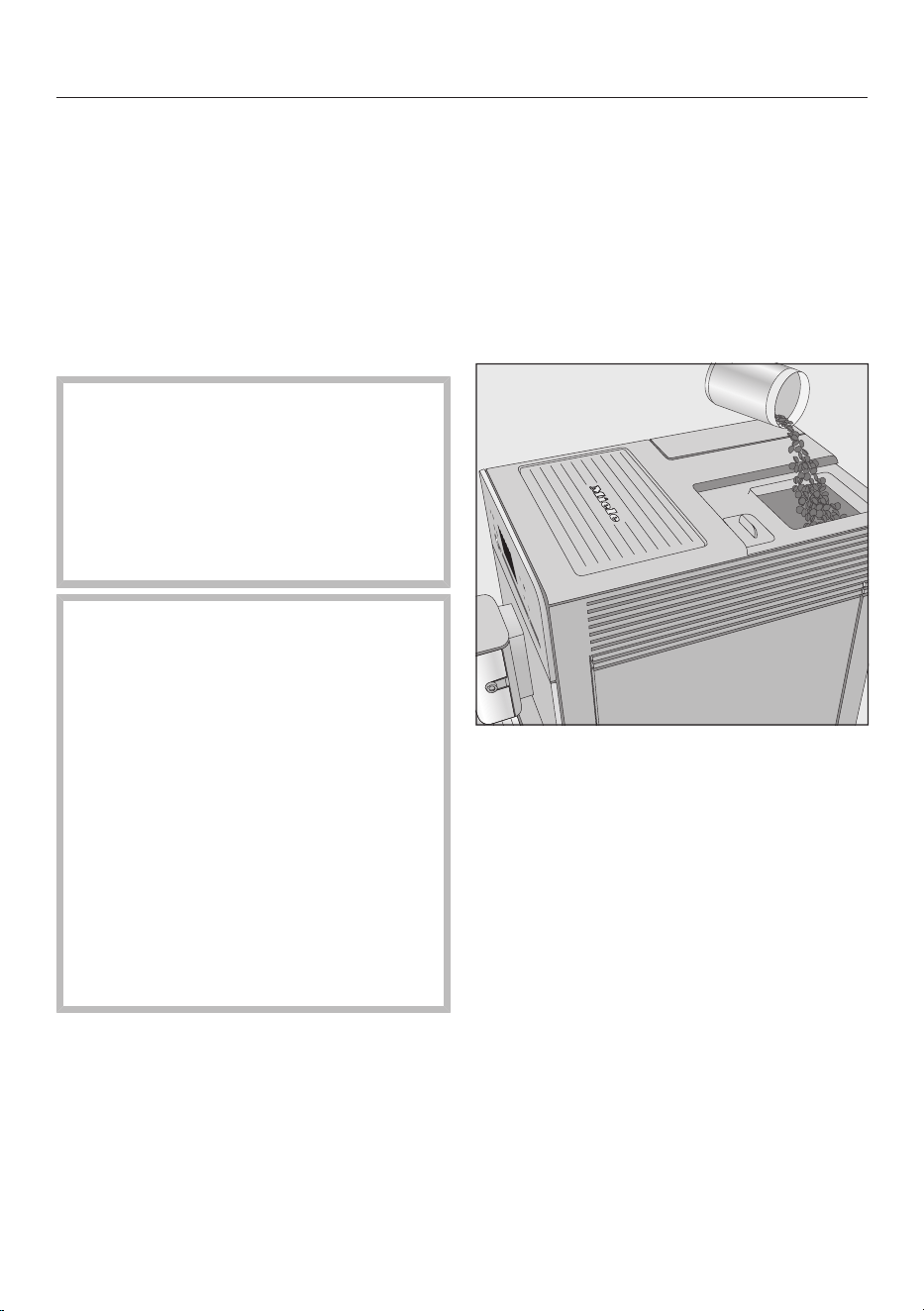
Take the lid off the coffee bean
container.
Fill the bean container with roasted
coffee beans.
Replace the lid.
Switching on and off
25
Switching the coffee machine
on
Tap the On/Off button.
The appliance heats up and rinses the
pipework. Hot water will run out of the
main dispenser.
When Select drink appears on the
display, you can make drinks.
If the coffee machine is already at
operating temperature, rinsing will not
take place when the appliance is
switched on.
If no buttons are touched or
maintenance programs carried out, the
display will turn off after approx.
7minutes to save energy.
The LED on the right flashes as long as
the machine is switched on.
Tap any one of the sensor buttons to
wake the appliance up again to make
a drink.
Switching the coffee machine
off
Tap the On/Off button.
After a coffee drink has been
dispensed, the pipework will be rinsed
before the appliance turns off.
If you have made a drink using milk,
Place milk pipe in drip tray will appear in
the display.
Insert the end of the milk pipe into the
aperture in the drip tray, and then tap
OK.
If the milk system is not rinsed out
before turning off, it will have to be
rinsed the next time the appliance is
turned on.
Turning off for longer periods
of time
If the coffee machine is not going to be
used for a longer period of time, for
example, if you are going on vacation:
Empty the drip tray, the waste unit,
and the water container.
Clean all parts thoroughly, including
the brew unit.
Switch off the machine and unplug
the power cord to disconnect it from
the power supply.
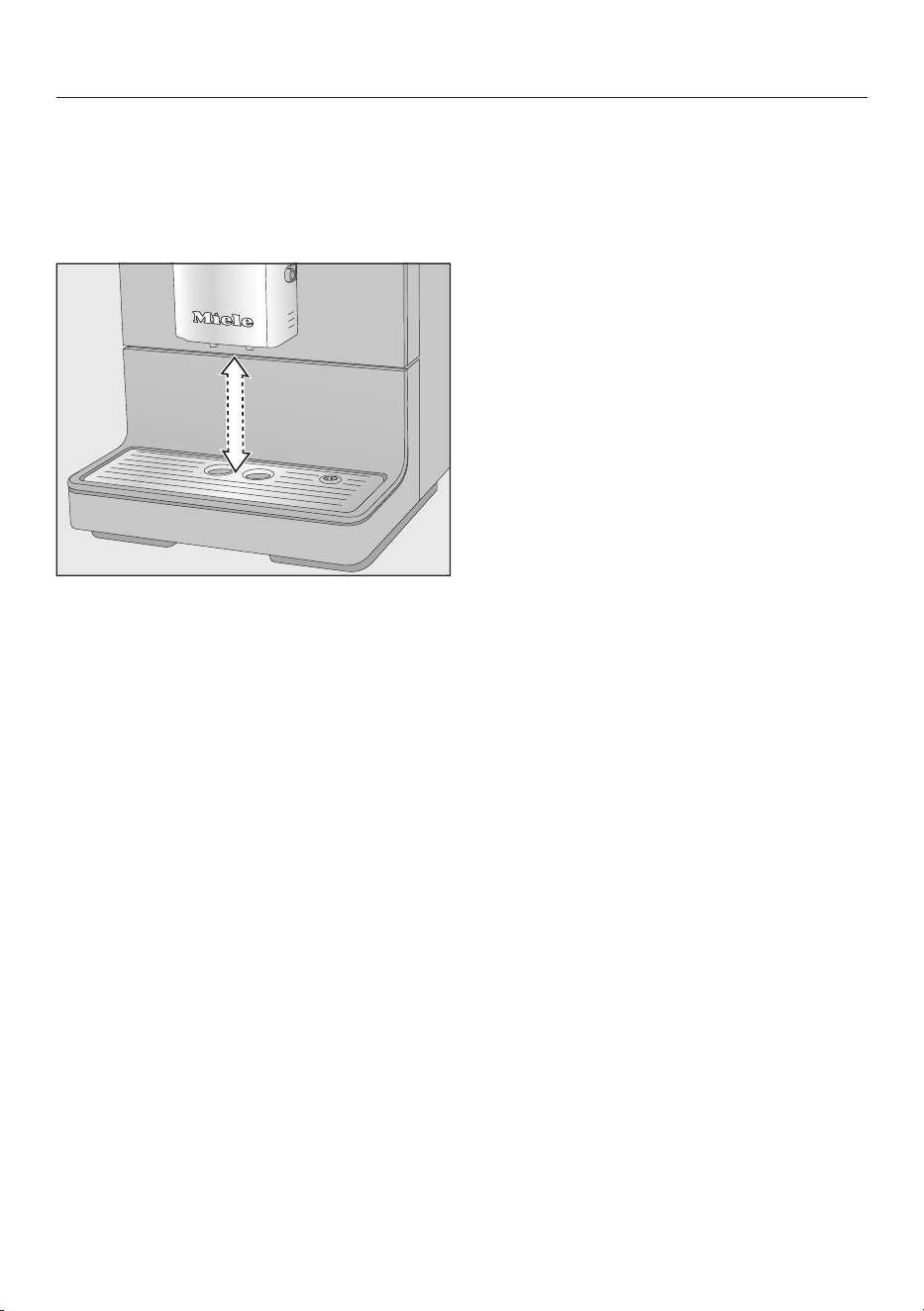
Adjusting the coffee dispensers to the cup height
26
You can adjust the main dispenser to
suit the height of the cup you are using
so that the coffee or espresso will not
cool down as quickly and the crema will
have a better consistency.
Pull the main dispenser down until it
is at the same level as the rim of the
cup.
Alternatively, push the main
dispenser up until there is enough
room to fit a larger cup or mug
underneath.
Preparing beverages
27
The following drinks without milk can be
made:
– Ristretto is a concentrated, strong
espresso. The same quantity of
coffee powder as for an espresso is
prepared with very little water.
– Espresso is a strong, aromatic
coffee with a thick hazelnut-brown
cream layer – the crema – on top.
Use espresso-roasted coffee beans
for preparing espresso.
– Coffee differs from espresso by
the increased amount of water and
the roast of the beans.
Use coffee beans of the correct roast
to make coffee.
– Lungo is a coffee with significantly
more water.
Danger of burning and scalding
from the dispensers.
The liquids and steam dispensed are
very hot.
Keep away from the area underneath
the dispensers when hot liquids and
steam are being dispensed.
Do not touch hot components.
Making a coffee drink
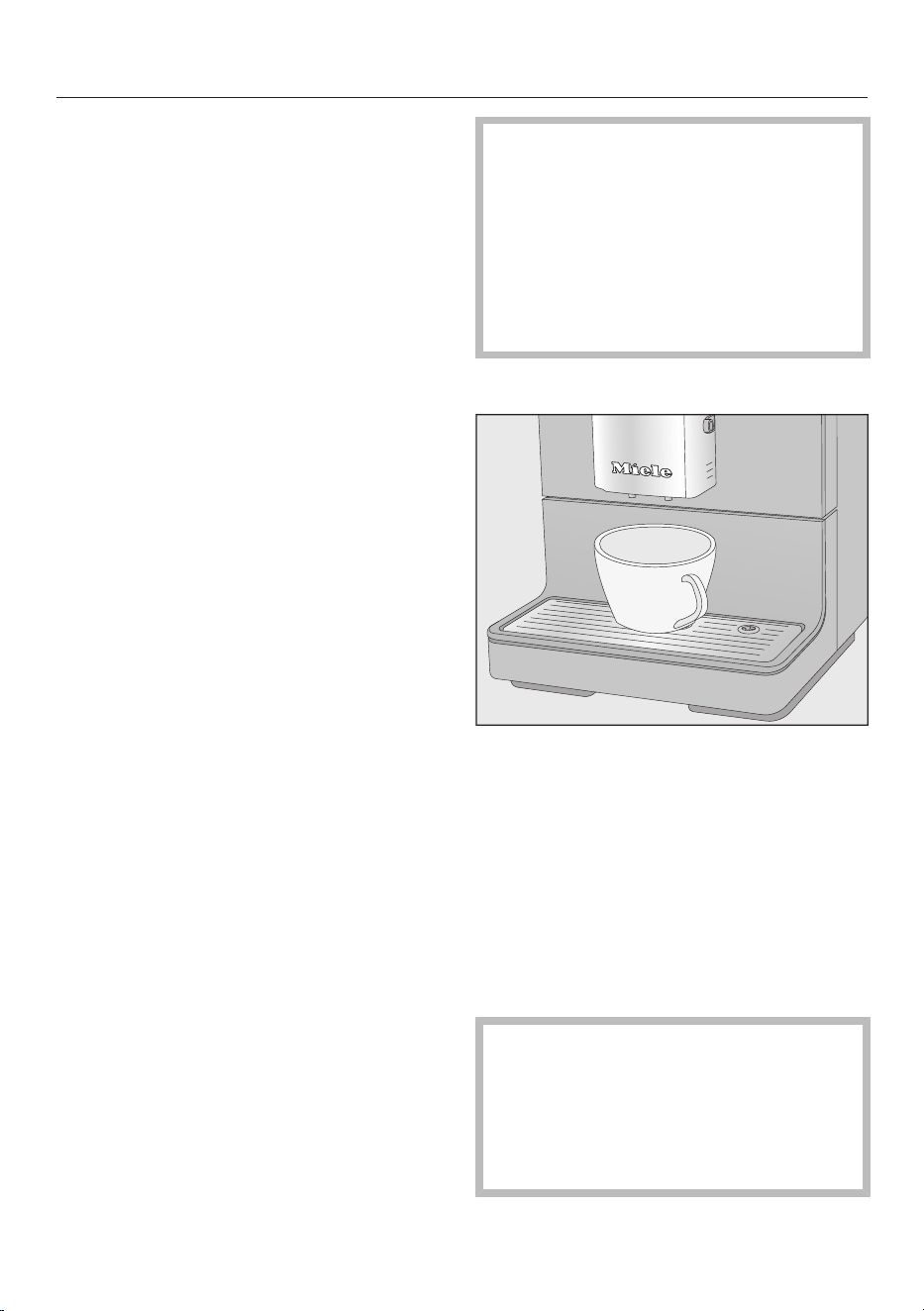
Place a cup under the main
dispenser.
Select a drink:
– Espresso
– Coffee
– Go to Additional drinks under for:
Ristretto or lungo
Dispensing will start.
To ensure that any coffee residues
from the factory testing process are
removed from the brewing system,
please throw away the first two cups
of coffee when using the coffee
machine for the first time.
Preparing beverages
28
Cancelling a drink
To cancel making a drink, tap the
drinks sensor or for drinks from
Additional drinks again.
Drink preparation will be canceled.
Tip: You can also cancel making a drink
by tapping OK as soon as Stop appears
in the display.
When making coffee with milk or a
double portion of a drink you can
cancel each stage individually by
tapping OK.
Double portion
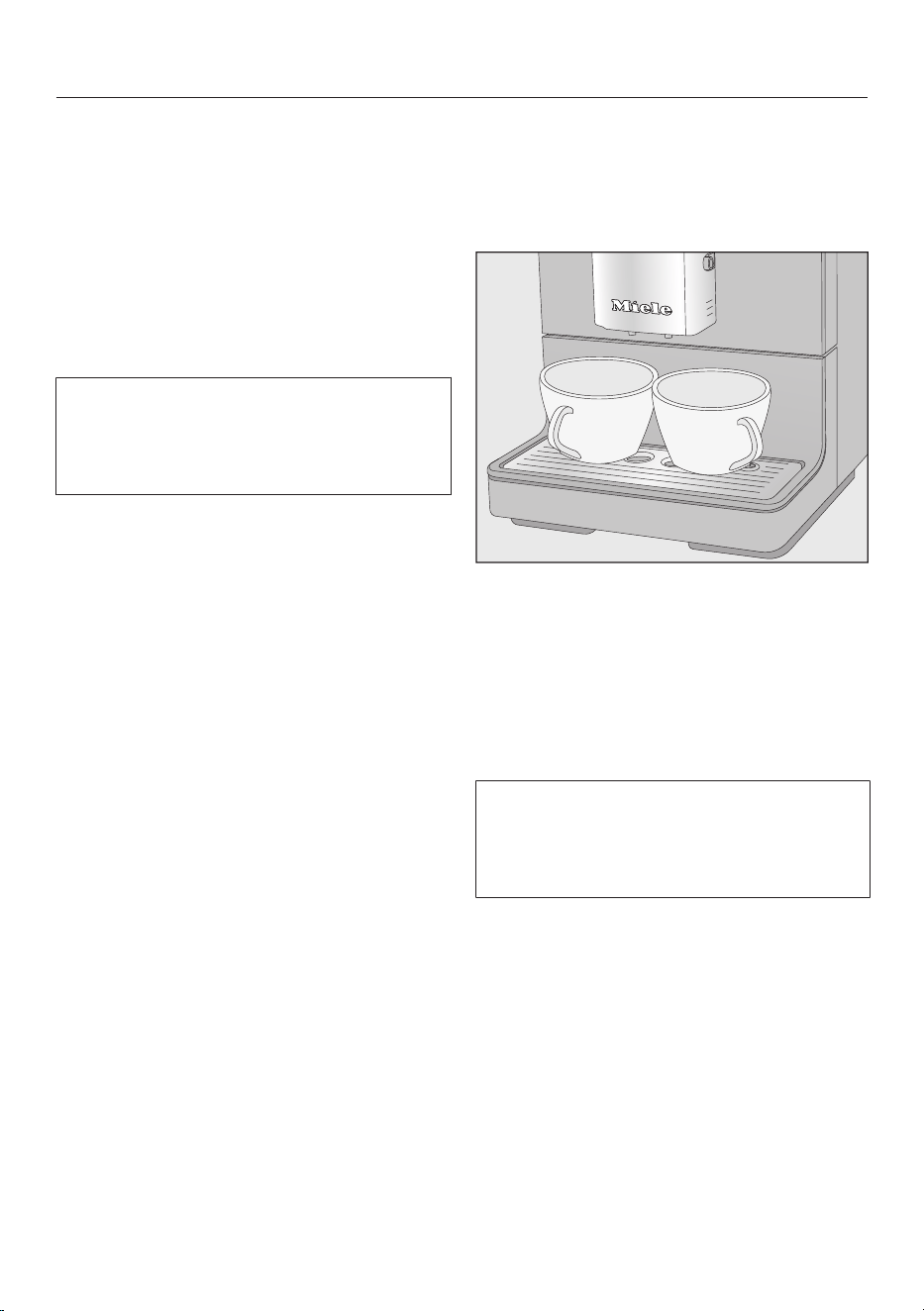
You can dispense two portions into one
cup or dispense two portions into two
cups at the same time.
To fill two cups at the same time,
place a cup under each coffee spout.
Tap.
Select a drink.
Two portions of the desired drink will be
dispensed from the main dispenser.
If, after a while, you have not tapped
one of the drink buttons, the “Double
portion” option will revert back to
single portions.
Preparing beverages
29
Coffee pot: Making several
cups of coffee one after the
other
You can make several cups of coffee
one after the other automatically with
the Coffee pot function (max. 0.75liter)
to fill a coffee pot, for example. Up to
six cups can be made in this way.
You can use the Coffee pot function
twice in a row. After this, the coffee
machine needs to cool down for one
hour in order to prevent it from being
damaged.
Place a sufficiently large container
under the main dispenser.
Tap.
Select Additional drinks.
Touch the arrow buttons
repeatedly until Coffee pot is
highlighted.
Tap OK.
Use the arrow buttons to
highlight the desired number of cups
(3 to 6). Then tap OK.
Follow the instructions given in the
display.
Each portion of coffee will be ground,
brewed, and dispensed individually. You
can follow the process in the display.
Canceling Coffee pot
Tap.
Coffee pot dispensing will stop.
Tip: A stainless steel coffee pot is
available as an optional accessory from
Miele for the “Coffee pot” function.
The CJ JUG coffee pot is available to
order from the Miele online shop, from
Miele Technical Service, or from your
Miele dealer.
Making coffee drinks from
ground coffee
To make drinks using ready-ground
coffee, add a portion of ground coffee
to the ground coffee chute.
This allows you to make a decaffeinated
coffee even if the bean container is
already filled with regular coffee beans,
for example.
Only one portion of coffee or espresso
can be prepared at a time when using
ground coffee.
Place a maximum of 0.4 oz (12 g) in
the ground coffee chute. If too much
is added, the brew unit will not be
able to process the coffee.
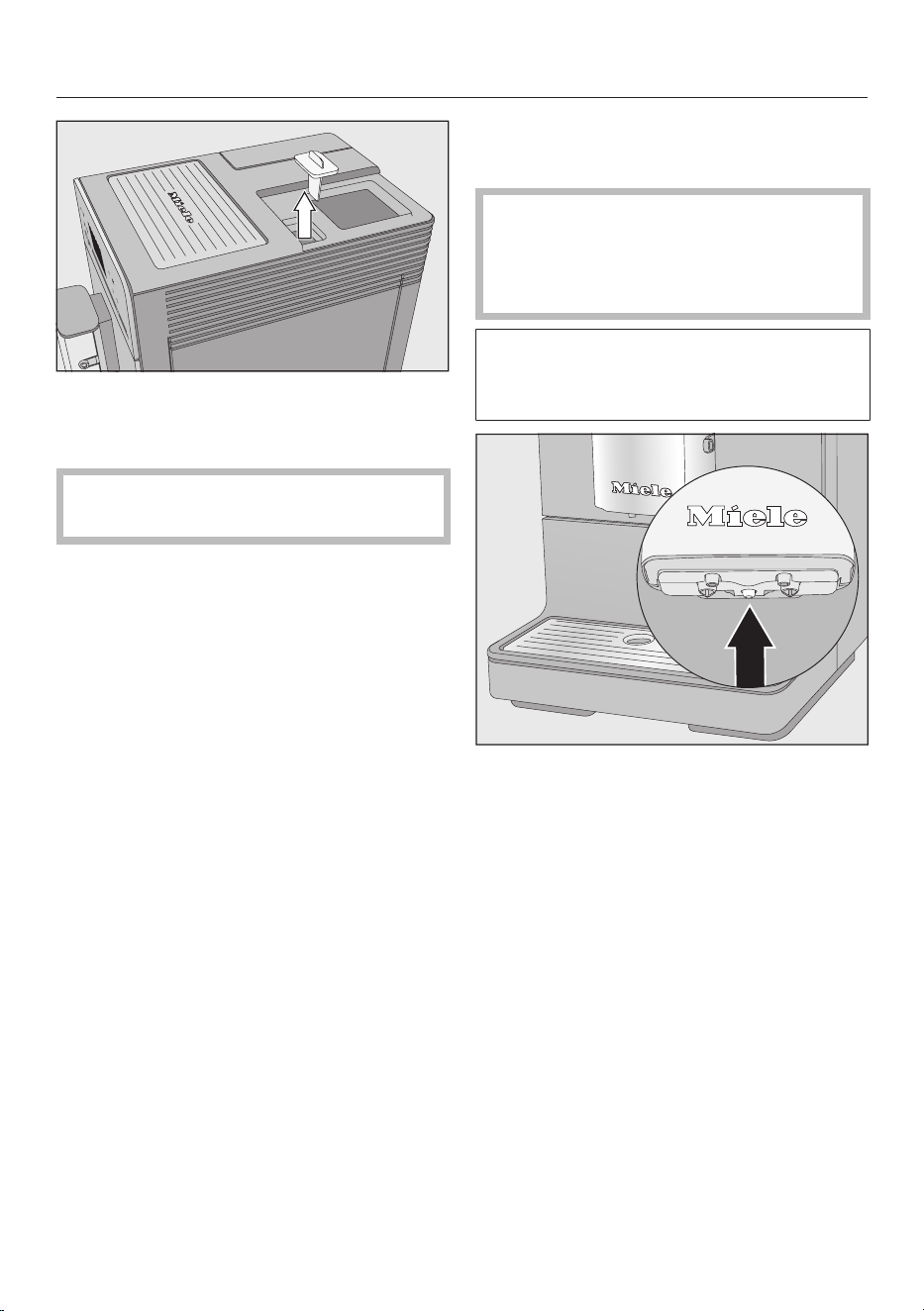
Adding ground coffee
The coffee machine will use all the
ground coffee that has been added to
the chute to make the next coffee.
Tap and select Additional drinks.
Use the arrow buttons to select
Ground coffee and tapOK.
Add ground coffee and select drink will
appear in the display.
Preparing beverages
30
First take the lid off of the coffee
bean container and then take the
cover off the ground coffee chute.
Place a maximum of0.4 oz (12 g) in
the ground coffee chute.
Replace the cover to the ground
coffee chute after adding the ground
coffee.
Replace the lid on the coffee bean
container.
Place a cup under the main
dispenser.
Select a drink.
The coffee will now be made.
Dispensing hot water
(CM5400,CM5500)
Caution! Danger of burning and
scalding on the main dispenser.
Water coming out of the dispenser is
very hot.
Please note that the water dispensed
is not hot enough for making black
tea.
Place a suitable container centrally
underneath the main dispenser.
Tap and select Additional drinks.
Select Hot water and tap OK.
Hot water will run into the container
under the main dispenser.
To stop dispensing early, touchOK.

Preparing beverages
31
Making drinks using a profile
(CM5400,CM5500)
You can tailor drinks to your personal
preferences and save them in a profile.
If you have already created your own
profile (see “User Profiles”), you can
select this to make a drink according to
your own taste.
Tap and select Profiles.
Select the profile you want and
tapOK.
The name of the selected user profile
will appear in the top of the display.
You can now make your drink.
Making coffee with milk
32
Caution! Danger of burning and
scalding from the main dispenser.
Liquids and steam dispensed will be
very hot.
Only use plain milk. Most sugary
additives can clog the milk lines. and
damage the appliance.
As soon as you select a drink
containing milk the appliance will start
to heat up. The milk will be drawn up
into the central spout where it is heated
by steam and also frothed for drinks
requiring milk froth.
If you have not made any milk drinks
for a while, rinse the milk system
thoroughly before making the first
drink to ensure any bacteria is
flushed out.
The following drinks with milk can be
made:
– Cappuccino consists of approx.
2/3 milk froth and 1/3 espresso.
– Latte macchiato consists of 1/3
each of hot milk, milk froth and
espresso.
– Caffè latte consists of hot milk and
espresso.
Hot milk and milk froth can also be
made.
Tip: Using cold milk (<50°F/10°C) will
produce the perfect milk froth.
You can select milk with a fat content
according to preference. With whole
milk (at least 3.5% fat), the milk froth
will be slightly creamier.
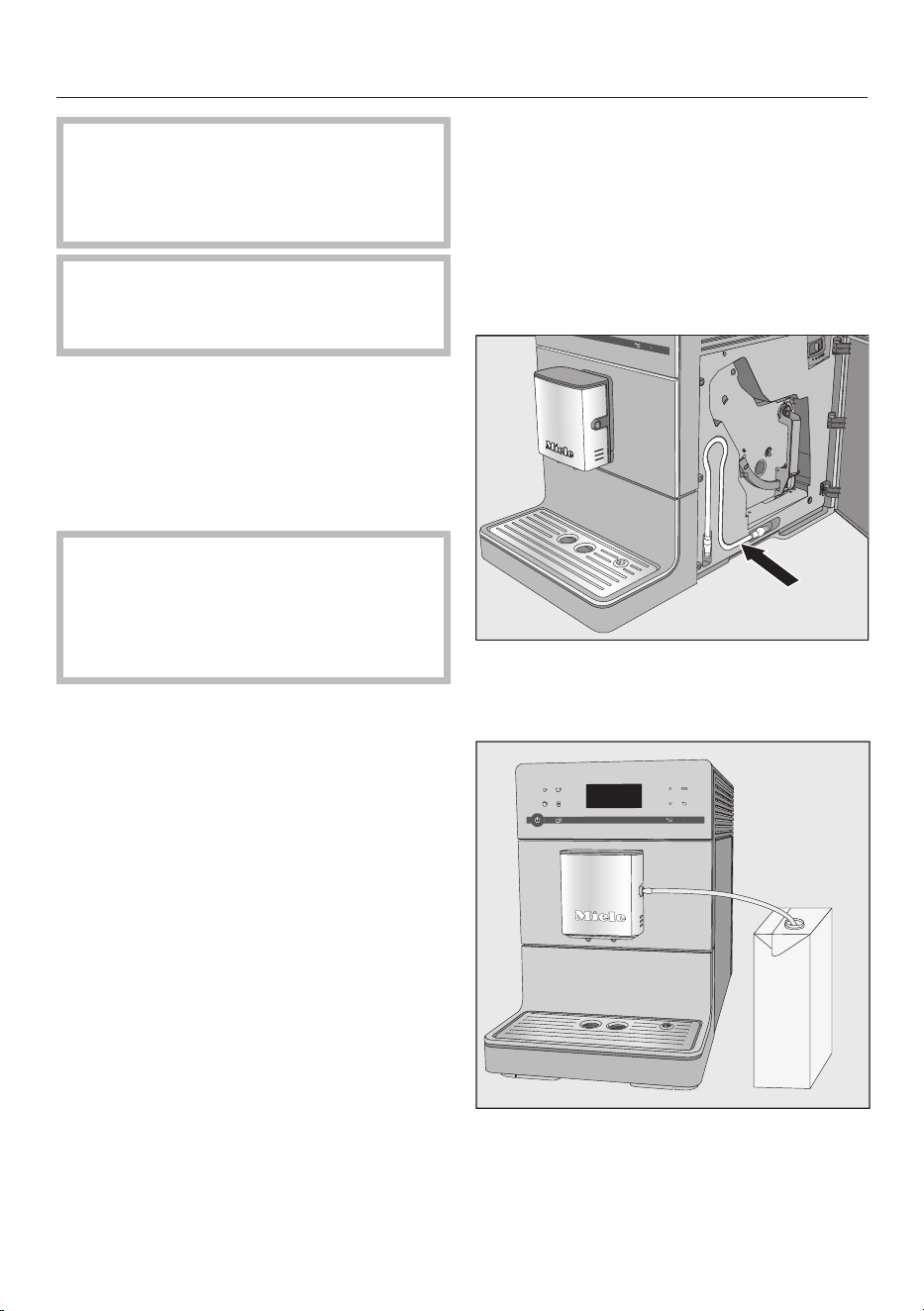
Using milk cartons or bottles
The milk pipe for cartons and other
suitable containers is located behind
the service panel.
Connect the milk pipe to the aperture
in the main dispenser.
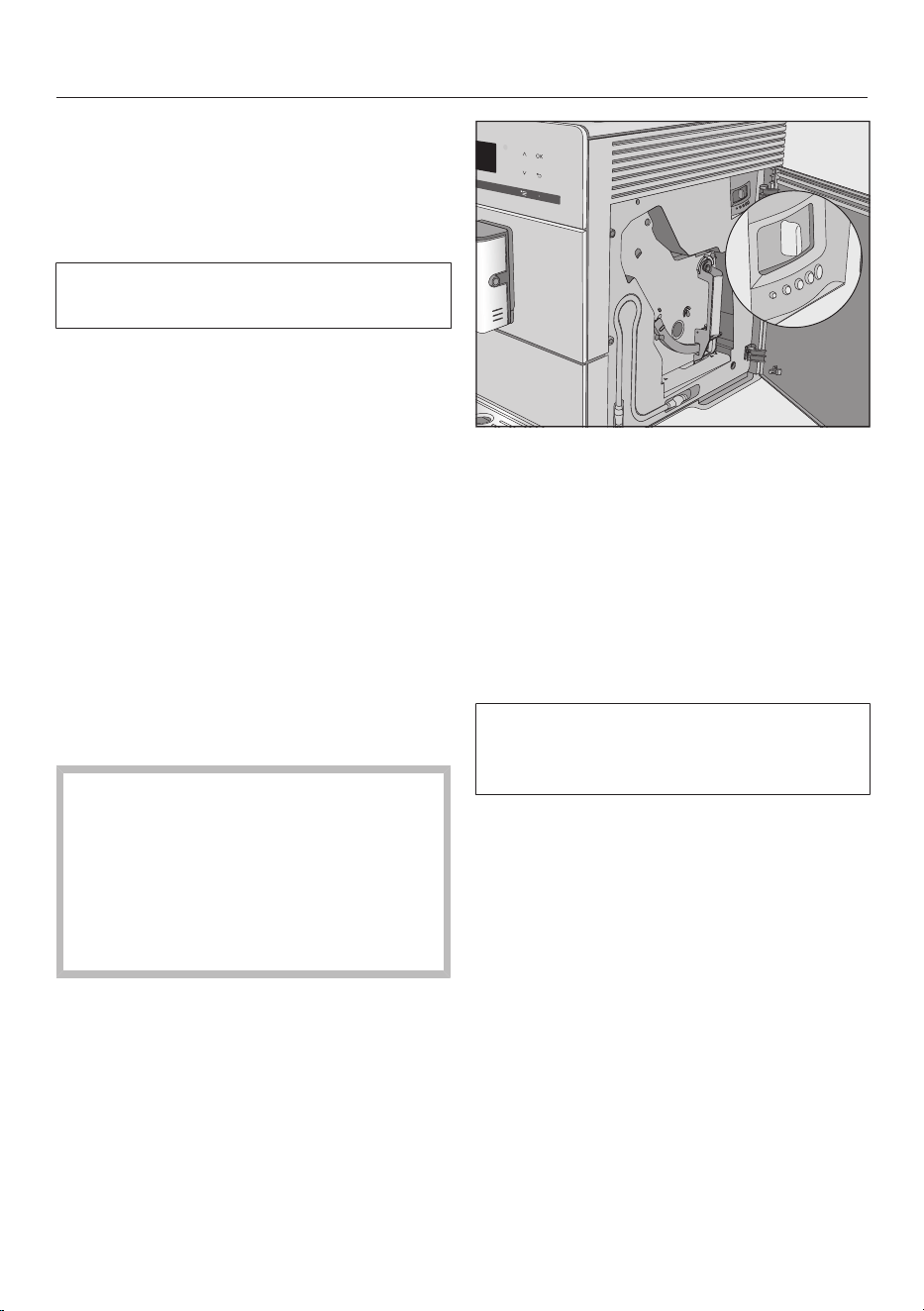
Place a container with sufficient milk
beside the coffee machine.

Making coffee with milk
33
Place the end of the milk pipe in the
container. Make sure that it is
sufficiently immersed in the milk.
Tip: The Miele stainless-steel flask
keeps milk cool for longer, as good milk
froth can only be made with cold milk (<
50°F (10°C)).
The MB-CM milk flask is available to
order from the Miele online shop, from
Miele Technical Service, or from your
Miele dealer.
Preparing drinks with milk
Place a suitable container under the
main dispenser.
Select a drink:
– Cappuccino
– Latte macchiato
– Go to Additional drinks in the menu
to select:
Caffè latte, Hot milk, and Milk froth
The drink will now be made.
Grinder setting
34
When the beans are ground correctly,
the coffee or espresso will flow evenly
into the cup with a good crema.
The crema should have an even
nutbrown colour.
The grinder setting you select will be
used for all coffee drinks.
There are various ways to tell whether
the coffee grinder is set correctly.
The coffee is ground too coarse, if
– espresso or coffee flows into the cup
too quickly.
– the crema is very pale and uneven.
Set a finer grinder setting.
The coffee is ground too fine, if
– espresso or coffee flows into the cup
very slowly.
– the crema is dark brown.
Set a coarser grinder setting.
To avoid damaging the grinder,
please note the following:
Only adjust the grinder one setting at
a time.
Grind the coffee beans again if you
want to adjust the grinder to the next
setting.
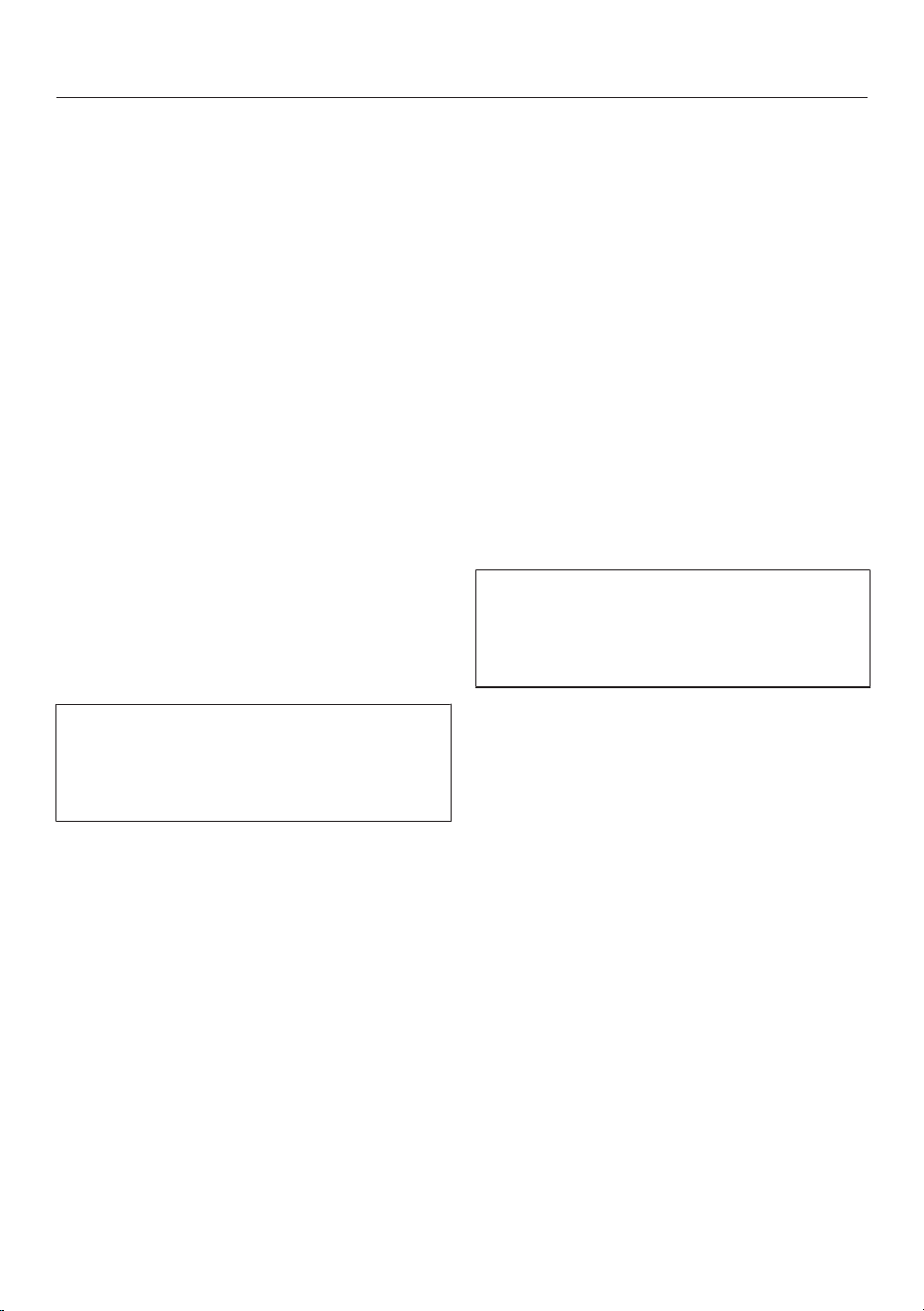
Open the service panel.
Push the slide control one setting to
the left (for finer grinding) or one
setting to the right (for coarser
grinding).
Close the service panel.
Make one cup of coffee.
After this, you can adjust the grinder
setting again.
The altered grinder setting will not be
used until after the second coffee has
been dispensed.

Amount of coffee, brew temperature, and pre-brewing
35
You can set the amount of coffee, the
brewing temperature, and pre-brewing
for each drink individually. To do this,
first select the drink from the
Parametersmenu and then adjust the
drink parameters.
Tap and select Parameters.
Select the drink you want and
tapOK.
The current settings for the amount of
coffee, brewing temperature, and pre-
brewing will be displayed for this drink.
Select Amount of coffee, Brew
temperature, or Pre-brewing.
Select the setting you want and
tapOK.
The setting is saved.
Amount of coffee
The coffee machine can grind and brew
6–14g of coffee beans per cup. The
greater the quantity, the stronger the
coffee.
There are various ways to tell whether
the amount of coffee is set correctly:
The amount of coffee is too low if
– espresso or coffee flows into the cup
too quickly,
– the crema is very pale and uneven,
– the espresso or coffee lacks body.
Increase the amount of coffee so that
more ground coffee is brewed.
The amount of coffee is too high, if
– espresso or coffee flows into the cup
very slowly,
– the crema is dark brown,
– the espresso or coffee tastes bitter.
Decrease the amount of coffee so that
less ground coffee is brewed.
Tip: If the coffee is too strong for you or
it tastes bitter, try a different type of
bean.
Brewing temperature
The ideal brewing temperature will
depend on
– the type of coffee being used,
– whether an espresso or a coffee is
being prepared, and
– the altitude of the region.
Tip: Not all types of coffee tolerate high
temperatures. Several types are
sensitive to high temperatures, resulting
in an impaired crema and taste.
Pre-brewing ground coffee
When the pre-brewing function is
turned on, the freshly ground coffee is
first moistened with a little hot water.
Then the remaining water is forced
through the moistened coffee at high
pressure. This helps release the flavor
of the coffee.
You can set pre-brewing for a normal
length of time or an extra long length of
time. Alternatively, you can turn off the
“Pre-brewing” function.
The machine is supplied with the “Pre-
brewing” function turned off.
Portion size
36
The flavor of the coffee produced
depends not only on the type of coffee,
but also on the amount of water used.
You can program the amount of water
for all coffee drinks and hot water to
suit the size of your cups and the type
of coffee you are using. This does not
alter the amount of coffee used.
For coffee drinks that use milk you can
also set the amount of milk or milk froth
to be dispensed with these drinks, as
well as the amount of coffee or
espresso. Additionally, you can set the
portion sizes for hot milk and milk froth
alone.
A maximum portion size can be
programmed for each type of drink.
Dispensing stops once this has been
reached. The maximum possible
portion size is then saved by the
appliance for this type of drink.
If the water container becomes empty
while making a drink, the machine will
stop programming the portion size.
The portion size will not be saved.
There are two ways of initiating the
programming of the portion size:
– by touching the drink button when
you are making a coffee, or
– by selecting Portion size in the
Parametersmenu.
CM5400,CM5500: The changed
portion size is always saved in the
current profile. The name of the current
user profile is shown at the top left of
the display.
Cancelling portion size programming
Tap the drinks button or for drinks
from Additional drinks again.
Changing the portion size
while making a drink
You can change and save the portion
size for espresso, coffee,
cappuccino, and latte macchiato
while making these drinks.
Place a cup under the main
dispenser.
Tap the sensor button for the desired
drink until Change appears in the
display.
An audible tone will sound as soon as
portion size programming starts. (As
long as the volume has been set for
the audible tones – see “Volume”.)
The desired drink will be made and Save
will appear in the display.
When the container is filled to the
desired level, tapOK.
If you want to change the portion size
for coffee with milk, the ingredients of
the drink are saved one after the other
during preparation.
When the quantity for each ingredient
reaches the desired level, tapOK.
The programmed mix of ingredients and
portion sizes will now be dispensed
every time that particular drink is
selected.

Portion size
37
Changing the portion sizes in
the Parametersmenu
You can only change the portion sizes
for lungo, caffè latte, hot milk, and
milk froth via the “Parameters” menu.
Place a suitable container under the
main dispenser.
Tap and select Parameters.
Select the drink you want.
Select Portion size and tapOK.
Now proceed as for changing the
portion size while making a drink.
User profiles
38
(CM5400, CM5500)
If the coffee machine is used by several
people with different tastes and coffee
preferences, you can create individual
user profiles in addition to the Miele
profile.
In each user profile, you can adjust the
settings for individual drinks (portion
size, amount of coffee, brewing
temperature, and pre-brewing).
The name of the current user profile is
shown at the top left of the display.
Accessing user profiles
Tap and select Profiles.
You can now create a user profile.
If you have already created a profile in
addition to the Miele profile, you have
the following options:
– Select profile from the user profiles
that have already been allocated.
– Change profile to program the
coffee machine so that it changes
back to the Miele standard profile
automatically after each drink is
dispensed or so that it retains the
most recently selected profile.
– Change name if you want to alter the
name of a user profile.
– Delete profile if you want to delete a
user profile.
Tapping takes you back to the
previous menu. Tapping takes you
back to the drinks menu.
Creating a user profile
Use the arrow buttons to select
Create profile and tap OK.
Letters will appear in the display that
you can select with the arrow buttons.
You can use the arrow buttons to select
from numbers, upper case and lower
case letters.
Tap arrow buttons to select the
character and then tap OK.
The character will then appear in the
line above.
Repeat the process until the desired
name appears in the display line
above.
Tip: You can delete the last character
entered by tapping .
When you have finished entering a
name and want to save it,
use the arrow keys to highlight
the check and tap OK.
If you do not want to save what you
have entered,
tap and hold until all characters
have been deleted and the coffee
system jumps back to the previous
menu.
The last created profile is selected as
the current profile.
User profiles
39
Selecting a user profile
This selection is only possible if a
profile has been allocated in addition
to the Miele standard user profile.
Use the arrow buttons to select
Select profile and tap OK.
Select the profile with the arrow
buttons and tap OK.
The name of the current user profile is
shown at the top left of the display.
Changing a user profile
You can program the coffee system so
that it changes back to the Miele
standard profile automatically after each
drink is dispensed, so that the Miele
profile is always active when the
appliance is switched on or so that it
retains the most recently selected
profile.
Select Change profile and tap OK.
You now have the following options:
– Manually: The selected user profile
remains active until you select
another user profile.
– After each use: The appliance will
change back to the Miele standard
user profile automatically after a drink
is dispensed.
– When turned on: Each time the
appliance is switched on it will
automatically select the Miele
standard user profile regardless of
which user profile was set before the
appliance was last switched off.
Select the required option and tap
OK.
Changing the name
This selection is only possible if a
profile has been allocated in addition
to the Miele standard user profile.
Use the arrow buttons to select
Change name and tap OK.
Proceed the same as with “Create
profile”:
– Select to delete a character.
– To enter new characters, highlight the
relevant character and confirm with
OK,
– Save the new name by selecting in
the display and tapping OK.
Deleting a user profile
This selection is only possible if a user
profile has been allocated in addition
to the Miele standard user profile.
Use the arrow buttons to select
Delete profile and tapOK.
Select the profile you wish to delete.
Select Yes and then tapOK.
The profile will be deleted.

Settings
40
Accessing the “Settings” menu
Tap.
Select Settings with the arrow key
and then tapOK.
You can now check or change the
settings.
The check next to the individual entry
shows you which setting is currently
active.
Tapping takes you back to the
previous menu.
Tap if you want to go back to the
Select drink menu.
Changing and saving settings
The Settings menu is displayed.
Select the setting you wish to change
with the arrow buttons.
Tap OK.
Tap the arrow buttons until the
option you want is highlighted.
Tap OK.
The setting is saved.
Settings
41
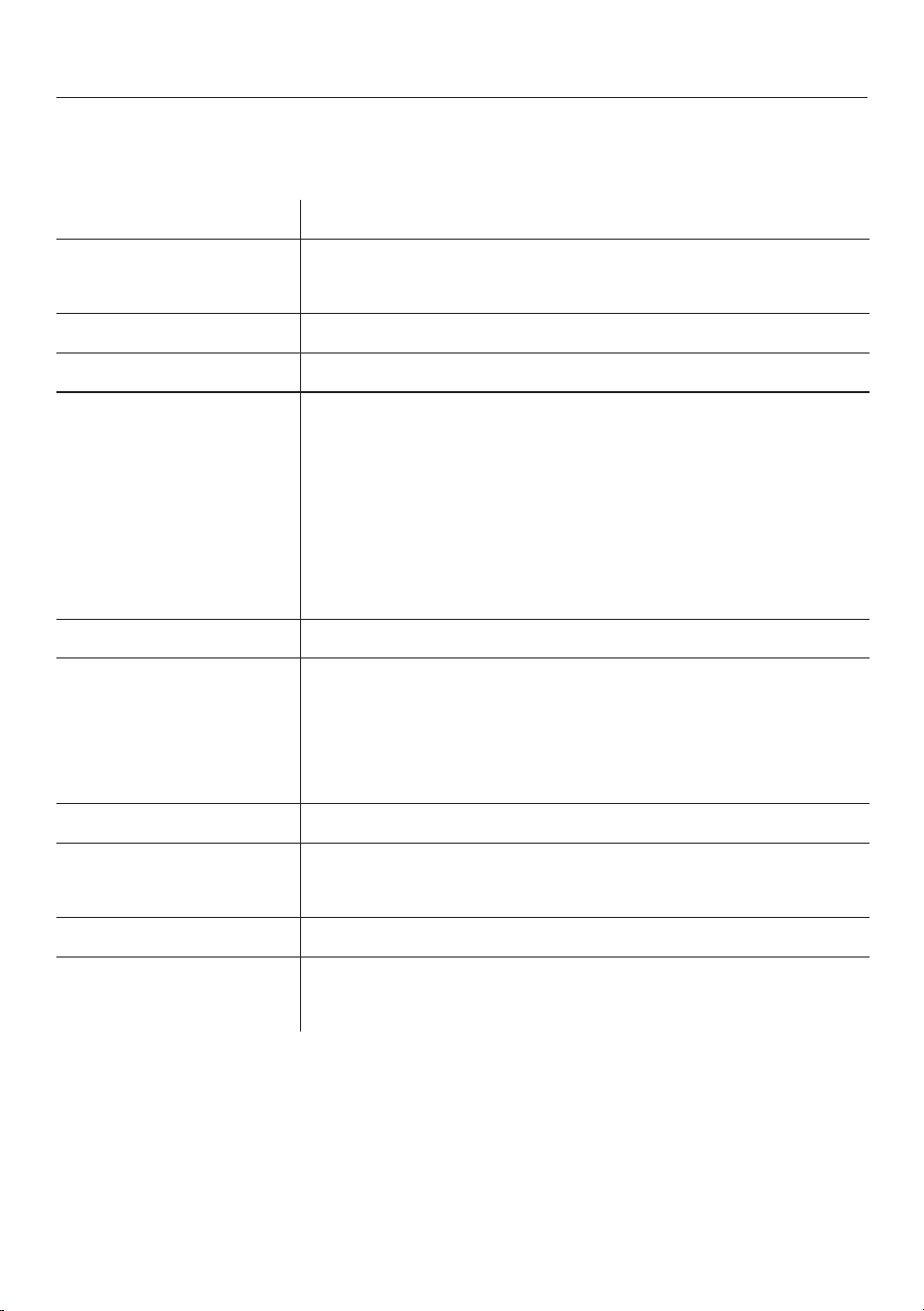
Setting options
The factory default for each option is indicated by *.
Menu item Available settings
Language German*, English and other languages
Country
Timer Turn off after (0:30)*
Eco mode On* / Off
Info Number of drinks
– Total coffee drinks / Total no. of uses / Espresso / Coffee /
Cappuccino / Latte macchiato / Ristretto / Coffee
Americano / Caffè latte / Hot milk / Milk froth / Hot water
(CM5400, CM5500 only)
No. of uses until
– Descale the appliance / Degrease the brew unit
System lock On / Off*
Water hardness Soft
Medium
Hard*
Very hard
Display brightness Set the brightness
Volume Buzzer tones
Keypad tone
Showroom program Demo mode (On / Off*)
Factory default Do not reset
Reset

Settings
42
Language
You can select the language (and
country variant of that language) for all
display text.
Tip: If you select the wrong language
by mistake, you can find the
“Language” option by following the flag
symbol .
Timer: switch off after
If none of the keys have been pressed
or no drink has been prepared, the
coffee machine will turn itself off after
30 minutes to save energy.
You can change this pre-setting using
the arrow buttons to a time
between 15 minutes and 9 hours.
Eco mode
Eco mode is an energy-saving mode.
If Eco mode is switched on, the coffee
machine will heat up anew every time a
drink is made, so that making a drink
takes longer.
If Eco mode is turned off, significantly
more energy is used. The coffee
machine heats up for the first drink
preparation after being switched on.
After that the appliance remains heated
up and drinks can be prepared without
having to wait very long.
The coffee machine will indicate that
the energy consumption has been
altered.
Info (displaying information)
Under the Info menu option, you can
choose to display the number of
portions made for each type of drink.
You can also see whether there are
more than 50 portions before the next
descaling or degreasing of the brew unit
(No. of uses until).
Tip: To return to the previous display,
tapOK.
Locking the coffee machine
(System lock)
You can lock the coffee machine to
prevent it from being used by
unauthorized persons, such as children.
Activating and deactivating the
system lock
When the system lock is activated, the
timer settings for Turn on at are
deactivated. The coffee system will
not switch on at the time set.
Temporarily overriding the system
lock
While the message Press and hold the OK
button for 6 seconds to unlock is in the
display,
tap OK for 6 seconds.
As soon as the coffee system is
turned off, the system is locked again.
Settings
43
Water hardness
See “Water hardness” for more
information.
Display brightness
Change the display brightness using
the arrow keys .
Volume
The volume of the alarm and the sensor
buttons can be set using the arrow
buttons.
Tip: To switch off the tones, touch the
arrow buttons until no more
segments are filled in and Turned off
appears.
Factory default setting
You can reset the settings back to the
ones which were set when the coffee
system was delivered - the factory
default settings.
The number of drinks and the appliance
status (No. of drinks until ...) cannot be
reset.
Please refer to the “Setting options”
chart for the factory settings that are
shown in bold.
The following settings will not be
reset:
– Language
– Profiles and their drinks
Showroom program (Demo
mode)
Do not activate this setting for
domestic use.
The coffee system can be presented in
Miele Showrooms of retail stores with
the Showroom program function. The
lighting will come on, but drinks cannot
be dispensed and other actions cannot
be carried out.
If you activate the Demo mode, you
cannot turn the appliance off with the
On / Off button .
Cleaning and care
44
The coffee system must be cleaned regularly to prevent a build-up of
bacteria.
Overview of cleaning intervals
Recommended frequency What do I have to clean/maintain?
Daily
(at the end of the day)
Water container
Grounds container
Drip tray and drip tray cover
Once a week
(more often if heavily soiled)
Main dispenser with integrated Cappuccinatore
Brew unit
Area underneath the brew unit and the drip tray
Housing (particularly important immediately after descaling
the appliance)
Milk pipework
Once a month Bean container and ground coffee chute
When prompted Degrease the brew unit (with 1cleaning tablet)
Descale the appliance (with 1descaling tablet)
Cleaning and care
45
Danger of burning and scalding
on hot components or by hot liquids!
Always allow the coffee machine to
cool down before cleaning it.
Caution: Water in the drip tray can be
very hot.
Do not use a steam cleaner to
clean this machine. Steam could
cause a short circuit.
It is important to clean the machine
regularly as used coffee grounds go
mouldy quickly. Milk residue can spoil
and clog the milk pipework.
Unsuitable cleaning agents
All surfaces are susceptible to
scratching. Scratches on glass can in
some circumstances lead to
breakage. Contact with unsuitable
cleaning agents can discolor the
external surfaces.
Ensure that any splashes of
descaling solution are wiped up
immediately.
Avoid spot cleaning with mechanical
cleaning agents.
To avoid damaging the surfaces, do not
use:
– cleaning agents containing soda,
ammonia, acids, or chlorides
– solvent-based cleaning agents
– cleaning agents containing descaling
agents (unsuitable for cleaning the
housing)
– stainless-steel cleaning agents
– dishwasher cleaners (unsuitable for
cleaning the housing)
– cleaning agents for ceramic cooktops
– oven cleaners
– abrasive cleaning agents, such as
scouring powder, scouring liquid, or
pumice stones
– hard, abrasive brushes or sponges,
such as pot scourers or sponges
which have been previously used
with abrasive cleaning agents
– eraser sponges
– sharp metal scrapers
Cleaning and care
46
– steel wool or stainless-steel wire
scourers
Glass cleaners may be used to clean
the exterior. However do not allow them
to sit or “puddle”, this can cause
damage to the surface. Remove the
cleaner promptly.
Clean by hand or in
dishwasher
Please note that the brew unit is not
dishwasher-safe.
Clean the brew unit by hand only
under warm running water. Do not
use liquid dish soap or any other
cleaning agent.
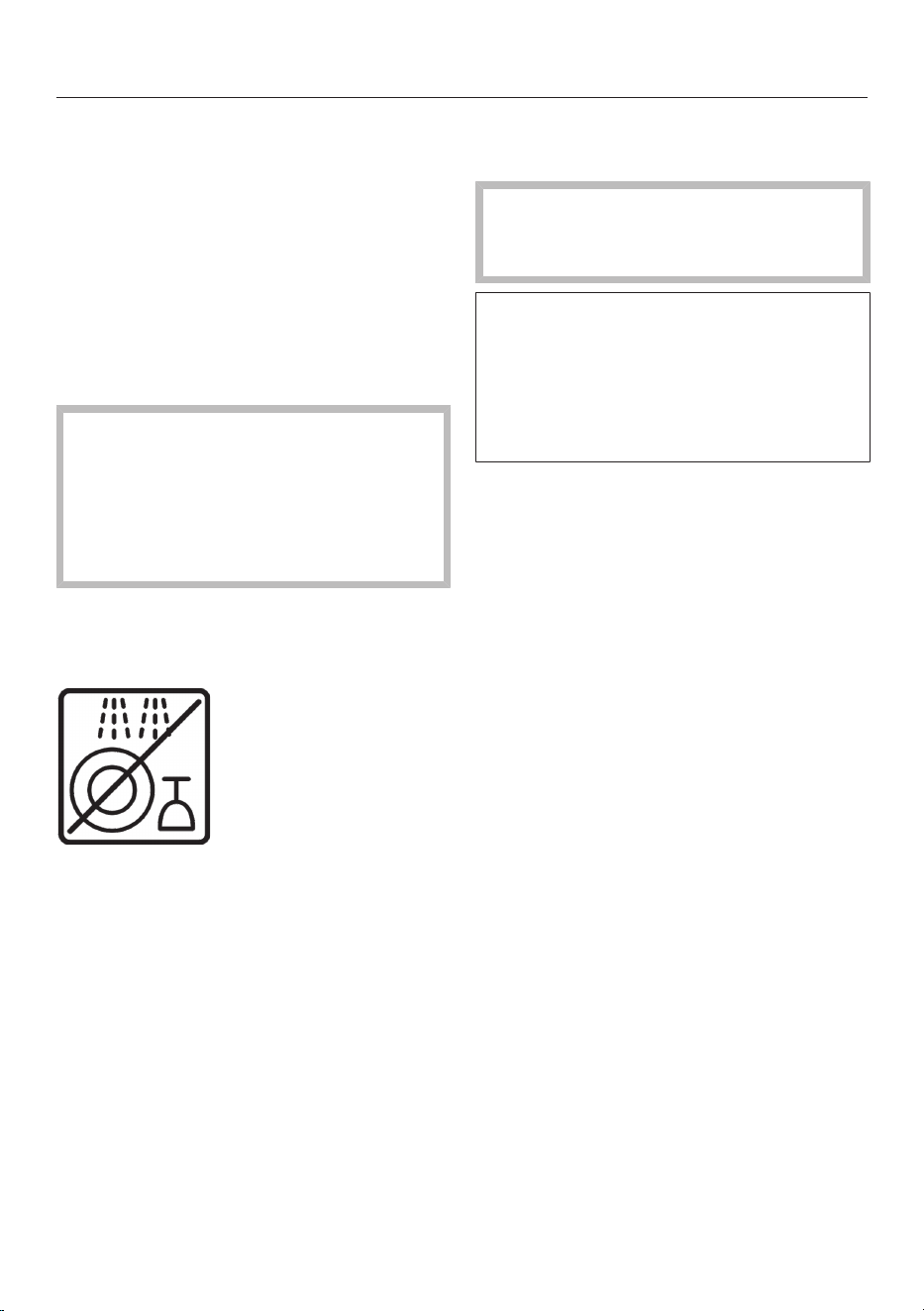
Most of the parts that are not
dishwasher-safe have a pictogram on
them.
The following components must be
cleaned by hand only:
– Stainless steel central spout cover
– Brew unit
– Bean container lid
– Lower panel
The following parts are dishwasher-
safe:
The maximum temperature of the
dishwashing program selected must
not exceed 130°F (55°C).
Contact with natural dyes such as
those found in carrots, tomatoes, and
ketchup may discolor the plastic parts
in the dishwasher. This discoloration
does not affect the stability of the
parts.
– Drip tray and lid
– Drip tray cover
– Waste unit
– Water container
– Main dispenser (without stainless
steel cover)
Cleaning and care
47
Grounds container, drip tray,
and drip tray cover
Clean the drip tray and grounds
container every day to avoid
unpleasant smells and mildew.
The grounds container is located in the
drip tray. Water from rinsing also
collects in the grounds container.
A prompt will appear in the display
when the drip tray and/or the grounds
container is full and needs to be
emptied. Empty the drip tray and the
grounds container.
Danger of burning!
If the rinsing process has just
finished, wait a while before
removing the drip tray from the
appliance. The water used for rinsing
will continue to run out of the coffee
spouts for a while.
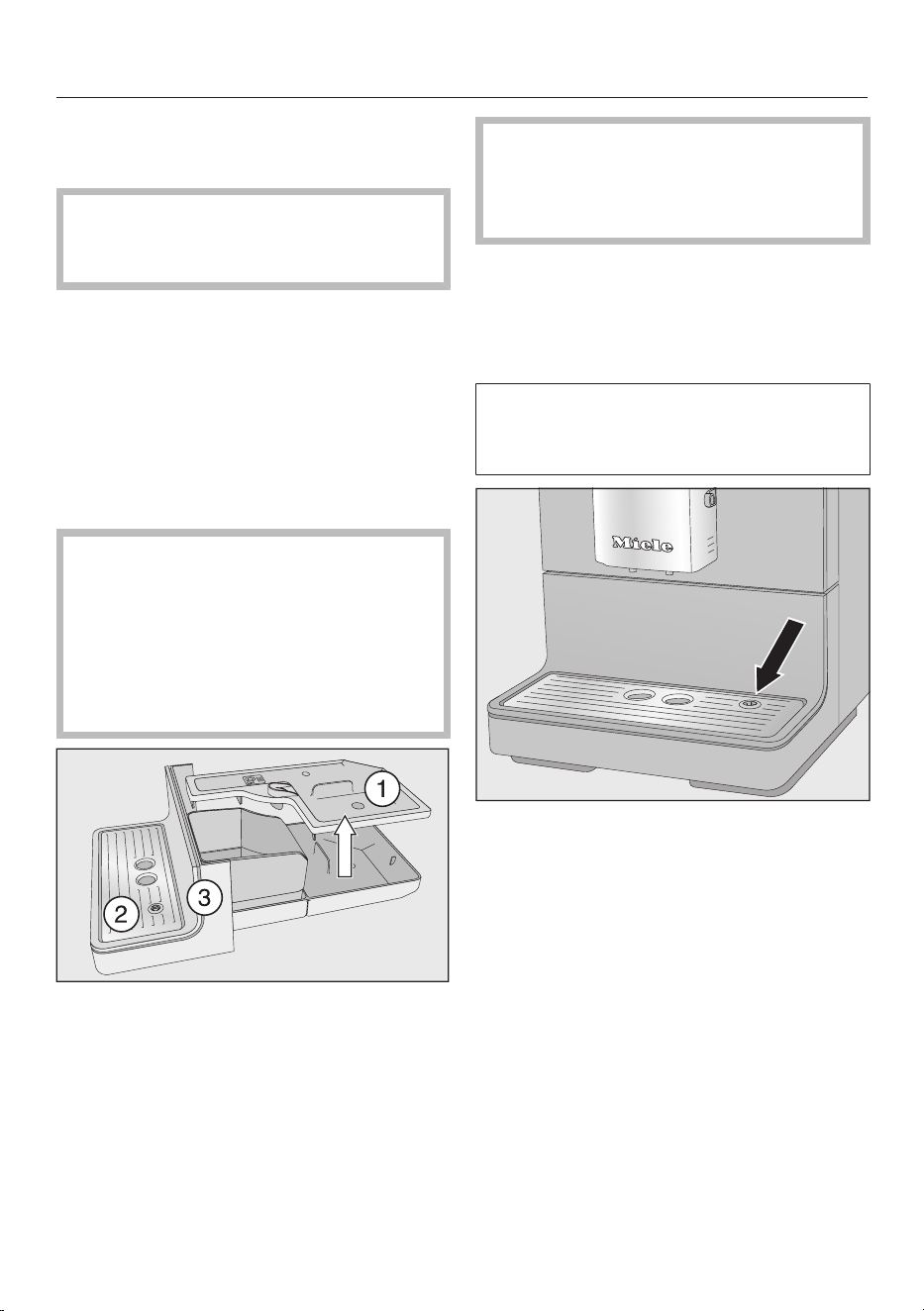
Pull the drip tray carefully out of the
coffee machine. Take the lid off.
Empty the drip tray and grounds
container.
Remove the drip tray cover and
the lower panel.
Clean all parts thoroughly.
Clean the lower panel by hand only
using warm water and liquid dish
soap.
All other parts are dishwasher-safe.
Clean the inside of the appliance
underneath the drip tray.
Reassemble all parts and place the
drip tray back in the coffee machine.
Make sure the drip tray has been
pushed into its niche as far as it will
go.
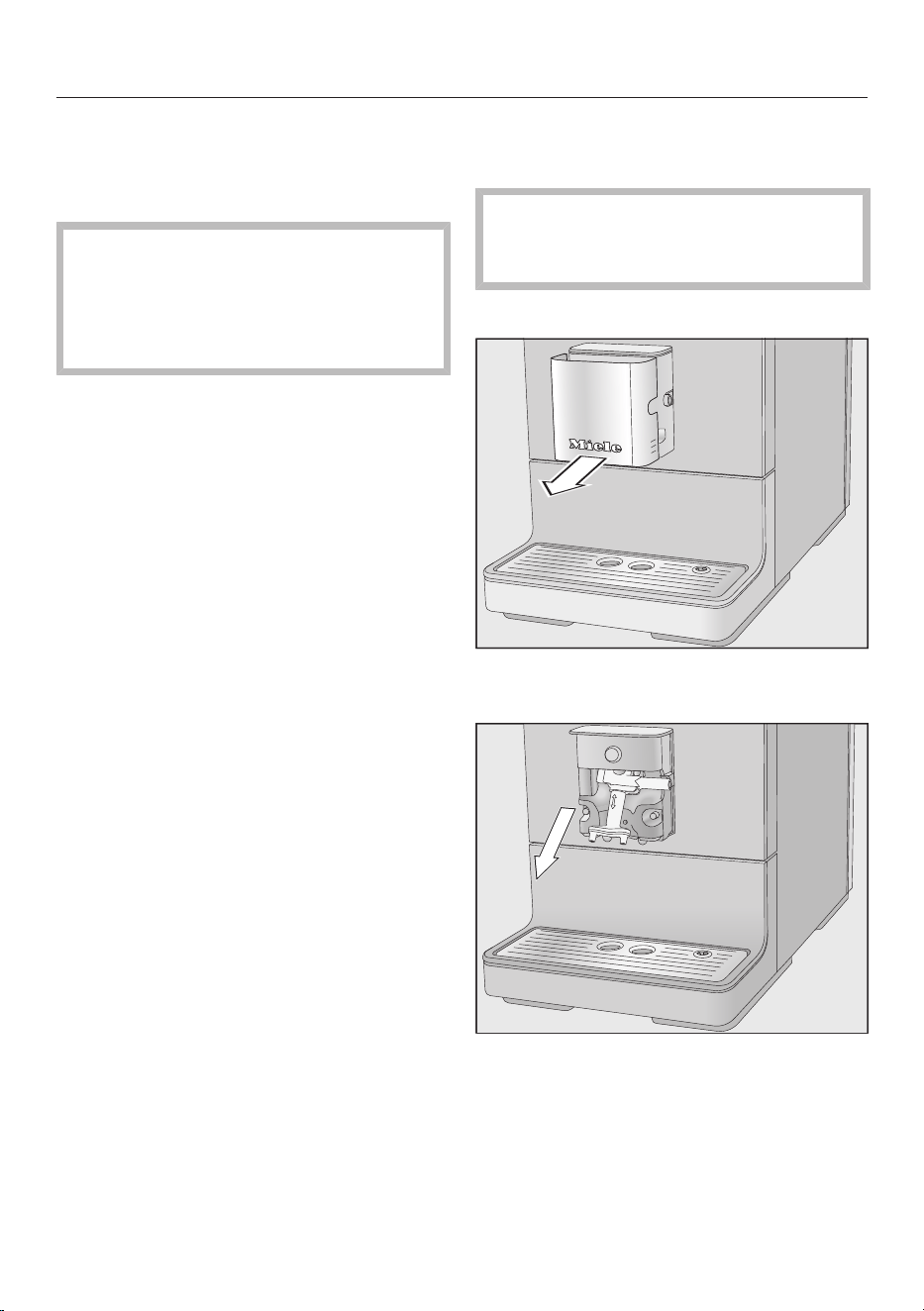
Make sure that the drip tray cover is
correctly fitted (see illustration).
Clean the area under the coffee
machine. Water can get under the
appliance when the drip tray is
removed.
Cleaning and care
48
Cleaning the water container
Change the water every day to prevent
a build-up of bacteria.
Make sure that the valve, the
underside of the water container, and
the surface the water container sits
on are clean. Otherwise, the water
container will not sit correctly.
Remove the water container.
Clean the water container in the
dishwasher or by hand using warm
water and liquid dish soap. After
cleaning, dry the water container.
Carefully clean and dry the surface
the water container sits on,
particularly the recesses.
Reinstall the water container.
Main dispenser with integrated
Cappuccinatore
Clean the stainless-steel main
dispenser cover by hand only using
warm water and liquid dish soap.
All other parts are dishwasher-safe.
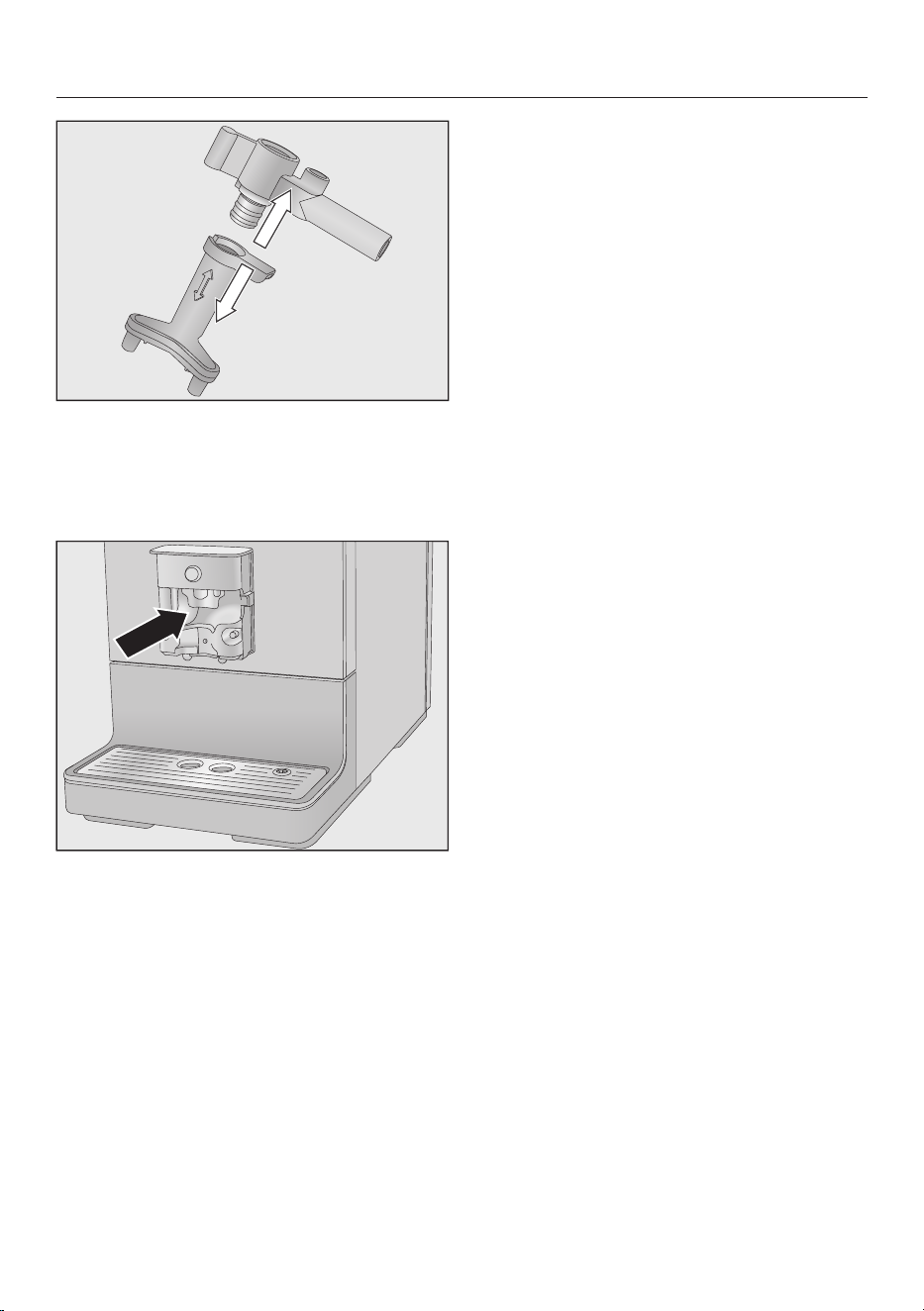
Pull the stainless-steel cover forwards
and off.
Pull the dispensing unit down to
remove it.
Cleaning and care
49
Release the upper section with the
holder for the milk pipework from the
dispensing spouts.
Clean all parts thoroughly.
Clean the surfaces of the main
dispenser and the dispensing spouts
with a damp cloth.
If the milk pipework is blocked, clean it
under running water with the brush
supplied:
Insert the brush in the pipework.
Move it back and forth until all milk
residue has been removed.
Reassembling the main dispenser
The dispensing unit is easier to
reassemble if the individual parts are
dampened with water beforehand.
Reassemble the dispensing unit.
Refit the dispensing unit onto the
main dispenser. Press firmly to
ensure the dispensing unit is securely
fitted without any gaps.
Replace the stainless-steel cover and
connect the milk pipe if applicable.

Cleaning and care
50
Milk pipework
Ensure that all components in
which milk is transported are cleaned
carefully on a regular basis. Milk
naturally contains bacteria that
rapidly multiply if the milk pipework
is not cleaned properly. Soiling in the
appliance may be dangerous to
health.
The milk pipework must be cleaned at
least every 5 days.
There are two options for cleaning the
milk pipework:
– You can remove and dismantle the
main dispenser with its integrated
Cappuccinatore and either wash it in
the dishwasher or by hand with warm
water and liquid dish soap (see “Main
dispenser with integrated
Cappuccinatore”).
– Or you can clean the milk pipework
using the Clean milk pipework
maintenance program together with a
cleaning agent for milk pipework (see
“Maintenance programs – Cleaning
the milk pipework”).
Tip: In addition to your weekly cleaning
routine, we recommend carrying out the
alternative cleaning procedure once a
month. For example, if you manually
clean the machine once a week, then
you should run the Clean milk pipework
maintenance program once a month.
This combination will ensure that the
milk pipework is cleaned optimally.
Bean container and ground
coffee chute
Danger of injury from the grinder!
Switch off the machine and remove
the plug to disconnect the machine
from the power supply before
cleaning the bean container.
Coffee beans contain oils which can
deposit on the walls of the bean
container and hinder the flow of the
beans. Therefore, clean the bean
container regularly with a soft cloth.
Open the bean container.
Remove any coffee beans.
Clean the bean container with a dry,
soft cloth.
The coffee bean container can now be
refilled.
If necessary, clean the ground coffee
chute:
Open the ground coffee chute and
remove any ground coffee residue.
Tip: Use a vacuum cleaner to remove
any coffee residues from the bean
container and the ground coffee chute.

Cleaning and care
51
Cleaning the housing
Remove any soiling immediately. If
soiling is not removed promptly, it
could cause the surface to alter or
discolor.
Make sure that water cannot get
behind the display.
The surfaces are all susceptible to
scratching and discoloration if
unsuitable cleaning agents are used.
Ensure that any splashes of
descaling solution are wiped up
immediately.
Switch the coffee machine off.
Clean the front with a clean soft
sponge and a solution of warm water
and a little washing-up liquid. Dry all
parts with a soft cloth.
Tip: You can also clean the housing
with the Miele all-purpose microfiber
cloth.
Care programs
The following maintenance programs
are available:
– Rinsing the coffee system
– Rinsing the milk pipework
– Cleaning the milk pipework
– Degreasing the brew unit
– Descaling the machine
Perform the respective maintenance
program when prompted to do so in the
display. You will find more information in
the following pages.
Accessing the “Maintenance” menu
Tap.
Select Maintenance and tapOK.
You can now select a maintenance
program.
Cleaning and care
52
Rinsing the appliance
You can rinse the water and coffee
pipework of the coffee machine
manually.
If coffee has been dispensed, the
coffee machine will rinse the coffee
pipework automatically before
switching off. This removes any
residual coffee grounds.
Tap.
Select Maintenance and tapOK.
Select Rinse appliance and tapOK.
The pipework will be rinsed.
You may also be prompted to insert the
end of the milk pipe into the drip tray.
Rinsing the milk pipework
Milk residues can block the milk
pipework. The milk pipework should
therefore be rinsed regularly. If a drink
has been made using milk, the prompt
to insert the end of the milk pipe into
the drip tray will appear at the latest
when you switch the machine off.
You can also rinse the milk pipework
manually.
Tap.
SelectMaintenance and tapOK.
SelectRinse milk pipework and tapOK.
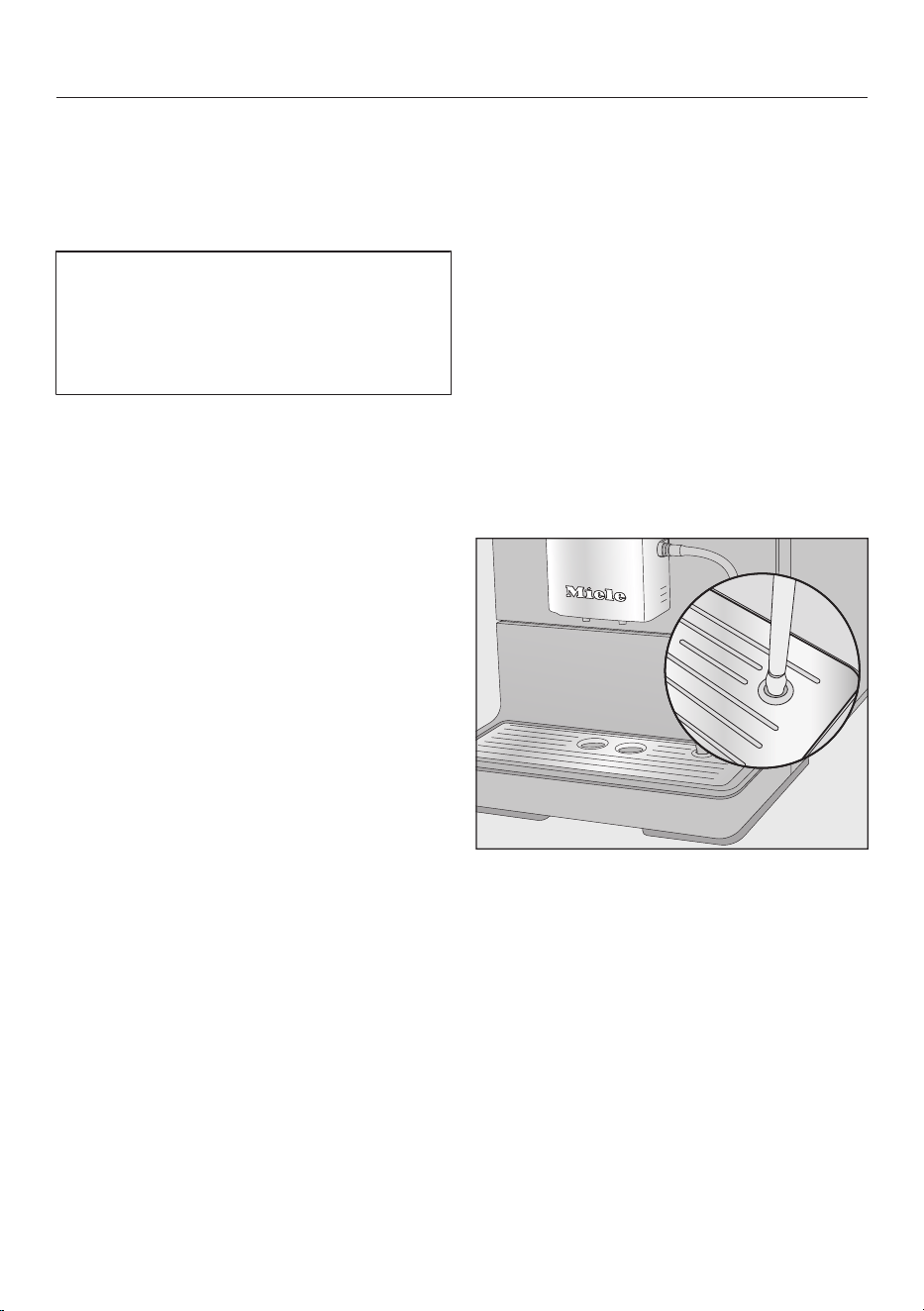
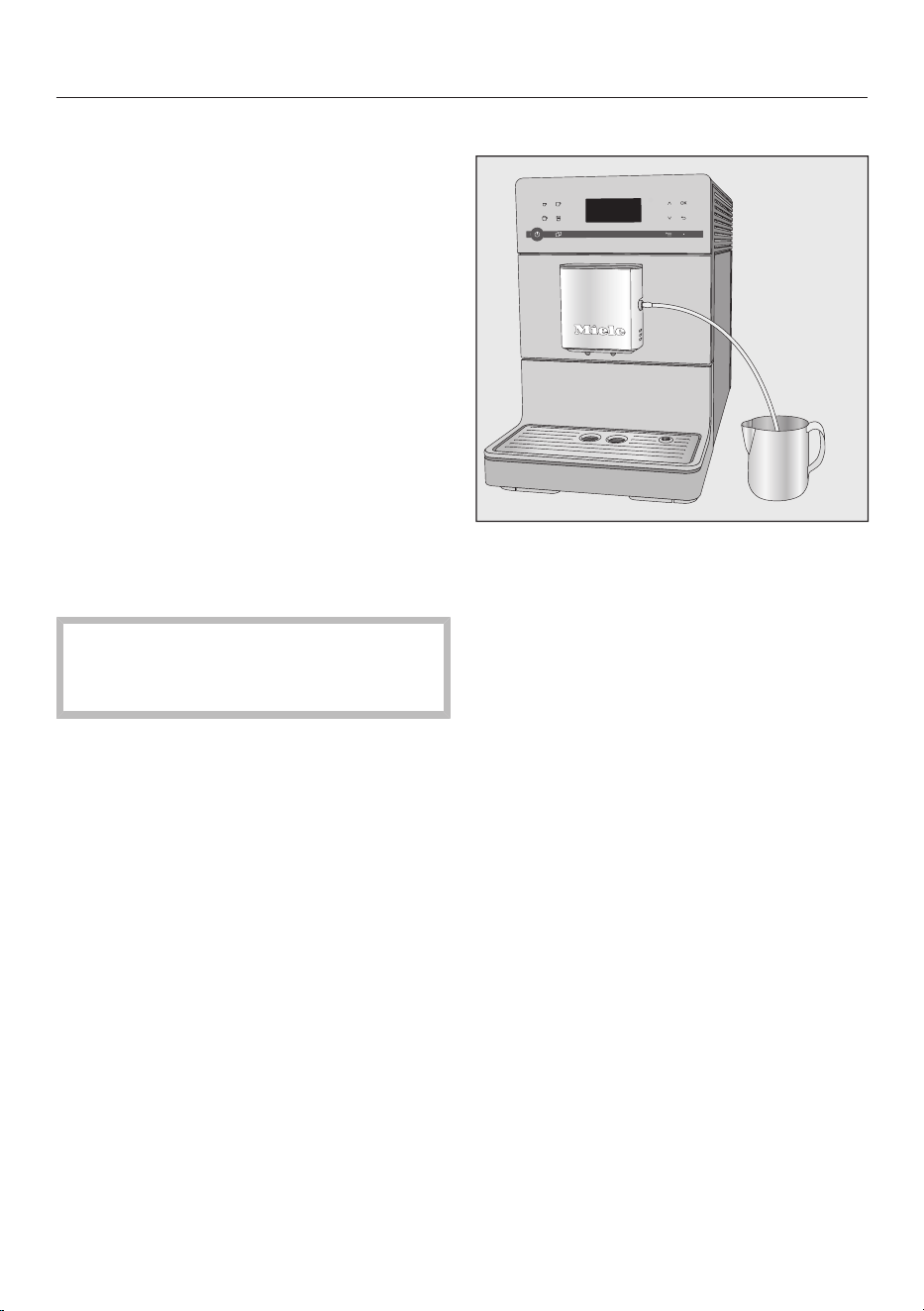
When prompted, place the end of the
milk pipe into the right-hand aperture
in the drip tray.
TapOK.
The milk pipework will now be rinsed.
Cleaning and care
53
Cleaning the milk pipework
with the maintenance program
For optimum cleaning results, we
recommend the Miele Cleaning Agent
for milk pipework. The Cleaning Agent
for milk pipework has been specially
developed for use with Miele coffee
machines and prevents subsequent
damage.
It is available to order from the Miele
online shop, from Miele Technical
Service, or from your Miele dealer.
The Clean milk pipework maintenance
program lasts for approx. 5minutes.
Tap.
Select Maintenance and tapOK.
The cleaning process cannot be
canceled. It must be completed
through to the end.
Select Clean milk pipework and tapOK.
The process will start.
Follow the instructions on the display.
Place milk pipe in cleaning agent will
appear in the display.
Making a cleaning solution:
Dissolve the cleaning agent in a
container with approx. 1cup (200ml)
of lukewarm water. Stir the solution
with a spoon until the powder has
fully dissolved.
Carrying out the cleaning process:
Place the container next to the
machine and hang the milk pipe in
the solution. Make sure that it is
sufficiently immersed in the cleaning
solution.
TapOK.
Follow the additional instructions
given in the display.
The cleaning process is complete when
rinsing has finished.
Tip: Rinse any residual cleaning agent
out of the milk pipework with running
water.
Cleaning and care
54
Degreasing the brew unit and
cleaning inside
Depending on the natural oil content of
the coffee used, the brew unit can
become blocked quite quickly. It must
be degreased regularly in order to
ensure aromatic coffee and trouble-free
operation of the coffee machine.
For optimum cleaning we recommend
Miele cleaning tablets. These cleaning
tablets are specially designed for Miele
built-in coffee machines and will protect
your machine from subsequent
damage.
They are available from the Miele
Webstore, Miele Technical Service or
from your Miele dealer.
The “Degrease brew unit” maintenance
program lasts about 15minutes.
After 200 portions have been
dispensed, Degrease the brew unit and
clean inside of the machine will appear in
the display.
Confirm the message with OK.
This notification appears at regular
intervals. Once the maximum possible
number of beverage preparations has
been reached, the coffee machine is
locked.
You can turn off the coffee machine if
you do not want to carry out the
cleaning program at this time. However,
you will be not be able to make any
more drinks until the brew unit has been
degreased.
Start “Degrease brew unit”
You need 1cleaning tablet to degrease
the brew unit.
Tap.
Select Maintenance and tapOK.
Select Degrease the brew unit.
The cleaning process cannot be
canceled. It must be completed
through to the end.
TapOK.
The process will start.
Follow the instructions on the display.
Cleaning the brew unit and interior
Clean the brew unit by hand only
under warm running water. Do not
use liquid dish soap or any other
cleaning agent. The moving parts of
the brew unit are lubricated. Cleaning
agents will damage the brew unit.
To ensure good tasting coffee and to
prevent a build-up of bacteria in the
machine, remove and clean the brew
unit under running water once a
week.
Rinse the brew unit by hand and clean inside
the machine will appear in the display.
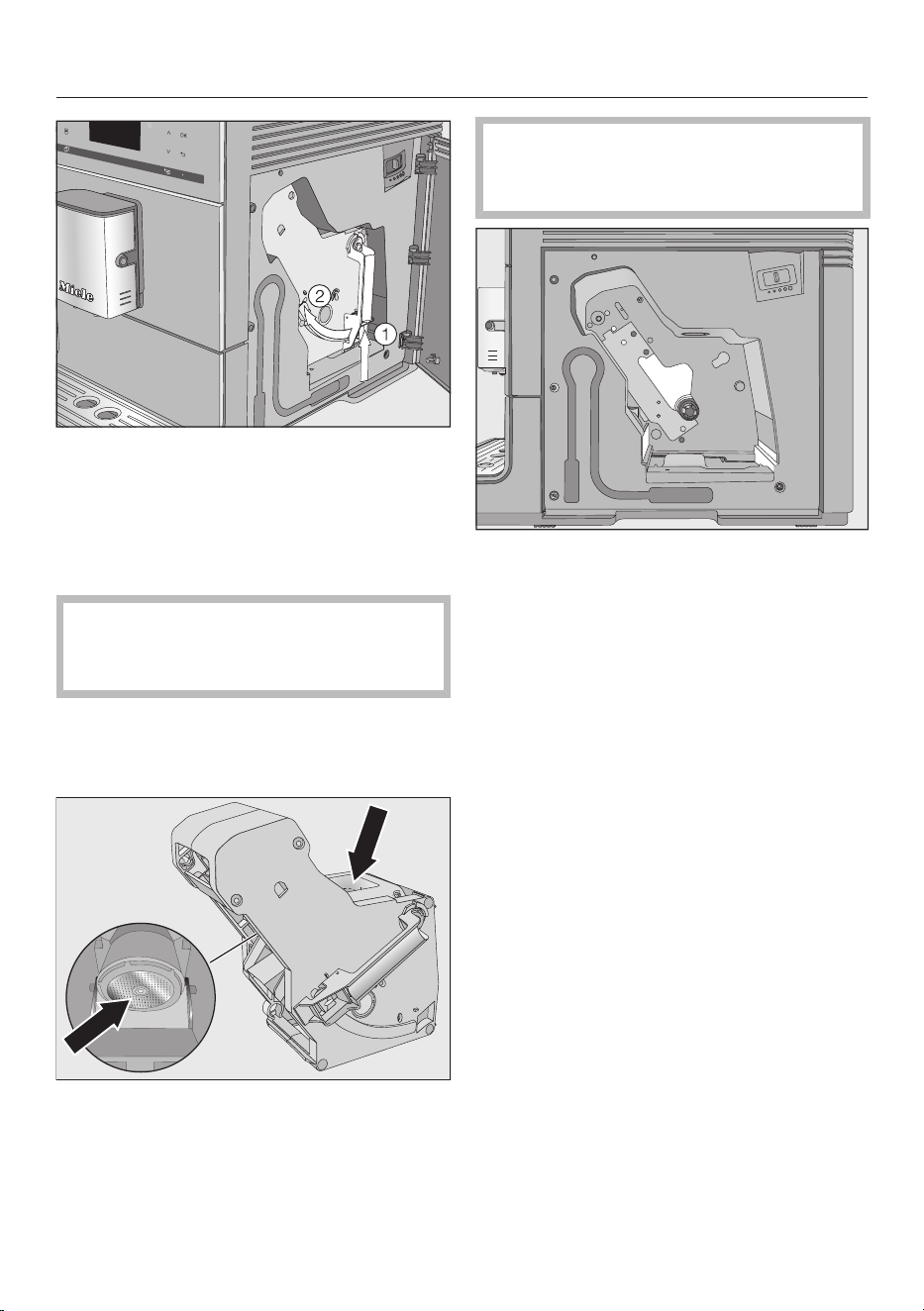
Open the service panel.
Cleaning and care
55
Press and hold the button under the
brew unit handle and, while doing
so, turn the handle to the left.
Carefully pull the brew unit out of the
coffee machine.
When you have removed the brew
unit, do not change the position of
the handle on the brew unit.
Clean the brew unit by hand under
warm running water without using
cleaning agent or liquid dish soap.
Wipe any remaining coffee off the two
filters (see arrows).
Dry the funnel to prevent ground
coffee from sticking to it the next time
a coffee is made.
Make sure to remove moist ground
coffee remnants regularly to prevent
mold from forming.
Clean the interior of the coffee
machine. Make sure that the areas
highlighted in the illustration are
cleaned especially well.
Tip: Use your vacuum cleaner to
remove dry coffee grounds.
Cleaning and care
56
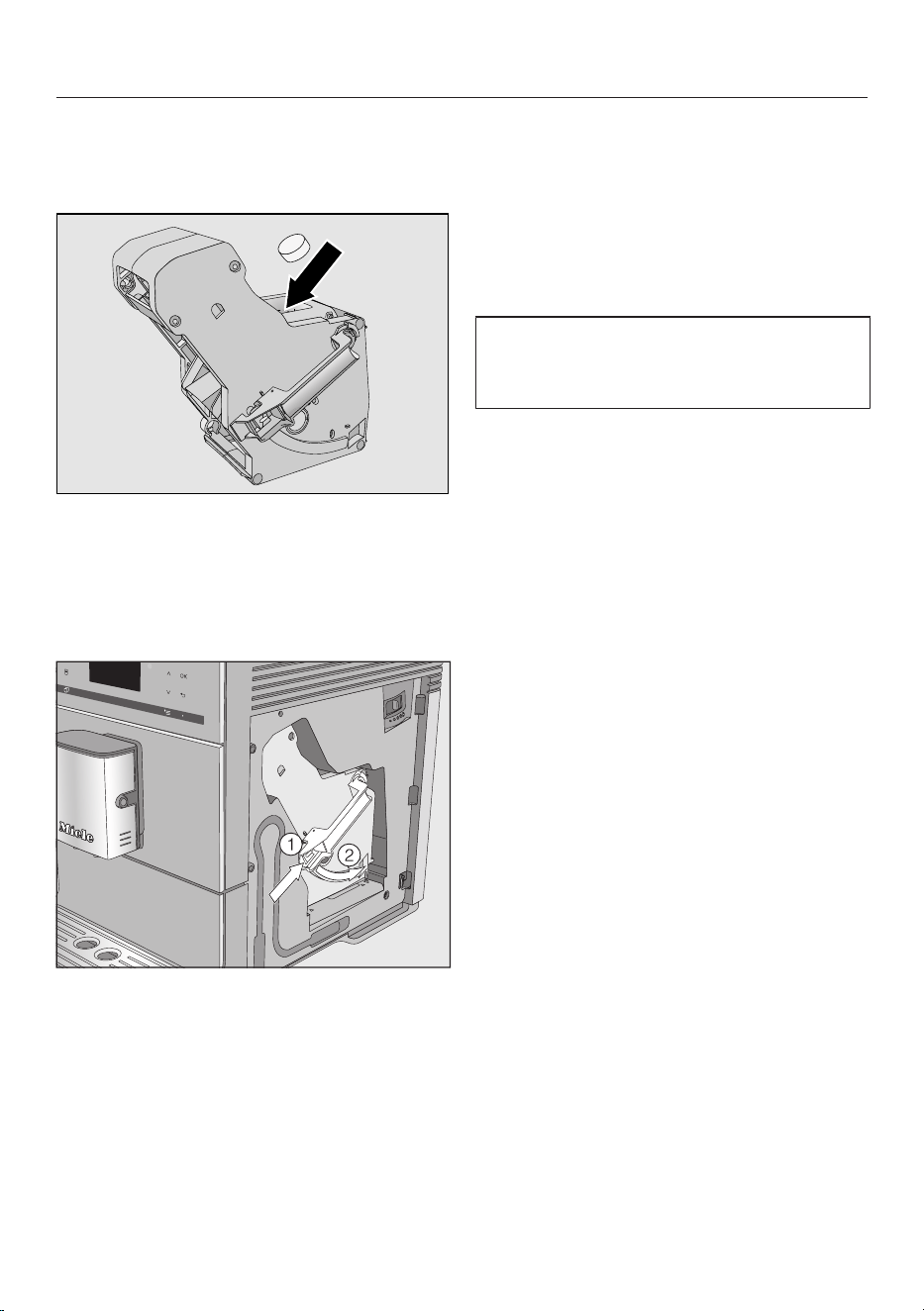
Place a cleaning tablet in the brew unit,
place it in the machine and close the
machine door. appears on the display.
Drop a cleaning tablet into the top of
the brew unit (arrow).
Push the brew unit with cleaning
tablet back into the coffee machine,
making sure it is straight.
Press the button on the end of the
handle of the brew unit and while
doing so turn the handle clockwise
.
Close the appliance door.
Follow the further instructions given
in the display.
The cleaning process is complete when
rinsing has finished.
Degrease the brew unit following
display reminder
No drinks can be made and Degrease
the brew unit appears in the display.
The maintenance program cannot be
cancelled. The process has to be
carried through to the end.
TapOK.
The maintenance program will then
start.
Descaling the appliance
57
Important! When descaling the
appliance, cover delicate surfaces
and natural flooring to prevent
damage from splashes of descaling
solution.
Ensure that any splashes of
descaling solution are wiped up
immediately.
Lime scale builds up in the coffee
system through use. How often the
appliance needs to be descaled will
depend on the water hardness level in
your area. It should be descaled
regularly to ensure that it functions
correctly.
The appliance will guide you through
the descaling process. Various
messages will appear in the display,
e.g. you will be prompted to empty the
drip tray or fill the water reservoir.
The descaling process is required and
takes approx.15minutes.
The coffee machine prompts you in the
display when it needs to be descaled.
No. of uses until appliance needs descaling:
50 will appear in the display. The
remaining number of drinks that can be
made before descaling will show in the
display after each drink.
Confirm the message with OK.
When the number of remaining portions
reaches0, the coffee machine will lock
out.
You can switch the coffee machine off if
you do not want to carry out the
descaling program at this point. You
cannot make any drinks until the
machine has been descaled.
Descaling following display
reminder
Descale the appliance appears in the
display.
The descaling process cannot be
cancelled once you have tapped “OK.”
The process has to be completed
through to the end.
TapOK.
The process will start.
Follow the instructions in the display.
When Fill the water container with descaling
agent and lukewarm water up to the
descaling symbol and place in appliance
appears in the display, proceed as
follows.
Preparing the descaling solution
We recommend using Miele descaling
tablets for optimum results.
These have been specially developed
for use with Miele coffee machines and
prevent subsequent damage.
Other descaling agents, which
contain other acids besides citric
acid and/or other undesirable
substances, such as chlorides for
example, could damage the coffee
machine. Moreover, the descaling
effect required may not be
guaranteed if the descaling solution
is not of the appropriate
concentration.
Miele descaling tablets are available to
order via the Miele Webstore, from
Miele Service or from your Miele dealer.
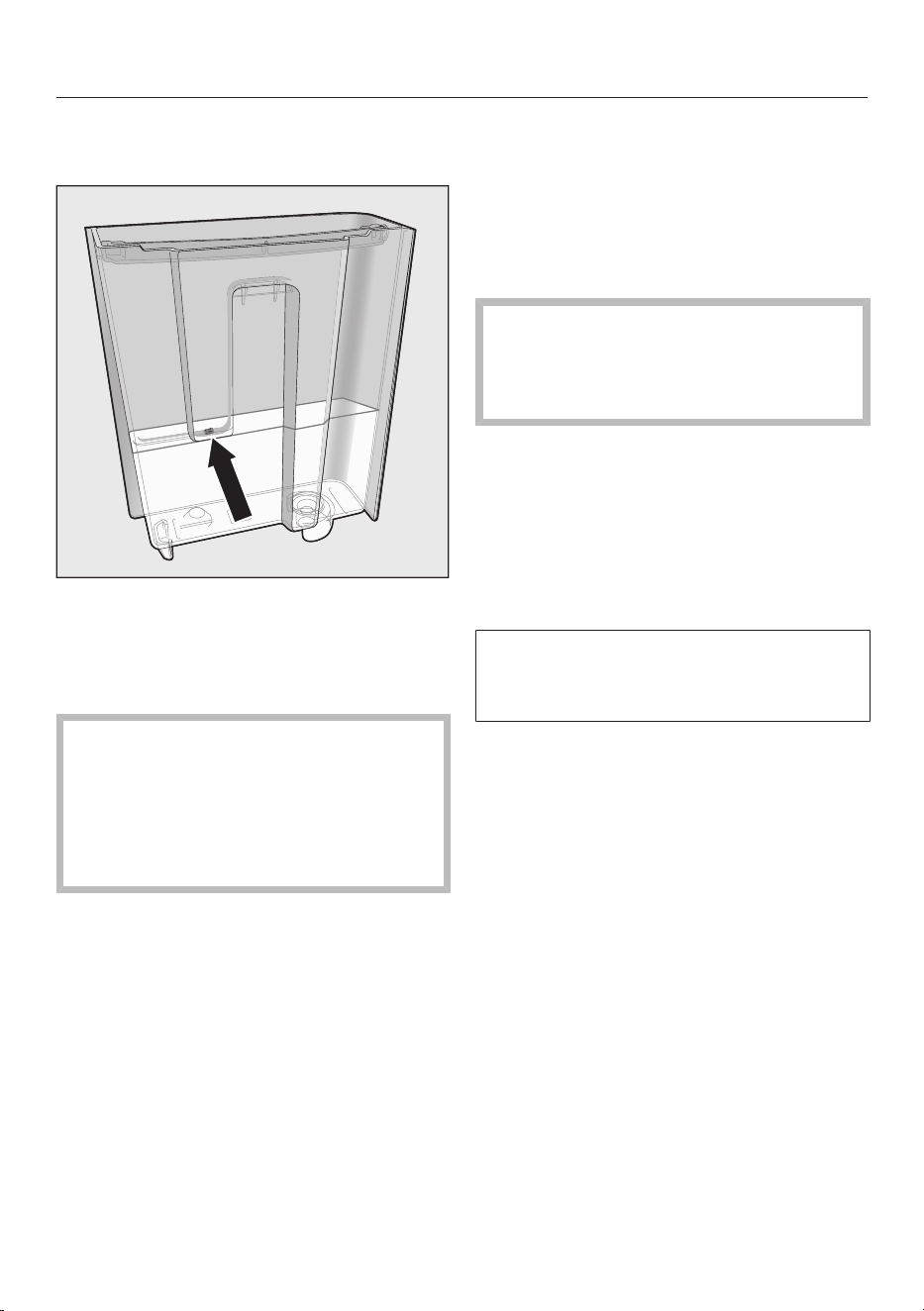
Descaling the appliance
58
You will need one descaling tablet to
descale the machine.
Fill the water container to the mark
with lukewarm water.
Place one descaling tablet in the
water.
Follow the instructions for the mixing
ratio carefully. It is important that you
do not fill the water container with
too much or too little water.
Otherwise the descaling process will
be canceled prematurely.
Carrying out descaling
Reinstall the water container.
Follow the additional instructions
given in the display.
When Rinse the water container and fill with
fresh tap water up to the descaling symbol
appears in the display:
Remove the water container and
rinse it thoroughly with clean water.
Ensure that no descaling solution
residue remains in the water
container. Fill the water container to
the mark with fresh tap water.
The cleaning process is complete when
rinsing has finished. You can now
prepare drinks again.
Ensure that any splashes of
descaling solution are wiped up
immediately. Otherwise surfaces can
be damaged.
Descaling when not prompted
by a message
Tap.
Select Maintenance and tapOK.
Select Descale the appliance.
Descaling cannot be canceled once it
has started. It must be completed
through to the end.
TapOK.
The descaling process will start.

Transport
59
If the coffee system will not be used for
an extended period of time, e.g.
vacation, or will be transported over a
long distance, the appliance should be
prepared as follows.
– Empty and clean the coffee bean
container
– Empty and clean the water reservoir
– Evaporating the coffee system
– Clean the interior of the machine
– Pack the machine securely
Evaporating the coffee
machine
The coffee machine should be
evaporated before it is stored for a long
period of time or transported any
distance – particularly at temperatures
below freezing.
Evaporating means removing all water
from the system. This prevents water
and frost damage in the appliance.
Turn the coffee machine on with the
On/Off button.
Tap.
Tap twice.
Empty the system? will appear in the
display.
Select Yes and tapOK.
Follow the instructions on the display.
Caution! Danger of burning and
scalding at the dispensers. Hot
steam is discharged.
The evaporation process is finished
when Program finished appears on the
display and the display then goes out.
Switch off the machine and remove
the plug from the electrical outlet to
disconnect the appliance from the
power supply.
Clean the drip tray and grounds
container.
Packaging
The coffee system should only be
packed when it is clean and dry.
Residues of coffee grounds can cause
scratches on surfaces. Coffee and milk
residues or water can cause a build-up
of bacteria.
Use the original packaging including
Styrofoam to pack the coffee system.
Also pack the operating instructions so
that they are available when the coffee
system is next used.
Frequently Asked Questions
60
With the help of the following guide minor faults in the performance of the
machine, some of which may result from incorrect operation, can be remedied
without contacting the Service Department.
This guide may help you to find the reason for the fault, and how to correct it.
Messages in the display
Error messages must be confirmed withOK, otherwise the message may
reappear in the display even though the problem has been remedied.
To address the fault, follow the instructions on the display.
If the error message appears in the display again, contact Miele Technical Service.
Problem Possible cause and solution
F1, F2,
F80, F82
There is an internal fault.
Switch the coffee machine off with the On/Off
button. Wait for approx.onehour before
switching it back on again.
F41, F42, F74, F77, F235,
F236
There is an internal fault.
Turn the appliance off with the On / Off button .
Wait for 2 minutes before turning it back on again.
F10, F17 No water or very little water is being drawn in.
Remove the water container, fill it with fresh tap
water, and replace it.
Carefully clean the surface the water container sits
on, and the housing walls adjacent to the water
container. Dry the surfaces.
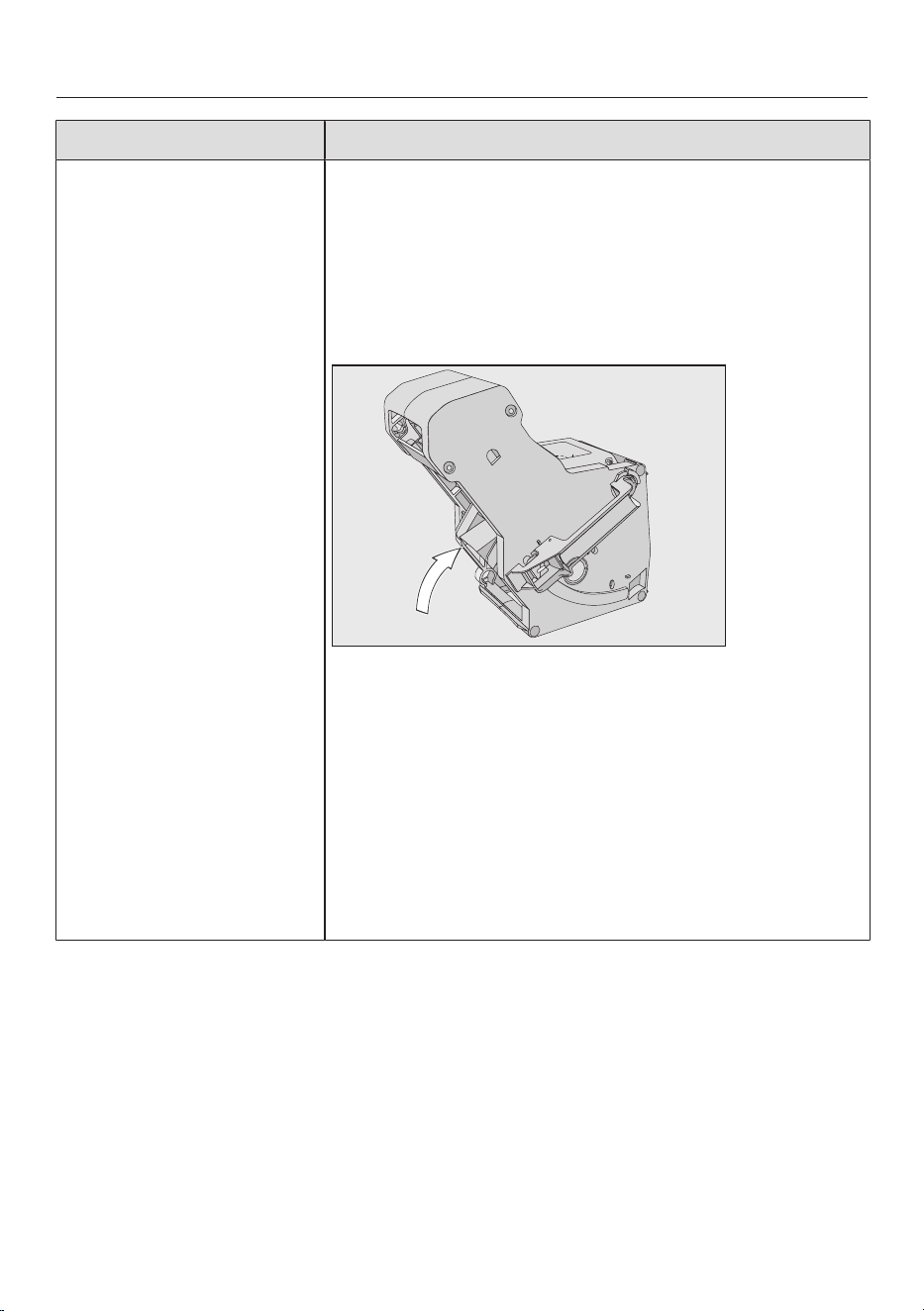
Frequently Asked Questions
61
Problem Possible cause and solution
F73 or
Check the brew unit
The brew unit cannot be positioned correctly.
Switch the machine off with the On/Off button.
Remove the plug from the socket. Wait for two
minutes before inserting the plug back in the
socket.
Remove the brew unit and rinse under running
water.
Push the coffee ejector of the brew unit into the
correct position.
Do not fit the brew unit. Close the service panel
and switch the coffee machine on with the On/Off
button.
This will initialize the brew unit motor and put it back
into the start position.
When Insert the brew unit appears in the display, put
the brew unit back in the appliance. Close the
service panel.
Frequently Asked Questions
62
Problem Possible cause and solution
Too much ground coffee There is too much ground coffee in the ground coffee
chute.
The brew unit cannot compact ground coffee if more
than two level spoonfuls of ground coffee are added
to the coffee chute. The ground coffee will be emptied
into the grounds container and the error message will
appear in the display.
Switch the machine off with the On/Off button.
Remove and clean the brew unit by hand (see
“Degreasing the brew unit and cleaning the
interior”).
Remove the ground coffee inside the coffee
machine, e.g., with a vacuum cleaner.
Place a maximum of 0.4 oz (12 g) of coffee in the
ground coffee chute.
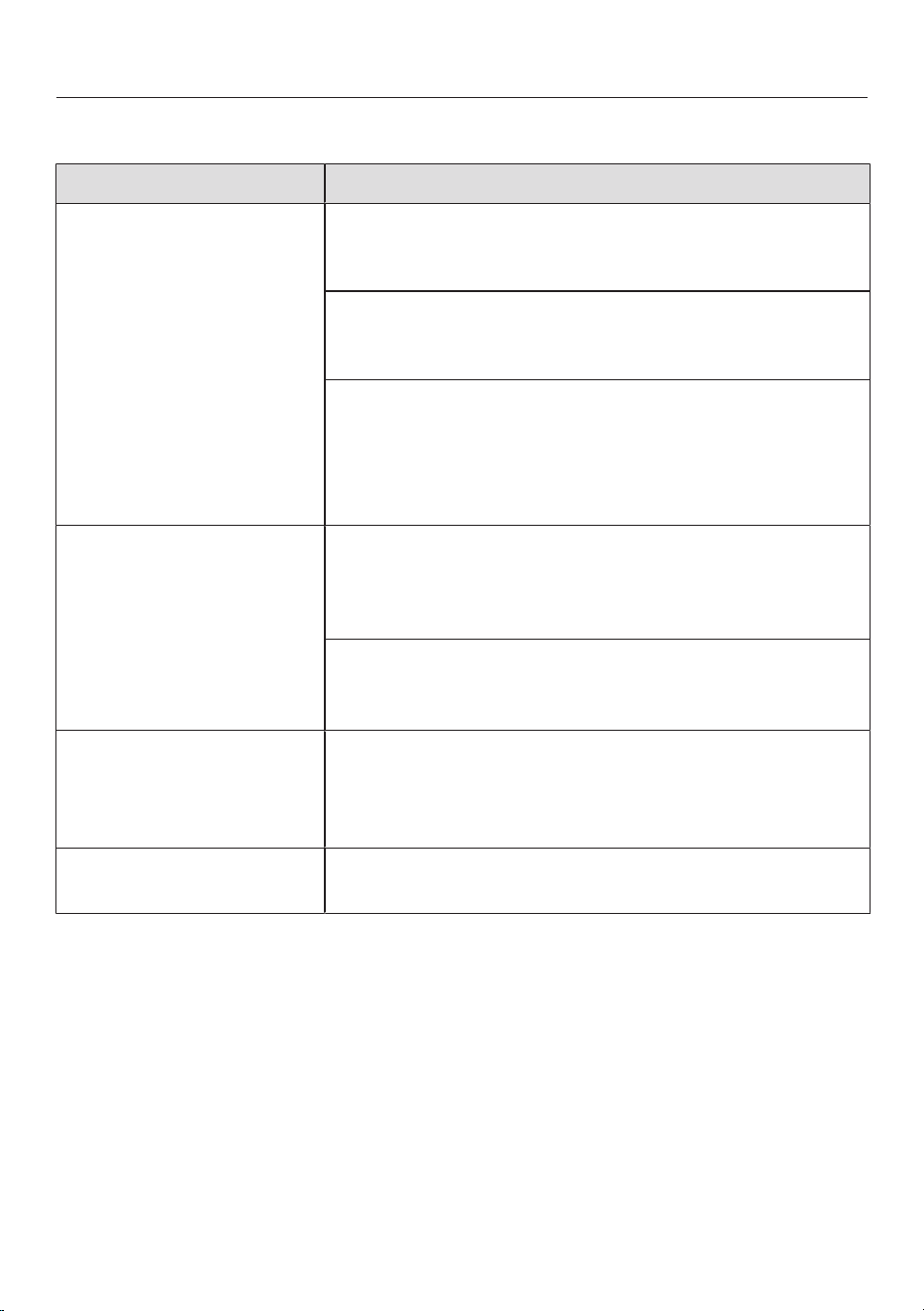
Frequently Asked Questions
63
Unusual performance of the coffee system
Problem Possible cause and solution
The display remains
dark when the coffee
machine is turned on
using the On/Off
button.
The On/Off button was not held for long enough.
Press and hold the On/Off button for at least
three seconds.
The plug is not properly plugged into the electrical
outlet.
Insert the plug into the outlet.
The fuse has tripped because the coffee machine,
voltage, or another appliance is defective.
Remove the plug from the socket.
Contact a technician or the Technical Service
department.
The coffee machine
turns off suddenly.
The switch-off time programmed using the timer has
been reached.
If required, you can select a new switch-off time
(see “Settings – Timer”).
The plug is not properly plugged into the electrical
outlet.
Insert the plug into the outlet.
The sensor buttons do
not respond.
The machine can no
longer be operated.
There is an internal fault.
Disconnect power by unplugging the power cord
from the electrical outlet and or switching off the
circuit breaker.
The display is hard to
see or not legible.
The display brightness has been set too low.
Change this setting (see “Settings”).
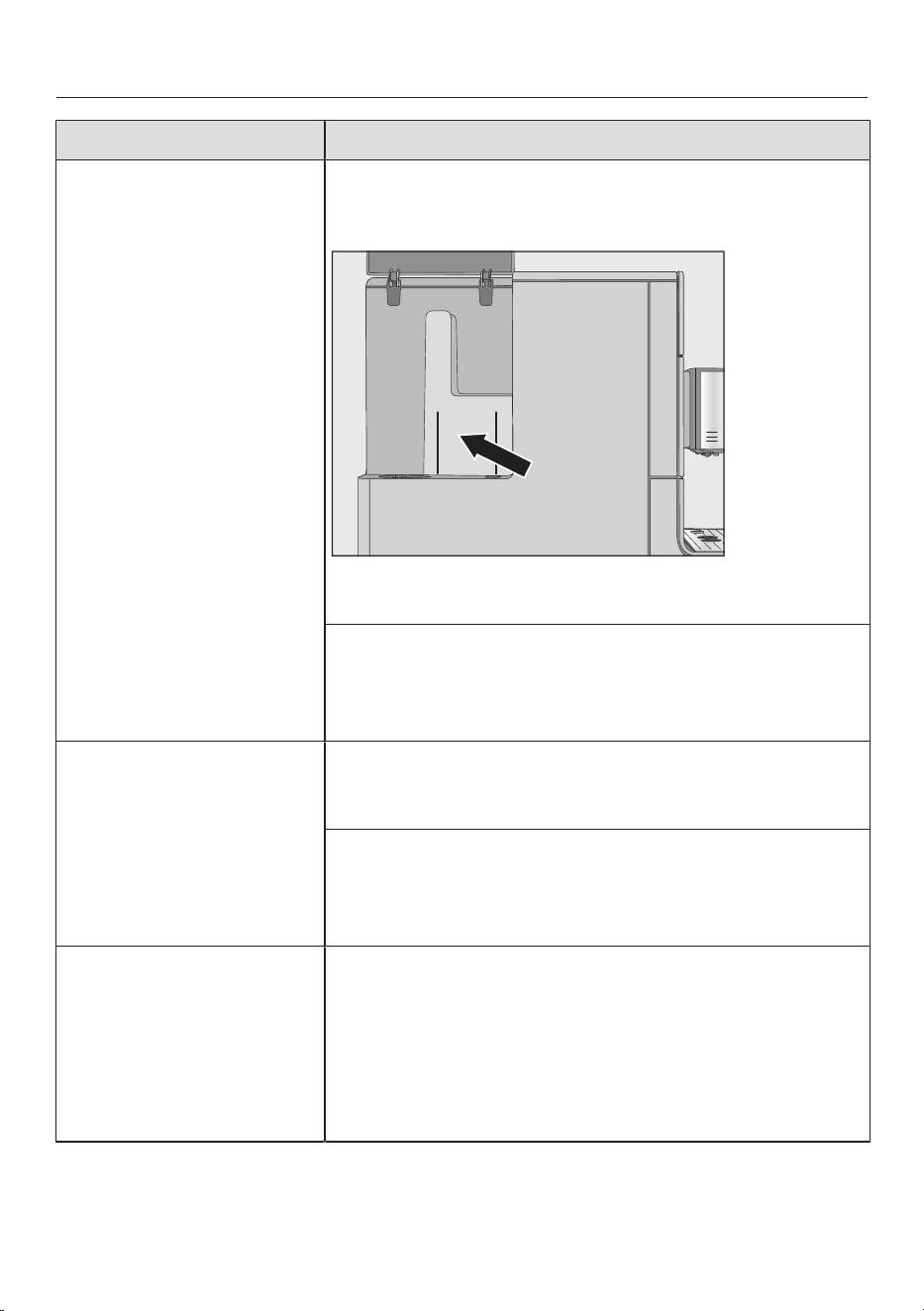
Frequently Asked Questions
64
Problem Possible cause and solution
The water container is
empty. Fill and replace the
water container has not
appeared in the display.
Droplets of water have settled between the water
container and the side walls of the housing, or this
area is damp (see illustration).
Dry the surfaces. Take the water container out to
refill it with water.
There is too much residual water on the inside walls
of the water container, e.g., a biofilm has developed.
Or the water container has a build-up of limescale.
Clean the water container every day.
Fill and replace the water
container appears in the
display even though the
water container is full
and in the machine.
The water container is not in the correct position.
Remove the water container and push it back in
again.
The water container was not correctly filled up and
inserted during descaling.
Fill the water container to the descaling mark°
and restart the descaling program.
After switching on the
machine, the message
Empty the drip tray and the
waste container appears
even though they are
both empty.
This is not a fault.
When the drip tray and grounds container are
emptied, the internal counter is not reset after the
coffee machine has been switched off. Empty the drip
tray and the waste container appears in the display
even though the drip tray and the grounds container
are not filled to the maximum.
Frequently Asked Questions
65
Problem Possible cause and solution
Neither milk nor milk
froth comes out of the
main dispenser.
The milk pipework is blocked.
Clean the main dispenser, taking particular care to
clean the Cappuccinatore and milk pipework
carefully with the cleaning brush.
Empty the drip tray and the
waste container appears
in the display, even
though the drip tray has
been emptied.
The drip tray is not positioned correctly in the
appliance.
Push the drip tray in as far as it will go.
Make sure that the lower panel is sitting on the
drip tray correctly.
When the drip tray and grounds container are
emptied, the internal counter is not reset after the
coffee machine has been switched off. Empty the drip
tray and the waste container appears in the display
even though the drip tray and the grounds container
are not filled to the maximum.
Insert the drip tray and the
waste container appears
in the display even
though both are fitted.
The drip tray is not correctly fitted and is therefore not
detected.
Empty the drip tray and grounds container.
Reassemble all parts and push the drip tray back
as far as it will go in the coffee machine.
The drip tray or the
grounds container is
too full or runs over
although the drip tray
and the grounds
container were emptied
after each message on
the display.
This is not a fault.
The drip tray and grounds container were probably
removed or the appliance was opened without the
drip tray and grounds container being emptied. When
the drip tray is removed or the appliance opened, the
internal counter for emptying the drip tray and
grounds container is automatically reset.
Remove the drip tray and grounds container from
the appliance and empty them.
Frequently Asked Questions
66
Problem Possible cause and solution
Fill the bean
containerappears in the
display even though the
bean container has just
been filled.
This is not a fault.
Confirm the message withOK.
Insufficient coffee beans are getting into the grinder.
Have you used a dark roast?
This type of coffee bean is often oily. These oils can
cling to the inside of the coffee bean container and
hinder the flow of beans.
Make a coffee and observe whether the coffee
beans drop into the coffee bean container.
Clean the coffee bean container more often if you
are using a darker, more oily bean.
Try other types of coffee bean which are less oily.
The coffee machine
does not rinse itself
when turned on.
This is not a fault.
If the coffee machine is already at operating
temperature, rinsing will not take place when the
appliance is switched on.
Frequently Asked Questions
67
Problem Possible cause and solution
Coffee dispensing is
repeatedly interrupted
and the message Fill the
bean container appears in
the display.
This is not a fault.
The brew unit has not detected the ground coffee.
The coffee may be too finely ground or there may not
be enough of it. Usually, this is because the grinder is
set too fine and the amount set is insufficient.
Confirm the message withOK.
If the coffee is too strong for you or tastes bitter, try a
different type of coffee bean.
If the display appears with all types of coffee:
Set the grinder to a coarser setting (see “Grinder
setting”).
Check the amounts of coffee set for all coffee
drinks (see “Amount of coffee”). Select a larger
amount of coffee if necessary.
Don't forget to check any drinks changed in “User
profiles”.
If the message only appears when dispensing certain
drinks:
Check the amount of coffee set for this drink (see
“Amount of coffee”). Select a larger amount of
coffee.
You may also need to set a slightly coarser grinder
setting.
The descaling program
was started
unintentionally.
The descaling program cannot be stopped once the
OK button has been tapped.
Descaling must be continued through to completion.
This is a safety precaution to make sure the machine
is descaled correctly. This is important for the
longevity and functional efficiency of your coffee
system.
Descale the coffee system (see “Descaling”).
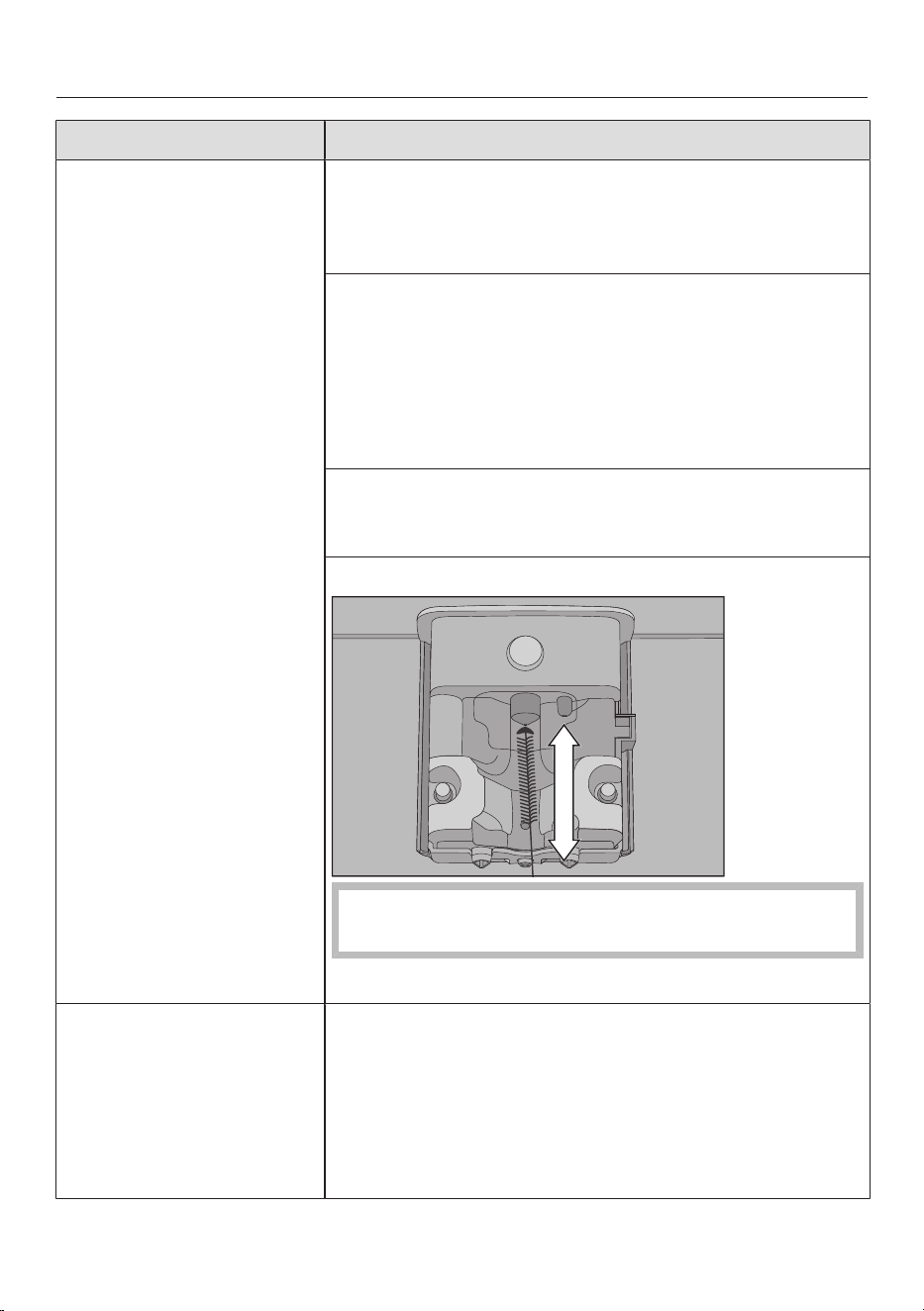
Frequently Asked Questions
68
Problem Possible cause and solution
The milk sputters when
it is dispensed. Hissing
noises can be heard
when milk is being
heated up or frothed.
Although the milk
should be frothed, only
hot milk comes out of
the main dispenser.
The milk temperature is too high. Good milk froth can
only be achieved when cold milk (below 50°F/10°C) is
used.
Check the temperature of the milk.
The main dispenser with integrated Cappuccinatore is
not correctly fitted and is taking in air. Or the spouts
are blocked.
Check whether the main dispenser is correctly
assembled. Make sure that all parts are tightly
connected to one another.
If necessary, clean the main dispenser.
The milk pipework, connections, or the intake tube on
the milk flask are blocked.
Clean all parts thoroughly.
The steam jet on the main dispenser has a blockage.
Push the cleaning brush a maximum of 1cm into
the steam jet.
Clean the steam jet with the cleaning brush.
Coffee grounds have
settled on the lid of the
drip tray and in the
interior around the brew
unit.
This does not indicate a fault.
The movement of the brew unit during the brewing
process can cause some ground coffee to fall around
it. The type of beans used, the fineness of the ground
coffee, and the amount of coffee ground also affect
the amount. Important! Clean the interior of the
coffee machine regularly to prevent mold, etc.
Frequently Asked Questions
69
Problem Possible cause and solution
The underside of the
coffee bean container
cover is very damp.
Drops of water are
visible.
A large number of drinks have been made one after
the other and the ground coffee chute is not closed or
not properly closed. Steam has risen up from the
brew unit via the ground coffee chute and condensed
under the cover.
Replace the lid on the ground coffee chute making
sure it is properly sealed.
Water from making
coffee has collected on
the benchtop
underneath the coffee
machine.
This is not a fault. Water can get under the appliance
when the drip tray is removed.
Clean the surface underneath the coffee machine
regularly.
The display lights up
but the coffee machine
does not heat up and no
drinks are made.
The coffee machine
cannot be turned off.
The Demo mode for demonstrating the coffee
machine in the showroom has been activated.
Deactivate Demo mode (see “Settings”).
Frequently Asked Questions
70
Unsatisfactory results
Problem Possible cause and solution
The coffee is not hot
enough.
The cup has not been pre-heated.
The smaller the cup and the thicker its walls, the more
important it is to pre-heat it.
Pre-heat the cup with hot water, for example.
The brewing temperature is set too low.
Set a higher brewing temperature.
The filters in the brew unit are blocked.
Remove the brew unit and clean it by hand.
Degrease the brew unit.
Heating-up is taking
longer. The amount of
water is no longer
correct and the coffee
machine is not
performing properly.
Coffee flows into the
cup very slowly.
The coffee machine needs to be descaled.
Descale the coffee machine.
Coffee is not flowing
out of the main
dispenser.
Or coffee is only being
dispensed via one
spout.
The main dispenser has a blockage.
Rinse the coffee pipework (see “Cleaning and care
– Rinsing the appliance”).
If there is still no coffee coming out, or coffee is
only coming out of one side, clean the dispensing
spouts with the cleaning brush.
The consistency of the
milk froth is
unsatisfactory.
The milk temperature is too high. Good milk froth can
be achieved when cold milk (< 50°F/10°C) is used.
Check the temperature of the milk in the milk flask.
The milk pipework is blocked.
Clean the main dispenser with integrated
cappuccinatore and the milk pipework with the
cleaning brush supplied.
Frequently Asked Questions
71
Problem Possible cause and solution
The coffee grinder
makes a louder noise
than usual.
The coffee bean container has become empty during
the grinding process.
Fill the coffee bean container with fresh beans.
There may be foreign objects such as plastic or
stones in amongst the coffee beans.
Switch the coffee machine off immediately.
Contact the Technical Service department.
The coffee flows too
quickly into the cup.
The grind level is too coarse.
Set the grinder to a finer setting (see “Setting the
coffee grinder”).
The coffee trickles too
slowly into the cup.
The grind level is too fine.
Set the grinder to a coarser setting (see “Grinder
setting”).
The crema on the
coffee or espresso is
not as it should be.
The grinder setting is not correct.
Set the grinder to a finer or coarser setting.
The brew temperature is too high for the type of
coffee being used.
Set a lower brewing temperature.
The coffee beans are no longer fresh.
Add fresh beans to the coffee bean container.
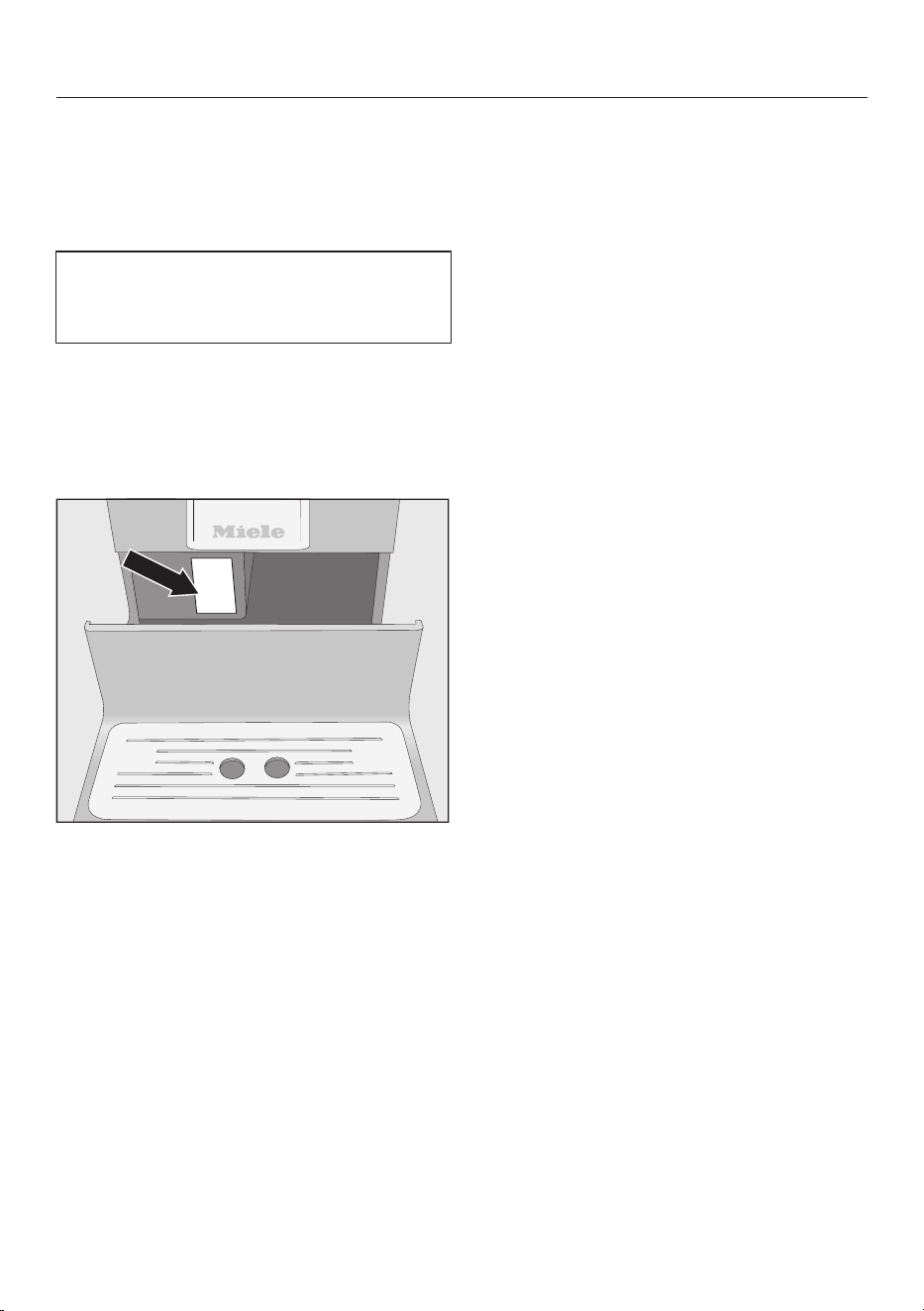
Technical Service
72
Contact in case of fault
In the event of a fault which you cannot
remedy yourself, please contact your
Miele dealer or Miele Technical Service.
Contact information for Miele
Technical Service can be found at the
end of this document.
Please quote the model and serial
number of your appliance when
contacting Miele. Both pieces of
information can be found on the data
plate.
Warranty
For further information, please refer to
your warranty booklet.
Saving energy
73
The following tips can help you save
energy and money as well as help the
environment:
– Operate the coffee machine in “Eco
mode” (pre-set).
– Energy consumption may increase if
you change the factory default
settings for the “timer”.
This setting uses more energyappears in
the display.
– Switch the coffee machine off with
the On/Off button when it is not in
use.
– Change the setting for the “Switch off
after” timer to 15 minutes. Then the
coffee machine will switch off
15minutes after the last drink has
been made or a sensor button has
been tapped.

Electrical connection
74
Before connecting the coffee machine,
make sure that the connection data on
the data plate (voltage and frequency)
matches the domestic electrical supply.
This data must correspond in order to
avoid the risk of damage to the coffee
machine. Consult a qualified electrician
if in any doubt.
The connection data is given on the
data plate. The data plate can be seen
on the left-hand side of the appliance
when the drip tray is pulled out.
The appliance is supplied with a mains
cable ready for connection to an AC
50Hz 220–240V supply.
The coffee machine must be connected
to the mains supply via a suitable
switched socket with earthing contact.
The machine must be connected to an
electrical system designed in
accordance with national regulations
(VDE0100 in Germany).
The fuse rating must be at least 10A.
The socket should be next to the
appliance and easily accessible where
possible.
Do not connect the coffee machine to
the power supply using a multi-socket
adapter or an extension lead. These do
not guarantee the required safety of the
appliance (risk of fire).
Do not connect the coffee machine to a
stand-alone inverter. These devices
are used for autonomous power supply,
such as a solar power system. Power
surges could cause a safety shutdown.
This can damage the electronic.
The coffee machine must not be used
with energy saving plugs. These
reduce the energy supply to the
appliance, which could generate
excessive heat.
If the power cable is faulty, it may only
be replaced by a qualified electrician.
Installation
75
Danger of overheating!
Please ensure that there is adequate
ventilation around the appliance.
Do not cover the appliance with dish
towels or similar objects while it is in
use.
Danger of overheating
If the coffee machine is installed
behind a kitchen furniture door, it
may only be used with the furniture
door open.
Do not close the furniture door while
the coffee machine is in use.
Please observe the following installation
instructions:
– The location of the appliance must be
dry and well ventilated.
– The ambient temperature of the room
in which the appliance is used must
be between +50°F and +100°F
(+10°C and +38°C).
– The coffee system must be set up on
a level surface. The surface must be
water resistant.
If the coffee machine is installed in a
niche, the niche must provide the
following minimum dimensions:
Height 20 1/16" (510mm)
Width 17 11/16" (450mm)
Depth 22 5/8" (575mm)
When setting up the appliance: Make
sure that the service panel can be
fully opened so that the brew unit
can be removed with ease when
required.
The coffee machine must be set up in
the niche such that it sits flush with
the front edge of the niche.
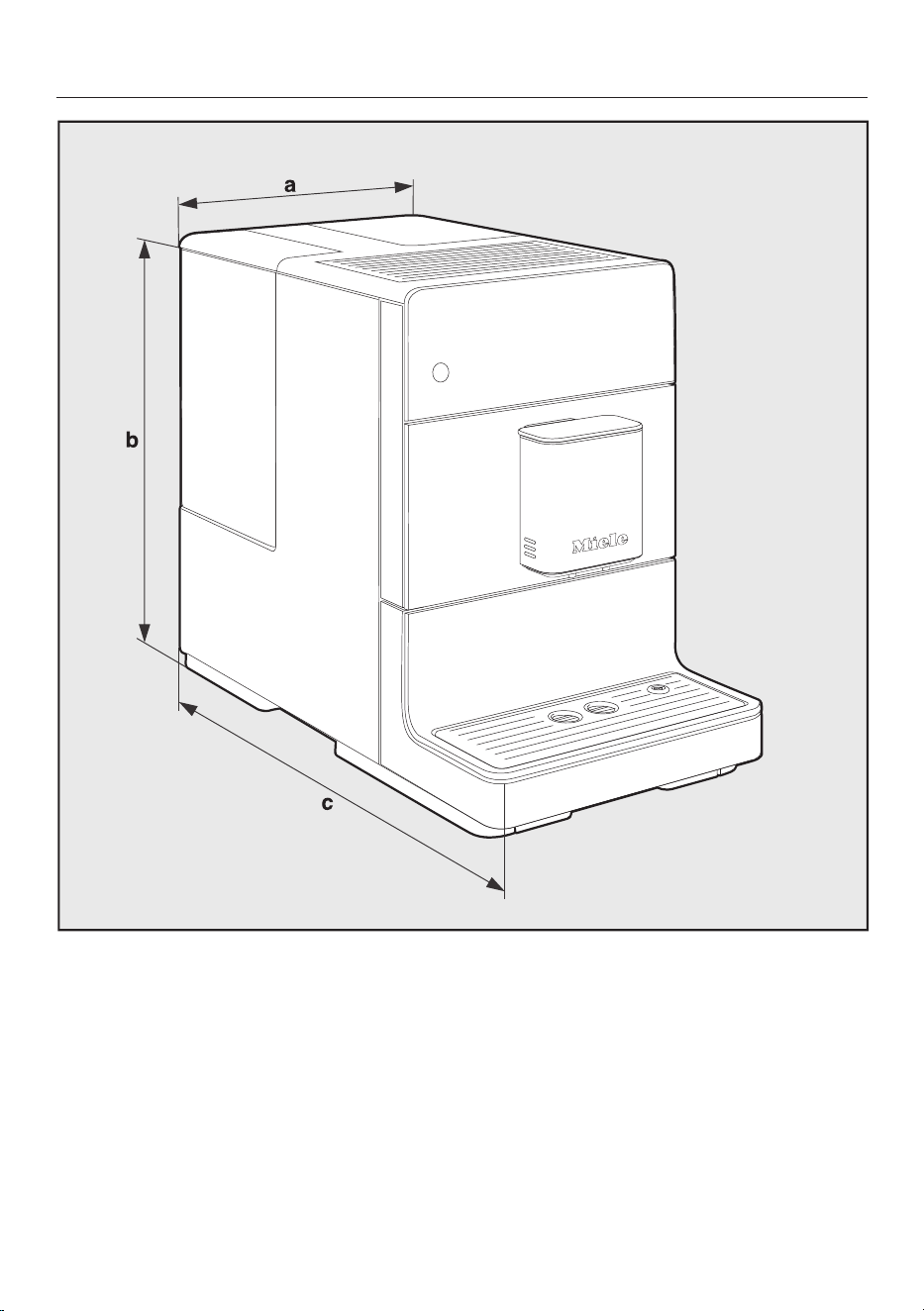
Appliance dimensions
76
a = 9 1/2" (241mm)
b = 14 3/16" (360mm)
c = 18 1/8" (460mm)

Technical data
77
Current draw in standby mode
(default setting):
<0.5watt
Pump pressure: max.217 psi (15bar)
Through-flow heater: 1stainless-steel thermo block
Dimensions (WxHxD): 9 1/2" x 14 3/16"" x 18
1/8" (241x360x460mm)
Net weight: 21 lb (9,48kg)
Power cord length: 3' 11 1/4" (120cm)
Water container
capacity:
4 1/4 c (1,3l)
Bean container
capacity:
0.44 lb (200g)
Grounds container
capacity:
Max.6portions of coffee grounds
Main dispenser: Height adjustable from3 1/8"-5
5/16" (80–135mm)
Grinder: Stainless-steel conical grinder
Grinder setting: Adjustable in 5settings
Ground coffee amount: Max.0.4 oz (12 g)


9 Independence Way
Princeton, NJ 08540
Phone:
Fax:
www.mieleusa.com
U.S.A.
Miele, Inc.
National Headquarters
Please have the model and serial number
of your appliance available when
contacting Technical Service.
Canada
Importer
Miele Limited
Headquarters and Miele Centre
800-843-7231
609-419-4298
Technical Service & Support
Phone:
Fax:
161 Four Valley Drive
Vaughan, ON L4K 4V8
www.miele.ca
800-999-1360
888-586-8056
Customer Care Centre
Phone:
800-565-6435
905-532-2272
International Headquarters
Miele & Cie. KG
Carl-Miele-Straße 29
33332 Gütersloh
Germany

M.-Nr. 10 973 070 / 02
en–US, CA
CM5300, CM5400, CM5500