
Contents
Contents
Contents
These pages give an overview of the contents of your owner’s
manual.
The first page of each section lists the topics covered in that section.
ATV Safety ..................................................................................1
Important safety information you should know, plus a look at the
safety related labels on your ATV.
Instruments & Controls ..............................................................9
The location and function of indicators and controls on your ATV
and operating instructions for various controls and features.
Before Riding ............................................................................47
The importance of wearing a helmet and other protective gear,
how to make sure you and your ATV are ready to ride, and
important information about loading.
Basic Operation & Riding .........................................................63
How to start and stop the engine, shift gears, and brake. Also,
riding precautions.
Ranc
her (TRX420FE1 4x4)
31HR3840
M
OM 16305 (1705)

Contents
Contents
Servicing Your Honda ..............................................................97
Why your ATV needs regular maintenance, what you need to
know before servicing your Honda, an owner maintenance
schedule, and instructions for specific maintenance and
adjustment items.
Tips ..........................................................................................191
How to store and transport your ATV and how to be an
environmentally responsible rider.
Taking Care of the Unexpected .............................................201
What to do if you have a flat tire, your engine won’t start, etc.
Technical Information ............................................................225
ID numbers, technical specifications, and other technical facts.
Consumer Information ...........................................................241
Information on warranties, emission controls, how to get Honda
service manuals.
Index........................................................................................249
Quick Reference
Handy facts about fuel, engine oil, tire sizes, and air pressures.
FOR OFF-ROAD USE ONLY
This vehicle is designed and manufactured for off-road use only.
It conforms to US EPA Noise Emission regulations, but does not
conform to Federal Motor Vehicle Safety Standards or US EPA On
Highway Exhaust Emission regulations, and operation on public
streets, roads, or highways is illegal. The vehicle is equipped with a
USDA qualified spark arrester. Obey local laws and regulations.
It conforms to US EPA and California emission regulations for ATVs.
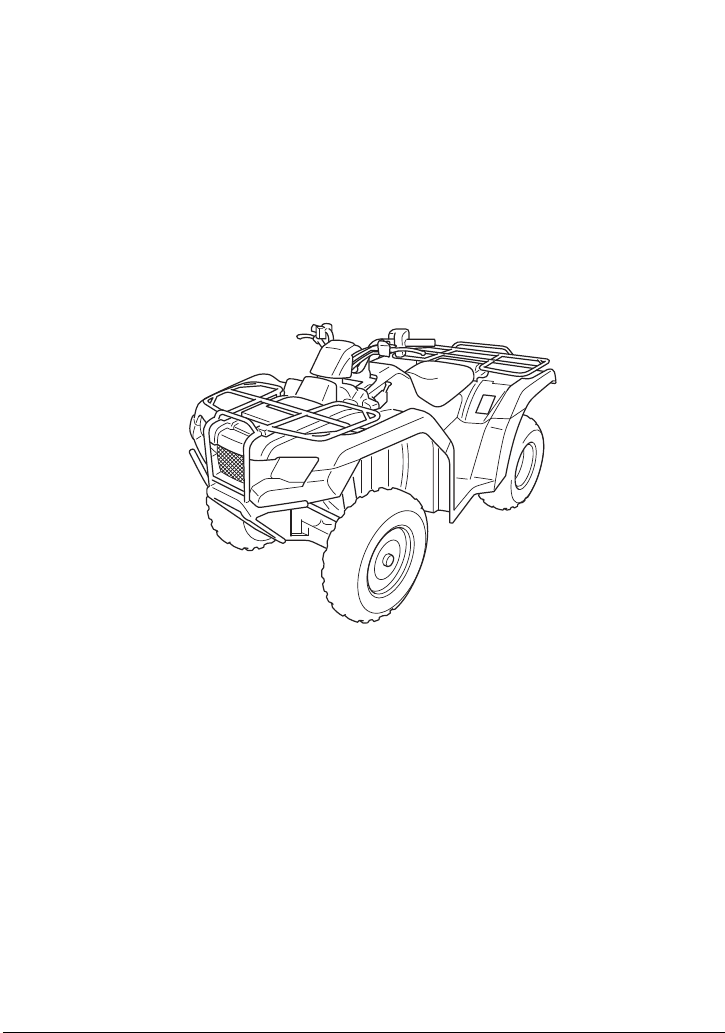
2018
Honda
TRX420FE1 4x4
FOURTRAX RANCHER
OWNER'S MANUAL

Introduction
Introduction
Introduction
Congratulations on choosing your Honda ATV.
When you own a Honda, you’re part of a worldwide family of
satisfied customers — people who appreciate Honda’s reputation
for building quality into every product.
Your Honda was designed as a recreational ATV for off-road use by
one rider only.
Before riding, take time to get acquainted with your ATV and how it
works. To protect your investment, we urge you to take
responsibility for keeping your ATV well maintained. Scheduled
service is a must, of course. But it’s just as important to observe the
break-in guidelines, and perform all pre-ride and other periodic
checks detailed in this manual.
We also recommend that you read this owner’s manual before you
ride. It’s full of facts, instructions, safety information, and helpful
tips. To make it easy to use, the manual contains a detailed list of
topics at the beginning of each section and an index at the back of
the book.
As you read this manual, you will find information that is preceded
by a symbol. This information is intended to help you avoid
damage to your Honda, other property, or the environment.
Read the Warranties Booklet (page 243) thoroughly so you
understand the coverages that protect your new Honda and are
aware of your rights and responsibilities.
Whenever you ride, tread lightly. By staying on established trails and
riding only in approved areas, you help protect the environment and
keep off-road riding areas open for the future.
NOTICE

Introduction
Introduction
If you have any questions, or if you ever need special service or
repairs, remember that your dealer knows your ATV best and is
dedicated to your complete satisfaction.
Please report any change of address or ownership to your dealer so
we will be able to contact you concerning important product
information.
You may also want to visit our website at
www.powersports.honda.com.
Happy riding!

A Few Words About Safety
A Few Words About Safety
A Few Words About Safety
Your safety, and the safety of others, is very important. And
operating this ATV safely is an important responsibility.
To help you make informed decisions about safety, we have
provided operating procedures and other information on labels and
in this manual. This information alerts you to potential hazards that
could hurt you or others.
Of course, it is not practical or possible to warn you about all hazards
associated with operating or maintaining an ATV. You must use your
own good judgment.
You will find important safety information in a variety of forms,
including:
Safety Labels — on the ATV.
Safety Messages — preceded by a safety alert symbol
2
and one
of three signal words: DANGER, WARNING, or CAUTION.

A Few Words About Safety
A Few Words About Safety
These signal words mean:
Safety Headings — such as Important Safety Reminders or
Important Safety Precautions.
Safety Section — such as ATV Safety.
Instructions — how to use this ATV correctly and safely.
This entire manual is filled with important safety information —
please read it carefully.
3
DANGER
You WILL be KILLED or
SERIOUSLY HURT if you don’t
follow instructions.
3
WARNING
You CAN be KILLED or SERIOUSLY
HURT if you don’t follow
instructions.
3
CAUTION
You CAN be HURT if you don’t
follow instructions.

ATV Safety
1
ATV Safety
ATV Safety
This section presents some of the most important information and
recommendations to help you ride your ATV safely. Please take a few
moments to read these pages. This section also includes information
about the location of safety labels on your ATV.
Important Safety Information........................................................ 2
Safety Labels ................................................................................ 5

ATV Safety
2
Important Safety Information
Your ATV can provide many years of service and pleasure if you take
responsibility for your own safety and understand the challenges you
can meet while riding.
There is much that you can do to protect yourself when you ride.
You’ll find many helpful recommendations throughout this manual.
The following are a few that we consider to be most important.
Follow the Age Recommendation
The minimum recommended age for this ATV model is 16. Children
under age 16 should never operate this vehicle. Refer to the age
warnings provided in this manual and on the ATV.
Always Wear a Helmet
It’s a proven fact: helmets significantly reduce the number and
severity of head injuries. So always wear an approved motorcycle
helmet. We also recommend that you wear eye protection, sturdy
boots, gloves, and other protective gear (page 48).
Never Carry a Passenger
Your ATV is designed for one person only. There are no handholds,
footrests, or seat for a second person, so never carry a passenger. A
passenger could interfere with your ability to move around to
maintain your balance and control of the ATV.

ATV Safety
3
Important Safety Information
Ride Off-road Only
Your ATV is designed and manufactured for off-road use only. The
tires are not made for pavement, and the ATV does not have turn
signals and other features required for use on public roads. If you
need to cross a paved or public road, get off and walk your ATV
across.
Take Time to Learn & Practice
Even if you have ridden other ATVs, take time to become familiar
with how this ATV works and handles. Practice in a safe area until
you build your skills and get accustomed to the ATV’s size and
weight.
Because many crashes involve inexperienced or untrained riders, we
urge all riders to take a ATV operator course approved by the ATV
Safety Institute (ASI). See page 50.
Contact an authorized ATV dealer or call 1-800-887-2887 to find
out about the training courses nearest you.
Be Alert for Off-road Hazards
The terrain can present a variety of challenges when you ride off-
road. Continually “read” the terrain for unexpected turns, drop-offs,
rocks, ruts, and other hazards. Always keep your speed low enough
to allow time to see and react to hazards.

ATV Safety
4
Important Safety Information
Ride within Your Limits
Pushing limits is another major cause of ATV crashes. Never ride
beyond your personal abilities or faster than conditions warrant.
Remember that alcohol, drugs, fatigue, and inattention can
significantly reduce your ability to make good judgments and ride
safely.
Don’t Drink and Ride
Alcohol and riding don’t mix. Even one drink can reduce your ability
to respond to changing conditions, and your reaction time gets
worse with every additional drink. So don’t drink and ride, and don’t
let your friends drink and ride either.
Keep Your Honda in Safe Condition
It’s important to keep your ATV properly maintained and in safe
riding condition. Having a breakdown can be difficult, especially if
you are stranded off-road far from your base. To help avoid
problems, inspect your ATV before every ride and perform all
recommended maintenance.

ATV Safety
5
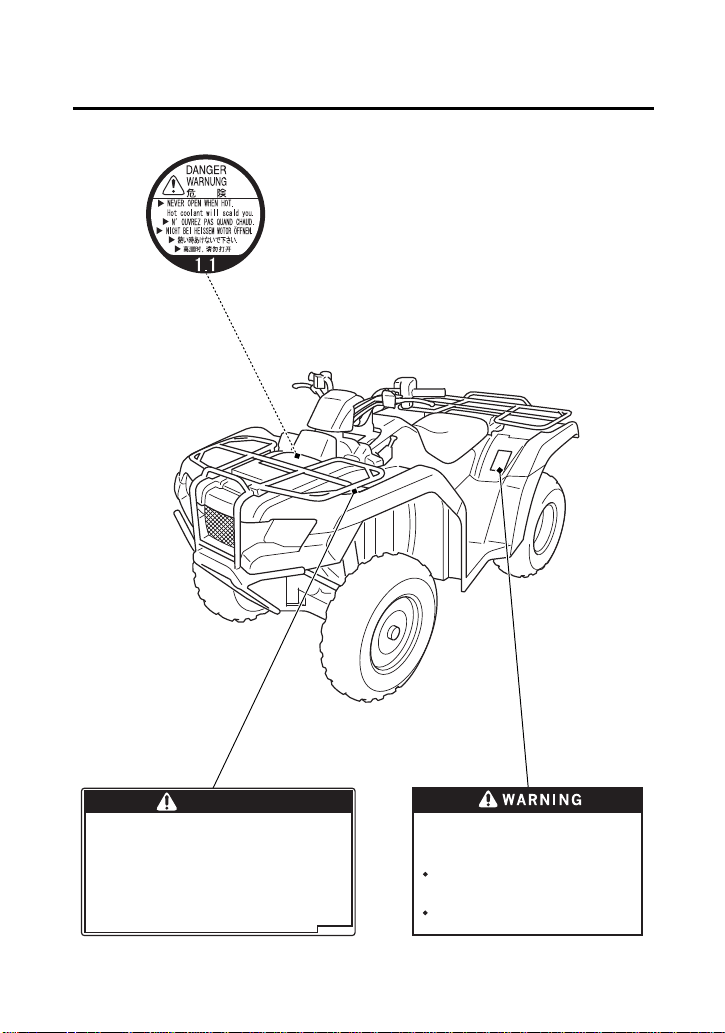
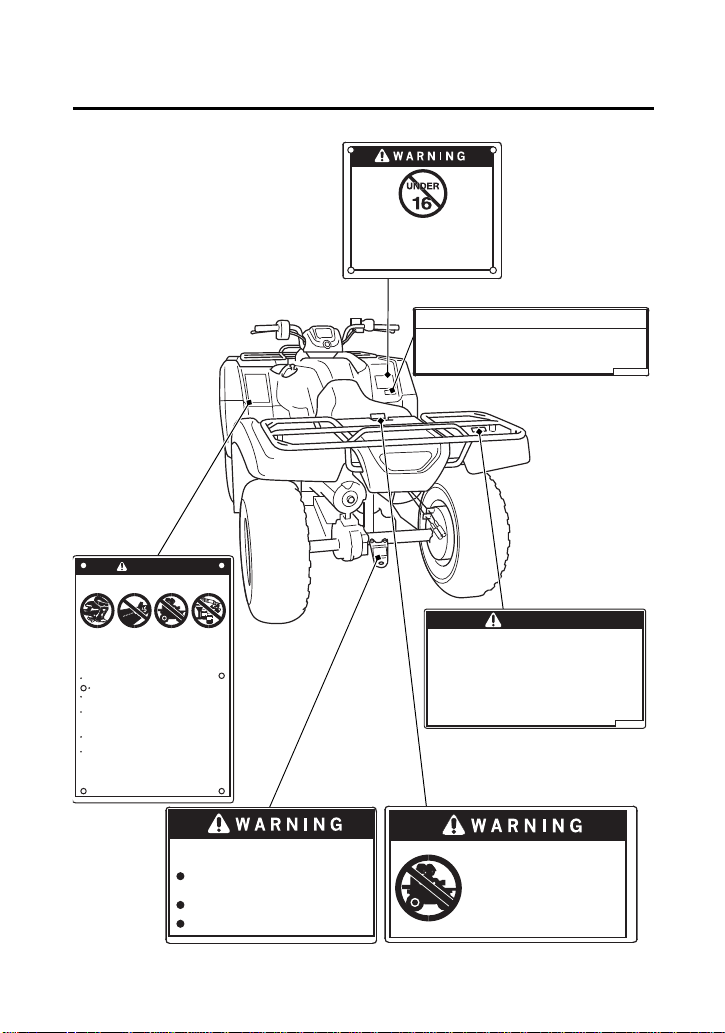
Safety Labels
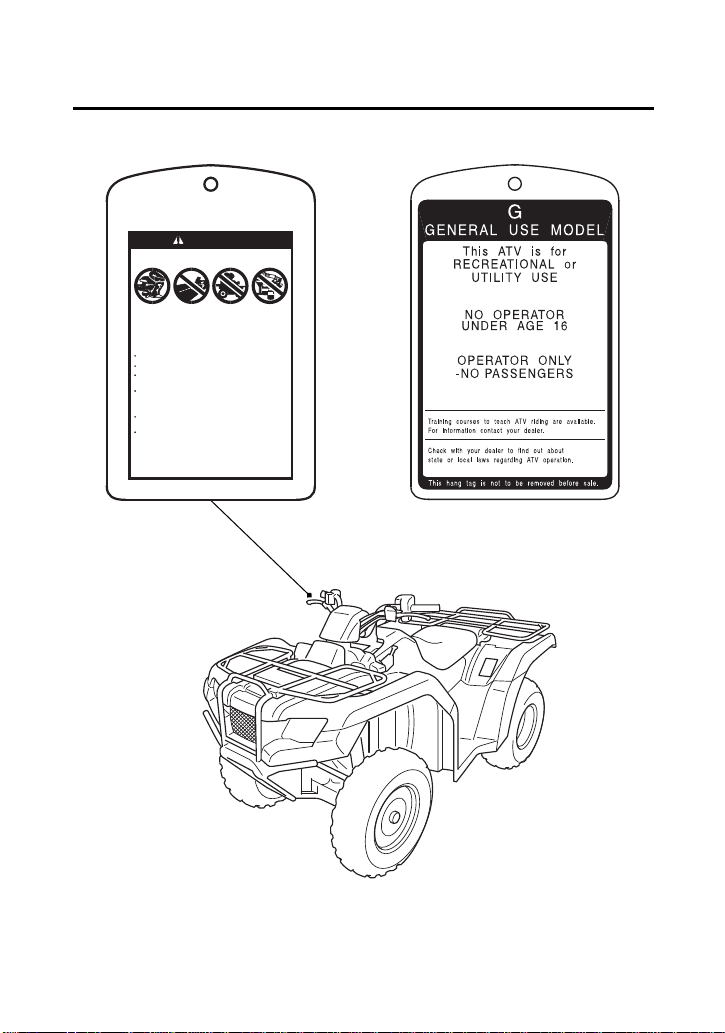
Your ATV comes with a hang tag and several labels containing
important safety information. Anyone who rides the vehicle should
read and understand this information before riding.
The labels should be considered permanent parts of the vehicle. If a
label comes off or becomes hard to read, contact your dealer for
replacements.
ATV Safety
6
Safety Labels
WARNING
Improper ATV use can result in SEVERE INJURY or DEATH
without proper training or instruction
at speeds too fast for your skills or the conditions
on public roads - a collision can occur with
another vehicle
with a passenger - passengers affect balance
and steering and increase risk of losing control
ALWAYS:
use proper riding techniques to avoid vehicle
overturns on hills and rough terrain and in turns
avoid paved surfaces - pavement may seriously
affect handling and control
LOCATE AND READ OWNER'S MANUAL.
FOLLOW ALL INSTRUCTIONS AND WARNINGS.
NEVER operate:
ALWAYS USE
AN APPROVED
HELMET AND
PROTECTIVE
GEAR
NEVER USE NEVER USE
ON PUBLIC
ROADS
NEVER CARRY
PASSENGERS
WITH DRUGS
OR ALCOHOL
ATV Safety
7
Safety Labels
Overloading this ATV or carrying cargo
improperly can change handling,stability
and braking performance and can lead to an
accident.
Never exceed the maximum front cargo limit
of : 66 lbs (30 kg).
Refer to instructions in the Owner’s
Manual.
WARNING
Improper tire pressure or overloading can
cause loss of control.
Loss of control can result in severe injury
or death.
Cold tire pressure :
Maximum weight capacity : 485lbs.(220kg)
Front : 4.4psi (30kPa)
Rear : 4.4psi (30kPa)
ATV Safety
8
Safety Labels
Towing an improperly loaded
trailer can cause loss of control.
Read towing instructions
in owner's manual
Tow weight limit : 850lbs. (385kg)
: 30lbs. ( 14kg)
Tongue weight
Overloading this ATV or carrying cargo
improperly can change handling,stability
and braking performance and can lead to an
accident.
Never exceed the maximum rear cargo limit
(combined weight on the rear rack and in
the storage area) of : 133 lbs (60 kg).
Refer to instructions in the Owner’s
Manual.
WARNING
Operating this ATV if you are under
the age of 16 increases your chance
of severe injury or death.
NEVER operate this ATV if you are
under age 16.
WARNING
Improper ATV use can result in SEVERE INJURY or DEATH
without proper training or instruction
at speeds too fast for your skills or the conditions
on public roads - a collision can occur with
another vehicle
with a passenger - passengers affect balance
and steering and increase risk of losing control
ALWAYS:
use proper riding techniques to avoid vehicle
overturns on hills and rough terrain and in turns
avoid paved surfaces - pavement may seriously
affect handling and control
LOCATE AND READ OWNER'S MANUAL.
FOLLOW ALL INSTRUCTIONS AND WARNINGS.
NEVER operate:
ALWAYS USE
AN APPROVED
HELMET AND
PROTECTIVE
GEAR
NEVER USE NEVER USE
ON PUBLIC
ROADS
NEVER CARRY
PASSENGERS
WITH DRUGS
OR ALCOHOL
NEVER ride as a passenger.
Passengers can cause a loss
of control, resulting in
SEVERE INJURY or DEATH.
With four-wheel drive, operating any brake control
causes braking at both the front and rear wheels.
For detailed braking information, refer to the
Owner's Manual.
BRAKING INFORMATION

Instruments & Controls
9
Instruments & Controls
(cont’d)
Instruments & Controls
This section shows the location of all indicators and controls you
would normally use before or while riding your ATV.
The items listed on this page are described in this section.
Instructions for other components are presented in other sections of
this manual where they will be most useful.
Operation Component Locations ................................................ 11
Indicators & Displays................................................................... 14
Multi-function Display.............................................................. 20
Speed and Mileage Unit Changing........................................... 23
4WD Indicator ......................................................................... 23
Gear Position Indicator............................................................. 24
Fuel Gauge .............................................................................. 25
Digital Clock ............................................................................ 27
Odometer................................................................................ 28
Tripmeter................................................................................. 28
Coolant Temperature Gauge ................................................... 29
Hourmeter............................................................................... 31
Maintenance Tripmeter & Maintenance Hourmeter.................. 32

Instruments & Controls
10
Instruments & Controls
Controls & Features .................................................................... 34
Ignition Switch......................................................................... 34
2WD/4WD Select Lever............................................................ 35
Start Button............................................................................. 36
Engine Stop Switch.................................................................. 36
Headlight Switch ..................................................................... 37
Headlight Dimmer Switch ........................................................ 37
Throttle Lever .......................................................................... 38
Gearshift Switch ...................................................................... 39
Front Brake Lever..................................................................... 40
Rear Brake Lever/Parking Brake Lever ....................................... 40
Rear Brake Pedal...................................................................... 40
Parking Brake/Reverse Lever (P/R Lever) .................................... 41
Flag Pole Bracket ..................................................................... 43
Trailer Hitch ............................................................................. 44
Storage Compartment ............................................................. 45
Instruments & Controls
11
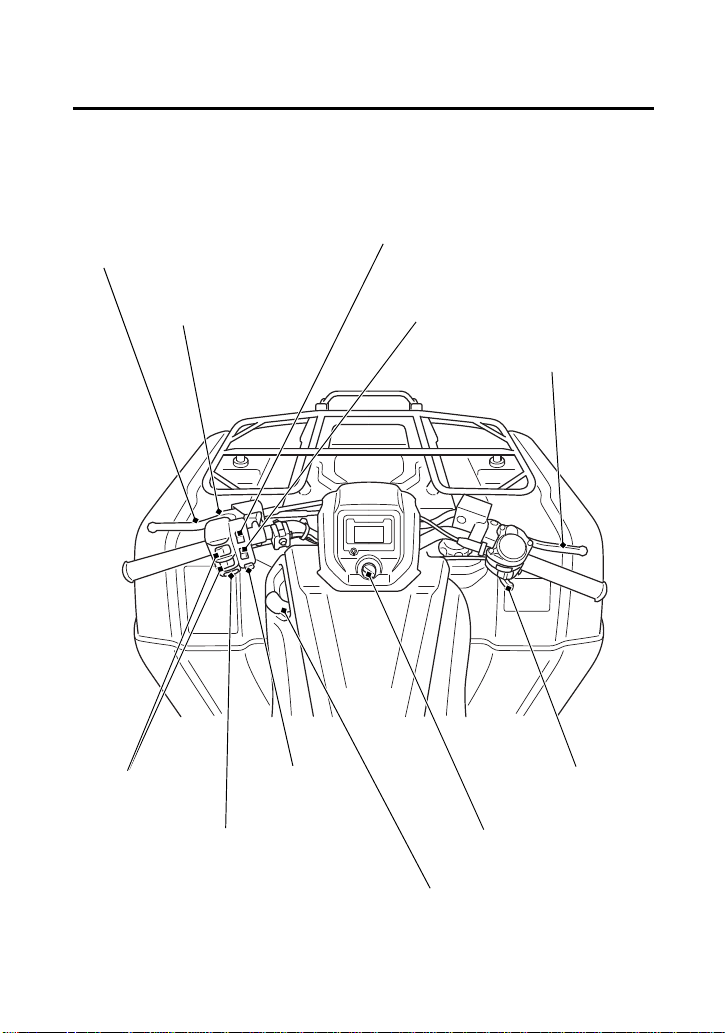
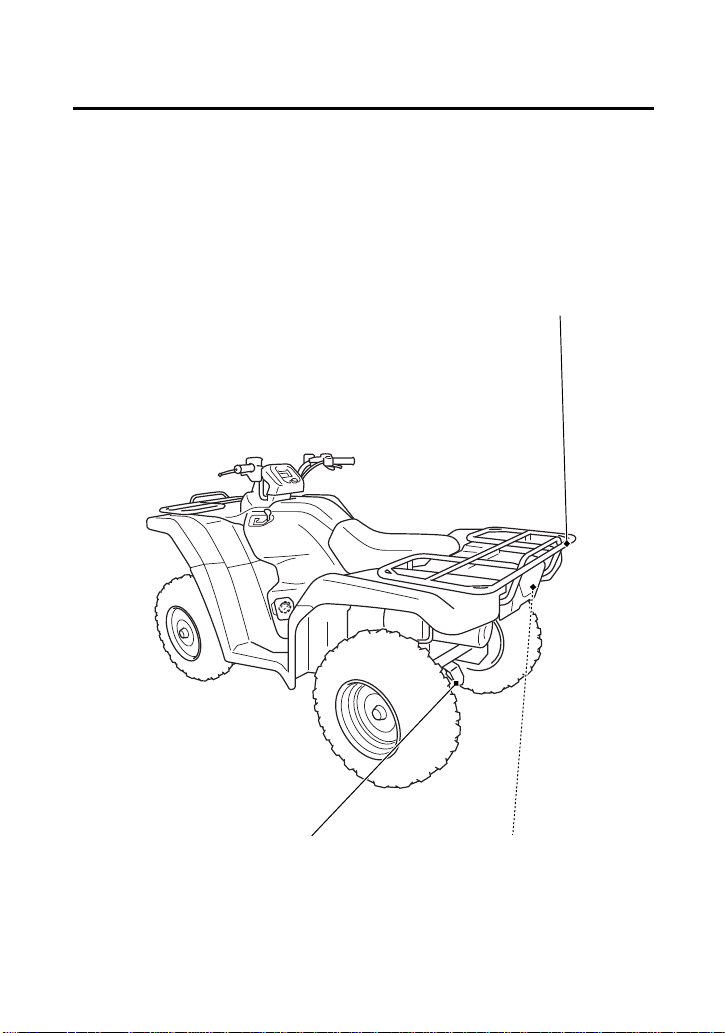
Operation Component Locations
headlight dimmer switch
P/R lever
rear brake lever/
parking brake lever
engine stop switch
start button
ignition switch
2WD/4WD select lever
throttle lever
front brake lever
headlight switch
gearshift
switches
Instruments & Controls
12
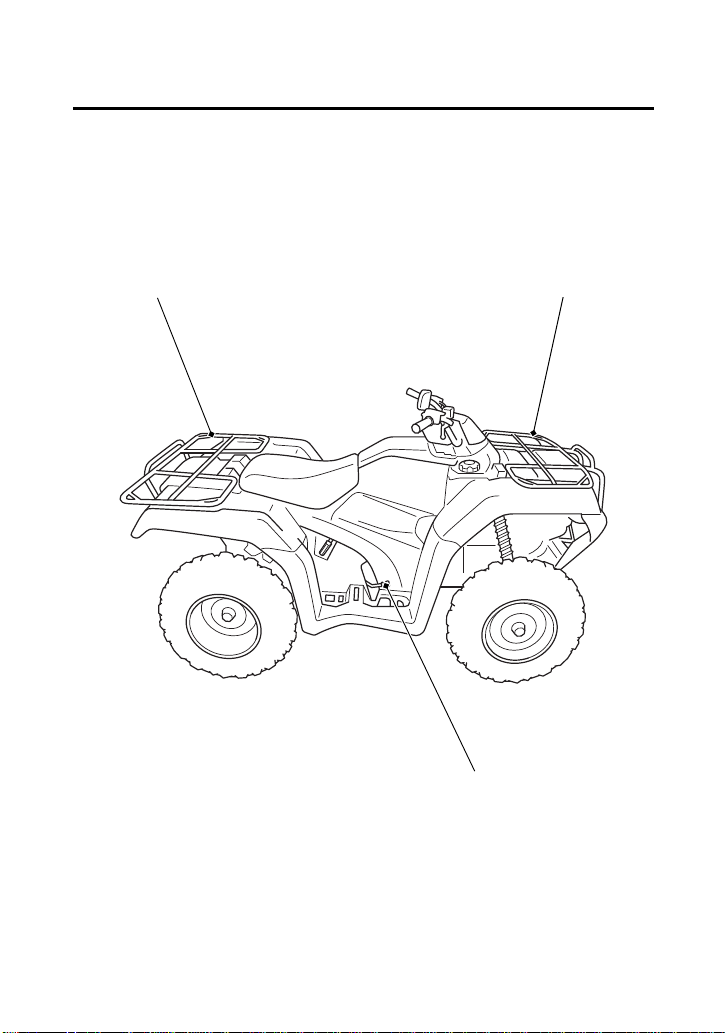
Operation Component Locations
rear cargo rack front cargo rack
rear brake pedal
Instruments & Controls
13
Operation Component Locations
flag pole bracket
trailer hitch
storage compartment
Instruments & Controls
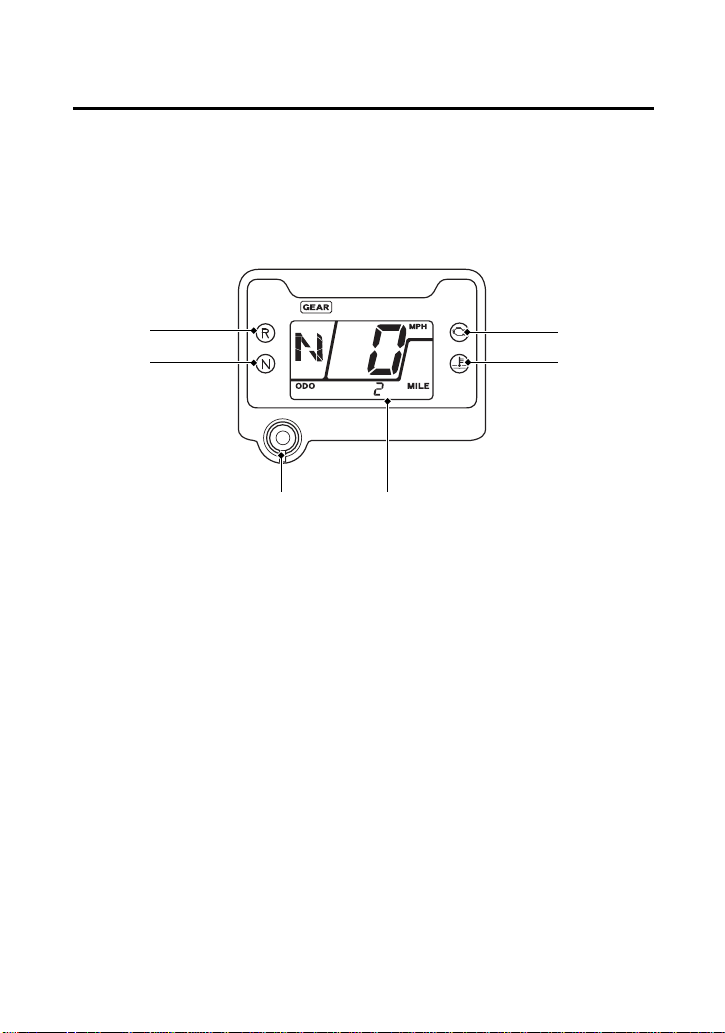
14
Indicators & Displays
The indicators and displays on your ATV keep you informed, alert
you to possible problems, and make your riding safer and more
enjoyable. Refer to the indicators frequently. Their functions are
described on the following pages.
(5)
(3) PGM-FI indicator
(1) neutral indicator
(2) reverse indicator
(5) multi-function display
(4) high coolant
temperature indicator
(6) mode button
(3)
(1)
(4)
(2)
(6)

Instruments & Controls
15
Indicators & Displays
Lamp Check
Initial lamp check:
The indicators come on for a few seconds and then go off when you
turn the ignition switch to ON (q).
The high coolant temperature indicator and PGM-FI indicator will
temporarily come back on for a few seconds and then go off after
initial lamp check.
These indicators are identified in the table on page 17 with the
words: Lamp Check.
When applicable, the reverse or neutral indicators come back on and
remain on until you shift out of reverse or neutral after initial lamp
check.
If one of these indicators does not come on when it should, have
your dealer check for problems.
Instruments & Controls
16
Indicators & Displays
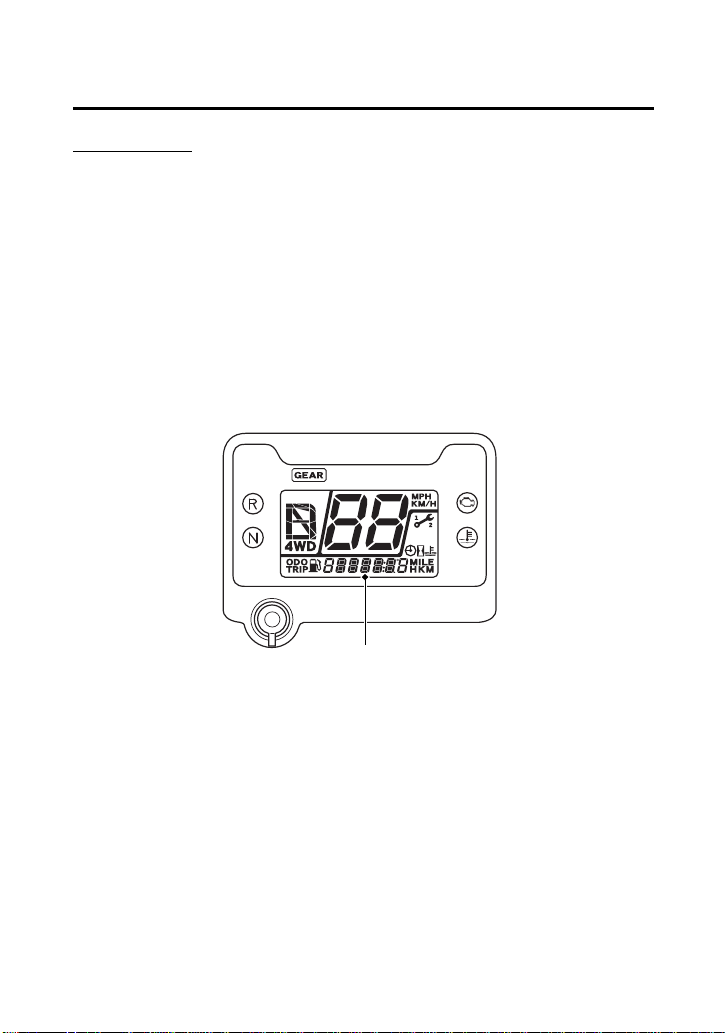
Display Check
When the ignition switch is turned on, the multi-function display (1)
will temporarily show all the modes and digital segments and initial
message. So you can make sure the liquid crystal display is
functioning properly.
The displays are identified in the table on page 18 with the words:
Display Check.
If any part of these displays does not come on when it should, have
your dealer check for problems.
(1)
(1) multi-function display

Instruments & Controls
17
Indicators & Displays
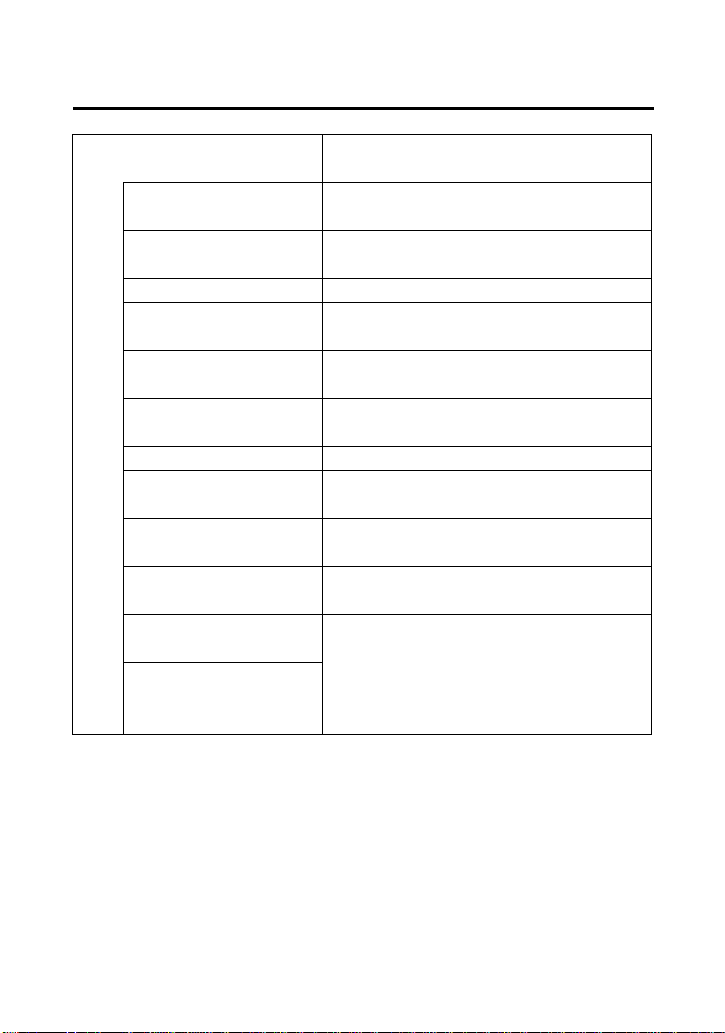
1 Neutral indicator Lights when the transmission is in
neutral. Lamp Check.
2 Reverse indicator Lights when the transmission is in
reverse. Lamp Check.
3 PGM-FI indicator Lights when there is any
abnormality in the PGM-FI
(Programmed Fuel Injection)
system. Should also light for a few
seconds and then go off when the
ignition switch is turned on. If the
indicator comes on at any other
time, reduce speed and take your
vehicle to your dealer as soon as
possible. Lamp Check.
4High coolant
temperature
indicator
Lights when coolant temperature is
high enough to adversely affect the
service life of the engine.
If the high coolant temperature
indicator comes on while you are
riding, immediately bring the
vehicle to a stop, turn the engine
off and let it cool. See page 214.
Lamp Check.
Instruments & Controls
18
Indicators & Displays
5 Multi-function
display
The display includes the following
functions. Display Check.
4WD indicator Shows when the 4WD drive mode
engages (page 23).
Gear position
indicator
Shows the gear position (page 24).
Speedometer Shows riding speed.
Fuel gauge Shows approximate fuel supply
available (page 25).
Digital clock Shows the time (hours and minutes)
(page 27).
Odometer Shows accumulated mileage
(page 28).
Tripmeter Shows mileage per trip (page 28).
Coolant
temperature gauge
Shows approximate coolant
temperature (page 29).
Hourmeter Shows hours and tenths of hours of
engine operation (page 31).
Maintenance
minder indicator
Shows when specified maintenance
interval is reached (page 32).
Maintenance
tripmeter
Inform when the mileage or
operating hours on your ATV
approaches and passes the interval
specified on the maintenance
schedule (page 32).
Maintenance
hourmeter
Instruments & Controls
19
Indicators & Displays
6 Mode button Selects display in the lower parts of
multi-function display (page 21).
This button also used to change the
speed and mileage unit (page 23),
adjusts the clock (page 27) and
resets tripmeter, maintenance
tripmeter and maintenance
hourmeter (page 32).
Instruments & Controls
20
Indicators & Displays
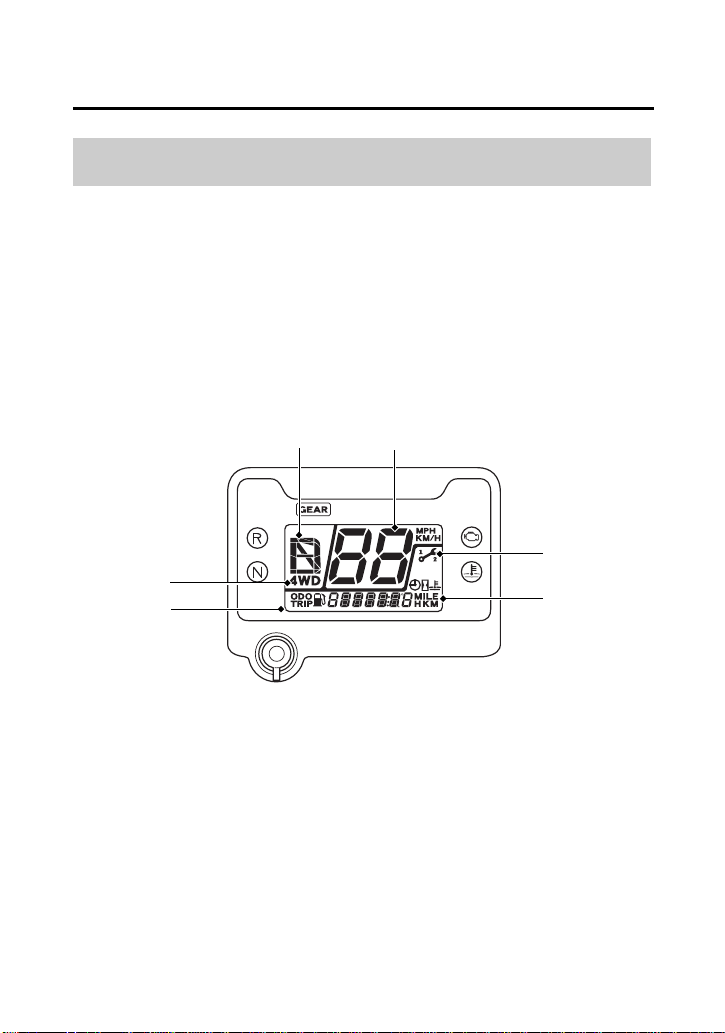
The multi-function display (1) includes the following functions:
Multi-function Display
4WD indicator Odometer
Gear position indicator Tripmeter
Maintenance minder
indicator
Coolant temperature gauge
Hourmeter
Speedometer Maintenance tripmeter
Fuel gauge Maintenance hourmeter
Digital clock
(1) multi-function display
(2)
(1)
(5) maintenance minder
indicator
(3) gear position indicator
(6) fuel gauge/digital clock/
odometer/tripmeter/coolant
temperature gauge/
hourmeter/maintenance
tripmeter/maintenance
hourmeter
(6)
(4) speedometer
(3)
(5)
(4)
(2) 4WD indicator
Instruments & Controls
21
Indicators & Displays
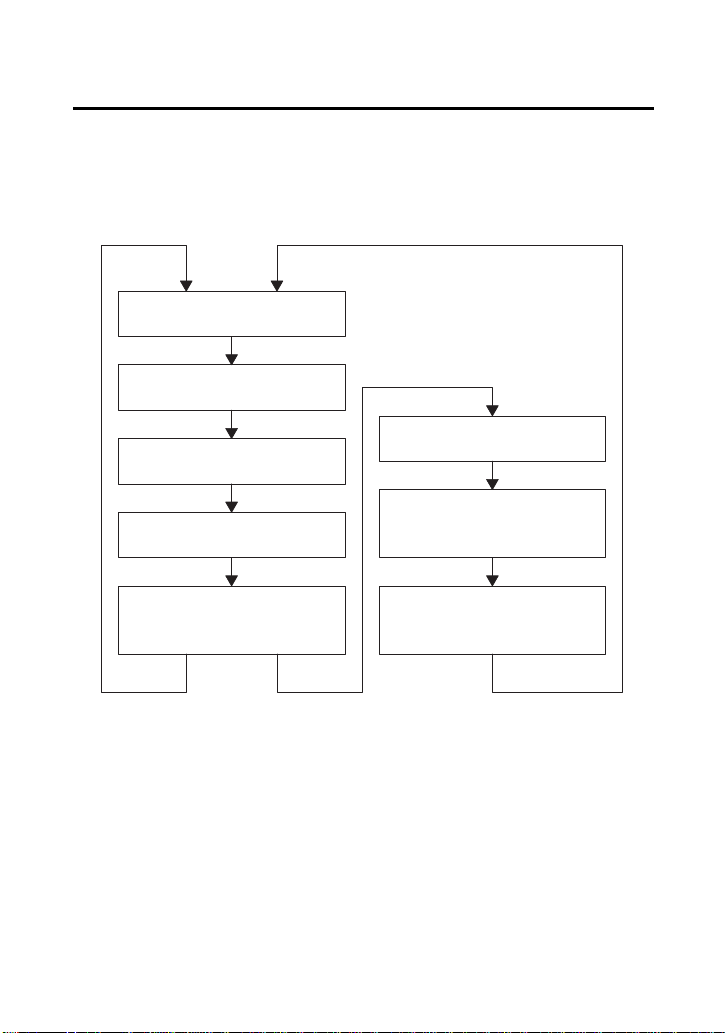
Each time you press the mode button, mode will change as shown in
the illustration.
Fuel gauge (page 25)
Digital clock (page 27)
Odometer (page 28)
Tripmeter (page 28)
Coolant temperature
gauge (page 29)
When ATV
is moving
When ATV
is not
moving
Hourmeter (page 31)
Maintenance
tripmeter (page 32)
Maintenance
hourmeter (page 32)

Instruments & Controls
22
Indicators & Displays
If there is a fuel warning with your ATV, the display will automatically
change to the fuel gauge.
If you try to change the display back to ordinary display, it will
automatically return to the fuel gauge.
If there is a coolant temperature warning with your ATV, the display
will automatically change to the coolant temperature gauge. If you
try to change the display back to ordinary display, it will
automatically return to the coolant temperature gauge.
Instruments & Controls
23
Indicators & Displays
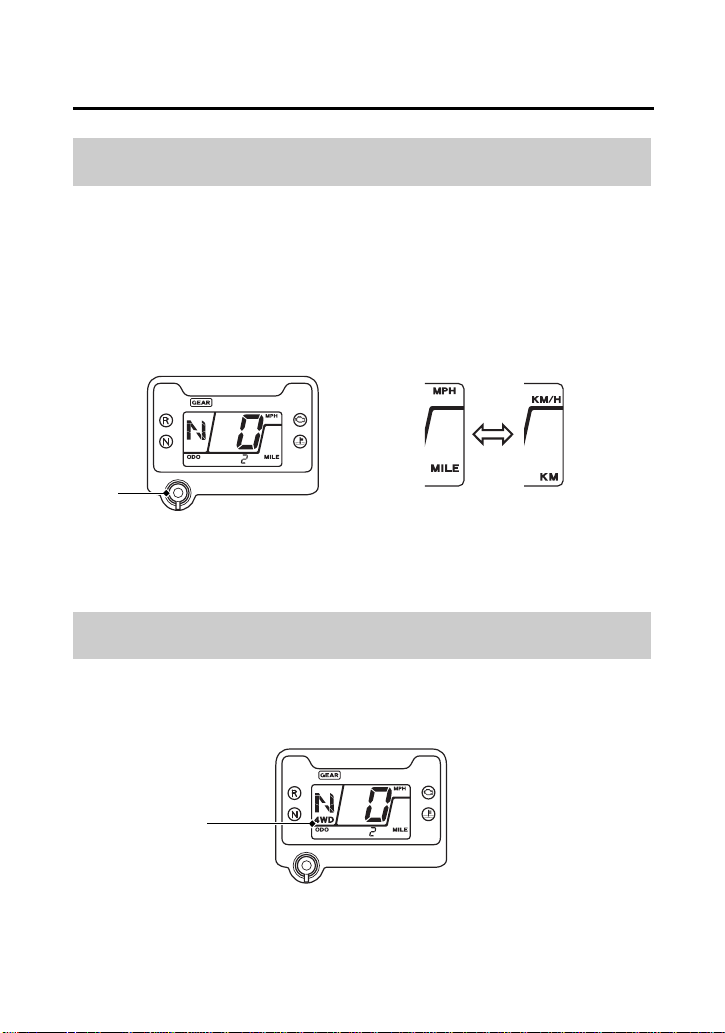
The speedometer, odometer, tripmeter and maintenance tripmeter
show in either “MPH” and “MILE” or “KM/H” and “KM”.
To change the speed and mileage unit, press and hold the mode
button (1) for more than 5 seconds in odometer (page 28) with the
ATV stopped.
The 4WD indicator (1) appears when the 4WD mode engages (page
35).
Speed and Mileage Unit Changing
4WD Indicator
(1) mode button
(1)
(1) 4WD indicator
(1)
Instruments & Controls
24
Indicators & Displays
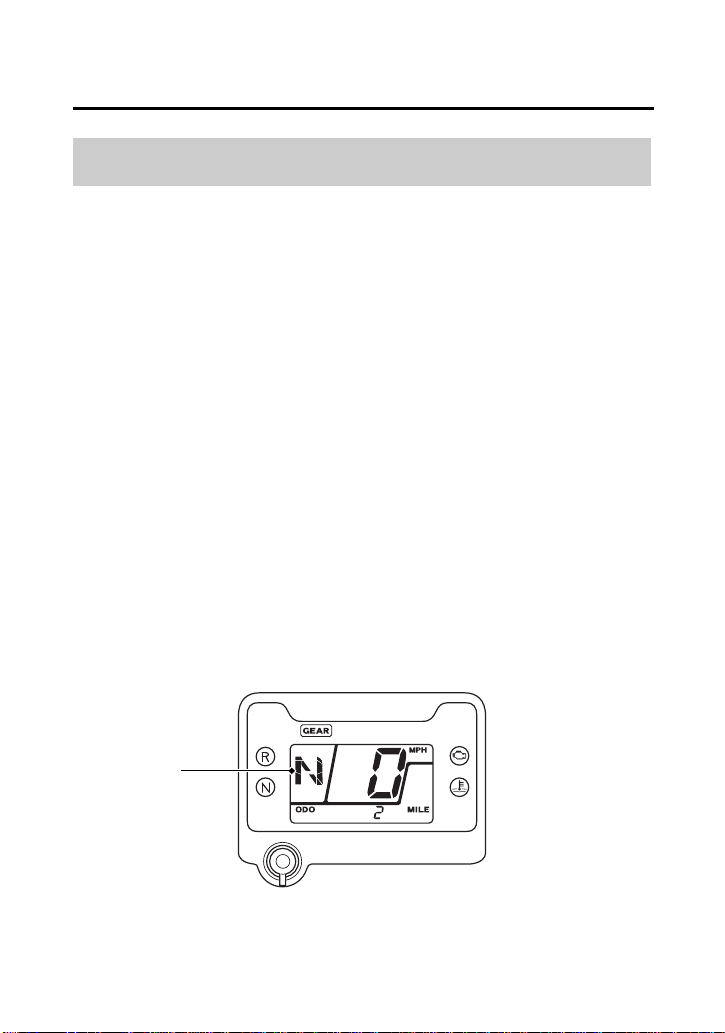
The gear position indicator (1) shows the gear position when the
ignition switch is in the ON (q) position.
The indicator displays: N for neutral, R for reverse, and 1 – 5 for the
five forward gears.
“–” will be displayed on the gear position indicator when the
transmission is not shifted into gear properly. Before riding, check
that the gear position is properly displayed on the gear position
indicator.
If the gear position indicator shows “–” or blinks, turn the ignition
switch to the OFF (w) position, and then turn it back to the ON (q)
position again. If the gear position indicator shows “–”, rock the
vehicle back and forth and make sure the gear position indicator is
displayed properly and then if the gear position indicator still shows
“–” or blinks, see your dealer.
If the “–” on the gear position indicator is blinking, see your dealer.
Gear Position Indicator
(1)
(1) gear position indicator
Instruments & Controls
25
Indicators & Displays
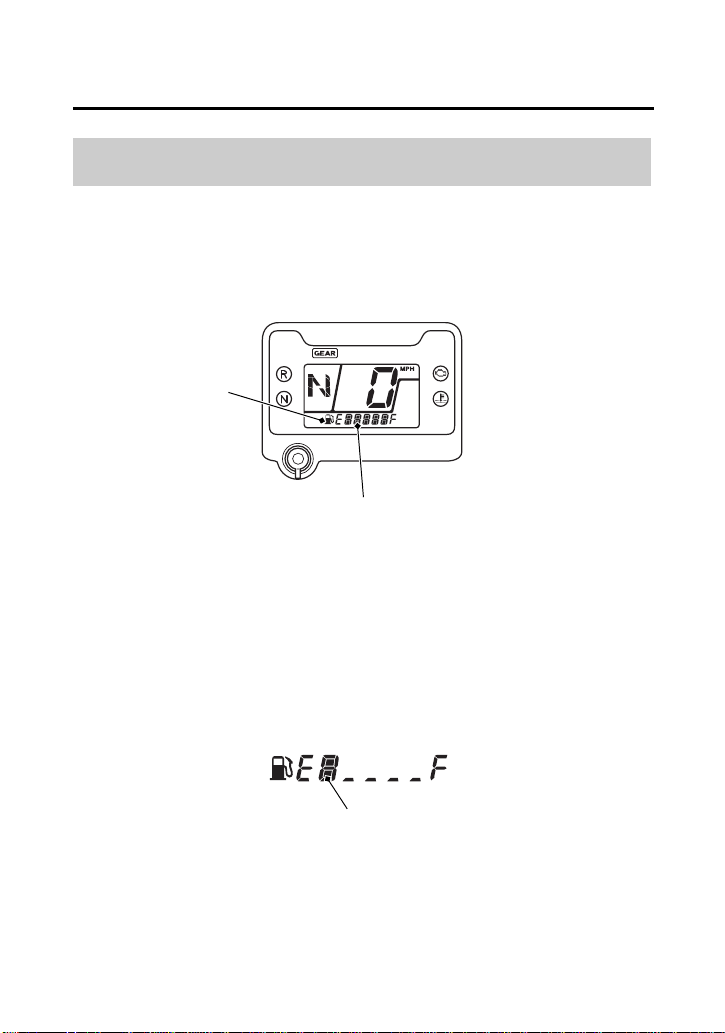
The fuel gauge (1) shows the approximate fuel supply available with
fuel mark (2). The fuel tank capacity is:
3.88 US gal (14.7 ℓ)
Regardless of what mode the display is in, when the fuel level
reaches only 1st segment (3), the display will automatically switch to
the fuel gauge display. You should refuel as soon as possible.
The amount of fuel remaining when there is only 1st segment is
approximately:
1.82 US gal (6.9 ℓ)
Fuel Gauge
(2)
(1) fuel gauge
(1)
(2) fuel mark
(3)
(3) 1st segment
Instruments & Controls
26
Indicators & Displays
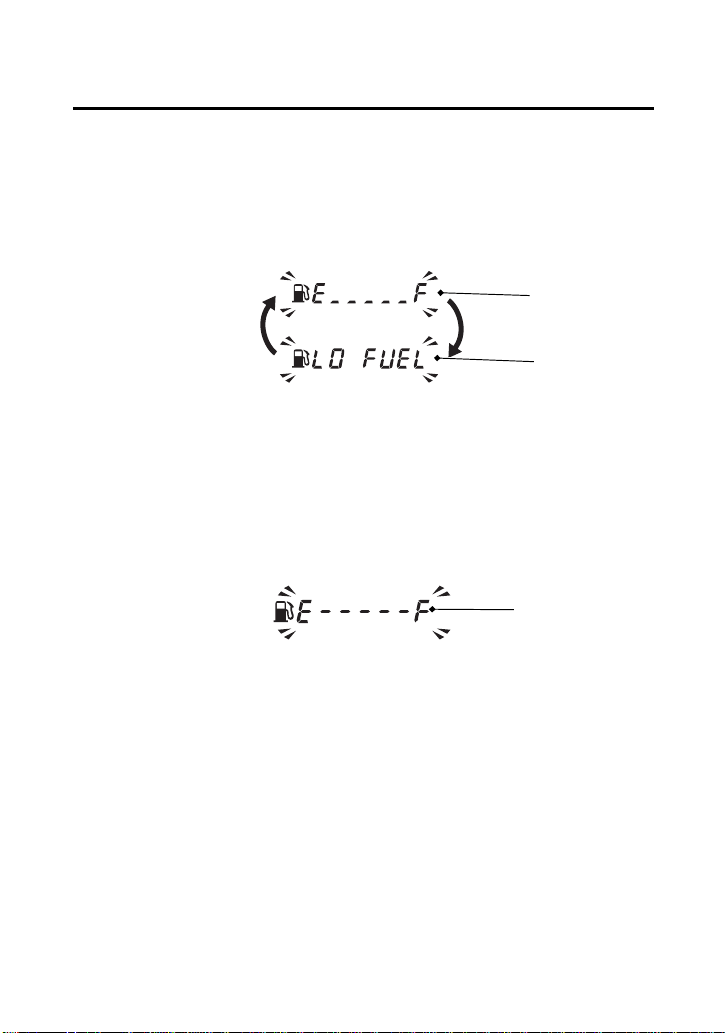
When the fuel gauge show E _ _ _ _ _ F (4) and LO FUEL (5) blink 3
times alternately and fuel mark blinks, you should refill the tank as
soon as possible.
The amount of fuel reserve is approximately:
1.29 US gal (4.9 ℓ)
Fuel gauge failure:
If the fuel gauge function fails E - - - - - F (6) will blink.
See your dealer.
(The fuel mark disappears except the fuel gauge display)
(4)
(4) E _ _ _ _ _ F
(5) LO FUEL
(5)
(6) E - - - - - F
(6)
Instruments & Controls
27
Indicators & Displays
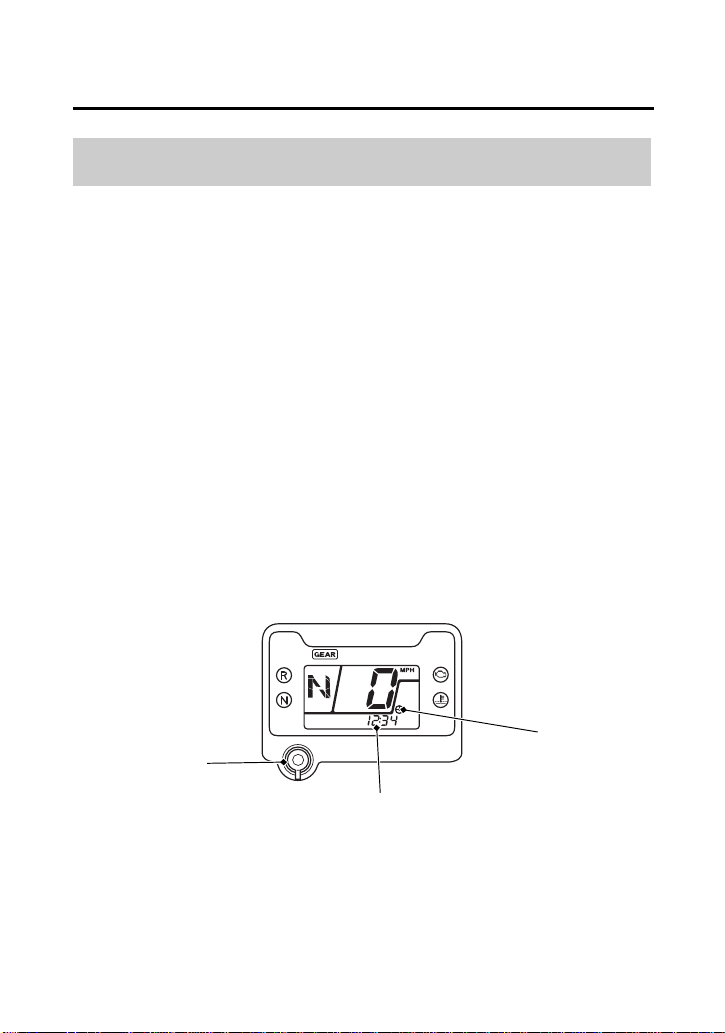
The digital clock (1) displays hours and minutes with the clock mark
(2), when the ignition switch is ON (q).
To adjust the time, proceed as follows:
1.
Turn the ignition switch ON (q) to display the clock (page 21).
2.
Press and hold the mode button (3) until the display start
blinking.
3.
To advance the display 1 minute at a time, press and release the
mode button for 0.5 seconds.
Press and hold the mode button for more 0.5 seconds the display
will begin advancing fast.
4.
Release the mode button when the display reaches the desired
time.
5.
To set the clock, press and release the mode button for less than
0.5 seconds.
The clock can be set by turning the ignition switch off and then
on.
After the battery is reconnected (page 183), check the clock.
Readjust the clock if necessary.
Digital Clock
(3) mode button
(1)
(2)
(3)
(1) digital clock
(2) clock mark
Instruments & Controls
28
Indicators & Displays
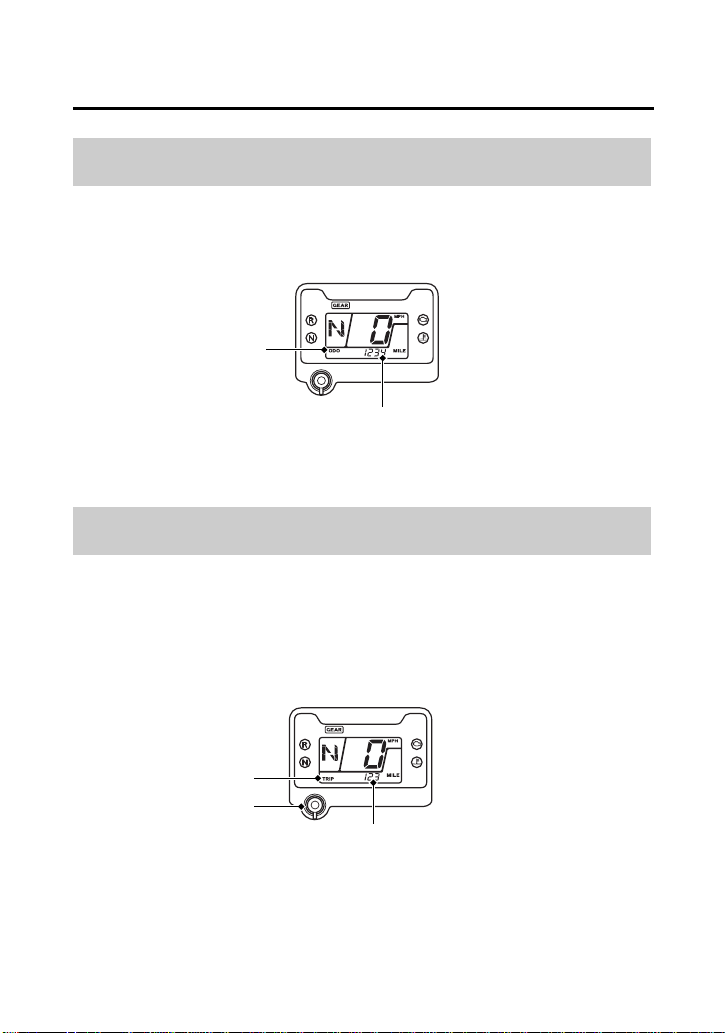
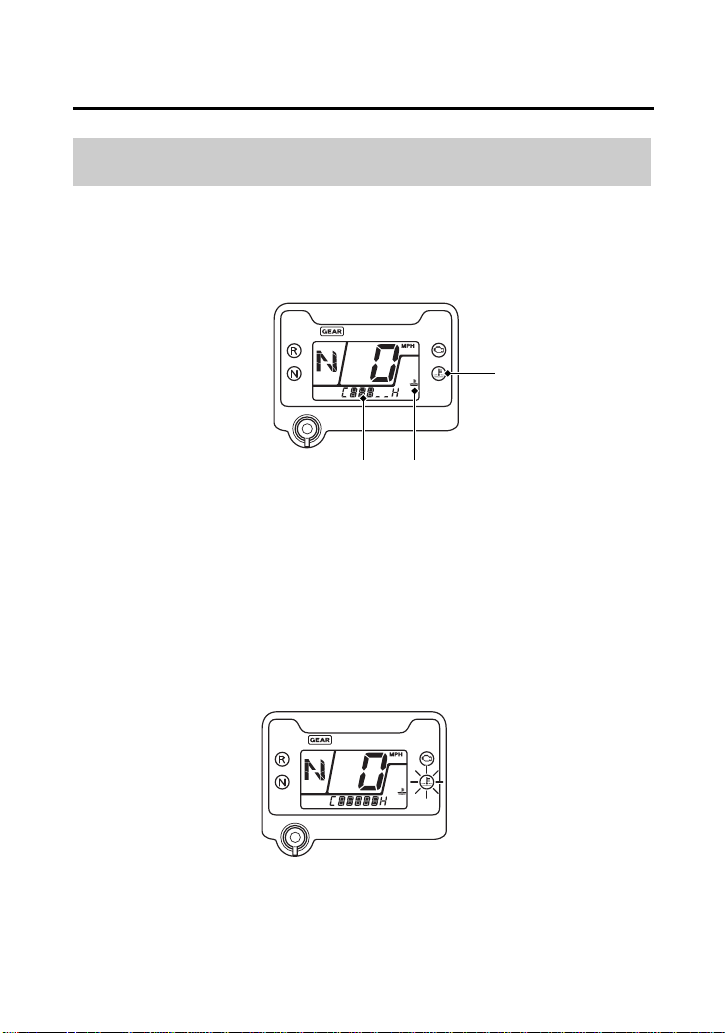
The odometer (1) registers total distance traveled in mileage while
the ignition is ON (q) with the ODO display (2). The odometer locks
at 999999 when the readout exceeds 999999.
The tripmeter (1) shows mileage per trip with the TRIP display (2),
while the ignition is ON (q) since you last reset the tripmeter. The
tripmeter returns to 0.0 when the read-out exceeds 999.9. To reset
the tripmeter to zero, press the mode button (3) and hold it in for at
least 2 seconds in the tripmeter mode.
Odometer
Tripmeter
(1)
(2)
(1) odometer (2) ODO display
(1)
(3)
(1) tripmeter (3) mode button
(2)
(2) TRIP display
Instruments & Controls
29
Indicators & Displays
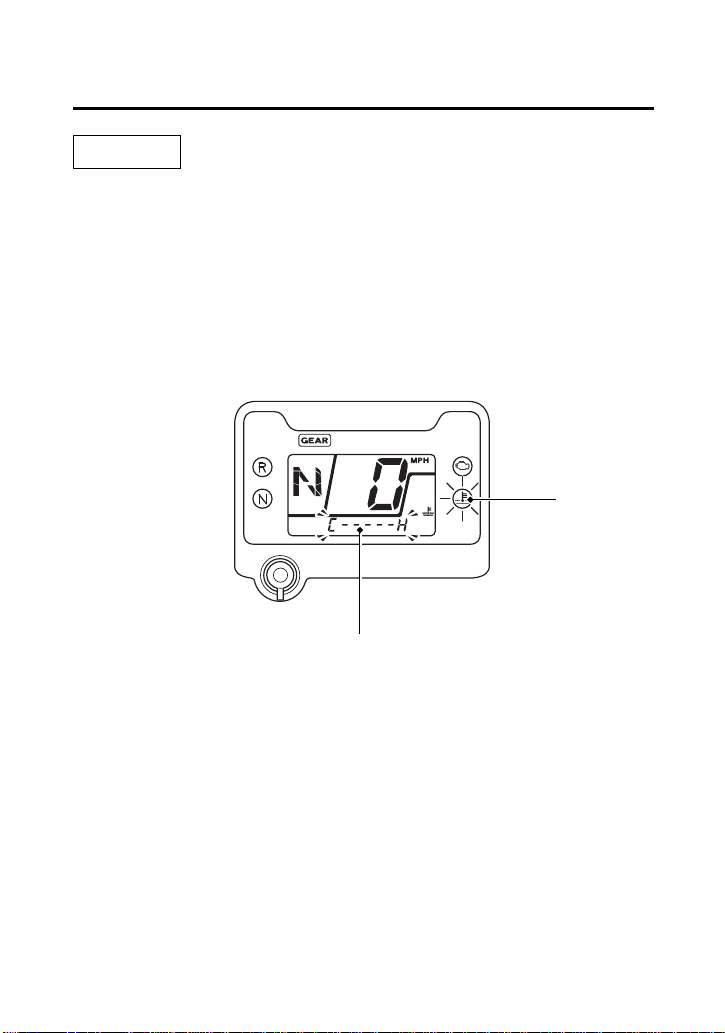
The coolant temperature gauge (1) with the coolant temperature
mark (2) shows the coolant temperature.
When coolant temperature is low, the coolant temperature gauge
will display “Lo”.
If all sections of the coolant temperature gauge and high coolant
temperature indicator are on (automatically appears in the display)
while you are riding, immediately stop the vehicle, turn the engine
off and check the coolant reserve tank level. See page 135.
Coolant Temperature Gauge
(1)
(1) coolant temperature gauge (3) high coolant
temperature indicator
(2) coolant temperature mark
(3)
(2)
Instruments & Controls
30
Indicators & Displays
NOTICE
Continuing to ride with an overheated engine can cause serious
engine damage.
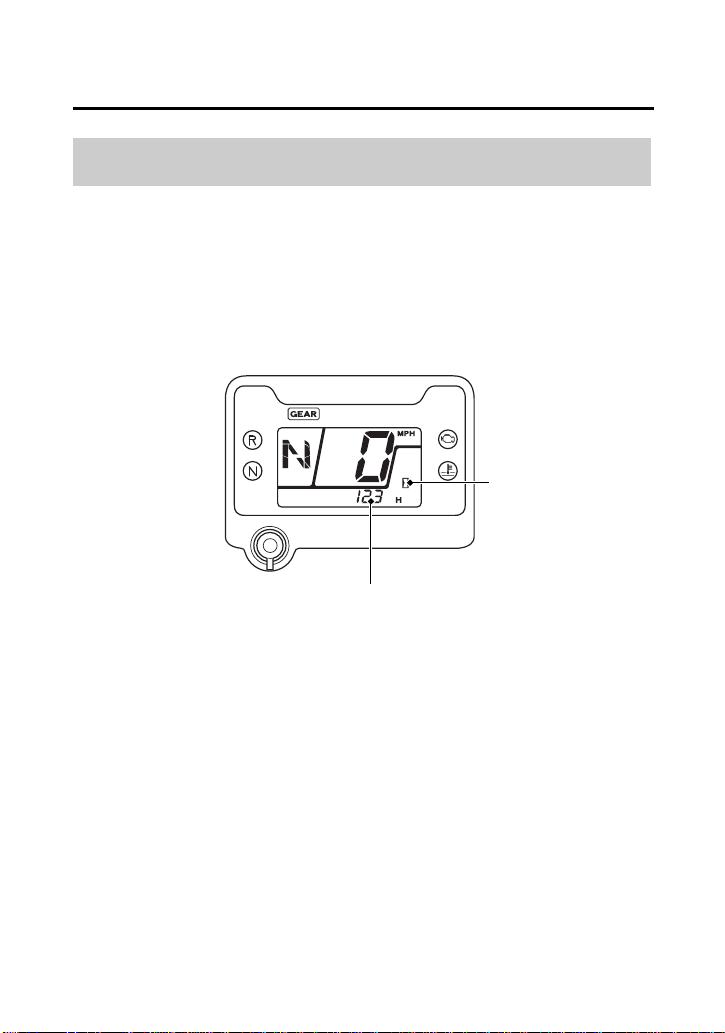
Coolant temperature gauge failure:
If the coolant temperature system has an error, the coolant
temperature gauge (1) will flash and preferentially appear in the
display, and/or high coolant temperature indicator (3) will turn on.
If this occurs, see your dealer as soon as possible.
(1)
(3)
(1) coolant temperature gauge (3) high coolant
temperature indicator
Instruments & Controls
31
Indicators & Displays
The hourmeter (1) shows accumulated hours while the ignition
switch is ON ( I ) with the hourmeter mark (2). The hourmeter
provides accurate service period information for initial and regular
maintenance. The hourmeter locks at 99999.9 when the readout
exceeds 99999.9.
Hourmeter
(1)
(2)
(1) hourmeter (2) hourmeter mark
Instruments & Controls
32
Indicators & Displays
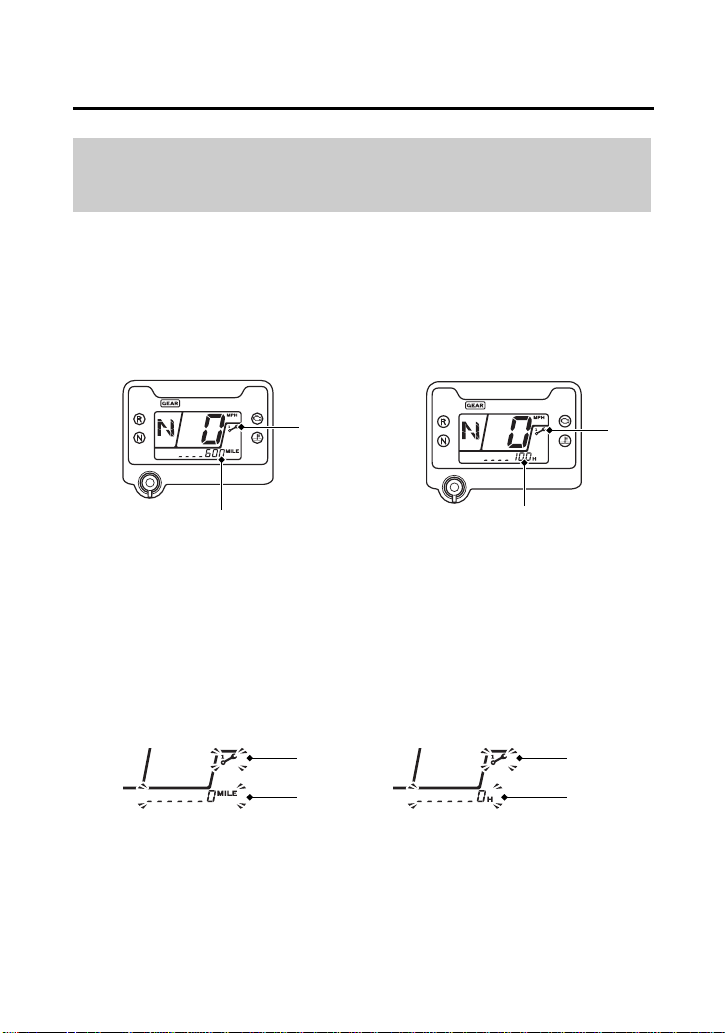
The maintenance tripmeter (1), the maintenance hourmeter (2) and
maintenance minder indicator (3) inform you when the mileage or
operating hours on your ATV approaches and passes the
maintenance interval specified on the maintenance schedule (page
104).
The maintenance tripmeter, or the maintenance hourmeter and
maintenance minder indicator will blink, when they reach their
setting values.
Maintenance Tripmeter & Maintenance
Hourmeter
(1) maintenance tripmeter (3) maintenance minder
indicator
(2) maintenance hourmeter
(3)
(2)
(3)
(1)
(1)
(3)
(2)
(3)
Instruments & Controls
33
Indicators & Displays
Reset the meters after each scheduled maintenance.
To reset the maintenance tripmeter and the maintenance
hourmeter, press and hold the mode button and turn the ignition
switch to ON ( I ). Continue to hold the mode button, the
maintenance minder indicator will light up, and after 2 seconds will
flash twice, the maintenance minder indicator is reset.
Also the maintenance tripmeter and maintenance hourmeter will
reset.
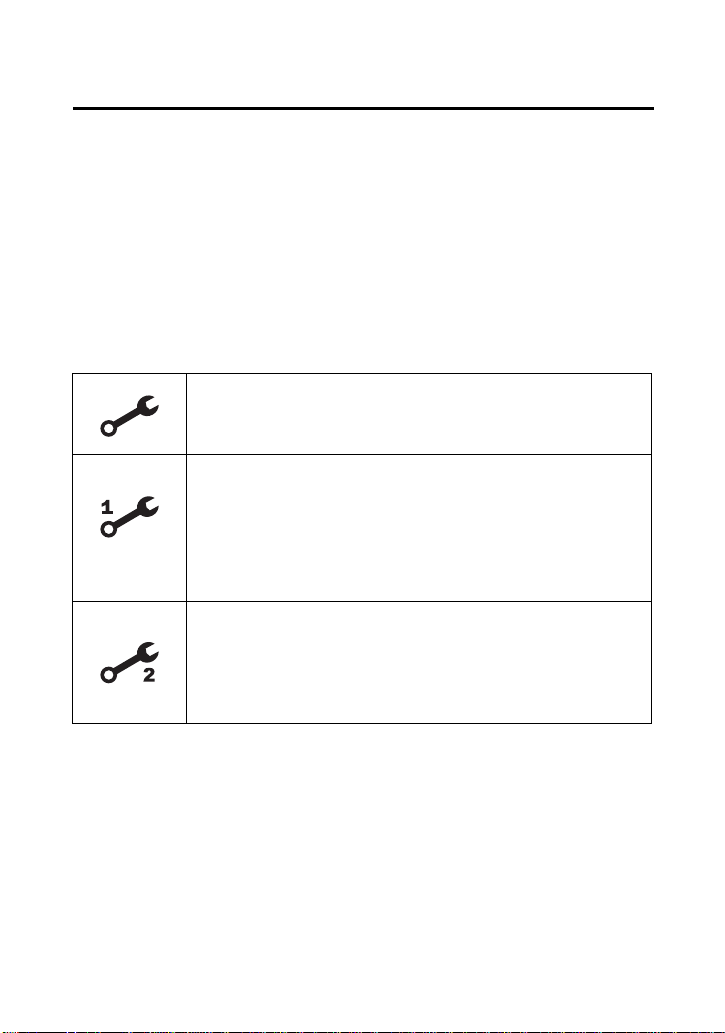
Maintenance Minder Indicators:
If the maintenance is done before the setting interval, be sure to
reset the meters after the maintenance.
Initial Maintenance
Appears at 100 miles (150 km) or 20 operating hours,
whichever comes first.
Regular Maintenance Interval 1
Appears 600 miles (1,000 km) or 100 operating hours
after the Initial Maintenance or Regular Maintenance
Interval 2 is performed and maintenance minder is
reset, whichever comes first in the maintenance
schedule.
Regular Maintenance Interval 2
Appears 600 miles (1,000 km) or 100 operating hours
after Regular Maintenance Interval 1 is performed and
maintenance minder is reset, whichever comes first in
the maintenance schedule.
Instruments & Controls
34
Controls & Features
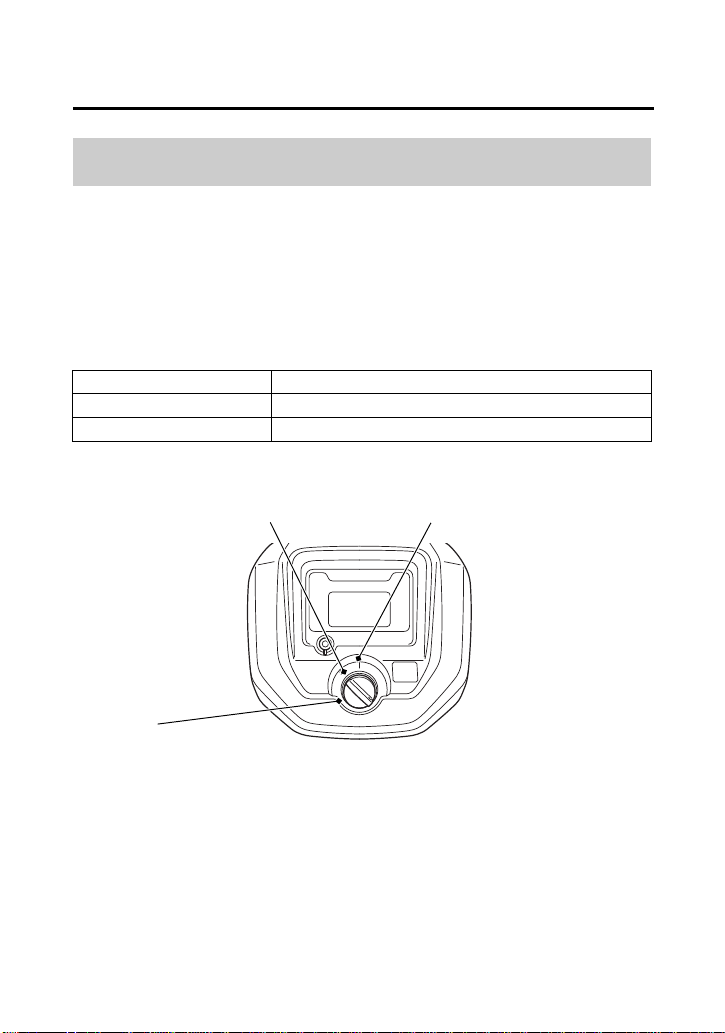
The ignition switch (1) is used for starting and stopping the engine
(page 70). Insert the key and turn it to the right for the ON (q)
position.
The ignition switch is also used to reset the maintenance tripmeter
and the maintenance hourmeter (page 32).
Ignition Switch
Key Position Function
ON (q) Electrical circuits on.
OFF (w) No electrical circuits function.
CENTER OF HANDLEBAR
OFF ON
(1)
q ON
w OFF
(1) ignition switch
Instruments & Controls
35
Controls & Features
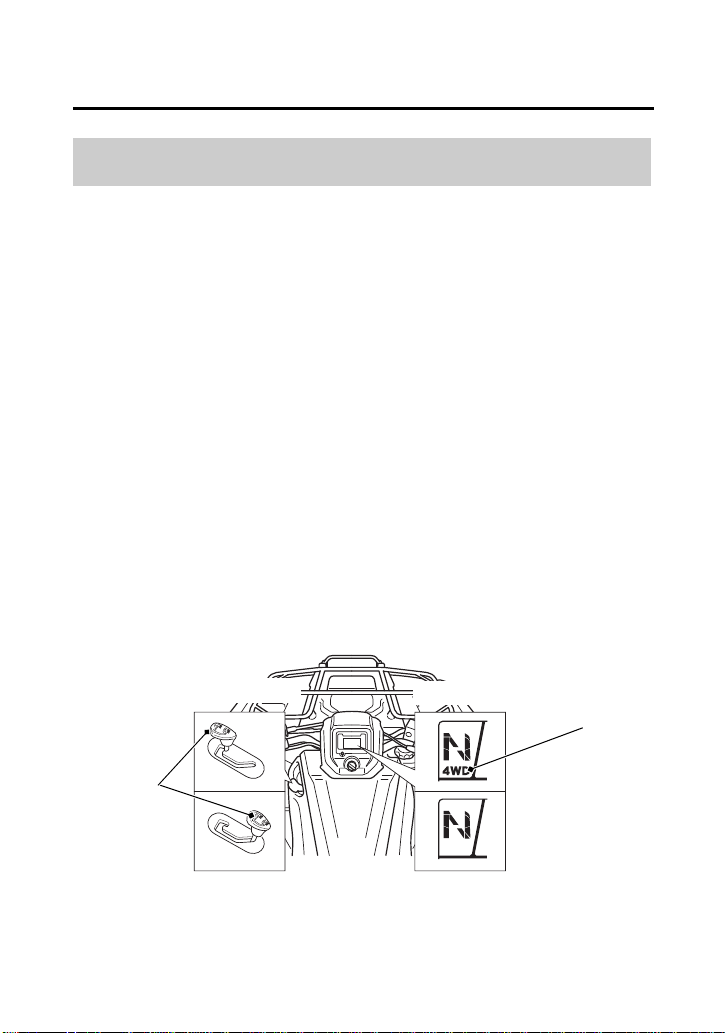
Your ATV is equipped with a 2WD/4WD select lever (1), which
permits a choice between the “2WD” and “4WD” drive modes.
Select a drive mode that’s suitable for your riding.
Keep both hands on the handlebar while machine is in motion and
come to a complete stop before using the 2WD/4WD select lever.
The 2WD/4WD select lever is located on the left side of the fuel tank.
To select the drive mode, shift the 2WD/4WD select lever to the
desired position.
After using the 2WD/4WD select lever, the mode may not
mechanically engage until forward motion begins.
To check your present drive mode, look at the 4WD indicator (2).
2WD mode: the 4WD indicator goes off when the 2WD mode engages.
4WD mode: the 4WD indicator goes on when the 4WD mode engages.
2WD/4WD Select Lever
(2)
(1)
(1) 2WD/4WD select lever (2) 4WD indicator
4WD MODE
4WD MODE
2WD MODE2WD MODE
Instruments & Controls
36
Controls & Features
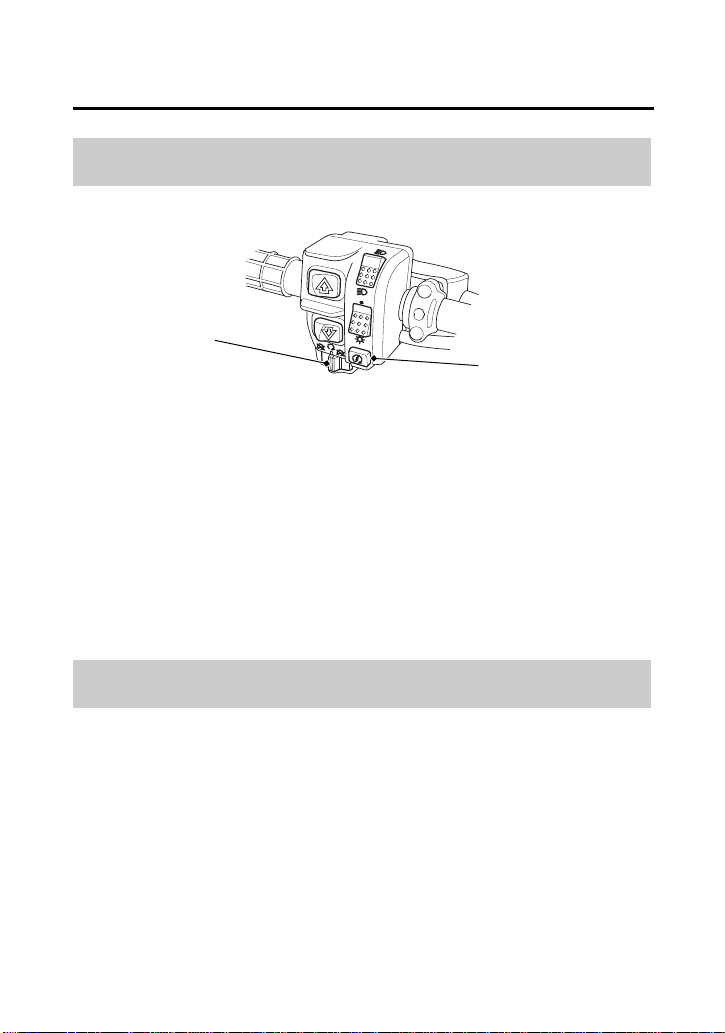
The start button (1) is used for starting the engine. Pushing the
button in starts the engine. See Starting Procedure, page 72.
When the start button is pushed, the starter motor will crank the
engine. The starter motor will not operate if the engine stop switch
is in the OFF (r) position when the start button is pushed.
The engine stop switch (2) is used to stop the engine in an
emergency. To operate, slide the switch to the OFF (r) position. The
switch must be in the RUN (e) position to start the engine, and it
should normally remain in the RUN (e) position even when the
engine is OFF.
If your ATV is stopped with the ignition switch ON (q) and the engine
stop switch OFF (r), the battery will discharge. Turn the ignition
switch to OFF (w) to prevent battery discharge.
Start Button
o
Engine Stop Switch
e r
LEFT HANDLEBAR
(1)
(2)
(1) start button
(2) engine stop switch
o START
r OFF
e RUN
Instruments & Controls
37
Controls & Features
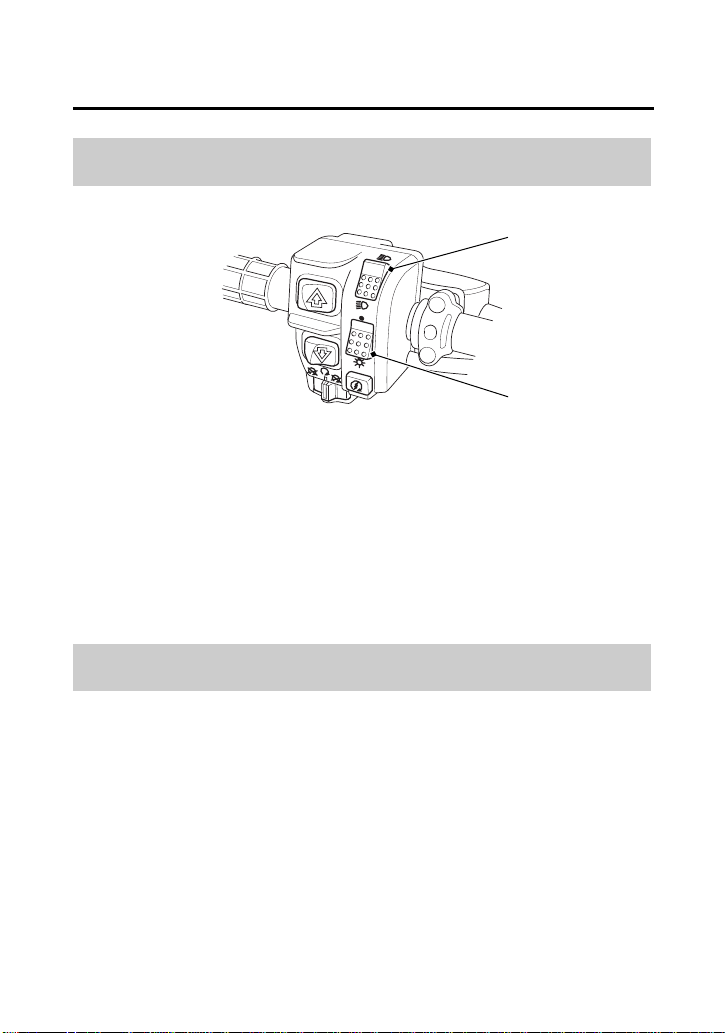
The headlight switch (1) is used to turn the headlight ON (y) or OFF
(t). To operate, turn the switch to ON (y) or OFF (t).
The headlight dimmer switch (2) is used to change between the high
and low beams of the headlight. To operate, turn the switch to HI
(u) for high beam, LO (i) for low beam.
Headlight Switch
y t
Headlight Dimmer Switch
u i
LEFT HANDLEBAR
(1)
(2)
(1) headlight switch y ON
t OFF
u HI
i LO
(2) headlight dimmer switch
Instruments & Controls
38
Controls & Features
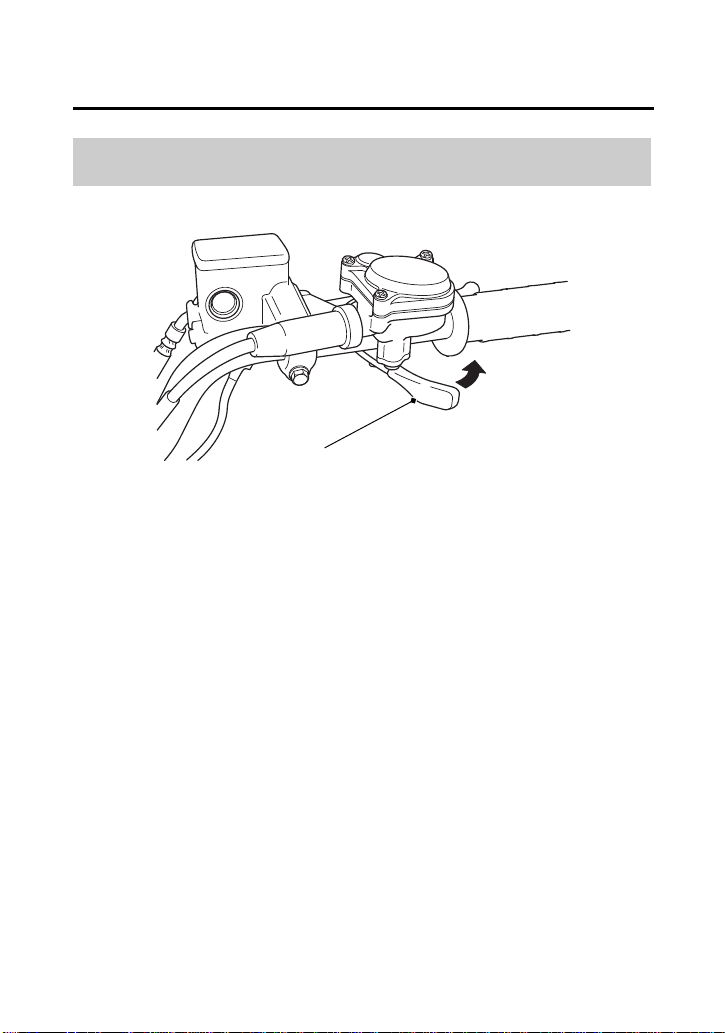
The throttle controls engine rpm (speed). To increase engine rpm,
press the throttle lever (1) with your thumb. To reduce engine rpm,
release pressure on the throttle lever. The throttle will automatically
return to the closed position (engine idle) when you remove your
thumb.
Throttle Lever
RIGHT HANDLEBAR
(A)
(1) throttle lever
(1)
(A) to open the throttle
Instruments & Controls
39
Controls & Features
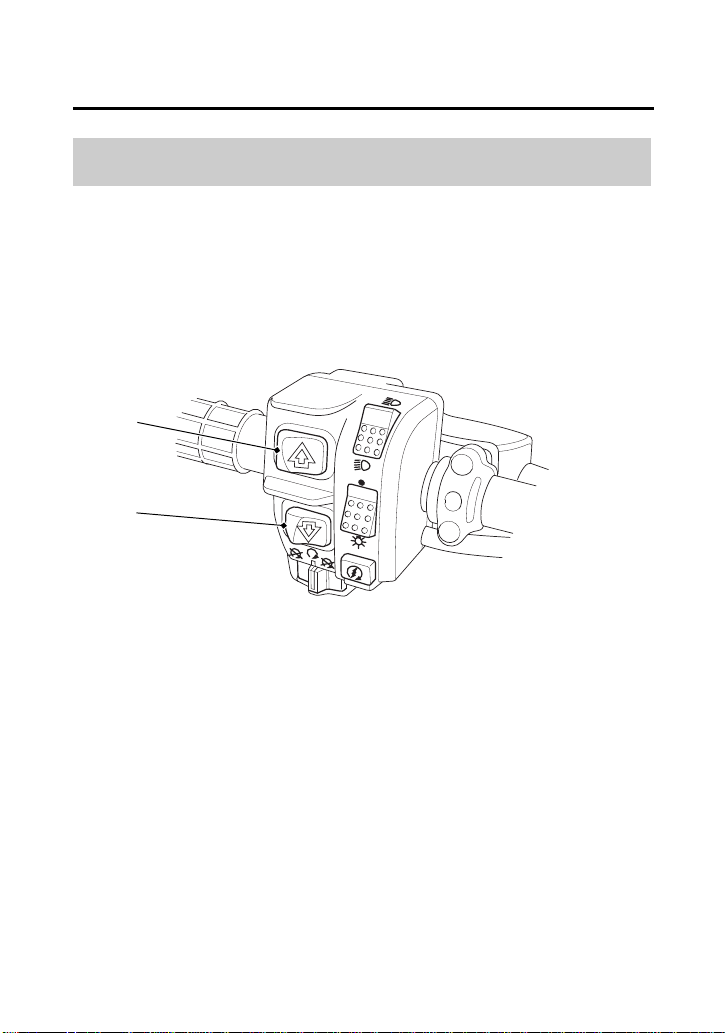
These switches are used to select the next higher or lower gear in the
transmission. To operate, press the upshift switch (1) to engage the
next higher gear or press the downshift switch (2) to engage the
next lower gear.
See Shifting Gears, page 76.
Gearshift Switch
LEFT HANDLEBAR
(1) upshift switch
(1)
(2)
(2) downshift switch

Instruments & Controls
40
Controls & Features
The front brake lever is used to slow or stop your ATV. To operate,
pull the lever. For information on braking techniques, see page 81.
The rear brake lever/parking brake lever is used to slow or stop your
ATV. To operate, pull the lever. For information on braking
techniques, see page 81.
The rear brake pedal is used to slow or stop your ATV. To operate,
depress the pedal. For information on braking techniques, see
page 81.
Front Brake Lever
Rear Brake Lever/Parking Brake Lever
Rear Brake Pedal
Instruments & Controls
41
Controls & Features
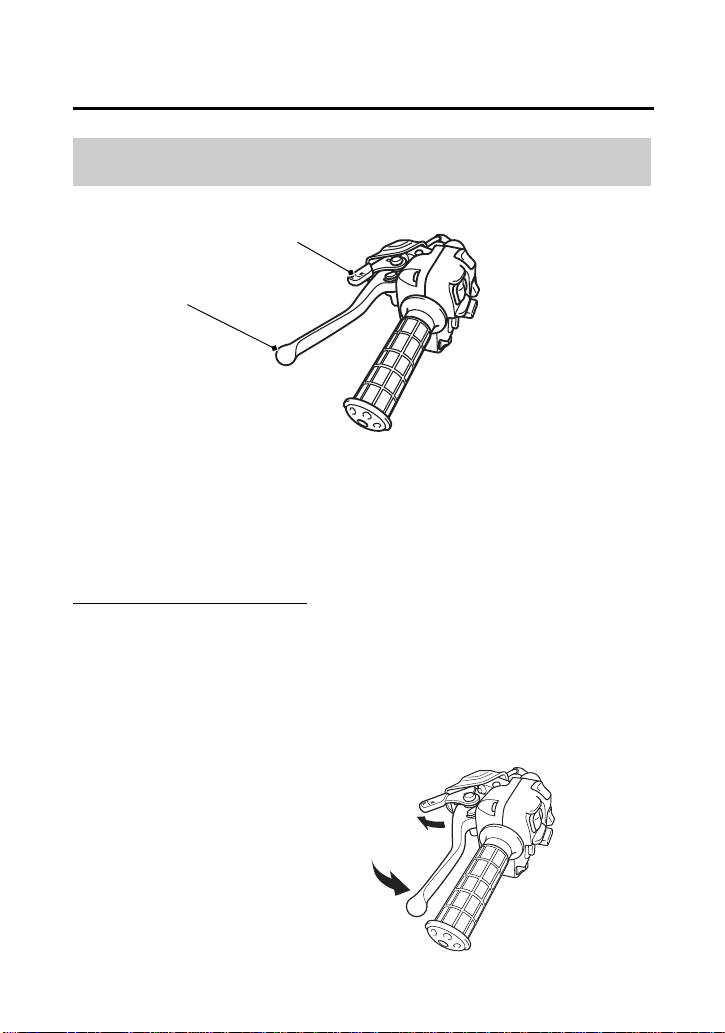
The P/R lever (1) on the rear brake lever/parking brake lever (2) is
used to apply the parking brake or to shift the transmission into
reverse.
To apply the parking brake:
Bring the vehicle to a complete stop, make sure the engine is in
neutral.
Squeeze the rear brake lever/parking brake lever (2), then rotate the
P/R lever (1) clockwise until it engages the slot on the rear brake
lever/parking brake lever bracket.
For information on Parking, see page 96.
Parking Brake/Reverse Lever (P/R Lever)
LEFT HANDLEBAR
(1) P/R lever
(1)
(2)
(2) rear brake lever/parking brake lever
(A) to apply the parking brake
(A)
(cont’d)

Instruments & Controls
42
Controls & Features
To release the parking brake:
Squeeze the rear brake lever/parking brake lever until the P/R lever is
released from the slot on the rear brake lever/parking brake lever
bracket.
The brake light is activated by applying the brake. When using the
parking brake, be sure to turn the ignition switch to OFF (O) to avoid
discharging the battery.
To shift the transmission into reverse:
For information on Riding in Reverse, see page 79.
Instruments & Controls
43
Controls & Features
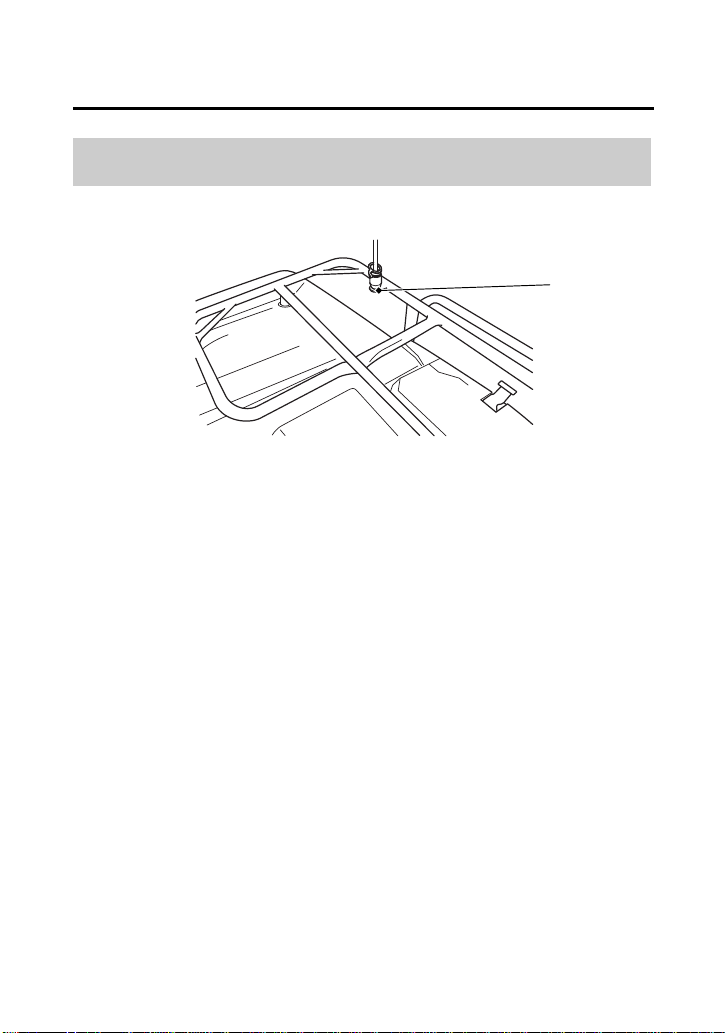
Flag poles are optional equipment available from your dealer. To
mount a pole in the bracket (1), follow the instructions that come
with the flag pole kit.
Flag poles are required in some riding areas. Check local regulations
before riding.
Flag Pole Bracket
RIGHT REAR
(1) flag pole bracket
(1)
Instruments & Controls
44
Controls & Features
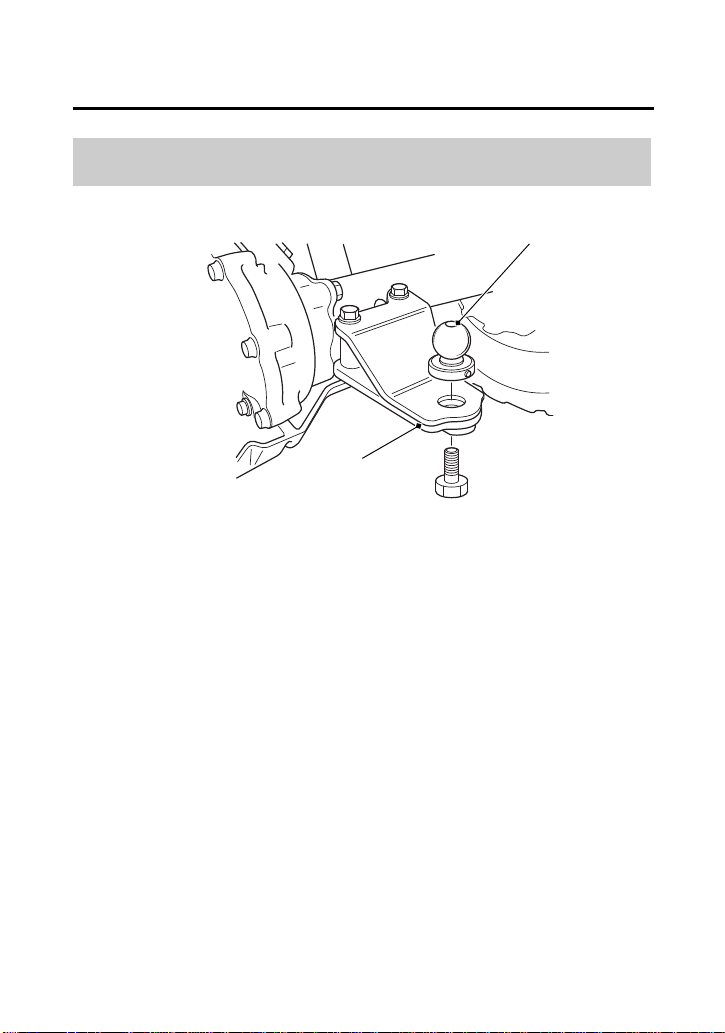
The trailer hitch (1) is located on the rear axle housing. To use the
hitch, you’ll need a proper size ball (2) as specified by the trailer
manufacturer.
To attach the ball and properly hook up a trailer, follow the trailer
manufacturer’s instructions. For load limits and operational
guidelines, see page 57.
Trailer Hitch
REAR
(1) trailer hitch
(1)
(2) ball
(2)
Instruments & Controls
45
Controls & Features
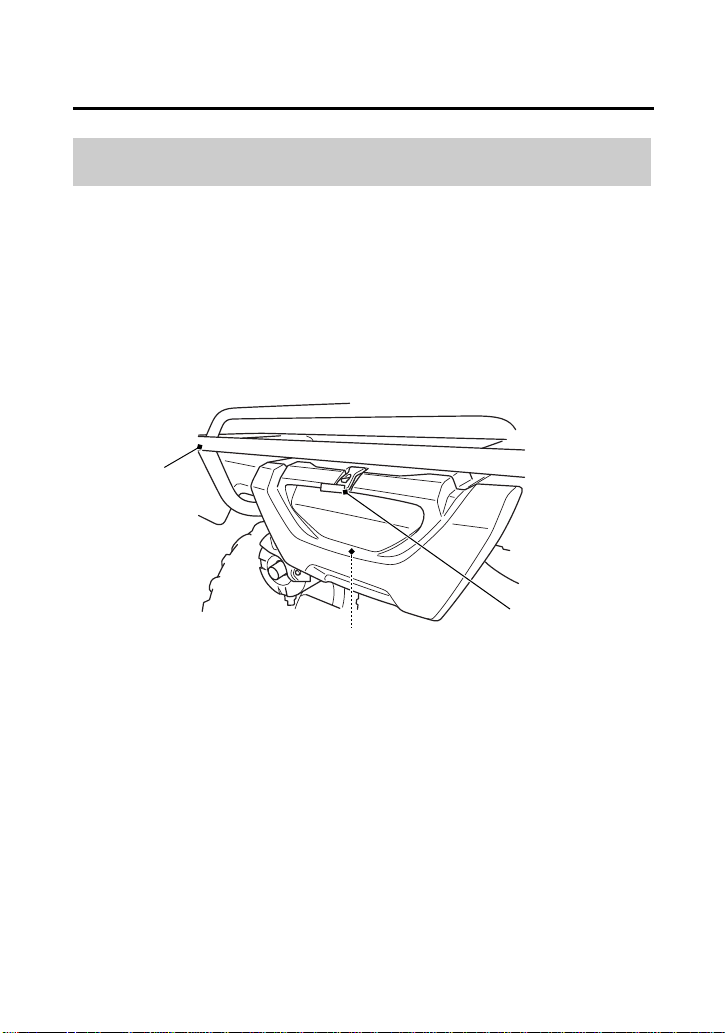
The storage compartment (1) is located below the rear cargo rack
(2).
To open the compartment, unhook the rubber strap (3).
Be careful not to flood this area when washing your ATV.
Storage Compartment
REAR
(1) storage compartment
(1)
(3) rubber strap
(2)
(2) rear cargo rack
(3)

Instruments & Controls
46
BLANK PAGE

Before Riding
47
Before Riding
Before Riding
Before each ride, you need to make sure you and your Honda are
both ready to ride. To help get you prepared, this section discusses
how to evaluate your riding readiness, what items you should check
on your ATV, and adjustments to make for your comfort,
convenience, or safety. This section also includes important
information about loading.
Are You Ready to Ride?.............................................................. 48
Protective Apparel ................................................................... 48
Rider Training .......................................................................... 50
Age Recommendation ............................................................. 51
No Passengers ......................................................................... 51
No Alcohol or Drugs ................................................................ 52
Is Your ATV Ready to Ride? ........................................................ 53
Pre-ride Inspection ................................................................... 53
Load Limits & Guidelines............................................................. 57
Loading ................................................................................... 57
Load Limits .............................................................................. 58
Loading Guidelines .................................................................. 59
Accessories & Modifications........................................................ 60
Accessories .............................................................................. 60
Modifications........................................................................... 61

Before Riding
48
Are You Ready to Ride?
Before you ride your ATV for the first time, we urge you to:
• Read this owner’s manual and the labels on your ATV carefully.
• Make sure you understand all the safety messages.
• Know how to operate all the controls.
Before each ride, be sure:
• You feel well and are in good physical and mental condition.
• You are wearing an approved motorcycle helmet (with chin strap
tightened securely), eye protection, and other protective
clothing.
• You don’t have any alcohol or drugs in your system.
For your safety, we strongly recommend that you always wear an
approved motorcycle helmet, eye protection, boots, gloves, long
pants, and a long-sleeved shirt or jacket whenever you ride.
Although complete protection is not possible, wearing proper gear
can reduce the chance of injury when you ride.
Following are suggestions to help you choose the proper gear.
Helmet and Eye Protection
Your helmet is your most important piece of riding gear because it
offers the best protection against head injuries. A helmet should fit
your head comfortably and securely.
Protective Apparel

Before Riding
49
Are You Ready to Ride?
An open-face helmet offers some protection, but a full-face helmet
offers more. Regardless of the style, look for a DOT (Department of
Transportation) sticker on any helmet you buy. Always wear a face
shield or goggles to protect your eyes and help your vision.
Additional Riding Gear
In addition to a helmet and eye protection, we also recommend:
• Sturdy off-road motorcycle boots to help protect your feet,
ankles, and lower legs.
• Off-road motorcycle gloves to help protect your hands.
• Riding pants with knee and hip pads, a riding jersey with padded
elbows, and a chest/shoulder protector.
WARNING
3
WARNING
Operating this ATV without wearing an
approved motorcycle helmet, eye protection,
and protective clothing could increase your
chances of severe injury or death in the event
of a crash.
Always wear an approved motorcycle helmet
that fits properly and wear eye protection
(goggles or face shield), gloves, boots, long-
sleeved shirt or jacket and long pants.

Before Riding
50
Are You Ready to Ride?
Developing your riding skills is an on-going process. Even if you have
ridden other ATVs, take time to become familiar with how this ATV
works and handles. Practice riding the ATV in a safe area to build
your skills. Do not ride in rough terrain until you get accustomed to
the ATV’s controls, and feel comfortable with its size and weight.
We urge all riders to take an ATV operator course approved by the
ATV Safety Institute (ASI). For information about the ASI training
course nearest you, call the national toll-free number; (800) 887-
2887.
Other riding tips can be found in the Tips & Practice Guide for the
ATV Rider booklet that came with your ATV.
Rider Training
WARNING
3
WARNING
Operating this ATV without proper
instruction could increase your risk of an
accident which could lead to serious injury or
death.
Beginning and inexperienced operators
should complete the certified training course
offered by Honda. They should then regularly
practice the skills learned in the course and
the operating techniques described in the
owner’s manual.

Before Riding
51
Are You Ready to Ride?
The minimum recommended age for this ATV model is 16. For
safety, never let children under 16 years old operate this vehicle.
This ATV is designed as an operator-only vehicle. The long seat is
designed to allow the rider to change body position, not for carrying
a passenger. Never let a passenger ride on the seat or on the front or
rear cargo racks.
Age Recommendation
WARNING
3
WARNING
A child using an ATV that is not
recommended for their age could lose vehicle
control while riding, resulting in severe injury
or death.
A child under 16 should never operate an ATV
with engine size greater than 90cc.
No Passengers
WARNING
3
WARNING
Carrying a passenger on this ATV greatly
reduces your ability to balance and control
this ATV and could cause a crash and you or
your passenger could be injured or killed.
Never carry a passenger on this ATV.

Before Riding
52
Are You Ready to Ride?
Alcohol, drugs and ATVs don’t mix. Even a small amount of alcohol
can impair your ability to operate an ATV safely. Likewise, drugs —
even if prescribed by a physician — can be dangerous while
operating an ATV. Consult your doctor to be sure it is safe to operate
a vehicle after taking medication.
No Alcohol or Drugs
WARNING
3
WARNING
Operating this ATV after consuming alcohol
or drugs can seriously affect your judgment,
cause you to react more slowly, affect your
balance and perception, and result in serious
injury or death.
Never consume alcohol or drugs before or
while operating this ATV.

Before Riding
53
(cont’d)
Is Your ATV Ready to Ride?
Before each ride, it’s important to inspect your ATV and make sure
any problem you find is corrected. A pre-ride inspection is a must,
not only for safety, but because having a breakdown, or even a flat
tire, can be a major inconvenience.
If your ATV has overturned or been involved in a collision, do not ride
the vehicle until it has been inspected by your dealer. There may be
damage or other problems you cannot see.
Check the following items before you get on the ATV:
WARNING
3
WARNING
Improperly maintaining this ATV or failing to
correct a problem before riding can cause a
crash in which you can be seriously hurt or
killed.
Always perform a pre-ride inspection before
every ride and correct any problems.
Pre-ride Inspection
Engine Oil Check the level and add oil if needed
(page 123).
Check for leaks.
Radiator Coolant Check the coolant level and add coolant if
needed (page 135).
Check for leaks.

Before Riding
54
Is Your ATV Ready to Ride?
Fuel Check the level and add fuel (page 118) if
needed. Also make sure the fuel fill cap is
securely fastened.
Check for leaks.
Tires Use a gauge to check the air pressure. Adjust
if needed. Also look for signs of damage or
excessive wear (page 170).
Drivetrain Boots Check for damage (pages 179, 180).
Guards Check for damage or looseness (pages 177,
178).
Nuts & Bolts
Check the wheels to see that the axle nuts are
tightened. Use a wrench to make sure all
accessible nuts, bolts, and fasteners are tight.
Underbody & Exhaust
System
Check for, and remove, any dirt, vegetation
or other debris that could be a fire hazard or
interfere with the proper operation of the
vehicle.
Air Cleaner Housing
Drain Tube
Check for deposits in the drain tube. If
necessary, clean the tube (page 146) and
check the air cleaner housing.
Leaks, Loose Parts Walk around your ATV and look for anything
that appears unusual, such as a leak or loose
cable.

Before Riding
55
Is Your ATV Ready to Ride?
(cont’d)
If you are carrying cargo, also check the following:
Check these items after you get on the ATV:
Cable Check the cable housings for wear. Check
the fittings for looseness. Replace or tighten
as needed.
Lights Make sure the headlight, brake light and
taillight are working properly.
Loading Limits Make sure you do not exceed the load
limits (page 58).
Cargo Check that all cargo is secure.
Throttle Check the freeplay and adjust if needed.
Press the throttle to make sure it moves
smoothly without sticking, and snaps shut
automatically when it is released, in all
steering positions (page 147).
Brakes Squeeze the front and rear brake levers
and step on the rear brake pedal to check
that the controls operate normally. Check
for proper freeplay (pages 163, 165). Make
sure there is no brake fluid leakage.
Reverse Assist Lever Check the freeplay and adjust if needed
(page 150). Make sure the lever operates
smoothly without sticking.

Before Riding
56
Is Your ATV Ready to Ride?
Remember, be sure to take care of any problem you find, or have
your dealer correct it before you ride.
Headlight and
Headlight Dimmer Switch
Check for proper function (page 37).
Engine Stop Switch Check for proper function (page 36).
Steering Check that the wheels turn properly as you
steer the handlebar. Move the handlebar
right and left and check that there is no
excessive backlash.
Before Riding
57
Load Limits & Guidelines
Your Honda was designed as a rider-only ATV. It was not designed
to carry a passenger. It can carry cargo on the cargo racks, however,
carrying cargo anywhere else or carrying a passenger could interfere
with your balance and control of the ATV.
In addition, exceeding the weight limits or carrying an unbalanced
load can seriously affect your ATV’s handling, braking and stability.
Adding accessories or making modifications that change this ATV’s
design and performance can also make it unsafe. Also, the weight of
any accessories will reduce the maximum load the ATV can carry.
More specific information on load limits, accessories, and
modifications follows.
How much weight you put on your ATV, and how you load it, are
important to your safety. If you decide to carry cargo, you should be
aware of the following information.
Loading
WARNING
3
WARNING
Overloading, improper loading, or carrying a
passenger can cause a crash and you can be
seriously hurt or killed.
Follow all load limits and other loading
guidelines in this manual.

Before Riding
58
Load Limits & Guidelines
Following are the load limits for your ATV:
There are limits to how much weight can be carried on your ATV and
be pulled in a trailer.
The following load limits apply to standard equipment only.
Modifying your ATV, using non-standard equipment, or riding on
terrain that is not flat and smooth could further reduce these limits.
Tongue weight can be measured with an ordinary bathroom scale.
Place the scale under the tongue, using either a tongue jack or other
support to keep the trailer level.
The weight of added accessories will reduce the maximum cargo
weight you can carry.
Load Limits
maximum weight capacity 485 lb (220 kg)
(includes the weight of the rider,
all cargo, and accessories.)
front cargo rack weight limit
rear cargo rack weight limit
tow weight limit
= 66 lb (30 kg)
= 133 lb (60 kg)
= 850 lb (385 kg)
(Combined weight of the trailer
and all cargo in the trailer)
tongue weight = 30 lb (14 kg) recommended
(Weight on the trailer tongue)
tongue and rear cargo weight = 133 lb (60 kg) maximum
(Combined weight on the
trailer tongue and on the rear
cargo rack)

Before Riding
59
Load Limits & Guidelines
Carrying cargo or pulling a trailer will affect how your ATV handles
and greatly reduce its ability in accelerating, braking and making
turns and other maneuvers.
Be sure to observe the weight limits and follow these guidelines:
• Check that the tires are properly inflated.
• Do not place cargo anywhere on the ATV other than on the front
and rear racks. Otherwise, operating stability may be adversely
affected.
• Never ride with a passenger on the front or rear cargo racks. The
ATV is not designed to carry a passenger.
• Use the trailer hitch to tow another vehicle or trailer. Do not tow
by tying a rope or cable to the rear rack.
• Load cargo on the rear rack as far forward as possible. Make sure
cargo on the front rack does not interfere with handlebar
movement.
• Do not allow cargo to extend beyond the edges of either the
front or rear racks.
• Make sure all cargo is secured before riding.
• Balance cargo weight evenly on both sides.
• Never exceed the maximum weight limit.
• When towing a trailer, take care to maintain balance and
stability. Distribute cargo between the front and rear of the trailer
to obtain the recommended tongue weight.
• Allow extra room for starting, stopping and turning whenever
you carry cargo or pull a trailer.
• Avoid riding on steep slopes when carrying cargo or pulling a
trailer.
• Never cross a slope when towing a trailer.
Loading Guidelines

Before Riding
60
Accessories & Modifications
Modifying your ATV or using non-Honda accessories can make your
ATV unsafe.
Before you consider making any modifications or adding an
accessory, be sure to read the following information.
We strongly recommend that you use only Honda Genuine or Honda
Signature Accessories that have been specifically designed and
tested for your ATV. Because Honda cannot test all other
accessories, you must be personally responsible for proper selection,
installation, and use of non-Honda accessories.
Check with your dealer for assistance and always follow these
guidelines:
• Make sure the accessory does not obscure any lights, reduce
ground clearance, limit suspension travel or steering travel, or
interfere with operating any controls.
• Make sure the accessory does not interfere with your ability to
shift body position on the seat or operate hand and foot controls.
• Do not add any electrical equipment that will exceed the vehicle’s
electrical system capacity (page 231). A blown fuse can cause a
loss of lights or engine power (page 216).
WARNING
3
WARNING
Improper accessories or modifications can
cause a crash in which you can be seriously
hurt or killed.
Follow all instructions in this owner’s manual
regarding accessories and modifications.
Accessories

Before Riding
61
Accessories & Modifications
We strongly advise you not to remove any original equipment or
modify your ATV in any way that would change its design or
operation. Such changes could seriously impair your ATV’s handling,
stability, and braking, making it unsafe to ride.
We also advise you not to make any modifications or remove any
equipment (such as the USDA qualified spark arrester or emission
control system components) that would make your ATV illegal in
your area.
Removing or modifying your lights, exhaust system, emission control
system, or other equipment can also make your ATV illegal.
Modifications

Before Riding
62
BLANK PAGE

Basic Operation & Riding
63
Basic Operation & Riding
(cont’d)
Basic Operatio n & Riding
This section gives basic riding instructions, including how to start and
stop your engine, and how to use the throttle and brakes. It also
provides important information on riding with cargo.
To protect your new engine and enjoy optimum performance and
service life, refer to Break-in Guidelines (page 233).
Safe Riding Precautions .............................................................. 65
Off-road Use Only.................................................................... 65
Keep Hands and Feet on Controls............................................ 66
Control Speed ......................................................................... 67
Use Care on Unfamiliar or Rough Terrain ................................. 68
Do Not Perform Stunts............................................................. 69
Starting & Stopping the Engine................................................... 70
Preparation.............................................................................. 71
Starting Procedure ................................................................... 72
Flooded Engine........................................................................ 73
Bank Angle Sensor Ignition Cut-off System .............................. 73
Stalled Engine.......................................................................... 74
How to Stop the Engine........................................................... 75
Shifting Gears............................................................................. 76
Riding in Reverse ........................................................................ 79

Basic Operation & Riding
64
Basic Operation & Riding
Braking....................................................................................... 81
Riding Your ATV ......................................................................... 83
Making Turns .......................................................................... 83
Skidding or Sliding................................................................... 85
Riding Up Hills ......................................................................... 86
Riding Down Hills .................................................................... 90
Crossing or Turning on Hills or Slopes ...................................... 91
Riding Over Obstacles .............................................................. 93
Riding Through Water ............................................................. 94
Parking....................................................................................... 96

Basic Operation & Riding
65
Safe Riding Precautions
Before riding your ATV for the first time, please review the ATV
Safety section beginning on page 1, and the Before Riding section
beginning on page 47.
Even if you have ridden other ATVs, take time to become familiar
with how this ATV works and handles. Practice in a safe area until
you build your skills and get accustomed to the ATV’s size and
weight.
Your ATV and its tires are designed and manufactured for off-road
use only, not for pavement. Riding on pavement can affect handling
and control. You should not ride your ATV on pavement.
When riding off-road, also remember to always obey local off-road
riding laws and regulations. Obtain permission to ride on private
property. Avoid posted areas and obey “no trespassing” signs.
Off-road Use Only
WARNING
3
WARNING
Operating this ATV on paved surfaces may
seriously affect handling and control of the
ATV, and may cause the vehicle to go out of
control.
Never operate the ATV on any paved surfaces,
including sidewalks, driveways, parking lots
and streets.

Basic Operation & Riding
66
Safe Riding Precautions
You should never ride your ATV on public streets, roads or highways,
even if they are not paved. Drivers of street vehicles may have difficulty
seeing and avoiding you, which could lead to a collision. In many states
it is illegal to operate ATVs on public streets, roads and highways.
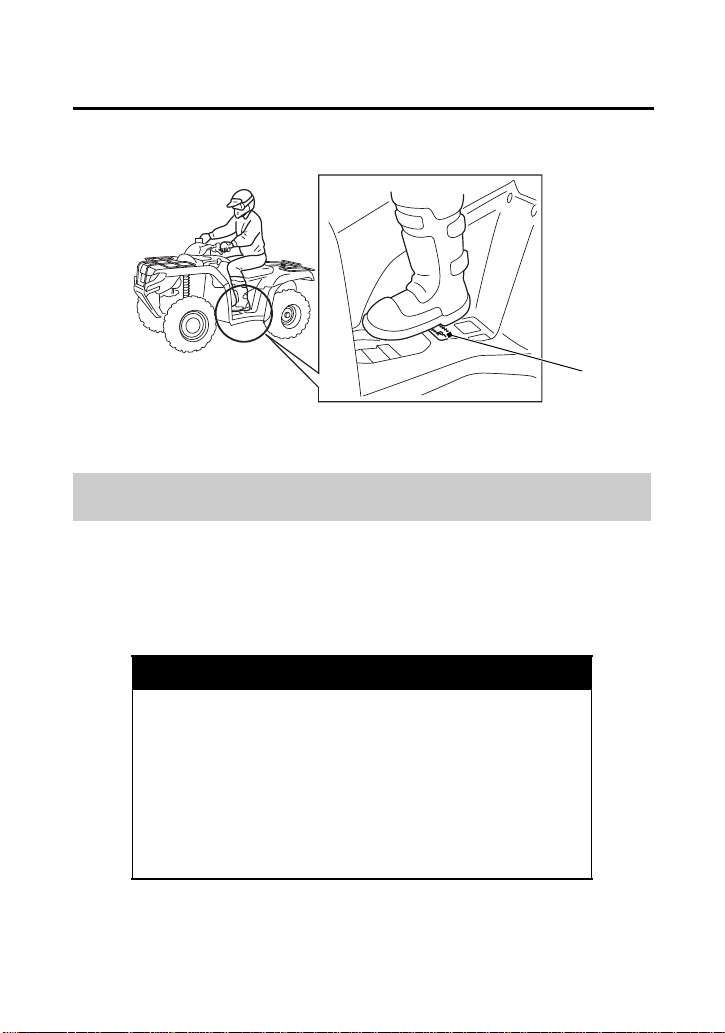
Always keep both hands on the handlebars and both feet on the footpegs
when riding your ATV. This is important to maintain your balance and to
control the vehicle. Removing even one hand from the handlebars or one
foot from the footpegs can reduce your ability to control the ATV or could
cause you to lose your balance and fall off the ATV.
WARNING
3
WARNING
Operating this ATV on public streets, roads or
highways could cause you to collide with
another vehicle.
Never operate this ATV on any public street,
road or highway, even a dirt or gravel one.
Keep Hands and Feet on Controls
WARNING
3
WARNING
Removing hands from handlebars or feet
from footpegs during operation can reduce
your ability to control the ATV or could cause
you to lose your balance and fall off of the
ATV.
Always keep both hands on the handlebars
and both feet on the footpegs of your ATV
during operation.
Basic Operation & Riding
67
Safe Riding Precautions
Riding at excessive speed increases the chance of a crash. In
choosing a proper speed, you need to consider the capability of your
vehicle, the terrain, visibility and other operating conditions, plus
your own skills and experience.
Control Speed
WARNING
3
WARNING
Operating this ATV at excessive speeds
increases your chances of losing control of the
ATV, which can result in a crash.
Always go at a speed that is proper for your
vehicle, the terrain, visibility and other
operating conditions, and your experience.
(1)
(1) footpeg

Basic Operation & Riding
68
Safe Riding Precautions
Before riding in a new area, always check the terrain thoroughly.
Don’t ride fast on unfamiliar terrain or when visibility is limited. (It’s
sometimes difficult to see obstructions like hidden rocks, bumps, or
holes in time to react.)
Use Care on Unfamiliar or Rough Terrain
WARNING
3
WARNING
Failure to use extra care when operating this
ATV on unfamiliar terrain could result in the
ATV overturning or going out of control.
Go slowly and be extra careful when
operating on unfamiliar terrain. Always be
alert to changing terrain conditions when
operating the ATV.

Basic Operation & Riding
69
Safe Riding Precautions
Never ride past the limit of visibility. Maintain a safe distance
between your ATV and other off-road vehicles. Always exercise
caution, and use extra care on rough, slippery and loose terrain.
You should always operate your ATV in a safe and reasonable
manner. When riding, always keep all four wheels on the ground.
WARNING
3
WARNING
Failure to use extra care when operating on
excessively rough, slippery or loose terrain
could cause loss of traction or vehicle control,
which could result in a crash, including an
overturn.
Do not operate on excessively rough, slippery
or loose terrain until you have learned and
practiced the skills necessary to control the
ATV on such terrain. Always be especially
cautious on these kinds of terrain.
Do Not Perform Stunts
WARNING
3
WARNING
Attempting wheelies, jumps, and other stunts
increases the chance of a crash, including an
overturn.
Never attempt stunts, such as wheelies or
jumps. Don’t try to show off.

Basic Operation & Riding
70
Starting & Stopping the Engine
Always follow the proper starting procedure described below.
For your safety, avoid starting or operating the engine in an enclosed
area such as a garage. Your ATV’s exhaust contains poisonous
carbon monoxide gas which can collect rapidly in an enclosed area
and cause illness or death.
WARNING
3
WARNING
Running the engine with the ATV in an
enclosed or even partly enclosed area can
cause a rapid build-up of toxic carbon
monoxide gas.
Breathing this colorless, odorless gas can
cause unconsciousness and even death. Only
run the engine with the ATV outdoors.
Basic Operation & Riding
71
Starting & Stopping the Engine
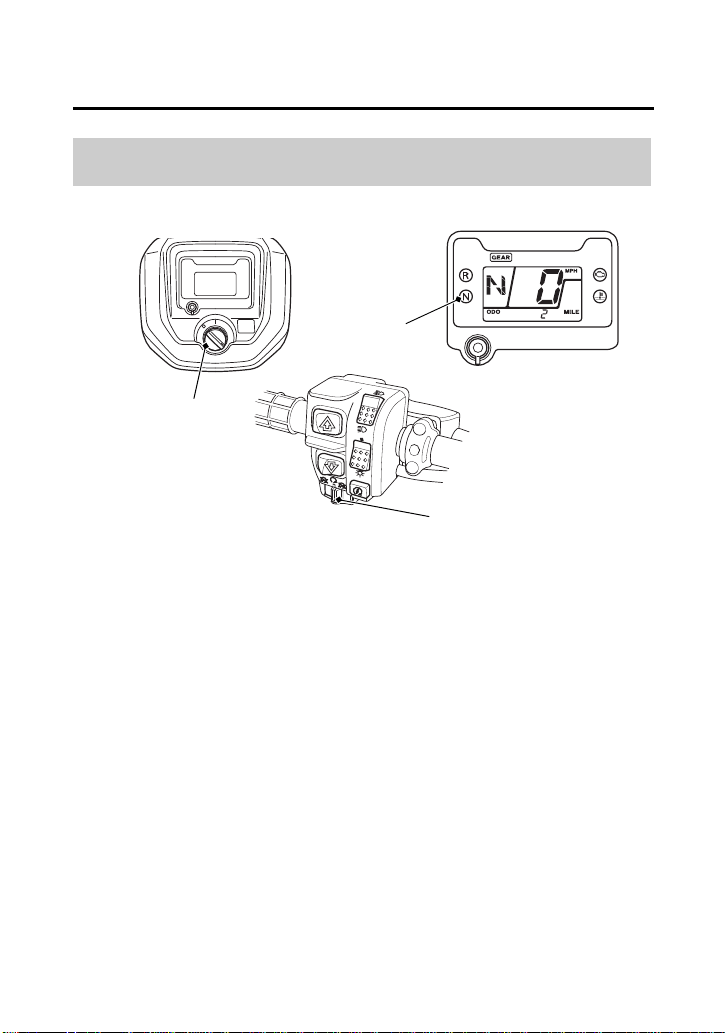
1.
Before starting, select a level surface and lock the parking brake
(page 41).
2.
Turn the ignition switch (1) to ON (q).
Confirm the following:
• The transmission is in neutral, and the neutral indicator (2) is ON
and the gear position indicator shows “N”.
• The engine stop switch (3) is set to RUN (e).
Preparation
(1)
(1) ignition switch
(3)
(2) neutral indicator
(3) engine stop switch
(2)

Basic Operation & Riding
72
Starting & Stopping the Engine
This ATV is fuel-injected with an automatic choke.
Follow the procedure indicated below.
Any Air Temperature
• Press the start button with the throttle completely closed.
The engine will not start if the throttle is fully open (because the
electronic control module cuts off the fuel supply).
Snapping the throttle or fast idling for more than 5 minutes may
cause exhaust pipe and muffler discolorations.
Starting Procedure

Basic Operation & Riding
73
Starting & Stopping the Engine
If the engine fails to start after repeated attempts, it may be flooded
with excess fuel. To clear a flooded engine:
1.
Leave the engine stop switch set to RUN (e).
2.
Open the throttle fully.
3.
Press the start button for 5 seconds.
4.
Follow the normal starting procedure.
5.
If the engine starts, then open the throttle slightly if idling is
unstable.
If the engine does not start, wait 10 seconds, then follow steps
1 – 4 again.
If the engine still won’t start, refer to If Your Engine Quits or Won’t
Start, page 204.
Your vehicle’s banking (lean angle) sensor system is designed to
automatically stop the engine if the vehicle is overturned.
Before restarting the engine, you must turn the ignition switch to the
OFF (w) position and then back to ON (q ). The engine will not restart
until you perform this procedure.
Flooded Engine
Bank Angle Sensor Ignition Cut-off System

Basic Operation & Riding
74
Starting & Stopping the Engine
You can restart the engine while the vehicle is stopped by squeezing
the front brake lever and pressing the start button.
Do not press the throttle lever while starting in gear. The engine will
not start if the throttle is fully open (because the electronic control
module cuts off the fuel supply).
Once you have started the engine, release the front brake lever, then
apply throttle gradually.
Stalled Engine

Basic Operation & Riding
75
Starting & Stopping the Engine
Normal Engine Stop
To stop the engine, make sure the transmission is in neutral by
checking that the neutral indicator light is on, then turn the ignition
switch to OFF (w).
The engine stop switch should normally remain in the RUN (e)
position even when the engine is OFF.
If your ATV is stopped with the engine stop switch OFF (r) and the
ignition switch ON (q), the battery will discharge.
Emergency Engine Stop
To stop the engine in an emergency, use the engine stop switch. To
operate, slide the switch to either OFF (r) position.
How to Stop the Engine
Basic Operation & Riding
76
Shifting Gears
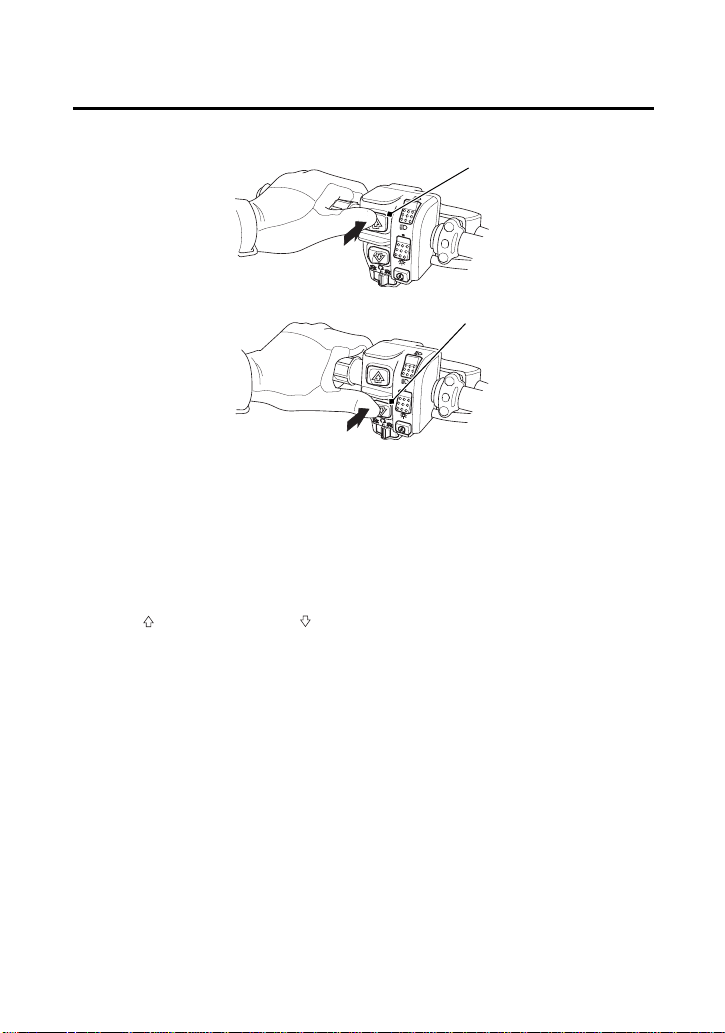
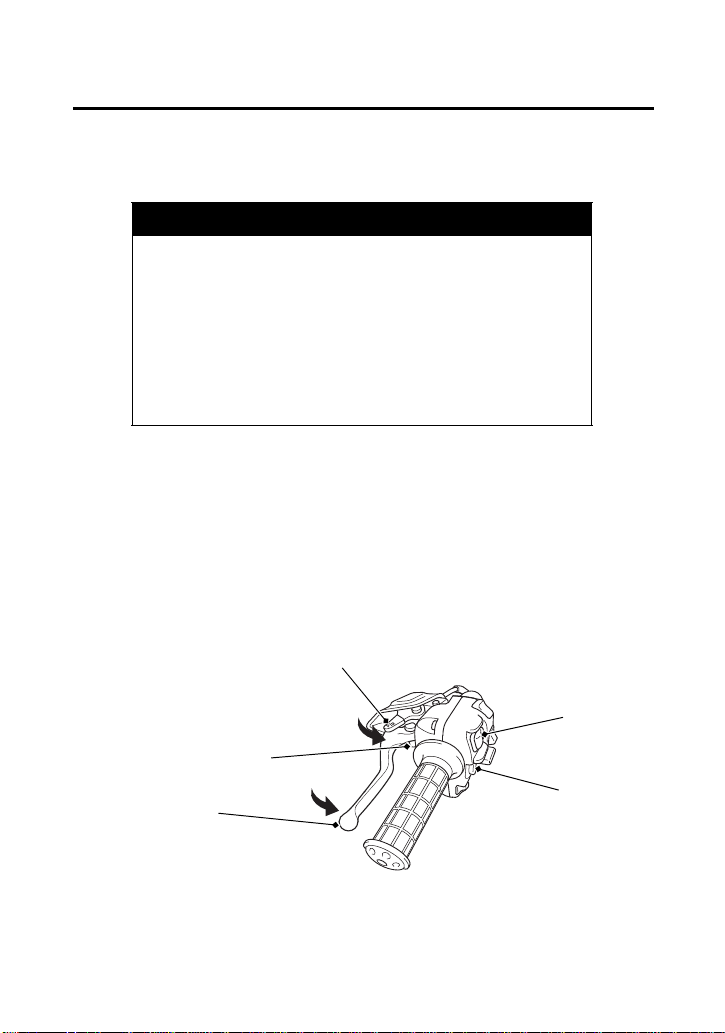
Your ATV has five forward gears: 1, 2, 3, 4, and 5.
Two gearshift switches are located next to the left handlebar grip:
upshift ( ) and downshift ( ).
To upshift the transmission, press the upshift switch (1) once.
To downshift the transmission, press the downshift switch (2) once.
To select reverse, see Riding in Reverse page 79.
After starting the engine and letting it warm up, follow these
procedures:
1.
With the transmission in neutral, release the parking brake, but
continue squeezing the rear brake lever.
2.
With the throttle closed, press the upshift switch once to shift
into 1st (first) gear.
UPSHIFTING SEQUENCE
DOWNSHIFTING SEQUENCE
(1) upshift switch
(2) downshift switch
(A) press
(A)
(2)
(1)
(A)

Basic Operation & Riding
77
Shifting Gears
(cont’d)
3.
Release the rear brake lever and increase engine speed by
gradually opening the throttle.
4.
When speed increases, release the throttle and shift to 2nd gear
by pressing the upshift switch once.
5.
Repeat this sequence to progressively upshift to 3rd, 4th and 5th
(top) gear.
6.
To downshift, press the downshift switch once. Remember to
close the throttle each time you shift to the next lower gear.
The transmission cannot be upshifted from neutral to 1st gear when
the engine speed is above 3,000 rpm or the ground speed is above
2 mph (3 km/h).
The transmission cannot be downshifted from 1st gear to neutral
when the engine speed is above 3,000 rpm or the ground speed is
above 2 mph (3 km/h).
If the electric shift system malfunctions, the transmission cannot be
shifted by pressing the gearshift switches. See your dealer. (In an
emergency, a gear may be selected manually so you may move the
vehicle. See Emergency Gear Selection & Operation, page 208).
Learning when to shift gears comes with experience. Keep the
following tips in mind:
• As a general rule, shift while moving in a straight line.
• Close the throttle completely before shifting. Improper shifting
may damage the engine, transmission, and drivetrain.
• Upshift to a higher gear or reduce throttle before engine rpm
(speed) gets too high. Learn the relationship between engine
sound and the normal shifting points.

Basic Operation & Riding
78
Shifting Gears
• Downshift to a lower gear before you feel the engine laboring
(lugging) at low rpm.
• Avoid downshifting to help slow your ATV when engine rpm is
high. Downshifting when engine speed is near its allowable
maximum may over-rev the engine and possibly cause damage.
• To prevent transmission damage, do not coast or tow the ATV for
long distances with the engine off.
Recommended Shift Points
Ride in the highest gear that lets the engine run and accelerate
smoothly.
This will give you good fuel economy and effective emissions control.
Basic Operation & Riding
79
(cont’d)
Riding in Reverse
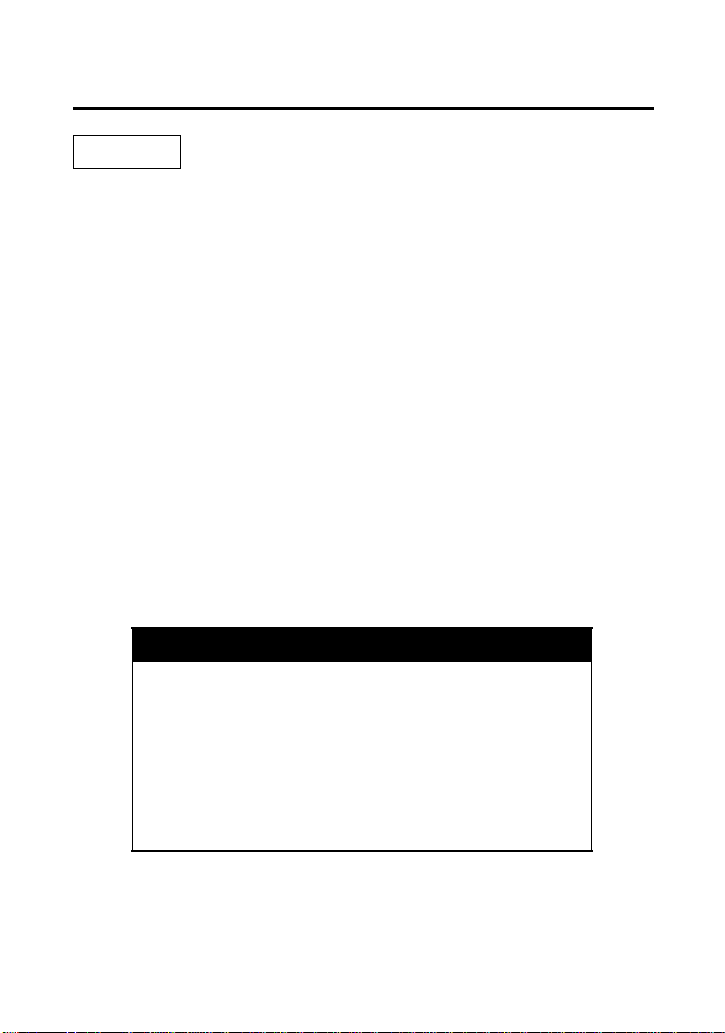
If you need to ride in reverse, make sure the area behind you is clear
and only operate the ATV at low speed.
1.
Bring the vehicle to a complete stop, then make sure the
transmission is in neutral.
2.
Be sure there are no obstacles or people in the way.
3.
Rotate the P/R lever (1) counterclockwise to engage the P/R lever
with the reverse assist lever (2).
4.
Squeeze the rear brake lever/parking brake lever (3), then press
the downshift switch (4) once to shift into “R” (reverse) gear.
WARNING
3
WARNING
Improperly operating in reverse could cause
you to hit an obstacle or person behind you,
resulting in serious injury.
Make sure there are no obstacles or people
behind you before selecting reverse gear.
When it is safe to proceed, go slowly.
LEFT HANDLEBAR
(1)
(1) P/R lever
(5)
(4) downshift switch
(5) upshift switch
(4)
(3)
(2)
(2) reverse assist lever
(3) rear brake lever/parking brake lever
Basic Operation & Riding
80
Riding in Reverse
NOTICE
Your ATV may be equipped with a reverse speed limiter, which helps
the vehicle to maintain a safe speed while riding in reverse gear.
5.
Make sure that the reverse indicator comes on and the gear
position indicator shows “R”.
6.
Release the rear brake lever/parking brake lever.
7.
Open the throttle gradually and ride slowly. Do not open the
throttle suddenly or make abrupt turns.
8.
To stop, close the throttle and gradually apply both the front and
rear brakes. Do not abruptly apply the rear brake by itself.
9.
To shift out of reverse and into neutral, press the upshift switch
(5) once to shift into “N” (neutral) gear. Make sure that the
reverse indicator goes off and the gear position indicator shows
“N”.
The transmission cannot be shifted from neutral back into reverse
when the engine speed is above 3,000 rpm or speed of your ATV is
above 2 mph (3 km/h).
WARNING
3
WARNING
Applying only the rear brake abruptly when
operating in reverse gear could cause the
front wheels to lift off the ground and the
ATV could overturn backwards.
Carefully apply both the front and rear brakes
when stopping in reverse gear.

Basic Operation & Riding
81
Braking
Your ATV is equipped with disc brakes on both front wheels which
are hydraulically activated by operating the right brake lever. A single
drum brake on the rear axle housing is mechanically activated by
depressing the brake pedal or operating the left brake lever.
Although the front and rear brakes have separate controls, all four
wheels are interconnected when your ATV is in the 4WD mode. So
operating any brake control in the 4WD mode will cause braking at
both the front and rear wheels.
As a general rule, the front braking system provides about 70
percent of total stopping power.
For full braking effectiveness, use both the pedal and lever
simultaneously. Using both braking systems will stop your ATV faster
with greater stability.
To slow or stop, apply the brake lever and brake pedal smoothly, while
downshifting to match your speed.
Gradually increase braking as you feel the brakes slowing your
speed. The increase in engine compression from downshifting will
help slow your ATV.
Applying the brakes too hard may cause the wheels to lock and slide,
reducing control of your ATV. If this happens, release the brake
controls, steer straight ahead until you regain control, then reapply
the brakes more gently.
When possible, reduce your speed or complete braking before
entering a turn. Avoid braking or closing the throttle quickly while
turning. Either action may cause one or more wheels to slip and
reduce your control of your ATV.

Basic Operation & Riding
82
Braking
Your ability to brake in a turn and to brake hard in an emergency
situation are important riding skills.
When descending a long, steep grade, use engine compression
braking by downshifting, with intermittent use of both brakes.
Continuous brake application can overheat the brakes and reduce
their effectiveness.
Riding with your foot resting on the brake pedal or your hands on
the brake levers may overheat the brakes, reducing effectiveness.
For information on how to apply the brakes in various riding
situations, see the following section, Riding Your ATV.

Basic Operation & Riding
83
Riding Your ATV
Learn how to turn your ATV properly. Practice the techniques
outlined in this section on level ground and at low speeds until you
are confident in making turns.
Making Turns
WARNING
3
WARNING
Turning improperly can make the ATV go out
of control, causing a collision or overturn.
• Always follow proper procedures for
turning as described in this owner’s manual.
• Practice turning at low speeds before
attempting to turn at faster speeds.
• Do not turn at excessive speeds.
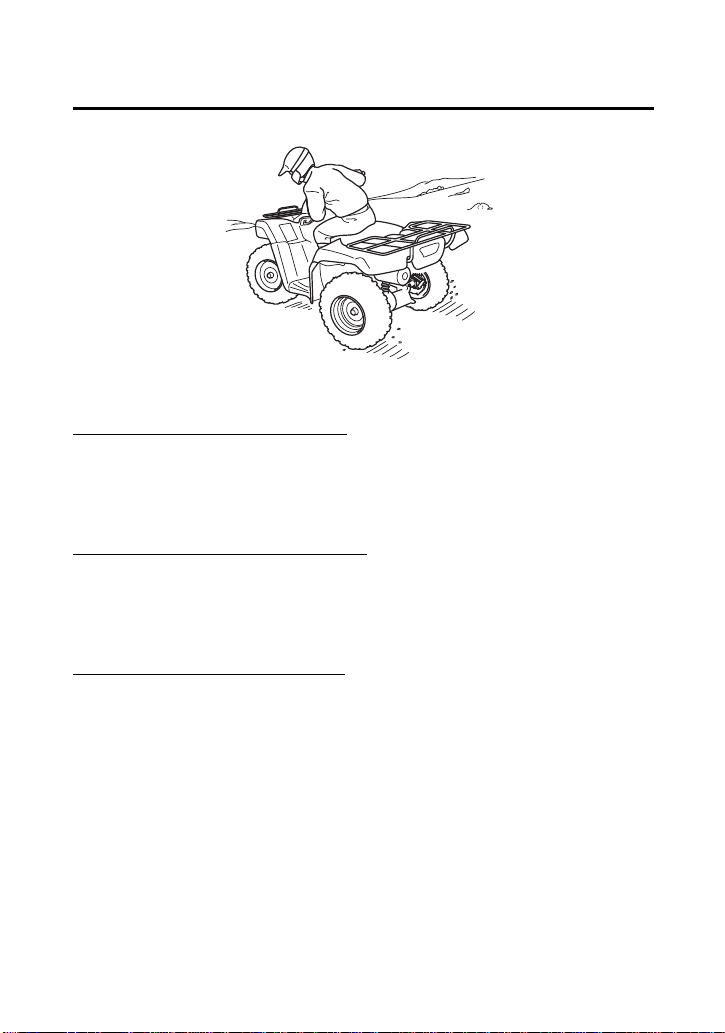
Basic Operation & Riding
84
Riding Your ATV
To make a turn on level ground: Steer the handlebar and lean your
body toward the inside of the turn. Leaning helps balance the
vehicle, and it feels more comfortable. Leaning into a turn is an
important technique to master in riding an ATV.
To make a sharp turn at low speed:
It helps to shift your body slightly
forward on the seat, and lean inside, as you steer the handlebar.
Shifting weight forward allows the rear wheels to turn easier, and it
also improves front-wheel steering.
To make a turn from a full stop:
Apply the throttle gradually when
you turn and start at the same time. Remember to shift your body
forward to make sharp low-speed turns and whenever you turn
while accelerating from a full stop.
Lean your body to the inside of a turn and forward.

Basic Operation & Riding
85
Riding Your ATV
The terrain surface can be a major factor affecting turns. Skidding
during a turn is more likely to occur on slippery surfaces, such as
snow, ice, mud and loose gravel. If you skid on ice, you may lose all
directional control. To avoid skidding on slippery terrain, keep your
speed low and ride with caution.
If your ATV skids sideways during a turn, steer in the direction of the
skid. Avoid hard braking or accelerating until you have regained
directional control.
Skidding or Sliding
WARNING
3
WARNING
Skidding or sliding improperly may cause you
to lose control of this ATV. You may also
regain traction unexpectedly, which may
cause the ATV to overturn.
Learn to safely control skidding by practicing
at low speeds and on level, smooth terrain.

Basic Operation & Riding
86
Riding Your ATV
The ATV’s ability to safely climb hills largely depends on the rider’s
skill and judgment. Begin by practicing on smooth, gentle slopes. As
you gain experience, you’ll learn the hazards and your own
limitations. You may then proceed to ride on more difficult terrain.
However, you must be able to decide which hills or hazards might
cause the ATV to overturn. Avoid excessively steep hills.
When climbing hills, you must shift weight toward the front wheels
to help keep them on the ground. To do this, shift your body slightly
forward on the seat and lean forward. For greater weight shift, move
your body farther forward and lean forward.
Riding Up Hills
WARNING
3
WARNING
Operating on excessively steep hills can cause
the vehicle to overturn more easily than
operating on level surfaces or small hills.
Never operate the ATV on hills too steep for
the ATV or for your abilities.
WARNING
3
WARNING
Climbing hills improperly could cause loss of
control or cause the ATV to overturn.
Always follow proper procedures for climbing
hills as described in this owner’s manual.
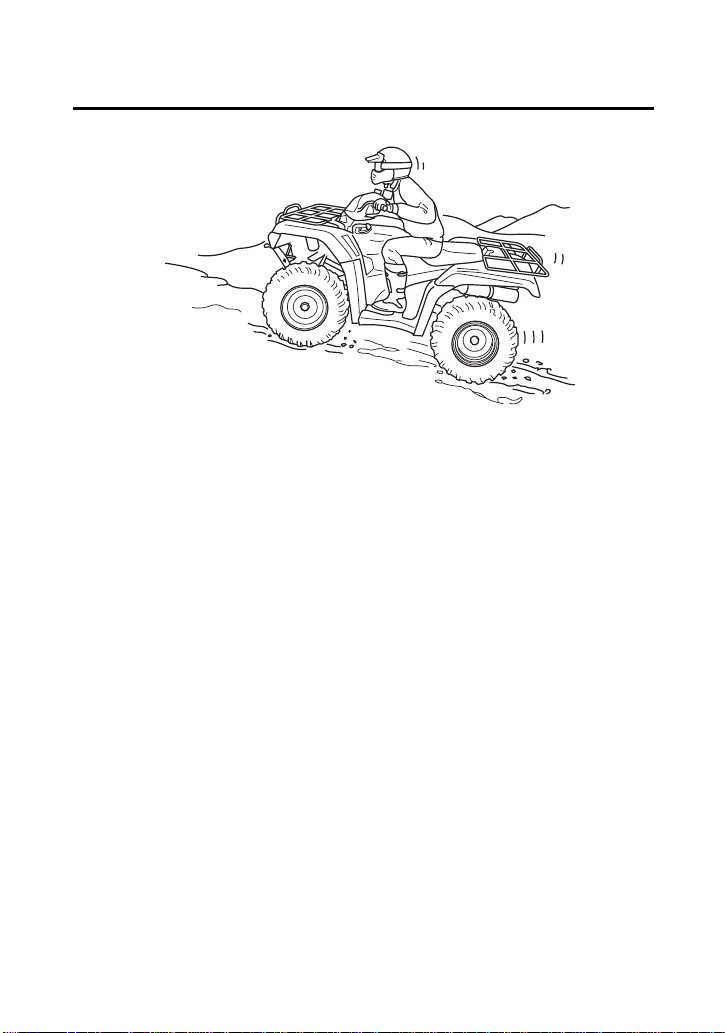
Basic Operation & Riding
87
Riding Your ATV
• Always check the terrain carefully before you start up any hill.
• Never climb hills with excessively slippery or loose surfaces.
• To climb a hill, take a running start in an appropriate gear and
speed for the conditions. Maintain a steady speed as you ascend
the hill.
• Never open the throttle suddenly or make sudden gear changes.
The ATV could flip over backward.
• Never go over the top of any hill at high speed. An obstacle, a
sharp drop, or another vehicle or person could be on the other
side of the hill.
Shift weight forward when climbing hills.

Basic Operation & Riding
88
Riding Your ATV
Stalling the ATV and/or Rolling Backwards:
If you incorrectly estimate climbing capability or terrain conditions,
the ATV may not have enough power or traction to continue uphill.
If this happens, the ATV can stall and/or roll backwards.
What to do if the ATV stalls or rolls backwards when climbing a hill:
If you are about to lose all forward speed:
1.
Using the front and rear brakes together, bring the ATV to a stop
with the vehicle pointed straight uphill.
2.
Get off the ATV while you continue holding the brakes.
3.
Shift into neutral, set the parking brake and turn the engine off.
4.
Then assess the situation.
If the ATV starts rolling backwards before you begin braking:
1.
Keep your weight uphill.
2.
Carefully apply the front brakes first, then carefully apply the rear
brake. Do not apply either brake abruptly if you are rolling
backwards, or the vehicle may overturn.
If the ATV continues sliding backwards:
After you’ve applied the brakes, get off and away from the vehicle.
Remember that operating any brake control in the 4WD mode will
cause braking at both the front and rear wheels.
WARNING
3
WARNING
Stalling, rolling backwards or improperly
dismounting while climbing a hill could result
in the ATV overturning.
Always follow proper procedures for climbing
a hill as described in this owner’s manual.
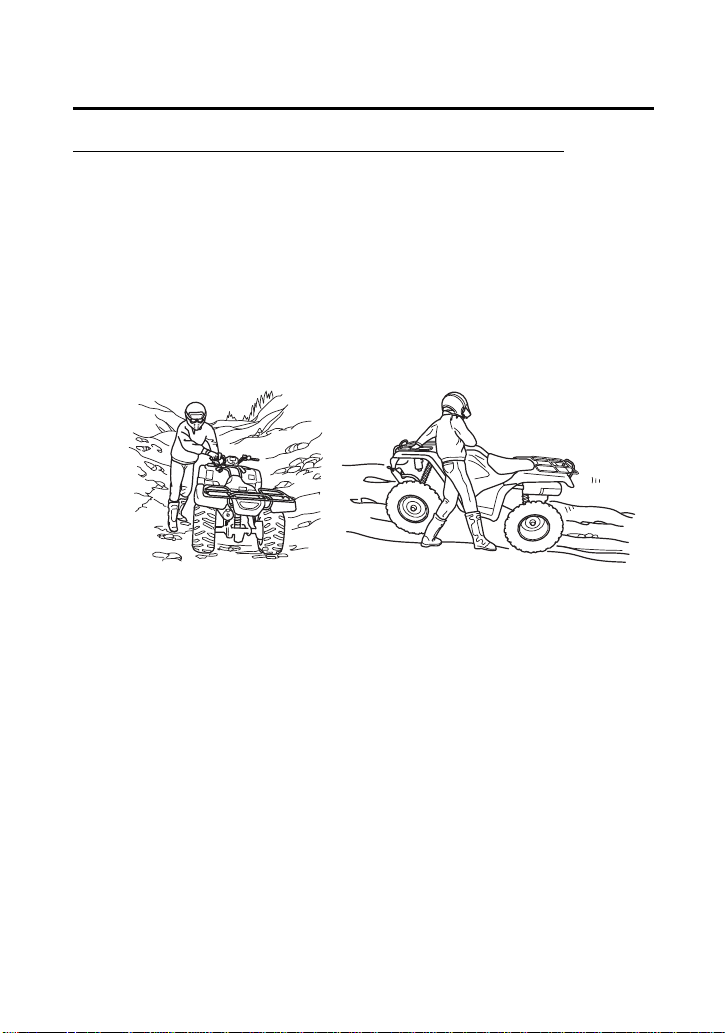
Basic Operation & Riding
89
Riding Your ATV
What to do after the ATV has stalled or rolled backwards:
If the hill is too steep or too slippery, or if you have any doubt
whether you can safely walk the ATV back down the hill, leave the
vehicle where it is and get help. If possible, block the wheels so the
vehicle doesn’t roll backwards.
If the hill is not too steep and you have good footing, you may be
able to walk the ATV back down the hill. Make sure your intended
path is clear in case you lose control of the ATV.
1.
Stand with your body facing downhill, beside the vehicle so you
can reach the rear brake lever with your right hand.
2.
Be sure your legs are clear of the wheels.
Check your footing.
3.
Slowly and carefully back the ATV down the hill using the rear
brake lever to control speed.
4.
If you lose control of the ATV, for your safety, get away from the
vehicle.
Be sure your legs are
clear of the wheels.
Body position for
backing down a hill.
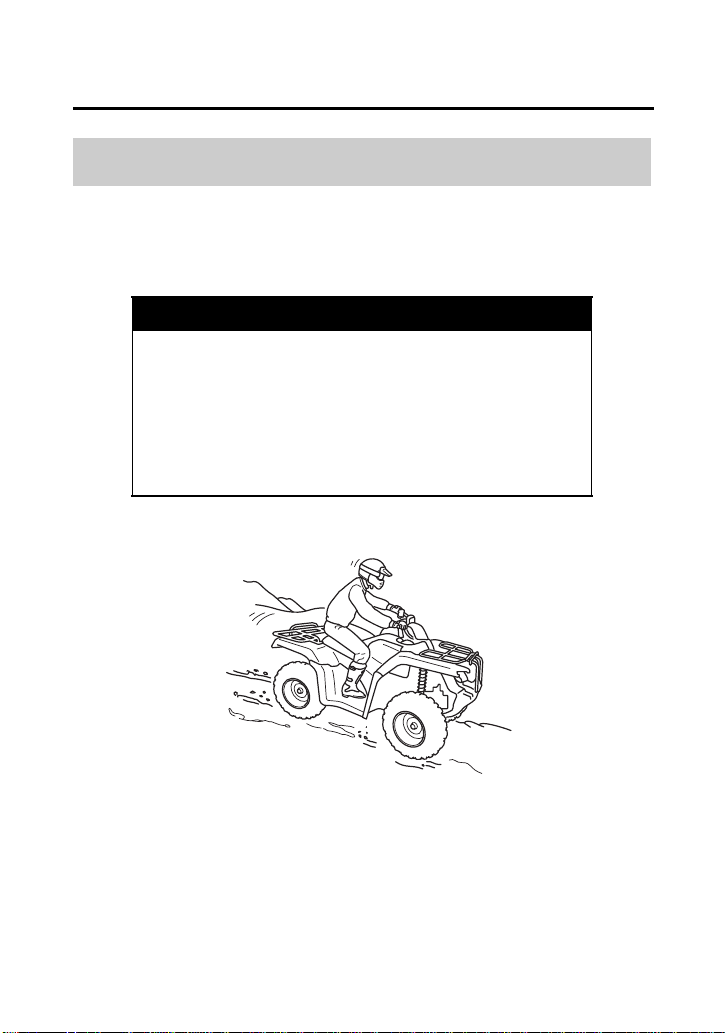
Basic Operation & Riding
90
Riding Your ATV
It’s usually advisable to descend hills with the ATV pointed straight
downhill. Avoid angles that would cause the vehicle to lean sharply
to one side.
As you approach a downhill, stop and survey the terrain below.
Never ride past the limit of your visibility. Never go down a hill at
high speed.
Riding Down Hills
WARNING
3
WARNING
Going down a hill improperly could cause loss
of control or cause the ATV to overturn.
Always follow proper procedures for going
down hills as described in this owner’s
manual.
On downhills, shift your weight back.

Basic Operation & Riding
91
Riding Your ATV
When you’ve selected a safe downhill path, shift into a lower gear,
shift your weight back with your arms extended and braced against
the handlebar, then go down slowly with the throttle closed.
Use mainly the rear brake to control speed. Avoid using either the
front brake or rear brake hard or abruptly when riding down hills.
Remember that operating any brake control in the 4WD mode will
cause braking at both the front and rear wheels.
Remember, braking effectiveness is reduced on any hill with a loose
surface.
Riding on hills or slopes is different from riding on level terrain. Be
careful when riding on any hill. Make sure that you practice on
gentle, smooth slopes before attempting to ride on steeper or more
difficult terrain.
Crossing or Turning on Hills or Slopes
WARNING
3
WARNING
Improperly crossing hills or turning on hills
could cause loss of control or cause the ATV to
overturn.
Always follow proper procedures for crossing
or turning on slopes as described in this
owner’s manual. Avoid crossing steep hills if
possible.
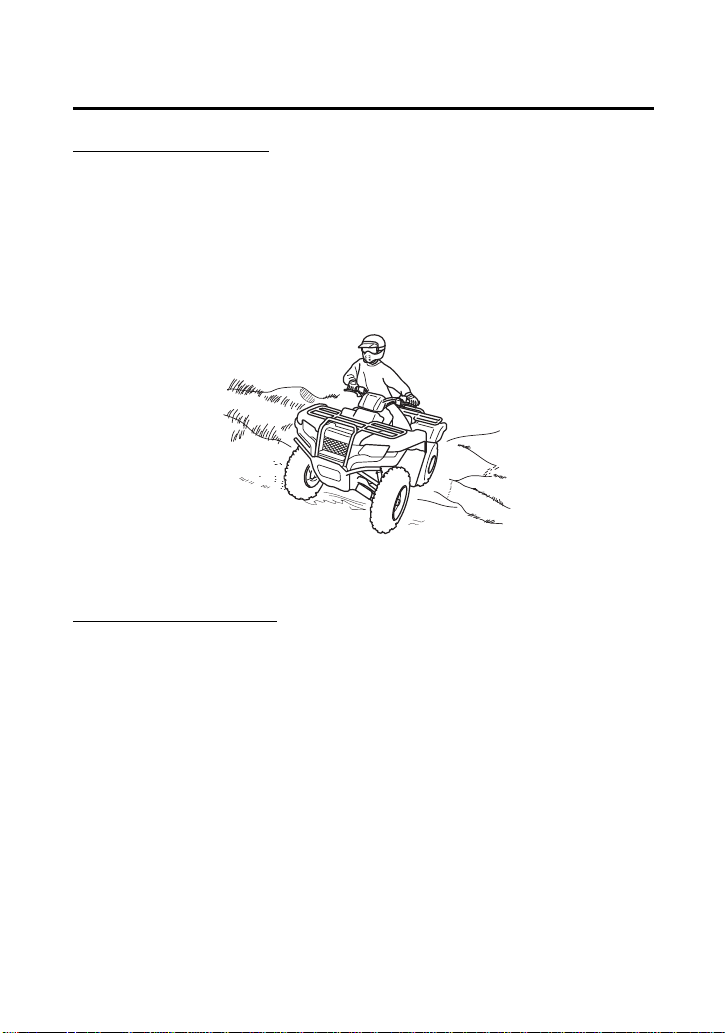
Basic Operation & Riding
92
Riding Your ATV
Crossing Hills or Slopes
• To maintain balance and stability when riding across a slope, you
need to shift weight toward the uphill side of the vehicle. To do
this, move your body off the center of the seat and lean toward
the uphill side.
• On a slippery or loose surface, you may also need to steer slightly
uphill to maintain a straight course across the slope.
• Avoid crossing hills that are excessively steep, slippery or rough.
Making Turns on Slopes
• Compared to riding on level ground, you may need to shift more
weight and lean more when making turns on slopes.
• Do not make turns on any slopes until you have first mastered the
techniques for making turns on level terrain.
Shift weight uphill when crossing slopes.

Basic Operation & Riding
93
Riding Your ATV
Before operating in a new area, check for obstacles. Watch out for
bumps, rain ruts, potholes and other obstacles in the terrain. When
you approach any obstacle, reduce your speed and be prepared to
stop.
Never try to ride over large obstacles, such as large rocks or fallen
logs.
Riding Over Obstacles
WARNING
3
WARNING
Improperly operating over obstacles could
cause loss of control or a collision and could
cause the ATV to overturn.
When you go over obstacles, always follow
proper procedures as described in this
owner’s manual.
Basic Operation & Riding
94
Riding Your ATV
Your ATV is designed to travel through water up to approximately
10 inches (254 mm) deep. Before crossing a stream, make sure the
water is not too deep or flowing too fast.
NOTICE
Water entering the muffler may damage the oxygen sensor and
result in emissions control system malfunction. Have your ATV dealer
inspect the oxygen sensor immediately after water enters the
muffler.
1.
Choose a path where both banks have gradual slopes.
2.
Proceed through the water at a slow, steady speed.
3.
Watch out for submerged obstacles and slippery rocks.
4.
Avoid getting the spark plug or air cleaner wet, as this would
cause the engine to stop.
5.
After leaving the water, always test both the front and rear
brakes.
Riding Through Water
WARNING
3
WARNING
The ATV tires have some ability to float.
Operating this ATV through deep or fast-
flowing water may cause a loss of traction
and loss of control, which could lead to an
accident.
Never operate this ATV in fast-flowing water
or in water deeper than that specified in this
owner’s manual.

Basic Operation & Riding
95
Riding Your ATV
• Riding through water can make the brakes less effective than
normal, and may reduce stopping ability.
• If necessary, apply the brakes repeatedly until they dry out and
operate normally.
• If the brakes don’t regain effectiveness, stop your ATV and
follow the procedures on page 169.
Basic Operation & Riding
96
Parking
1.
Look for level parking area. Make sure the ground surface is firm.
2.
After bringing your ATV to a stop, hold the brakes while you shift
into neutral.
3.
Set the parking brake.
4.
Turn the ignition switch to OFF (w).
If it is necessary to start the engine when your ATV in gear and is
stopped on a grade, rock the vehicle back and forth to allow shifting
the transmission into neutral.
The brake light is activated by applying the parking brake. When
using the parking brake, be sure to turn the ignition switch to OFF
(w) to avoid discharging the battery.
Parking on a Steep Incline or a Loose or Slippery Surface
If you must park your ATV on a steep incline or loose or slippery
surface, use the following procedure:
1.
While holding the brakes, set the parking brake.
2.
Turn the ignition switch to OFF (w) and release the brakes.
3.
If the ATV begins to move, either while sitting on it or after you
dismount, find a better parking location.
4.
If rocks or other objects are available, you can block the wheels
as shown for additional security.

Servicing Your Honda
97
Servicing Your Honda
(cont’d)
Servicing Your Honda
To help keep your ATV in good shape, this section includes a
Maintenance Schedule for required service and step-by-step
instructions for specific maintenance tasks. You’ll also find important
safety precautions, information on fuels and oils, and tips for
keeping your Honda looking good.
For information about replacing fuses, see page 216.
For information about the exhaust emission and noise requirements
of the U.S. Environmental Protection Agency (EPA) and the
California Air Resources Board (CARB), see page 234.
Maintenance, replacement or repair of the emission control
devices and systems may be performed by any ATV repair
establishment or individual using parts that are “certified” to
EPA standards.
Before You Service Your Honda
The Importance of Maintenance ................................................. 99
Maintenance Safety.................................................................. 100
Important Safety Precautions ................................................. 101
Maintenance Schedule ............................................................. 102
Maintenance Record................................................................. 106
Service Preparations
Maintenance Component Locations ......................................... 107
Tool Kit .................................................................................... 110
Owner’s Manual Storage .......................................................... 111
Seat Removal............................................................................ 112
Tank Cover Assembly Removal ................................................. 113
Rear Fender Cover Removal ...................................................... 115
Clip Removal ............................................................................ 116

Servicing Your Honda
98
Servicing Your Honda
Service Procedures
Fluids & Filters
Fuel .......................................................................................... 117
Engine Oil & Filter..................................................................... 120
Rear Final Gear Oil.................................................................... 129
Front Final Gear Oil................................................................... 132
Coolant .................................................................................... 134
Air Cleaner ............................................................................... 141
Engine
Throttle .................................................................................... 147
Clutch System .......................................................................... 149
Reverse Lock System ................................................................. 150
Spark Plug ................................................................................ 151
Valves....................................................................................... 154
Spark Arrester .......................................................................... 155
Chassis
Suspension ............................................................................... 156
Brakes ...................................................................................... 159
Tires ......................................................................................... 170
Guards ..................................................................................... 177
Drivetrain Boots........................................................................ 179
Electrical
Battery ..................................................................................... 181
Appearance Care...................................................................... 186

Servicing Your Honda
99
Before You Service Your Honda
The Importance of Maintenance
A well-maintained ATV is essential for safe, economical, and
troublefree riding. It will also help reduce air pollution. Careful pre-
ride inspections and good maintenance are especially important
because your ATV is designed to be ridden over rough off-road
terrain.
To help you properly care for your ATV, this section of the manual
provides a Maintenance Schedule. The service intervals in this
schedule are based on average riding conditions.
Frequent servicing of the air cleaner is especially important to help
you avoid a possible costly engine repair.
If your ATV overturns or is involved in a crash, be sure your dealer
inspects all major parts, even if you are able to make some repairs.
WARNING
3
WARNING
Improperly maintaining this ATV or failing to
correct a problem before you ride can cause a
crash in which you can be seriously hurt or
killed.
Always follow the inspection and
maintenance recommendations and
schedules in this owner’s manual.

Servicing Your Honda
100
Maintenance Safety
This section includes instructions on how to perform some important
maintenance tasks. If you have basic mechanical skills, you can
perform many of these tasks with the tools provided with your ATV.
Other tasks that are more difficult and require special tools are best
performed by professionals. Removing the wheels should normally
be handled only by a Honda technician or other qualified mechanic.
Instructions are included in this manual only to assist in emergency
service.
Some of the most important safety precautions follow. However, we
cannot warn you of every conceivable hazard that can arise in
performing maintenance. Only you can decide whether or not you
should perform a given task.
WARNING
3
WARNING
Failure to properly follow maintenance
instructions and precautions can cause you to
be seriously hurt or killed.
Always follow the procedures and
precautions in this owner’s manual.

Servicing Your Honda
101
Maintenance Safety
• Make sure the engine is off before you begin any maintenance or
repairs. This will help eliminate several potential hazards:
Carbon monoxide poisoning from engine exhaust. Be sure
there is adequate ventilation whenever you operate the engine.
Burns from hot ATV parts. Let the engine and exhaust system
cool before touching.
Injury from moving parts. Do not run the engine unless
instructed to do so.
• Read the instructions before you begin, and make sure you have
the tools and skills required.
• To reduce the possibility of a fire or explosion, be careful when
working around gasoline. Use only non-flammable solvent, not
gasoline, to clean parts. Keep cigarettes, sparks, and flames away
from all fuel-related parts.
Remember that your Honda dealer knows your ATV best and is fully
equipped to maintain and repair it. To ensure the best quality and
reliability, use only new Honda Genuine Parts or other equivalents
for repair and replacement. If you have the tools and skills required
for additional maintenance jobs, you can purchase an official Honda
Service Manual (page 242).
Important Safety Precautions

Servicing Your Honda
102
Maintenance Schedule
The required Maintenance Schedule that follows specifies how often
you should have your ATV serviced, and what things need attention.
It is essential to have your ATV serviced as scheduled to maintain
safe, dependable performance and proper emission control.
The service intervals in this Maintenance Schedule are based on
average riding conditions. Some items will need more frequent
service if you ride in unusually wet or dusty areas or at full throttle.
Consult your dealer for recommendations applicable to your
individual needs and use.
Some items in the Maintenance Schedule can be performed with
basic mechanical skills and hand tools. Procedures for these items
are provided in this manual. Other items involve more extensive
procedures and may require special training, tools, and equipment.
We recommend that you have your dealer perform these tasks
unless you have advanced mechanical skills and the required tools
and equipment. Procedures for such items in this schedule are
provided in an official Honda Service Manual available for purchase
(page 242).
If you do not feel capable of performing a given task or need
assistance, remember that your Honda dealer knows your ATV best
and is fully equipped to maintain and repair it. If you decide to do
your own maintenance, use only Honda Genuine Parts or their
equivalents for repair or replacement to ensure the best quality and
reliability.

Servicing Your Honda
103
Maintenance Schedule
Perform the pre-ride inspection (page 53) and owner maintenance
on this section at each scheduled maintenance period.
Each item on the maintenance schedule requires some mechanical
knowledge. Certain items (particularly those marked
*
and
**
) may
require more technical information and tools. Consult your dealer.
Summary of Maintenance Schedule Notes & Procedures:
NOTES:
1.
Service more frequently when riding in dusty areas, sand or
snow.
2.
Service more frequently after riding in very wet or muddy
conditions.
3.
Replace every 2 years. Replacement requires mechanical skill.
* Should be serviced by your dealer, unless the owner has proper
tools and service data and is mechanically qualified. Refer to the
official Honda Service Manual (page 242).
** In the interest of safety, we recommend these items be serviced
only by your dealer.
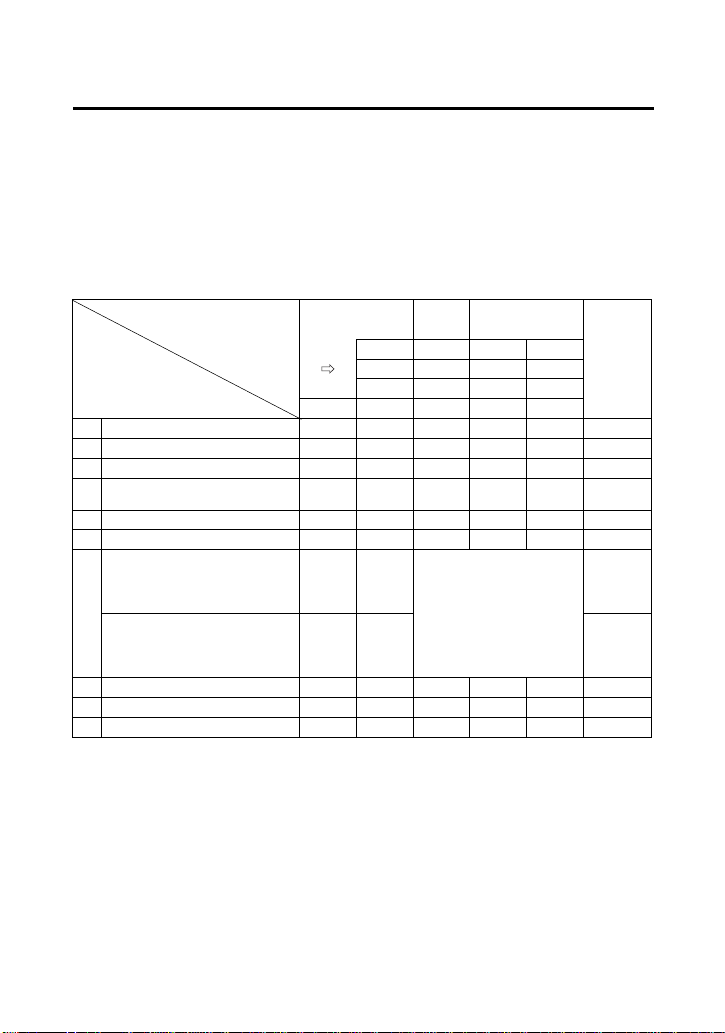
Servicing Your Honda
104
Maintenance Schedule
Maintenance Procedures:
I: inspect and clean, adjust, lubricate, or replace, if necessary
C: clean
A: adjust
L: lubricate
R: replace
* Should be serviced by your dealer, unless the owner has proper tools and service data and is
mechanically qualified. Refer to the official Honda Service Manual (page 242).
FREQUENCY
WHICHEVER
COMES FIRST
INITIAL REGULAR
Refer to
page
MAINT. MAINT. INTERVAL
mi 100 600 1200
km 150 1000 2000
MONTH
1612
ITEMS NOTE HOURS 20 100 200
* FUEL LINE I —
* THROTTLE OPERATION I 147
AIR CLEANER
NOTE 1
C C 141
AIR CLEANER HOUSING
DRAIN TUBE
NOTE 2
I I 146
SPARK PLUG I I 151
* VALVE CLEARANCE I I I 154
ENGINE OIL INITIAL=
100 mi (150km), 20
operating hours or 1
month: R
120
ENGINE OIL FILTER REGULAR=
Every 600 mi (1,000 km),
100 operating hours or 12
months: R
125
* ENGINE IDLE SPEED I I I —
RADIATOR COOLANT
NOTE 3
I I 134
* COOLING SYSTEM
NOTE 2
II—
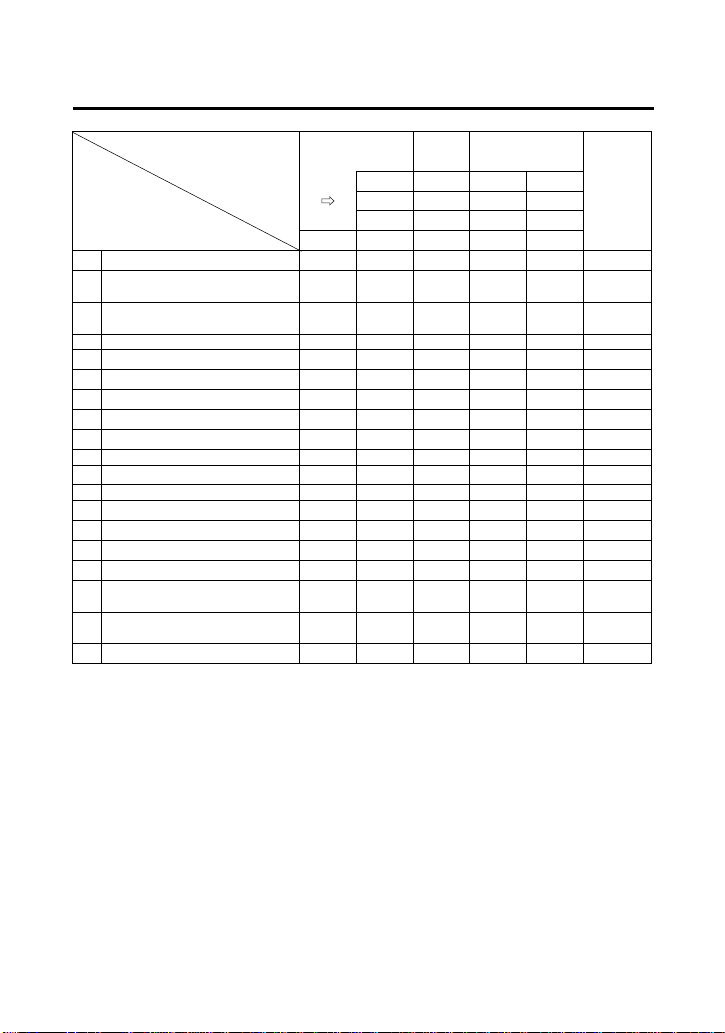
Servicing Your Honda
105
Maintenance Schedule
* Should be serviced by your dealer, unless the owner has proper tools and service data and is
mechanically qualified. Refer to the official Honda Service Manual (page 242).
** In the interest of safety, we recommend these items be serviced only by your dealer.
FREQUENCY
WHICHEVER
COMES FIRST
INITIAL REGULAR
Refer to
page
MAINT. MAINT. INTERVAL
mi 100 600 1200
km 150 1000 2000
MONTH 1612
ITEMS NOTE
HOURS 20 100 200
DRIVETRAIN BOOTS I I 179
FRONT and REAR FINAL
GEAR OIL
(R: EVERY
2 YEARS)
I129,
132
REAR FINAL GEAR OIL
(R: EVERY
2 YEARS)
I 129
* 2WD/4WD SELECT SYSTEM I —
* BRAKE FLUID
NOTE 3
I I 159
* BRAKE SHOES WEAR
NOTE 1, 2
I 167
* BRAKE PADS WEAR
NOTE 1, 2
I 162
* BRAKE LIGHT SWITCH I I I 168
BRAKE SYSTEM I I I 159
* REVERSE LOCK SYSTEM I I I 150
GUARDS I I 177
* CLUTCH SYSTEM I I I 149
* SUSPENSION I I 156
* SPARK ARRESTER C C 155
* NUTS, BOLTS, FASTENERS I I —
** WHEELS/TIRES I I I 170
** TIE-ROD AND JOINT
BOOTS
III—
** STEERING SHAFT HOLDER
BEARINGS
I—
** STEERING SYSTEM I —
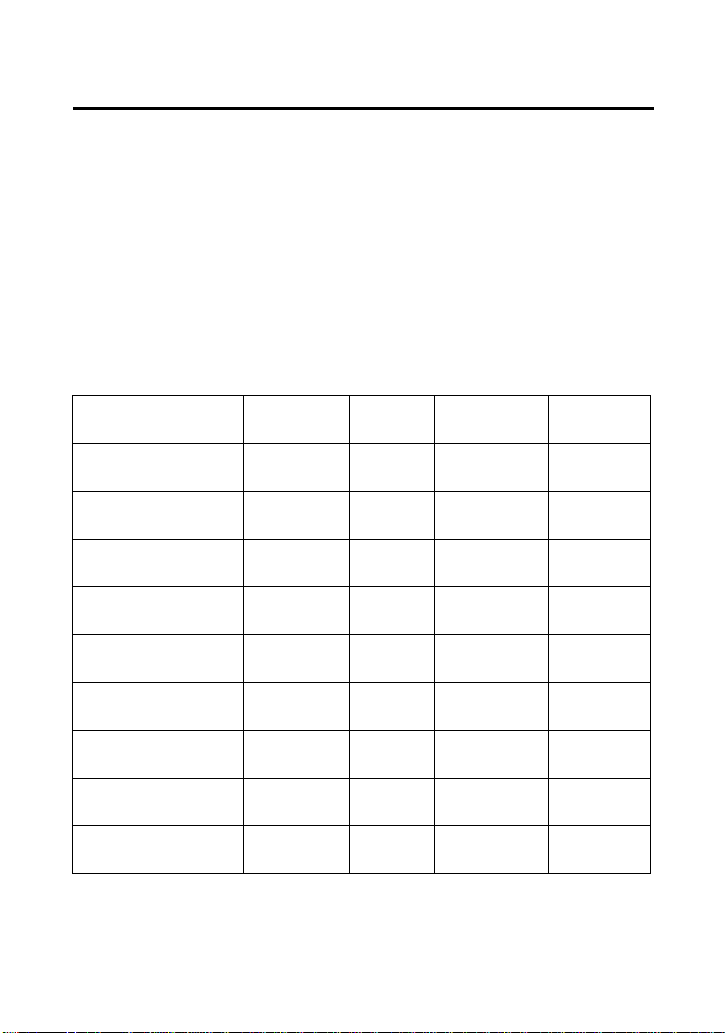
Servicing Your Honda
106
Maintenance Record
Keeping an accurate maintenance record will help ensure that your
ATV is properly maintained. Retain detailed receipts to verify the
maintenance was performed. If the ATV is sold, these receipts should
be transferred with the ATV to the new owner. Make sure whoever
performs the maintenance completes this record. All scheduled
maintenance, including the 100 mile (150 km) or 1 month or 20
hours initial maintenance, is considered a normal owner operating
cost and will be charged for by your dealer. Use the space under
Notes to record anything you want to remind yourself about or
mention to your dealer.
Miles (km) or
months or hours
ODO or
HOUR
Date Performed
By:
Notes
100 (150) or
1 or 20
600 (1,000) or
6 or 100
1,200 (2,000) or
12 or 200
1,800 (3,000) or
18 or 300
2,400 (4,000) or
24 or 400
3,000 (5,000) or
30 or 500
3,600 (6,000) or
36 or 600
4,200 (7,000) or
42 or 700
4,800 (8,000) or
48 or 800
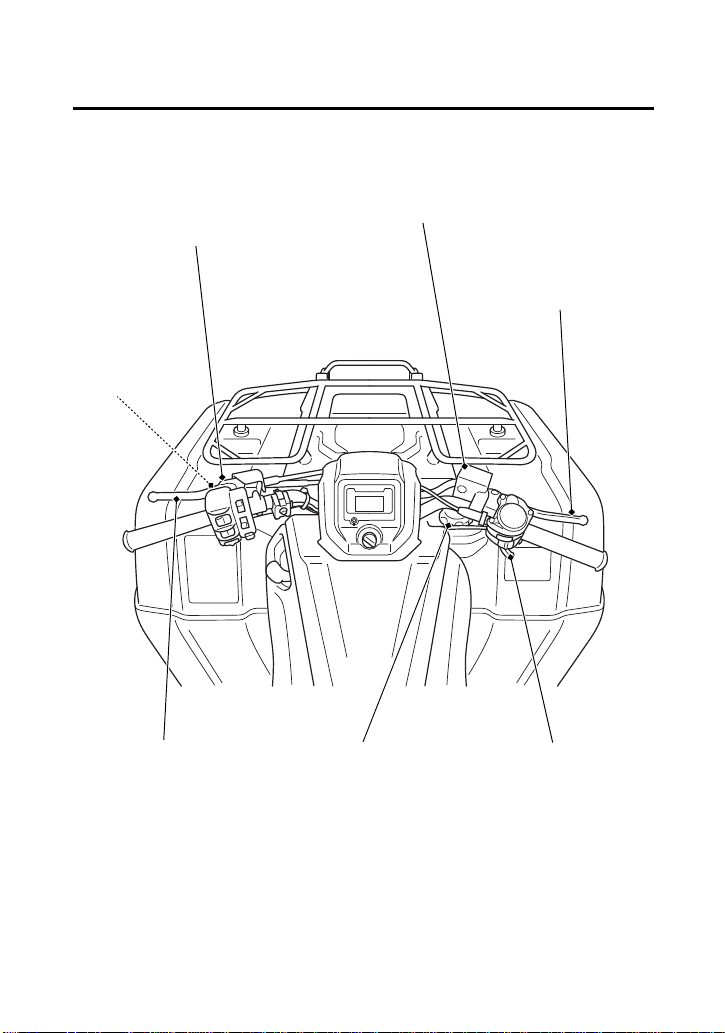
Servicing Your Honda
107
Service Preparations
Maintenance Component
Locations
front brake fluid reservoir
front brake lever
P/R lever
fuel fill cap throttle lever
reverse
assist lever
rear brake lever/
parking brake lever
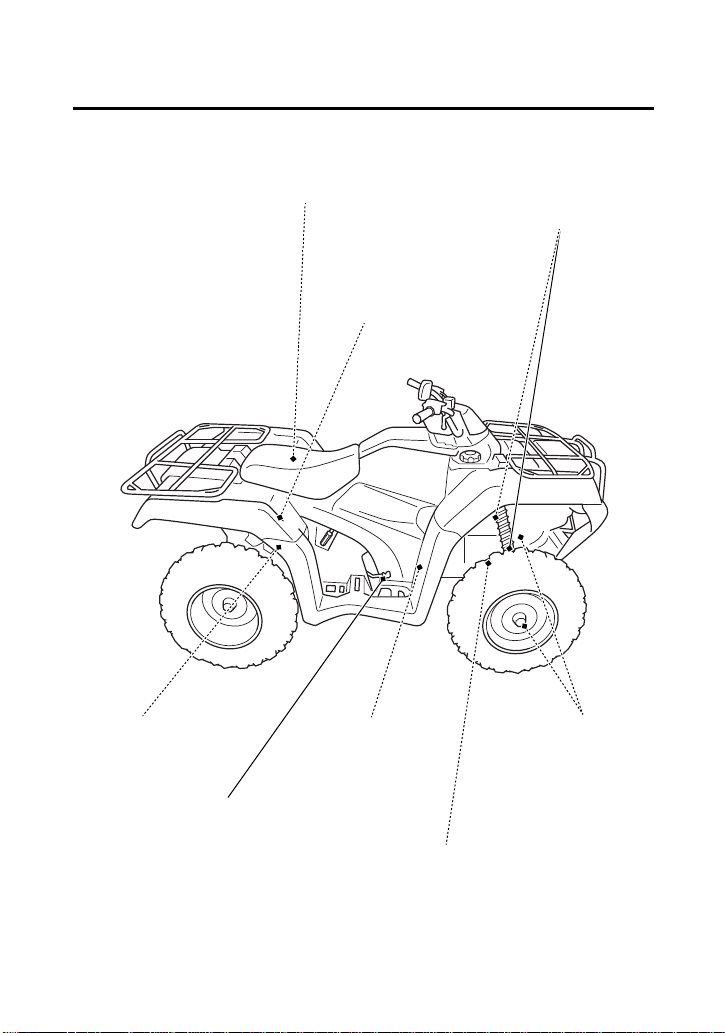
Servicing Your Honda
108
Maintenance Component
Locations
front suspension spring
pre-load adjuster
front brake
caliper
air cleaner housing
drain tube
rear brake light
switch
rear brake pedal
engine oil filter
front final gear oil drain bolt
air cleaner
front final gear oil fill cap
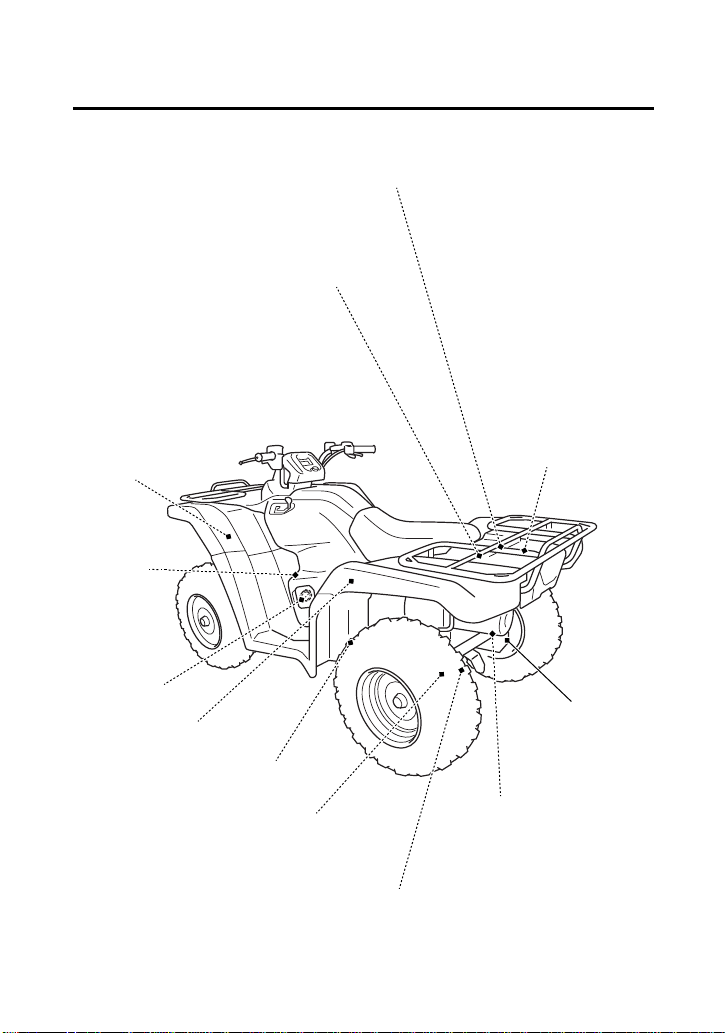
Servicing Your Honda
109
Maintenance Component
Locations
owner’s manual
tool kit
gear change
tool
battery
rear suspension spring
pre-load adjuster
spark plug
engine oil
fill cap/
dipstick
engine oil drain bolt
rear final gear oil drain bolt
rear final gear oil fill cap
rear brake
panel
fuse box
main fuse 1
air pressure gauge
clutch
adjuster
main fuse 2
coolant
reserve
tank
spark arrester
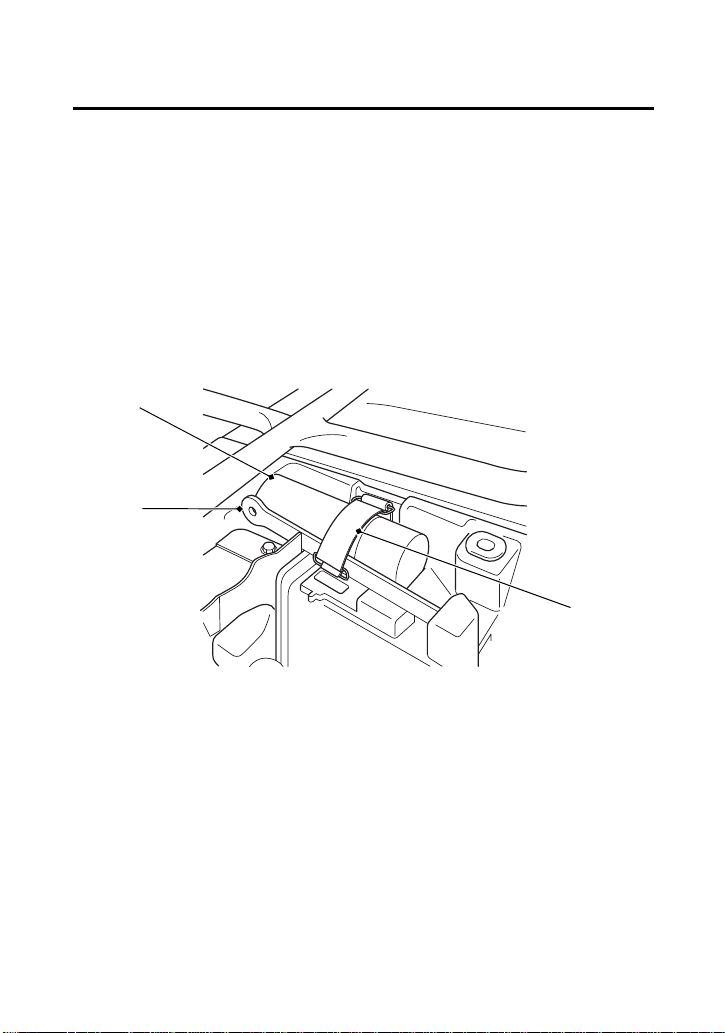
Servicing Your Honda
110
Tool Kit
The tool kit (1) and the gear change tool (2) are stored under the rear
fender cover (page 115).
After using the tool kit or the gear change tool, be sure to use the
rubber band (3) to fasten the tool kit and the gear change tool
securely.
An optional, larger tool kit may be available. Check with your
dealer’s parts department.
UNDER REAR FENDER COVER
(1)
(2)
(1) tool kit
(2) gear change tool
(3)
(3) rubber band
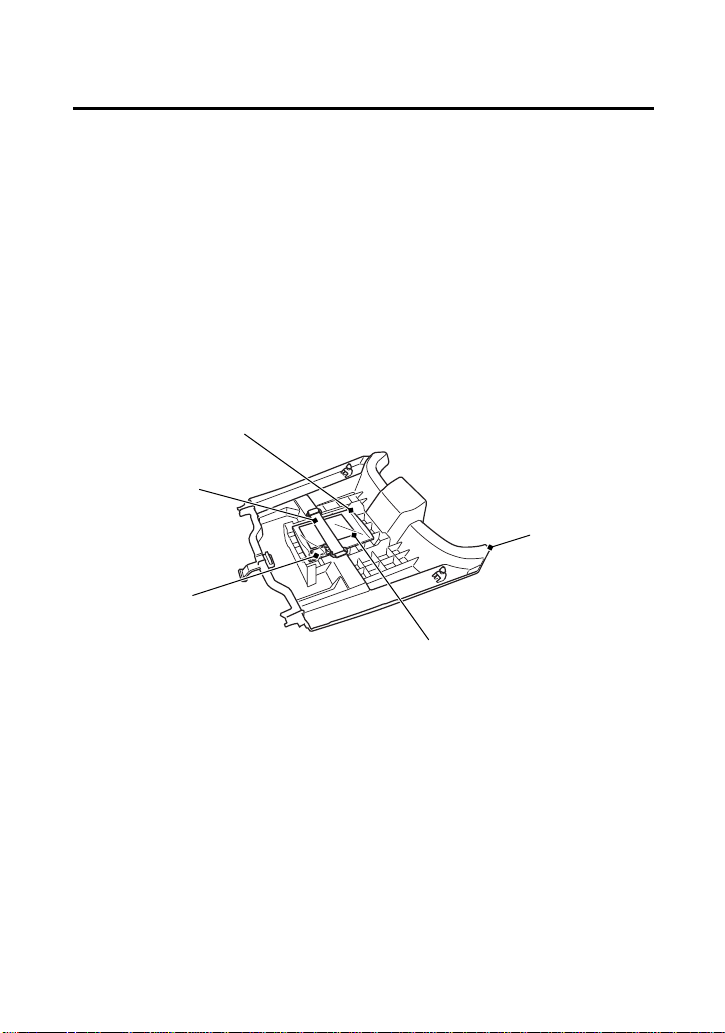
Servicing Your Honda
111
Owner’s Manual Storage
Your ATV provides storage for the owner’s manual so you’ll have it
with you for easy reference. Store your owner’s manual (1) in the
plastic document bag underside of the rear fender cover (2).
The owner’s manual and air pressure gauge (3) should be stored in
the plastic document bag (4) and fastened with the rubber band (5).
To remove the rear fender cover, see page 115.
Be careful not to flood this area when washing your ATV.
(3)
(1)
(2)
(1) owner’s manual
(2) rear fender cover
(3) air pressure gauge
REAR FENDER COVER UNDERSIDE
(4)
(4) plastic document bag
(5)
(5) rubber band
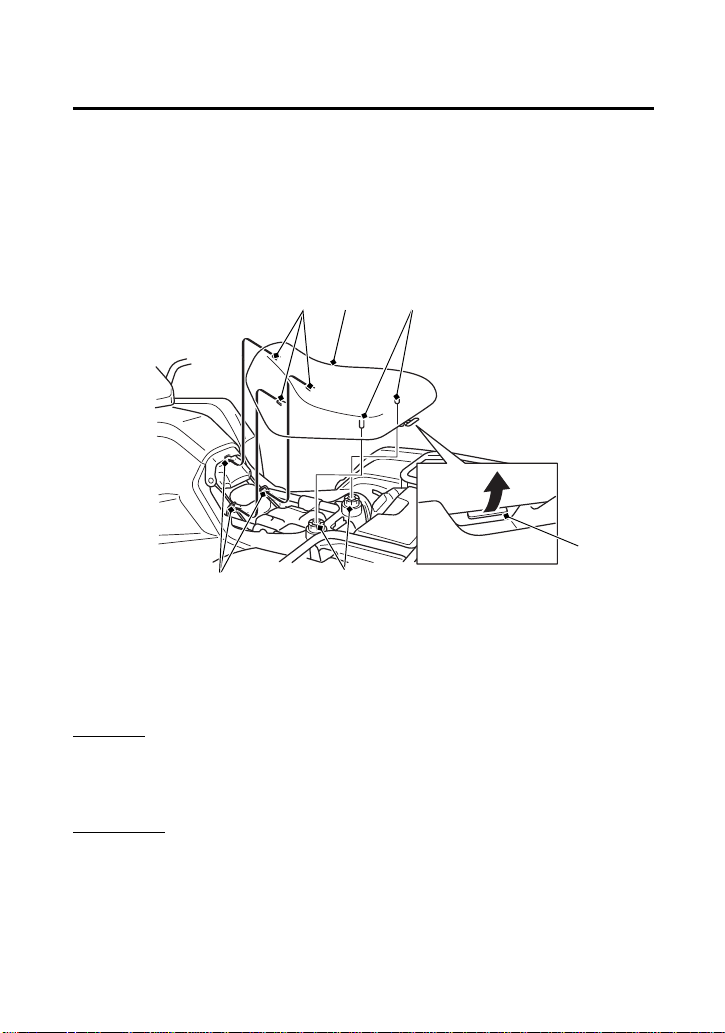
Servicing Your Honda
112
Seat Removal
Refer to Safety Precautions on page 101.
The seat must be removed for the air cleaner, engine oil filter, clutch,
spark plug, battery and fuse maintenance and to remove the rear
fender cover and tank cover assembly, to access the owner’s
manual, air pressure gauge, gear change tool, tool kit.
Removal
1.
Pull the seat latch (1) at the rear of the seat.
2.
Slide the seat (2) back and lift it.
Installation
1.
Insert the front prongs (3) into the hooks (4) on the frame and
press the studs (5) into the grommets (6).
2.
Press down on the seat until locks.
(2) (5)
(6)
(1)
(3)
(4)
(1) seat latch
(2) seat
(3) front prongs
(4) hooks
(5) studs
(6) grommets
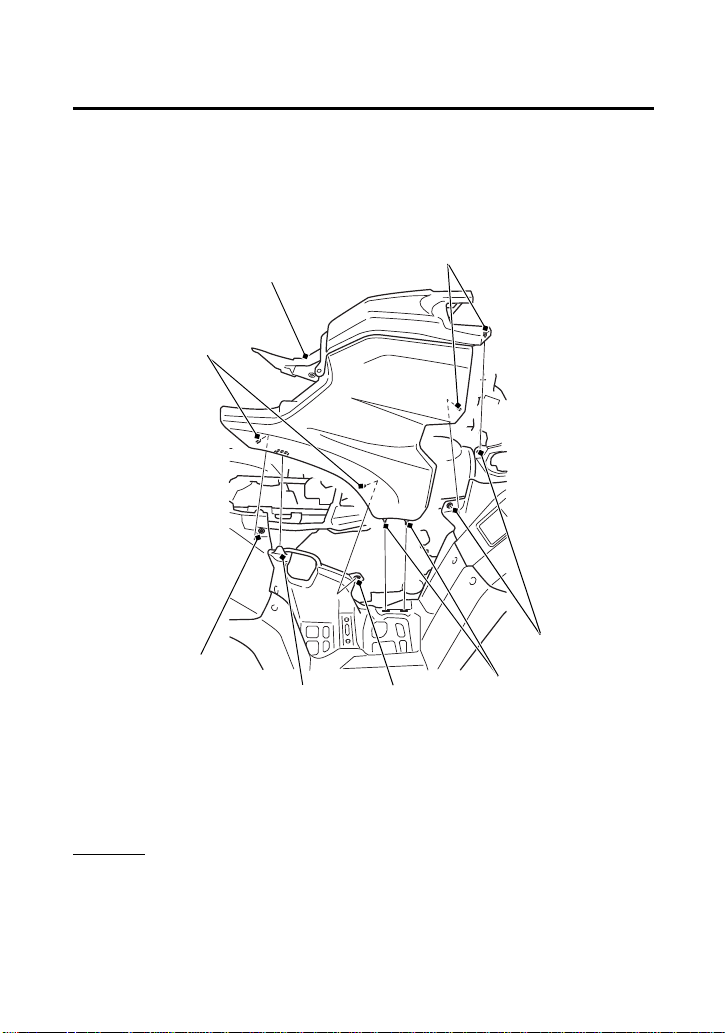
Servicing Your Honda
113
Tank Cover Assembly Removal
Refer to Safety Precautions on page 101.
The tank cover assembly must be removed for the engine oil filter,
spark plug and clutch maintenance.
Removal
1.
Remove the seat (page 112).
2.
Remove the prongs (1) from the grommets (2).
3.
Remove the tank cover assembly (3) by releasing the tabs A (4)
and tabs B (5).
(2)
(1)
(3)
(5)
(1) prongs
(2) grommets
(3) tank cover assembly
(4) tabs A
(5) tabs B
(1)
(2)
(4)
(2)
RIGHT SIDE
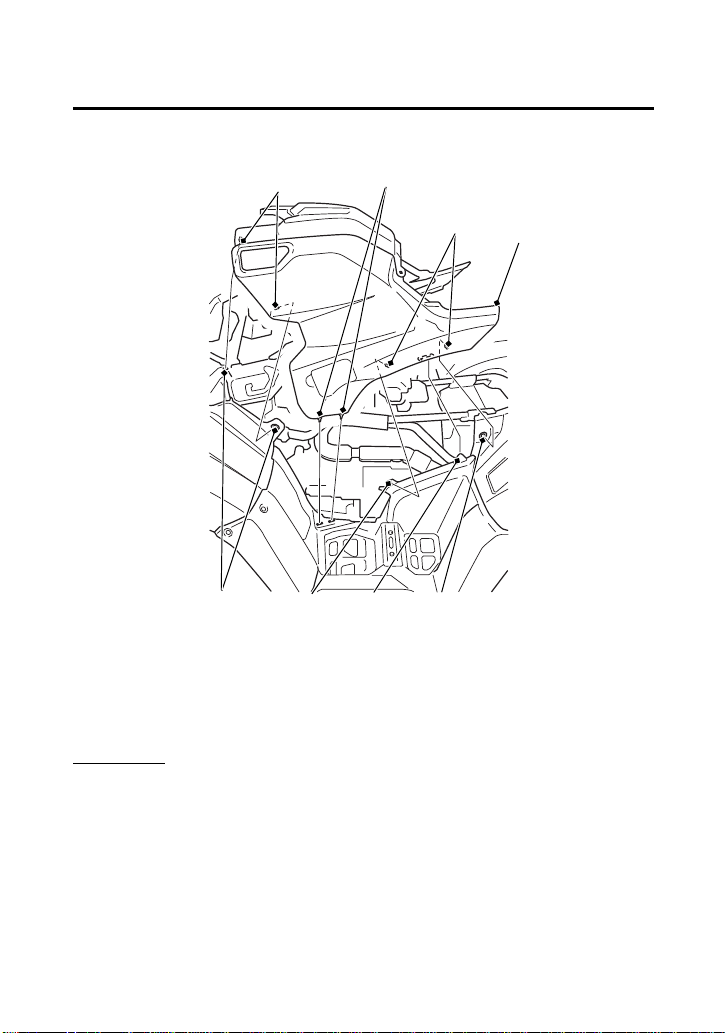
Servicing Your Honda
114
Tank Cover Assembly Removal
Installation
Install the parts in the reverse order of removal.
Make sure that all prongs and tabs are installed securely in position.
(1) prongs
(2) grommets
(3) tank cover assembly
(4) tabs A
(5) tabs B
(1)
(2)
(4)
(1)
(3)
(2) (5) (2)
LEFT SIDE
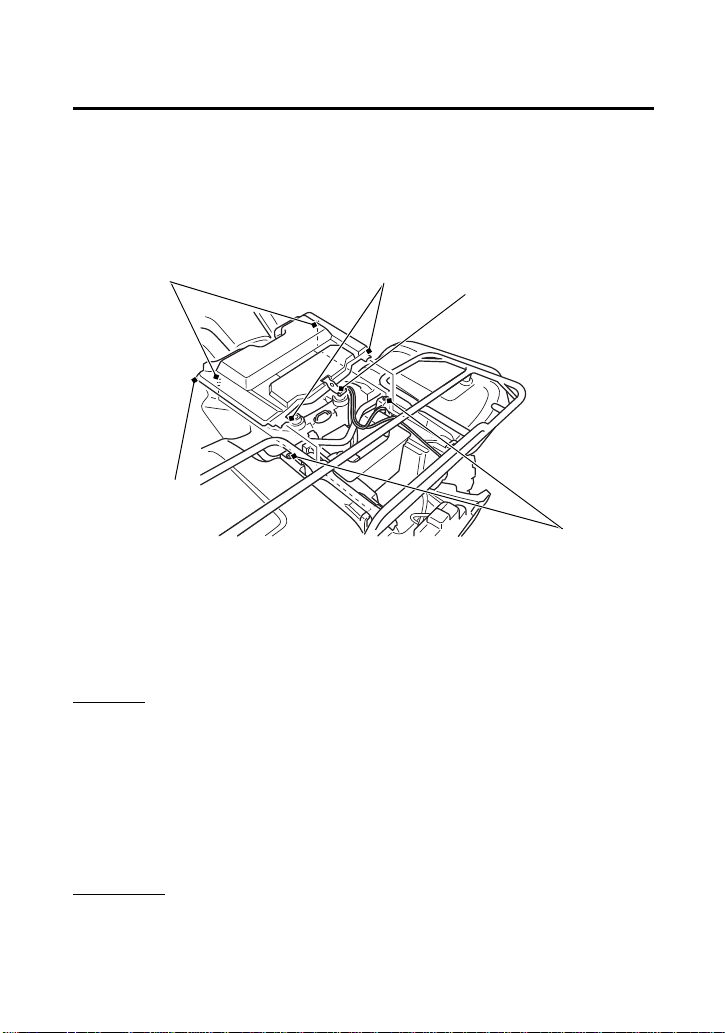
Servicing Your Honda
115
Rear Fender Cover Removal
Refer to Important Safety Precautions on page 101.
The rear fender cover must be removed for battery, fuse
maintenance and to access the owner’s manual, air pressure gauge,
gear change tool and tool kit.
Removal
1.
Remove the seat (page 112).
2.
Unhook the rubber strap (1) with opening the storage
compartment (page 45).
3.
Firmly pull the prongs (2) from their grommets (3).
4.
Slide the rear fender cover (4) forward to disengage the tabs (5).
5.
Remove the rear fender cover.
Installation
Install the parts in the reverse order of removal.
(1) rubber strap
(2) prongs
(3) grommets
(4) rear fender cover
(5) tabs
(2)
(5)
(3)
(4)
(1)
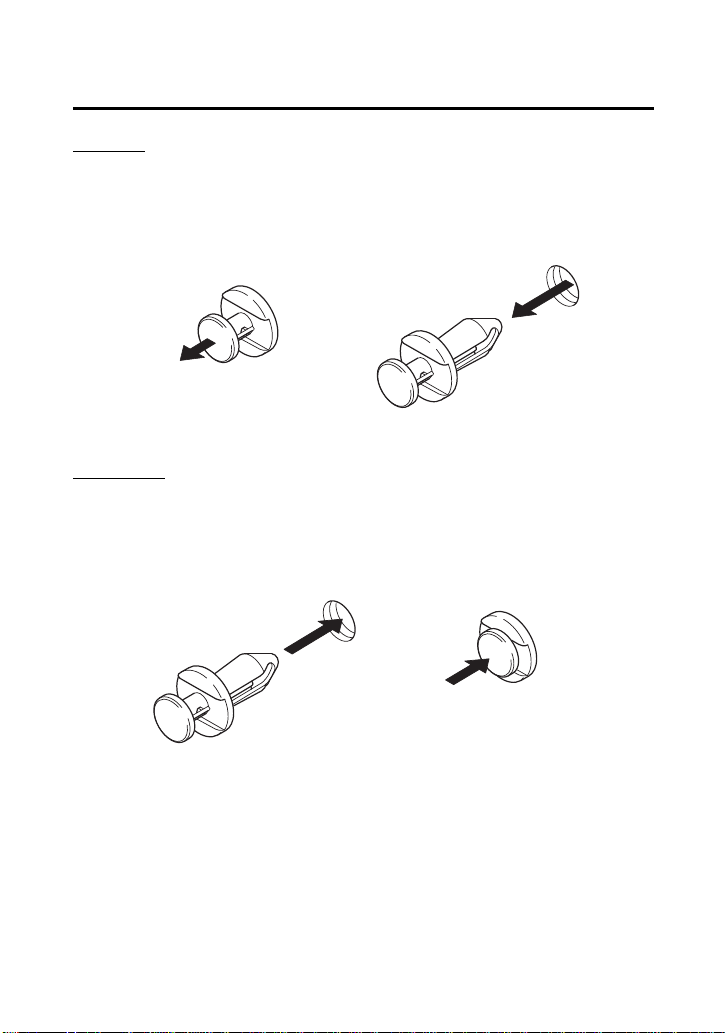
Servicing Your Honda
116
Clip Removal
Removal
1.
Pull up the center pin to release the lock.
2.
Pull out the clip of the hole.
Installation
1.
Insert the clip into the hole.
2.
Press down the center pin securely to lock the clip.
1.
2.
1.
2.

Servicing Your Honda
117
Service ProceduresFluids & Filters
Fuel
Refer to Safety Precautions on page 101.
Use only unleaded fuel in your Honda. If you ride your Honda in a
country where leaded fuel might be available, take precautions to
use only unleaded fuel.
Your engine is designed to use any unleaded gasoline that has a
pump octane number of 86 or higher. Gasoline pumps at service
stations normally display the pump octane number. For information
on the use of oxygenated fuels, see page 238.
Use of lower octane gasoline can cause persistent “pinging” or
“spark knock” (a loud rapping noise) which, if severe, can lead to
engine damage. Light pinging experienced while operating under a
heavy load, such as climbing a hill, is no cause for concern.
If pinging or spark knock occurs at a steady engine speed under
normal load, change brands of gasoline. If pinging or spark knock
persists, consult your dealer.
Never use stale or contaminated gasoline or an oil/gasoline mixture.
Avoid getting dirt, dust, or water in the fuel tank.
Fuel Recommendation
type unleaded
pump octane number 86 (or higher)
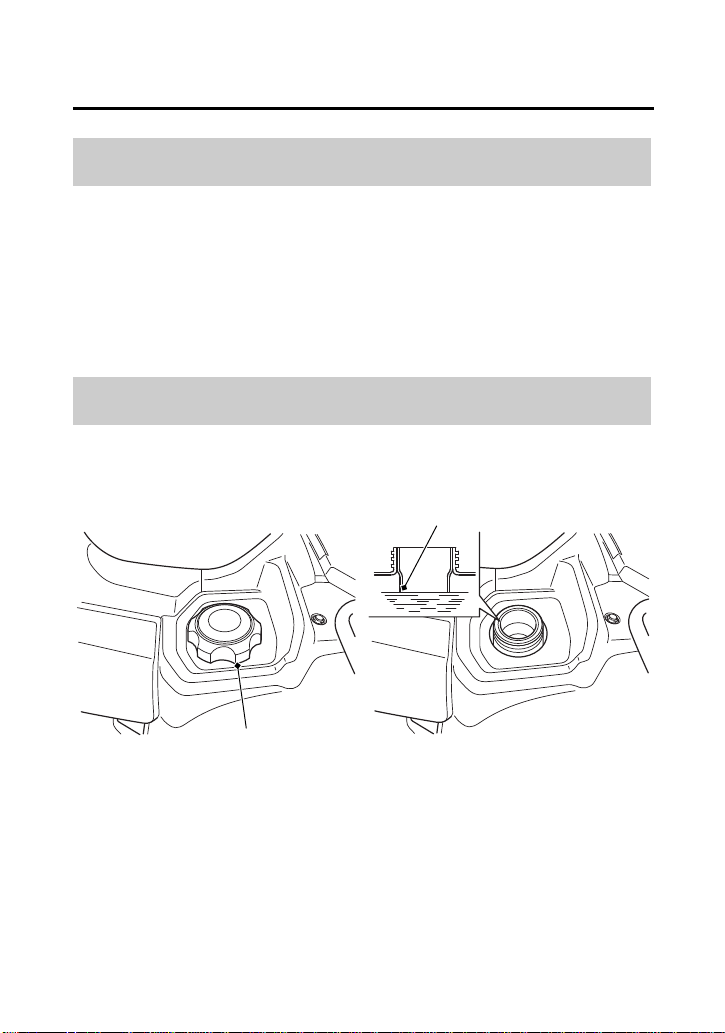
Servicing Your Honda
118
Fuel
Fuel tank capacity, including reserve:
3.88 US gal (14.7 ℓ)
Reserve capacity:
1.29 US gal (4.9 ℓ)
When there is only one segment left in the fuel gauge (page 25), fuel
will be low and you should refuel as soon as possible.
Refer to Safety Precautions on page 101.
Fuel Capacity
Refueling Procedure
(1)
(1) fuel fill cap
(2) bottom of the filler neck
(2)

Servicing Your Honda
119
Fuel
1.
To open the fuel fill cap (1), turn it counterclockwise.
2.
Add fuel until the level reaches the bottom of the filler neck (2).
Avoid over filling the tank. There should be no fuel in the filler
neck.
3.
After refueling, turn the fuel fill cap clockwise securely.
If you replace the fuel fill cap, use only a Honda Genuine
replacement part.
NOTICE
Do not allow spilled gasoline to pool on camouflage colored
bodywork. Also do not allow gasoline soaked rags to be placed on
camouflage bodywork. Gasoline can damage the camouflage
coating.
WARNING
3
WARNING
Gasoline is highly flammable and explosive.
You can be burned or seriously injured when
handling fuel.
• Stop the engine and keep heat, sparks and
flame away.
• Handle fuel only outdoors.
• Wipe up spills immediately.

Servicing Your Honda
120
Engine Oil & Filter
Engine oil quality is a major factor that affects both the performance
and the service life of the engine.
Using the proper oil (page 121) and filter, and regularly checking,
adding, and changing oil will help extend your engine’s life. Even the
best oil wears out. Changing oil helps get rid of dirt and deposits in
the engine. Operating the engine with old or dirty oil can damage
your engine. Running the engine with insufficient oil can cause
serious damage to the engine and transmission.
Change the engine oil as specified in the maintenance schedule on
page 104. When running in very dusty conditions, oil changes
should be performed more frequently than specified in the
maintenance schedule.
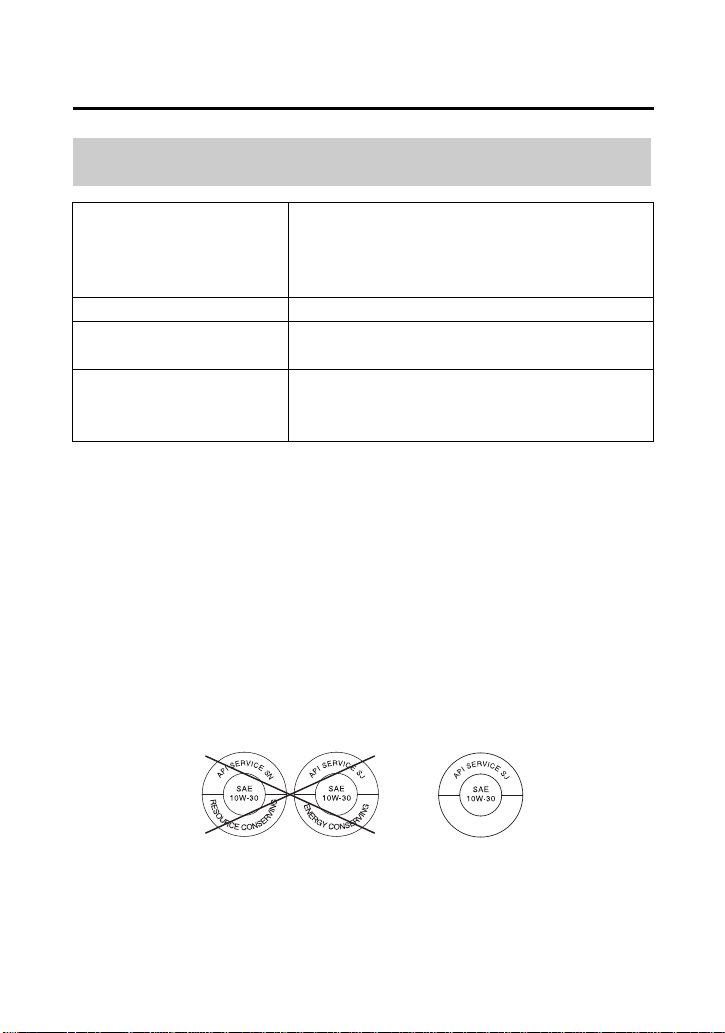
Servicing Your Honda
121
Engine Oil & Filter
*
Suggested oils are equal in performance to SJ oils that are not
labeled as energy conserving or resource conserving on the
circular API service label.
• Your ATV does not need oil additives. Use the recommended oil.
• Do not use oils with graphite or molybdenum additives. They may
adversely affect clutch operation.
• Do not use API SH or higher oils displaying a circular API “energy
conserving” or "resource conserving" service label on the
container. They may affect lubrication and clutch performance.
• Do not use non-detergent, vegetable, or castor based racing oils.
Oil Recommendation
API classification SG or higher except oils labeled as
energy conserving or resource
conserving on the circular API
service label
viscosity (weight) SAE 10W-30
JASO T 903
standard
MA
suggested oil
*
Pro Honda GN4 4-stroke oil, or
Honda 4-stroke oil, or an
equivalent motorcycle oil.
NOT RECOMMENDED RECOMMENDED
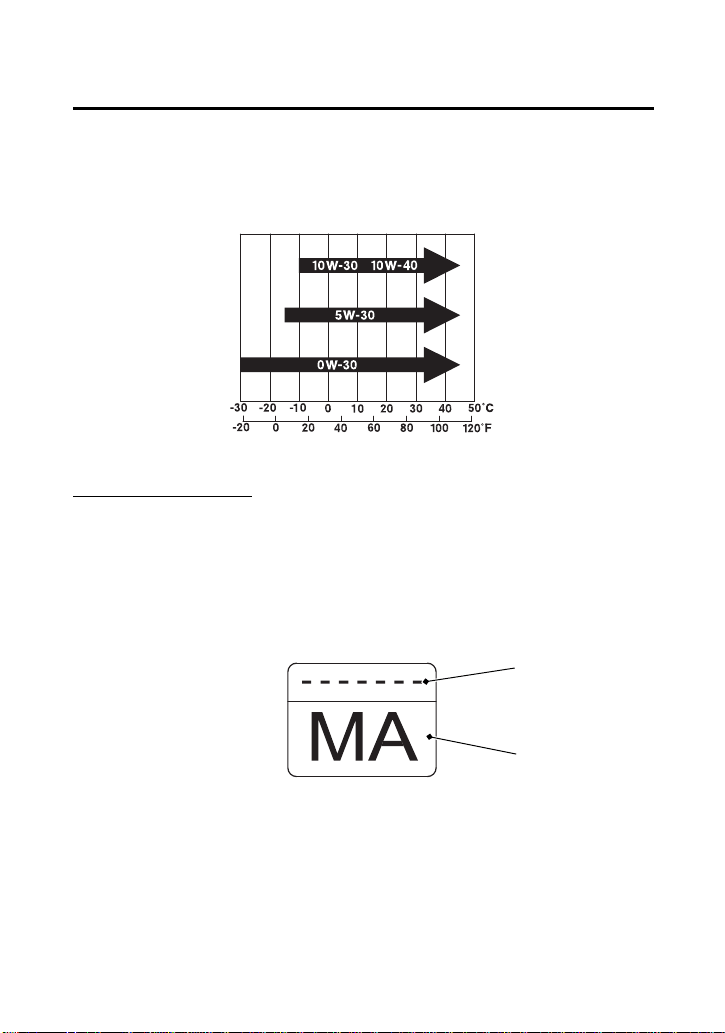
Servicing Your Honda
122
Engine Oil & Filter
Other viscosities shown in the following chart may be used when the
average temperature in your riding area is within the indicated
range.
JASO T 903 standard
The JASO T 903 standard is an index for engine oils for 4-stroke
motorcycle engines.
There are two classes: MA and MB.
Oil conforming to the standard is labeled on the oil container. For
example, the following label shows the MA classification.
(1)
(2)
(1) oil code
(2) oil classification
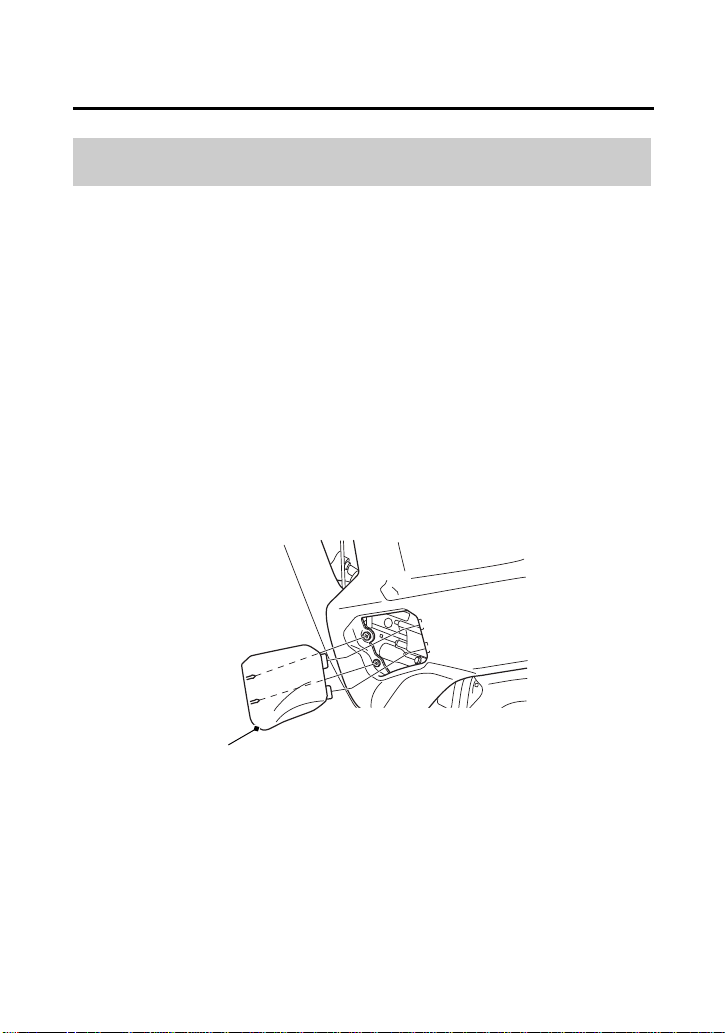
Servicing Your Honda
123
Engine Oil & Filter
(cont’d)
Refer to Safety Precautions on page 101.
Check the engine oil level each day before operating your ATV and
add if needed.
The oil fill cap/dipstick is located at the front left crankcase.
Before riding your ATV, check the engine oil level.
1.
Park your ATV on a firm, level surface.
2.
Start the engine in a well-ventilated area and let it idle for 3 – 5
minutes. If the air temperature is below 10°C (50°F), let the
engine idle for an additional 5 minutes (a total of 10 minutes).
3.
Stop the engine and wait 2 – 3 minutes.
4.
Remove the oil check lid (1).
Checking & Adding Oil
(1)
LEFT SIDE
(1) oil check lid
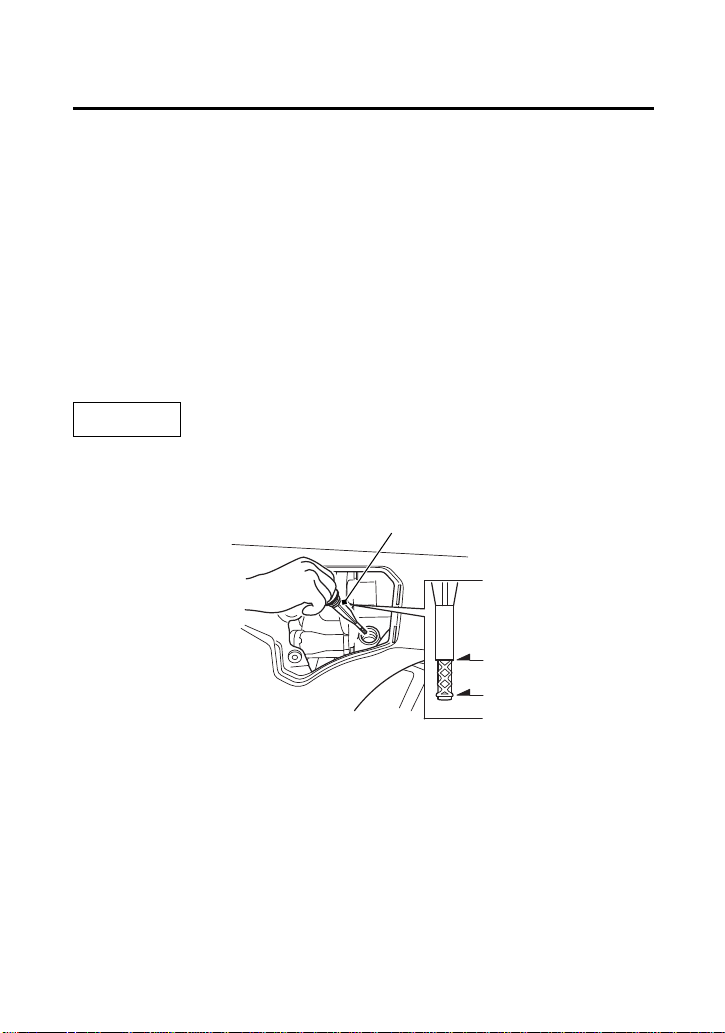
Servicing Your Honda
124
Engine Oil & Filter
5.
Remove the oil fill cap/dipstick (2) from the front crankcase and
wipe it clean.
6.
Insert the oil fill cap/dipstick without screwing it in, then remove
the oil fill cap/dipstick and check the oil level. The oil level should
be between the upper level mark (3) and the lower level mark (4)
on the oil fill cap/dipstick.
7.
If the oil level is near or below the lower level mark, then add the
specified oil into the fill cap hole, up to the upper level mark on
the oil fill cap/dipstick. Do not overfill.
8.
Reinstall the oil fill cap/dipstick.
9.
Install the oil check lid.
NOTICE
Running the engine with an improper oil level can cause serious
engine damage.
LEFT SIDE
(2)
(3)
(4)
(2) oil fill cap/dipstick (3) upper level mark
(4) lower level mark
Servicing Your Honda
125
Engine Oil & Filter
(cont’d)
Refer to Safety Precautions on page 101.
Your ATV’s oil filter has very specific performance requirements. Use
a new Honda Genuine oil filter specified for your model or a filter of
equal quality.
NOTICE
Using the wrong oil filter may result in leaks or engine damage.
This procedure requires mechanical skill and professional tools such
as a torque wrench as well as a means for disposing of the drained
fluid (page 200). If you do not have the skills or the tools, see your
dealer.
Change the oil with the engine warm to assure complete and rapid
draining.
Drain the Engine Oil:
1.
With the ATV on level ground, remove oil check lid (page 123)
and the oil fill cap/dipstick from the front crankcase.
Changing Engine Oil & Filter
Servicing Your Honda
126
Engine Oil & Filter
2.
Place an oil drain pan under the crankcase and remove the
engine oil drain bolt (1) and sealing washer (2).
Install a New Engine Oil Filter:
Place shop towels under the oil filter cover because oil will flow out.
1.
Remove the seat (page 112).
2.
Remove the tank cover assembly (page 113).
UNDER ENGINE
(2)
(1) engine oil drain bolt
(1)
(2) sealing washer
Servicing Your Honda
127
Engine Oil & Filter
3.
Remove the oil filter cover (1) and O-rings (2) by removing the
bolts (3). Let the remaining oil drain out. Discard the oil filter (4)
in an approved manner (page 200).
4.
Apply engine oil to a new O-rings and install them to the oil filter
cover and crankcase cover. Then install a new oil filter. Use only
the Honda Genuine oil filter or a filter of equivalent quality
specified for your model. Using the wrong Honda filter or a non-
Honda filter which is not of equivalent quality may cause engine
damage.
5.
Reposition the spring (5) to the engine crankcase and install a
new oil filter with the rubber seal (6) facing out, away from the
engine. You will see the “OUTSIDE (TOWARDS FILTER COVER)”
mark (7) on the filter body, near the seal.
NOTICE
Improper installation of the oil filter can cause serious engine
damage.
(1)
(3)
(6)
(5)
(2)
(1) oil filter cover
(3) bolts
(5) spring
(6) rubber seal
(4)
(7)
(4) oil filter
(2) O-rings
(7) “OUTSIDE” mark
RIGHT SIDE
(2)
(1)

Servicing Your Honda
128
Engine Oil & Filter
6.
Reinstall the oil filter cover, making sure the bolts are tightened
to the specified torque:
7 lbf·ft (10 N·m , 1.0 kgf·m)
7.
Pour the drained oil into a suitable container and dispose of it in
an approved manner (page 200).
NOTICE
Improper disposal of drained fluids is harmful to the environment.
Add Engine Oil:
1.
Reinstall the oil drain bolt with the new sealing washer and
tighten it to the specified torque:
18 lbf·ft (25 N·m , 2.5 kgf·m)
2.
Fill the crankcase with the recommended grade oil
approximately:
2.9 US qt (2.7 ℓ)
3.
Reinstall the oil fill cap/dipstick.
4.
Start the engine and let it idle for 3 – 5 minutes.
5.
Stop the engine, wait 2 – 3 minutes and check the oil level. Make
sure the oil is between the upper and lower level marks on the oil
fill cap/dipstick. If necessary, add more oil but do not overfill.
6.
Check that there are no oil leaks.
7.
Install tank cover assembly.
8.
Install the seat.
9.
Install the oil check lid.
If a torque wrench is not used for installation, see your dealer as
soon as possible to verify proper assembly.

Servicing Your Honda
129
Rear Final Gear Oil
Refer to Safety Precautions on page 101.
Change the oil with the rear final gear at normal operating
temperature to assure complete and rapid draining.
Oil Recommendation
type hypoid gear oil
viscosity (weight) SAE 80W-90
suggested oil Honda shaft drive oil or equivalent
Changing Oil
Servicing Your Honda
130
Rear Final Gear Oil
1.
Park your ATV on a firm, level surface.
2.
Place an oil drain pan under the oil drain bolt (1).
3.
Remove the oil fill cap (2), O-ring, drain bolt and sealing washer.
4.
After the oil has completely drained, reinstall the drain bolt with
a new sealing washer and tighten it to the specified torque:
9 lbf·ft (12 N·m , 1.2 kgf·m)
5.
Remove the oil level check bolt (3) and sealing washer.
(2)
(1) oil drain bolt
(1)
REAR
(2) oil fill cap
Servicing Your Honda
131
Rear Final Gear Oil
6.
Slowly fill the rear final gear with the recommended oil until oil
start to flow out of the oil level check hole (4). Allow oil to settle
for 2 – 3 minutes before moving to next step to prevent overfilling.
2.9 US oz (85 cm
3
)
7.
Coat a new O-ring with grease and install it into the fill cap
groove and tighten it to the specified torque:
9 lbf·ft (12 N·m , 1.2 kgf·m)
8.
Install the oil level check bolt with a new sealing washer and
tighten it to the specified torque:
9 lbf·ft (12 N·m , 1.2 kgf·m)
9.
Pour the drained oil into a suitable container and dispose of it in
an approved manner (page 200).
NOTICE
Improper disposal of drained fluids is harmful to the environment.
(4)
(3)
(3) oil level check bolt
(4) oil level check hole
REAR

Servicing Your Honda
132
Front Final Gear Oil
Refer to Safety Precautions on page 101.
Change the oil with the front final gear at normal operating
temperature to assure complete and rapid draining.
Oil Recommendation
type hypoid gear oil
viscosity (weight) SAE 80W-90
suggested oil Honda shaft drive oil or equivalent
Changing Oil
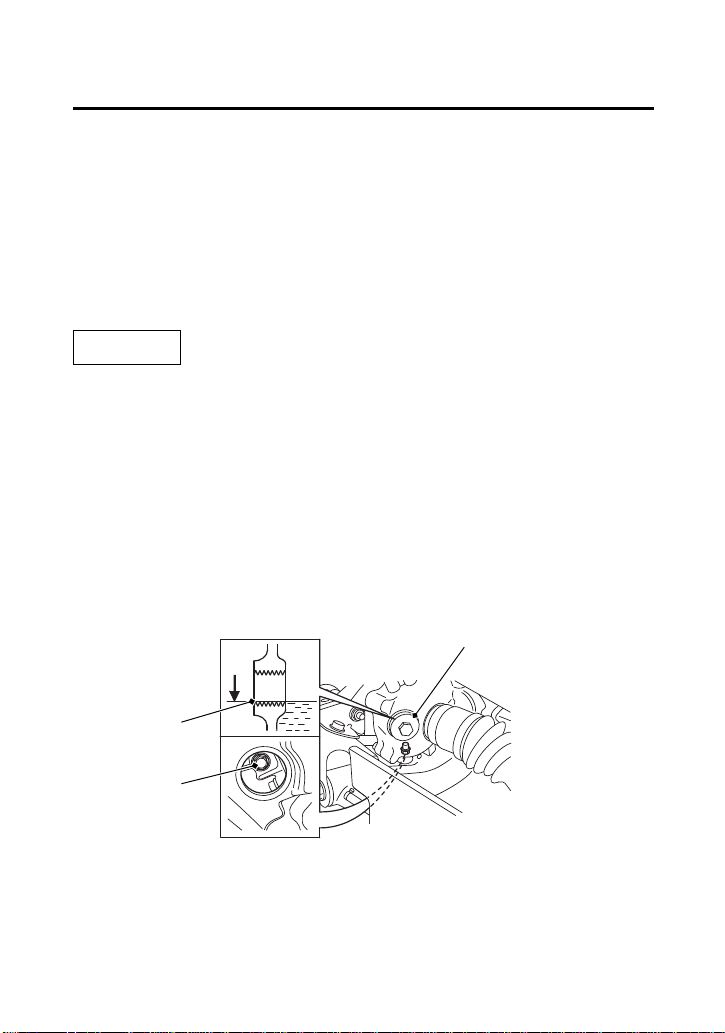
Servicing Your Honda
133
Front Final Gear Oil
1.
Park your ATV on a firm, level surface.
2.
Place an oil drain pan under the oil drain bolt (1).
3.
Remove the oil fill cap (2), O-ring, drain bolt and sealing washer.
4.
After the oil has completely drained, reinstall the drain bolt with
a new sealing washer and tighten it to the specified torque:
9 lbf·ft (12 N·m , 1.2 kgf·m)
5.
Pour the drained oil into a suitable container and dispose of it in
an approved manner (page 200).
NOTICE
Improper disposal of drained fluids is harmful to the environment.
6.
Fill the front final gear with the recommended oil.
7.1 US oz (210 cm
3
)
Make sure the oil level is at the lower edge of the oil fill inspection
hole (3).
7.
Coat a new O-ring with grease and install it into the fill cap
groove and tighten it to the specified torque:
9 lbf·ft (12 N·m , 1.2 kgf·m)
(2)
(1) oil drain bolt
(3)
FRONT
(2) oil fill cap
(3) oil fill inspection hole
(1)

Servicing Your Honda
134
Coolant
Your ATV’s liquid cooling system dissipates engine heat through the
coolant jacket that surrounds the cylinder and cylinder head.
Maintaining the coolant will allow the cooling system to work
properly and prevent freezing, overheating, and corrosion.
Use Pro Honda HP Coolant or an equivalent high quality ethylene
glycol antifreeze containing corrosion protection inhibitors
specifically recommended for use in aluminum engines. Check the
antifreeze container label.
Use only distilled water as a part of the coolant solution. Water that
is high in mineral content or salt may be harmful to the aluminum
engine.
NOTICE
Using coolant with silicate inhibitors may cause premature wear of
water pump seals or blockage of radiator passages. Using tap water
may cause engine damage.
The factory provides a 50/50 solution of antifreeze and water in this
ATV. This coolant solution is recommended for most operating
temperatures and provides good corrosion protection.
Decreasing the concentration of antifreeze to less than 40% will not
provide proper corrosion protection.
Coolant Recommendation
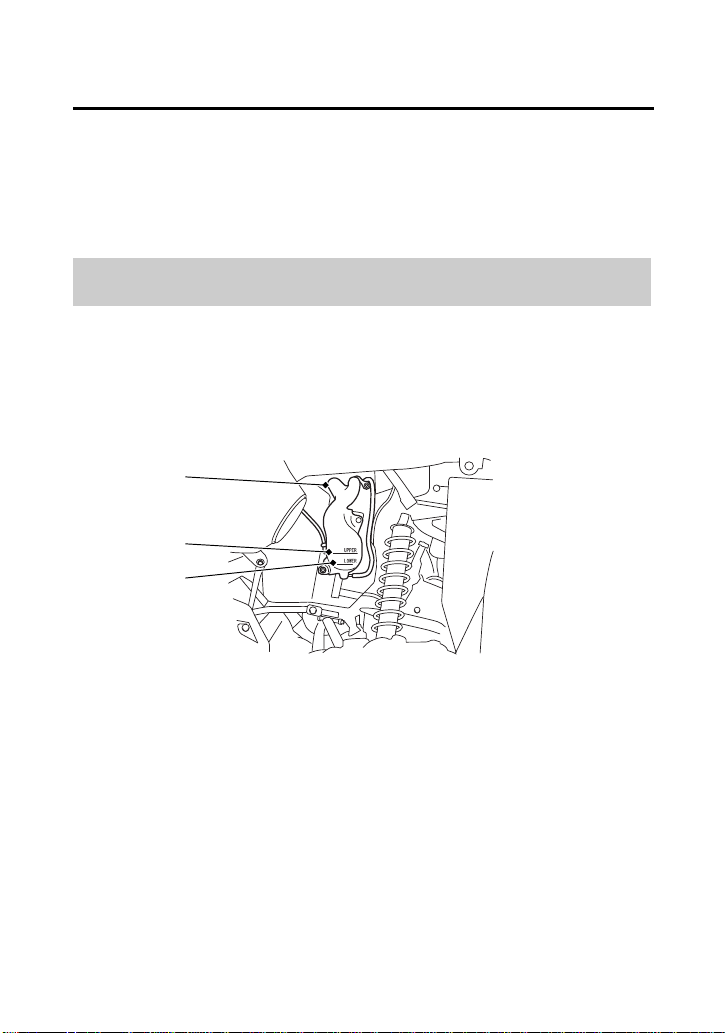
Servicing Your Honda
135
Coolant
Increasing the concentration of antifreeze is not recommended
because it decreases cooling system performance. Higher
concentrations of antifreeze (up to 60%) should only be used to
provide additional protection against freezing. Check the cooling
system frequently during freezing weather.
Refer to Safety Precautions on page 101.
Check the engine coolant level each day before operating your ATV
and add if needed.
1.
Make sure the vehicle is on level ground.
2.
With the engine at normal operating temperature, check the
coolant level in the reserve tank (1). It should be between the
UPPER (2) and LOWER (3) level marks.
If the reserve tank is empty, or if coolant loss is excessive, check
for leaks and see your dealer for repair.
Checking & Adding Coolant
LEFT FRONT
(1)
(1) reserve tank
(2) UPPER level mark
(3) LOWER level mark
(2)
(3)
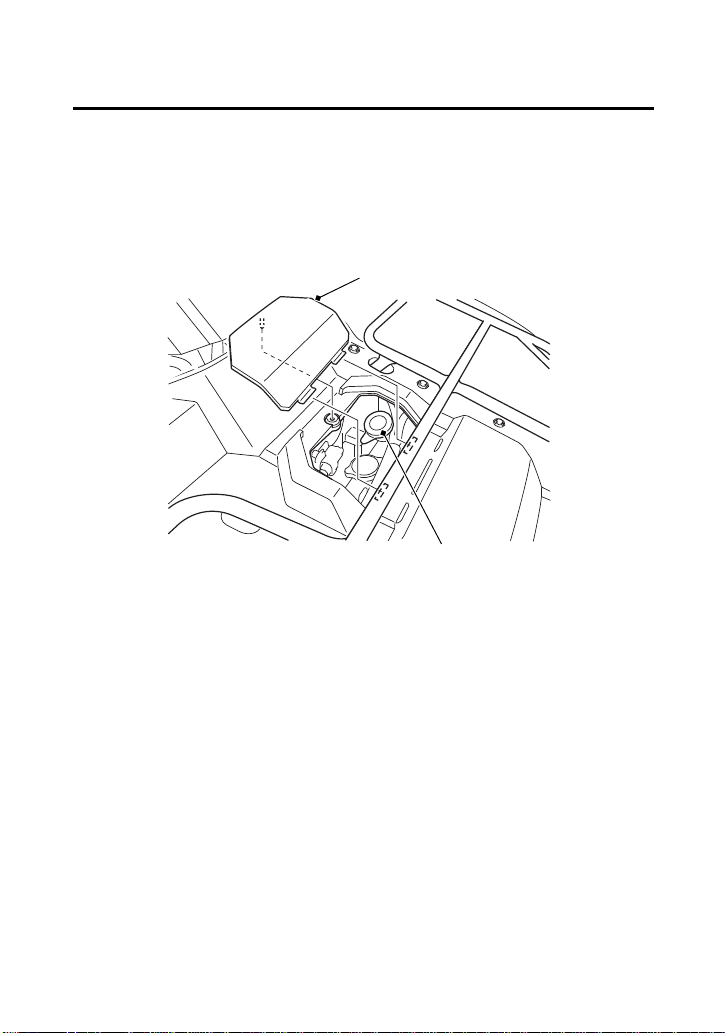
Servicing Your Honda
136
Coolant
3.
Remove the radiator cap lid (4) and reserve tank cap (5).
Always add coolant to the reserve tank. Do not attempt to add
coolant by removing the radiator cap.
4.
Add coolant to the reserve tank as required to bring the coolant
level to the UPPER level mark.
5.
After adding coolant, install the parts in the reverse order of
removal.
FRONT
(4) radiator cap lid
(5) reserve tank cap
(4)
(5)
Servicing Your Honda
137
Coolant
Refer to Safety Precautions on page 101.
Coolant should be replaced by your dealer, unless you have the
proper tools and service data, and are mechanically qualified. Refer
to the official Honda Service Manual (page 242).
To properly dispose of drained coolant, refer to You & the
Environment, page 200.
NOTICE
Improper disposal of drained fluids is harmful to the environment.
Coolant Replacement
WARNING
3
WARNING
Removing the radiator cap while the engine is
hot can cause the coolant to spray out,
seriously scalding you.
Always let the engine and radiator cool down
before removing the radiator cap.

Servicing Your Honda
138
Coolant
Refer to Safety Precautions on page 101.
Check the air passages for clogging or damage. Remove insects,
mud, or any obstruction with low water pressure. Have the radiator
checked by your dealer if the air flow is restricted over more than
20% of the radiator surface.
Clean the radiator core after riding the ATV in mud.
To clean the radiator core and radiator grill cover:
1.
Unhook the reserve tank tube (1).
2.
Remove the reserve tank (2) from the left radiator grill cover (3)
by removing the bolt (4) and clip (5).
3.
Remove the clips (6).
4.
Unhook the tab A (7) and tab B (8) on both of the left and right
side.
5.
Unhook the left side of the center radiator grill cover hook (9) and
slide the left radiator grill cover.
6.
Remove the left radiator grill cover.
NOTICE
Do not apply pressured water directly to the radiator core.
The pressured water can damage the radiator core.
Radiator Core
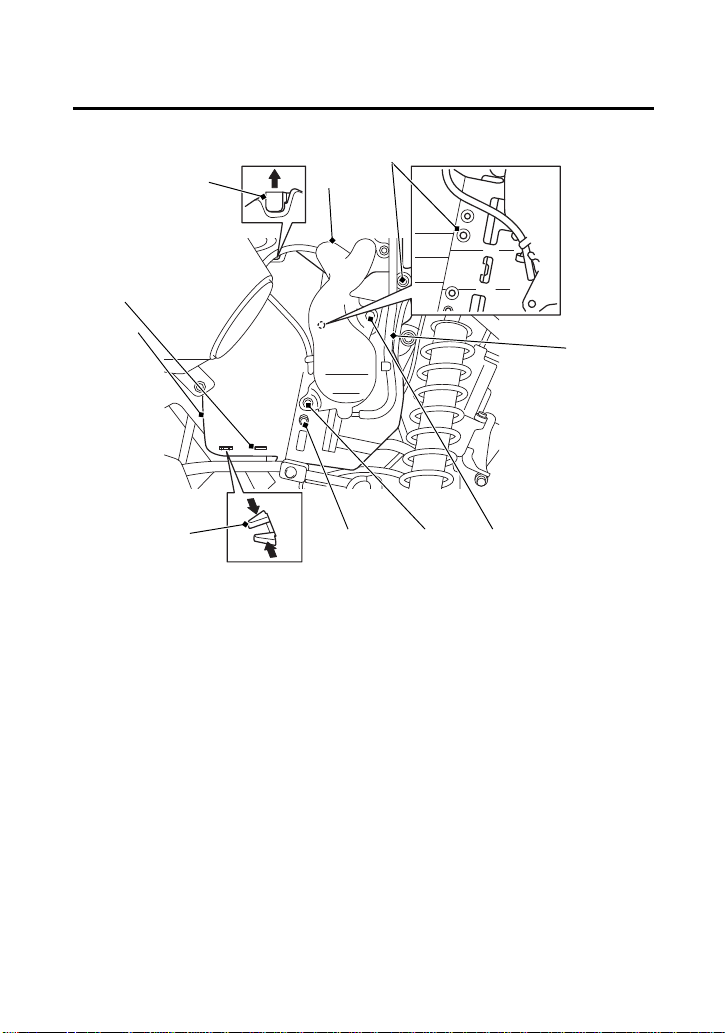
Servicing Your Honda
139
Coolant
(6)
(8)
(1)
(1) reserve tank tube
(2) reserve tank
(4) bolt
(5) clip
(6) clips
LEFT FRONT
(7) tab A
(8) tab B
(9) center radiator grill cover
hook
(9)
(2)
(3) left radiator grill cover
(3)
(6) (5) (4)
(7)
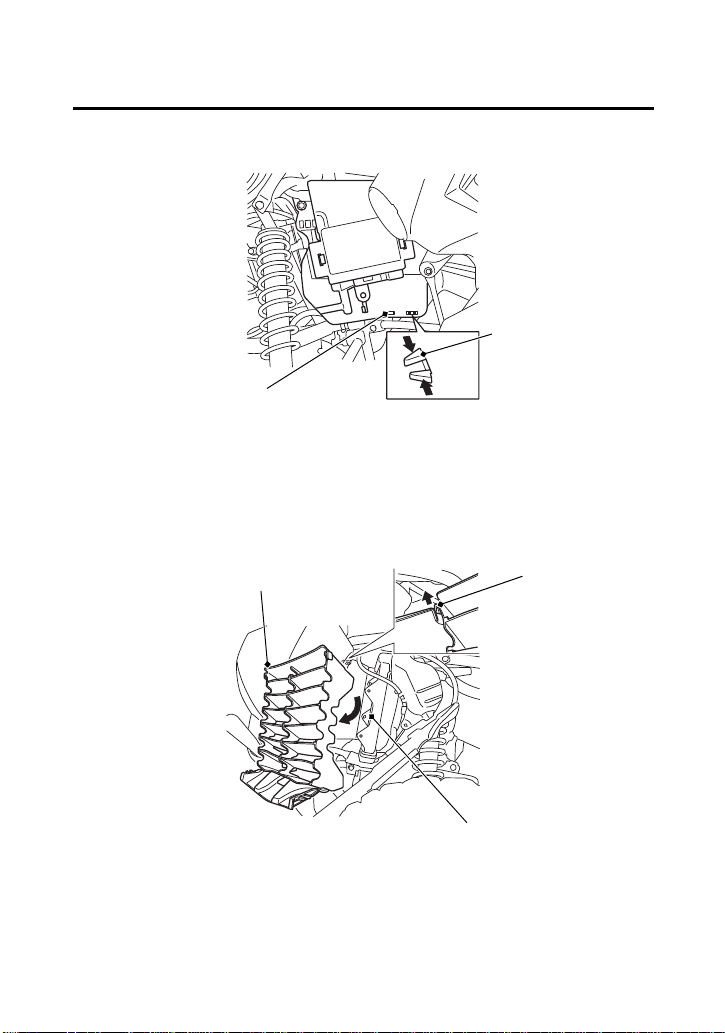
Servicing Your Honda
140
Coolant
7.
Remove the center radiator grill cover (10) by unhooking the right
side of the center radiator grill cover hook (11).
8.
Wash the radiator core (12) and center radiator grill cover.
9.
Install the removed parts in reverse order of removal.
(7)
(7) tab A (8) tab B
RIGHT FRONT
(8)
(11)
(10) center radiator
grill cover
(11) center radiator grill cover hook
LEFT FRONT
(12)
(12) radiator core
(10)
Servicing Your Honda
141
Air Cleaner
Refer to Safety Precautions on page 101.
Proper air cleaner maintenance is very important for off-road
vehicles.
A dirty, water-soaked, worn-out, or defective air cleaner will allow
dirt, dust, mud, and other impurities to pass into the engine.
Service the air cleaner more frequently if you ride in unusually wet or
dusty areas. Your dealer can help you determine the correct service
interval for your riding conditions.
Your ATV’s air cleaner has very specific performance requirements.
Use a new Honda Genuine air cleaner specified for your model or an
air cleaner of equal quality.
NOTICE
Using the wrong air cleaner may result in premature engine wear.
Proper air cleaner maintenance can prevent premature engine wear
or damage, expensive repairs, low engine power, poor gas mileage,
and spark plug fouling.
NOTICE
Improper or lack of proper air cleaner maintenance can cause poor
performance and premature engine wear.
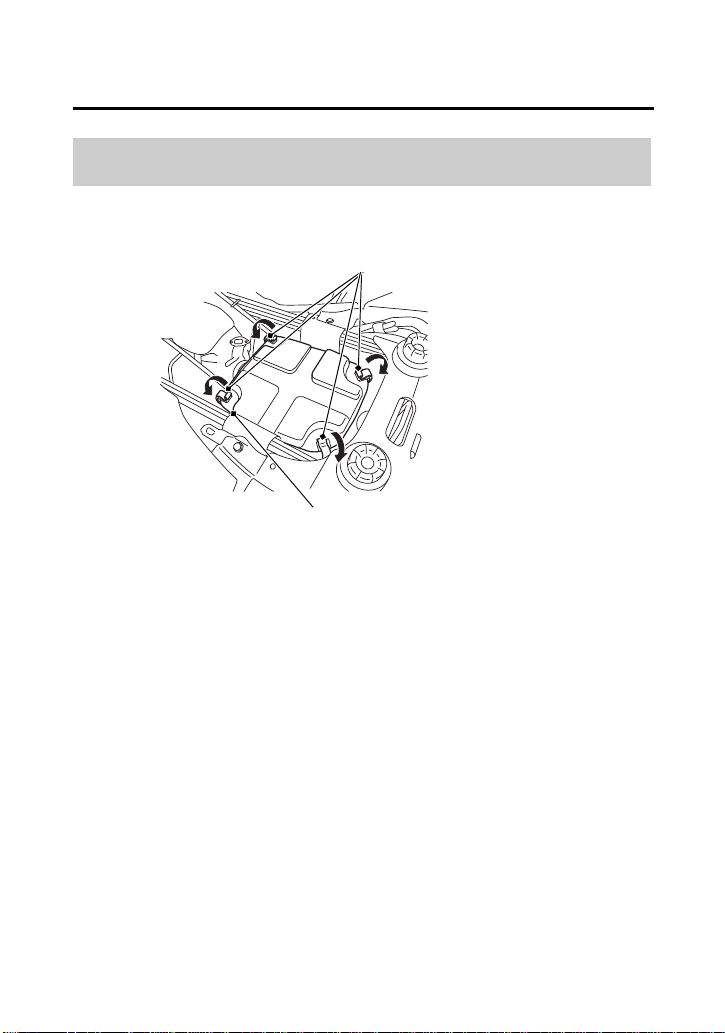
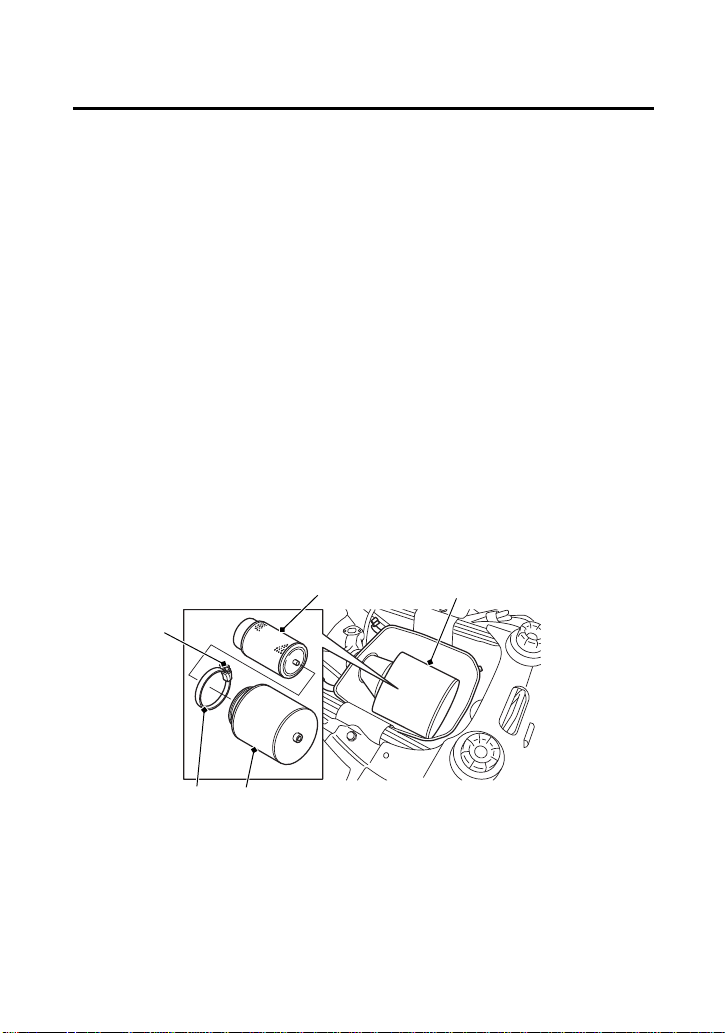
Servicing Your Honda
143
Air Cleaner
(cont’d)
4.
Loosen the screw (3) and remove the air cleaner assembly (4)
from the air cleaner housing.
5.
Remove the clamp (5).
6.
Remove the air cleaner (6) from the air cleaner body (7).
7.
Gently wash the air cleaner in clean, non-flammable (high flash
point) solvent such as kerosene — not gasoline. After cleaning,
gently squeeze out the remaining solvent. Avoid twisting or
wringing the air cleaner. This can tear the foam.
8.
Inspect for tears or cracks in the foam or seams of the air cleaner.
Replace the air cleaner if it is damaged.
9.
Allow the air cleaner to dry thoroughly before applying oil. A wet
air cleaner will not fully absorb the oil.
10.
Pour clean Pro Honda Foam Filter Oil or an equivalent over the
entire surface of the air cleaner. Use both hands to evenly spread
the oil into the air cleaner. Gently squeeze out any excess oil. (To
keep your hands dry, place the air cleaner in a clean plastic bag
before spreading the oil into the air cleaner.)
11.
Install the air cleaner on the air cleaner body.
(3)
(3) screw
UNDER SEAT
(5)
(7)
(6)
(4) air cleaner assembly
(5) clamp
(6) air cleaner
(7) air cleaner body
(4)
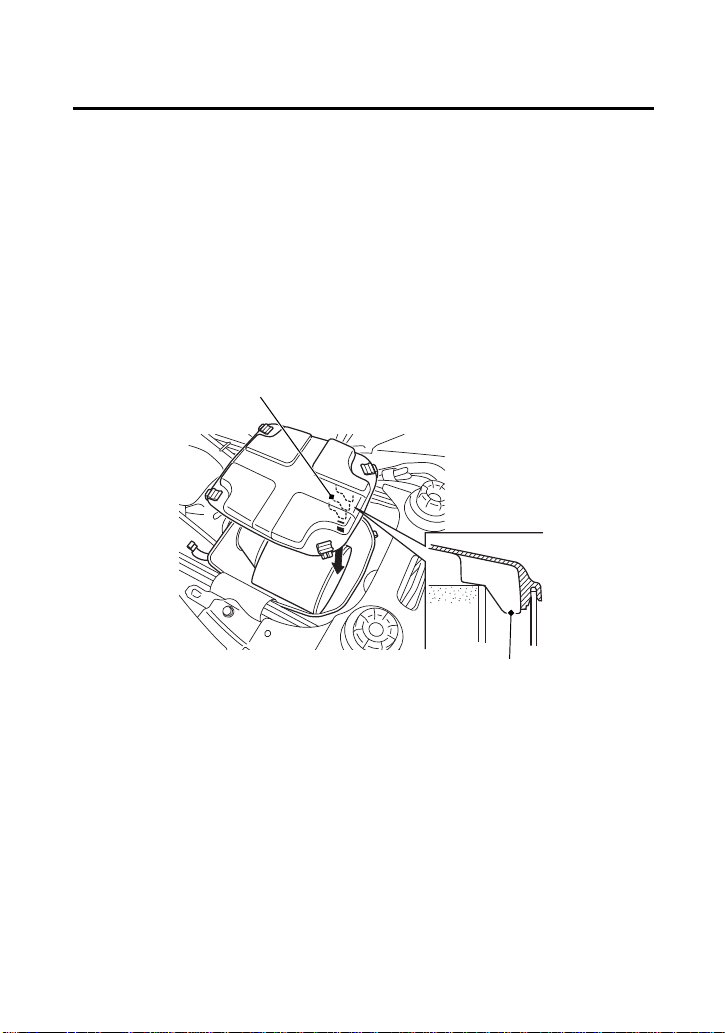
Servicing Your Honda
144
Air Cleaner
12.
Apply a thin coat of grease to the sealing surface of the air
cleaner assembly.
13.
Install the clamp.
14.
Insert the air cleaner assembly into the air cleaner housing.
15.
Fasten the screw.
16.
Reassemble by reversing the disassembly sequence.
• Install the air cleaner housing cover and fit the cut out of the
tab (8) at the end of the air cleaner.
(8)
UNDER SEAT
(8) tab
(8)
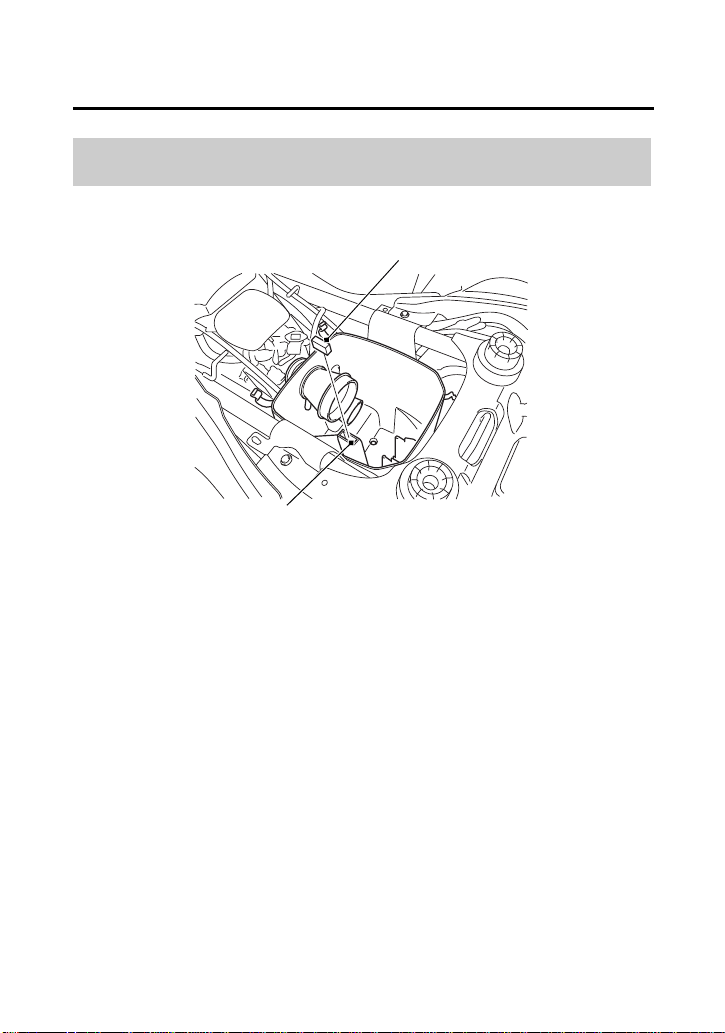
Servicing Your Honda
145
Air Cleaner
Do not push the dust cover (1) too far into the breather joint (2).
If the dust cover is dirty, clean it.
Dust Cover
UNDER SEAT
(1)
(2)
(1) dust cover (2) breather joint
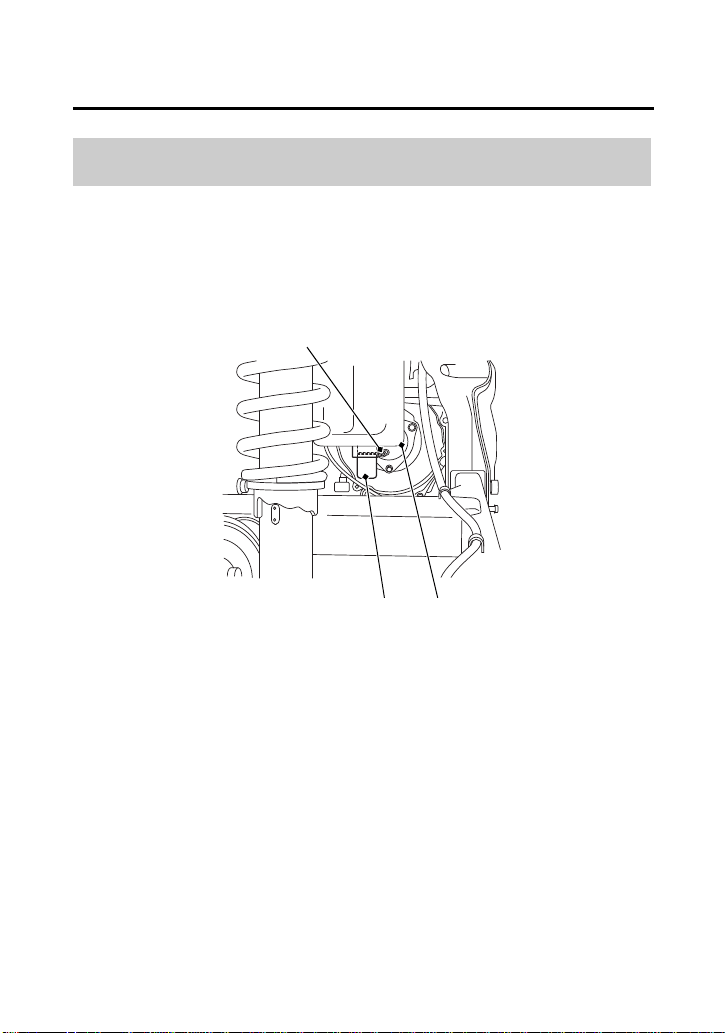
Servicing Your Honda
146
Air Cleaner
The air cleaner housing drain tube should be serviced in accordance
with the Maintenance Schedule. (Riding through water may require
more frequent inspection.) If deposits can be seen in the drain tube,
the tube must be cleaned before starting the vehicle.
1.
Remove the drain tube (1) by removing the clip (2) under the air
cleaner housing (3).
2.
Drain the deposits.
3.
Reinstall the drain tube, securing it with the clip.
Air Cleaner Housing Drain Tube
REAR
(1) drain tube (3) air cleaner housing
(2)
(1)
(2) clip
(3)
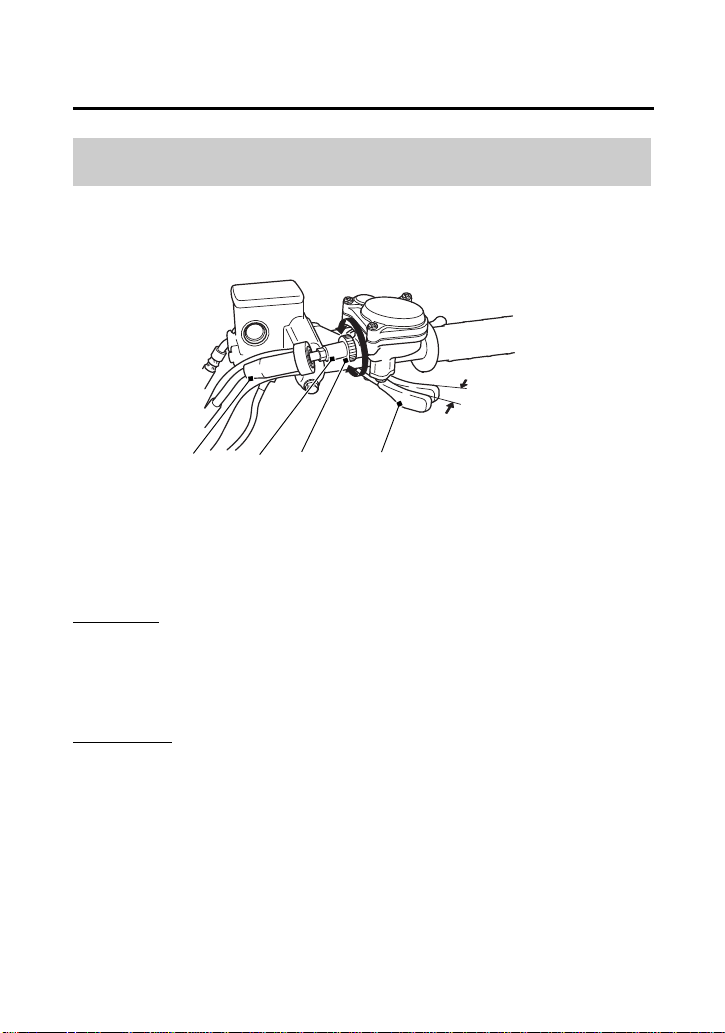
Servicing Your Honda
147
Engine
Throttle
Refer to Safety Precautions on page 101.
Inspection
Check freeplay at the throttle lever (1).
Freeplay:
1/8 – 5/16 in (3 – 8 mm)
Adjustment
1.
Slide the rubber sleeve (2) back to expose the throttle cable
adjuster (3).
2.
Loosen the lock nut (4).
3.
Turn the adjuster to obtain the correct freeplay.
4.
Tighten the lock nut and reinstall the sleeve.
5.
After adjustment, check for smooth operation of the throttle
lever from fully closed to fully open in all steering positions.
Throttle Freeplay
RIGHT HANDLEBAR
1/8 – 5/16 in (3
– 8 mm)
(2)
(1) throttle lever
(2) rubber sleeve
(3) throttle cable adjuster
(4) lock nut
(A) decrease freeplay
(B) increase freeplay
(A)
(B)
(3) (4) (1)

Servicing Your Honda
148
Throttle
Refer to Safety Precautions on page 101.
1.
Check that the throttle assembly is positioned properly and the
securing bolts are tight.
2.
Check for smooth operation of the throttle lever from fully open
to fully closed in all steering positions. If there is a problem, see
your dealer.
3.
Inspect the condition of the throttle cable from the throttle lever
down to the throttle body. If the cable is kinked or chafed, have
it replaced.
4.
Check the throttle cable for tension or stress in all steering
positions.
5.
Lubricate the throttle cable with a commercially available cable
lubricant to prevent premature wear and corrosion.
Throttle Inspection
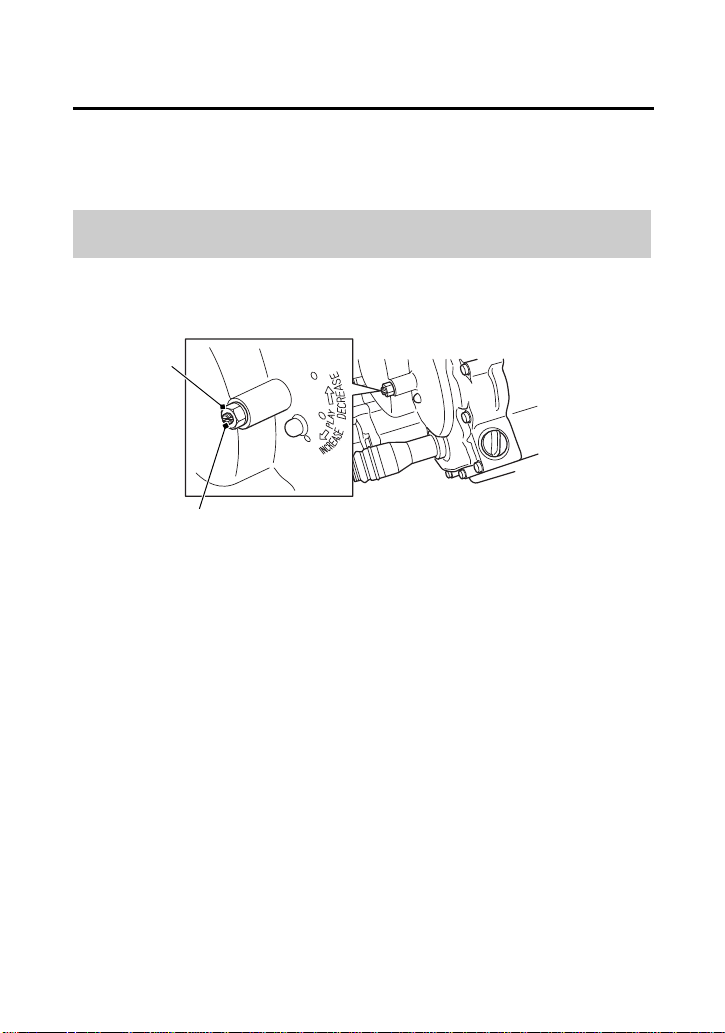
Servicing Your Honda
149
Clutch System
Your ATV’s shift-activated, wet, multiplate clutch is part of the
primary drive system. Proper adjustment allows a smooth, gradual
engagement when shifting gears.
Refer to Safety Precautions on page 101.
1.
Make sure the engine is cool.
2.
Make sure the ignition switch is OFF (w).
3.
Remove the seat (page 112) and tank cover assembly (page 114).
4.
Loosen the lock nut (1).
5.
Turn the clutch adjuster (2) counterclockwise until you feel slight
resistance.
6.
Turn the adjuster 1/4 turn clockwise, then tighten the lock nut to
hold the adjuster in this position.
7.
After adjustment, start the engine and test ride your ATV to be
sure the clutch is operating properly.
8.
Install the removed parts in reverse order of removal.
If you cannot get proper adjustment, or the clutch does not work
properly, the clutch friction discs may be worn. See your dealer or
refer to official Honda Service Manual (page 242).
Clutch Adjustment
LEFT FRONT
(2)
(1)
(2) clutch adjuster(1) lock nut
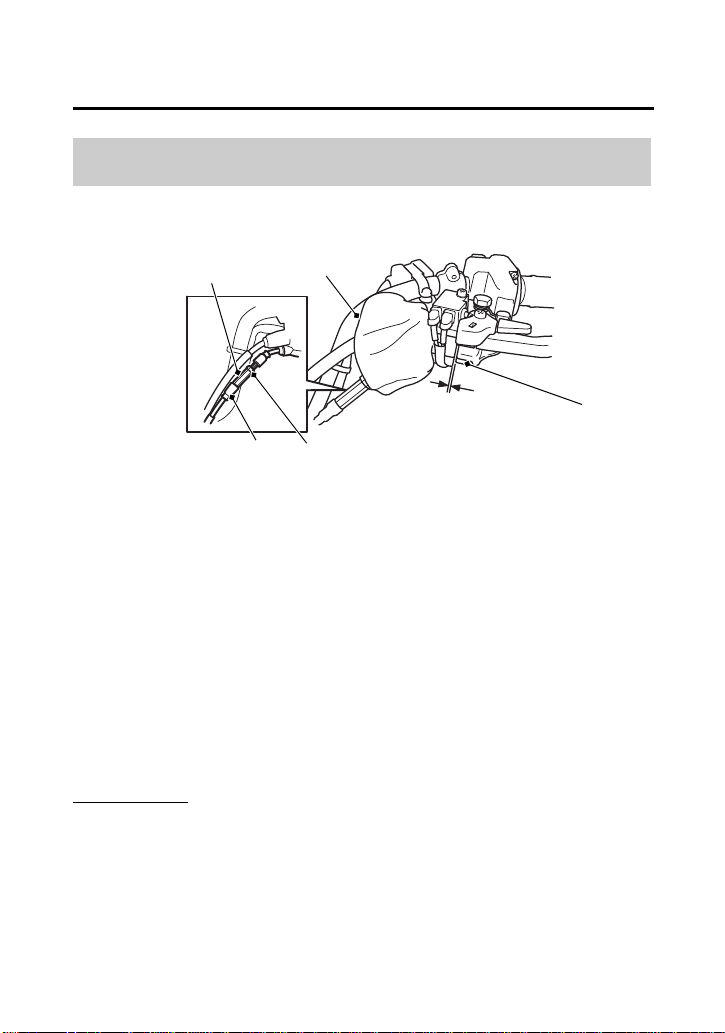
Servicing Your Honda
150
Reverse Lock System
Refer to Safety Precautions on page 101.
1.
Turn over the dust cover (1).
2.
Check the reverse assist lever (2) freeplay, measured at the
reverse assist lever end near the cable:
1/16 – 3/16 in (2 – 4 mm)
3.
To adjust, slide the rubber sleeve (3), loosen the lock nut (4) and
turn the adjusting nut (5) to obtain the correct freeplay.
After adjustment, tighten the lock nut securely.
4.
Return the dust cover and rubber sleeve.
Other Checks
Check the reverse assist lever and cable for loose connections or
other damage. If the cable is worn or kinked, have it replaced by
your dealer.
Reverse Lock System Adjustment
LEFT HANDLEBAR
(1)
(1) dust cover
(2)
(3)
(4)
(5)
(2) reverse assist lever
(3) rubber sleeve
(4) lock nut
(5) adjusting nut
1/16 – 3/16 in
(2 – 4 mm)
Servicing Your Honda
151
(cont’d)
Spark Plug
Use only the recommended type of spark plug in the recommended
heat range.
NOTICE
Using spark plugs with an improper heat range can cause engine
damage.
Refer to Safety Precautions on page 101.
1.
Remove the seat (page 112) and tank cover assembly (page 113).
2.
Clean any dirt from around the spark plug base.
3.
Disconnect the spark plug cap (1). Take care to avoid damaging
the spark plug wire when disconnecting the cap.
4.
Using a spark plug wrench provided in the tool kit, remove the
spark plug.
5.
Inspect the electrodes and center porcelain for deposits,
corrosion, or carbon fouling. If the corrosion or deposits are
heavy, replace the plug. Clean a carbon or wet-fouled plug with
a plug cleaner, if available, or a wire brush. Inspect the spark plug
electrodes for wear. The center electrode (2) should have a flat tip
and sharp edges, and the side electrode (3) should not be eroded.
If the electrodes and insulator tip appear unusually fouled or
burned, we suggest that you contact your dealer.
Spark Plug Recommendation
standard spark plug BKR5E-11 (NGK) or
K16PR-U11 (DENSO)
Spark Plug Inspection & Replacement
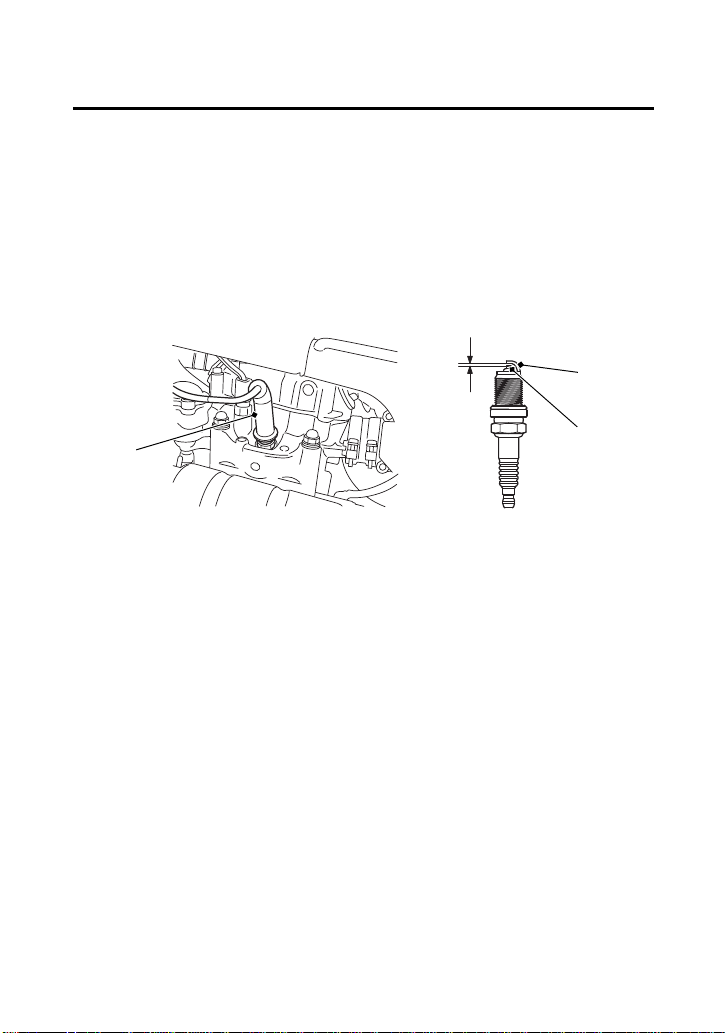
Servicing Your Honda
152
Spark Plug
6.
Discard the spark plug if there is apparent wear or if the insulator
is cracked or chipped.
7.
Using a wire-type feeler gauge, check the spark plug gap (4). If
adjustment is necessary, bend the side electrode carefully.
The gap should be:
0.039 – 0.043 in (1.00 – 1.10 mm)
8.
With the plug washer attached, thread the spark plug in by hand
to prevent cross-threading.
9.
Tighten the spark plug:
• If the old plug is good:
1/8 turn after it seats.
• If installing a new plug, tighten it twice to prevent loosening:
a) First, tighten the plug:
b) Then loosen the plug.
c) Next, tighten the plug again:
1/8 turn after it seats.
NGK: 3/4 turn after it seats.
DENSO: 1/2 turn after it seats.
(1) spark plug cap
(2) center electrode
(3) side electrode
(4) spark plug gap
0.039 – 0.043 in
(1.00 – 1.10 mm)
LEFT SIDE
(1)
(2)
(3)
(4)

Servicing Your Honda
153
Spark Plug
NOTICE
An improperly tightened spark plug can damage the engine. If a
plug is too loose, the piston may be damaged. If a plug is too tight,
the threads may be damaged.
10.
Connect the spark plug cap. Take care to avoid pinching any
cables or wires.
11.
Install the remaining parts in the reverse order of removal.

Servicing Your Honda
154
Valves
Refer to Safety Precautions on page 101.
Valve clearance should be:
Excessive clearance will cause noise. Insufficient clearance will cause
loss of power and possibly damage the valves.
For those who are mechanically proficient and have the proper tools,
instructions on adjusting valve clearances are given in the official
Honda Service Manual. Otherwise, the valves should be adjusted by
your dealer.
Valve Inspection
intake: 0.006 in (0.15 mm)
exhaust: 0.009 in (0.23 mm)
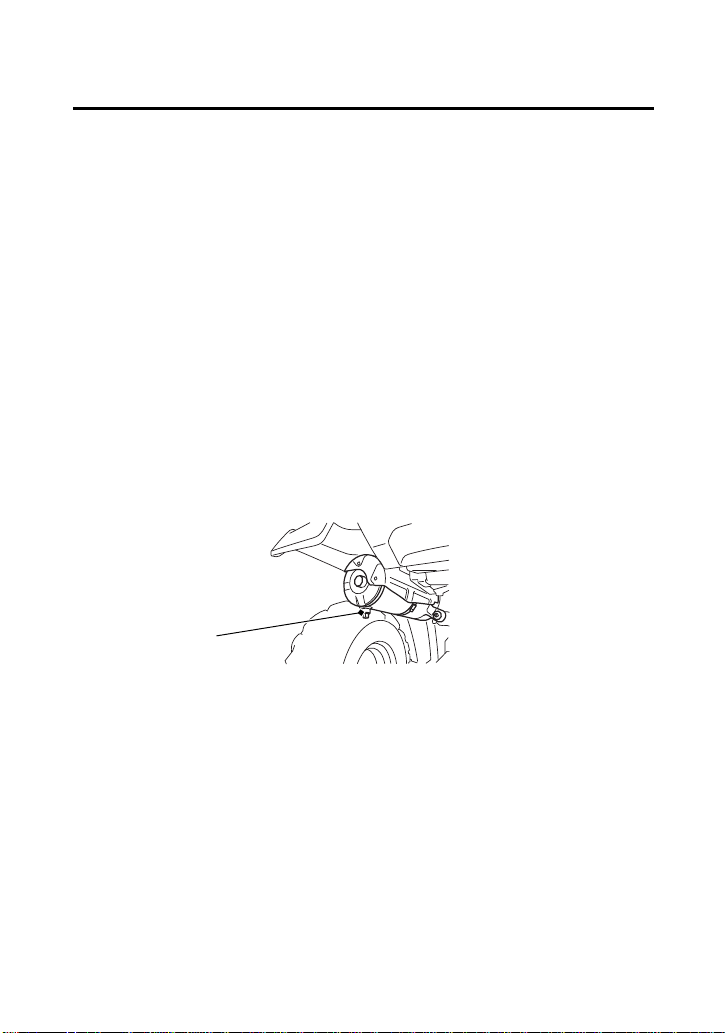
Servicing Your Honda
155
Spark Arrester
Refer to Safety Precautions on page 101.
The spark arrester must be serviced every 100 operating hours to
maintain its efficiency.
Regular servicing prevents carbon build up (which can diminish
engine performance) and also complies with USDA regulations for
regular maintenance to assure proper function. The spark arrester
prevents random sparks from the combustion process in your engine
from reaching the environment.
The use of safety glasses is recommended for this procedure.
Because of the possible fire hazard, check that there are no
combustible materials in the area before purging the spark arrester.
1.
Select a well-ventilated area free of combustible materials and
make sure the exhaust pipe is cool.
2.
Remove the bolt (1).
3.
Start the engine and rev it up approximately twenty times while
momentarily creating exhaust system back pressure by blocking
the end of the muffler with a shop towel.
4.
Stop the engine and allow the exhaust pipe to cool.
5.
Reinstall the bolt securely.
(1)
(1) bolt
REAR

Servicing Your Honda
156
Chassis
Suspension
Your front and rear suspension systems use springs and hydraulic
damping devices that suspend your weight and most of the weight
of your ATV.
The oil damper systems hydraulically control the natural compression
and rebound of the suspension springs so that traction and comfort
are maintained as the wheels ride over rough terrain.
The spring pre-loads for your front and rear suspension systems
adjust the amount of force required to begin compression of the
spring.
Consider adjusting your suspensions pre-load whenever you change
your normal load, by adding or subtracting cargo, accessories, or
when riding conditions change.
The way you ride your ATV and the type of ride you want to
experience can also influence your suspension needs.
Lower spring pre-load provides a softer ride and is usually preferred
for light loads and smooth terrain. Higher spring pre-load provides a
firmer ride and is recommended for heavy loads and rough terrain.
Using a pin spanner, which is available from your dealer, the
suspensions can be adjusted for rider weight and riding conditions
by changing the spring pre-load.
Do not attempt to disassemble, service, or dispose of the damper;
see your dealer. The instructions found in this owner’s manual are
limited to adjustments of the shock assembly only.
Suspension Adjustment
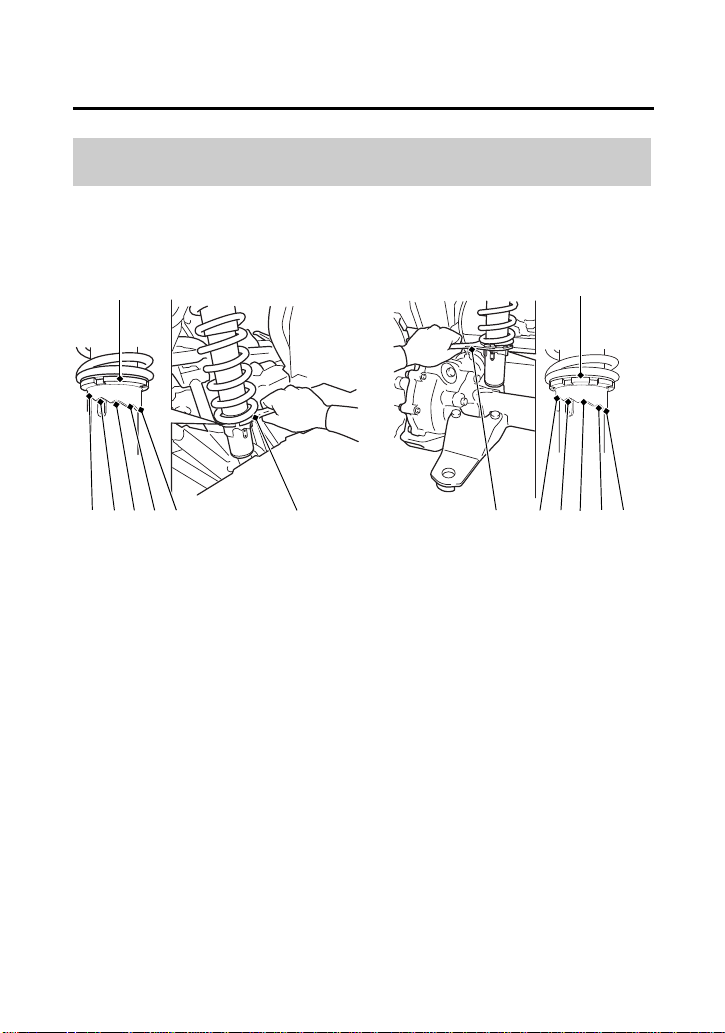
Servicing Your Honda
157
Suspension
Refer to Safety Precautions on page 101.
The spring pre-load adjuster (1) has 5 positions for different load or
riding conditions.
Use the pin spanner (2) to adjust the shock spring pre-load.
Suspension Spring Pre-Load
(1)
FRONT REAR
(2)
(1)
(2)12345 12345
(1) spring pre-load adjuster
(2) pin spanner

Servicing Your Honda
158
Suspension
Position 1: for a light load and smooth terrain.
Position 2: standard position.
Positions 3 to 5: for when the ATV is more heavily loaded. (Also
increase spring pre-load for stiffer suspension.)
Make sure that both front shock absorbers are adjusted to the same
position.
Always adjust the shock absorber position in sequence (1-2-3-4-5 or
5-4-3-2-1). Attempting to adjust directly from 1 to 5 or 5 to 1 may
damage the shock absorber.

Servicing Your Honda
159
Brakes
The hydraulic disc brakes (front) and single mechanical drum brake
(rear) on your ATV dissipate heat generated by the friction of the
brake pads on the discs (front) and the brake shoes on the drum
(rear) as the wheels are slowed.
Hydraulic Disc Front Brake
As the front brake pads wear, brake fluid level will drop. A leak in the
system will also cause the level to drop.
There are no adjustments to perform, but fluid level and pad wear
must be inspected periodically. The system must be inspected
frequently to ensure there are no fluid leaks.
If the right brake lever freeplay does not feel within the normal range
while riding, check the brake pads for wear (page 162).
Worn pads should be replaced. If the pads are not worn beyond the
recommended limit, there is probably air in the brake system. See
your dealer to have the air bled from the system.
Mechanical Drum Rear Brake
If the rear brake lever/parking brake lever or brake pedal freeplay
does not feel within the normal range while riding, check the brake
shoes for wear (page 167).
The recommended brake fluid is Honda DOT 4 Brake Fluid, or any
brake fluid of equal quality and performance. Use fresh brake fluid
from a sealed container. Be sure to read the label before opening the
sealed container. An opened container may be contaminated or may
have absorbed moisture from the air.
Brake Fluid Recommendation
brake fluid Honda DOT 4 Brake Fluid
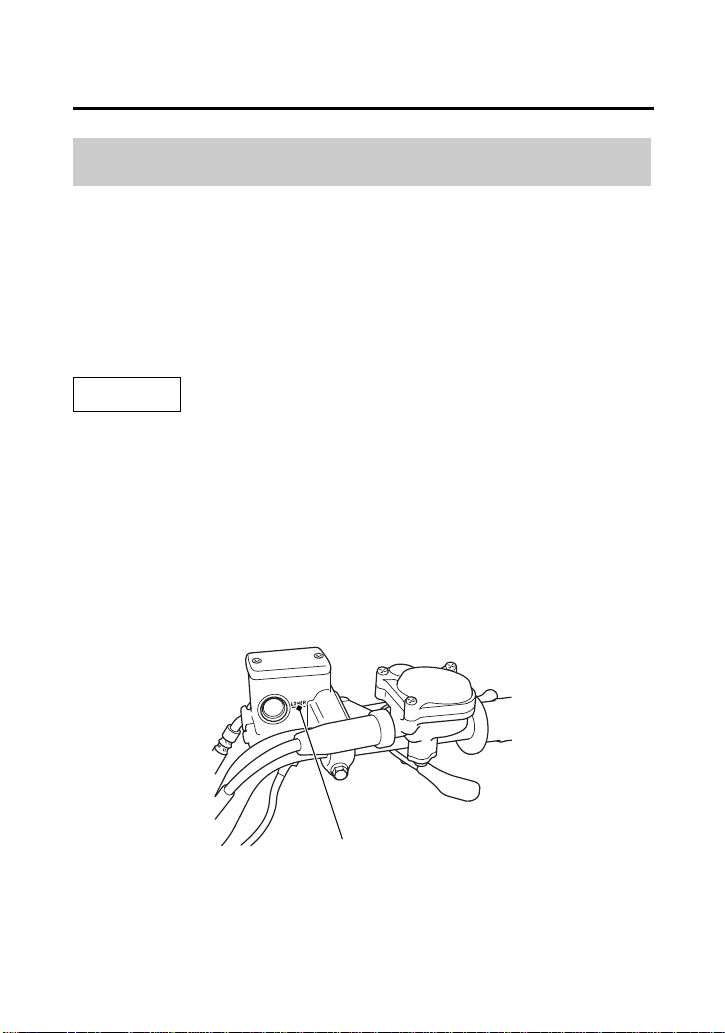
Servicing Your Honda
160
Brakes
Refer to Safety Precautions on page 101.
If your inspection indicates a low fluid level, have your dealer add the
recommended fluid.
Do not add or replace brake fluid, except in an emergency. If you do
add fluid, have your dealer check the system as soon as possible.
NOTICE
Brake fluid can damage plastic and painted surfaces. Handle with
care.
Wipe up spills immediately. Avoid brake fluid contact with skin or
eyes. If it comes in contact with your eyes, wash them out with clean
water and immediately call a doctor. If it comes in contact with your
skin, wash with clean water and, if necessary, call a doctor.
Fluid Level Inspection
(1)
RIGHT HANDLEBAR
(1) LOWER level mark

Servicing Your Honda
161
Brakes
With the ATV on a level surface, check the fluid level.
It should be above the LOWER level mark (1). If the level is at or
below the LOWER level mark, check the brake pads for wear
(page 162).
Worn brake pads should be replaced. If the pads are not worn, have
your brake system inspected for leaks.
• Make sure there are no fluid leaks.
• Check for deterioration or cracks in the hoses and fittings. If the
hoses are worn or cracked, have them replaced by your dealer.
Other Inspections
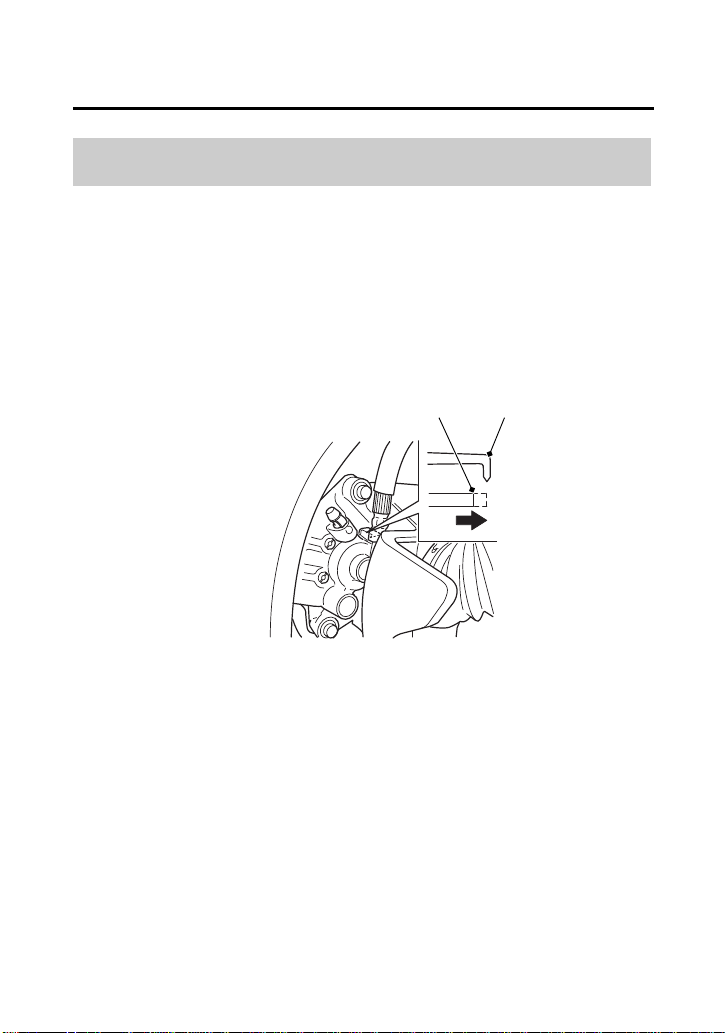
Servicing Your Honda
162
Brakes
Refer to Safety Precautions on page 101.
Brake pad wear will depend upon the severity of usage and riding
conditions. The pads will wear faster in wet or muddy conditions.
Inspect the pads visually during all regular service intervals to
determine the pad wear.
Check the wear indicator (1). If the wear indicator aligns with the
edge of the reference mark (2), both pads must be replaced, see
your dealer for this replacement.
Always inspect both pads in both the right and left front brake
calipers.
Brake Pad Wear
RIGHT FRONT (Left side similar)
(2) (1)
(1) wear indicator (2) edge of reference mark
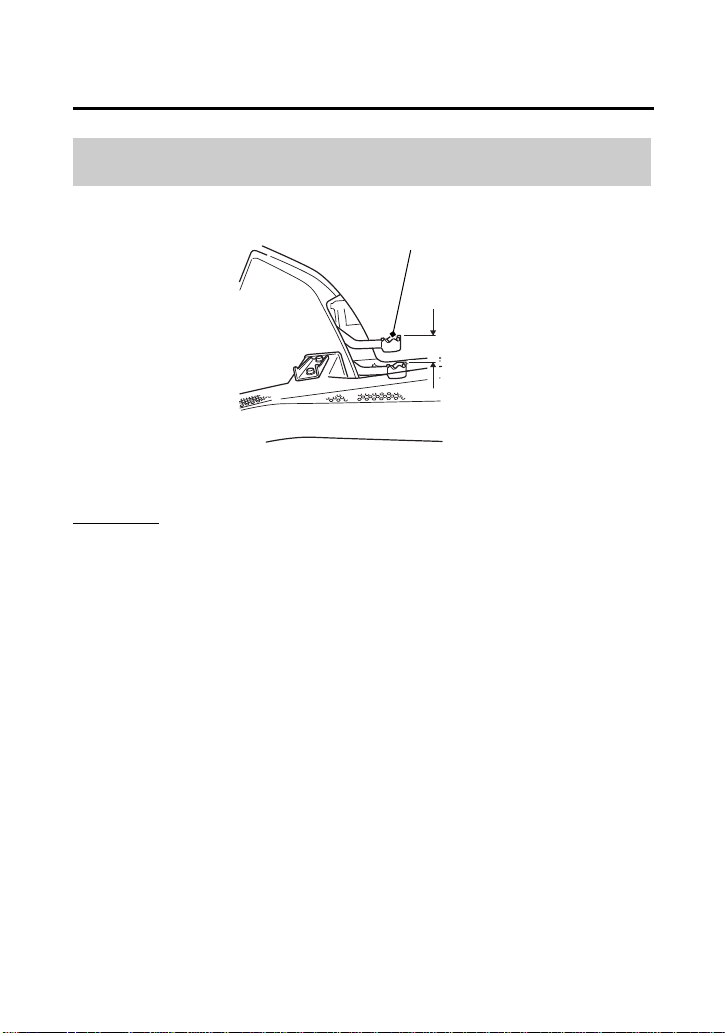
Servicing Your Honda
163
Brakes
Inspection
Measure the distance the rear brake pedal (1) moves before the
brake starts to take hold. Freeplay, measurement at the tip of the
end of the pedal, should be:
9/16 – 13/16 in (15 – 20 mm)
If necessary, adjust to the specified range.
Rear Brake Pedal Freeplay
(1)
RIGHT SIDE
(1) rear brake pedal
9/16 – 13/16 in
(15 – 20 mm)
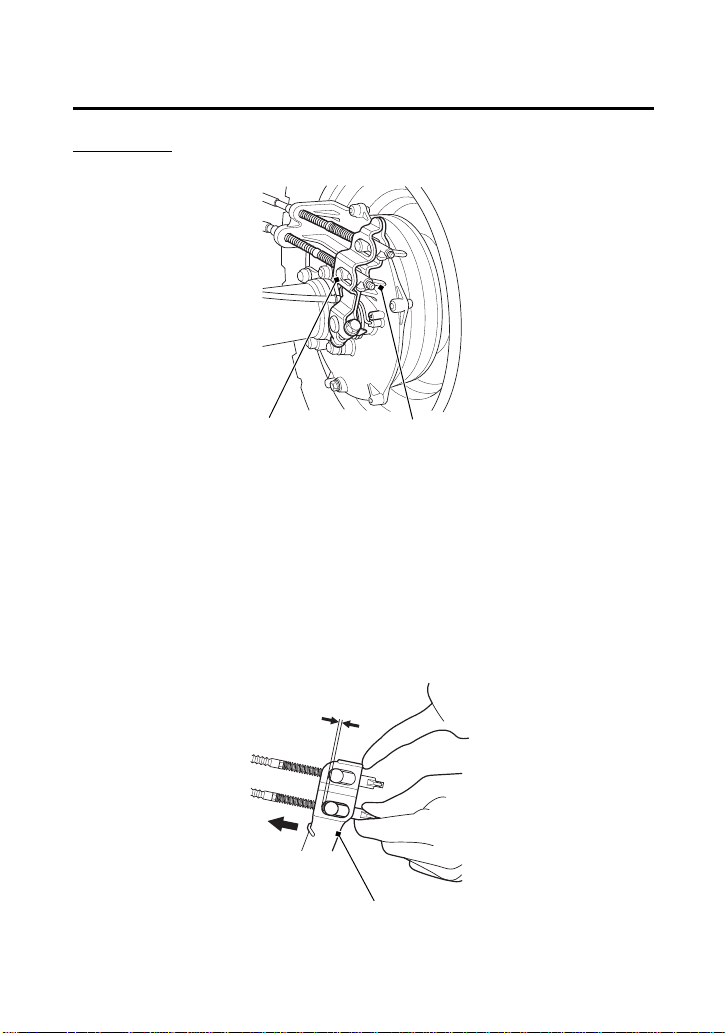
Servicing Your Honda
164
Brakes
Adjustment
1.
Turn the brake pedal adjusting nut (2), located on the brake
operating rod at the rear of the frame. Make sure the cutout on
the adjusting nut is properly seated on the brake arm pin (3).
2.
Adjust the freeplay of the rear brake pedal. Push the brake arm
(4), then check the clearance between the brake arm and the
brake arm pin.
(2)
RIGHT REAR
(2) brake pedal adjusting nut
(3)
(3) brake arm pin
(4)
(4) brake arm
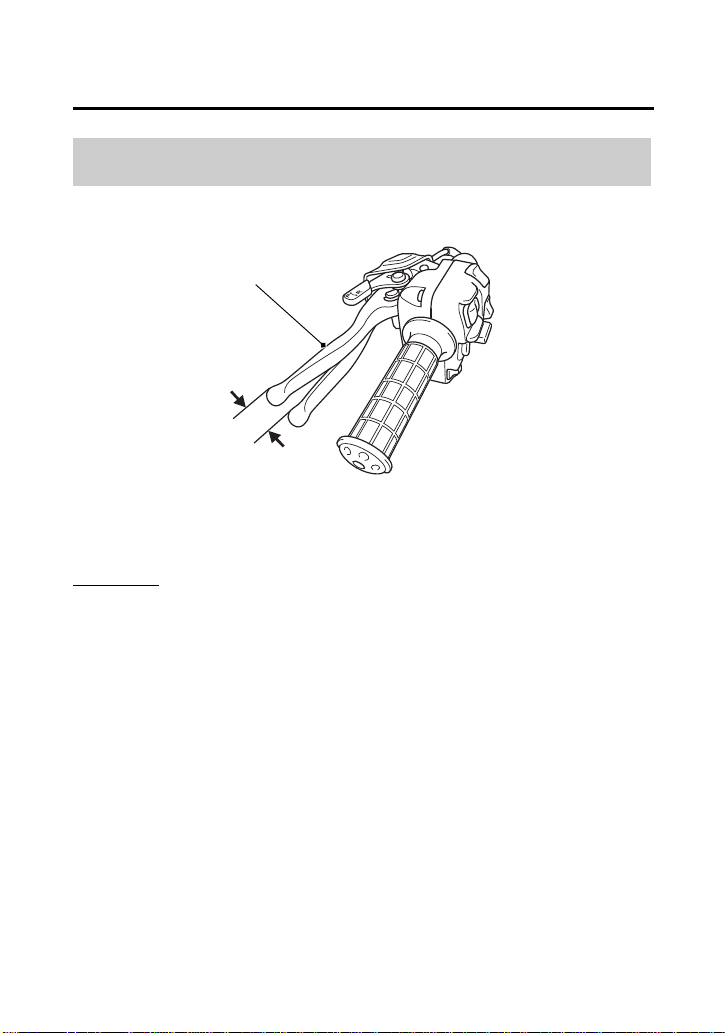
Servicing Your Honda
165
Brakes
Inspection
Measure the distance the rear brake lever/parking brake lever (1)
moves before the brake starts to take hold. Freeplay (measurement
at the tip of the end of the brake lever) should be:
9/16 – 13/16 in (15 – 20 mm)
If necessary, adjust to the specified range.
Rear Brake Lever Freeplay
(1)
LEFT HANDLEBAR
(1) rear brake lever/parking brake lever
9/16 – 13/16 in
(15 – 20 mm)
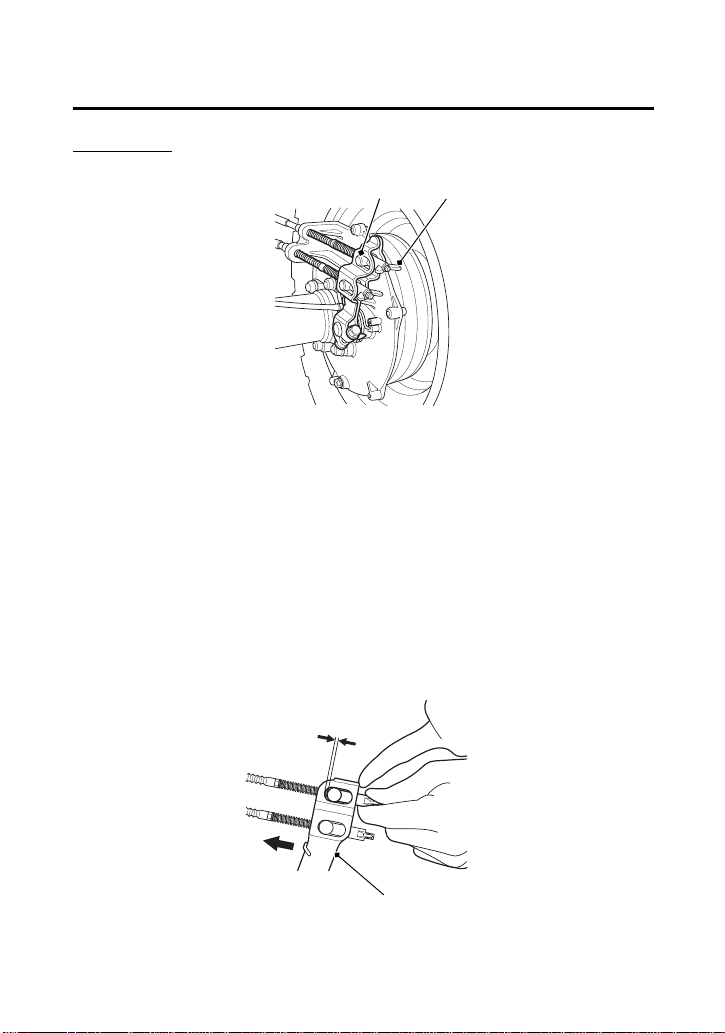
Servicing Your Honda
166
Brakes
Adjustment
Adjust the freeplay of the rear brake lever/parking brake lever with
the front wheels pointed straight ahead.
1.
Turn the brake lever adjusting nut (2), located on the brake
operating rod at the rear of the frame. Make sure the cutout on
the adjusting nut is properly seated on the brake arm pin (3).
2.
Adjust the freeplay of the rear brake lever/parking brake lever.
Push the brake arm (4) then check the clearance between the
brake arm and the brake arm pin.
(2)
RIGHT REAR
(2) brake lever adjusting nut
(3)
(3) brake arm pin
(4)
(4) brake arm
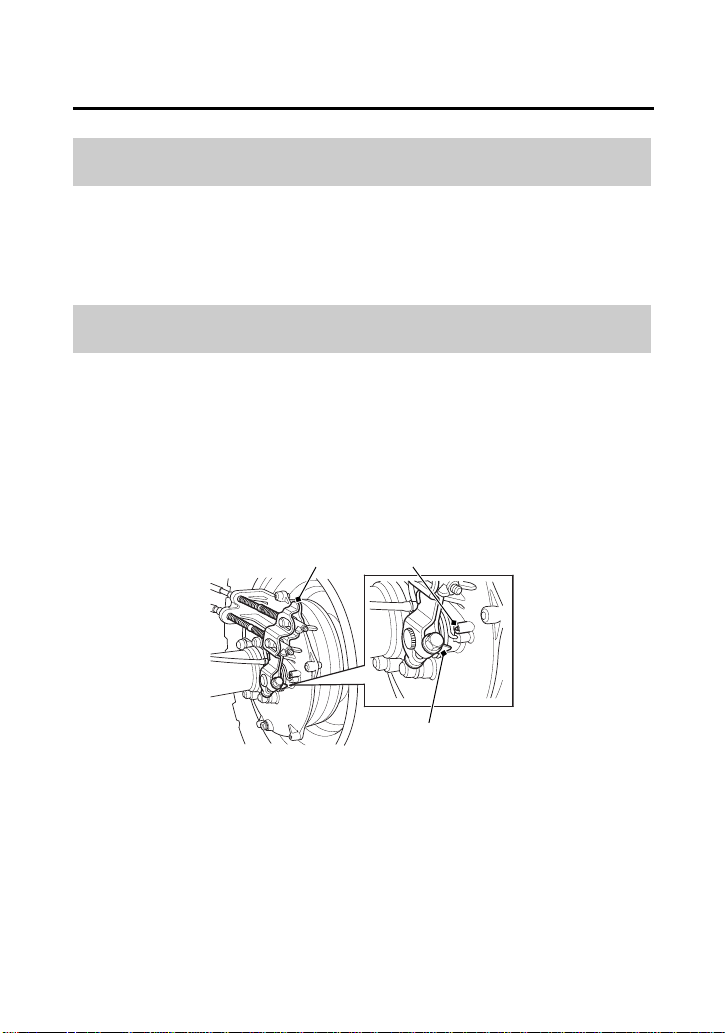
Servicing Your Honda
167
Brakes
• Check that the rear brake lever and brake pedal assemblies are
positioned properly and the securing bolts are tight.
• Make sure that the brake cables, brake arm, spring, P/R lever, and
fasteners are in good condition.
Refer to Safety Precautions on page 101.
The rear brake is equipped with an external brake wear indicator
that lets you check brake wear without disassembly. Application of
the brake control causes the arrow on the brake arm to move
toward a reference mark on the brake panel.
1.
Apply the brake control and check the movement of the arrow
(1) on the brake arm (2).
2.
Replace the brake shoe if the arrow aligns with the reference
mark (3) on the brake panel upon full application of the brake. If
replacement is necessary, see your dealer.
Other Inspections
Brake Shoe Wear
RIGHT REAR
(1) arrow
(2) (3)
(1)
(2) brake arm
(3) reference mark
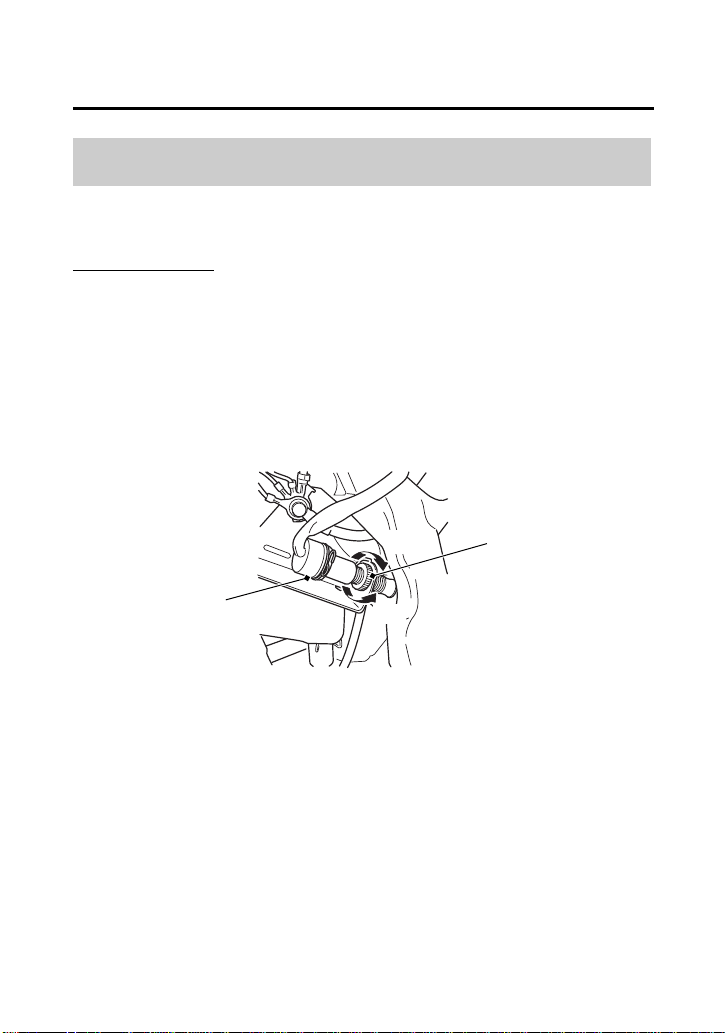
Servicing Your Honda
168
Brakes
Refer to Safety Precautions on page 101.
Rear Brake Only:
Check the operation of the rear brake light switch (1) at the right
side behind the engine from time to time. Adjustment is done by
turning the adjusting nut (2). Turn the nut in direction (A) if the
switch operates too late and in direction (B) if the switch operates
too soon.
Brake Light Switch Adjustment
RIGHT REAR
(1) rear brake light switch
(1)
(2)
(A)
(B)
(2) adjusting nut
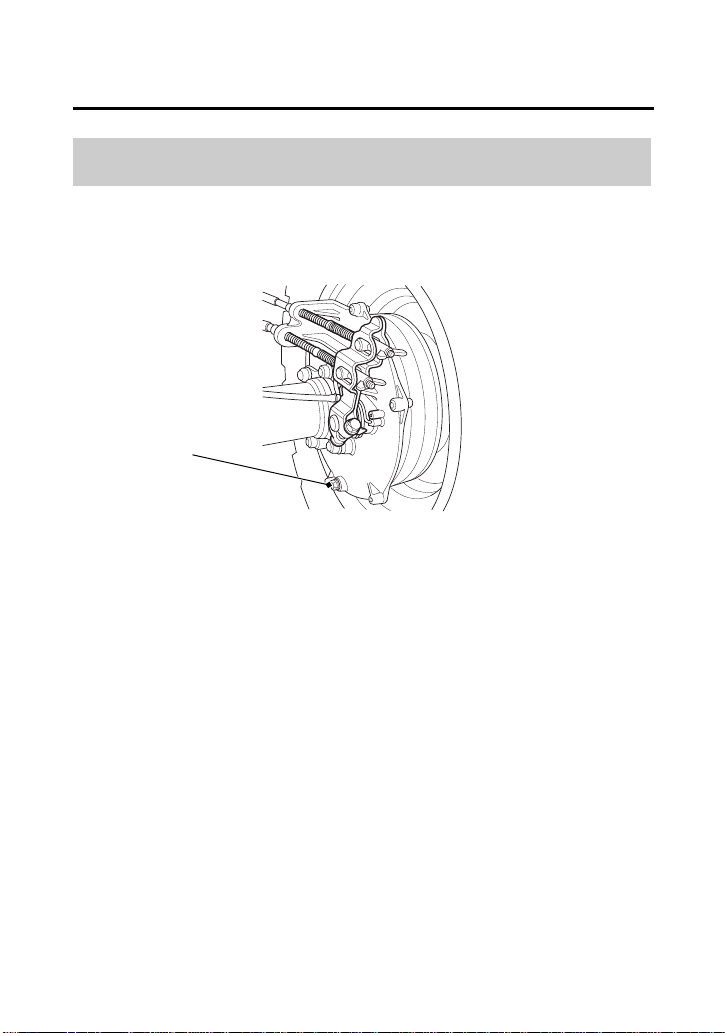
Servicing Your Honda
169
Brakes
Refer to Safety Precautions on page 101.
1.
Make sure the engine is OFF and the parking brake is set.
2.
Remove the rear brake drain bolt (1) and sealing washer from the
bottom of the rear brake panel.
If any water drains, the brake seals must be replaced by your
dealer as soon as possible.
3.
Install the rear brake drain bolt with a new sealing washer and
tighten it to the specified torque:
9 lbf·ft (12 N·m , 1.2 kgf·m)
Draining Water from Brakes
RIGHT REAR
(1) rear brake drain bolt
(1)

Servicing Your Honda
170
Tires
To safely operate your ATV, your tires must be the proper type and
size, in good condition with adequate tread, and correctly inflated.
This ATV is equipped with low pressure tubeless tires. Although the
tires are designed specifically for off-road use, they are not immune
to punctures. Always select your riding area with care.
The following pages give detailed information on how and when to
check your air pressure, how to inspect your tires for wear and
damage, and our recommendations for tire repair and replacement.
WARNING
3
WARNING
Using tires that are excessively worn or
improperly inflated can cause a crash in which
you can be seriously hurt or killed.
Follow all instructions in this owner’s manual
regarding tire inflation and maintenance.

Servicing Your Honda
171
Tires
Refer to Safety Precautions on page 101.
Properly inflated tires provide the best combination of handling,
tread life, and riding comfort. Generally, underinflated tires wear
unevenly, adversely affect handling, and are more likely to fail from
being overheated. Overinflated tires make your ATV ride harshly, are
more prone to damage from surface hazards, and wear unevenly.
Make sure the air valve caps are secure. If necessary, install new
caps.
Air Pressure
Servicing Your Honda
172
Tires
Always check air pressure when your tires are “cold.” If you check air
pressure when your tires are “warm” — even if your ATV has only
been ridden for a few miles — the readings will be higher. If you let
air out of warm tires to match the recommended cold tire pressures,
the tires will be underinflated. Be sure to check tire pressure at the
riding site, since changes in altitude can affect air pressure.
The recommended “cold” tire pressures are:
FRONT REAR
RECOMMENDED
PRESSURE
4.4 psi (30 kPa) 4.4 psi (30 kPa)

Servicing Your Honda
173
Tires
A manually operated tire pump should be used rather than the high
pressure system found in service stations. This will minimize the
possibility of tire damage from over inflation. If you use a high
pressure system at a service station, add air in small amounts and
check the pressure increase frequently to prevent possible tire
damage from over inflation.
Refer to Safety Precautions on page 101.
Whenever you check the tire pressures, you should also look for:
• Bumps or bulges in the side of the tire or the tread. Replace any
tire that has a bump or bulge.
• Cuts, slits, or cracks in the tires. Replace the tire if you can see
fabric or cord.
• Nails or other foreign objects embedded in the side of the tire or
tread.
• Excessive tread wear.
WARNING
3
WARNING
Operating this ATV with improper tires, or
with uneven tire pressure may cause loss of
control, and you could be seriously injured or
killed.
• Always use the size and type tires specified
in this owner’s manual for this vehicle.
• Always maintain proper tire pressure as
described in this owner’s manual.
Inspection
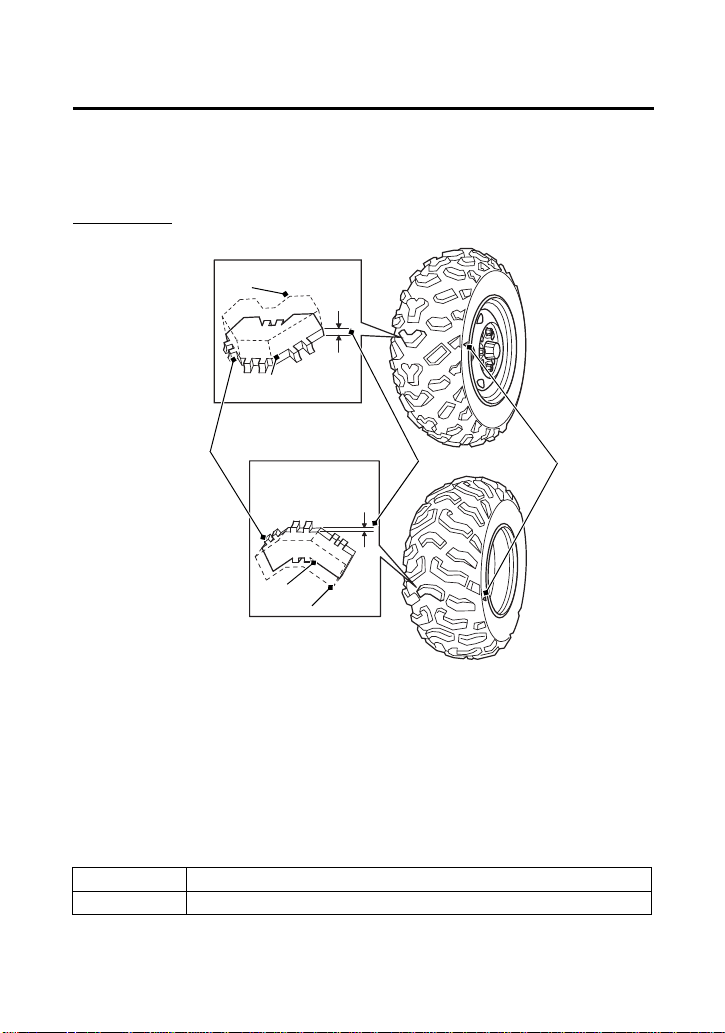
Servicing Your Honda
174
Tires
Also, if you hit a pothole or other hard object while riding, stop as
soon as you safely can and carefully inspect the tires for damage.
Tread Wear
To check the condition of a tire tread, measure the groove depth (1)
in the center of the tire, or check the wear indicator (2).
For best performance, you should replace a tire before the tread
depth at the center reaches the following limits:
front 3/16 in (4 mm)
rear 3/16 in (4 mm)
FRONT
(3)
(2)
(1)
3/16 in
(4 mm)
REAR
(1) groove depth
(2) wear indicator
(3) wear indicator
location mark
Replace
NEW
Replace
NEW
3/16 in
(4 mm)

Servicing Your Honda
175
Tires
Refer to Safety Precautions on page 101.
A tire that is repaired, either temporarily or permanently, will have
lower speed and performance limits than a new or undamaged tire.
A temporary repair can sometimes be made in an emergency
situation. However, since a temporary repair may not hold, you must
ride very slowly, preferably without any cargo, and have the tire
replaced or permanently repaired as soon as possible. (For more
information on temporary repairs, see If You Have a Flat Tire,
page 210.)
A permanent repair, such as an internal plug patch, can be made if
a tire has only a small puncture in the tread area. However you may
not be able to safely carry as much weight. If you choose to have a
tire repaired, be sure the repair work is performed by a professional.
If you have a tire professionally repaired at a non-Honda facility, we
recommend that you have the work checked by your dealer.
Tire Repair
Servicing Your Honda
176
Tires
Refer to Safety Precautions on page 101.
The tires that came on your ATV were designed to match the
performance capabilities of your ATV and provide the best
combination of handling, braking, and comfort.
It is best to replace all four tires, however if that is not possible, you
must replace the tires in pairs (front or rear) with tires of the same
size and type as the originals. Never replace just one tire.
The recommended tires for your ATV are:
When you replace a tire, remember:
Have the tire replaced by your dealer if possible.
If you have a tire professionally replaced at a non-Honda facility, we
recommended that you have the work checked by your dealer.
Tire Replacement
WARNING
3
WARNING
Installing improper tires on your ATV can
affect handling and stability. This can cause a
crash in which you can be seriously hurt or
killed.
Always use the size and type of tires
recommended in this owner’s manual.
front AT24 × 8-1211 MAXXIS M977
rear AT24 × 10-1111 MAXXIS M978
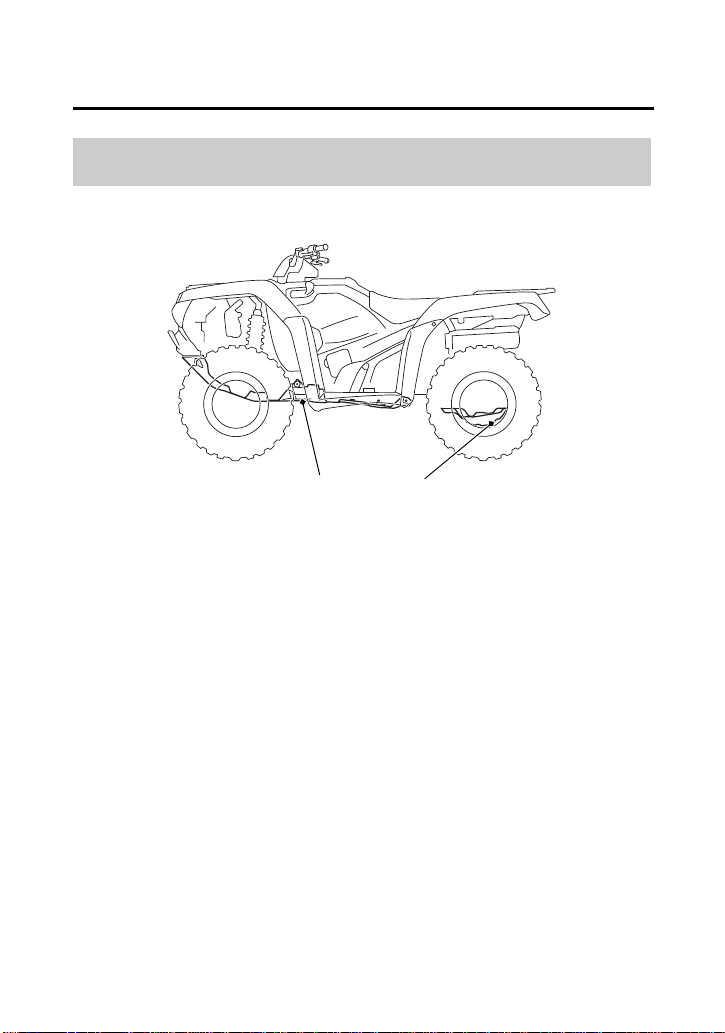
Servicing Your Honda
177
Guards
Refer to Safety Precautions on page 101.
The engine guard (1) protects the frame and engine crankcase.
The skid plate (2) protects the rear final gear case. Check the guard
and plate for cracks, damage or looseness at intervals shown in the
Maintenance Schedule.
Have the engine guard and skid plate replaced if they are cracked or
damaged. If the guard and plate bolts are loose, tighten them
securely.
Skid Plate & Engine Guard
(1)
(1) engine guard
(2)
(2) skid plate
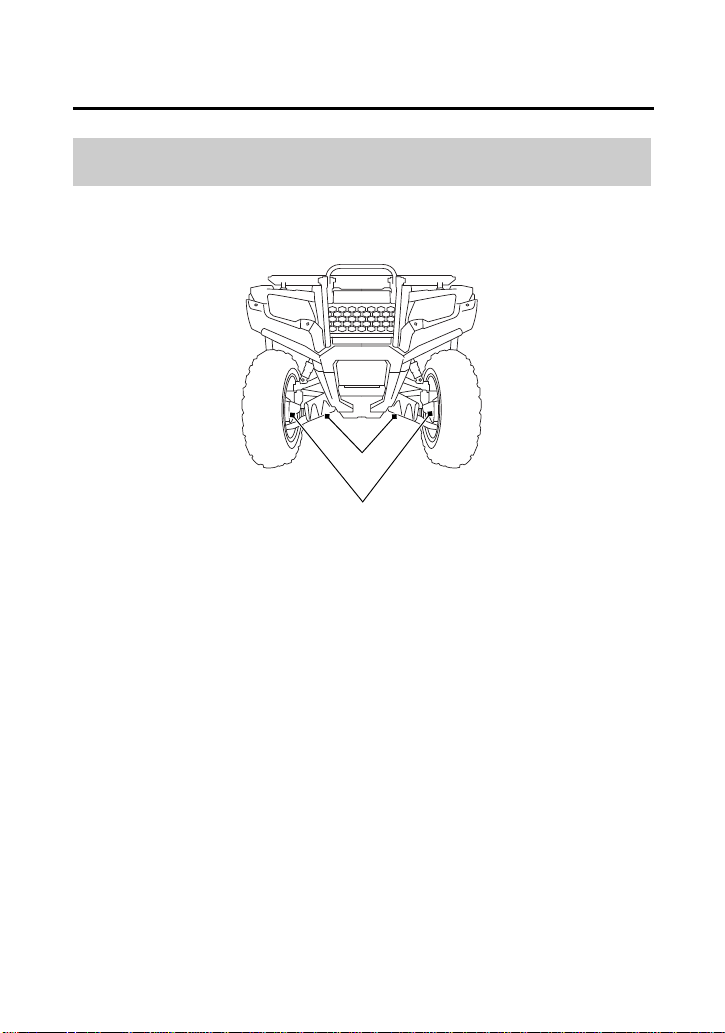
Servicing Your Honda
178
Guards
Refer to Safety Precautions on page 101.
Check the front boot guards (1) and front driveshaft guards (2) for
cracks, damage or looseness.
Tighten any loose fasteners. Replace the front boot guards and front
driveshaft guards as required.
Front Boot Guards & Front Driveshaft Guard
(1) front boot guards
(2) front driveshaft guards
(2)
(1)
FRONT
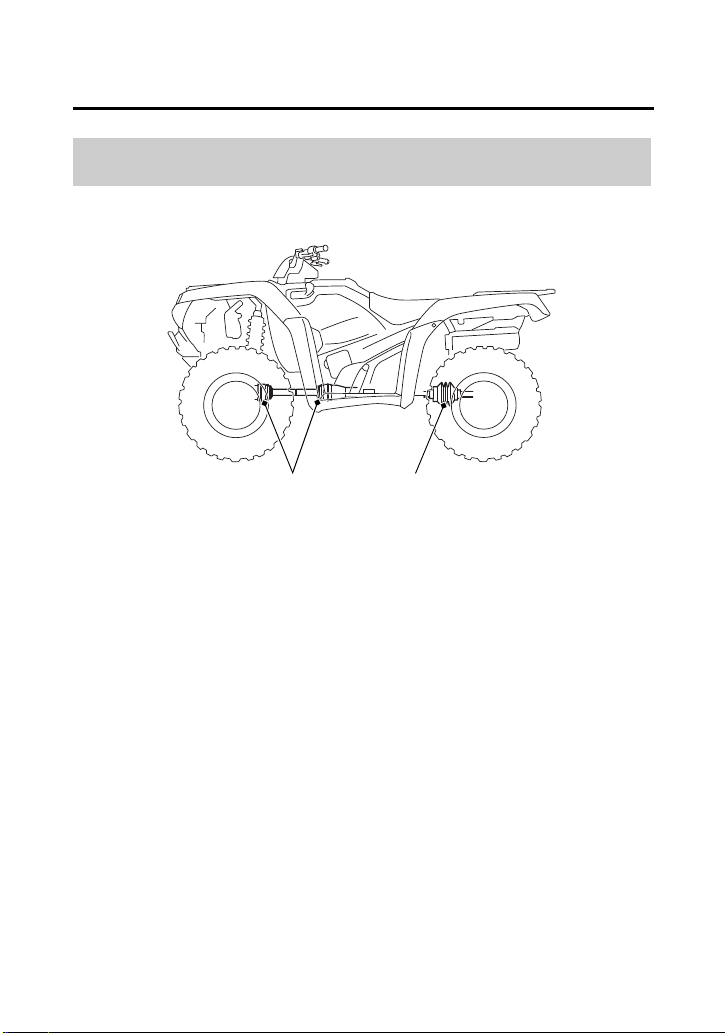
Servicing Your Honda
179
Drivetrain Boots
Refer to Safety Precautions on page 101.
Check the propeller shaft boots (1) and yoke joint boot (2) for
damage or leaking grease. If necessary, have your dealer replace
them.
Propeller Shaft Boots & Yoke Joint Boot
(1)
(1) propeller shaft boots
(2) yoke joint boot
(2)
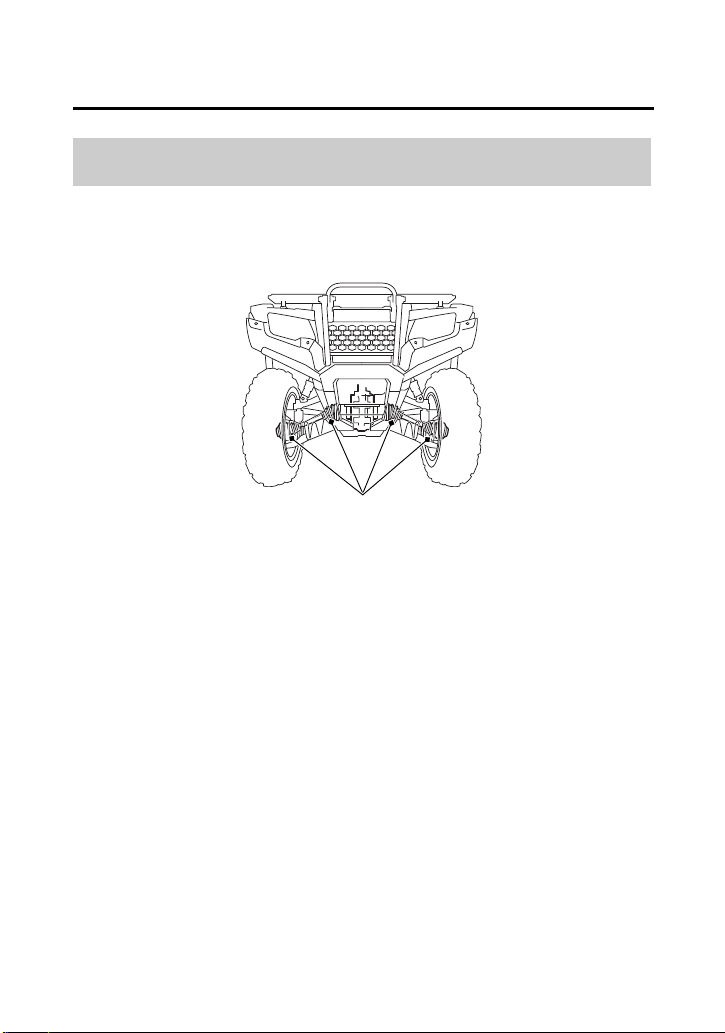

Servicing Your Honda
181
Electrical
Battery
Your ATV has a maintenance-free type battery. You do not have to
check the battery electrolyte level or add distilled water as you would
with a conventional-type battery.
NOTICE
Your battery is a maintenance-free type and can be permanently
damaged if the cap strip is removed.
Electrical accessories use current from the battery, even when the
ignition is OFF. Limited operation also allows the battery to
discharge.
If you have electrical accessories on your ATV or do not ride
frequently, we recommend that you charge the battery frequently
(see Battery Charging, page 185).
If you do not expect to ride your ATV for at least two weeks, we
recommend you remove the battery, or at least disconnect the
battery cables (negative cable first).
If you plan to store your ATV, see Battery Storage, page 182.
If your battery seems weak and/or is leaking electrolyte (causing slow
starting or other electrical problems), see your dealer.
WARNING: Battery posts, terminals and related accessories contain
lead and lead compounds. Wash your hands after handling.

Servicing Your Honda
182
Battery
Refer to Safety Precautions on page 101.
If you plan to store your ATV, we recommend you remove the
battery and store it where it can be charged at least every 30 days to
maintain its service life.
If you do not remove the battery, we recommend disconnecting the
battery cables (negative cable first).
You will get the best storage results from removing the battery and
slow charging it every 30 days (see Battery Charging, page 185).
Before you remove the battery, be sure to read all the information
that follows, as well as the information on the battery label.
Battery Storage
WARNING
3
WARNING
The battery gives off explosive hydrogen gas
during normal operation.
A spark or flame can cause the battery to
explode with enough force to kill or seriously
hurt you.
Wear protective clothing and a face shield, or
have a skilled mechanic do the battery
maintenance.
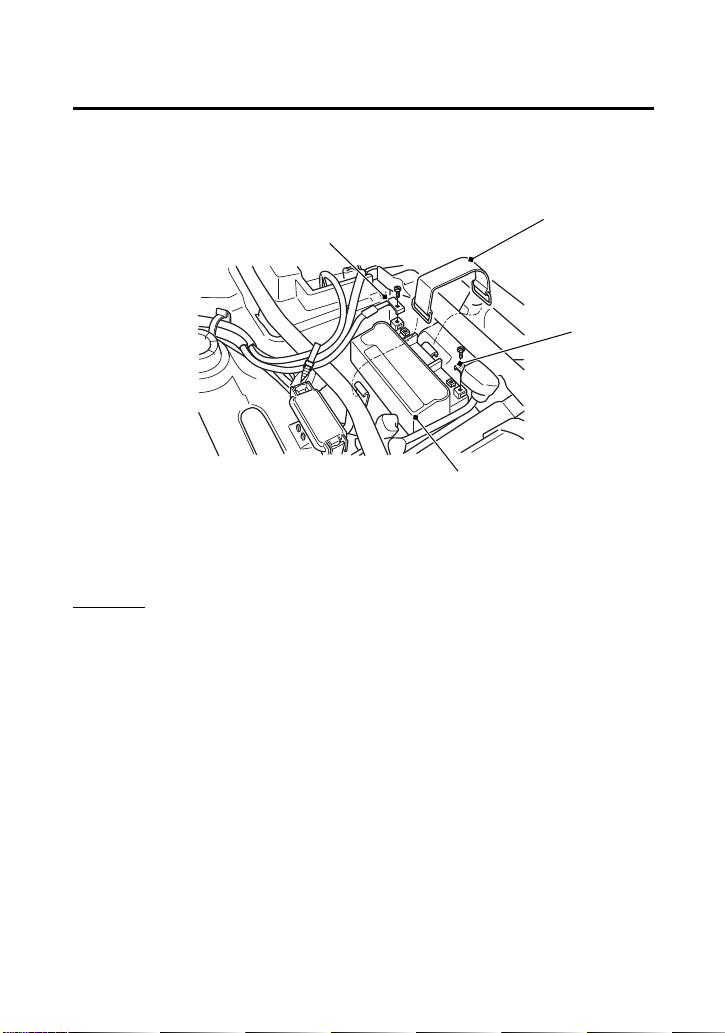
Servicing Your Honda
183
Battery
(cont’d)
The battery is located in a compartment under the rear fender cover.
Removal
1.
Make sure the ignition switch is OFF (w).
2.
Remove the seat (page 112).
3.
Remove the rear fender cover (page 136).
4.
Release the rings and remove the rubber band (1).
5.
Disconnect the negative (–) terminal lead (2) from the battery (3)
first, then disconnect the positive (+) terminal lead (4).
(4)
(1) rubber band
(2) negative (–) terminal lead
(3) battery
(4) positive (+) terminal lead
UNDER REAR FENDER COVER
(3)
(2)
(1)
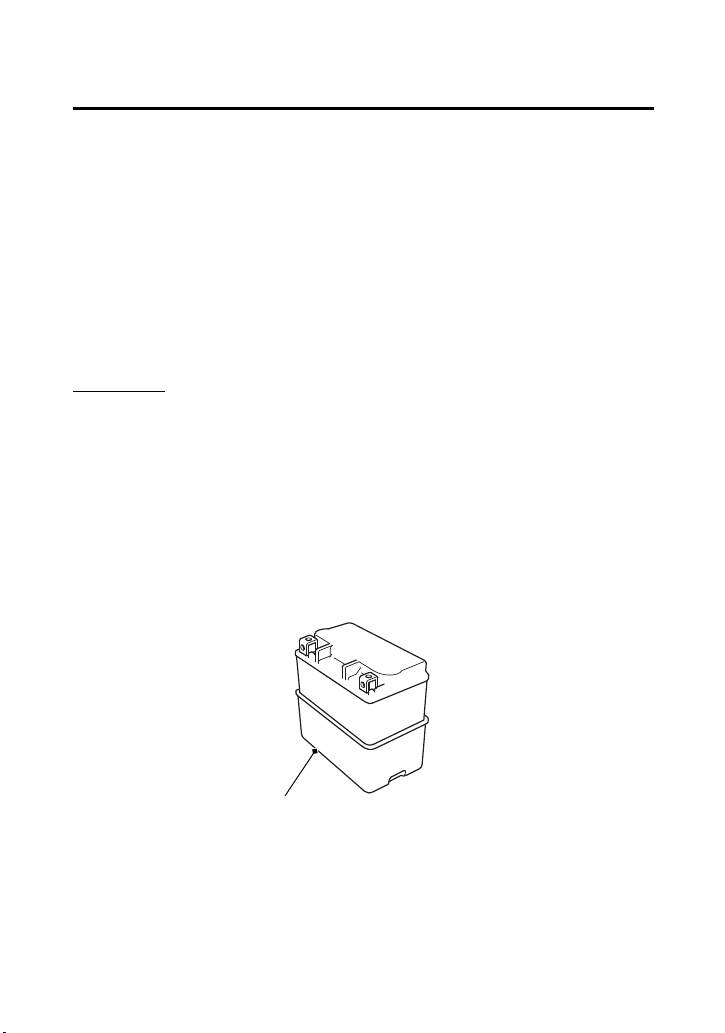
Servicing Your Honda
184
Battery
6.
Remove the battery and taking care not to drop the terminal
nuts.
7.
Charge the battery (see following section).
8.
Store your battery in an easy-to-reach location off the floor, in an
area protected from freezing temperature and direct sunlight.
9.
Clean the compartment after removing the battery for storage.
Dry the compartment.
10.
Slow charge the battery (see following section) once every 30
days.
Installation
1.
Check that the battery rubber (5) for damage. If necessary,
replace the battery rubber.
2.
Make sure the battery rubber is properly installed.
3.
Reinstall in the reverse order of removal.
Be sure to connect the positive (+) terminal first, then the
negative (–) terminal.
4.
Make sure all bolts and other fasteners are secure.
5.
Install the removed parts in reverse order of removal.
(5) battery rubber
(5)
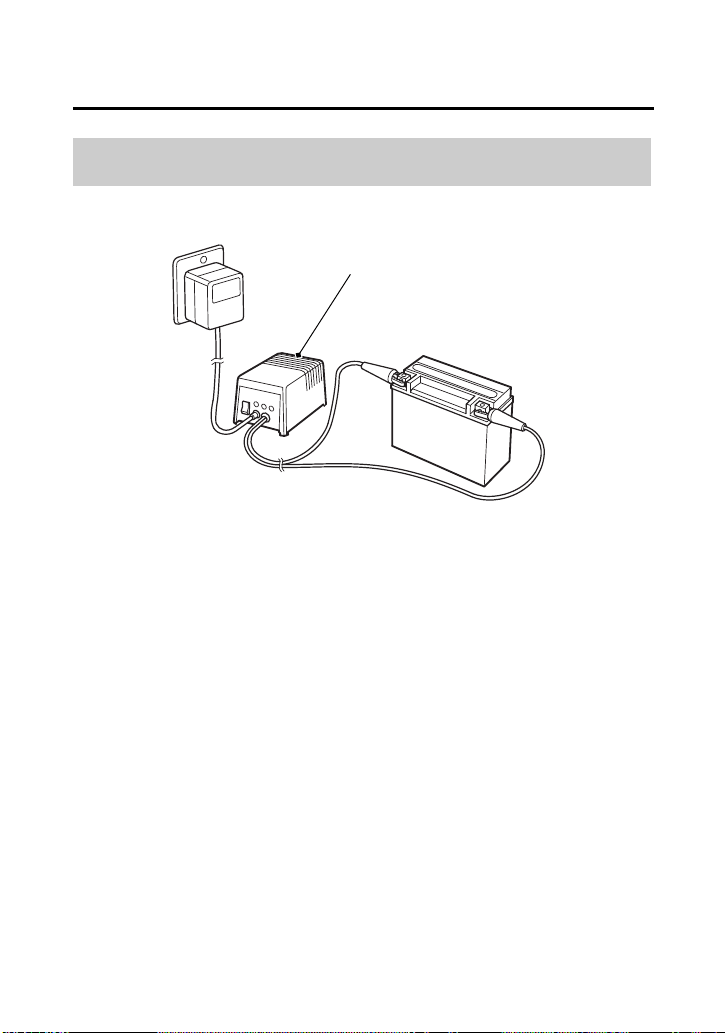
Servicing Your Honda
185
Battery
Refer to Safety Precautions on page 101.
Be sure to read the information that came with your battery charger
and follow the instructions on the battery. Improper charging may
damage the battery.
We recommend using a charger (1) designed specifically for your
Honda, which can be purchased from your dealer. These units can
be left connected for long periods without risking damage to the
battery. However, do not intentionally leave the charger connected
longer than the time period recommended in the charger’s
instructions. Avoid using an automotive-type battery charger. An
automotive charger can overheat an ATV battery and cause
premature damage.
Battery Charging
(1)
(1) charger

Servicing Your Honda
186
Appearance Care
Frequent cleaning and polishing will keep your Honda looking newer
longer.
Frequent cleaning also identifies you as an owner who values his
ATV.
A clean ATV is also easier to inspect and service.
Refer to Safety Precautions on page 101.
• To clean your ATV, you may use:
–water
– Hondabrite
– a mild, neutral detergent and water
– a mild spray and wipe cleaner/polisher
– a mild spray and rinse cleaner/degreaser and water
• Avoid products that contain harsh detergents or chemical
solvents that could damage the metal, paint, plastic, and
camouflage coating on your ATV (Honda MUV).
• If your ATV is still warm from recent operation, give the engine
and exhaust system time to cool off.
• Park in a shady area. Washing your ATV in bright sunlight may
cause the finish to fade because water droplets intensify the sun’s
brightness.
• Spotting is also more likely because surface water can dry before
you have time to wipe it off.
• Clean your ATV regularly to protect surface finishes.
• We recommend the use of a low pressure garden hose to wash
your ATV. High pressure washers (like those at coin-operated car
washers) can damage certain parts of your ATV.
General Recommendations

Servicing Your Honda
187
Appearance Care
NOTICE
High pressure water (or air) can damage certain parts of your ATV.
Water entering the muffler may damage the oxygen sensor.
• After cleaning, inspect for damage, wear, and leaks (fuel, oil,
coolant and brake fluid).
Refer to Safety Precautions on page 101.
1.
Cover or plug the exhaust outlet prior to washing your ATV.
2.
Rinse your ATV thoroughly with cool water to remove loose dirt.
3.
Fill a bucket with cool water. Mix in a mild, neutral detergent,
such as dish washing liquid or a product made especially for
washing motorcycles or automobiles.
4.
Wash your ATV with a sponge or soft towel. As you wash, check
for heavy grime. If necessary, use a mild cleaner/degreaser to
remove the grime.
5.
After washing, rinse your ATV thoroughly with plenty of clean
water to remove any residue. Detergent residue can corrode alloy
parts.
6.
Dry your ATV with a chamois or a soft towel. Leaving water on
the surface to air dry can cause dulling and water spots. As you
dry, inspect for chips and scratches.
7.
Remove the cover or the plug from exhaust outlet. Then, start the
engine and let it idle for several minutes. The engine heat will
help dry moist areas.
8.
As a precaution, ride your ATV at a slow speed and apply the
brakes several times. This will help dry the brakes and restore
normal braking performance.
Washing Your ATV with a Mild Detergent
Servicing Your Honda
188
Appearance Care
Refer to Safety Precautions on page 101.
Avoid using spray cleaner products on the tires or suspension
components.
Suggestions for using spray cleaner(s) follow:
Spray Cleaning Your ATV
ATV condition Recommended Cleaning
Dust and fingerprint
smudges.
Apply a spray cleaner/polish
and wipe paint, chrome, glass,
and clear plastic.
Light road grimes. Spray any difficult-to-reach or
very dirty areas with a spray
cleaner/degreaser.
Rinse and dry.
Apply a spray cleaner/polish
and wipe with a non-abrasive
cloth.
Heavy grime. Oil leaks.
Brake dust.
Use a spray cleaner/degreaser.
If necessary, rub with a
sponge.
Rinse and dry.
Apply a spray cleaner/polish
and wipe with a non-abrasive
cloth.
Dull, corroded chrome
or aluminum.
Apply a high quality chrome/
aluminum polish and wipe
with a non-abrasive cloth.

Servicing Your Honda
189
Appearance Care
Refer to Safety Precautions on page 101.
After washing your ATV, consider using a commercially available
spray cleaner/polish or quality liquid or paste wax to finish the job.
Use only a non-abrasive polish or wax made specifically for
motorcycles or automobiles. Apply the polish or wax according to
the instructions on the container.
If a surface on your ATV is chipped or scratched, your dealer has
touch-up paint to match your ATV’s color. Be sure to use your ATV’s
color code (page 227) when you buy touch-up paint.
If the frame has a chip that exposes the metal, first apply primer (to
prevent corrosion) and then apply the touch-up paint. Several thin
layers of touch-up paint are better than one thick coat.
The exhaust pipe and muffler are stainless steel but may become
stained by mud or dust.
To remove mud or dust, use a wet sponge and a liquid kitchen
abrasive, then rinse well with clean water. Dry with chamois or a soft
towel.
If necessary, remove heat stains by using a commercially available
fine texture compound. Then rinse by the same manner as removing
mud or dust.
Finishing Touches
Exhaust Pipe and Muffler Maintenance

Servicing Your Honda
190
B
LANK PAGE

Tips
191
Tips
Tips
Here’s helpful advice on how to prepare for an off-road adventure,
how to transport and store your Honda, and how to be an
environmentally responsible ATV owner.
Preparing for a Ride.................................................................. 192
What to Take to the Riding Area............................................ 192
What to Take on the Trail ...................................................... 193
Transporting Your Honda ......................................................... 194
Storing Your Honda.................................................................. 196
Preparation for Storage.......................................................... 197
Removal from Storage ........................................................... 199
You & the Environment ............................................................ 200

Tips
192
Preparing for a Ride
A safe and enjoyable ride begins with good planning and
preparation. Always ride with at least one other person in case you
have trouble, and let someone know where you’re going and when
you expect to return.
Before riding in an unfamiliar area, find out in advance if you need
special permits, get maps so you can study the terrain, and talk to
other riders who know the area. The Forest Service and the Bureau
of Land Management, riding clubs, and off-road magazines are
good sources of information.
Along with your ATV and riding gear, you should take along some
tools and supplies in case you have a problem. For some of the
difficulties you might encounter, see Taking Care of the Unexpected,
which begins on page 202.
We recommend that you always take water, food, a first aid kit, and
your owner’s manual. Other items you should consider loading on
your truck or trailer include:
• a tool kit
• tire repair supplies and tools, and tires
• extra parts, control levers, cables, and spark plugs
• wire, duct tape, and rope
• extra gasoline
For safety, all refueling should be done at a gas station on the way
to the riding area or at your base camp.
What to Take to the Riding Area

Tips
193
Preparing for a Ride
What you take with you during a ride depends on the kind of terrain,
how long you expect to ride, how far you might go from your base
camp or help, and how experienced you or your companions are in
making repairs.
If you decide to take some tools, spare parts, or other supplies on the
trail, be sure you can carry them safely and know how to use them.
Also, be sure to follow the loading guidelines and weight limit
(page 58).
What to Take on the Trail

Tips
194
Transporting Your Honda
Do not tow your ATV behind a car or other vehicle.
When you transport your ATV, we recommend that you carry the
vehicle in its normal operating position (on all four wheels). Do not
incline the vehicle upright on its rear end. This can damage the
vehicle, and leaking gasoline could be a hazard.
Follow these procedures:
1.
Set the parking brake.
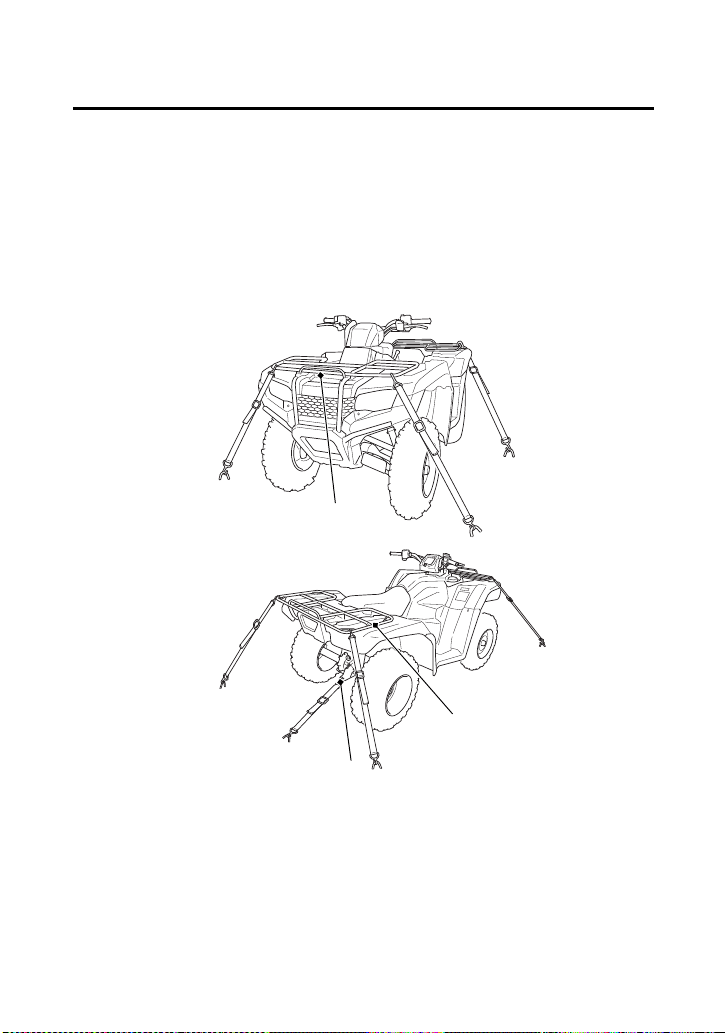
Tips
195
Transporting Your Honda
2.
Secure the vehicle with tie-down straps in the areas shown.
• Suitable tie-down straps are available from your dealer.
• Ordinary rope is not recommended because it can stretch
under load.
• Using tie-down straps in any other areas can damage your ATV.
3.
Rock the vehicle back and forth to make sure the tie-down straps
are tight and the vehicle is secure.
(1)
(3)
(2)
(1) front cargo rack
(2) rear cargo rack
(3) trailer hitch

Tips
196
Storing Your Honda
If you won’t be riding for an extended period, such as during the
winter, thoroughly inspect your ATV and correct any problem before
storing it. That way, needed repairs won’t be forgotten and it will be
easier to get your ATV running again.
For more information about storage, refer to the Honda Winter
Storage Guide, available from your dealer.
We suggest you perform the following procedures to keep your ATV
in top condition. These storage procedures will reduce the
deterioration that can occur during storage.

Tips
197
Storing Your Honda
(cont’d)
Refer to Safety Precautions on page 101.
1.
Change the engine oil and filter (page 125).
2.
Make sure the cooling system is filled with a 50/50% antifreeze
solution (page 134).
3.
Fill the fuel tank. Make sure the fuel fill cap is properly installed.
4.
To prevent rusting in the cylinder, perform the following:
• Remove the spark plug cap from the spark plug (page 151).
• Remove the spark plug.
Do not connect the spark plug to the spark plug cap.
• Pour a tablespoon (15 – 20 cc) of clean engine oil into the
cylinder and cover the spark plug hole with a piece of cloth.
• With the engine stop switch in the RUN (e) position, press the
start button several times to crank the engine and distribute
the oil.
• Reinstall the spark plug and spark plug cap.
Preparation for Storage

Tips
198
Storing Your Honda
5.
Remove the battery and charge it fully. Store it in an area
protected from freezing temperatures and direct sunlight. Slow
charge the battery (page 185) once a month.
6.
Wash and dry your ATV. Wax all painted surfaces.
7.
Inflate the tires to their recommended pressures (page 172).
8.
Store your ATV in an unheated area, free of dampness, away
from sunlight, with a minimum of daily temperature variation.
9.
Place your ATV on blocks to lift all tires off the floor.
10.
Cover your ATV with a porous material. Avoid using plastic or
similar non-breathing, coated materials that restrict air flow and
allow heat and moisture to accumulate.
NOTICE
Do not store your ATV in an upright position for extended periods of
time. The ATV should be stored with all four tires on the ground. This
can damage the vehicle, and leaking gasoline could be a hazard.
WARNING
3
WARNING
The battery gives off explosive hydrogen gas
during normal operation.
A spark or flame can cause the battery to
explode with enough force to kill or seriously
hurt you.
Wear protective clothing and a face shield, or
have a skilled mechanic do the battery
maintenance.

Tips
199
Storing Your Honda
Refer to Safety Precautions on page 101.
1.
Uncover and clean your ATV.
2.
If your ATV has been stored for more than four months —
change the engine oil (page 125).
3.
If your ATV has been stored for more than two months — ask
your dealer to drain and replace the fuel.
4.
Charge the battery (page 185) as required. Install the battery.
5.
Perform a pre-ride inspection (page 53), then test-ride your ATV
at low speeds.
Removal from Storage

Tips
200
You & the Environment
Owning and riding an ATV can be enjoyable, but you must do your
part to protect nature. When you show respect for the land, wildlife,
and other people, you also help preserve the sport of off-road riding.
Following are tips on how you can be an environmentally responsible
ATV owner.
• Tread Lightly. Stay on existing roads and trails, avoid surfaces
that are easily damaged, and ride only in areas approved for off-
road vehicles.
• Keep the Noise Down. Loud vehicles can be offensive. Ride as
quietly as possible, don’t remove your spark arrester, and don’t
modify the muffler or any other part of your air intake and
exhaust systems. Such modifications not only increase noise, they
also reduce engine performance and may be illegal.
• Choose Sensible Cleaners. Use a biodegradable detergent
when you wash your ATV. Avoid aerosol spray cleaners that
contain chlorofluorocarbons (CFCs) which damage the
atmosphere’s protective ozone layer. Don’t throw cleaning
solvents away; see the following guidelines for proper disposal.
• Recycle Wastes. It’s illegal and thoughtless to put used engine
oil in the trash, down a drain, or on the ground. Used oil,
gasoline, and cleaning solvents contain poisons that can hurt
refuse workers and contaminate our drinking water, lakes, rivers,
and oceans. Before changing your oil, make sure you have the
proper containers. Put oil and other toxic wastes in separate
sealed containers and take them to a recycling center. Call your
local or state office of public works or environmental services to
find a recycling center in your area, and to get instructions on
how to dispose of non-recyclable wastes.

Taking Care of the Unexpected
201
Taking Care of the Unexpected
Taking Care of the Unexpected
With all the challenges you can encounter off-road, there’s a chance
that sometime something may go wrong. This section gives practical
advice to help you deal with a wide range of problems. Take time to
read this section before you ride. Also review the tips in Preparing for
a Ride (page 192).
General Guidelines ................................................................... 202
If Your Engine Quits or Won’t Start .......................................... 204
If the Shift Switches Do Not Function........................................ 207
Emergency Gear Selection & Operation .................................... 208
If You Have a Flat Tire............................................................... 210
If the High Coolant Temperature Indicator Lights ...................... 214
If a Fuse Blows.......................................................................... 216
If You Crash ............................................................................. 220
If You Lose Your Key ................................................................ 221
If the Battery Is Low (or Dead)................................................... 222
If a Component Fails................................................................. 223

Taking Care of the Unexpected
202
Taking Care of the Unexpected
Keeping your ATV well-maintained is the best way to reduce the
possibility of having a problem while riding. However, problems can
arise even with well-maintained machines.
Remember to take along your owner’s manual, the tool kit that
came with your ATV, and any other items (such as tire repair supplies
and additional tools) that might help you solve a problem on your
own.
If something goes wrong during a ride, the first thing to do is stop as
soon as you safely can. Do not continue riding if you have a flat tire,
or you hear an unusual noise, or your ATV just doesn’t feel right. If
you continue riding, you could cause more damage and endanger
your own safety.
After stopping, take time to assess the situation. Carefully inspect
your ATV to identify the problem, then consider your options before
you decide what to do.
If a problem is relatively minor and you have the tools, supplies, and
skills to make a permanent repair, you may be able to fix it on the
trail and continue riding. Or, you may be able to make a temporary
repair that allows you to slowly ride back to your base where you can
make a permanent repair or get help.
When a problem is more serious — or you don’t have the tools,
supplies, experience, or time to deal with it — you need to choose
the safest way to get yourself and your ATV back to base. For
example, if you are close enough, you (or you and another person)
might be able to push it back.
General Guidelines

Taking Care of the Unexpected
203
Taking Care of the Unexpected
Should you ever have a problem while riding, please follow these
guidelines:
• Always put personal safety first.
• Take time to assess the situation and your options before
deciding what to do.
• If the problem is relatively minor and you have the tools, supplies,
and skills to make a temporary repair, be sure to have permanent
repairs made as soon as possible.
• Do not continue riding if you are hurt or your ATV is not in safe
riding condition.
Additional recommendations for specific problems follow.

Taking Care of the Unexpected
204
If Your Engine Quits or Won’t
Start
Proper operation and maintenance can prevent starting and engine
performance problems. In many cases, the cause of the problem may
be a simple operational oversight.
If you have a problem starting the engine — or experience poor
engine performance — the following information may help you. If
you can’t correct the problem, see your dealer.
If your ATV won’t start, listen as you press the start button. If you
don’t hear the starter motor turning, refer to the Starter motor
doesn’t operate symptom. If you can hear the starter motor working
normally, refer to the Starter motor works, but the engine won’t
start symptom.
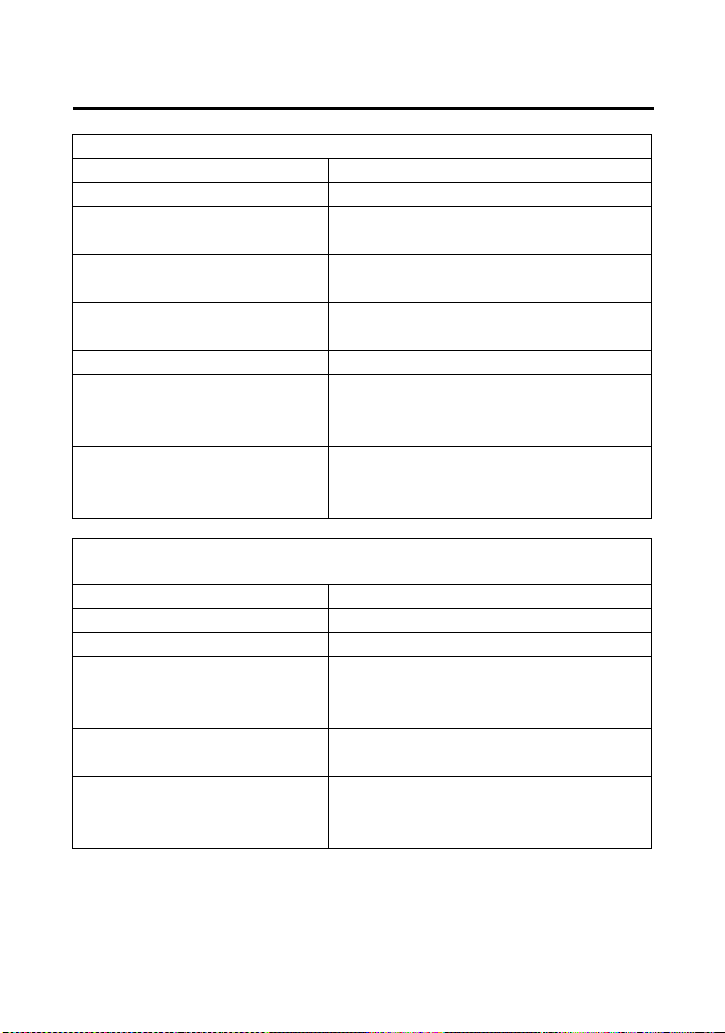
Taking Care of the Unexpected
205
If Your Engine Quits or Won’t
Start
SYMPTOM: Starter motor doesn’t operate.
POSSIBLE CAUSE WHAT TO DO
ignition switch OFF Turn the ignition switch ON.
engine stop switch OFF Slide the engine stop switch to
RUN.
transmission not in
neutral
Shift into neutral.
blown fuse Replace with a new fuse of the
same rating (page 216).
battery lead loose Tighten the battery lead.
low (or dead) battery Charge the battery (page 185).
If charging doesn’t help, see
your dealer.
faulty starter motor If all possible causes are
negative, the starter motor
may be faulty. See your dealer.
SYMPTOM: Starter motor works, but the engine won’t
start.
POSSIBLE CAUSE WHAT TO DO
out of fuel Fill the fuel tank.
flooded engine See Flooded Engine (page 73).
loose or unconnected
spark plug cap
Install the spark plug cap
securely. If the engine still
won’t start, see your dealer.
loose battery cables Tighten the battery terminal
bolts.
weak battery Charge the battery (page 185).
If charging doesn’t help, see
your dealer.
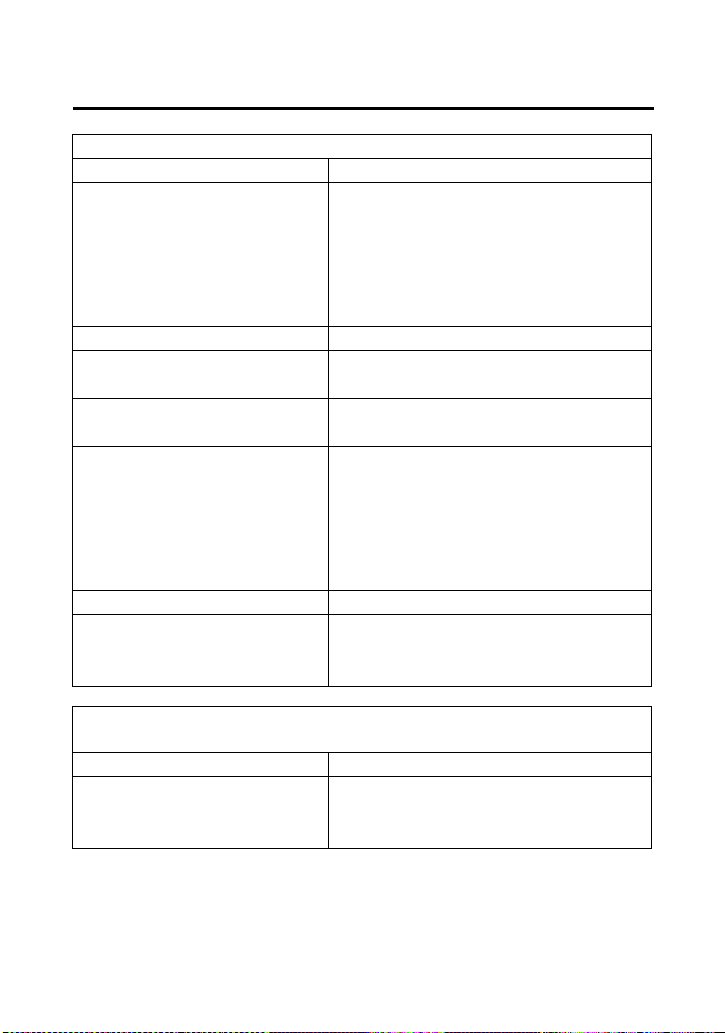
Taking Care of the Unexpected
206
If Your Engine Quits or Won’t
Start
SYMPTOM: Engine starts, but runs poorly.
POSSIBLE CAUSE WHAT TO DO
high coolant
temperature
Check the coolant
temperature gauge and high
coolant temperature indicator.
Refer to If the High Coolant
Temperature Indicator Lights,
page 214.
runs erratically, misfires See your dealer.
blubbers (rich fuel
mixture)
See your dealer.
sooty exhaust (rich fuel
mixture)
See your dealer.
detonates or pings
under load
If applicable, switch to the
recommended octane gasoline
(page 117) or change your
brand of gasoline. If the
problem persists, see your
dealer.
afterfires (backfires) See your dealer.
pre-ignition (runs on
after ignition switched
OFF)
See your dealer.
SYMPTOM: Engine starts, but runs poorly or dies when
hot.
POSSIBLE CAUSE WHAT TO DO
poor or inadequate
fuel flow due to
clogged fuel filter
See your dealer.
(ensure clean fuel supply)

Taking Care of the Unexpected
207
If the Shift Switches Do Not
Function
If one or both shift switches do not function, see the following
instructions. If proper function cannot be restored, see your dealer.
When the engine is running:
1.
Stop the ATV.
2.
Turn the ignition switch to the “OFF” (w) position.
3.
After the engine stops, turn the ignition switch to the “ON” (q)
position.
4.
Press both shift switches and check that they are functioning.
5.
If both switches are functioning, shift into neutral and restart the
engine.
If one or both switches are not functioning, see Emergency Gear
Selection & Operation, page 208.
When the engine is stopped and the ignition switch is “ON” (
q
):
1.
Turn the ignition switch to the “OFF” (w) position.
2.
Turn the ignition switch to the “ON” (q) position.
3.
Press both shift switches and check that they are functioning.
4.
If both switches are functioning, shift into neutral and restart the
engine.
If one or both switches are not functioning, see Emergency Gear
Selection & Operation, page 208.
When the battery is low (or dead):
•See If the Battery Is Low (or Dead), page 222.

Taking Care of the Unexpected
208
Emergency Gear Selection &
Operation
If the shift switches do not operate, use the following procedure to
manually select a gear so you may drive the vehicle to a location
where it can be loaded and transported to your dealer.
1.
Turn the ignition switch to the “ON” (q) position.
2.
Remove the seat (page 112).
3.
Remove the rear fender cover (page 115) and tank cover
assembly (page 113).
4.
Remove the gear change tool from under the rear fender cover
(page 110).
5.
Check the neutral indicator.
If the transmission is in neutral, go to step 6.
If the transmission is not in neutral, use the gear change tool to
shift to neutral so you will be able to start the engine. Refer to
How to Shift Gears Manually: (page 209).
6.
Apply the parking brake.
7.
Press the start button to start the engine.
8.
Select the gear you want. For running on level ground: use 3rd or
4th gear. For mountainous roads: use 2nd or 3rd gear. Refer to
How to Shift Gears Manually: (page 209).
9.
Return the gear change tool to under the rear fender cover.
10.
Install the tank cover assembly and rear fender cover.
11.
Install the seat.
12.
Get on the ATV. Ride it at a safe speed to a place where it can be
repaired or serviced.
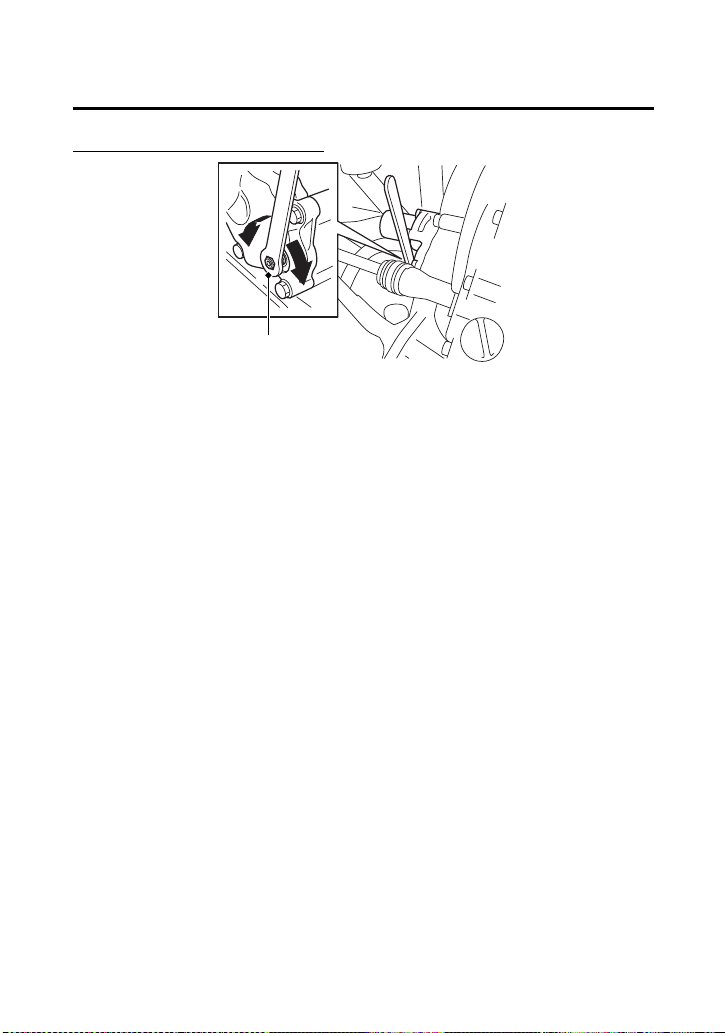
Taking Care of the Unexpected
209
Emergency Gear Selection &
Operation
How to Shift Gears Manually:
• With the ATV unoccupied, align the hexagonal hole of the gear
change tool (1) with the hexagonal end of the secondary spindle
which is located on the front crankcase.
• To downshift, turn the gear change tool to direction (A).
To upshift, turn the gear change tool to direction (B).
• If the alignment of the hexagonal hole does not allow sufficient
movement in the desired shifting direction, remove the tool, flip
tool over, and realign the hexagonal hole with the secondary
spindle.
• If the transmission does not shift, rock the vehicle back and forth
and try again.
• Return the gear change tool to under the rear fender cover.
Do not attempt to shift gears manually using the gear change tool
while riding.
If the transmission is shifted manually when the electric shift system
is functioning, the system will shutdown automatically and the shift
switches will not operate. To reactivate the system, turn the ignition
switch to the “OFF” (w) position, then turn it back to the “ON” (q)
position.
(1) gear change tool
(1)
(B) upshift (clockwise)
(A) downshift (counterclockwise)
(B)
(A)

Taking Care of the Unexpected
210
If You Have a Flat Tire
How you handle a flat tire on the trail depends on how serious the
tire damage is, and what tools and supplies you have with you.
If you have a slow leak or a minor puncture, use the plug method to
make a temporary repair. (The plug method is applied from the
outside of the tire and is the same as that for conventional tubeless
tires.)
A plug-type repair kit, available at most auto parts stores or service
stations, provides a plug, an installation tool, tire cement, and an
instruction sheet. Follow the instructions provided with the repair kit
to make a temporary repair.
As soon as possible, have the tire permanently repaired by your
dealer. Any tire that cannot be repaired should be replaced.
Whenever the ATV is to be operated far from service facilities or
available transportation, we recommend that you carry a tire pump
and a repair kit with the vehicle.
If the leak is more serious, or a temporary repair doesn’t hold, the
tire must be replaced. The tire will also need to be replaced if it is
damaged (page 176). Replacing a tire involves removing and re-
installing the wheel (page 212).
If you are unable to repair a flat tire on the trail, you will need to send
for help. We strongly recommend that you do not try to ride with a
flat tire. The ATV will be hard to handle, and if the tire comes off the
rim, it may lock up the wheel and cause you to crash.
Taking Care of the Unexpected
211
If You Have a Flat Tire
WARNING
3
WARNING
Riding your ATV with a temporary tire repair
can be risky.
If the temporary repair fails, you can crash
and be seriously injured or killed. If you must
ride with a temporary tire repair, ride slowly
and carefully until the tire is permanently
repaired or replaced.
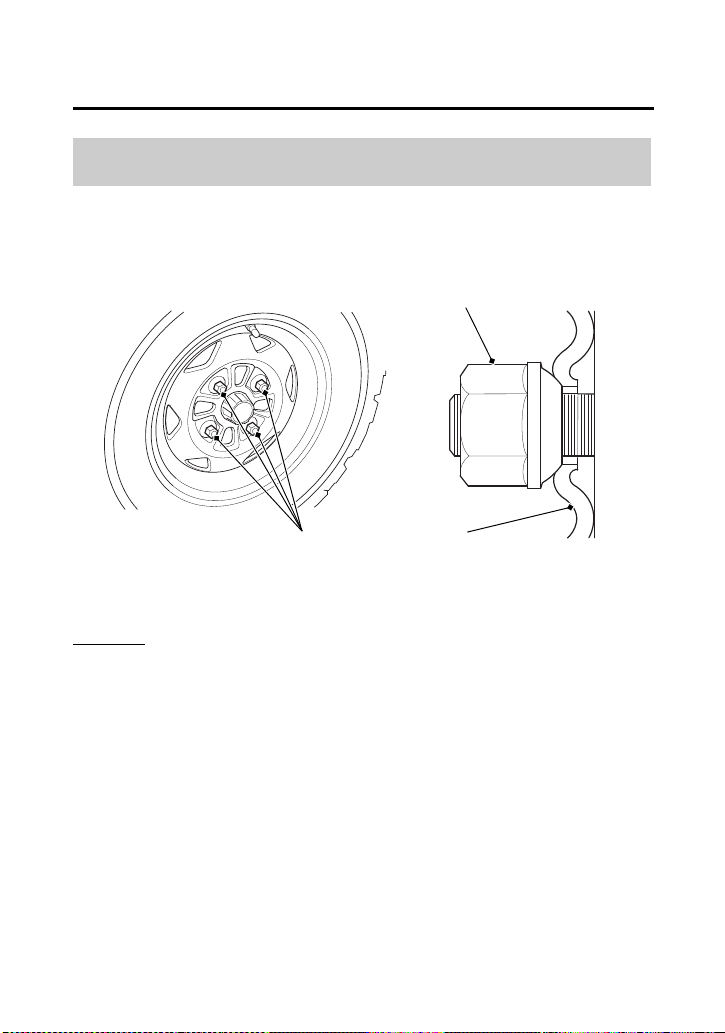
Taking Care of the Unexpected
212
If You Have a Flat Tire
Refer to Safety Precautions on page 101.
Removal
1.
Park your ATV on a firm, level surface.
2.
Loosen — but do not remove — the wheel nuts (1).
3.
Raise the front (or rear) wheels off the ground and place a
support block under the vehicle.
4.
Remove the wheel nuts.
5.
Remove the wheel.
• Avoid getting grease, oil, or dirt on the front brake disc or pad
surfaces when removing and installing each wheel. Any
contamination can cause poor brake performance or rapid pad
wear after reassembly.
Emergency Wheel Removal/Installation
(1)
(1)
(2)
(1) wheel nuts (2) wheel rim

Taking Care of the Unexpected
213
If You Have a Flat Tire
Installation
1.
Position the wheel.
2.
Position the wheel nuts so that the tapered sides face the wheel
rim (2).
3.
Hand-tighten the wheel nuts on the wheel, then lower the ATV
to the ground before tightening the nuts in a crisscross (rather
than circular) pattern to the specified torque:
47 lbf·ft (64 N·m , 6.5 kgf·m)
If a torque wrench was not used for installation, see your dealer as
soon as possible to verify proper assembly. Improper assembly may
lead to loss of braking capability.

Taking Care of the Unexpected
214
If the High Coolant Temperature
Indicator Lights
Normally, the high coolant temperature indicator will only light
momentarily when you turn the ignition to ON (q).
High coolant temperature may be caused by restriction of air flow to
the radiator (such as mud caked on the radiator), extended idling, an
oil leak, a coolant leak, a low oil level, a low coolant level, or
extended operation under adverse conditions.
If the all segment of the coolant temperature gauge and high
coolant temperature indicator are on while you’re riding, don’t
ignore it. Pull safely to a stop. Stop the engine as soon as it’s safe to
do so, and let it cool.
NOTICE
Continuing to ride with high coolant temperature or an overheated
engine can cause serious engine damage.
• A steaming engine indicates a coolant leak. Shut the engine off
and wait until the steaming stops. Look for a leak, but don’t
touch the engine or radiator system. Let everything cool off first.
• Check for any restriction of air flow to the radiator.
• If there’s no obvious problem, leave the engine on so the fan and
coolant circulating system can continue working. Monitor the
coolant temperature gauge and high coolant temperature
indicator. The indicator may turn off after a brief stop with no
load on the engine.
• Check the radiator fan.
If the fan is not working, turn the engine off. Open the fuse box
(page 217) and check the radiator fan fuse. If the fuse is blown,
replace it with the proper (same rating) spare fuse. Start the
engine. If the all segment of the coolant temperature gauge and
high coolant temperature indicator stays on, turn the engine off.
If the radiator fan is working, visually check the coolant level in
the reserve tank, located under the left front fender. It isn’t
necessary to touch the radiator system.

Taking Care of the Unexpected
215
If the High Coolant Temperature
Indicator Lights
• If the reserve tank is low or empty, don’t ride without adding
coolant (page 135). After adding coolant, turn the engine on and
check the coolant temperature gauge and high coolant
temperature indicator.
If the indicator doesn’t turn off, do not ride. The engine needs
repair.
Transport your ATV to your dealer (page 194).
If the temperature drops to normal, check the coolant level. If it
has gone down, add more coolant.
• Check for an oil leak.
• Check the oil level. If necessary, add the recommended oil
(page 123) to the upper level mark. If you must leave your ATV to
get oil, secure it as much as possible.
• Start the engine, and check that the coolant temperature gauge
and high coolant temperature indicator goes off.
If you are able to resume riding, continue to monitor the coolant
temperature gauge and high coolant temperature indicator
frequently.
If there is an oil leak — do not ride the ATV until the leak is repaired
by your dealer (page 194).
If there’s a mild coolant leak, you can ride for awhile, carefully
watching the coolant temperature gauge and indicator. Be prepared
to stop and add more coolant or water. If the leak is bad, transport
your ATV to your dealer (page 194).
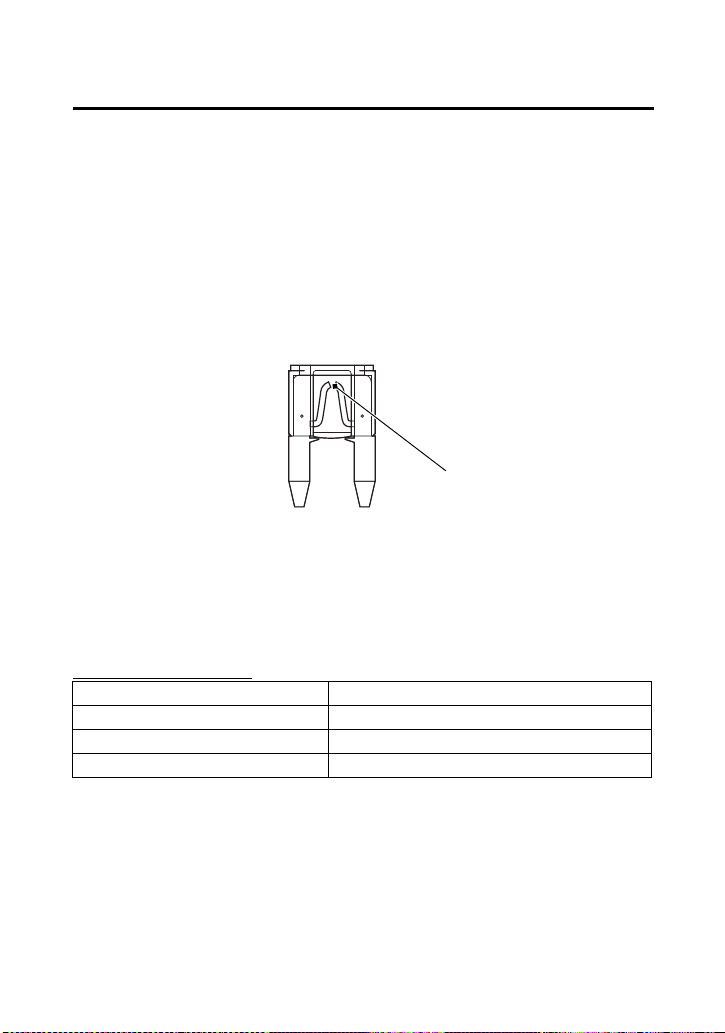
Taking Care of the Unexpected
216
If a Fuse Blows
All of the electrical circuits on your ATV have fuses to protect them
from damage caused by excess current flow (short circuit or
overload).
If something electrical on your ATV stops working, the first thing you
should check for is a blown fuse (1).
Check all the fuses before looking elsewhere for another possible
cause of the problem. Replace any blown fuses and check
component operation.
The main fuse and the circuit fuses are located under the rear fender
cover.
Recommended Fuses
main fuse 1 30 A
main fuse 2 10 A
Shift motor 30 A
other fuses 20 A × 2, 10 A
(1)
(1) blown fuse
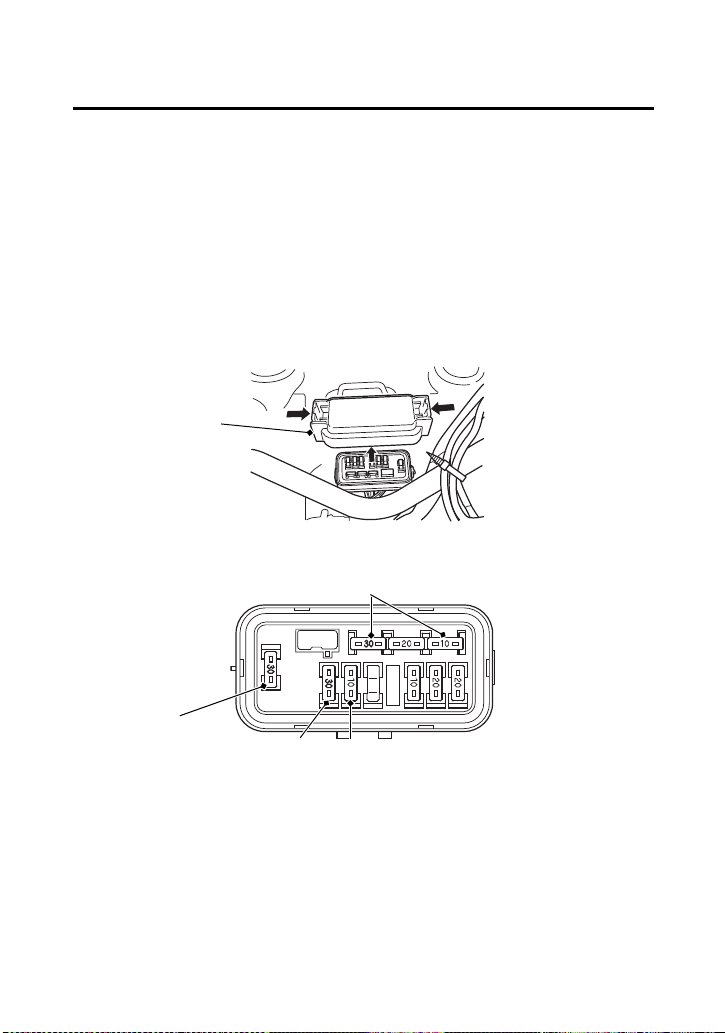
Taking Care of the Unexpected
217
If a Fuse Blows
(cont’d)
Main and Shift Motor Fuses Access
1.
To prevent an accidental short circuit, turn the ignition switch to
OFF (w) before checking or replacing the fuses.
2.
Remove the seat (page 112).
3.
Remove the rear fender cover (page 136).
4.
To access the main fuses (2) (3) and shift motor fuse (4), remove
the fuse box cover (5).
5.
Pull the main fuse out.
If it is blown, install the spare fuses (6).
(2) main fuse 1 (5) fuse box cover
(5)
(6) spare fuses
UNDER REAR FENDER COVER
(6)
(3) main fuse 2
(3)
(2)
(4)
(4) shift motor fuse
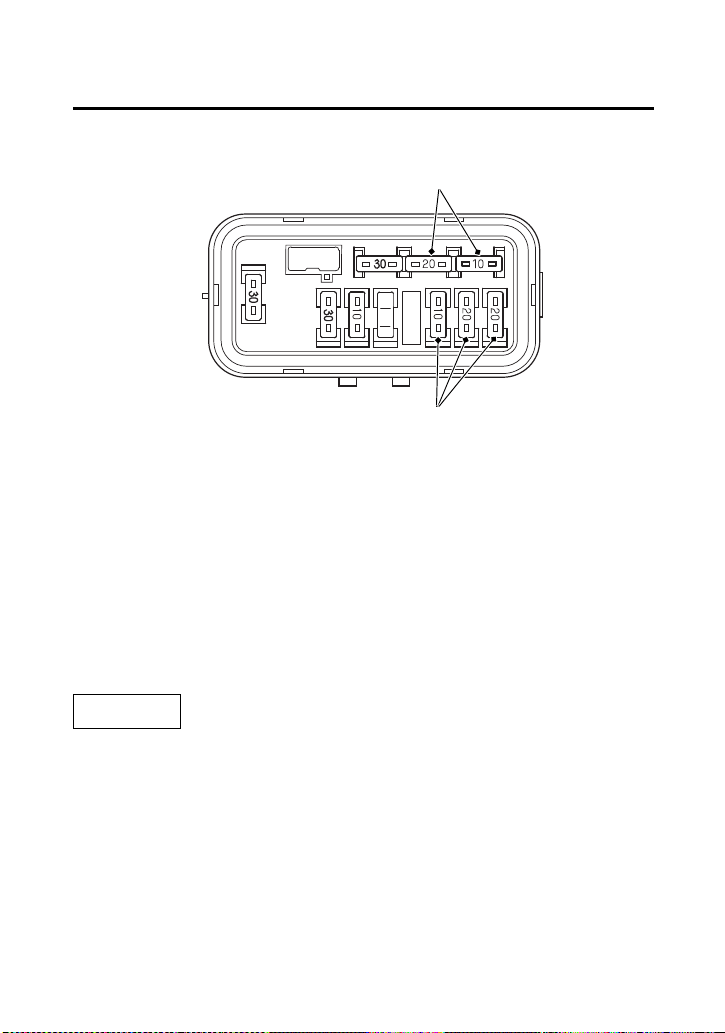
Taking Care of the Unexpected
218
If a Fuse Blows
Circuit Fuses Access
6.
To check or replace a circuit fuse (7), pull the old fuse out of its
retaining clips.
If the fuse is blown, replace it with a spare fuse (8) of the same
rating.
If you do not have a replacement fuse with the proper rating for the
circuit, install one with a lower rating.
NOTICE
Replacing a fuse with one that has a higher rating greatly increases
the chance of damage to the electrical system.
7.
Install the fuse box cover.
8.
Install the rear fender cover.
9.
Install the seat.
(8)
(7)
(7) circuit fuses (8) spare fuses

Taking Care of the Unexpected
219
If a Fuse Blows
If you do not have a spare fuse and you cannot ride the ATV without
fixing the problem, take a fuse of the same rating or a lower rating
from one of the other circuits that you can do without temporarily.
If you replace a blown fuse with a spare fuse that has a lower rating,
replace the fuse with the correct rating as soon as you can. Also
remember to replace any spare fuses that were installed.
If the replacement fuse of the same rating burns out in a short time,
there is probably a serious electrical problem on your ATV. Leave the
blown fuse in that circuit and have your ATV checked by your dealer.

Taking Care of the Unexpected
220
If You Crash
Personal safety is your first priority after a crash. If you or anyone else
has been injured, take time to assess the severity of the injuries and
whether it is safe to continue riding. If you cannot ride safely, send
someone for help. Do not ride if you will risk further injury.
If you decide you are capable of riding safely, carefully inspect your
ATV for damage and determine if it is safe to ride. Check the
tightness of critical nuts and bolts securing such parts as the
handlebar, control levers, brakes, and wheels.
If there is minor damage, or you are unsure about possible damage
but decide to try riding the ATV back to your base, ride slowly and
cautiously.
Sometimes, crash damage is hidden or not immediately apparent.
When you get home, thoroughly check your ATV and correct any
problems you find. Also, be sure to have your dealer check the frame
and suspension after any serious crash.
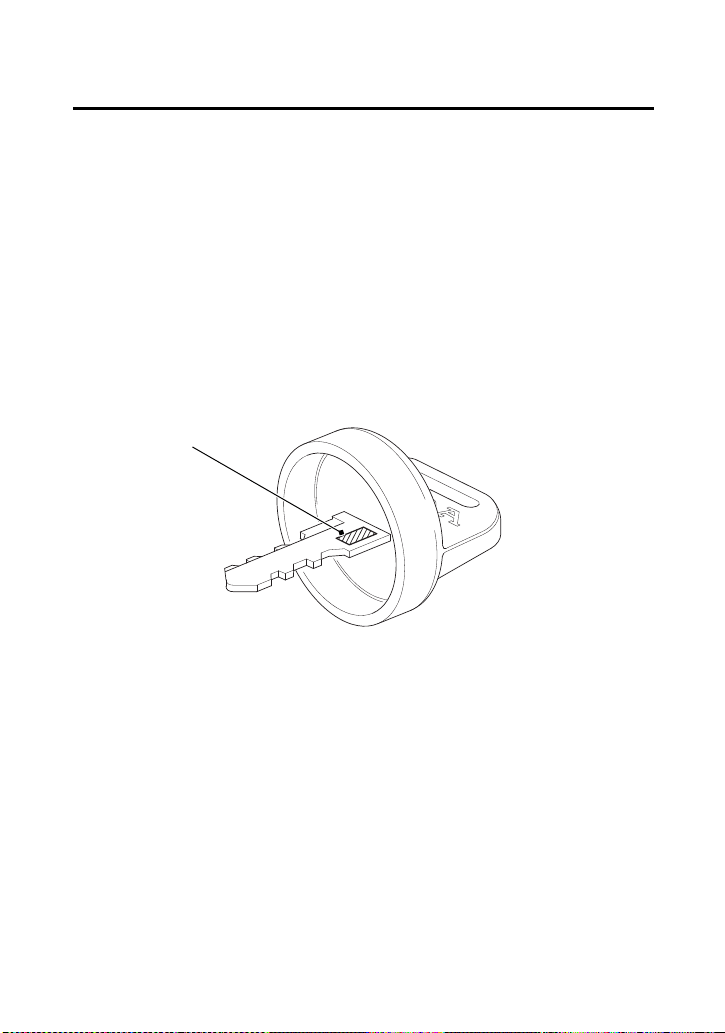
Taking Care of the Unexpected
221
If You Lose Your Key
Be sure to record your key number (1). Store the spare key and
recorded key number in a safe location. You’ll need this number to
have a duplicate key made.
If you lose your key and aren’t carrying a duplicate, either get your
spare or have one made. If you don’t know your key number, call the
dealer where you purchased your Honda ATV. They may have it
listed in their records. If they don’t, transport your ATV to them or
the nearest dealer. The dealer will probably have to remove the
ignition switch assembly to find the key number so they can make a
key for you.
(1)
(1) key number

Taking Care of the Unexpected
222
If the Battery Is Low (or Dead)
Jump starting is not recommended, especially if you use an
automobile battery. The greater amperage of an automobile battery
when the car engine is running can damage your ATV’s electrical
system.
Bump starting is also not recommended.
If you can’t charge the battery or it appears unable to hold a charge,
contact your dealer.

Taking Care of the Unexpected
223
If a Component Fails
The brake levers or pedal, control cables, and other components can
be damaged as you ride in dense brush or over rocky terrain. Making
a trailside repair depends on how serious the damage is and what
tools and supplies you have with you.
• If any component of the brake system is damaged, you may be
able to ride carefully back to your base using the other brake
components for slowing or stopping.
• If you damage a throttle cable or other critical component, your
ATV may be unsafe to ride. Carefully assess the damage and
make any repairs that you can. But if there is any doubt, it’s best
to be conservative and safe.

Taking Care of the Unexpected
224
B
LANK PAGE

Technical Information
225
Technical Information
Technical Informa tion
This section contains dimensions, capacities, and other technical
data, plus information on government requirements and how to
break-in your ATV.
Vehicle Identification ................................................................ 226
Specifications ........................................................................... 228
Break-in Guidelines................................................................... 233
Emission Control Systems ......................................................... 234
Oxygenated Fuels ..................................................................... 238
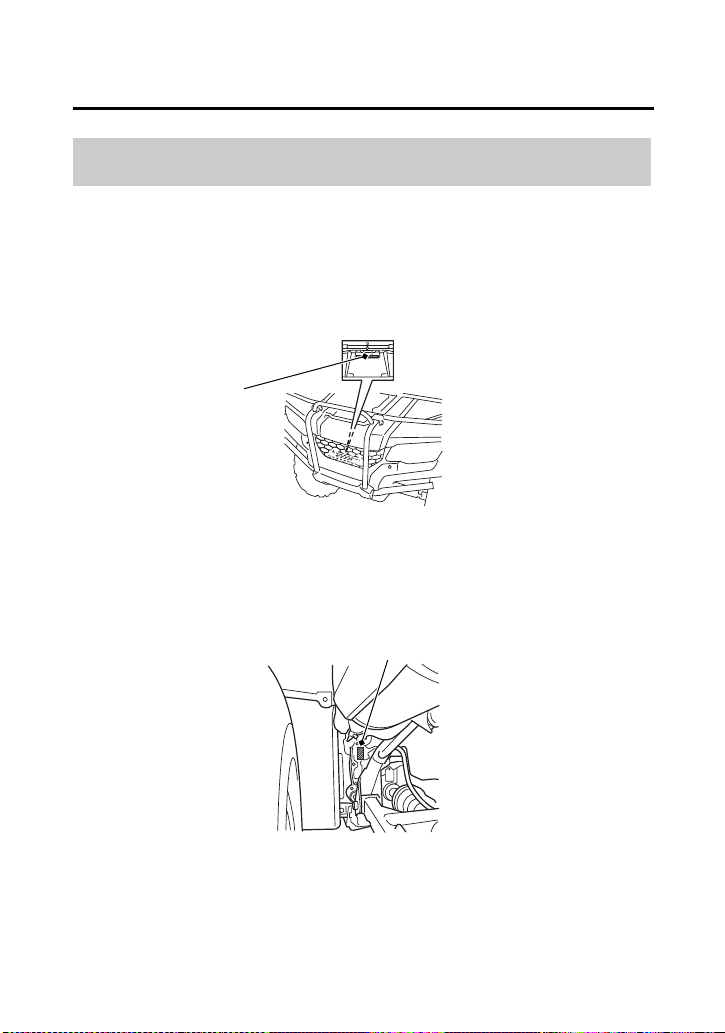
Technical Information
226
Vehicle Identification
The VIN and engine serial number may be required when ordering
replacement parts. You may record these numbers in the Quick
Reference section at the rear of this manual.
The VIN (1) is stamped on the front of the frame.
The engine number (2) is stamped on the upper side of the rear
crankcase.
Serial Numbers
FRONT
(1)
(1) VIN
LEFT REAR
(2) engine number
(2)
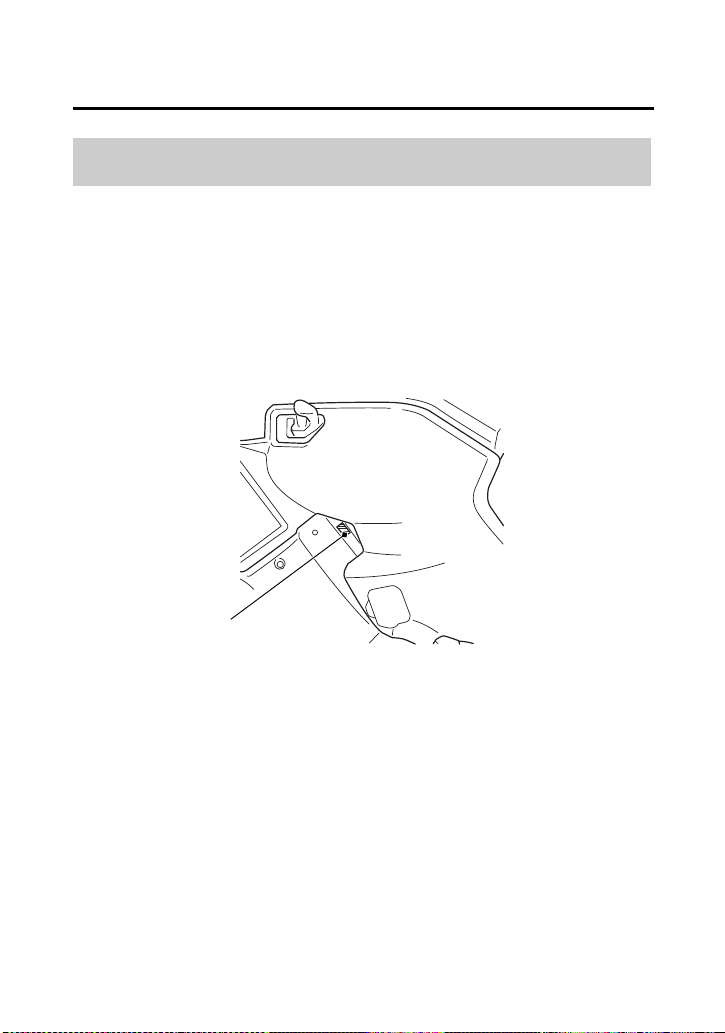
Technical Information
227
Vehicle Identification
The color label (1) is attached on the left side of the frame.
The color code is helpful when ordering replacement parts. You may
record the color and code in the Quick Reference section at the rear
of this manual.
Color Label & Code
LEFT SIDE
(1)
(1) color label
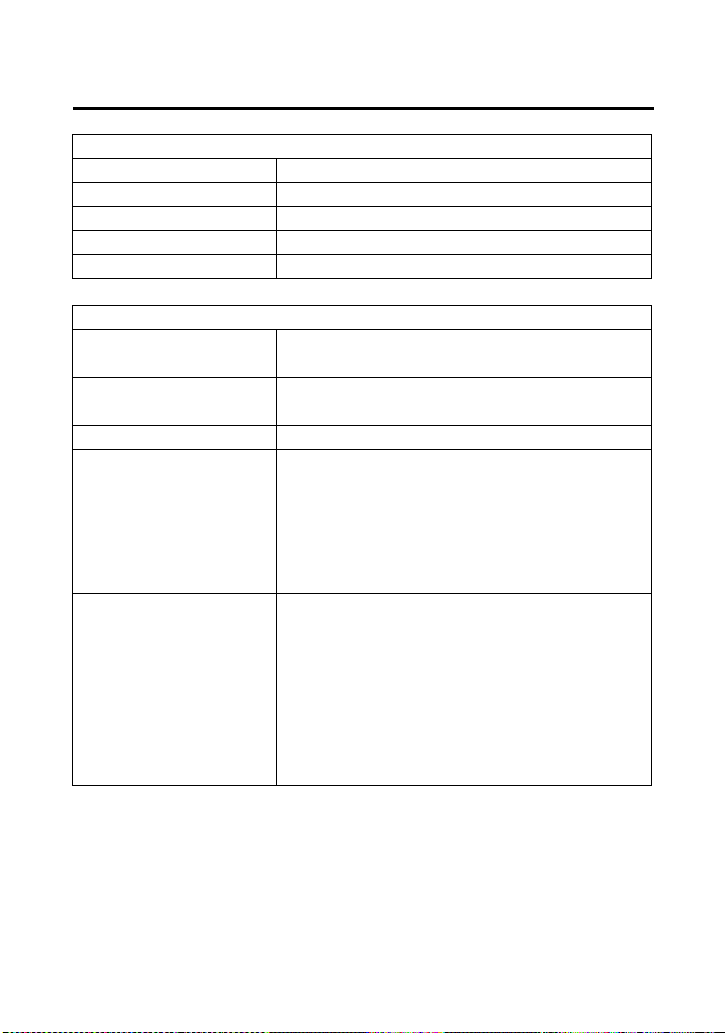
Technical Information
228
Specifications
Dimensions
overall length 82.8 in (2,103 mm)
overall width 47.4 in (1,205 mm)
overall height 46.2 in (1,174 mm)
wheelbase 49.9 in (1,268 mm)
ground clearance 7.2 in (183 mm)
Fuel & Lubricants
fuel
recommendation
unleaded gasoline, pump octane
number of 86 or higher
fuel tank capacity 3.88 US gal (14.7 ℓ)
including reserve
fuel tank reserve 1.29 US gal (4.9 ℓ)
engine oil
capacity
after disassembly:
3.5 US qt (3.3 ℓ)
after draining:
2.7 US qt (2.6 ℓ)
after draining & oil filter change:
2.9 US qt (2.7 ℓ)
engine oil
recommendation
API Service Classification SG or
higher except oils labeled as energy
conserving or resource conserving
on the circular API service label, SAE
10W-30, JASO T 903 standard MA,
Pro Honda GN4 4-stroke oil, or
Honda 4-stroke oil, or an equivalent
motorcycle oil
Technical Information
229
Specifications
Fuel & Lubricants (cont’d)
cooling system
recommendation
Pro Honda HP Coolant or an
equivalent high quality ethylene
glycol antifreeze containing
corrosion protection inhibitors
specifically recommended for use in
aluminum engines
cooling system
capacity
1.7 US qt (1.6 ℓ)
Capacities
passenger
capacity
operator only
maximum weight
capacity
485 lb (220 kg)
rider, all cargo and accessories
Engine Specifications
displacement 25.6 cu-in (420 cm
3
)
bore & stroke 3.406 × 2.815 in (86.50 × 71.50 mm)
compression ratio 9.9 : 1
spark plug
(standard)
BKR5E-11 (NGK) or
K16PR-U11 (DENSO)
spark plug gap 0.039 – 0.043 in (1.00 – 1.10 mm)
valve clearance
(cold)
intake: 0.006 in (0.15 mm)
exhaust: 0.009 in (0.23 mm)
idle speed 1,400 ± 100 rpm
(NO ADJUSTMENT)
Technical Information
230
Specifications
Power Transmission
primary reduction 2.103
secondary reduction 1.818
final reduction front 3.231
rear 3.154
transmission ratio 1st 3.857
2nd 2.235
3rd 1.571
4th 1.178
5th 0.848
reverse 4.831
final drive shaft
Chassis & Suspension
caster 2°
trail 0.2 in (5 mm)
tire size, front AT24 × 8-1211 MAXXIS M977
tire size, rear AT24 × 10-1111 MAXXIS M978
tire pressure,
front & rear (cold)
front:
4.4 psi (30 kPa)
rear:
4.4 psi (30 kPa)
Technical Information
231
Specifications
Electrical
battery YTX14-BS
12 V- 12 Ah (10HR)
generator 0.416 kW/5,000 rpm
Lights
headlight 12 V 35/35 W × 2
brake/tail light LED
neutral indicator LED
reverse indicator LED
high coolant
temperature
indicator
LED
PGM-FI indicator LED
Fuses
main 1 30 A
main 2 10 A
shift motor 30 A
other 20 A × 2, 10 A
Technical Information
232
Specifications
Torque Specification
engine oil drain
bolt
18 lbf·ft (25 N·m, 2.5 kgf·m)
engine oil filter
cover bolts
7 lbf·ft (10 N·m, 1.0 kgf·m)
rear final gear oil
drain bolt
9 lbf·ft (12 N·m, 1.2 kgf·m)
rear final gear oil
fill cap
9 lbf·ft (12 N·m, 1.2 kgf·m)
rear final gear oil
level check bolt
9 lbf·ft (12 N·m, 1.2 kgf·m)
front final gear oil
drain bolt
9 lbf·ft (12 N·m, 1.2 kgf·m)
front final gear oil
fill cap
9 lbf·ft (12 N·m, 1.2 kgf·m)
rear brake drain
bolt
9 lbf·ft (12 N·m, 1.2 kgf·m)
wheel nuts 47 lbf·ft (64 N·m, 6.5 kgf·m)

Technical Information
233
Break-in Guidelines
Help assure your ATV’s future reliability and performance by paying
extra attention to how you ride during the first operating day or 15
miles (25 km).
During this period, avoid full-throttle starts, rapid acceleration, and
constant rpm operation.
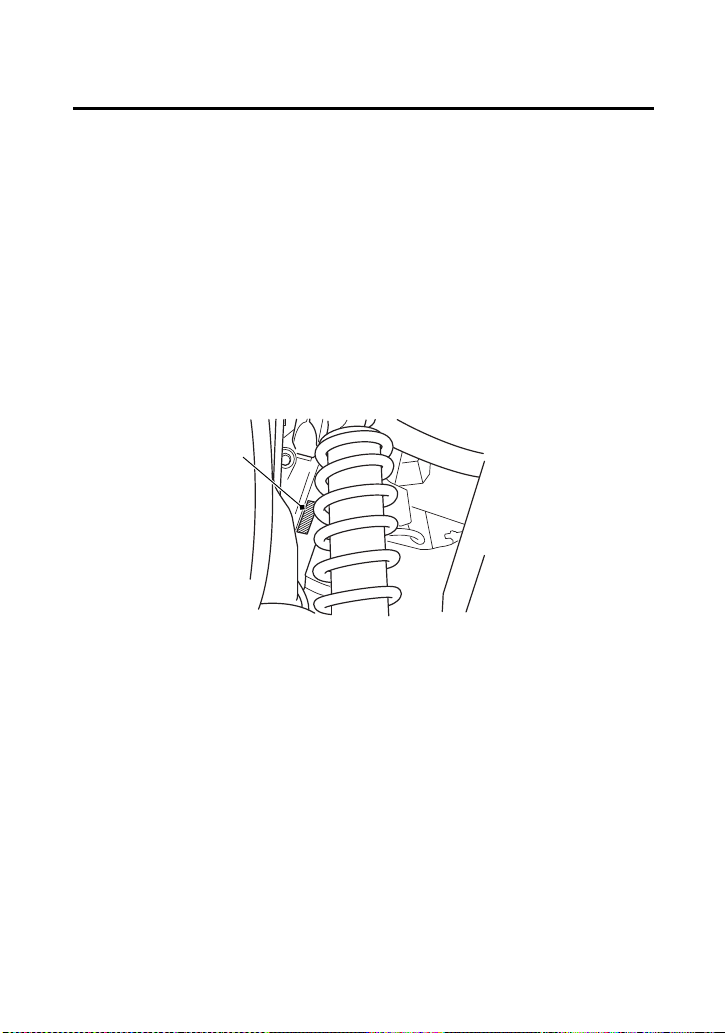
Technical Information
234
Emission Control Systems
Exhaust Emission Requirements
The U.S. Environmental Protection Agency (EPA) and the California
Air Resources Board (CARB) require that your ATV comply with
applicable exhaust emissions standards during its useful life, when
operated and maintained according to the instructions provided.
The Vehicle Emission Control Information Label (1) is attached on the
left front of the frame.
LEFT FRONT
(1)
(1) vehicle emission control information label

Technical Information
235
Emission Control Systems
Source of Exhaust Emissions
The combustion process produces carbon monoxide (CO), oxides of
nitrogen (NOx) and hydrocarbons (HC). Control of hydrocarbons and
oxides of nitrogen is very important because, under certain
conditions, they react to form photochemical smog when subjected
to sunlight. Carbon monoxide does not react in the same way, but it
is toxic.
Honda Motor Co., Ltd. utilizes various systems to reduce carbon
monoxide, oxides of nitrogen and hydrocarbons.
Exhaust Emission Control System
The exhaust emission control system includes a PGM-FI system and
oxygen sensor.
No adjustment to this system should be made although periodic
inspection of the components is recommended.
The exhaust emission control system is separate from the crankcase
emission control system.
Crankcase Emission Control System
The engine is equipped with a closed crankcase system to prevent
discharging crankcase emissions into the atmosphere. Blow-by gas is
returned to the combustion chamber through the air cleaner.

Technical Information
236
Emission Control Systems
Problems That May Affect ATV Exhaust Emissions
If you are aware of any of the following symptoms, have the vehicle
inspected and repaired by your ATV dealer.
Symptoms:
1.
Hard starting or stalling after starting
2.
Rough idle
3.
Misfiring or backfiring during acceleration
4.
After-burning (backfiring)
5.
Poor performance (driveability) and poor fuel economy
Federal regulations prohibit removing or disabling a device or
element of design that may affect your engine’s emission
performance unless your ATV will be used exclusively in competition.
If you modify your engine for use in sanctioned competition events,
you must deface or destroy the emission control information label.
If you loan, sell, or give your competition modified Honda ATV to
someone else, under applicable law, you must inform the new
owner/operator in writing that the vehicle is to be used for
competition only.

Technical Information
237
Emission Control Systems
Noise Emission Control System
TAMPERING WITH THE NOISE CONTROL SYSTEM IS PROHIBITED:
State laws prohibit, or Canadian provincial laws may prohibit, the
following acts or the causing thereof: (1) The removal or rendering
inoperative by any person, other than for purposes of maintenance,
repair or replacement, of any device or element of design
incorporated into any new vehicle for the purpose of noise control
prior to its sale or delivery to the ultimate purchaser or while it is in
use; or (2) the use of the vehicle after such device or element of
design has been removed or rendered inoperative by any person.
AMONG THOSE ACTS PRESUMED TO CONSTITUTE TAMPERING ARE
THE FOLLOWING ACTS:
• Removal of, or puncturing the muffler, baffles, header pipes or
any other component which conducts exhaust gases.
• Removal of, or puncturing of any part of the intake system.
• Lack of proper maintenance.
• Removing or disabling any emissions compliance component, or
replacing any compliance component with a non-compliant
component.
Fuel Permeation Emission Control System
This vehicle complies with the Fuel Permeation Emission Control
regulations of the U.S. Environmental Protection Agency (EPA) and
the California Air Resources Board (CARB).
The fuel tank, fuel hoses, and fuel vapor charge hoses used on this
vehicle incorporate fuel permeation control technologies.
Tampering with the fuel tank, fuel hoses, or fuel vapor charge hoses
to reduce or defeat the effectiveness of the fuel permeation
technologies is prohibited by federal regulations.

Technical Information
238
Oxygenated Fuels
Some conventional gasolines are being blended with alcohol or an
ether compound. These gasolines are collectively referred to as
oxygenated fuels. To meet clean air standards, some areas of the
United States use oxygenated fuels to help reduce emissions.
If you use an oxygenated fuel, be sure it is unleaded and meets the
minimum octane rating requirement.
Before using an oxygenated fuel, try to confirm the fuel’s contents.
Some states/provinces require this information to be posted on the
pump.
The following are the EPA-approved percentages of oxygenates for
non-road vehicles:
ETHANOL (ethyl or grain alcohol) up to 10% by volume
You may use gasoline containing up to 10% ethanol by volume.
Gasoline containing ethanol may be marketed under the name
“Gasohol”.
Do not use gasoline containing more than 10% ethanol by volume.
The use of gasoline containing a higher percentage (e.g. E15, E20,
E85) of ethanol has not been approved for use in this vehicle and
may cause starting and/or performance problems and can also
damage metal, rubber, and plastic parts of the fuel system and are
not be covered by the Distributor’s Limited Warranty.

Technical Information
239
Oxygenated Fuels
METHANOL (methyl or wood alcohol) up to 5% by Volume
You may use gasoline containing methanol containing up to 5%
methanol by volume as long as it also contains cosolvents and
corrosion inhibitors to protect the fuel system. Gasoline containing
more than 5% methanol by volume may cause starting and/or
performance problems. It may also damage metal, rubber, and
plastic parts of your fuel system.
If you notice any undesirable operating symptoms, try another
service station or switch to another brand of gasoline.
Fuel system damage or performance problems resulting from the use
of an oxygenated fuel containing more than the percentages of
oxygenates mentioned above are not covered under warranty.
Oxygenated fuels can damage paint and plastic. Be careful not to
spill fuel when filling the fuel tank. Wipe up any spills immediately.
NOTICE
Oxygenated fuels can damage paint and plastic. Damage caused by
spilled fuel is not covered by warranty.

Technical Information
240
B
LANK PAGE

Consumer Information
241
Consumer Information
Consumer Informa tion
This section contains information on your warranty and how to get
an official Honda service manual.
Authorized Manuals ................................................................. 242
Warranty Coverage .................................................................. 243
Warranty Service ...................................................................... 244
Contacting Honda .................................................................... 245
Your Honda Dealer ................................................................... 246
The Honda Rider’s Club ............................................................ 247
Consumer Information
242
Authorized Manuals
The Service Manual used by your authorized dealer is available from
your Honda dealer or Helm, Inc.
Also available but not necessary to service your model is the Honda
Common Service Manual which explains theory of operation and
basic service information for various systems on Honda motorcycles,
scooters, ATVs, SxSs and PWCs.
The Winter Storage Guide in conjunction with the Owner’s Manual
and Service Manual can help you prepare your Honda motorcycle,
scooter, ATV, and SXS for winter.
These Honda manuals are written for the professional technician,
but most mechanically capable owners should find them easy to use
if they have the proper tools and observe proper safety standards.
Special Honda tools are necessary for some procedures.
Order On-Line: www.helminc.com
Order Toll Free: 1-888-CYCLE93 (1-888-292-5393)
(NOTE: For Credit Card Orders Only)
Monday - Friday 8:00 AM - 6:00 PM EST
Publication Item No. Description
61HR304 2018 TRX420TM1/FM1/FM2/FE1/FA2
Service Manual
61CSM00 Common Service Manual
S9507 Winter Storage Guide
31HR3840 2018 TRX420FE1
Owner’s Manual

Consumer Information
243
Warranty Coverage
Your new Honda is covered by these warranties:
• TRX Limited Warranty
• Emission Control System Warranty
There are responsibilities, restrictions, and exclusions which apply to
these warranties. Please read the Warranties Booklet given to you by
your Honda dealer at the time of purchase. Be sure to keep your
Honda owner’s card with your Warranties Booklet.
It is important to realize that your warranty applies to defects in
material or workmanship of your Honda. Your warranty coverage
does not apply to normal wear or deterioration associated with using
the ATV.
Your warranty coverage will not be voided if you choose to perform
your own maintenance. However, you should have the proper tools
and service information, and be mechanically qualified. Failures that
occur due directly to improper maintenance are not covered.
Almost all of your warranty coverage can be extended through the
Honda Protection Plan. For more information, see your dealer.

Consumer Information
244
Warranty Service
Please remember that recommended maintenance interval servicing
is not included in your warranty coverage. Additionally, your
warranty does not apply to the normal wear of items (such as brakes,
tires, etc.).
If you believe you have a problem with your ATV, call the service
department of your dealer. Make an appointment for an inspection
and diagnosis. Remember, as the owner of the ATV, you will be
asked to authorize that inspection. Your dealer will give you the
results of the inspection. If the problem is covered under warranty,
your dealer will perform the warranty repairs for you.
If you have questions about warranty coverage or the nature of the
repair, it is best to talk to the Service Manager of your dealer.
Sometimes, in spite of the best intentions of all concerned, a
misunderstanding may occur. If you aren’t satisfied with your
dealer’s handling of the situation, we suggest you discuss your
problem with the appropriate member of the dealership’s
management team. If the problem has already been reviewed with
the Service Manager, Parts Manager, Sales Manager, etc., contact
the Owner of the dealership or their designated representative.

Consumer Information
245
Contacting Honda
Your owner’s manual was written to cover most of the questions
you might ask about your Honda. Any questions not answered in the
owner’s manual can be answered by your dealer. If your dealer
doesn’t have the answer right away, they will get it for you.
If you have a difference of opinion with your dealer, please
remember that each dealership is independently owned and
operated. That’s why it’s important to work to resolve any
differences at the dealership level.
If you wish to comment on your experiences with your Honda or
with your dealer, please send your comments to the following
address:
Motorcycle Division, American Honda Motor Co., Inc., P.O. Box
2200, Torrance, CA 90509-2200, mailstop: 100-4C-7B, telephone:
(866) 784-1870.
Please include the following information in your letter:
• name, address, and telephone number
• product model, year, and VIN
• date of purchase
• dealer name and address
We will likely ask your dealer to respond, or possibly acknowledge
your comments directly.

Consumer Information
246
Your Honda Dealer
Once you purchase your new Honda, get familiar with the
organization of your Honda dealer so you can utilize the full range of
services available.
The service department is there to perform regular maintenance and
unexpected repairs. It has the latest available service information
from Honda. The service department will also handle warranty
inspections and repairs.
The parts department offers Honda Genuine Parts, Pro Honda
products and Honda Genuine Accessories. The same quality that
went into your Honda can be found in Honda Genuine replacement
parts. You’ll also find comparable quality in the accessories and
products available from the parts department.
The sales department offers the Honda Protection Plan to extend
almost all of your warranty coverage.
Your Honda dealer can inform you about competition and other
riding events in your area. You’ll also find that your dealer is a source
of information about safety training available in your local area and
the Honda Rider’s Club of America.
We’re sure you’ll be as pleased with the service your Honda dealer
continues to provide after the sale as you are with the quality and
dependability of your Honda.

Consumer Information
247
The Honda Rider’s Club
The Honda Rider’s Club of America (HRCA) sponsors local riding
chapters at Authorized Honda Dealerships across the country.

Consumer Information
248
B
LANK PAGE

Index
Index
249
Index
A
accessories .................................................................................60
age recommendation .................................................................51
air cleaner,
dust cover .............................................................................145
filter ......................................................................................141
housing drain tube ................................................................146
air pressure,
gauge ....................................................................................111
tire ........................................................................................171
American Honda, contacting ....................................................245
apparel, protective ......................................................................48
appearance care .......................................................................186
authorized manuals ..................................................................242
B
bank angle sensor ignition cut-off system ...................................73
battery .....................................................................................181
brake light switch adjustment ...................................................168
brakes,
cables ....................................................................................167
draining water from ..............................................................169
fluid ......................................................................................159
front brake lever ......................................................................41
pad wear ...............................................................................162
P/R lever ..................................................................................41
rear brake lever .......................................................................40
rear brake lever freeplay ........................................................165
rear brake pedal ......................................................................40
rear brake pedal freeplay .......................................................163
shoe wear .............................................................................167
braking .......................................................................................81
break-in guidelines ...................................................................233

Index
250
Index
button,
mode ................................................................................14, 19
C
capacity, fuel ............................................................................118
care, appearance ......................................................................186
cargo,
loading and operational guidelines ..........................................57
weight limit .............................................................................58
cleaning, appearance care ........................................................186
climbing hills ..............................................................................86
clip ...........................................................................................116
clutch system ............................................................................149
color label ................................................................................227
compartment,
owner’s manual .....................................................................111
storage ....................................................................................45
tool kit ..................................................................................110
component fails ........................................................................223
consumer information ..............................................................241
controls & features .....................................................................34
coolant temperature gauge ........................................................29
crash, if you ..............................................................................220
crossing or turning on hills or slopes ...........................................91
customer service .......................................................................245
D
digital clock ................................................................................27
dimmer switch, headlight ...........................................................37
dipstick .....................................................................................123
display check ..............................................................................16
display, multi-function ................................................................20
drivetrain boots ........................................................................179

Index
251
Index
E
emission control systems ..........................................................234
engine,
flooded ...................................................................................73
guards ...................................................................................177
number .................................................................................226
oil ..........................................................................................120
pinging ..................................................................................117
starting ....................................................................................70
stop switch ..............................................................................36
stopping ..................................................................................75
won’t start ............................................................................204
environment .............................................................................200
exhaust system,
cleaning ..................................................................................56
purging .................................................................................155
F
final gear oil,
front ......................................................................................132
rear .......................................................................................129
flag pole bracket ........................................................................43
flat tire .....................................................................................210
flooded engine ...........................................................................73
front boot guards .....................................................................178
front driveshaft boots ...............................................................180
front driveshaft guards .............................................................178

Index
252
Index
fuel,
fill cap ...................................................................................118
gauge ......................................................................................25
oxygenated ...........................................................................230
recommendation ...................................................................117
refueling ................................................................................118
reserve fuel supply .................................................................118
tank capacity .........................................................................118
fuses ........................................................................................216
G
gap, spark plug ................................................................151, 229
gasohol ....................................................................................238
gasoline ....................................................................................117
gear shifting ...............................................................................78
gearshift switch ..........................................................................39
guards ......................................................................................177
H
headlight dimmer switch ............................................................37
headlight switch .........................................................................37
high coolant temperature indicator ...............................14, 17, 214
hills,
crossing or turning on slopes ...................................................91
riding down hills ......................................................................90
riding up hills ...........................................................................86
stopping on hills ......................................................................88
Honda service manual ..............................................................242
Honda,
contacting .............................................................................245
dealer ....................................................................................246
Rider’s Club ...........................................................................247
hourmeter ..................................................................................31

Index
253
Index
I
identification, vehicle ................................................................226
ignition switch ............................................................................34
indicators,
4WD indicator .............................................................18, 20, 23
gear position indicator .............................................................24
high coolant temperature indicator ............................14, 17, 214
maintenance minder indicator .................................................32
neutral indicator ................................................................14, 17
PGM-FI indicator ................................................................14, 17
reverse indicator ................................................................14, 17
inspection, pre-ride .....................................................................53
K
key,
lost ........................................................................................221
number .................................................................................221
kit, tool ....................................................................................110
L
labels, safety .................................................................................5
lamp check .................................................................................15
lever,
2WD/4WD ...............................................................................35
limit, weight ...............................................................................58
load limits ...................................................................................58
loading guidelines ......................................................................59
lubrication,
engine oil ..............................................................................120
front final gear oil ..................................................................132
rear final gear oil ...................................................................129

Index
254
Index
M
maintenance,
component locations .............................................................107
hourmeter ...............................................................................31
importance ..............................................................................99
minder indicator ......................................................................32
precautions ...........................................................................101
record ...................................................................................106
safety ....................................................................................100
schedule ................................................................................102
tripmeter .................................................................................32
manual, service .........................................................................242
maximum weight limit ................................................................58
mode button ........................................................................14, 19
modifications ..............................................................................60
multi-function display .................................................................20
N
neutral indicator ...................................................................14, 17
noise emission control system ...................................................237
numbers, serial .........................................................................226
O
obstacles, riding over ..................................................................93
odometer ...................................................................................28
oil,
engine ...................................................................................120
front final gear ......................................................................132
rear final gear ........................................................................129
operation component locations ..................................................11
owner’s manual storage ...........................................................111
oxygenated fuels ......................................................................238

Index
255
Index
P
P/R lever .....................................................................................41
passengers, no carrying ..............................................................51
pavement, no riding on ..............................................................65
pinging, engine ........................................................................115
plug, spark ...............................................................................151
pre-ride inspection ......................................................................53
problems, unexpected ..............................................................201
propeller shaft boots & yoke joint boot .....................................179
protective apparel .......................................................................48
R
rear final gear oil ......................................................................129
removal,
rear fender cover ...................................................................115
seat .......................................................................................112
tank cover assembly ..............................................................113
reverse,
assist cable ............................................................................150
assist lever .............................................................................150
gear, shifting into ....................................................................79
indicator ............................................................................14, 17
riding in ...................................................................................79
P/R lever ..................................................................................41
rider training ..............................................................................50
Rider’s Club Honda ...................................................................247

Index
256
Index
riding,
basic operation ........................................................................63
clothing ...................................................................................48
over obstacles ..........................................................................93
precautions .............................................................................65
preparing for .........................................................................192
safety ........................................................................................2
safety precautions ...................................................................65
through water .........................................................................94
S
safety,
important precautions ...........................................................101
labels .........................................................................................5
riding precautions ....................................................................65
schedule, maintenance .............................................................102
seat removal .............................................................................112
select lever,
2WD/4WD ...............................................................................35
serial numbers ..........................................................................226
service,
customer ...............................................................................245
manuals ................................................................................242
warranty ................................................................................244
shifting gears ..............................................................................76
skid plate ..................................................................................177
skidding or sliding ......................................................................85
spark arrester ...........................................................................155
spark knock ..............................................................................117
spark plug ................................................................................151
specifications ............................................................................228
speedometer ........................................................................18, 20
stalled engine .............................................................................74

Index
257
Index
stalling on a hill ..........................................................................88
start button ................................................................................36
starting,
engine .....................................................................................70
troubleshooting .....................................................................204
stop switch, engine ....................................................................36
stopping engine .........................................................................75
storage,
ATV .......................................................................................196
owner’s manual .....................................................................111
suspension,
adjustment ............................................................................156
spring pre-load ......................................................................157
switch,
downshift ..........................................................................40, 76
engine stop .............................................................................39
headlight .................................................................................37
headlight dimmer ....................................................................37
ignition ....................................................................................34
upshift ...............................................................................39, 76
T
throttle,
cable .............................................................................147, 148
lever ........................................................................38, 147, 148
tires,
air pressure ............................................................................171
flat ........................................................................................210
repairing ................................................................................175
replacing ...............................................................................176
thread conditions ..........................................................173, 174
tool kit .....................................................................................110
trailer hitch .................................................................................44

Index
258
Index
trailer towing,
operational guidelines .............................................................59
weight limits ............................................................................58
training, rider .............................................................................50
transporting your ATV ..............................................................194
tripmeter ....................................................................................28
trouble, unexpected .................................................................201
troubleshooting, starting ..........................................................204
turning,
on hills or slopes ......................................................................91
on level ground .......................................................................83
V
valve clearance .........................................................................154
vehicle identification no. (VIN) ..................................................226
W
warning labels ..............................................................................5
warranty,
coverage ...............................................................................243
extended ...............................................................................243
service ...................................................................................244
washing your ATV ....................................................................187
water,
draining from brakes .............................................................169
riding through .........................................................................94
weight limit ................................................................................58
wheel removal ..........................................................................212

Quick Reference
Quick Reference
Quick Reference
The following is a brief, but important collection of information you
need to know about your Honda. You’ll also find space to record
important notes.
The engine of your Honda can be the most expensive component to
repair. Proper maintenance, especially the use of the recommended
fluids and filters, prevents premature wear and damage.
Frequent causes of costly repairs are:
• Engine oil — insufficient quantity, improper oil.
• Air cleaner — dirty, leaking because of improper installation
(poor seal).
Record important information on the following page:
How To Avoid Costly Repairs
Quick Reference
Quick Reference
Engine No.
VIN
Color Label
Owner’s Name
Address
City/State
Phone
Dealer’s Name
Address
City/State
Phone
Service Mgr.
Quick Reference
Quick Reference
Scheduled
Maintenance
Initial: 100 miles (150 km)
Regular: every 600 miles (1,000 km)
Pre-ride
Inspection
Check the following items each time
before you ride (page 53): engine oil,
radiator coolant, fuel, tires, drivetrain
boots, guards, nuts & bolts, underbody &
exhaust system, air cleaner housing drain
tube, leaks, loose parts, cables, lights,
throttle, brakes, reverse assist lever,
switches, steering.
Fuel/Capacity unleaded gasoline, pump octane number
86 or higher
3.88 US gal (14.7 ℓ)
reserve:
1.29 US gal (4.9 ℓ)
Engine Oil/
Capacity
API Service Classification SG or higher
except oils labeled as energy conserving
or resource conserving on the circular API
service label, SAE 10W-30, JASO T 903
standard MA, Pro Honda GN4 4-stroke oil
or equivalent
after draining:
2.7 US qt (2.6 ℓ)
after draining & oil filter change:
2.9 US qt (2.7 ℓ)
Maximum
Weight Capacity
485 lb (220 kg)
rider, all cargo and accessories
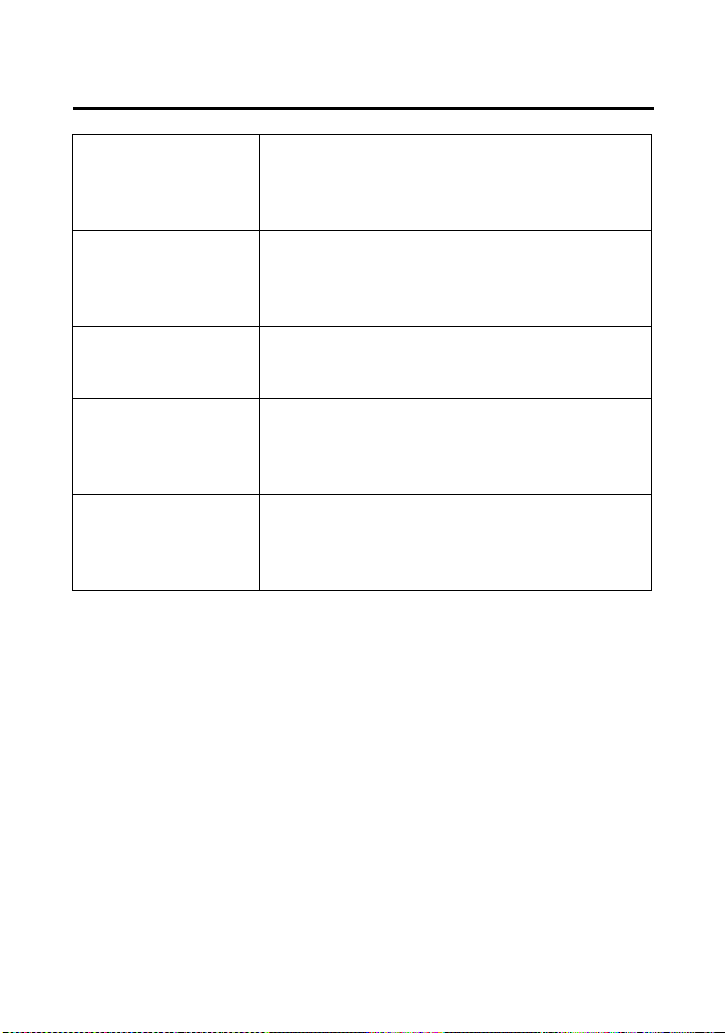
Quick Reference
Quick Reference
Tires Front: AT24 × 8-1211
MAXXIS M977
Rear: AT24 × 10-1111
MAXXIS M978
Tire Pressure
(cold)
Front: 4.4 psi
(30 kPa)
Rear: 4.4 psi
(30 kPa)
Spark Plugs standard:
BKR5E-11 (NGK) or
K16PR-U11 (DENSO)
Coolant ethylene glycol antifreeze (silicate-free)
for aluminum engines in 50/50 solution
with Pro Honda HP Coolant or an
equivalent distilled water
Fuses main 1: 30 A
main 2: 10 A
shift motor: 30 A
other: 20 A × 2, 10 A
Quick Reference
Quick Reference
These symbols are used in Controls & Features section:
SYMBOL COMPONENT SEE PAGE
q ON — ignition switch 34
w OFF — ignition switch 34
2WD/4WD select lever 35
o START button 36
e RUN — engine stop switch 36
r OFF — engine stop switch 36
y ON — headlight switch 37
t OFF — headlight switch 37
u HI — headlight dimmer switch 37
i LO — headlight dimmer switch 37
upshift switch — gearshift switch 39
downshift switch — gearshift switch 39
P/R lever:
P - parking brake
R - riding in reverse
41