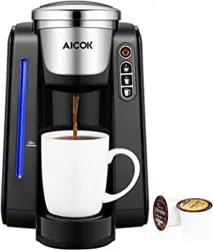
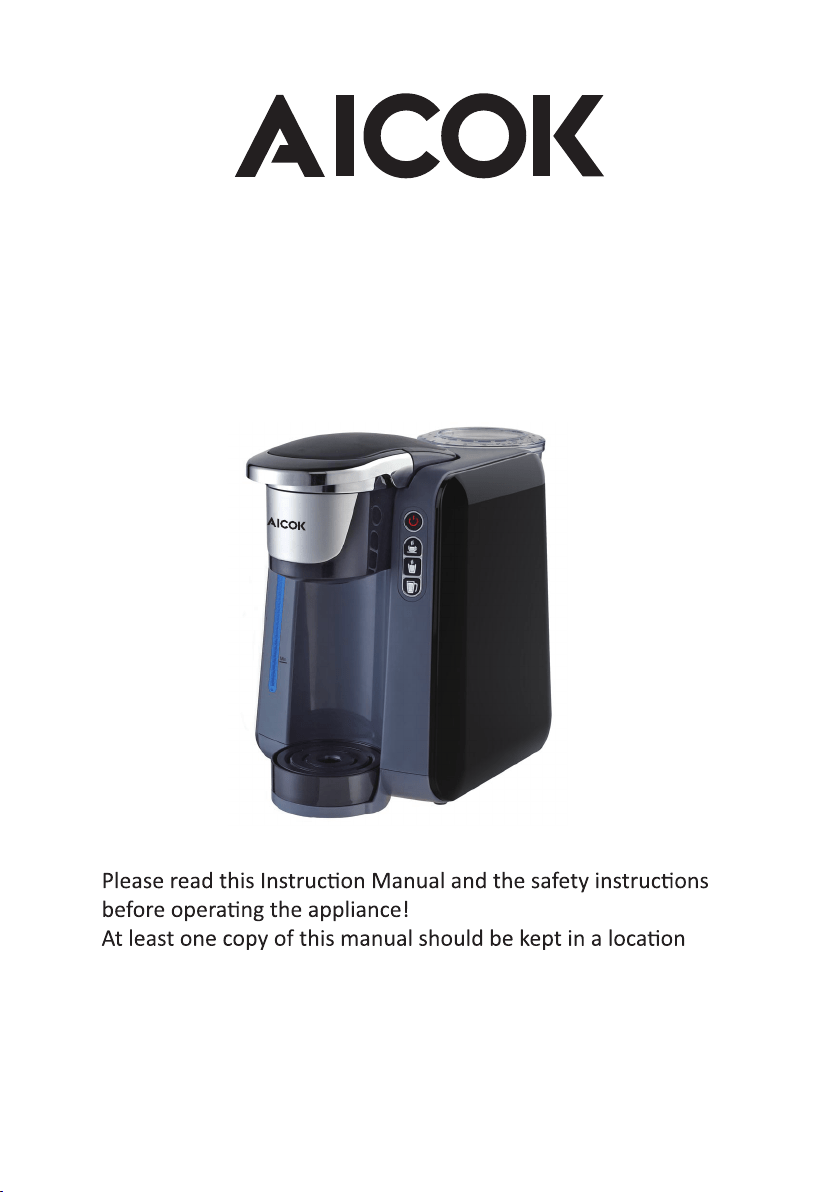
Coffee Machine
Model: AC-505K
INSTRUCTION MANUAL
available at all tmes to maintenance and management staff.

CONTENT
Congratulaon on your purchase!
Single Server Brewer, manufactured
with the greatest care. If you look it aer
properly it will reward you with many years of good service.
Before using your new machine, please read this operang
manual carefully, paying parcular aenon
to the safeguards.
IMPORTANT SAFEGUARDS ----------------------------------------------------------------------3
NOTES ON THIS MANUAL -----------------------------------------------------------------------5
UNPACKING ---------------------------------------------------------------------------------------- 5
STARTING UP---------------------------------------------------------------------------------------5
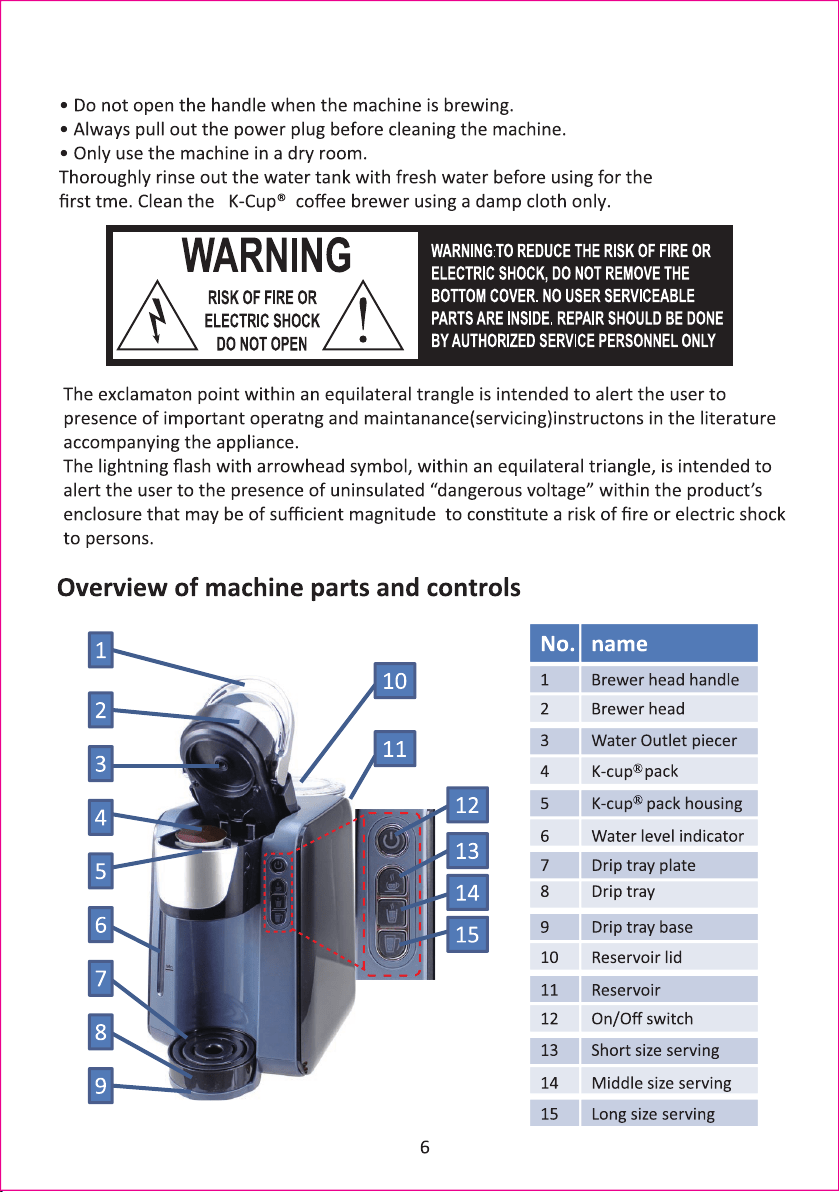
OVERVIEW OF MACHINE PARTS AND CONTROLS------------------------------------------6
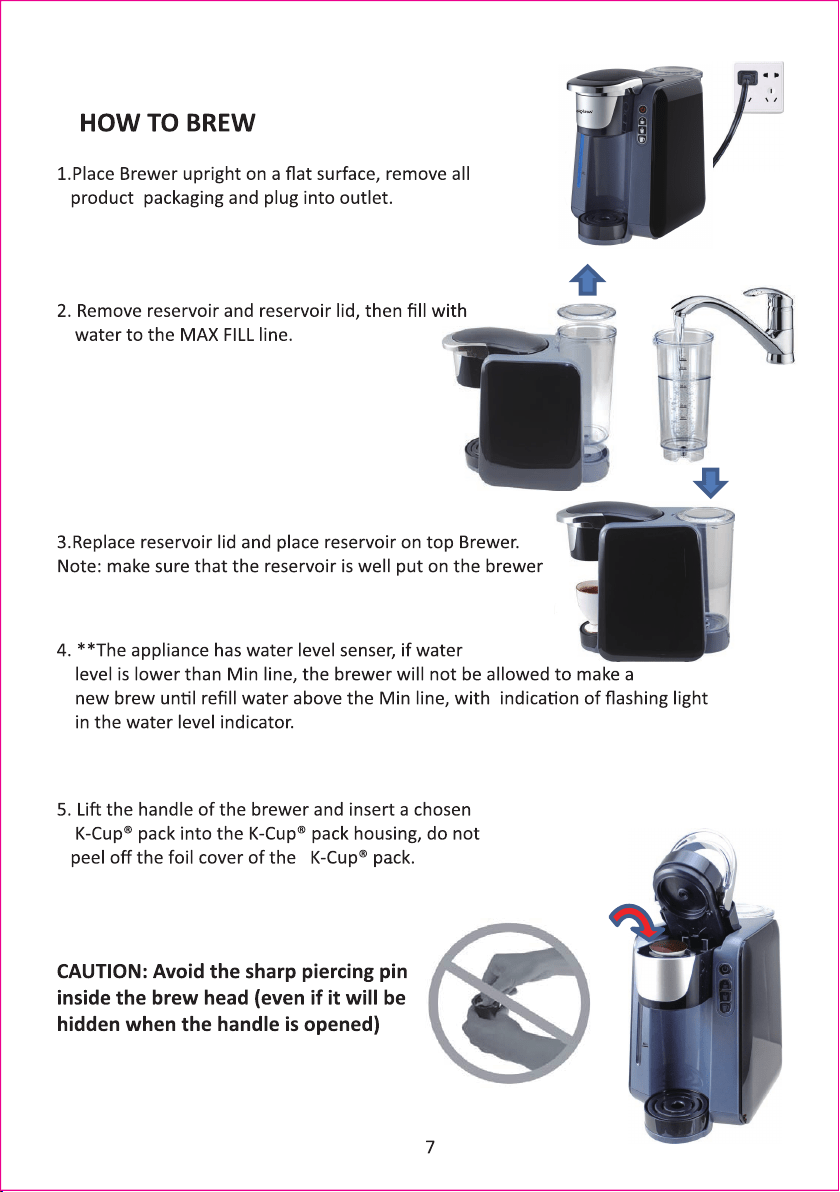
HOW TO BREW ------------------------------------------------------------------------------------7
HOW TO PROGRAM YOUR DEFAULT COFFEE VOLUME-----------------------------------9
HELPFUL HINTS ----------------------------------------------------------------------------------10
CLEANING AND MAINTAINING YOUR SINGLE SERVE BREWER------------------------11
TROUBLESHOOTING YOUR SINGLE SERVE BREWER-------------------------------------14
TECHNICAL DATA --------------------------------------------------------------------------------15
2

IMPORTANT SAFEGUARDS
When using electrical appliances, basic safety precauons should be followed,
including the following:
1. Read all instrucons before using.
2. Do not touch hot surfaces. Use handles and knobs when available. Scalding
may occur if the coffee brewer is moved or opened or K-Cup® Pack is disturbed
during brewing cycles.
3. This appliance must be properly installed and located in accordance with these
instrucons before it is used.
4. The use of accessory aachments not recommended by the appliance
manufacturer may result in fire, electrical shock or injury to persons.
5. Do not place on or near a hot gas or electric burner, or in a heated oven.
6. Do not use outdoors.
7. To protect against fire, electric shock and injury, do not immerse cords, plugs
or the appliance in water or any other liquid.
8. Use only water in this appliance! Do not put any other liquids or foods in the
Water Reservoir.
9. To disconnect, unplug power cord when not in use and before cleaning. Allow
to cool before pung on or taking off parts, and before cleaning the appliance.
10. Do not operate any appliance with a damaged cord or plug or aer the
appliance malfuncons or is damaged in any manner. Contact your Customer
Service to arrange for replacement or repair.
11. Do not let the cord hang over the edge of the table or counter, or touch hot
surfaces.
12. Close supervision is necessary when any appliance is used by or near
children.
13. Do not open the brewer while brewing is in progress.
14. Do not use appliance for other than intended use.
15. To disconnect, turn any control to “off,” then remove plug from wall outlet.
16. Risk of Fire or Electric Shock. Do not open. No user serviceable parts inside.
Repair should be done by authorized service personnel only.
17.Do not open the brewer head or take away the cup unl the size serving
buon stop flashing.
CAUTION: There are two sharp needles that puncture the K-Cup® pack, one
above the K-Cup® pack Holder and the other in the boom of the K-Cup® pack
Holder. To avoid risk of injury, do not put your fingers in the K-Cup® pack
Assembly Housing.
3

SPECIAL CORD SET INSTRUCTIONS
1. A short power supply cord is provided to reduce the hazards resulng from
becoming entangled in, or tripping over, a longer cord.
2. An extension cord may be purchased and used if care is exercised in its use.
3. If an extension cord is used, the marked electrical rang of the extension cord
must be at as great as the electrical rang of the appliance. If the appliance is
of the grounded type, the extension cord should be a grounding type 3-wire
cord. The resulng extended cord must be arranged so that it will not drape
over a countertop or tabletop where it can be pulled on by children or tripped
over accidentally.
4.
THIS PRODUCT IS FOR HOUSEHOLD
USE AND HOSPITALITY USE ONLY
Please read ALL of the instrucons in this manual carefully before you begin to use this
appliance. Proper care and maintenance will ensure a long life and a trouble-free
operaon for this appliance. Please save these instrucons and refer to them for cleaning
and care ps.
CAUTION: There is extremely hot water/steam in the K-Cup® pack Holder during the
brew process. To avoid risk of injury, do not li the Handle or open the K-Cup® pack
Assembly Housing during the brewing process.
WARNING: To reduce the risk of fire or electric shock, do not remove any service
covers. There are no user serviceable parts inside the coffeemaker. Only authorized
personnel should repair the coffeemaker.
Servicing should be performed by an
authorized service facility.
SAVE THESE INSTRUCTIONS
4
The plug of this appliance is subject to usage for household or hospitality:
For household use, the appliance is equipped with 2-wire polarized type plug & SPT-2
power supplier cord. or 3-wire grounding plug with SVT power supplier;
While for household and hospitality use , the appliance is equipped with 3-wire
grounding plug with HPN power supplier cord.
For 2-wire polarized type plug:
This appliance has a polarized plug (one blade is wider than the other). To reduce the risk
of electric shock, this plug will fit in a polarized outlet only one way. If the plug does not
fit fully in the outlet, reverse the plug. If it sll does not fit, contact a qualified electrician.
Do not modify the plug in any way.

Notes on this operang manual
This operang manual cannot cover all possible circumstances. For further
informaon or in case of problems not adequately covered in this operang
manual, please contact the service and sales centre.
Please keep this operang manual safe and pass it on to the next user.
Unpacking
− Remove your coffee brewer from its packaging
− Afer unpacking, please check that the following parts are included:
1. coffee brewer
2. Manual
3. Warantee card
Note:
− Check that your home power supply voltage is the same as marked on the
machine ratng plate
− Destroy all the plastc bags to prevent danger to children!
Tip:
Keep the packaging boxes for transportng the machine
(e.g. for removals, servicing, etc.)
Note:
You may find a lile water remaining in the machine.
In order to ensure that this machine works perfectly, it was tested with water
before leaving the factory.
Starng up
Before using for the first me
Cauon: improper handling of electrical equipment is dangerous
and can be lethal. Please pay atenton to the safety safeguards in this manual, in
parcular the following:
• Danger of scalding: beware of hot water & steam
• Do not operate the machine with an empty water tank or water is less than
MINIMUM level.
• Hot water will be dropped during pre-heang. Do not put the hands under the
water drip.
5
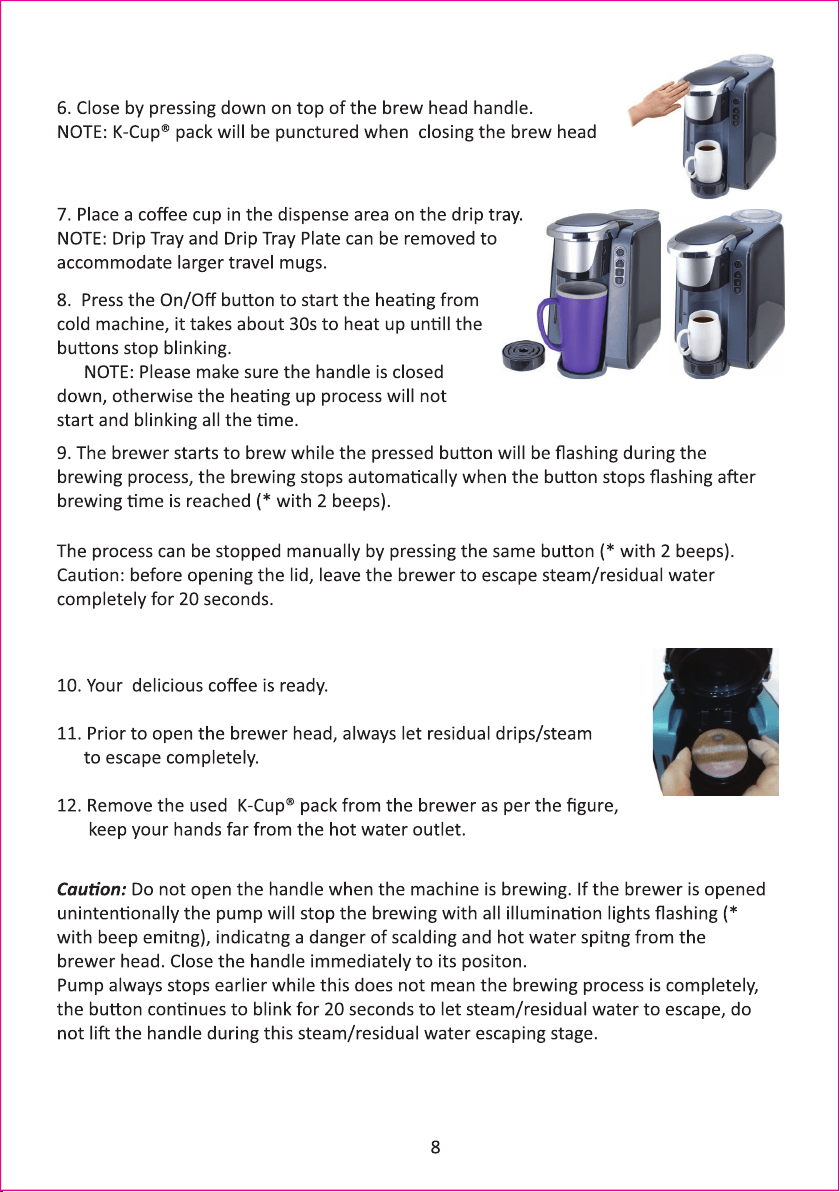
Tips:
When using the machine in first tme or when the machine is cold, It is suggested to
use a cup of water to rinse the cup and in the mean tme to help warm up
the machine.
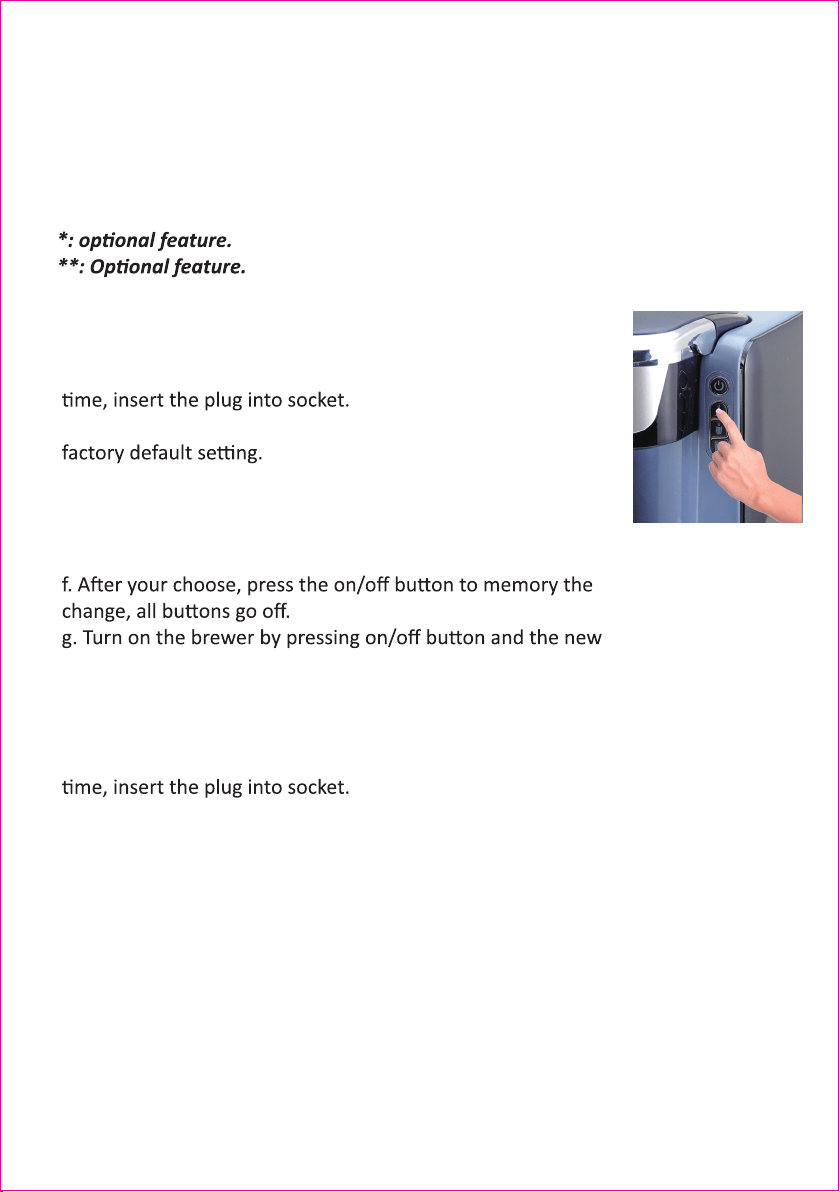
How to change default coffee volume ( 6oz- 8oz-10/12 oz):
a. Leave the machine unplugged.
b. Press the small cup buton and keep it pressed, in the mean
c. The middle cup buton is lit steadily, which stands for the
d. You can press the small cup size to set the default volume at:
4oz-6oz-8oz for the 3 botons or
e. Press the big cup buton to set the default volume at:
8oz-10oz-12oz
coffee volume is programmed.
How to reset the machine.
a. Leave the machine unplugged.
b. Press the big cup buton and keep it pressed, in the mean
c. The blue light of the water level gauge will flash twice,
standing for the reset is completed.
d. the volume seng is 6oz-8oz-10/12oz for the 3buons.
9

Helpful Hints
• The Right Water Makes a Difference – For the best tasng gourmet coffee, tea or hot
cocoa, we recommend using boled or filtered water. We do not recommend using
dislled or reverse osmosis water. Water quality varies from place to place. If you noce
an undesirable taste in your cup of coffee such as chlorine or other mineral taste, we
recommend you consider using boled water or water from a filtraon system.
• Customize Your Flavor & Brew – With the choice of over 200 variees of K-Cup® pack,
your Brewer gives you endless opons to customize the flavor and strength that’s perfect
for you. For a strong, intense cup, select an Extra Bold K-Cup® pack (with up to 30% more
ground coffee than regular variees). Fill the reservoir with filtered or boled water up to
the FILL LEVEL indicator and brew normally.
How to set the Stand-by me
The brewer will shut off automacally once the auto shut off me is reached.
The default seng from the factory is 1 hour. To change the auto shut off me
follow the instrucons below
1. Ensure that the brewer is unplugged before programming
2. Press the MEDIUM CUP buon and hold it down while simultaneously
plugging the brewer into the outlet. Hold the buon in unl you hear two
short beeps. The ON/OFF buon will begin to blink and the MEDIUM CUP
buon will illuminate steadily which represents the default seng of 1 hour
before your brewer automacally turns off.
3. Press the SMALL cup buon to change the seng to fieen minutes
4. Press the LARGE cup buon to change the seng to two hours.
5. Aer you have selected the preferred auto-off me press the ON/OFF
buon to record the seng to the brewer memory.
6. Press the ON/OFF buon again to turn your brewer back on using your new
sengs.
7. The new sengs will stay in memory regardless if the machine is
unplugged, you only need to set it one me.
• Inial Cleansing Brew – Before you use your Brewer for the first me, perform
an inial cleansing brew by running clean water through the brew cycle without
using a K-Cup® pack.
• One Cup at a Time – Your new Brewer makes one fresh beverage at a me.
10

Cleaning External Parts
IMPORTANT: Make sure the Brewer is unplugged before cleaning. Regular cleaning of the
Brewer’s external components is recommended. Allow to Cool.
1. Never immerse the Brewer in water or other liquids. The Housing and other external
components may be cleaned with a soapy, damp, non-abrasive cloth.
2. The Drip Tray can accumulate liquids. The Drip Tray and Drip Tray Plate should be
periodically inspected and cleaned with a damp soapy nonabrasive lint free cloth. The
Drip Tray and Drip Tray Plate should not be put into the dishwasher. To remove the Drip
Tray Assembly, simply slide it toward you, keeping it level at all mes to avoid spilling.
• Brewing Into a Tall Mug – To brew into a tall mug, simply remove the Drip Tray
Assembly and place the tall mug on the Drip Tray Base.
• The Drip Tray – Any liquid overflow (from your cup or the Cold Water Reservoir) will be
caught in the Drip Tray. Be sure to empty the Drip Tray. The Drip Tray has a snug fit to
ensure it stays put in transit.
• Clean Your Brewer Regularly – To keep your Brewer looking and performing its best, be
sure to clean the external and internal components on a regular basis. See page 10 for
more informaon.
• De-Scaling – Mineral content in water varies from place to place. Depending on the
mineral content of the water in your area, calcium deposits or scale may build up in your
Brewer. Scale is non-toxic, but le unaended, it can hinder Brewer performance.
De-scaling your Brewer helps maintain the heang element and other internal parts of
the Brewer that come in contact with water.
• Storing – When storing your Brewer, carefully empty the Drip tray and water reservoir.
Store your Brewer upright in a safe, dry, frost-free environment.
11
Cleaning and maintaining your single server brewer
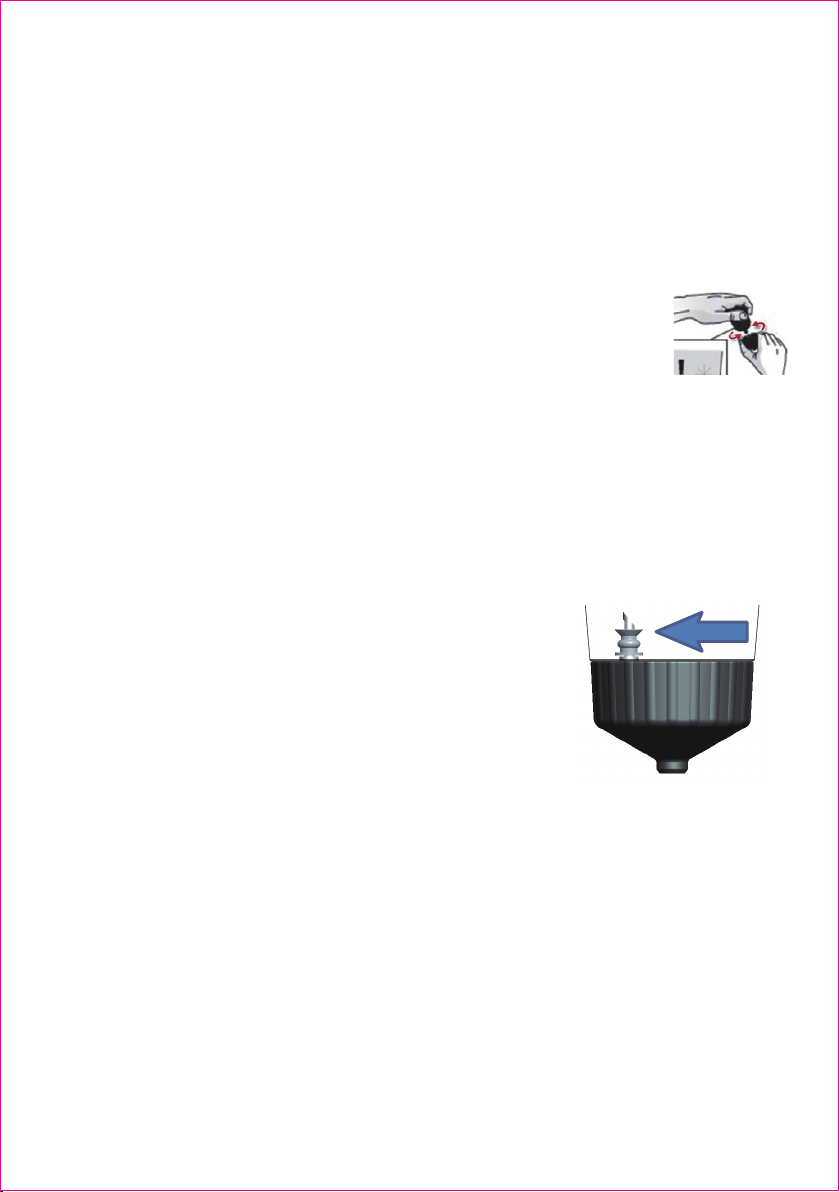
Cleaning the K-Cup® pack Holder Assembly
1. Cleaning the Parts – The K-Cup® pack Holder Assembly can be placed onto the
top shelf of a dishwasher. NOTE: Use low temperature cycles in the dishwasher.
To remove from the Brewer, li the front face of the Brewer.
Grasp the top of the K-Cup® pack Holder with one hand while twist clockwise on
the boom of the K-Cup® pack Holder to unlock it. Aer cleaning, align the
opening of the boom to the rib of the holder and lock the boom with
an-clockwise direcon.
CAUTION: There are sharp needles that puncture the
K-Cup® pack above the K-Cup® pack Holder and in the
boom of the K-Cup® pack Holder. To avoid risk of
injury, do not put your fingers in the K-Cup® pack
Assembly Housing.
Cleaning and Emptying the Reservoir
Storage
Empty the reservoir before storing and take care to ensure that you store your
Brewer in a safe and frost free environment. It is suggested to store your Brewer
in the upright posion. If you store the Brewer in a cold environment, you run
2. Cleaning the Funnel – The Funnel can be removed from the K-Cup® pack Holder
by pulling on it unl it snaps off (fig. 1). The Funnel is dishwasher safe. To replace
it, just snap it back onto the K-Cup® pack Holder Assembly.
3. Cleaning the Exit Needle – The Exit Needle is located on the inside botom of
the K-Cup® pack Holder Assembly. Should a clog arise due to coffee grinds, it can
be cleaned using a clean household tool. Remove K-Cup® pack Holder assembly
and detach Funnel. Insert the household tool into the Needle to loosen the clog
and push it out. The K-Cup® pack Holder is dishwasher safe.
Discard the remaining water by removing the reservoir lid and turning reservoir
upside down over the sink. It is recommended to empty the water reservoir
between uses and use fresh water for each brew. Do not immerse reservoir in
water.
12

De-Scaling Your Brewer
Mineral content in boled or filtered water varies. Depending on the mineral
content of the water, calcium deposits or scale may build up in your Brewer. Scale
is non-toxic but le unaended, it can hinder Brewer performance. Descaling
your Brewer helps maintain the heang element, and other internal parts of the
Brewer that come in contact with water.
The Brewer should be de-scaled every 3-6 months to ensure opmal
performance or when there are white deposits in the reservoir. It is possible for
calcium deposits to build up faster, making it necessary to de-scale more oen.
the risk of condensaon freezing inside the Brewer and causing damage. When
you prepare to use it aer storage, we recommend wiping the reservoir with a
damp lint-free cloth and running three rinse brews without a K-Cup® pack.
If your Brewer has been in an environment below freezing, please be sure to let
it warm to room temperature for 2 hours before using.
To de-scale the Brewer:
Step 1: Make sure you have at least 8 ounces of undiluted white vinegar on hand.
You will also need a 10 oz ceramic mug (do not use a paper cup) and access to a
sink.
Step 2: Fill reservoir with 8 ounces of undiluted white vinegar, place a ceramic
mug on the Drip Tray Plate.
Step 3: Close the brew head and perform a brew into the ceramic mug without
adding a K-Cup® pack.
Step 4: Start a brew but power off the Brewer just aer it starts to dispense and
then allow it to sit for at least 30 minutes.
Step 5: Aer the prescribed period of me, perform a brew without adding a
K-Cup® pack. Empty the contents of the ceramic mug into the sink, be careful as
contents may be hot.
Step 6: Fill the reservoir with 8 ounces of boled water, close the brew head,
place a cup on the Drip Tray Plate and perform a brew.
Step 7: Repeat Step 6 three mes using boled water (with no K-Cup® pack in
place) to clean the Brewer plumbing and get rid of any residual taste from the
vinegar. The Brewer is now ready for normal use again.
13

TROUBLESHOOTING YOUR SINGLE SERVER BREWER
Beyond these recommended cleaning and maintenance procedures this Brewer
is not user serviceable. For service please refer to the Warranty secton in this
guide.
PROBLEM CAUSE SOLUTION
Brewer does not have power
Check to be sure that it is
plugged in securely.
Plug into a different outlet.
Check to be sure that the
reservoir is well put on the
brwer
Reservoir rattling
Put the reservoir on the brewer
perfectly.
1) No water in the reservoir.
2) The brew head hasn’t been
closed
Brewer will not brew Brewer
will not heating up
1)Check to make sure there is
water in the reservoir
2)Close the brew head
NOTE: The Brew NOW Button
will flash if the brew head is open
14
Brewing a partial cup
1) K-Cup® pack Holder may
be clogged
2) Water is not enough to
brew the selected size.
3) Calcium or scale is built up
in the brewer.
1) Clean K-Cup® pack Holder if
necessary and rinse under faucet
2) Make sure there is
enough water in the reservoir to
brew the selected serving size
3) De-scale the Brewer
1) The reservior is not empty
before removal.
Water in reservoir base
1) Remove the water reservoir,
Turn off the brewer with the
on/offbutton, press the on/off
button and keep it pressed for 3
seconds, the pump starts to drain
the water of the base.
2) Use a dry sponge to absorb the
water if any.
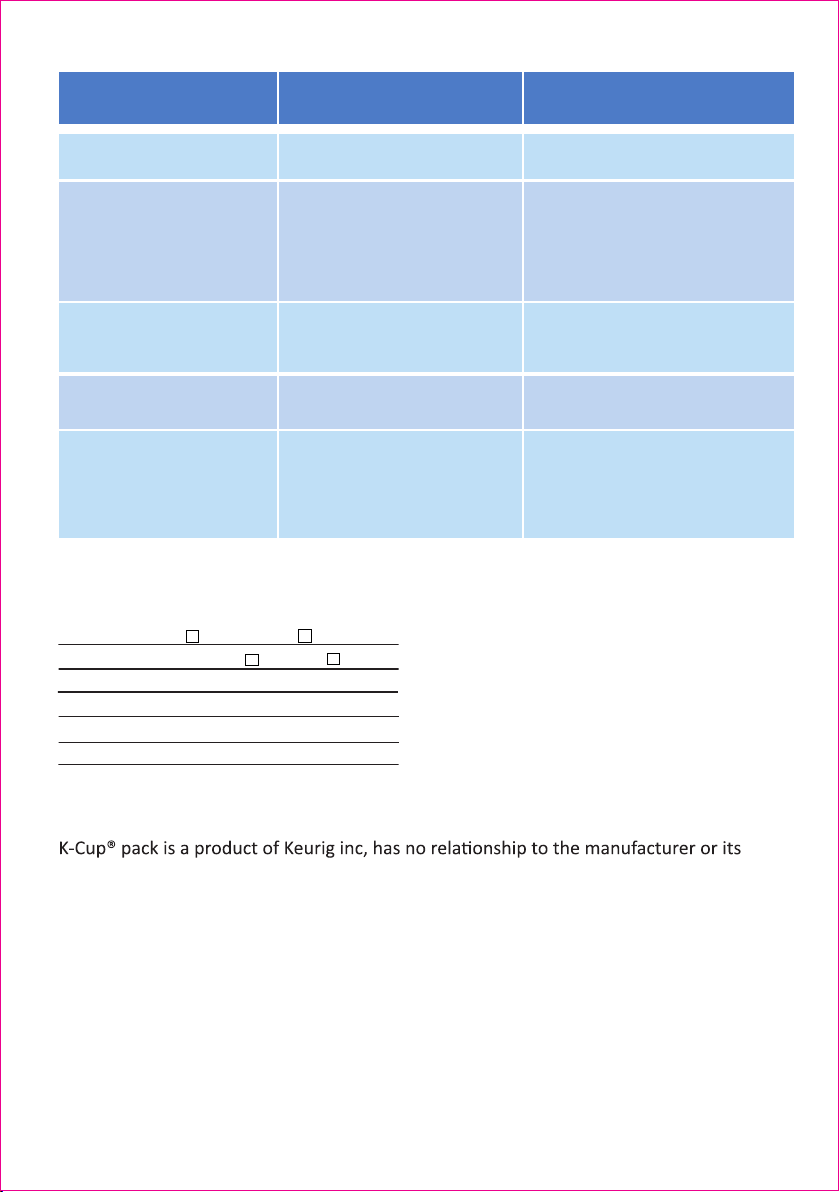
1) Ground coffee sticked on to
the Water Outlet gasket as a
result the sealing is not good.
Coffee drops around the
brewer hold when brewing
Pull off the gasket gently and
rinse the gasket with water, put it
back gently after rinse.
15
Technical data:
Right for improvements changes are reserved in the interest of technical progress.
distributors of this brewer.
Rated Voltage: 120V AC
Rated Frequency: 50Hz 60Hz
Rated Power: 1,420W
N.W./G.W.: 3.1/3.5 kg appr.
Pump Pressure: Max. 3 Bars
Water Tank Capacity: 45 oz
PROBLEM CAUSE SOLUTION
Temperature sensor does not
work properly.
The on/off button is flashing
Call service line.
1) The brewing is stopped
manually.
2) The handle or brewer head
is lift while the button is
flashing
Water spitting from the outlet
of the brewer head.
1) Leave the brewer to escape
steam/residual water
completely, in 20 seconds from
the brewing process is
interrupted.
It is normal, depending on
K-cup from different brand.
lift while the button is flashing
K-cup is shrinked after
brewing
Check to be sure that it is
plugged in securely.
Brewer does not have power
Plug into a different outlet.
No water in the reservoir.
The handle is lift.
Check to make sure there is
water in the reservoir
Close the handle, the 3
serving buttons will flash if the
handle is lift.
Brewer cannot brew
220-240V

Booth No.3H012,Trading Plaza,No.5,Huanan city,Pinghu Street,Longgang
District,Shenzhen,China
Facebook Page: https//www.facebook.com/aicoks/
Website:www.aicok.cc
Made In China