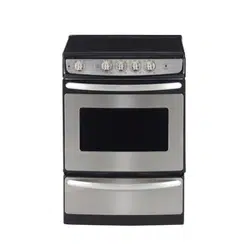

Write the model and serial
numbers here:
Model #
Serial #
behind the storage drawer on the
oven frame.
Owner´s Manual and
Installation Instructions
Coil Top and
Radiant Top Models
Standard
Clean Models
JCAS745
JCAS445
Self-Clean
Models
JCAP750
JCAP760
JCAP765
Ranges
Electric Coil & Radiant
www.GEAppliances.ca
183D9541P011
Safety Information.........................
Operating Instructions
Surface Units...................................
Cookware...........................................
Controls............................................
Oven...........................................
Clock, Timer and
Convenience Outlet....................
Timed Baking and Roasting.............
Special Features..........................
Sabbath Features........................
Temperature Conversions................
Thermostat.......................................
Self Clean...................................
Care and Cleaning......................
Installation Instructions..............
Troubleshooting Tips..................
Accessories.....................................
Consumer Support
Product Registration..................
Warranty..........................................
Consumer Support...........................
2-6
7-8
9
10
11, 12
13, 14
15
16-18
19, 20
20
21
22, 23
24-30
31-35
36-40
41
42, 43
44
45
2
Consumer Support Troubleshooting Tips Care and Cleaning Safety Instructions
Installation
Instructions
Operating
Instructions
IMPORTANT SAFETY INFORMATION.
READ ALL INSTRUCTIONS BEFORE USING.
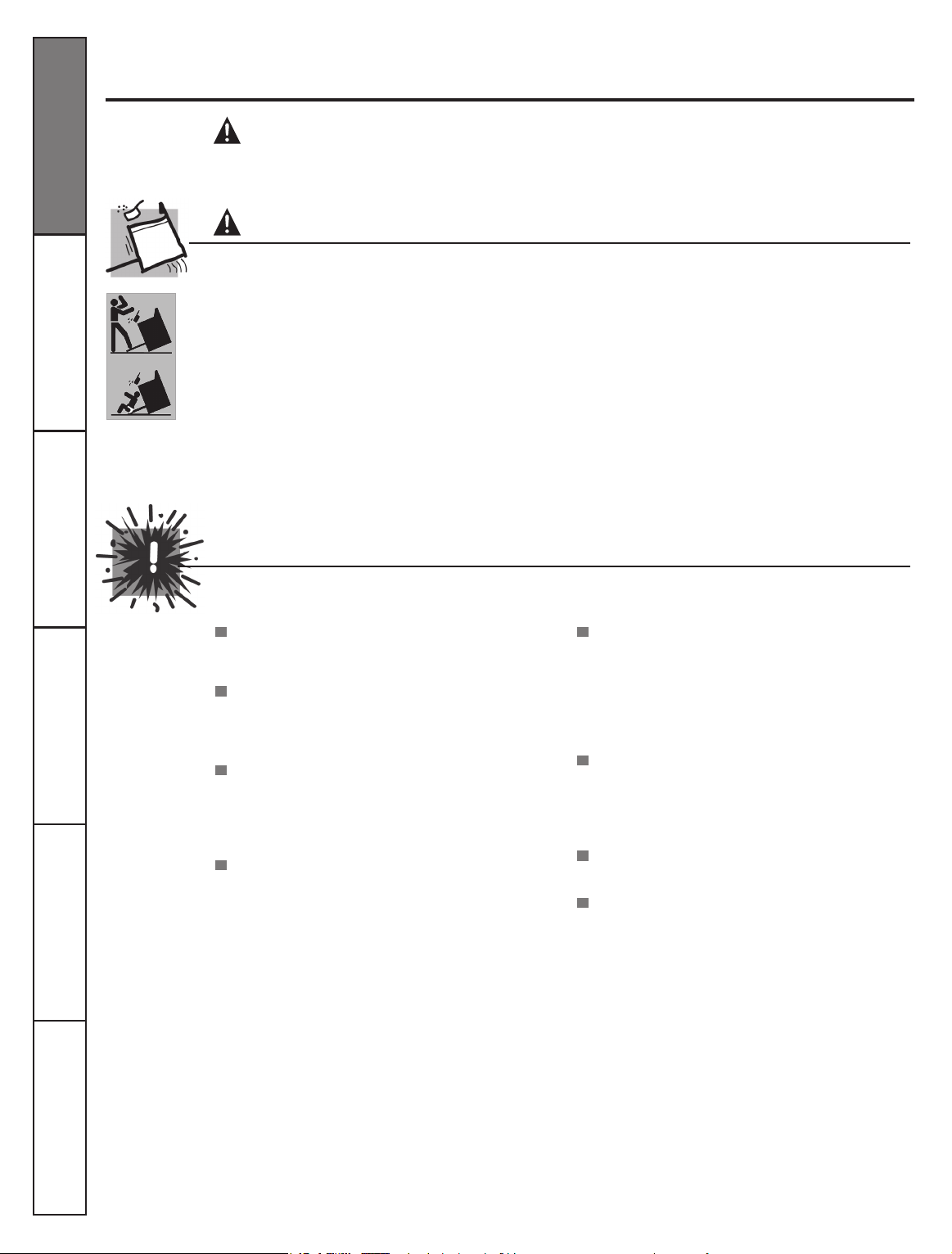
WARNING!
WARNING
ANTI-TIP DEVICE
SAFETY PRECAUTIONS
For your safety, the information in this manual must be followed to minimize the risk of re or explosion,
electric shock, or to prevent property damage, personal injury, or loss of life.
All ranges can tip and injury could result.
To prevent accidental tipping of the range, attach
it to the wall by installing the Anti-tip device
supplied.
If the Anti-Tip device supplied with the range does
not t this application, use the universal Anti-Tip
device WB2X7909
To check if the device is installed and engaged
properly, carefully tip the range forward. The
Anti-Tip device should engage and prevent the
range from tipping over.
When using electrical appliances, basic safety precautions should be followed, including the following:
Use this appliance only for its intended purpose
as described in this Owner´s Manual.
Be sure your appliance is properly installed
and grounded by a qualied technician in
accordance with the provided installation
instructions.
Do not attempt to repair or replace any
part of your range unless it is specically
recommended in this manual. All other
servicing should be referred to a qualied
technician.
BEFORE PERFORMING ANY SERVICE, DISCONNECT
THE RANGE POWER SUPPLY AT THE HOUSEHOLD
DISTRIBUTION PANEL BY REMOVING THE FUSE
OR SWITCHING OFF THE CIRCUIT BREAKER.
If you pull the range out from the wall for any
reason, make sure the device is properly engaged
when you push the range back against the wall. If
it is not, there is a possible risk of the range tipping
over and causing injury if you or a child stand, sit
or lean on an open door.
Please refer to the Anti-Tip device information in
this manual. Failure to take this precaution could
result in tipping of the range and injury.
Do not leave children alone-children should
not be left alone or unattended in an area where
an appliance is in use. They should never
be allowed to sit or stand on any part of the
appliance.
Do not allow anyone to climb, stand or hang
on the door, storage drawer, or cooktop. They
could damage the range and even tip it oven,
causing severe personal injury.
Do not store ammable materials in an oven or
near the cooktop.
CAUTION:
ITEMS OF INTEREST TO CHILDREN
SHOULD NOT BE STORED IN CABINETS ABOVE A
RANGE OR ON THE BACKSPLASH OF A RANGE-
CHILDREN CLIMBING ON THE RANGE TO REACH
ITEMS COULD BE SERIOUSLY INJURED.
3
Consumer Support
Troubleshooting Tips
Care and Cleaning Safety Instructions
Installation
Instructions
Operating
Instructions
WARNING!
SAFETY PRECAUTIONS
COOK MEAT AND POULTRY THOROUGHLY…
Cook meat and poultry thoroughly—meat to at least an INTERNAL temperature of 160° F and poultry to at least an
INTERNAL temperature of 180°F. Cooking to these temperatures usually protects against foodborne illness.
Never wear loose-tting or hanging garments
while using the appliance. Be careful when
reaching for items stored over the range.
Flammable material could be ignited if brought
in contact with hot surface units or heating
elements and may cause severe burns.
Use only dry pot holders-moist or damp pot
holders on hot surfaces may result in burns from
steam. Do not let pot holders touch hot surface
units or heating elements. Do not use a towel or
other bulky cloth.
For your safety never use your appliance for
warming or heating the room.
Do not let cooking grease or other ammable
materials accumulate in or near the range.
Do not use water on grease res. Never pick up
a aming pan. Turn the controls off.
Smother a aming pan on a surface unit by
covering the pan completely with a well-
tting lid, cookie sheet or at tray. Use a
multi-purpose dry chemical or foam-type re
extinguisher.
Flaming grease outside a pan can be put out by
covering it with baking soda or, if available, by
using a multi-purpose dry chemical or foam-
type re extinguisher.
Flame in the oven can be smothered completely
by closing the door and turning the oven off or
by using a multi-purpose dry chemical or foam-
type re extinguisher.
Do not touch the surface units, the heating
elements or the interior surface of the oven.
These surfaces may be hot enough to burn
even though they are dark in color. During and
after use, do not touch or let clothing or other
ammable materials contact, the surface units,
areas nearby the surface units or any interior
area of the oven; allow sufcient time for
cooling rst.
Potentially hot surfaces include the cooktop,
areas facing the cooktop, oven vent opening,
surfaces near the opening, crevices around the
oven door and metal trim parts above the door.
REMEMBER: The inside surface of the oven
may be hot when the door is opened.
Do not store or use combustible materials,
gasoline or other ammable vapors and
liquids in the vicinity of this or any other
appliance.
Keep the hood and grease lters clean
to maintain good venting and to avoid
grease res.
Never Block the vents (air openings) of
the range. They provide the air inlet and
outlet that are necessary for the range to
operate properly with correct combustion.
Air openings are located at the rear of the
cooktop, at the top and bottom of the oven
door, and at the bottom of the range under
the storage drawer.
4
SELF-CLEANING OVEN
(on some models)
Do not clean the door gasket. The door
gasket is essential for a good seal. Care
should be taken not to rub, damage or
move the gasket.
Clean only parts listed in this Owner´s
Manual.
Do not use oven cleaners on self-clean
models. No commercial oven cleaner or
oven liner protective coating of any kind
should be used in or around any part of
the oven. Residue from oven cleaners will
damage the inside of the oven when the
self-clean cycle is used.
Before self-cleaning the oven, remove the
broiler pan, grid and other cookware.
Be sure to wipe up excess spillage before
starting the self-cleaning operation.
If the self-cleaning mode malfunctions,
turn the oven off and disconnect the power
supply. Have it serviced by a qualied
technician.
Take the shelves out of the oven before
you begin the self-clean cycle or they may
discolor.
OVEN
Stand away from the range when opening
the oven door. Hot air or steam which
escapes can cause burns to hands, face
and/or eyes.
Do not heat unopened food containers.
Pressure could build up and the container
could burst, causing an injury.
Keep the oven vent unobstructed.
Keep the oven free from grease buildup.
Place the oven shelf in the desired position
while the oven is cool. If shelves must be
handled when hot, do not let pot holder
contact the heating elements.
Pulling out the shelf to the stop-lock is a
convenience in lifting heavy foods. It is also
a precaution against burns from touching
hot surfaces of the door or oven walls.
When using cooking or roasting bags in the
oven, follow the manufacturer’s directions.
Do not use the oven to dry newspapers. If
overheated, they can catch on re.
Do not use the oven for a storage area. Items
stored in an oven can ignite.
Do not leave paper products, cooking
utensils or food in the oven when not in use.
Consumer Support Troubleshooting Tips Care and Cleaning Safety Instructions
Installation
Instructions
Operating
Instructions
IMPORTANT SAFETY INFORMATION.
READ ALL INSTRUCTIONS BEFORE USING.
5
SURFACE UNITS-ALL MODELS
Use proper pan size-select cookware having at bottoms large enough to cover the surface unit
heating element. The use of undersized cookware will expose a portion of the surface unit to direct
contact and may result ignition of clothing. Proper relationship of cookware to surface unit will also
improve efciency.
Never leave the surface units unattended at
high beat settings. Boilovers cause smoking
and greasy spillovers that may catch on re.
Only certain types of glass, glass/ceramic,
earthenware or other glazed containers are
suitable for cooktop service, others may
break because of the sudden change in
temperature.
To minimize the possibility of burns,
ignition of ammable materials and spillage,
the handle of a container should be turned
toward the center of the range without
extending over nearby surface units.
Always turn the surface units off before
removing cookware.
Do not ame foods on the cooktop. If you
do ame foods under the hood, turn the
fan on.
Keep an eye on foods being fried at high or
medium high heat settings.
Foods for frying should be as dry as possible.
Frost on frozen foods or moisture on fresh
foods can cause hot fat to bubble up and over
the side of the pan.
Use little fat for effective shallow or deep fat
frying. Filling the pan too full of fat can cause
spillovers when food is added.
If a combination of oils or fats will be used in
frying, stir together before heating, or as fats
melt slowly.
Always heat fat slowly, and watch as it heats.
Use a deep fat thermometer whenever
possible to prevent overheating fat beyond the
smoking point.
Consumer Support
Troubleshooting Tips
Care and Cleaning Safety Instructions
Installation
Instructions
Operating
Instructions
6
IMPORTANT SAFETY INFORMATION.
READ ALL INSTRUCTIONS BEFORE USING.
WARNING!
WARNING!
SAVE THESE INSTRUCTIONS
RADIANT SURFACE UNITS
(on some models)
COIL SURFACE UNITS
(on some models)
READ AND FOLLOW THIS SAFETY INFORMATION CAREFULLY
Avoid scratching the glass cooktpo. The
cooktop can be scratched with items such as
sharp instruments, rings or other jewelry and
rivets on clothing.
Large scratches or impacts to glass doors or
cooktops can lead to broken or shattered glass.
Do not operate the radiant surface units if the
glass is broken. Spillovers or cleaning solution
may penetrate a broken cooktop and create
a risk of electrical shock. Contact a qualied
technician immediately should your glass
cooktop become broken.
Never use glass cooktop surface as a cutting
board.
Do not place or store items that can melt or
catch re on the glass cooktop, even when it is
not being used.
Be careful when placing spoons or other
stirring utensils on the glass cooktop surface
when it is in use. They may become hot and
could cause burns.
Clean the cooktop with caution. If a wet
sponge is used to wipe spills on a hot
cooktop, be careful to avoid steam burns.
To avoid the possibility of a burn or electric
shock, always be certain that the controls for
all surface units are at the OFF position and
all coils are cool before attempting to lift or
remove a unit.
Do not immerse or soak the removable
surface units. Do not put them in a
dishwasher.
Clean the cooktop with caution. If a wet
sponge or cloth is used to wipe spills on a
hot surface unit, be careful to avoid steam
burns. Some cleaners can produce noxious
fumes if applied to a hot surface.
NOTE: We recommend that you avoid
wiping any surface unit areas until they have
cooled and the indicator light has gone off.
Sugar spills are the exception to this. Please
see
Cleaning the glass cooktop section.
When the cooktop is cool, use only the
recommended cleaning cream to clean the
cooktop.
To avoid possible damage to the cooking
surface, do not apply cleaning cream to the
glass surface when it is hot.
After cleaning, use a dry cloth or paper
towel to remove all cleaning cream residue.
Read and follow all instructions and
warnings on the cleaning cream labels.
Do not lift the cooktop. Lifting the cooktop
can lead to damage and improper operation
of the range.
Be sure the drip pans and the vent duct
are not covered and are in place. Their
absence during cooking could damage
range parts and wiring.
Do not use aluminum foil to line the drip
pans or anywhere in the oven except as
described in this manual. Misuse could
result in a shock, re hazard or damage to
the range.
Use care when touching the cooktop. The glass surface of the cooktop will retain heat after the controls
have been turned off.
Consumer Support Troubleshooting Tips Care and Cleaning Safety Instructions
Installation
Instructions
Operating
Instructions
7
Using the surface units.
Throughout this manual, features and appearance may vary from your model.
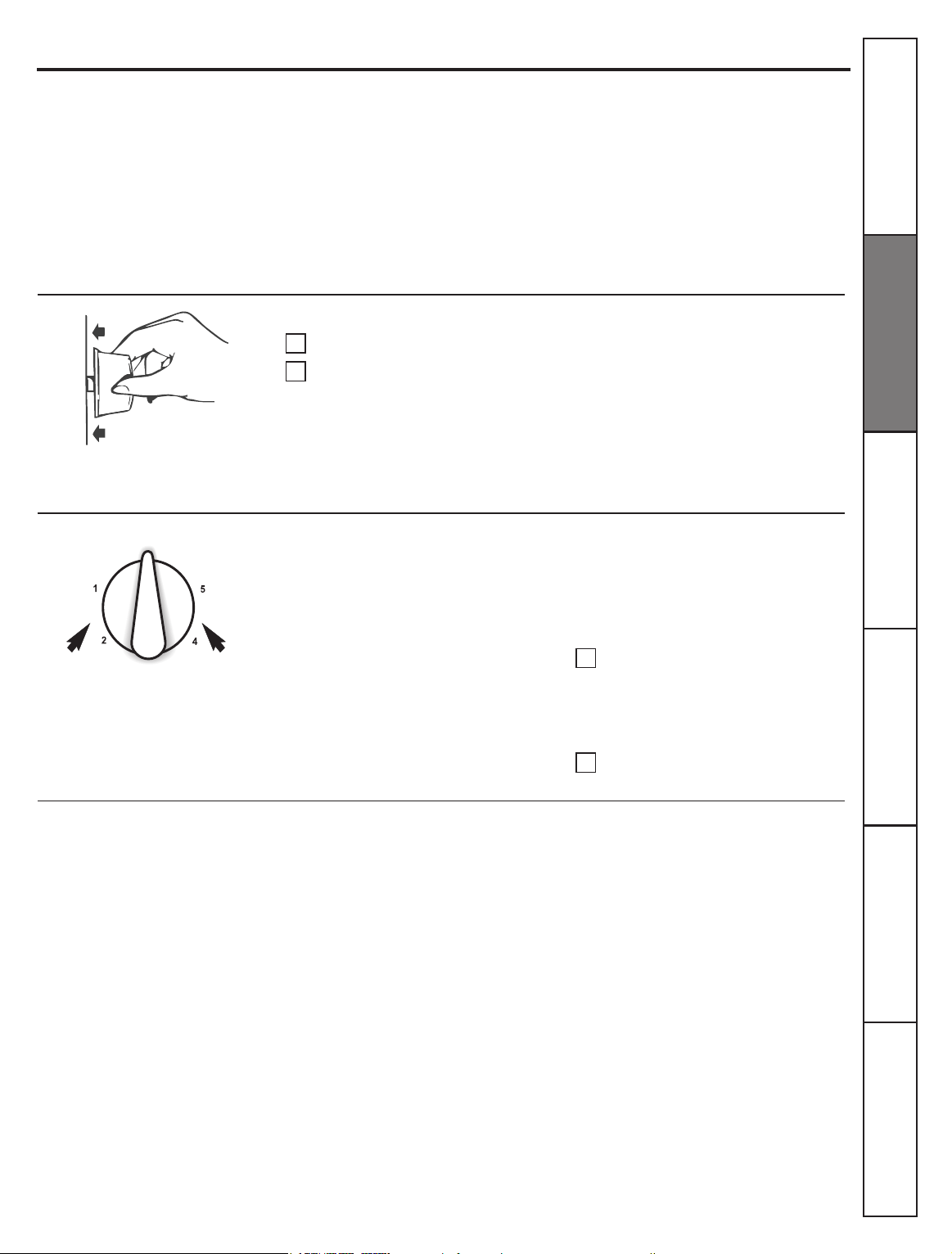
Surface Cooking Controls
Your surface units and controls are
designed to give you a variety of heat
settings for surface unit cooking.
At both
LO and HI positions, there is a
slight niche so control
clicks at those
positions;
HI marks the highest setting; LO,
the lowest setting.
How to Set the Controls
Push the control knob in.
Turn either clockwise or
counterclockwise to desired heat
setting.
Control must be pushed in to set only
from the
OFF
position.
Heat Setting Guide
MAX
---Quick start for cooking; bring
water to boil.
MEDIUM HIGH
--- Fast fry, pan broil;
maintain fast boil on large amount of
food.
MED
--- Sauce and brown; maintain slow
boil on large amount of food.
MEDIUM LOW
– Cereal; maintain serving
temperature of most foods.
Cooking Tips
Use medium- or heavyweight
cookware. Aluminum cookware
conducts heat faster than other
metals. Cast-iron and coated cast-
iron cookware is slow to absorb heat,
but generally cooks evenly at low or
medium heat settings. Steel pans may
cook unevenly if not combined with
other metals.
Do not overll cookware with fat
that may spill over when adding
food. Frosty foods bubble vigorously.
Watch foods frying at high
temperatures. Keep range and hood
clean from accumulated grease.
In a quiet kitchen, you may hear
slight
clicking sounds during cooking,
indicating heat settings selected are
being maintained.
Switching heats to higher settings
always shows a quicker change in
temperature than switching to lower
settings.
When control is in any position other
than
OFF
, you can turn it without
pushing in.
Be sure you turn control to
OFF
when you
nish cooking. An indicator light will
glow when
ANY
surfaces unit is on.
A Burner On indicator light will glow
when
ANY
surface unit is on.
MIN
--- Cook after starting at HI; cook
with little water in covered pan. Use to
steam rice.
NOTE:
At
MAX
or
MEDIUM HIGH,
never
leave food unattended. Boilovers
cause smoking; greasy spillovers
may catch re.
At
MIN
, melt chocolate, butter on
small unit.
To conserve the most cooking energy,
pans should be at on the bottom,
have straight side and tight-tting lids.
Match the size of the saucepan to the
size of the surface unit. A pan that
extends more than an inch beyond
the edge of the drip pan traps heat,
which causes “crazing” (ne hairline
cracks) on porcelain, and discoloration
ranging from blue to dark gray on
chrome drip pans.
1
1
2
2
Consumer Support
Troubleshooting Tips
Care and Cleaning Safety Instructions
Installation
Instructions
Operating
Instructions
8
Using the surface units.
Using the radiant surface units. (on some models)
Throughout this manual, features and appearance may vary from your model.
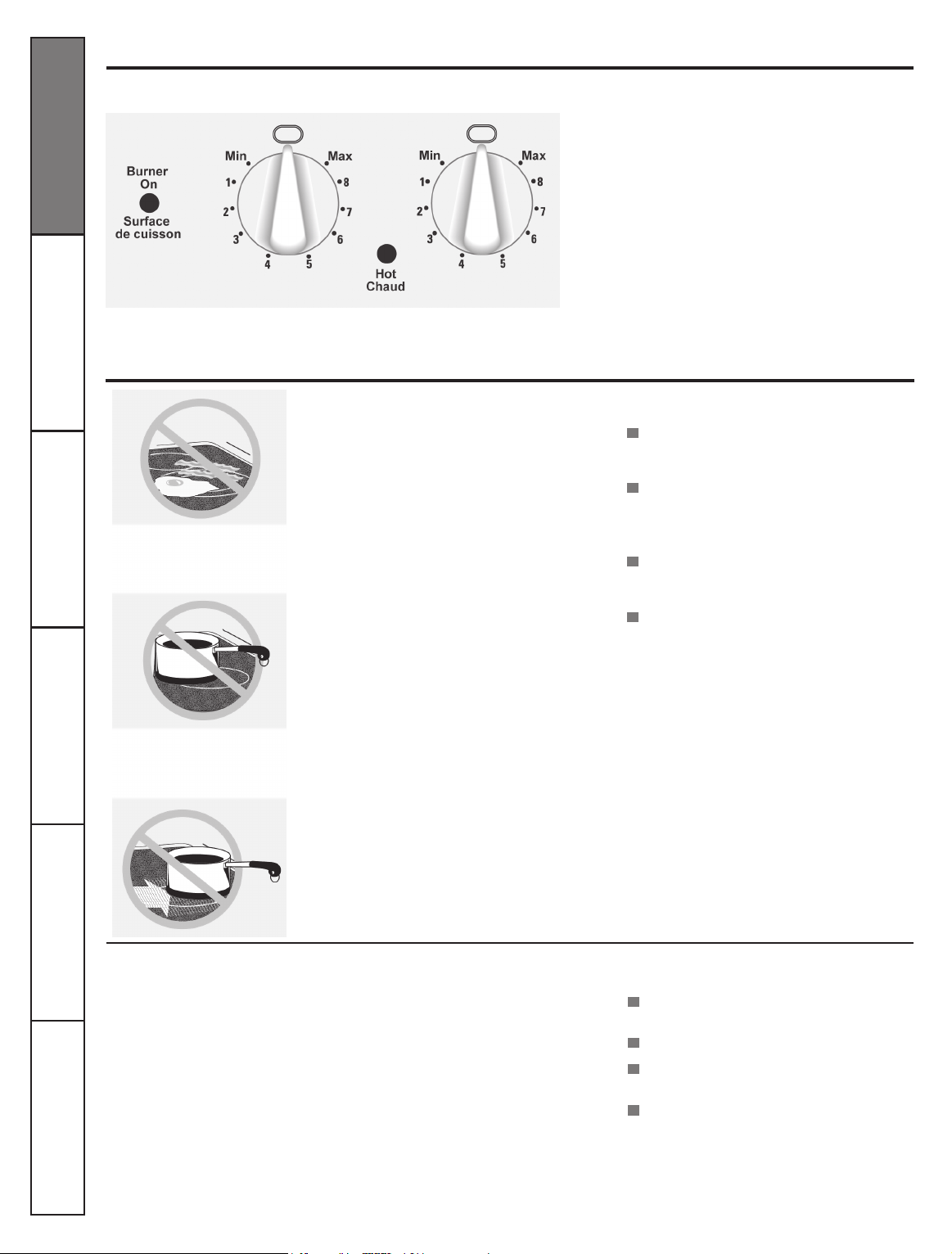
Indicator Lights
(on radiant glass models only).
A Hot indicator light will glow when any
radiant elements is turned on, and will
remain on until the surface is cool enough
to touch.
A
Burner On
indicator light will glow when any
surface unit is on.
NOTE:
The
Hot
indicator light may glow between
the surface control settings of
Min
and
OFF
, but
there is no power to the surface units.
About the radiant surface units…
The radiant cooktop features heating units
beneath a smooth glass surface.
NOTE:
A slight odor is normal when a
new cooktop is used for the rst time. It is
caused by the heating of new parts and
insulating materials and will disappear in a
short time.
The surface unit will cycle on and off to
maintain your selected control setting.
It is safe to place hot cookware from the oven
or surface on the glass surface when the surface
is cool.
Even after the surface units are turned off, the
glass cooktop retains enough heat to continue
cooking. To avoid over-cooking, remove pans
from the surface units when the food is cooked.
Avoid placing anything on the surface unit
until it has cooled completely.
Do not slide cookware across the cooktop
because it can scratch the glass --- the glass
is scratch resistant, not scratch proof.
Temperature Limiter
Every radiant surface unit has a
temperature limiter.
The temperature limiter protects the glass
cooktop from getting too hot.
Water stains (mineral deposits) are
removable using the cleaning cream or
full-strength white vinegar.
Use of window cleaner may leave
an iridescent lm on the cooktop.
The cleaning cream will remove this
discoloration.
Don´t store heavy items above the
cooktop. If they drop onto the cooktop,
they can cause damage.
Do not use the surface as a cutting
board.
The temperature limiter may cycle the
units off for a time if:
The pan boils dry.
The pan bottom is not at.
The pan is off center.
There is no pan on the unit.
SURFACE
COOKING
DRAGGING
OFF CENTER
Never cook directly on the
glass. Always use cookware.
Always place the pan in the center of
the surface unit you are cooking on.
Consumer Support Troubleshooting Tips Care and Cleaning Safety Instructions
Installation
Instructions
Operating
Instructions
9
Selecting types of cookware.
The following information will help you choose cookware will give good performance on glass cooktops.
The following information will help you choose cookware which will give food performance on coil cooktops.
Stainless Steel:
recommended
Aluminum:
heavy weight recommended.
Good conductivity. Aluminum residues
sometimes appear as scratches on the
cooktop, but can be removed if cleaned
immediately. Because of its low melting
point, thin-weight aluminum should not
be used.
Copper Bottom:
recommended
Copper may leave residues which can
appear as scratches. The residues can
be removed, as long as the cooktop is
cleaned immediately. However, do not let
these pots boil dry. Overheated metal can
bond to glass cooktops. An overheated
copper bottom pot will leave a residue
that will permanently stain the cooktop if
not removed immediately.
Porcelain Enamel Covered Cast Iron:
recommended
As long as the cookware is covered
completely with porcelain enamel, this
cookware is recommended. Caution is
recommended for cast-iron cookware that
is not completely covered with smooth
porcelain enamel, as it may scratch the
glass-ceramic cooktop.
Surface Cookware Tips
Use medium- or heavy-weight cookware.
Aluminum cookware conducts heat faster
than other metals. Cast-iron and coated
cast-iron cookware are slow to absorb heat,
but generally cook evenly at low to medium
heat settings. Steel pans may cook unevenly
if not combined with other metals.
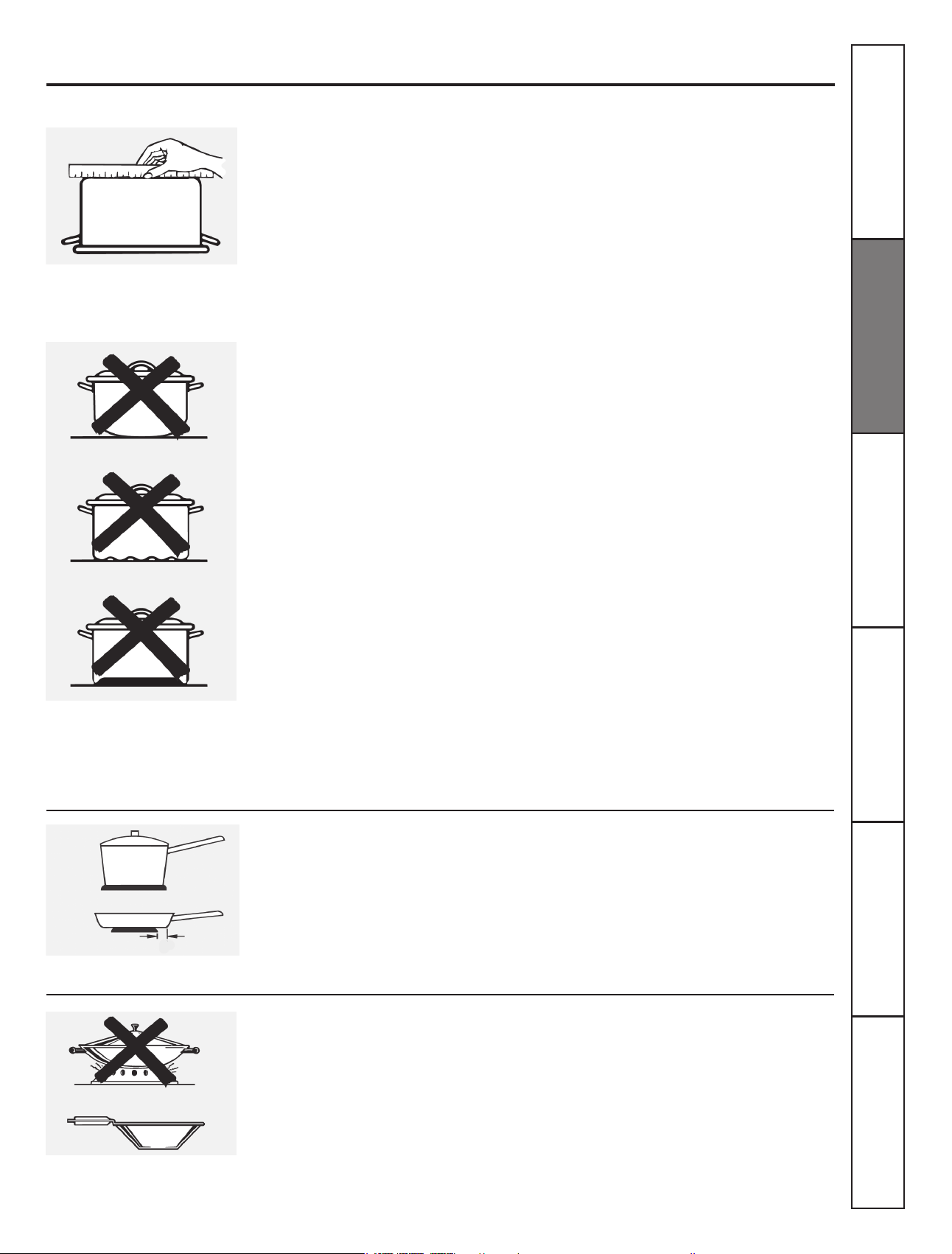
Wok Cooking
We recommend that you use only a at-bottomed
wok. They are available at your local retail store.
Do not use woks that have support rings. Use
of these types of woks, with or without the
ring in place, can be dangerous.
Not over 1 inch
Use Only at-bottomed woks.
Glass-ceramic:
usable, but not recommended
Poor performance. May scratch the surface.
Stoneware:
usable, but not recommended
Poor performance. May scratch the surface.
Home Canning Tips:
Be sure the canner is centered over the
surface unit.
Make sure the canner is at on the bottom.
Use recipes and procedures from
reputable sources. These are available
from manufacturers such as Ball® and
Kerr® and the Department of Agriculture
Extension Service.
To prevent burns from steam or heat, use
caution when canning.
Check for at bottoms by using a
straight edge.
Pans with rounded, curved,
ridged or warped bottoms are not
recommended.
For best cooking results, pans should be
at on the bottom. Match the size of the
saucepan to the size of the surface unit.
The pan should not extend over the edge
of the surface unit than 1 inch.
Placing the ring over the surface unit will
cause a buildup of heat that will damage
the porcelain cooktop. Do not try to use
such woks without the ring. You could be
seriously burned if the wok tips over.
Consumer Support
Troubleshooting Tips
Care and Cleaning Safety Instructions
Installation
Instructions
Operating
Instructions
10
Using the oven controls.
(on some models)
Throughout this manual, features and appearance may vary from y our model.
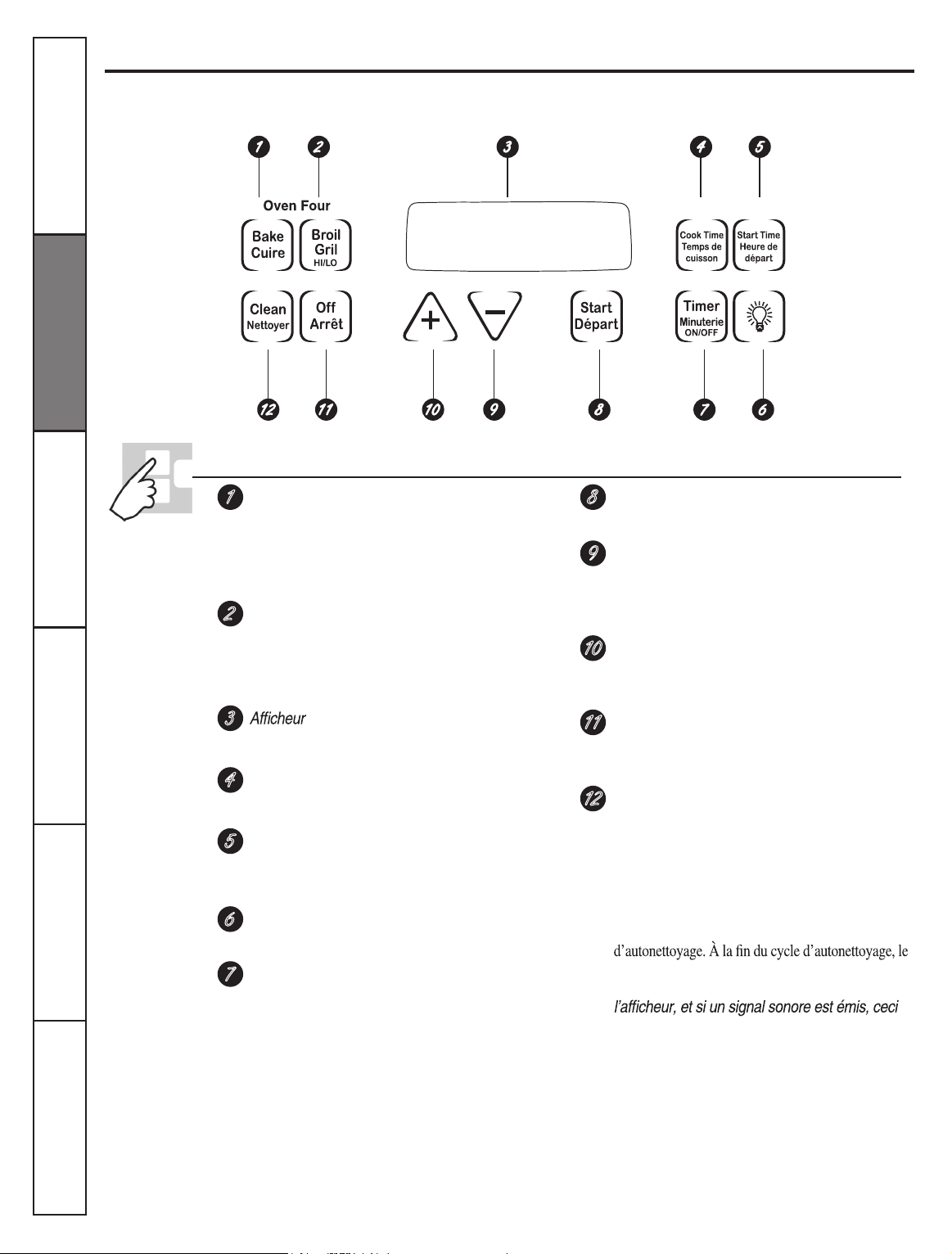
Oven Control, Clock and Timer Features and Settings
1
2
3
4
5
7
6
8
9
10
11
12
BAKE Pad
Touch this pad to select the bake function.
BAKE Light
Flashes while in edit mode---you can change
the oven temperature this point.
BROIL HI/LO Pad
Touch this pad to select the broil function.
BROIL Light
Flashes while in edit mode---you can switch
from
HI
to
LO BROIL
at this point.
Display
Shows the operations you have selected, the
time of day and the cooking status.
COOK TIME Pad
Touch this pad and then touch the + or –
pad to set the amount of time you want your
food to cook. The oven will shut o when
the cooking time has run out.
START TIME Pad
Use along with the
COOK TIME
or
SELF
CLEAN
pad to set the oven to start and stop
automatically at a time you set.
OVEN LIGHT ON/OFF Pad
Touch this pad to turn the oven light on or o.
TIMER/CLOCK Pad
Touch this pad to select the timer feature.
Then pres
+ and –
pads to adjust time.
TO set the clock, touch this pad and hold
3 seconds and then touch the
+ and –
pads.
START Pad
Must be touched to start any cooking
function.
– Pad
Short taps to this pad will decrease the time
or temperature by small amounts. Touch
and hold the pad to decrease the time or
temperature by larger amounts.
+ Pad
Short taps to this pad will increase the time
or temperature by small amounts. Touch
and hold the pad to increase the time or
temperature by larger amounts.
CLEAR/OFF Pad
Touch this pad to cancel
ALL
oven
operations except the clock and timer.
SELF CLEAN Pad
Touch this pad to select the self-cleaning
function.
See the Using the self-cleaning
oven
section.
CLEAN Light
Flashes while in edit mode-you can change
the length of time for the self-clean cycle
at this point. Glows when the oven is in the
self-clean cycle. After the self-clean cycle,
the light will turn o. Unlatch the door.
Consumer Support Troubleshooting Tips Care and Cleaning Safety Instructions
Installation
Instructions
Operating
Instructions
Time Temps
the oven control signals, this indicates a function
error code.
Touch the
CLEAR/OFF
pad. Allow the oven to cool-
for one hour. Put the oven back into operation.
If function error code repeats, disconnect power to
the oven and call for service.
11
Using the oven.
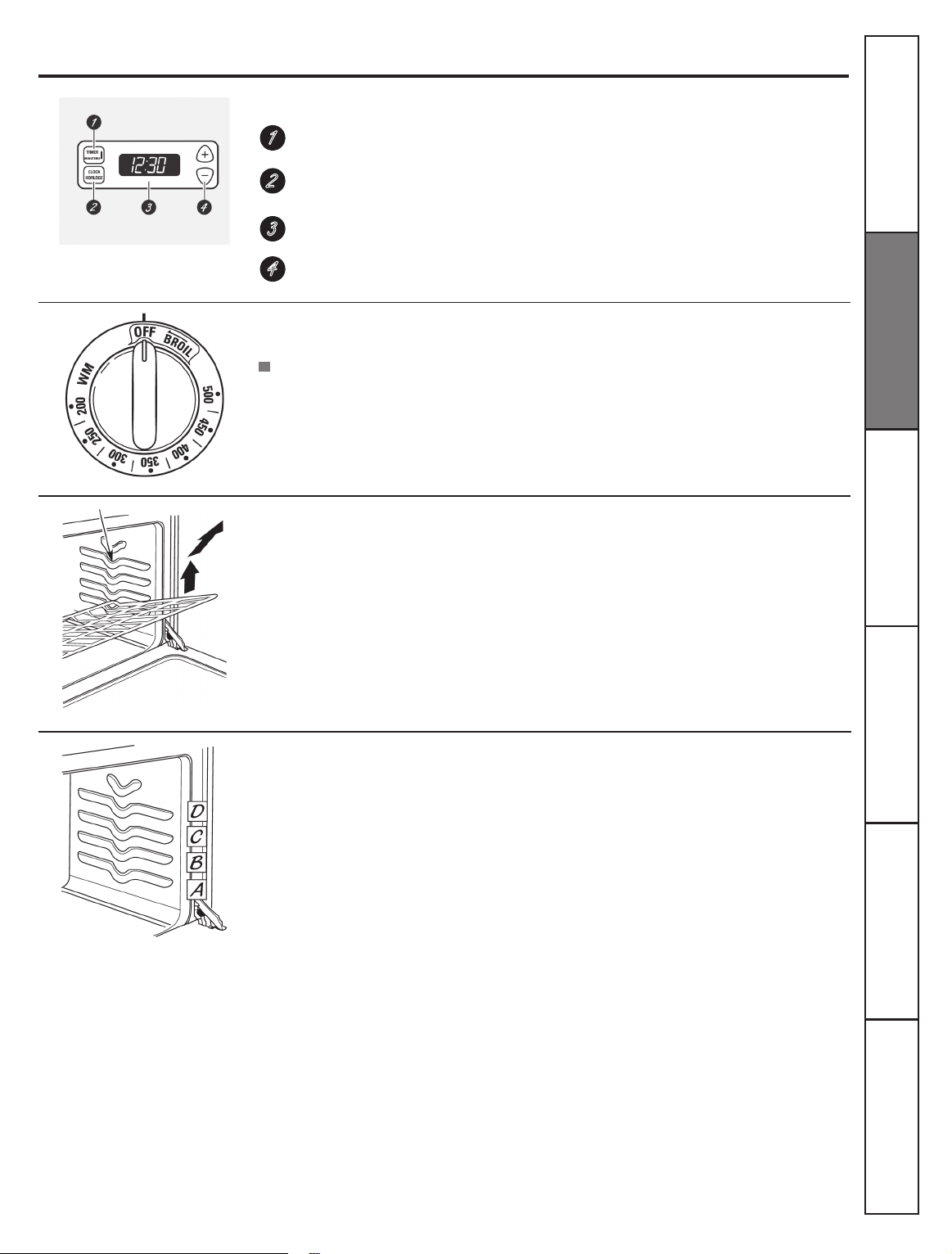
Clock and Timer
(on some models)
TIMER Pad
Touch this pad to select the timer feature.
CLOCK Pad
Touch this pad before setting the clock.
Display
Shows the time of day and the time set for the timer, cook time or start time.
SET +/- Pads
These pads allow you to set the clock and timer.
Oven Temperature Knob
(on some models)
Turn this knob to the setting you want.
Before you begin…
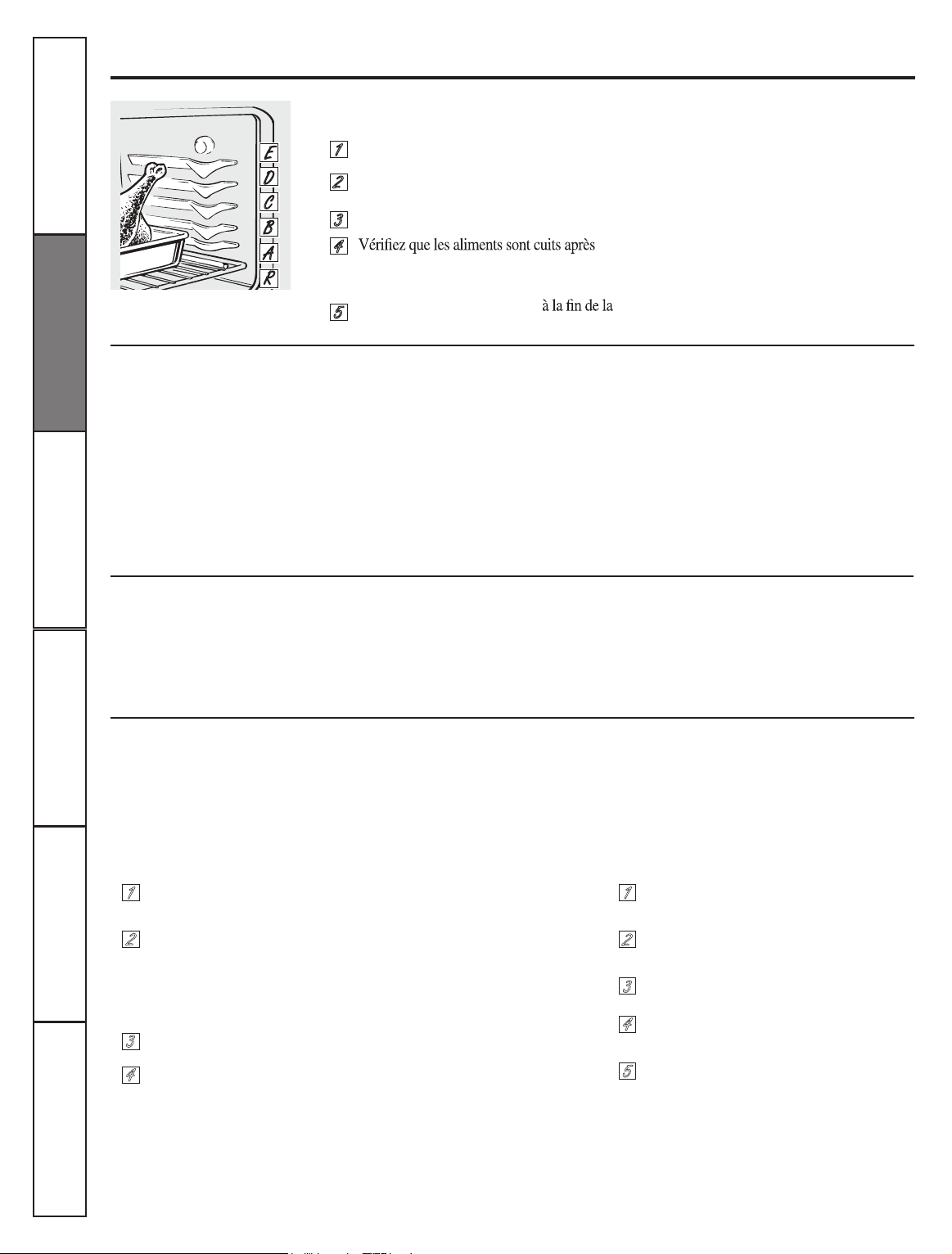
To avoid possible burns, place the shelves in the
desired position before you turn the oven on.
The shelves have stop-locks, so that when
placed correctly on the shelf supports (A
through E), they will stop before coming
completely out, and will not tilt.
When placing and removing cookware,
pull the shelf out to the bump on the
shelf support.
Oven shelf positions
The oven has four shelf supports—A
(bottom), B, C and D (top).
The oven cycling light glows until the
oven reaches your selected temperature,
then goes off and on with the oven
element(s) during cooking.
1
2
3
4
To remove a shelf
,
pull it toward you, tilt
the front end up and pull it out.
To replace,
place the end of the shelf
(stop-locks) on the support, tilt up the
front and push the shelf in.
NOTE:
The shelf is not designed to slide out
at the special low shelf (R) position.
The oven has 4 shelf positions.
Consumer Support
Troubleshooting Tips
Care and Cleaning Safety Instructions
Installation
Instructions
Operating
Instructions
Appearance may vary.
12
Using the oven.
How to Set the Oven for Baking or Roasting
Preheating and Pan Placement
Aluminum Foil
Touch the
BAKE
pad.
Touch the
+ or –
pad to set the
desired temperature
Touch the
START
pad.
Check food for doneness at
minimum time on recipe. Cook
longer if necessary.
Touch the
CLEAR/OFF
pad when
cooking is complete.
Preheat the oven if the recipe calls
for it. To preheat, set the oven at the
correct temperature. Preheating is
necessary for good results when baking
cakes, cookies, pastry and breads.
For ovens without a preheat indicator light or
tone, preheat 10 minutes.
Do not use aluminum foil on the bottom of
the oven.
Never entirely cover a shelf with
aluminum foil. This will disturb the heat
circulation and result in poor baking.
1
2
3
4
5
NOTE:
A cooling fan may automatically
turn on and o to cool internal parts. This is
NOTE:
Close the door beforestart any
broiling function.
normal, and the fan may continue to run even
after the oven is turned o.
Baking results will be better baking
pans are centered in the oven as much
as possible. Pan should not touch each
other or the walls of the oven. If you
need to use two shelves, stagger the
pans so one is not directly above the
other, and leave approximately 1 ½”
between pans, from the front, back and
slides of the wall.
A smaller sheet of foil may be used to catch
a spillover by placing it on a lower shelf
several inches below the food.
Consumer Support Troubleshooting Tips Care and Cleaning Safety Instructions
Installation
Instructions
Operating
Instructions
grid in a broiler pan.
Follow suggested rack positions in the
Broiling Guide.
Broil.
1
2
3
4
Close the over door.
Turn the Oven Temperature Knob to
5
When broiling is nished, turn the Oven
temperature Knob to
OFF
.
On models with an oven temperature knob:On models without an oven temperature knob:
Place the meat or sh on a broiler
How to Set the Oven for Broiling
grid in a broiler pan designed for
broiling.
Touch the
BROIL HI/LO
pad once for
HI Broil.
To change to
LO Broil,
touch the
BROIL
HI/LO
pad again.
1
2
3
4
Touch the
START
pad.
CLEAR/OFF
pad.
If your oven is connected to 208 volts, rare steaks
may be broiled by preheating the broiler and
positioning the oven shelf one position higher.
13
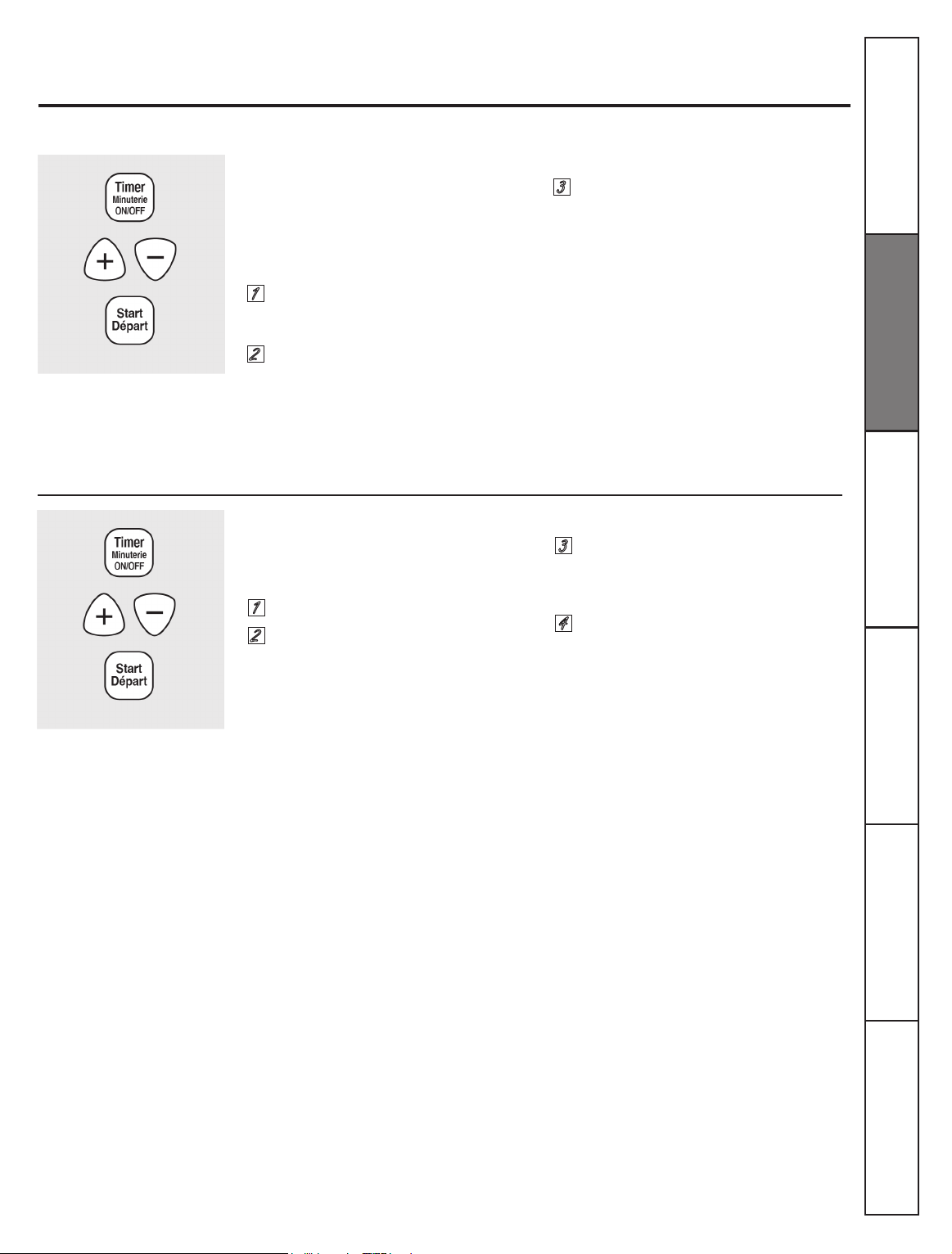
To Set the Clock
To Set the Timer
The clock must be set to the correct time
of day for the automatic oven timing
functions to work properly. The time of
day cannot be changed during a timed
baking or self-cleaning cycle.
The timer does not control oven operations.
The maximum setting on the timer is 9 hours
and 59 minutes.
1
1
2
2
3
3
4
Touch the
START/ON
pad until the
time of day shows in the display. This
enters the time and starts the clock.
Touch the START/ON
pad. The time
will start counting down, although
the display does not change until
one minute has passed.
When the timer reaches
:00, the
control will beep 3 times followed
by one beep every 6 seconds until
the
TIMER pad is touched.
Using the clock, timer and convenience outlet.
(on some models)
Not all features are on all models.
To check the time of day when the display
is showing other information, simply touch
the
TIMER
pad. The time of day shows
until another pad is touched.
Touch
TIMER
pad and hold for 3
seconds
Touch the
+
or
–
pads.
Touch the TIMER pad.
Touch the
+
or
– pads until the
amount of time you want shows
in the display. The maximum time
that can be entered in minutes is 59.
Times more than 59 minutes should
be changed to hours and minutes.
If the
+
or
–
pads are not touched within
one minute after you touch the
TIMER
pad,
the display reverts to the original setting.
If this happens, touch the
TIMER
pad and
reenter the time of day.
If you make a mistake, touch the
TIMER
pad and begin again.
Make sure the clock is set to the
correct time of day.
The timer is a minute timer only.
The OFF pad does not affect the
timer.
Consumer Support
Troubleshooting Tips
Care and Cleaning Safety Instructions
Installation
Instructions
Operating
Instructions
14
To Reset the Timer
To Cancel the Timer
End of Cycle Tones
(on some models)
Clear the tones by pressing the pad of the
function you are using.
Power Outage
If a ashing time is in the display, you have
experienced a power failure. Reset the clock.
Convenience Outlet
(on some models)
The 120V convenience outlet located on
the top of the backguard may be used to
plug in small electrical appliances.
When using the outlet, be sure that the
electrical cord does not rest on or near a
surface unit. If the surface unit is turned
on, the cord will be damaged.
If the display is still showing the time
remaining, you may change it by touching
the
TIMER
pad, then touch the
+
or
–
pads
until the time you want appears in the
display.
Touch the
TIMER
pad twice.
If the remaining time is not in the display
(clock, delay start or cooking timer are in
the display), recall the remaining timer by
touching the
TIMER
pad and then touching
the
+
or
–
pads to enter the new time you
want.
Using the clock, timer and convenience outlet.
(on some models)
Not all features are on all models.
To reset the clock, touch the
TIMER
pad
twice. Enter the correct time of day by
touching the
+
or
–
pads. Touch the
START/ON
pad.
To reset the circuit breaker, press the
switch located near the outlet on top of
the backguard.
Consumer Support Troubleshooting Tips Care and Cleaning Safety Instructions
Installation
Instructions
Operating
Instructions
15
How to Set an Immediate Start and Automatic Stop
How to Set a Delayed Start and Automatic Stop
The oven will turn on immediately and cook for a
selected length of time. At the end of the cooking
time the oven will turn off automatically.
Make sure the clock shows the correct
time of day.
You can set the oven control to delay-start
the oven, cook for a specic length of time
and then turn off automatically.
Make sure the clock shows the correct time
of day.
1
1
2
2
3
3
4
4
5
6
5
7
The oven temperature and the cooking
time that you entered will be displayed.
Touch the
START
pad.
Using the timed baking and roasting features,
(on some models)
NOTE: Foods that spoil easily-such as milk, eggs, sh, stufngs, poultry and pork-should not be allowed to sit for
more than 1 hour before or after cooking. Rom temperature promotes the growth of harmful bacteria. Be sure that
the oven light is off because heat from the bulb will speed harmful bacteria growth.
Consumer Support
Troubleshooting Tips
Care and Cleaning Safety Instructions
Installation
Instructions
Operating
Instructions
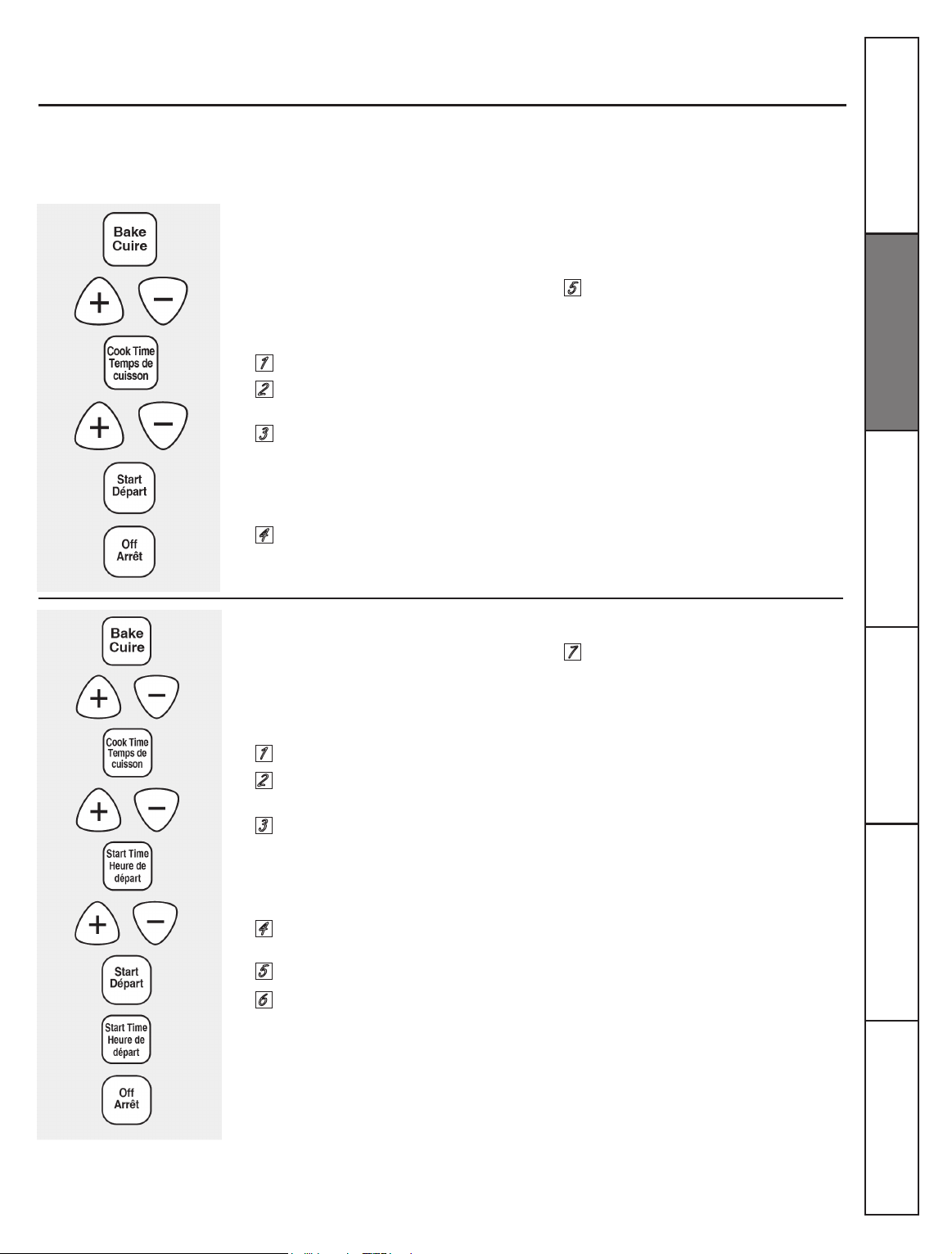
Touch the
BAKE
pad
Using the
+
or
–
pad, enter the
desired temperature.
Touch the
COOK TIME
pad.
NOTE:
If your recipe requires preheating,
you may need to additional time to the
length of the cooking time.
Using the
+
or
–
pad, enter the
desired baking time.
Touch the
START
pad.
The display shows the oven temperature
that you set and the cooking time
countdown. The display starts changing
once the temperature reaches 100° F.
The oven will continue to cook for the
programmed amount of time, then shut
off automatically.
Touch the
CLEAR/OFF
pad to clear the
display.
Touch the
BAKE
pad.
Using the
+
or
–
pad, enter the
desired temperature.
Touch the
COOK TIME
pad.
NOTE:
If your recipe requires preheating,
you may need to add additional time to the
length of the cooking time.
Using the
+
or
–
pad, enter the desired
baking time.
Touch the
START TIME
pad.
Using the
+
or
–
pad, enter the time of
day you want the oven to turn on and
start cooking.
NOTE:
An attention tone will sound if you are
using timed baking and do not touch the
START
pad after entering the baking temperature.
If you would like to check the times you
have set touch the
START TIME
pad to check
the start time you have set or touch the
COOK
TIME
pad to check the length of cooking time
you have set.
When the oven turns on at the time of day
you have set, the display will show the
changing temperature (starting at 100°F) and
the cooking time countdown.
At the end of timed baking, the oven will
turn off. The end of cycle tone will sound.
Touch the
CLEAR/OFF
pad to clear the
display.
16
12 Hour Shut-Off
Fahrenheit or Celsius Temperature Selection
Control Lockout
With this feature should you forget and leave the
oven on, the control will automatically turn off
the oven after 12 hours during baking functions
or after 3 hours during a broil function.
If you wish to turn off this feature, follow
the steps below.
Your oven control is set to use the Fahrenheit
temperature selections buy you may change
this to use the Celsius selections.
Your control will allow you to lock down the touch
pads so they cannot be activated when touched.
1
1
1
2
2
2
3
3
3
4
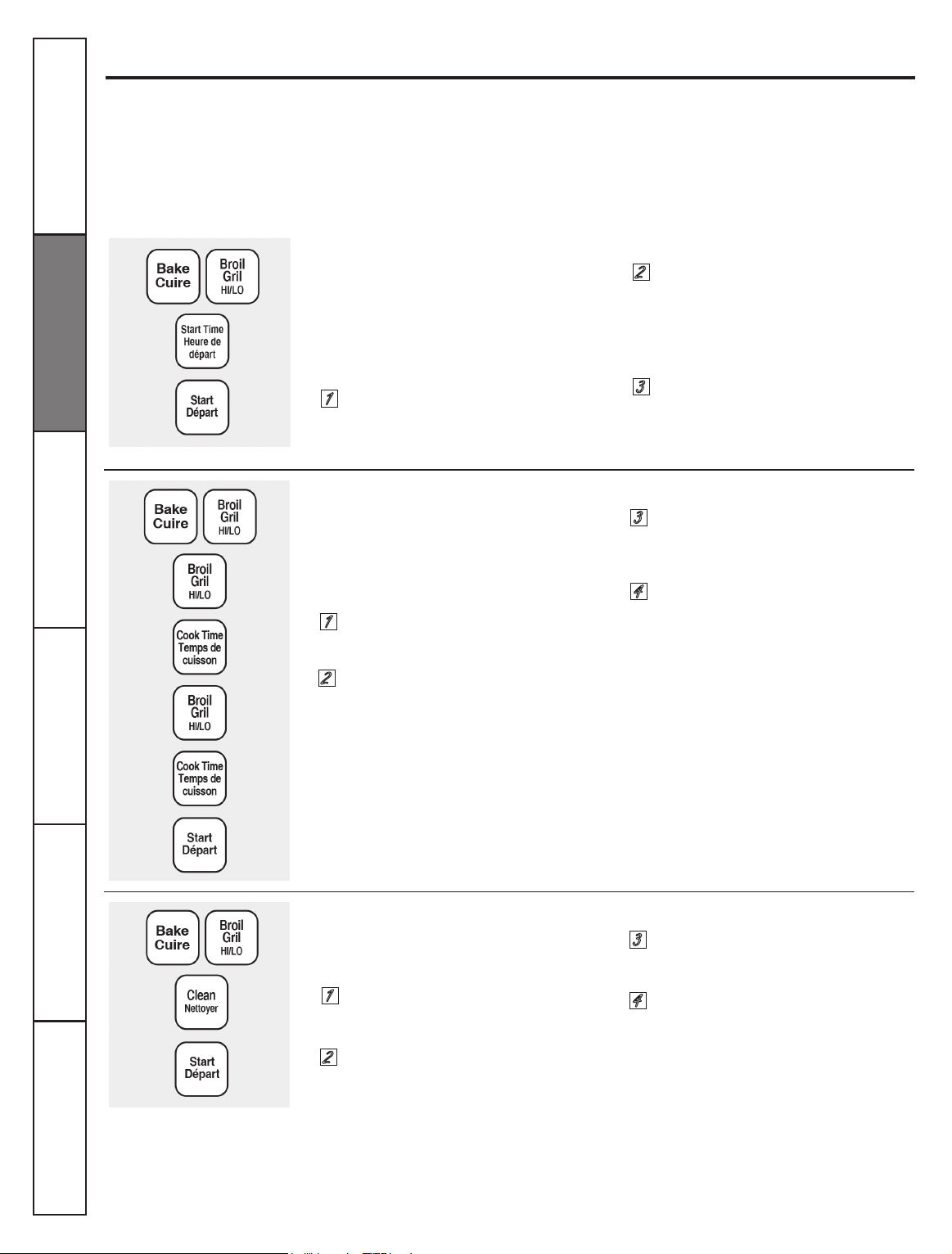
Touch the
START TIME
pad. The
display will show
12 shdn
(12 hour
shut-off). Touch the
START TIME
pad
again and the display will show
no
shdn
(no shut-off).
Touch the
START
pad to activate the
no shut-off and leave the control set
in this special features mode.
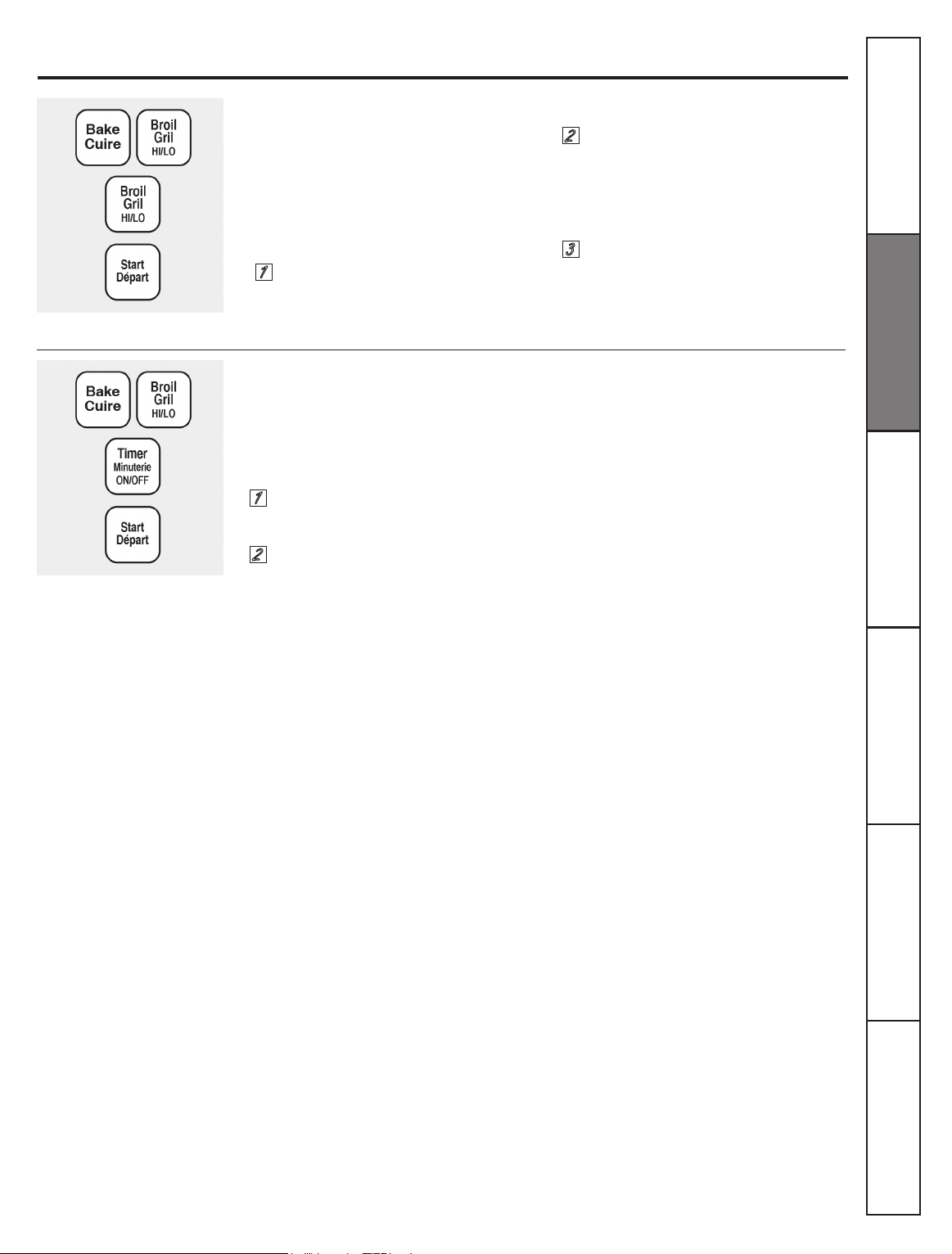
Touch the
BROIL HI/LO
and COOK
TIME
pads again the same time for
2 seconds. The display will show
C
(Celsius).
Touch the
START
pad.
Touch the
START
pad to activate
the control lockout feature and
leave the control set in this special
features mode.
Special features of your oven control.
Your new touch pad control has additional features that you may choose to use. The following are the features and
how you may activate them.
The special feature modes can only be activated while the display is showing the time of day. They remain in the
control´s memory until the steps are repeated.
When the display shows your choice, touch the START pad. The special features will remain in memory after a
power failure, except for the Sabbath feature, which will have to be reset.
Touch the
BAKE
and
BROIL HI/LO
pads
at the same time for 3 seconds until the
display shows
SF
.
Touch the
BAKE
and
BROIL HI/LO
pads
at the same time for 3 seconds until
the display shows
SF.
Touch the
BROIL HI/LO
and
COOK TIME
pads at the same time for 2 seconds.
The display will show
F
(Fahrenheit).
Touch the
BAKE
and
BROIL HI/LO
pad
at the same time for 3 seconds until
the display shows
SF
.
Touch the
SELF CLEAN
pad. The
display will show
LOC OFF.
Touch the
SELF CLEAN
pad again. The
display will show
LOC ON.
Consumer Support Troubleshooting Tips Care and Cleaning Safety Instructions
Installation
Instructions
Operating
Instructions
When this feature is on and the touch
pads are touched the control will beep
and the display will show
LOC
.
NOTE:
The control lockout mode will not affect
the TIMER/CLOCK and OVEN LIGHT ON/
OFF touch pads.
17
Tones at the End of a Timed Cycle
12 Hour, 24 Hour or Clock Black-Out
At the end of a timed cycle, 3 short beeps will
sound followed by one beep every 6 seconds until
the CLEAR/OFF pad is touched. This continuous 6
second beep may be canceled.
To cancel the 6 second beep:
Your control is set to use a 12 hour clock.
If you would prefer to have a 24 hour
military time clock or black-out the clock
display, follow the steps below.
1
1
2
2
3
Touch the
BROIL HI/LO
pad. The
display shows
CON BEEP
(continuous
beep). Touch the
BROIL HI/LO
pad
again. The display shows
BEEP
.
(This cancels the one beep every 6
seconds.)
Touch the
START
pad.
NOTE
: If the clock is in the black-out mode you
will not be able to use the Delay Start function.
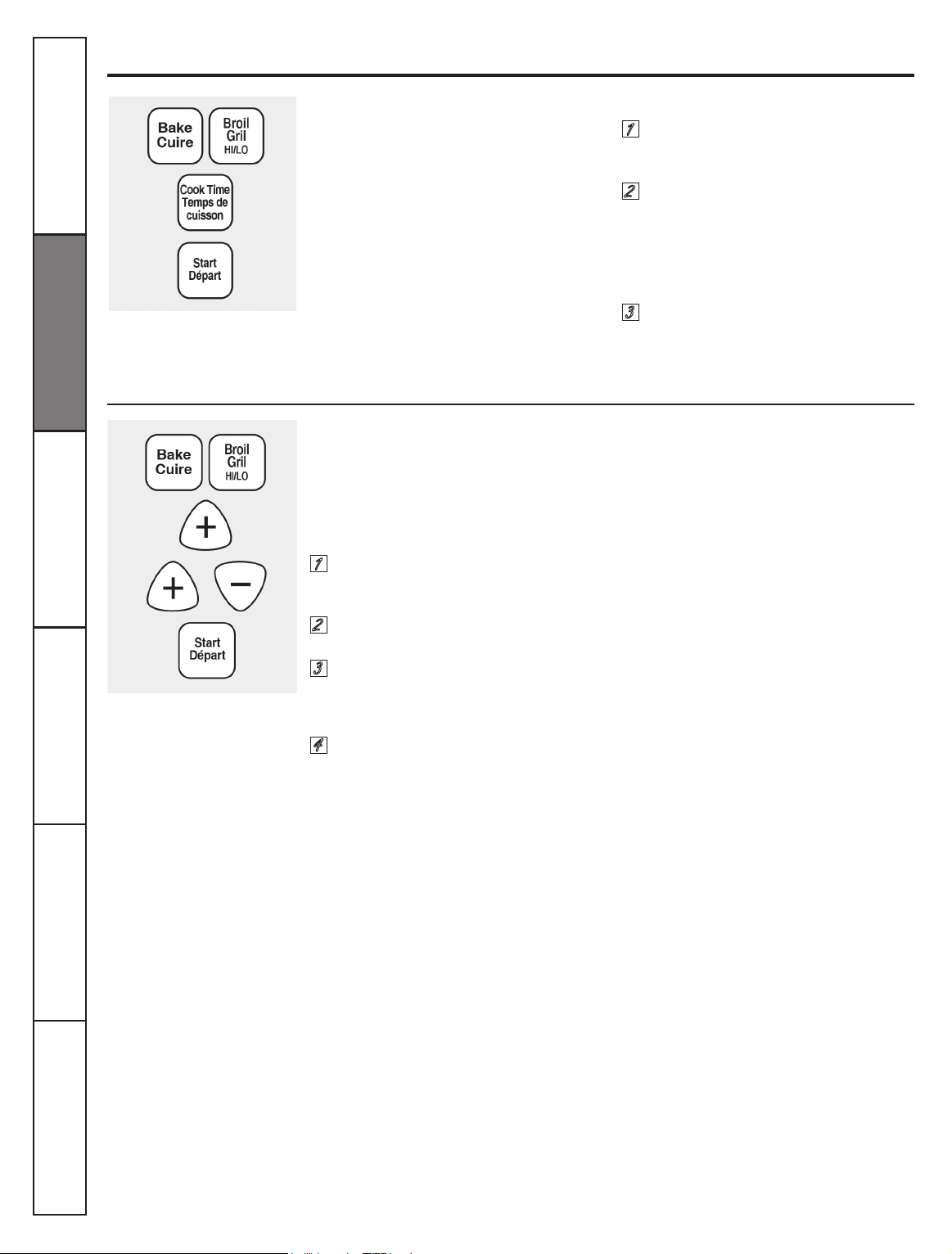
Touch the
BAKE
and
BROIL HI/LO
pads
at the same time for 3 seconds until
the display shows
SF
.
Touch the
BAKE
and
BROIL HI/LO
pads
at the same time for 3 seconds until
the display shows
SF
.
Touch the
TIMER /CLOCK
pad once.
The display will show
12 hr.
If this is
the choice you want touch the
START
pad.
Touch the
TIMER/CLOCK
pad again to
change to the 24 hour military time
clock. The display will show
24 hr.
If
this is the choice you want touch the
START
pad.
Touch the
TIMER/CLOCK
pad again
to black-out the clock display. The
display will show
OFF
. If this is the
choice you want touch the
START
pad.
Special features of your oven control.
Consumer Support
Troubleshooting Tips
Care and Cleaning Safety Instructions
Installation
Instructions
Operating
Instructions
18
Changing the Speed of the + or – Pads
As you use the + or – pads when setting a time
or temperature, you may notice the display
changes slowly. This special feature allows
you to change the speed. To set the speed you
prefer follow the steps below.
1
2
3
4
Special features of your oven control.
Cook and Hold
You new control has a cook and hold feature that
keeps cooked foods warm for to up to 3 hours
after Timed Baking or Roasting is nished.
NOTE
: This feature can only be programmed to
work with Timed Baking or Roasting (See the
Using the timed baking and roasting features
section). After Timed Baking or Roasting has
automatically stopped, the programmed Cook
and Hold will automatically start.
To activate this feature for use after Timed
Baking or Roasting, follow the steps bellow.
1
2
3
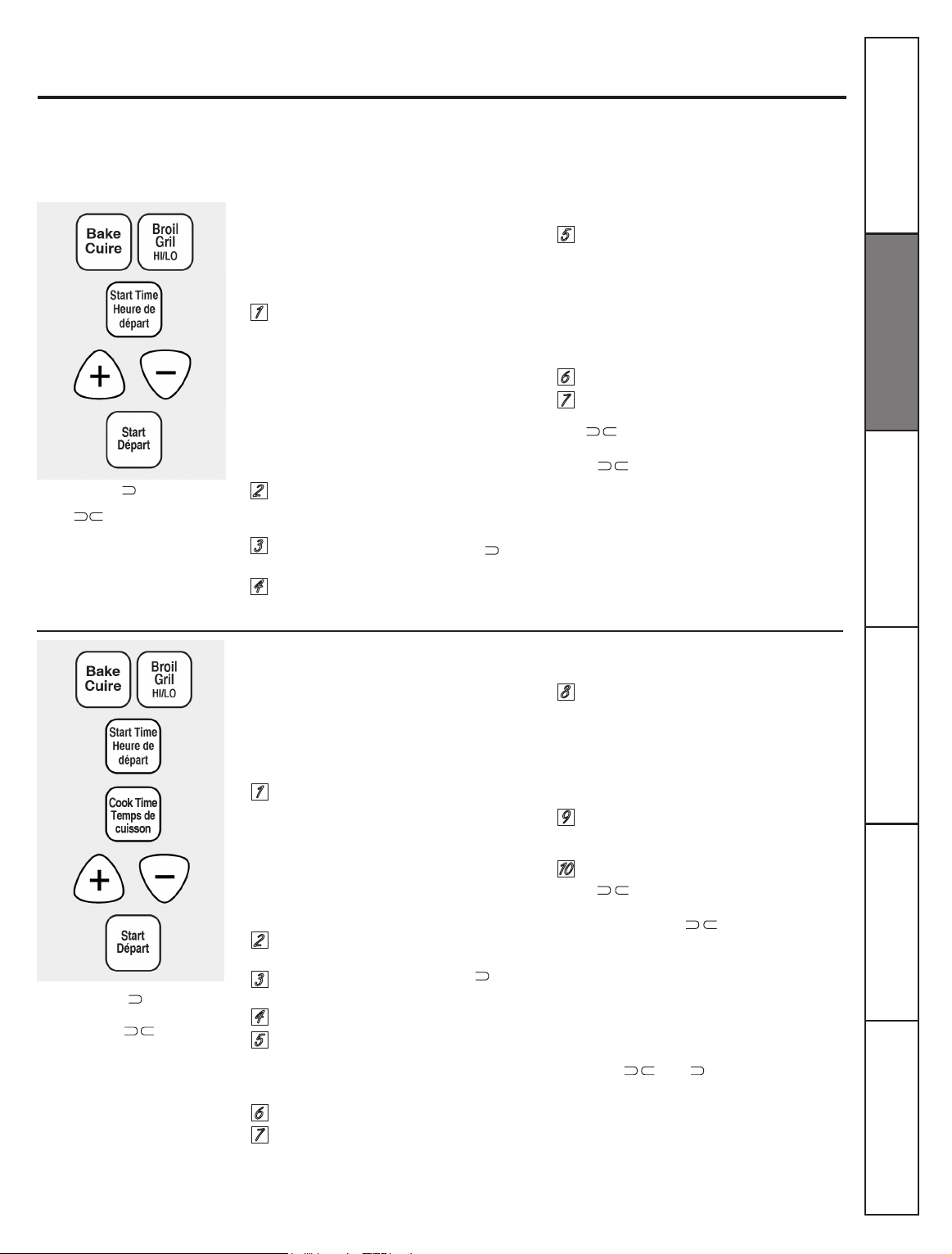
Touch the
COOK TIME
pad. The
display will show
Hid OFF.
Touch the
COOK TIME
pad again
to activate the feature. The
display will show
Hid ON.
Touch the
START
pad to activate the
cook and hold feature and leave the
control set in this special features
mode.
Touch the
BAKE
and
BROIL HI/LO
pads at the same time for 3 seconds
until the display shows
SF
.
Touch the
+
pad. The display will
show you a set speed between 1
and 5
Touch the
+
pad to increase the
speed up to the number 5
Touch the
–
pad to decrease the
speed down to the number 1.
Touch
START
to activate the setting
and leave the control set in this
special mode.
Consumer Support Troubleshooting Tips Care and Cleaning Safety Instructions
Installation
Instructions
Operating
Instructions
Touch the
BAKE
and
BROIL HI/LO
pads
at the same time for 3 seconds until
the display shows
SF.
19
The Sabbath feature can be used for baking/roasting only. It cannot be used for broiling, self-cleaning, or
Delay Start cooking.
NOTE:
The oven light comes on automatically (on some models) when the door is opened and goes off when
the door is closed. The bulb may be removed. See the Oven Light Bulb section. On models with a light switch
on the control panel, the oven light may be turned on and left on.
How to Set Sabbath Feature for Regular Baking /Roasting
How to Set Sabbath Feature for Timed Baking/Roasting—Immediate Start and
Automatic Stop.
NOTE:
To understand how the oven control works,
practice using regular baking (non – Sabbath)
before entering Sabbath mode.
Make sure the clock shows the correct time of day.
NOTE:
To understand how the oven control works,
practice using regular (non – Sabbath) immediate Start
and Automatic Stop before entering the Sabbath mode.
Make sure clock shows the correct time of day.
1
1
2
2
3
3
4
4
The preset starting temperature will
automatically be set to 350°. Tap the
+
or
–
pad to increase or decrease
the temperature in 5° increments. The
temperature can be set between 170°
and 550°. No signal or temperature
will be given.
Touch the
START
pad.
After a random delay period of
approximately 30 seconds to 1
minute,
will appear in the display
indicating that the oven is baking/
roasting. If
does not appear in the
display, start again at step 4.
Touch the
BAKE PAD.
No signal will
be given.
The preset starting temperature will
automatically be set to 350°. Tap the
+
or
–
pad to increase or decrease the
temperature in 5° increments. The
temperature can be set between 170°
and 550°. No signal or temperature
will be given.
Touch the
START
pad.
After a random delay period of
approximately 30 seconds to 1 minute,
will appear in the display
indicating that te oven is baking/
roasting. If does not appear in
the display, start again at step 7.
Touch and hold
both
the
BAKE
and
BROIL HI/LO
pads,
at the same time,
until the display shows
SF.
NOTE:
If bake or broil appears in the
display, the
BAKE
and
BROIL HI/LO
pads
were not touched at the same time. Touch
the
CLEAR/OFF
pad and begin again.
Tap the
START TIME
pad until
Sabbath
appears in this display.
Touch the
START
pad and will
appear in the display.
Touch the
BAKE
pad. No signal will
be given.
Touch and hold
both
the
BAKE
and
BROIL HI/LO
pads,
at the same time,
until the display shows
SF
.
NOTE:
If bake or broil appears in the
display, the
BAKE
and
BROIL HI/LO
pads
were not touched at the same time.
Touch the
CLEAR/OFF
pad and begin
again.
Tap the
START TIME
pad until
Sabbath
appears in the display.
Touch the
START
pad and will
appear in the display.
Touch the
COOK TIME
pad.
Touch the
+
or
–
pad to set the
desired length of cooking time
between 1 minute and 9 hours and 59
minutes. The cooking time that you
entered will be displayed.
Touch the
START
pad.
Using the Sabbath Feature.
(Designed for use on the Jewish Sabbath and Holidays) (on some models)
5
5
6
9
8
6
7
10
7
To adjust the oven temperature, touch the
BAKE
pad and tap the
+
or
–
pad to increase or
decrease the temperature in 5° increments. Touch
the
START
pad.
NOTE:
The
CLEAR/OFF
and
COOK TIME
pads
are active during the Sabbath feature.
To adjust the oven temperature, touch the
BAKE
pad and tap the
+
or
–
pad to increase
or decrease the temperature in 5° increments.
Touch the
START
pad.
When cooking is nished, the display will
change from
to and
0:00
will appear,
indicating that the oven has turned
OFF
but is
still set in Sabbath. Remove the cooked food.
When the display shows
t
he oven
is set in Sabbath. When the display
shows
, the oven is baking/
roasting.
When the display shows « » the
oven is set in Sabbath. When the
display shows
the oven is
baking/roasting.
Consumer Support
Troubleshooting Tips
Care and Cleaning Safety Instructions
Installation
Instructions
Operating
Instructions
20
Using the Sabbath Feature.
(Designed for use on the Jewish Sabbath and Holidays) (on some models)
How to Exit the Sabbath Feature
Power Outage
Temperature Conversions
° Fahrenheit 140 150 170 200 250 275 300 325 350 375 400 425 450 475 500 525 550
° Celsius
60 65 75 95 120 135 150 160 175 190 205 220 230 245 260 275 290
Touch the CLEAR/OFF pad.
If the oven is cooking, wait
for a random delay period of
approximately 30 seconds to 1
minute, until only
is in the
display.
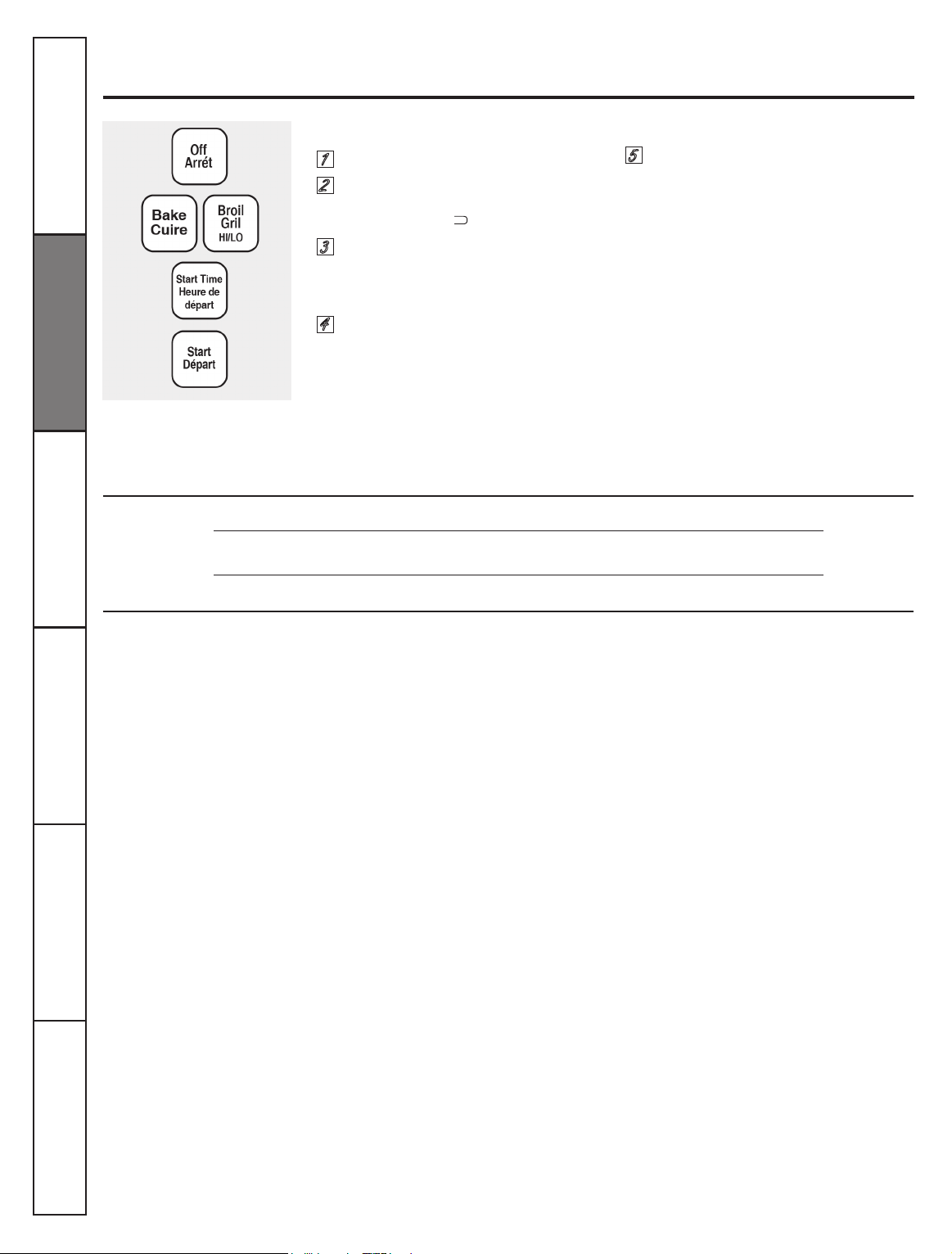
Touch and hold
both the BAKE and
BROIL HI/LO pads, at the same time,
until the display shows SF.
Tap the
START TIME pad until 12
shdn
or no shdn appears in the
display. 12 shdn indicates that the
oven will automatically turn off
after 12 hour. no shdn indicates that
the oven will not automatically
turn off.
If a ashing time is in the display, you have experienced
a power failure. Reset the clock.
5
Touch the START pad.
1
2
3
4
To reset the clock, touch the
TIMER
pad. Enter the
correct time of day by touching the
+
or
–
pads.
Touch the
STAT/ON
pad.
Consumer Support Troubleshooting Tips Care and Cleaning Safety Instructions
Installation
Instructions
Operating
Instructions
NOTE:
If a power outage occurred while
the oven was in Sabbath mode, the oven
will automatically turn off and the oven
control must be reset.
21
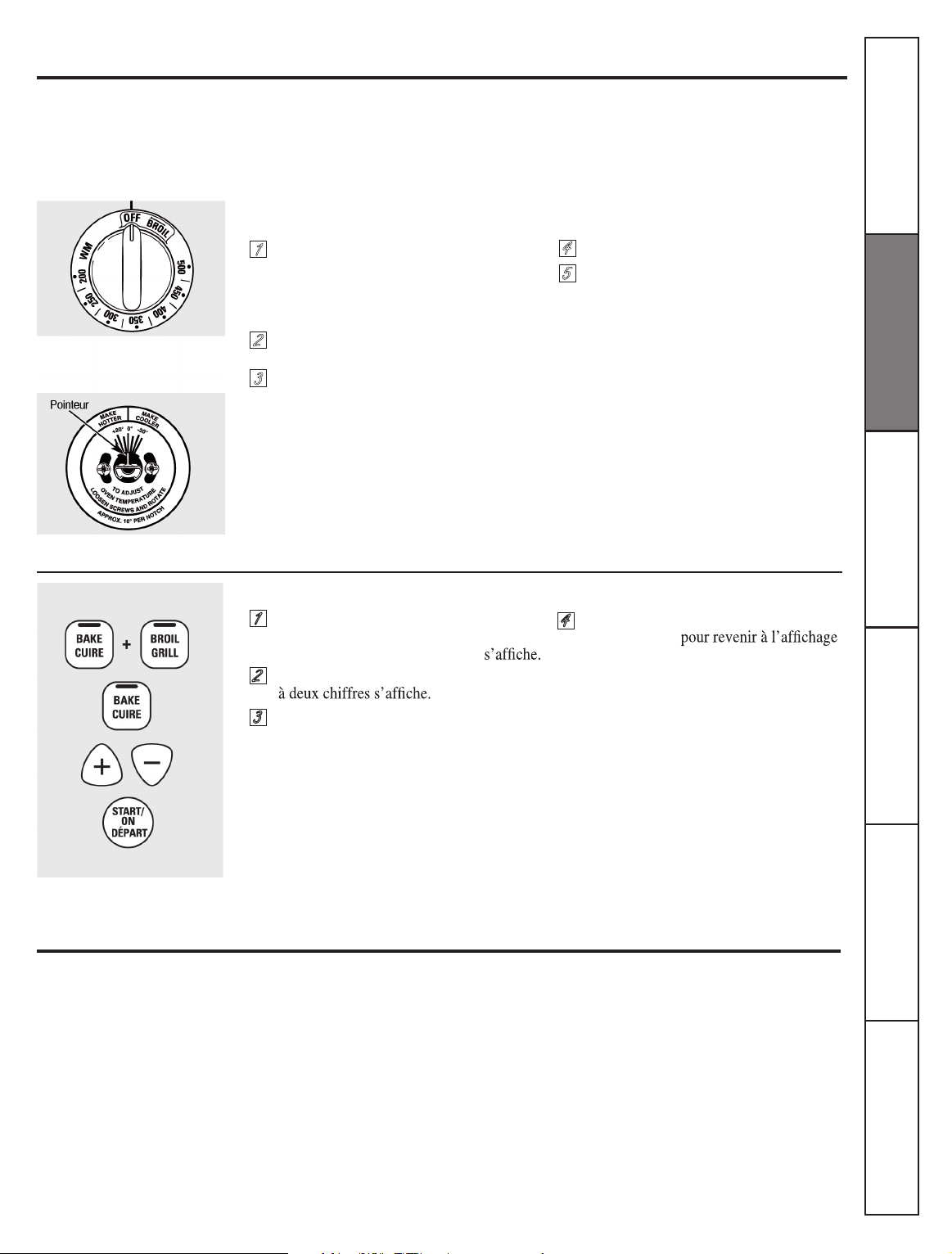
more familiar with it. If you still think your new oven is too hot or too cold, you can adjust the thermostat yourself.
Do not use thermometers, such as those found in grocery stores, to check the temperature setting of your oven. These
thermometers may vary 20-40°F.
NOTE:
This adjustment will not aect the broiling or the self-cleaning temperatures (on some models). The adjustment will be
retained in memory after a power failure.
To Adjust the Thermostat with this Type of Knob
To Adjust the Thermostat on Other Models
1
1
2
2
3
3
4
4
Tighten the screws.
area of the knob to the shaft.
When you have made the adjustment,
touch the
START/ON
pad to go back to the
time of day display. Use your oven as you
would normally.
Federal standards require products labeled
“margarine” to contain at least 80% fat
by weight. Low-fat spreads, on the other
hand, contain less fat and more water. The
high moisture content of these spreads
goods. For best results with your old
favorite recipes, use margarine, butter
or stick spreads containing at least 70%
vegetable oil.
Pull the Oven Temp knob o the
shaft, look at the back of the knob and
note the current setting
before
making
any adjustments.
Loosen both screws on the back of
the knob.
To
increase
the oven temperature,
move the pointer toward the words
“MAKE HOTTER.”
Note:
Except Model JCAS445
To
decrease
the oven temperature,
turn the pointer toward the words
“MAKE COOLER.”
Each notch changes the temperature
by 10°F.
Touch the
BAKE
and
BROIL
pads at the
same time for 2 seconds until the display
shows
SF
.
Touch the
BAKE
pad. A two digit number
shows in the display.
The oven temperature can be adjusted
up to (+) 35° F hotter or (-) 35° F
cooler. Touch the + pad to increase the
temperature in 1 degree increments.
Touch the – pad to decrease the
temperature in 1 degree increments.
Recipe failure can result if cakes, pies
pastries, cookies or candies are made with
low fat spreads. The lower the fat content of
a spread product, the more noticeable these
dierences become.
Adjust the oven thermostat – Easy to do yourself!
The type of margarine will aect baking performance!
Most recipes for baking have been developed
using high fat products such as butter or
margarine (80% fat), If you decrease the fat, the
recipe may not give the same results as with a
higher fat product.
5
Back of OVEN TEMP knob
Front of OVEN TEMP knob
(knob appearance may vary)
NOTE:
This adjustment will not aect the
broiling or self-cleaning temperatures. It will
be retained in memory after a power failure.
Consumer Support
Troubleshooting Tips
Care and Cleaning Safety Instructions
Installation
Instructions
Operating
Instructions
22
Before a Clean Cycle
The oven must be cool in order to set
the self-clean cycle.
We recommend venting your kitchen
with an open window or using a
self-clean cycle.
Remove broiler pan, broiler grid, all
cookware and any aluminum foil from
the oven.
The shiny, silver, colored oven shelves
(on some models) can be self-cleaned,
but they will darken, lose their luster
and become hard to slide.
Using the self-cleaning oven.
(on some models)
The oven door must be closed and all controls must be set corre ctly for the cycle to work properly.
Do not use abrasives or oven cleaners.
Clean the top, sides and outside of the
oven door with soap and water.
Make sure the oven light bulb cover (on
some models) is in place and the oven
light is o.
IMPORTANT:
The health of some birds is
extremely sensitive to the fumes given
o during the self-cleaning cycle of
any oven. Move birds to another well
ventilated room.
Wipe up heavy soil on the oven
bottom. (appearance may vary)
How to Set the Oven for Cleaning
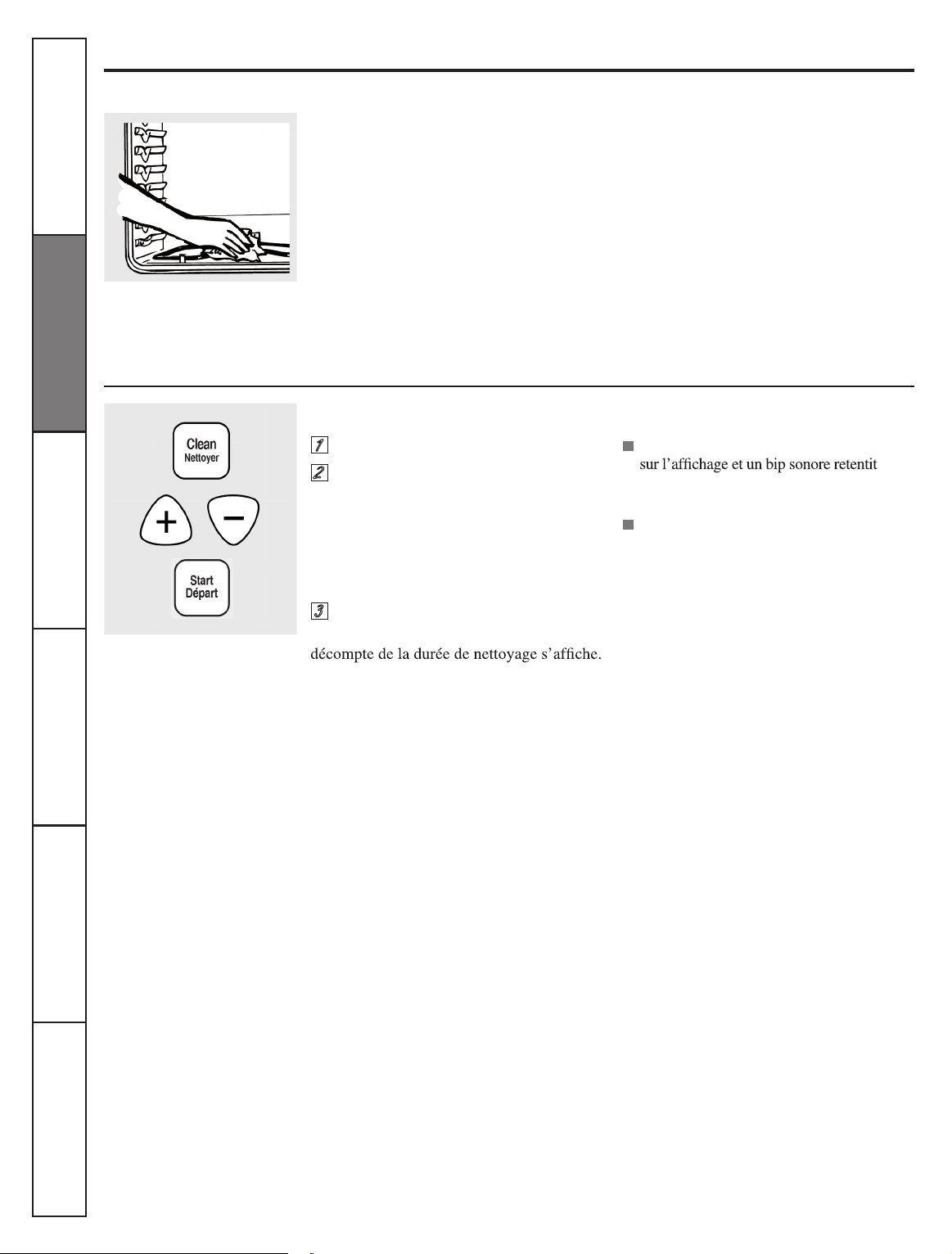
Touch the SELF CLEAN pad.
Using the
+
or
– pad, enter the
desired clean time, if a time other
than 4 hours is needed.
The words
LOCK DOOR
and the oven control will signal if
you set the clean cycle and forget
to close the oven door.
To stop a clean cycle, touch the
CLEAR/OFF pad. When the LOCKED
DOOR
light goes o indicating the
oven has cooled below the locking
temperature, open the door.
1
2
3
Clean cycle time is normally 4 hours.
You can change the clean time to any
time between 3 hours and 5 hours,
depending on how dirty your oven is.
Touch the
START pad.
The door locks automatically. The display
will show the clean time remaining. It
will not be possible to open the oven door
until the temperature drops below the
lock temperature and the
LOCKED DOOR
light goes o.
When the
LOCKED DOOR light is o, open
the door.
Consumer Support Troubleshooting Tips Care and Cleaning Safety Instructions
Installation
Instructions
Operating
Instructions
23
How to Delay the Start of Cleaning.
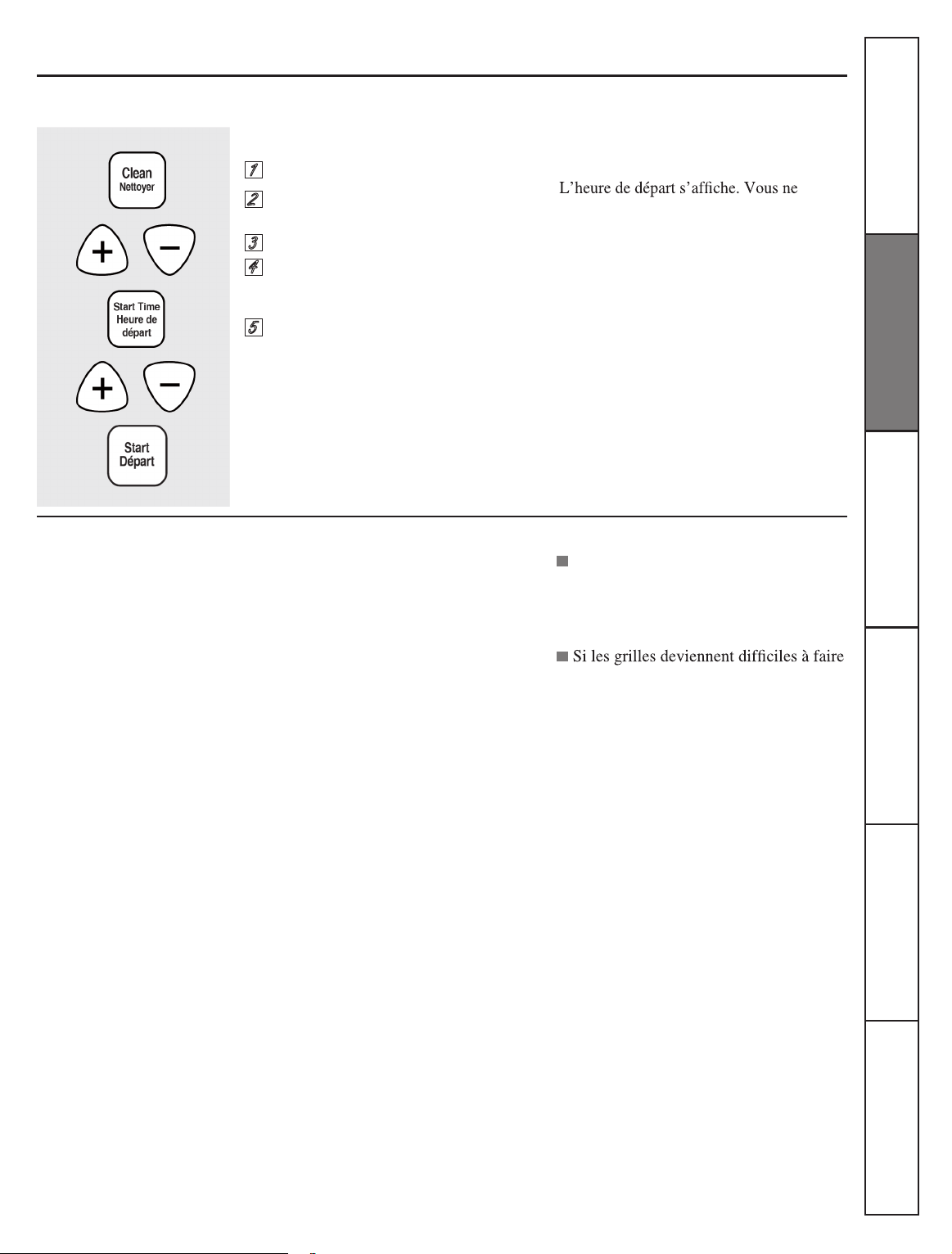
Touch the
SELF CLEAN
pad.
Using the
+
or
–
pad, enter the
desired clean time.
Touch the
START TIME
pad.
Using the
+
or
–
pad, enter the time
of day you want the clean cycle to
start.
Touch the
START
pad.
Using the self-cleaning oven.
(on some models)
The oven door must be closed and all controls must be set corre ctly for the cycle to work properly.
The door locks automatically. The display
will show the start time. It will not be
possible to open the oven door until
the temperature drops below the lock
temperature and the
LOCKED DOOR
light
goes o.
When the
LOCKED DOOR
light is o, open
the door.
After a Clean Cycle
You may notice some white ash in the
oven. Wipe it up with a damp cloth after
the oven cools.
If white spots remain, remove them with a
with a vinegar and water mixture.
These deposits are usually a salt
residue that cannot be removed by the
clean cycle.
If the oven is not clean after one clean
cycle, repeat the cycle.
You cannot set the oven for cooking
until the oven is cool enough for the
door to unlock.
If the shelves become hard to
slide, wipe the shelf supports with
cooking oil.
1
2
3
4
5
Consumer Support
Troubleshooting Tips
Care and Cleaning Safety Instructions
Installation
Instructions
Operating
Instructions
24
If your range is removed for cleaning,
servicing or any reason, be sure the anti-tip
device is re-engaged properly when the
To clean the inside of the door:
Do not allow excess water to run into
any holes or slots in the door.
Soap and water will normally do the
job. Heavy spattering or spillovers may
require cleaning with a mild abrasive
cleaner. Soap-lled, steel-wool pads may
also be used.
Do not allow food spills with a high sugar or acid
content (such as milk, tomatoes, sauerkraut, fruit
juices or pie lling) to remain on the surface. They
may cause a dull spot even after cleaning.
Care and cleaning of the range.
Be sure electrical power is off and all surfaces are cool before cleaning any part of the range.
Oven Interior
(non-self clean models)
Porcelain Enamel Cooktop
(on some models)
range is replaced. Failure to take this
precaution could result in tipping of the
range and cause injury.
With proper care, the porcelain enamel
nish on the inside of the oven-top,
bottom, sides, back and inside of the door-
will stay new-looking for years.
Let the range cool before cleaning. We
recommend that you wear rubber gloves
when cleaning the range.
Soap and water will normally do the job.
Heavy spattering or spillovers may require
cleaning with a mild abrasive cleaner. Soap-
lled scouring pads may also be used.
Do not allow food spills with a high sugar
or acid content (such as milk, tomatoes,
sauerkraut, fruit juices or pie lling) to
remain on the surface. They may cause a
dull spot even after cleaning.
Household ammonia nay make the
cleaning job easier. Place ½ cup in a
shallow glass or pottery container in a cold
The porcelain enamel nish is sturdy
but breakable if misused. This nish is
aced-resistant. However, any acidic foods
spilled (such as fruit juices, tomato or
vinegar) should not be permitted to remain
on the nish.
To clean the outside of the door:
Use soap and water to thoroughly clean
the top, sides and front of the oven door.
Rinse well. You may also use a glass
cleaner to clean the glass on the outside
of the door. Do not let water drip into the
vent openings.
Spillage of marinades, fruit juices,
tomato sauces and basting materials
containing acids may cause discoloration
and should be wiped up immediately.
When surface is cool, clean and rinse.
Do not use oven cleaners, cleaning
powders or harsh abrasives on the
outside of the door.
oven overnight. The ammonia fumes
will help loosen the burned-on grease
and food.
If necessary, you may use an oven
cleaner. Follow the package directions.
Do not spray oven cleaner on the electrical
controls and switches because it could cause a
short circuit and result in sparking or re.
Do not allow a lm from the cleaner to build up on
the temperature sensor-it could cause the oven to
heat improperly. (The sensor is located at the top
of the oven.) Carefully wipe the sensor clean after
each oven cleaning, being careful not to move
the sensor as a change in its position could affect
how the oven bakes.
Do not spray any oven cleaner on the oven door,
handles or any exterior surface of the oven,
cabinets or painted surfaces. The cleaner can
damage these surfaces.
If acid spill on the cooktop while it is hot,
use a dry paper towel or cloth to wipe it up
right away. When the surface has cooled,
wash with soap and water. Rinse well.
For other spills such as fat spatterings,
wash with soap and water or cleansing
powders after the surface has cooled. Rinse
well. Polish with a dry cloth.
To clean outside of the gasket:
The gasket is designed with a gap at the
bottom to allow for proper air circulation.
Because the area inside the gasket is
cleaned during the self-clean cycle, you
do not need to clean this by hand on self-
clean models.
The area outside the gasket and the front
frame can be cleaned with a soap-lled
steel-wool pad, hot water and detergent.
Rinse well with a vinegar and water
solution.
Do not rub or clean the door gasket-it has
an extremely low resistance to abrasion.
If you notice the gasket becoming worn,
frayed or damaged in any way, or if it has
become displace on the door, you should
have it replaced.
Consumer Support Troubleshooting Tips Care and Cleaning Safety Instructions
Installation
Instructions
Operating
Instructions
25
Lift-up Cooktop
Oven Heating Elements
Broiler Pan and Grid
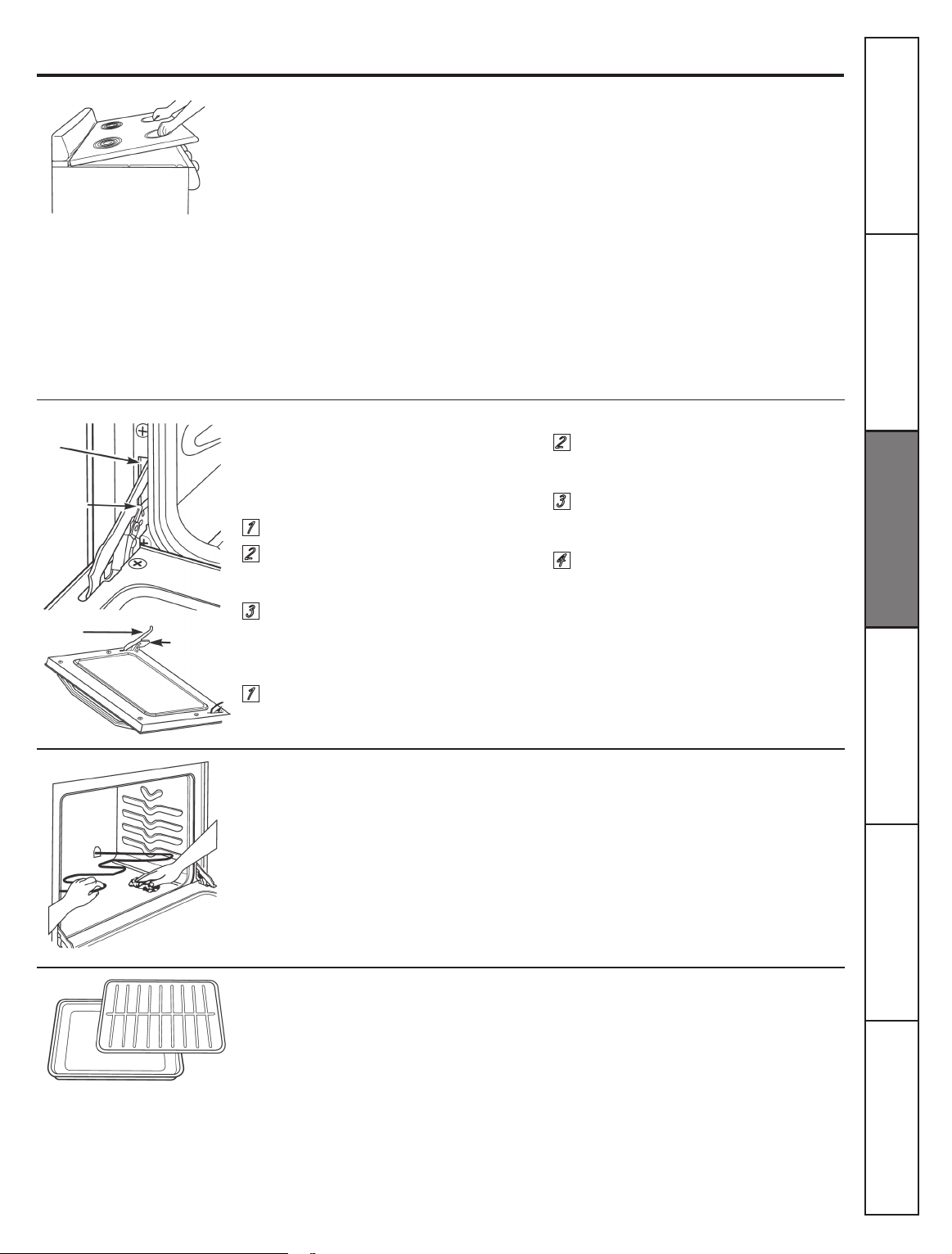
Clean the area under the cooktop often. Built-
up soil, especially grease, may catch on re.
To make cleaning easier, the cooktop may
be lifted up and propped open.
Be sure all surface units are turned off
before raising the cooktop.
Remove the front surface and drip pans.
See the Surface Units and Drip Pans
section. Grasp the two front surface unit
wells and lift the cooktop up and prop it
open with the prop rod provided.
Do not clean the bake element or the broil
element. Any soil will burn off when the
elements are heated.
The bake elements can be lifted gently to
clean the oven oor. Do not attempt to
clean any oven surface when any burner
element is on. Always wear protective
hand-wear when cleaning interior
oven surfaces or surfaces near heating
After broiling, remove the broiler pan
from the oven. Remove the grid from
the pan. Carefully pour out grease from
the pan into a proper container. Wash
and rinse the broiler pan and grid in
hot water with a soap-lled or plastic
scouring pad.
Care and cleaning of the range.
After cleaning underneath the cooktop
with hot, soapy water and a clean cloth,
hold the cooktop up, return the prop
rod to its storage position and lower
the cooktop until it snaps into position.
Be careful not to pinch you ngers.
Replace the two front drip pans and
surface units. See the Surface Units and
Drip Pans section.
elements. If spillovers, residue or ash
accumulate around the bake element,
gently wipe around the element with
warm water.
If food has burned on, sprinkle the grid
with detergent while hot and cover with
wet paper towels or a dishcloth. Soaking
the pan will remove burned on foods.
Do not store a soiled broiler pan and grid
anywhere in the range.
Lift-Off Oven Door
The oven door is removable, but it is
heavy. You may need help removing
and replacing the door.
To remove the door:
Open the door to the full open
position.
Pull the hinge locks up over the
hinge hooks on both sides.
Grasp the door rmly on each side,
lift slightly and pull it straight out
and away from the oven.
To replace the door:
Firmly grasp both sides of the door
at the top.
Insert and seat the upper and lower
hinge arms into the oven slots.
Push the hinge locks down from
the hinge hooks.
Close the oven door and make
sure it is working properly. If it is
not working properly, remove and
replace it following the above steps.
DO NOT ATTEMPT TO CLOSE THE DOOR
UNTIL THIS STEP IS COMPLETE THE
HINGE OR DOOR COULD BE DAMAGED.
1
1
2
2
3
3
4
Both the broiler pan and grid can
also be cleaned in the dishwasher.
Slot
Hinge lock
Upper hinge arm
Lower
hinge arm
Consumer Support
Troubleshooting Tips
Care and Cleaning Safety Instructions
Installation
Instructions
Operating
Instructions
26
It´s a good idea to wipe the control panel
after each use of the oven. Use a damp
cloth to clean or rinse. For cleaning, use
mild soap and water or a 50/50 solution of
vinegar and water. For rinsing, use clean
water. Polish dry with a soft cloth.
Do not use abrasive cleaners, strong liquid
cleaners, plastic scouring pads or oven
cleaners on the control panel
_
they will
damage the nish.
Clean the oven shelves with an abrasive
cleanser or scouring pad. After cleaning,
rinse the shelves with clean water and dry
with a clean cloth.
NOTE:
Take the shelves out of the oven
before you begin the self-clean cycle or
they may discolor.
CAUTION:
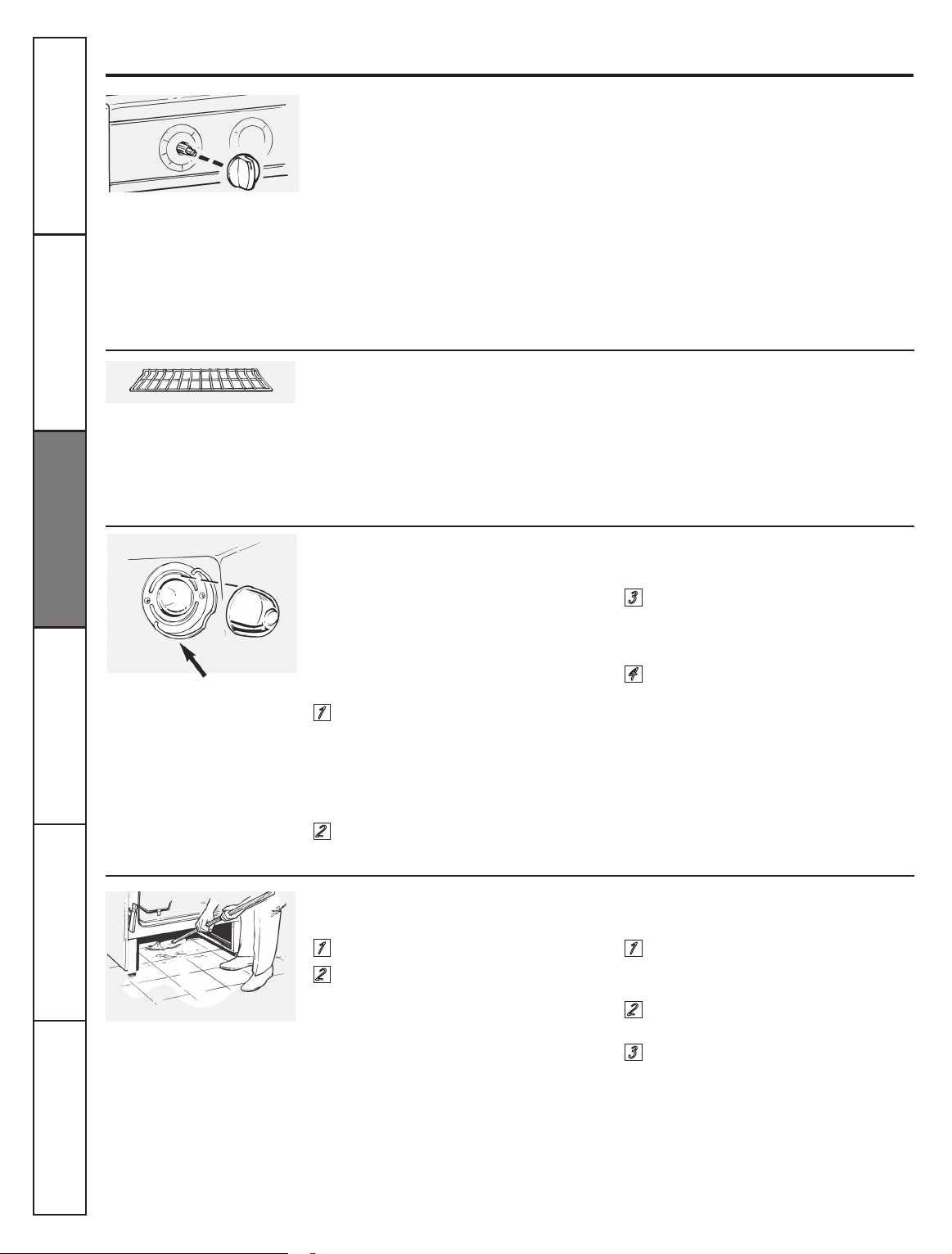
Before replacing your oven light
bulb, turn the oven light off and disconnect the
electrical power to the range at the main fuse or
circuit breaker panel.
Be sure to let the light cover and bulb cool
completely.
To remove the cover:
Hold a hand under the cover so it
doesn´t fall when released. With ngers
of the same hand, rmly push back the
wire cover holder. Lift off the cover.
Do not remove any screws to remove the cover
Replace bulb with a 40-watt household
appliance bulb.
To remove the storage drawer:
Pull the drawer out all the way.
Tilt up the front and remove it.
Care and cleaning of the range.
The control knobs may be removed for
easier cleaning.
Make sure the knobs are in the
OFF
positions and pull them straight off the
stems for cleaning
The knobs can be cleaned in a dishwasher
or they may also be washed with soap and
water. Make sure the insides of the knobs
are dry before replacing.
Replace the knobs in the
OFF
position to
ensure proper placement.
To make the shelves slide more easily, apply
a small amount of vegetable oil or cooking
oil to a paper towel and wipe the edges of
the oven shelves with the paper towel.
To replace the cover:
Place it into groove of the light
receptacle. Pull wire forward to the
center of the cover until it snaps
into place.
Connect electrical power to the range.
To replace the storage drawer:
Insert glides at the back of the drawer
beyond the stop on range glides.
Lift the drawer if necessary to insert
easily.
Let the front of the drawer down, then
push in to close
Control Panel and Knobs
Oven Shelves
Oven Light Replacement
(on some models)
Storage Drawer Removal
(on some models)
Pull the knob straight off the stem.
Wire cover holder
1
1
1
2
2
2
2
1
3
Clean under the range
Consumer Support Troubleshooting Tips Care and Cleaning Safety Instructions
Installation
Instructions
Operating
Instructions
27
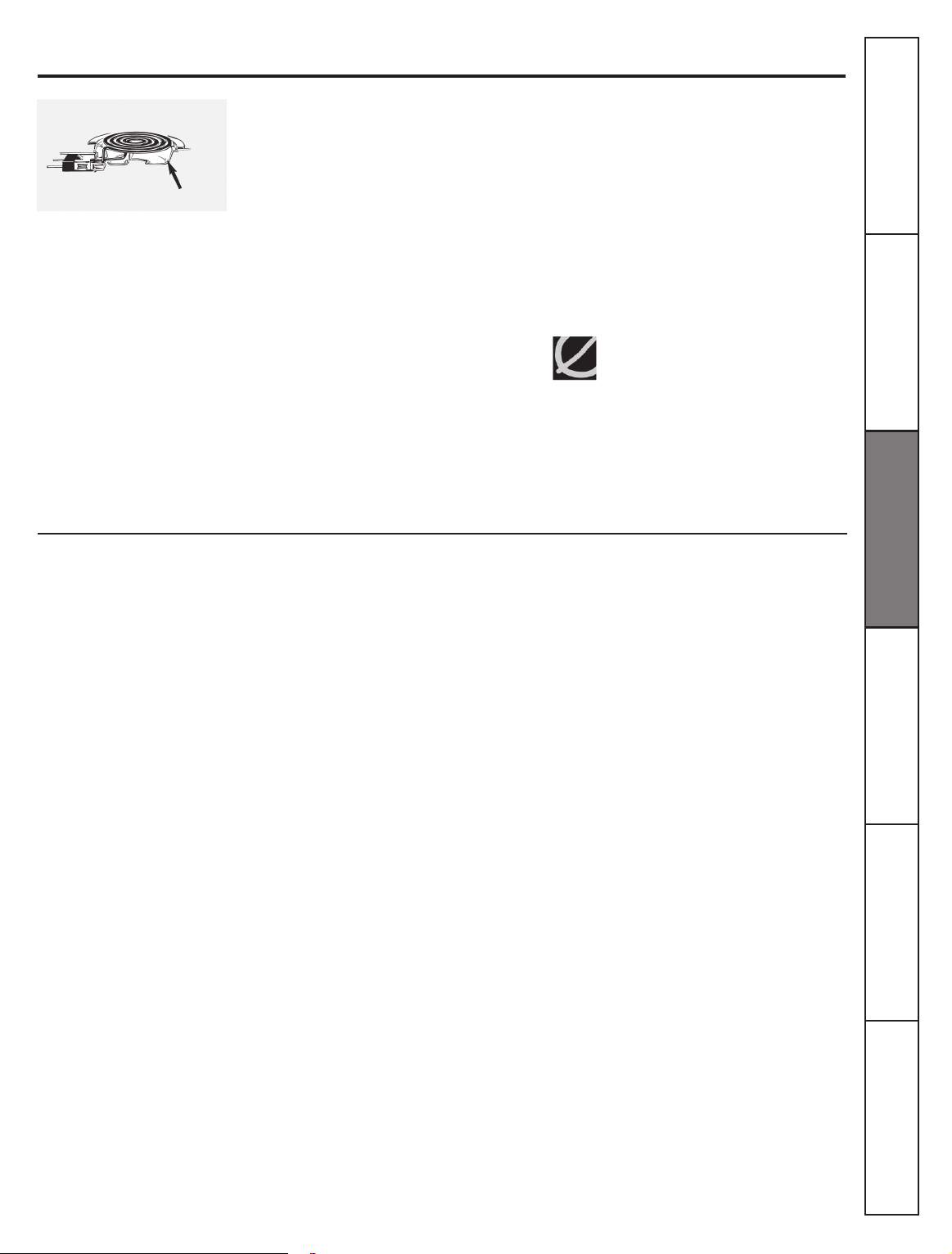
Surface Units
(on some models)
Drip Pans
(if included)
Be sure all the controls are turned to OFF and
the surface units are cool before attempting to
remove them.
To clean the surface units, turn the control
to the highest setting for a minute. The coils
will burn off any soil.
To remove a surface unit:
To remove the drip pans for cleaning, the
surface units must be removed rst.
Lift the surface unit about 1 inch above the
drip pan and pull it out.
Do not lift the surface unit more than 1”. If you
do, it may not lie at on the drip pan when you
plug it back in.
Repeated lifting of the surface unit
more than 1 inch above the drip pan can
permanently damage the receptacle.
Remove the surface units. Then lift out
the drip pans.
Place them in a covered container. Add
¼ cup ammonia and let soak several
hours or overnight. Wash rinse well
and dry.
The drip pans may also be cleaned in
the dishwasher.
Care and cleaning of the range.
Clean the area under the drip pans often.
Built-up soil, especially grease, may catch re.
Do not cover the drip pans with foil. Using foil
so close to the receptacle could cause shock,
re or damage to the range.
NOTE:
Do not clean the drip pans in a
self-cleaning oven.
Surface unit
Receptacle
Drip pan
To replace a surface unit:
Replace the drip pan into the recess in the
cooktop. Make sure the opening in the pan
lines up with the receptacle.
Insert the terminals of the surface unit
through the opening in the drip pan and
into the receptacle.
Guide the surface unit into place so it rests
evenly.
Do not immerse the surface units in
liquids of any kind.
Do not clean the surface units in a
dishwasher.
Do not bend the surface unit plug
terminals.
Do not attempt to clean, adjust or in
any way repair the plug-in receptacle.
Consumer Support
Troubleshooting Tips
Care and Cleaning Safety Instructions
Installation
Instructions
Operating
Instructions
28
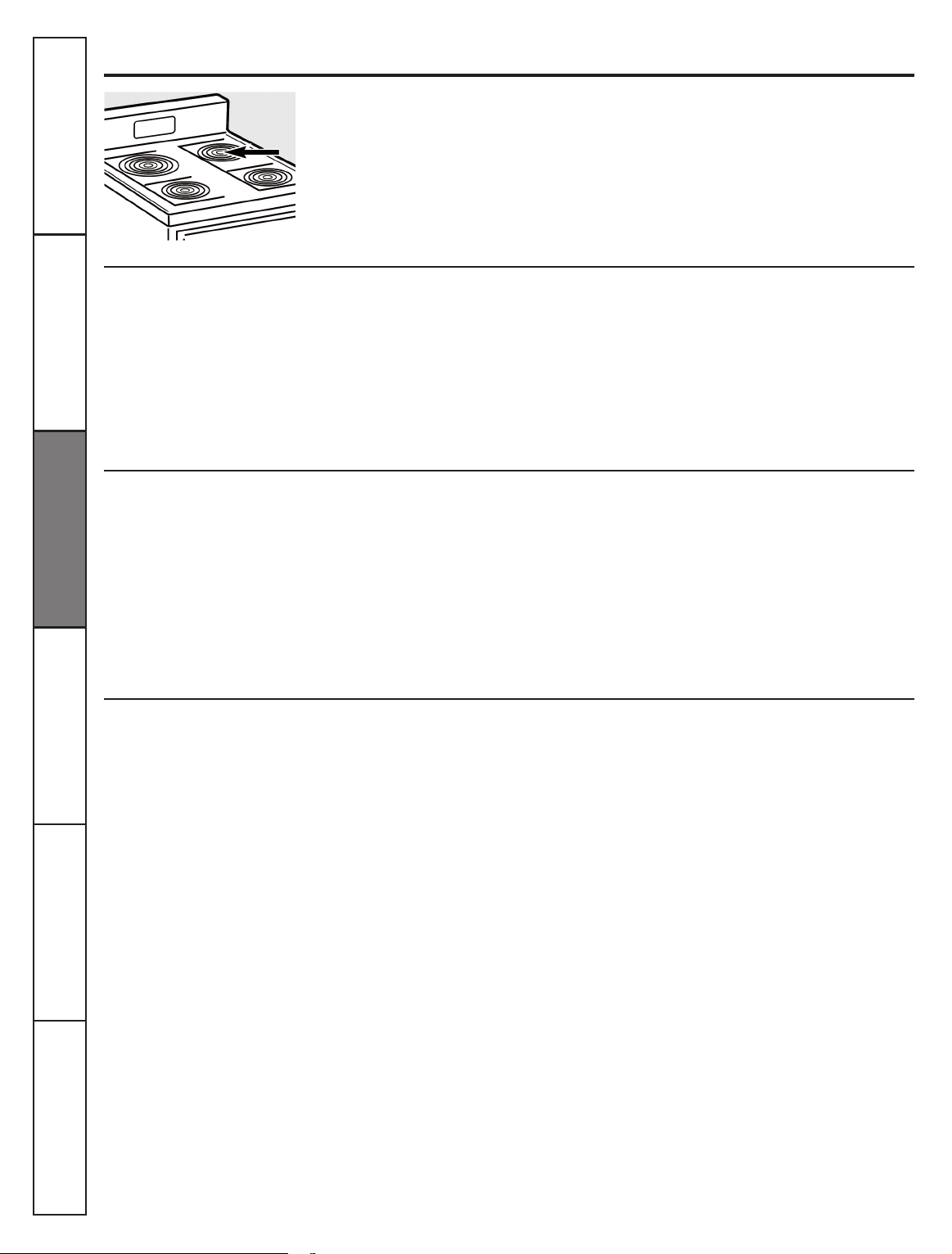
On glass cooktop models, the oven is
vented through an opening at the rear of the
cooktop.
On coil cooktop models, the oven is vented
through an opening under the right rear
surface unit.
Painted surfaces include the sides of the
range and the sides of the door trim.
To clean the painted surfaces, use a hot,
damp cloth with a mild detergent suitable
for these surfaces. Use a clean, hot, damp
cloth to remove soap. Dry with a dry, clean
cloth.
Do not use a steel wool pad; it will scratch
the surface.
To clean the stainless steel surface, use
warm sudsy water or a stainless steel
cleaner or polish. Always wipe the surface
in the direction of the grain. Follow the
cleaner instructions for cleaning the
stainless steel surface.
To clean the outside glass nish, use a glass
cleaner. Rinse and polish with a dry cloth.
Care and cleaning of the range.
Never cover the opening with aluminum
foil or any other material.
Do not use steel-wood pads, commercial
oven cleaners, cleaning powders or other
abrasive cleaners. They will damage the
surface.
To inquire about purchasing stainless
steel appliance cleaner or polish, or to
nd the location of a dealer or Camco
Parts Store nearest you, please call our
toll-free number:
National Parts Centre 1.8000.661.1616
www.GEAppliances.ca
Oven Vent
Painted Surfaces
(on some models)
Stainless Steel Surfaces
(on some models)
Glass Window
(on some models)
Consumer Support Troubleshooting Tips Care and Cleaning Safety Instructions
Installation
Instructions
Operating
Instructions
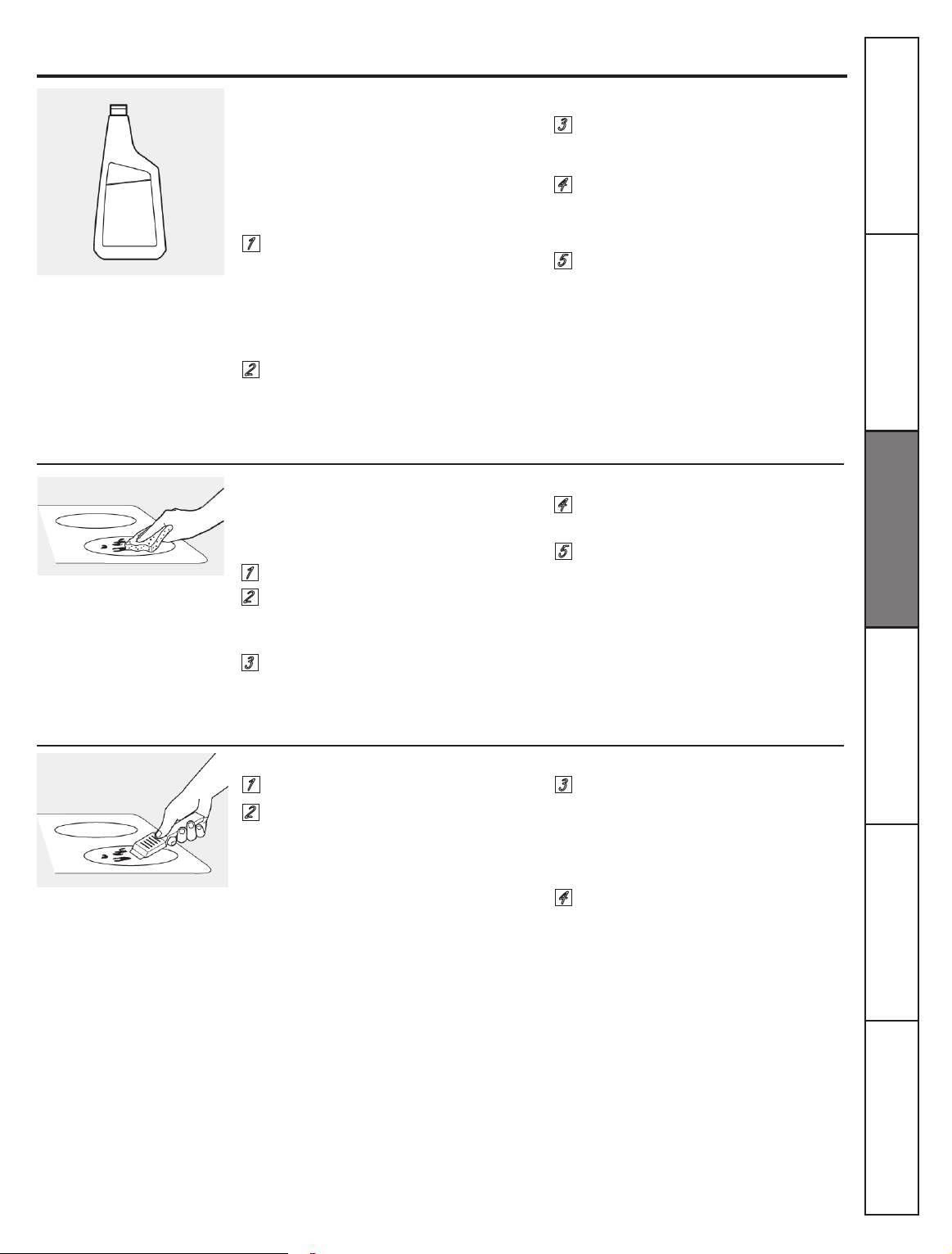
29
Cleaning the glass cooktop.
(on some models)
Normal Daily Use Cleaning
Burned-On Residue
Heavy Burned-On Residue
ONLY
use Ceramic Cooktop Cleaner on
the glass cooktop. Other types of cleaners
may not be as effective.
To maintain and protect the surface of
your glass cooktop, follow these steps.
WARNING:
DAMAGE to your glass
surface may occur if you use scrub pads other
than those recommended.
Allow the cooktop to cool.
Use a single-edge razor blade
scraper at approximately a 45° angle
against the glass surface and scrape
the soil. It will be necessary to
apply pressure to the razor scraper
in order to remove the residue.
Shake the cleaning cream well.
Apply a few drops of Ceramic
Cooktop Cleaner directly to the
cooktop.
Use a paper towel for Ceramic
Cooktops to clean the entire
cooktop surface.
Use a dry cloth or paper towel to
remove all cleaning residue. No
need to rinse.
If any residue remains, repeat the
steps listed above as needed.
For additional protection, after all
residue has been removed, polish
the entire surface with Ceramic
Cooktop Cleaner and paper towel.
After scraping with the razor
scraper, spread a few drops of
Ceramic Cooktop Cleaner on the
entire burned residue area. Use
the Cleaning Pad to remove any
remaining residue.
For additional protection, after all
residue has been removed, polish
the entire surface with Ceramic
Cooktop Cleaner and a paper towel.
1
1
1
2
2
2
3
3
5
5
4
4
4
3
NOTE:
It is very important that you DO NOT heat
the cooktop until it has been cleaned thoroughly.
Before using the cooktop for the
rst time, clean it with Ceramic
Cooktop Cleaner. This helps protect
the top and makes cleanup easier.
Daily use of Ceramic Cooktop
Cleaner will help keep the cooktop
looking new.
Allow the cooktop to cool.
Spread a few drops of Ceramic
Cooktop Cleaner on the entire
burned residue area.
Using the included Cleaning Pad for
Ceramic Cooktops, rub the residue
area, applying pressure as needed.
Clean your cooktop after
each spill. Use Ceramic
Cooktop Cleaner.
Use a Cleaning Pad for Ceramic
Cooktops.
The Ceramic Cooktop Scraper and all
recommended supplies are available
through our dealers or through a
Camco Parts Store.
Note: Do not use a dull or nicked
blade.
Consumer Support
Troubleshooting Tips
Care and Cleaning Safety Instructions
Installation
Instructions
Operating
Instructions
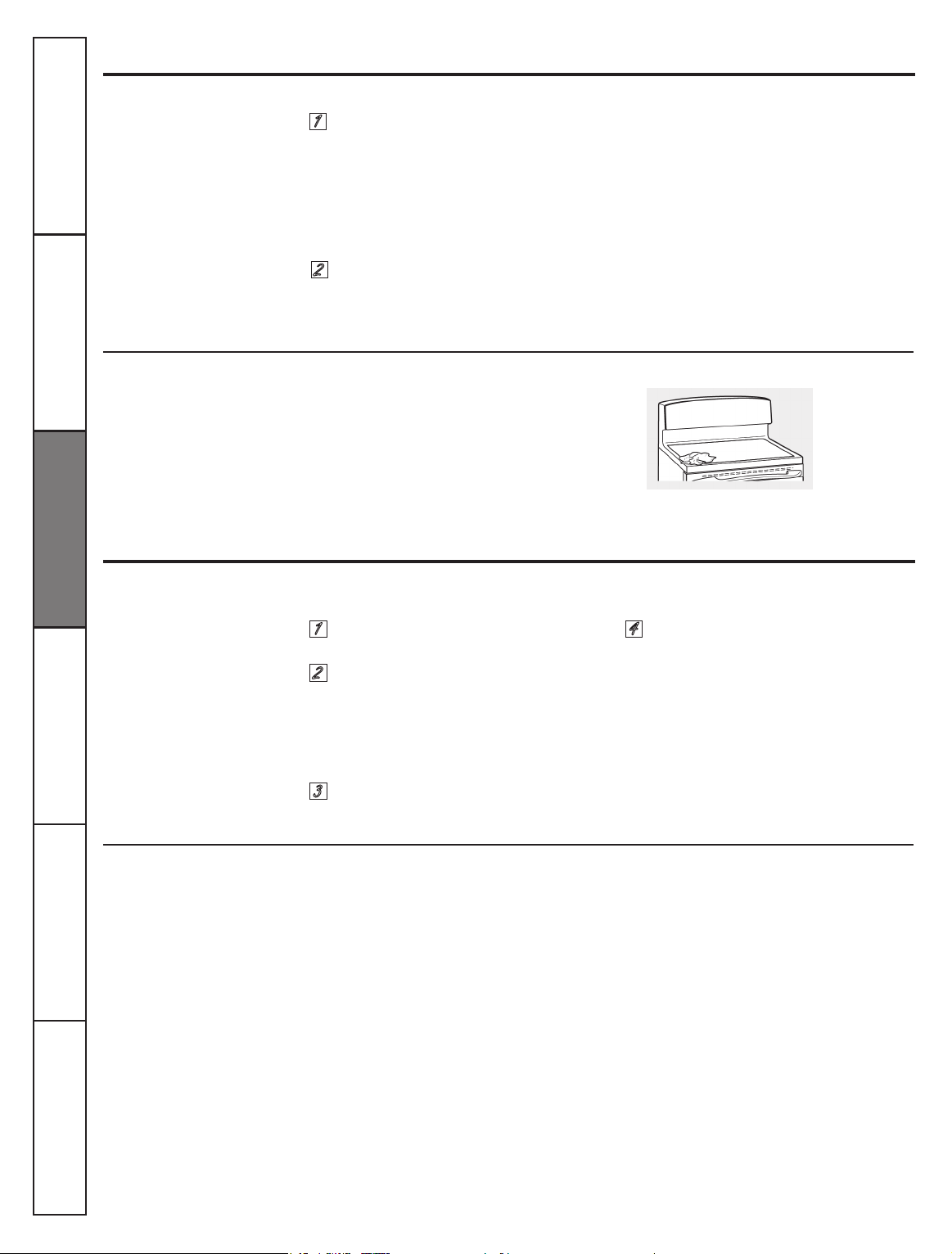
30
Be careful not to slide pots and pans
across your cooktop. It will leave metal
markings on the cooktop surface.
These marks are removable using the
Ceramic Cooktop Cleaner with the
Cleaning Pad for Ceramic Cooktops.
Turn off all surface units. Remove hot
pans.
Wearing an oven mitt:
a. Use a single-edge razor blade
scraper to move the spill to a cool
area on the cooktop.
b. Remove the spill with paper towels.
Any remaining spillover should be left
until the surface of the cooktop has
cooled.
Sugary spillovers (such as
jellies, fudge, candy, syrups)
or melted plastics can cause
pitting of the surface of your
cooktop (not covered by the
warranty) unless the spill is
removed while still hot.
Special care should be
taken when removing hot
substances.
Be sure to use a new, sharp
razor scraper.
Do not use a dull or nicked
blade.
Cleaning the glass cooktop. (on some models)
Glass surface – potential for permanent damage.
If pots with a thin overlay of
aluminum or copper are allowed to
boil dry the overlay may leave black
discoloration on the cooktop.
This should be removed immediately
before heating again or the
discoloration may be permanent.
Don´t use the surface units again
until all of the residue has been
completely removed.
Metal Marks and Scratches
Damage from Sugary Spills and Melted Plastic
1
1 4
2
2
3
WARNING:
Carefully check the
bottom of pans for roughness that would
scratch the cootop.
NOTE:
If pitting or indentation in the glass
surface has already occurred, the cooktop
glass will have to be replaced. In this case,
service will be necessary.
To clean the cooktop seal around the
edges of the glass, lay a wet cloth on
it for a few minutes, then wipe lcean
with nonabrasive cleaners.
To inquire about purchasing a part or an
accessory for your appliance, please call
our toll-free number:
National Parts Center 1-800-661-1616
www.GEAppliances.ca
Cooktop Seal
To order Parts
Ceramic Cooktop Cleaner
....... # WX10X300
Ceramic Cooktop Scraper
....... # WX10X302
Kit
.............................................. # WB64X5027
(Kit includes cream and cooktop scraper)
Cleaning Pads for
Ceramic Cooktops
.................... # WX10X350
Consumer Support Troubleshooting Tips Care and Cleaning Safety Instructions
Installation
Instructions
Operating
Instructions
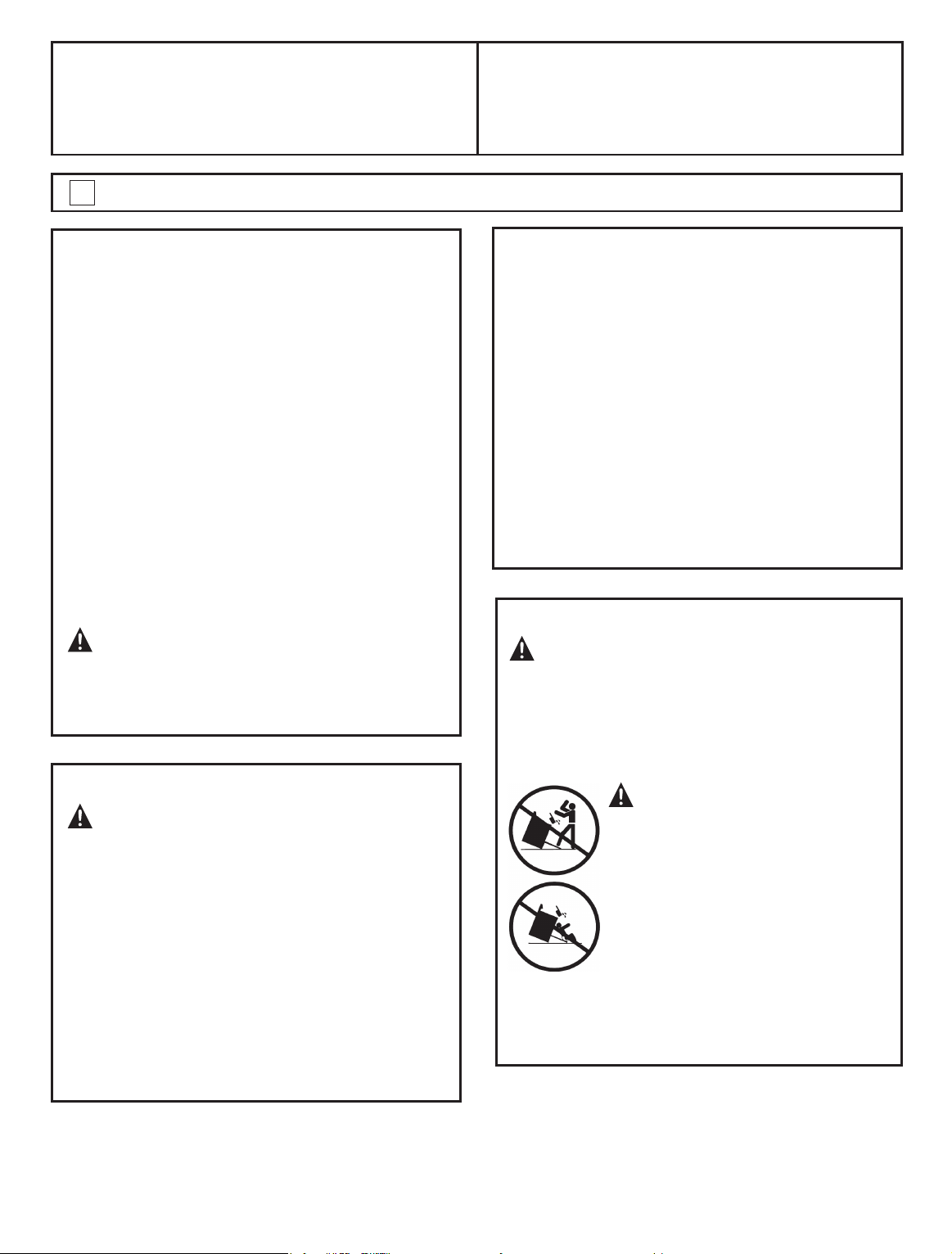
31
Installation
Instructions
24´´ GE Electric Ranges
Questions? Call 1.800.561.3344 or consults our web page: www.geappliances.ca
FOR YOUR SAFETY:
All rough-in and spacing dimensions must be
met for safe use of your range. Electricity to the
range can be disconnected at the outlet without
moving the range if the outlet is in the preferred
location (remove lower drawer).
To reduce the risk of burns or re when reaching
over hot surface elements, cabinet storage
space above the cooktop should be avoided. If
cabinet storage space is to be provided above
the cooktop, the risk can be reduced by installing
a range hood that sticks out at least 5” beyond
the front of the cabinets. Cabinets installed
above a cooktop must be no deeper than 13”.
Be sure your appliance is properly installed and
grounded by a qualied technician.
Make sure the cabinets and wall coverings
around the range can withstand the temperatures
(up to 200 °F) generated by the range.
FOR YOUR SAFETY:
WARNING
_
Before beginning the
installation, switch power off at service panel
and lock the service disconnecting means
to prevent power from being switched on
accidentally. When the service disconnecting
means cannot be locked, securely fasten a
prominent warning device, such as a tag, to
the service panel.
BEFORE YOU BEGIN
Read these instructions completely and
carefully.
l
IMPORTANT
_
Save these
instructions for local inspector´s use.
l
IMPORTANT
_
Observe all
governing codes and ordinances.
l
Note to Installer
_
Be sure to leave these
instructions with the Consumer.
l
Note to Consumer
_
Keep these
instructions for future reference.
l
Skill level- Installation of this appliance
requires basic mechanical skills.
l
Completion time
_
1 to 3 hours
l
Proper installation is the responsibility of the
installer.
l
Product failure due to improper installation is
not covered under the Warranty.
WARNING
_
This appliance must
be properly grounded.
ANTI-TIP DEVICE
WARNING
_
To reduce the risk
of tipping, the appliance must be secured by
properly installed Anti- Tip device packed with
this appliance.
If the Anti-Tip device supplied with the range
does not t this application, use the universal
Anti-Tip device WB2X7909.
WARNING
l
All ranges can tip
l
Injury to persons could result
l
Install Anti-Tip device packed
with range
l
See Installation Instructions
If you pull the range out and away from the
wall for any reason, make sure the Anti-Tip
device is engaged when the range is pushed
back against the wall.
31
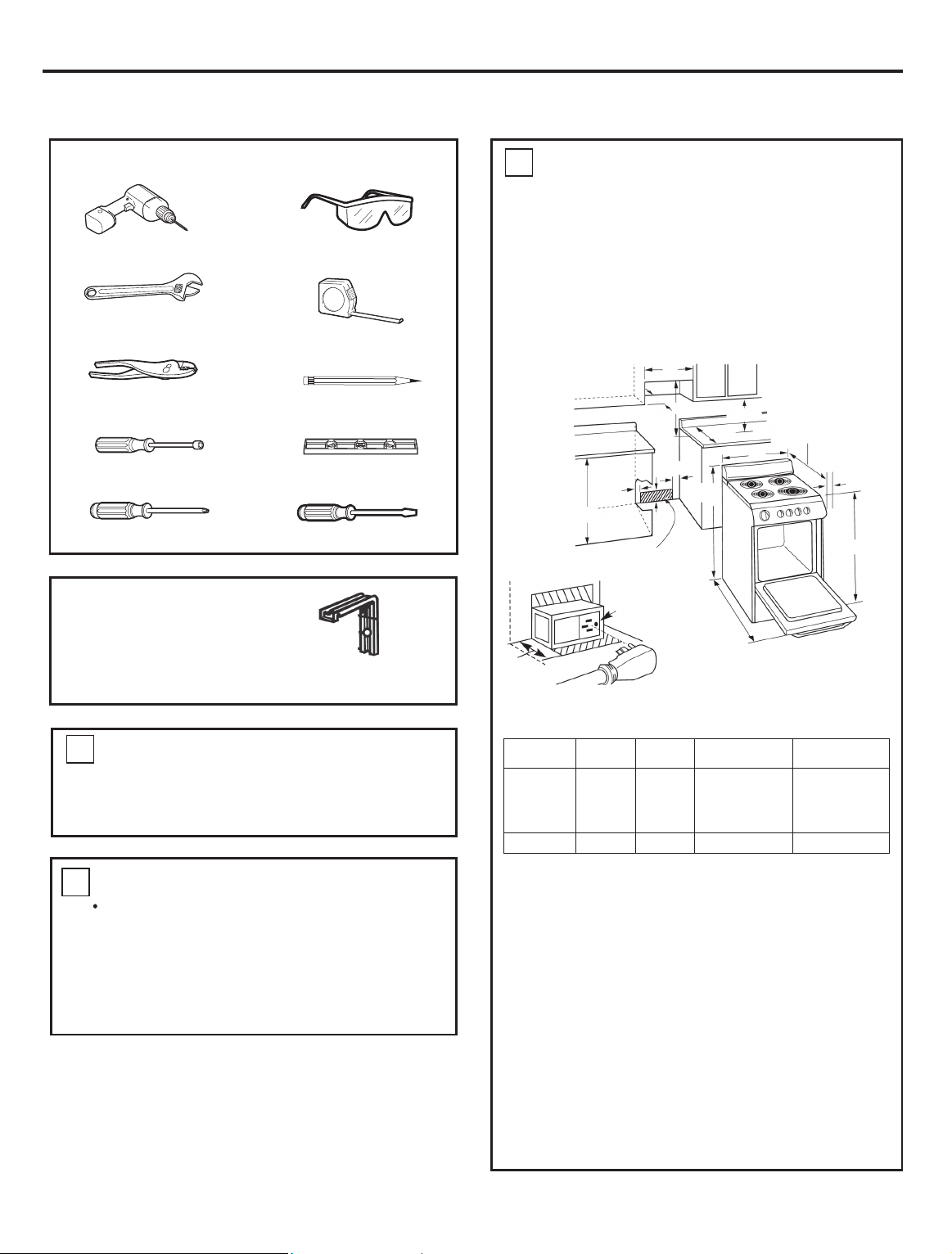
32
Installation Instructions
PREPARE TO INSTALL THE RANGE
TOOLS YOU WILL NEED
Drili with 1/8” Bit
Safety Glasses
Adjustable Wrench
Tape Measure
Pliers
Pencil
1/4” Nut Driver Level
Phillips Screwdriver
Flat-blade
Screwdriver
PARTS INCLUDED
Anti-Tip Bracket Kit
REMOVE SHIPPING MATERIALS
Remove packaging materials. Failure
to remove packaging materials could
result in damage to the appliance.
1
PREPARE THE OPENING
2
Allow 2” spacing from the range to adjacent
vertical walls above the cooktop surface. Allow
30” minimum clearance between the surface
units and the bottom of unprotected wood or
metal top cabinet, and 18” minimum between the
countertop and the adjacent cabinet bottom.
over hot surface elements, cabinet storage space
above the cooktop should be avoided. If cabinet
storage space is to be provided above cooktop,
the risk can be reduced by installing a range hood
that protrudes at least 5” beyond the front of the
cabinets. Cabinets installed above a cooktop may
be no deeper than 13”.
Flooring under the range
Your range, like many other household items,
such as cushioned vinyl or carpeting.
it should be installed on a 1/4” thick sheet of
plywood (or similar material) as follows:
the range, the area that the range will rest on
should be built up with plywood to the same
allow the range to be moved for cleaning or
servicing.
32
Models
JCAS745
JCAP750
JCAP760
JCAP765
JCAS445
A
47”
36"
B
24
3/8
24
3/8
2” (5,08 cm)
N/A
41” (104,14 cm)
41” (104,14 cm)
D
C
(recommended)
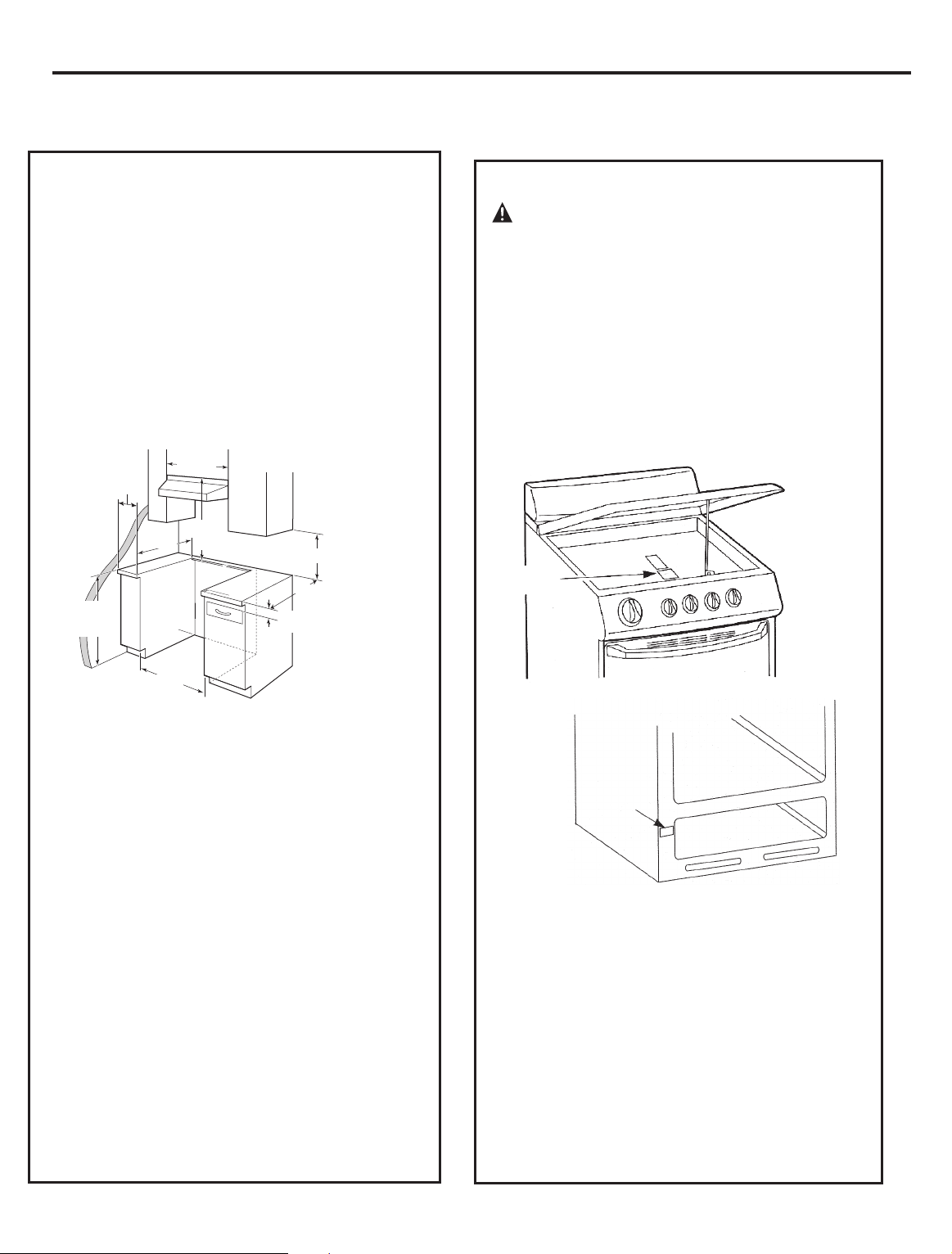
33
33
Installation Instructions
ELECTRICAL CONNECTIONS
ELECTRICAL REQUIREMENTS
CAUTION: For personal safety,
do not use an extension cord with this
appliance. Remove house fuse or open circuit
breaker before beginning installation.
This appliance must be supplied with
the proper voltage and frequency, and
connected to an individual properly grounded
branch circuit, protected by a circuit breaker
rating plate. The rating plate is located under
the cooktop or in the front frame. (See below
pictures).
We recommend you have the electrical wiring
and hookup of your range connected by a
the electrician show you where your main
range disconnect is located.
Check with your local utilities for electrical
codes which apply in your area. Failure to
wire your oven according to governing codes
could result in a hazardous condition. If there
are no local codes, your range must be wired
and fused to meet the requirements of the
Canadian Electrical Code, Part 1
Latest Edition.
Rating Plate
Rating Plate
PREPARE THE OPENING (JCAS445)
Allow 2” spacing from the range to adjacent
vertical walls above the cooktop surface. Allow
30” minimum clearance between the surface
units and the bottom of unprotected wood or
metal top cabinet, and 18” minimum between the
countertop and the adjacent cabinet bottom.
over hot surface elements, cabinet storage space
above the cooktop should be avoided. If cabinet
storage space is to be provided above cooktop,
the risk can be reduced by installing a range hood
that protrudes at least 5” beyond the front of the
cabinets. Cabinets installed above a cooktop may
be no deeper than 13”.
38 cm (15") min.
57.78 cm
(22-3/4")
63.5 cm (25")
60.96 cm +/- 0.16 cm
(24" +/- 1/16")
91.44 cm (36.0" )
from floor to countertop
76.2 cm
(30") min.
1
3.1 cm (1-1/4") min. from countertop
to top of cabinet drawer.
See note
B
above.
76.2 cm
(30") min.
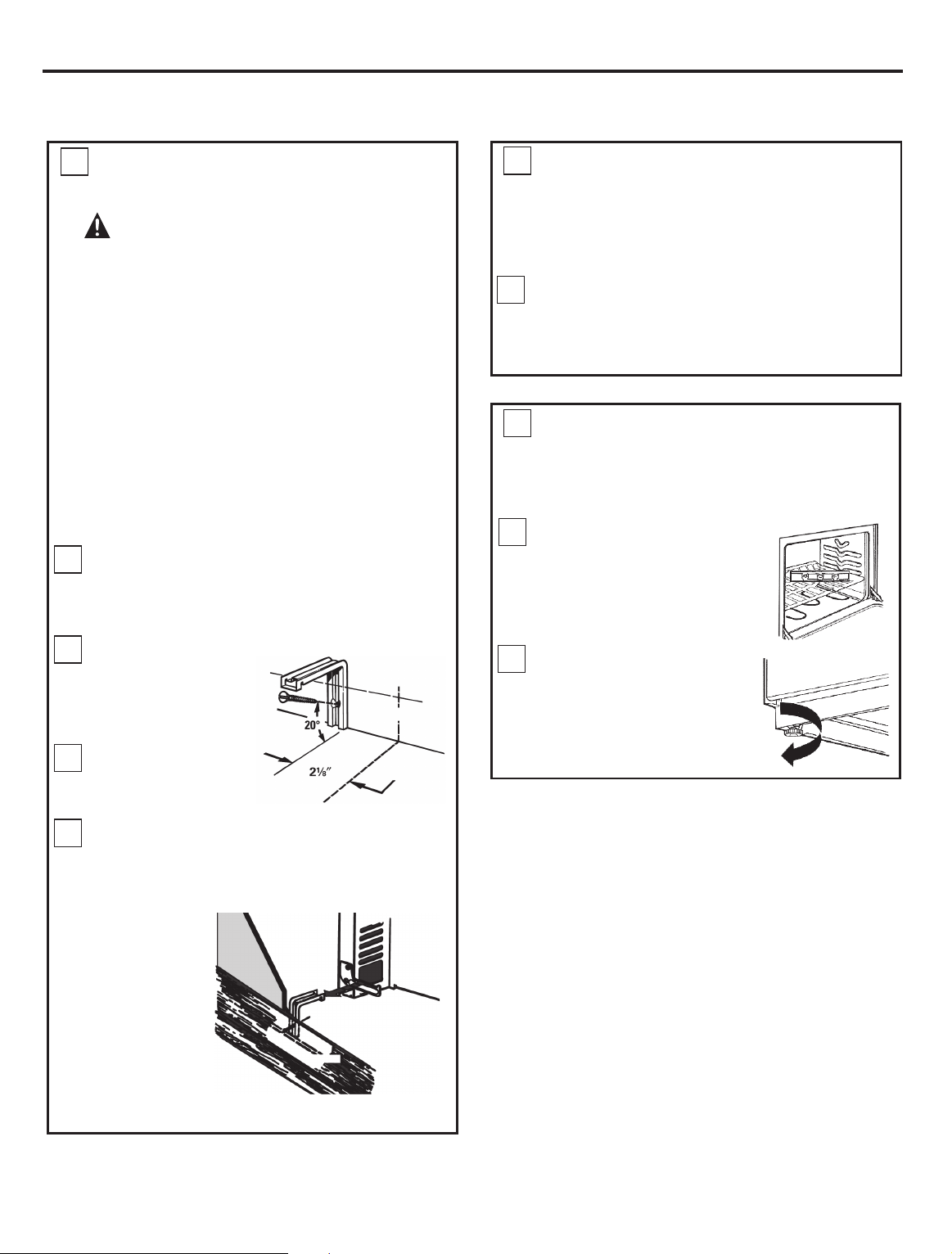
34
34
Installation Instructions
INSTALL THE RANGE
ANTI-TIP DEVICE INSTALLATION
ANTI-TIP DEVICE INSTALLATION
(cont.)
LEVEL THE RANGE
3
3
4
A
B
C
D
WARNING:
l
Range must be secured with an approved
Anti-Tip device.
l
Unless properly installed, the range could be
tipped by you or a child standing, sitting or
learning on an open door.
l
After installing the Anti-Tip device, verify that
it is in place by carefully attempting to tilt the
range forward.
l
This range has been designed to meet all
recognized industry tip standards for all
normal conditions.
l
The use of this device does not preclude
tipping of the range when not properly
installed.
Mark the wall where the RIGHT EDGE of
the range is to be located. Be sure to allow
for the countertop overhang if you intend to
install the range next to cabinets.
Locate the
outside edge
of the device
2 1/8” toward
the center
of the range
from the
marked edge
of the range.
Using the device as template, mark the
position of the hole for the screw.
For wood construction, drill a pilot hole at
an angle of 20 degrees from the horizontal.
A nail or awl may be used if a drill is not
available.
Install the sleeve anchor into the drilled
hole and then install the lag bolt through the
device. The bolts must be properly tightened
as recommended for the hardware.
Slide the range against the wall, and check
for proper installation by grasping the front
edge of the cooktop and carefully attempting
to tilt the range forward.
For proper cooking and baking, the range
must be leveled. Leveling legs are located
on each corner at the base of the range.
Install the oven shelves
(see Using the oven
section for instructions).
Put a spirit level or a glass
measuring cup partially
lled with water on one of
the oven shelves.
Turn the legs clockwise
to raise the range and
counterclockwise to
lower the range. Adjust
the leveling legs until the
range is level.
Anti-Tip
device
Back of
range
Wallboard
Wood screw
E
A
B
Mount the Anti-Tip device with the screw provided.
For cement or concrete construction, you will need
a ¼” x 1 ½”
lag bolt and
a ½” O.D.
Sleeve anchor,
which are
not provided.
Drill the
recommended
size hole for the
hardware.
35
FINAL INSTALLATION
CHECKLIST
OPERATION CHECKLIST
5
6
l
Check to make sure the circuit breaker is
closed (RESET) or the circuit are replaced.
l
Be sure power is in service to the building.
l
Note (on some models): If the clock
ashes “bad” and then “LinE” with a loud
tone, the neutral connection to the range
is miswired. Check the terminal block
connections and/or house wiring to correct.
l
Check to be sure that all packing materials
and tape have been removed. This will
include tape on metal panel under control
knobs (if applicable), adhesive tape, wire
ties, cardboard and protective plastic.
Failure to remove these materials could
result in damage to the appliance once the
appliance has been turned on and surfaces
have heated.
l
Check to make sure that the rear leveling
leg is fully inserted into the Anti-Tip bracket
and that the bracket is securely installed.
l
Turn on one of the surface to observe that
the element glows within 60 seconds. Turn
the unit off when glow is detected. If the
glow is not detected within the time limit,
recheck the range wiring connections.
If change is required, retest again. If no
change is required, have building wiring
checked for proper connections and voltage.
l
Check to make sure the Clock (on models
so equipped) display is energized. If a series
of horizontal red lines appear in the display,
disconnect power immediately. Recheck the
range wiring connections. IF change is made
to connections, retest again. If no change
is required, have building wiring checked
for proper connections and voltage. It is
recommended that the clock be changed if
the red lines appear.
l
Be sure all range controls are in the OFF
position before leaving the range.
Installation Instructions
35
36
Before you call for service...
Troubleshooting Tips
Save time and money! Review the charts on the following
pages rst and your may not need to call for service.
Problem
Radiant Cooktops
Surface units will not
maintain a rolling boil
or cooking is not fast
enough.
Surface units do not
work properly
Scratches (may appear
as cracks) on cooktop
glass surface
Areas of discoloration
on the cooktop
Plastic melted to the
surface
Pitting (or indentation)
of the cooktop
Frequent cycling off
and on of surface units
Possible Causes
Improper cookware
being used.
A fuse in your home may be blown
or the circuit breaker tripped.
Incorrect cleaning methods being used.
Cookware with rough bottoms being
used or coarse particles (salt or sand)
were between the cookware and the
surface of the cooktop.
Cookware has been slid across the
cooktop surface.
Food spillovers not cleaned before
next use.
Hot cooktop came into cantact with
plastic placed on the hot cooktop.
Hot sugar mixture spilled on the
cooktop.
Improper cookware being used.
Cooktop controls improperly set.
Hot surface on a model with a
light-colored glass cooktop.
What To Do
l
Use pans which are at and match the diameter of the
surface unit selected.
l
Replace the fuse or reset the circuit breaker.
l
Scratches are not removable. Tiny scratches will become
less visible in time as result of cleaning.
l
To avoid scratches, use the recommended cleaning
procedures. Make sure bottoms of cookware are clean before
use, and use cookware with smooth bottoms.
l
See the
Cleaning the glass cooktop section.
l
See the
Glass surface - potential for permanent damage
section in the
Cleaning the glass cooktop
section.
l
Call a qualied technician for replacement.
l
Use only at cookware to minimize cycling.
l
Check to see the correct control is set for the surface unit
you are using.
l This is normal. The surface may appear discolored when
it is hot. This is temporary and will disappear as the
glass cools.
Consumer Support Troubleshooting Tips Care and Cleaning Safety Instructions
Installation
Instructions
Operating
Instructions
37
Before you call for service...
Troubleshooting Tips
Problem
Coil Cooktops
Oven-All Models
Surface units
not functioning
properly
Oven light does not
work
Oven will not work
Food does not bake or
roast properly
No power supply from
convenience outlet on
top of backguard (on
some models)
Possible Causes
The surface units are
not plugged in solidly.
Light bulb is loose or defective.
Plug on range is not
completely inserted in the
electrical outlet.
Oven controls improperly set.
Small appliance plug is not
completely inserted in the
convenience outlet.
The surface unit
controls improperly set.
Switch operating light is broken.
A fuse in your home may be
blown or the circuit breaker
tripped.
Shelf positions in incorrect or
the shelf is not level.
Incorrect cookware or cookware
of improper size being used.
Oven thermostat needs
adjustment.
The backguard is too hot and
the convenience outlet breaker
has tripped.
Oven controls improperly set.
On self-cleaning models door
left in the locked position.
The drip pans are not set
securely in the cooktop.
What To Do
l
With the controls off, check to make sure the surface
unit is plugged completely into the receptacle.
l
Tighten or replace the bulb.
l
Make sure electrical plug is plugged into a live
properly grounded outlet
l
See the
Using the oven
section.
l
Make sure the small appliance plug is properly
inserted.
l
Check to see the correct control is set for the surface
unit you are using.
l
Call for service.
l
Replaced fuse or reset circuit breaker.
l
See the
Using the oven
section.
l
See the
Using the oven
section.
l
See the
Adjust the oven thermostat-Easy to do
yourself!
Section
l
Allow the range to cool, then reset the circuit
breaker by pressing the switch located near the
convenience outlet.
l
See the
Using the oven
section.
l
If necessary, allow the oven to cool then unlock the door.
l
With the controls off, check to make sure the drip pan
is in the recess in the cooktop. and that the opening in
the pan lines up with the receptacle.
Consumer Support
Troubleshooting Tips
Care and Cleaning Safety Instructions
Installation
Instructions
Operating
Instructions
38
Control signals
after entering
cooking time or
delay start
Display flashes
“bAd” then “linE”
with a loud tone
You forgot to enter a bake
temperature or cleaning time.
The installed connection from the
house to the unit is miswired.
l
Press the
BAKE
pad and desired temperature or the
CLEAN
pad and desired clean time.
l
Contact installer or electrician to correct miswired.
Problem Possible Causes What To Do
Food does not
broil properly
Oven is not set to
BROIL
.
l
On models with a temperature knob, make sure you
turn it all the way to the
BROIL
position. On models
with a
BROIL
pad, make sure it is turned on.
Door not open to the broil stop
position as recommended.
Improper shelf position
being used.
Food being cooked in a hot pan.
Cookware not suited for broiling.
Aluminium foil used on the
broiling pan and grid has not
been tted properly and slit as
recommended.
In some areas the power
(voltage) may be low.
l
See the
Using the oven
section.
l
See the
Broiling guide.
l
Use the broiling pan and grid that came with your
range. Make sure it is cool.
l
Use the broiling pan and grid that came with your
range.
l
See the
Using the oven
section.
l
Preheat the broil element for 10 minutes.
l
Broil for the longest, period of time recommended in
the
Broiling guide.
Consumer Support Troubleshooting Tips Care and Cleaning Safety Instructions
Installation
Instructions
Operating
Instructions
Before you call for service...
39
Problem
Oven temperature too
hot or too cold
Clock and timer do not
work
Display goes blank
Oven door is crooked
Display flashes
Unable to get the
display to show “SF”
Power outage
Oven makes clicking
noise
“F-and number or
letter” flash in the
display
Possible Causes
Oven thermostat
needs adjustment.
Plug on range is not completely
inserted in the electrical outlet.
A fuse in your home may be
blown or the circuit breaker
tripped.
The door is out of position.
Power failure.
Oven control pads were not
pressed properly.
Power outage or surge.
This is the sound of the heating
element turning off and on
during cooking functions.
You have a function error code.
The clock is turned off from
showing in the display.
If the function code repeats:
A fuse in your home may be
blown or the circuit breaker
tripped.
Oven controls improperly set.
What To Do
See the
Adjust the oven thermostat-Easy to do
yourself!
Section
Make sure electrical plug is plugged into a live, properly
grounded outlet.
Replace fuse or reset circuit breaker.
See the
Using the clock, timer and convenience outlet
section.
Replace fuse or reset circuit breaker.
Because the oven door is removable, it sometimes gets
out of position during installation. To straighten the
door, push down on the high corner.
Reset the clock.
The
BAKE
and
BROIL
pads must be pressed at the same
time and held for 3 seconds.
Some models will automatically resume their setting
once the power is restored. On models with a clock, you
must reset the clock. If the oven was in use, you must
reset it by pressing the
OFF
pad, setting the clock and
resetting any cooking function.
This is normal.
Press the
OFF
pad. Put the oven back into operation.
See the
Using the clock, timer and convenience outlet
section.
Disconnected all power to the range for at least 30
seconds and then reconnect power. If the function error
code repeats, call for service.
On self-cleaning models, if a function error code
appears during the self-cleaning cycle, check the oven
door latch. The latch may have been moved, if only
slightly, from the locked position. Make sure the latch is
moved to the right as far as it will go. Press the
OFF
pad.
Allow the oven to cool for one hour. Put the oven back
into operation.
Consumer Support
Troubleshooting Tips
Care and Cleaning Safety Instructions
Installation
Instructions
Operating
Instructions
Troubleshooting Tips
Before you call for service...
40
Problem Possible Causes What To Do
“Burning” or “oily”
odor emitting from
the oven vent
Strong odor
This is normal in a new oven and
will disappear in time.
An odor from the insulation
around the inside of the oven is
normal for the rst few times the
oven is used.
l
To speed the process set a self-clean cycle for a minimum of
3 hours. See the
Using the self-cleaning oven
section.
l
This is temporary.
Self-Cleaning Models
Oven will not self-clean
Oven not clean after a
clean cycle
Fan Noise
Oven starts a self-clean
cycle when you wanted
to bake, roast or broil
“Cracking” or “popping”
sound
Excessive smoking
during a clean cycle
Oven door will not
unlock
The oven temperature is too high
to set a self-clean operation.
Oven controls not properly set.
Humming Noise on Self Clean cycle.
Humming Noise on Bake/Broil
Oven was heavily soiled.
Oven door locked during cooking.
This is the sound of the metal
heating and cooling during both
the cooking and cleaning functions.
Excessive soil.
Oven too hot.
Oven controls improperly set.
Oven door is not in the locked
position.
l
Allow the range to cool to room temperature and reset the
controls.
l
See
Using the self-cleaning oven
section.
l
This is normal
l
Your range is equipped with a cooling fan to keep the
components under safety temperatures. Fan will turn on/
off automatically while the range is on Self-Clean cycle
.
l
This is normal
Cooling Fan will turned-on automatically for Broil Lo/Hi
and for High Baking temperatures (around 475° F) in order
to maintain safety temperatures for all components.
Cooling Fan will turn-off when the oven temperature cools
down below 375° F
l
Clean up heavy spillovers before starting the clean cycle.
Heavily soiled ovens may need to self-clean again or for a
longer period of time.
l
Turn the Oven Temperature knob to
OFF
. Allow the oven
to cool. Never force the door latch handle.
l
This is normal.
l
Press the
OFF
pad. Open the windows to rid the room of
smoke. Wait until the light on the
CLEAN
pad goes off.
Wipe up the excess soil and reset the clean cycle.
l
Allow the oven to cool below locking temperature.
l
See the
Using the self-cleaning oven
section.
l
Maker5 sure you move the door latch handle all the way
to the right.
Consumer Support Troubleshooting Tips Care and Cleaning Safety Instructions
Installation
Instructions
Operating
Instructions
Before you call for service...
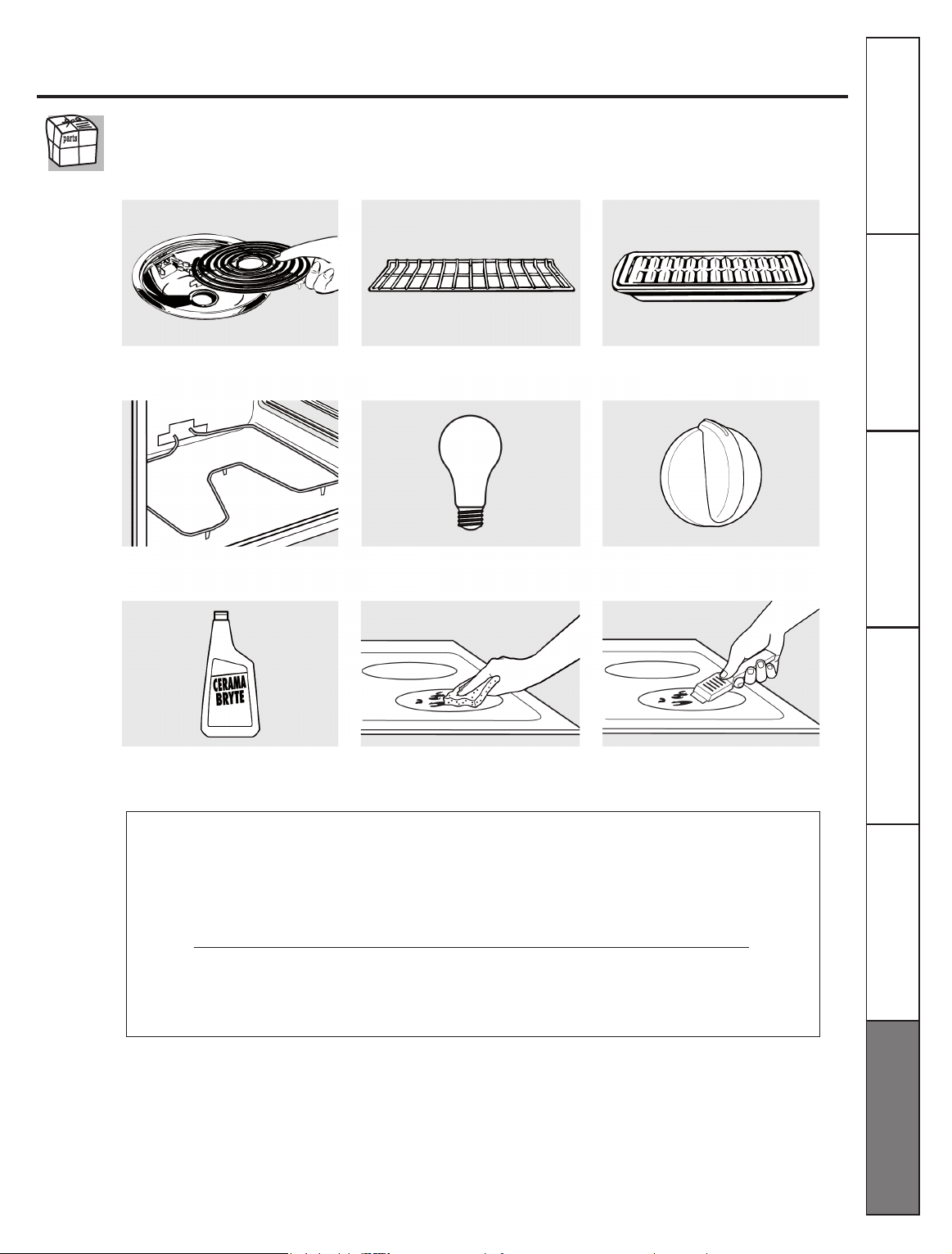
41
Accessories.
Looking For Something More?
To inquire about purchasing a part or an accessory for your appliance,
call our National Parts Center at 1.800.661.1616.
Tired of discolored racks? Wishing you had extra-heavy-duty oven racks?
NOW AVAILABLE
for your range:
GE’s innovative, self-cleanable porcelain-coated oven racks!
l
Heavy Duty
l
Durable
l
Able to-be cleaned in a self-cleaning oven
Consumer Support
Troubleshooting Tips
Care and Cleaning Safety Instructions
Installation
Instructions
Operating
Instructions

42
Notes

43
Please place in envelope and mail to:
Veuillez mettre dans une enveloppe et envoyez à:
OWNERSHIP REGISTRATION
P.O. BOX 1780
MISSISSAUGA, ONTARIO
L4Y 4G1
(FOR CANADIAN CONSUMERS ONLY –
POUR RÉSIDENTS CANADIENS SEULEMENT)
44
OWNERSHIP REGISTRATION CERTIFICATE - FICHE D’INSCRIPTION DU PROPIÉTARE
Please register your product to enable us to contact you in the
remote event a safety notice is issued for this product and to
allow for efcent communication under the terms of your warranty,
should the need arise.
REGISTER ON-LINE:
ENREGISTREMENT SUR INTERNERT A:
MR./M
MISS/MLLE.
I do not wish to recive any promotional offers regarding this product.
Je ne désire pas recevoir d’offers promotionnelles concemant ce produit.
CORRESPONDENCE
CORRESPONDANCE
ENGLISH
FRANCAIS
MRS./MME.
MS.
FIRS NAME/PRENOM
STREET NAME/RUE
PROVINCE
TELEPHONE
STREET NO/N° RUE
CITY/VILLE
AREA CODE/IND. RÉG.
NAME OF SELLING DEALER / NOM DU MARCHAND
MODEL/MODÉLE
SERIAL/SÉRIE
DID YOU PURCHASE A SERVICE CONTRACT FOR THIS APPLIANCE?
AVEZ-VOUZ ACHETÉ UN CONTRACT DE SERVICE POUR CET APPAREIL?
LAST NAME/NOM
APT. NO/APP./RR#
POSTAL CODE/POSTAL
E-MAIL
www.geappliances.ca
www.electromenagersge.ca
MAIL TO:
POSTER Á:
P.O. BOX 1780, MISSISSAUGA
ONTARIO, L4Y 4G1
Veullez enregistrer votre produit an de nous permettre de
communiquer avec vous si jamais un avis de sécurité concemant
ce produit était éms et de communiquer facilement avec vous en
vertu de votre garantie, si le besoin s’en faith sentir.
Y/A M D/J
IF YES/SI OUI:EXPIRATION
Y/A M D/J
INSTALLATION DATE/DATE D’INSTALLATION
YES/OUI
NO/NON
CUT ALONG THIS LINE AND RETURN CARD- -THANKS
For Canadian
Customer
Pour les
Consommateurs
Canadiens
45
GE Electric Range Warranty.
All warranty service provided by our Factory Service Centers, or
an authorized Customer Care technician. To schedule service,
24 hours a day, call 1.800.561.3344. Please have serial number
and model number available when calling for service.
Staple your receipt here.
Proof of the original purchase,
date is needed to obtain
service under the warranty.
For The Period Of:
One year
From the date of the
original purchase.
Mabe Canada Will Provide:
Any part
of the range which fails due to a defect in materials or workmanship. During
this
limited one-year warranty
. Maybe will also provide,
free of charge
, all labor and related
service to replace the defective part.
This warranty is extended to the original purchaser and any succeeding owner for products purchased for home use
within Canada. In-home warranty service will be provided in areas where it is available and deemed reasonable by Mabe
Canada to provide.
Some provinces do not allow the exclusion or limitation of incidental or consequential damages, so the above limitation
or exclusion may not apply to you. This warranty gives you specic legal rights, and you may also have other rights
which vary from province to province. To know what your legal rights are in your province, consult your local or provincial
consumer affairs ofce.
Warrantor: Mabe Canada Inc.,
Burlington, Ontario
What Mabe Canada Will Not Cover:
Service trips to your home to teach you how to use the
product.
Improper installation, delivery or maintenance.
Failure of the product if it is abused, misused, or used for
other than the intended purpose or used commercially.
Damage to the glass cooktop caused by use of cleaners
other than the recommended cleaning creams and pads.
Damage the glass cooktop caused by hardened spills of
sugary materials or melted plastic that are not cleaned
according to the directions in the Owner’s Manual.
Replacement of house fuses or resetting of circuit
breakers.
Damage to the product caused by accident, re,
oods or acts of God.
Incidental or consequential damage caused by
possible defects with this appliance.
Damage caused after delivery.
Product not accessible to provide required service.
EXCLUSION OF IMPLIED WARRATIES-Your sole and exclusive remedy is product repair as provided in this
Limited Warranty. Any implied warranties, including the implied warranties of merchantability or fitness
for a particular purpose, are limited to one year or the shortest period allowed by law.
Consumer Support
Troubleshooting Tips
Care and Cleaning Safety Instructions
Installation
Instructions
Operating
Instructions
46
Consumer Support.
This book is printed on recycled paper.
Printed in Mexico
www.GEAppliances.ca
www.GEAppliances.ca
www.GEAppliances.ca
www.GEAppliances.ca
www.GEAppliances.ca
Have a question or need assistance with your appliance? Try the GE Appliance Website 24 hours a day,
any day of the year! For greater convenience and faster service, you can now download Owner’s Manu-
als on-line. You can also “Ask Our Team of Experts ™”your questions, and so much more...
Schedule Service
Expert GE repair service is only one step away from your door. Call 1-800-561-3344, 24 hours a day,
7 days a week.
Parts and Accessories
To inquire about purchasing a part or a accessory for your appliance, call our National Parts Center at
1-800-661-1616.
Contact Us
If you are not satised with the service you receive from GE, contact us on our Website with all the details
including your phone number, or write to: Mabe Canada, Inc.
1 Factory Lane
Moncton, New Brunswick
E1C9M3
Register Your Appliance
Register your new appliance on-line-at your convenience! Timely product registration will allow for
enhanced communication and prompt service under the terms of your warranty, should the need arise.
You may also mail in the preprinted registration card included in the packing material.