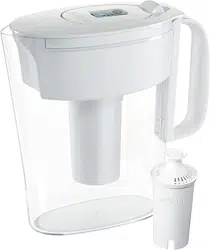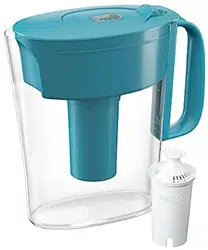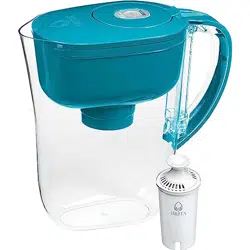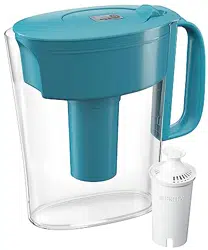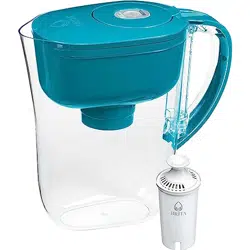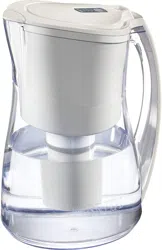

How To Care For Your Brita® Product
All of our products are built to last a long time. With a little care and attention along the way you
can help ensure your Brita® product lives up to its full potential. We’ve also included details on
when to replace your filter, how to read your filter change indicators, and details about your
product warranty.
Learn more about:
Soaking & Flushing Filters
Cleaning
Replacing Your Filter
Attaching Your Brita
®
Faucet Filtration System
Setting Up Your Indicator
Reading Your Indicator
Soaking & Flushing Filters
For pitchers, you should soak your filter before inserting it:
Wash hands with soap and water, then remove filter from filter bag.
Soak the filter upright in cold water for 15 minutes.
Hold filter upright under cold, running tap water for a few seconds.
Faucet Filters
Faucet filters don’t require soaking, however, the system does need to be flushed for five
minutes to activate the filter media and remove any carbon dust. The 378-litre filter life begins
AFTER flushing for five minutes so you are not wasting filter life by the flushing process.
Brita® Bottles
Bottle filters don’t require soaking. Squeeze one full bottle of water through the filter before use
to activate. It’s normal for black carbon dust to appear.
Cleaning
Brita
®
Pitchers and Dispensers are very low maintenance when it comes to upkeep and care.
You can simply hand wash the lid and reservoir with a mild detergent.
If you have a Brita
®
Chrome Pitcher lid, wipe with a soft sponge soaked in a solution of one
teaspoon of white vinegar in a cup of water.
Brita
®
Bottle: The bottle, the small push-pull cap, large screw-on cap and the finger loop are
dishwasher safe (top shelf only). Or like pitchers and dispensers, you can hand wash the Brita
®
bottle with a mild detergent.
Filter care

Pitcher filters should be kept in the sealed Brita
®
bag and stored in a cool, dry place until you’re
ready to use them. Remember to soak the filter for 15 minutes prior to using.
If your Brita
®
Faucet Filter has not been used for several days, you should let water run through
the filter for 30 seconds before use, in order to wet and reactivate the system’s filter.
For your Brita
®
bottle, squeeze one full bottle of water through the filter before use to activate.
It’s normal for black carbon dust to appear
Things to avoid
Hot water : Don’t filter water that is over 38°C/100°F. Hot water may release some
contaminants that could be found in your tap water. Also, running hot water through the unit
can severely diminish the system’s filtration abilities. If this happens, you should replace your
Brita
®
faucet filter to ensure you enjoy all of the benefits of Brita filtration.
Well water : Don’t use water filtration systems with well water that isn’t regularly tested to be
microbiologically safe. This filter is intended to be used only with municipally treated tap water
or well water that is regularly tested.
Replacing Your Filter
For optimum performance, it’s important to change your Brita® filter on a regular basis.
Fortunately, Brita® replacement filters are inexpensive.
Replacement timeframe
Pitchers and Dispensers: Replace filters every 151 litres or every two months for the average
family.
Basic Brita® Faucet Filtration System: Replace filters every 378 litres.
Complete Chrome Faucet Filtration System: Replace filters every 378 litres or every four
months, whichever comes first.
Brita® Bottles: Replace filter every 256 servings, 151 litres or roughly every two months. Brita
sells filters in grocery, drug, discount, specialty, hardware and warehouse club stores. To find a
local retailer, please visit our Where To Buy page.
Attaching Your Brita® Faucet Filtration System
Determine if your faucet has threads on the outside or inside. If on the outside, you probably do
not need to use an adapter. The base system can most likely be attached directly to the faucet
(consult your Users’ Guide). Pick up the base unit, align with the faucet threads and carefully
attempt to connect the system to the faucet. If the threads are on the outside, but you can’t get the
collar onto the faucet, you may need a special adapter. To receive a special adapter free of
charge, call 1-800-387-6940.

If the faucet has inside threads, try using one of the two adapters that come with the system, and
attach the base system to the adapter. If neither one of the adapters provided will attach to the
faucet, you may need a special adapter. To receive a special adapter free of charge, call 1-800-
387-6940.
Setting up Your Indicator
Setting up an Electronic Filter Change Indicator (Complete Pitchers only)
If you’ve purchased one of our Brita® Smart Pitchers, the electronic indicator will tell you when
to change your filter. To get the indicator light working, follow these easy steps:
Press firmly and hold start button for 5 to 10 seconds.
Four bars will appear in the display, one after the other, and flash.
Do not release the start button until the 4 bars appear and start to flash. If you have difficulty
pressing the start button, a capped ballpoint pen may be used to press the button down.
A small flashing dot in the lower right corner shows the indicator is working.
Every 2 weeks a bar automatically disappears. When only 1 bar remains make sure you have a
new filter on hand.
After 2 months, when all bars have disappeared, an arrow will flash at the top of the display
reminding you to change your filter.
Setting up Calendar Minder
®
(Space Saver only)
The Calendar Minder
®
is a simple dial calendar with the month and date to remind you when to
replace your filter. Use it to make remembering easier.
Insert a new filter.
Set filter indicator to closest date 2 months from now.
On the date indicated, remove your filter and repeat steps 1 and 2.
Reading Your Indicator
Basic Brita® & Complete Chrome Faucet Filtration Systems:
Green: Your filter is working.
Half Red and Green: Replace filter soon. Your filter cartridge has two weeks or approximately 75
litres of life left.
Red: Your filter cartridge has reached the end of its life and needs to be replaced now.
Complete White Faucet Filtration System:
Flashing Green: Filter is working.
Flashing Amber: Replace filter soon.
Flashing Red: Replace filter now.