WIDEX A/S Nymoellevej 6, DK-3540 Lynge, Denmark
https://global.widex.com
Manual no.:
9 514 0380 080 #04
Issue:
2020-01
9 514 0380 080 04
COM-DEX
Remote Mic
GB
DE
FR
ES
DK
IT
JP
US

1.4
1.3
1.1
1.2
1.6
1.5
1
3
2
5
4
10 m. / 30 ft.
COM-DEX Remote Mic
COM-DEX

GB
USER INSTRUCTIONS ....................................................................... 4
DE
BEDIENUNGSANLEITUNG ............................................................... 14
FR
MODE D’EMPLOI .............................................................................24
ES
INSTRUCCIONES DE USO ................................................................34
DK
BRUGSANVISNING .........................................................................44
IT
LIBRETTO D’INSTRUZIONI ..............................................................54
JP
取扱説明書 .................................................................................64
US
USER INSTRUCTIONS ......................................................................74
FCC AND ISED STATEMENTS .................................................................100
3

DESCRIPTION OF DEVICE - see illustration 1
1.1 Streaming button
1.2 Power button
1.3 LED
1.4 Microphone and LED
1.5 Charging port
1.6 Clip
Intended use
The COM-DEX Remote Mic device is a microphone with an integrated ra-
dio intended for transmitting sound to a COM-DEX connected to the user’s
hearing aid(s). The aim is to improve the hearing aid user’s ability to hear
speech in difficult listening situations. For optimal connectivity the device
and the COM-DEX must be within sight of each other.
NOTE
Your Remote Mic is only intended to be used with a COM-DEX (with firm-
ware V1.3 or later).
Accessories - see illustration 2
USB cable
4

USING YOUR DEVICE
Charging your device - see illustration 3
Connect the USB cable to your device and the power supply. It takes ap-
proximately 3 hours to charge your device.
NOTE
Before you can use the device, you must disconnect the USB cable.
Battery life: 8 hours streaming.
Turning the device on and off
To turn on your device:
● Press the power button and keep it pressed for 3 seconds.
To turn off your device:
● Press the power button and keep it pressed for 3 seconds.
The device turns off automatically if it has not been streaming sound for
more than 30 minutes.
NOTE
To achieve the best sound possible, always turn your COM-DEX Remote Mic
off when not in use.
5

Pairing the device
Pairing your device to your COM-DEX
To pair your device to your COM-DEX for the first time, follow these steps:
1. Make sure that your COM-DEX is in pairing mode.
2. Turn on your device. The first time you do this, the device will be set
in pairing mode and it will automatically connect to your COM-DEX.
This can take a few minutes.
NOTE
Once you have paired your device to your COM-DEX, it will remain so and
will connect automatically if your COM-DEX is on.
Resetting the COM-DEX Remote Mic for a new pairing:
1. Turn on your device.
2. Reset your device to factory settings by pushing both buttons for 5
seconds. The device will be set to pairing mode.
3. Follow the pairing procedure described above.
Using the device - see illustration 4
Remove the protective film before using your device.
Place the device on the shirt collar of the person you'd like to hear.
Turn on the device. The Remote Mic starts streaming automatically.
6

NOTE
While streaming, your hearing aid microphones will be turned off. Once the
Remote Mic stops streaming, the hearing aid microphones will be turned on
again after a few seconds. If you want to turn on your hearing aid micro-
phones while streaming, simply press the Room Off button on your COM-DEX.
To start and stop streaming, simply push the streaming button on your
Remote Mic. While streaming, the LED will show a green light.
NOTE
If you want to operate your device via the COM-DEX app, you'll need to up-
date the app.
Sound adjustment
The sound that is streamed from the device to COM-DEX can be adjusted
in 3 levels. Simply push the power button on the side of the device and
the sound level will be altered in a three step circle (highest level – lowest
level – back to normal level).
Visual indicators - see illustration 5
Your device has two LEDs that flash with different colours. The purpose of
these colours is to inform you of which mode your device is in at any giv-
en time.
● Constant red light on the bottom LED: The device is charging.
● Constant green light on the bottom LED: The device is fully charged.
● Flashing blue-red-blue-red light on both LEDS: The device is ready to
be paired.
7

● Flashing blue light on the top LED: The device is on, but there is no
connection to the paired COM-DEX.
● Flashing green light on the top LED: The device is on and connected
to the COM-DEX, but it is not streaming.
● Constant green light on the top LED: The device is on and streaming.
● Occasionally flashing red light on both LEDs: The battery is low.
Maintenance
● Clean the device with a damp cloth. Do not use any liquids or chemi-
cals and do not immerse in liquids.
● When the device is not in use keep it in a dry location out of reach of
children and pets.
● Never try to open or repair the device yourself. This may only be done
by authorised technicians.
8

TROUBLESHOOTING
Problem Possible cause Solution
The device does not
work
1. Remote Mic battery
low
2. COM-DEX battery
low
3. Out of range
1. Charge Remote Mic
battery
2. Charge your COM-
DEX
3. Keep the devices in
sight of each other
and in range (up to
10m)
No sound 1. Not paired to COM-
DEX
2. COM-DEX is out of
the hearing aids'
range
3. Hearing aid batter-
ies are low
1. Repeat the pairing
process
2. Move into range
3. Change the hearing
aids' batteries
If the problem persists, contact your hearing care professional. For more
information, visit: https://global.widex.com.
9

Warnings
Do not leave the device unattended while charging.
Your device should be stored and transported within the temperature
and humidity ranges of -10° to +50°C (14°F to 122°F) and <90% RH.
Your device is designed to operate from 5°C (41°F) to 40°C (122°F).
Keep the device protected from dust or external particles.
We recommend using a 5V up to 500 mA USB adaptor.
Do not use the device in mines or other areas with explosive gases.
When the device is connected via micro USB cable to external mains-
operated equipment such as a charger, PC, audio source or similar, this
equipment must comply with IEC 60950-1, IEC 62368-1, IEC 60601-1 or
equivalent safety standards.
Only the accessories and cable that are included in the sales box must
be used. Using cables other than those specified or provided may result
in increased electromagnetic emissions or decreased electromagnetic
immunity of this equipment and result in improper operation.
10
REGULATORY INFORMATION
Directive 2014/53/EU
Widex A/S hereby declares that this COM-DEX Remote Mic is in compli-
ance with the essential requirements and other relevant provisions of Di-
rective 2014/53/EU.
The device contains radio transmitters operating at: 2.4 GHz, 0.9 mW
EIRP.
A copy of the Declaration of Conformity can be found at:
https://global.widex.com/doc
N26346
Information regarding disposal
Do not dispose of hearing aids, hearing aid accessories and batteries
along with ordinary household waste.
Hearing aids, batteries and hearing aid accessories should be disposed of
at sites intended for electrical waste and electronic equipment, or given to
your hearing care professional for safe disposal.
11

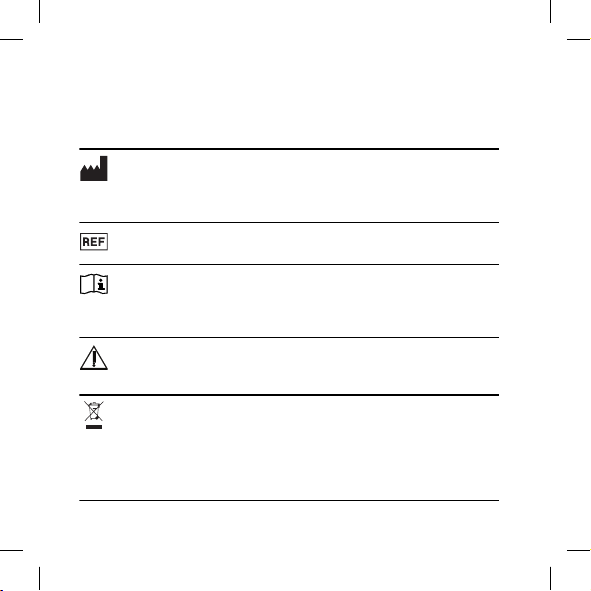
SYMBOLS
Symbols commonly used by Widex A/S in medical device labelling (labels/IFU/
etc.)
Symbol Title/Description
Manufacturer
The product is produced by the manufacturer whose name and address
are stated next to the symbol. If appropriate, the date of manufacture
may also be stated.
Catalogue number
The product’s catalogue (item) number.
Consult instructions for use
The user instructions contain important cautionary information
(warnings/precautions) and must be read before using the product.
Warning
Text marked with a warning symbol must be read before using the
product.
WEEE mark
“Not for general waste”. When a product is to be discarded, it must
be sent to a designated collection point for recycling and recovering
to prevent the risk of harm to the environment or human health as a
result of the presence of hazardous substances.
12

Symbol Title/Description
CE mark
The product is in conformity with the requirements set out in Euro-
pean CE marking directives.
RCM mark
The product complies with electrical safety, EMC and radio spectrum reg-
ulatory requirements for products supplied to the Australian or New Zea-
land markets.
13

GERÄTEBESCHREIBUNG – siehe Abbildung 1
1.1 Streaming-Taste
1.2 Ein/Aus-Taste
1.3 LED
1.4 Mikrofon und LED
1.5 Ladeanschluss
1.6 Clip
Bestimmungsgemäßer Gebrauch
Das COM-DEX Remote Mic ist ein Mikrofon mit integriertem Sender, das
dazu dient, Schall zu einem mit dem/n Hörsystem(en) des Trägers ver-
bundenen COM-DEX zu senden. Das Ziel ist die Verbesserung der Fähig-
keit des Hörgeräteträgers, Sprache in schwierigen Hörsituationen zu ver-
stehen. Für optimale Verbindungsqualität müssen sich das Gerät und
das COM-DEX in Sichtweite voneinander befinden.
HINWEIS
Ihr Remote Mic ist nur für den Betrieb mit einem COM-DEX (mit Firmware
V1.3 oder später) vorgesehen.
Zubehör – siehe Abbildung 2
USB-Kabel
14

VERWENDUNG DES GERÄTS
Laden des Geräts – siehe Abbildung 3
Schließen Sie das USB-Kabel zwischen Ihrem Gerät und dem Ladegerät
an. Das Aufladen Ihres Geräts dauert etwa 3 Stunden.
HINWEIS
Bevor Sie das Gerät verwenden können, müssen Sie das USB-Kabel trennen.
Akkulaufzeit: 8 Stunden Streaming.
Ein- und Ausschalten des Geräts
Das Gerät einschalten:
● Halten Sie die Ein/Aus-Taste 3 Sekunden lang gedrückt.
Das Gerät ausschalten:
● Halten Sie die Ein/Aus-Taste 3 Sekunden lang gedrückt.
Das Gerät schaltet sich automatisch aus, wenn für länger als 30 Minuten
kein Streaming erfolgte.
HINWEIS
Für bestmöglichen Klang schalten Sie Ihr COM-DEX Remote Mic bei Nichtge-
brauch stets aus.
15

Koppeln des Geräts
Kopplung Ihres Geräts mit Ihrem COM-DEX
Gehen Sie bei der erstmaligen Kopplung Ihres Geräts mit Ihrem COM-DEX
folgendermaßen vor:
1. Achten Sie darauf, dass Ihr COM-DEX im Kopplungsmodus ist.
2. Schalten Sie das Gerät ein. Das Gerät schaltet beim erstmaligen Ein-
schalten in den Kopplungsmodus und verbindet sich automatisch mit
Ihrem COM-DEX. Dies kann einige Minuten dauern.
HINWEIS
Nachdem Sie Ihr Gerät mit Ihrem COM-DEX gekoppelt haben, erhält es
die Kopplung bei und verbindet sich automatisch, wenn Ihr COM-DEX ein-
geschaltet ist.
Das COM-DEX Remote Mic für eine neue Kopplung zurücksetzen:
1. Schalten Sie das Gerät ein.
2. Setzen Sie Ihr Gerät auf die Werkseinstellungen zurück, indem Sie bei-
de Tasten 5 Sekunden lang drücken. Das Gerät schaltet in den Kopp-
lungsmodus.
3. Befolgen Sie das oben beschriebene Kopplungsverfahren.
Verwenden des Geräts – siehe Abbildung 4
Entfernen Sie die Schutzfolie, bevor Sie Ihr Gerät benutzen.
Befestigen Sie das Gerät am Hemdkragen der Person, die Sie hören möch-
ten.
16

Schalten Sie das Gerät ein. Das Remote Mic startet das Streaming auto-
matisch.
HINWEIS
Beim Streaming sind Ihre Hörsystemmikrofone ausgeschaltet. Wenn das Re-
mote Mic das Streaming stoppt, werden die Hörsystemmikrofone nach weni-
gen Sekunden wieder eingeschaltet. Wenn Sie Ihre Hörsystemmikrofone beim
Streaming einschalten möchten, drücken Sie einfach die Taste „HG-Mikro aus“
an Ihrem COM-DEX.
Zum Start/Stopp des Streamings drücken Sie einfach die Streaming-Taste
am Remote Mic. Beim Streaming leuchtet die LED grün.
HINWEIS
Wenn Sie Ihr Gerät über die COM-DEX App betreiben möchten, müssen Sie
die App aktualisieren.
Klanganpassung
Sie können die Streaming-Lautstärke zwischen dem Gerät und dem COM-
DEX in 3 Stufen anpassen. Drücken Sie einfach die Ein/Aus-Taste seitlich
am Gerät, worauf sich die Lautstärke in einem dreistufigen Zyklus ändert
(höchster Pegel – niedrigster Pegel – zurück zum Normalpegel).
Anzeigen ‒ siehe Abbildung 5
Ihr Gerät hat zwei in unterschiedlichen Farben leuchtende LED. Diese Far-
ben zeigen Ihnen jederzeit die Betriebsart Ihres Geräts an.
● Untere LED leuchtet konstant rot: Das Gerät wird aufgeladen.
● Untere LED leuchtet konstant grün: Das Gerät ist vollständig geladen.
17

● Beide LEDs blinken blau-rot-blau-rot: Das Gerät ist bereit für die
Kopplung.
● Obere LED blinkt blau: Das Gerät ist eingeschaltet, hat aber keine Ver-
bindung mit dem gekoppelten COM-DEX.
● Obere LED blinkt grün: Das Gerät ist eingeschaltet und mit dem COM-
DEX verbunden, das Streaming funktioniert aber nicht.
● Obere LED leuchtet konstant grün: Das Gerät ist eingeschaltet, das
Streaming funktioniert.
● Beide LEDs blinken gelegentlich rot: Akku schwach
Aufbewahrung und allgemeine Handhabung
● Reinigen Sie das Gerät mit einem feuchten Tuch. Verwenden Sie kei-
nerlei Flüssigkeiten oder Chemikalien und tauchen Sie das Gerät nicht
in Flüssigkeiten ein.
● Wenn Sie das Gerät nicht benutzen, bewahren Sie es an einem trocke-
nen Ort und für Kinder und Haustiere unzugänglich auf.
● Versuchen Sie nie, das Gerät selbst zu öffnen bzw. zu reparieren, son-
dern bringen Sie es zu Ihrem Hörgeräte-Akustiker.
18

FEHLERSUCHE
Problem Mögliche Ursache Lösung
Das Gerät funktioniert
nicht.
1. Remote Mic Akku
schwach
2. COM-DEX Akku
schwach
3. Außer Reichweite
1. Remote Mic Akku
aufladen
2. COM-DEX aufladen
3. Die Geräte in Sicht-
weite zueinander
und in Reichweite
(bis 10 m) halten
Kein Ton 1. Keine Kopplung mit
COM-DEX
2. COM-DEX ist außer-
halb der Reichweite
der Hörsysteme
3. Hörsystembatterien
schwach
1. Kopplung wieder-
holen
2. In Reichweite brin-
gen
3. Hörsystem-Batteri-
en wechseln
Besteht das Problem weiterhin, suchen Sie Ihren Hörakustiker auf. Weite-
re Informationen finden Sie auf https://global.widex.com.
19
Warnhinweise
Lassen Sie das Gerät während des Ladens nicht unbeaufsichtigt.
Lagern und transportieren Sie das Gerät innerhalb eines Temperaturbe-
reichs von –10 °C bis +50 °C und bei einer relativen Luftfeuchtigkeit von
< 90 %.
Das Gerät ist für den Betrieb bei 5 °C bis 40 °C ausgelegt.
Bewahren Sie das Gerät vor Staub oder Fremdpartikeln geschützt auf.
Wir empfehlen die Verwendung eines USB-Adapters mit 5 V und
500 mA.
Aufgrund der einschlägigen Vorschriften darf das Gerät nicht in explo-
sionsgefährdeten Räumen betrieben werden.
Wenn das Gerät über ein Mikro-USB-Kabel mit einem netzbetriebenen
externen Gerät (z. B. Ladegerät, PC, Audiogerät o. Ä.) verbunden wird,
muss dieses Gerät die Sicherheitsvorschriften der Normen IEC 60950-1,
IEC 62368-1, IEC 60601-1 oder vergleichbarer Normen erfüllen.
Es dürfen nur die im Lieferumfang enthaltenen Zubehörteile und Kabel
verwendet werden. Die Verwendung von anderen als den angegebe-
nen oder mitgelieferten Kabeln kann zu erhöhten elektromagnetischen
Emissionen oder einer reduzierten elektromagnetischen Störfestigkeit
dieses Geräts und damit zu unsachgemäßem Betrieb führen.
20
INFORMATIONEN ZUR REGELKONFORMITÄT
Richtlinie 2014/53/EU
Hiermit erklärt Widex A/S, dass sich dieses COM-DEX Remote Mic in Über-
einstimmung mit den grundlegenden Anforderungen und den anderen re-
levanten Vorschriften der Richtlinie 2014/53/EU befindet.
Im Gerät befinden sich Funksender mit: 2,4 GHz, 0,9 mW EIRP.
Eine Kopie der Konformitätserklärung finden Sie auf:
https://global.widex.com/doc
N26346
Informationen zur Entsorgung
Werfen Sie Hörsysteme, Zubehör und Batterien nicht in den Hausmüll.
Hörsysteme, Batterien und Zubehör müssen an Sammelstellen für Elektro-
und Elektronik-Altgeräte oder bei Ihrem Hörakustiker abgegeben werden,
damit eine sichere Entsorgung gewährleistet ist.
21

SYMBOLE
Von Widex A/S für die Kennzeichnung medizinischer Geräte (auf Etiketten, in
Bedienungsanleitungen usw.) verwendete Symbole:
Symbol Bezeichnung/Beschreibung
Hersteller
Der Name und die Adresse des Herstellers des Produktes stehen neben
dem Symbol. Falls erforderlich kann auch das Herstellungsdatum angege-
ben sein.
Bestellnummer
Die Bestellnummer (Artikelnummer) des Produktes.
Bedienungsanleitung beachten
Die Bedienungsanleitung enthält wichtige Warnhinweise und Infor-
mationen zu Vorsichtsmaßnahmen und muss vor Gebrauch des Pro-
duktes gelesen werden.
Warnung
Hinweise mit diesem Symbol müssen vor Gebrauch des Produktes
gelesen werden.
EEAG-Kennzeichnung
„Nicht im Hausmüll entsorgen.“ Wenn ein Produkt entsorgt werden
soll, muss es zu einer ausgewiesenen Sammel- und Recyclingstelle
gebracht werden, damit Umwelt und Gesundheit nicht durch gefähr-
liche Stoffe gefährdet werden.
22

Symbol Bezeichnung/Beschreibung
CE-Kennzeichnung
Das Produkt entspricht den Anforderungen der europäischen Richtli-
nien zur CE-Kennzeichnung.
RCM-Zeichen
Das Produkt entspricht hinsichtlich der elektromagnetischen Verträglich-
keit und des Funkfrequenzspektrums den regulatorischen Anforderungen
an Produkte, die für den australischen und neuseeländischen Markt be-
stimmt sind.
23

DESCRIPTION DE L’APPAREIL - voir illustration 1
1.1 Bouton de streaming
1.2 Bouton de mise en marche
1.3 Voyant
1.4 Microphone et voyant
1.5 Port de recharge
1.6 Clip
Usage auquel l'appareil est destiné
L'appareil COM-DEX Remote Mic est un microphone avec une radio inté-
grée. Il est conçu pour transmettre le son à un COM-DEX connecté aux ai-
des auditives de l'utilisateur. L'objectif est d'optimiser la capacité de la
personne appareillée à entendre la parole dans des situations d'écoute
difficiles. Pour une connectivité optimale, l'appareil et le COM-DEX doi-
vent être en vue l'un de l'autre.
REMARQUE
Votre Remote Mic est uniquement conçu pour être utilisé avec un COM-DEX
(avec microprogramme V1.3 ou plus récent).
Accessoires - voir illustration 2
Câble USB
24

UTILISATION DE VOTRE APPAREIL
Chargement de votre appareil - voir l'illustration 3
Connectez le câble USB à votre appareil et à l'alimentation électrique.
Comptez environ 3 heures pour charger votre appareil.
REMARQUE
Avant d'utiliser l'appareil, vous devez le déconnecter du câble USB.
Durée de vie de la pile : 8 heures de streaming.
Allumer et éteindre l’appareil
Pour allumer votre appareil :
● Appuyez sur le bouton d'alimentation et maintenez-le enfoncé pen-
dant 3 secondes.
Pour éteindre votre appareil :
● Appuyez sur le bouton d'alimentation et maintenez-le enfoncé pen-
dant 3 secondes.
L'appareil s'éteint automatiquement s'il n'a pas transmis de son pendant
plus de 30 minutes.
REMARQUE
Pour obtenir le meilleur son possible, éteignez toujours votre COM-DEX Re-
mote Mic lorsque vous ne l'utilisez pas.
25

Appairage de l’appareil
Appairage de votre appareil à votre COM-DEX
Lorsque vous appairez votre appareil à votre COM-DEX pour la première
fois, veuillez suivre ces étapes :
1. Assurez-vous que votre COM-DEX est en mode d'appairage.
2. Allumez votre appareil. La première fois que vous ferez cela, l'appareil
sera mis en mode d'appairage et il se connectera automatiquement à
votre COM-DEX. Cela peut prendre quelques minutes.
REMARQUE
Lorsque vous aurez appairé votre appareil à votre COM-DEX, il restera
ainsi et se connectera automatiquement si votre COM-DEX est allumé.
Réinitialisation du COM-DEX Remote Mic pour un nouvel appairage :
1. Allumez votre appareil.
2. Réinitialisez les réglages d'usine de votre appareil en appuyant sur les
deux boutons pendant 5 secondes. L'appareil sera mis en mode ap-
pairage.
3. L'appareil sera mis en mode appairage.
Utilisation de l'appareil - voir l'illustration 4
Enlevez le film protecteur avant d'utiliser votre appareil.
Fixez l'appareil sur le col de la chemise de la personne que vous souhaitez
entendre.
26

Allumez l'appareil. Le Remote Mic commence automatiquement à trans-
mettre le son.
REMARQUE
Pendant la transmission, les microphones de votre aide auditive seront
éteints. Lorsque le Remote Mic s'arrêtera de transmettre le son, les micropho-
nes de l'aide auditive se rallumeront après quelques secondes. Si vous voulez
activer les microphones de votre aide auditive pendant la transmission, il vous
suffit d'appuyer sur le bouton Coupure des microphones de votre COM-DEX.
Pour démarrer et arrêter le streaming, il vous suffit d'appuyer sur le bou-
ton de streaming de votre Remote Mic. Lors du streaming, le voyant de-
viendra vert.
REMARQUE
Si vous voulez contrôler votre appareil via l'application COM-DEX, vous de-
vrez faire une mise à jour de l'application.
Réglage du son
Le son qui est transmis de l'appareil au COM-DEX peut être ajusté à 3 ni-
veaux. Il suffit d'appuyer sur le bouton marche/arrêt situé sur le côté de
l'appareil et le niveau sonore sera modifié en trois étapes (niveau le plus
élevé - niveau le plus bas - retour au niveau normal).
Voyants lumineux ‒ voir l’illustration 5
Votre appareil est doté de deux voyants qui clignotent de différentes cou-
leurs. L'objectif de ces couleurs est de vous informer sur le mode sur le-
quel se trouve votre appareil à tout moment.
27

● Lumière rouge constante sur le voyant du bas : L'appareil charge.
● Lumière verte constante sur le voyant du bas : L'appareil est totale-
ment chargé.
● Lumière clignotante bleue-rouge-bleue sur les deux voyants : L'appa-
reil est prêt à être appairé.
● Lumière bleue clignotante sur le voyant du haut : L'appareil est allu-
mé, mais n'est pas connecté au COM-DEX appairé.
● Lumière verte clignotante sur le voyant du haut : L'appareil est allumé
et connecté au COM-DEX, mais ne transmet pas.
● Lumière verte constante sur le voyant du haut : L'appareil est allumé
et transmet.
● Lumière rouge clignotante occasionnellement sur les deux voyants :
La pile est épuisée.
Entretien
● Nettoyez l’appareil avec un chiffon humide. N'utilisez pas de produits
liquides ou de produits chimiques, et ne le plongez pas dans un liqui-
de.
● Lorsque vous n’utilisez pas le dispositif, rangez-le dans un endroit sec,
hors de portée des enfants et des animaux domestiques.
● N'essayez jamais d’ouvrir ou de réparer vous-même le dispositif. Cela
doit être fait par des techniciens agréés uniquement.
28

DÉPANNAGE
Problème Cause possible Solution
L'appareil ne fonctionne
pas
1. Pile du Remote Mic
faible
2. Pile du COM-DEX
faible
3. Hors de portée
1. Recharger la pile du
Remote Mic
2. Recharger votre
COM-DEX
3. Gardez les appareils
à proximité les uns
des autres et à une
portée de 10m max
Pas de son 1. Non appairé à
COM-DEX
2. COM-DEX est hors
de portée des aides
auditives
3. Les piles des aides
auditives sont fai-
bles
1. Recommencer le
processus d'appai-
rage
2. Revenir dans la zo-
ne de portée
3. Changer les piles
des aides auditives
Si le problème persiste, veuillez contacter votre audioprothésiste. Pour
plus d’informations, veuillez consulter le site : https://global.widex.com.
29

Avertissements
Ne pas laisser l'appareil sans surveillance pendant la recharge.
Votre appareil doit être stocké et transporté selon les conditions extrê-
mes de température et d’humidité comprises entre -10°C et +50°C
(-14°F et 122°F) et < 90% HR.
Votre appareil est conçu pour fonctionner entre 5°C (41 °F) et 40 °C
(122 °F).
Protégez l'appareil de la poussière ou des particules externes.
Nous vous recommandons d’utiliser un adaptateur USB de 5V allant
jusqu’à 500mA.
N’utilisez pas cet appareil dans les mines ou autres lieux contenant des
gaz explosifs.
Lorsque l'appareil est connecté via un câble micro USB à un équipe-
ment externe alimenté sur secteur comme un chargeur, un ordinateur,
une source audio ou autre, cet équipement doit être conforme aux exi-
gences CEI 60950-1, CEI 62368-1, CEI 60601-1 ou à des normes de sécu-
rité équivalentes.
Utiliser uniquement les accessoires et le câble inclus dans le condition-
nement de vente. L'utilisation de câbles autres que ceux spécifiés ou
fournis pourrait entraîner une augmentation des émissions électroma-
gnétiques ou une diminution de l'immunité électromagnétique de cet
équipement et occasionner un mauvais fonctionnement.
30

MENTIONS RÉGLEMENTAIRES
Directive 2014/53/UE
Par la présente, Widex A/S déclare que ce COM-DEX Remote Mic est con-
forme aux exigences essentielles et autres dispositions pertinentes de la
Directive 2014/53/UE.
L’appareil comprend des émetteurs de radio fonctionnant à : 2,4 GHz, 0,9
mW PIRE.
Une copie de la Déclaration de conformité peut être consultée sur :
https://global.widex.com/doc
N26346
Informations de destruction
Ne mettez pas les aides auditives, accessoires d'aides auditives et piles au
rebut avec les ordures ménagères.
Les aides auditives, accessoires d'aides auditives et piles doivent être mis
au rebut à des endroits prévus pour des déchets d'équipements électri-
ques et électroniques ou bien remis à votre audioprothésiste pour une mi-
se au rebut en toute sécurité.
31
SYMBOLES
Symboles communément utilisés par Widex A/S pour l'étiquetage des disposi-
tifs médicaux (étiquettes/Mode d’emploi/etc.)
Symbole Titre/Description
Fabricant
Le produit est fabriqué par le fabricant dont le nom et l’adresse sont indi-
qués à côté du symbole. Si besoin, la date de fabrication peut également
être indiquée.
Référence du produit
Référence du produit (article).
Veuillez consulter le mode d’emploi
Le mode d’emploi comprend des informations importantes (avertis-
sements/précautions). Il est impératif de le lire attentivement avant
d’utiliser le produit.
Avertissement
Lisez attentivement le texte marqué d’un symbole d’avertissement
avant d’utiliser le produit.
Marque DEEE
« Ne pas jeter avec les déchets ordinaires ». Lorsque vous devez jeter
un produit, il doit être rapporté à un point de collecte agréé pour ce
recyclage et cette destruction afin d’éviter les risques de pollution
environnementale ou de nuisance à la santé humaine par la présence
de substances dangereuses.
32

Symbole Titre/Description
Marquage CE
Le produit est conforme aux exigences fixées par les directives euro-
péennes de marquage CE.
Marque RCM
Le produit est conforme aux normes de sécurité électrique, à la CEM et
aux exigences réglementaires en matière de spectre des radiofréquences
pour les produits vendus sur les marchés australien ou néo-zélandais.
33

DESCRIPCIÓN DEL DISPOSITIVO - Ver imagen 1
1.1 Botón de transmisión
1.2 Botón de encendido
1.3 LED
1.4 Micrófono y LED
1.5 Conector de carga
1.6 Pinza
Utilización prevista
Su COM-DEX Remote Mic es un micrófono que cuenta con una radio inte-
grada cuyo objetivo es transmitir el sonido a un COM-DEX conectado a los
audífonos del usuario. El objetivo es mejorar la habilidad del usuario de
audífonos de escuchar el habla en situaciones de escucha difíciles. Para
obtener una conectividad óptima, el dispositivo y su COM-DEX deben
estar el uno enfrente del otro.
NOTA
Remote Mic solo está diseñado para usarse con un COM-DEX (con firmware
V1.3 o posterior).
Accesorios - Ver imagen 2
Cable USB
34

CÓMO UTILIZAR EL DISPOSITIVO
Cómo cargar el dispositivo ‒ Ver imagen 3
Conecte el cable USB al dispositivo y al suministro de energía. La carga del
dispositivo lleva aproximadamente 3 horas.
NOTA
Desconecte el cable USB antes de utilizar el dispositivo.
Vida útil de la pila: 8 horas de transmisión.
Cómo encender y apagar el dispositivo
Para encender el dispositivo:
● pulse y mantenga pulsado el interruptor durante 3 segundos.
Para apagar el dispositivo:
● pulse y mantenga pulsado el interruptor durante 3 segundos.
El dispositivo se apaga automáticamente si no ha estado transmitiendo
sonido durante más de 30 minutos.
NOTA
Para obtener el mejor sonido posible, apague siempre su COM-DEX Remote
Mic cuando no lo utilice.
35

Cómo emparejar el dispositivo
El emparejamiento del dispositivo con la ayuda COM-DEX
Para emparejar el dispositivo con su COM-DEX por primera vez, siga los
pasos siguientes:
1. Compruebe que la ayuda COM-DEX está en el modo de empareja-
miento.
2. Encienda el dispositivo. La primera vez que lo encienda, el dispositivo
pasará al modo de emparejamiento y se conectará automáticamente
a la ayuda COM-DEX. Este proceso puede durar varios minutos.
NOTA
Una vez emparejados el dispositivo y la ayuda COM-DEX, ambos conser-
varán este ajuste y se conectarán automáticamente al encender su COM-
-DEX.
Cómo reiniciar su COM-DEX Remote Mic para un emparejamiento nuevo:
1. Encienda el dispositivo.
2. Reinicie el dispositivo a los ajustes de fábrica pulsando simultánea-
mente ambas teclas durante 5 segundos. El dispositivo pasará al mo-
do de emparejamiento.
3. Siga el procedimiento de emparejamiento descrito anteriormente.
Cómo usar el dispositivo ‒ Ver imagen 4
Retire la película protectora antes de empezar a utilizar el dispositivo.
Con la pinza, fije el dispositivo al cuello de la camisa/camiseta de la perso-
na que desea poder escuchar.
36

Encienda el dispositivo. Su Remote Mic comienza a transmitir automática-
mente.
NOTA
Los micrófonos de sus audífonos se desconectan automáticamente durante la
transmisión. En cuanto su Remote Mic deje de transmitir sonido a sus audífo-
nos, los micrófonos de éstos se volverán a conectar automáticamente. Si de-
sea que los micrófonos de sus audífonos permanezcan conectados durante la
transmisión, pulse la tecla Desconexión acústica (Room Off) en su COM-DEX.
Para iniciar y parar la transmisión, pulse la tecla de transmisión de su Re-
mote Mic. Durante la transmisión, el LED mostrará una luz verde.
NOTA
Si desea operar su dispositivo mediante la aplicación COM-DEX, deberá actua-
lizar dicha aplicación.
Ajuste de sonido
Puede ajustar el sonido transmitido por su dispositivo a la unidad COM-
-DEX en tres niveles. Pulse la tecla en el lado del dispositivo y el nivel del
sonido del dispositivo se modificará de un modo circular con tres niveles
diferentes (nivel más alto - nivel más bajo - nivel normal).
Indicadores visuales ‒ Ver imagen 5
Su dispositivo cuenta con dos LEDS que parpadean en colores diferentes.
El objetivo de dichos colores es informarle del modo en el que se encuen-
tra su dispositivo en un momento dado.
● Luz roja constante en el LED inferior: Se está cargando el dispositivo.
37

● Luz verde constante en el LED inferior: El dispositivo está cargado.
● Luz parpadeante azul-roja-azul-roja en ambos LEDS: El dispositivo
está listo para ser emparejado.
● Luz verde intermitente en el LED superior: El dispositivo está encendi-
do pero no hay conexión con el COM-DEX emparejado.
● Luz verde parpadeante en el LED superior: El dispositivo está encen-
dido y conectado a su COM-DEX, pero no está transmitiendo.
● Luz verde constante en el LED superior: El dispositivo está encendido
y transmitiendo.
● Luz roja parpadea ocasionalmente en ambos LEDs: La batería está
agotada.
Mantenimiento
● Limpie el dispositivo con un paño húmedo. No utilice líquidos ni pro-
ductos químicos.
● No sumerja el dispositivo en líquidos.
● Si no está utilizando el dispositivo, manténgalo fuera del alcance de
los niños y las mascotas.
● No desmonte nunca el dispositivo usted mismo. El dispositivo solo de-
ber ser desmontado o reparado por personas autorizadas.
38

RESOLUCIÓN DE PROBLEMAS
Problema Posible causa Solución
El dispositivo no funcio-
na
1. La batería de Re-
mote Mic está ago-
tada
2. La batería de COM-
-DEX está agotada
3. Está fuera del rango
de acción
1. Cargar la batería de
Remote Mic
2. Cargar el COM-DEX
3. Mantener los dispo-
sitivos a la vista en-
tre sí y dentro del
rango (hasta 10 m)
No se oye nada 1. No está empareja-
do con COM-DEX
2. COM-DEX está fue-
ra del rango de ac-
ción de los audífo-
nos
3. Las baterías de los
audífonos están
agotadas
1. Repetir el proceso
de emparejamiento
2. Moverse dentro del
rango de acción
3. Cambiar la batería
de los audífonos
Si el problema persiste, póngase en contacto con su audioprotesista. Para
obtener más información, visite: https://global.widex.com.
39

Advertencias
No deje el dispositivo sin supervisión durante la carga.
Su dispositivo debe almacenarse y transportarse dentro de un rango de
temperatura y humedad de -10 °C a +50 °C (de 14 °F a 122 °F) e inferior
al 90 % de HR.
Su dispositivo está diseñado para que pueda funcionar en una tempe-
ratura de 5 °C (41 °F) a 40 °C (122 °F).
Mantenga el dispositivo protegido del polvo o de las partículas exter-
nas.
Se recomienda usar un adaptador USB de 5 V hasta 500 mA.
No use el dispositivo en minas o en otras zonas en las que pueda haber
gases explosivos.
Cuando el dispositivo está conectado mediante un cable microUSB a un
equipo externo conectado a la red de suministro, como un cargador,
una PC o una fuente de audio o similar, dicho equipo debe cumplir con
los requisitos establecidos en los estándares de seguridad IEC 60950-1,
IEC 62368-1, IEC 60601-1 u otros estándares de seguridad equivalentes.
Solo se deben utilizar los accesorios y el cable incluidos en la caja. El
uso de cables diferentes a los que se especifican o se proporcionan
puede dar lugar a un aumento de las emisiones electromagnéticas o a
una disminución de la inmunidad electromagnética de este equipo y
provocar un funcionamiento incorrecto.
40
INFORMACIÓN DE REGLAMENTACIÓN
Directiva 2014/53/EU
Por medio de la presente, Widex A/S declara que este COM-DEX Remote
Mic cumple con los requisitos esenciales y otras disposiciones pertinentes
de la Directiva 2014/53/EU.
El dispositivo contiene radiotransmisores que funcionan con las siguientes
especificaciones: 2,4 GHz, 0,9 mW EIRP.
Puede encontrar una copia de la declaración de conformidad en:
https://global.widex.com/doc
N26346
Información sobre cómo desechar el dispositivo
No deseche los audífonos, los accesorios de audífonos ni las baterías con
los residuos domésticos.
Los audífonos, las baterías y los accesorios de audífonos deben desechar-
se en sitios aptos para residuos de aparatos eléctricos y electrónicos, o
deben entregarse a un audioprotesista para su eliminación segura.
41
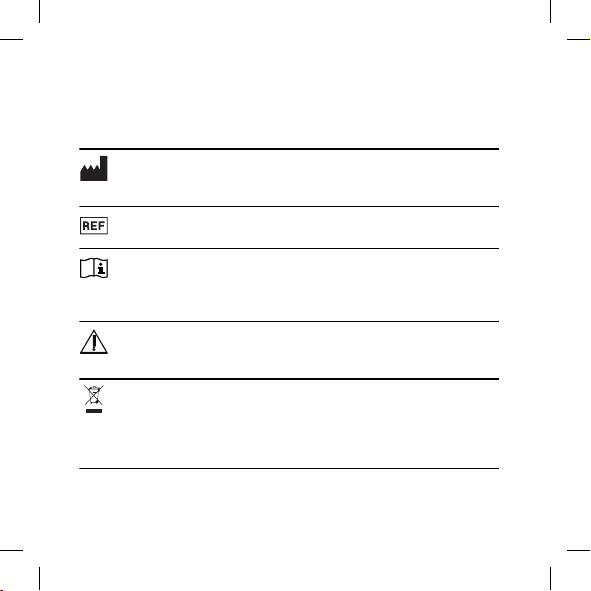
SÍMBOLOS
Estos son los símbolos utilizados habitualmente por Widex A/S para el etique-
tado de los dispositivos médicos (etiquetas, instrucciones de uso, etc.)
Símbolo Denominación/Descripción
Fabricante
El producto pertenece al fabricante cuyo nombre y dirección aparecen
junto al símbolo. Si procede, también se indica la fecha de fabricación.
Número de catálogo
El número de catálogo (artículo) del producto.
Consulte las instrucciones de uso
Las instrucciones de uso incluyen información preventiva importante
(advertencias y precauciones) y deben leerse antes de usar el pro-
ducto.
Advertencia
Antes de usar el producto, se debe leer todo el texto marcado con un
símbolo de advertencia.
Marca WEEE
“No tire el dispositivo a la basura”. A la hora de desechar un produc-
to, se debe enviar a un punto de recogida específico para su reciclaje
y recuperación a fin de evitar el riesgo de dañar el medioambiente o
la salud humana debido a la presencia de sustancias peligrosas.
42
Símbolo Denominación/Descripción
Marca CE
El producto cumple con los requisitos establecidos en las directivas
europeas de marcado CE.
Marca RCM
El producto cumple con los requisitos normativos de seguridad eléctrica,
compatibilidad electromagnética y bandas de frecuencia para productos
suministrados a los mercados de Australia y Nueva Zelanda.
43

BESKRIVELSE AF ENHEDEN – se illustration 1
1.1 Streamingknap
1.2 Tænd/sluk-knap
1.3 Lysdiode
1.4 Mikrofon og lysdiode
1.5 opladningsport
1.6 Klips
Påtænkt anvendelse
COM-DEX Remote Mic er en mikrofon med integreret radio til transmissi-
on af lyd til en COM-DEX, der er tilsluttet brugerens høreapparat(er). Må-
let er at forbedre høreapparatbrugerens evne til at høre tale i vanskelige
lyttesituationer. For at opnå optimal konnektivitet skal enheden og
COM-DEX være inden for hinandens synsfelt.
BEMÆRK
Din Remote Mic er kun beregnet til brug sammen med en COM-DEX (med
firmware V1.3 eller nyere).
Tilbehør – se illustration 2
USB-kabel
44

BRUG AF ENHEDEN
Opladning af enheden − se illustration 3
Tilslut USB-kablet til enheden og strømforsyningen. Det tager ca. 3 timer
at oplade enheden.
BEMÆRK
Før du kan bruge enheden, skal USB-kablet frakobles.
Batterilevetid: 8 timers streaming.
Tænd og sluk for enheden
Tænd for enheden:
● Tryk på tænd/sluk-knappen, og hold den nede i 3 sekunder.
Sluk for enheden:
● Tryk på tænd/sluk-knappen, og hold den nede i 3 sekunder.
Enheden slukker automatisk, hvis den ikke har streamet lyd i mere end 30
minutter.
BEMÆRK
For at opnå den bedst mulige lyd skal du altid slå COM-DEX Remote Mic fra,
når den ikke er i brug.
45

Parring af enheden
Parring af enheden med COM-DEX
Første gang du parrer enheden med COM-DEX, skal du følge disse trin:
1. Sørg for, at COM-DEX er i parringsindstilling.
2. Tænd for enheden. Første gang du gør dette, sættes enheden til par-
ringsindstilling, og den tilsluttes automatisk til COM-DEX. Det kan
tage nogle få minutter.
BEMÆRK
Når du først har parret enheden med COM-DEX, bliver den ved med at
være parret og tilsluttes automatisk, hvis COM-DEX er tændt.
Sådan nulstilles COM-DEX Remote Mic til en ny parring:
1. Tænd for enheden.
2. Nulstil enheden til fabriksindstillinger ved at trykke på begge knapper
i 5 sekunder. Enheden sættes til parringsindstilling.
3. Følg parringsproceduren som beskrevet ovenfor.
Brug af enheden − se illustration 4
Fjern den beskyttende film, før du tager enheden i brug.
Anbring enheden på skjortekraven af den person, du gerne vil høre.
Tænd for enheden. Remote Mic starter automatisk streamingen.
46

BEMÆRK
Ved streaming er mikrofonen i høreapparaterne slået fra. Når Remote Mic
stopper streamingen, bliver mikrofonen i høreapparaterne slået til igen efter
nogle få sekunder. Hvis du ønsker at slå mikrofonen i høreapparaterne til,
mens du streamer, skal du blot trykke på HA-mik Fra-knappen på COM-DEX.
Streaming startes og stoppes ved at trykke på streamingknappen på Re-
mote Mic. Mens du streamer, lyser lysdioden grønt.
BEMÆRK
Hvis du ønsker at betjene enheden via COM-DEX appen, skal appen opdate-
res.
Lydregulering
Den lyd, der streames fra enheden til COM-DEX, kan justeres i 3 niveauer.
Tryk på tænd/sluk-knappen på siden af enheden for at ændre lydniveauet
i en tretrinscyklus (højeste niveau – laveste niveau – tilbage til normalt
niveau).
Visuelle indikatorer – se illustration 5
Enheden har to lysdioder, der blinker med forskellige farver. Formålet
med disse farver er at informere dig om, hvilken indstilling enheden er i
på ethvert givet tidspunkt.
● Konstant rødt lys fra den nederste lysdiode: Enheden oplader.
● Konstant grønt lys fra den nederste lysdiode: Enheden er fuldt opla-
det.
47

● Blinkende blåt-rødt-blåt-rødt lys fra begge lysdioder: Enheden er klar
til at blive parret.
● Blinkende blåt lys fra den øverste lysdiode: Enheden er tændt, men
der er ingen forbindelse til den parrede COM-DEX.
● Blinkende grønt lys fra den øverste lysdiode: Enheden er tændt og til-
sluttet COM-DEX, men den streamer ikke.
● Konstant grønt lys fra den øverste lysdiode: Enheden er tændt og
streamer.
● Periodisk blinkende rødt lys fra begge lysdioder: Batteriniveauet er
lavt.
Vedligeholdelse
● Rengør enheden med en fugtig klud. Brug ikke væske eller kemikalier,
og læg den ikke i væske.
● Når enheden ikke er i brug, skal den opbevares på et tørt sted, hvor
børn og kæledyr ikke kan få fat i den.
● Forsøg aldrig selv at åbne eller reparere udstyret. Dette må kun udfø-
res af autoriserede teknikere.
48

FEJLFINDING
Problem Mulig årsag Løsning
Enheden virker ikke 1. Lavt batteriniveau i
Remote Mic
2. Lavt batteriniveau i
COM-DEX
3. Uden for rækkevid-
de
1. Oplad batteriet i
Remote Mic
2. Oplad COM-DEX
3. Hold enhederne in-
den for hinandens
synsfelt og inden
for deres rækkevid-
de (op til 10 m)
Ingen lyd 1. Ikke parret med
COM-DEX
2. COM-DEX er uden
for høreapparater-
nes rækkevidde
3. Lavt batteriniveau i
høreapparater
1. Gentag parrings-
processen
2. Stil dig inden for
rækkevidde
3. Udskift batterierne i
høreapparaterne
Hvis problemet stadig er til stede, så kontakt hørespecialisten. Flere op-
lysninger kan fås på https://global.widex.com.
49

Advarsler
Efterlad ikke enheden uden opsyn, mens den oplades.
Enheden skal opbevares og transporteres ved en temperatur mellem
-10 °C og +50 °C (-14 °F og 122 °F) og en luftfugtighed på 90 % RF.
Enheden er designet til at fungere fra 5 °C (41 °F) til 40 °C (122 °F).
Sørg for at beskytte enheden mod støv eller eksterne partikler.
Vi anbefaler at bruge en 5 V op til 500 mA USB-adapter.
Brug ikke enheden i miner eller andre områder med eksplosive luftar-
ter.
Når enheden anvendes sammen med udstyr, som er tilsluttet via et mi-
kro-USB-kabel, f.eks. en oplader, en PC, en lydkilde eller lignende, skal
sikkerhedsreglerne for dette udstyr overholdes, som angivet i IEC
60950-1, IEC 62368-1, IEC 60601-1 eller tilsvarende standarder.
Brug kun det tilbehør og kabel, der er indeholdt i salgsæsken. Brug af
andre kabler end dem, der er specificeret eller leveret, kan medføre
øgede elektromagnetiske emissioner eller nedsat elektromagnetisk im-
munitet for dette udstyr og forårsage fejlfunktion.
50

REGULATORISK INFORMATION
Direktiv 2014/53/EU
Undertegnede Widex A/S erklærer herved, at følgende udstyr COM-DEX
Remote Mic overholder de væsentlige krav og øvrige relevante krav i di-
rektiv 2014/53/EU.
Enheden indeholder radiosendere, der opererer ved: 2,4 GHz, 0,9 mW
EIRP.
En kopi af Overensstemmelseserklæringen kan findes under:
https://global.widex.com/doc
N26346
Oplysninger om kassering
Høreapparater, tilbehør og batterier må ikke bortskaffes med det almin-
delige husholdningsaffald.
Høreapparater, batterier og tilbehør til høreapparater skal bortskaffes på
steder, der er tiltænkt affald af elektrisk og elektronisk udstyr, eller afleve-
res til din høreklinik til sikker bortskaffelse.
51
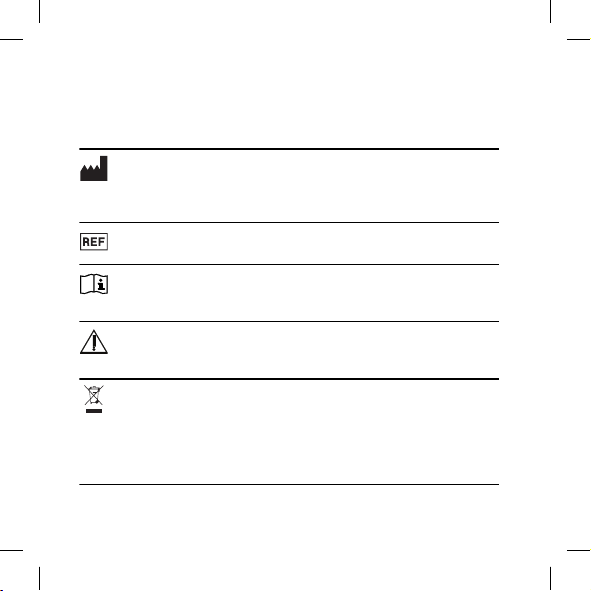
SYMBOLER
Symboler, som ofte anvendes af Widex A/S på pakkematerialet (etiketter,
brugsanvisninger mv.) til medicinsk udstyr
Symbol Titel/beskrivelse
Producent
Sammen med dette symbol angives navn og adresse på den producent,
der har fremstillet produktet. Såfremt det er relevant, angives produkti-
onsdatoen også.
Katalognummer
Produktets katalognummer (varenummer).
Se brugsanvisningen
Brugsanvisningen indeholder vigtig sikkerhedsinformation (advars-
ler/forholdsregler) og skal læses, inden produktet tages i brug.
Advarsel
Tekst markeret med et advarselssymbol skal læses, inden produktet
tages i brug.
WEEE-mærke
"Må ikke bortskaffes som almindeligt affald". Når produktet skal
bortskaffes, skal det sendes til et autoriseret indsamlingssted med
henblik på genbrug og genanvendelse for at minimere risikoen for
miljøet og for menneskers sundhed som følge af tilstedeværelsen af
farlige stoffer.
52
Symbol Titel/beskrivelse
CE-mærke
Produktet overholder kravene i EU-direktiverne for CE-mærket ud-
styr.
RCM-mærke
Produktet overholder de gældende elektriske sikkerhedskrav og regulato-
riske krav til EMC og radiospektrum for produkter, som distribueres til Au-
stralien og New Zealand.
53

DESCRIZIONE DEL DISPOSITIVO - vedere la
Figura 1
1.1 Pulsante Streaming
1.2 Pulsante On/Off
1.3 LED
1.4 Microfono e LED
1.5 Porta di ricarica
1.6 Clip
Uso previsto
Il Remote Mic COM-DEX è un microfono con radio integrata destinato a
trasmettere il suono a un COM-DEX collegato all'apparecchio acustico/agli
apparecchi acustici dell'utente. L'obiettivo è quello di migliorare la capaci-
tà dell'utente degli apparecchi acustici di sentire il parlato in situazioni di
ascolto difficili. Per una connettività ottimale il dispositivo e il COM-DEX
devono trovarsi all'interno del reciproco campo visivo.
NOTA
Il Remote Mic è destinato esclusivamente ad un utilizzo con un COM-DEX
(con firmware V1.3 o successivo).
Accessori - vedere la Figura 2
Cavo USB
54

USO DEL DISPOSITIVO
Caricare il dispositivo - vedere la Figura 3
Collegare il cavo USB al dispositivo e all'alimentazione. Sono necessarie
circa 3 ore per caricare il dispositivo.
NOTA
Prima di poter utilizzare il dispositivo, è necessario disconnettere il cavo USB.
Durata della batteria: 8 ore in streaming.
Accendere e spegnere il dispositivo
Accensione del dispositivo:
● premere il pulsante di accensione e tenerlo premuto per 3 secondi.
Spegnimento del dispositivo:
● premere il pulsante di accensione e tenerlo premuto per 3 secondi.
Il dispositivo si spegne automaticamente quando non invia audio in strea-
ming da oltre 30 minuti.
NOTA
Per ottenere il migliore suono possibile, spegnere sempre il COM-DEX Remote
Mic quando non è in uso.
55

Accoppiare il dispositivo
Accoppiamento del dispositivo al proprio COM-DEX
Per accoppiare il dispositivo al proprio COM-DEX per la prima volta, atte-
nersi alla seguente procedura:
1. Assicurarsi che il COM-DEX sia in modalità di accoppiamento.
2. Accendere il dispositivo. La prima volta che si esegue questa opera-
zione, il dispositivo sarà impostato in modalità di accoppiamento e si
connetterà automaticamente al COM-DEX. Può volerci qualche minu-
to.
NOTA
Una volta accoppiato il dispositivo al COM-DEX, resterà accoppiato e si
connetterà automaticamente se il COM-DEX è acceso.
Reimpostare il microfono remoto COM-DEX per un nuovo accoppiamen-
to:
1. Accendere il dispositivo.
2. Ripristinare il dispositivo alle impostazioni di fabbrica premendo en-
trambi i pulsanti per 5 secondi. Il dispositivo verrà impostato in moda-
lità di accoppiamento.
3. Seguire la procedura di accoppiamento sopra descritta.
Utilizzare il dispositivo - vedere la Figura 4
Rimuovere la pellicola protettiva prima di utilizzare il dispositivo.
Collocare il dispositivo sul colletto della camicia della persona che si vuole
ascoltare.
56

Accendere il dispositivo.
Il Remote Mic inizia a inviare audio in streaming in automatico.
NOTA
Durante lo streaming, i microfoni dell’apparecchio acustico vengono disattiva-
ti. Una volta che il Remote Mic inizia a inviare audio in streaming, i microfoni
dell’apparecchio acustico vengono riattivati dopo qualche secondo. Se si desi-
dera che i microfoni dell’apparecchio acustico siano attivi durante lo strea-
ming, è sufficiente premere il pulsante “Spegni stanza” sul COM-DEX.
Per avviare e interrompere lo streaming, basta premere il pulsante di
streaming sul Remote Mic. Durante lo streaming, il LED emette una luce
verde.
NOTA
Se si desidera utilizzare il dispositivo tramite l'app COM-DEX, è necessario ag-
giornare l'app.
Regolare il suono
Il suono che è trasmesso in streaming dal dispositivo al COM-DEX può es-
sere regolato in 3 livelli. Basta premere il pulsante di accensione sul lato
del dispositivo e il livello sonoro verrà modificato in un ciclo continuo di
tre fasi (livello più alto – livello più basso – ritorno al livello normale).
Indicatori visivi - vedere la Figura 5
Il dispositivo dispone di due LED che lampeggiano con colori diversi. Lo
scopo di questi colori è di informarvi sulle modalità in cui il dispositivo si
trova in qualsiasi momento.
57

● Luce rossa fissa sul LED inferiore: Il dispositivo è sotto carica.
● Luce verde fissa sul LED inferiore: Il dispositivo è completamente cari-
co.
● Luce lampeggiante blu-rossa-blu-rossa su entrambi i LED: Il dispositi-
vo è pronto per essere accoppiato.
● Luce blu lampeggiante sul LED superiore: Il dispositivo è acceso, ma
non c'è alcun collegamento con il COM-DEX accoppiato.
● Luce verde lampeggiante sul LED superiore: Il dispositivo è acceso e
collegato al COM-DEX, ma non sta inviando audio in streaming.
● Luce verde fissa sul LED superiore: Il dispositivo è acceso e sta invian-
do audio in streaming.
● Luce rossa lampeggiante occasionalmente su entrambi i LED: La bat-
teria è scarica.
Manutenzione
● Pulire il dispositivo con un panno umido. Non utilizzare liquidi o so-
stanze chimiche e non immergerlo in liquidi.
● Quando il dispositivo non è in uso, tenerlo in un luogo asciutto e fuori
dalla portata dei bambini e degli animali domestici.
● Non tentare mai di aprire o riparare il dispositivo da soli. Rivolgersi
solo a tecnici autorizzati in questi casi.
58

RISOLUZIONE DEI PROBLEMI
Problema Possibile causa Soluzione
Il dispositivo non fun-
ziona
1. Batteria Remote
Mic scarica
2. Batteria COM-DEX
scarica
3. Fuori portata
1. Caricare la batteria
del Remote Mic
2. Caricare il COM-
DEX
3. Tenere entrambi i
dispositivi all'inter-
no del campo visivo
(fino a 10 m)
Assenza di suono 1. Non accoppiato al
COM-DEX
2. Il COM-DEX è fuori
dalla portata degli
apparecchi acustici
3. Le batterie dell'ap-
parecchio acustico
sono scariche
1. Ripetere la proce-
dura di accoppia-
mento
2. Spostarlo entro il
raggio d’azione
3. Cambiare le batte-
rie degli apparecchi
acustici
Se il problema persiste, contattare il proprio audioprotesista. Per ulteriori
informazioni, visitare: https://global.widex.com.
59

Avvertenze
Non lasciare il dispositivo incustodito durante la ricarica.
Il dispositivo deve essere conservato e trasportato rispettando le condi-
zioni di temperatura ed umidità comprese fra -10 °C e 50 °C (-14 °F e
122 °F) e al di sotto del 90% di UR.
Questo dispositivo è progettato per funzionare da 5 °C (41 °F) a 40 °C
(122 °F).
Mantenere il dispositivo protetto dalla polvere o dal particolato esterno.
Si consiglia di utilizzare un adattatore USB 5 V fino a 500 mA.
Non utilizzare il dispositivo in miniere o altre aree con gas esplosivi.
Quando il dispositivo è collegato via cavo micro-USB ad apparecchiatu-
re esterne alimentate da rete elettrica quali caricabatterie, PC o simili,
tali apparecchiature devono essere conformi alle direttive IEC 60950-1,
IEC 62368-1, IEC 60601-1 o alle norme di sicurezza equivalenti.
Devono essere utilizzati solo gli accessori e il cavo inclusi nella confezio-
ne. L'uso di cavi diversi da quelli specificati o forniti può comportare un
aumento delle emissioni elettromagnetiche o una diminuzione dell'im-
munità elettromagnetica di questa apparecchiatura, causando così un
funzionamento improprio.
60

INFORMAZIONI NORMATIVE
Direttiva 2014/53/UE
Con la presente, Widex A/S dichiara che il presente modello COM-DEX
Remote Mic è conforme ai requisiti essenziali e ad altre disposizioni conte-
nute nella Direttiva 2014/53/UE.
Il dispositivo contiene trasmettitori radio che operano a: 2,4 GHz, 0,9 mW
EIRP.
Copia della dichiarazione di conformità è consultabile su:
https://global.widex.com/doc
N26346
Informazioni per lo smaltimento dei rifiuti elettronici
Non smaltire apparecchi acustici, accessori per apparecchi acustici e bat-
terie insieme ai rifiuti domestici comuni.
Gli apparecchi acustici, le batterie e gli accessori per apparecchi acustici
devono essere smaltiti nei siti destinati alle apparecchiature elettriche ed
elettroniche oppure vanno consegnati all'audioprotesista per lo smalti-
mento in condizioni di sicurezza appropriate.
61
SIMBOLI
Simboli utilizzati solitamente da Widex A/S per l'etichettatura dei suoi disposi-
tivi medici (etichette, IFU, informazioni di prodotto ecc.)
Simbolo Titolo/Descrizione:
Produttore
Il prodotto è fabbricato dal produttore, il cui nome e indirizzo sono ripor-
tati accanto al simbolo. Se applicabile, può essere indicata anche la data di
fabbricazione.
Codice catalogo
Codice del prodotto (articolo) in catalogo.
Consultare le istruzioni d'uso
Le istruzioni contengono importanti informazioni per la sicurezza
(avvertenze/precauzioni) e devono essere lette prima di utilizzare il
prodotto.
Avvertenza
I testi contrassegnati da questo simbolo di avvertenza devono essere
letti prima di utilizzare il prodotto.
Contrassegno RAEE
"Non per rifiuti generici". Quando il prodotto è da eliminare va confe-
rito a un punto di raccolta appositamente preposto per il riciclaggio e
il recupero dei materiali, al fine di prevenire il rischio di danni per
l'ambiente o la salute umana derivanti dalla presenza di sostanze pe-
ricolose.
62

Simbolo Titolo/Descrizione:
Marchio CE
Il prodotto è conforme ai requisiti stabiliti dalle direttive europee per
il marchio CE.
Marchio RCM
Il prodotto è conforme ai requisiti normativi in fatto di sicurezza elettrica,
compatibilità elettromagnetica e spettro radio per i prodotti forniti ai
mercati australiano o neozelandese.
63

装置の説明 - 図 1 を参照
1.1 ストリーミングボタン
1.2 電源ボタン
1.3 LED
1.4 マイクと LED
1.5 充電ポート
1.6 クリップ
使用目的
COM-DEX Remote Mic は、補聴器に接続された COM-
DEX に音を転送するための無線が統合されたマイクです。
補聴器をお使いの方が、聞き取りにくい状況で話し声を聞
き取りやすくすることを目的としています。本装置と
COM-DEX を最適な状態で接続するためには、両装置が
近くにあることが必要です。
付記
Remote Mic は COM-DEX(ファームウェア V1.3 以降)
専用です。
付属品 - 図 2 を参照
USB ケーブル
64

装置の使用方法
装置の充電 - 図 3 を参照
USB ケーブルを装置と電源に接続してください。装置の
充電には約 3 時間かかります。
付記
装置を使用する前に、USB ケーブルを取り外してください。
バッテリー駆動時間:ストリーミング時 8 時間。
装置の電源のオン/オフ
デバイスの電源をオンにする場合:
● 電源ボタンを 3 秒間押し続けます。
デバイスの電源をオフにする場合:
● 電源ボタンを 3 秒間押し続けます。
30 分以上音声のストリーミングがない場合、デバイスの電
源は自動的にオフになります。
付記
最高の音質をお楽しみいただくため、使用していない場合は必
ず COM-DEX Remote Mic をオフにしてください。
65

装置のペアリング
装置と COM-DEX のペアリング
装置を COM-DEX に初めてペアリングする場合には以下
の手順に従ってください:
1. COM-DEX がペアリングモードに設定されていること
を確認します。
2. 装置の電源をオンにします。これを初めて行う場合、装
置はペアリングモードとなり、COM-DEX に自動的に接
続されます。これには数分かかることがあります。
付記
装置と COM-DEX とのペアリングが完了するとペアリン
グモードが維持され、COM-DEX の電源がオンの場合には
COM-DEX に自動的に接続されます。
COM-DEX Remote Mic をリセットして新たにペアリ
ングする場合:
1. 装置の電源をオンにします。
2. 両方のボタンを 5 秒間押し、装置を工場設定にリセット
します。装置はペアリングモードに設定されます。
3. 上記のペアリングの手順にしたがって操作します。
装置の使用 - 図 4 を参照
デバイスを使用する前に保護フィルムをはがします。
声を聞きたい方の襟元にデバイスを取り付けます。
66

デバイスの電源をオンにします。Remote Mic が自動的に
ストリーミングを開始します。
付記
ストリーミング中、補聴器のマイクはオフになります。
Remote Mic がストリーミングを停止すると、補聴器のマイク
は数秒後に再度オンになります。ストリーミング中に補聴器
のマイクをオンにする場合は、COM-DEX のルームオフボタン
を押してください。
ストリーミングを開始/停止する場合は、Remote Mic のス
トリーミングボタンを押してください。ストリーミング中
は LED が緑に点灯します。
付記
COM-DEX アプリ経由でデバイスを操作するには、アプリをア
ップデートする必要があります。
音の調節
装置から COM-DEX へのストリーミング音声は、3 段階で
調節できます。装置側面の電源ボタンを押すと音声レベル
が 3 段階で順に切り替わります(最高レベル-最低レベル-
通常レベルに戻る)。
ライトインジケーター - 図 5 を参照
装置には、異なる色で点滅する 2 つの LED が搭載されてい
ます。色により、装置に設定されているモードが示されま
す。
67

● 下部の LED が赤色で点灯装置は充電中です。
● 下部の LED が緑色で点灯:装置はフル充電されていま
す。
● 両方の LED が青-赤-青-赤と交互に点滅:装置のペアリン
グが可能です。
● 上部の LED が青色で点滅:装置の電源はオンになってい
ますが、ペアリングする COM-DEX には接続されてい
ません。
● 上部の LED が緑色で点滅:装置の電源はオンで COM-
DEX に接続されていますが、ストリーミングは行われて
いません。
● 上部の LED が緑色で点灯:装置の電源はオンでストリー
ミングが行われています。
● 両方の LED が時折赤色で点滅:バッテリーが少なくなっ
ています。
メンテナンス
● 装置は湿った布できれいにしてください。液体や化学
品を使用したり、液体に浸さないでください。
● 装置を使用しない場合は、子供およびペットの手の届か
ない乾燥した場所に保管してください。
● 絶対にご自分で分解、または修理しようとしないでくだ
さい。認定技術者のみが実施します。
68

トラブルシューティング
問題点 考えられる原因 解決策
装置が作動しない 1. Remote Mic の
電池レベル低下
2. COM-DEX の電
池レベル低下
3. 通信範囲外
1. Remote Mic の
電池を充電しま
す
2. COM-DEX の電
池を充電します
3. 両方の機器を近
くに置きます
(最高 10m)
音が出ない 1. COM-DEX とペ
アリングされな
い
2. COM-DEX が補
聴器の通信範囲
外にある
3. 補聴器の電池レ
ベル低下
1. ペアリングの手
順を繰り返しま
す
2. 通信範囲に移動
します
3. 補聴器の電池を
交換します
問題が解決しない場合は販売店にご相談ください。詳細は
ウェブサイトをご覧ください:https://global.widex.com
69
警告
充電中、装置を放置しないでください。
本装置の保管と輸送は、温度-10°C~+50°C(14°F~
122°F)、相対湿度 90%未満の環境で行ってください。
本装置は 5° C~40° C(41° F~122° F)で動作す
るよう設計されています。
装置にほこりや外部からの粒子が付着しないように保管
してください。
5V~最大 500mA の USB アダプターを使用することを
推奨しています。
鉱山や爆発性気体の存在する場所で使用しないでくださ
い。
マイクロ USB ケーブル経由で充電器、PC、音源その他
の外部電源に接続された装置に接続する場合、本装置は
IEC 60950-1、IEC 62368-1、IEC 60601-1 または同等
の安全規格に準拠している必要があります。
市販されている箱に同梱されているアクセサリとケーブ
ルのみを使用してください。指定のケーブルや同梱のケ
ーブル以外のケーブルを使用すると、本装置の電磁放射
線が増加する可能性や、電磁環境耐性が低下する可能性
があり、本装置の誤作動につながることがあります。
70
規制情報
指令 2014/53/EU
ここに、Widex A/S は、この COM-DEX リモートマイクが
指令 2014/53/EU の基本的要件およびその他の関連規定
に準拠していることを宣言します。
本装置には、以下で作動する無線送信機が搭載されていま
す:2.4 GHz、0.9 mW EIRP。
適合宣言書のコピーはこちらでご覧いただけます:
https://global.widex.com/doc
N26346
廃棄に関する情報
補聴器やアクセサリ、電池を通常の家庭ごみと一緒に捨て
ないでください。
補聴器やアクセサリ、電池は、地区の定める電気・電化製
品の処分方法に従って処分するか、購入元に安全な処分を
依頼してください。
71

記号
医療機器の表示(ラベルや取扱説明書など)で Widex A/S に
よって共通して使用される記号
記号 タイトル/説明
製造元
製品は、名称および住所が記号の横に記載されたメーカー
により製造されています。該当する場合、製造年月も記載
される場合があります。
カタログ番号
製品のカタログ(品目)番号。
取扱説明書を参照
取扱説明書には安全に関する重要なお知らせ(警告/注
意)が記載されていますので、製品のご使用前に必ず
お読みください。
警告
警告記号を伴う事項は、製品のご使用前に必ずお読み
ください。
WEEE マーク
「一般廃棄物ではありません」製品の廃棄については、
危険物質による環境や人の健康を害するリスクを防ぐ
ため、指定されたリサイクル・回収場所に廃棄してく
ださい。
72
記号 タイトル/説明
CE マーク
製品は、CE マークに関する欧州指令によって定められ
た要件に適合しています。
RCM マーク
製品は、オーストラリアとニュージーランド市場に供給さ
れる製品に対する電気安全性、EMC、無線スペクトル規制
要件に準拠しています。
R
技術基準適合証明マーク
この製品は日本の技術基準適合証明を受けたものです
73

DESCRIPTION OF DEVICE - see illustration 1
1.1 Streaming button
1.2 Power button
1.3 LED
1.4 Microphone and LED
1.5 Charging port
1.6 Clip
Intended use
The COM-DEX Remote Mic device is a microphone with an integrated ra-
dio intended for transmitting sound to a COM-DEX connected to the user’s
hearing aid(s). The aim is to improve the hearing aid user’s ability to hear
speech in difficult listening situations. For optimal connectivity the device
and the COM-DEX must be within sight of each other.
NOTE
Your Remote Mic is only intended to be used with a COM-DEX (with firm-
ware V1.3 or later).
Accessories - see illustration 2
USB cable
74

USING YOUR DEVICE
Charging your device - see illustration 3
Connect the USB cable to your device and the power supply. It takes ap-
proximately 3 hours to charge your device.
NOTE
Before you can use the device, you must disconnect the USB cable.
Battery life: 8 hours streaming.
Turning the device on and off
To turn on your device:
● Press the power button and keep it pressed for 3 seconds.
To turn off your device:
● Press the power button and keep it pressed for 3 seconds.
The device turns off automatically if it has not been streaming sound for
more than 30 minutes.
NOTE
To achieve the best sound possible, always turn your COM-DEX Remote Mic
off when not in use.
75

Pairing your device
Pairing your device to your COM-DEX
To pair your device to your COM-DEX for the first time, follow these steps:
1. Make sure that your COM-DEX is in pairing mode.
2. Turn on your device. The first time you do this, the device will be set
in pairing mode and it will automatically connect to your COM-DEX.
This can take a few minutes.
NOTE
Once you have paired your device to your COM-DEX, it will remain so and
will connect automatically if your COM-DEX is on.
Resetting the COM-DEX Remote Mic for a new pairing:
1. Turn on your device.
2. Reset your device to factory settings by pushing both buttons for 5
seconds. The device will be set to pairing mode.
3. Follow the pairing procedure described above.
Using the device - see illustration 4
Remove the protective film before using your device.
Place the device on the shirt collar of the person you'd like to hear.
Turn on the device. The Remote Mic starts streaming automatically.
76

NOTE
While streaming, your hearing aid microphones will be turned off. Once the
Remote Mic stops streaming, the hearing aid microphones will be turned on
again after a few seconds. If you want to turn on your hearing aid micro-
phones while streaming, simply press the Room Off button on your COM-DEX.
To start and stop streaming, simply push the streaming button on your
Remote Mic. While streaming, the LED will show a green light.
NOTE
If you want to operate your device via the COM-DEX app, you'll need to up-
date the app.
Sound adjustment
The sound that is streamed from the device to COM-DEX can be adjusted
in 3 levels. Simply push the power button on the side of the device and
the sound level will be altered in a three step circle (highest level – lowest
level – back to normal level).
Visual indicators - see illustration 5
Your device has two LEDs that flash with different colors. The purpose of
these colors is to inform you of which mode your device is in at any given
time.
● Constant red light on the bottom LED: The device is charging.
● Constant green light on the bottom LED: The device is fully charged.
● Flashing blue-red-blue-red light on both LEDS: The device is ready to
be paired.
77

● Flashing blue light on the top LED: The device is on, but there is no
connection to the paired COM-DEX.
● Flashing green light on the top LED: The device is on and connected
to the COM-DEX, but it is not streaming.
● Constant green light on the top LED: The device is on and streaming.
● Occasionally flashing red light on both LEDs: The battery is low.
Maintenance
● Clean the device with a damp cloth. Do not use any liquids or chemi-
cals and do not immerse in liquids.
● When the device is not in use keep it in a dry location out of reach of
children and pets.
● Never try to open or repair the device yourself. This may only be done
by authorised technicians.
78

TROUBLESHOOTING
Problem Possible cause Solution
The device does not
work
1. Remote Mic battery
low
2. COM-DEX battery
low
3. Out of range
1. Charge Remote Mic
battery
2. Charge your COM-
DEX
3. Keep the devices in
sight of each other
and in range (up to
10m)
No sound 1. Not paired to COM-
DEX
2. COM-DEX is out of
the hearing aids'
range
3. Hearing aid batter-
ies are low
1. Repeat the pairing
process
2. Move into range
3. Change the hearing
aids' batteries
If the problem persists, contact your hearing care professional. For more
information, visit: https://global.widex.com.
79

Warnings
Do not leave the device unattended while charging.
Your device should be stored and transported within the temperature
and humidity ranges of -10° to +50°C (14°F to 122°F) and <90% RH.
Your device is designed to operate from 5°C (41°F) to 40°C (122°F).
Keep the device protected from dust or external particles.
We recommend using a 5V up to 500 mA USB adaptor.
Do not use the device in mines or other areas with explosive gases.
When the device is connected via micro USB cable to external mains-
operated equipment such as a charger, PC, audio source or similar, this
equipment must comply with IEC 60950-1, IEC 62368-1, IEC 60601-1 or
equivalent safety standards.
Only the accessories and cable that are included in the sales box must
be used. Using cables other than those specified or provided may result
in increased electromagnetic emissions or decreased electromagnetic
immunity of this equipment and result in improper operation.
80
REGULATORY INFORMATION
Wireless functions and operating characteristics
The following tables summarizes the technical details of the wireless tech-
nology:
Technical details Inductive radio Bluetooth LE
Antenna type Integral coil antenna Integral frame antenna
Antenna dimensions Ø 2 mm, L 5 mm 18 mm x 4.5 mm
Modulation FSK GFSK / FHSS
Magnetic field strength -54 dBµA/m @ 10 m -
Output power (EIRP) - 0 dBm / 1 mW
Range 0.3 m 6 m
Center frequency 10.6 MHz 2401 MHz – 2480 MHz
Channel Single Channel 40
Bandwith 660 kHz 2 MHz
Data rate 212 kbps 1 Mbps
Data flow Simplex/Semi duplex Duplex
Protocol Random Access / Pro-
prietary
BLE
81

Wireless security measures
Security of the wireless signals is assured through device system design
that includes:
● Individual MAC address for each unit which is checked during each
transmission.
● A built-in pairing table which specifies valid and legitimate pairing
among units
● A proprietary Widex communication protocol which checks the pack-
age numbers during each transmission.
● A Cyclic Redundancy Check (CRC) to check data validity and correct
errors.
Electromagnetic emissions/immunity standards
The product complies with the following EMC/EMI standards:
Standard Test type Note
47 CFR Part 15,
Subpart B
RF emissions US FCC requirements
for unintentional radia-
tors
47 CFR Part 18 RF emissions US FCC requirements
for Industrial, Scientific
and Medical Equipment
IEC 60601-1-2 General EMC including
RF emissions,
RF immunity, ESD
Medical Electrical
Equipment, Electro-
magnetic compatibility
82
The following Table summarizes the technical details of the Bluetooth and
WidexLink technology as it is implemented in the COM-DEX Remote Mic.
Unit COM-DEX Remote Mic Hearing aid
Type Bluetooth* W-link
Antenna type Embedded ceramic an-
tenna
Inductive antenna
Antenna dimensions NA Ø1 .8 mm
L – 4 .85mm
Modulation FHSS/GFSK,
π/4 DPSK,
8DPSK
FSK
Magnetic Field Strength NA -54dBμA/m at
10m distance
Output power 2.5 mW EIRP
+4dBm
29pW EIRP**
-75 dBm
Range <10m between COM-
DEX Remote Mic and
Bluetooth device
<1m remote unit to
hearing aid
<30cm be- tween hear-
ing aids
Center frequency 2 .45GHz ISM 10.6MHz
Channels 80 channels Single channel radio
83

Unit COM-DEX Remote Mic Hearing aid
Bandwidth 1MHz 660kHz (-15dB)
Duty Cycle *** < 100 % < 5 %
Data rate 3 Mbit/s 212kbit/s raw channel
capacity
Data flow Time division duplex
(TDD)
Simplex or semiduplex
Protocol Packet based protocol,
time divided
Random access
– no collision avoidance
* Bluetooth specification v 4.1 + EDR/LE published by the Bluetooth Spe-
cial Interest Group (SIG)
** EIRP = Equivalent isotropically radiated power
*** Duty Cycle averaged over 1 hour of operation
Cables and transducers:
The COM-DEX Remote Mic is using a micro USB cable for charging.
Guidance and manufacturer’s declaration
84

Electromagnetic emissions The COM-DEX Remote Mic is intended for use
in the electromagnetic environment specified below. The customer or the
user of a COM-DEX Remote Mic should assure that it is used in such an
environment.
Emissions test Compliance Electromagnetic envi-
ronment
- guidance
RF emissions
CISPR 11
Group 1 The COM-DEX Remote
Mic uses RF energy only
for its internal function.
Therefore, its RF emis-
sions are very low and
are not likely to cause
any interference in
nearby electronic
equipment.
RF emissions
CISPR 11
Class B The COM-DEX Remote
Mic is suitable for use in
all establishments, in-
cluding domestic estab-
lishments and those di-
rectly connected to the
public low-voltage
power supply network
Harmonic emissions
IEC
61000-3-2
Not
applicable *)
85

Emissions test Compliance Electromagnetic envi-
ronment
- guidance
Voltage fluctuations/
flicker emissions
IEC
61000-3-3
Not
applicable *)
that supplies buildings
used for domestic pur-
poses.
*) Battery powered equipment
Electromagnetic immunity
The COM-DEX Remote Mic is intended for use in the electromagnetic envi-
ronment specified below. The customer or the user of a COM-DEX Remote
Mic should assure that it is used in such an environment.
Immunity Test IEC 60601
Test level
Compliance level Electromagnetic
environment
– guidance
Electro-static dis-
charge (ESD)
IEC
61000-4-2
± 6 kV contact
± 8 kV air
± 6 kV contact
± 8 kV air
Floors should be
wood, concrete
or ceramic tile. If
floors are cov-
ered with syn-
thetic material,
the relative hu-
midity should be
at least 30 %.
86

Immunity Test IEC 60601
Test level
Compliance level Electromagnetic
environment
– guidance
Electrical fast
transients/burst
IEC
61000-4-4
± 2 kV for power
line supplies
± 1 kV for input/
output lines
Not
applicable *)
Not applicable *)
Not
applicable *)
Surge
IEC
61000-4-5
± 1 kV line(s) to
line(s)
± 2 kV line(s) to
earth
Not
applicable *)
Not
applicable *)
Not
applicable *)
87

Immunity Test IEC 60601
Test level
Compliance level Electromagnetic
environment
– guidance
Voltage dips,
short interrup-
tions and voltage
variations on
power supply in-
put lines
IEC
61000-4-11
<5 % UT
(>95 % dip
in UT) for
0.5 cycle
40 % UT
(60 % dip
in UT) for 5 cycles
70 % UT
(30 % dip
in UT) for 25 cy-
cles
<5 % UT
(>95 % dip
in UT) for 5 s
Not
applicable *)
Not
applicable *)
Power frequency
(50/60 Hz) mag-
netic field
IEC
61000-4-8
3 A/m 3 A/m Power frequency
magnetic fields
should be at lev-
els characteristic
of a typical loca-
tion in a typical
commercial or
hospital environ-
ment
88

Immunity Test IEC 60601
Test level
Compliance level Electromagnetic
environment
– guidance
NOTE UT is the a.c. mains voltage prior to the application of the test level.
*) Battery powered equipment
Electromagnetic immunity – cont.
The COM-DEX Remote Mic is intended for use in the electromagnetic envi-
ronment specified below. The customer or the user of a COM-DEX Remote
Mic should assure that it is used in such an environment.
89

Immunity Test IEC 60601
Test level
Compliance level Electromagnetic
environment
– guidance
Portable and mo-
bile RF communi-
cations equip-
ment should be
used no closer to
any part of the
COM-DEX Re-
mote Mic, includ-
ing cables, than
the recommen-
ded separation
distance calcula-
ted from the
equation applica-
ble to the fre-
quency of the
transmitter.
90

Immunity Test IEC 60601
Test level
Compliance level Electromagnetic
environment
– guidance
Conducted RF
IEC
61000-4-6
3 Vrms
150 kHz to 80
MHz
3 Vrms
Recommended
separation dis-
tance
d = 1.2 √P
Radiated RF
IEC
61000-4-3
3 V/m
80 MHz to 2.5
GHz
3 V/m d = 1.2 √P
80 MHz to 800
MHz
d = 2.3 √P
800 MHz to 2.5
GHz
91

Immunity Test IEC 60601
Test level
Compliance level Electromagnetic
environment
– guidance
Where P is the
maximum output
power rating of
the transmitter in
watts (W) ac-
cording to the
transmitter man-
ufacturer and d is
the recommen-
ded separation
distance in me-
tres (m).
Field strengths
from fixed RF
transmitters, as
determined by an
electromagnetic
site survey a,
should be less
than the compli-
ance level in each
frequency range
b.
92

Immunity Test IEC 60601
Test level
Compliance level Electromagnetic
environment
– guidance
Interference may
occur in the vicin-
ity of equipment
marked with the
following symbol:
NOTE 1 At 80 MHz and 800 MHz, the higher frequency range applies
NOTE 2 These guidelines may not apply in all situations. Electromagnetic
propagation is affected by absorption and reflection from structures, ob-
jects and people.
a. Field strengths from fixed transmitters, such as base stations for radio
(cellular/cordless) telephones and land mobile radios, amateur radio, AM
and FM radio broadcast and TV broadcast cannot be predicted theoreti-
cally with accuracy. To assess the electromagnetic environment due to
fixed RF transmitters, an electromagnetic site survey should be consid-
ered. If the measured field strength in the location in which the COM-DEX
Remote Mic is used exceeds the applicable RF compliance level above,
the COM-DEX Remote Mic should be observed to verify normal operation.
If abnormal performance is observed, additional measures may be neces-
sary, such as re-orienting or re-locating the COM-DEX Remote Mic.
b. Over the frequency range 150 kHz to 80 MHz, field strengths should be
less than 3 V/m.
93

Recommended separation distances
Recommended separation distances between portable and mobile RF
communication equipment and the COM-DEX Remote Mic.
The COM-DEX Remote Mic is intended for use in the electromagnetic envi-
ronment in which RF disturbances are controlled. The customer or the
user of the COM-DEX Remote Mic can help prevent electromagnetic inter-
ference by maintaining a minimum distance between portable and mobile
RF communications equipment (transmitters) and the COM-DEX Remote
Mic as recommended below, according to the maximum output power of
the communications equipment.
Rated maximum
output power of
transmitter
W
Separation distance according
to frequency of transmitter
m
150 kHz to 80
MHz
d = 1.2 √P
80 MHz to 800
MHz
d = 1.2 √P
800 MHz to
2.5 GHz
d = 2.3 √P
0.01
0.12 0.12 0.23
0.1 0.38 0.38 0.73
1 1.2 1.2 2.3
10 3.8 3.8 7.3
100 12 12 23
94

Rated maximum
output power of
transmitter
W
Separation distance according
to frequency of transmitter
m
For transmitters rated at a maximum output power not listed above, the
recommended separation distance d in metres (m) can be estimated us-
ing the equation applicable to the frequency of the transmitter, where P
is the maximum output power rating of the transmitter in watts (W) ac-
cording to the transmitter manufacturer.
NOTE 1 At 80 MHz and 800 MHz, the higher frequency range applies
NOTE 2 These guidelines may not apply in all situations. Electromagnetic
propagation is affected by absorption and reflection from structures, ob-
jects and people.
This COM-DEX Remote Mic may be interfered with by other equipment
even if that other equipment complies with CISPR emission requirements.
EMC/EMI Compliance
The COM-DEX Remote Mic complies with the following EMC/EMI stand-
ards:
Standard
Test type Note
47 CFR Part 15, subpart
C
RF emissions USA Federal Communi-
cations Commission
(FCC) requirements to
intentional radiators.
95

Standard Test type Note
EN 300 328 V1.9.1 RF emissions incl. Spu-
rious emission
EMC and radio spec-
trum matters for data
transmission systems in
the 2.4 GHz ISM band
and using wide band
modulation techniques
IEC 60601-1-2:2007 EMC emission
Immunity, RF and ESD
Medical electrical
equipment.
General requirements
for basic safety and es-
sential performance.
Electromagnetic com-
patibility.
EN 301
489-17 V2.2.1
Immunity, RF and ESD Standard for Broad-
band Data Transmission
Systems in the frequen-
cy range 9 kHz – 40
GHz
Directive 2014/53/EU
Widex A/S hereby declares that this COM-DEX Remote Mic is in compli-
ance with the essential requirements and other relevant provisions of Di-
rective 2014/53/EU.
96
The device contains radio transmitters operating at: 2.4 GHz, 0.9 mW
EIRP.
A copy of the Declaration of Conformity can be found at:
https://global.widex.com/doc
N26346
Information regarding disposal
Do not dispose of hearing aids, hearing aid accessories and batteries with
ordinary household waste.
Hearing aids, batteries and hearing aid accessories should be disposed of
at sites intended for waste electrical and electronic equipment, or given to
your hearing care professional for safe disposal.
97

SYMBOLS
Symbols commonly used by WIDEX A/S in medical device labelling
(labels/IFU/etc.)
Symbol Title/Description
Manufacturer
The product is produced by the manufacturer whose name and address
are stated next to the symbol. If appropriate, the date of manufacture
may also be stated.
Catalogue number
The product’s catalogue (item) number.
Consult instructions for use
The user instructions contain important cautionary information
(warnings/precautions) and must be read before using the product.
Warning
Text marked with a warning symbol must be read before using the
product.
WEEE mark
“Not for general waste”. When a product is to be discarded, it must
be sent to a designated collection point for recycling and recovering
to prevent the risk of harm to the environment or human health as a
result of the presence of hazardous substances.
98

Symbol Title/Description
CE mark
The product is in conformity with the requirements set out in Euro-
pean CE marking directives.
RCM mark
The product complies with electrical safety, EMC and radio spectrum reg-
ulatory requirements for products supplied to the Australian or New Zea-
land markets.
99

FCC AND ISED STATEMENTS
FCC ID: TTY-CDRM
IC: 5676B-CDRM
Federal Communications Commission Statement
This device complies with part 15 of the FCC Rules. Operation is subject to
the following two conditions:
(1) This device may not cause harmful interference, and
(2) this device must accept any interference received, including interfer-
ence that may cause undesired operation.
NOTE:
This equipment has been tested and found to comply with the limits for a
Class B digital device, pursuant to part 15 of the FCC Rules. These limits
are designed to provide reasonable protection against harmful interfer-
ence in a residential installation. This equipment generates, uses and can
radiate radio frequency energy and, if not installed and used in accord-
ance with the instructions, may cause harmful interference to radio com-
munications. However, there is no guarantee that interference will not oc-
cur in a particular installation.
100

If this equipment does cause harmful interference to radio or television
reception, which can be determined by turning the equipment off and on,
the user is encouraged to try to correct the interference by one or more of
the following measures:
— Reorient or relocate the receiving antenna.
— Increase the separation between the equipment and receiver.
— Connect the equipment into an outlet on a circuit different from that to
which the receiver is connected.
— Consult the dealer or an experienced radio/TV technician for help.
NOTE:
This equipment complies with FCC radiation exposure limits set forth for
an uncontrolled environment. This transmitter must not be co-located or
operating in conjunction with any other antenna or transmitter.
Changes or modifications to the equipment not expressly approved by
could void the user’s authority to operate the equipment.
ISED Statement / Déclaration d’ISED
This device contains licence-exempt transmitter(s)/receiver(s) that com-
ply with Innovation, Science and Economic Development Canada’s li-
cence-exempt RSS(s). Operation is subject to the following two condi-
tions:
(1) This device may not cause interference.
(2) This device must accept any interference, including interference that
may cause undesired operation of the device.
101

L’émetteur/récepteur exempt de licence contenu dans le présent appareil
est conforme aux CNR d’Innovation, Sciences et Développement écono-
mique Canada applicables aux appareils radio exempts de licence. L’ex-
ploitation est autorisée aux deux conditions suivantes:
(1) L’appareil ne doit pas produire de brouillage;
(2) L’appareil doit accepter tout brouillage radioélectrique subi, même si
le brouillage est susceptible d’en compro-mettre le fonctionnement.
ISED RADIATION EXPOSURE STATEMENT:
This equipment complies with ISED RF radiation exposure limits set forth
for an uncontrolled environment. This transmitter must not be co-located
or operating in conjunction with any other antenna or transmitter.
ISED EXPOSITION AUX RADIATIONS:
Cet équipement est conforme avec ISED les limites d’exposition aux
rayonnements défi nies pour un contrôlé environnement. Cet émetteur ne
doit pas être co-localisés ou fonctionner en conjonction avec une autre
antenne ou émetteur.
102