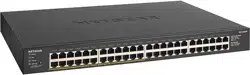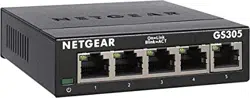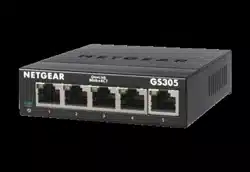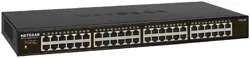
Business Essentials Gigabit Ethernet Switches Data Sheet
16-Port/24-Port/48-Port Gigabit 300 Series
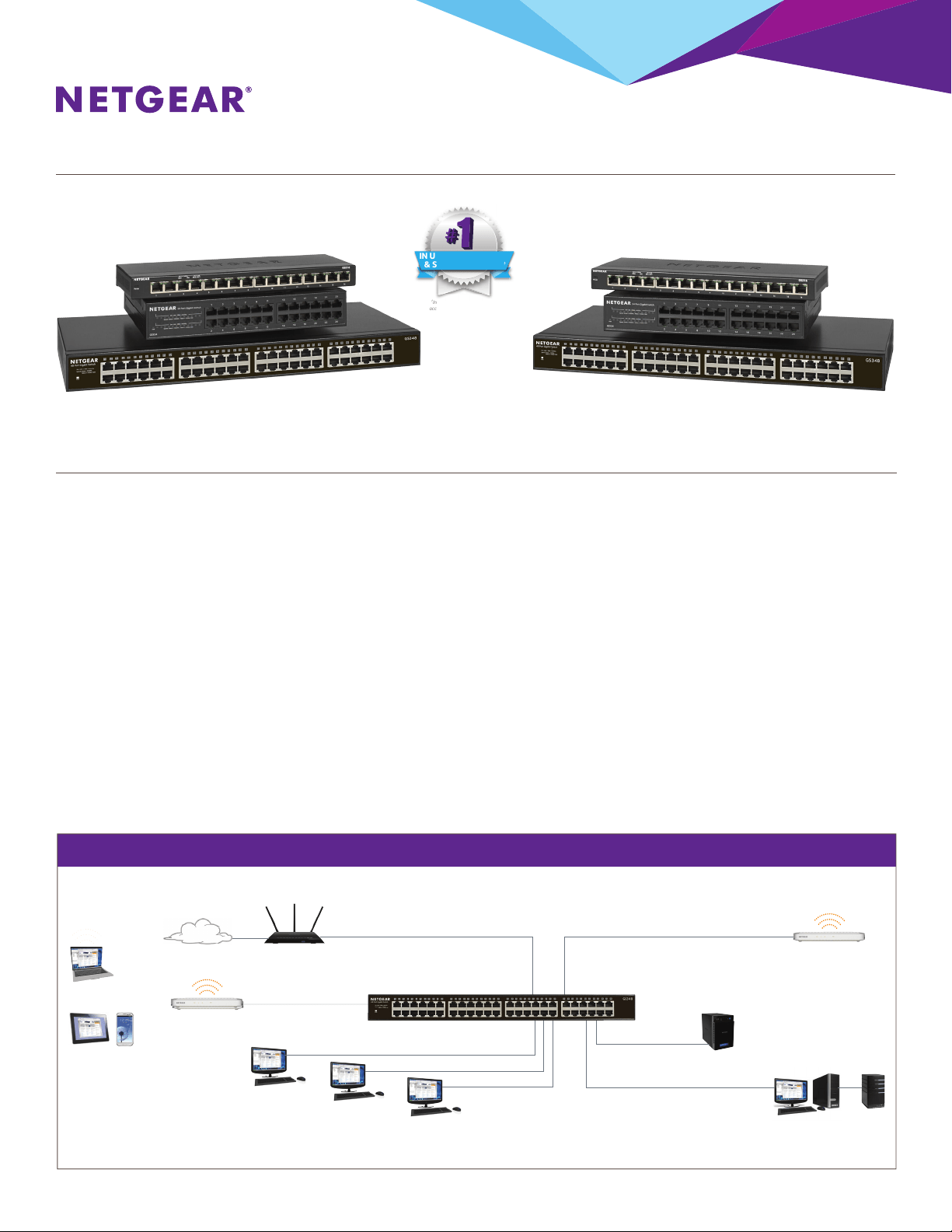
SMALL OFFICE/HOME OFFICE NETWORK DIAGRAM
Access Point
Router
GS348
Access Point
Internet
Laptop PCs
ReadyNAS®
Desktop PC
Desktop PC
Desktop PC
Tablets/Phones
Server
Workstation
Expanding Wired Connectivity for SOHO Networks
•Plug-and-play; no setup required
•Durable and rugged metal case
•Ideal for small oce and home networks
•Standards-based technology ensures interoperability with any
standards-based devices in the existing network
•GS316 and GS324 are wall-mountable
•GS324 and GS348 are rack-mountable
(rackmount kit included)
•Auto-MDI/MDIXeliminatestheneedforcrossovercables
•LEDindicatorsforeaseofuse
•Energy-ecienttechnologyforpowersavings
•Fanlessdesignforsilentoperation
•Auto-negotiationforautomaticconnectionatthehighest
common speed between switch and an end device
•Non-blocking switching architecture for maximum
throughput at wire speed
•802.1p QoS for trac/frame prioritization
IN UNMANAGED, WEB,
& SMART SWITCHES
†
In North America Market Share
according to NPD, February 2017
NETGEAR300SeriesGigabitEthernetUnmanagedSwitchesprovideeasy,reliable,andaordablenetworkconnectivityforhome
andsmalloces.Withtheseunmanagedplug-and-playswitches,youcanexpandyournetworkconnectionstomultipledevices
instantly.JuststepuptoGS316,GS324orGS348directlytoavoidcongestionduetostackinguplowerportcountswitchesand
be ready for future expansion.
•802.3ab1000BASE-TGigabitEthernet
•802.3u100BASE-TXFastEthernet
•802.3i10BASE-TEthernet
Business Essentials Gigabit Ethernet Switches Data Sheet
16-Port/24-Port/48-Port Gigabit 300 Series
*ThisproductcomeswithalimitedwarrantythatisvalidonlyifpurchasedfromaNETGEARauthorizedreseller,andmodicationstoproductmayvoidthewarranty;see
http://www.netgear.com/about/warranty/ for details. Warranty is 1 year in China/India. 24/7 basic technical support provided for 90 days from purchase date when purchased from
aNETGEARauthorizedreseller.
**MaximumPoEpowersuppliedis15.4Wperport,butnottoexceed53Wtotalpowersuppliedacrossallconnecteddevices.
†
NETGEAR#1inUSMarketShareaccordingtoNPDdataforUnmanagedandWeb/SmartSwitches,February2017.
©2017NETGEAR,Inc.Allrightsreserved. NETGEAR,theNETGEARlogoaretrademarksand/orregisteredtrademarksofNETGEAR,Inc.and/oritssubsidiariesintheUnitedStatesand/orother
countries.Otherbrandnamesmentionedhereinareforidenticationpurposesonlyandmaybetrademarksoftheirrespectiveholder(s).Informationissubjecttochangewithoutnotice.
NETGEAR,Inc.350E.PlumeriaDrive,SanJose,CA95134-1911USA,1-888-NETGEAR(638-4327),E-mail:info@NETGEAR.com,www.NETGEAR.com
D-GS316/GS324/GS348-0
Warranty*
•3-yearwarranty
Standards
•802.3xFlowControl
•802.1pPriorityQoS(allmodels)
•802.1pPriorityQoSandHonors
DSCP tags (GS324 and GS348)
•802.3CSMA/CD
•802.3azEnergyEfficientEthernet
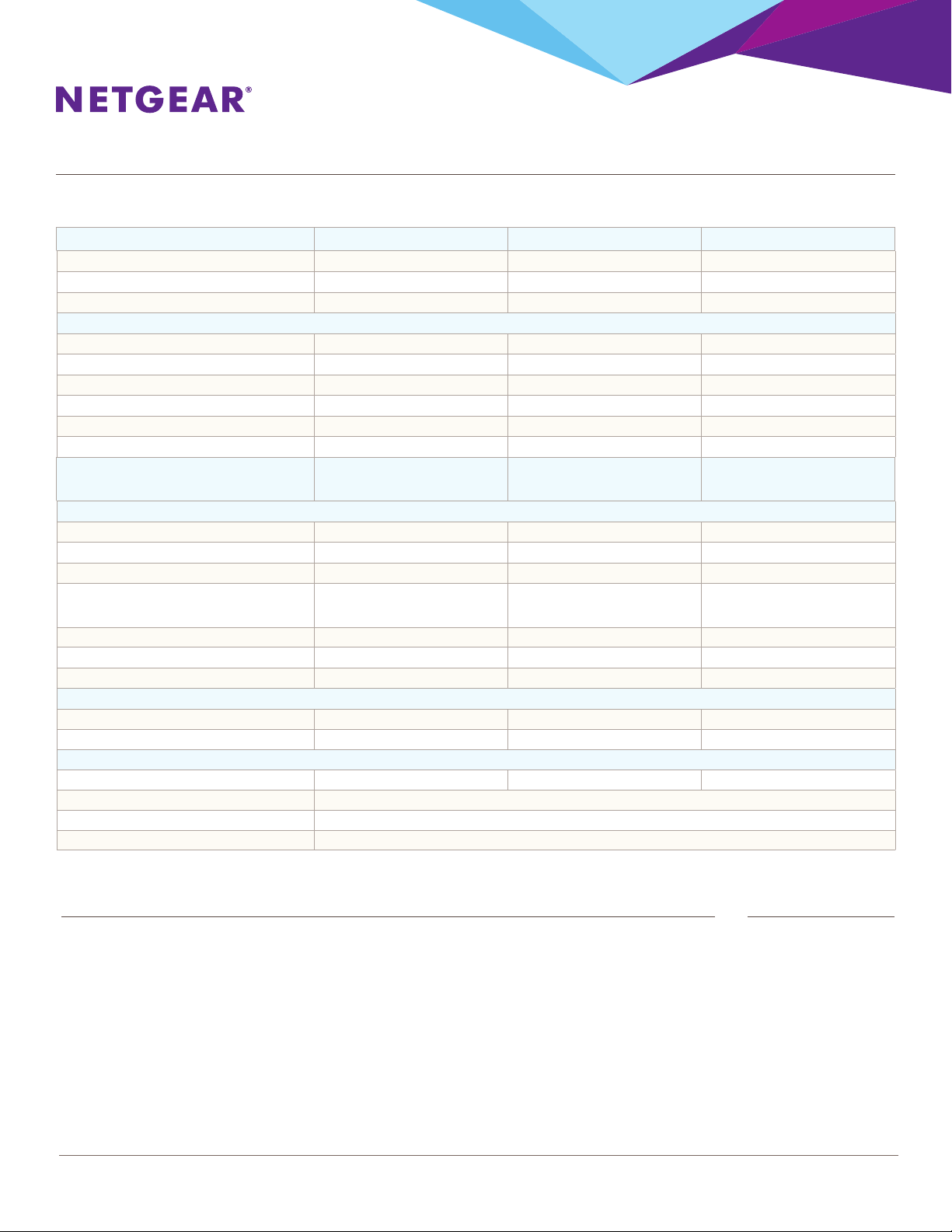
Features GS316 GS324 GS348
10/100/1000MbpsPorts 16 24 48
ENCLOSURE Metal Metal Metal
CONNECTORTYPE Metal Plastic Metal
PERFORMANCE
Bandwidth 32 Gbps 48 Gbps 96 Gbps
BuerMemory 768 KB 512KB 1.5MB
JumboFrames 9,270bytes 9,216bytes 9,216bytes
ForwardingRate(using64-bytepackets) 1,448,000pps 1,448,000pps 1,448,000pps
Latency(using64-bytepackets) < 3.9 µsec < 4.7 µsec < 4 µsec
MACAddressTableSize 2K 8K 16K
FORMFACTOR Desktop
Wall-Mountable
Desktop
Wall-Mountable
Rack-Mountable
Desktop
Rack-Mountable
ENERGYEFFICIENCY
EnergyEcientEthernet(EEE)IEEE802.3az Yes Yes Yes
AutoPowerDown Yes Yes Yes
Short Cable Detection Yes Yes Yes
Power Supply External
12V/1.0A
Internal
(AC:110-240V,
50-60Hz,1.0Amax)
Internal
(AC:110-240V,
50-60Hz,1.0Amax)
PowerConsumption(MaxandStandby) 8.4W / 1.83W 11.1W / 8.47W 23.0W / 8.81W
HeatDissipation(MaxandStandby) 28.73BTU/6.26BTU 37.96BTU/28.97 78.66BTU/33.13BTU
PORTLEDS Power,Link/Activity Power,Link/Activity Power,Link/Activity
PHYSICALSPECIFICATIONS
WidthxDepthxHeight 286 x 101 x 26 mm 252x180x44mm 440 x 204 x 43.2 mm
Weight 0.84 kg 1.31 kg 3.15kg
ENVIRONMENTALSPECIFICATIONS
OperatingTemperature 0° to 40°C 0° to 40°C 0°to50°C
StorageTemperature –20° to 70°C
OperatingHumidity 90%maximumrelativehumidity,non-condensing
StorageHumidity 5%to95%relativehumidity