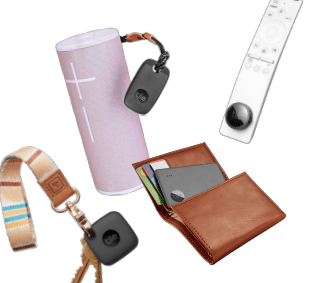
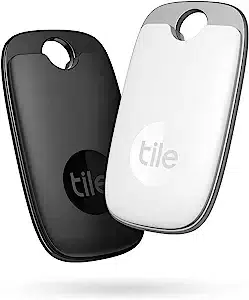
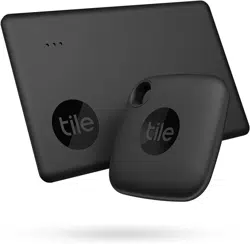
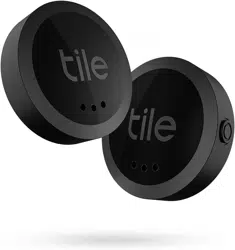
Find everything that matters to you, with Tile. Our Bluetooth-enabled devices and handy app make everything findable. Tile helps you locate everyday essentials during your daily routine, removing little inconveniences, and helping you stay organized so you can do your best and focus on what matters. Our versatile finders can slide, stick or attach to anything from your keys to your wallet, phone, passport, laptop, pets, and more.
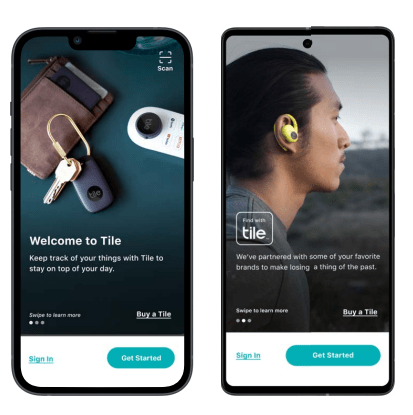
You can download the free Tile App in the Apple App Store and Google Play Store.
You don’t need to have a Tile to join the Tile community!
How does Tile work?
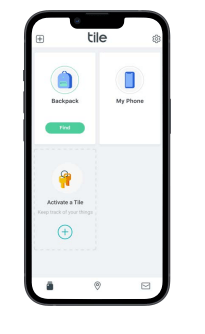
During set up, the Tile app on your smartphone "discovers" the Bluetooth enabled Tile and establishes a connection. Tile then uses the location services of your smartphone to communicate up-to-date location information to the app.
Tile has three main finding features. You can:
Ring your Tile from the Tile app when it is within Bluetooth range
View the last known location of your Tile using the map on the Tile app
Enable ‘Notify When Found’ to enlist the help of the Tile community to locate your Tile
But wait, there’s more! With Tile you can also:
Use the Circles to Find if you can't hear your Tile ring, just watch the green circles fill in as you get closer.
Use Find My Phone to find your phone or tablet with a push of your Tile’s button
Share your Tile with a trusted friend or family member
If you're having trouble connecting to your Tile, please email us at [email protected].
Please also check to see if you have these settings enabled for Tile to work properly:
Your Bluetooth is turned on.
Your Location settings are turned on correctly.
You can search ‘Permission Settings’ in our Help Center to learn more.
Your device's software is up to date. This will ensure your device has the latest Bluetooth support.
You have the latest version of the Tile app.
About this item
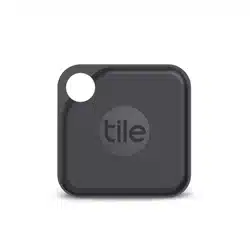
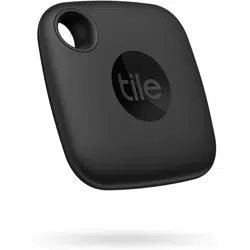
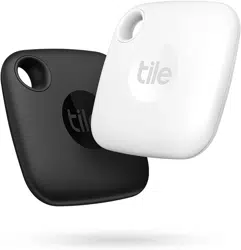
POWERFUL TRACKER - Tile helps you keep track of your things. The Tile Pro streamlined shape hangs great on keys, bags or luggage. Use our free app to find them.
FIND NEARBY -- Use the Tile app to ring your Tile when it’s within Bluetooth range, or ask your Smart Home device to find it for you.
FIND FAR AWAY -- When outside of Bluetooth range, use the Tile app to view your Tile’s most recent location on a map.
FIND YOUR PHONE- Double press the button on your Tile to make your phone ring, even when it’s on silent.
NOTIFY WHEN FOUND -- Enlist the secure and anonymous help of the Tile Network to help find your things. If your lost Tile is found, If your Tile is lost, add your contact information so you can be reached when someone scans the QR code on your lost Tile.
ANDROID, IOS & SMART HOME COMPATIBLE - Find your things with the free Tile app on both iOS and Android devices. Tile also works with Amazon Alexa, Hey Google and Siri
TECH SPECS: Water-Resistant (IP67 rated), Up to 1-year replaceable battery, Up to 400 ft / 120 m Bluetooth range
UPGRADE TO A PREMIUM PLAN: Get proactive Smart Alert notifications when you leave something behind, and with Item Reimbursement, if we can’t find your Tiled item, we reimburse you.
Note: Products with electrical plugs are designed for use in the US. Outlets and voltage differ internationally and this product may require an adapter or converter for use in your destination. Please check compatibility before purchasing.
Getting set up with Tile
Attach your Tile to your thing — keys, wallet, luggage, phone, laptop, or even your pets depending on the type of Tile tracker.
Download the Tile app for iOS or Android
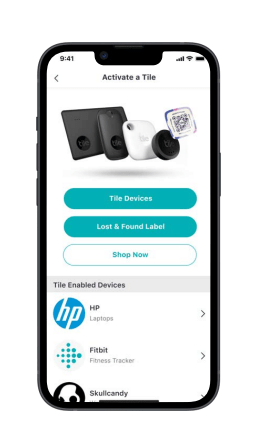
Once you’re in the app, tap on “Get Started” to activate your tracker. Android users may see slightly different screens.
Next, tap on "Tile Devices.” Android users may see slightly different screens.
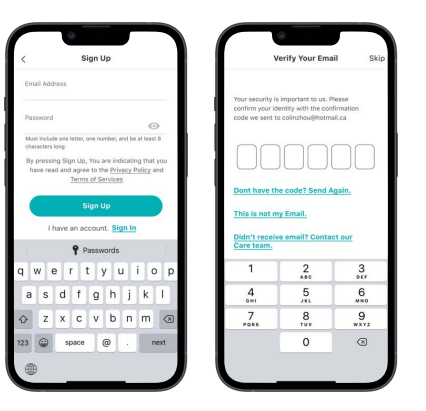
Create your account by filling out all your info, then verify your new account.
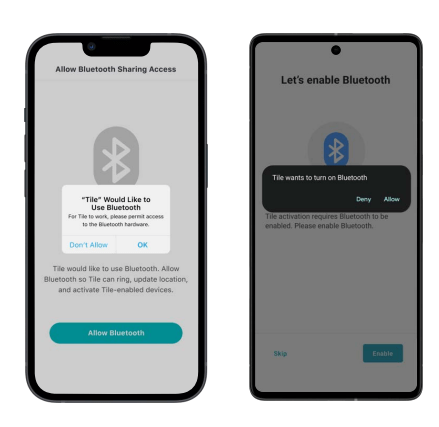
Tap "OK" to allow Tile to use Bluetooth. Enabling your will start the activation process for your Tile tracker, ring Tiles within range, and update the location.
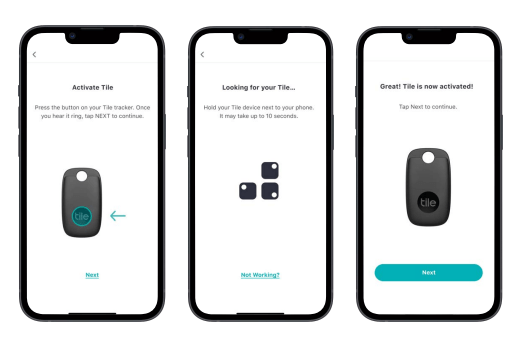
Now you can press the button right on your Tile tracker — this will start the activation process. Once you hear it ring, tap “Next” in the app
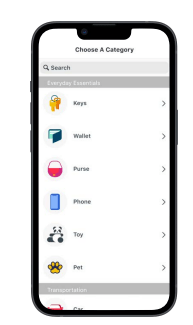
Choose the category for the thing you’re attaching your Tile to.
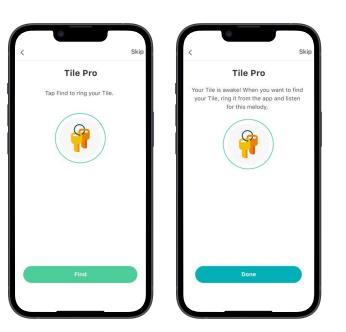
Give it a test. Tap “Find” in the app to ring your Tile.
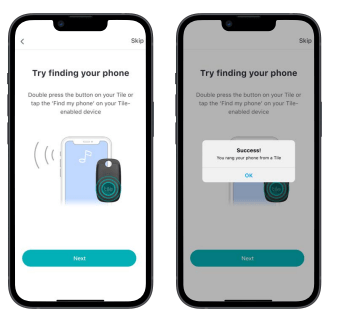
Here’s a helpful hint if you can’t find your phone — double press the button on your Tile to make it ring, even if your phone is on silent
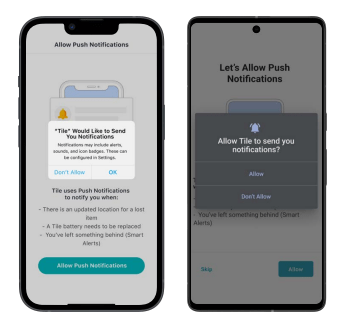
Make sure you say “OK” when Tile asks to send you Notifications. That way, you’ll get alerted for permission settings, when you need to change your batteries, and Notify When Found updates. Notifications are also necessary if you want to get Smart Alerts if you’ve left a Tiled item behind.
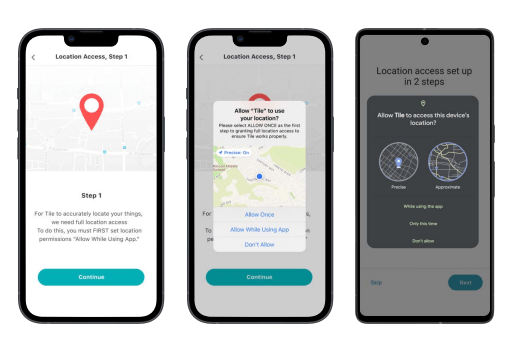
Allow Tile to use your location so you can always see the most up-to-date and accurate location of your Tile on the map and find your phone.
On iOS, set your Location Permissions to ;Always.
On Android, set your Location Preferences to ;Allow all the time.
On Android 12 and later, set to "Allow all the time,” then ;Precise
You're all set! Now you can see your Tiled item in the app — never lose your thing again.
Troubleshooting steps are as below:
Uninstall the app
Reinstall the app again,
Restart the phone where the app is installed.
Then it should work. Also note: that the issue is (if it occurs) often connected to the phone where the Bluetooth connection might be broken or so.
#1 Considering buy this for my son Incase anyone steals his phone in barracks. Can anyone tell me how far away when he hits tile?
The range can be up to 400 feet. All you do is just double tap the tile icon and it will ring his phone, even if it is on silent.
#2 Can I use with the ones i have already how do these compare to kimfly?
Sorry, I never heard of kingly, but I’m happy with tilePros
#3 If someone steals my wallet and runs off with it will i be able to track its location?
Device must be in bluetooth range of its base (your phone) - so probably no.
#4 If I loose my tile, can the person who find it just remove the battery? (Which would make it useless)
You’re not buying this to aid in recovery of theft. You’re buying it to find your keys or whatever when you lose them. If someone wants your belonging they can simply remove the tile and chuck it. That’s not the point of the device unless the thief doesn’t know what it is or doesn’t see it.