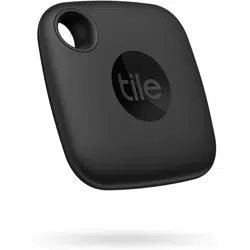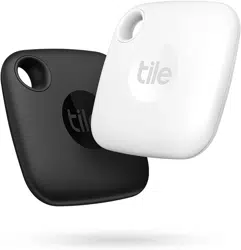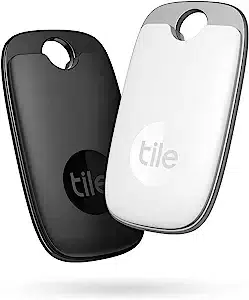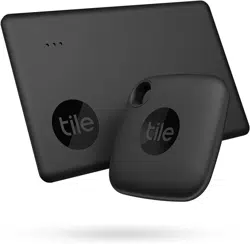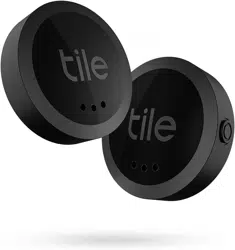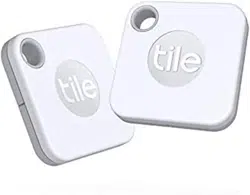

Tile RE-19002 Mate (2020) 2-Pack -Bluetooth Tracker, Keys Finder and Item Locator

Product's Documents

Below are documents related to this product, you can read online or download:
RE-19002 photo

User Manual

This is the main product document for model RE-19002.

The file format is pdf, 2 pages, you can download this manual here .

background
We’re here for you! For answers to common questions, visit our Help Center at
tileteam.zendesk.com/hc/en-us. Or, simply go to thetileapp.com and scroll to the bottom
for our Help Center link under Support
.
What is Tile?
Find everything that matters to you, with Tile. Our Bluetooth-enabled devices and handy app
make everything findable. Tile helps you locate everyday essentials during your daily routine,
removing little inconveniences, and helping you stay organized so you can do your best and
focus on what matters. Our versatile finders can slide, stick or attach to anything from your
keys to your wallet, phone, passport, laptop, pets, and more.
You can download the free Tile App in the Apple App Store and Google Play Store.
You don’t need to have a Tile to join the Tile community!

How does Tile work?
During set up, the Tile app on your smartphone "discovers" the Bluetooth enabled Tile and
establishes a connection. Tile then uses the location services of your smartphone to
communicate up-to-date location information to the app.
Tile has three main finding features. You can:
1. Ring your Tile from the Tile app when it is within Bluetooth range
2. View the last known location of your Tile using the map on the Tile app
3. Enable ‘Notify When Found’ to enlist the help of the Tile community to locate your
Tile
But wait, there’s more! With Tile you can also:
1. Use the Circles to Find if you can't hear your Tile ring, just watch the green circles
fill in as you get closer.
2. Use Find My Phone to find your phone or tablet with a push of your Tile’s button
3. Share your Tile with a trusted friend or family member
background
If you're having trouble connecting to your Tile, please email us at
Please also check to see if you have these settings enabled for Tile to work properly:
Your Bluetooth is turned on.
Your Location settings are turned on correctly.
You can search ‘Permission Settings’ in our Help Center to learn more.
Your device's software is up to date. This will ensure your device has the latest
Bluetooth support.
You have the latest version of the Tile app.

Specifications

Tile RE-19002 Questions and Answers


#1 What is the difference with the pro?

The Tile Pro is bigger, with a bigger battery and longer life. Both batteries are changed (watch type), which lasts about a year. Both allow you to search for the phone in case of loss. In this version, they are white.

#2 Does this come with a year of Premium?

Not that I am aware of. I had to pay for it.

#3 If I have Tiles on 4 key rings, how are each differentiated?

You pair each separately, and then you identify them (Aka name them) however you want. For example, key ring 1 will be “house keys.” Key ring 2 will be “car keys” and so on.

#4 How do I know how much charge the device has left?

I have more than a year with two devices (keychain and wallet) and I still haven't changed the batteries. The investment is worth it

#5 Can I have all black colors?

Why not, if they make them in black. Many are white.

#6 Could I use tile as a bike tracker in the event my bike gets stolen?

You can, but it will not be very effective. it will only be effective if someone with the tile app walks by within the blue tooth range, basically 20 to 30 feet. At this time it will start ringing and notify you it has been found and show the location. The person who stole the bike will now hear it ringing and discard the tile and move the bike elsewhere. Tile is mostly meant for small devices. For I bike I would recommend a silent GPS tracking device instead.

#7 How can I download th app for tile mate?

The tile app has everything you need for all tile products

#8 Is there a separation alert? Or you have to realize you lost it yourself?

Only for when you are ready to locate. Does not assume for you

Questions and Answers

Related Products