How to connect the Cloud Camera to the third party software by using RTSP
一、 Wansview cloud APP settings
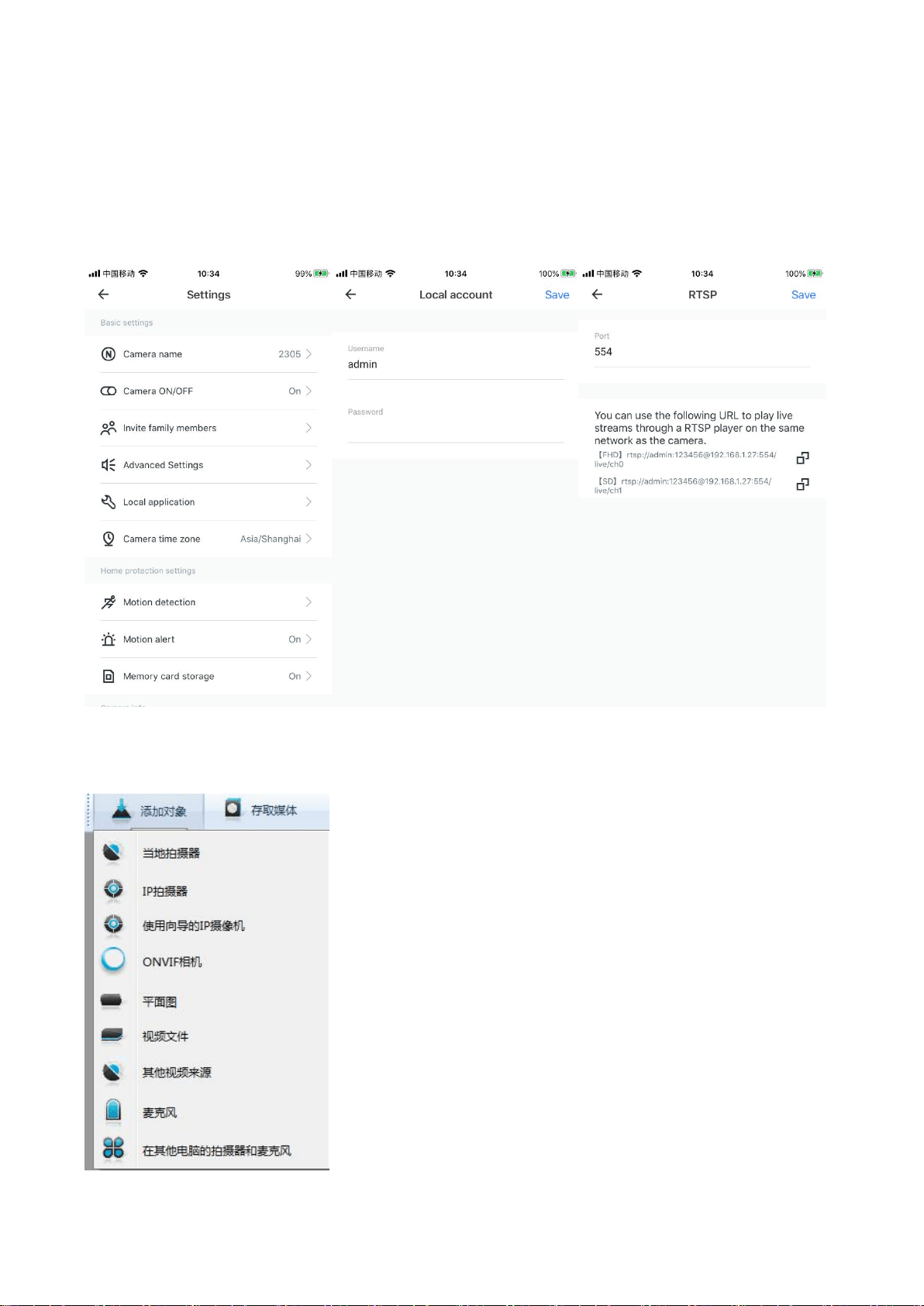
Please enter the [Settings]-[Local application]. You can modify the local user name and password
(the default user name and password will be issued by the server for the first time) and the RTSP
port number (range 554-1554).
二、Connect with iSpy
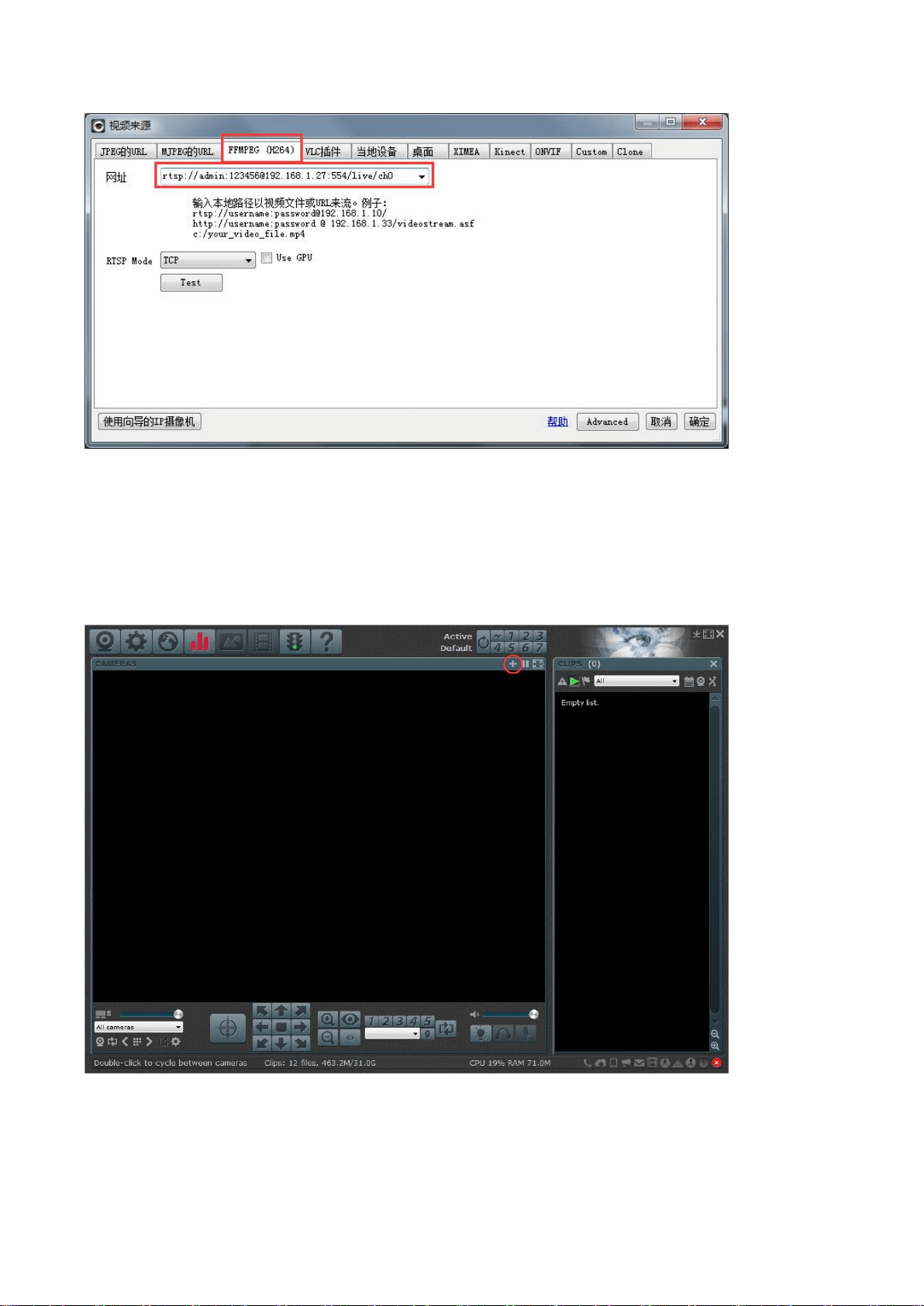
Add objects, select one and switch to FFMPEG (H264), copy the RTSP link in the APP to the URL bar and click OK
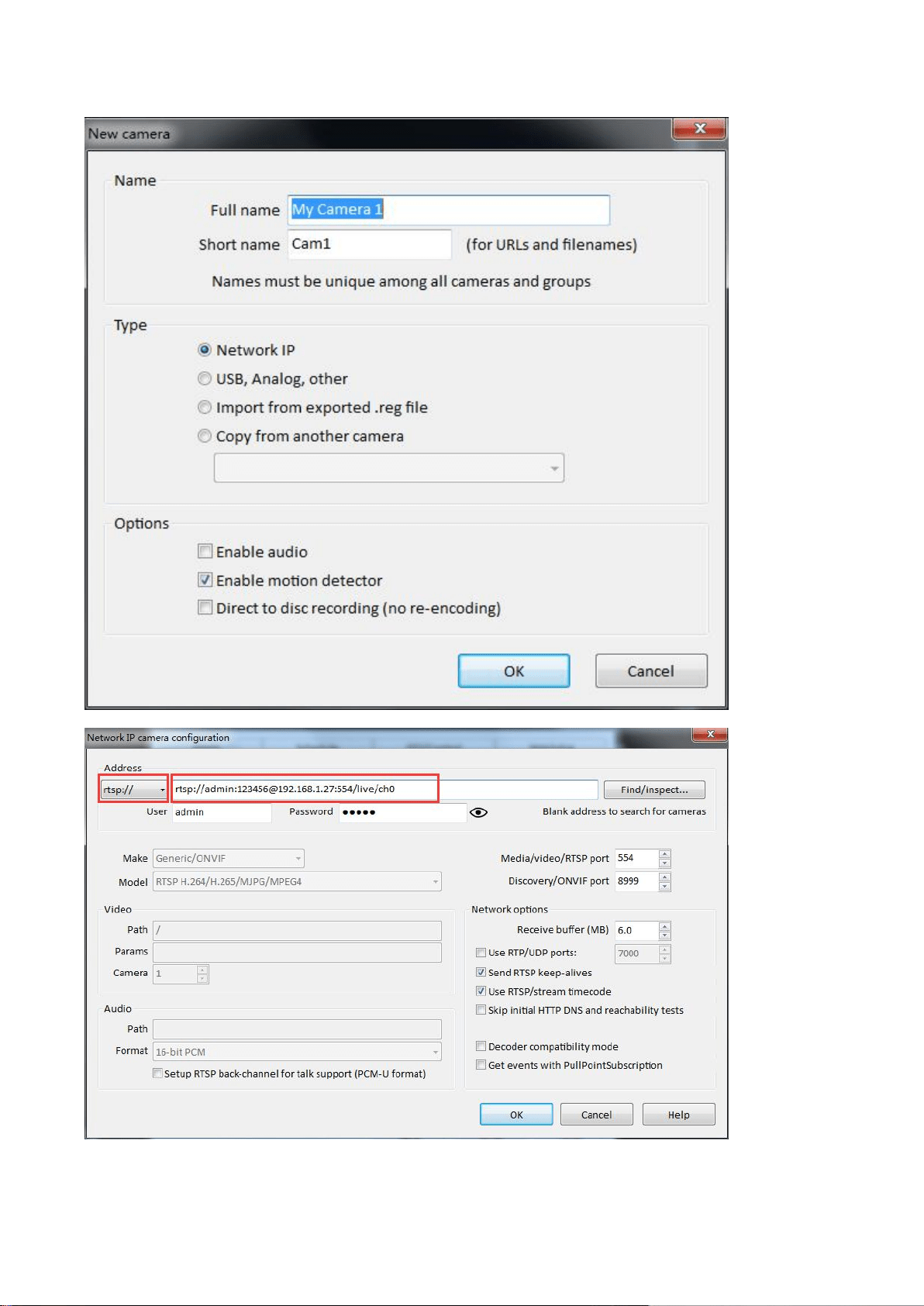
三、Connect with Blue iris
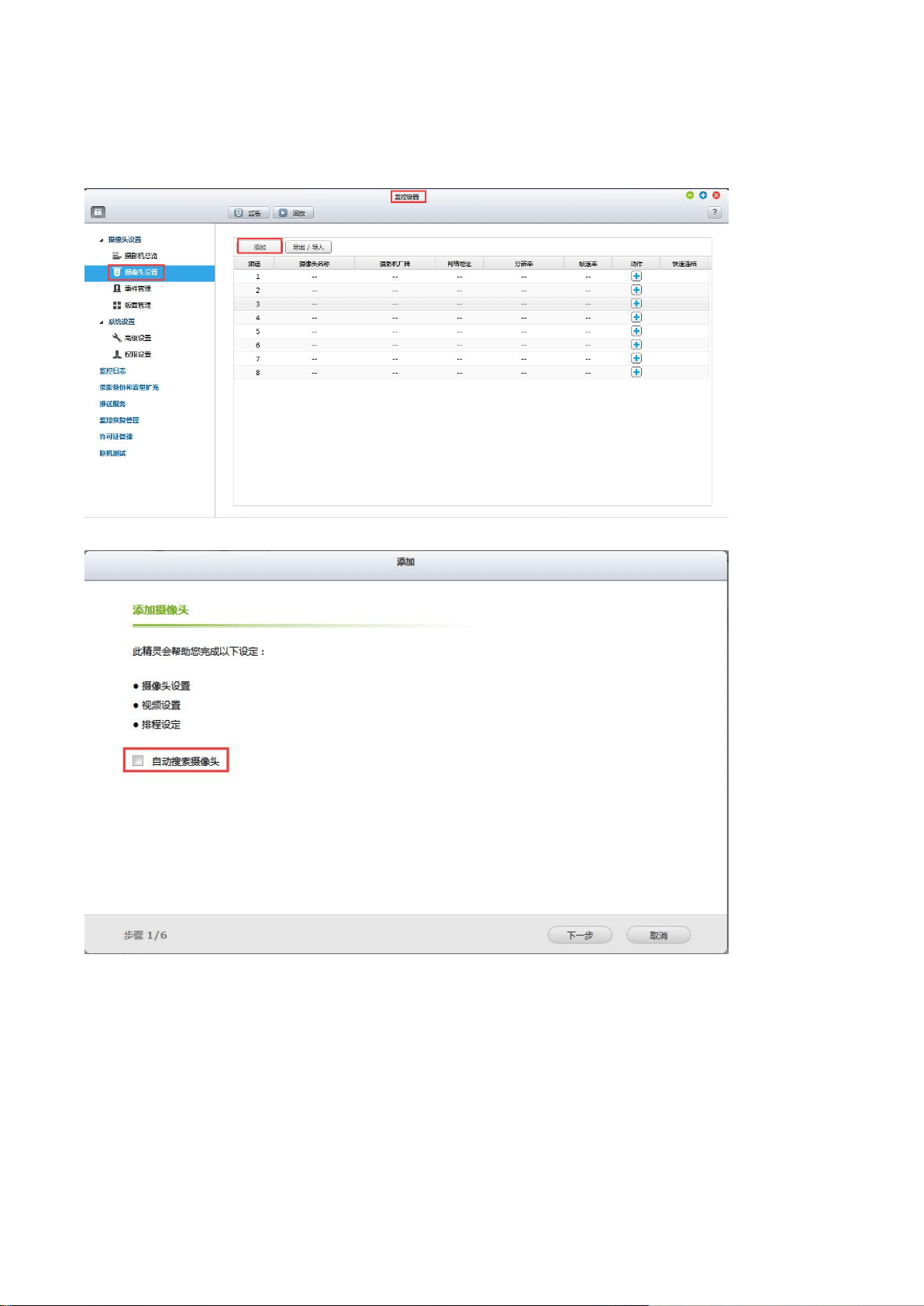
Select rtsp: // in the address bar, and then copy the RTSP link in the APP to the address bar. You only
need to modify the content in the red box below. Other information does not need to be modified.
Click OK after modification.
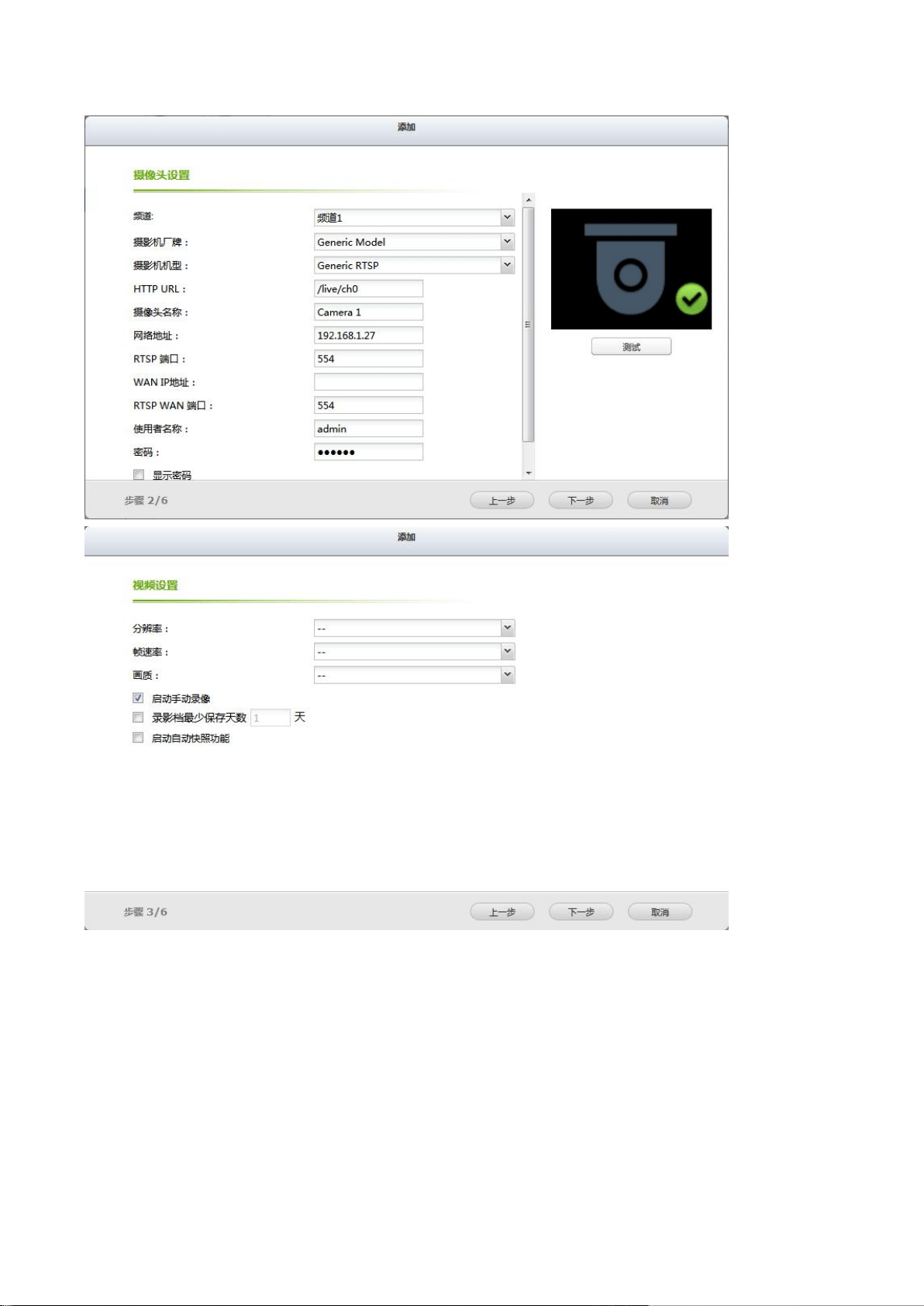
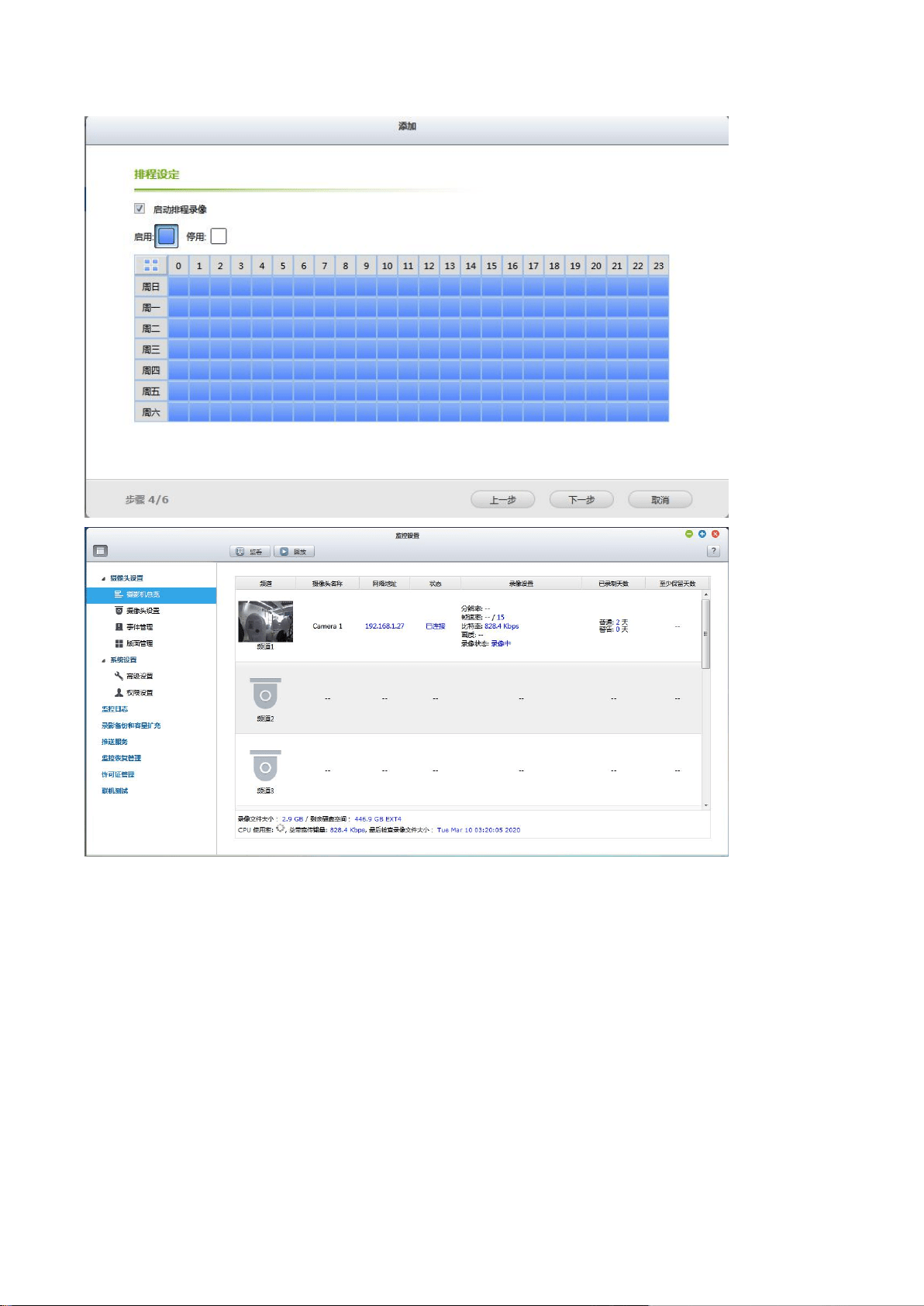
四、NVR settings (take QNAP NVRE502DE model web page as an example)
Uncheck [Auto Search Camera] when adding
Select the camera model as Generic Model, select the camera model as Generic RTSP, set the URL to / live / ch0,
fill in the IP address of the device's internal network, and set the username and password to the username and
password set in the local account in the Wansview cloud APP
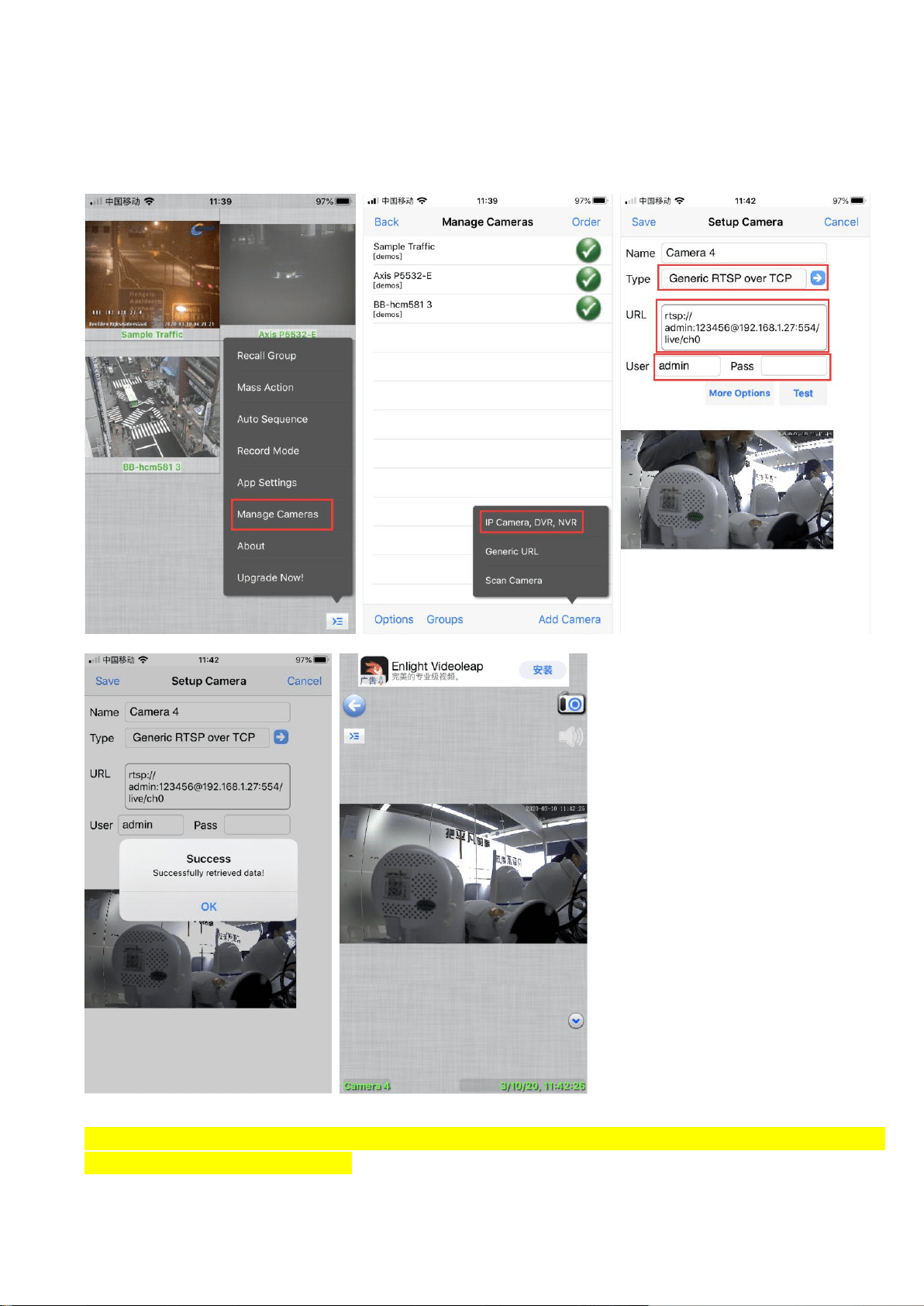
四、Connect with IPCamViewer Lite
The camera added by IPCamViewer Lite through RTSP can only watch video, and does not support monitoring
and recording
Note: RTSP only transmits audio and video real-time streams, and does not support PTZ control, night
vision switching and other functions